• Introduction
• Types of Input Device
Introduction
Computer cannot understanding our language because it understands
only machine language and it can be possible using some devices are
called input devices. When we
work with computer we need to enter data and instructions
to the computer using these devices
These devices convert data and instructions to a form that
can be recognized by the computer.
Types of Input Device
•Keyboard
•Mouse
•Scanner
•Joystick
•Digital camera
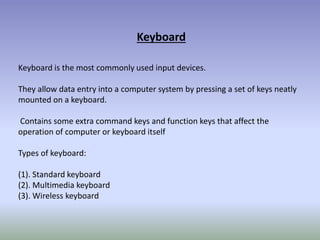
Keyboard
Keyboard is the most commonly used input devices.
They allow data entry into a computer system by pressing a set of keys neatly
mounted on a keyboard.
Contains some extra command keys and function keys that affect the
operation of computer or keyboard itself
Types of keyboard:
(1). Standard keyboard
(2). Multimedia keyboard
(3). Wireless keyboard
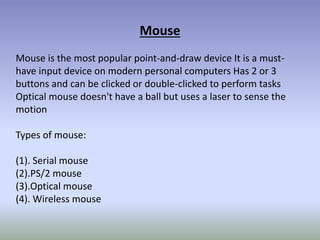
Mouse
Mouse is the most popular point-and-draw device It is a must-
have input device on modern personal computers Has 2 or 3
buttons and can be clicked or double-clicked to perform tasks
Optical mouse doesn't have a ball but uses a laser to sense the
motion
Types of mouse:
(1). Serial mouse
(2).PS/2 mouse
(3).Optical mouse
(4). Wireless mouse
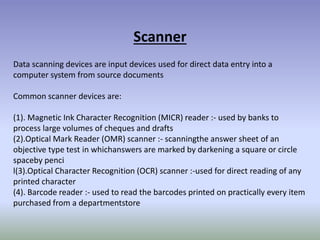
Scanner
Data scanning devices are input devices used for direct data entry into a
computer system from source documents
Common scanner devices are:
(1). Magnetic Ink Character Recognition (MICR) reader :- used by banks to
process large volumes of cheques and drafts
(2).Optical Mark Reader (OMR) scanner :- scanningthe answer sheet of an
objective type test in whichanswers are marked by darkening a square or circle
spaceby penci
l(3).Optical Character Recognition (OCR) scanner :-used for direct reading of any
printed character
(4). Barcode reader :- used to read the barcodes printed on practically every item
purchased from a departmentstore
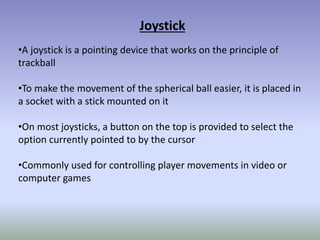
Joystick
•A joystick is a pointing device that works on the principle of
trackball
•To make the movement of the spherical ball easier, it is placed in
a socket with a stick mounted on it
•On most joysticks, a button on the top is provided to select the
option currently pointed to by the cursor
•Commonly used for controlling player movements in video or
computer games
DIGITAL CAMERA
•A computer with a vision-input device consists of digital camera
•The camera creates an image of the object in digital form so that It
can be stored and interpreted by the computer
•The digitized image of the object is matched against similarly
formed pre-stored images in the computer's image database
Input Device.pptx

Input Device.pptx

  • 2.
  • 3.
    Introduction Computer cannot understandingour language because it understands only machine language and it can be possible using some devices are called input devices. When we work with computer we need to enter data and instructions to the computer using these devices These devices convert data and instructions to a form that can be recognized by the computer.
  • 4.
    Types of InputDevice •Keyboard •Mouse •Scanner •Joystick •Digital camera
  • 5.
    Keyboard Keyboard is themost commonly used input devices. They allow data entry into a computer system by pressing a set of keys neatly mounted on a keyboard. Contains some extra command keys and function keys that affect the operation of computer or keyboard itself Types of keyboard: (1). Standard keyboard (2). Multimedia keyboard (3). Wireless keyboard
  • 6.
    Mouse Mouse is themost popular point-and-draw device It is a must- have input device on modern personal computers Has 2 or 3 buttons and can be clicked or double-clicked to perform tasks Optical mouse doesn't have a ball but uses a laser to sense the motion Types of mouse: (1). Serial mouse (2).PS/2 mouse (3).Optical mouse (4). Wireless mouse
  • 7.
    Scanner Data scanning devicesare input devices used for direct data entry into a computer system from source documents Common scanner devices are: (1). Magnetic Ink Character Recognition (MICR) reader :- used by banks to process large volumes of cheques and drafts (2).Optical Mark Reader (OMR) scanner :- scanningthe answer sheet of an objective type test in whichanswers are marked by darkening a square or circle spaceby penci l(3).Optical Character Recognition (OCR) scanner :-used for direct reading of any printed character (4). Barcode reader :- used to read the barcodes printed on practically every item purchased from a departmentstore
  • 8.
    Joystick •A joystick isa pointing device that works on the principle of trackball •To make the movement of the spherical ball easier, it is placed in a socket with a stick mounted on it •On most joysticks, a button on the top is provided to select the option currently pointed to by the cursor •Commonly used for controlling player movements in video or computer games
  • 9.
    DIGITAL CAMERA •A computerwith a vision-input device consists of digital camera •The camera creates an image of the object in digital form so that It can be stored and interpreted by the computer •The digitized image of the object is matched against similarly formed pre-stored images in the computer's image database