Information Security introduction and management.pptx
1.
IT 334: ITSECURITY
INTRODUCTION
•Definition of security
•Characteristics of information
•Components of IS
•Balancing InfoSec and Access
INSTRUCTOR: Kavuta, KD
2.
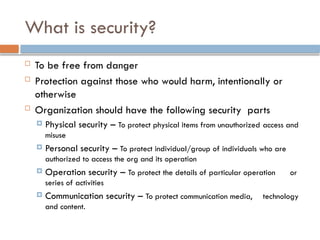
To befree from danger
Protection against those who would harm, intentionally or
otherwise
Organization should have the following security parts
Physical security – To protect physical items from unauthorized access and
misuse
Personal security – To protect individual/group of individuals who are
authorized to access the org and its operation
Operation security – To protect the details of particular operation or
series of activities
Communication security – To protect communication media, technology
and content.
What is security?
3.
What is securityCont..
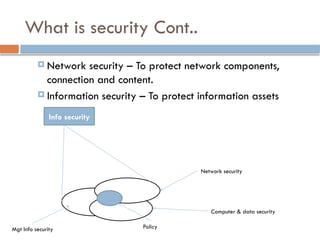
Network security – To protect network components,
connection and content.
Information security – To protect information assets
Info security
Mgt Info security Policy
Network security
Computer & data security
4.
Characteristics of Information
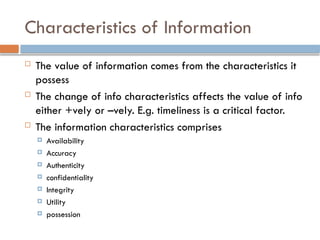
The value of information comes from the characteristics it
possess
The change of info characteristics affects the value of info
either +vely or –vely. E.g. timeliness is a critical factor.
The information characteristics comprises
Availability
Accuracy
Authenticity
confidentiality
Integrity
Utility
possession
5.
1. Availability
Enablesauthorized users – person/computer system to
access information without interference or obstruction, and
to receive it in a required format (i.e. understandable to
the user).
2. Accuracy
Information has accuracy when it is free from mistakes or
errors and it has value that the end user expects
If the information has been intentionally or unintentionally
modified, it is no longer accurate.
3. Authenticity
Authenticity of info is the state of being genuine or
original, rather than a reproduction or fabrication.
It is authentic when it is in the same state in which it was
created
6.
3. Authenticity (cont…)
The authenticity can be affected by
Spoofing: – the process of sending message with modified field.
The modified field is often the address of the originator. This can
fool the recipient into thinking that the message is legitimate traffic.
Phishing: - occurs when an attacker attempts to obtain personal or
financial information using fraudulent means most often by posing
another individuals or organization.
4. Confidentiality
Information has confidentiality when disclosure or exposure to
unauthorized individuals or system is prevented. Only those
with the right and privilege can access info.
Measures to protect confidentiality
Info classification
Secure document storage
Application of security policies
Education of information custodian and end user
7.
5. Integrity
Informationhas integrity when it is whole, complete, and
uncorrupted. The integrity is threatened when the info is
exposed to corrupt, damage, destruction, or other
disruption of its authentic state.
Corruption can occur when data is stored or transmitted.
Example, the virus is designed for the purpose of
corrupting data.
6. Utility
The utility of information is the quality or state of
having value for some purpose or end.
Information has value if it can serve particular
purpose. On the other hand, if info is available but not
in format meaningful to the end user, it is not useful.
8.
7. Possession
Isthe quality or state of ownership or control of some
object or item.
A breach of confidentiality always results in a breach
of possession, while the breach of possession does not
always result in breach of confidentiality. Example, the
organization can encrypt their information, therefore if it
happen that those info are stolen and given to its competitor,
then we can say that there is a breach of possession,
however, unless the competitor has the proper decryption
algorithm, the data will not be read, hence no breach of
confidentiality.
9.
Components of InformationSecurity
Information System (IS) is much more than computer
hardware. It is entire set of software, hardware,
data, people, procedures, and networks. Each IS
component has its own security requirements.
1. Software
The most difficult component to secure
The error exploited during software programming
accounts for a substantial portion of attacks on info.
10.
2. Hardware
Thephysical technology that houses and executes the
software, stores, and carries data and provides
interface for the entry and removal of information
from the system.
Physical security policies deal with hardware as
physical assets. Tradition tools such as locks and keys
restricts access to and interaction with hardware
components
3. Data
DBMS is mostly used to improve the security of data
and applications. However, many systems are not
made in ways that make use of the DBMS’s security
capabilities
11.
4. People
Peoplecan be the weakest link in organization’s
information security program
“Unless policies, education and training, awareness,
and technology are properly employed to prevent
people from accidentally or intentionally damaging
or losing information, they will remain the weakest
links”
Example: Chinese empire, construction of great wall
(200BC - 1275) Vs Kublai Khan (bribed the
gatekeeper)
12.
4. Procedures
Arewritten instructions for accomplishing specific task.
When an unauthorized user obtains the org’s
procedures this poses a threat to the integrity of the
information. People should be educated to protect
procedures.
5. Network
When information systems are connected to each
other to form LAN and or LANs are connected to
internet, the new challenge rapidly emerge.
Security for wireline is difficult
Security for mobile even harder.
Level of security depends on worthy of
information
13.
Balancing information securityand
access
Even with the best planning and implementation, it is
impossible to obtain perfect information security.
Anderson, J (n.d) state that “information security
cannot be absolute, it is a process, not a goal”.
Information security should balance protection and
availability. It is possible to make system available
to anyone, anywhere, anytime through any means.
However, such unrestricted access poses a danger to
the integrity of info. On the other hand a
completely secure info system would not allow
anyone to access
14.
Therefore, toachieve balance that is to operate an
info sys that satisfies the user and security
professional – the level of security must allow
reasonable access, yet protect against threats
15.
Chapter 1 Objectives
Identify top threats to a computer network
Assess the likelihood of an attack
Define key terms like cracker, sneaker, firewall, and
authentication
Compare and contrast perimeter and layered
approaches to network security
Use online resources
16.
Computer systemsand networks are all around us.
Online banking
Automated supermarket checkouts
Online classes
Online shopping
Online travel resources
Introduction
17.
17
Introduction (cont.)
Howis personal information safeguarded?
What are the vulnerabilities?
What secures these systems?
18.
18
How Seriously ShouldYou Take
Threats to Network Security?
Which group do you belong to?
“No one is coming after my computer.”
“The sky is falling!”
Middle ground.
19.
19
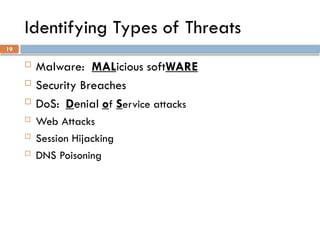
Identifying Types ofThreats
Malware: MALicious softWARE
Security Breaches
DoS: Denial of Service attacks
Web Attacks
Session Hijacking
DNS Poisoning
29
DNS Poisoning
Thisinvolves altering DNS
records on a DNS server to
redirect client traffic to
malicious websites, usually
for identity theft.
30.
30
Assessing the Likelihoodof an Attack on
Your Network
Viruses
Catch up on new and refurbished viruses
Unauthorized use of systems
DoS attacks
Intrusions
Employee misuse
34
Network Security Paradigms
How will you protect your network?
CIA Triangle
Least Privileges
Perimeter security approach
Layered security approach
Proactive versus reactive
Hybrid security method
35.
35
How Do LegalIssues Impact Network Security?
The Computer Security Act of 1987
OMB Circular A-130
See
www.alw.nih.gov/Security/FIRST/papers/ legal/stat
elaw.txt
for state computer laws
Health Insurance Portability and Accountability Act
of 1996, HIPAA
37
Summary
Network securityis a constantly changing field.
You need three levels of knowledge.
Take the courses necessary to learn the basic
techniques.
Learn your enterprise system intimately, with all its
strengths and vulnerabilities.
Keep current in the ever-changing world of threats and
exploits.
#15 Identify the top threats to a computer network: malware, intrusion, Denial of service attacks
Assess the likelihood of an attack on your personal computer and network
Define key terms such as cracker, sneaker, firewall and authentication
Compare and contrast perimeter and layered approaches to network security
Use online resources to secure your network
#16 Computer systems are everywhere.
Online banking, ATMs, debit cards
E-Bay, Amazon, Half.com for textbooks
Expedia, Travelocity, airplane e-tickets
#17 How is my online personal information safeguarded?
Passwords, account numbers, etc.
What are the vulnerabilities to these systems?
Web site security
What steps are taken to ensure that these systems and data are safe?
SSL, Encryption, etc.
#18 Which group do you belong to?:
“No one is coming after me/my computer.”
Prove to me that I am at risk
Ostrich Theory
“The sky is falling!!”
Prove to me that I am not at risk
Paranoia
Middle Ground
An educated awareness of true risk
#19 Malware – MALicious softWARE, the most common threat to your system
Intrusions – an attempt to gain unauthorized access to your system
DoS – Denial of Service attacks, attempts to deny authorized users access to the system
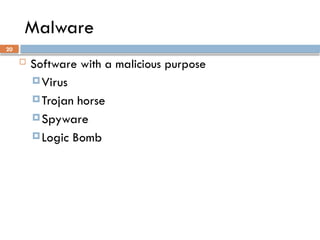
#20 Virus – “a small program that replicates itself and hides itself inside other programs, usually without your knowledge” (Symantec, 2003)
Trojan horse - a malicious program disguised as something desirable or harmless
Spyware – the fastest-growing category of malware
#21 One of the two most common types of malware
Usually spreads itself through unsuspecting user’s e-mail
Even without malicious payload, rapid replication uses system resources, causing slow down or stoppage
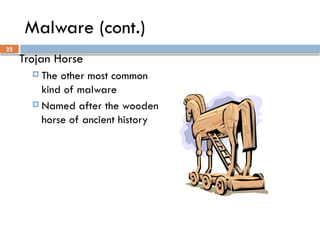
#22 The other most common kind of malware
Named after the famous wooden horse of ancient history
It disguises itself as something benign, something you need or want, i.e. a game, screen saver, account logon, etc
It captures your information and returns it to the intruder
#23 Spyware is the most rapidly growing type of malware.
Cookies: initially a good idea to help users surf the Web, now misused to spy on users
Key logger: both in software and hardware, captures all the user’s typing and logs it, capturing passwords, account numbers, credit card numbers, etc.
#24 Spyware is the most rapidly growing type of malware.
Cookies: initially a good idea to help users surf the Web, now misused to spy on users
Key logger: both in software and hardware, captures all the user’s typing and logs it, capturing passwords, account numbers, credit card numbers, etc.
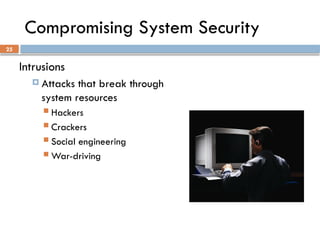
#25 Intrusions are attacks that break through your system’s resources without authorization
Hackers – early internet joy riders, by intent not malevolent
Crackers – system intruders, with malevolent intent
Social Engineering – intruding into a system using human nature, not technology
War driving – driving around looking for unprotected wireless networks
#26 The attacker does not actually intrude into the system, just blocks access from authorized users
Keeps your customers from purchasing on your Web site, denying you sales
Keeps your employees from purchasing e-tickets to a trade show, making them use a travel agent, which costs more money than you had planned
Keeps you from transferring the money from your business Line of Credit to your business account to pay for the tickets, causing your account to be overdrawn
#27 The attacker does not actually intrude into the system, just blocks access from authorized users
Keeps your customers from purchasing on your Web site, denying you sales
Keeps your employees from purchasing e-tickets to a trade show, making them use a travel agent, which costs more money than you had planned
Keeps you from transferring the money from your business Line of Credit to your business account to pay for the tickets, causing your account to be overdrawn
#28 The attacker does not actually intrude into the system, just blocks access from authorized users
Keeps your customers from purchasing on your Web site, denying you sales
Keeps your employees from purchasing e-tickets to a trade show, making them use a travel agent, which costs more money than you had planned
Keeps you from transferring the money from your business Line of Credit to your business account to pay for the tickets, causing your account to be overdrawn
#29 The attacker does not actually intrude into the system, just blocks access from authorized users
Keeps your customers from purchasing on your Web site, denying you sales
Keeps your employees from purchasing e-tickets to a trade show, making them use a travel agent, which costs more money than you had planned
Keeps you from transferring the money from your business Line of Credit to your business account to pay for the tickets, causing your account to be overdrawn
#30 Viruses are most common network attacks
Check any AV vendor Web site to catch up on new and refurbished viruses
Unauthorized use of systems is the next most common attack
DoS attacks
Intrusions
Employee misuse, either deliberate or accidental
#31 People
Hackers – anyone who studies a system through analyzing its flaws
White hats – Consider themselves the “good guys”
Black hats – Or “crackers” are definitely the “bad guys”
Gray hats – Not a common term; refers to individuals who operate out side of the law on occasion
Script kiddies – Inexperienced; consider themselves hackers, but only copy the work of others
Ethical hackers – Consultants who are hired to do vulnerability assessments on company systems
#32 Firewalls – Found in a router or a server or as a stand-alone device, it filters ingress and egress network traffic.
Proxy server – This sits between a client and an application, acting as the host on your network, disguising the IP address of your internal host.
Intrusion Detection System – IDS monitors traffic, looking for attempted attacks.
#33 Phreaking – A subspecialty of hacking, breaking into telephone systems, it gave Kevin Mitnick his start down the road to prison.
Authentication – Process to determine if the credentials given by a user are authorized to access system resources.
Auditing – Process of reviewing logs, records, and procedures to ensure established standards are being met; tedious but critical.
#34 How will you protect our network?
Perimeter security approach
Perimeter Defense is the most popular because it used to be clearly defined, but as companies hire mobile workers, home workers, and contract workers, the perimeter is becoming less and less clearly defined.
Layered security approach
Not only the perimeter but separate sections of the network are protected to the security level assigned to them.
Proactive Versus Reactive
Are your security measures active or passive?
Do you have a security plan, or are you part of someone else’s plan to intrude on you?
Hybrid Security Method
Only a thorough and ongoing risk assessment and vulnerability can keep you informed about what combination of postures will benefit your network the most.
#35 The Computer Security Act of 1987, the first piece of U.S. legislation to affect computer systems
OMB Circular A-130, a more specific federal law that addresses the idea of security standards
#36 CERT
Computer Emergency Response Team, sponsored by Carnegie-Mellon University, the first computer incident response team
Microsoft Security Advisor
Microsoft security information, tools, and updates
F-Secure
Information on virus outbreaks
SANS
Documentation on computer security issues