THE WIKI IS
     ELEMENTARY


I NDIVIDUAL C REATING P ROJECT
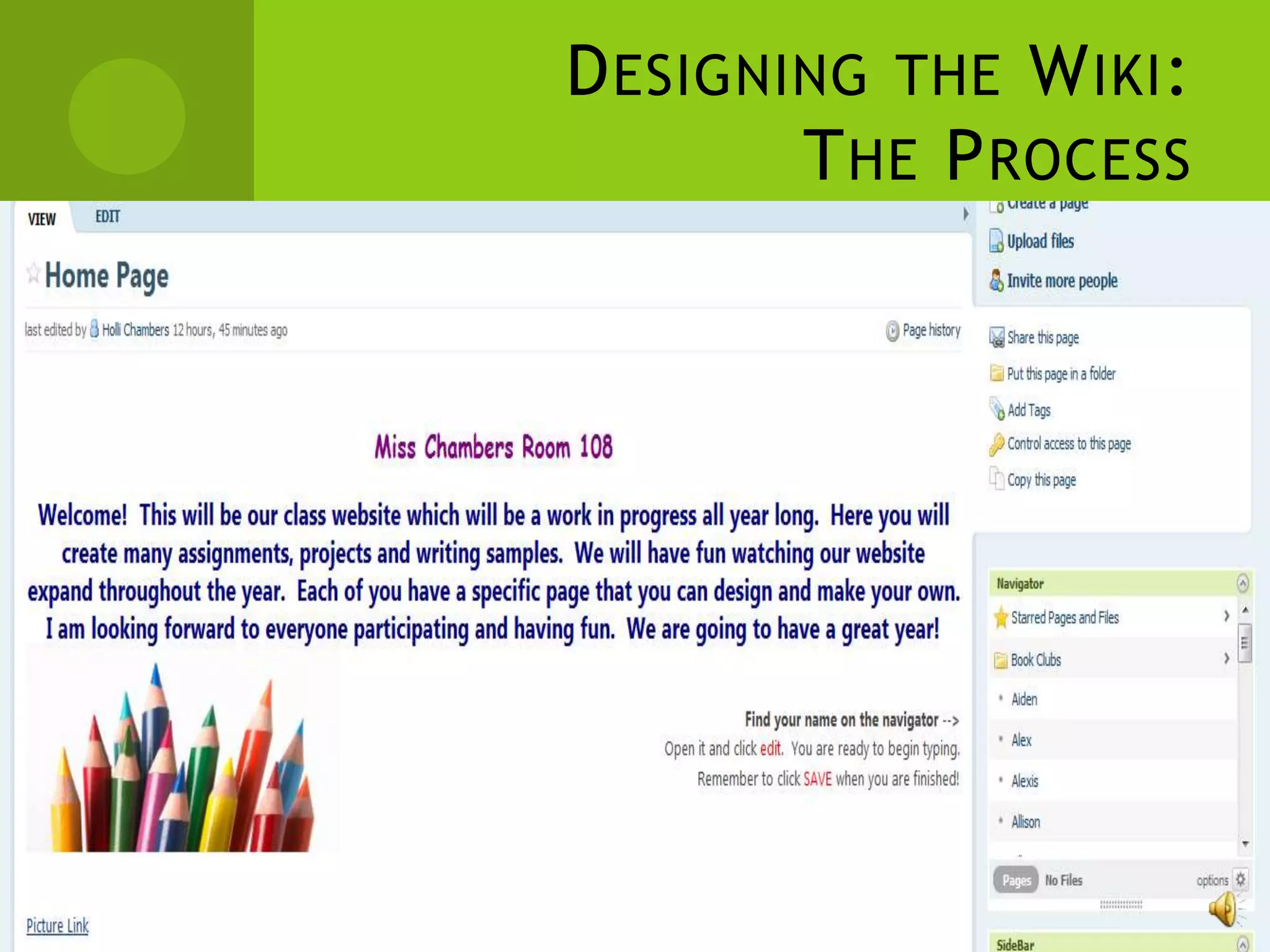
              www.chambers108.pbworks.com
D ESIGNING THE W IKI :
                      T HE P ROCESS

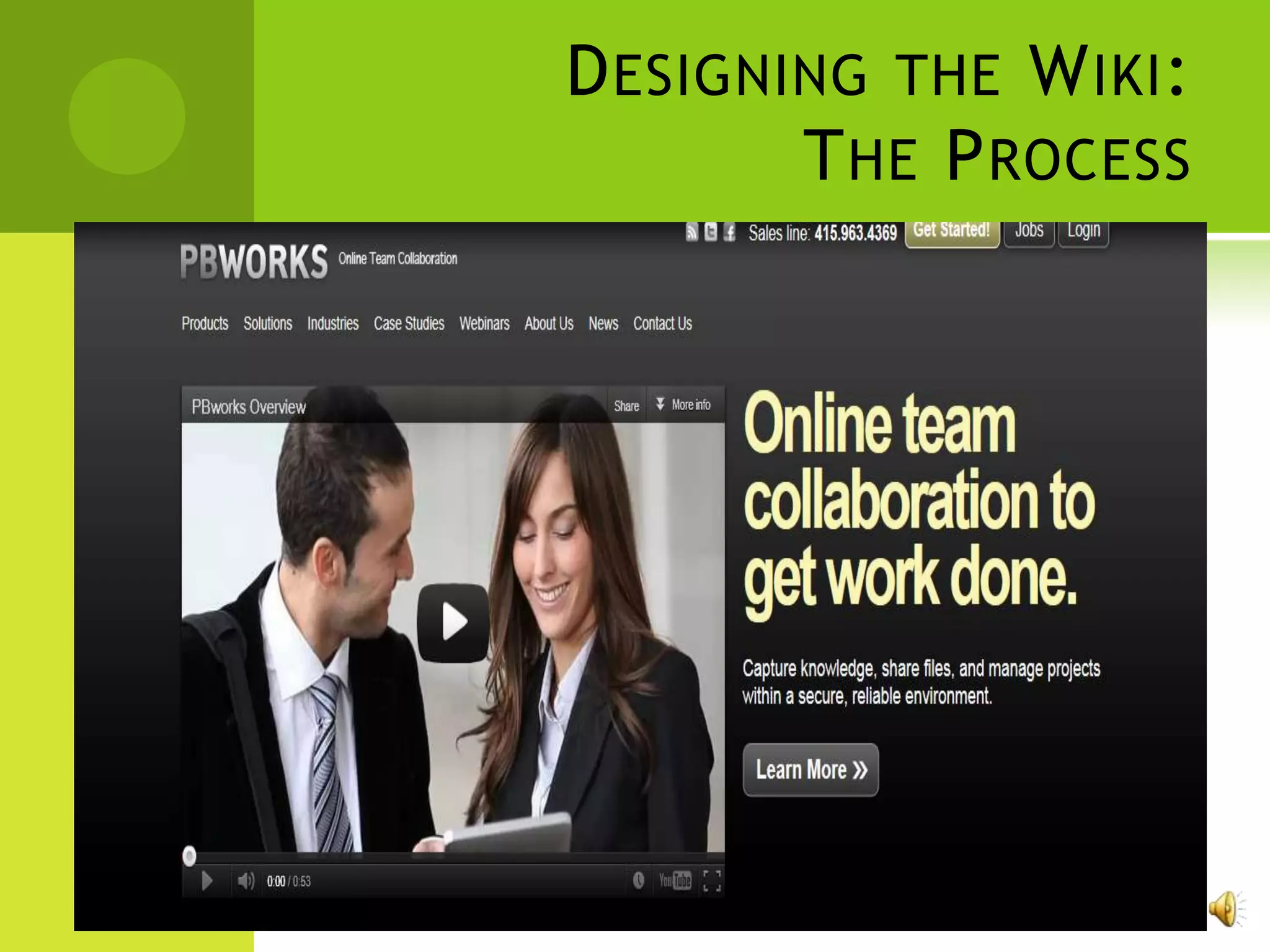
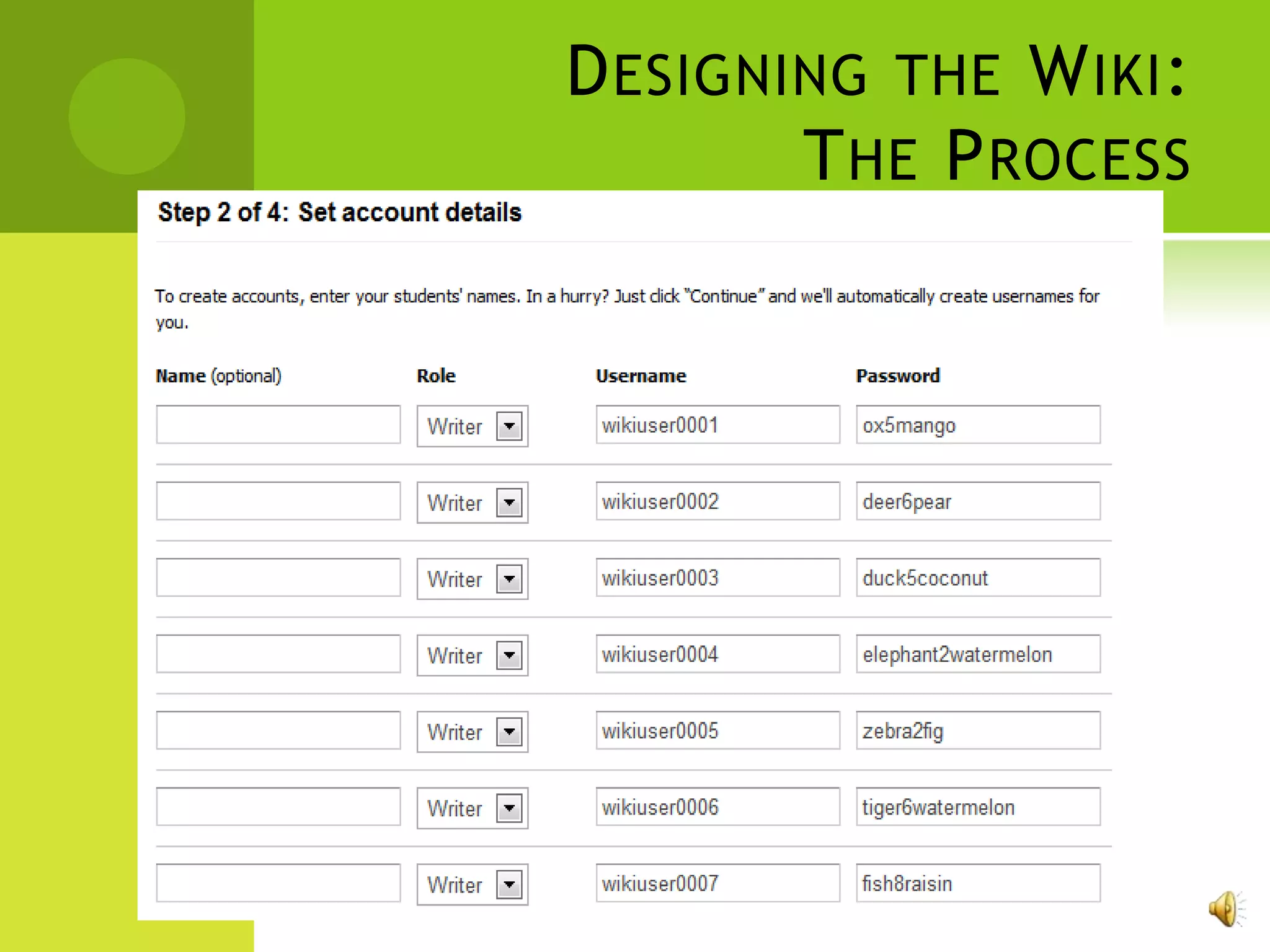
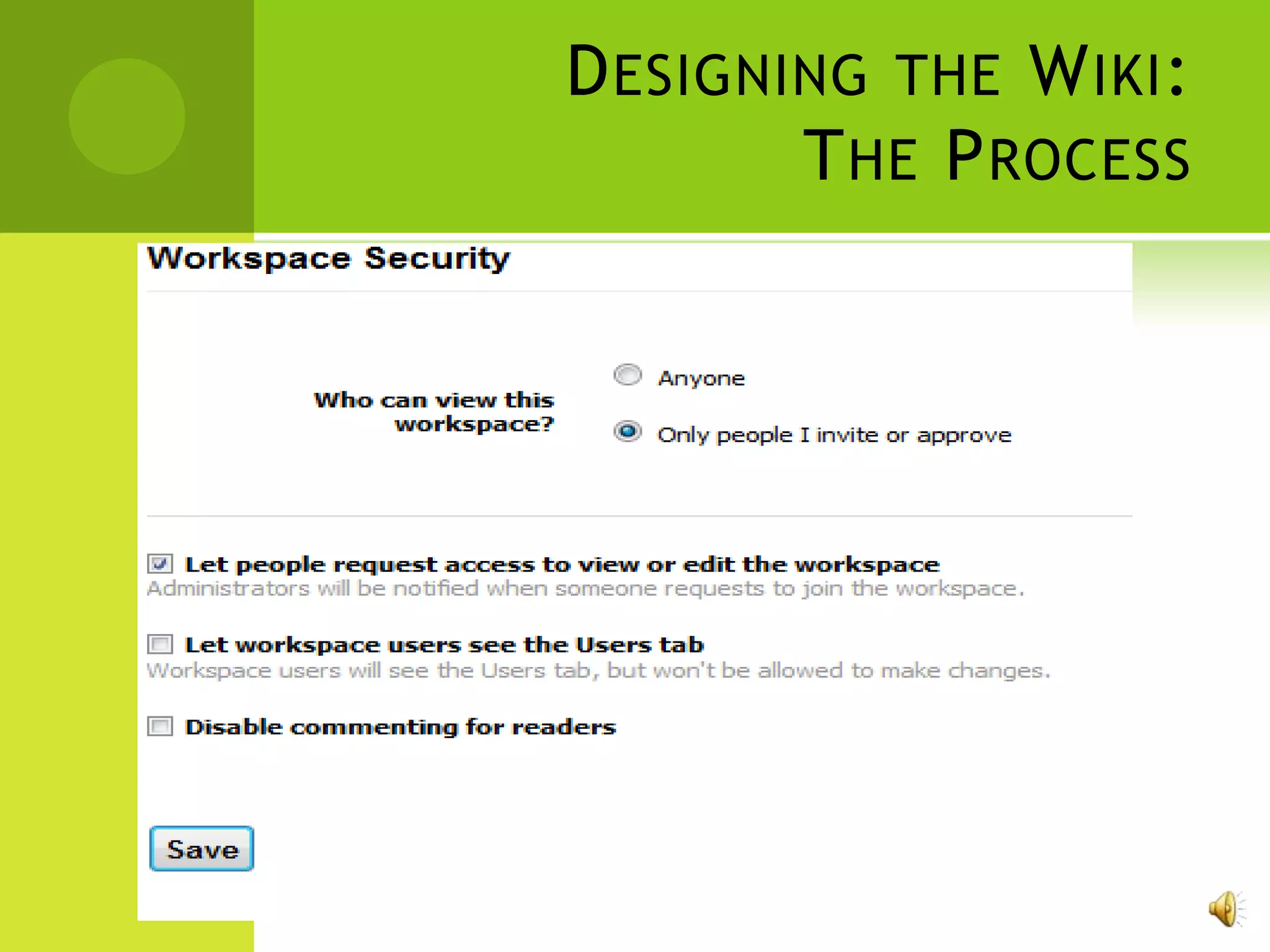
   www.Pbworks.com

   Wiki website for educators

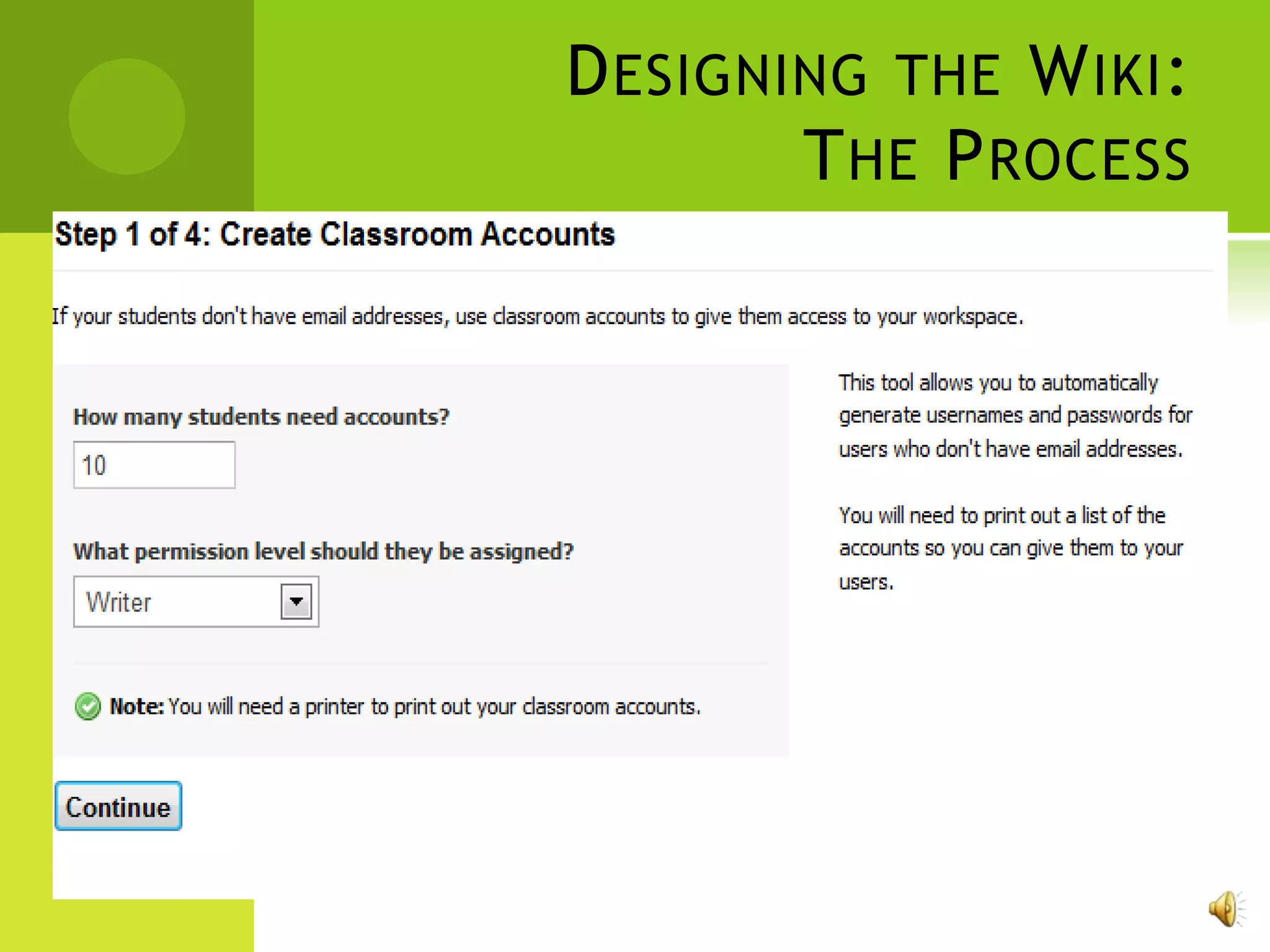
   Can easily create class lists and choose individual
    usernames and passwords

   Created with educators in mind

   Privacy
D ESIGNING THE W IKI :
        T HE P ROCESS
D ESIGNING THE W IKI :
        T HE P ROCESS
D ESIGNING THE W IKI :
        T HE P ROCESS
D ESIGNING THE W IKI :
        T HE P ROCESS
D ESIGNING THE W IKI :
        T HE P ROCESS
L ESSON 1:
         T WO S TARS AND A W ISH

   Objectives of lesson:
       Navigate the wiki
       Login to the wiki
       Edit the wiki and create a sample writing
        piece
       Comment on other students writing
L ESSON 1:
         T WO S TARS AND A W ISH

   Technology Needed:
       Computers (1:2 ratio, preferably 1:1)

       Internet access

       Privacy filter allowing www.pbworks.com
L ESSON 1:
         T WO S TARS AND A W ISH

   What will students be doing?
       Access the wiki

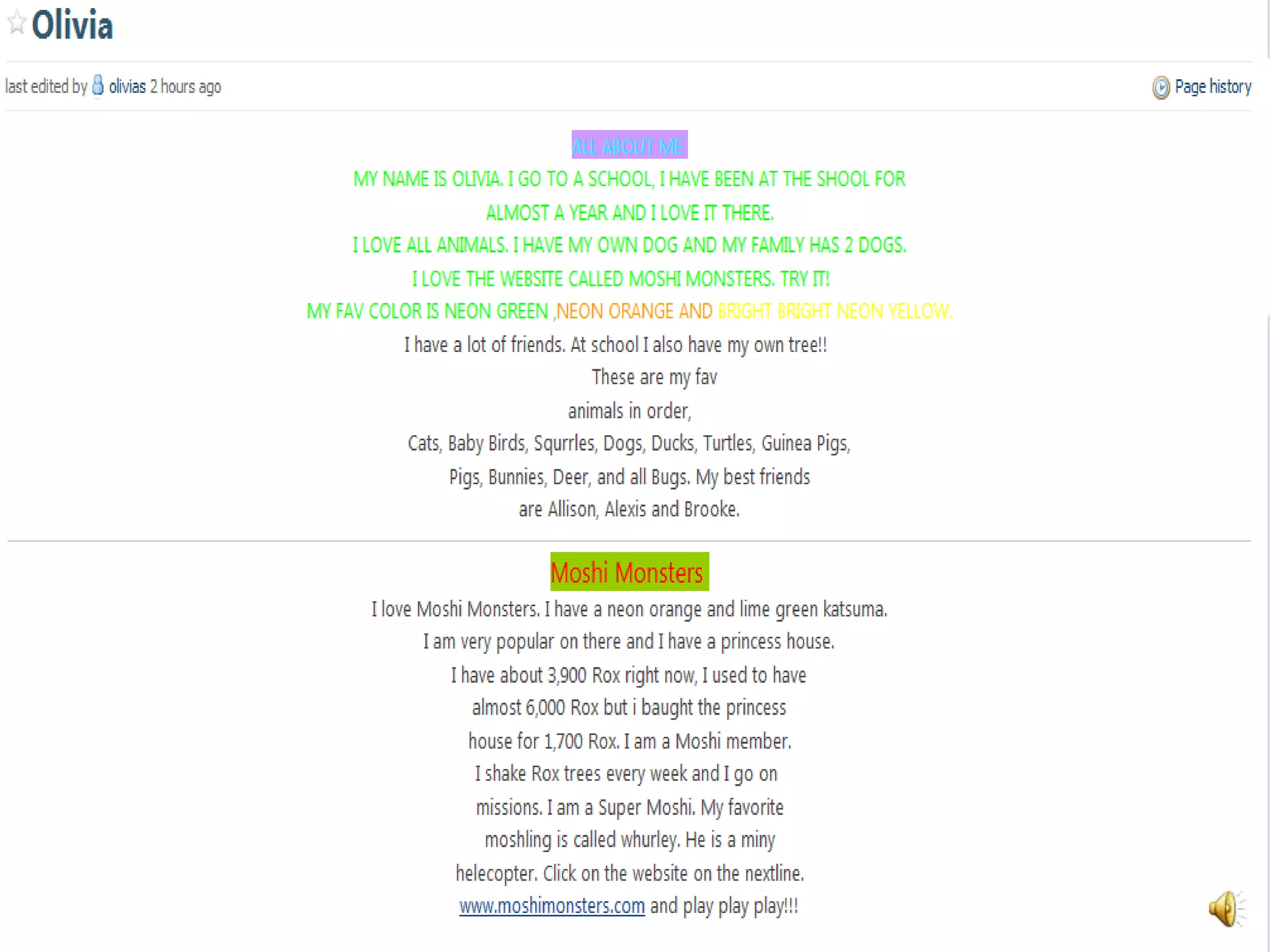
       Post a piece of writing on the wiki on their own
        page

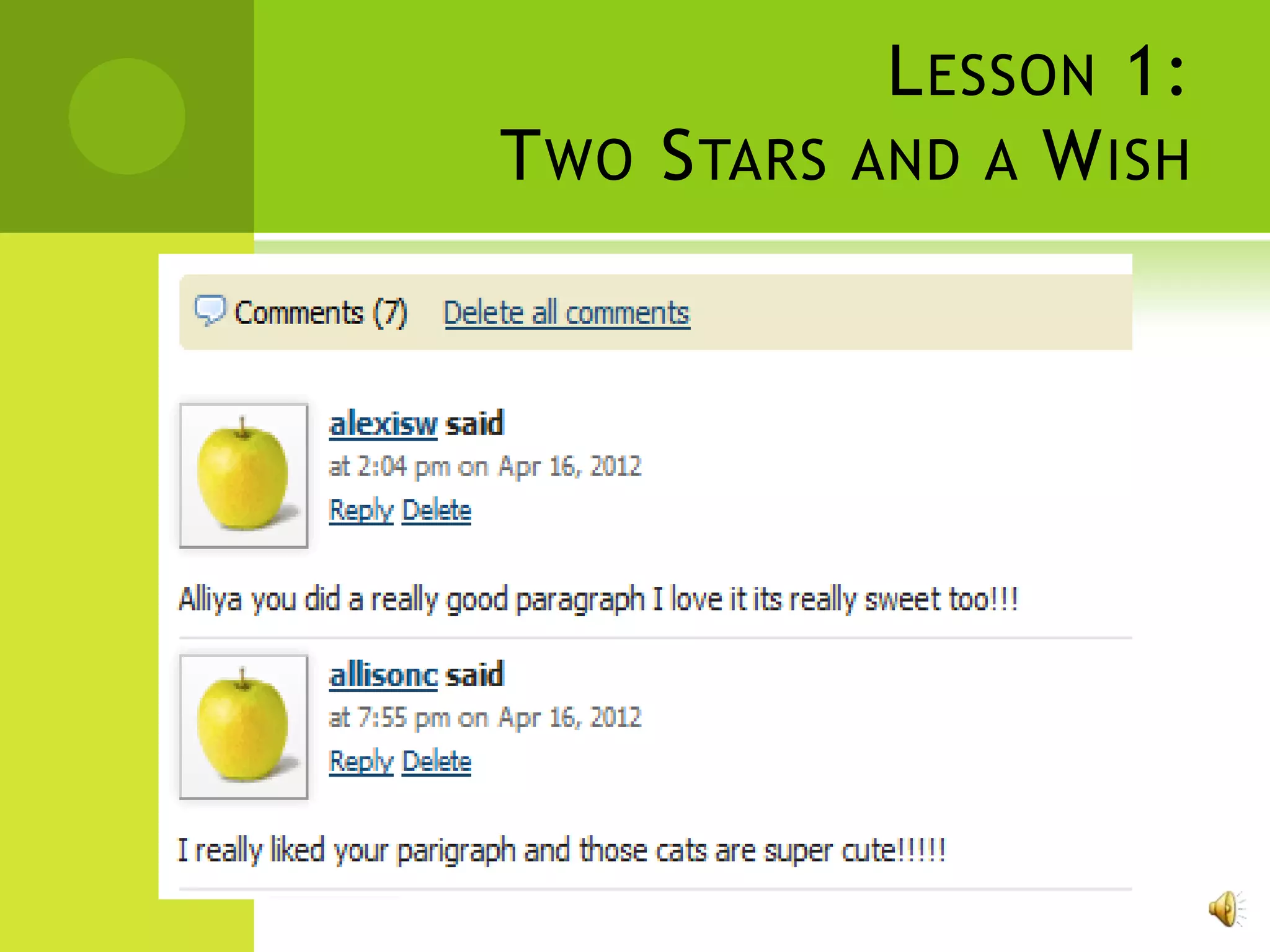
       Comment on three other student’s writing using
        the format “two stars and a wish”
L ESSON 1:
T WO S TARS AND A W ISH
L ESSON 1:
T WO S TARS AND A W ISH
L ESSON 1:
         T WO S TARS AND A W ISH

   Advantages:
       Students will become avid writers because they
        are writing for a purpose and publication

       Students will feel comfortable sharing their
        writing when students are allowed to comment
        and give “two stars and a wish”

       Students will feel a sense of ownership because
        they have their own space to write

       Students will become collaborative learners
L ESSON 1:
         T WO S TARS AND A W ISH

   Disadvantages:
       Students may edit each other’s writing

       Students may accidently delete writing of other
        students

       Must have internet access
L ESSON 1:
          T WO S TARS AND A W ISH
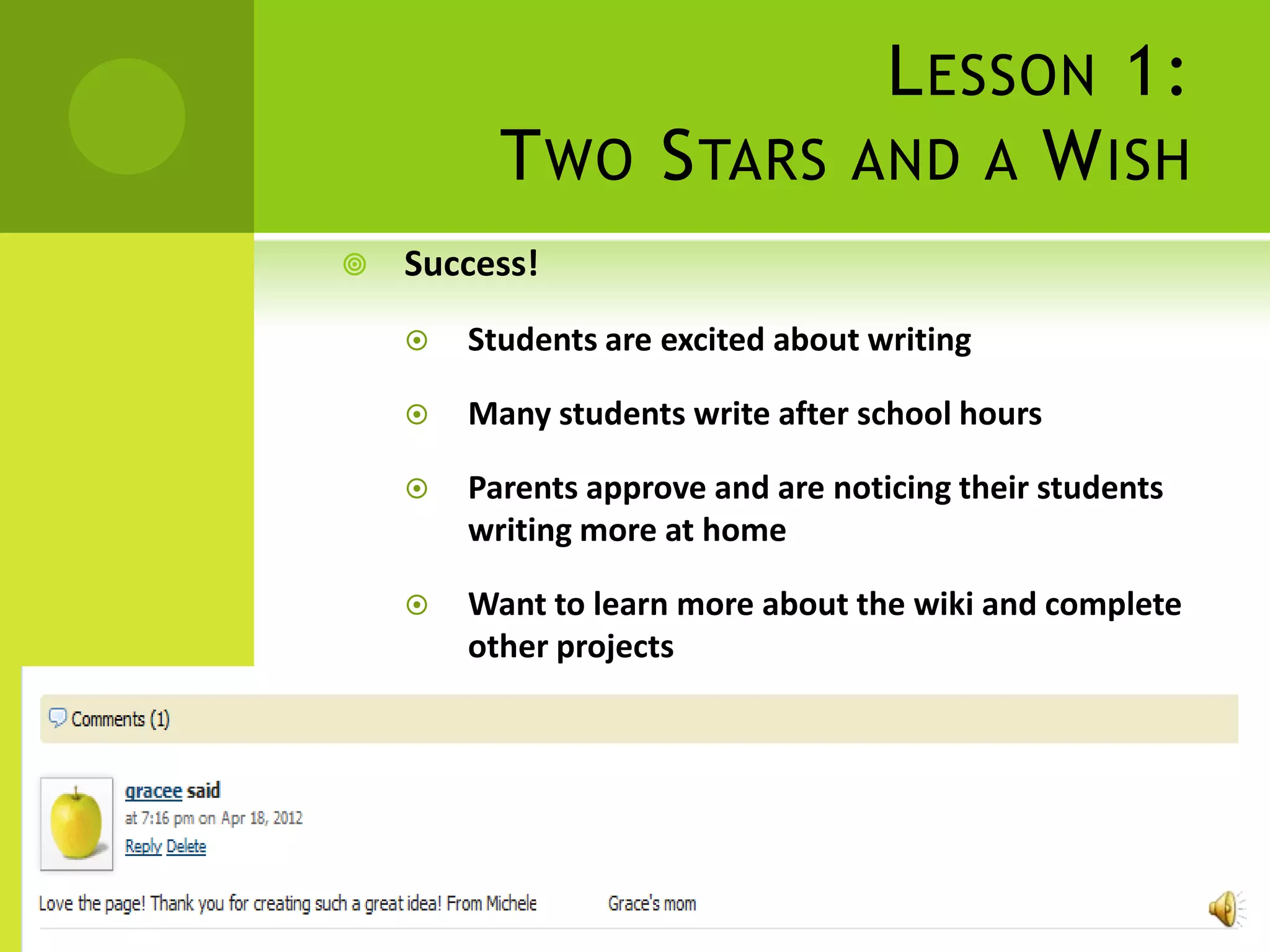
   Success!
       Students are excited about writing

       Many students write after school hours

       Parents approve and are noticing their students
        writing more at home

       Want to learn more about the wiki and complete
        other projects
L ESSON 2:
                                B OOK C LUBS

   Objectives of the lesson:
       Upload files onto the wiki

       Post a picture onto the wiki

       Post a link onto the wiki
L ESSON 2:
                                B OOK C LUBS

   Technology Needed:
       Computers (1:5 ratio)

       Internet access

       Privacy filter allowing www.pbworks.com

       Kidspiration Software

       Microsoft Word
L ESSON 2:
                                  B OOK C LUBS

   What will students be doing?
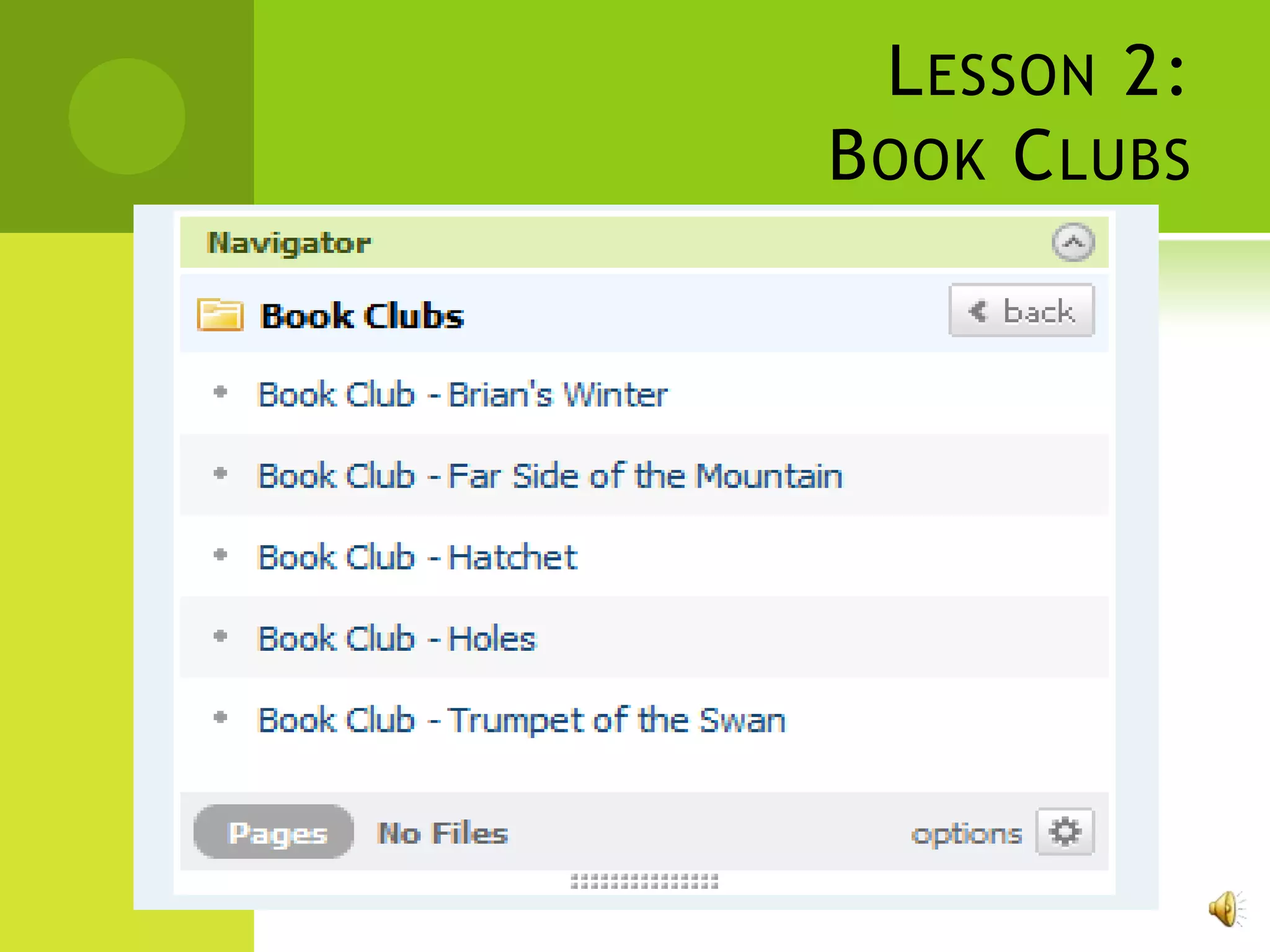
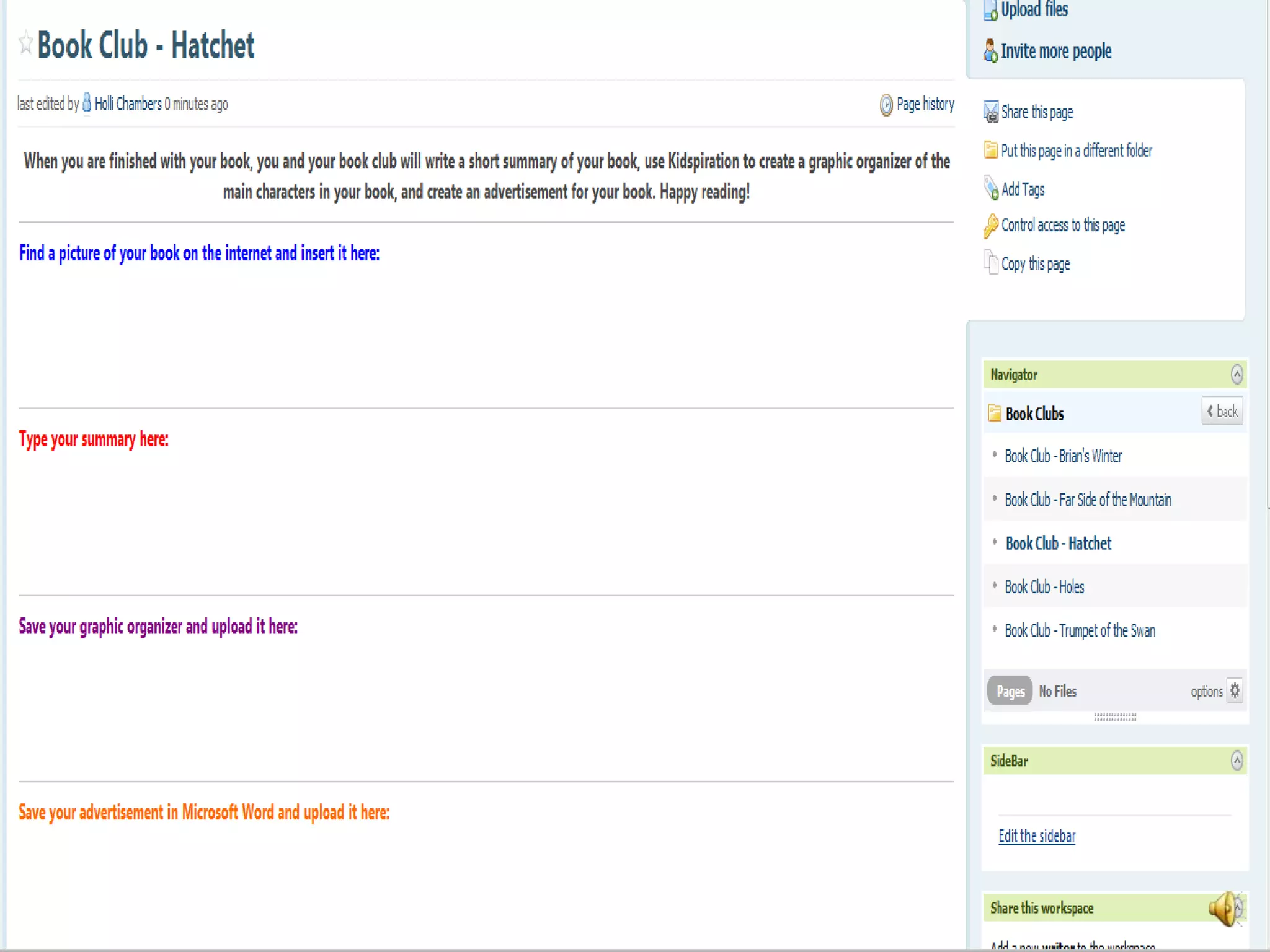
       After reading their book club book they will:
           Find a picture of the book and paste it to their
            book club page and insert a picture link
           Create graphic organizer of the main characters
           Write a summary on the wiki
           Create an advertisement of the book to attract
            other readers
L ESSON 2:
B OOK C LUBS
L ESSON 2:
B OOK C LUBS
L ESSON 2:
                                B OOK C LUBS

   Advantages:
       Upload files onto the wiki

       Insert pictures onto the wiki

       Use these new skills on their own page

       Take their writing one step further
L ESSON 2:
                                B OOK C LUBS

   Disadvantages:
       Must have internet access

       Possibly edit or delete other writing on the wiki

       Group projects can be difficult when working
        with kids
I NNOVATION T RANSFER

   Can be used as a tool for next year’s teacher to
    gain knowledge about students

   Can be used as a group pages from year to year
    following the students as they progress through
    middle and high school

   Subject content is interchangeable
THE WIKI IS
     ELEMENTARY


I NDIVIDUAL C REATING P ROJECT
              www.chambers108.pbworks.com

Individual creating project

  • 1.
    THE WIKI IS ELEMENTARY I NDIVIDUAL C REATING P ROJECT www.chambers108.pbworks.com
  • 2.
    D ESIGNING THEW IKI : T HE P ROCESS  www.Pbworks.com  Wiki website for educators  Can easily create class lists and choose individual usernames and passwords  Created with educators in mind  Privacy
  • 3.
    D ESIGNING THEW IKI : T HE P ROCESS
  • 4.
    D ESIGNING THEW IKI : T HE P ROCESS
  • 5.
    D ESIGNING THEW IKI : T HE P ROCESS
  • 6.
    D ESIGNING THEW IKI : T HE P ROCESS
  • 7.
    D ESIGNING THEW IKI : T HE P ROCESS
  • 8.
    L ESSON 1: T WO S TARS AND A W ISH  Objectives of lesson:  Navigate the wiki  Login to the wiki  Edit the wiki and create a sample writing piece  Comment on other students writing
  • 9.
    L ESSON 1: T WO S TARS AND A W ISH  Technology Needed:  Computers (1:2 ratio, preferably 1:1)  Internet access  Privacy filter allowing www.pbworks.com
  • 10.
    L ESSON 1: T WO S TARS AND A W ISH  What will students be doing?  Access the wiki  Post a piece of writing on the wiki on their own page  Comment on three other student’s writing using the format “two stars and a wish”
  • 11.
    L ESSON 1: TWO S TARS AND A W ISH
  • 12.
    L ESSON 1: TWO S TARS AND A W ISH
  • 13.
    L ESSON 1: T WO S TARS AND A W ISH  Advantages:  Students will become avid writers because they are writing for a purpose and publication  Students will feel comfortable sharing their writing when students are allowed to comment and give “two stars and a wish”  Students will feel a sense of ownership because they have their own space to write  Students will become collaborative learners
  • 14.
    L ESSON 1: T WO S TARS AND A W ISH  Disadvantages:  Students may edit each other’s writing  Students may accidently delete writing of other students  Must have internet access
  • 15.
    L ESSON 1: T WO S TARS AND A W ISH  Success!  Students are excited about writing  Many students write after school hours  Parents approve and are noticing their students writing more at home  Want to learn more about the wiki and complete other projects
  • 16.
    L ESSON 2: B OOK C LUBS  Objectives of the lesson:  Upload files onto the wiki  Post a picture onto the wiki  Post a link onto the wiki
  • 17.
    L ESSON 2: B OOK C LUBS  Technology Needed:  Computers (1:5 ratio)  Internet access  Privacy filter allowing www.pbworks.com  Kidspiration Software  Microsoft Word
  • 18.
    L ESSON 2: B OOK C LUBS  What will students be doing?  After reading their book club book they will:  Find a picture of the book and paste it to their book club page and insert a picture link  Create graphic organizer of the main characters  Write a summary on the wiki  Create an advertisement of the book to attract other readers
  • 19.
    L ESSON 2: BOOK C LUBS
  • 20.
    L ESSON 2: BOOK C LUBS
  • 21.
    L ESSON 2: B OOK C LUBS  Advantages:  Upload files onto the wiki  Insert pictures onto the wiki  Use these new skills on their own page  Take their writing one step further
  • 22.
    L ESSON 2: B OOK C LUBS  Disadvantages:  Must have internet access  Possibly edit or delete other writing on the wiki  Group projects can be difficult when working with kids
  • 23.
    I NNOVATION TRANSFER  Can be used as a tool for next year’s teacher to gain knowledge about students  Can be used as a group pages from year to year following the students as they progress through middle and high school  Subject content is interchangeable
  • 24.
    THE WIKI IS ELEMENTARY I NDIVIDUAL C REATING P ROJECT www.chambers108.pbworks.com