Proctor
Managing A/B Tests and More
Tom Bergman
Product Manager
Aggregation

Matt Schemmel
Software Engineer
Resume
We help
people
get jobs.
What's best for the
job seeker?
Test & Measure
EVERYTHING
A/B Testing: Definition

A/B testing is an experimental
methodology comparing at least
two variants, a control group A
and test group B, in a controlled
experiment
A/B Testing Key Points
Test and Control Groups should be:
1. Unbiased
2. Independent
3. Representative
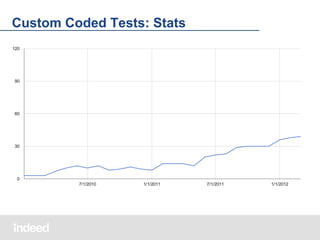
103 tests
315 variations
2^147 combinations
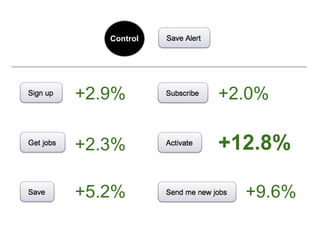
Control
Control

10% test

10% test

10% test

10% test

10% test

10% test
Control

+2.9%

+2.0%

+2.3%

+12.8%

+5.2%

+9.6%
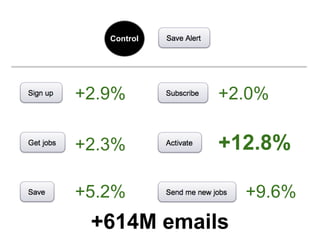
Control

+2.9%

+2.0%

+2.3%

+12.8%

+5.2%

+9.6%

+614M emails
Why A/B Testing?
Before and After
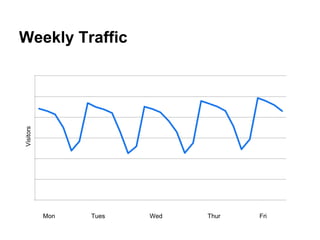
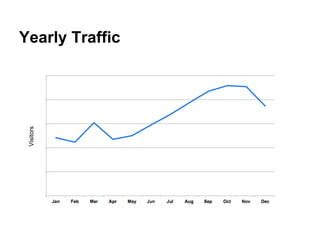
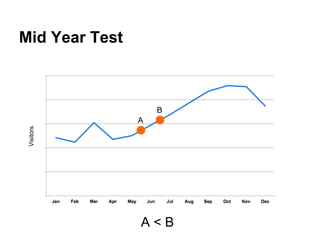
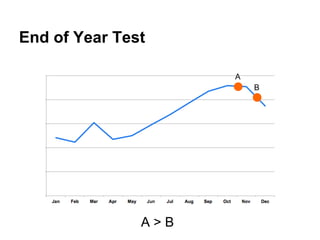
Before and After is bad science.
Visitors

Weekly Traffic

Mon

Tues

Wed

Thur

Fri
Visitors

Yearly Traffic
Mid Year Test

B
Visitors

A

A<B
End of Year Test
A
B

A>B
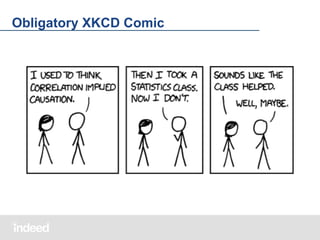
Obligatory XKCD Comic
History of A/B Testing
@Indeed
Next we tried ...
● Multiple Code Versions
● Separate Configuration
● "Sampling by Load Balancer"
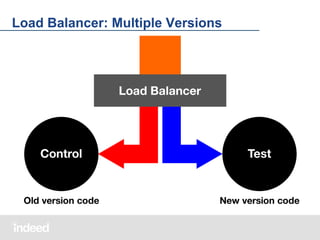
Load Balancer: Multiple Versions

Load Balancer

CONTROL

(Old Version Code)

TEST

(New Version Code)
Load Balancer: Multiple Versions
It worked, but ...
1. Tedious
2. Expensive
3. Inflexible
Finally ...
Built Libraries, hand-write code per test to:
1. Arbitrarily Group Users
2. Select Test Groups
3. Implement Variations
Custom Coded Tests
Allowed us:
1. Sophisticated Tests
2. Scientifically Valid Methods
3. Low Operational Overhead
Custom Coded Tests: Stats
Goals:

1. Increase Engineering Velocity
2. Standardize Representation
3. Work Seamlessly Across Products
Proctor
Indeed’s Java Framework for
Managing A/B Tests and More
Proctor
Indeed's Open Source Java Framework for
Managing A/B Tests and More

github.com/indeedeng/proctor
Using Proctor

1. Background and Design
2. Running A/B Tests with Proctor
3. Beyond the Basics
Background and Design
Running a Test

1. Define the Experiment
2. Select Groups
3. Implement the Behavior
4. Log the Results
Running a Test

1. Define the Experiment
2. Select Groups
3. Implement the Behavior
4. Log the Results
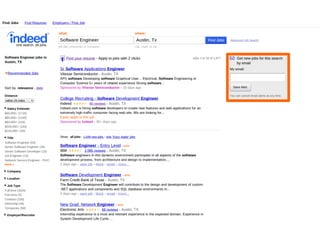
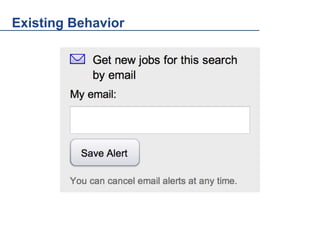
Existing Behavior
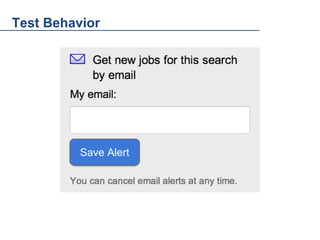
Test Behavior

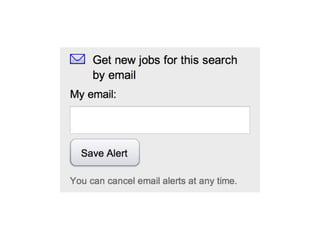
Save Alert
Define the Experiment
Key characteristics:
1. Buckets
2. Sample Sizes
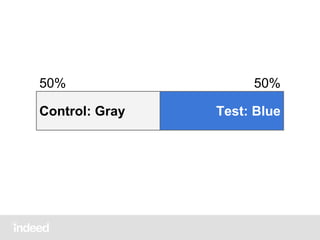
50%
Control: Gray

50%
Test: Blue
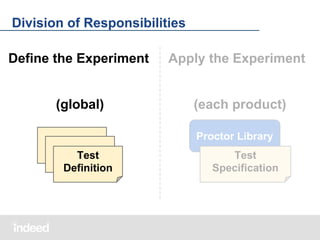
Division of Responsibilities
Define the Experiment

Apply the Experiment

(global)

(each product)
Proctor Library

Test
Definition

Test
Specification
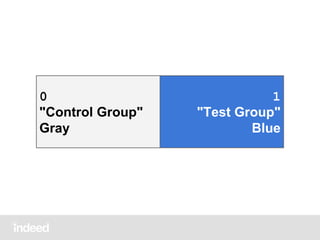
Buckets Enumerate the Test Variations
● ID, for code
● Long Description, for people
● Short Name, for people
0
"Control Group"
Gray

1
"Test Group"
Blue
Sizing the Buckets

1. Buckets
2. Sample Sizes
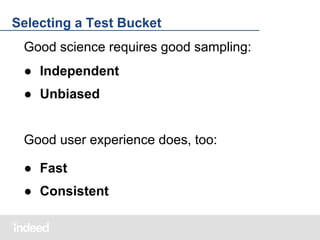
Selecting a Test Bucket
Good science requires good sampling:
● Independent
● Unbiased
Good user experience does, too:
● Fast
● Consistent
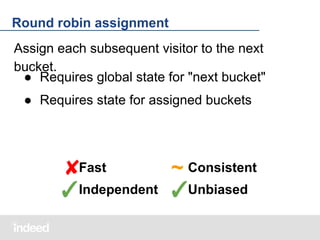
Round robin assignment
Assign each subsequent visitor to the next
bucket.
● Requires global state for "next bucket"
● Requires state for assigned buckets

✘Fast
~ Consistent
✓Independent ✓Unbiased
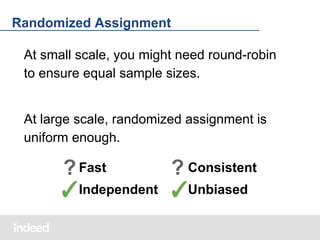
Randomized Assignment
At small scale, you might need round-robin
to ensure equal sample sizes.

At large scale, randomized assignment is
uniform enough.

? Fast
? Consistent
✓Independent ✓Unbiased
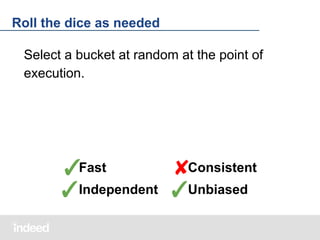
Roll the dice as needed
Select a bucket at random at the point of
execution.

Consistent
✓Fast
✘
✓Independent ✓Unbiased
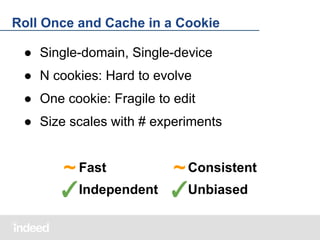
Roll Once and Cache in a Cookie
● Single-domain, Single-device
● N cookies: Hard to evolve
● One cookie: Fragile to edit
● Size scales with # experiments

~ Fast
~ Consistent
✓Independent ✓Unbiased
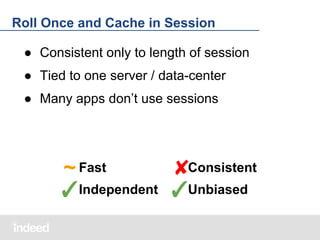
Roll Once and Cache in Session
● Consistent only to length of session
● Tied to one server / data-center
● Many apps don’t use sessions

Consistent
~ Fast
✘
✓Independent ✓Unbiased
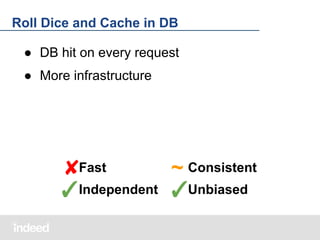
Roll Dice and Cache in DB
● DB hit on every request
● More infrastructure

✘Fast
~ Consistent
✓Independent ✓Unbiased
We can do better
Flaws stem from the need to record selected
buckets.

What if we didn't?
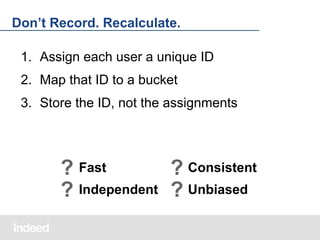
Don’t Record. Recalculate.
1. Assign each user a unique ID
2. Map that ID to a bucket
3. Store the ID, not the assignments

? Fast
? Consistent
? Independent ? Unbiased
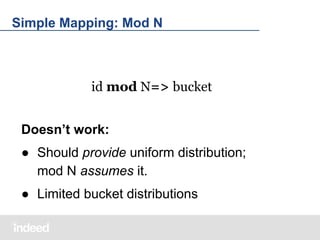
Simple Mapping: Mod N

id mod N=> bucket
Doesn’t work:
● Should provide uniform distribution;
mod N assumes it.
● Limited bucket distributions
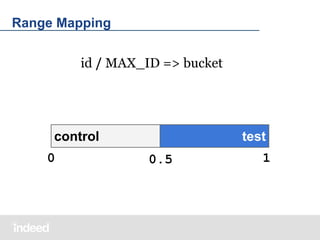
Range Mapping
id / MAX_ID => bucket

control
0

test
0.5

1
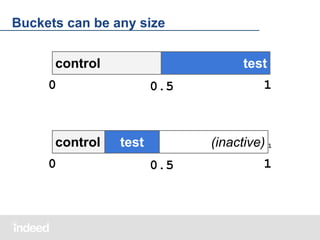
Buckets can be any size
control

test

0

control
0

0.5

1

(inactive) 1

test
0.5

1
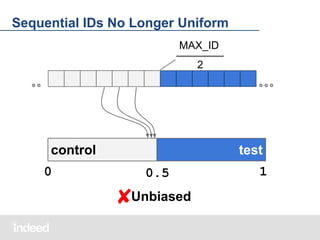
Sequential IDs No Longer Uniform
MAX_ID
2

control
0

test
0.5

✘Unbiased

1
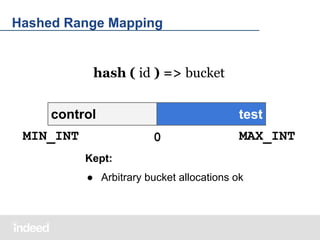
Hashed Range Mapping

hash ( id ) => bucket
control
MIN_INT

test
0

MAX_INT

Kept:
● Arbitrary bucket allocations ok
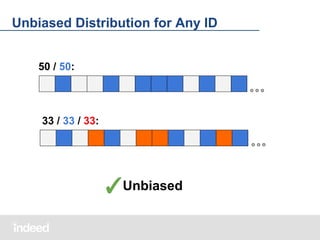
Unbiased Distribution for Any ID
50 / 50:

33 / 33 / 33:

✓Unbiased
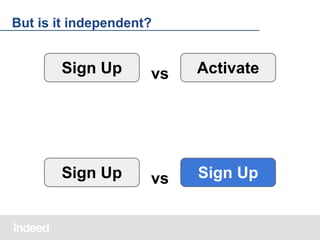
But is it independent?

Sign Up

vs

Activate

Sign Up

vs

Sign Up
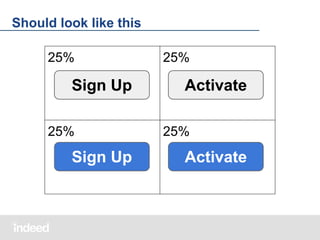
Should look like this
25%

Sign Up
25%

Sign Up

25%

Activate
25%

Activate
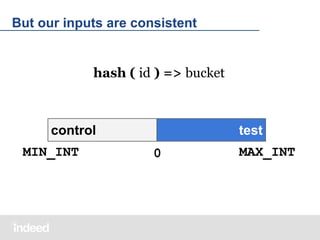
But our inputs are consistent

hash ( id ) => bucket

control
MIN_INT

test
0

MAX_INT
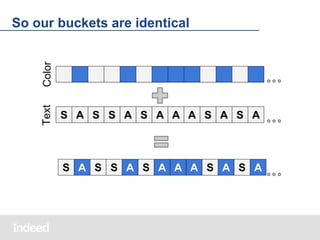
Text

Color

So our buckets are identical

S A S S A S A A A S A S A

S A S S A S A A A S A S A
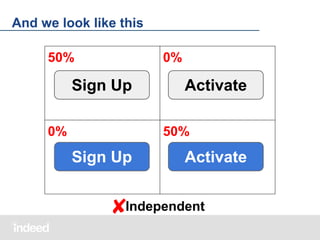
And we look like this
50%

0%

Sign Up
0%

Activate
50%

Sign Up

Activate

Independent
✘
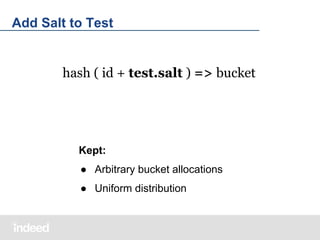
Add Salt to Test

hash ( id + test.salt ) => bucket

Kept:
● Arbitrary bucket allocations
● Uniform distribution
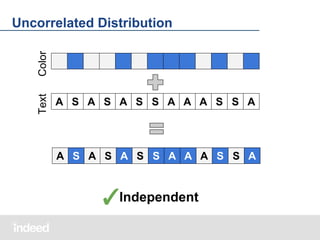
Text

Color

Uncorrelated Distribution

A S A S A S S A A A S S A

A S A S A S S A A A S S A

✓Independent
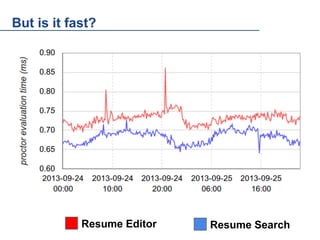
But is it fast?
0.90
0.85
0.80
0.75
0.70
0.65
0.60

Resume Editor

Resume Search
But is it consistent?

Consistency bounded only by ID
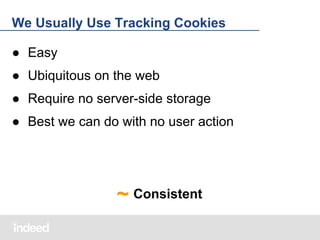
We Usually Use Tracking Cookies
● Easy
● Ubiquitous on the web
● Require no server-side storage
● Best we can do with no user action

~ Consistent
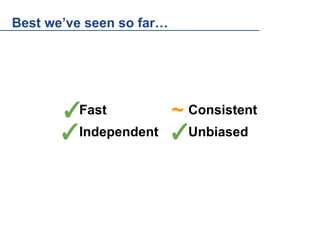
Best we’ve seen so far…

✓Fast
~ Consistent
✓Independent ✓Unbiased
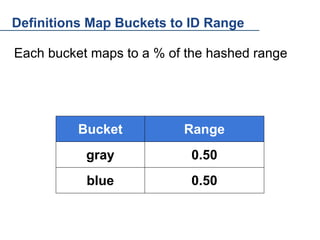
Definitions Map Buckets to ID Range
Each bucket maps to a % of the hashed range

Bucket

Range

gray

0.50

blue

0.50
Sometimes, Though, Cookies Won't Do
● Some People Block Cookies
● Cross-Domain
● Cross-Device
● Cookies are Web-Only
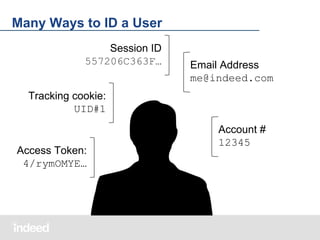
Many Ways to ID a User
Session ID
557206C363F…

Email Address
me@indeed.com

Tracking cookie:
UID#1

Access Token:
4/rymOMYE…

Account #
12345
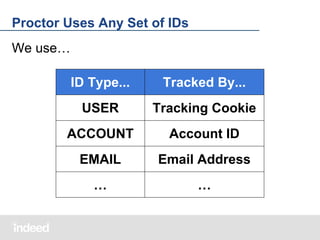
Proctor Uses Any Set of IDs
We use…
ID Type...

Tracked By...

USER

Tracking Cookie

ACCOUNT

Account ID

EMAIL

Email Address

…

…
Account ID
● Authenticated
● Consistent across domains
● Consistent across devices
● Consistent across visits
Email Address
● Sometimes available without account
● Identified, though not authenticated
Each Test Applies to One ID Type
● Test groups split by that identifier
● Visitors without that identifier are ignored
Running A/B Tests
Test Definitions Encoded in JSON
● Compact
● Simple and Flexible
● Editable by Humans
● Editable by Machines
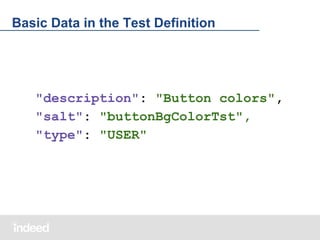
Basic Data in the Test Definition

"description": "Button colors",
"salt": "buttonBgColorTst",
"type": "USER"
Buckets in the Test Definition
"buckets": [{
"id": 0,
"name": "gray",
"description": "Control group"
}, {
"id": 1,
"name": "blue",
"description": "Test group"
}]
Mapping Buckets to Ranges
"ranges": [{
"bucketValue": 0,
"length": 0.5
}, {
"bucketValue": 1,
"length": 0.5
}]
Complete Test Definition
{
"description": "Button colors",
"type": "USER",
"salt": "buttonBgColorTst",
"buckets": […],
"allocations": [{
"ranges": […]
}],
}
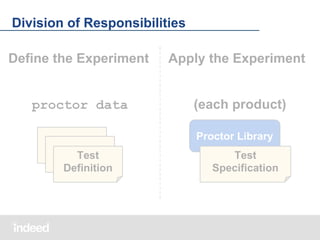
Division of Responsibilities
Define the Experiment

Apply the Experiment

proctor data

(each product)
Proctor Library

Test
Definition

Test
Specification
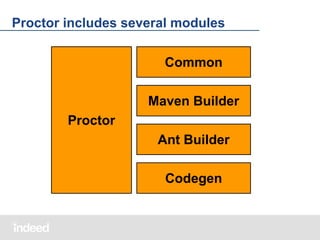
Proctor includes several modules
Common
Maven Builder
Proctor
Ant Builder
Codegen
Product Test Specification lists active tests
References into the global pool:
"tests": [{
"buttonBgcolorTest": {
"buckets": {
"gray": 0,
"blue": 1
}
}
}]
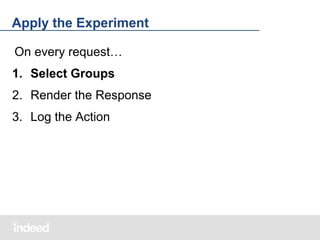
Apply the Experiment
On every request…
1. Select Groups
2. Render the Response
3. Log the Action
Determining Buckets in Code
On every request…
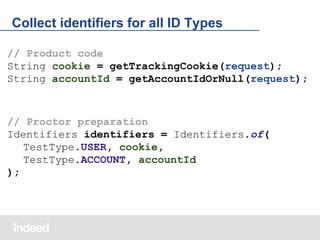
1. Collect identifiers
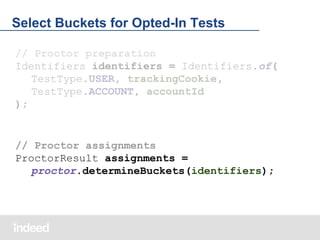
2. Select buckets for opted-in tests
Collect identifiers for all ID Types
// Product code
String cookie = getTrackingCookie(request);
String accountId = getAccountIdOrNull(request);

// Proctor preparation
Identifiers identifiers = Identifiers.of(
TestType.USER, cookie,
TestType.ACCOUNT, accountId
);
Select Buckets for Opted-In Tests
// Proctor preparation
Identifiers identifiers = Identifiers.of(
TestType.USER, trackingCookie,
TestType.ACCOUNT, accountId
);

// Proctor assignments
ProctorResult assignments =
proctor.determineBuckets(identifiers);
Apply the Experiment
On every request…
1. Select Groups
2. Render the Response
3. Log the Action
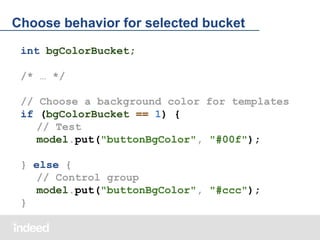
Choose behavior for selected bucket
int bgColorBucket;
/* … */
// Choose a background color for templates
if (bgColorBucket == 1) {
// Test
model.put("buttonBgColor", "#00f");
} else {
// Control group
model.put("buttonBgColor", "#ccc");
}
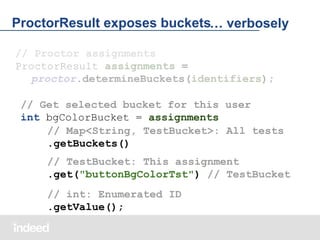
ProctorResult exposes buckets… verbosely
// Proctor assignments
ProctorResult assignments =
proctor.determineBuckets(identifiers);
// Get selected bucket for this user
int bgColorBucket = assignments
// Map<String, TestBucket>: All tests
.getBuckets()
// TestBucket: This assignment
.get("buttonBgColorTst") // TestBucket
// int: Enumerated ID
.getValue();
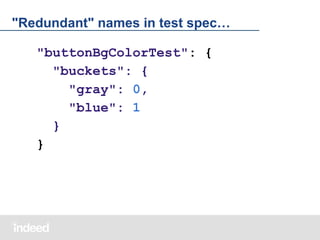
"Redundant" names in test spec…
"buttonBgColorTest": {
"buckets": {
"gray": 0,
"blue": 1
}
}
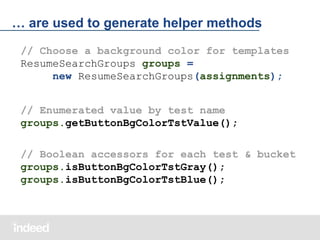
… are used to generate helper methods
// Choose a background color for templates
ResumeSearchGroups groups =
new ResumeSearchGroups(assignments);
// Enumerated value by test name
groups.getButtonBgColorTstValue();
// Boolean accessors for each test & bucket
groups.isButtonBgColorTstGray();
groups.isButtonBgColorTstBlue();
Helper designed for use in UI layer
This immutable bean is trivial to:
● Read from JSP/JSF
● Read from Templates
○ Freemarker, Velocity, Closure, etc
● Serialize as JSON
Apply the Experiment
On every request…
1. Select Groups
2. Render the Response
3. Log the Action
Logging Bucket Assignments
Proctor just selects the buckets.
When and how you log are up to you:
● On related events only
● On every event
Publication
Test Definitions in Source Control
● No new infrastructure
● Lots of desirable features for free
History
Diff
Access Control
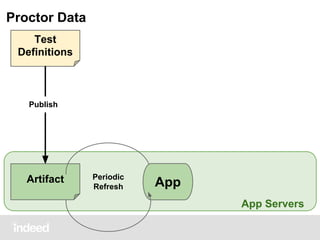
Proctor Data
Test
Definitions

Publish

Artifact

Periodic
Refresh

App
App Servers
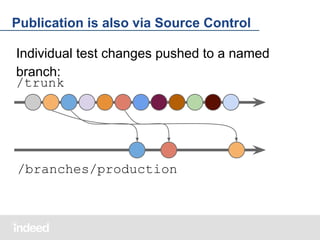
Publication is also via Source Control
Individual test changes pushed to a named
branch:
/trunk

/branches/production
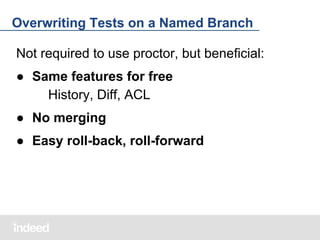
Overwriting Tests on a Named Branch
Not required to use proctor, but beneficial:
● Same features for free
History, Diff, ACL
● No merging
● Easy roll-back, roll-forward
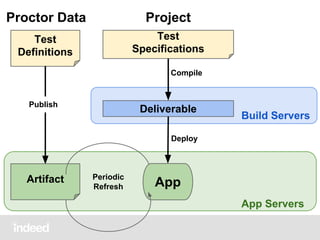
Proctor Data

Project

Test
Definitions

Test
Specifications
Compile

Publish

Deliverable

Build Servers

Deploy

Artifact

Periodic
Refresh

App
App Servers
Beyond the Basics
Test Segmentation
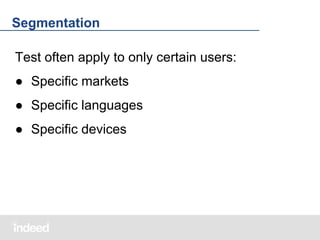
Segmentation
Test often apply to only certain users:
● Specific markets
● Specific languages
● Specific devices
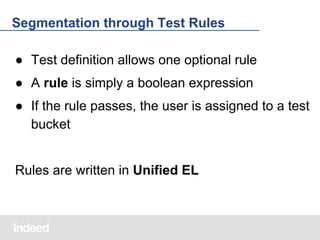
Segmentation through Test Rules
● Test definition allows one optional rule
● A rule is simply a boolean expression
● If the rule passes, the user is assigned to a test
bucket

Rules are written in Unified EL
Simple Things are Simple
● No deployment needed
● Changes live within minutes
{
"description": "Button colors",
"rule": "country == ‘CA’"
"buckets": […]
}
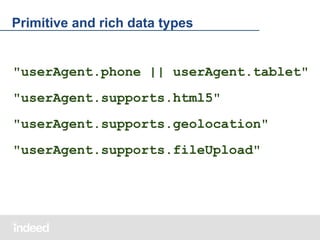
Primitive and rich data types

"userAgent.phone || userAgent.tablet"
"userAgent.supports.html5"
"userAgent.supports.geolocation"
"userAgent.supports.fileUpload"
Commons EL is Easily Extended
JSTL Standard Functions
"rule":
"fn:endsWith(
account.email, '@indeed.com')"

Custom code
"rule":
"proctor:contains(
['US', 'CA'], country)"
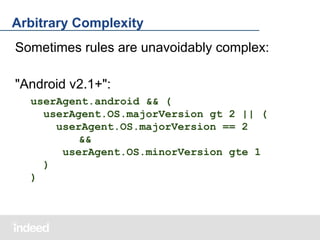
Arbitrary Complexity
Sometimes rules are unavoidably complex:
"Android v2.1+":
userAgent.android && (
userAgent.OS.majorVersion gt 2 || (
userAgent.OS.majorVersion == 2
&&
userAgent.OS.minorVersion gte 1
)
)
What context is available?
So far we've seen:
● country
● language
● userAgent
● account
What's the full list of available context variables?
Context Defined in Test Specification
● Test spec declares available context variables
● This is a contract to provide values at runtime
{
"tests": […],
"providedContext": {
"country": "String",
"language": "String"
"userAgent":
"com.indeed.web.UserAgent"
}
}
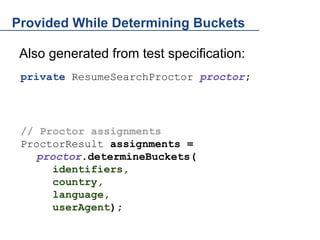
Provided While Determining Buckets
Also generated from test specification:
private ResumeSearchProctor proctor;

// Proctor assignments
ProctorResult assignments =
proctor.determineBuckets(
identifiers,
country,
language,
userAgent);
Payloads
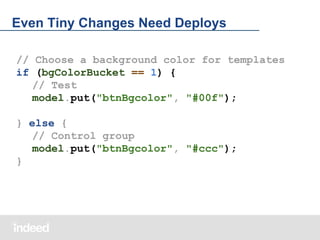
Even Tiny Changes Need Deploys
// Choose a background color for templates
if (bgColorBucket == 1) {
// Test
model.put("btnBgcolor", "#00f");
} else {
// Control group
model.put("btnBgcolor", "#ccc");
}
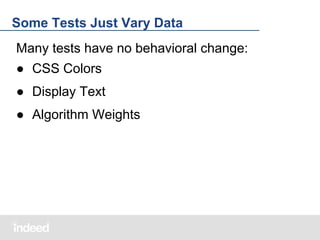
Some Tests Just Vary Data
Many tests have no behavioral change:
● CSS Colors
● Display Text
● Algorithm Weights
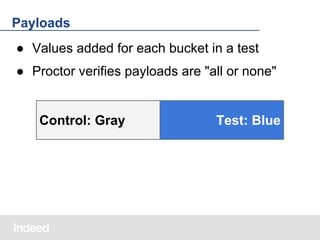
Payloads
● Values added for each bucket in a test
● Proctor verifies payloads are "all or none"

Control: Gray

Test: Blue
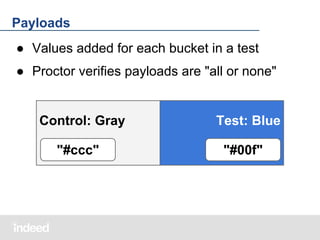
Payloads
● Values added for each bucket in a test
● Proctor verifies payloads are "all or none"

Control: Gray
"#ccc"

Test: Blue
"#00f"
Part of Test Definition
● No deployment needed
● Changes live within minutes
"buckets": [{
"id": 0, "name": "gray",
"description": "Control group",
"payload": {
"stringValue": "#ccc"
}
}, …]
Declared in Project Test Specification
● Type definition only
● Must match test definition
"buttonBgColorTst": {
"buckets": […],
"payload": {
"type": "stringValue"
}
}
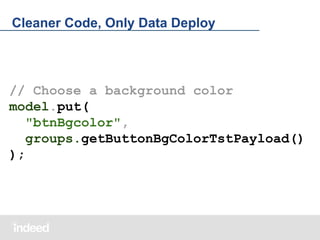
Cleaner Code, Only Data Deploy

// Choose a background color
model.put(
"btnBgcolor",
groups.getButtonBgColorTstPayload()
);
Cross-Product Tests
Cross-Product Tests
Many flavors of cross-product test, including
● Peer webapps
● Client / Service
● Mobile Native / Web
Cross-Product Tests
Even more ways to coordinate tests
● Tracking parameters on links, requests
● Service response metadata
● Different service calls

Proctor offers an interesting alternative
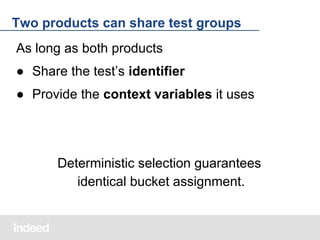
Two products can share test groups
As long as both products
● Share the test’s identifier
● Provide the context variables it uses

Deterministic selection guarantees
identical bucket assignment.

Evolving Tests
Evolving Tests

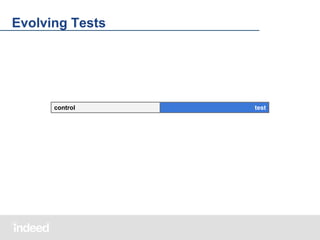
control

test
Evolving Tests

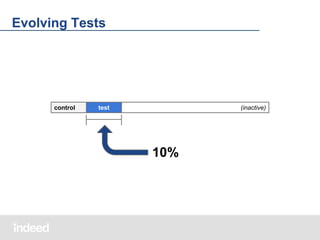
control

test

(inactive)

10%
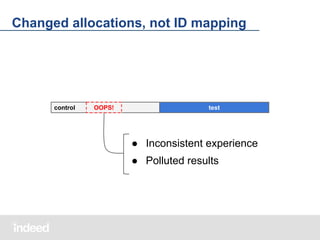
Changed allocations, not ID mapping

control

OOPS!

test

● Inconsistent experience
● Polluted results
Evolving Tests Smoothly

control

test

(inactive)

[ 10%, 10%]
[ 10%, 10%, 80% ]
Evolving Tests Smoothly
control

test

(inactive)

[ 10%, 10%, 80% ]

[ 10%, 10%, 40%, 40%]
control

test

control

test
Evolving Tests Smoothly
control

(inactive)

test

[ 10%, 80%, 10% ]

[ 50%, 50% ]
control

test
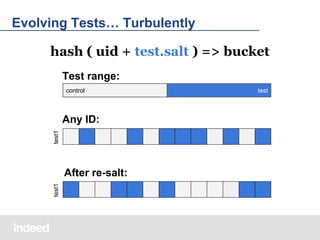
Evolving Tests… Turbulently
hash ( uid + test.salt ) => bucket
Test range:
control

test1

Any ID:

test1

After re-salt:

test
Contextual Sampling
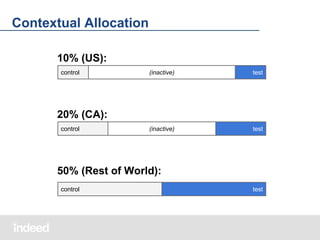
Contextual Allocation
10% (US):
control

(inactive)

test

(inactive)

test

20% (CA):
control

50% (Rest of World):
control

test
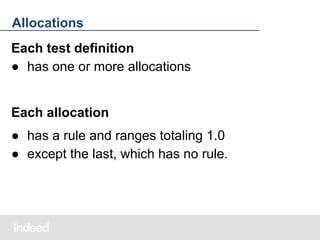
Allocations
Each test definition
● has one or more allocations

Each allocation
● has a rule and ranges totaling 1.0
● except the last, which has no rule.
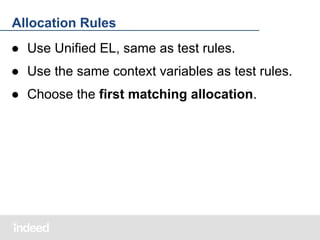
Allocation Rules
● Use Unified EL, same as test rules.
● Use the same context variables as test rules.
● Choose the first matching allocation.
Allocations in the Test Definition
{ "description": "Button colors",
"type": "USER",
"salt": "buttonBgColorTst",
"buckets": [ … ],
"allocations": [{
"rule": "country == 'US'",
"ranges": [ … ]
}, {
"ranges": [ … ]
}]
}
Pre-Production
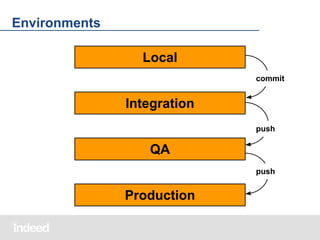
Environments
Local
commit

Integration
push

QA
push

Production
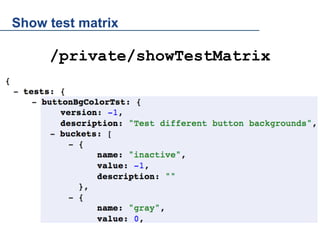
Show test matrix

/private/showTestMatrix
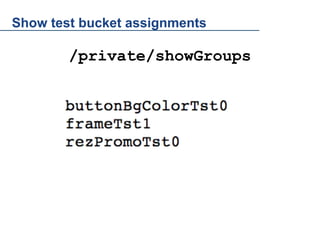
Show test bucket assignments

/private/showGroups

/private/showGroups
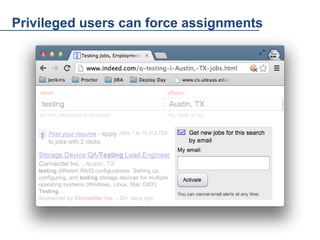
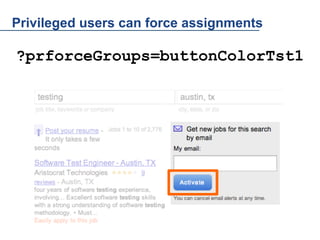
Privileged users can force assignments

?prforceGroups=buttonColorTst1
Beyond A/B Testing
Proctor Patterns for Managing Behavior
Kill Switch
When

● New Feature
How

● 'Active' bucket @ 100%
Phased Rollout
When

● Experimental Feature
How

● 'Active' bucket @ 0%
● 'Active' → 1% → 5% → 100%
Throttle
When

● Downsampling
○ trace logging
○ survey
How

● 'Active' bucket @ 0%
● 'Active' → 1% → 10% → 5% → ??
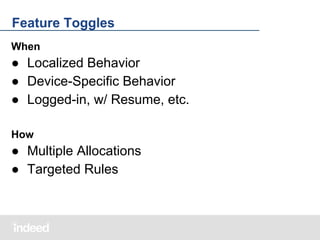
Feature Toggles
When

● Localized Behavior
● Device-Specific Behavior
● Logged-in, w/ Resume, etc.
How

● Multiple Allocations
● Targeted Rules
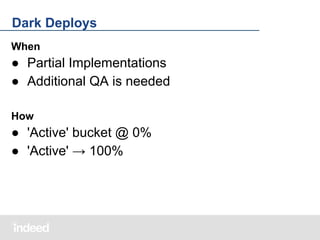
Dark Deploys
When

● Partial Implementations
● Additional QA is needed
How

● 'Active' bucket @ 0%
● 'Active' → 100%
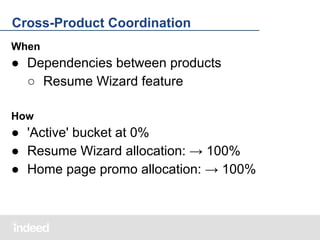
Cross-Product Coordination
When

● Dependencies between products
○ Resume Wizard feature
How

● 'Active' bucket at 0%
● Resume Wizard allocation: → 100%
● Home page promo allocation: → 100%
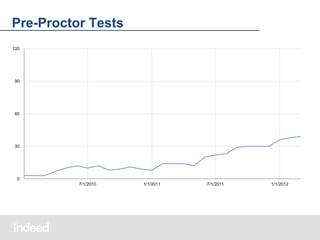
Pre-Proctor Tests
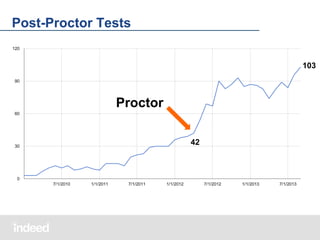
Post-Proctor Tests
103

Proctor
42
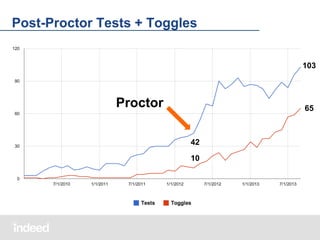
Post-Proctor Tests + Toggles
103

Proctor

65

42
10
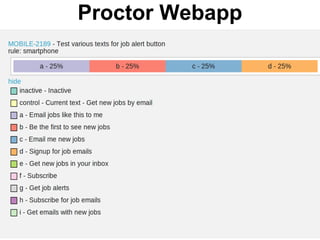
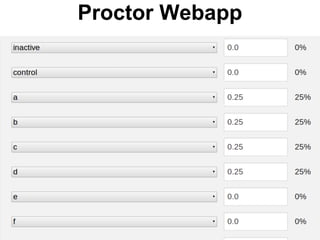
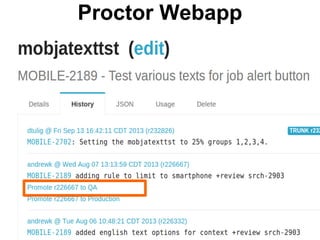
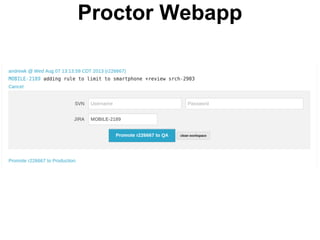
Proctor Webapp
A/B Test Change Management
(Coming Soon to github)
Proctor Webapp
Proctor Webapp
Proctor Webapp
Proctor Webapp
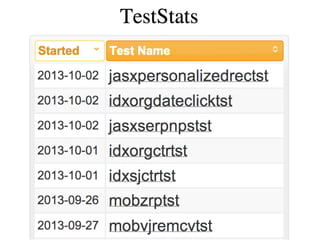
Building On Proctor
(Not Open Source)
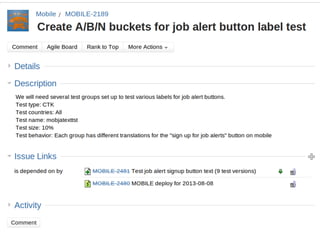
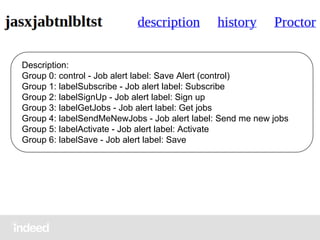
Description:
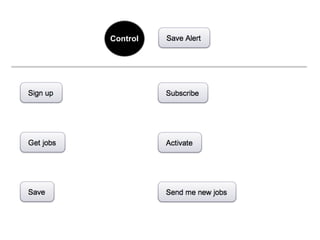
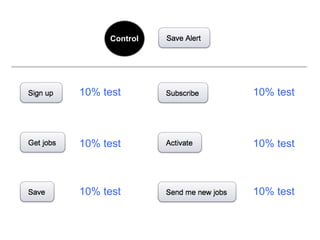
Group 0: control - Job alert label: Save Alert (control)
Group 1: labelSubscribe - Job alert label: Subscribe
Group 2: labelSignUp - Job alert label: Sign up
Group 3: labelGetJobs - Job alert label: Get jobs
Group 4: labelSendMeNewJobs - Job alert label: Send me new jobs
Group 5: labelActivate - Job alert label: Activate
Group 6: labelSave - Job alert label: Save
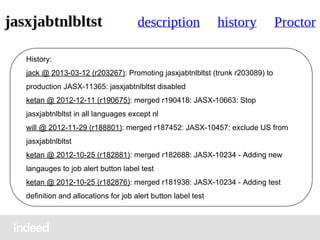
History:
jack @ 2013-03-12 (r203267): Promoting jasxjabtnlbltst (trunk r203089) to
production JASX-11365: jasxjabtnlbltst disabled
ketan @ 2012-12-11 (r190675): merged r190418: JASX-10663: Stop
jasxjabtnlbltst in all languages except nl
will @ 2012-11-29 (r188801): merged r187452: JASX-10457: exclude US from
jasxjabtnlbltst
ketan @ 2012-10-25 (r182881): merged r182688: JASX-10234 - Adding new
langauges to job alert button label test
ketan @ 2012-10-25 (r182876): merged r181938: JASX-10234 - Adding test
definition and allocations for job alert button label test
DEMO
Get out your Phones and Tablets
http://go.indeed.com/demo
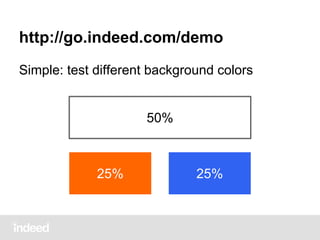
Simple: test different background colors
25%
25%
50%

25%

25%
http://go.indeed.com/demo
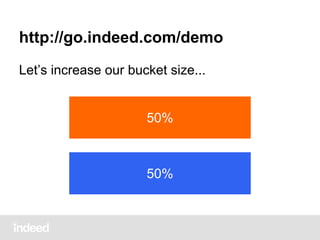
Let’s increase our bucket size...

50%

50%
http://go.indeed.com/demo
We have a winner!

50%

100%
http://go.indeed.com/demo
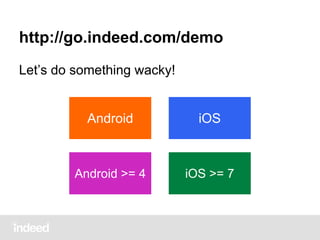
Let’s do something wacky!

Android

iOS

Android >= 4

iOS >= 7
http://go.indeed.com/demo
Also a reference implementation
Running on heroku -- feel free to clone!
http://indeedeng-hello-proctor.herokuapp.com
Source:

github.com/indeedeng/proctor-demo
Q&A
Source:
github.com/indeedeng/proctor
Docs:
indeedeng.github.io/proctor
Next @IndeedEng Talk

Boxcar
Self-balancing distributed services
Wednesday, October 30
R.B. Boyer

[@IndeedEng] Managing Experiments and Behavior Dynamically with Proctor