IMS Developer Network


                                              Dr. Charles Severance
                                      IMS GLC Developer Network
                                                  Coordinator

© Copyright 2008 IMS Global Learning Consortium
All Rights Reserved.                                                  1
Goals of the Developer Network

• Increase adoption of IMS Standards in real,
       shipping products
• Increase developer involvement in standards
       development – use implementation experiences
• Improve interoperability between different
       implementations of IMS Standards on “day 1”

© Copyright 2008 IMS Global Learning Consortium
All Rights Reserved.                                  2
Adding Value to Member Efforts

• IMS does not have developers, nor do we build
       products
• Coordination and communication amongst member
       developers – increase efficiency
• Build structures for exchanging information
       between member developers- like open source

© Copyright 2008 IMS Global Learning Consortium
All Rights Reserved.                                  3
Communication

• IMS Developer Network (members only)
         • Work in development – working with draft specs

• Webinars – To the membership and public
• Speaking outreach at developer-oriented meeting
• Developer tutorials – at meetings or on site
• Software artifacts

© Copyright 2008 IMS Global Learning Consortium
All Rights Reserved.                                        4
Open Source IMS Artifacts

• Apache 2 contribution agreements and license
         • Reusable code – think jar file
         • Sample code – multiple languages
         • Test code to help exercise implementations

• Clean Intellectual Property is very important so
       these artifacts can be used in shipping products


© Copyright 2008 IMS Global Learning Consortium
All Rights Reserved.                                      5
Resources

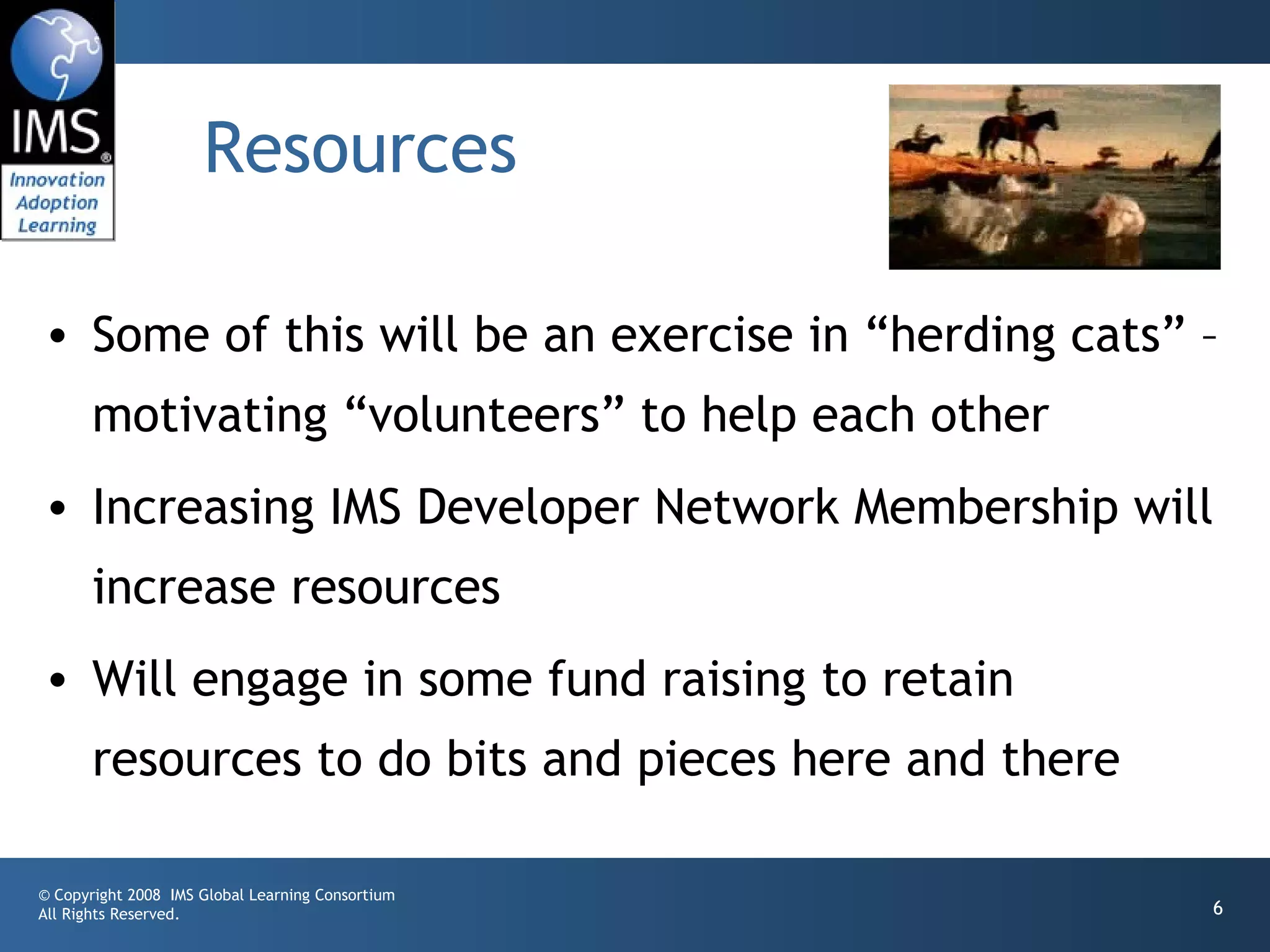
• Some of this will be an exercise in “herding cats” –
       motivating “volunteers” to help each other
• Increasing IMS Developer Network Membership will
       increase resources
• Will engage in some fund raising to retain
       resources to do bits and pieces here and there

© Copyright 2008 IMS Global Learning Consortium
All Rights Reserved.                                    6
Value Proposition of DevNet

• Once a member’s developers “are hooked in”
       information will come to them
• I will actively work to “pull information” out of
       one member to be shared with all members
• Members can adopt/implement more specs with
       less time and less travel.

© Copyright 2008 IMS Global Learning Consortium
All Rights Reserved.                                  7
Next Steps

• Work with IMS to develop legal structure for
       developer network
• Continue work with LTI 2.0 to help define the
       mission and approach – investigate LTI Alliance
• Broaden involvement to other efforts as
       opportunities present themselves

© Copyright 2008 IMS Global Learning Consortium
All Rights Reserved.                                     8
© Copyright 2008 IMS Global Learning Consortium
All Rights Reserved.                              9
IMS Learning Tools
         Interoperability 2.0
                           Building the Standards for Learning
                                                  Functionality Mashup


© Copyright 2008 IMS Global Learning Consortium
All Rights Reserved.                                                     10
IMS Tool Interoperability

• A standard which is currently under development
       by IMS (www.imsglobal.org) for functionality mash
       up
• Effectively provides Facebook-like capabilities for
       learning management systems
• Read-write access from a tool to the LMS

© Copyright 2008 IMS Global Learning Consortium
All Rights Reserved.                                       11
IMSTools Interoperability 1.0

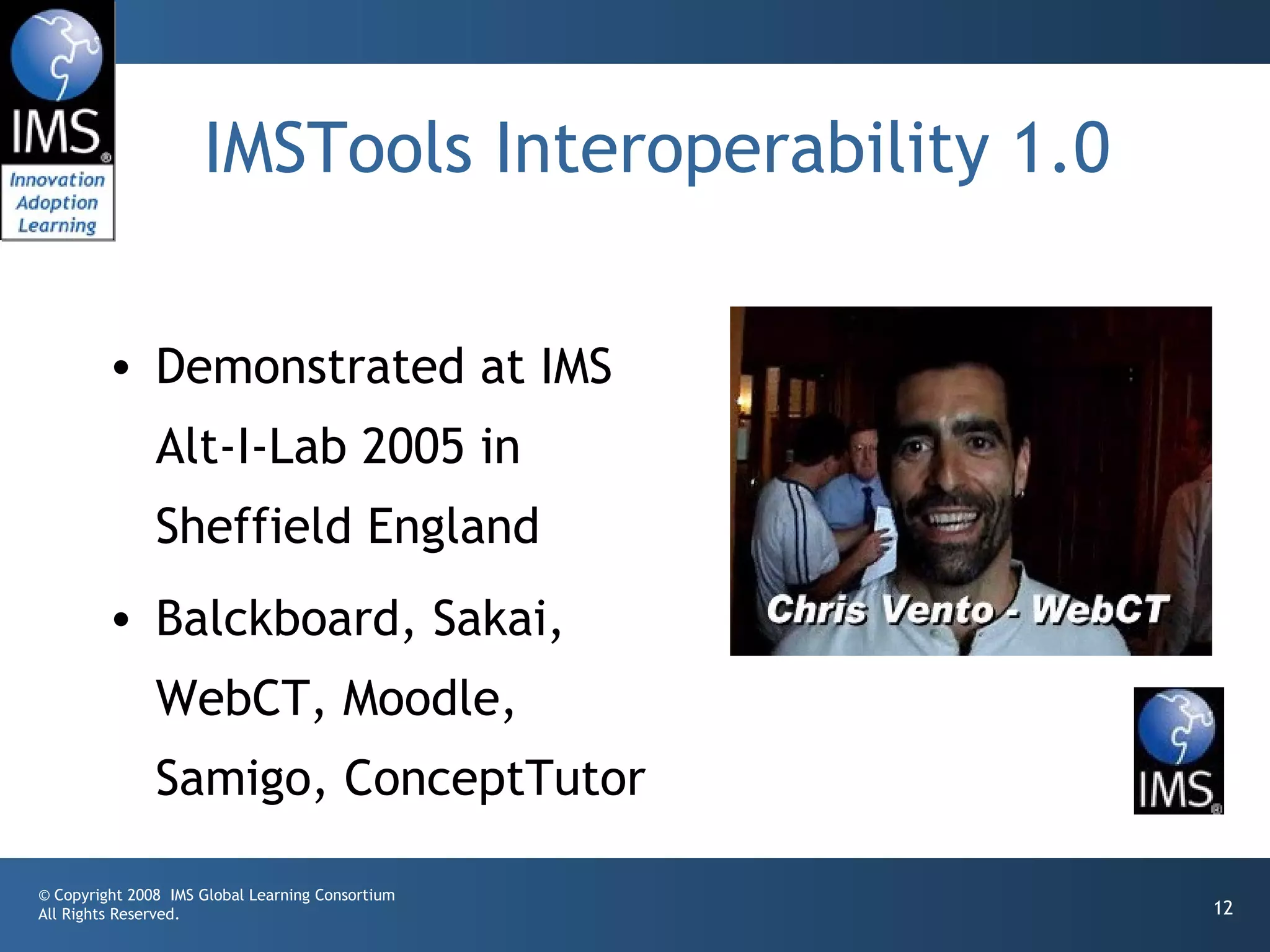
         • Demonstrated at IMS
               Alt-I-Lab 2005 in
               Sheffield England
         • Balckboard, Sakai,
               WebCT, Moodle,
               Samigo, ConceptTutor

© Copyright 2008 IMS Global Learning Consortium
All Rights Reserved.                                 12
Caveat: This section discusses a
         specification still under
         development – anything can change
         as the specification progresses.


© Copyright 2008 IMS Global Learning Consortium
All Rights Reserved.                              13
© Copyright 2008 IMS Global Learning Consortium
All Rights Reserved.                              14
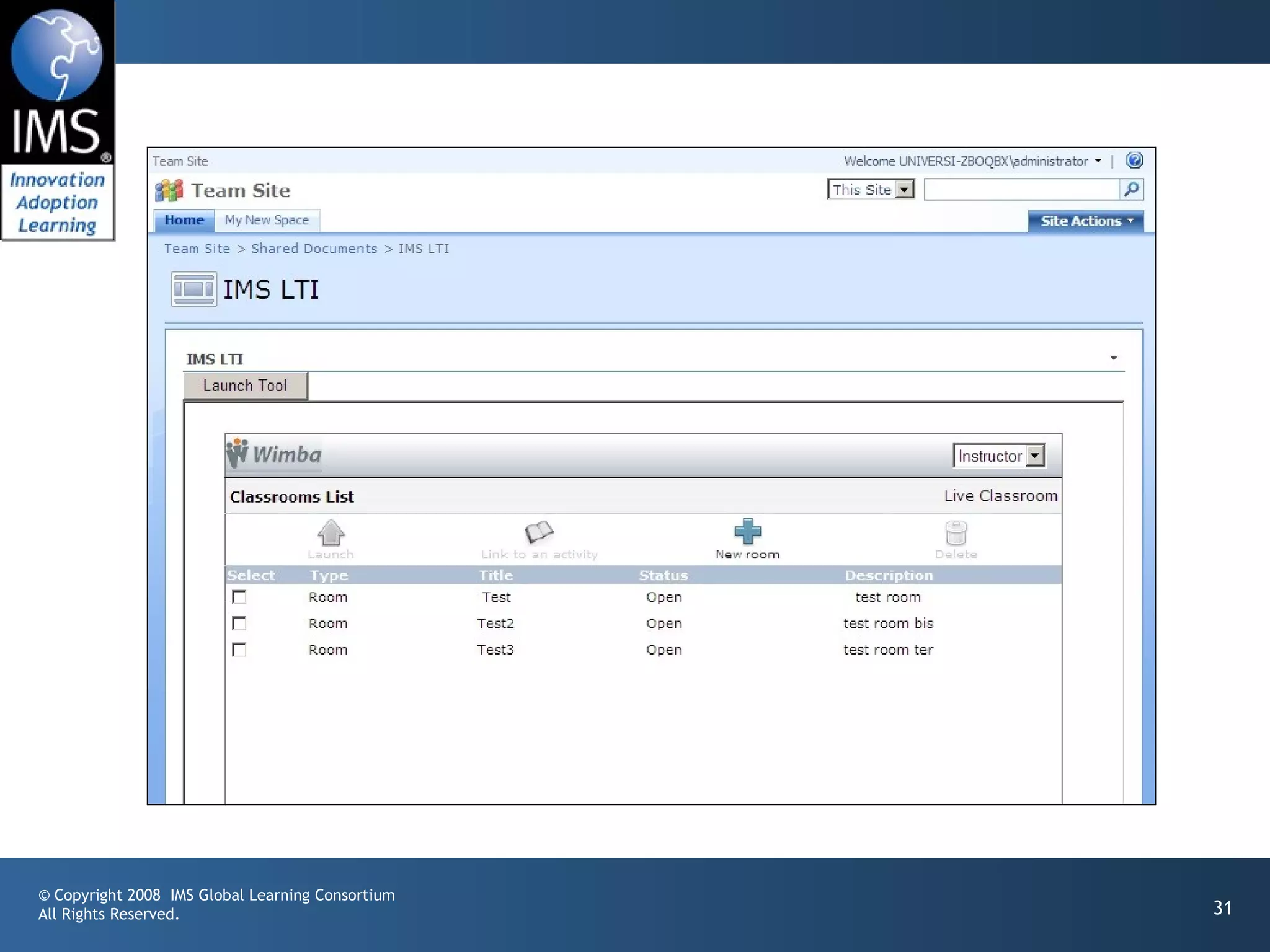
IMS Learning Tool
                     Interoperability 2.0
• Currently in Development
• Specification Leads
•                Bruno van Haetsdaele -Wimba
•                Chris Moffatt - Microsoft
• Learning Functionality Mash Up
• Integrated into “Add Resource” in learning
  systems

© Copyright 2008 IMS Global Learning Consortium
All Rights Reserved.                              15
Scenarios

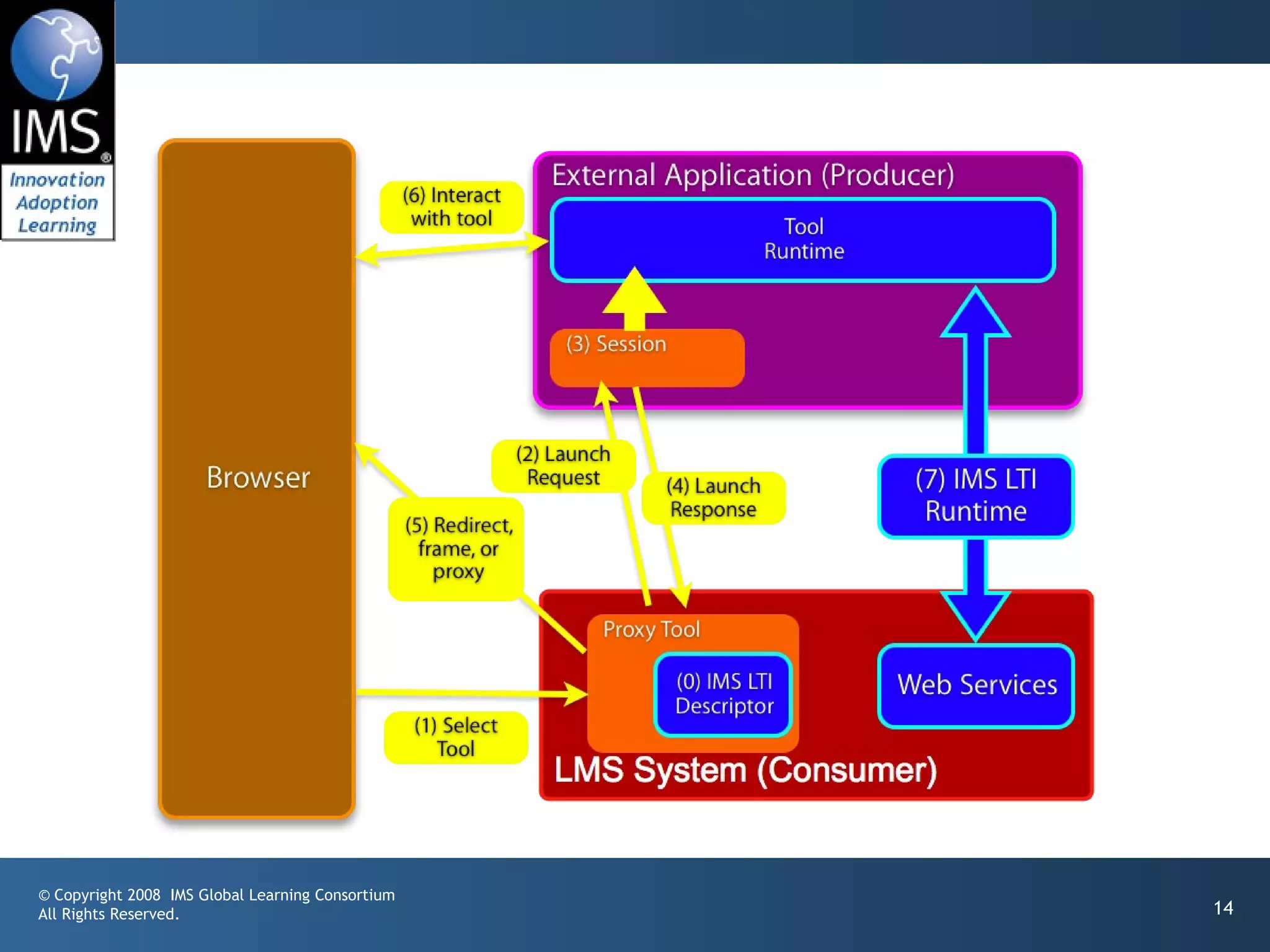
• IMS LTI 2.0 tool installed by the administrator – end-
  users don’t even realize the tool is hosted externally
• IMS LTI 2.0 generic tool available to instructors – to be
  placed and configured Mash-Up style (like a general-
  purpose RSS reader or web-content tool)
• An IMS LTI 2.0 tool is placed when a publisher
  cartridge is loaded – often these are partially
  provisioned

© Copyright 2008 IMS Global Learning Consortium
All Rights Reserved.                                       16
Virtual Tool - Admin Install

• Administrator installs a proxy tool and makes it
       available as a regular tool
• Administrator configures services “sandbox” for
       the remote tool – exchange of key material
         • Tool may have permission to connect asynchronously
         • Tool may have permission to places “resources” –
           instances of itself in a course shell
© Copyright 2008 IMS Global Learning Consortium
All Rights Reserved.                                            17
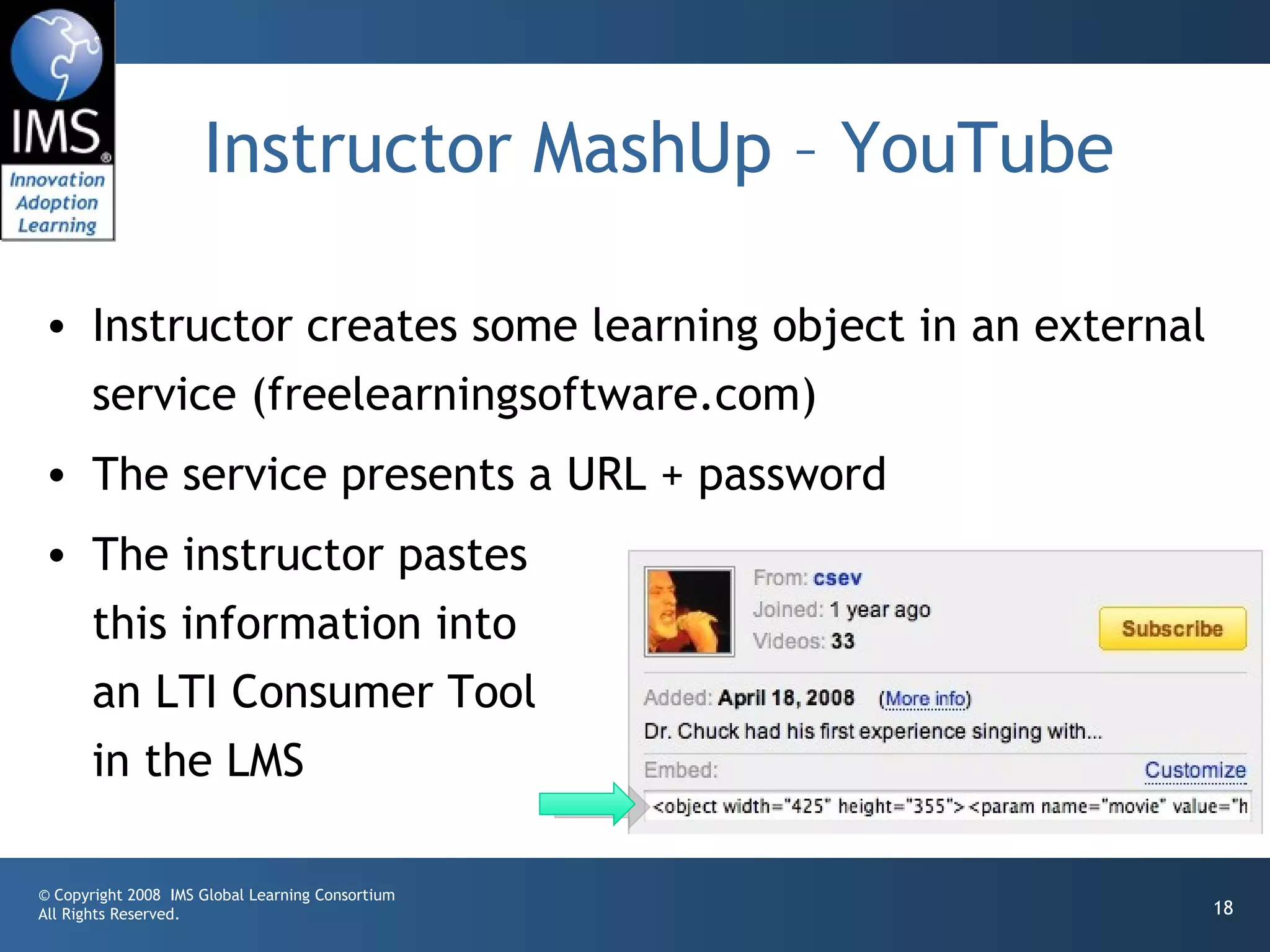
Instructor MashUp – YouTube

• Instructor creates some learning object in an external
  service (freelearningsoftware.com)
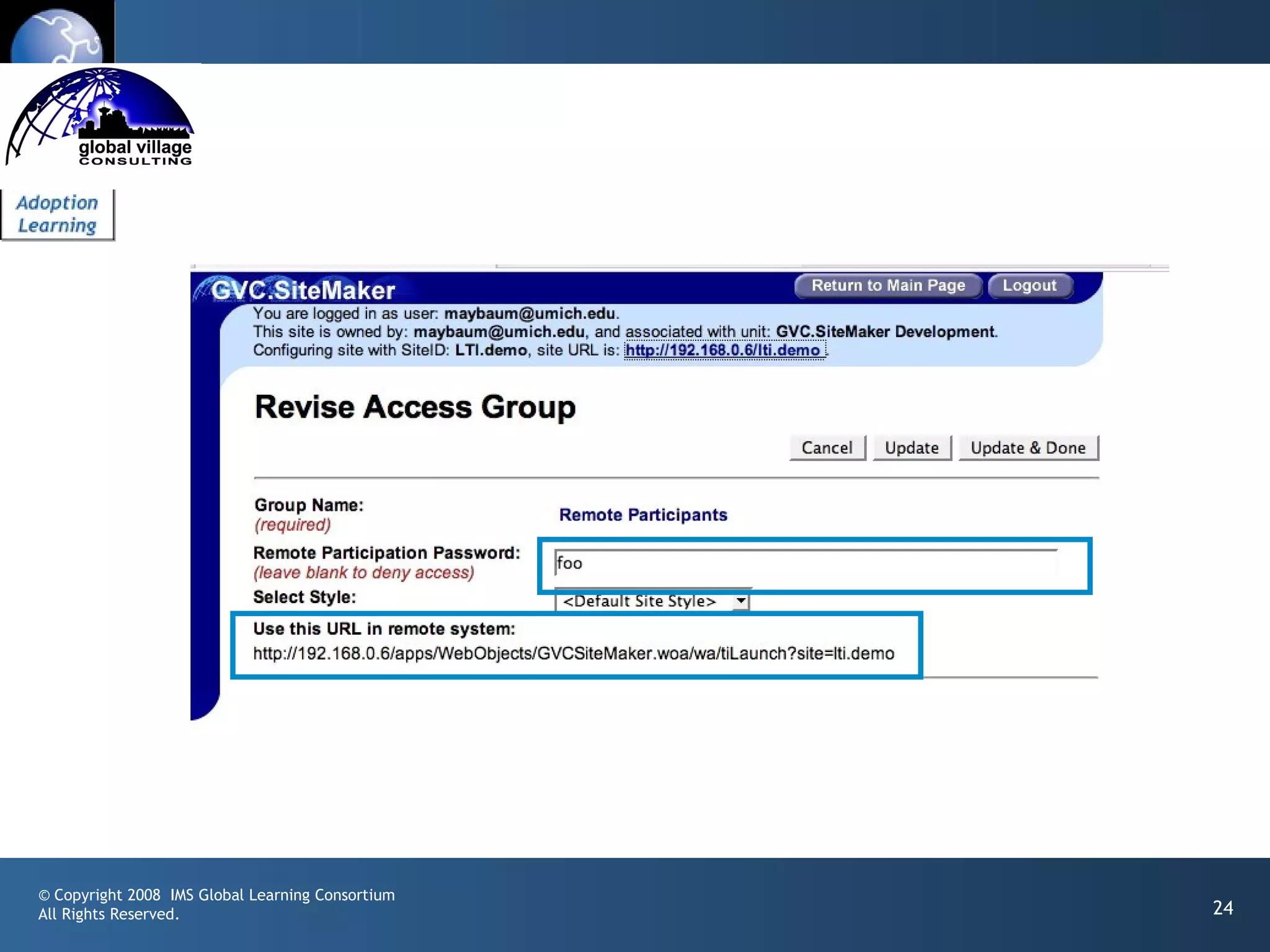
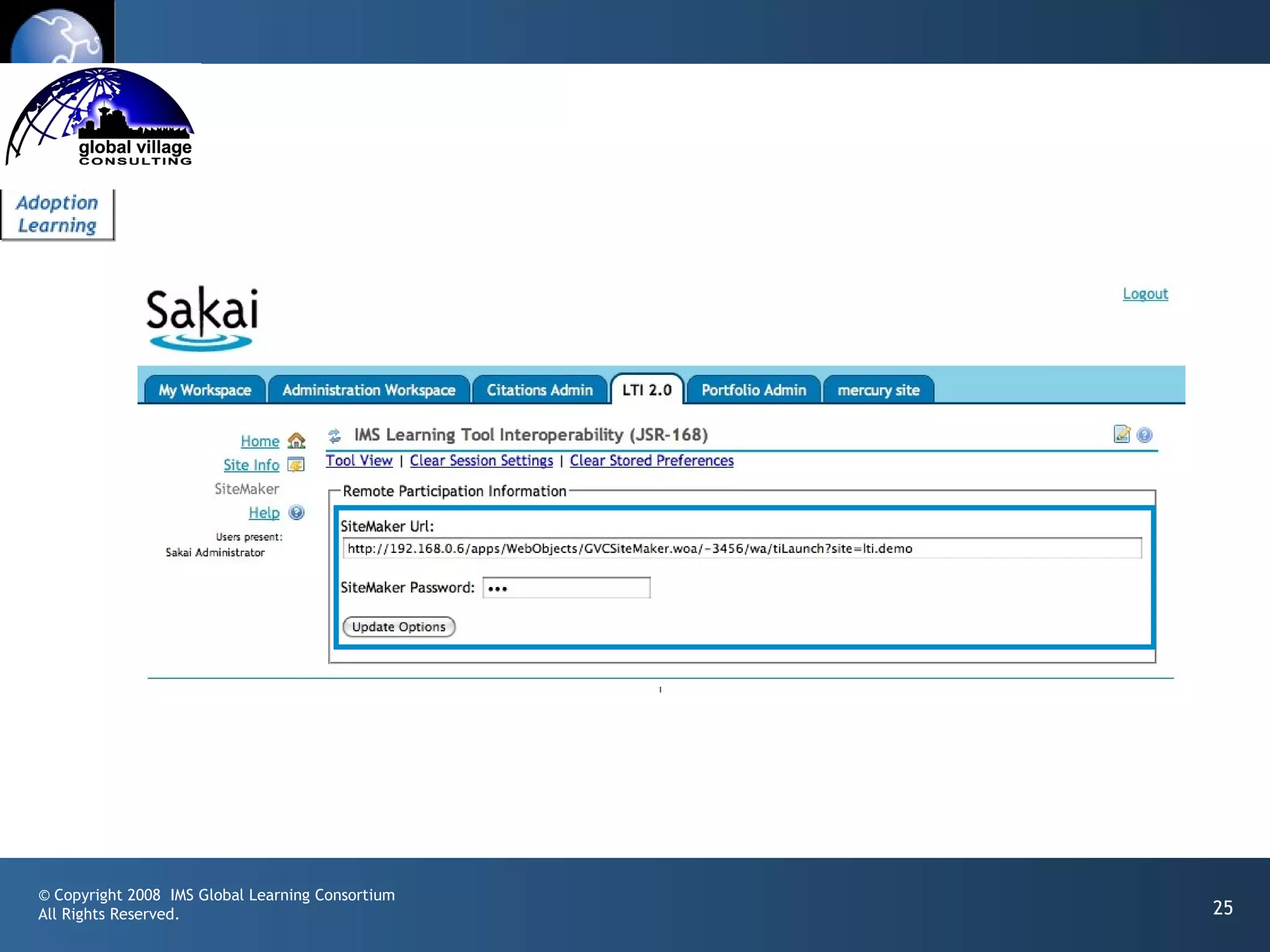
• The service presents a URL + password
• The instructor pastes
  this information into
  an LTI Consumer Tool
  in the LMS

© Copyright 2008 IMS Global Learning Consortium
All Rights Reserved.                                       18
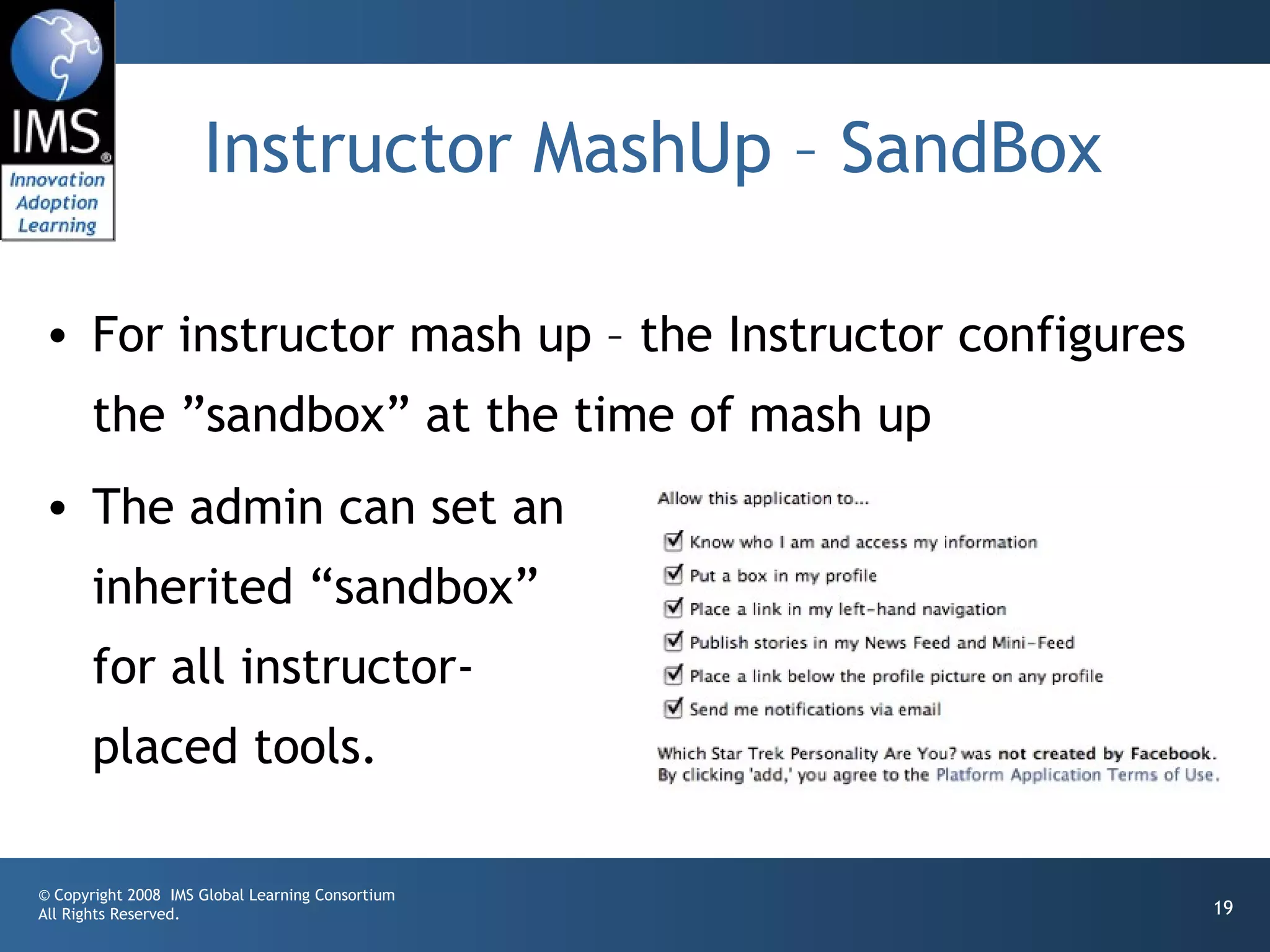
Instructor MashUp – SandBox

• For instructor mash up – the Instructor configures
       the ”sandbox” at the time of mash up
• The admin can set an
       inherited “sandbox”
       for all instructor-
       placed tools.

© Copyright 2008 IMS Global Learning Consortium
All Rights Reserved.                                   19
Common Cartridge

• Scenario 1: Content points to a pre-trusted host
  such as content.pearson.com – administrator has a
  sandbox pre-configured for tools that point to the
  pre-trusted host
• Scenario 2: When there is no pre-arranged
  trust/sandbox – a placement from a cartridge
  behaves as an instructor-placed IMS LTI proxy tool.
© Copyright 2008 IMS Global Learning Consortium
All Rights Reserved.                                   20
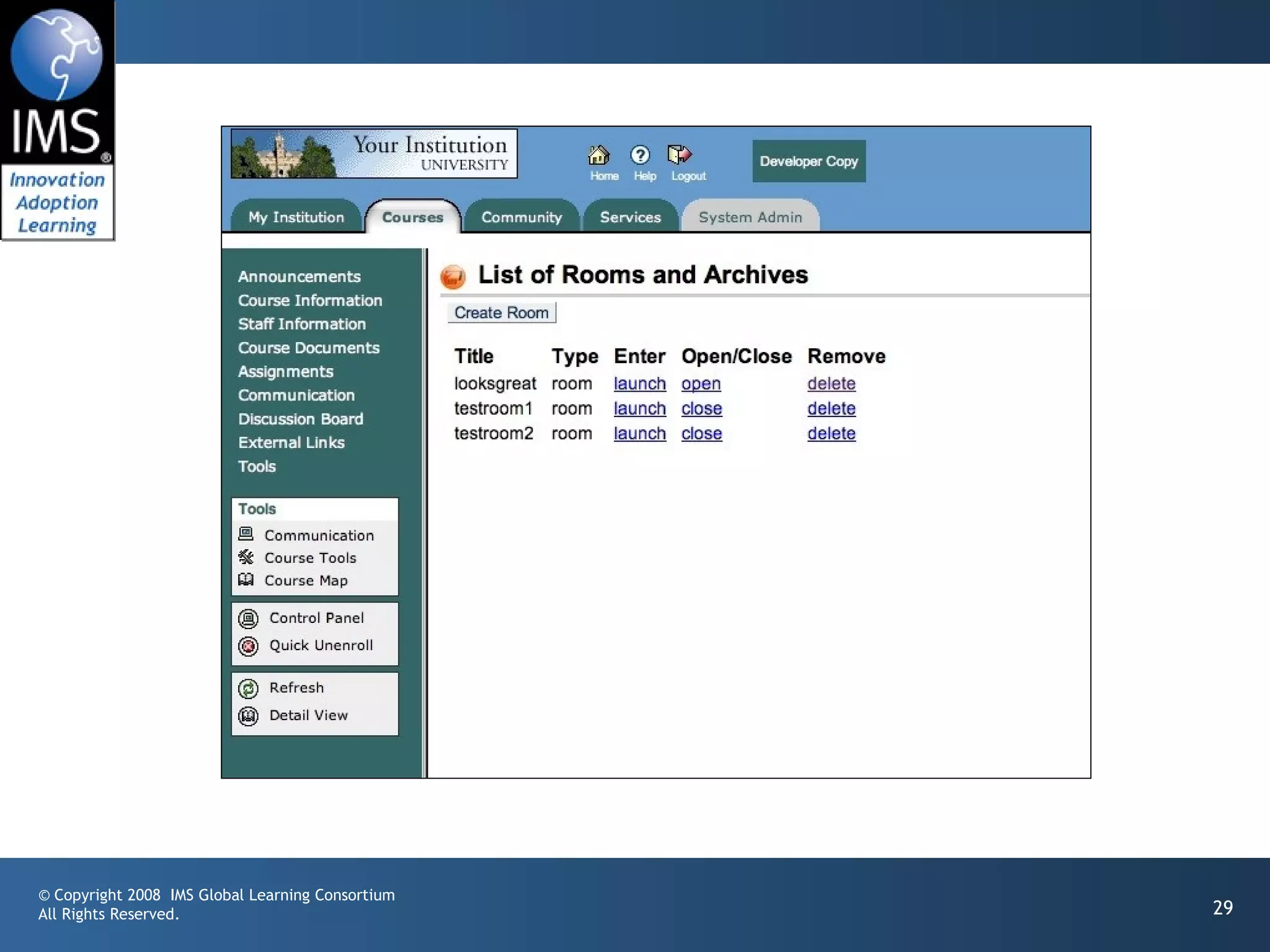
Case Study: UM.SiteMaker
                            www.gvcsitemaker.com
• SiteMaker is a simple, end-user tool to build web sites
• Database capability called “data tables”
• Combination of power and simplicity
• Written in Apple’s Web Objects by Michgan
• Now has its own open source community and
  commercial vendor
• Should we rewrite SiteMaker in Sakai? No.

© Copyright 2008 IMS Global Learning Consortium
All Rights Reserved.                              www.gvcsitemaker.com   21
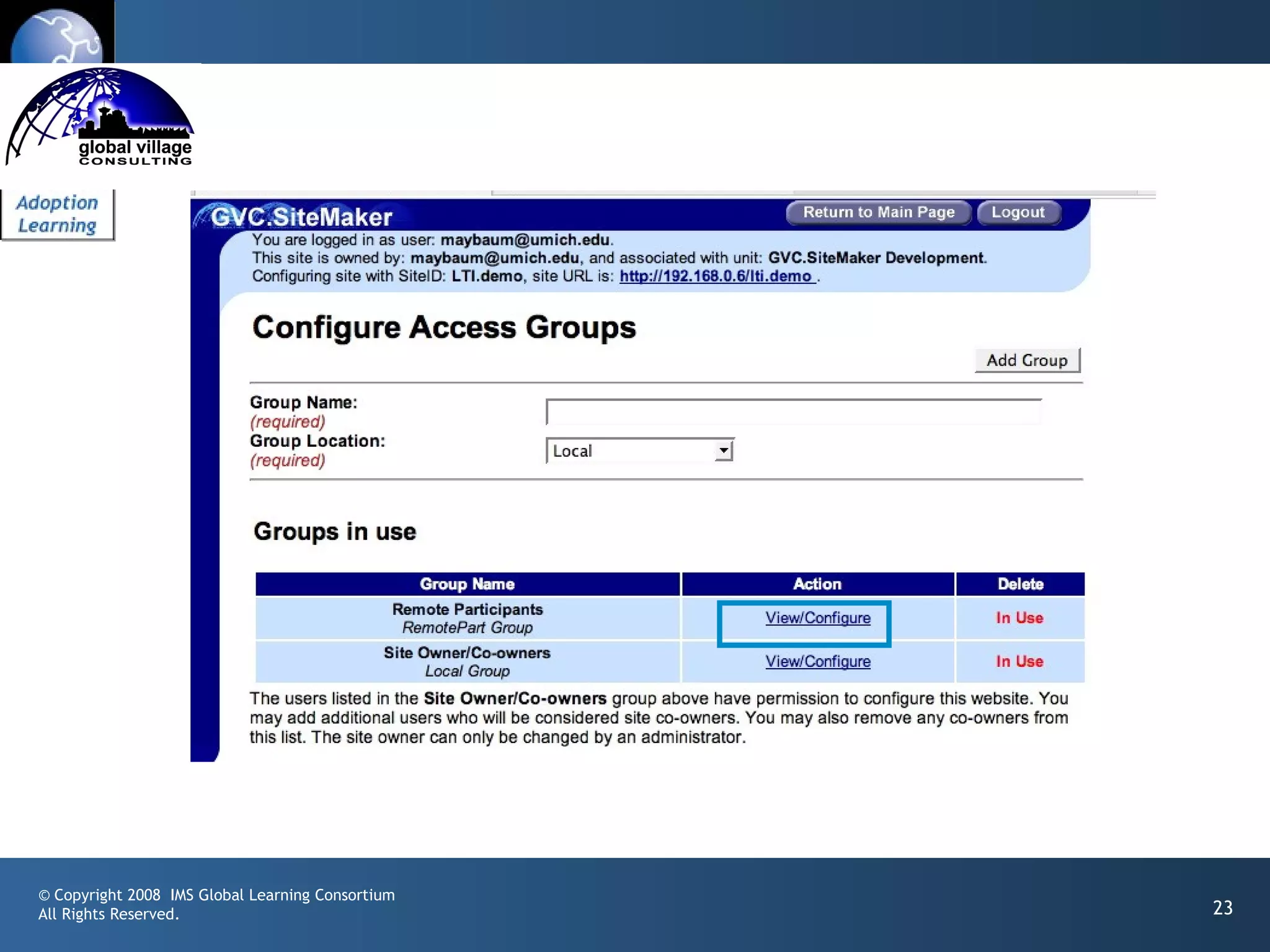
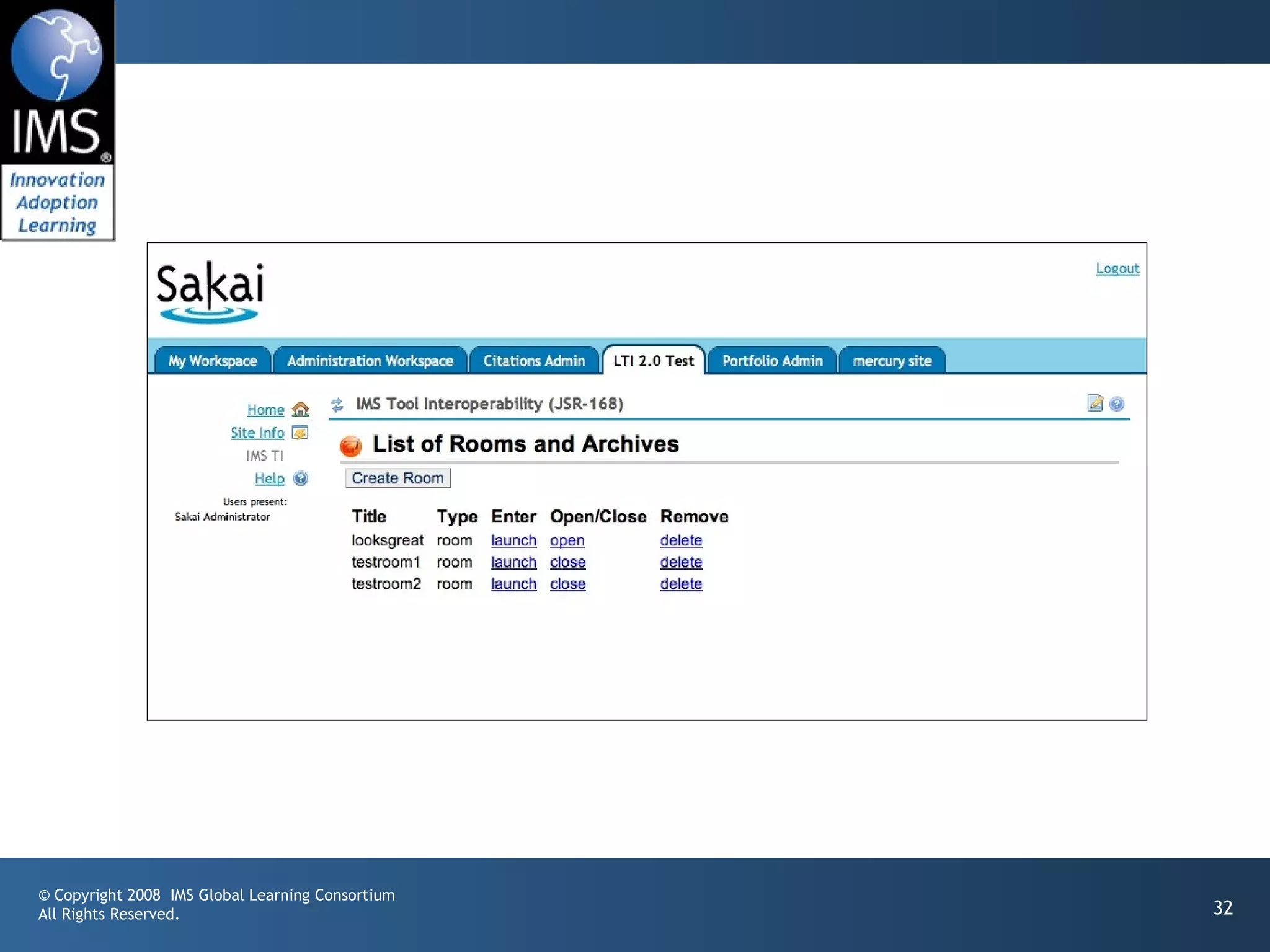
Sakai / Sitemaker Integration

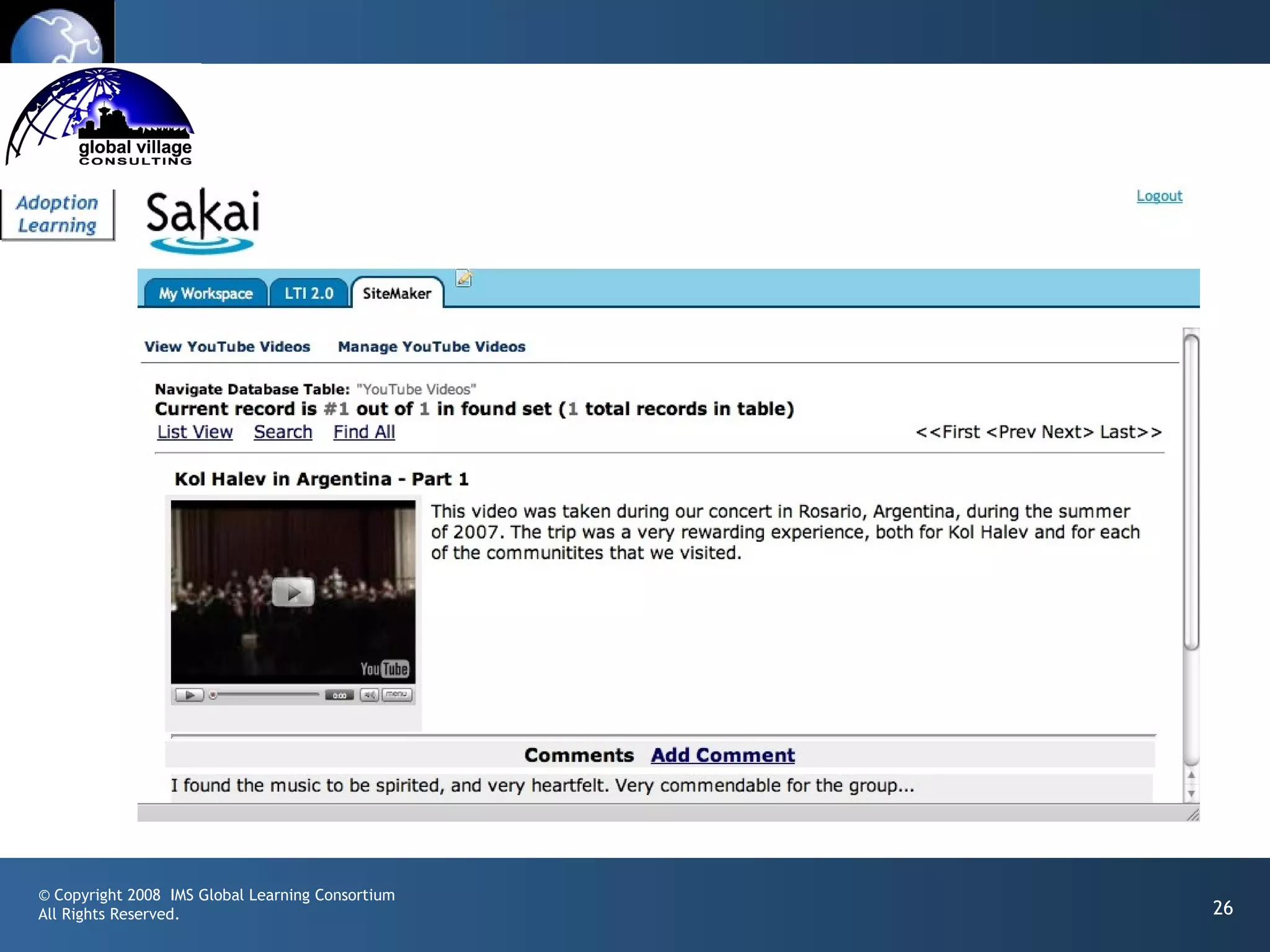
• Launching via IMS LTI 2.0 (an early draft)
• Experiment in the ease of workflow of mashing a
       tool up
• Model: YouTube - “paste this HTML”
• Production: Fall 2008


© Copyright 2008 IMS Global Learning Consortium
All Rights Reserved.                              www.gvcsitemaker.com   22
© Copyright 2008 IMS Global Learning Consortium
All Rights Reserved.                              23
© Copyright 2008 IMS Global Learning Consortium
All Rights Reserved.                              24
© Copyright 2008 IMS Global Learning Consortium
All Rights Reserved.                              25
© Copyright 2008 IMS Global Learning Consortium
All Rights Reserved.                              26
IMS Learning Tools
                     Interoperability Demonstration
• IMS Learning Impact
• May 12-16, 2008, Austin, TX, USA
• http://www.imsglobal.org/


© Copyright 2008 IMS Global Learning Consortium
All Rights Reserved.                                  27
Thanks

• Wimba
• Microsoft
• Blackboard
• Icodeon
• Ucompass
• Pearson
• University of Michigan

© Copyright 2008 IMS Global Learning Consortium
All Rights Reserved.                              28
© Copyright 2008 IMS Global Learning Consortium
All Rights Reserved.                              29
© Copyright 2008 IMS Global Learning Consortium
All Rights Reserved.                              30
© Copyright 2008 IMS Global Learning Consortium
All Rights Reserved.                              31
© Copyright 2008 IMS Global Learning Consortium
All Rights Reserved.                              32
IMS Developer Network

• My task is to develop the IMS Developer Network
• Improve “in-the-field” availability of standards-
       compliant implementations
• Develop reusable bits / sample code / test code
• Work with and go-between developers
       implementing IMS Specs in their products

© Copyright 2008 IMS Global Learning Consortium
All Rights Reserved.                                  33
IMS / Sakai
         Google Summer of Code


© Copyright 2008 IMS Global Learning Consortium
All Rights Reserved.                              34
© Copyright 2008 IMS Global Learning Consortium
All Rights Reserved.                              35
General Idea

• Build many different implementations of IMS Tool
       Interoperability
• Variations on a theme - think beyond just learning
       management systems
• Try to create an initial body of work to make it worth
       while to build tools using IMS Tool Interoperability


© Copyright 2008 IMS Global Learning Consortium
All Rights Reserved.                                          36
Proposed Project Ideas
         •Sakai
                                                              •Chisimba
         • Consumer
                                                              •Drupal
         • Producer
         •Moodle
                                                              •Google Android
         • Consumer                                           •Rails IMS TI Test Kit
         • Producer                                           • Consumer
         •Atutor                                              • Producer
         •Elgg
                                                              •Proxied access

                                              Consumer = LMS Producer = Tool

© Copyright 2008 IMS Global Learning Consortium
All Rights Reserved.                                                                   37
IMS / Sakai
                     Google Summer of Code
• An IMS LTI Producer for Sakai – Katherine
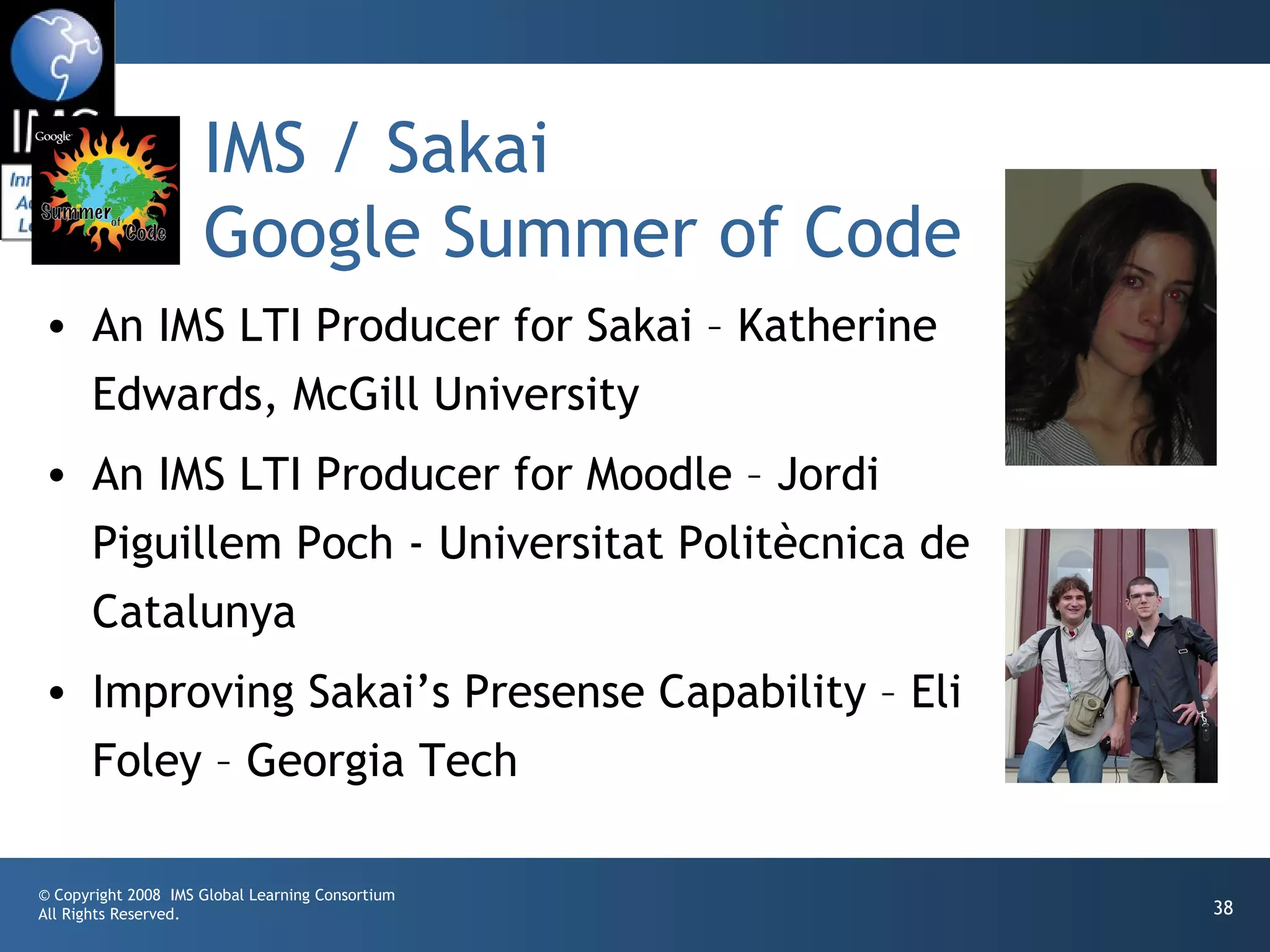
  Edwards, McGill University
• An IMS LTI Producer for Moodle – Jordi
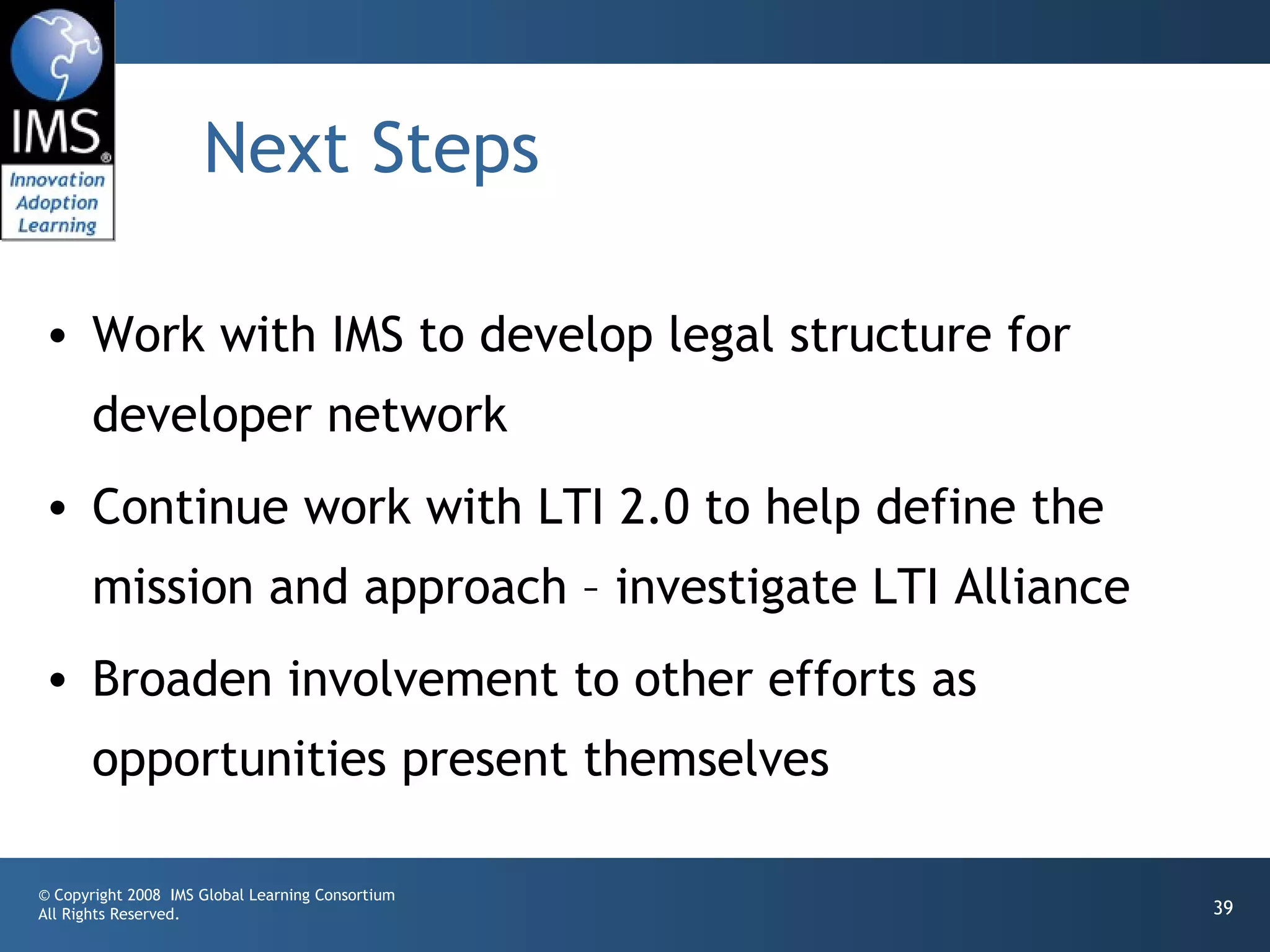
  Piguillem Poch - Universitat Politècnica de
  Catalunya
• Improving Sakai’s Presense Capability – Eli
  Foley – Georgia Tech

© Copyright 2008 IMS Global Learning Consortium
All Rights Reserved.                              38
Next Steps

• Work with IMS to develop legal structure for
       developer network
• Continue work with LTI 2.0 to help define the
       mission and approach – investigate LTI Alliance
• Broaden involvement to other efforts as
       opportunities present themselves

© Copyright 2008 IMS Global Learning Consortium
All Rights Reserved.                                     39

IMS Developer Network

  • 1.
    IMS Developer Network Dr. Charles Severance IMS GLC Developer Network Coordinator © Copyright 2008 IMS Global Learning Consortium All Rights Reserved. 1
  • 2.
    Goals of theDeveloper Network • Increase adoption of IMS Standards in real, shipping products • Increase developer involvement in standards development – use implementation experiences • Improve interoperability between different implementations of IMS Standards on “day 1” © Copyright 2008 IMS Global Learning Consortium All Rights Reserved. 2
  • 3.
    Adding Value toMember Efforts • IMS does not have developers, nor do we build products • Coordination and communication amongst member developers – increase efficiency • Build structures for exchanging information between member developers- like open source © Copyright 2008 IMS Global Learning Consortium All Rights Reserved. 3
  • 4.
    Communication • IMS DeveloperNetwork (members only) • Work in development – working with draft specs • Webinars – To the membership and public • Speaking outreach at developer-oriented meeting • Developer tutorials – at meetings or on site • Software artifacts © Copyright 2008 IMS Global Learning Consortium All Rights Reserved. 4
  • 5.
    Open Source IMSArtifacts • Apache 2 contribution agreements and license • Reusable code – think jar file • Sample code – multiple languages • Test code to help exercise implementations • Clean Intellectual Property is very important so these artifacts can be used in shipping products © Copyright 2008 IMS Global Learning Consortium All Rights Reserved. 5
  • 6.
    Resources • Some ofthis will be an exercise in “herding cats” – motivating “volunteers” to help each other • Increasing IMS Developer Network Membership will increase resources • Will engage in some fund raising to retain resources to do bits and pieces here and there © Copyright 2008 IMS Global Learning Consortium All Rights Reserved. 6
  • 7.
    Value Proposition ofDevNet • Once a member’s developers “are hooked in” information will come to them • I will actively work to “pull information” out of one member to be shared with all members • Members can adopt/implement more specs with less time and less travel. © Copyright 2008 IMS Global Learning Consortium All Rights Reserved. 7
  • 8.
    Next Steps • Workwith IMS to develop legal structure for developer network • Continue work with LTI 2.0 to help define the mission and approach – investigate LTI Alliance • Broaden involvement to other efforts as opportunities present themselves © Copyright 2008 IMS Global Learning Consortium All Rights Reserved. 8
  • 9.
    © Copyright 2008IMS Global Learning Consortium All Rights Reserved. 9
  • 10.
    IMS Learning Tools Interoperability 2.0 Building the Standards for Learning Functionality Mashup © Copyright 2008 IMS Global Learning Consortium All Rights Reserved. 10
  • 11.
    IMS Tool Interoperability •A standard which is currently under development by IMS (www.imsglobal.org) for functionality mash up • Effectively provides Facebook-like capabilities for learning management systems • Read-write access from a tool to the LMS © Copyright 2008 IMS Global Learning Consortium All Rights Reserved. 11
  • 12.
    IMSTools Interoperability 1.0 • Demonstrated at IMS Alt-I-Lab 2005 in Sheffield England • Balckboard, Sakai, WebCT, Moodle, Samigo, ConceptTutor © Copyright 2008 IMS Global Learning Consortium All Rights Reserved. 12
  • 13.
    Caveat: This sectiondiscusses a specification still under development – anything can change as the specification progresses. © Copyright 2008 IMS Global Learning Consortium All Rights Reserved. 13
  • 14.
    © Copyright 2008IMS Global Learning Consortium All Rights Reserved. 14
  • 15.
    IMS Learning Tool Interoperability 2.0 • Currently in Development • Specification Leads • Bruno van Haetsdaele -Wimba • Chris Moffatt - Microsoft • Learning Functionality Mash Up • Integrated into “Add Resource” in learning systems © Copyright 2008 IMS Global Learning Consortium All Rights Reserved. 15
  • 16.
    Scenarios • IMS LTI2.0 tool installed by the administrator – end- users don’t even realize the tool is hosted externally • IMS LTI 2.0 generic tool available to instructors – to be placed and configured Mash-Up style (like a general- purpose RSS reader or web-content tool) • An IMS LTI 2.0 tool is placed when a publisher cartridge is loaded – often these are partially provisioned © Copyright 2008 IMS Global Learning Consortium All Rights Reserved. 16
  • 17.
    Virtual Tool -Admin Install • Administrator installs a proxy tool and makes it available as a regular tool • Administrator configures services “sandbox” for the remote tool – exchange of key material • Tool may have permission to connect asynchronously • Tool may have permission to places “resources” – instances of itself in a course shell © Copyright 2008 IMS Global Learning Consortium All Rights Reserved. 17
  • 18.
    Instructor MashUp –YouTube • Instructor creates some learning object in an external service (freelearningsoftware.com) • The service presents a URL + password • The instructor pastes this information into an LTI Consumer Tool in the LMS © Copyright 2008 IMS Global Learning Consortium All Rights Reserved. 18
  • 19.
    Instructor MashUp –SandBox • For instructor mash up – the Instructor configures the ”sandbox” at the time of mash up • The admin can set an inherited “sandbox” for all instructor- placed tools. © Copyright 2008 IMS Global Learning Consortium All Rights Reserved. 19
  • 20.
    Common Cartridge • Scenario1: Content points to a pre-trusted host such as content.pearson.com – administrator has a sandbox pre-configured for tools that point to the pre-trusted host • Scenario 2: When there is no pre-arranged trust/sandbox – a placement from a cartridge behaves as an instructor-placed IMS LTI proxy tool. © Copyright 2008 IMS Global Learning Consortium All Rights Reserved. 20
  • 21.
    Case Study: UM.SiteMaker www.gvcsitemaker.com • SiteMaker is a simple, end-user tool to build web sites • Database capability called “data tables” • Combination of power and simplicity • Written in Apple’s Web Objects by Michgan • Now has its own open source community and commercial vendor • Should we rewrite SiteMaker in Sakai? No. © Copyright 2008 IMS Global Learning Consortium All Rights Reserved. www.gvcsitemaker.com 21
  • 22.
    Sakai / SitemakerIntegration • Launching via IMS LTI 2.0 (an early draft) • Experiment in the ease of workflow of mashing a tool up • Model: YouTube - “paste this HTML” • Production: Fall 2008 © Copyright 2008 IMS Global Learning Consortium All Rights Reserved. www.gvcsitemaker.com 22
  • 23.
    © Copyright 2008IMS Global Learning Consortium All Rights Reserved. 23
  • 24.
    © Copyright 2008IMS Global Learning Consortium All Rights Reserved. 24
  • 25.
    © Copyright 2008IMS Global Learning Consortium All Rights Reserved. 25
  • 26.
    © Copyright 2008IMS Global Learning Consortium All Rights Reserved. 26
  • 27.
    IMS Learning Tools Interoperability Demonstration • IMS Learning Impact • May 12-16, 2008, Austin, TX, USA • http://www.imsglobal.org/ © Copyright 2008 IMS Global Learning Consortium All Rights Reserved. 27
  • 28.
    Thanks • Wimba • Microsoft •Blackboard • Icodeon • Ucompass • Pearson • University of Michigan © Copyright 2008 IMS Global Learning Consortium All Rights Reserved. 28
  • 29.
    © Copyright 2008IMS Global Learning Consortium All Rights Reserved. 29
  • 30.
    © Copyright 2008IMS Global Learning Consortium All Rights Reserved. 30
  • 31.
    © Copyright 2008IMS Global Learning Consortium All Rights Reserved. 31
  • 32.
    © Copyright 2008IMS Global Learning Consortium All Rights Reserved. 32
  • 33.
    IMS Developer Network •My task is to develop the IMS Developer Network • Improve “in-the-field” availability of standards- compliant implementations • Develop reusable bits / sample code / test code • Work with and go-between developers implementing IMS Specs in their products © Copyright 2008 IMS Global Learning Consortium All Rights Reserved. 33
  • 34.
    IMS / Sakai Google Summer of Code © Copyright 2008 IMS Global Learning Consortium All Rights Reserved. 34
  • 35.
    © Copyright 2008IMS Global Learning Consortium All Rights Reserved. 35
  • 36.
    General Idea • Buildmany different implementations of IMS Tool Interoperability • Variations on a theme - think beyond just learning management systems • Try to create an initial body of work to make it worth while to build tools using IMS Tool Interoperability © Copyright 2008 IMS Global Learning Consortium All Rights Reserved. 36
  • 37.
    Proposed Project Ideas •Sakai •Chisimba • Consumer •Drupal • Producer •Moodle •Google Android • Consumer •Rails IMS TI Test Kit • Producer • Consumer •Atutor • Producer •Elgg •Proxied access Consumer = LMS Producer = Tool © Copyright 2008 IMS Global Learning Consortium All Rights Reserved. 37
  • 38.
    IMS / Sakai Google Summer of Code • An IMS LTI Producer for Sakai – Katherine Edwards, McGill University • An IMS LTI Producer for Moodle – Jordi Piguillem Poch - Universitat Politècnica de Catalunya • Improving Sakai’s Presense Capability – Eli Foley – Georgia Tech © Copyright 2008 IMS Global Learning Consortium All Rights Reserved. 38
  • 39.
    Next Steps • Workwith IMS to develop legal structure for developer network • Continue work with LTI 2.0 to help define the mission and approach – investigate LTI Alliance • Broaden involvement to other efforts as opportunities present themselves © Copyright 2008 IMS Global Learning Consortium All Rights Reserved. 39

Editor's Notes

  • #3 This is a little different from Microsoft and Apple’s developer networks.
  • #4 Intellectual property is very important to track – standards are under development outside public view – implementations are IP that one or another member
  • #5 Google Summer of Code
  • #6 Not going to build an LMS. That is what the members do.
  • #8 This is about pulling and pushing like a pump.