Download to read offline

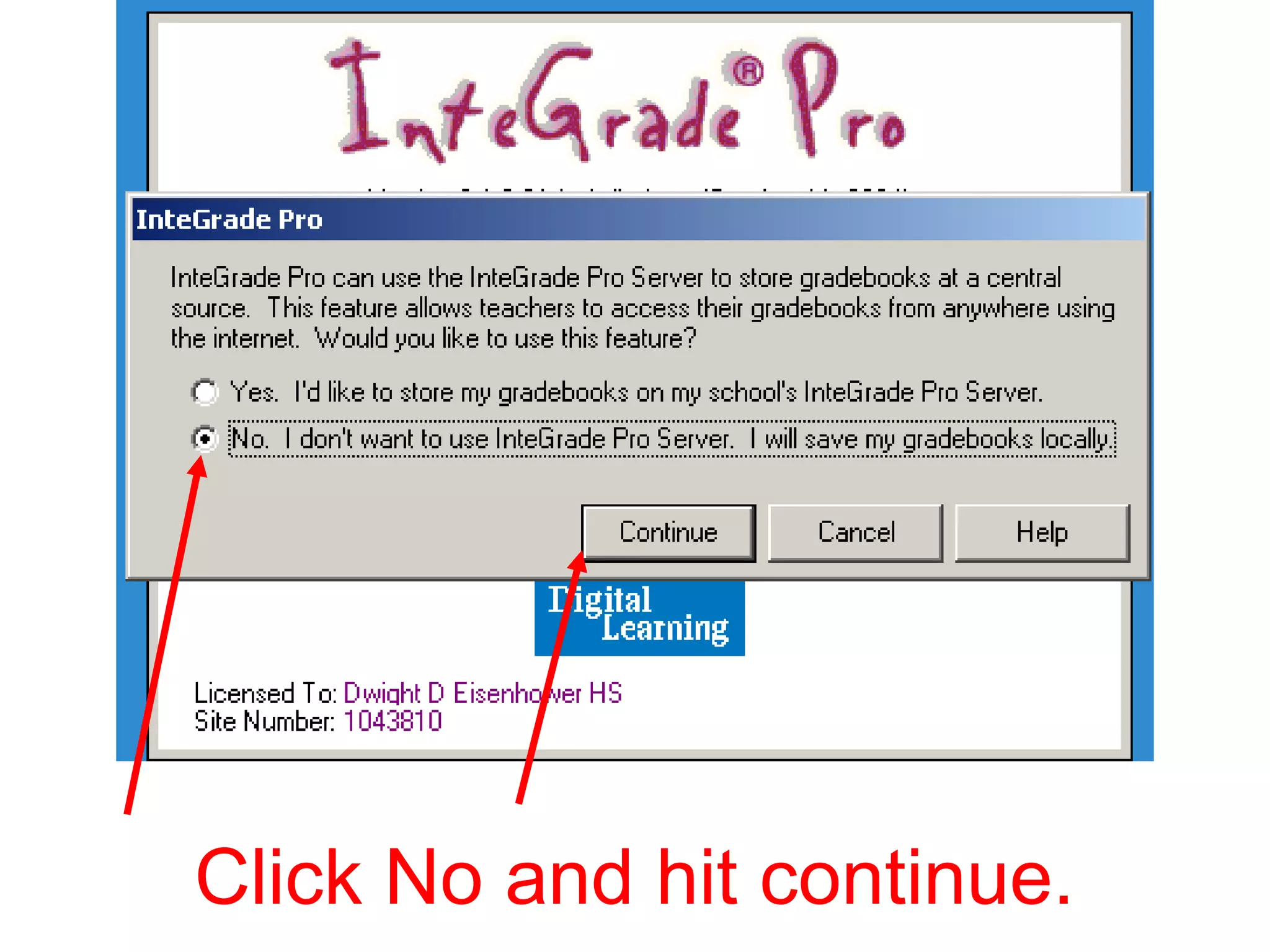
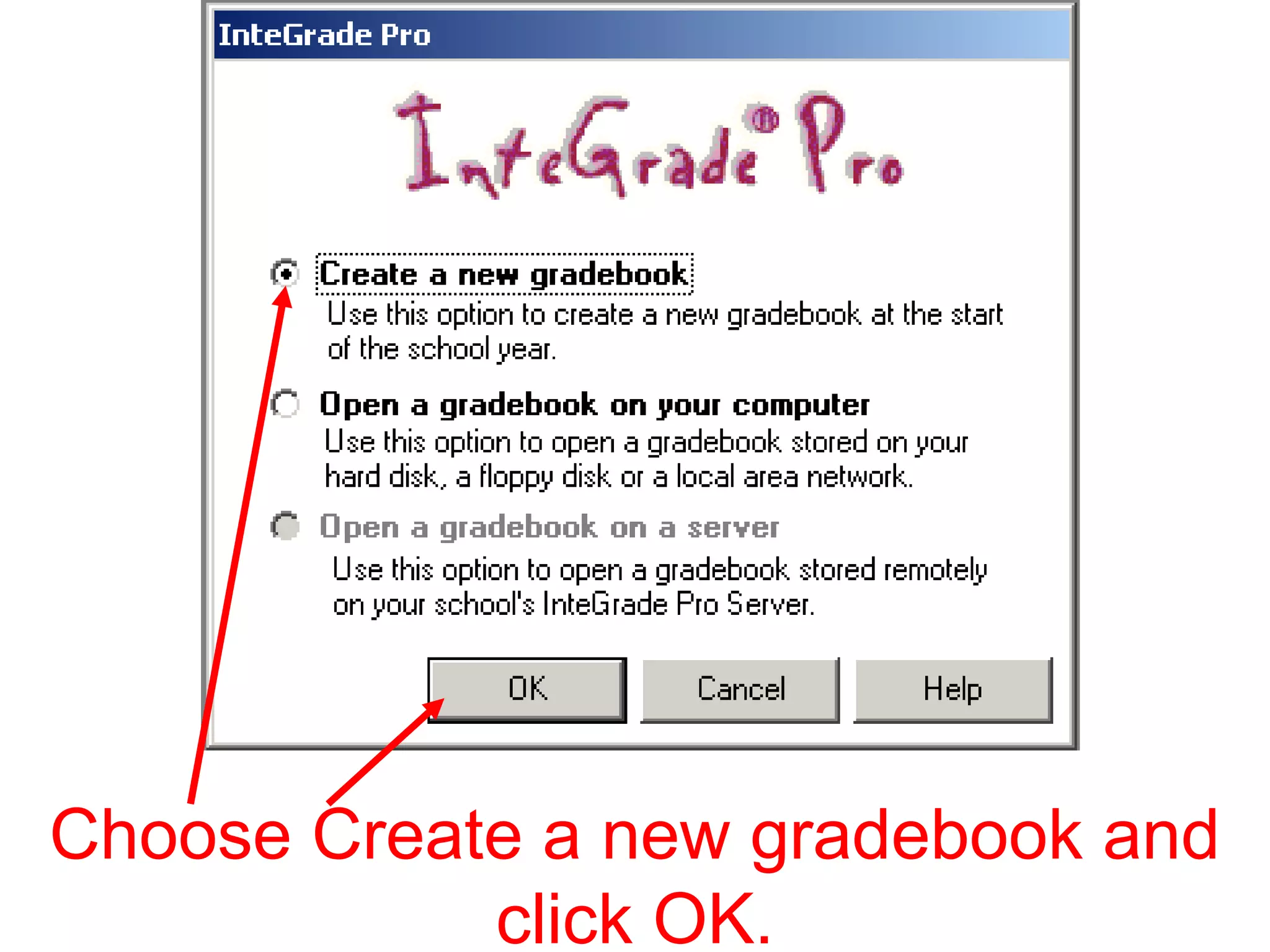
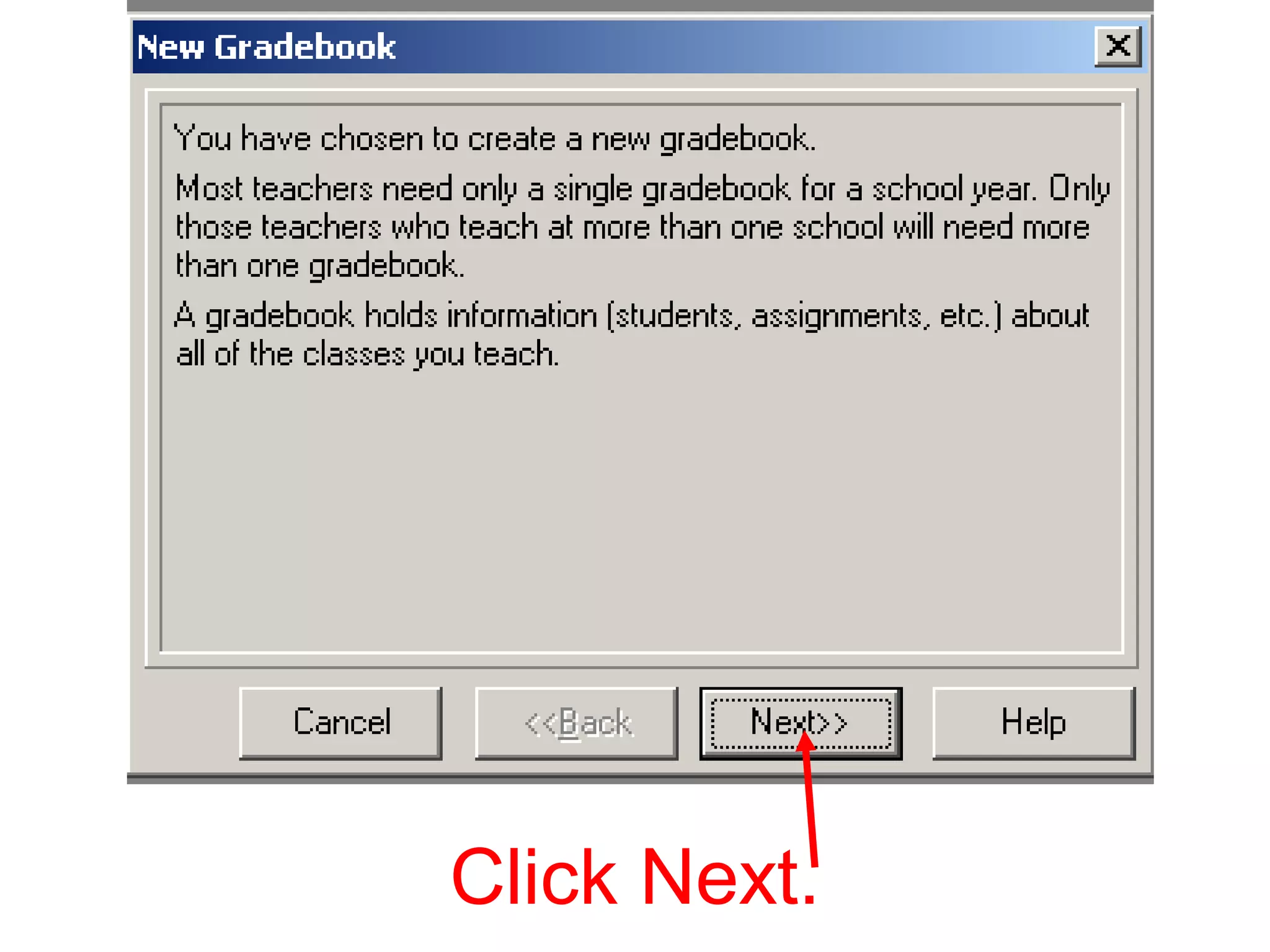
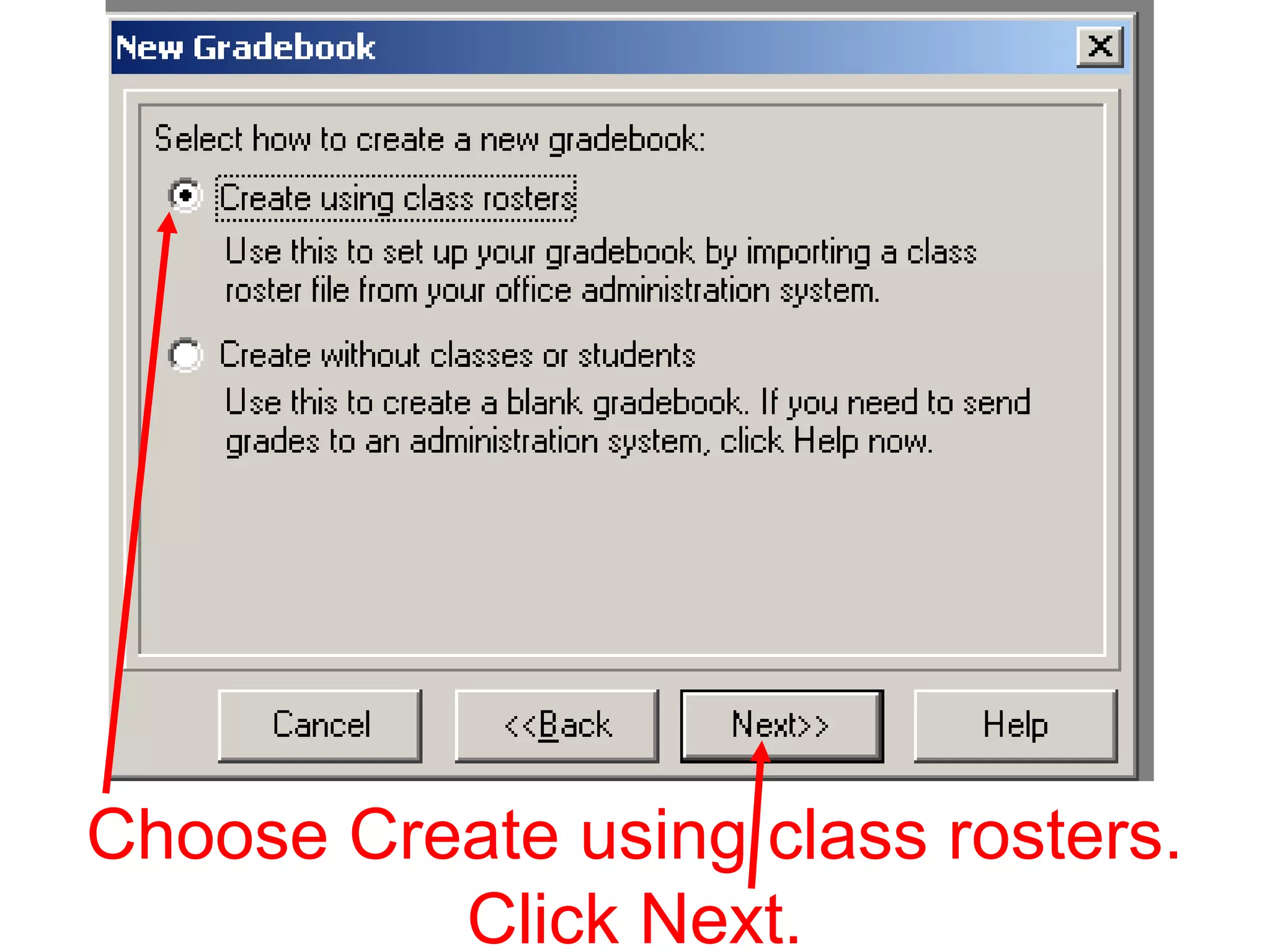
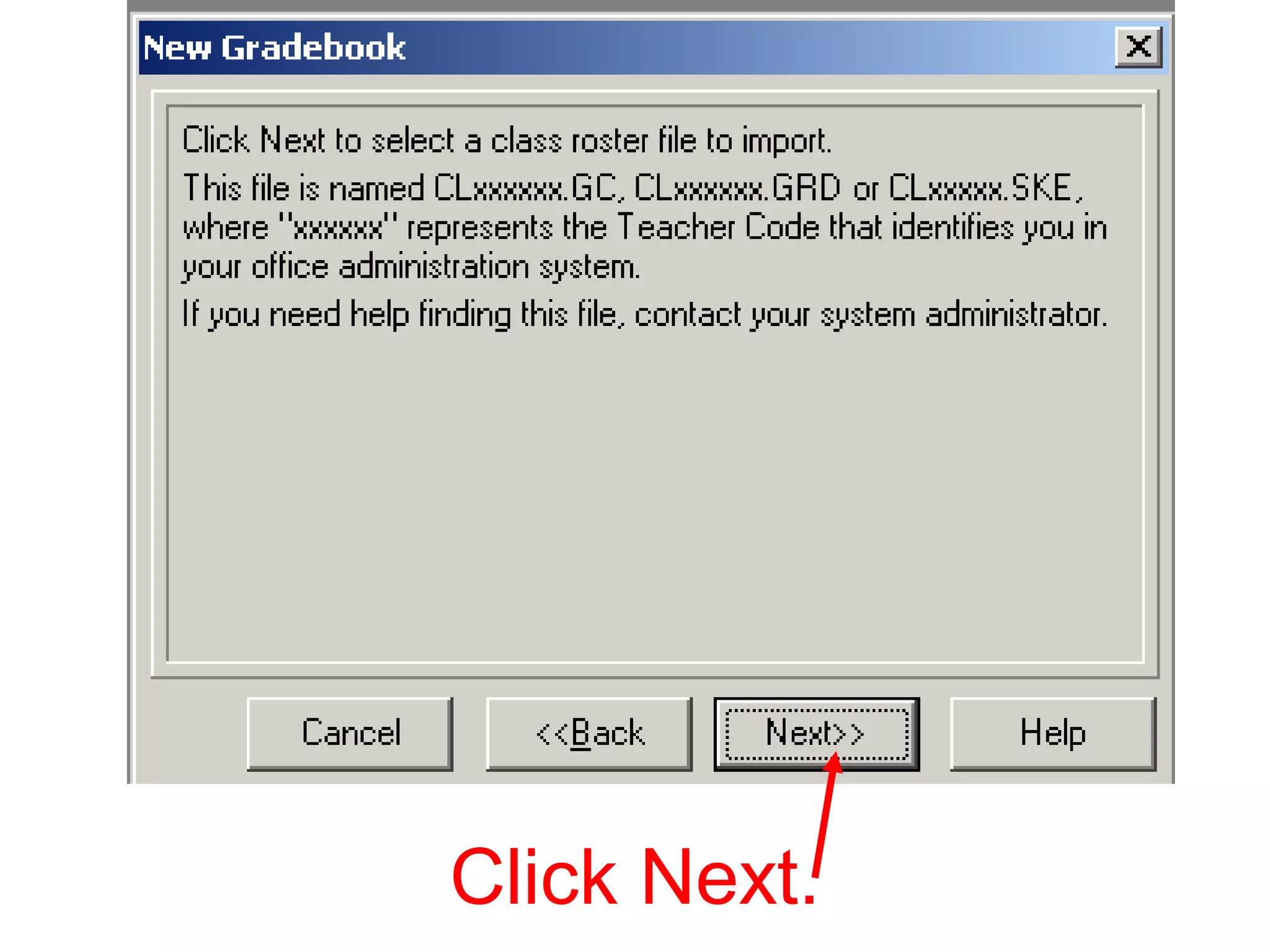
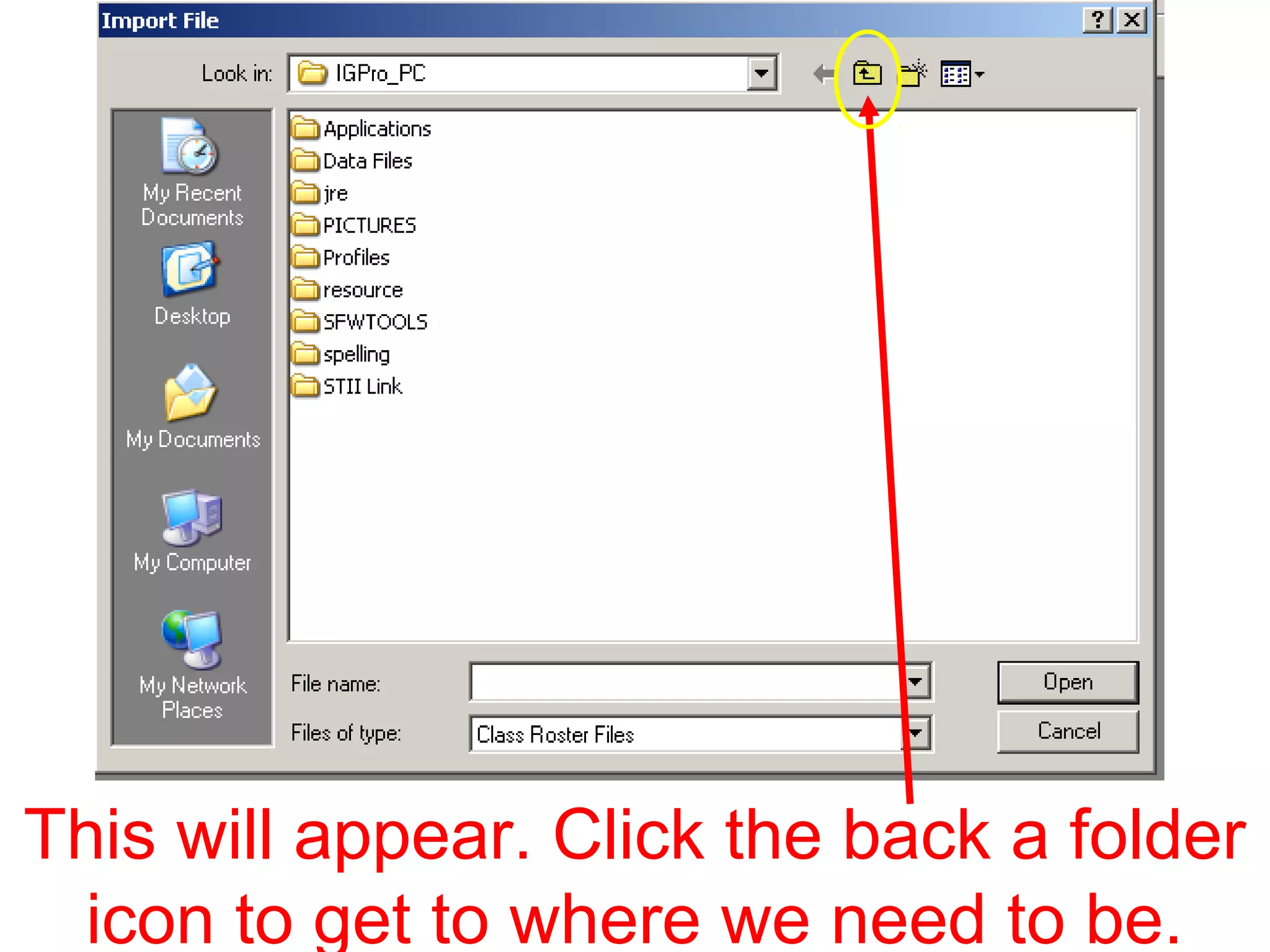
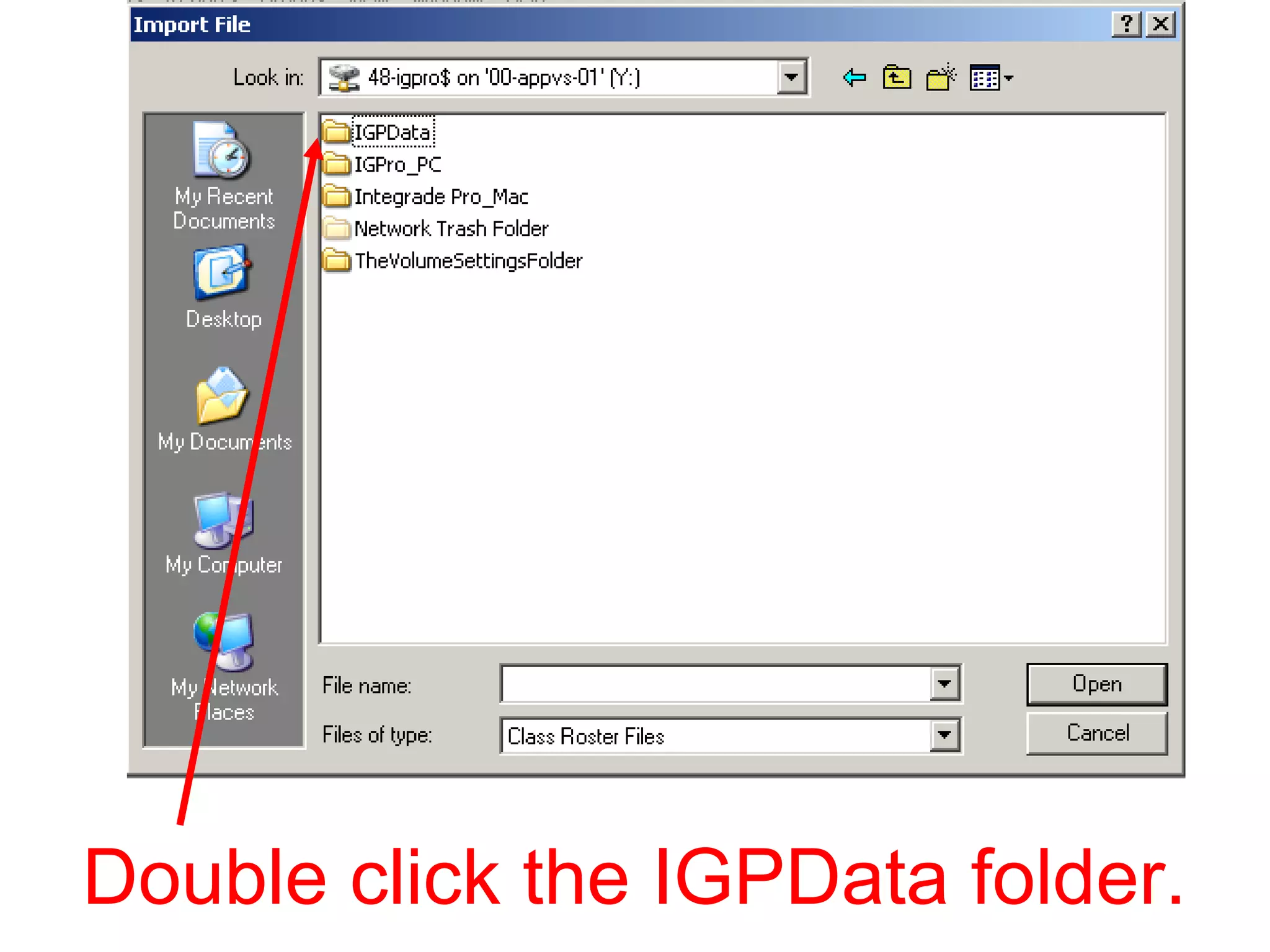
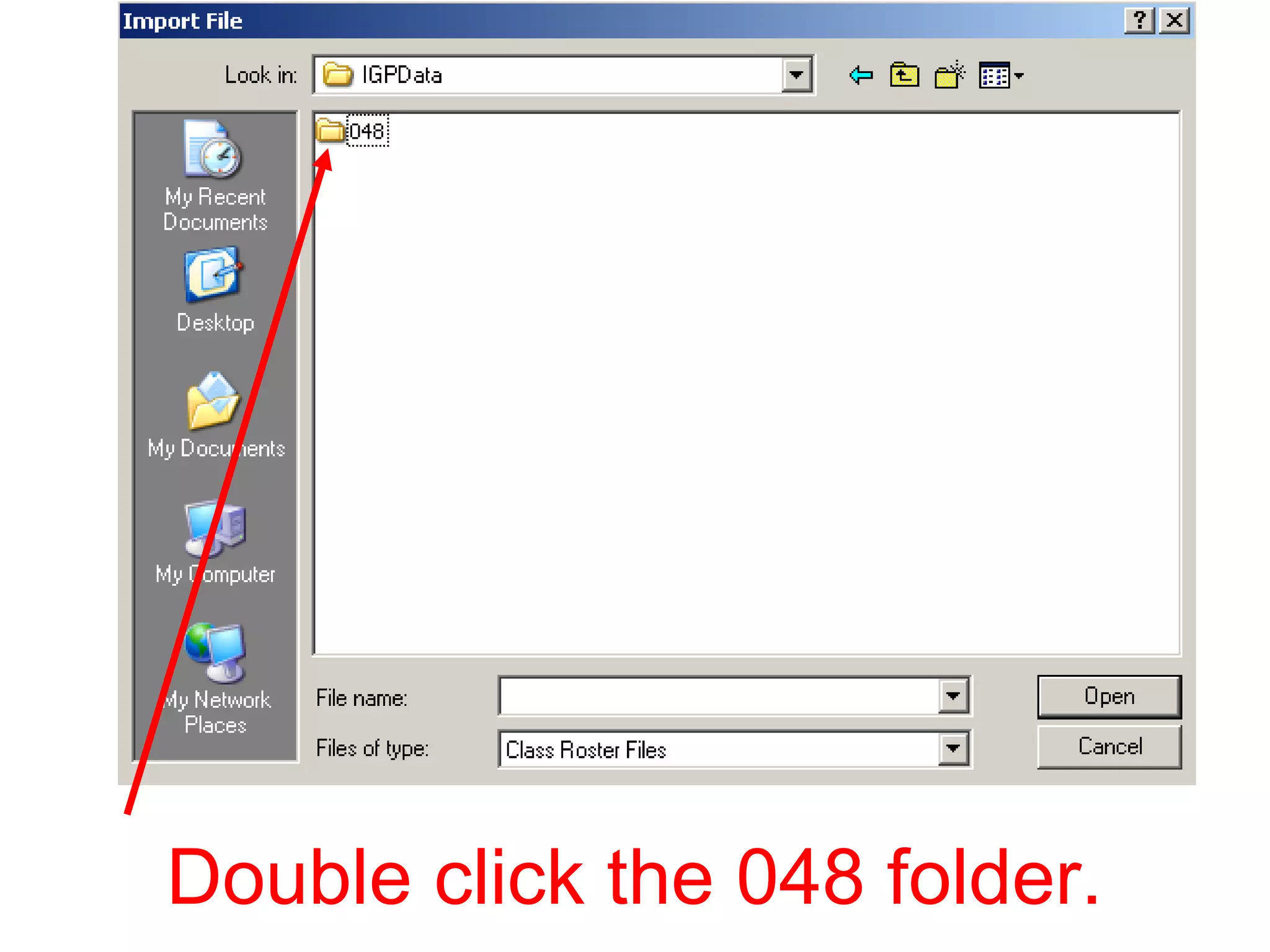
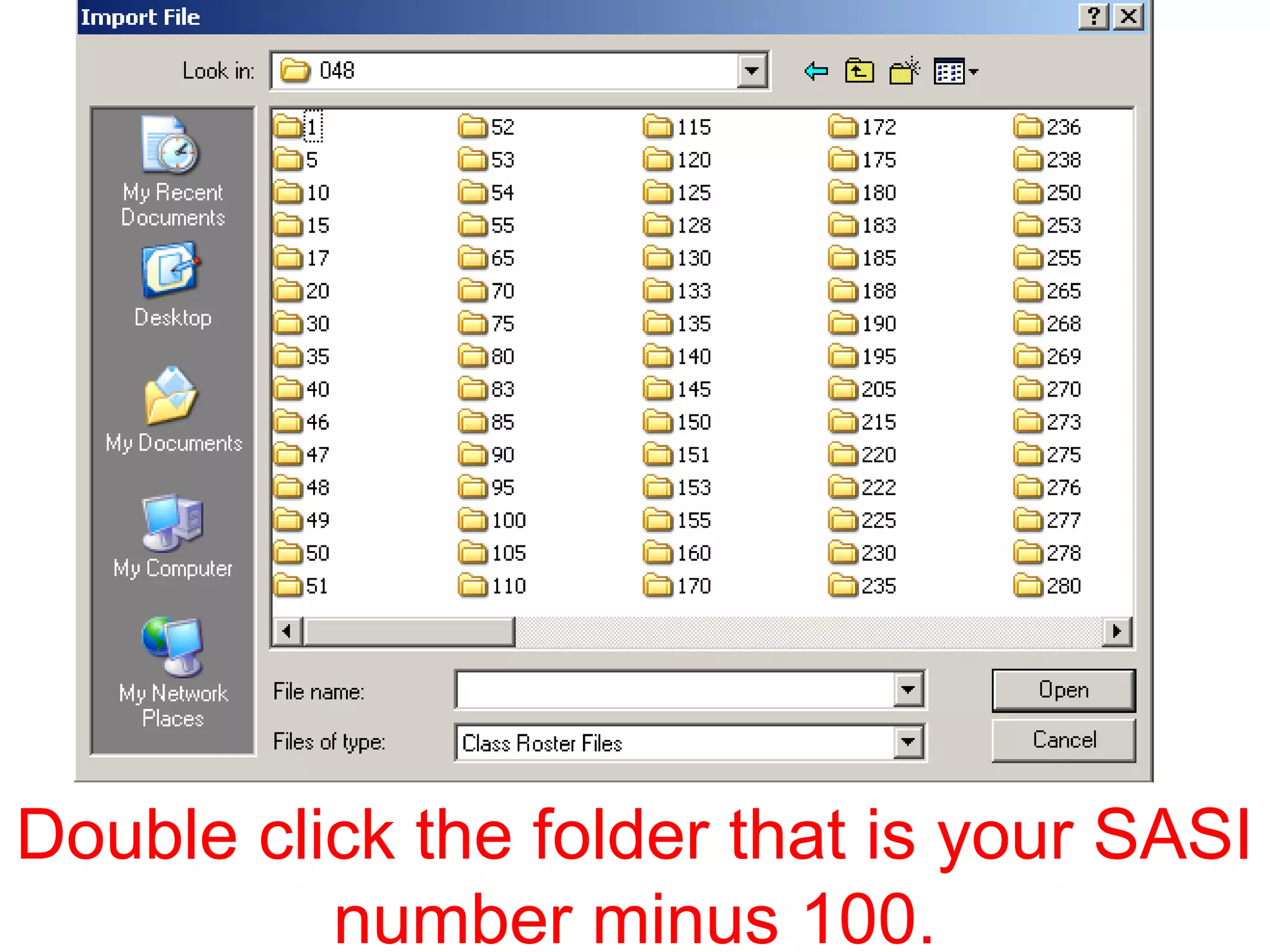
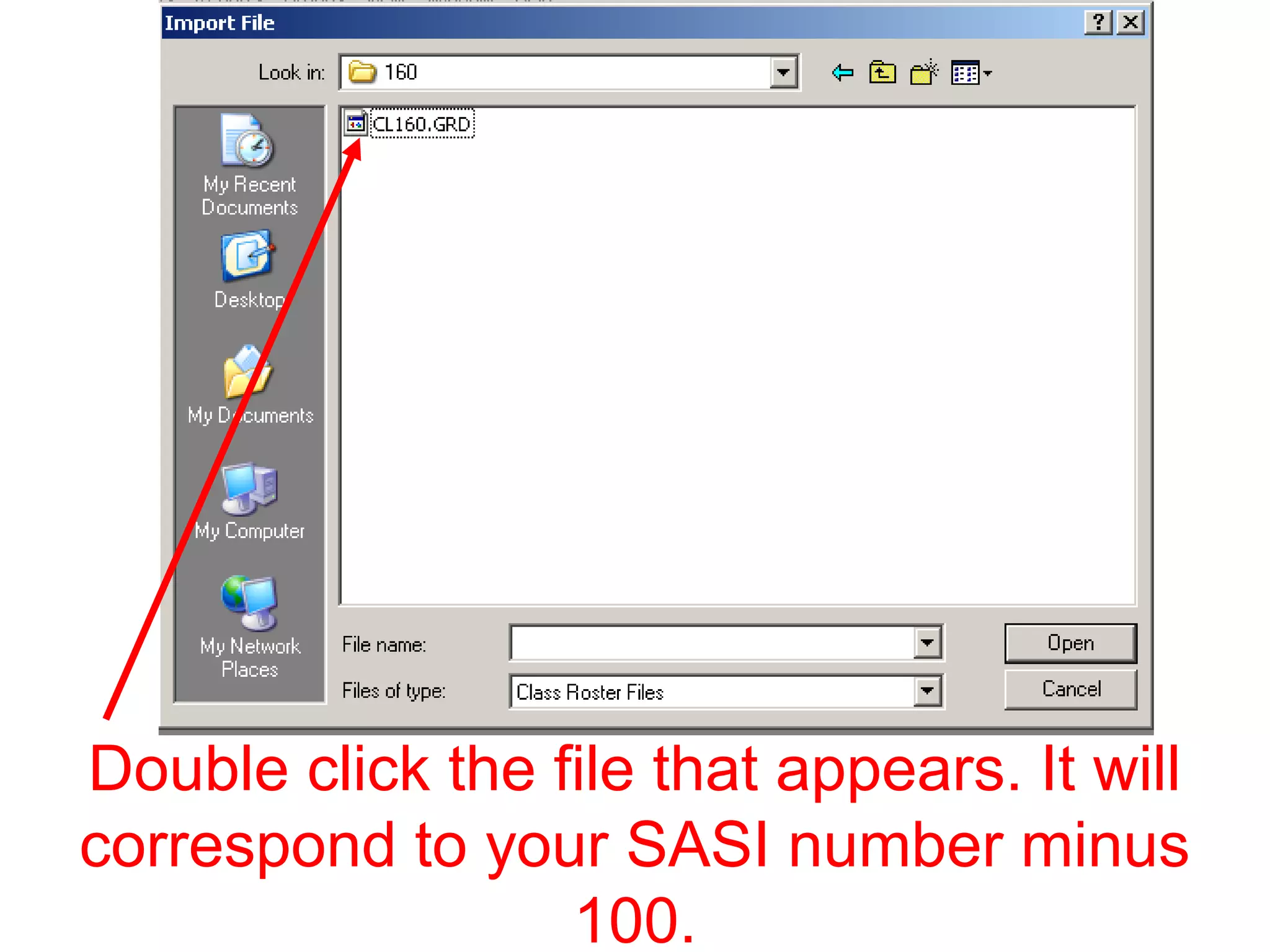
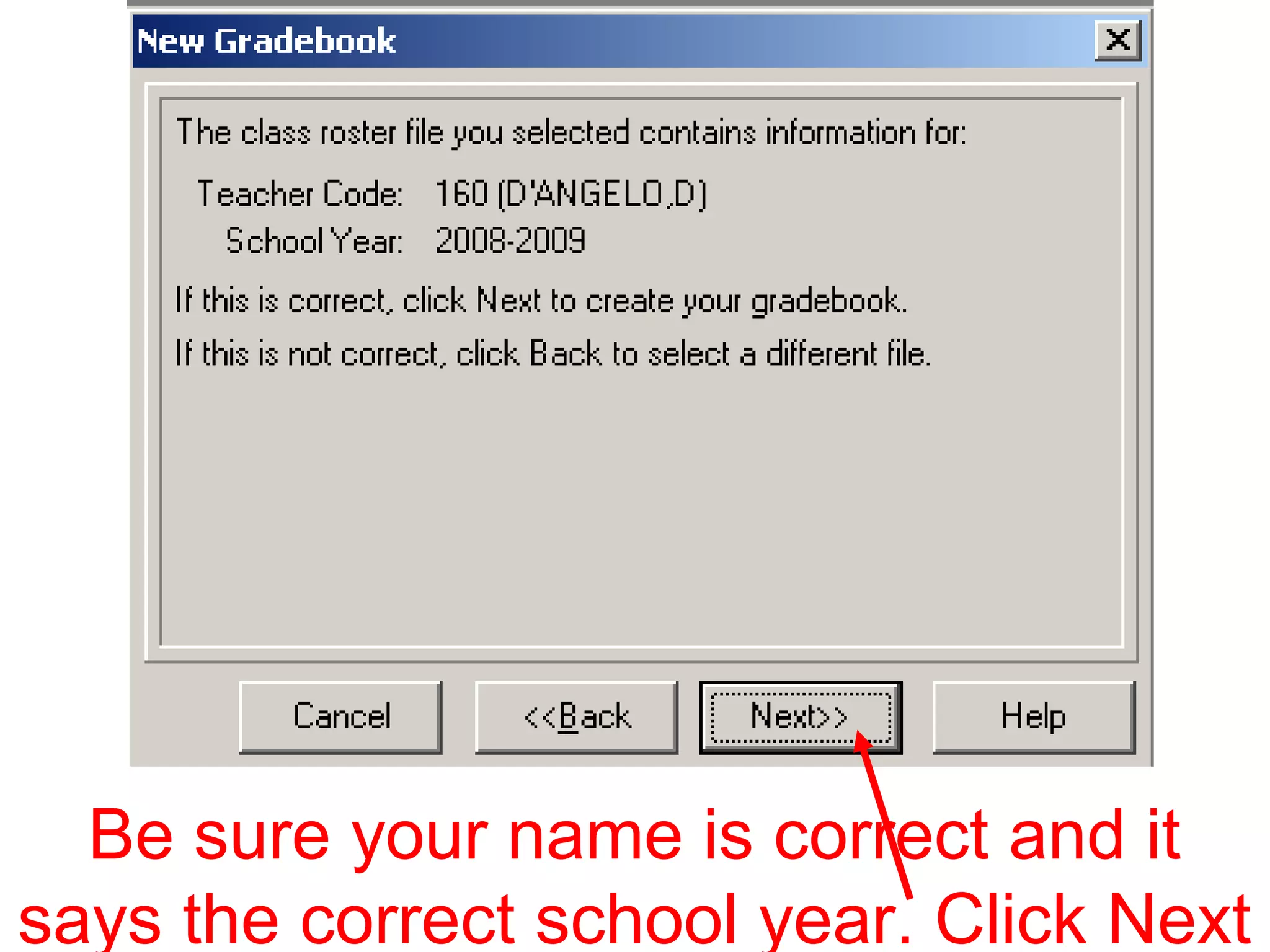
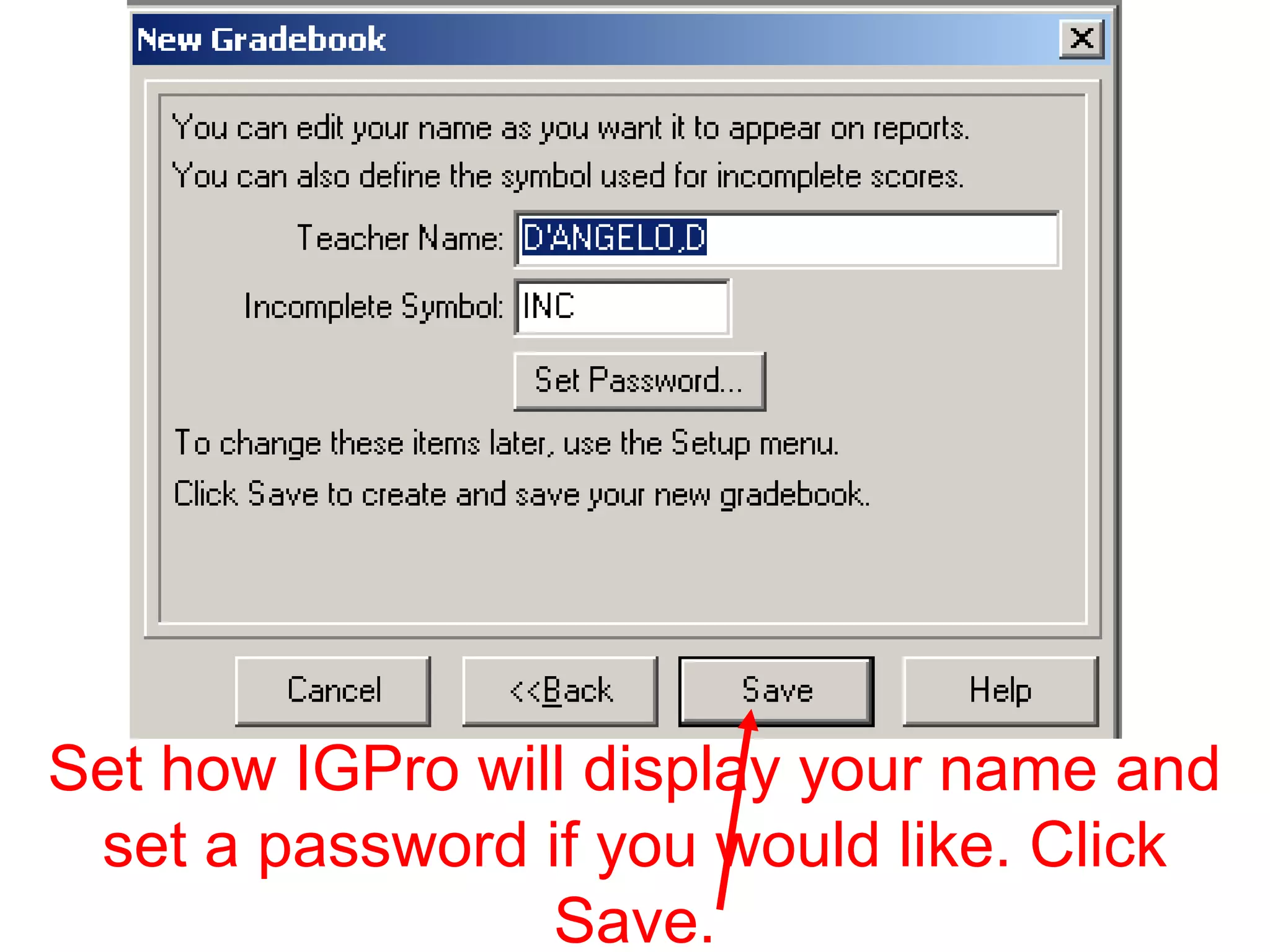
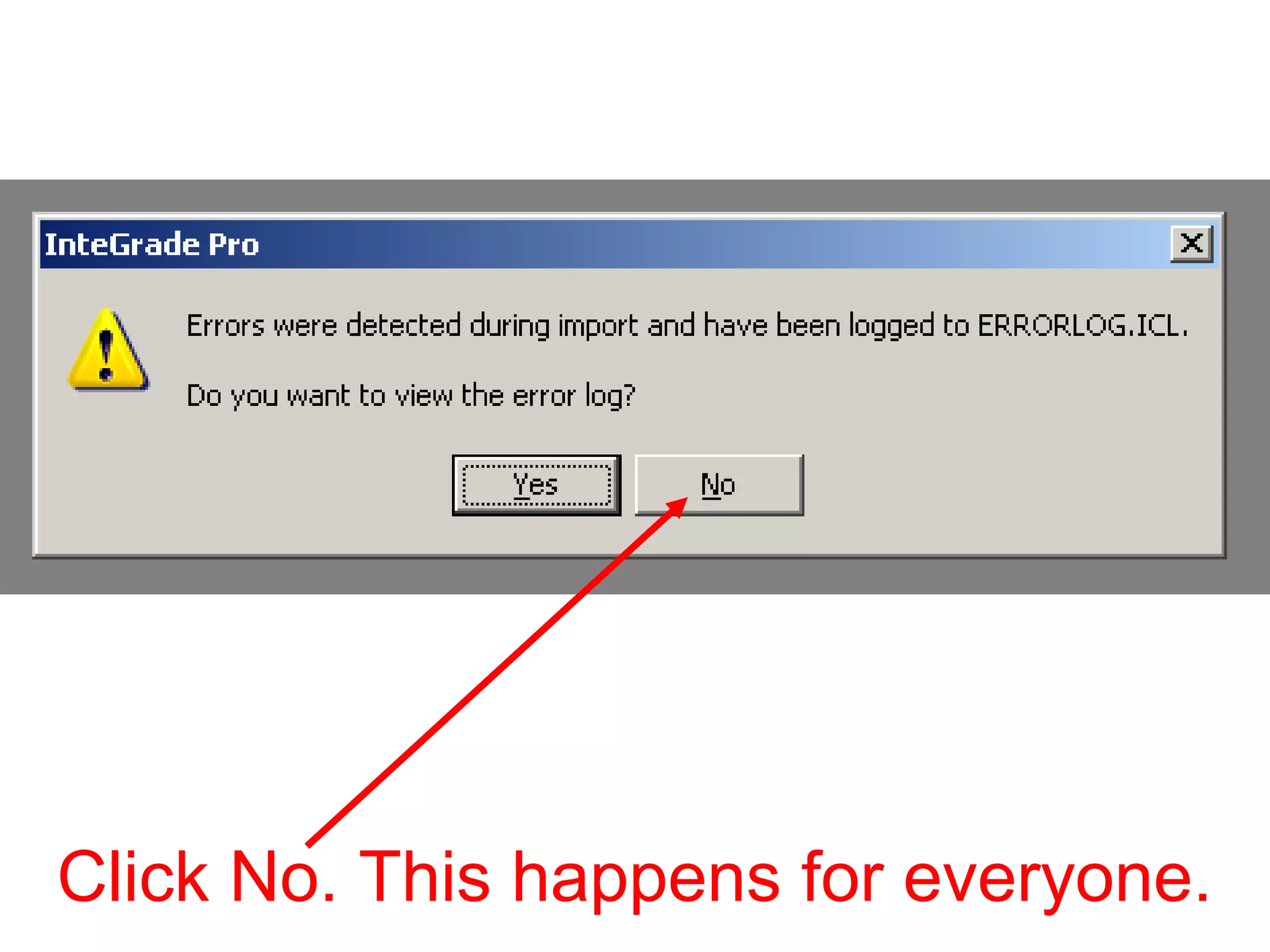
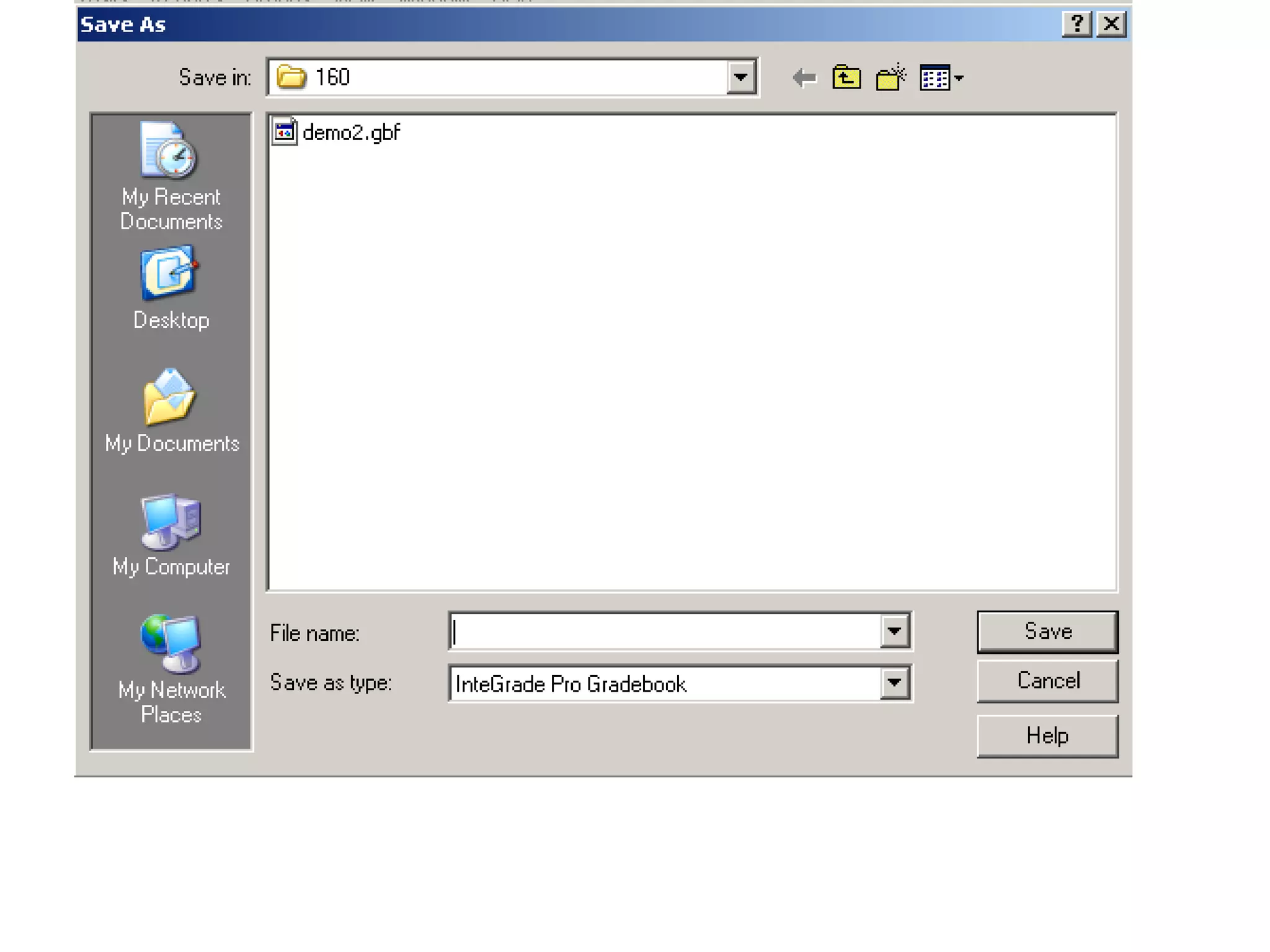
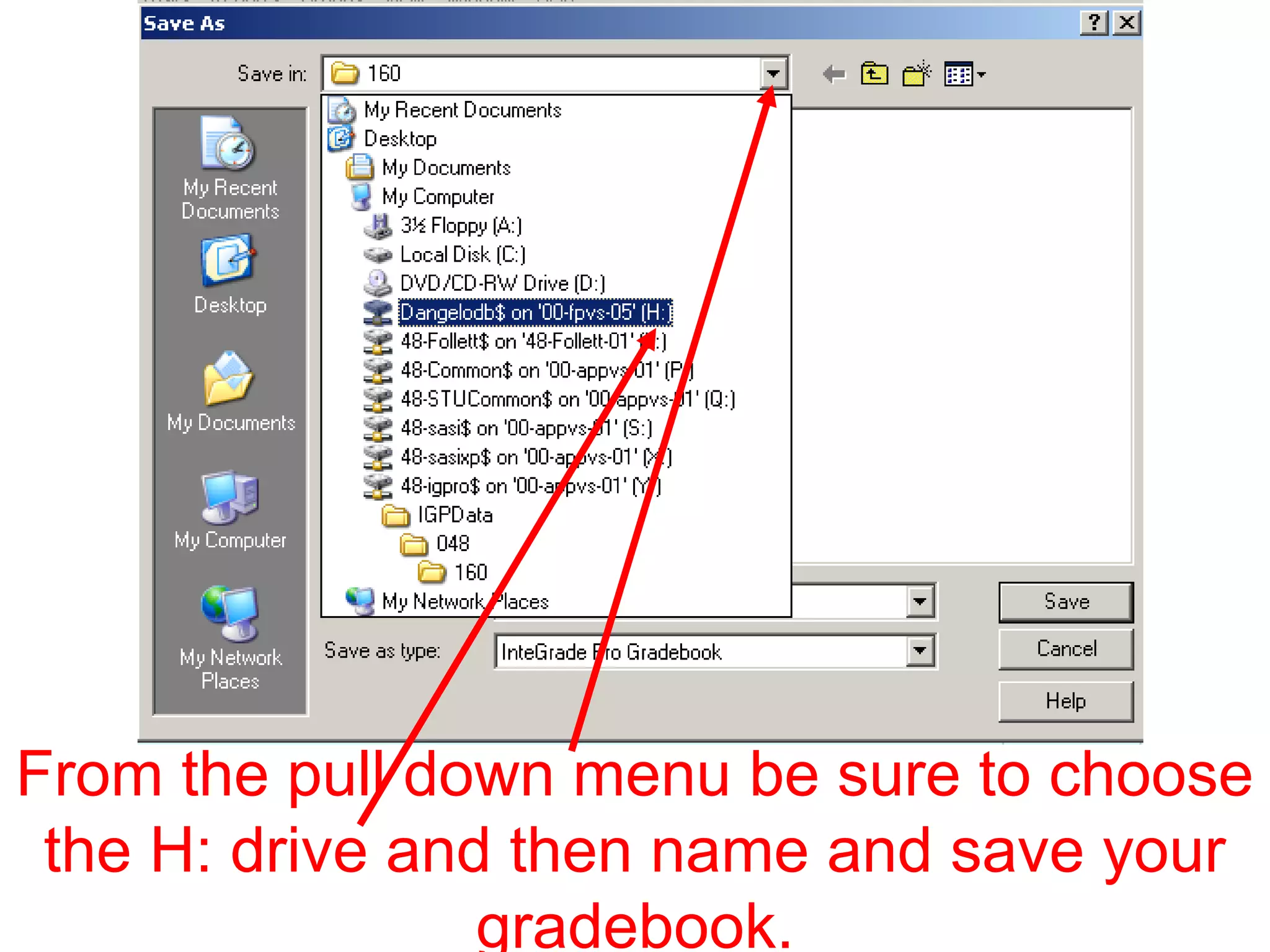
This document provides instructions for creating a new gradebook in the IGPro grading software. It directs the user to click "No and hit continue", choose to "Create a new gradebook", select the option to "Create using class rosters", and navigate through folders with names corresponding to SASI numbers to open the correct file for editing. It also mentions setting display name and password options before saving and exiting the software.


