Basic training APC200Basic training APC200
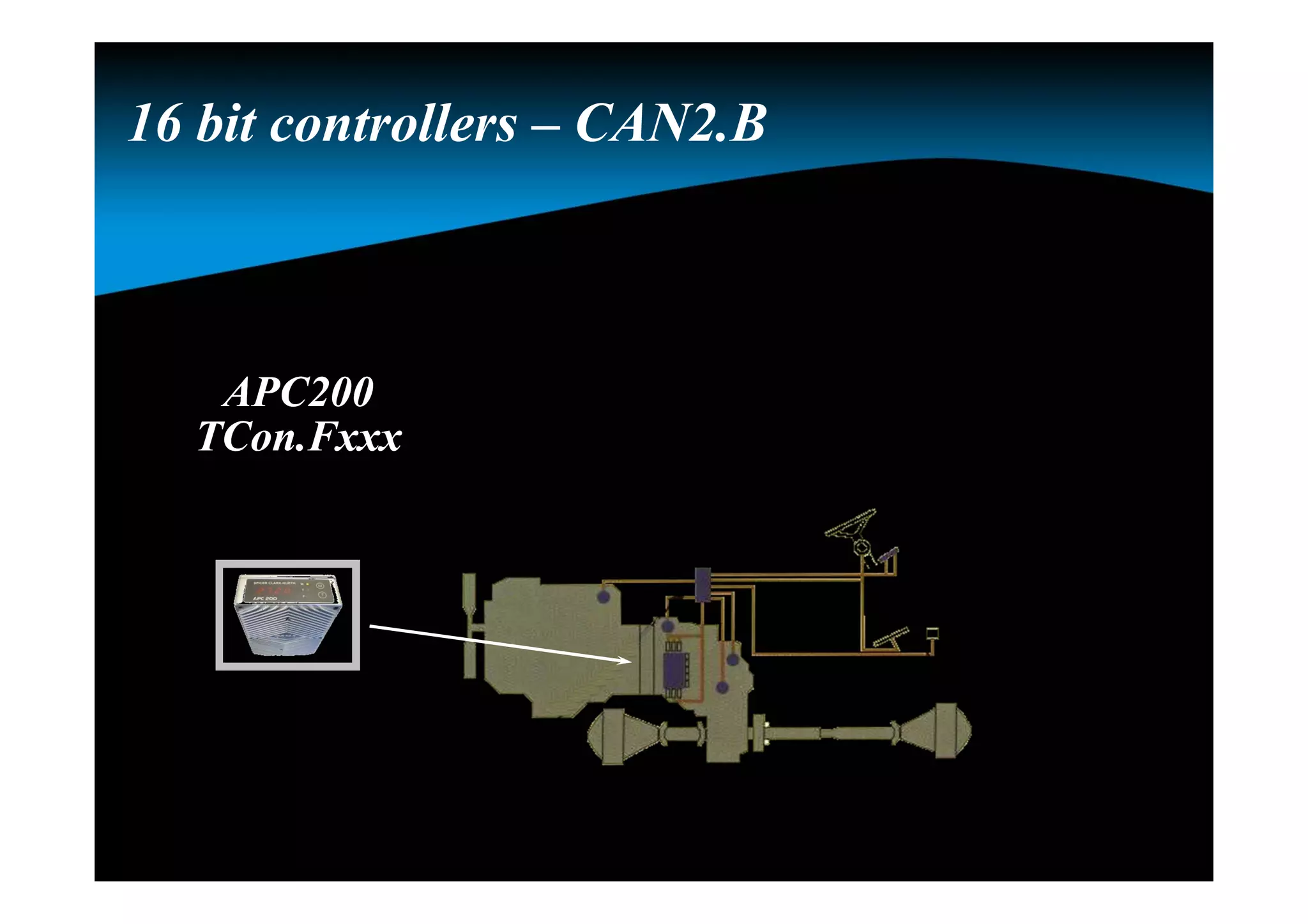
APC200
TCon.Fxxx
APC200
TCon.Fxxx
16 bit controllers – CAN2.B
OverviewOverview
Naming convention
Link with the transmission
APC200
System calibration
APC200
OverviewOverview
Naming convention
Link with the transmission
APC200
System calibration
Hydrostatic simulation
BBC
APC200
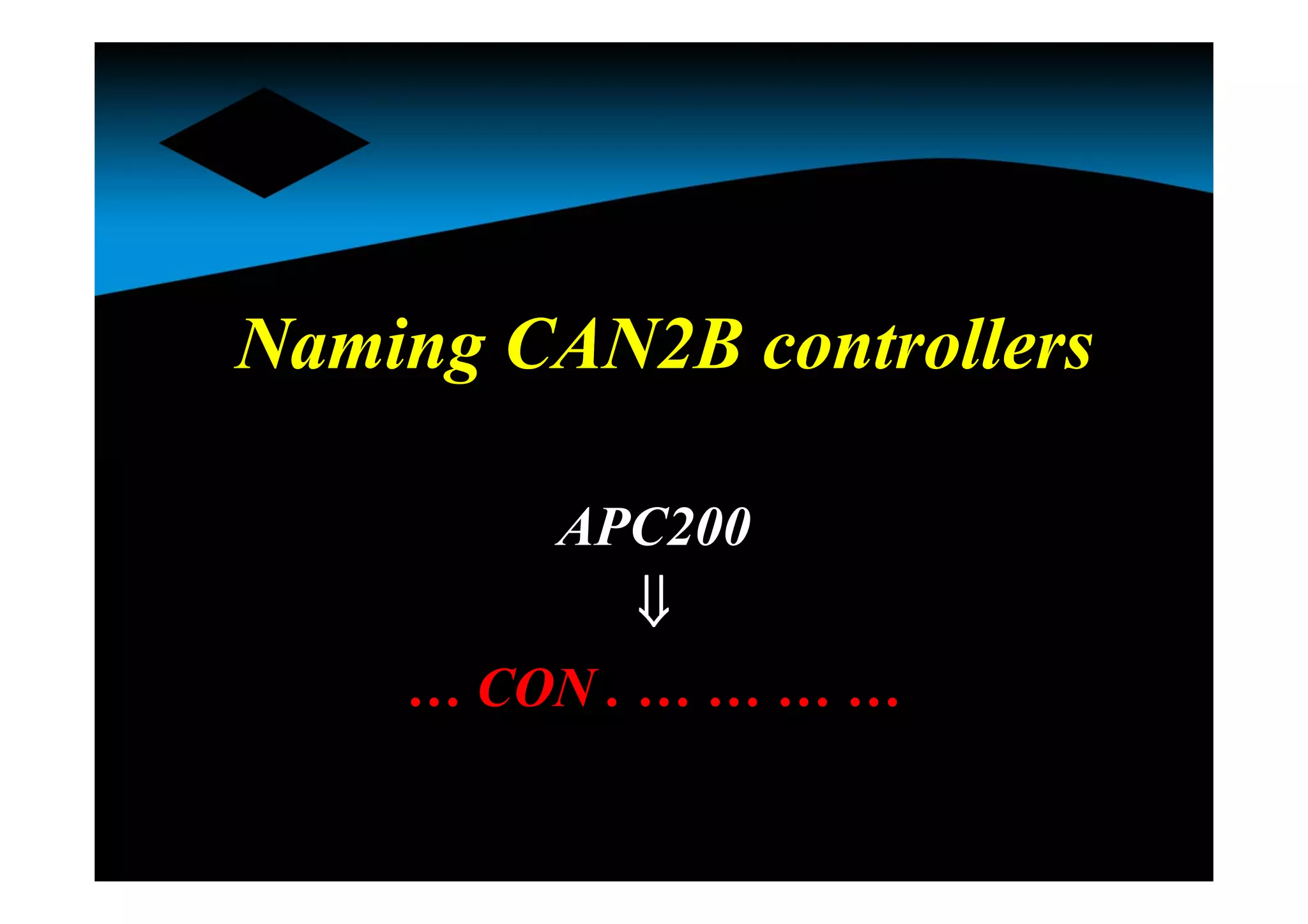
Naming CAN2B controllersNaming CAN2B controllers
APC200

… CON . … … … …
NamingNaming
… CON . … … … …
E, T, P, I or A
A, B, C, … etc.
120, 210, 211, 212, 213,
214, 215 or 216
Hardware reference
Functionality
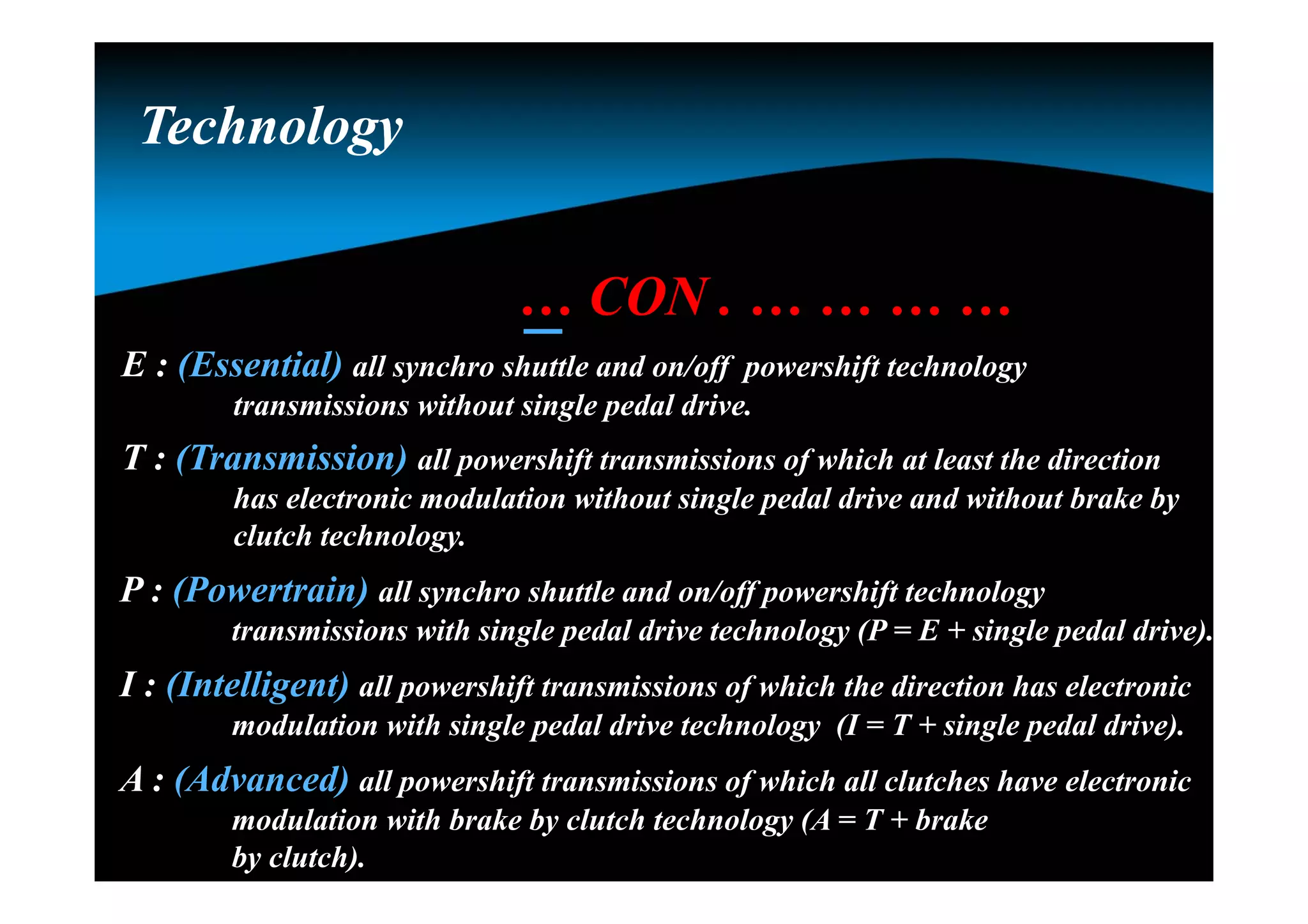
Technology
… CON . … … … …
E : (Essential) all synchro shuttle and on/off powershift technology
transmissions without single pedal drive.
T : (Transmission) all powershift transmissions of which at least the direction
has electronic modulation without single pedal drive and without brake by
clutch technology.
P : (Powertrain) all synchro shuttle and on/off powershift technology
transmissions with single pedal drive technology (P = E + single pedal drive).
I : (Intelligent) all powershift transmissions of which the direction has electronic
modulation with single pedal drive technology (I = T + single pedal drive).
A : (Advanced) all powershift transmissions of which all clutches have electronic
modulation with brake by clutch technology (A = T + brake
by clutch).
TechnologyTechnology
… CON . … … … …
An alphabetic letter is used to reflect the functionality of the
firmware, made for a specific hardware in combination of the valve
and the transmission.
FunctionalityFunctionality
For the TCON :
Note : the functionality level is a level within the technology group.
 A : all T16000 without ECI
 B : all PS08 without ECI
 C : all PS09 with ECI -PC
 D : all T16000 with ECI-PC
 E : all PS09 without ECI
 F : all TE with VFS/booster valve (overlap & ECI-SC)
 . . . Etc.
Hardware referenceHardware reference
… CON . … … … …
210 : (APC201-12) 12 Volt / 4 PWM’s closed loop / No H-bridge / Analog inputs 2  & 4 V
211 : (APC201-24) 24 Volt / 4 PWM’s closed loop / No H-bridge / Analog inputs 2  & 4 V
212 : (APC202-12) 12 Volt / 4 PWM’s closed loop / H-bridge / Analog inputs 2  & 4 V
213 : (APC202-24) 24 Volt / 4 PWM’s closed loop / H-bridge / Analog inputs 2  & 4 V
214 : (APC200A) 12 Volt / 5 PWM’s closed loop / No H-bridge / Analog inputs 1  & 5 V
215 : (New -12) 12 Volt / 4 PWM’s closed loop / No H-bridge / Analog inputs 1  & 5 V
216 : (New -24) 24 Volt / 4 PWM’s closed loop / No H-bridge / Analog inputs 1  & 5 V
Note : the 215 & 216 R8 is needed for the TE15, TE13, TE17 andTE32 full flow
valve.
ExampleExample
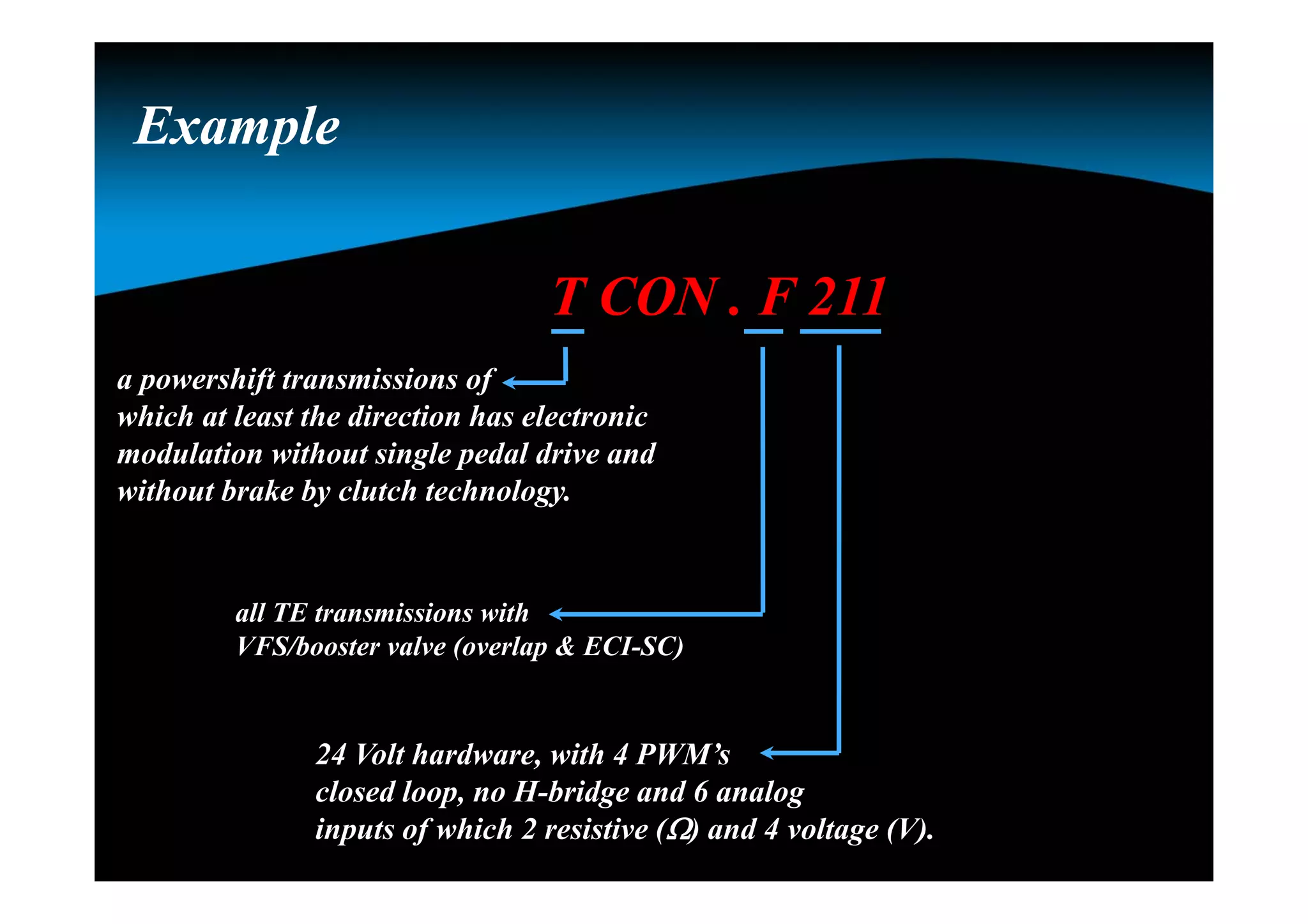
T CON . F 211
a powershift transmissions of
which at least the direction has electronic
modulation without single pedal drive and
without brake by clutch technology.
all TE transmissions with
VFS/booster valve (overlap & ECI-SC)
24 Volt hardware, with 4 PWM’s
closed loop, no H-bridge and 6 analog
inputs of which 2 resistive () and 4 voltage (V).
ConclusionConclusion
ACON . A 214
The 1st and 2nd part reflects
the firmware of the controller
The 3rd part reflects the
hardware of the controller
OverviewOverview
Naming convention
Link with the transmission
APC200
System calibration
Hydrostatic simulation
BBC
APC200
Additional signalsAdditional signals
Speed sensors
 Engine speed
 Turbine speed
 Drum speed
 Output speed
Pressure feedback sensor
Sump temperature sensor
Converter out temperature switch
TE 10
APC200
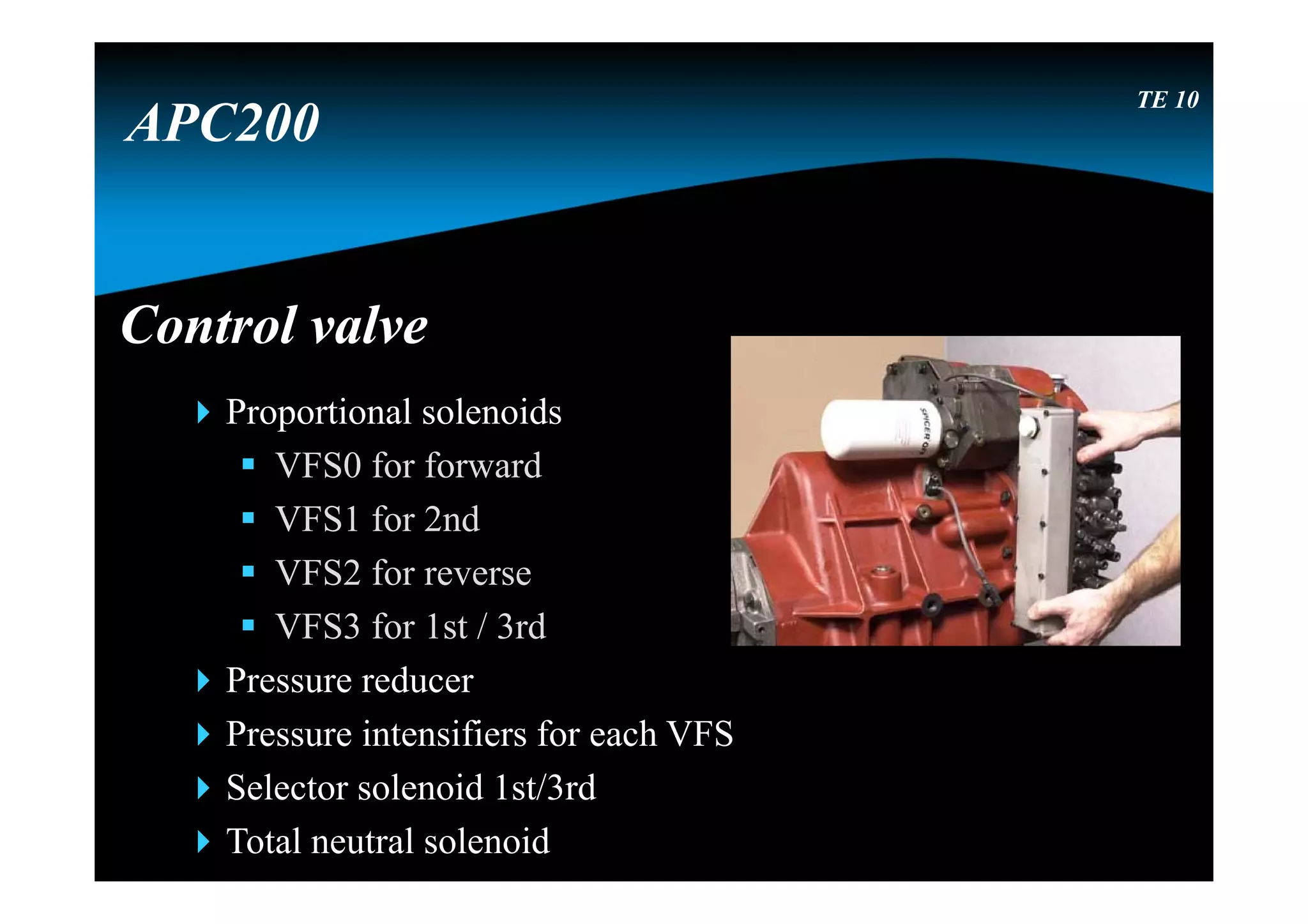
Control valveControl valve
Proportional solenoids
 VFS0 for forward
 VFS1 for 2nd
 VFS2 for reverse
 VFS3 for 1st / 3rd
Pressure reducer
Pressure intensifiers for each VFS
Selector solenoid 1st/3rd
Total neutral solenoid
TE 10
APC200
OverviewOverview
Naming convention
Link with the transmission
APC200
System calibration
Hydrostatic simulation
BBC
APC200
Controller
APC200
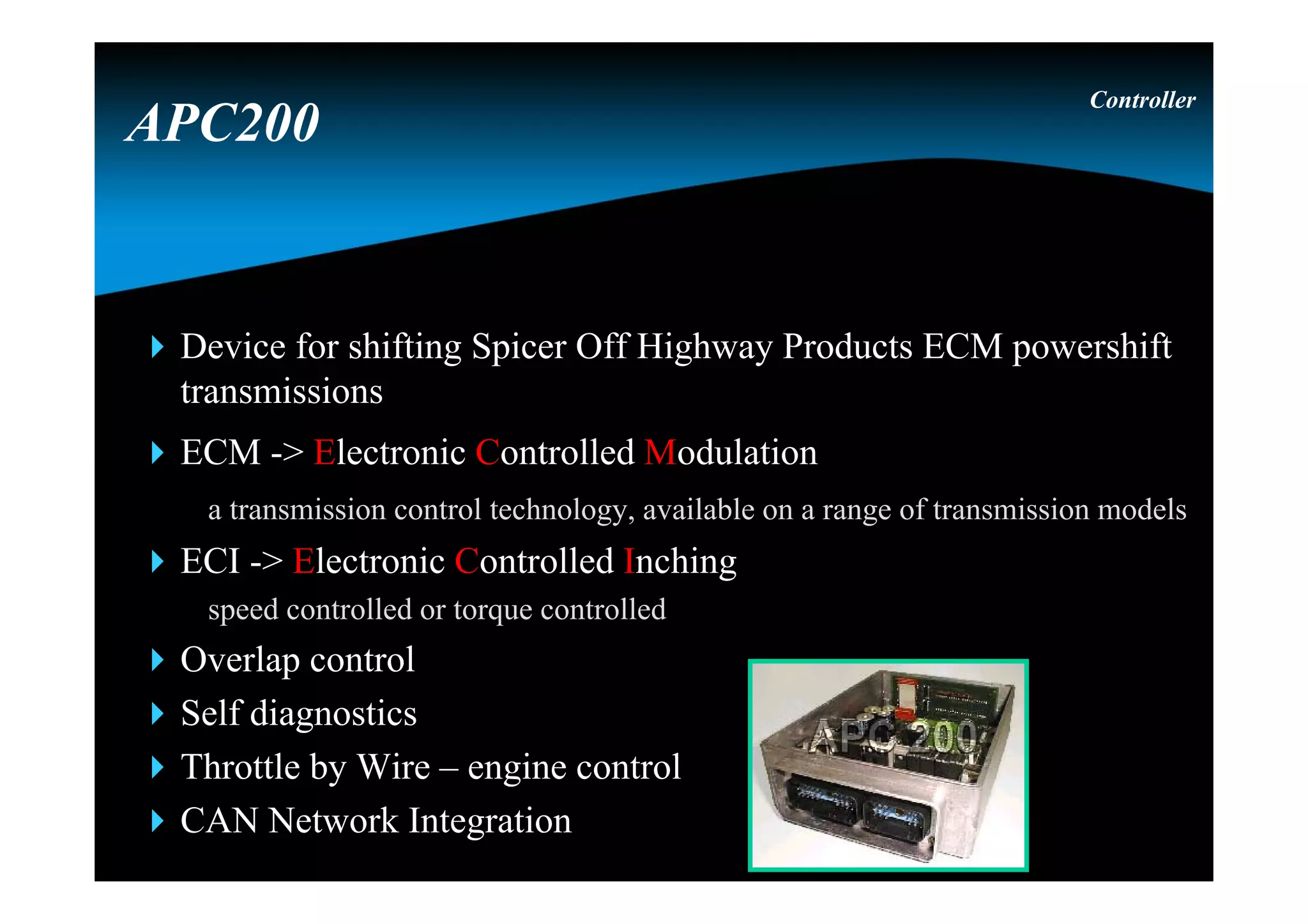
Device for shifting Spicer Off Highway Products ECM powershift
transmissions
ECM -> Electronic Controlled Modulation
a transmission control technology, available on a range of transmission models
ECI -> Electronic Controlled Inching
speed controlled or torque controlled
Overlap control
Self diagnostics
Throttle by Wire – engine control
CAN Network Integration
Controller
APC200
PSU = Power Supply UnitPSU = Power Supply Unit
Version : 12V or 24V
Two power lines
 PPWR : permanent power
Connected directly to the battery
 SPWR : switched power
Connected via key contact to the battery
Controller
APC200
Bootstrap and reset circuitBootstrap and reset circuit
Bootstrap:
 Special mode, controller wants to receive serial data, to
program the firmware into the program memory
 While in bootstrap all output functions are hold off
 Start : during power up both buttons pressed
Reset circuit : watchdog & supply supervisor will reset CPU if
either the power supply is outside 10% tolerance window or CPU
has “forgotten” to re-trigger the watchdog trigger²
Controller
APC200
FunctionsFunctions
Manual / automatic shifting
Electronic modulation
Overlap control
Electronic inching
Start 1st / 2nd
Limit vehicle speed
Reduce vehicle speed
(by use of an input)
Limit engine speed
Controller
APC200
Direction change protection
(speed and engine RPM)
Declutch (inching / none inching)
Engine control
Seat orientation
Hydro lever function in neutral
CommunicationCommunication
CAN 2.0 B
 Communicate with different controllers and PC
RS 232
 To flash a new firmware (main program)
 To download the parameter settings (APT-file)
 To edit specific parameters (GDE-file)
Controller
APC200
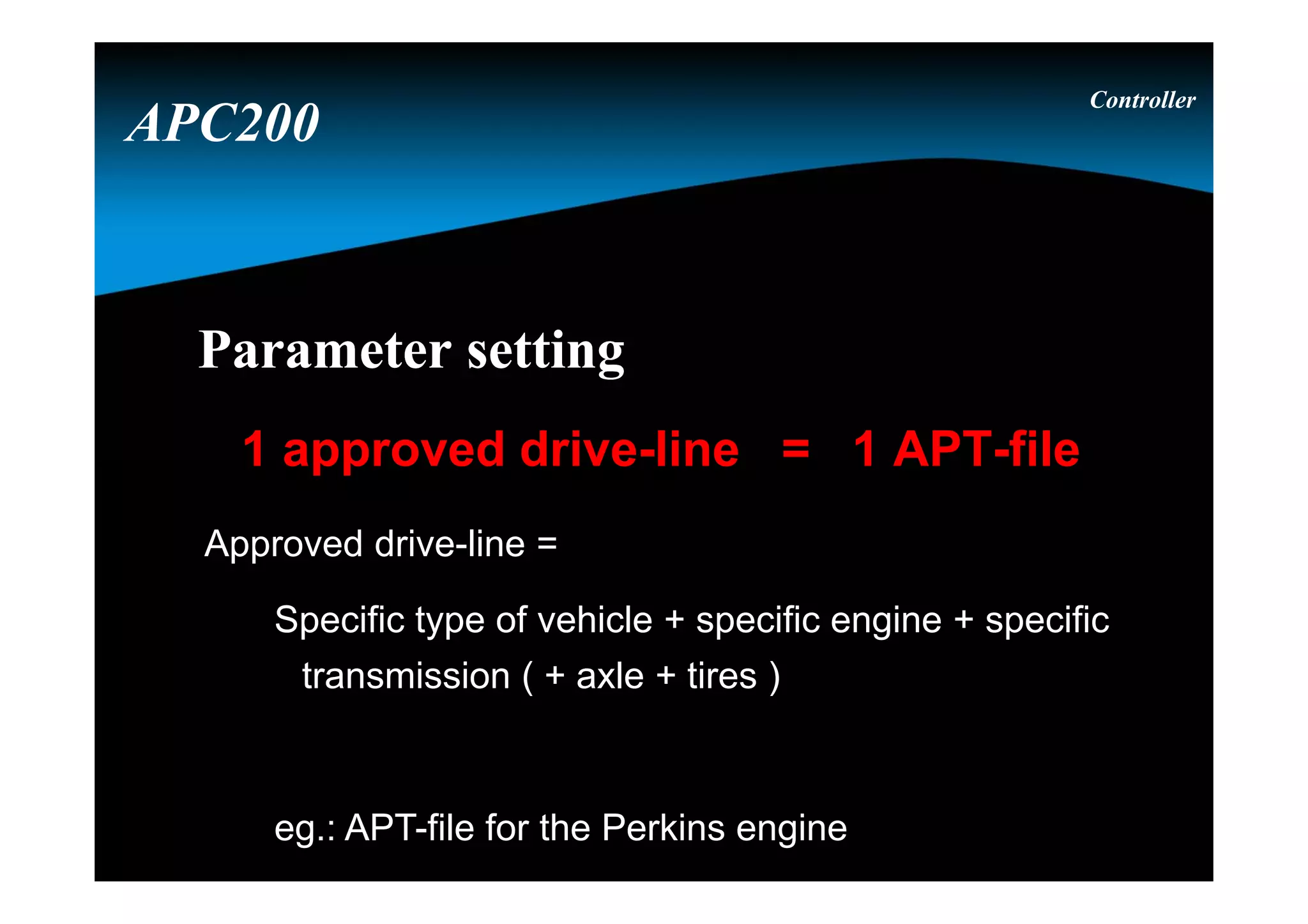
Parameter settingParameter setting
1 approved drive-line = 1 APT-file
Approved drive-line =
Specific type of vehicle + specific engine + specific
transmission ( + axle + tires )
eg.: APT-file for the Perkins engine
Controller
APC200
Parameter editingParameter editing
Controller
APC200
Controller
Parameter editingParameter editing
APC200
GDE user levelsGDE user levels
Controller
Maintenance (only for DANA engineering)
Service (only for DANA service)
OEM engineering
OEM service
APC200
Parameters can have different access levels
depending on the GDE user levels
Parameters can have different access levels
depending on the GDE user levels
Controller
Write access
Safe write access
Read access
Not visible
APC200
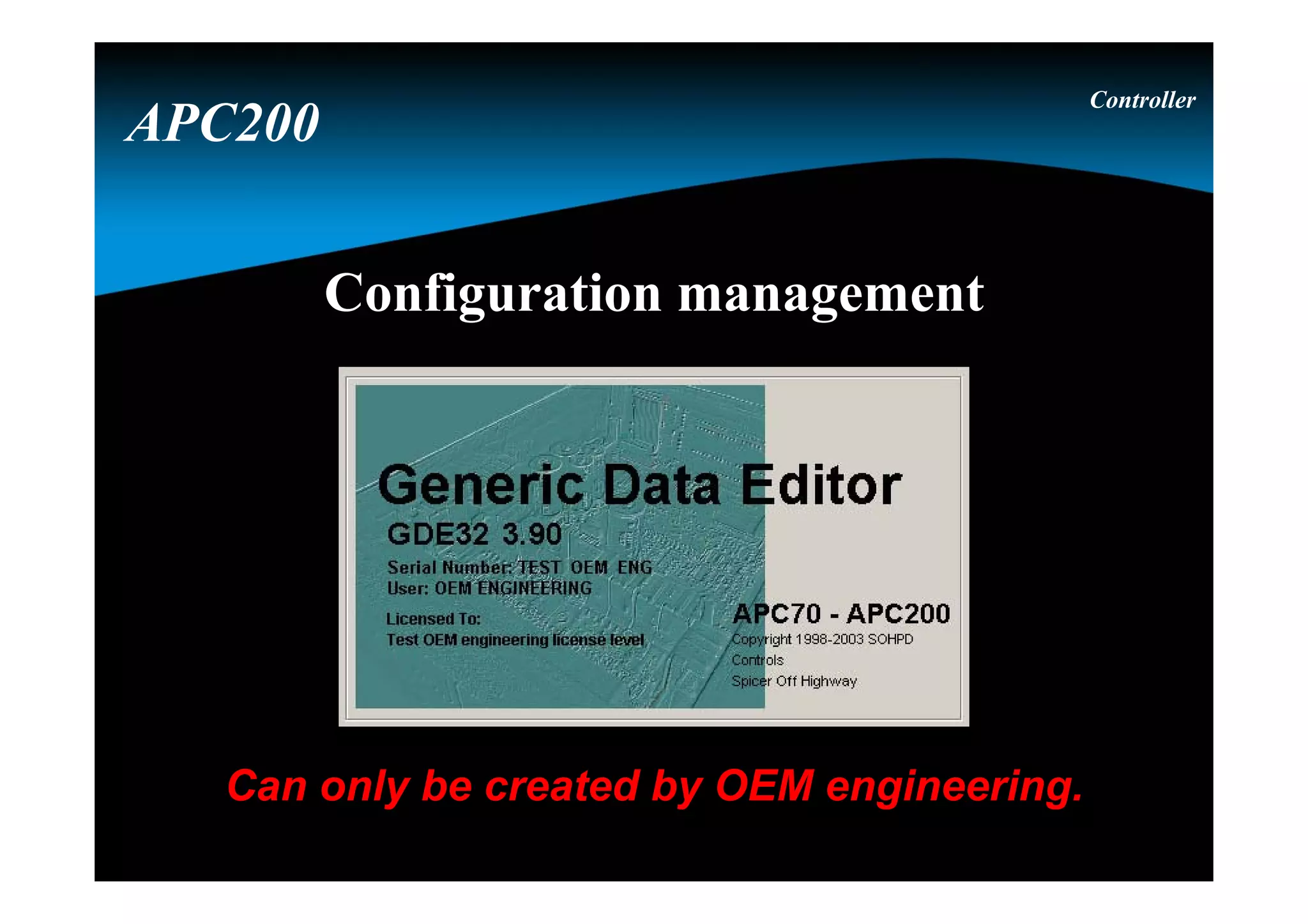
Configuration management
Can only be created by OEM engineering.
Controller
APC200
Different axles, tire sizes and functions are selected via
the configuration management.
The configuration management is the responsability of
the OEM engineering.
Controller
Configuration management
APC200
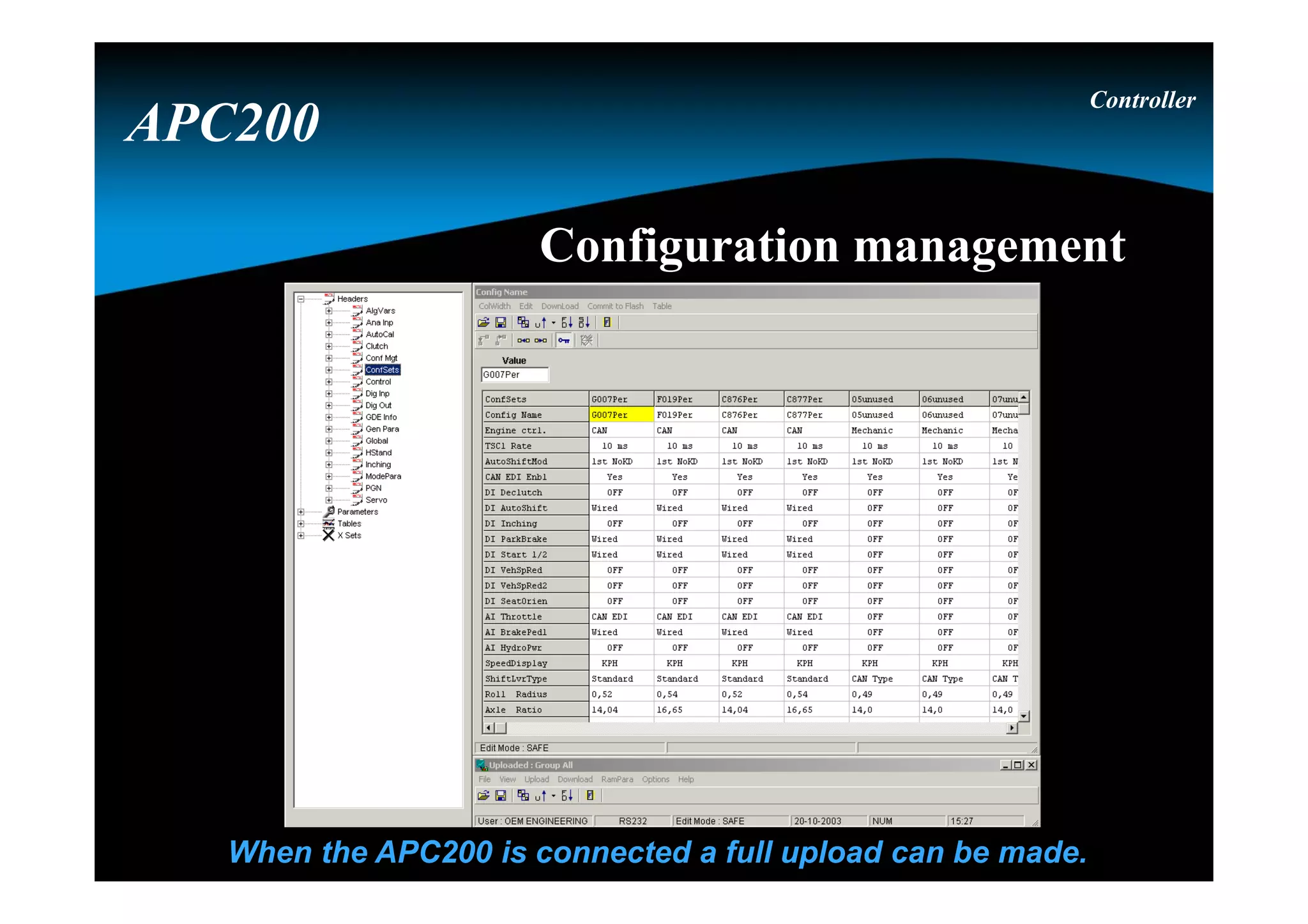
Configuration management
When the APC200 is connected a full upload can be made.
Controller
APC200
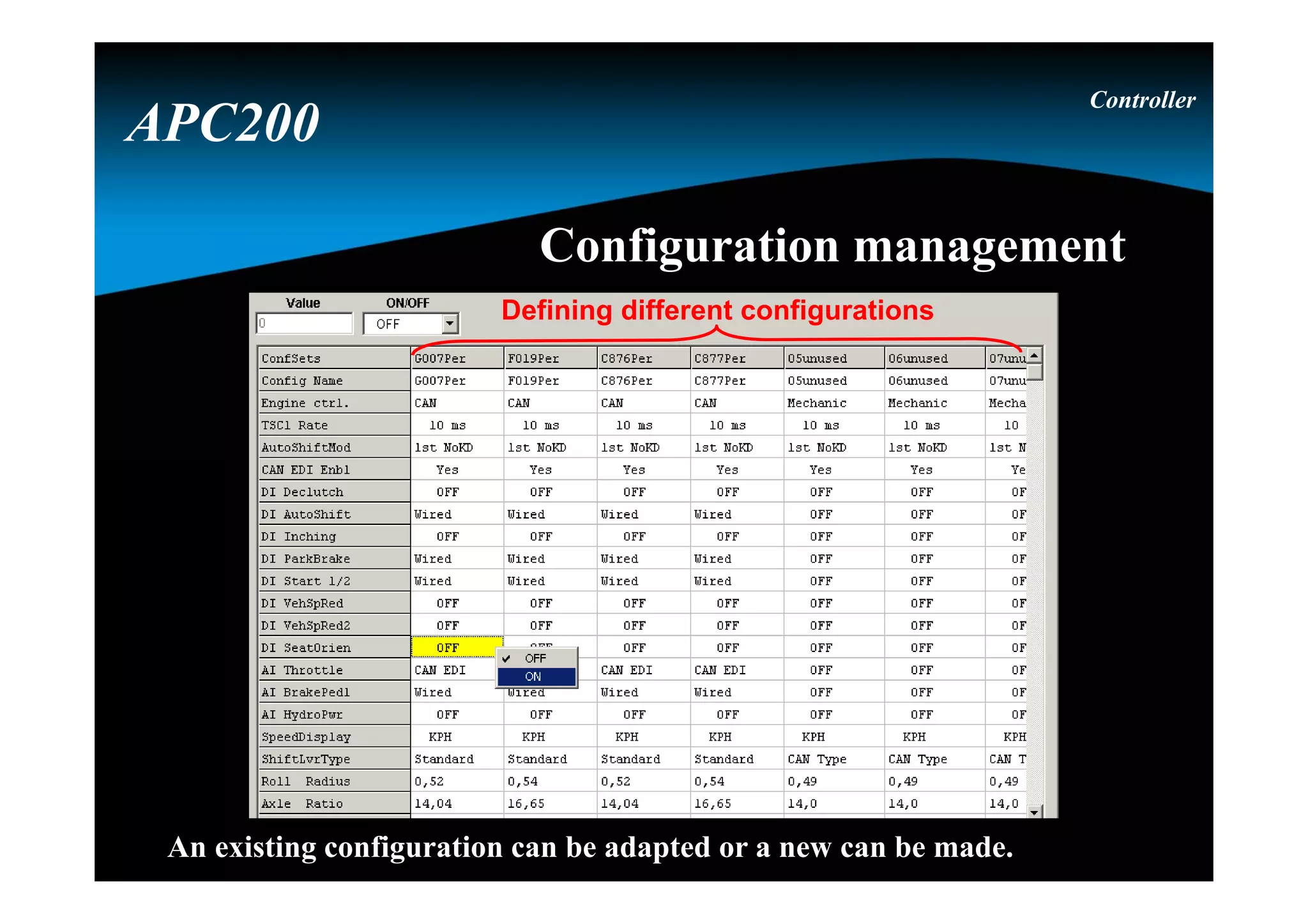
Defining different configurations
An existing configuration can be adapted or a new can be made.
Controller
APC200
Configuration management
Correct way to reprogram the APC200Correct way to reprogram the APC200
Highest level : firmware of the APC200
The firmware is the main program of the APC200
2nd level : APT-file of the APC200
The APT-file is the parameter file with all settings and parameters
3rd level : GDE-file of the APC200 (if needed)
The GDE-file is a part of the parameter file depending of user-level
Controller
APC200
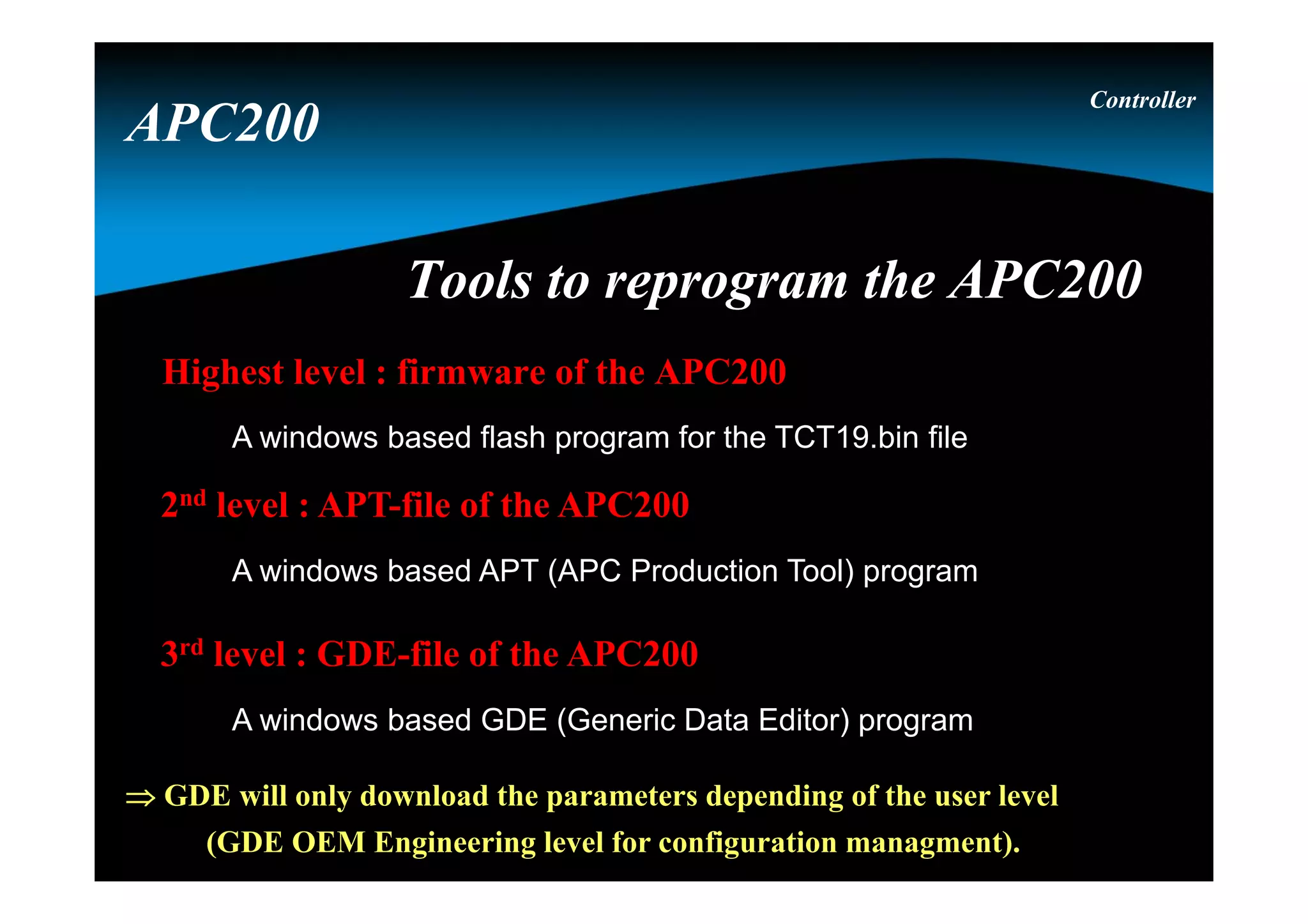
Tools to reprogram the APC200Tools to reprogram the APC200
Highest level : firmware of the APC200
A windows based flash program for the TCT19.bin file
2nd level : APT-file of the APC200
A windows based APT (APC Production Tool) program
3rd level : GDE-file of the APC200
A windows based GDE (Generic Data Editor) program
 GDE will only download the parameters depending of the user level
(GDE OEM Engineering level for configuration managment).
Controller
APC200
APT to download all parameters / dataAPT to download all parameters / data
Configuration selection
Controller
APC200
Configuration selection
Controller
APC200
An existing configuration can be selected
APT to download all parameters / dataAPT to download all parameters / data
DisplayDisplay 4 red 7-segment LED digits
3 status LED lamps
• D -> yellow, Diagnostic modes
• E -> yellow, Error
• F -> red, Failure or APC 200 in
reset conditions
2 push buttons
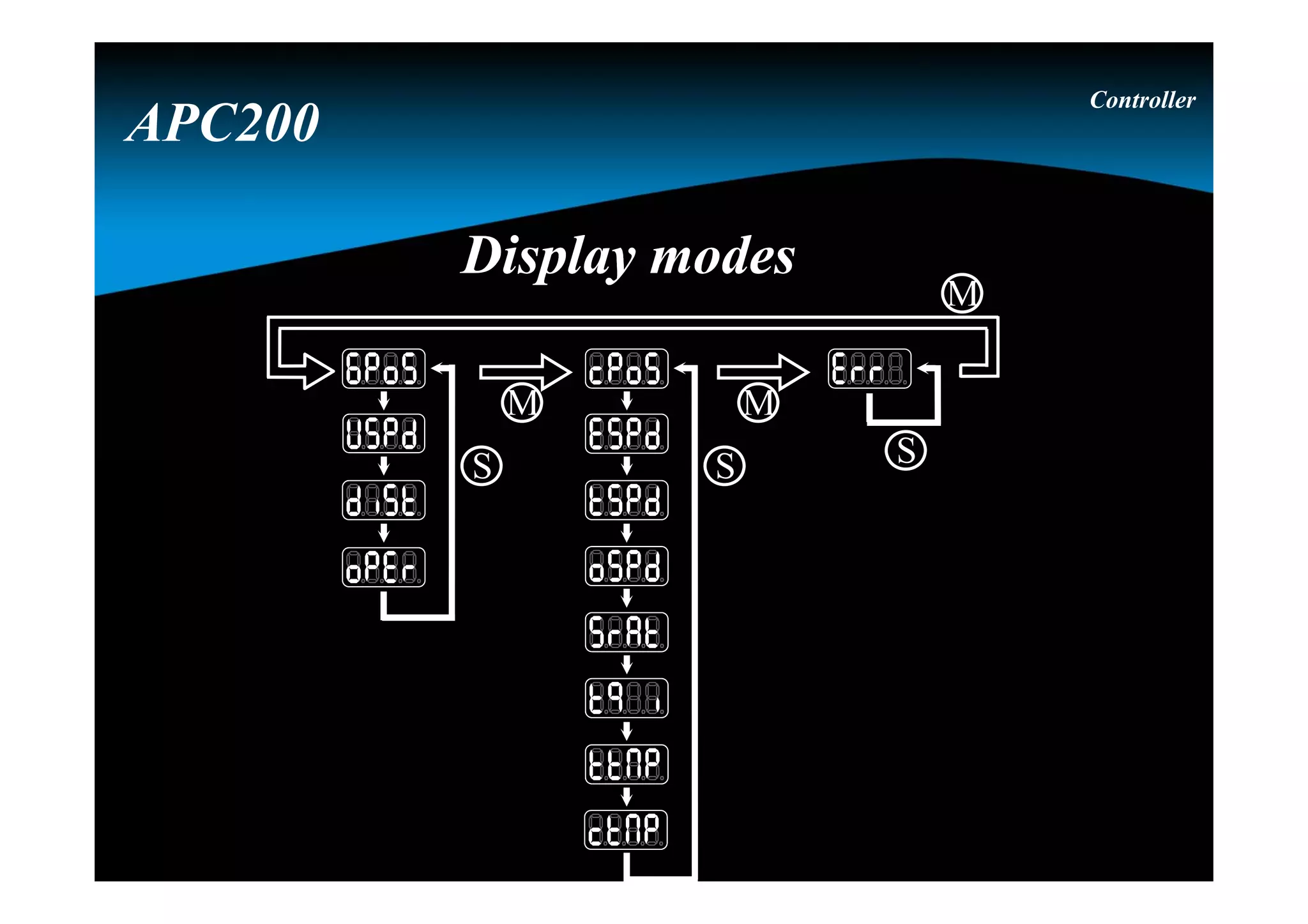
• M -> which information group
• S -> item within group
Controller
APC200
S S S
M M
M
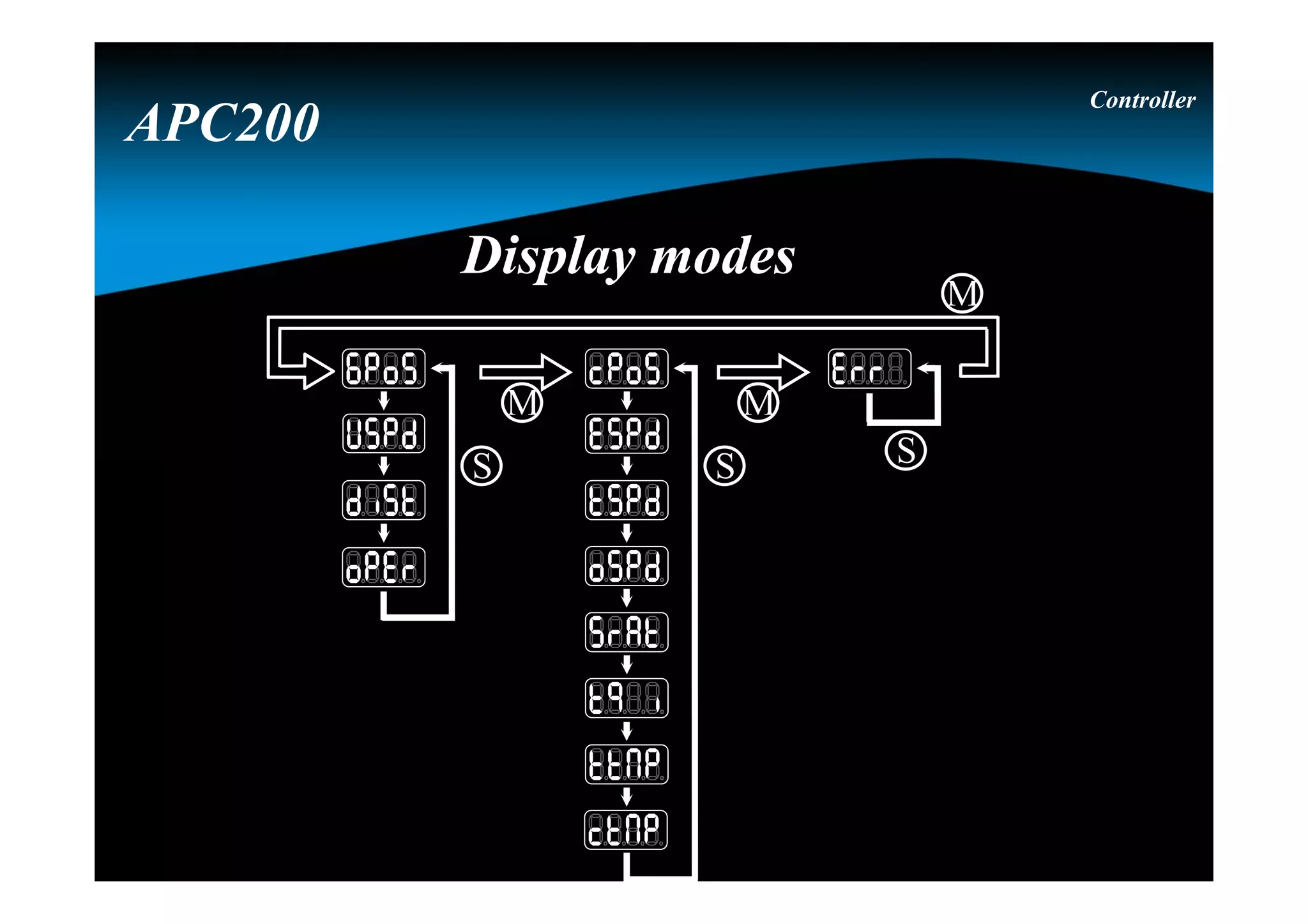
Display modesDisplay modes
Controller
APC200
“GPOS” display
Reflects the actually engaged transmission direction and range
Controller
APC200
Display modesDisplay modes
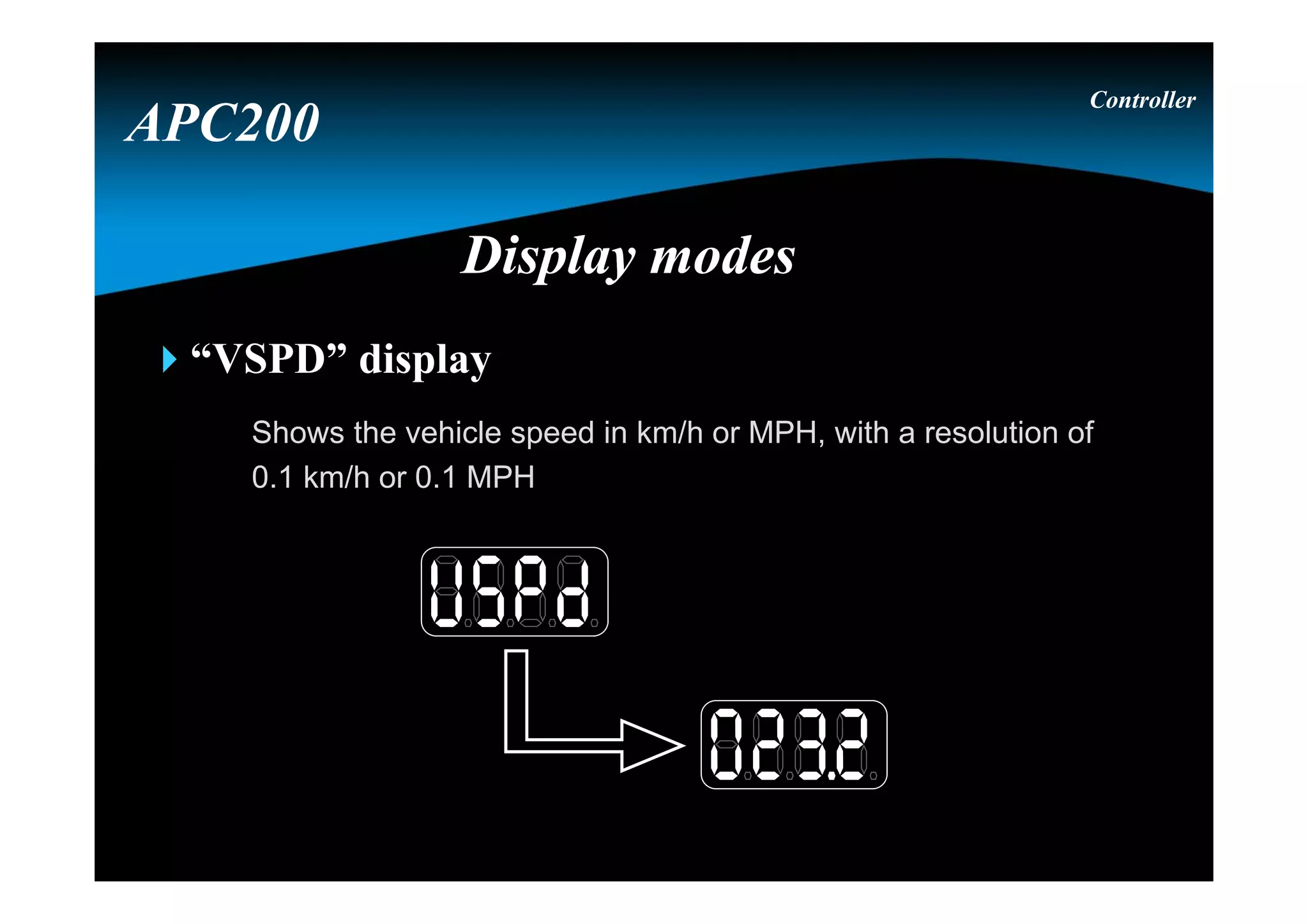
“VSPD” display
Shows the vehicle speed in km/h or MPH, with a resolution of
0.1 km/h or 0.1 MPH
Controller
APC200
Display modesDisplay modes
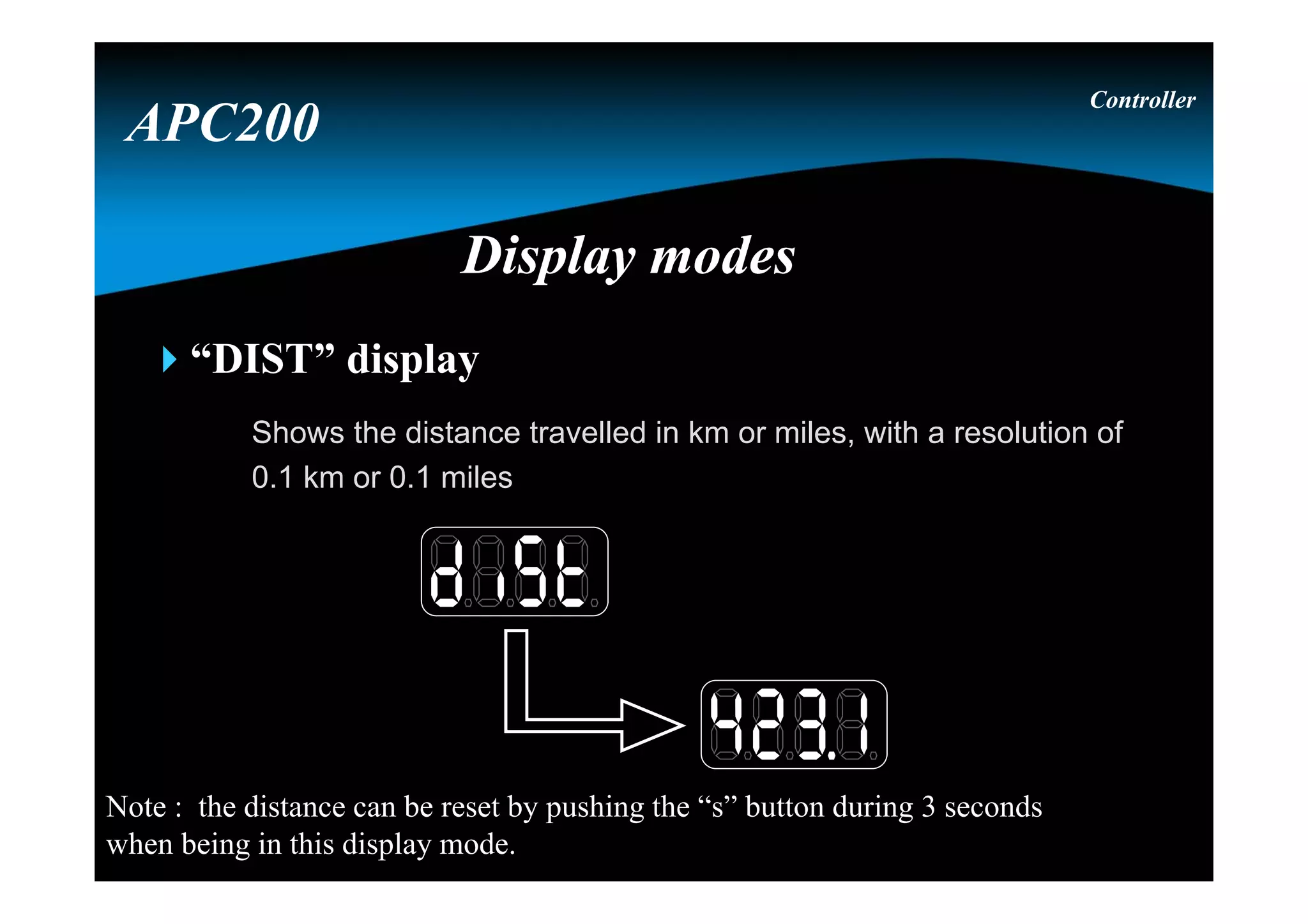
“DIST” display
Shows the distance travelled in km or miles, with a resolution of
0.1 km or 0.1 miles
Controller
APC200
Display modesDisplay modes
Note : the distance can be reset by pushing the “s” button during 3 seconds
when being in this display mode.
Controller
APC200
Display modesDisplay modes
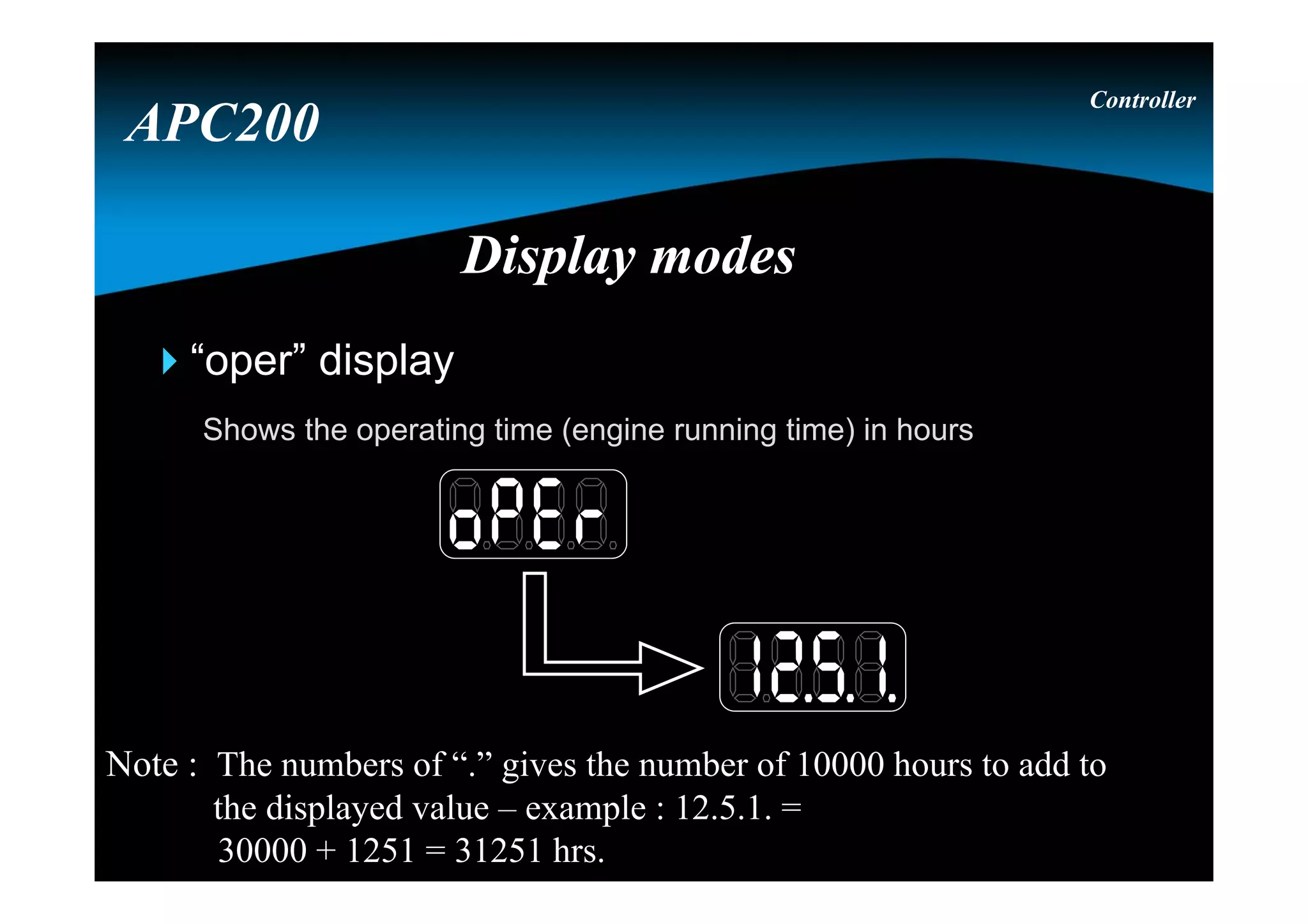
“oper” display
Shows the operating time (engine running time) in hours
Note : The numbers of “.” gives the number of 10000 hours to add to
the displayed value – example : 12.5.1. =
30000 + 1251 = 31251 hrs.
S S S
M M
M
Display modesDisplay modes
Controller
APC200
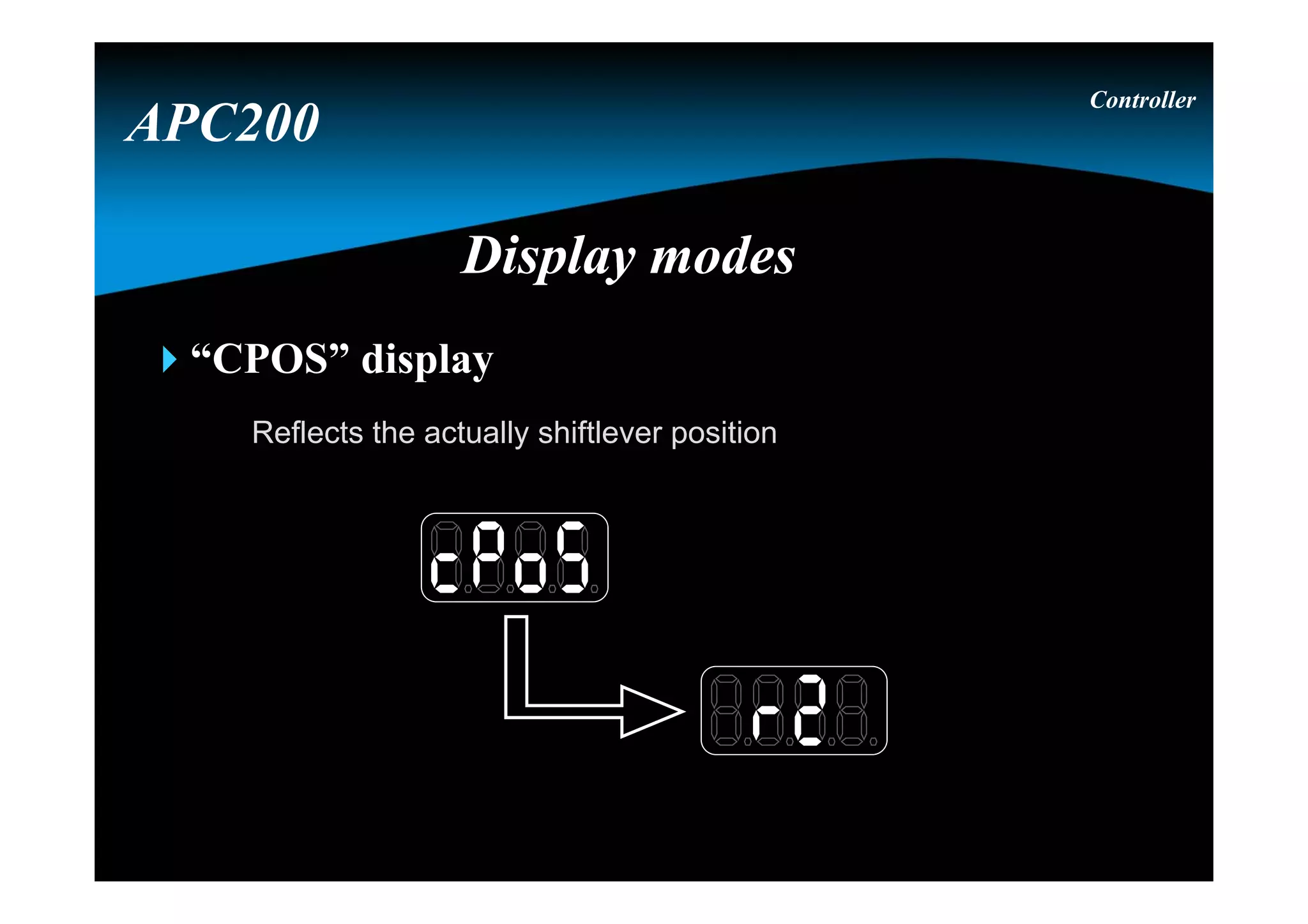
“CPOS” display
Reflects the actually shiftlever position
Controller
APC200
Display modesDisplay modes
“ESPD” display
Shows the measured engine speed in RPM
Controller
APC200
Display modesDisplay modes
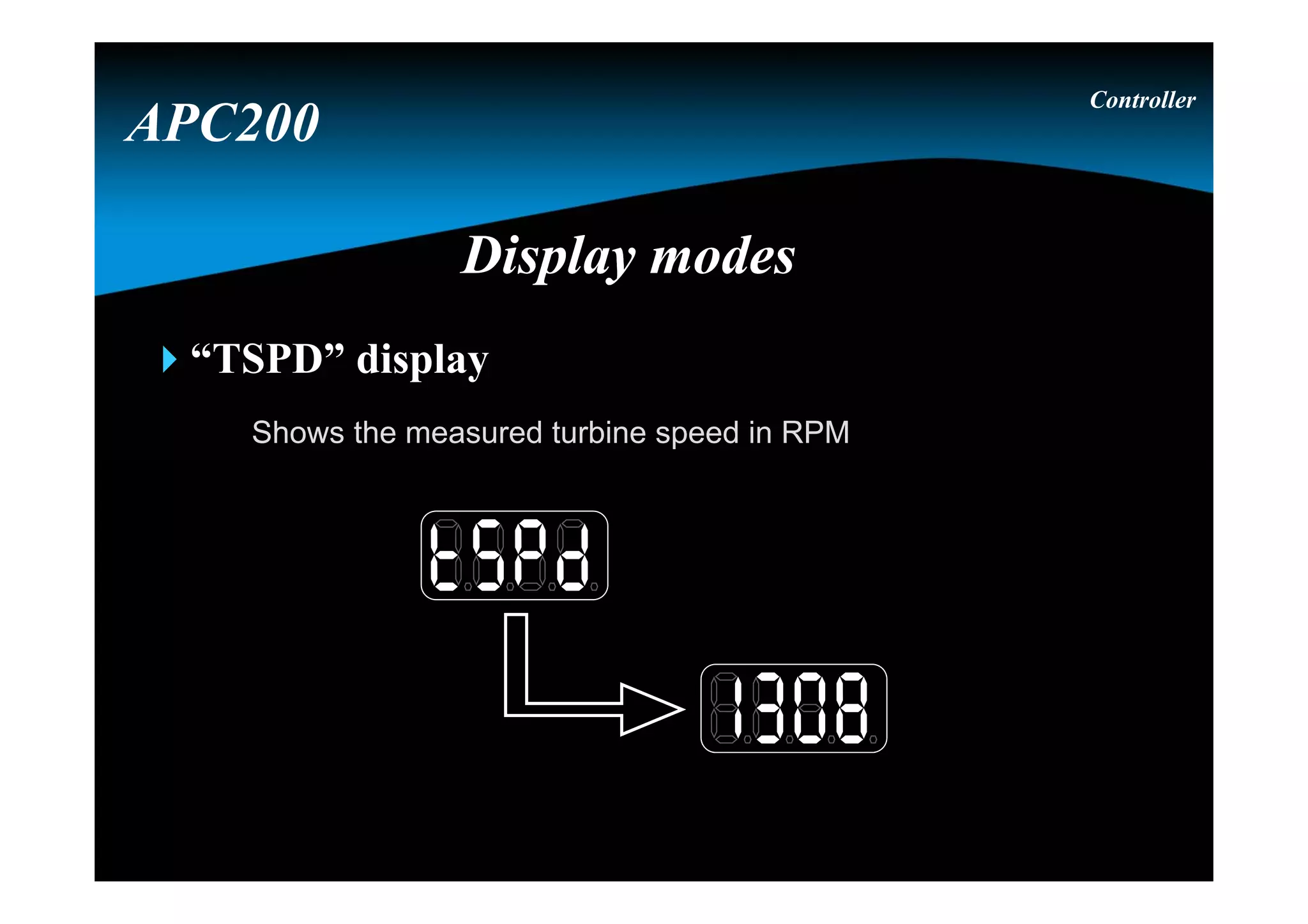
“TSPD” display
Shows the measured turbine speed in RPM
Controller
APC200
Display modesDisplay modes
“OSPD” display
Shows the measured output speed in RPM
Controller
APC200
Display modesDisplay modes
“SRAT” display
Reflects the current speed ration ( Tspd / Espd ), which is an
important factor in automatic shifting
Controller
APC200
Display modesDisplay modes
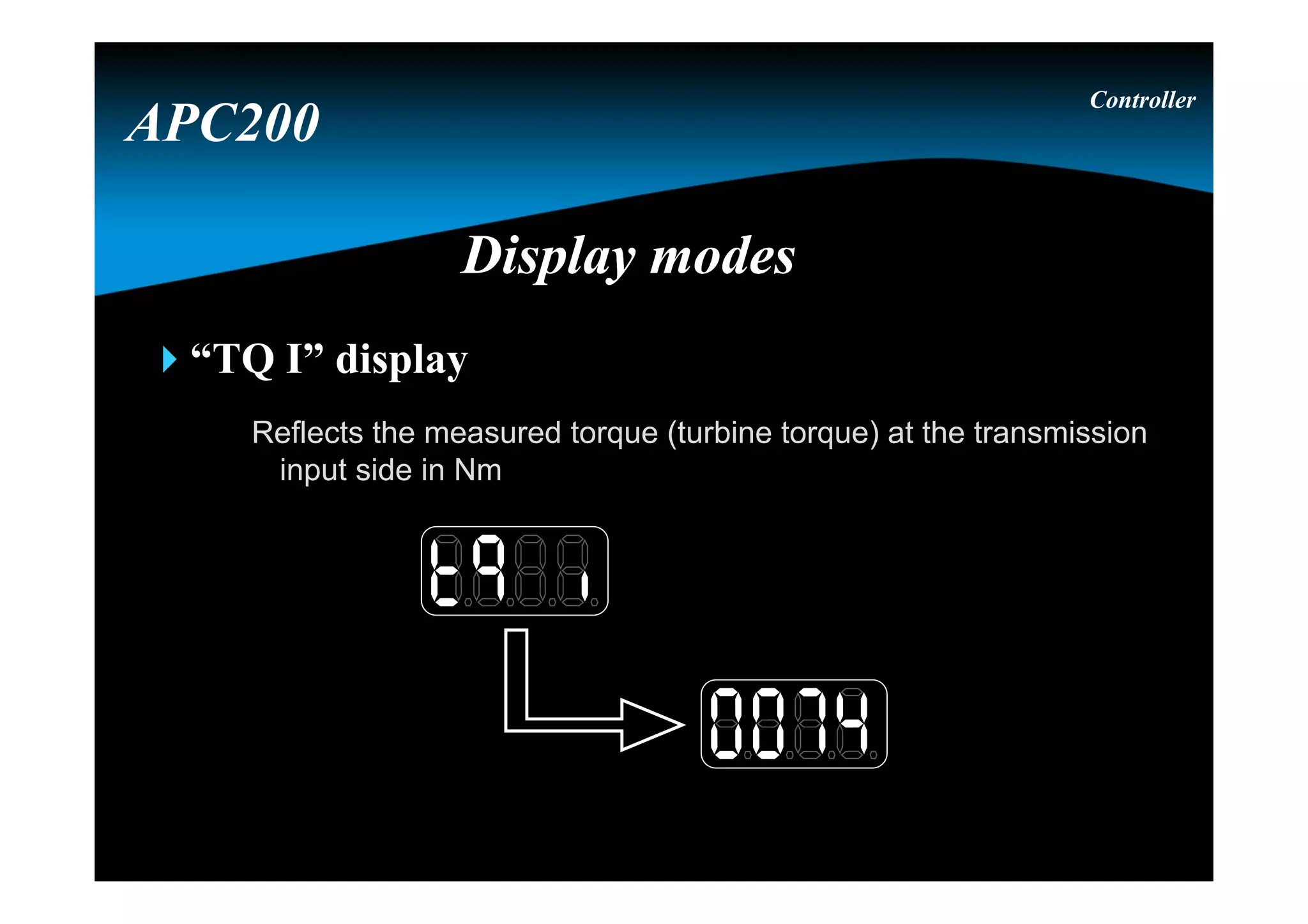
“TQ I” display
Reflects the measured torque (turbine torque) at the transmission
input side in Nm
Controller
APC200
Display modesDisplay modes
“TTMP” display
Shows the transmission sump temperature in °C
Controller
APC200
Display modesDisplay modes
“CTMP” display
Shows the Converter out temperature in °C
Controller
APC200
Display modesDisplay modes
Note : due that the converter out temperature is measured by a
temperature switch : 50 on the display means below 120° C
150 on the display means above 120° C
S S S
M M
M
Display modesDisplay modes
Controller
APC200
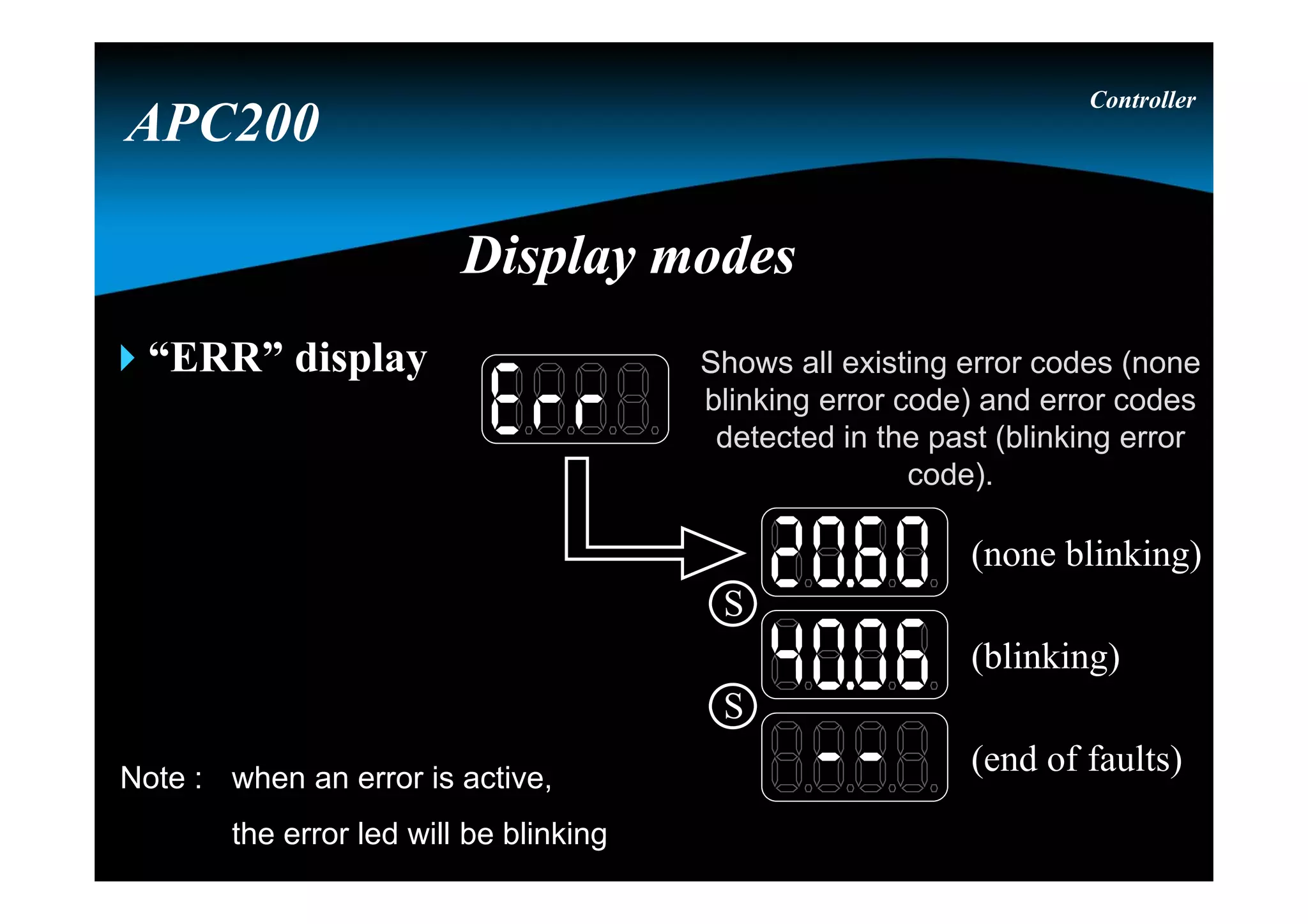
“ERR” display
Controller
APC200
Display modesDisplay modes
(blinking)
(none blinking)
(end of faults)
S
S
Shows all existing error codes (none
blinking error code) and error codes
detected in the past (blinking error
code).
Note : when an error is active,
the error led will be blinking
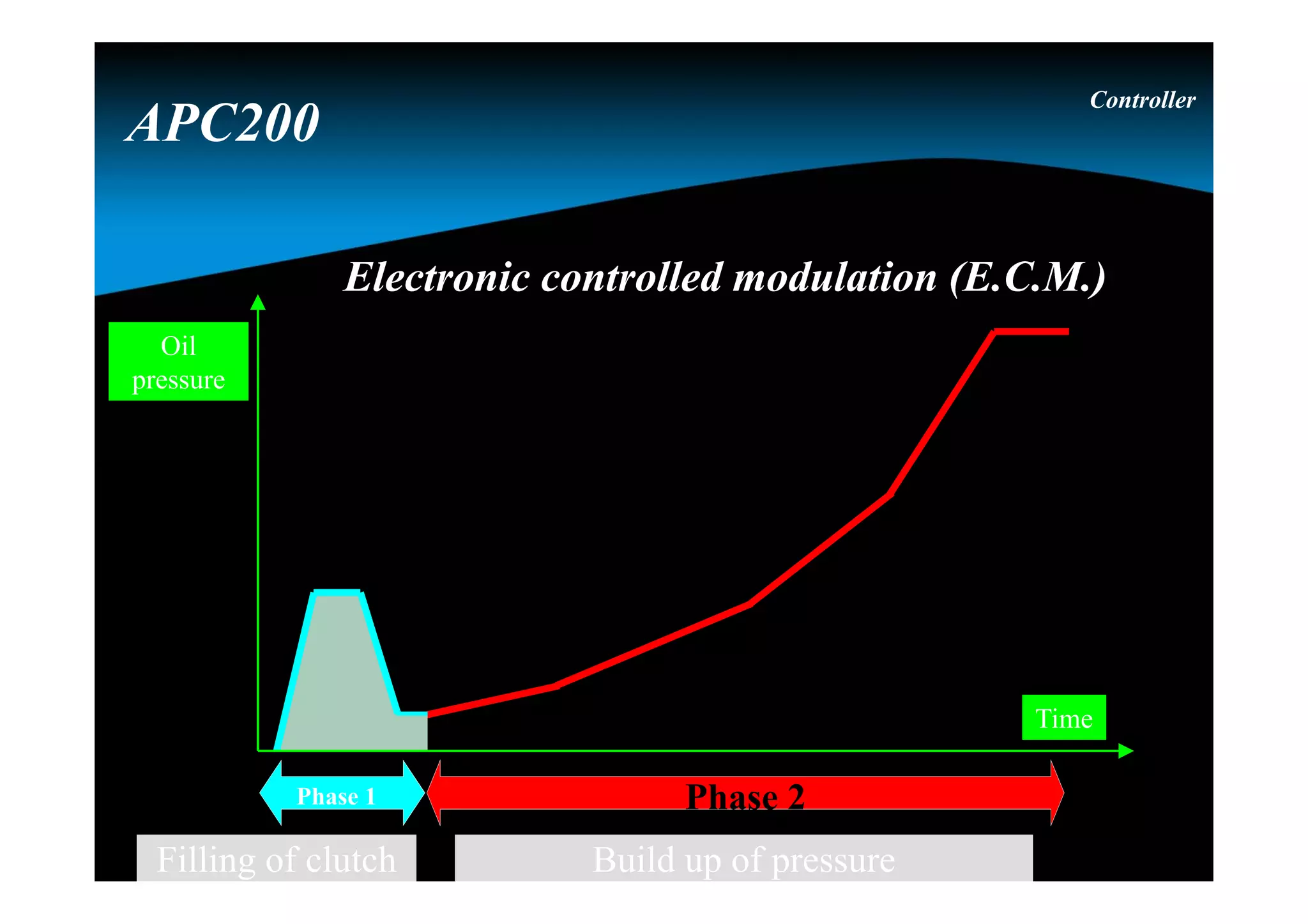
Electronic controlled modulation (E.C.M.)Electronic controlled modulation (E.C.M.)
Controller
APC200
Phase 2
Build up of pressure
Phase 1
Filling of clutch
Time
Oil
pressure
Time
Oil
pressure
Pressure
phase in in
clutch 2
Pressure
phase out in
clutch 1
“overlap”
Overlap controlOverlap control
Controller
APC200
Speed controlled inchingSpeed controlled inching
Inch speed as function of brake pedal
position
1
8
00
2
4
6
8
10
0 25 50 75 100
Brake position (%)
Inchspeed(kph)
No Inching
Low Speed
against
brake
Speed
control
No
braking
De-clutch
Controller
APC200
Torque controlled inchingTorque controlled inching
Controller
APC200
Error listError list
Controller
APC200
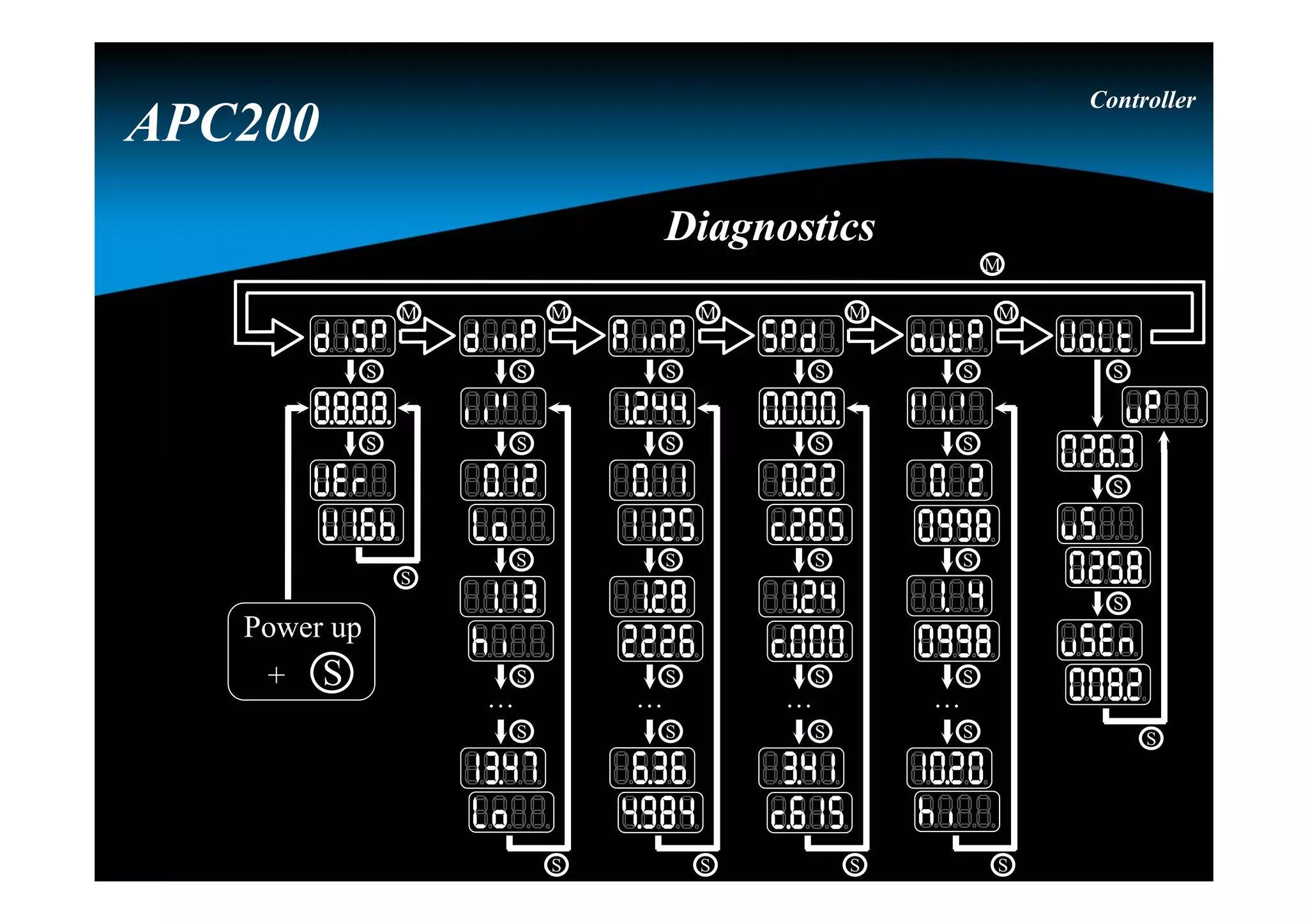
DiagnosticsDiagnostics
M
M M M M M
S
S
S
S
S
S
. . .
S
S
S
S
S
S
. . .
S
S
S
S
S
S
. . .
S
S
S
S
S
S
S
S
S
S
. . .
S
S
S
Power up
+ S
Controller
APC200
Note : for the firmware version, the display is using a
scrolling text moving to the left (continuously).
Display testDisplay test
Controller
APC200
M
M M M M M
S
S
S
Power up
+ S
DiagnosticsDiagnostics
Digital input
test
Digital input
test
Digital input
reference
Digital input
reference
0
1
2
3
4
5
8
9
6
7
10
11
12
13
Note : input 10 till 13 are the 4
analog inputs, which
could be used as digital
inputs
Digital input 3 on
wire 17
Digital input 3 on
wire 17
input not activeinput not active
Controller
APC200
M
M M M M M
S
S
S
S
S
S
. . .
DiagnosticsDiagnostics
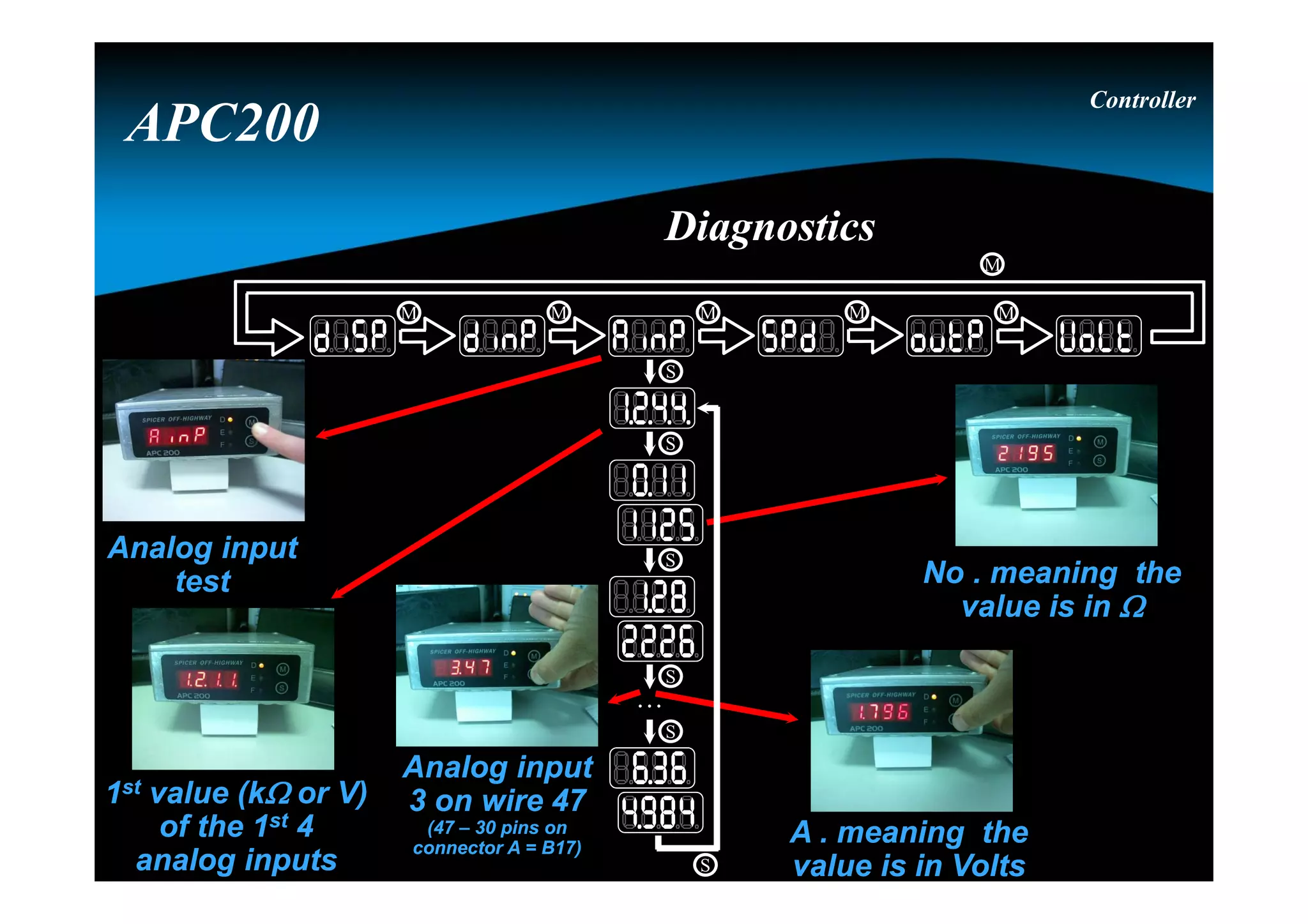
Analog input
test
Analog input
test
1st value (k or V)
of the 1st 4
analog inputs
1st value (k or V)
of the 1st 4
analog inputs
No . meaning the
value is in 
No . meaning the
value is in 
A . meaning the
value is in Volts
A . meaning the
value is in Volts
Analog input
3 on wire 47
(47 – 30 pins on
connector A = B17)
Analog input
3 on wire 47
(47 – 30 pins on
connector A = B17)
Controller
APC200
DiagnosticsDiagnostics
M
M M M M M
S
S
S
S
S
S
. . .
Speed sensor testSpeed sensor test
C informs the
sensor is a current
sensor, value is
expressed in Hz or
kHz (ex.: c2.45)
C informs the
sensor is a current
sensor, value is
expressed in Hz or
kHz (ex.: c2.45)
1st value (kHz)
of the 4 speed
sensors
1st value (kHz)
of the 4 speed
sensors
Speed sensor
0 on wire 22
Speed sensor
0 on wire 22
Controller
APC200
DiagnosticsDiagnostics
M
M M M M M
S
S
S
S
S
S
. . .
Output
test
Output
test
Analog output
Current of 997 mA
Analog output
Current of 997 mA
Analog output
3 on wire 8
Analog output
3 on wire 8
Note :
0 till 6 are
analog
outputs, and
7 till 10 are
digital
outputs.
output activeoutput active
Digital output
1 (7 – 6 = 1 ) on
wire 10
Digital output
1 (7 – 6 = 1 ) on
wire 10
Controller
APC200
DiagnosticsDiagnostics
M
M M M M M
S
S
S
S
S
S
. . .
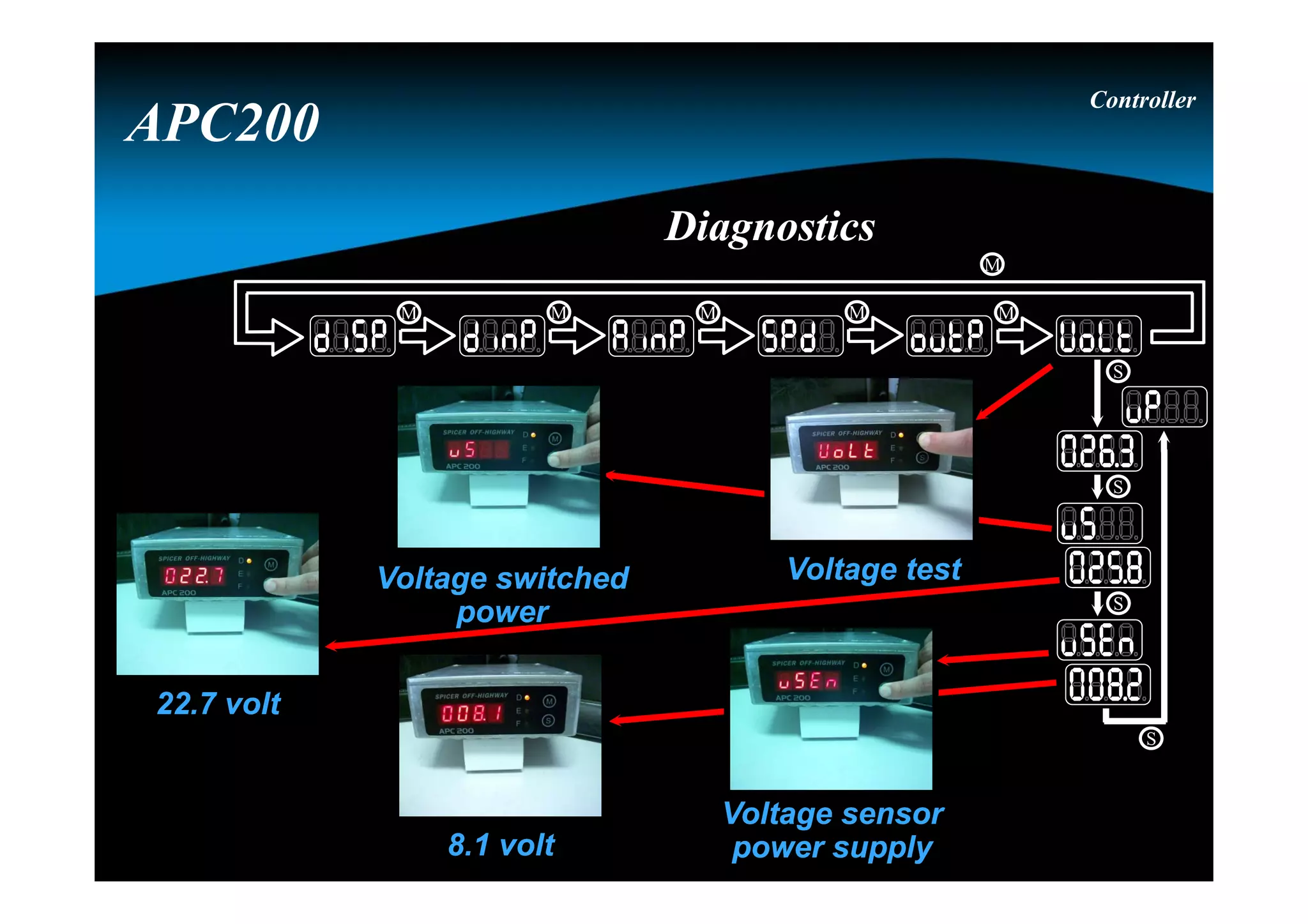
Voltage testVoltage testVoltage switched
power
Voltage switched
power
Voltage sensor
power supply
Voltage sensor
power supply
22.7 volt22.7 volt
8.1 volt8.1 volt
Controller
APC200
DiagnosticsDiagnostics
M
M M M M M
S
S
S
S
OverviewOverview
Naming convention
Link with the transmission
APC200
System calibration
Hydrostatic simulation
BBC
APC200
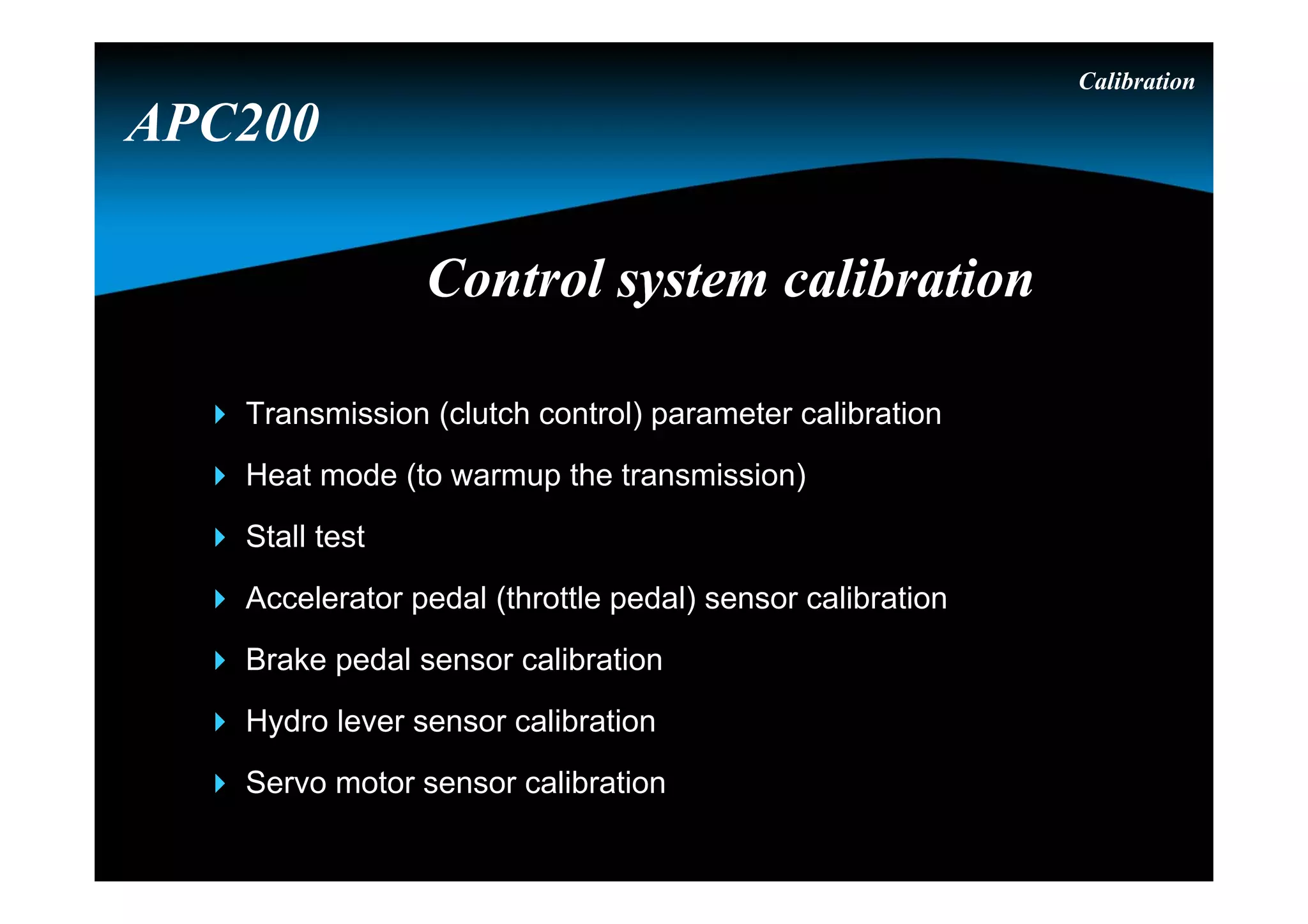
Control system calibrationControl system calibration
Calibration
 Transmission (clutch control) parameter calibration
 Heat mode (to warmup the transmission)
 Stall test
 Accelerator pedal (throttle pedal) sensor calibration
 Brake pedal sensor calibration
 Hydro lever sensor calibration
 Servo motor sensor calibration
APC200
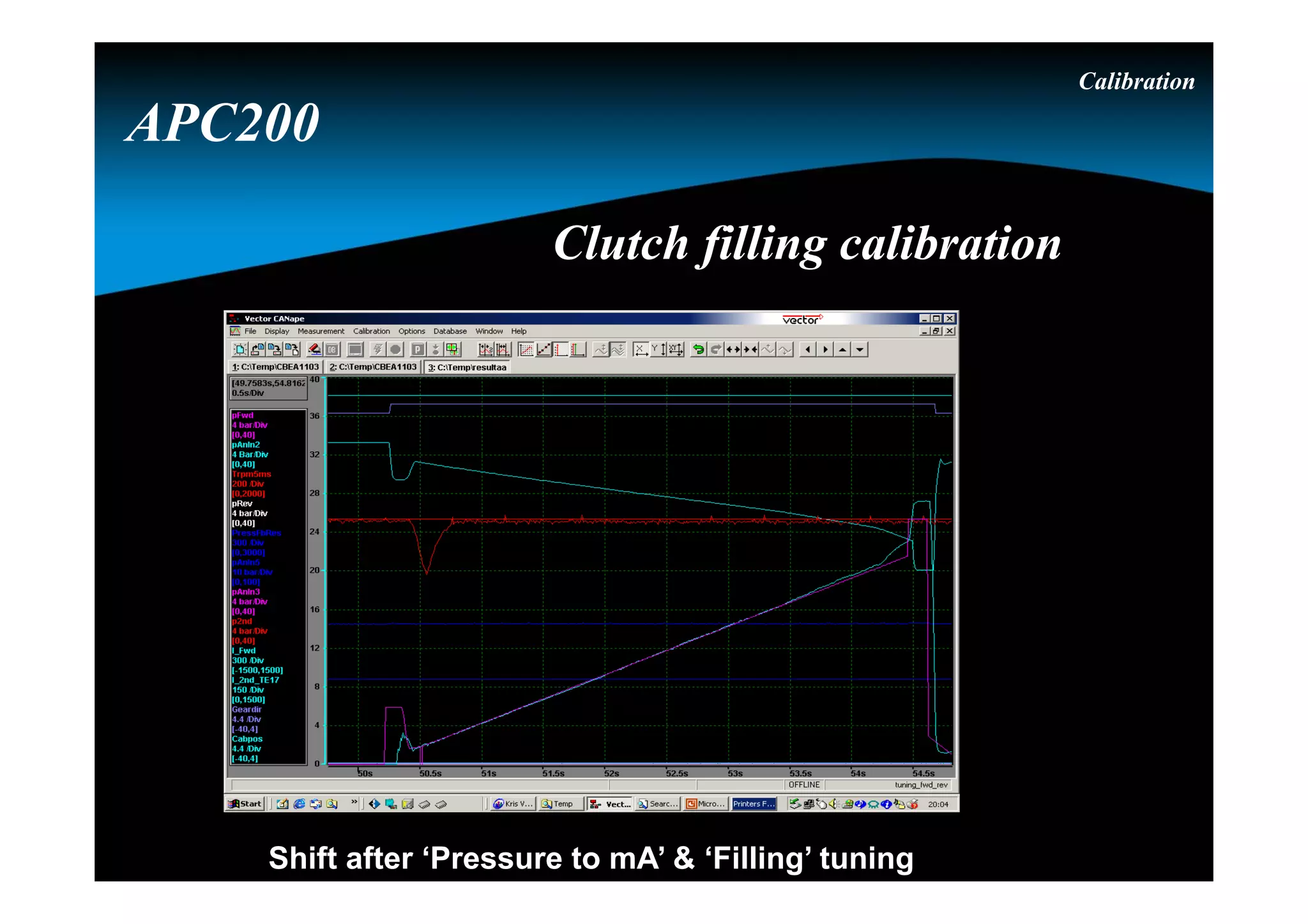
Shift after ‘Pressure to mA’ & ‘Filling’ tuning
Calibration
APC200
Clutch filling calibrationClutch filling calibration
Calibration
APC200
Pressure to torque calibrationPressure to torque calibration
Calibration
The calibration mode can be activated by :
- pushing the “S” button for 15 seconds during powerup
- the GDE (header Global & select for “DisplayMODE” :
“Transcal” & press “F5”)
- Sending a specific CAN message
- using the Dashboard Tool
APC200
Calibration done at the OEMCalibration done at the OEM
Calibration
Select the requested calibration mode by pushing the “M” button.
Possible calibration modes :
- “tran” : transmission calibration
- “heat” : transmission warming up
- “thro” : throttle pedal calibration (connected to an analog input)
- “brak” : brake pedal calibration (connected to an analog input)
- “hydr” : hydro lever calibration (connected to an analog input)
- “serv” : servo calibration (connected to the H-bridge)
- “cool” : not used in this application
APC200
Calibration done at the OEMCalibration done at the OEM
Calibration
Clutch filling  “tran”
After selecting the requested calibration mode by pushing the “S”
button the calibration will be started.
During this calibration :
- the parking brake must be activated
- the transmission temperature must be above 60° C
- engine speed must be 800 RPM  200 RPM
To start this calibration the driver will be asked to select forward
(by selecting reverse the calibration will be stopped)
APC200
Calibration done at the OEMCalibration done at the OEM
Calibration
Warming up  “heat”
After selecting the requested calibration mode by pushing the “S”
button the calibration will be started.
During this mode :
- only the highest gear can be selected
- the parking brake and brake pedal will not force neutral
- the display will show the sump temerature
When stalling the transmission at full stall : maximum 30 seconds
in gear followed by minimum 15 seconds in neutral
APC200
Calibration done at the OEMCalibration done at the OEM
Calibration
Throttle pedal  “thro” (throttle pedal connected to an
analog input)
After selecting the requested calibration mode by pushing the “S”
button the calibration will be started.
During this calibration :
- the idle position is requested
- the full throttle position is requested
By pushing the “S” the driver confirms the requested positions.
APC200
Calibration done at the OEMCalibration done at the OEM
Calibration
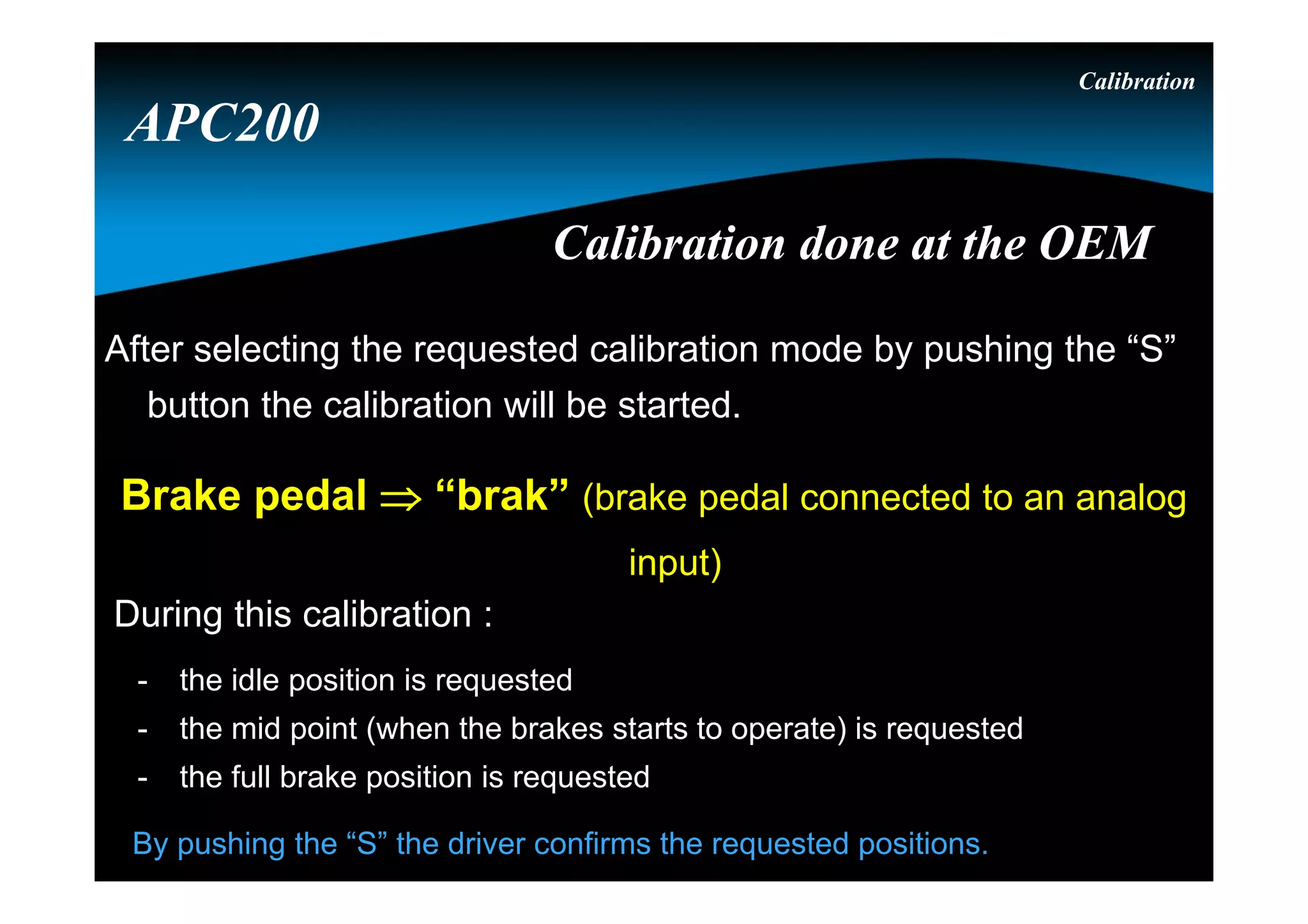
Brake pedal  “brak” (brake pedal connected to an analog
input)
After selecting the requested calibration mode by pushing the “S”
button the calibration will be started.
During this calibration :
- the idle position is requested
- the mid point (when the brakes starts to operate) is requested
- the full brake position is requested
By pushing the “S” the driver confirms the requested positions.
APC200
Calibration done at the OEMCalibration done at the OEM
Calibration
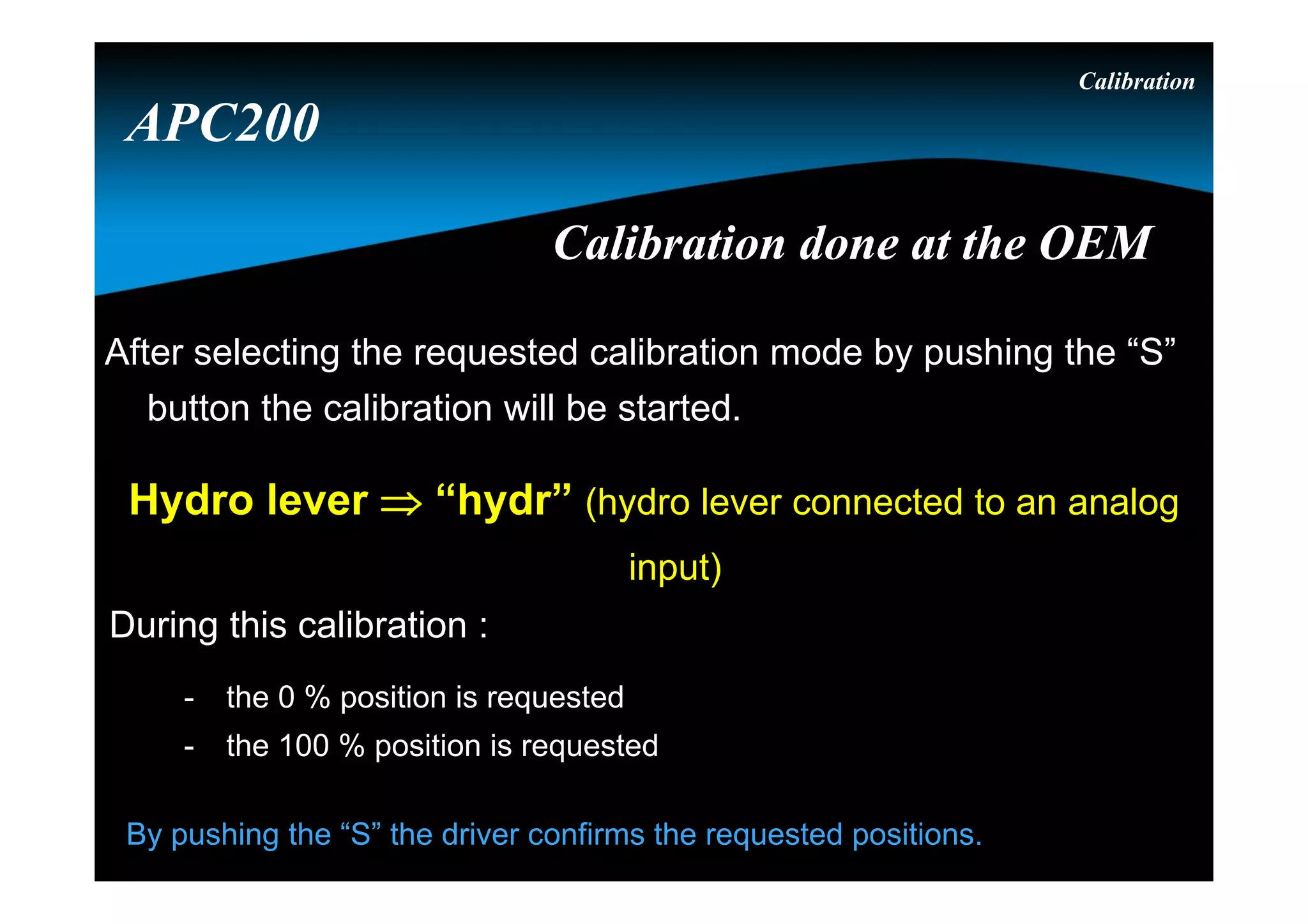
Hydro lever  “hydr” (hydro lever connected to an analog
input)
After selecting the requested calibration mode by pushing the “S”
button the calibration will be started.
During this calibration :
- the 0 % position is requested
- the 100 % position is requested
By pushing the “S” the driver confirms the requested positions.
APC200
Calibration done at the OEMCalibration done at the OEM
Calibration
Servo  “serv” (servo motor connected to the H-bridge)
After selecting the requested calibration mode by pushing the “S”
button the calibration will be started.
During this calibration :
- the APC200 will calibrate the idle position
- the APC200 will calibrate the full throttle position
APC200
Calibration done at the OEMCalibration done at the OEM
Thank you !Thank you !

Idoc.pub apc200 basic-training

  • 1.
  • 2.
  • 3.
    OverviewOverview Naming convention Link withthe transmission APC200 System calibration APC200
  • 4.
    OverviewOverview Naming convention Link withthe transmission APC200 System calibration Hydrostatic simulation BBC APC200
  • 5.
    Naming CAN2B controllersNamingCAN2B controllers APC200  … CON . … … … …
  • 6.
    NamingNaming … CON .… … … … E, T, P, I or A A, B, C, … etc. 120, 210, 211, 212, 213, 214, 215 or 216 Hardware reference Functionality Technology
  • 7.
    … CON .… … … … E : (Essential) all synchro shuttle and on/off powershift technology transmissions without single pedal drive. T : (Transmission) all powershift transmissions of which at least the direction has electronic modulation without single pedal drive and without brake by clutch technology. P : (Powertrain) all synchro shuttle and on/off powershift technology transmissions with single pedal drive technology (P = E + single pedal drive). I : (Intelligent) all powershift transmissions of which the direction has electronic modulation with single pedal drive technology (I = T + single pedal drive). A : (Advanced) all powershift transmissions of which all clutches have electronic modulation with brake by clutch technology (A = T + brake by clutch). TechnologyTechnology
  • 8.
    … CON .… … … … An alphabetic letter is used to reflect the functionality of the firmware, made for a specific hardware in combination of the valve and the transmission. FunctionalityFunctionality For the TCON : Note : the functionality level is a level within the technology group.  A : all T16000 without ECI  B : all PS08 without ECI  C : all PS09 with ECI -PC  D : all T16000 with ECI-PC  E : all PS09 without ECI  F : all TE with VFS/booster valve (overlap & ECI-SC)  . . . Etc.
  • 9.
    Hardware referenceHardware reference …CON . … … … … 210 : (APC201-12) 12 Volt / 4 PWM’s closed loop / No H-bridge / Analog inputs 2  & 4 V 211 : (APC201-24) 24 Volt / 4 PWM’s closed loop / No H-bridge / Analog inputs 2  & 4 V 212 : (APC202-12) 12 Volt / 4 PWM’s closed loop / H-bridge / Analog inputs 2  & 4 V 213 : (APC202-24) 24 Volt / 4 PWM’s closed loop / H-bridge / Analog inputs 2  & 4 V 214 : (APC200A) 12 Volt / 5 PWM’s closed loop / No H-bridge / Analog inputs 1  & 5 V 215 : (New -12) 12 Volt / 4 PWM’s closed loop / No H-bridge / Analog inputs 1  & 5 V 216 : (New -24) 24 Volt / 4 PWM’s closed loop / No H-bridge / Analog inputs 1  & 5 V Note : the 215 & 216 R8 is needed for the TE15, TE13, TE17 andTE32 full flow valve.
  • 10.
    ExampleExample T CON .F 211 a powershift transmissions of which at least the direction has electronic modulation without single pedal drive and without brake by clutch technology. all TE transmissions with VFS/booster valve (overlap & ECI-SC) 24 Volt hardware, with 4 PWM’s closed loop, no H-bridge and 6 analog inputs of which 2 resistive () and 4 voltage (V).
  • 11.
    ConclusionConclusion ACON . A214 The 1st and 2nd part reflects the firmware of the controller The 3rd part reflects the hardware of the controller
  • 12.
    OverviewOverview Naming convention Link withthe transmission APC200 System calibration Hydrostatic simulation BBC APC200
  • 13.
    Additional signalsAdditional signals Speedsensors  Engine speed  Turbine speed  Drum speed  Output speed Pressure feedback sensor Sump temperature sensor Converter out temperature switch TE 10 APC200
  • 14.
    Control valveControl valve Proportionalsolenoids  VFS0 for forward  VFS1 for 2nd  VFS2 for reverse  VFS3 for 1st / 3rd Pressure reducer Pressure intensifiers for each VFS Selector solenoid 1st/3rd Total neutral solenoid TE 10 APC200
  • 15.
    OverviewOverview Naming convention Link withthe transmission APC200 System calibration Hydrostatic simulation BBC APC200
  • 16.
  • 17.
    Device for shiftingSpicer Off Highway Products ECM powershift transmissions ECM -> Electronic Controlled Modulation a transmission control technology, available on a range of transmission models ECI -> Electronic Controlled Inching speed controlled or torque controlled Overlap control Self diagnostics Throttle by Wire – engine control CAN Network Integration Controller APC200
  • 18.
    PSU = PowerSupply UnitPSU = Power Supply Unit Version : 12V or 24V Two power lines  PPWR : permanent power Connected directly to the battery  SPWR : switched power Connected via key contact to the battery Controller APC200
  • 19.
    Bootstrap and resetcircuitBootstrap and reset circuit Bootstrap:  Special mode, controller wants to receive serial data, to program the firmware into the program memory  While in bootstrap all output functions are hold off  Start : during power up both buttons pressed Reset circuit : watchdog & supply supervisor will reset CPU if either the power supply is outside 10% tolerance window or CPU has “forgotten” to re-trigger the watchdog trigger² Controller APC200
  • 20.
    FunctionsFunctions Manual / automaticshifting Electronic modulation Overlap control Electronic inching Start 1st / 2nd Limit vehicle speed Reduce vehicle speed (by use of an input) Limit engine speed Controller APC200 Direction change protection (speed and engine RPM) Declutch (inching / none inching) Engine control Seat orientation Hydro lever function in neutral
  • 21.
    CommunicationCommunication CAN 2.0 B Communicate with different controllers and PC RS 232  To flash a new firmware (main program)  To download the parameter settings (APT-file)  To edit specific parameters (GDE-file) Controller APC200
  • 22.
    Parameter settingParameter setting 1approved drive-line = 1 APT-file Approved drive-line = Specific type of vehicle + specific engine + specific transmission ( + axle + tires ) eg.: APT-file for the Perkins engine Controller APC200
  • 23.
  • 24.
  • 25.
    GDE user levelsGDEuser levels Controller Maintenance (only for DANA engineering) Service (only for DANA service) OEM engineering OEM service APC200
  • 26.
    Parameters can havedifferent access levels depending on the GDE user levels Parameters can have different access levels depending on the GDE user levels Controller Write access Safe write access Read access Not visible APC200
  • 27.
    Configuration management Can onlybe created by OEM engineering. Controller APC200
  • 28.
    Different axles, tiresizes and functions are selected via the configuration management. The configuration management is the responsability of the OEM engineering. Controller Configuration management APC200
  • 29.
    Configuration management When theAPC200 is connected a full upload can be made. Controller APC200
  • 30.
    Defining different configurations Anexisting configuration can be adapted or a new can be made. Controller APC200 Configuration management
  • 31.
    Correct way toreprogram the APC200Correct way to reprogram the APC200 Highest level : firmware of the APC200 The firmware is the main program of the APC200 2nd level : APT-file of the APC200 The APT-file is the parameter file with all settings and parameters 3rd level : GDE-file of the APC200 (if needed) The GDE-file is a part of the parameter file depending of user-level Controller APC200
  • 32.
    Tools to reprogramthe APC200Tools to reprogram the APC200 Highest level : firmware of the APC200 A windows based flash program for the TCT19.bin file 2nd level : APT-file of the APC200 A windows based APT (APC Production Tool) program 3rd level : GDE-file of the APC200 A windows based GDE (Generic Data Editor) program  GDE will only download the parameters depending of the user level (GDE OEM Engineering level for configuration managment). Controller APC200
  • 33.
    APT to downloadall parameters / dataAPT to download all parameters / data Configuration selection Controller APC200
  • 34.
    Configuration selection Controller APC200 An existingconfiguration can be selected APT to download all parameters / dataAPT to download all parameters / data
  • 35.
    DisplayDisplay 4 red7-segment LED digits 3 status LED lamps • D -> yellow, Diagnostic modes • E -> yellow, Error • F -> red, Failure or APC 200 in reset conditions 2 push buttons • M -> which information group • S -> item within group Controller APC200
  • 36.
    S S S MM M Display modesDisplay modes Controller APC200
  • 37.
    “GPOS” display Reflects theactually engaged transmission direction and range Controller APC200 Display modesDisplay modes
  • 38.
    “VSPD” display Shows thevehicle speed in km/h or MPH, with a resolution of 0.1 km/h or 0.1 MPH Controller APC200 Display modesDisplay modes
  • 39.
    “DIST” display Shows thedistance travelled in km or miles, with a resolution of 0.1 km or 0.1 miles Controller APC200 Display modesDisplay modes Note : the distance can be reset by pushing the “s” button during 3 seconds when being in this display mode.
  • 40.
    Controller APC200 Display modesDisplay modes “oper”display Shows the operating time (engine running time) in hours Note : The numbers of “.” gives the number of 10000 hours to add to the displayed value – example : 12.5.1. = 30000 + 1251 = 31251 hrs.
  • 41.
    S S S MM M Display modesDisplay modes Controller APC200
  • 42.
    “CPOS” display Reflects theactually shiftlever position Controller APC200 Display modesDisplay modes
  • 43.
    “ESPD” display Shows themeasured engine speed in RPM Controller APC200 Display modesDisplay modes
  • 44.
    “TSPD” display Shows themeasured turbine speed in RPM Controller APC200 Display modesDisplay modes
  • 45.
    “OSPD” display Shows themeasured output speed in RPM Controller APC200 Display modesDisplay modes
  • 46.
    “SRAT” display Reflects thecurrent speed ration ( Tspd / Espd ), which is an important factor in automatic shifting Controller APC200 Display modesDisplay modes
  • 47.
    “TQ I” display Reflectsthe measured torque (turbine torque) at the transmission input side in Nm Controller APC200 Display modesDisplay modes
  • 48.
    “TTMP” display Shows thetransmission sump temperature in °C Controller APC200 Display modesDisplay modes
  • 49.
    “CTMP” display Shows theConverter out temperature in °C Controller APC200 Display modesDisplay modes Note : due that the converter out temperature is measured by a temperature switch : 50 on the display means below 120° C 150 on the display means above 120° C
  • 50.
    S S S MM M Display modesDisplay modes Controller APC200
  • 51.
    “ERR” display Controller APC200 Display modesDisplaymodes (blinking) (none blinking) (end of faults) S S Shows all existing error codes (none blinking error code) and error codes detected in the past (blinking error code). Note : when an error is active, the error led will be blinking
  • 52.
    Electronic controlled modulation(E.C.M.)Electronic controlled modulation (E.C.M.) Controller APC200 Phase 2 Build up of pressure Phase 1 Filling of clutch Time Oil pressure
  • 53.
    Time Oil pressure Pressure phase in in clutch2 Pressure phase out in clutch 1 “overlap” Overlap controlOverlap control Controller APC200
  • 54.
    Speed controlled inchingSpeedcontrolled inching Inch speed as function of brake pedal position 1 8 00 2 4 6 8 10 0 25 50 75 100 Brake position (%) Inchspeed(kph) No Inching Low Speed against brake Speed control No braking De-clutch Controller APC200
  • 55.
    Torque controlled inchingTorquecontrolled inching Controller APC200
  • 56.
  • 57.
    DiagnosticsDiagnostics M M M MM M S S S S S S . . . S S S S S S . . . S S S S S S . . . S S S S S S S S S S . . . S S S Power up + S Controller APC200
  • 58.
    Note : forthe firmware version, the display is using a scrolling text moving to the left (continuously). Display testDisplay test Controller APC200 M M M M M M S S S Power up + S DiagnosticsDiagnostics
  • 59.
    Digital input test Digital input test Digitalinput reference Digital input reference 0 1 2 3 4 5 8 9 6 7 10 11 12 13 Note : input 10 till 13 are the 4 analog inputs, which could be used as digital inputs Digital input 3 on wire 17 Digital input 3 on wire 17 input not activeinput not active Controller APC200 M M M M M M S S S S S S . . . DiagnosticsDiagnostics
  • 60.
    Analog input test Analog input test 1stvalue (k or V) of the 1st 4 analog inputs 1st value (k or V) of the 1st 4 analog inputs No . meaning the value is in  No . meaning the value is in  A . meaning the value is in Volts A . meaning the value is in Volts Analog input 3 on wire 47 (47 – 30 pins on connector A = B17) Analog input 3 on wire 47 (47 – 30 pins on connector A = B17) Controller APC200 DiagnosticsDiagnostics M M M M M M S S S S S S . . .
  • 61.
    Speed sensor testSpeedsensor test C informs the sensor is a current sensor, value is expressed in Hz or kHz (ex.: c2.45) C informs the sensor is a current sensor, value is expressed in Hz or kHz (ex.: c2.45) 1st value (kHz) of the 4 speed sensors 1st value (kHz) of the 4 speed sensors Speed sensor 0 on wire 22 Speed sensor 0 on wire 22 Controller APC200 DiagnosticsDiagnostics M M M M M M S S S S S S . . .
  • 62.
    Output test Output test Analog output Current of997 mA Analog output Current of 997 mA Analog output 3 on wire 8 Analog output 3 on wire 8 Note : 0 till 6 are analog outputs, and 7 till 10 are digital outputs. output activeoutput active Digital output 1 (7 – 6 = 1 ) on wire 10 Digital output 1 (7 – 6 = 1 ) on wire 10 Controller APC200 DiagnosticsDiagnostics M M M M M M S S S S S S . . .
  • 63.
    Voltage testVoltage testVoltageswitched power Voltage switched power Voltage sensor power supply Voltage sensor power supply 22.7 volt22.7 volt 8.1 volt8.1 volt Controller APC200 DiagnosticsDiagnostics M M M M M M S S S S
  • 64.
    OverviewOverview Naming convention Link withthe transmission APC200 System calibration Hydrostatic simulation BBC APC200
  • 65.
    Control system calibrationControlsystem calibration Calibration  Transmission (clutch control) parameter calibration  Heat mode (to warmup the transmission)  Stall test  Accelerator pedal (throttle pedal) sensor calibration  Brake pedal sensor calibration  Hydro lever sensor calibration  Servo motor sensor calibration APC200
  • 66.
    Shift after ‘Pressureto mA’ & ‘Filling’ tuning Calibration APC200 Clutch filling calibrationClutch filling calibration
  • 67.
    Calibration APC200 Pressure to torquecalibrationPressure to torque calibration
  • 68.
    Calibration The calibration modecan be activated by : - pushing the “S” button for 15 seconds during powerup - the GDE (header Global & select for “DisplayMODE” : “Transcal” & press “F5”) - Sending a specific CAN message - using the Dashboard Tool APC200 Calibration done at the OEMCalibration done at the OEM
  • 69.
    Calibration Select the requestedcalibration mode by pushing the “M” button. Possible calibration modes : - “tran” : transmission calibration - “heat” : transmission warming up - “thro” : throttle pedal calibration (connected to an analog input) - “brak” : brake pedal calibration (connected to an analog input) - “hydr” : hydro lever calibration (connected to an analog input) - “serv” : servo calibration (connected to the H-bridge) - “cool” : not used in this application APC200 Calibration done at the OEMCalibration done at the OEM
  • 70.
    Calibration Clutch filling “tran” After selecting the requested calibration mode by pushing the “S” button the calibration will be started. During this calibration : - the parking brake must be activated - the transmission temperature must be above 60° C - engine speed must be 800 RPM  200 RPM To start this calibration the driver will be asked to select forward (by selecting reverse the calibration will be stopped) APC200 Calibration done at the OEMCalibration done at the OEM
  • 71.
    Calibration Warming up “heat” After selecting the requested calibration mode by pushing the “S” button the calibration will be started. During this mode : - only the highest gear can be selected - the parking brake and brake pedal will not force neutral - the display will show the sump temerature When stalling the transmission at full stall : maximum 30 seconds in gear followed by minimum 15 seconds in neutral APC200 Calibration done at the OEMCalibration done at the OEM
  • 72.
    Calibration Throttle pedal “thro” (throttle pedal connected to an analog input) After selecting the requested calibration mode by pushing the “S” button the calibration will be started. During this calibration : - the idle position is requested - the full throttle position is requested By pushing the “S” the driver confirms the requested positions. APC200 Calibration done at the OEMCalibration done at the OEM
  • 73.
    Calibration Brake pedal “brak” (brake pedal connected to an analog input) After selecting the requested calibration mode by pushing the “S” button the calibration will be started. During this calibration : - the idle position is requested - the mid point (when the brakes starts to operate) is requested - the full brake position is requested By pushing the “S” the driver confirms the requested positions. APC200 Calibration done at the OEMCalibration done at the OEM
  • 74.
    Calibration Hydro lever “hydr” (hydro lever connected to an analog input) After selecting the requested calibration mode by pushing the “S” button the calibration will be started. During this calibration : - the 0 % position is requested - the 100 % position is requested By pushing the “S” the driver confirms the requested positions. APC200 Calibration done at the OEMCalibration done at the OEM
  • 75.
    Calibration Servo  “serv”(servo motor connected to the H-bridge) After selecting the requested calibration mode by pushing the “S” button the calibration will be started. During this calibration : - the APC200 will calibrate the idle position - the APC200 will calibrate the full throttle position APC200 Calibration done at the OEMCalibration done at the OEM
  • 76.