COMPUTER STUDIES
Accra Technical University
Computer Science Department
By: Ebenezer Ababio
Information Literacy
Name: Ebenezer Ababio
(Ben Nezar)
TEL: 024 440 5186
Email: eatetteh@atu.edu.gh
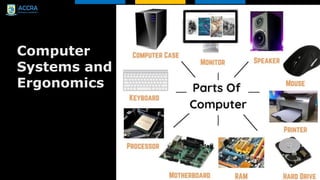
Computer
Systems and
Ergonomics
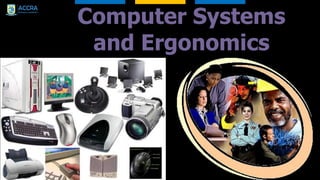
Computer Systems
and Ergonomics
A System
 A set of component parts that work together to achieve
a particular goal
Examples:
 digestive system
 manufacturing systems eg. using a robotic production
line to create cars,
 application system for applying to university
We will examine systems that make use of
technology.
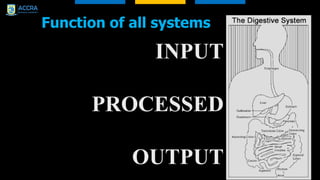
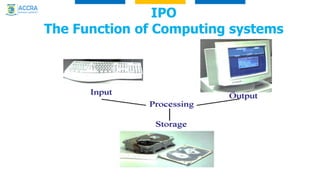
Function of all systems
INPUT
PROCESSED
OUTPUT
IPO
The Function of Computing systems
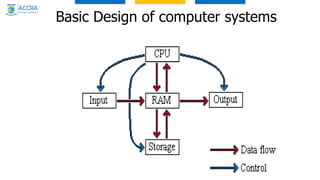
Basic Design of computer systems
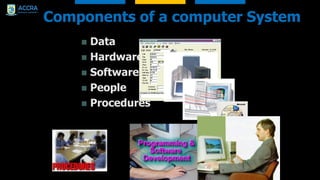
Components of a computer System
 Data
 Hardware
 Software
 People
 Procedures
Components of a Computer System
 Data: raw unorganised facts that are entered into the
system
 Software: the instructions that tell the equipment how to
function
 Hardware: The physical parts of the computer
system
 People: These are the users, the owners, the
technicians, the sellers, anyone involved
 Procedures: the methods used and order in which they
are done
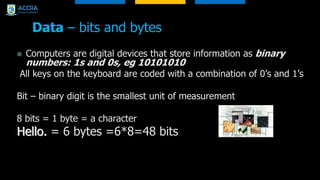
Data – bits and bytes
 Computers are digital devices that store information as binary
numbers: 1s and 0s, eg 10101010
All keys on the keyboard are coded with a combination of 0’s and 1’s
Bit – binary digit is the smallest unit of measurement
8 bits = 1 byte = a character
Hello. = 6 bytes =6*8=48 bits
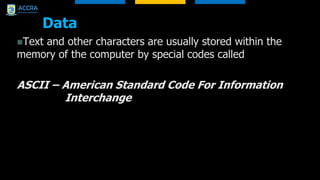
Data
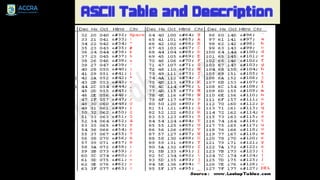
Text and other characters are usually stored within the
memory of the computer by special codes called
ASCII – American Standard Code For Information
Interchange
1
2
4
8
16
32
20
21
22
23
24
25
1
2
4
8
16
32
20
21
22
23
24
25
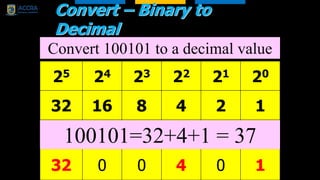
Convert – Binary to
Decimal
25 24 23 22 21 20
32 16 8 4 2 1
1 0 0 1 0 1
Convert 100101 to a decimal value
25 24 23 22 21 20
32 16 8 4 2 1
1 0 0 1 0 1
32 0 0 4 0 1
100101=32+4+1 = 37
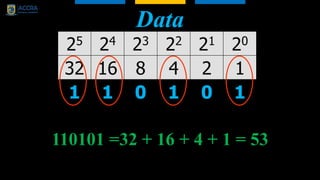
Data
25 24 23 22 21 20
32 16 8 4 2 1
1 1 0 1 0 1
110101 =32 + 16 + 4 + 1 = 53
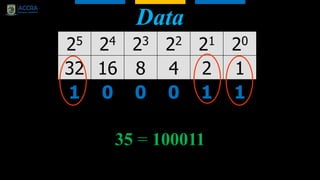
Data
25 24 23 22 21 20
32 16 8 4 2 1
1 0 0 0 1 1
35 = 100011
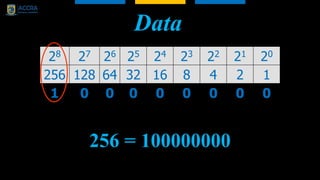
Data
256 = 100000000
28 27 26 25 24 23 22 21 20
256 128 64 32 16 8 4 2 1
1 0 0 0 0 0 0 0 0
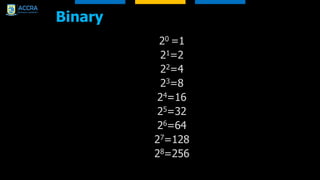
Binary
20 =1
21=2
22=4
23=8
24=16
25=32
26=64
27=128
28=256
Group work
 On a separate sheet make up a sentence of just 2 simple
words ie..
Hi there?
 Convert each letter to Decimal number using the ASCII
table provided then enter the binary equivalent in this
sheet.
 Pass the sheet to the group next to you to decode. (Nice
messages only)
DATA
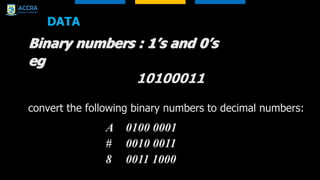
Binary numbers : 1’s and 0’s
eg
10100011
convert the following binary numbers to decimal numbers:
A 0100 0001
# 0010 0011
8 0011 1000
Answers
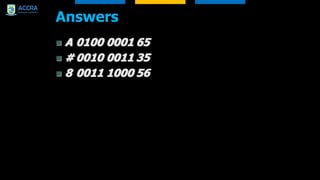
 A 0100 0001 65
 # 0010 0011 35
 8 0011 1000 56
Data
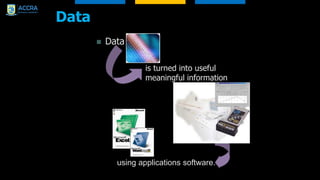
 Data
is turned into useful
meaningful information
using applications software.
Software
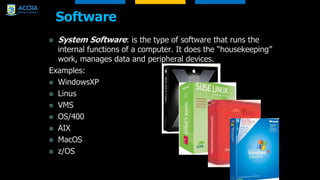
 System Software: is the type of software that runs the
internal functions of a computer. It does the “housekeeping”
work, manages data and peripheral devices.
Examples:
 WindowsXP
 Linus
 VMS
 OS/400
 AIX
 MacOS
 z/OS
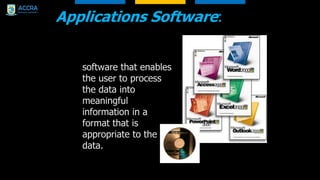
Applications Software:
software that enables
the user to process
the data into
meaningful
information in a
format that is
appropriate to the
data.
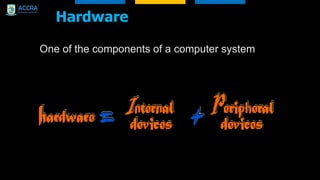
Hardware
One of the components of a computer system
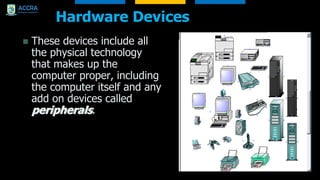
Hardware Devices
 These devices include all
the physical technology
that makes up the
computer proper, including
the computer itself and any
add on devices called
peripherals.
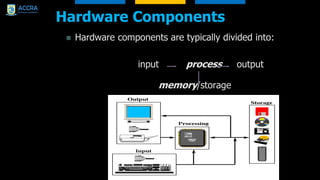
Hardware Components
 Hardware components are typically divided into:
input process output
memory/storage
People
 The computer industry is a very diverse one - Within a
computer system the people will have many areas of
involvement.
 These include:
 Computer Users/Owners
 Data entry personnel
 Maintenance technicians
 Developers (programmers, designers,
engineers…)
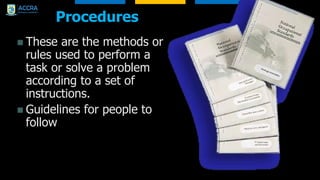
Procedures
 These are the methods or
rules used to perform a
task or solve a problem
according to a set of
instructions.
 Guidelines for people to
follow
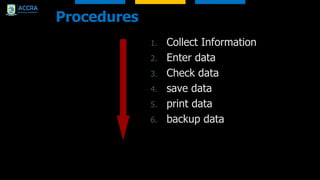
Procedures
1. Collect Information
2. Enter data
3. Check data
4. save data
5. print data
6. backup data
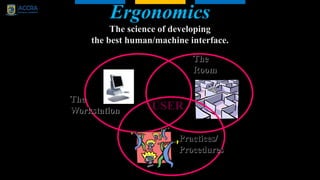
Ergonomics
The science of developing
the best human/machine interface.
USER
Practices/
Procedures
The
Room
The
Workstation
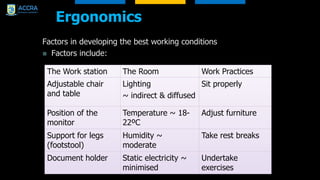
Ergonomics
Factors in developing the best working conditions
 Factors include:
The Work station The Room Work Practices
Adjustable chair
and table
Lighting
~ indirect & diffused
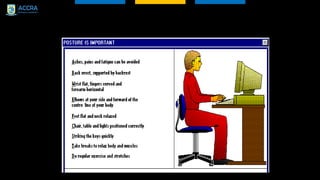
Sit properly
Position of the
monitor
Temperature ~ 18-
22ºC
Adjust furniture
Support for legs
(footstool)
Humidity ~
moderate
Take rest breaks
Document holder Static electricity ~
minimised
Undertake
exercises
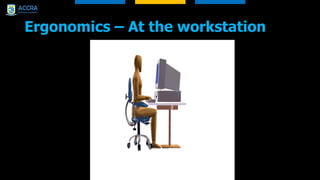
Ergonomics – At the workstation
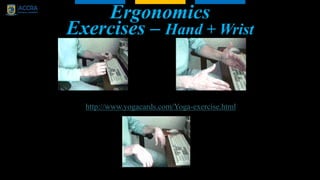
Ergonomics
Exercises – Hand + Wrist
(Avoid RSI or Cumulative Trauma Disorder)
http://www.yogacards.com/Yoga-exercise.html
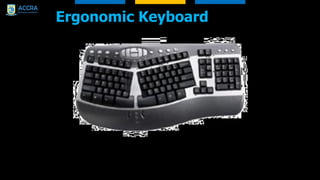
Ergonomic Keyboard
Work Practices
Physical Health
Mental Health
stressed
out
Drone on
Squeal

ICT Lecture 1 -Computer Systems and Ergonomics.pdf

  • 1.
    COMPUTER STUDIES Accra TechnicalUniversity Computer Science Department By: Ebenezer Ababio Information Literacy
  • 2.
    Name: Ebenezer Ababio (BenNezar) TEL: 024 440 5186 Email: eatetteh@atu.edu.gh
  • 3.
  • 4.
  • 5.
    A System  Aset of component parts that work together to achieve a particular goal Examples:  digestive system  manufacturing systems eg. using a robotic production line to create cars,  application system for applying to university We will examine systems that make use of technology.
  • 6.
    Function of allsystems INPUT PROCESSED OUTPUT
  • 7.
    IPO The Function ofComputing systems
  • 8.
    Basic Design ofcomputer systems
  • 9.
    Components of acomputer System  Data  Hardware  Software  People  Procedures
  • 10.
    Components of aComputer System  Data: raw unorganised facts that are entered into the system  Software: the instructions that tell the equipment how to function  Hardware: The physical parts of the computer system  People: These are the users, the owners, the technicians, the sellers, anyone involved  Procedures: the methods used and order in which they are done
  • 11.
    Data – bitsand bytes  Computers are digital devices that store information as binary numbers: 1s and 0s, eg 10101010 All keys on the keyboard are coded with a combination of 0’s and 1’s Bit – binary digit is the smallest unit of measurement 8 bits = 1 byte = a character Hello. = 6 bytes =6*8=48 bits
  • 12.
    Data Text and othercharacters are usually stored within the memory of the computer by special codes called ASCII – American Standard Code For Information Interchange
  • 14.
    1 2 4 8 16 32 20 21 22 23 24 25 1 2 4 8 16 32 20 21 22 23 24 25 Convert – Binaryto Decimal 25 24 23 22 21 20 32 16 8 4 2 1 1 0 0 1 0 1 Convert 100101 to a decimal value 25 24 23 22 21 20 32 16 8 4 2 1 1 0 0 1 0 1 32 0 0 4 0 1 100101=32+4+1 = 37
  • 15.
    Data 25 24 2322 21 20 32 16 8 4 2 1 1 1 0 1 0 1 110101 =32 + 16 + 4 + 1 = 53
  • 16.
    Data 25 24 2322 21 20 32 16 8 4 2 1 1 0 0 0 1 1 35 = 100011
  • 17.
    Data 256 = 100000000 2827 26 25 24 23 22 21 20 256 128 64 32 16 8 4 2 1 1 0 0 0 0 0 0 0 0
  • 18.
  • 19.
    Group work  Ona separate sheet make up a sentence of just 2 simple words ie.. Hi there?  Convert each letter to Decimal number using the ASCII table provided then enter the binary equivalent in this sheet.  Pass the sheet to the group next to you to decode. (Nice messages only)
  • 20.
    DATA Binary numbers :1’s and 0’s eg 10100011 convert the following binary numbers to decimal numbers: A 0100 0001 # 0010 0011 8 0011 1000
  • 21.
    Answers  A 01000001 65  # 0010 0011 35  8 0011 1000 56
  • 22.
    Data  Data is turnedinto useful meaningful information using applications software.
  • 23.
    Software  System Software:is the type of software that runs the internal functions of a computer. It does the “housekeeping” work, manages data and peripheral devices. Examples:  WindowsXP  Linus  VMS  OS/400  AIX  MacOS  z/OS
  • 24.
    Applications Software: software thatenables the user to process the data into meaningful information in a format that is appropriate to the data.
  • 25.
    Hardware One of thecomponents of a computer system
  • 26.
    Hardware Devices  Thesedevices include all the physical technology that makes up the computer proper, including the computer itself and any add on devices called peripherals.
  • 27.
    Hardware Components  Hardwarecomponents are typically divided into: input process output memory/storage
  • 28.
    People  The computerindustry is a very diverse one - Within a computer system the people will have many areas of involvement.  These include:  Computer Users/Owners  Data entry personnel  Maintenance technicians  Developers (programmers, designers, engineers…)
  • 29.
    Procedures  These arethe methods or rules used to perform a task or solve a problem according to a set of instructions.  Guidelines for people to follow
  • 30.
    Procedures 1. Collect Information 2.Enter data 3. Check data 4. save data 5. print data 6. backup data
  • 31.
    Ergonomics The science ofdeveloping the best human/machine interface. USER Practices/ Procedures The Room The Workstation
  • 32.
    Ergonomics Factors in developingthe best working conditions  Factors include: The Work station The Room Work Practices Adjustable chair and table Lighting ~ indirect & diffused Sit properly Position of the monitor Temperature ~ 18- 22ºC Adjust furniture Support for legs (footstool) Humidity ~ moderate Take rest breaks Document holder Static electricity ~ minimised Undertake exercises
  • 33.
    Ergonomics – Atthe workstation
  • 34.
    Ergonomics Exercises – Hand+ Wrist (Avoid RSI or Cumulative Trauma Disorder) http://www.yogacards.com/Yoga-exercise.html
  • 36.
  • 37.
    Work Practices Physical Health MentalHealth stressed out Drone on Squeal