Health Center 3.0.2
Runtime Monitoring for Java and Node.js
© 2014 International Business Machines Corporation 2
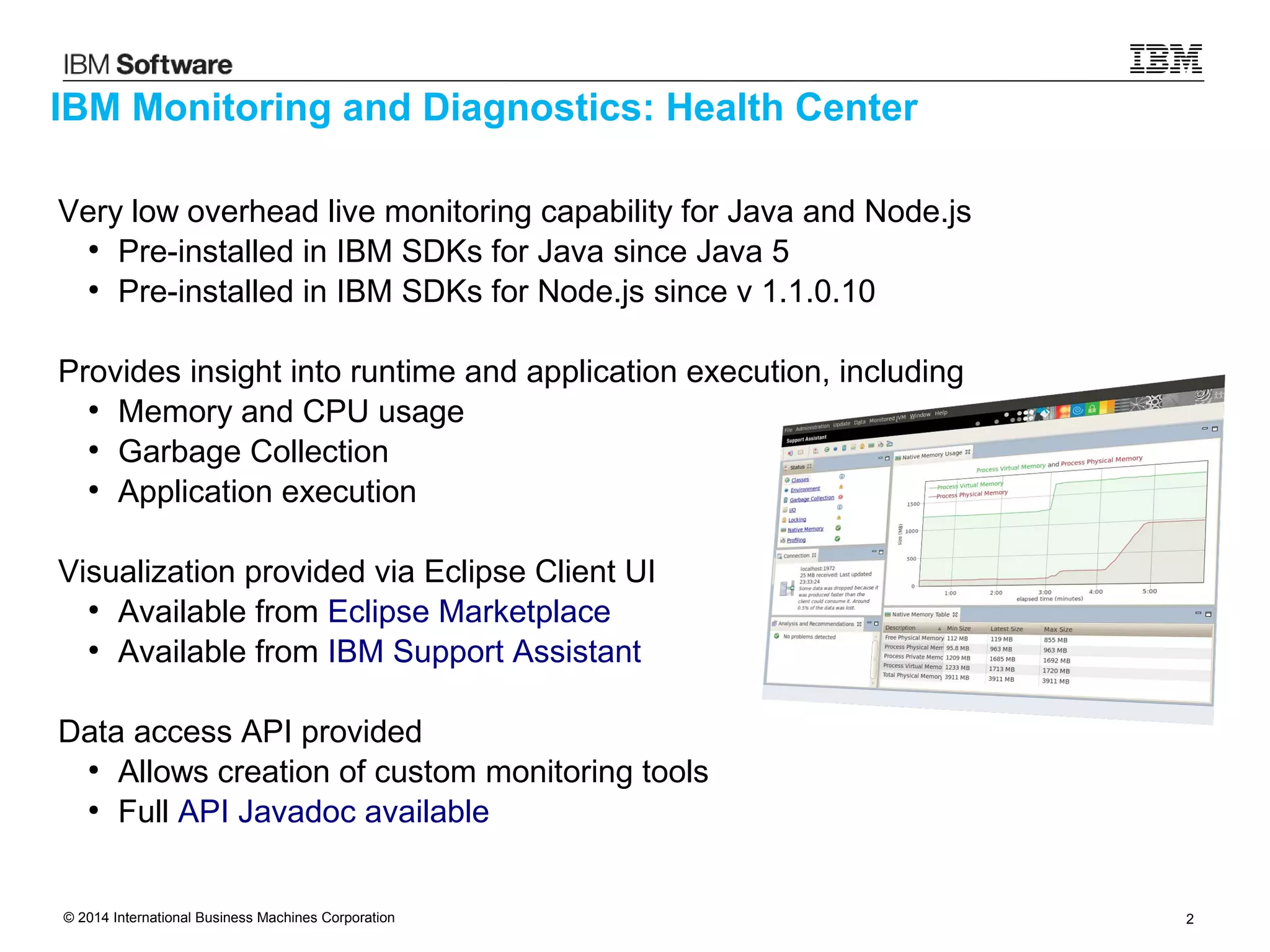
Very low overhead live monitoring capability for Java and Node.js
●
Pre-installed in IBM SDKs for Java since Java 5
●
Pre-installed in IBM SDKs for Node.js since v 1.1.0.10
Provides insight into runtime and application execution, including
●
Memory and CPU usage
●
Garbage Collection
●
Application execution
Visualization provided via Eclipse Client UI
●
Available from Eclipse Marketplace
●
Available from IBM Support Assistant
Data access API provided
●
Allows creation of custom monitoring tools
●
Full API Javadoc available
IBM Monitoring and Diagnostics: Health Center
© 2014 International Business Machines Corporation 3
IBM Monitoring and Diagnostics: Health Center
Available for Java
Available for Node.js
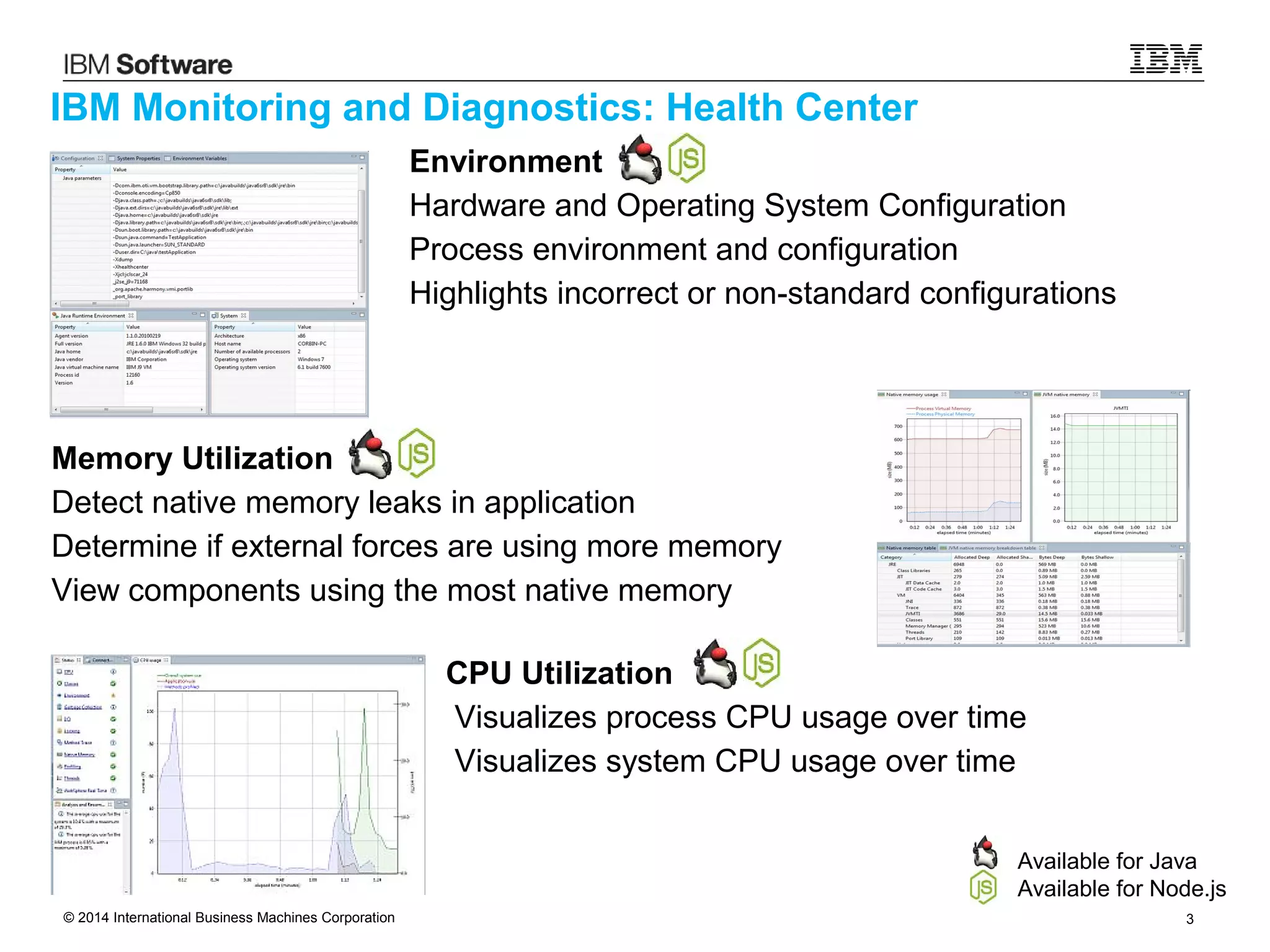
Memory Utilization
Detect native memory leaks in application
Determine if external forces are using more memory
View components using the most native memory
Environment
Hardware and Operating System Configuration
Process environment and configuration
Highlights incorrect or non-standard configurations
CPU Utilization
Visualizes process CPU usage over time
Visualizes system CPU usage over time
© 2014 International Business Machines Corporation 4
IBM Monitoring and Diagnostics: Health Center
Available for Java
Available for Node.js
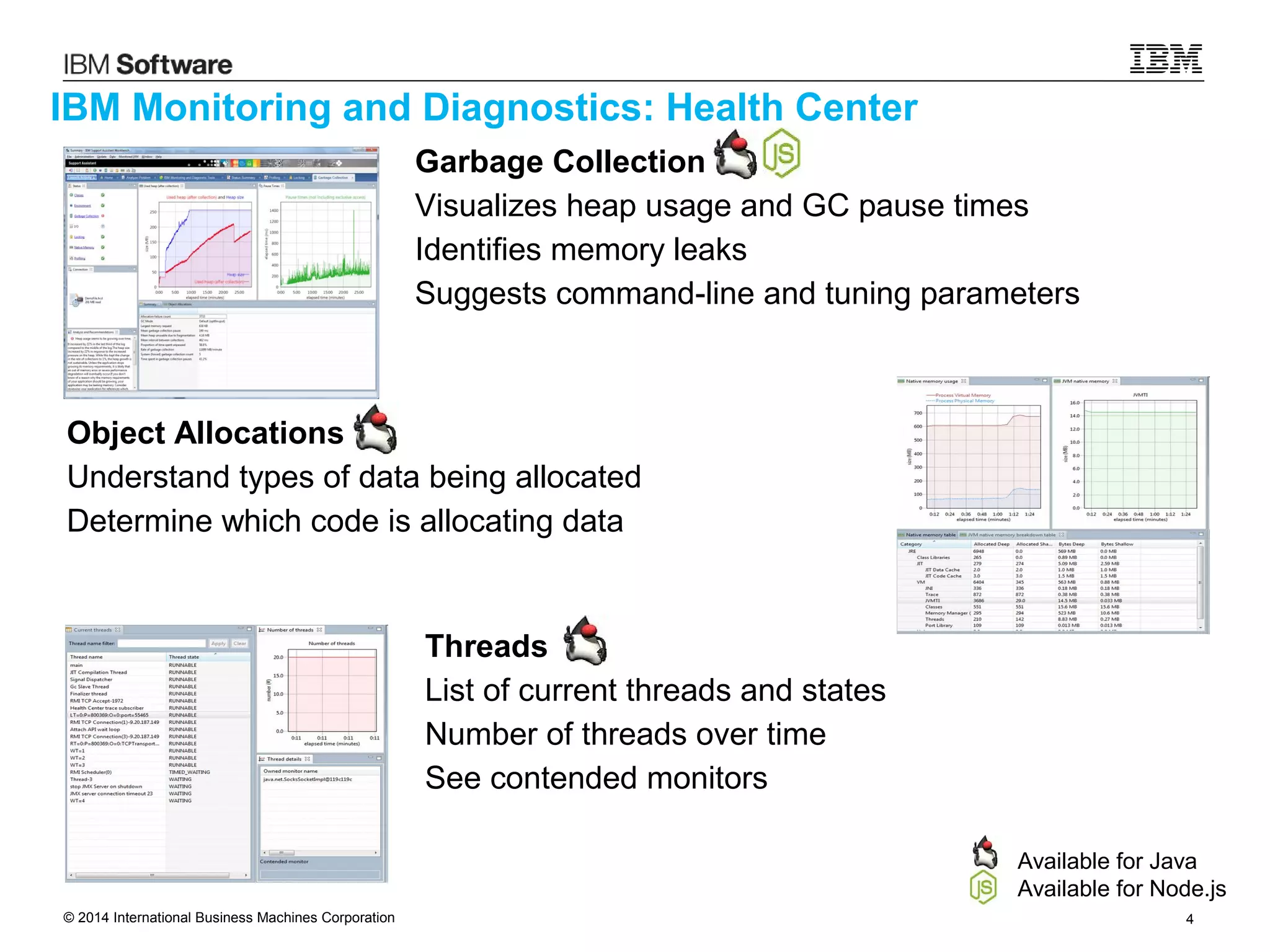
Object Allocations
Understand types of data being allocated
Determine which code is allocating data
Threads
List of current threads and states
Number of threads over time
See contended monitors
Garbage Collection
Visualizes heap usage and GC pause times
Identifies memory leaks
Suggests command-line and tuning parameters
© 2014 International Business Machines Corporation 5
IBM Monitoring and Diagnostics: Health Center
Available for Java
Available for Node.js
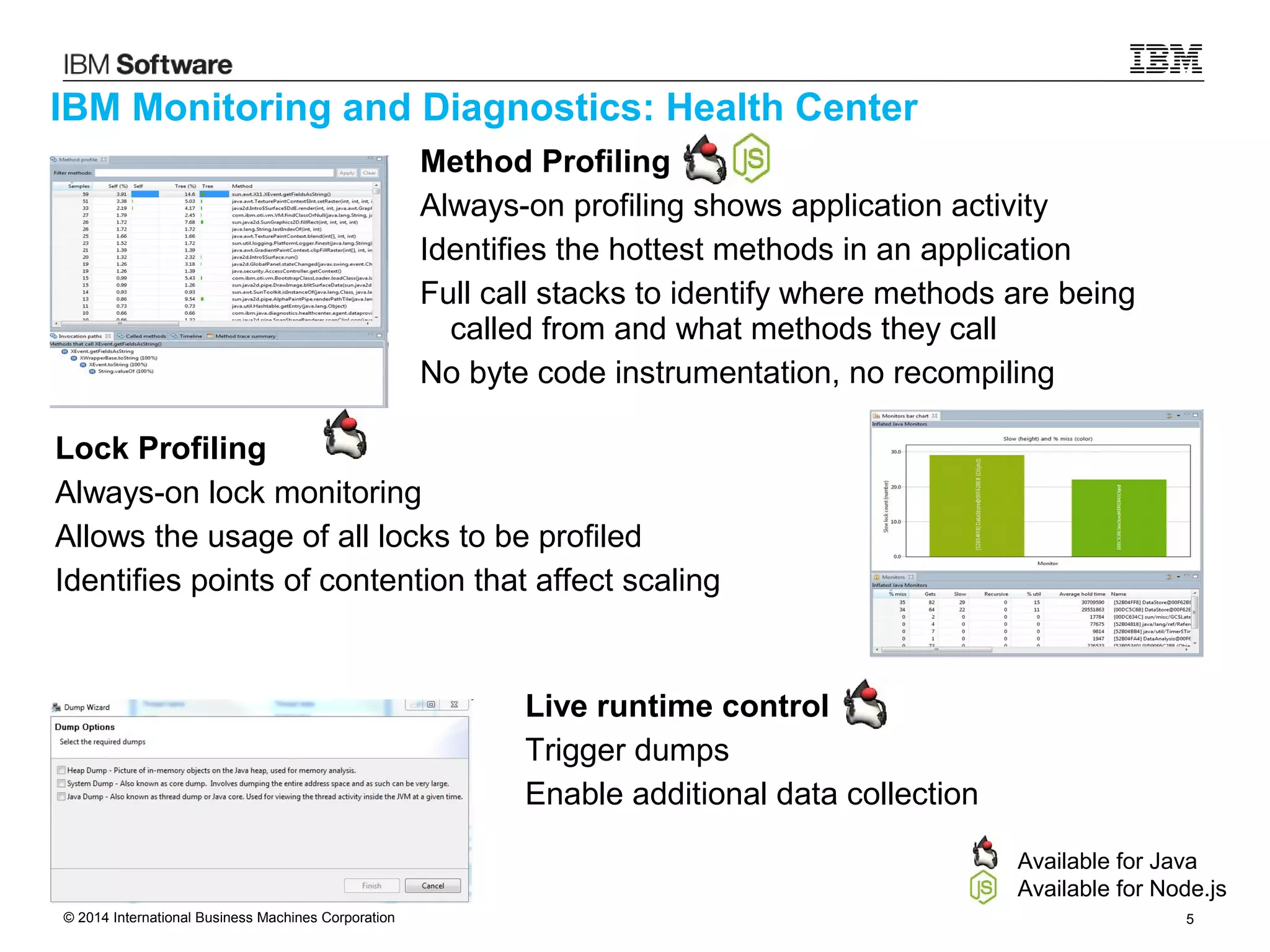
Lock Profiling
Always-on lock monitoring
Allows the usage of all locks to be profiled
Identifies points of contention that affect scaling
Live runtime control
Trigger dumps
Enable additional data collection
Method Profiling
Always-on profiling shows application activity
Identifies the hottest methods in an application
Full call stacks to identify where methods are being
called from and what methods they call
No byte code instrumentation, no recompiling
© 2014 International Business Machines Corporation 6
Performance
Overhead
© 2014 International Business Machines Corporation 7
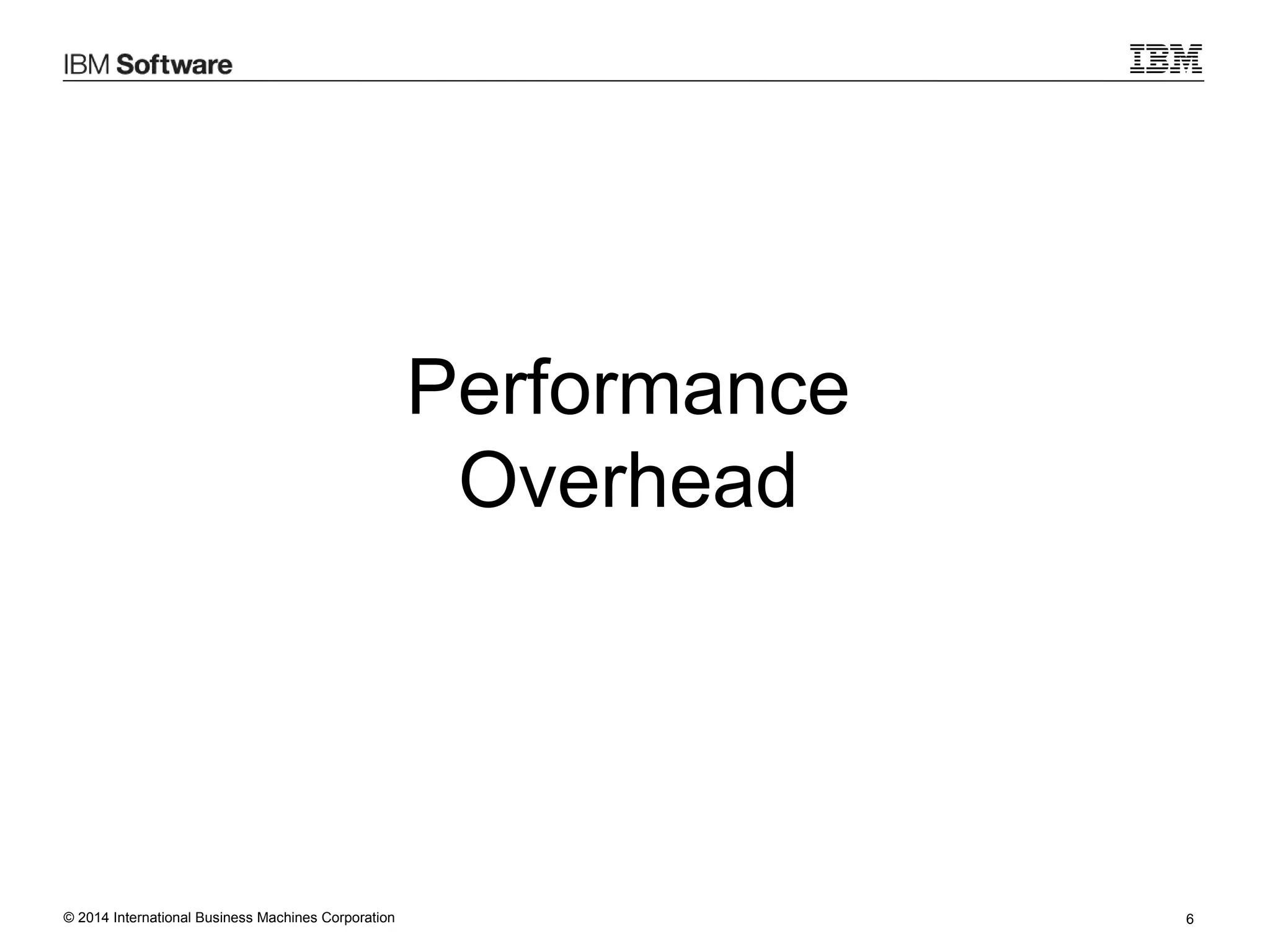
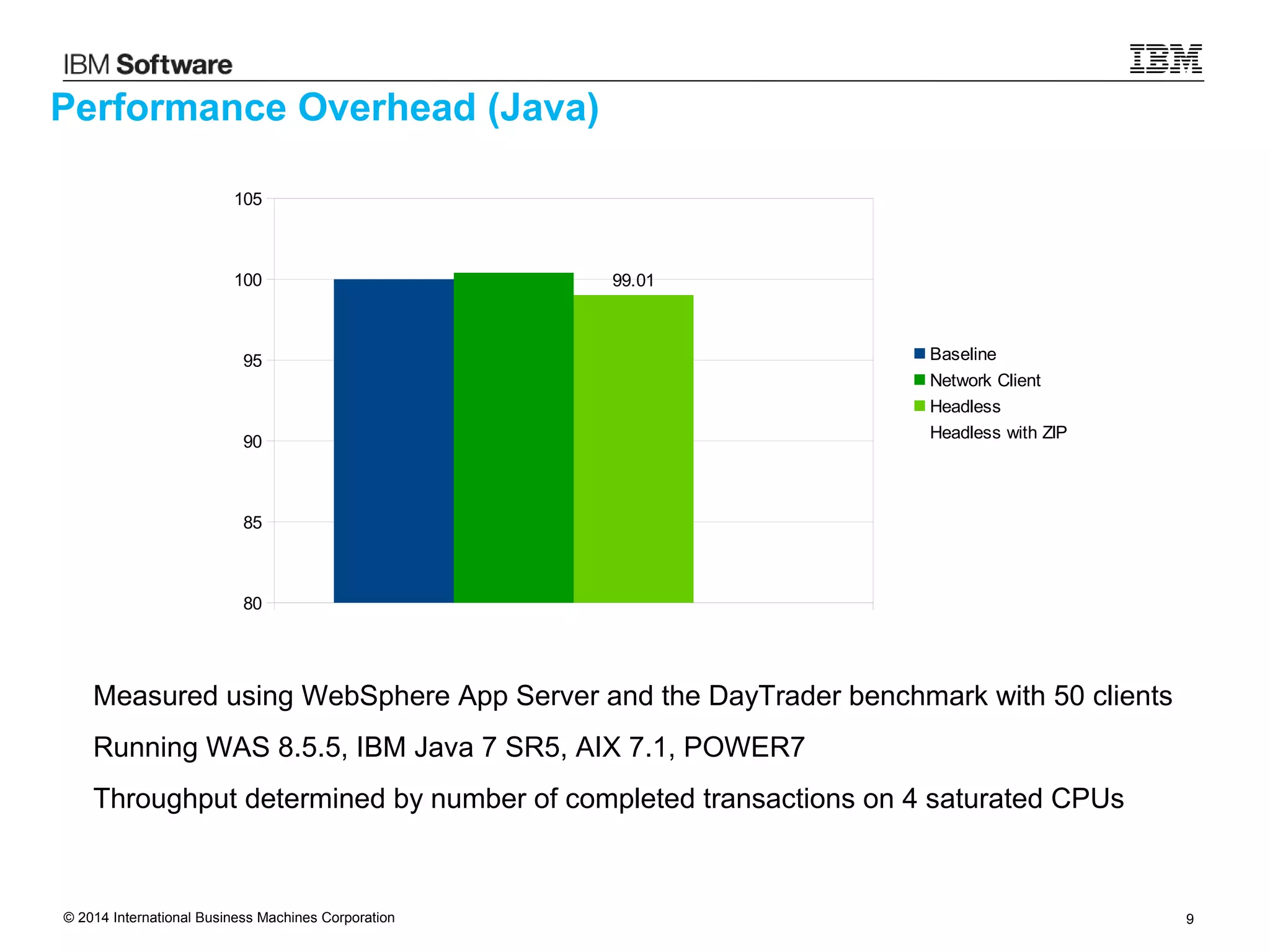
Performance Overhead (Java)
Measured using WebSphere App Server and the DayTrader benchmark with 50 clients
Running WAS 8.5.5, IBM Java 7 SR5, AIX 7.1, POWER7
Throughput determined by number of completed transactions on 4 saturated CPUs
80
85
90
95
100
105
100
Baseline
Network Client
Headless
Headless with ZIP
© 2014 International Business Machines Corporation 8
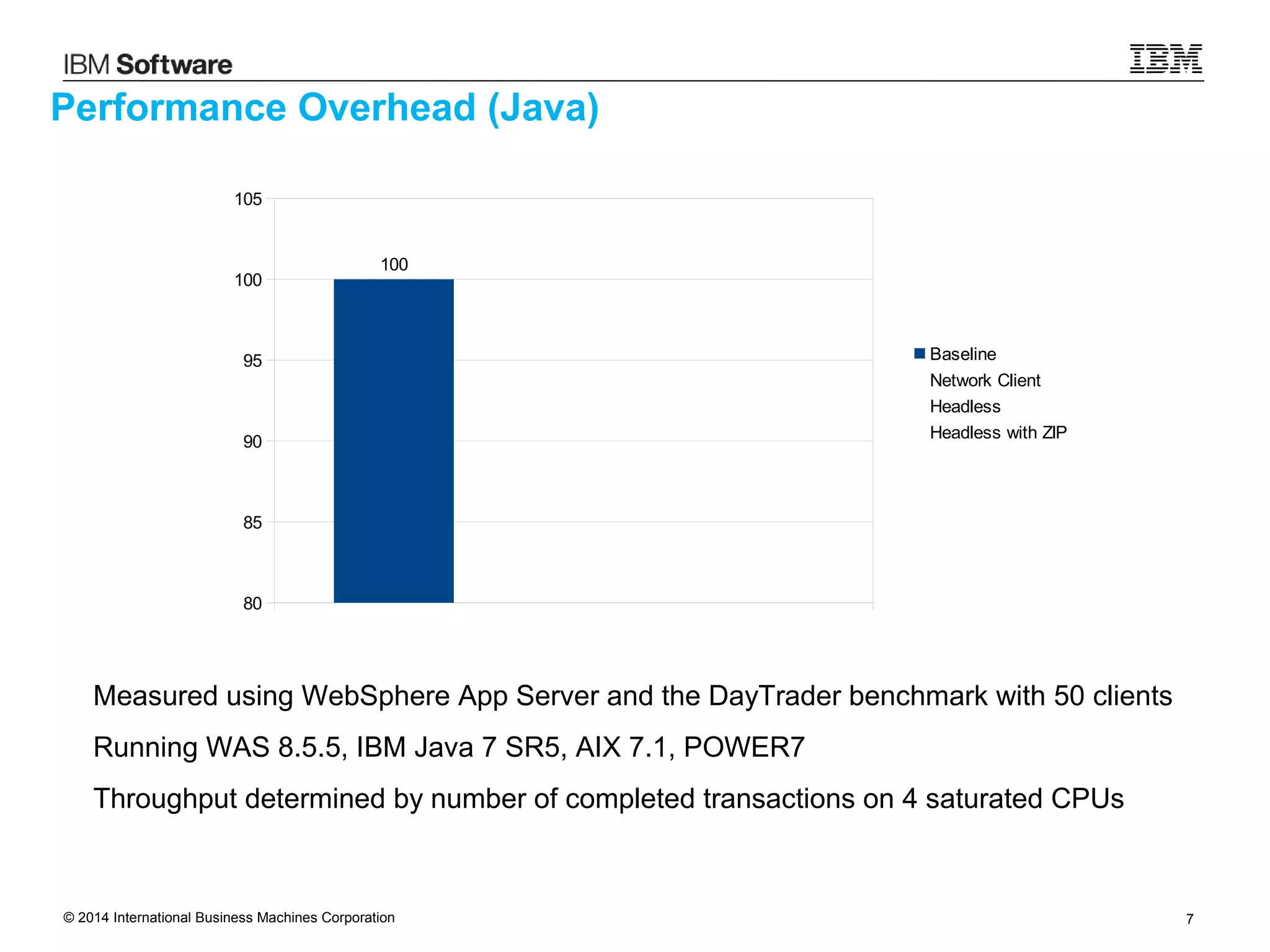
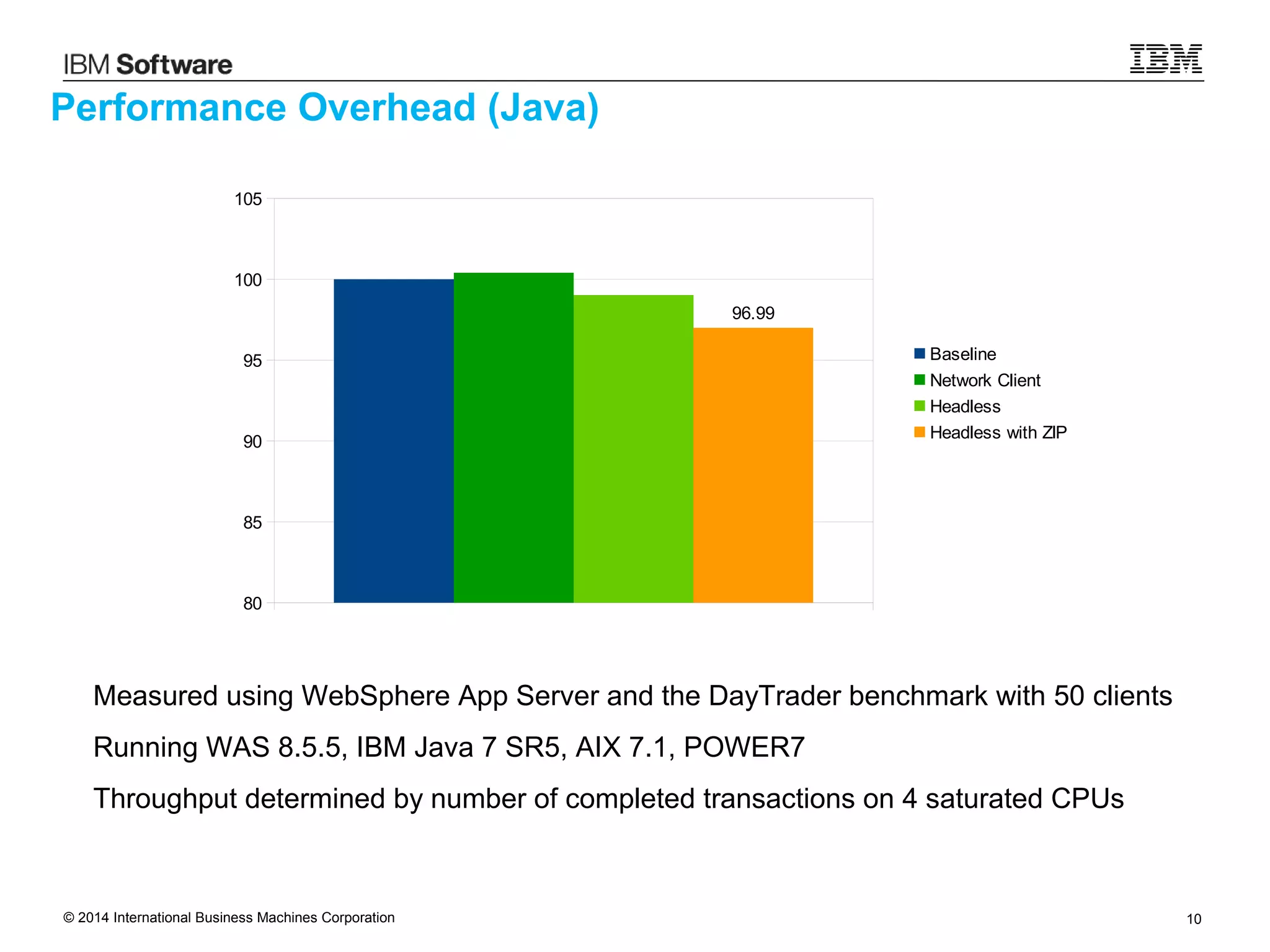
Performance Overhead (Java)
Measured using WebSphere App Server and the DayTrader benchmark with 50 clients
Running WAS 8.5.5, IBM Java 7 SR5, AIX 7.1, POWER7
Throughput determined by number of completed transactions on 4 saturated CPUs
80
85
90
95
100
105
100.4
Baseline
Network Client
Headless
Headless with ZIP
© 2014 International Business Machines Corporation 9
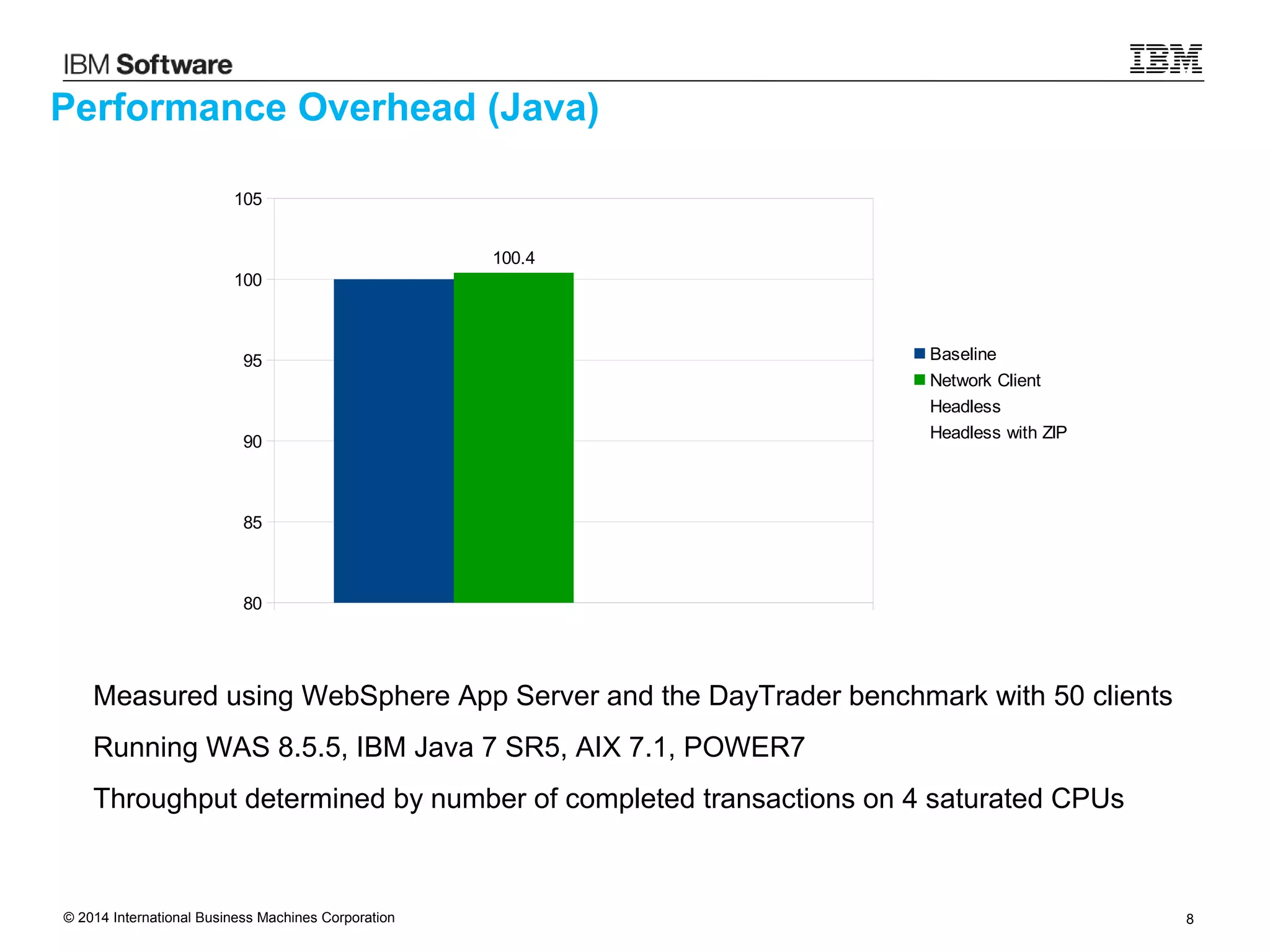
Performance Overhead (Java)
Measured using WebSphere App Server and the DayTrader benchmark with 50 clients
Running WAS 8.5.5, IBM Java 7 SR5, AIX 7.1, POWER7
Throughput determined by number of completed transactions on 4 saturated CPUs
80
85
90
95
100
105
99.01
Baseline
Network Client
Headless
Headless with ZIP
© 2014 International Business Machines Corporation 10
Performance Overhead (Java)
Measured using WebSphere App Server and the DayTrader benchmark with 50 clients
Running WAS 8.5.5, IBM Java 7 SR5, AIX 7.1, POWER7
Throughput determined by number of completed transactions on 4 saturated CPUs
80
85
90
95
100
105
96.99
Baseline
Network Client
Headless
Headless with ZIP
© 2014 International Business Machines Corporation 11
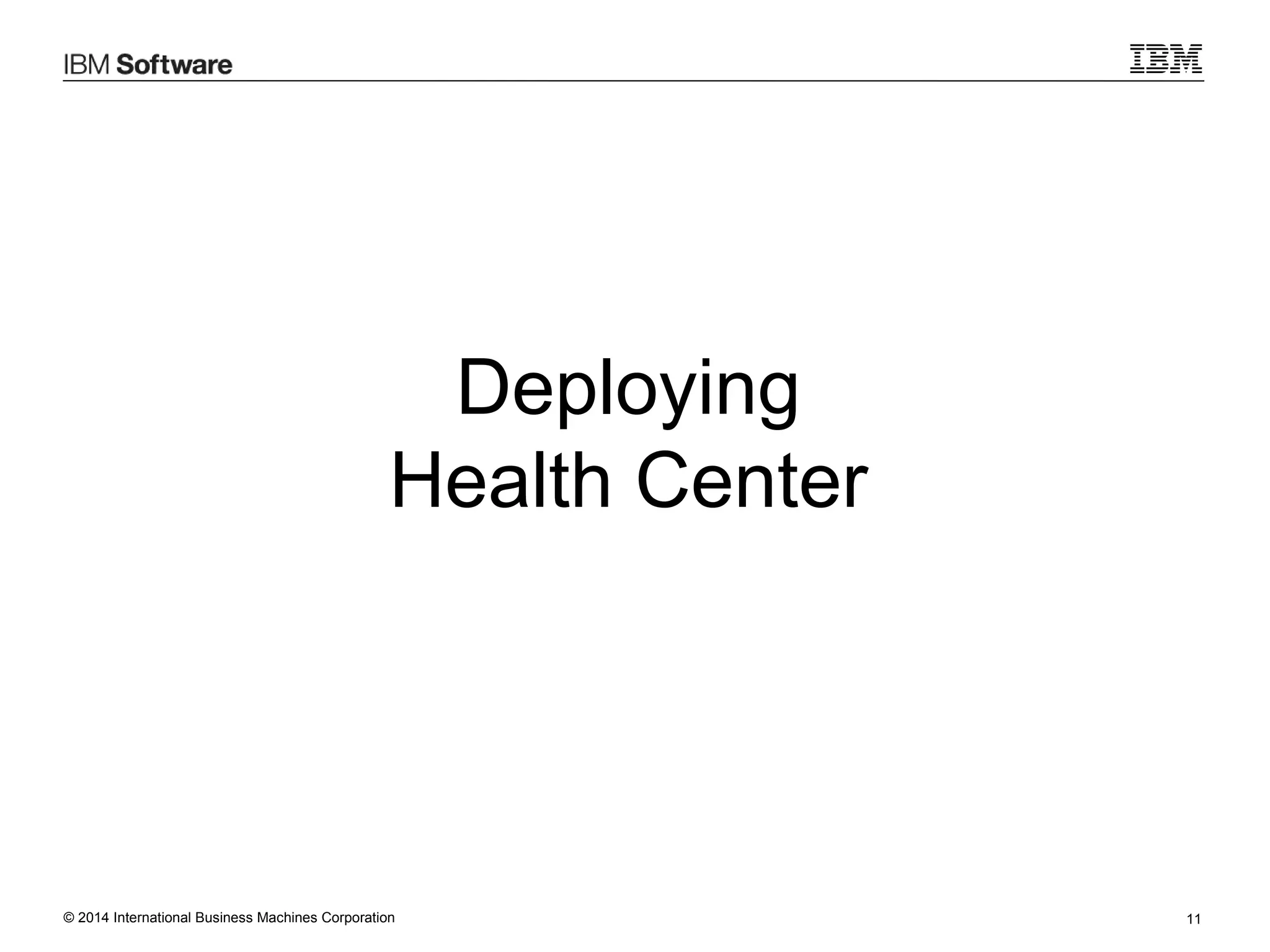
Deploying
Health Center
© 2014 International Business Machines Corporation 12
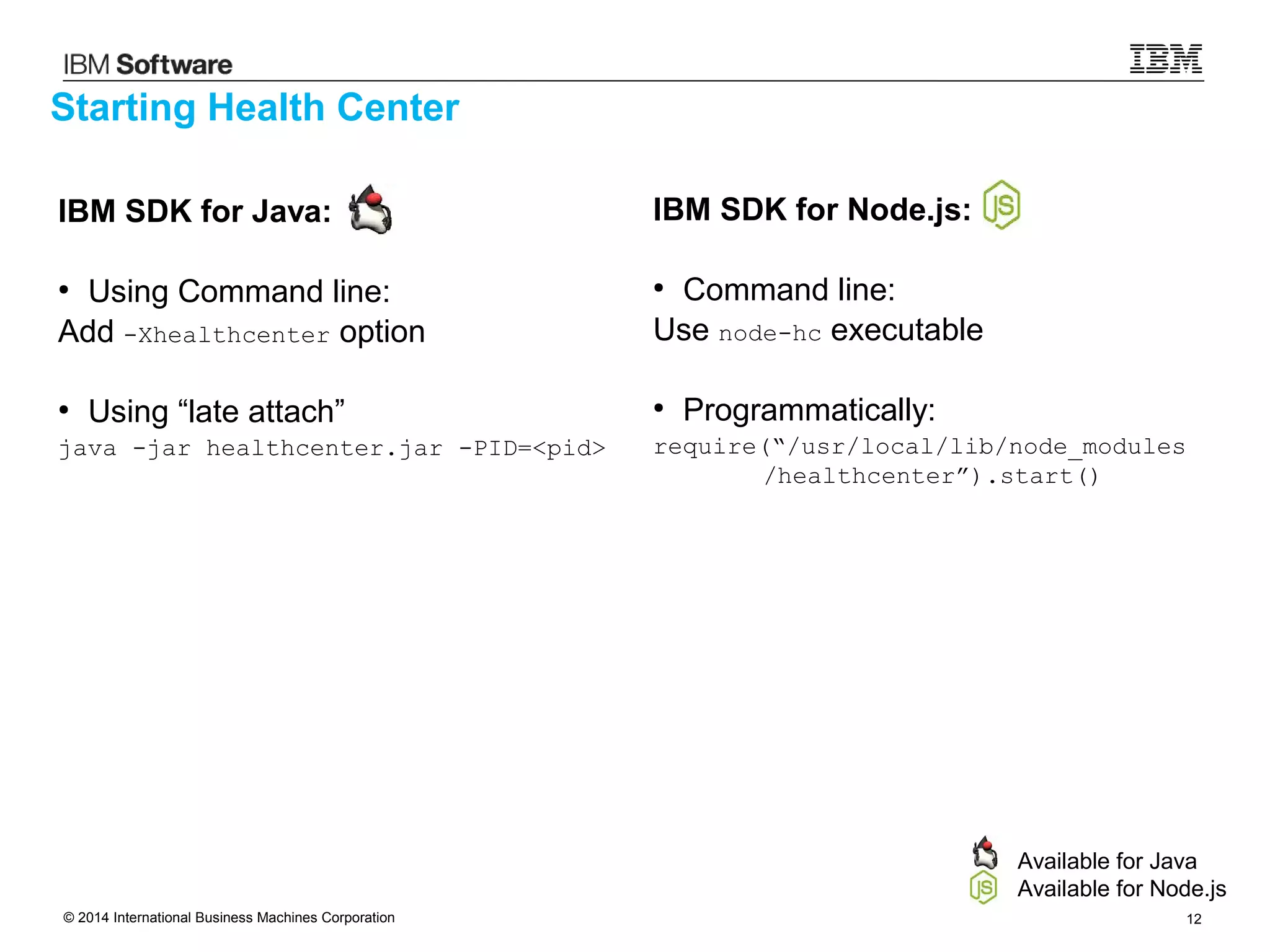
IBM SDK for Java:
●
Using Command line:
Add -Xhealthcenter option
●
Using “late attach”
java -jar healthcenter.jar -PID=<pid>
Starting Health Center
IBM SDK for Node.js:
●
Command line:
Use node-hc executable
●
Programmatically:
require(“/usr/local/lib/node_modules
/healthcenter”).start()
Available for Java
Available for Node.js
© 2014 International Business Machines Corporation 13
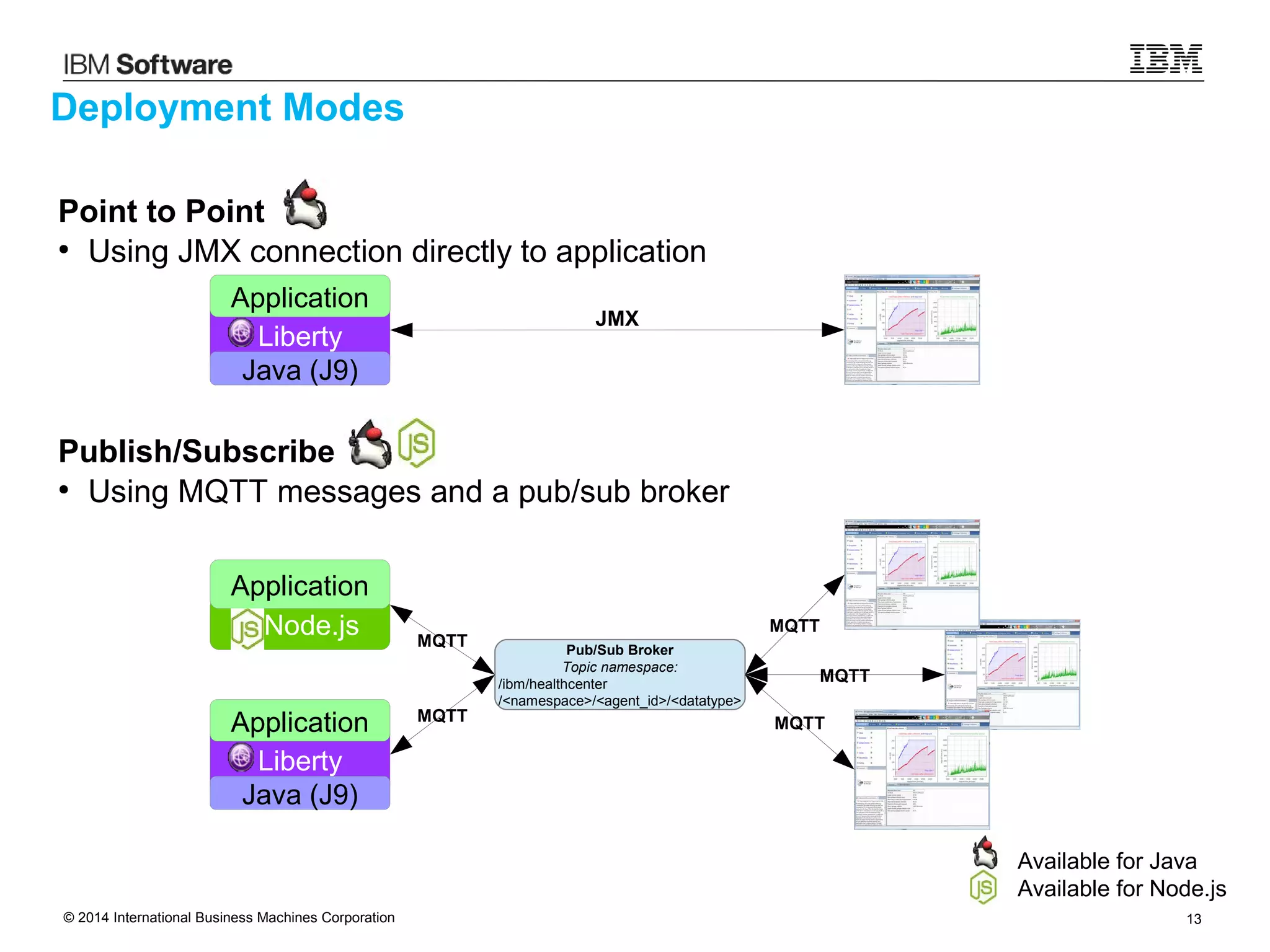
Point to Point
●
Using JMX connection directly to application
Publish/Subscribe
●
Using MQTT messages and a pub/sub broker
Deployment Modes
Available for Java
Available for Node.js
Pub/Sub Broker
Topic namespace:
/ibm/healthcenter
/<namespace>/<agent_id>/<datatype>
Node.js
Application
Liberty
Java (J9)
Application
Liberty
Java (J9)
Application
JMX
MQTT
MQTT
MQTT
MQTT
MQTT
© 2014 International Business Machines Corporation 14
Health Center
in IBM Bluemix
© 2014 International Business Machines Corporation 15
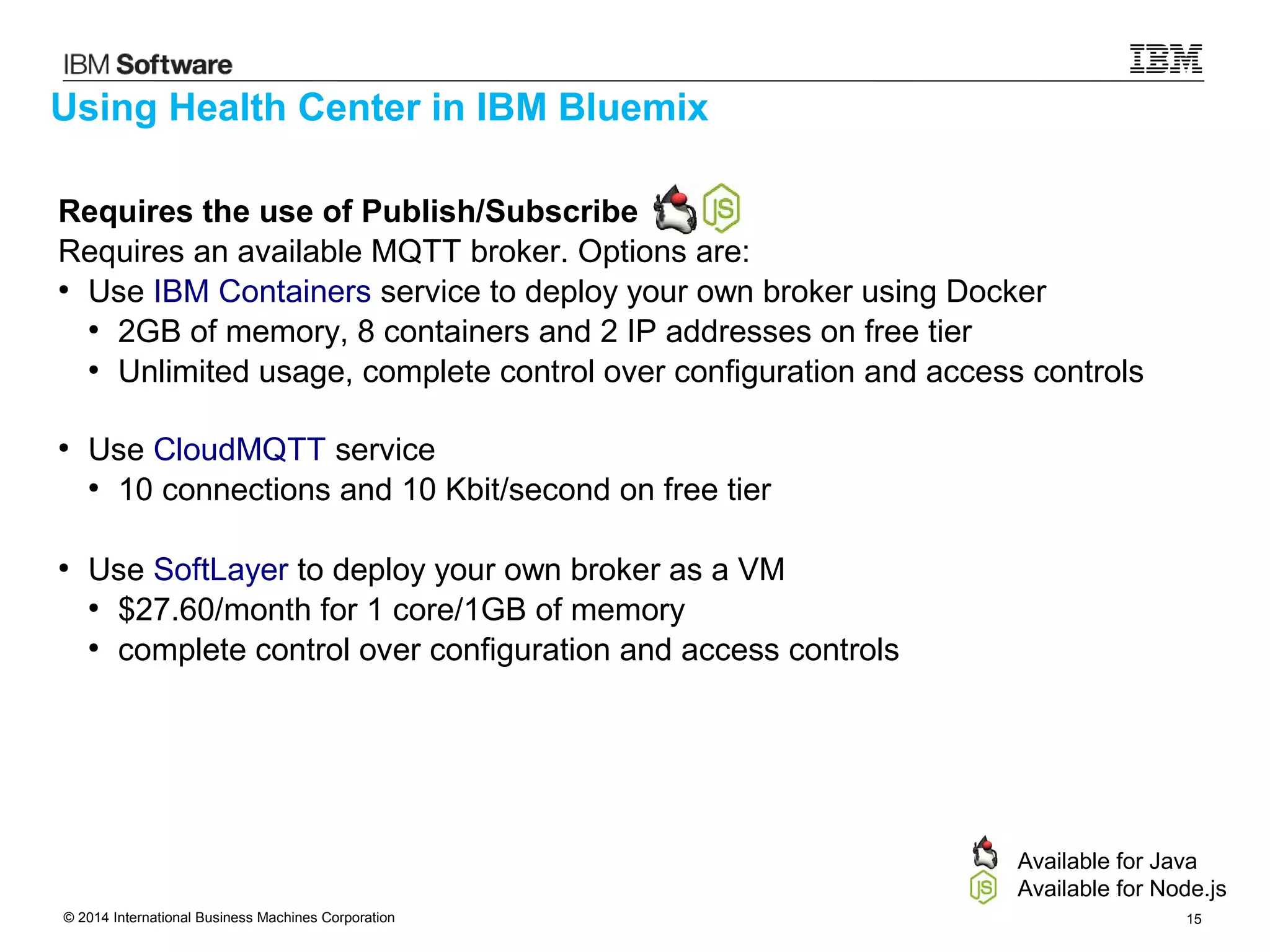
Requires the use of Publish/Subscribe
Requires an available MQTT broker. Options are:
●
Use IBM Containers service to deploy your own broker using Docker
●
2GB of memory, 8 containers and 2 IP addresses on free tier
●
Unlimited usage, complete control over configuration and access controls
●
Use CloudMQTT service
●
10 connections and 10 Kbit/second on free tier
●
Use SoftLayer to deploy your own broker as a VM
●
$27.60/month for 1 core/1GB of memory
●
complete control over configuration and access controls
Using Health Center in IBM Bluemix
Available for Java
Available for Node.js
© 2014 International Business Machines Corporation 16
●
Log into Bluemix and request the IBM Containers service
●
Follow “Getting started with Containers” to install ICE and the Docker tools
●
Log-in to the IBM Containers service:
ice login -k [key] -H https://api-ice.ng.bluemix.net/v1.0/containers -R
registry-ice.bluemix.net
●
Download the default IBM Node.js image:
ice –local pull registry-ice.bluemix.net/ibmnode
●
Create an application directory with the following files (available in next slides):
broker.js
package.json
Dockerfile
●
Run: docker build -t broker .
●
Run: docker tag broker registry-ice.ng.bluemix.net/[namespace]/broker
●
Run: ice –local push registry-ice.ng.bluemix.net/[namespace]/broker
●
Run: ice run --name broker registry-ice.ng.bluemix.net/[namespace]/broker
●
Run: ice ip request
●
Run: ice ip bind [ip_address] broker
Deploying a MQTT broker using IBM Containers service
© 2014 International Business Machines Corporation 17
Source for broker.js
var mosca = require('mosca');
var createBroker = function () {
var ascoltatore = {
};
var settings = {
port: 9080,
backend: ascoltatore
};
var server = new mosca.Server(settings);
server.on('ready', function() {
console.log('Mosca broker is up and running');
});
server.authenticate = function(client, username, password, callback) {
if (username == 'bailey' && password == 'secret') {
console.log('[Autenticate] Authenticated request from ' + client.id);
callback(null, true);
} else {
callback(null, false);
console.log('[Autenticate] Rejected request from ' + client.id');
}
};
};
broker = createBroker();
© 2014 International Business Machines Corporation 18
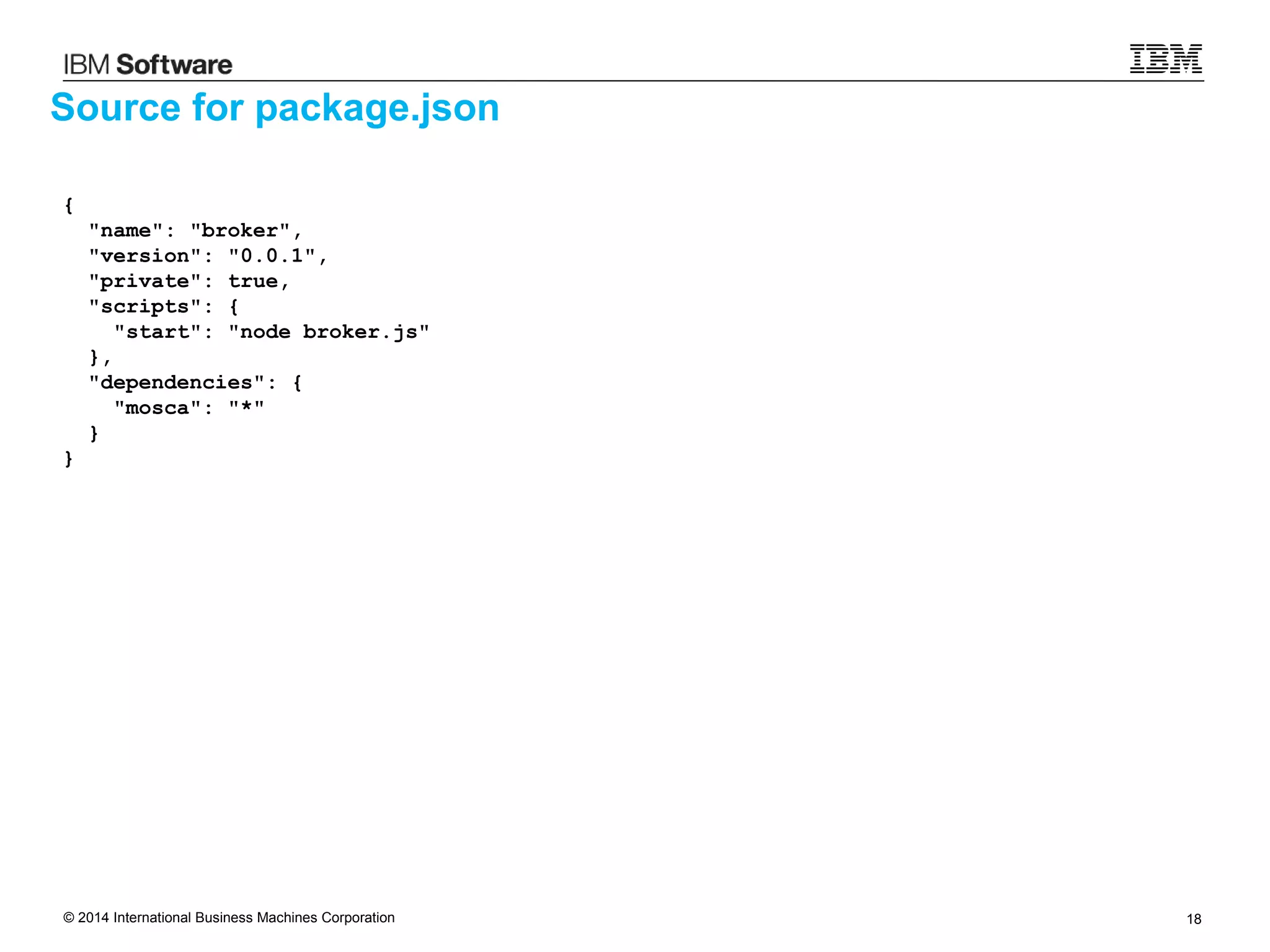
Source for package.json
{
"name": "broker",
"version": "0.0.1",
"private": true,
"scripts": {
"start": "node broker.js"
},
"dependencies": {
"mosca": "*"
}
}
© 2014 International Business Machines Corporation 19
Source for Dockerfile
FROM registry-ice.ng.bluemix.net/ibmnode
COPY . /src
RUN cd src && 
npm install -d --production
EXPOSE 9080
CMD ["node", "src/broker.js"]
© 2014 International Business Machines Corporation 20
IBM Developer Kits for Java
ibm.biz/javasdk
WebShere Liberty Profile
wasdev.net
IBM Bluemix
ibm.com/bluemix
IBM Developer Kits for Node.js
ibm.biz/nodesdk
© 2014 International Business Machines Corporation 21
References
• IBM Monitoring and Diagnostics - Health Center:
• https://www.ibm.com/developerworks/java/jdk/tools/healthcenter/
• IBM SDKs for Java:
• https://www.ibm.com/developerworks/java/jdk/
• IBM SDKs for Node.js:
• http://www.ibm.com/developerworks/web/nodesdk/
© 2014 International Business Machines Corporation 22
Copyrights and Trademarks
© IBM Corporation 2014. All Rights Reserved
IBM, the IBM logo, ibm.com are trademarks or registered
trademarks of International Business Machines Corp.,
registered in many jurisdictions worldwide. Other product and
service names might be trademarks of IBM or other companies.
A current list of IBM trademarks is available on the Web at
“Copyright and trademark information” at
www.ibm.com/legal/copytrade.shtml
Node.js is an official trademark of Joyent. IBM SDK for Node.js is not formally
related to or endorsed by the official Joyent Node.js open source or
commercial project.
Java, JavaScript and all Java-based trademarks and logos are trademarks or
registered trademarks of Oracle and/or its affiliates.

IBM Monitoring and Diagnostics Tools - Health Center 3.0.2

  • 1.
    Health Center 3.0.2 RuntimeMonitoring for Java and Node.js
  • 2.
    © 2014 InternationalBusiness Machines Corporation 2 Very low overhead live monitoring capability for Java and Node.js ● Pre-installed in IBM SDKs for Java since Java 5 ● Pre-installed in IBM SDKs for Node.js since v 1.1.0.10 Provides insight into runtime and application execution, including ● Memory and CPU usage ● Garbage Collection ● Application execution Visualization provided via Eclipse Client UI ● Available from Eclipse Marketplace ● Available from IBM Support Assistant Data access API provided ● Allows creation of custom monitoring tools ● Full API Javadoc available IBM Monitoring and Diagnostics: Health Center
  • 3.
    © 2014 InternationalBusiness Machines Corporation 3 IBM Monitoring and Diagnostics: Health Center Available for Java Available for Node.js Memory Utilization Detect native memory leaks in application Determine if external forces are using more memory View components using the most native memory Environment Hardware and Operating System Configuration Process environment and configuration Highlights incorrect or non-standard configurations CPU Utilization Visualizes process CPU usage over time Visualizes system CPU usage over time
  • 4.
    © 2014 InternationalBusiness Machines Corporation 4 IBM Monitoring and Diagnostics: Health Center Available for Java Available for Node.js Object Allocations Understand types of data being allocated Determine which code is allocating data Threads List of current threads and states Number of threads over time See contended monitors Garbage Collection Visualizes heap usage and GC pause times Identifies memory leaks Suggests command-line and tuning parameters
  • 5.
    © 2014 InternationalBusiness Machines Corporation 5 IBM Monitoring and Diagnostics: Health Center Available for Java Available for Node.js Lock Profiling Always-on lock monitoring Allows the usage of all locks to be profiled Identifies points of contention that affect scaling Live runtime control Trigger dumps Enable additional data collection Method Profiling Always-on profiling shows application activity Identifies the hottest methods in an application Full call stacks to identify where methods are being called from and what methods they call No byte code instrumentation, no recompiling
  • 6.
    © 2014 InternationalBusiness Machines Corporation 6 Performance Overhead
  • 7.
    © 2014 InternationalBusiness Machines Corporation 7 Performance Overhead (Java) Measured using WebSphere App Server and the DayTrader benchmark with 50 clients Running WAS 8.5.5, IBM Java 7 SR5, AIX 7.1, POWER7 Throughput determined by number of completed transactions on 4 saturated CPUs 80 85 90 95 100 105 100 Baseline Network Client Headless Headless with ZIP
  • 8.
    © 2014 InternationalBusiness Machines Corporation 8 Performance Overhead (Java) Measured using WebSphere App Server and the DayTrader benchmark with 50 clients Running WAS 8.5.5, IBM Java 7 SR5, AIX 7.1, POWER7 Throughput determined by number of completed transactions on 4 saturated CPUs 80 85 90 95 100 105 100.4 Baseline Network Client Headless Headless with ZIP
  • 9.
    © 2014 InternationalBusiness Machines Corporation 9 Performance Overhead (Java) Measured using WebSphere App Server and the DayTrader benchmark with 50 clients Running WAS 8.5.5, IBM Java 7 SR5, AIX 7.1, POWER7 Throughput determined by number of completed transactions on 4 saturated CPUs 80 85 90 95 100 105 99.01 Baseline Network Client Headless Headless with ZIP
  • 10.
    © 2014 InternationalBusiness Machines Corporation 10 Performance Overhead (Java) Measured using WebSphere App Server and the DayTrader benchmark with 50 clients Running WAS 8.5.5, IBM Java 7 SR5, AIX 7.1, POWER7 Throughput determined by number of completed transactions on 4 saturated CPUs 80 85 90 95 100 105 96.99 Baseline Network Client Headless Headless with ZIP
  • 11.
    © 2014 InternationalBusiness Machines Corporation 11 Deploying Health Center
  • 12.
    © 2014 InternationalBusiness Machines Corporation 12 IBM SDK for Java: ● Using Command line: Add -Xhealthcenter option ● Using “late attach” java -jar healthcenter.jar -PID=<pid> Starting Health Center IBM SDK for Node.js: ● Command line: Use node-hc executable ● Programmatically: require(“/usr/local/lib/node_modules /healthcenter”).start() Available for Java Available for Node.js
  • 13.
    © 2014 InternationalBusiness Machines Corporation 13 Point to Point ● Using JMX connection directly to application Publish/Subscribe ● Using MQTT messages and a pub/sub broker Deployment Modes Available for Java Available for Node.js Pub/Sub Broker Topic namespace: /ibm/healthcenter /<namespace>/<agent_id>/<datatype> Node.js Application Liberty Java (J9) Application Liberty Java (J9) Application JMX MQTT MQTT MQTT MQTT MQTT
  • 14.
    © 2014 InternationalBusiness Machines Corporation 14 Health Center in IBM Bluemix
  • 15.
    © 2014 InternationalBusiness Machines Corporation 15 Requires the use of Publish/Subscribe Requires an available MQTT broker. Options are: ● Use IBM Containers service to deploy your own broker using Docker ● 2GB of memory, 8 containers and 2 IP addresses on free tier ● Unlimited usage, complete control over configuration and access controls ● Use CloudMQTT service ● 10 connections and 10 Kbit/second on free tier ● Use SoftLayer to deploy your own broker as a VM ● $27.60/month for 1 core/1GB of memory ● complete control over configuration and access controls Using Health Center in IBM Bluemix Available for Java Available for Node.js
  • 16.
    © 2014 InternationalBusiness Machines Corporation 16 ● Log into Bluemix and request the IBM Containers service ● Follow “Getting started with Containers” to install ICE and the Docker tools ● Log-in to the IBM Containers service: ice login -k [key] -H https://api-ice.ng.bluemix.net/v1.0/containers -R registry-ice.bluemix.net ● Download the default IBM Node.js image: ice –local pull registry-ice.bluemix.net/ibmnode ● Create an application directory with the following files (available in next slides): broker.js package.json Dockerfile ● Run: docker build -t broker . ● Run: docker tag broker registry-ice.ng.bluemix.net/[namespace]/broker ● Run: ice –local push registry-ice.ng.bluemix.net/[namespace]/broker ● Run: ice run --name broker registry-ice.ng.bluemix.net/[namespace]/broker ● Run: ice ip request ● Run: ice ip bind [ip_address] broker Deploying a MQTT broker using IBM Containers service
  • 17.
    © 2014 InternationalBusiness Machines Corporation 17 Source for broker.js var mosca = require('mosca'); var createBroker = function () { var ascoltatore = { }; var settings = { port: 9080, backend: ascoltatore }; var server = new mosca.Server(settings); server.on('ready', function() { console.log('Mosca broker is up and running'); }); server.authenticate = function(client, username, password, callback) { if (username == 'bailey' && password == 'secret') { console.log('[Autenticate] Authenticated request from ' + client.id); callback(null, true); } else { callback(null, false); console.log('[Autenticate] Rejected request from ' + client.id'); } }; }; broker = createBroker();
  • 18.
    © 2014 InternationalBusiness Machines Corporation 18 Source for package.json { "name": "broker", "version": "0.0.1", "private": true, "scripts": { "start": "node broker.js" }, "dependencies": { "mosca": "*" } }
  • 19.
    © 2014 InternationalBusiness Machines Corporation 19 Source for Dockerfile FROM registry-ice.ng.bluemix.net/ibmnode COPY . /src RUN cd src && npm install -d --production EXPOSE 9080 CMD ["node", "src/broker.js"]
  • 20.
    © 2014 InternationalBusiness Machines Corporation 20 IBM Developer Kits for Java ibm.biz/javasdk WebShere Liberty Profile wasdev.net IBM Bluemix ibm.com/bluemix IBM Developer Kits for Node.js ibm.biz/nodesdk
  • 21.
    © 2014 InternationalBusiness Machines Corporation 21 References • IBM Monitoring and Diagnostics - Health Center: • https://www.ibm.com/developerworks/java/jdk/tools/healthcenter/ • IBM SDKs for Java: • https://www.ibm.com/developerworks/java/jdk/ • IBM SDKs for Node.js: • http://www.ibm.com/developerworks/web/nodesdk/
  • 22.
    © 2014 InternationalBusiness Machines Corporation 22 Copyrights and Trademarks © IBM Corporation 2014. All Rights Reserved IBM, the IBM logo, ibm.com are trademarks or registered trademarks of International Business Machines Corp., registered in many jurisdictions worldwide. Other product and service names might be trademarks of IBM or other companies. A current list of IBM trademarks is available on the Web at “Copyright and trademark information” at www.ibm.com/legal/copytrade.shtml Node.js is an official trademark of Joyent. IBM SDK for Node.js is not formally related to or endorsed by the official Joyent Node.js open source or commercial project. Java, JavaScript and all Java-based trademarks and logos are trademarks or registered trademarks of Oracle and/or its affiliates.