HTML5 On Linux Desktop
Ahmad Haris
haris@blankon.id
ahmadharis@gnome.org
@princeofgiri
Lisensi: CC-BY-SA
Copyright (c) 2016, Ahmad Haris
This workshop material consist of introduction
to Maleo, simple debian packaging and basic
Cordova
HTML5 application runner
Built using Gtk+ Webkit port in Vala
Github.com/BlankOn/maleo
Maleo
Installing Maleo
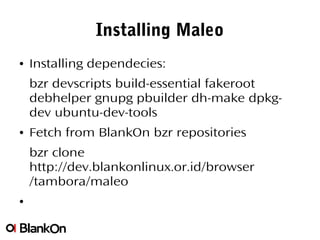
● Installing dependecies:
bzr devscripts build-essential fakeroot
debhelper gnupg pbuilder dh-make dpkg-
dev ubuntu-dev-tools
● Fetch from BlankOn bzr repositories
bzr clone
http://dev.blankonlinux.or.id/browser
/tambora/maleo
●
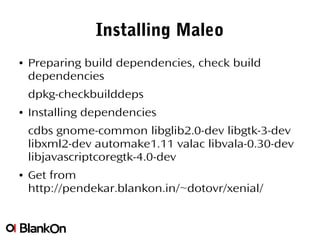
Installing Maleo
● Preparing build dependencies, check build
dependencies
dpkg-checkbuilddeps
● Installing dependencies
cdbs gnome-common libglib2.0-dev libgtk-3-dev
libxml2-dev automake1.11 valac libvala-0.30-dev
libjavascriptcoregtk-4.0-dev
● Get from
http://pendekar.blankon.in/~dotovr/xenial/
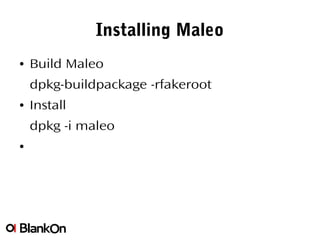
Installing Maleo
● Build Maleo
dpkg-buildpackage -rfakeroot
● Install
dpkg -i maleo
●
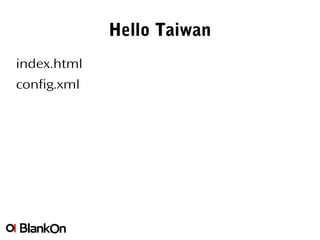
Hello Taiwan
index.html
config.xml
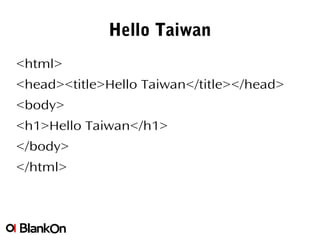
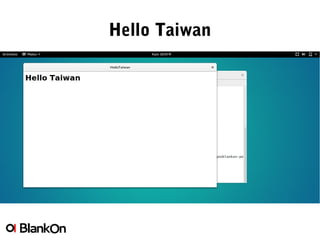
Hello Taiwan
<html>
<head><title>Hello Taiwan</title></head>
<body>
<h1>Hello Taiwan</h1>
</body>
</html>
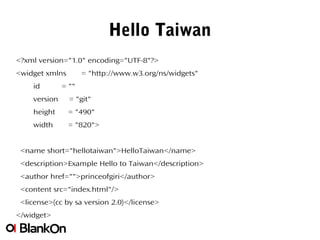
Hello Taiwan
<?xml version="1.0" encoding="UTF-8"?>
<widget xmlns = "http://www.w3.org/ns/widgets"
id = ""
version = "git"
height = "490"
width = "820">
<name short="hellotaiwan">HelloTaiwan</name>
<description>Example Hello to Taiwan</description>
<author href="">princeofgiri</author>
<content src="index.html"/>
<license>(cc by sa version 2.0)</license>
</widget>
Hello Taiwan
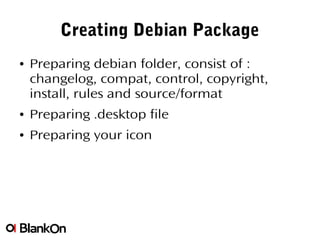
Creating Debian Package
● Preparing debian folder, consist of :
changelog, compat, control, copyright,
install, rules and source/format
● Preparing .desktop file
● Preparing your icon
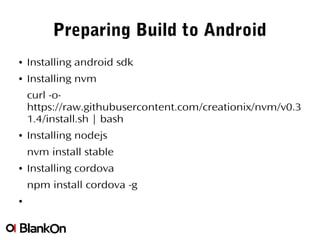
Preparing Build to Android
● Installing android sdk
● Installing nvm
curl -o-
https://raw.githubusercontent.com/creationix/nvm/v0.3
1.4/install.sh | bash
● Installing nodejs
nvm install stable
● Installing cordova
npm install cordova -g
●
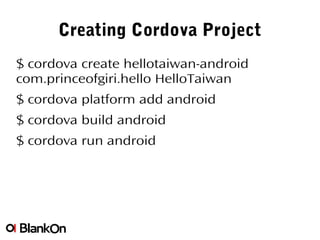
Creating Cordova Project
$ cordova create hellotaiwan-android
com.princeofgiri.hello HelloTaiwan
$ cordova platform add android
$ cordova build android
$ cordova run android
Challenge!
Choose 1 html5 application and build it!

HTML5 on Linux Desktop

  • 1.
    HTML5 On LinuxDesktop Ahmad Haris haris@blankon.id ahmadharis@gnome.org @princeofgiri
  • 2.
  • 3.
    This workshop materialconsist of introduction to Maleo, simple debian packaging and basic Cordova
  • 4.
    HTML5 application runner Builtusing Gtk+ Webkit port in Vala Github.com/BlankOn/maleo Maleo
  • 5.
    Installing Maleo ● Installingdependecies: bzr devscripts build-essential fakeroot debhelper gnupg pbuilder dh-make dpkg- dev ubuntu-dev-tools ● Fetch from BlankOn bzr repositories bzr clone http://dev.blankonlinux.or.id/browser /tambora/maleo ●
  • 6.
    Installing Maleo ● Preparingbuild dependencies, check build dependencies dpkg-checkbuilddeps ● Installing dependencies cdbs gnome-common libglib2.0-dev libgtk-3-dev libxml2-dev automake1.11 valac libvala-0.30-dev libjavascriptcoregtk-4.0-dev ● Get from http://pendekar.blankon.in/~dotovr/xenial/
  • 7.
    Installing Maleo ● BuildMaleo dpkg-buildpackage -rfakeroot ● Install dpkg -i maleo ●
  • 8.
  • 9.
  • 10.
    Hello Taiwan <?xml version="1.0"encoding="UTF-8"?> <widget xmlns = "http://www.w3.org/ns/widgets" id = "" version = "git" height = "490" width = "820"> <name short="hellotaiwan">HelloTaiwan</name> <description>Example Hello to Taiwan</description> <author href="">princeofgiri</author> <content src="index.html"/> <license>(cc by sa version 2.0)</license> </widget>
  • 11.
  • 12.
    Creating Debian Package ●Preparing debian folder, consist of : changelog, compat, control, copyright, install, rules and source/format ● Preparing .desktop file ● Preparing your icon
  • 13.
    Preparing Build toAndroid ● Installing android sdk ● Installing nvm curl -o- https://raw.githubusercontent.com/creationix/nvm/v0.3 1.4/install.sh | bash ● Installing nodejs nvm install stable ● Installing cordova npm install cordova -g ●
  • 14.
    Creating Cordova Project $cordova create hellotaiwan-android com.princeofgiri.hello HelloTaiwan $ cordova platform add android $ cordova build android $ cordova run android
  • 15.
    Challenge! Choose 1 html5application and build it!