HTML Fundamentals
© copyright : spiraltrain@gmail.com
Course Schedule
• HTML Intro
• Basic Tags
• Core Elements
• Attributes
• Forms
• HTML 5
2
• What is HTML?
• HTML Versions
• HTML Pages
• HTML Elements
• Basic Structure HTML Page
• Basic HTML Document
• Creating HTML Pages
• Web Architecture
• HTTP Protocol
• HTTP Request Headers
• HTTP Status Codes
• Common Status Codes
HTML Intro
www.spiraltrain.nl
What is HTML?
• HTML stands for Hyper Text Markup Language :
• It is a markup language not a programming language
• Text editor is enough to create HTML documents
• Used to make HTML documents or Web Pages interpreted by Web Browsers
• Web pages have many uses :
• Offer a cheap and easy way to spread information to a large audience.
• Are another medium to market businesses
• Let the world know about you with personal website
• HTML Tags :
• Specify region of HTML documents for the web browser to interpret as <tag>
• HTML has not been around for many years :
• First Web page was created in November 1990 without a HTML standard yet
• World Wide Web Consortium (W3C) emerged and set widely accepted standards
• HTML was originally designed to create structured documents :
• Only later browser formatting capabilities became more important
3HTML Intro
www.spiraltrain.nl
HTML Versions
• HTML was created by Berners-Lee in late 1991 :
• HTML originated at CERN in Geneva for linking scrientific documents
• Influenced by Standard Generalized Markup Language (SGML) format at CERN
• HTML 2.0" was the first standard HTML specification :
• Published in 1995 by Word Wide Web consortium
• HTML 4.01 was a major version of HTML :
• Published in late 1999 and still widely used
• Offered three sub versions strict, transitional and frameset
• HTML-5 version is a major step in HTML :
• Extension to HTML 4.01 with many new capabilities
• First published in 2012
• XHTML :
• Separate language that began as a reformulation of HTML 4.01 using XML 1.0
• XHTML is more strict than HTML since XML syntax rules apply
4HTML Intro
www.spiraltrain.nl
HTML Pages
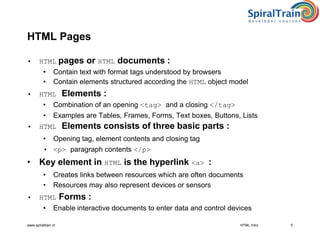
• HTML pages or HTML documents :
• Contain text with format tags understood by browsers
• Contain elements structured according the HTML object model
• HTML Elements :
• Combination of an opening <tag> and a closing </tag>
• Examples are Tables, Frames, Forms, Text boxes, Buttons, Lists
• HTML Elements consists of three basic parts :
• Opening tag, element contents and closing tag
• <p> paragraph contents </p>
• Key element in HTML is the hyperlink <a> :
• Creates links between resources which are often documents
• Resources may also represent devices or sensors
• HTML Forms :
• Enable interactive documents to enter data and control devices
HTML Intro 5
www.spiraltrain.nl
HTML Elements
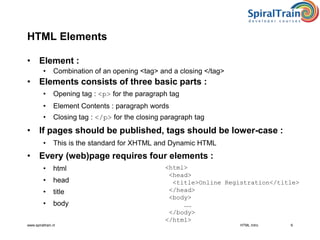
• Element :
• Combination of an opening <tag> and a closing </tag>
• Elements consists of three basic parts :
• Opening tag : <p> for the paragraph tag
• Element Contents : paragraph words
• Closing tag : </p> for the closing paragraph tag
• If pages should be published, tags should be lower-case :
• This is the standard for XHTML and Dynamic HTML
• Every (web)page requires four elements :
• html
• head
• title
• body
HTML Intro 6
<html>
<head>
<title>Online Registration</title>
</head>
<body>
……
</body>
</html>
www.spiraltrain.nl
Basic Structure HTML Page
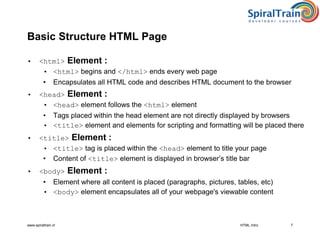
• <html> Element :
• <html> begins and </html> ends every web page
• Encapsulates all HTML code and describes HTML document to the browser
• <head> Element :
• <head> element follows the <html> element
• Tags placed within the head element are not directly displayed by browsers
• <title> element and elements for scripting and formatting will be placed there
• <title> Element :
• <title> tag is placed within the <head> element to title your page
• Content of <title> element is displayed in browser’s title bar
• <body> Element :
• Element where all content is placed (paragraphs, pictures, tables, etc)
• <body> element encapsulates all of your webpage's viewable content
HTML Intro 7
www.spiraltrain.nl
Basic HTML Document
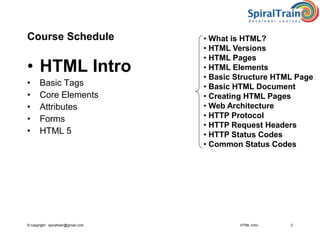
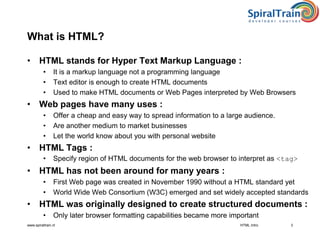
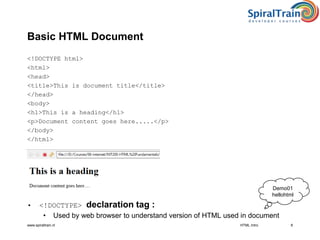
<!DOCTYPE html>
<html>
<head>
<title>This is document title</title>
</head>
<body>
<h1>This is a heading</h1>
<p>Document content goes here.....</p>
</body>
</html>
• <!DOCTYPE> declaration tag :
• Used by web browser to understand version of HTML used in document
8
Demo01
hellohtml
HTML Intro
www.spiraltrain.nl
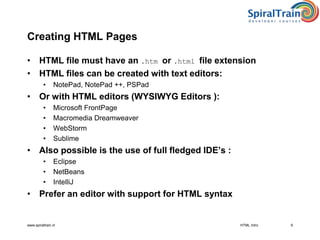
Creating HTML Pages
• HTML file must have an .htm or .html file extension
• HTML files can be created with text editors:
• NotePad, NotePad ++, PSPad
• Or with HTML editors (WYSIWYG Editors ):
• Microsoft FrontPage
• Macromedia Dreamweaver
• WebStorm
• Sublime
• Also possible is the use of full fledged IDE’s :
• Eclipse
• NetBeans
• IntelliJ
• Prefer an editor with support for HTML syntax
9HTML Intro
www.spiraltrain.nl
Web Architecture
• WWW use classical client / server architecture :
• HTTP is text-based request-response protocol
• URL’s used to locate resources like HTML pages on the Internet :
• protocol://hostname[:port]/pathname
• hostname specifies name or IP address host computer :
• port field is optional and specifies TCP port connection
• pathname :
• Identifies requested resource on host
HTML Intro 10
Page request
Client running a Web Browser
Server running Web Server
Software (IIS Apache, etc.)
Server response
HTTP
HTTP
www.spiraltrain.nl 11
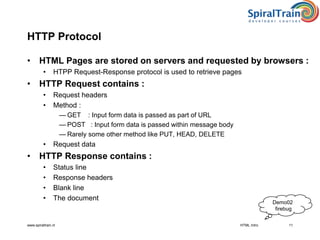
HTTP Protocol
• HTML Pages are stored on servers and requested by browsers :
• HTPP Request-Response protocol is used to retrieve pages
• HTTP Request contains :
• Request headers
• Method :
— GET : Input form data is passed as part of URL
— POST : Input form data is passed within message body
— Rarely some other method like PUT, HEAD, DELETE
• Request data
• HTTP Response contains :
• Status line
• Response headers
• Blank line
• The document
Demo02
firebug
HTML Intro
www.spiraltrain.nl 12
HTTP Request Headers
• HTTP requests can be accompanied by request headers :
• Access to them may permit optimizations and features
• These features may not be possible otherwise
• Common request headers are :
• Accept, Accept-Charset, Accept-Encoding, Accept-Language
• Example HTTP 1.1 Request :
GET /search?keywords=php+programming HTTP/1.1
Accept: image/gif, image/jpg, */*
Accept-Encoding: gzip
Connection: Keep-Alive
Cookie: userID=id456578
Host: www.somebookstore.com
Referer: http://www.somebookstore.com/findbooks.html
User-Agent: Mozilla/4.7 [en] (Win98; U)
• Understanding HTTP needed to be effective with PHP
HTML Intro
www.spiraltrain.nl 13
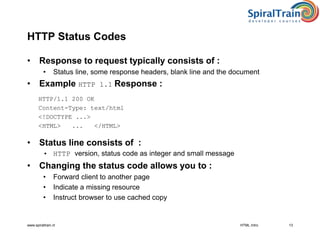
HTTP Status Codes
• Response to request typically consists of :
• Status line, some response headers, blank line and the document
• Example HTTP 1.1 Response :
HTTP/1.1 200 OK
Content-Type: text/html
<!DOCTYPE ...>
<HTML> ... </HTML>
• Status line consists of :
• HTTP version, status code as integer and small message
• Changing the status code allows you to :
• Forward client to another page
• Indicate a missing resource
• Instruct browser to use cached copy
HTML Intro
www.spiraltrain.nl 14
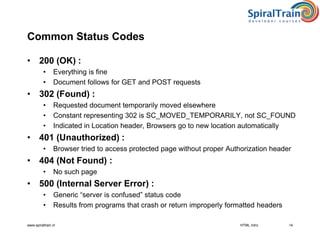
Common Status Codes
• 200 (OK) :
• Everything is fine
• Document follows for GET and POST requests
• 302 (Found) :
• Requested document temporarily moved elsewhere
• Constant representing 302 is SC_MOVED_TEMPORARILY, not SC_FOUND
• Indicated in Location header, Browsers go to new location automatically
• 401 (Unauthorized) :
• Browser tried to access protected page without proper Authorization header
• 404 (Not Found) :
• No such page
• 500 (Internal Server Error) :
• Generic “server is confused” status code
• Results from programs that crash or return improperly formatted headers
HTML Intro
© copyright : spiraltrain@gmail.com
Summary : HTML Intro
• HTML was created by Berners-Lee in late 1991 :
• HTML originated at CERN in Geneva for linking scrientific documents
• HTML is a markup language used to make HTML documents :
• HTML tags are interpreted by Web Browsers which knows how to display them
• HTML elements consist of three basic parts :
• Opening tag, element contents and closing tag
• HTML file must have an .htm or .html file extension :
• Created with a Text editor or IDE
• HTML pages are transferred using HTTP protocol :
• HTTP is text-based request-response protocol
• HTTP requests are accompanied by request headers :
• Access to them may permit optimizations and features
• HTTP response to request typically consists of :
• Status line, some response headers, blank line and the document
15HTML Intro
Exercise 01
HTML Intro

HTML Intro

  • 1.
  • 2.
    © copyright :spiraltrain@gmail.com Course Schedule • HTML Intro • Basic Tags • Core Elements • Attributes • Forms • HTML 5 2 • What is HTML? • HTML Versions • HTML Pages • HTML Elements • Basic Structure HTML Page • Basic HTML Document • Creating HTML Pages • Web Architecture • HTTP Protocol • HTTP Request Headers • HTTP Status Codes • Common Status Codes HTML Intro
  • 3.
    www.spiraltrain.nl What is HTML? •HTML stands for Hyper Text Markup Language : • It is a markup language not a programming language • Text editor is enough to create HTML documents • Used to make HTML documents or Web Pages interpreted by Web Browsers • Web pages have many uses : • Offer a cheap and easy way to spread information to a large audience. • Are another medium to market businesses • Let the world know about you with personal website • HTML Tags : • Specify region of HTML documents for the web browser to interpret as <tag> • HTML has not been around for many years : • First Web page was created in November 1990 without a HTML standard yet • World Wide Web Consortium (W3C) emerged and set widely accepted standards • HTML was originally designed to create structured documents : • Only later browser formatting capabilities became more important 3HTML Intro
  • 4.
    www.spiraltrain.nl HTML Versions • HTMLwas created by Berners-Lee in late 1991 : • HTML originated at CERN in Geneva for linking scrientific documents • Influenced by Standard Generalized Markup Language (SGML) format at CERN • HTML 2.0" was the first standard HTML specification : • Published in 1995 by Word Wide Web consortium • HTML 4.01 was a major version of HTML : • Published in late 1999 and still widely used • Offered three sub versions strict, transitional and frameset • HTML-5 version is a major step in HTML : • Extension to HTML 4.01 with many new capabilities • First published in 2012 • XHTML : • Separate language that began as a reformulation of HTML 4.01 using XML 1.0 • XHTML is more strict than HTML since XML syntax rules apply 4HTML Intro
  • 5.
    www.spiraltrain.nl HTML Pages • HTMLpages or HTML documents : • Contain text with format tags understood by browsers • Contain elements structured according the HTML object model • HTML Elements : • Combination of an opening <tag> and a closing </tag> • Examples are Tables, Frames, Forms, Text boxes, Buttons, Lists • HTML Elements consists of three basic parts : • Opening tag, element contents and closing tag • <p> paragraph contents </p> • Key element in HTML is the hyperlink <a> : • Creates links between resources which are often documents • Resources may also represent devices or sensors • HTML Forms : • Enable interactive documents to enter data and control devices HTML Intro 5
  • 6.
    www.spiraltrain.nl HTML Elements • Element: • Combination of an opening <tag> and a closing </tag> • Elements consists of three basic parts : • Opening tag : <p> for the paragraph tag • Element Contents : paragraph words • Closing tag : </p> for the closing paragraph tag • If pages should be published, tags should be lower-case : • This is the standard for XHTML and Dynamic HTML • Every (web)page requires four elements : • html • head • title • body HTML Intro 6 <html> <head> <title>Online Registration</title> </head> <body> …… </body> </html>
  • 7.
    www.spiraltrain.nl Basic Structure HTMLPage • <html> Element : • <html> begins and </html> ends every web page • Encapsulates all HTML code and describes HTML document to the browser • <head> Element : • <head> element follows the <html> element • Tags placed within the head element are not directly displayed by browsers • <title> element and elements for scripting and formatting will be placed there • <title> Element : • <title> tag is placed within the <head> element to title your page • Content of <title> element is displayed in browser’s title bar • <body> Element : • Element where all content is placed (paragraphs, pictures, tables, etc) • <body> element encapsulates all of your webpage's viewable content HTML Intro 7
  • 8.
    www.spiraltrain.nl Basic HTML Document <!DOCTYPEhtml> <html> <head> <title>This is document title</title> </head> <body> <h1>This is a heading</h1> <p>Document content goes here.....</p> </body> </html> • <!DOCTYPE> declaration tag : • Used by web browser to understand version of HTML used in document 8 Demo01 hellohtml HTML Intro
  • 9.
    www.spiraltrain.nl Creating HTML Pages •HTML file must have an .htm or .html file extension • HTML files can be created with text editors: • NotePad, NotePad ++, PSPad • Or with HTML editors (WYSIWYG Editors ): • Microsoft FrontPage • Macromedia Dreamweaver • WebStorm • Sublime • Also possible is the use of full fledged IDE’s : • Eclipse • NetBeans • IntelliJ • Prefer an editor with support for HTML syntax 9HTML Intro
  • 10.
    www.spiraltrain.nl Web Architecture • WWWuse classical client / server architecture : • HTTP is text-based request-response protocol • URL’s used to locate resources like HTML pages on the Internet : • protocol://hostname[:port]/pathname • hostname specifies name or IP address host computer : • port field is optional and specifies TCP port connection • pathname : • Identifies requested resource on host HTML Intro 10 Page request Client running a Web Browser Server running Web Server Software (IIS Apache, etc.) Server response HTTP HTTP
  • 11.
    www.spiraltrain.nl 11 HTTP Protocol •HTML Pages are stored on servers and requested by browsers : • HTPP Request-Response protocol is used to retrieve pages • HTTP Request contains : • Request headers • Method : — GET : Input form data is passed as part of URL — POST : Input form data is passed within message body — Rarely some other method like PUT, HEAD, DELETE • Request data • HTTP Response contains : • Status line • Response headers • Blank line • The document Demo02 firebug HTML Intro
  • 12.
    www.spiraltrain.nl 12 HTTP RequestHeaders • HTTP requests can be accompanied by request headers : • Access to them may permit optimizations and features • These features may not be possible otherwise • Common request headers are : • Accept, Accept-Charset, Accept-Encoding, Accept-Language • Example HTTP 1.1 Request : GET /search?keywords=php+programming HTTP/1.1 Accept: image/gif, image/jpg, */* Accept-Encoding: gzip Connection: Keep-Alive Cookie: userID=id456578 Host: www.somebookstore.com Referer: http://www.somebookstore.com/findbooks.html User-Agent: Mozilla/4.7 [en] (Win98; U) • Understanding HTTP needed to be effective with PHP HTML Intro
  • 13.
    www.spiraltrain.nl 13 HTTP StatusCodes • Response to request typically consists of : • Status line, some response headers, blank line and the document • Example HTTP 1.1 Response : HTTP/1.1 200 OK Content-Type: text/html <!DOCTYPE ...> <HTML> ... </HTML> • Status line consists of : • HTTP version, status code as integer and small message • Changing the status code allows you to : • Forward client to another page • Indicate a missing resource • Instruct browser to use cached copy HTML Intro
  • 14.
    www.spiraltrain.nl 14 Common StatusCodes • 200 (OK) : • Everything is fine • Document follows for GET and POST requests • 302 (Found) : • Requested document temporarily moved elsewhere • Constant representing 302 is SC_MOVED_TEMPORARILY, not SC_FOUND • Indicated in Location header, Browsers go to new location automatically • 401 (Unauthorized) : • Browser tried to access protected page without proper Authorization header • 404 (Not Found) : • No such page • 500 (Internal Server Error) : • Generic “server is confused” status code • Results from programs that crash or return improperly formatted headers HTML Intro
  • 15.
    © copyright :spiraltrain@gmail.com Summary : HTML Intro • HTML was created by Berners-Lee in late 1991 : • HTML originated at CERN in Geneva for linking scrientific documents • HTML is a markup language used to make HTML documents : • HTML tags are interpreted by Web Browsers which knows how to display them • HTML elements consist of three basic parts : • Opening tag, element contents and closing tag • HTML file must have an .htm or .html file extension : • Created with a Text editor or IDE • HTML pages are transferred using HTTP protocol : • HTTP is text-based request-response protocol • HTTP requests are accompanied by request headers : • Access to them may permit optimizations and features • HTTP response to request typically consists of : • Status line, some response headers, blank line and the document 15HTML Intro Exercise 01 HTML Intro