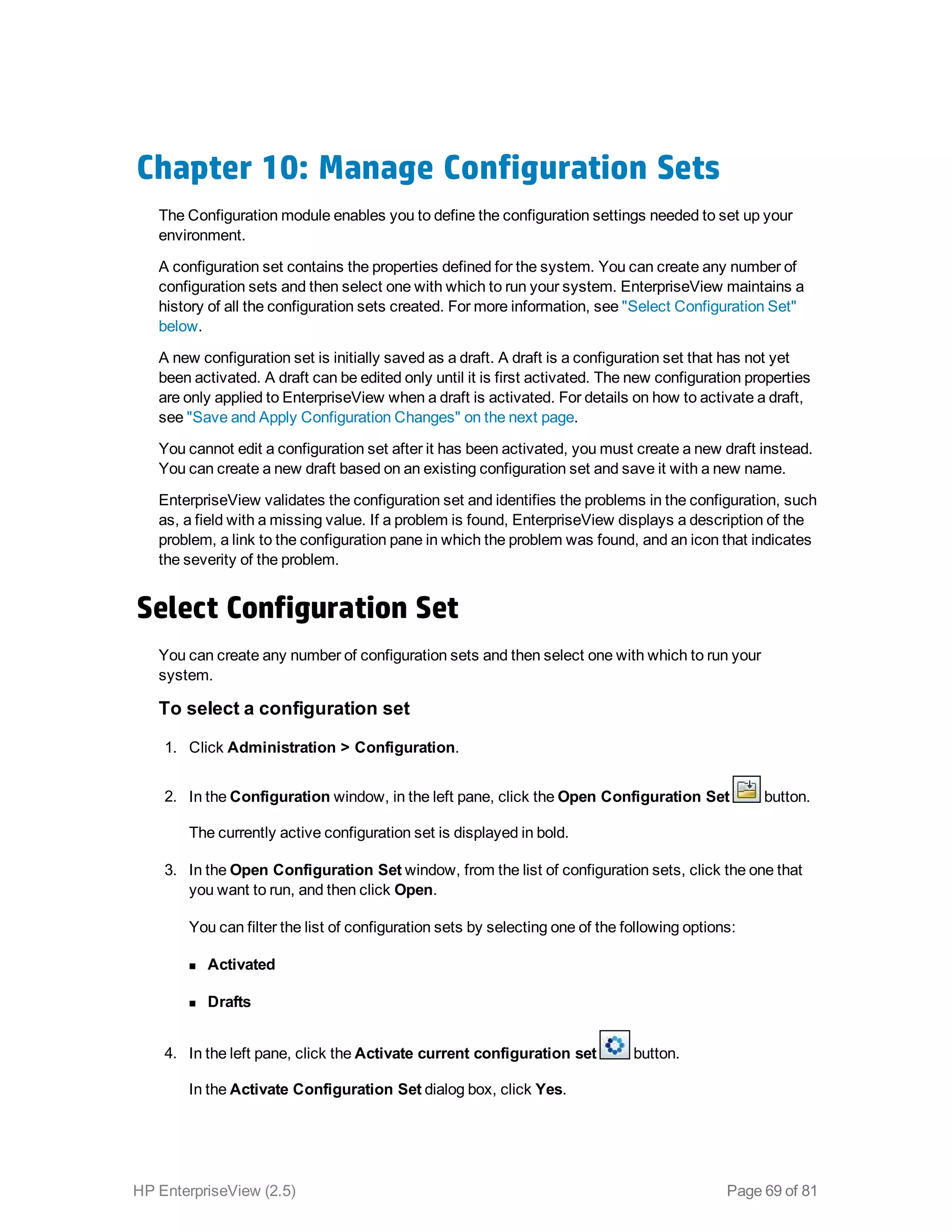
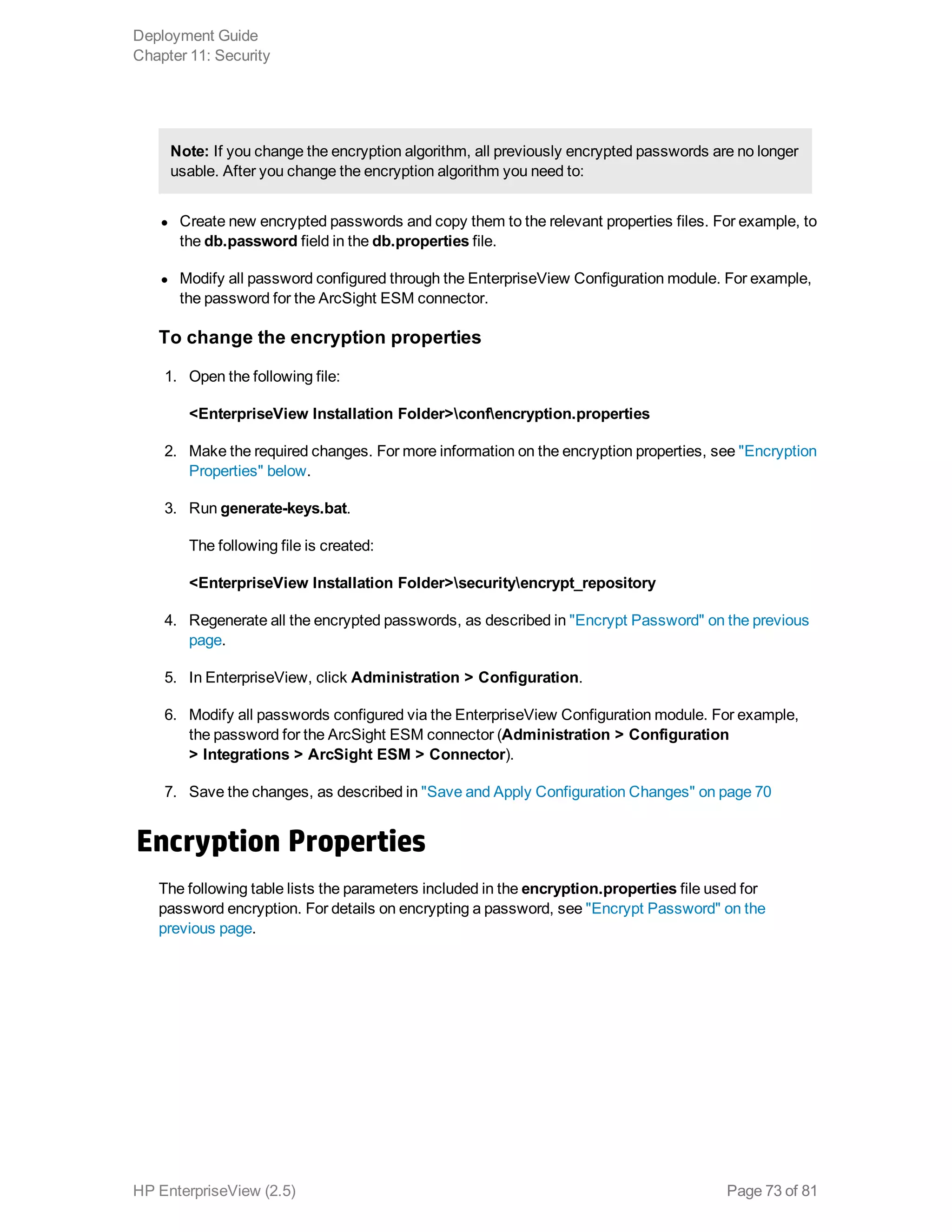
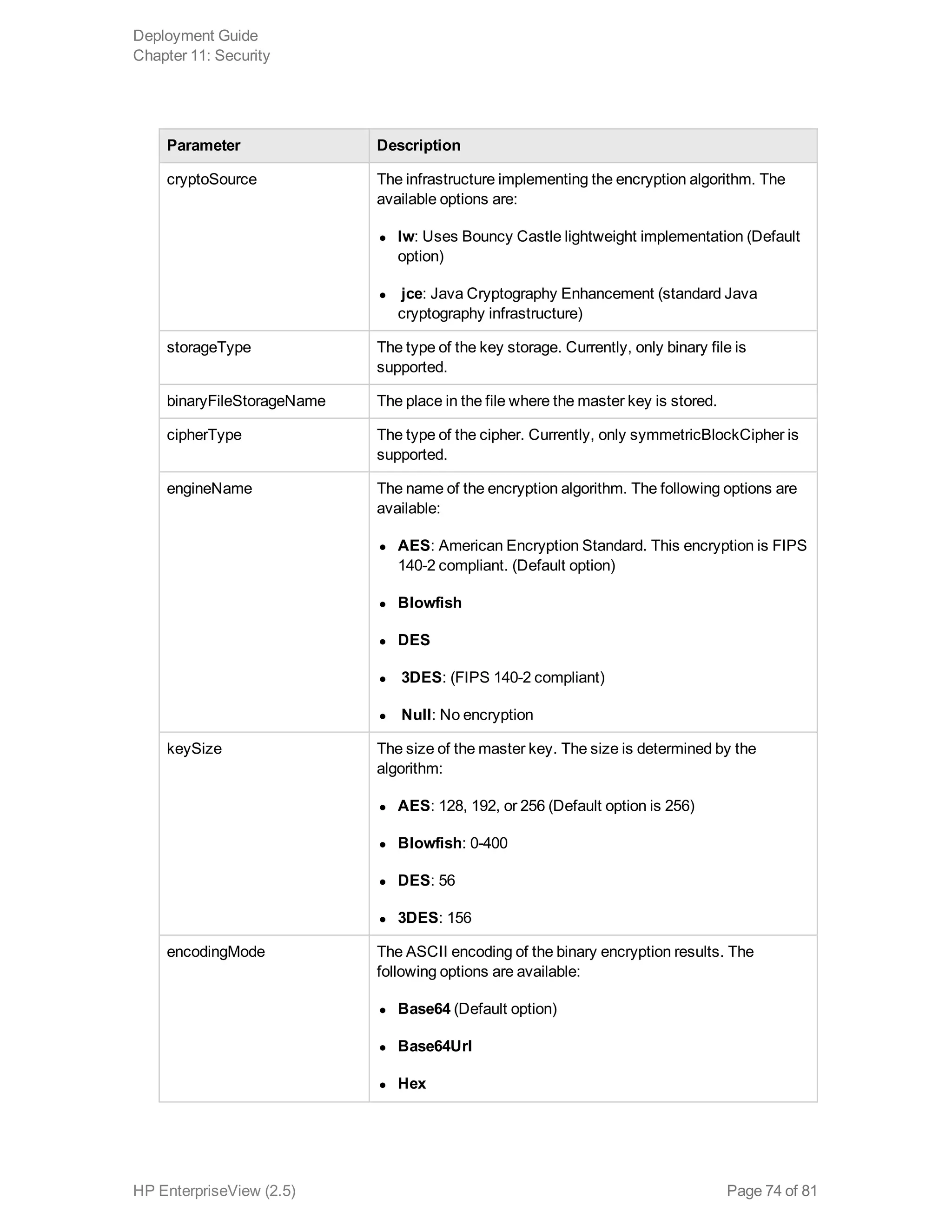
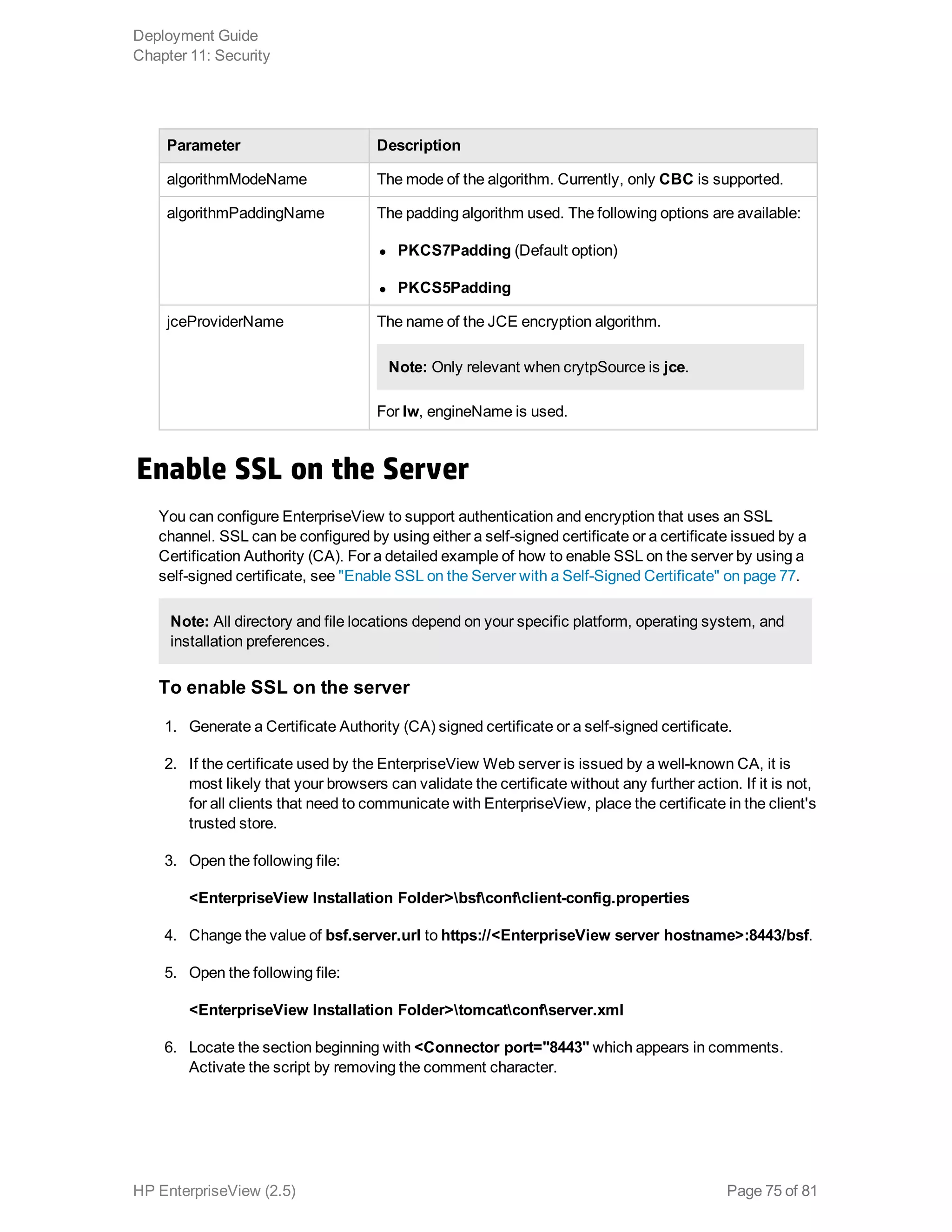
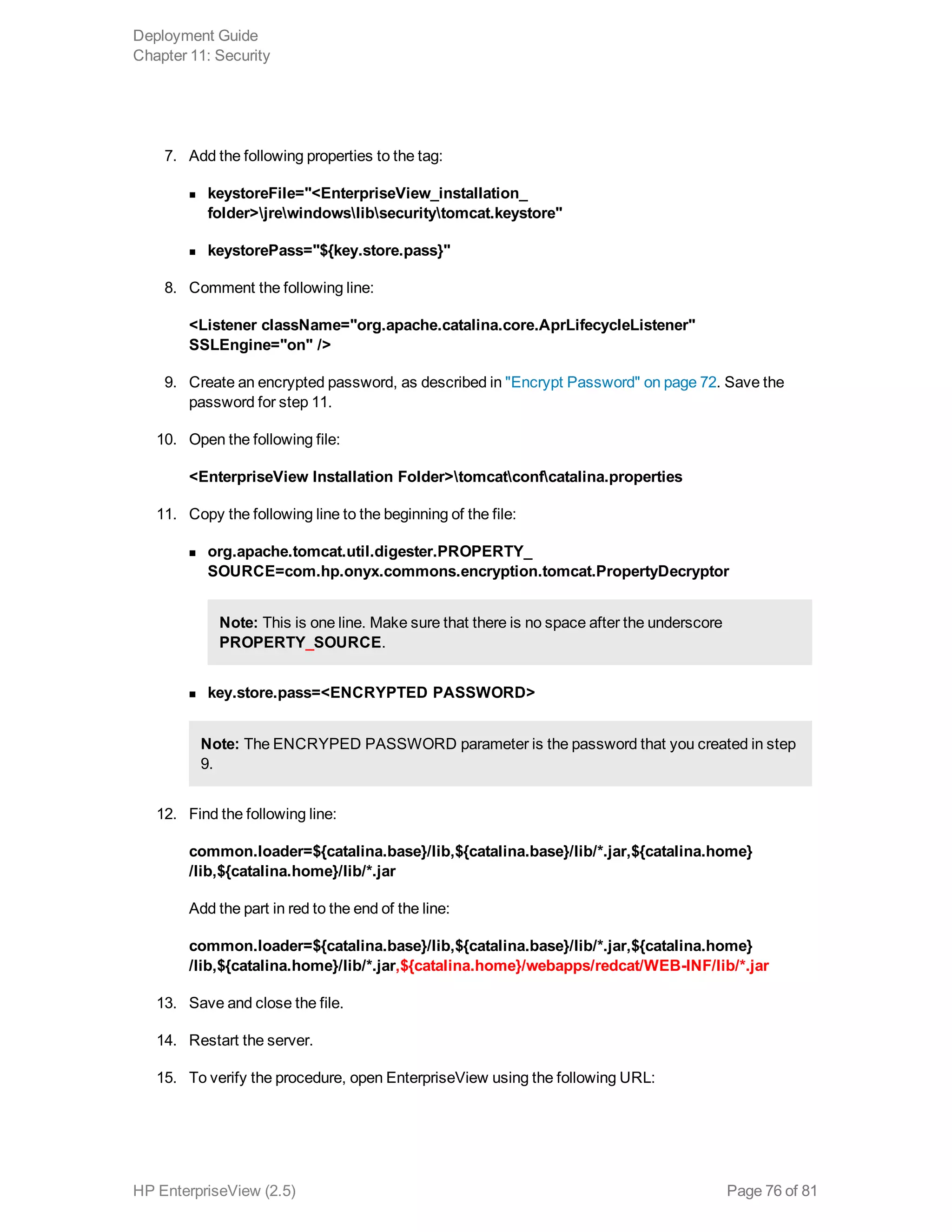
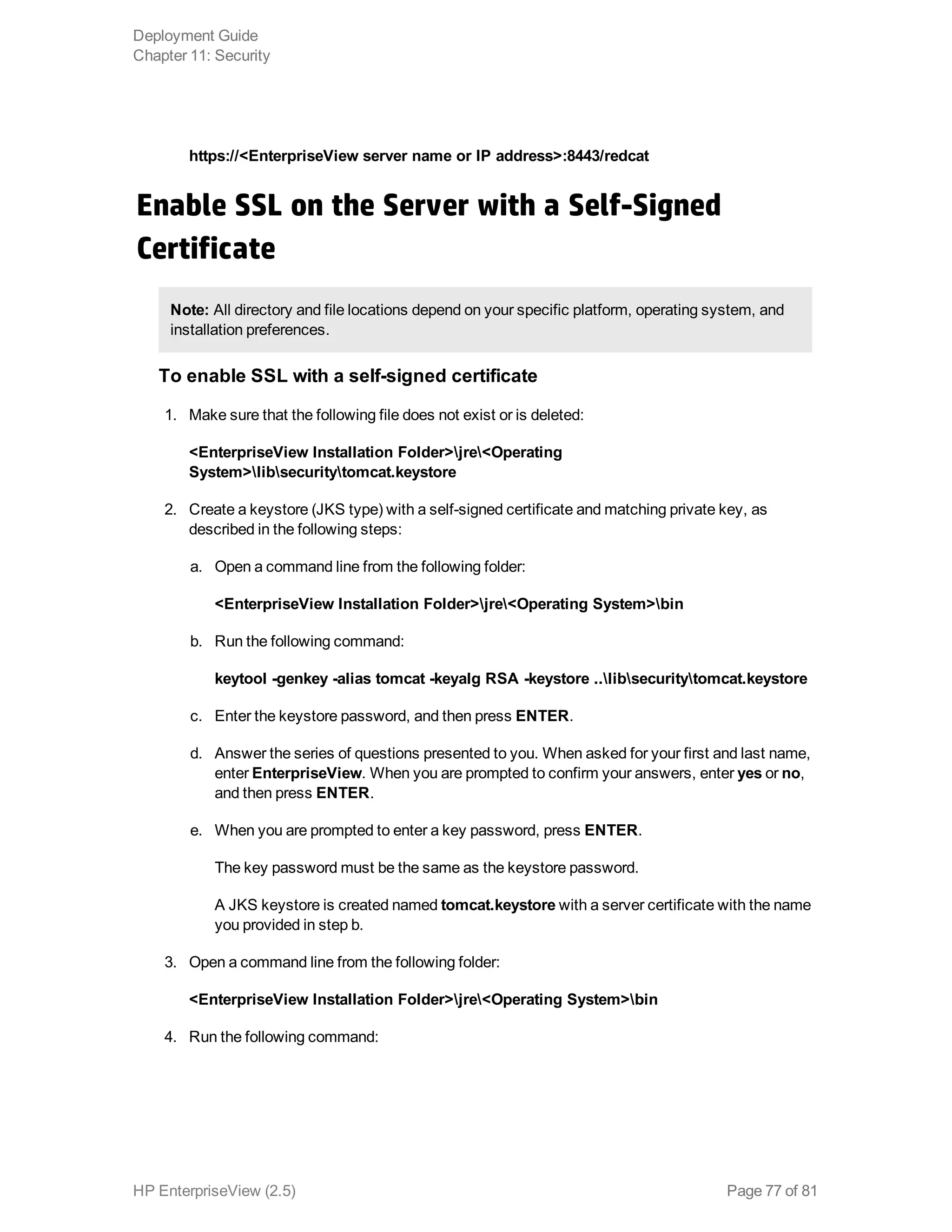
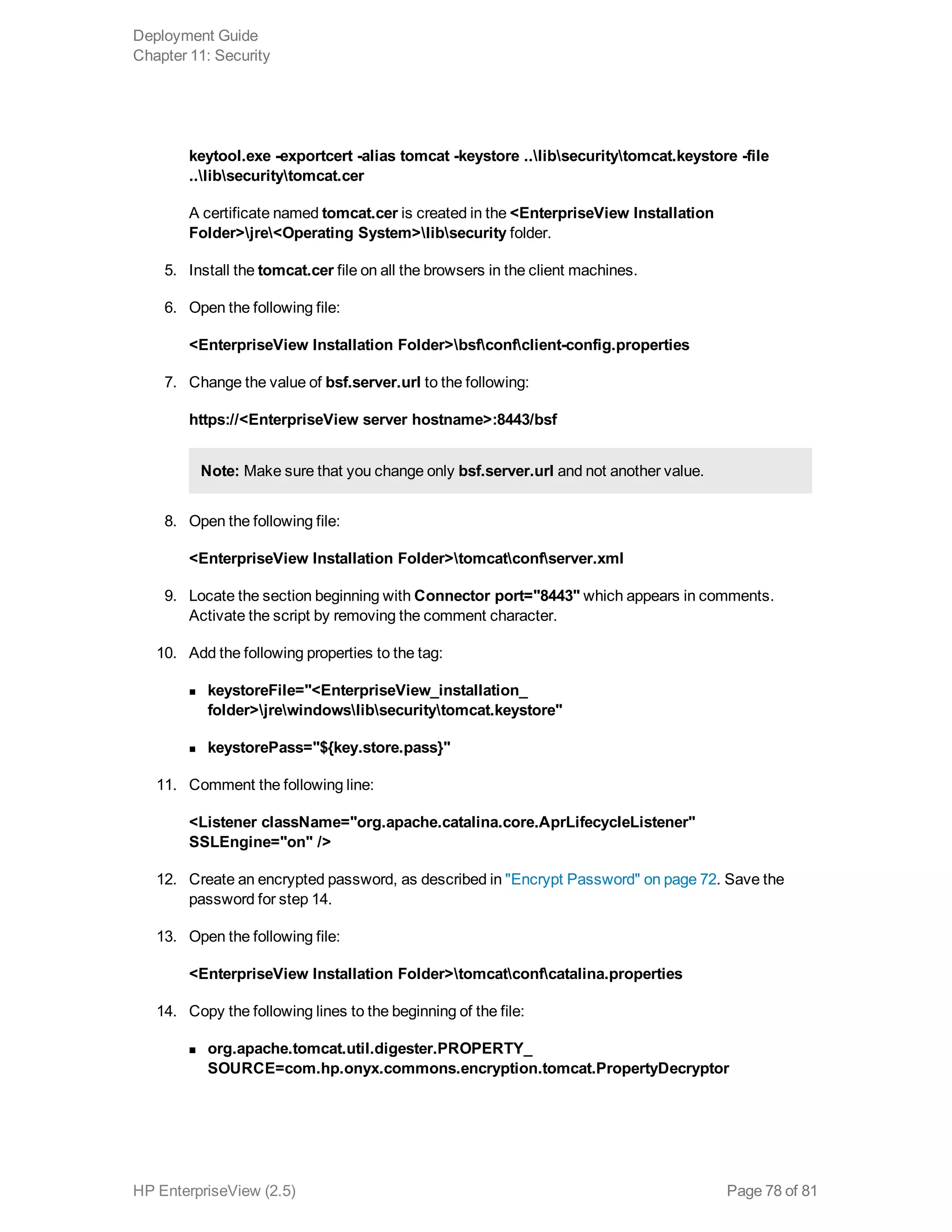
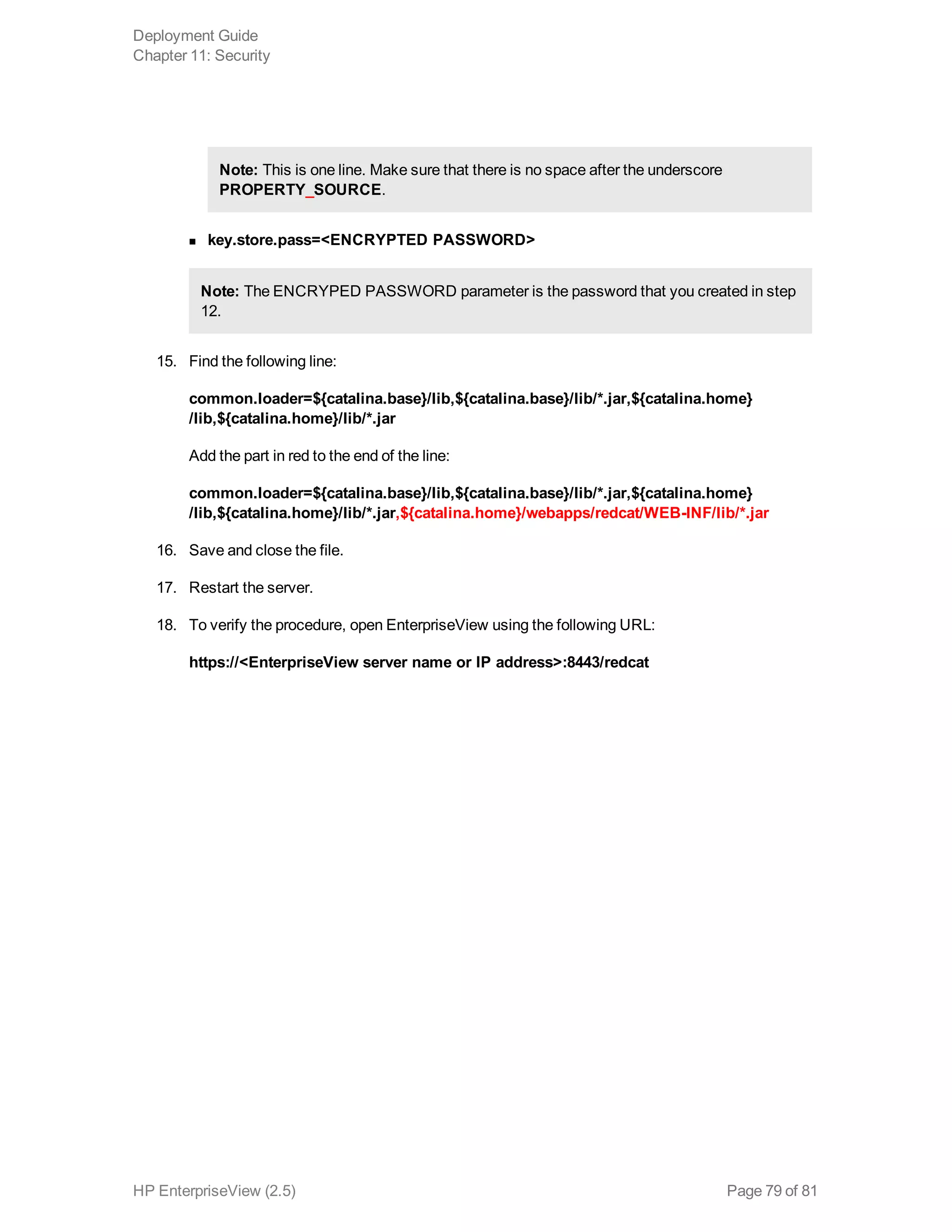
Here are the steps to install SAP BusinessObjects Enterprise:
1. Run the BusinessObjects Enterprise installer (BOE_SP5_setup.exe) from the installation
media.
2. Accept the license agreement and click Next.
3. Select the Complete installation option and click Next.
4. Select the database type as Oracle and click Next.
5. Enter the database connection details (SID, username, password) and click Next.
6. Select the installation and data directories, and click Next.
7. Click Install to start the installation process. This may take 30-45 minutes to complete.
8. Once the installation is complete, click Finish.

![3. Change the LDAP server attributes mapping as defined in your LDAP server for the following
fields:
n User Name (for example, cn)
n Full Name (for example, uid)
n Email (for example, mail)
n Default Group Search Attributes
n Default User Search Attributes
Configure group display name in BusinessObjects
Perform this procedure if you are using an LDAP server as an authentication system.
1. Open SAP BusinessObjects Enterprise.
2. Under Organize, click Users and Groups.
3. Under Group Hierarchy, locate the group that you want to edit.
4. Right-click the group, and then click Properties.
5. In the Properties page, in the Title box, enter a new display name.
Note: The display name cannot include commas.
6. Click Save.
Update the time zone
1. Open InfoView (BusinessObjects client tool) using the following URL:
http://[server_name]:8081/InfoViewApp
2. On the top right corner, click Preferences.
3. From the Current Time Zone list, select your time zone.
4. Save the changes.
Restart the BusinessObjects server
1. In the BusinessObjects server, click Start > BusinessObjects Enterprise > Central
Configuration Manager.
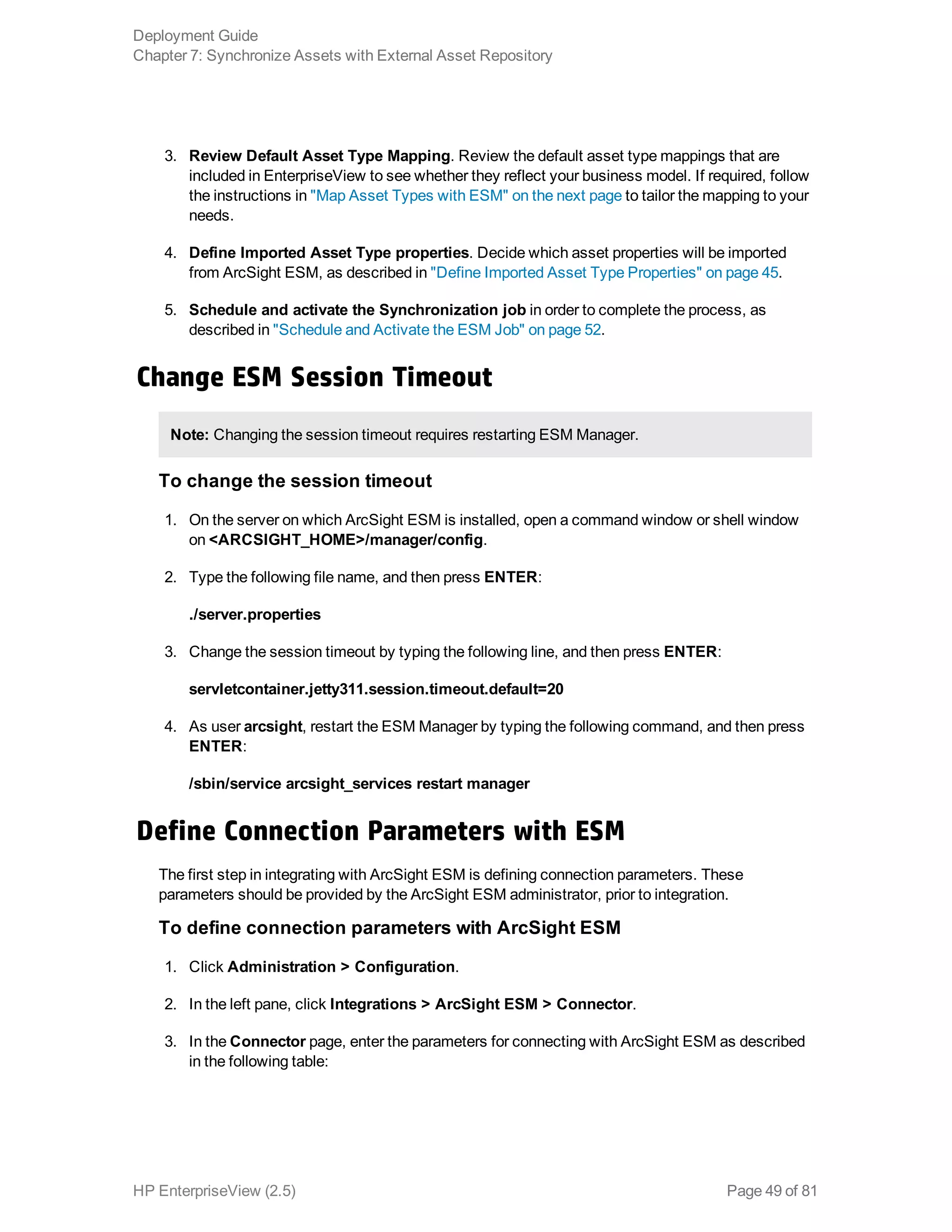
2. In the Central Configuration Manager window, stop and restart the following:
Deployment Guide
Chapter 2: Install EnterpriseView
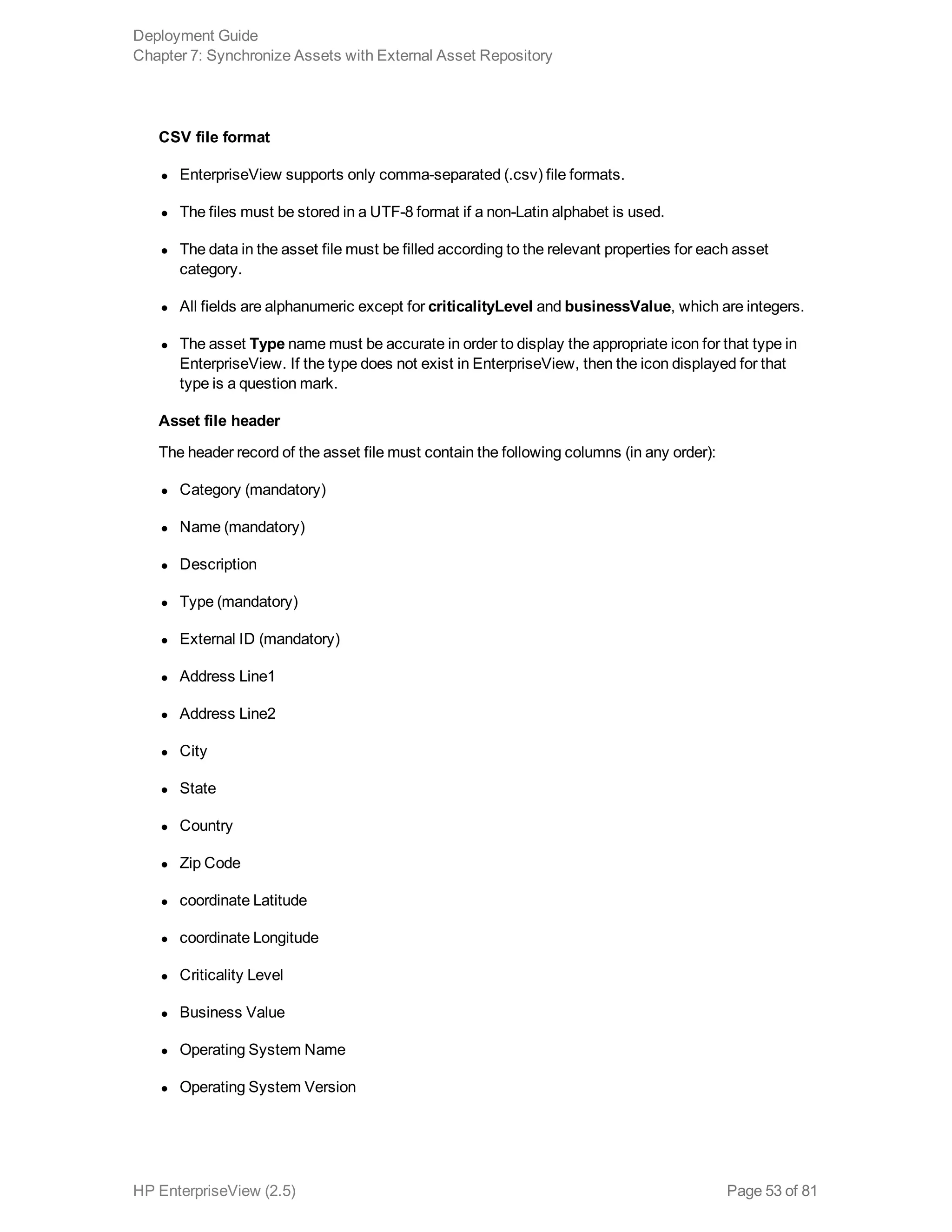
HP EnterpriseView (2.5) Page 17 of 81](https://image.slidesharecdn.com/enterpriseviewdeploymentguide-170531062810/75/HP-EnterpriseView-v1-5-Deployment-Guide-17-2048.jpg)
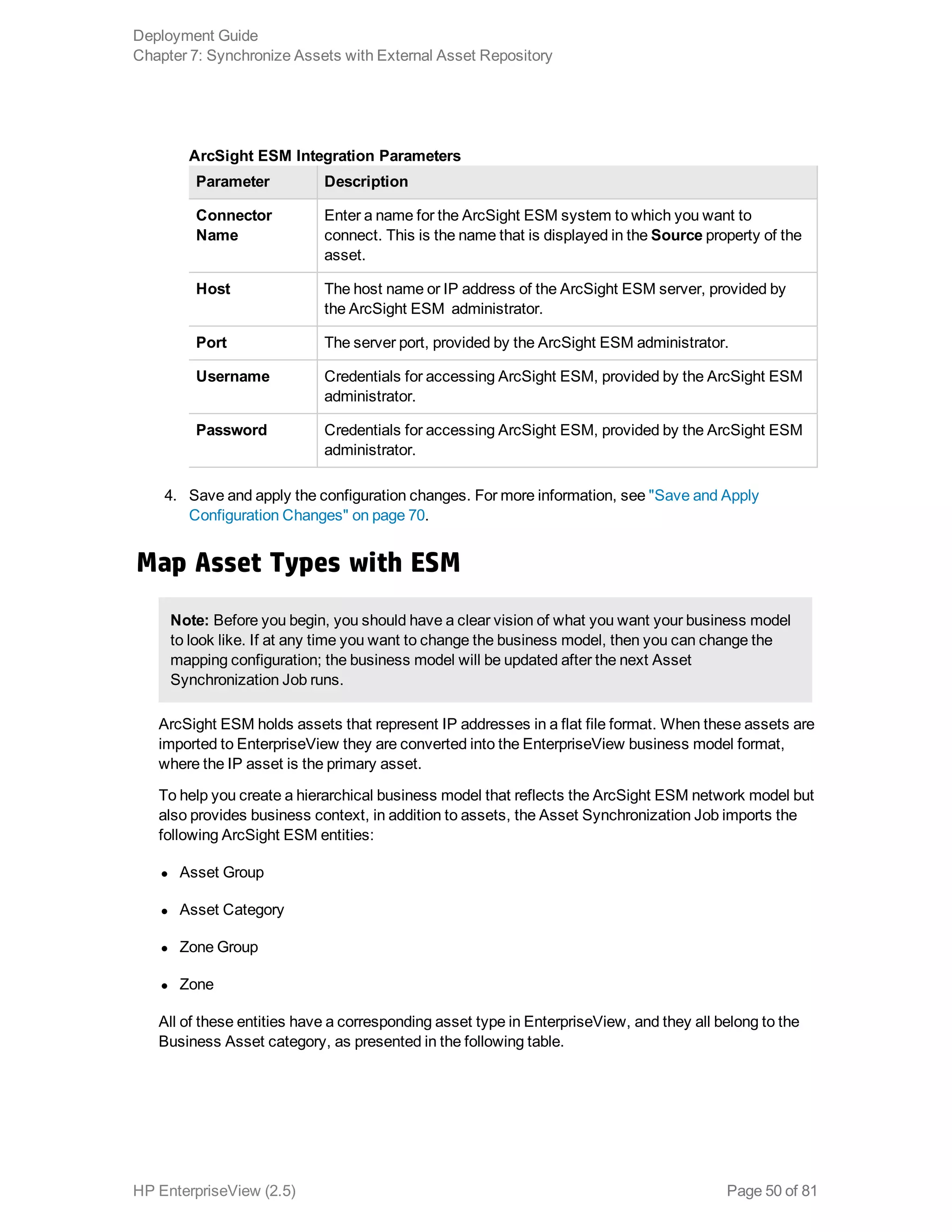
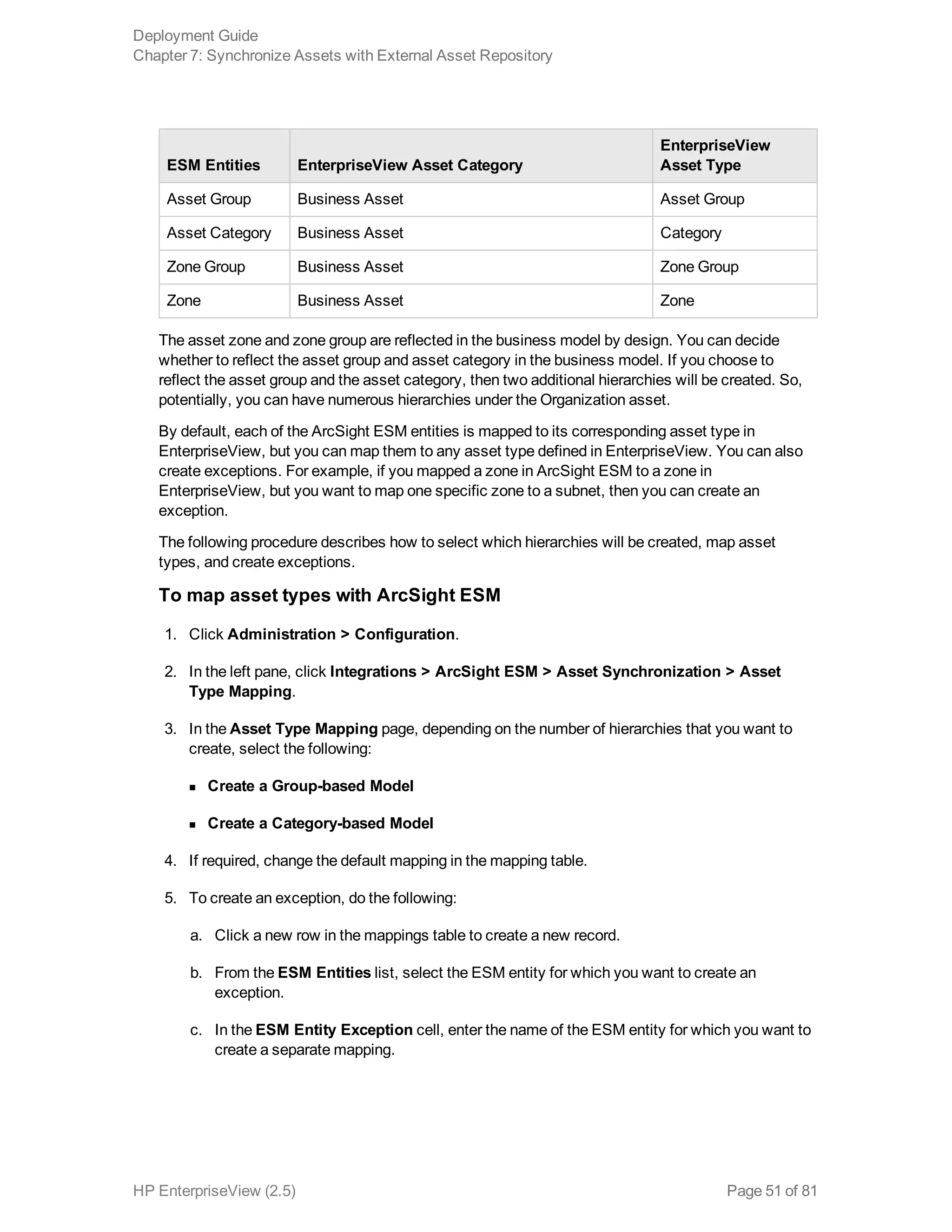
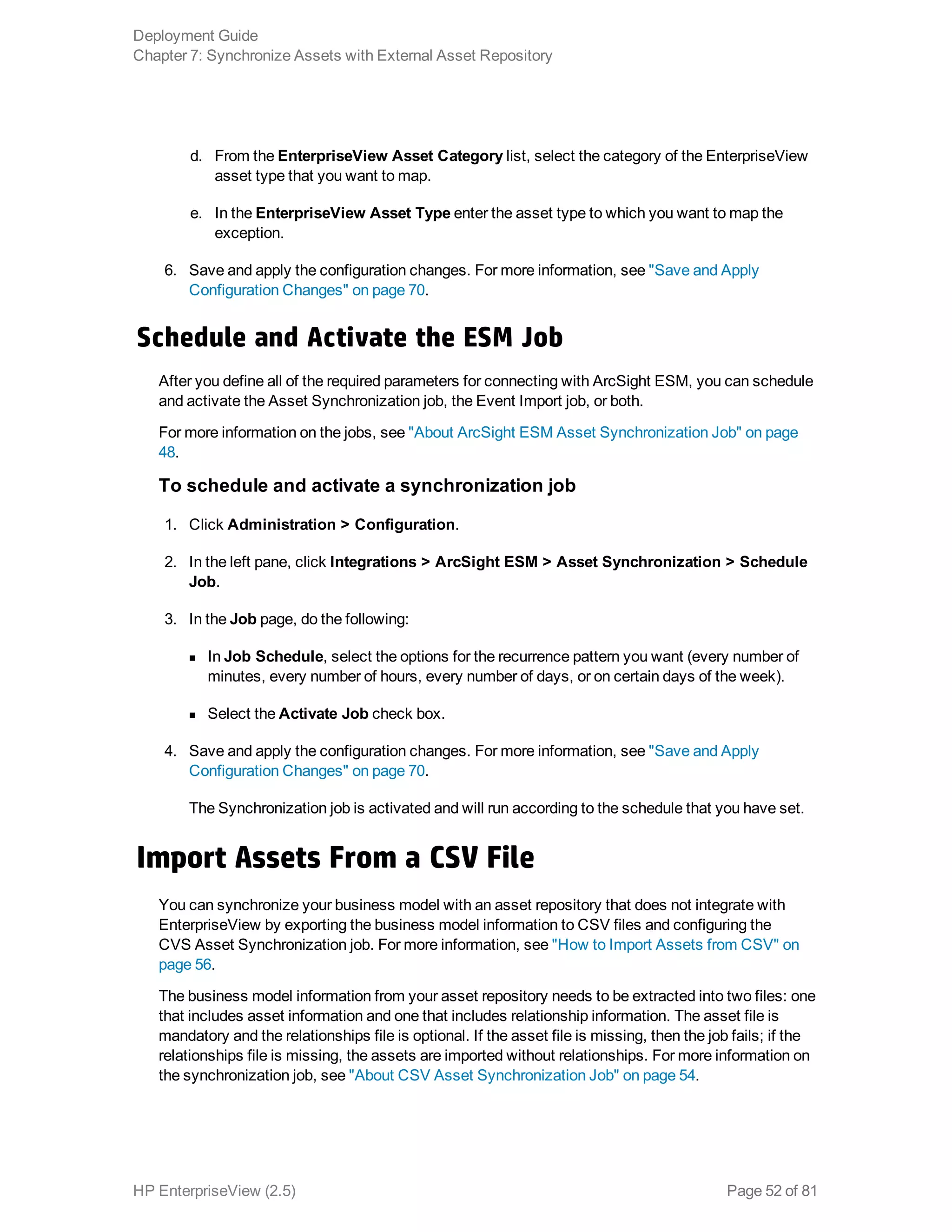
![Chapter 5: Connect to Active Directory
If you are using Active Directory (AD) for authenticating users, then you have already configured it
in BusinessObjects. To configure AD connection with EnterpriseView, perform the following
procedure.
To connect to AD
1. Stop the EnterpriseView service.
2. On the EnterpriseView server, open the following file for editing:
<EnterpriseView installation Folder>confadkrb5.ini
3. In the krb5.ini file, do the following:
n Change all the instances of MYDOMAIN.COM to the domain where AD resides.
n Change MYDCHOSTNAME.MYDOMAIN.COM to the full computer name of the server
where AD is installed. Enter the name in upper-case.
Note: To find the domain and the full computer name of AD,open a command line and run
the command set. To find the domain name, look for USERDNSNAME. To find the full
computer name, look for LOGONSERVER.
See the following sample:
[libdefaults]
default_realm = MYDOMAIN.COM
dns_lookup_kdc = true
dns_lookup_realm = true
default_tgs_enctypes = rc4-hmac
default_tkt_enctypes = rc4-hmac
udp_preference_limit = 1
[realms]
MYDOMAIN.COM = {
kdc = MYDCHOSTNAME.MYDOMAIN.COM
default_domain = MYDOMAIN.COM
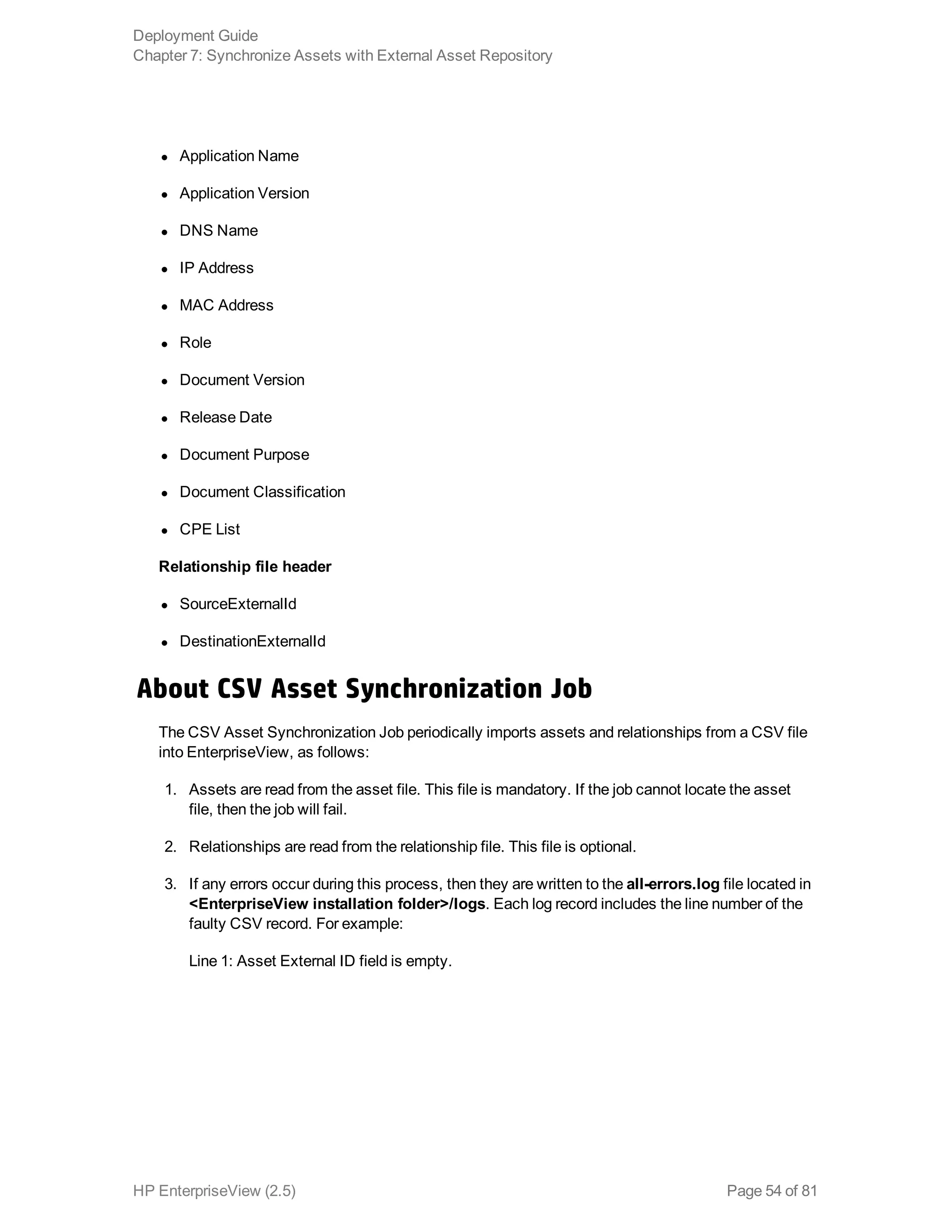
HP EnterpriseView (2.5) Page 23 of 81](https://image.slidesharecdn.com/enterpriseviewdeploymentguide-170531062810/75/HP-EnterpriseView-v1-5-Deployment-Guide-23-2048.jpg)