Useful web 2.0 toolsUseful web 2.0 tools
ThingLink
VideoThingLink
Web 2.0 tools - TopicsWeb 2.0 tools - Topics
DefinitionDefinition
Benefit for teachers/usersBenefit for teachers/users
Categories of toolsCategories of tools
How to use Pow toon (How to use Pow toon (animated video
explainers and presentations)
Assignment
Tutorials
 DefinitionDefinition
a presentation tool that incorporates an
intuitive user interface and cool comic
graphics
it allows keeping people and students engaged,
generating interest and motivation both in
classrooms and in other contextes- no matter
the age of the addresses
– free application can be found on the internet at
the following link: . http://www.powtoon.com/
 Benefit for teachers/usersBenefit for teachers/users
Thanks to the “suspension of disbelief” we
can create eye-catching cartoons that will
hook the audience increasing one’s
involvement , making possible
to absorb the messages in a more direct,
persistent and therefore effective way
(Spitalnik)
The suspenction of disbeliefThe suspenction of disbelief
“Basically, we’ve been conditioned to accept
cartoons as a nonthreatening
form of communication and we absorb their
messages in a very different way compared to
the jaded “keepyour guard up” attitude we
typically adopt.”(Hilya Spitalnik Pow toon)
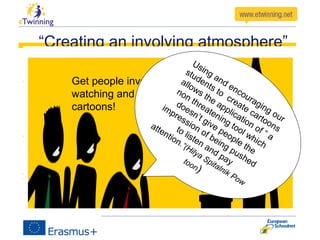
“Creating an involving atmosphere”
communicate through animated videos
makes our topics and reports fresh and
ejoyable because
Observer eliminate criticizing attitude
becoming more receptive
And we can focus their concentration on
the central message we want convey
Get people involved while
watching and also by creating
cartoons!
Using and encouraging our
students to
create cartoons
allows the application of “ a
non threatening tool which
doesn’t give people the
impression of being pushed
to listen and pay
attention.”(Hilya Spitalnik Pow
toon)
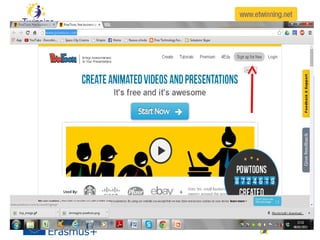
Pow toon
 Steps:
 Sign up for
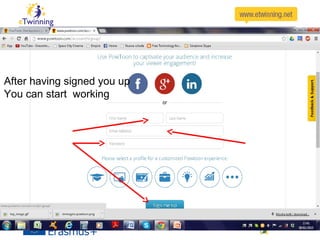
After having signed you up
You can start working
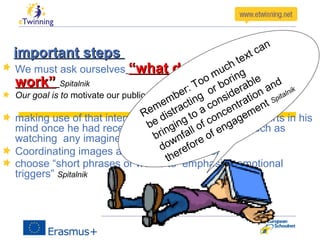
important stepsimportant steps
We must ask ourselves “what does or doesen’t“what does or doesen’t
work”work” Spitalnik
Our goal is to motivate our public to positive re-actions
making use of that internal conversation everybody starts in his
mind once he had received any sensory stimulus such as
watching any imagine or animated clip.
Coordinating images and speech with music
choose “short phrases or words to emphasize emotional
triggers” Spitalnik
Remember: Too much text can
be distracting
or boring
bringing to a considerable
downfall of concentration and
therefore of engagement Spitalnik
Crystallizing the essenceCrystallizing the essence of what we
or our students intend to say.
Therefore..
 Short sentences
 prepare short slides “including lots of
interesting visuals”(SP.)
 Spitalnik suggests :Ideal length 63-92
seconds not longer and not more than 230
words , editing out nonessential, in order to
obtain a compelling video which can get
audience hooked.
You don’t need to be a professional
animator to get started with PowToon (Sp.)
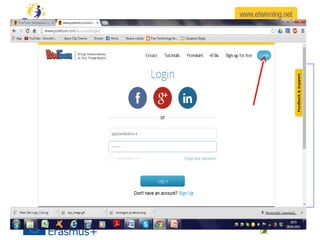
Log in toLog in to
Planning
 Storyboarding:
draft a sort of compelling short story about the
theme you want to talk about or the events you
want to narrate(Spit.) ( e.g. the procedure which
has been used during a project…a report about
an exchange…) as your animation script
be very clear about the message you want to
convey and the result you want to obtain
We can involve our students
-Asking them to plan with us
-connecting us to their “internal dialog”
-using a captivating language
-Making them protagonists of their
- acquisition of knowledge or skills through experience
once we have the story ready we can start our
work as cartoonists
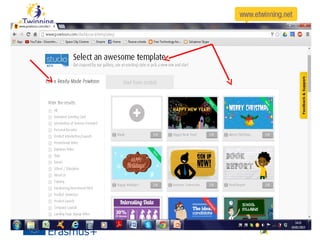
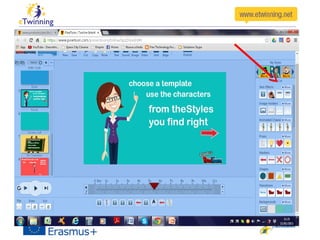
we can choose templates and style
– from the dashboard
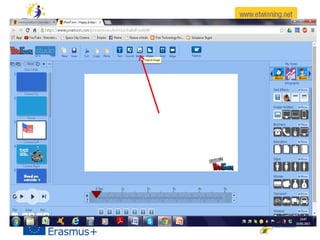
or even download images from
our desktop or internet
 Click on the import image button
You can choose characters and
shapes….
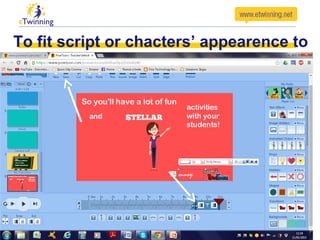
To fit script or chacters’ appearence to
the slidetime
use the timeline you find under the slide moving the
white arrows and then saving
 Recording and adding audotracks using import sound
button
Coordinate sound and images
Attention!Attention!
using the free version youusing the free version you
must record the whole textmust record the whole text
at one timeat one time
So be patient and try firstSo be patient and try first
letting the images runletting the images run
And recording the text only when you
are sure your speed fits the length of
your script
Don’t despair!
Try and try again ‘till it fits : you can test
by clicking apply
then click on save
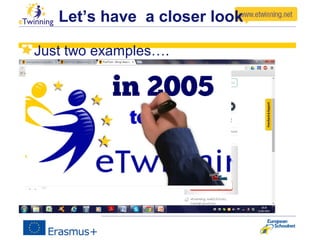
Let’s have a closer look
Just two examples….
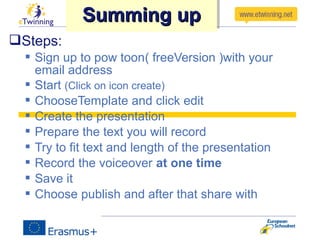
Steps:
 Sign up to pow toon( freeVersion )with your
email address
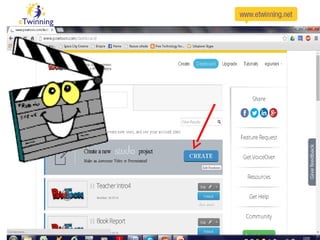
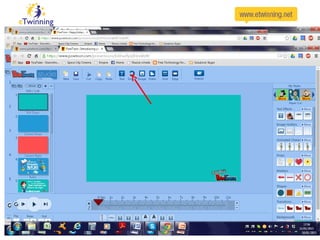
 Start (Click on icon create)
 ChooseTemplate and click edit
 Create the presentation
 Prepare the text you will record
 Try to fit text and length of the presentation
 Record the voiceover at one time
 Save it
 Choose publish and after that share with
Summing upSumming upSumming upSumming up
AssignmentAssignment
After watching the powtoon presentation try to
create your own presentation about the topic
you want and upload it on a sample Twinspace
or use it in your classes and tell us about the
reactions of your students
Sample twinspace
– …..
– Public link to this TwinSpace: …..
TutorialsTutorials
https://www.youtube.com/watch?
v=bRqO5MasiFk
http://www.powtoon.com/blog/categor
y/videos/tutorials/
://www.powtoon.com/tutorials/
https://www.youtube.com/watch?
v=AFv8L0z-72c
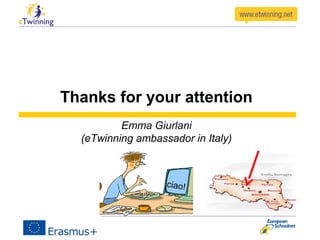
Thanks for your attention
Emma Giurlani
(eTwinning ambassador in Italy)
ciao!

how to use Pow toon

  • 1.
    Useful web 2.0toolsUseful web 2.0 tools ThingLink VideoThingLink
  • 2.
    Web 2.0 tools- TopicsWeb 2.0 tools - Topics DefinitionDefinition Benefit for teachers/usersBenefit for teachers/users Categories of toolsCategories of tools How to use Pow toon (How to use Pow toon (animated video explainers and presentations) Assignment Tutorials
  • 3.
     DefinitionDefinition a presentationtool that incorporates an intuitive user interface and cool comic graphics it allows keeping people and students engaged, generating interest and motivation both in classrooms and in other contextes- no matter the age of the addresses – free application can be found on the internet at the following link: . http://www.powtoon.com/
  • 4.
     Benefit forteachers/usersBenefit for teachers/users Thanks to the “suspension of disbelief” we can create eye-catching cartoons that will hook the audience increasing one’s involvement , making possible to absorb the messages in a more direct, persistent and therefore effective way (Spitalnik)
  • 5.
    The suspenction ofdisbeliefThe suspenction of disbelief “Basically, we’ve been conditioned to accept cartoons as a nonthreatening form of communication and we absorb their messages in a very different way compared to the jaded “keepyour guard up” attitude we typically adopt.”(Hilya Spitalnik Pow toon)
  • 6.
    “Creating an involvingatmosphere” communicate through animated videos makes our topics and reports fresh and ejoyable because Observer eliminate criticizing attitude becoming more receptive And we can focus their concentration on the central message we want convey Get people involved while watching and also by creating cartoons! Using and encouraging our students to create cartoons allows the application of “ a non threatening tool which doesn’t give people the impression of being pushed to listen and pay attention.”(Hilya Spitalnik Pow toon)
  • 7.
  • 8.
    After having signedyou up You can start working
  • 9.
    important stepsimportant steps Wemust ask ourselves “what does or doesen’t“what does or doesen’t work”work” Spitalnik Our goal is to motivate our public to positive re-actions making use of that internal conversation everybody starts in his mind once he had received any sensory stimulus such as watching any imagine or animated clip. Coordinating images and speech with music choose “short phrases or words to emphasize emotional triggers” Spitalnik Remember: Too much text can be distracting or boring bringing to a considerable downfall of concentration and therefore of engagement Spitalnik
  • 10.
    Crystallizing the essenceCrystallizingthe essence of what we or our students intend to say. Therefore..  Short sentences  prepare short slides “including lots of interesting visuals”(SP.)  Spitalnik suggests :Ideal length 63-92 seconds not longer and not more than 230 words , editing out nonessential, in order to obtain a compelling video which can get audience hooked.
  • 11.
    You don’t needto be a professional animator to get started with PowToon (Sp.)
  • 12.
  • 13.
    Planning  Storyboarding: draft asort of compelling short story about the theme you want to talk about or the events you want to narrate(Spit.) ( e.g. the procedure which has been used during a project…a report about an exchange…) as your animation script be very clear about the message you want to convey and the result you want to obtain
  • 14.
    We can involveour students -Asking them to plan with us -connecting us to their “internal dialog” -using a captivating language -Making them protagonists of their - acquisition of knowledge or skills through experience
  • 15.
    once we havethe story ready we can start our work as cartoonists
  • 16.
    we can choosetemplates and style – from the dashboard
  • 17.
    or even downloadimages from our desktop or internet  Click on the import image button
  • 18.
    You can choosecharacters and shapes….
  • 19.
    To fit scriptor chacters’ appearence to the slidetime use the timeline you find under the slide moving the white arrows and then saving
  • 20.
     Recording andadding audotracks using import sound button Coordinate sound and images
  • 21.
    Attention!Attention! using the freeversion youusing the free version you must record the whole textmust record the whole text at one timeat one time So be patient and try firstSo be patient and try first letting the images runletting the images run
  • 22.
    And recording thetext only when you are sure your speed fits the length of your script Don’t despair! Try and try again ‘till it fits : you can test by clicking apply then click on save
  • 23.
    Let’s have acloser look Just two examples….
  • 24.
    Steps:  Sign upto pow toon( freeVersion )with your email address  Start (Click on icon create)  ChooseTemplate and click edit  Create the presentation  Prepare the text you will record  Try to fit text and length of the presentation  Record the voiceover at one time  Save it  Choose publish and after that share with Summing upSumming upSumming upSumming up
  • 25.
    AssignmentAssignment After watching thepowtoon presentation try to create your own presentation about the topic you want and upload it on a sample Twinspace or use it in your classes and tell us about the reactions of your students Sample twinspace – ….. – Public link to this TwinSpace: …..
  • 26.
  • 27.
    Thanks for yourattention Emma Giurlani (eTwinning ambassador in Italy) ciao!