How to
Reduce
Data Usage on
Mobile
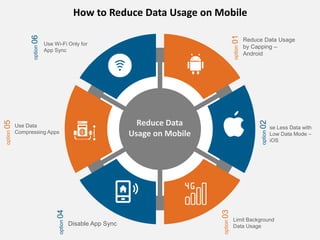
How to Reduce Data Usage on Mobile
option
01
Reduce Data Usage
by Capping –
Android
option
02
option
03
option
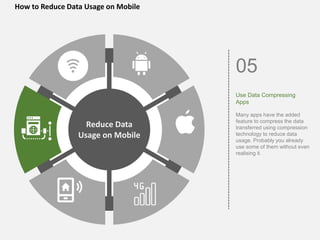
05
option
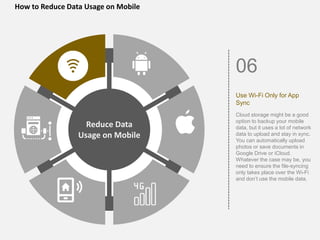
06
option
04
se Less Data with
Low Data Mode –
iOS
Limit Background
Data Usage
Disable App Sync
Use Data
Compressing Apps
Use Wi-Fi Only for
App Sync
Reduce Data
Usage on Mobile
Here's How to Keep Mobile
Internet Data Bill Low
We’ve delineated many techniques for you
to use less data on your smartphones and
save on monthly bills.
Go through this slide to know how you can
save more data on any device
How to Reduce Data Usage on
Mobile
Till 2021 there are more than 4.66 billion active
internet users worldwide. Out of these 92.6 per cent,
around 4.32 billion users access the internet via
mobile devices.
Here, we are going to take a look at simple but super
effective tips to reduce data usage on your mobile
device.
You can read the detailed article here.
How to Reduce Data Usage on Mobile
Reduce Data
Usage on Mobile
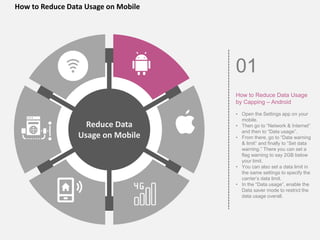
01
How to Reduce Data Usage
by Capping – Android
• Open the Settings app on your
mobile.
• Then go to “Network & Internet”
and then to “Data usage”.
• From there, go to “Data warning
& limit” and finally to “Set data
warning.” There you can set a
flag warning to say 2GB below
your limit.
• You can also set a data limit in
the same settings to specify the
carrier’s data limit.
• In the “Data usage”, enable the
Data saver mode to restrict the
data usage overall.
How to Reduce Data Usage on Mobile
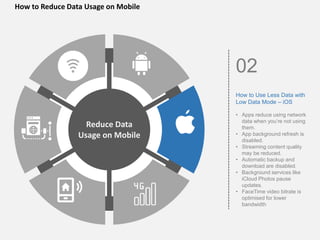
02
How to Use Less Data with
Low Data Mode – iOS
• Apps reduce using network
data when you’re not using
them.
• App background refresh is
disabled.
• Streaming content quality
may be reduced.
• Automatic backup and
download are disabled.
• Background services like
iCloud Photos pause
updates.
• FaceTime video bitrate is
optimised for lower
bandwidth
Reduce Data
Usage on Mobile
How to Reduce Data Usage on Mobile
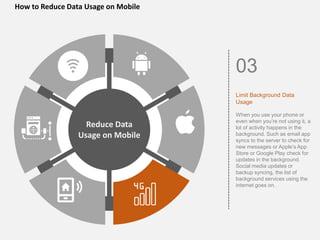
03
Limit Background Data
Usage
When you use your phone or
even when you’re not using it, a
lot of activity happens in the
background. Such as email app
syncs to the server to check for
new messages or Apple’s App
Store or Google Play check for
updates in the background.
Social media updates or
backup syncing, the list of
background services using the
internet goes on.
Reduce Data
Usage on Mobile
How to Reduce Data Usage on Mobile
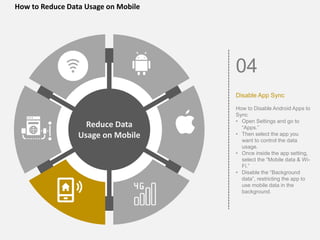
04
Disable App Sync
How to Disable Android Apps to
Sync
• Open Settings and go to
“Apps.”
• Then select the app you
want to control the data
usage.
• Once inside the app setting,
select the “Mobile data & Wi-
Fi.”
• Disable the “Background
data”, restricting the app to
use mobile data in the
background.
Reduce Data
Usage on Mobile
How to Reduce Data Usage on Mobile
05
Use Data Compressing
Apps
Many apps have the added
feature to compress the data
transferred using compression
technology to reduce data
usage. Probably you already
use some of them without even
realising it.
Reduce Data
Usage on Mobile
How to Reduce Data Usage on Mobile
06
Use Wi-Fi Only for App
Sync
Cloud storage might be a good
option to backup your mobile
data, but it uses a lot of network
data to upload and stay in sync.
You can automatically upload
photos or save documents in
Google Drive or iCloud.
Whatever the case may be, you
need to ensure the file-syncing
only takes place over the Wi-Fi
and don’t use the mobile data.
Reduce Data
Usage on Mobile

How to reduce data usage on mobile

  • 1.
  • 2.
    How to ReduceData Usage on Mobile option 01 Reduce Data Usage by Capping – Android option 02 option 03 option 05 option 06 option 04 se Less Data with Low Data Mode – iOS Limit Background Data Usage Disable App Sync Use Data Compressing Apps Use Wi-Fi Only for App Sync Reduce Data Usage on Mobile
  • 3.
    Here's How toKeep Mobile Internet Data Bill Low We’ve delineated many techniques for you to use less data on your smartphones and save on monthly bills. Go through this slide to know how you can save more data on any device
  • 4.
    How to ReduceData Usage on Mobile Till 2021 there are more than 4.66 billion active internet users worldwide. Out of these 92.6 per cent, around 4.32 billion users access the internet via mobile devices. Here, we are going to take a look at simple but super effective tips to reduce data usage on your mobile device. You can read the detailed article here.
  • 5.
    How to ReduceData Usage on Mobile Reduce Data Usage on Mobile 01 How to Reduce Data Usage by Capping – Android • Open the Settings app on your mobile. • Then go to “Network & Internet” and then to “Data usage”. • From there, go to “Data warning & limit” and finally to “Set data warning.” There you can set a flag warning to say 2GB below your limit. • You can also set a data limit in the same settings to specify the carrier’s data limit. • In the “Data usage”, enable the Data saver mode to restrict the data usage overall.
  • 6.
    How to ReduceData Usage on Mobile 02 How to Use Less Data with Low Data Mode – iOS • Apps reduce using network data when you’re not using them. • App background refresh is disabled. • Streaming content quality may be reduced. • Automatic backup and download are disabled. • Background services like iCloud Photos pause updates. • FaceTime video bitrate is optimised for lower bandwidth Reduce Data Usage on Mobile
  • 7.
    How to ReduceData Usage on Mobile 03 Limit Background Data Usage When you use your phone or even when you’re not using it, a lot of activity happens in the background. Such as email app syncs to the server to check for new messages or Apple’s App Store or Google Play check for updates in the background. Social media updates or backup syncing, the list of background services using the internet goes on. Reduce Data Usage on Mobile
  • 8.
    How to ReduceData Usage on Mobile 04 Disable App Sync How to Disable Android Apps to Sync • Open Settings and go to “Apps.” • Then select the app you want to control the data usage. • Once inside the app setting, select the “Mobile data & Wi- Fi.” • Disable the “Background data”, restricting the app to use mobile data in the background. Reduce Data Usage on Mobile
  • 9.
    How to ReduceData Usage on Mobile 05 Use Data Compressing Apps Many apps have the added feature to compress the data transferred using compression technology to reduce data usage. Probably you already use some of them without even realising it. Reduce Data Usage on Mobile
  • 10.
    How to ReduceData Usage on Mobile 06 Use Wi-Fi Only for App Sync Cloud storage might be a good option to backup your mobile data, but it uses a lot of network data to upload and stay in sync. You can automatically upload photos or save documents in Google Drive or iCloud. Whatever the case may be, you need to ensure the file-syncing only takes place over the Wi-Fi and don’t use the mobile data. Reduce Data Usage on Mobile