“HELLO WORLD”
WITH 	

XAMARIN 	

AND 	

VISUAL STUDIO 2013
Presented at the	

Indy .NET Mobile Developers Group, May 2014	

Brad Pillow, PillowSoft LLC
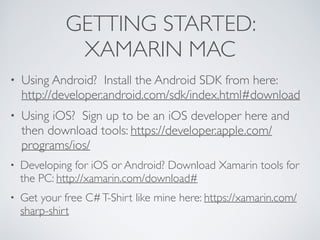
GETTING STARTED: 	

XAMARIN MAC
• Using Android? Install the Android SDK from here:
http://developer.android.com/sdk/index.html#download	

• Using iOS? Sign up to be an iOS developer here and
then download tools: https://developer.apple.com/
programs/ios/	

• Developing for iOS or Android? Download Xamarin tools for
the PC: http://xamarin.com/download#	

• Get your free C#T-Shirt like mine here: https://xamarin.com/
sharp-shirt
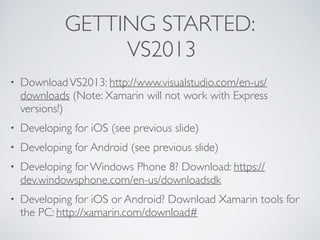
GETTING STARTED:	

VS2013
• DownloadVS2013: http://www.visualstudio.com/en-us/
downloads (Note: Xamarin will not work with Express
versions!)	

• Developing for iOS (see previous slide)	

• Developing for Android (see previous slide)	

• Developing for Windows Phone 8? Download: https://
dev.windowsphone.com/en-us/downloadsdk	

• Developing for iOS or Android? Download Xamarin tools for
the PC: http://xamarin.com/download#
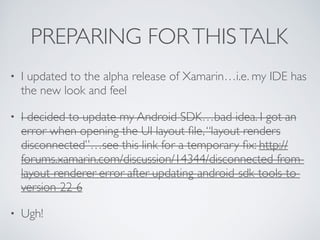
PREPARING FORTHISTALK	

• I updated to the alpha release of Xamarin…i.e. my IDE has
the new look and feel	

• I decided to update my Android SDK…bad idea. I got an
error when opening the UI layout file,“layout renders
disconnected”…see this link for a temporary fix: http://
forums.xamarin.com/discussion/14344/disconnected-from-
layout-renderer-error-after-updating-android-sdk-tools-to-
version-22-6	

• Ugh!
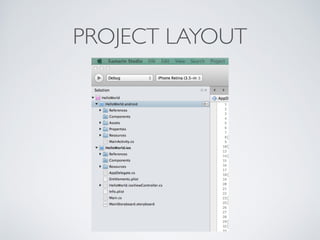
PROJECT LAYOUT
IOS
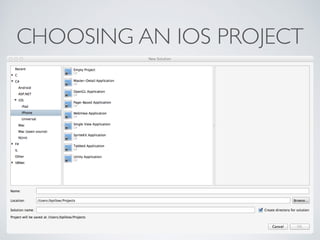
CHOOSING AN IOS PROJECT
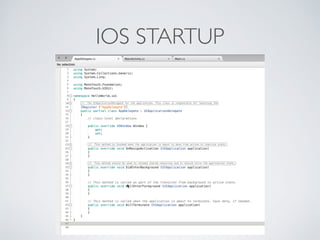
IOS STARTUP
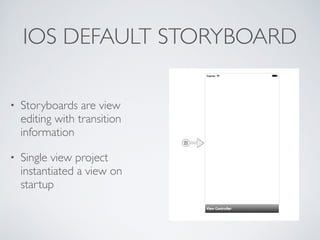
IOS DEFAULT STORYBOARD
• Storyboards are view
editing with transition
information	

• Single view project
instantiated a view on
startup
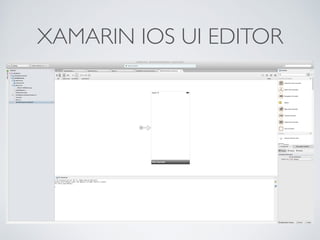
XAMARIN IOS UI EDITOR
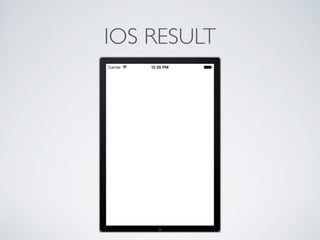
IOS RESULT
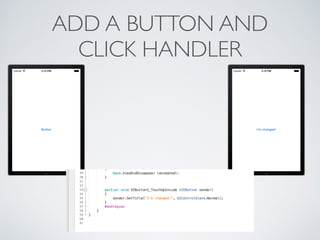
ADD A BUTTON AND	

CLICK HANDLER
ANDROID
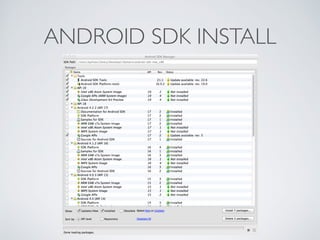
ANDROID SDK INSTALL
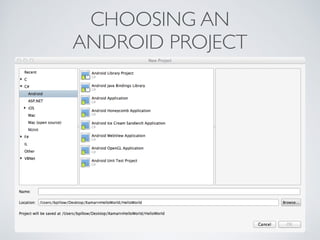
CHOOSING AN	

ANDROID PROJECT
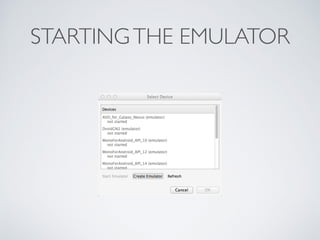
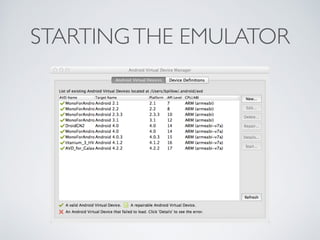
STARTINGTHE EMULATOR
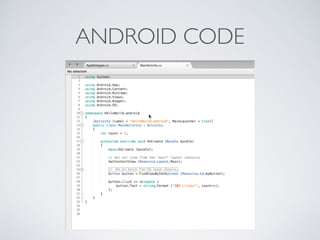
ANDROID CODE
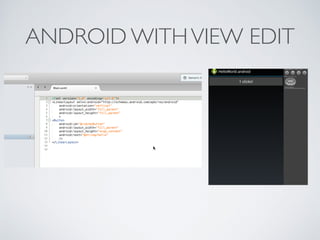
ANDROID WITHVIEW EDIT
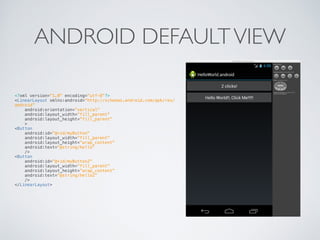
ANDROID DEFAULTVIEW
<?xml version="1.0" encoding="utf-8"?>

<LinearLayout xmlns:android="http://schemas.android.com/apk/res/
android"

android:orientation="vertical"

android:layout_width="fill_parent"

android:layout_height="fill_parent"

>

<Button 

android:id="@+id/myButton"

android:layout_width="fill_parent" 

android:layout_height="wrap_content" 

android:text="@string/hello"

/>
<Button 

android:id="@+id/myButton2"

android:layout_width="fill_parent" 

android:layout_height="wrap_content" 

android:text="@string/hello2"

/>

</LinearLayout>


WINDOWS PHONE
WINDOWS PHONE 8.1
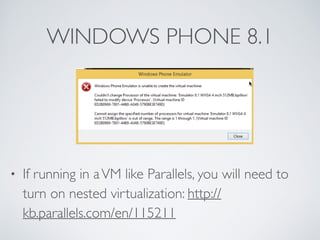
• If running in aVM like Parallels, you will need to
turn on nested virtualization: http://
kb.parallels.com/en/115211
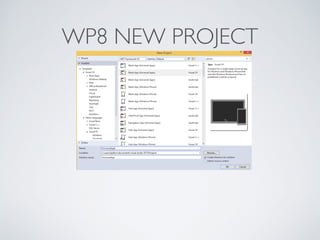
WP8 NEW PROJECT
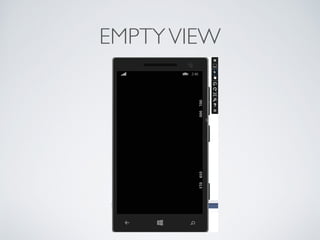
EMPTYVIEW
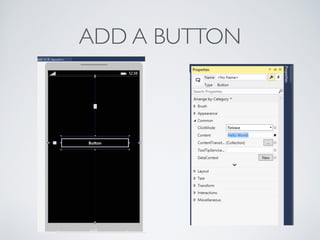
ADD A BUTTON
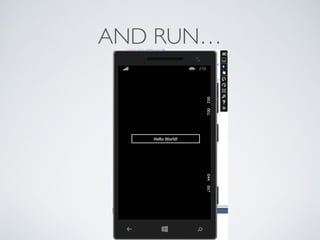
AND RUN…
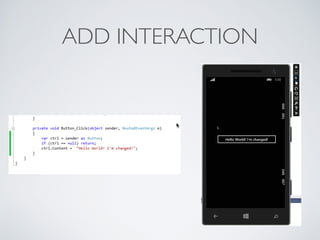
ADD INTERACTION
TOOLSTO STAY CROSS
PLATFORM
• Universal Projects (VS2013, coming to Xamarin): here
and here	

• Shared Project Reference Manager	

• PCL - Portable Class Libraries	

• Project Linker - aliases to files in a project	

• Blog on shared projects forVS2013
BUT I JUST WANTTO DRAW A
PICTURE
• For now…platform specific	

• System.Drawing cross-platform coming from
Xamarin
F# DSL FOR UI
this.mainModel <- new MainViewModel()
!
let payButton = Button (text = "Click Me!")
let subtotalLabel = Label (text = "Subtotal:")
let subtotalTextField = TextField ()
let tipPercentLabel = Label (text = "Tip Percent:")
let tipPercentTextField = TextField ()
let tipPercentSlider = Slider(min = 0., max = 100.)
let totalLabel = Label (text = "Total:")
let totalValueTextField = TextField ()
!
let tipView = View(content = [
subtotalLabel; subtotalTextField;
tipPercentSlider; tipPercentLabel; tipPercentTextField;
totalLabel; totalValueTextField;
payButton;
loadTemplateButton;
loadMarkdownButton;
webView;
])
!
let _ = this.mainModel.TipPercent.Subscribe(fun f -> printfn "slider moved to %f" f)
let _ = this.mainModel.Subtotal.Subscribe(fun f -> printfn “sub-total is %f" f)
!
let altUIBindings = [
Command(payButton, this.mainModel.PayCommand );
Command(loadTemplateButton, loadTemplateCommand );
Command(loadMarkdownButton, loadMarkdownCommand );
ValueToFromFloat(tipPercentSlider, this.mainModel.TipPercent);
ValueToFromString(tipPercentTextField, this.mainModel.TipPercent |> floatToStringProperty);
ValueToString(subtotalTextField, this.mainModel.Subtotal |> floatToStringProperty)
ValueFromString(totalValueTextField, this.mainModel.CalculatedTotal |> floatToStringProperty)
]
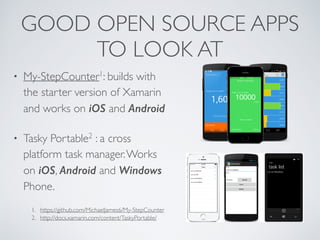
GOOD OPEN SOURCE APPS
TO LOOK AT
• My-StepCounter1: builds with
the starter version of Xamarin
and works on iOS and Android
• Tasky Portable2 : a cross
platform task manager.Works
on iOS, Android and Windows
Phone.
1. https://github.com/MichaelJames6/My-StepCounter	

2. http://docs.xamarin.com/content/TaskyPortable/
TIPS
• On iOS, use the simulator as much as you can.Turn
around is fastest with it.	

• On Android, use the device.Turn around is fastest on
it. Also the simulator has a nasty restriction on GREF’s
(handles to native Java objects form C#, i.e. UI
controls).	

• On WP8…I don’t know since I don’t have a device.
THANKS!

How To: Mobile "Hello World" With Xamarin and VS-2013

  • 1.
    “HELLO WORLD” WITH XAMARIN AND VISUAL STUDIO 2013 Presented at the Indy .NET Mobile Developers Group, May 2014 Brad Pillow, PillowSoft LLC
  • 2.
    GETTING STARTED: XAMARINMAC • Using Android? Install the Android SDK from here: http://developer.android.com/sdk/index.html#download • Using iOS? Sign up to be an iOS developer here and then download tools: https://developer.apple.com/ programs/ios/ • Developing for iOS or Android? Download Xamarin tools for the PC: http://xamarin.com/download# • Get your free C#T-Shirt like mine here: https://xamarin.com/ sharp-shirt
  • 3.
    GETTING STARTED: VS2013 • DownloadVS2013:http://www.visualstudio.com/en-us/ downloads (Note: Xamarin will not work with Express versions!) • Developing for iOS (see previous slide) • Developing for Android (see previous slide) • Developing for Windows Phone 8? Download: https:// dev.windowsphone.com/en-us/downloadsdk • Developing for iOS or Android? Download Xamarin tools for the PC: http://xamarin.com/download#
  • 4.
    PREPARING FORTHISTALK • Iupdated to the alpha release of Xamarin…i.e. my IDE has the new look and feel • I decided to update my Android SDK…bad idea. I got an error when opening the UI layout file,“layout renders disconnected”…see this link for a temporary fix: http:// forums.xamarin.com/discussion/14344/disconnected-from- layout-renderer-error-after-updating-android-sdk-tools-to- version-22-6 • Ugh!
  • 5.
  • 6.
  • 7.
  • 8.
  • 9.
    IOS DEFAULT STORYBOARD •Storyboards are view editing with transition information • Single view project instantiated a view on startup
  • 10.
  • 11.
  • 12.
    ADD A BUTTONAND CLICK HANDLER
  • 13.
  • 14.
  • 15.
  • 16.
  • 17.
  • 18.
  • 19.
  • 20.
    ANDROID DEFAULTVIEW <?xml version="1.0"encoding="utf-8"?>
 <LinearLayout xmlns:android="http://schemas.android.com/apk/res/ android"
 android:orientation="vertical"
 android:layout_width="fill_parent"
 android:layout_height="fill_parent"
 >
 <Button 
 android:id="@+id/myButton"
 android:layout_width="fill_parent" 
 android:layout_height="wrap_content" 
 android:text="@string/hello"
 /> <Button 
 android:id="@+id/myButton2"
 android:layout_width="fill_parent" 
 android:layout_height="wrap_content" 
 android:text="@string/hello2"
 />
 </LinearLayout>
 

  • 21.
  • 22.
    WINDOWS PHONE 8.1 •If running in aVM like Parallels, you will need to turn on nested virtualization: http:// kb.parallels.com/en/115211
  • 23.
  • 24.
  • 25.
  • 26.
  • 27.
  • 28.
    TOOLSTO STAY CROSS PLATFORM •Universal Projects (VS2013, coming to Xamarin): here and here • Shared Project Reference Manager • PCL - Portable Class Libraries • Project Linker - aliases to files in a project • Blog on shared projects forVS2013
  • 29.
    BUT I JUSTWANTTO DRAW A PICTURE • For now…platform specific • System.Drawing cross-platform coming from Xamarin
  • 30.
    F# DSL FORUI this.mainModel <- new MainViewModel() ! let payButton = Button (text = "Click Me!") let subtotalLabel = Label (text = "Subtotal:") let subtotalTextField = TextField () let tipPercentLabel = Label (text = "Tip Percent:") let tipPercentTextField = TextField () let tipPercentSlider = Slider(min = 0., max = 100.) let totalLabel = Label (text = "Total:") let totalValueTextField = TextField () ! let tipView = View(content = [ subtotalLabel; subtotalTextField; tipPercentSlider; tipPercentLabel; tipPercentTextField; totalLabel; totalValueTextField; payButton; loadTemplateButton; loadMarkdownButton; webView; ]) ! let _ = this.mainModel.TipPercent.Subscribe(fun f -> printfn "slider moved to %f" f) let _ = this.mainModel.Subtotal.Subscribe(fun f -> printfn “sub-total is %f" f) ! let altUIBindings = [ Command(payButton, this.mainModel.PayCommand ); Command(loadTemplateButton, loadTemplateCommand ); Command(loadMarkdownButton, loadMarkdownCommand ); ValueToFromFloat(tipPercentSlider, this.mainModel.TipPercent); ValueToFromString(tipPercentTextField, this.mainModel.TipPercent |> floatToStringProperty); ValueToString(subtotalTextField, this.mainModel.Subtotal |> floatToStringProperty) ValueFromString(totalValueTextField, this.mainModel.CalculatedTotal |> floatToStringProperty) ]
  • 31.
    GOOD OPEN SOURCEAPPS TO LOOK AT • My-StepCounter1: builds with the starter version of Xamarin and works on iOS and Android • Tasky Portable2 : a cross platform task manager.Works on iOS, Android and Windows Phone. 1. https://github.com/MichaelJames6/My-StepCounter 2. http://docs.xamarin.com/content/TaskyPortable/
  • 32.
    TIPS • On iOS,use the simulator as much as you can.Turn around is fastest with it. • On Android, use the device.Turn around is fastest on it. Also the simulator has a nasty restriction on GREF’s (handles to native Java objects form C#, i.e. UI controls). • On WP8…I don’t know since I don’t have a device.
  • 33.