How to Install and Configure your
own Identity Manager GE
Álvaro Alonso – Federico Fernández
Security Team
Technical University of Madrid (UPM)
aalonsog@dit.upm.es – fefernandez@dit.upm.es
Outline
 Introduction
 KeyRock Architecture
 Installing and Configuring KeyRock
 Demo
1
Why do I need an
Identity Manager?
2
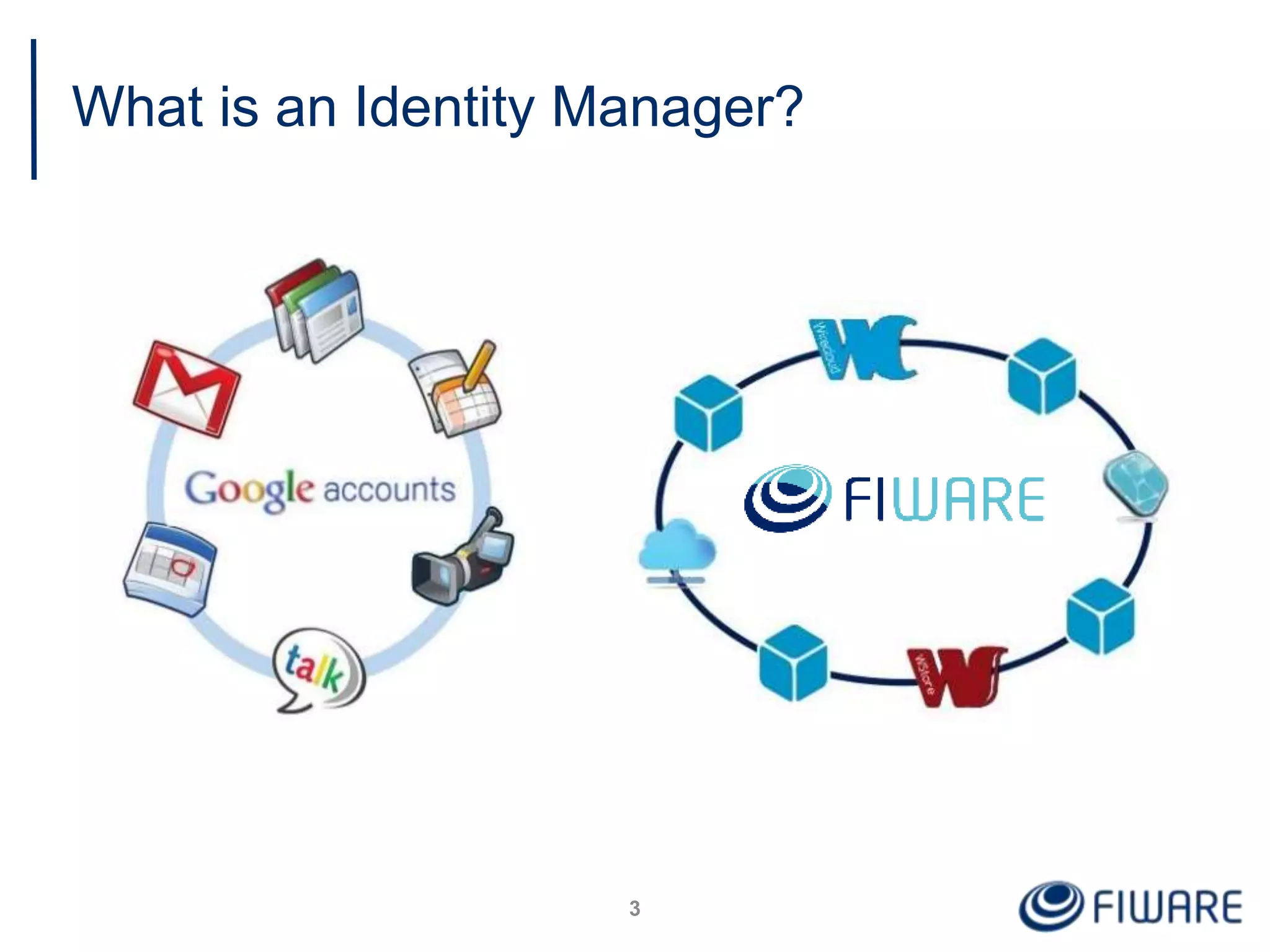
What is an Identity Manager?
3
Why should I install
FIWARE Identity Manager GE?
4
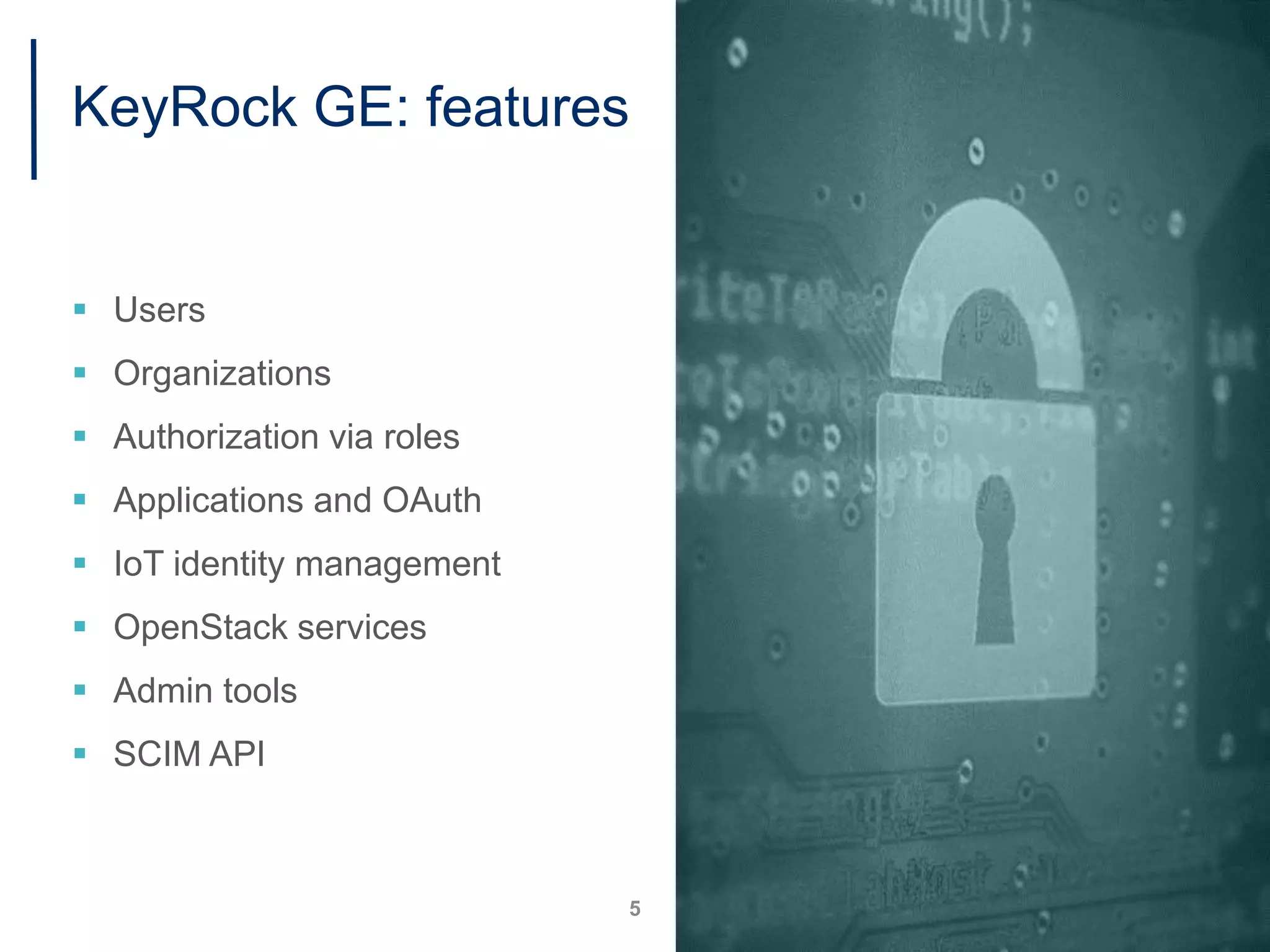
KeyRock GE: features
 Users
 Organizations
 Authorization via roles
 Applications and OAuth
 IoT identity management
 OpenStack services
 Admin tools
 SCIM API
5
KeyRock Architecture
6
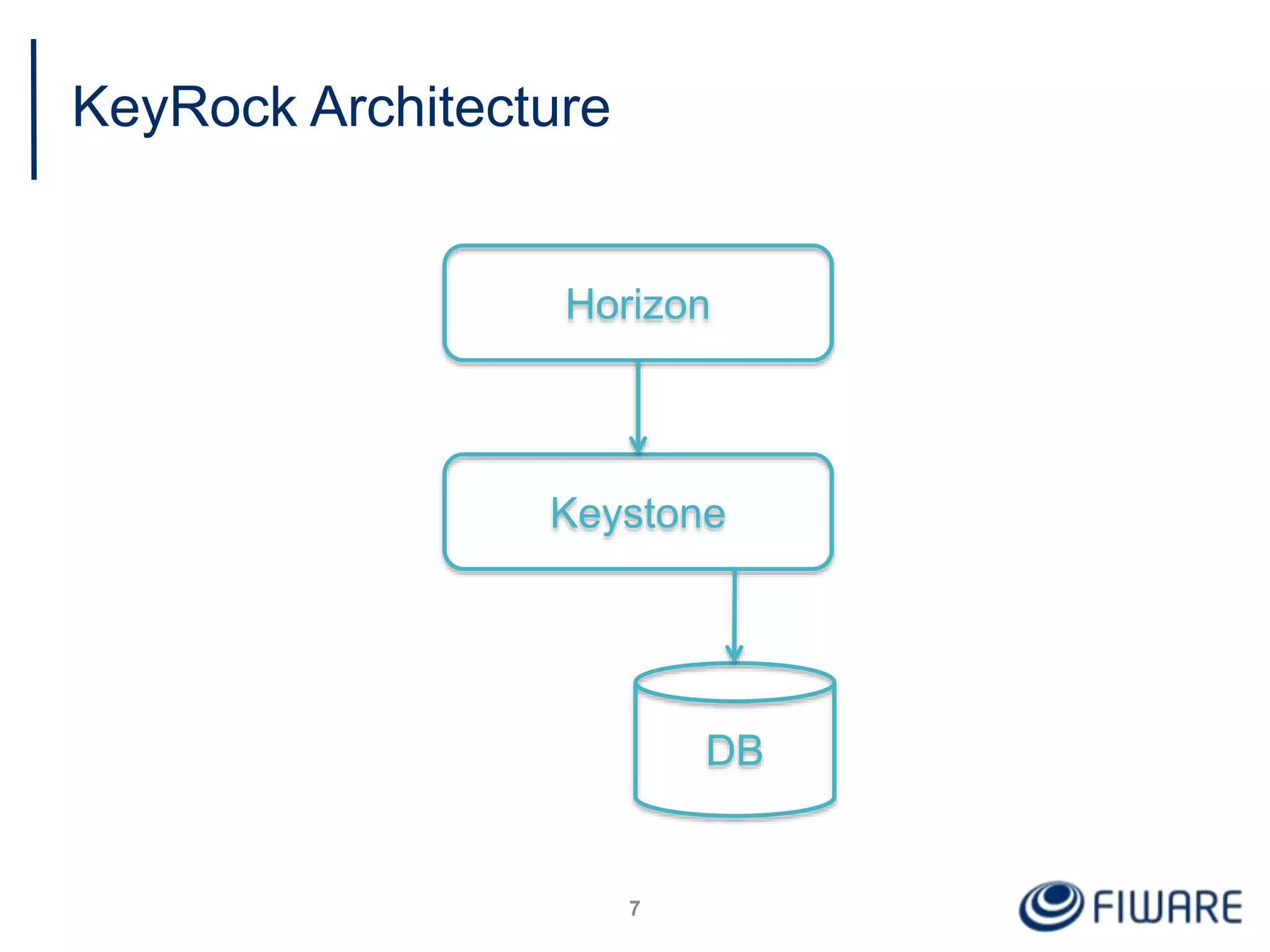
KeyRock Architecture
7
Horizon
Keystone
DB
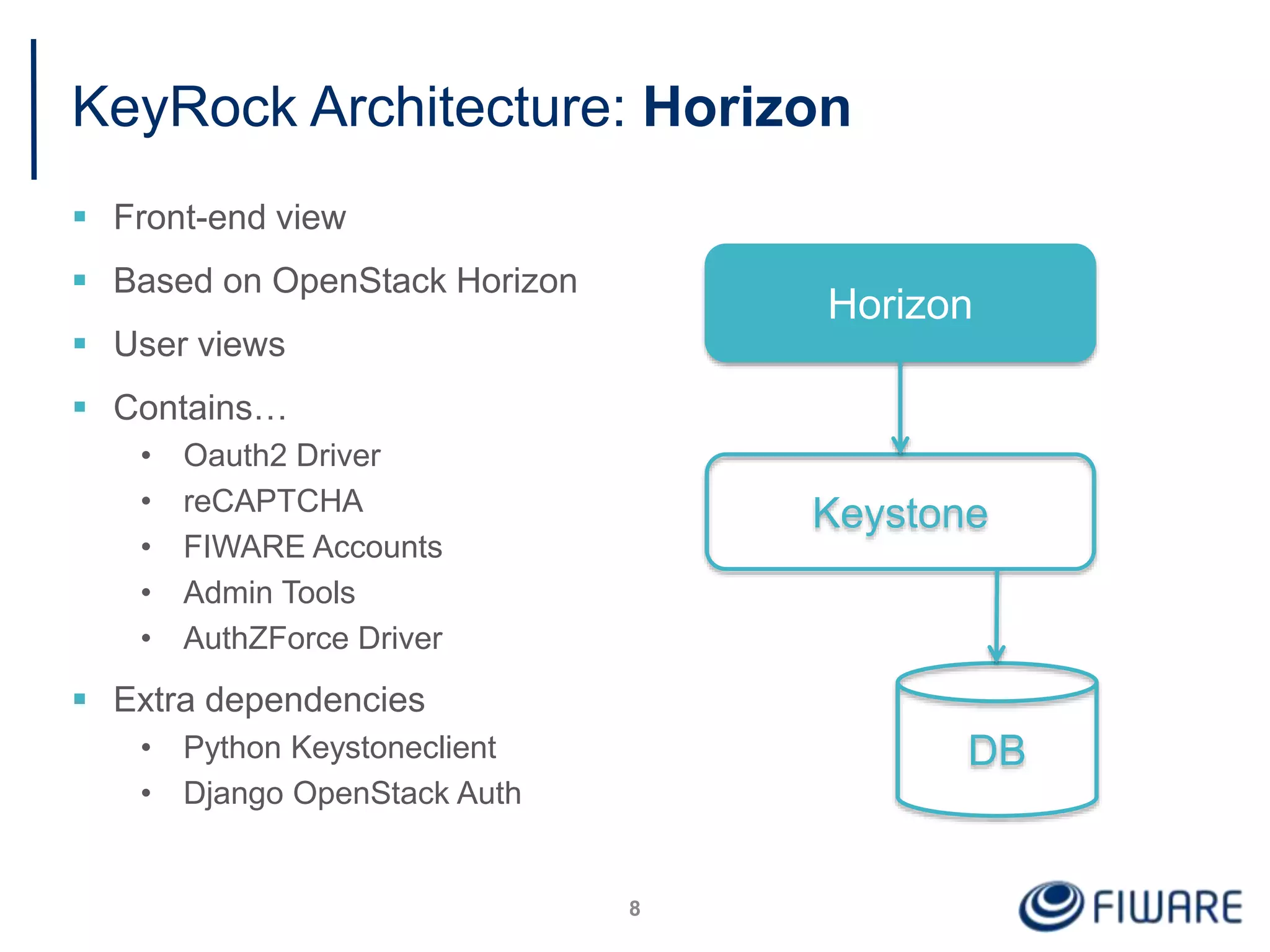
KeyRock Architecture: Horizon
 Front-end view
 Based on OpenStack Horizon
 User views
 Contains…
• Oauth2 Driver
• reCAPTCHA
• FIWARE Accounts
• Admin Tools
• AuthZForce Driver
 Extra dependencies
• Python Keystoneclient
• Django OpenStack Auth
8
Horizon
Keystone
DB
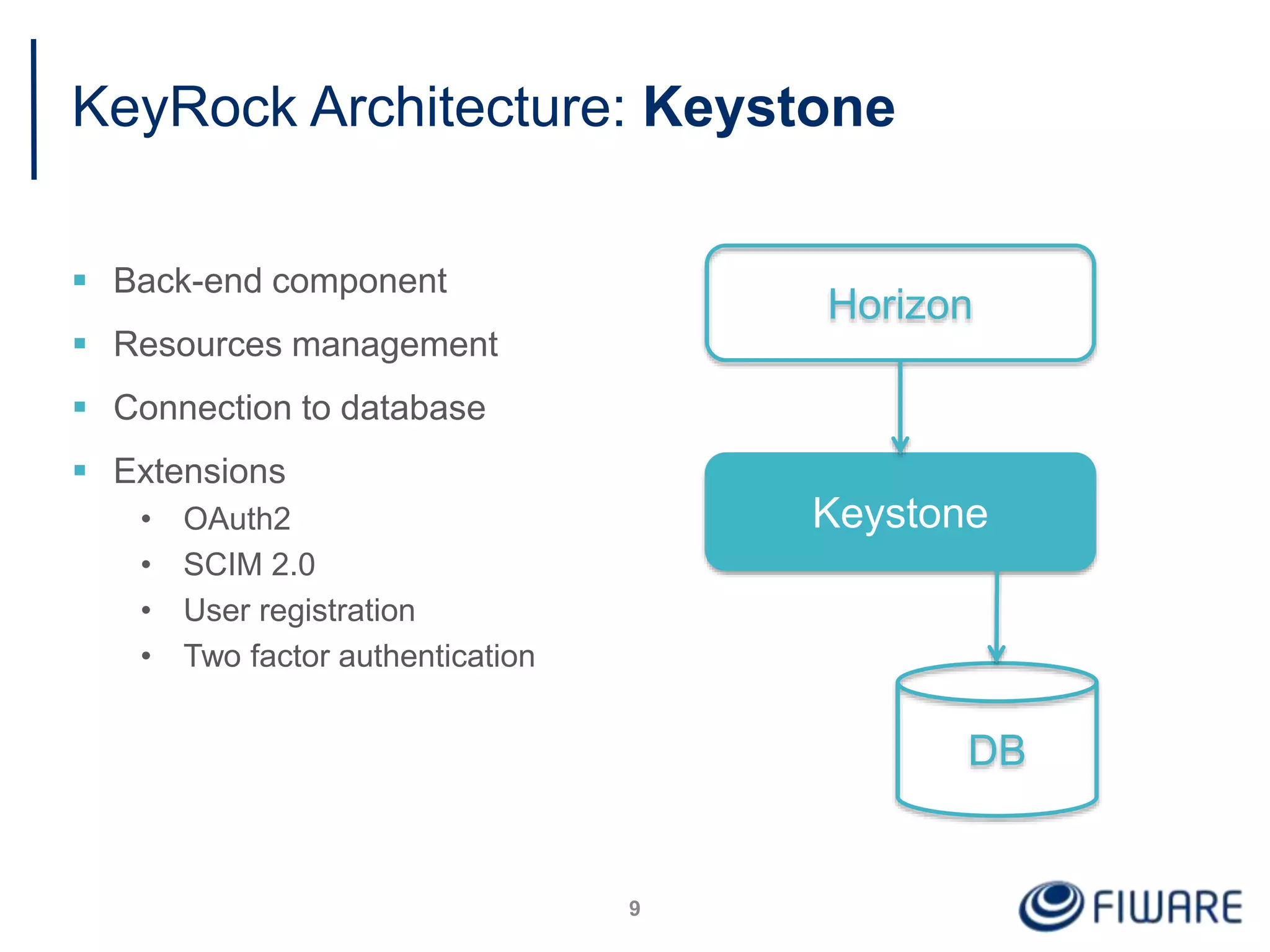
KeyRock Architecture: Keystone
 Back-end component
 Resources management
 Connection to database
 Extensions
• OAuth2
• SCIM 2.0
• User registration
• Two factor authentication
9
Horizon
Keystone
DB
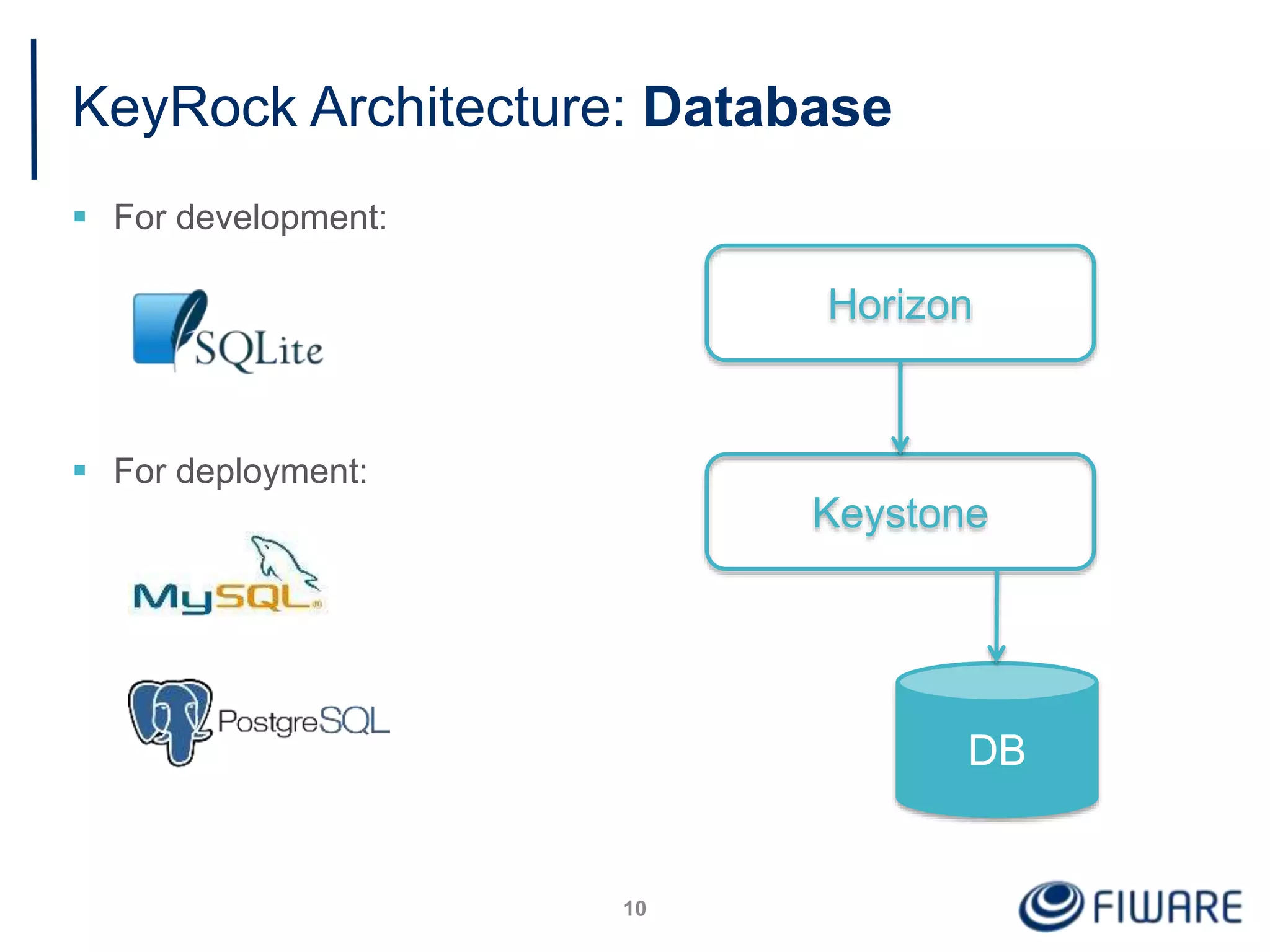
KeyRock Architecture: Database
 For development:
 For deployment:
10
Horizon
Keystone
DB
#handsOn
11
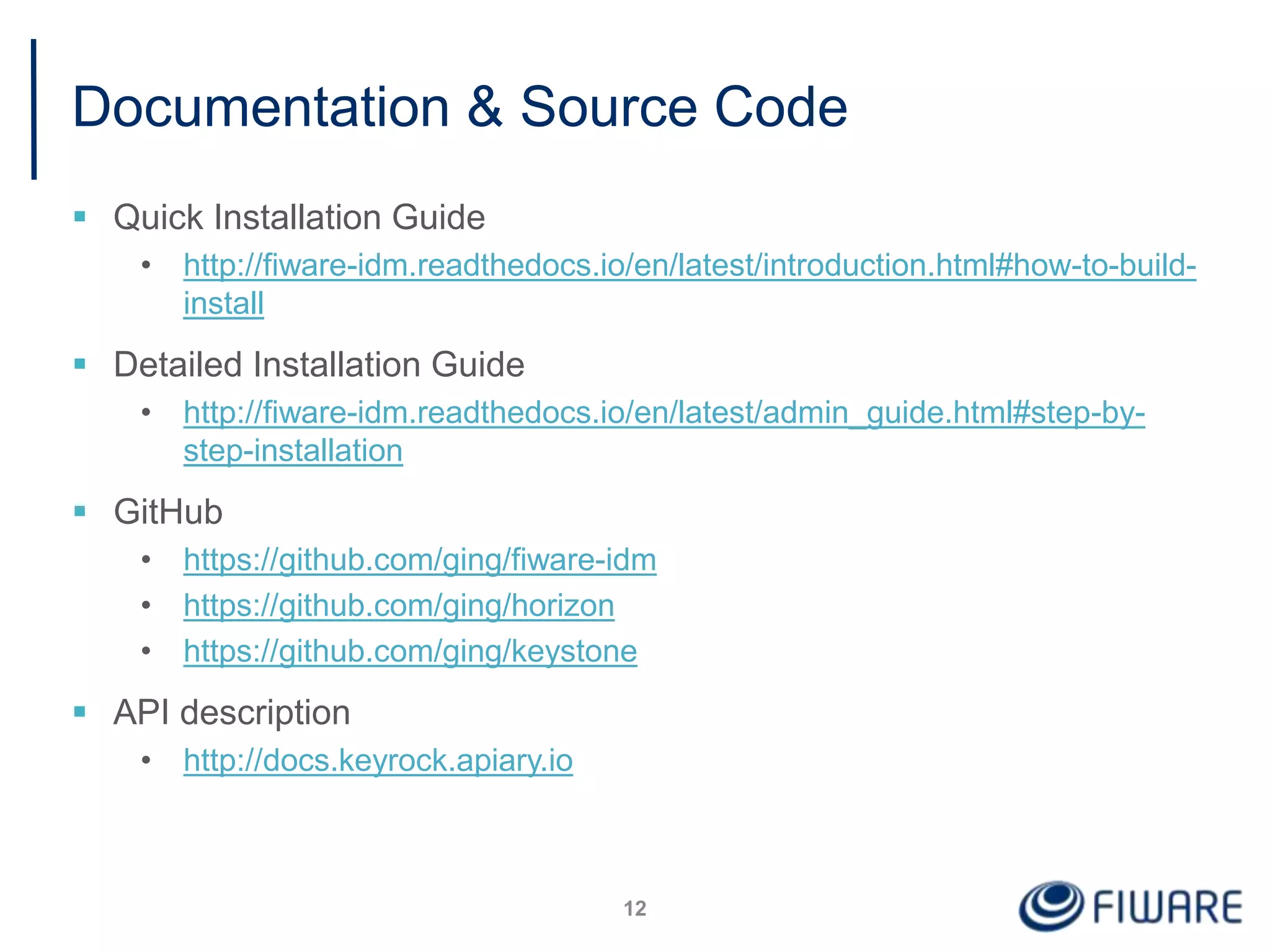
Documentation & Source Code
 Quick Installation Guide
• http://fiware-idm.readthedocs.io/en/latest/introduction.html#how-to-build-
install
 Detailed Installation Guide
• http://fiware-idm.readthedocs.io/en/latest/admin_guide.html#step-by-
step-installation
 GitHub
• https://github.com/ging/fiware-idm
• https://github.com/ging/horizon
• https://github.com/ging/keystone
 API description
• http://docs.keyrock.apiary.io
12
Installing KeyRock
13
Installing
the back-end
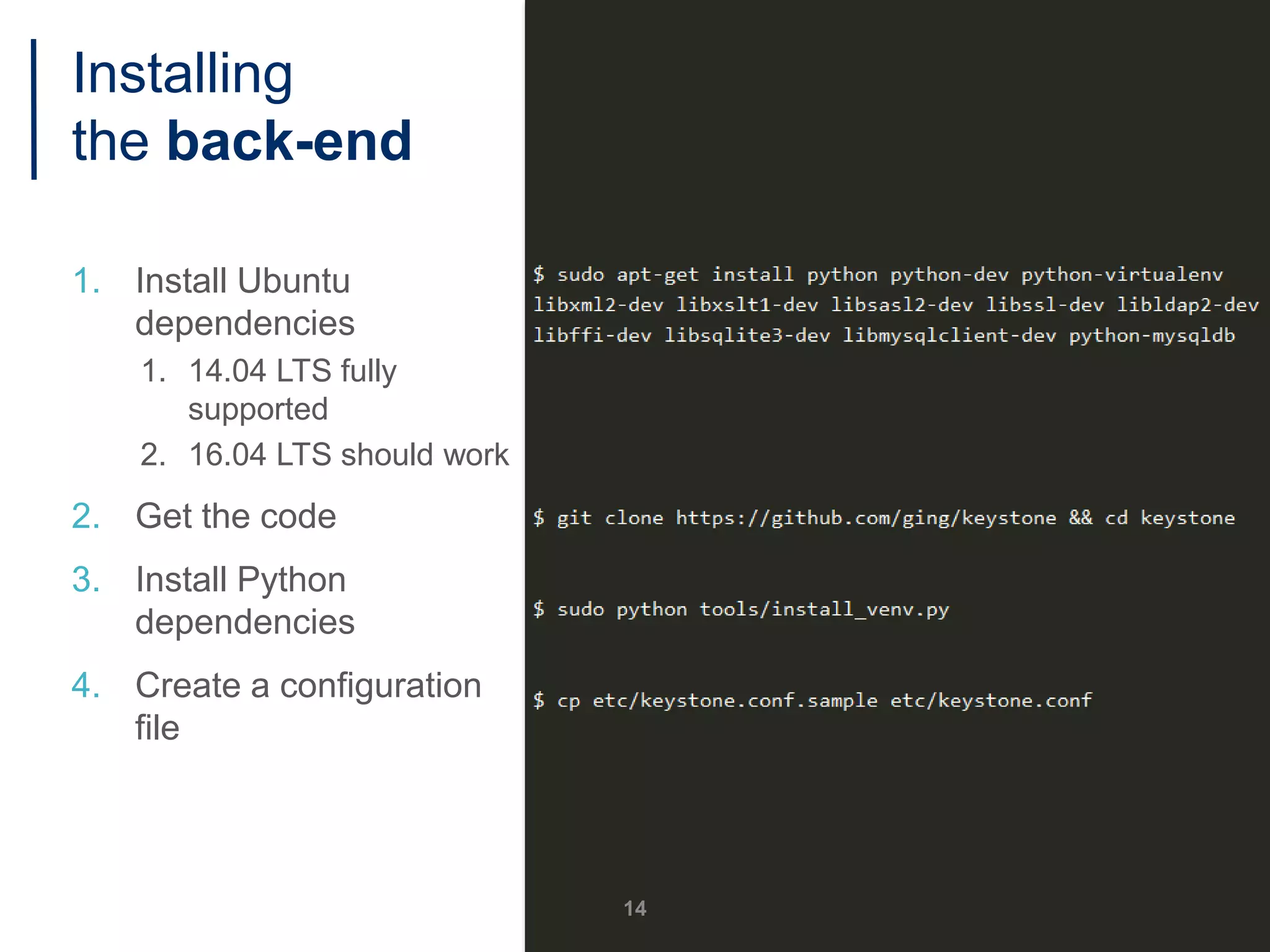
1. Install Ubuntu
dependencies
1. 14.04 LTS fully
supported
2. 16.04 LTS should work
2. Get the code
3. Install Python
dependencies
4. Create a configuration
file
14
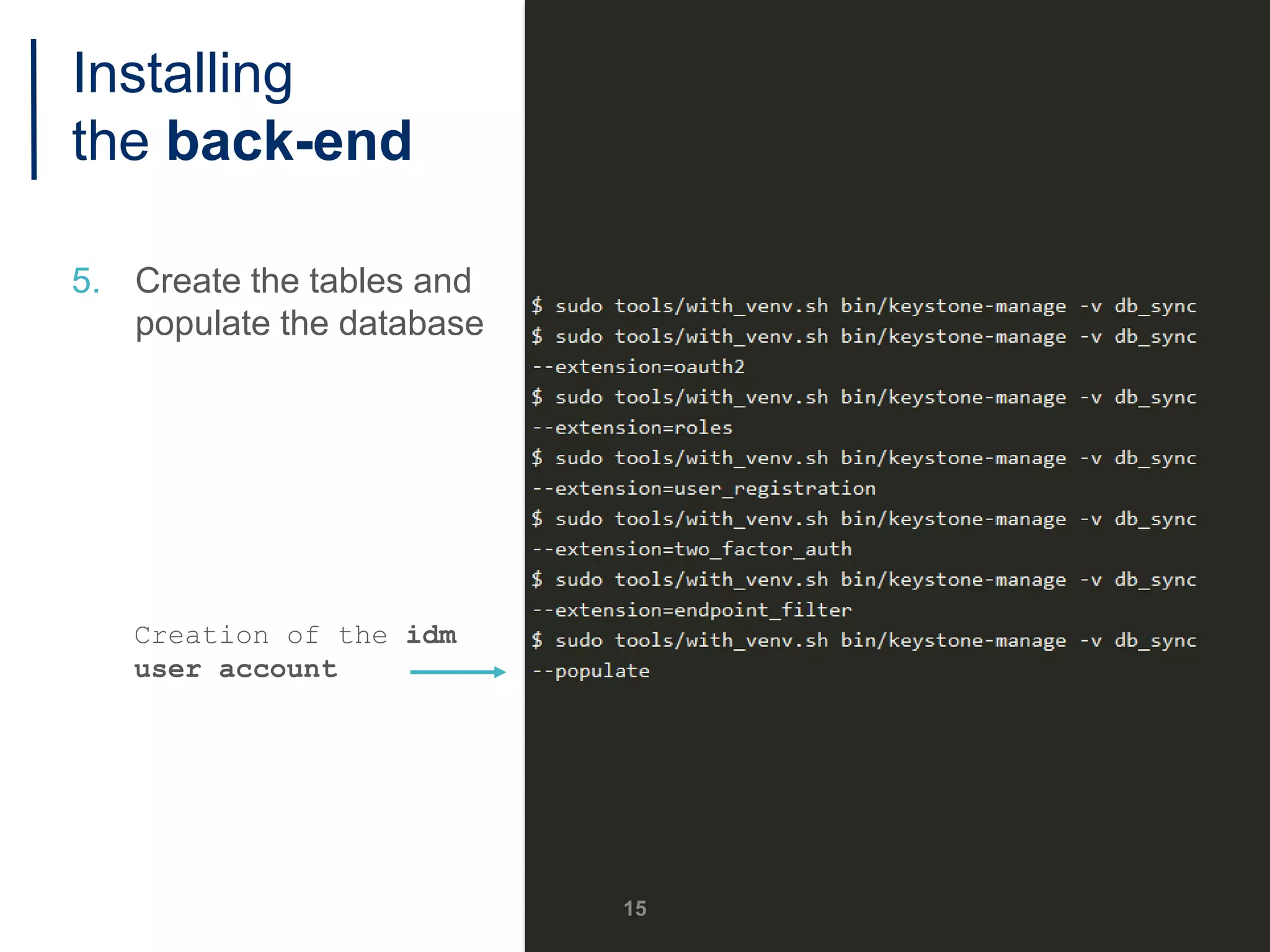
5. Create the tables and
populate the database
Creation of the idm
user account
15
Installing
the back-end
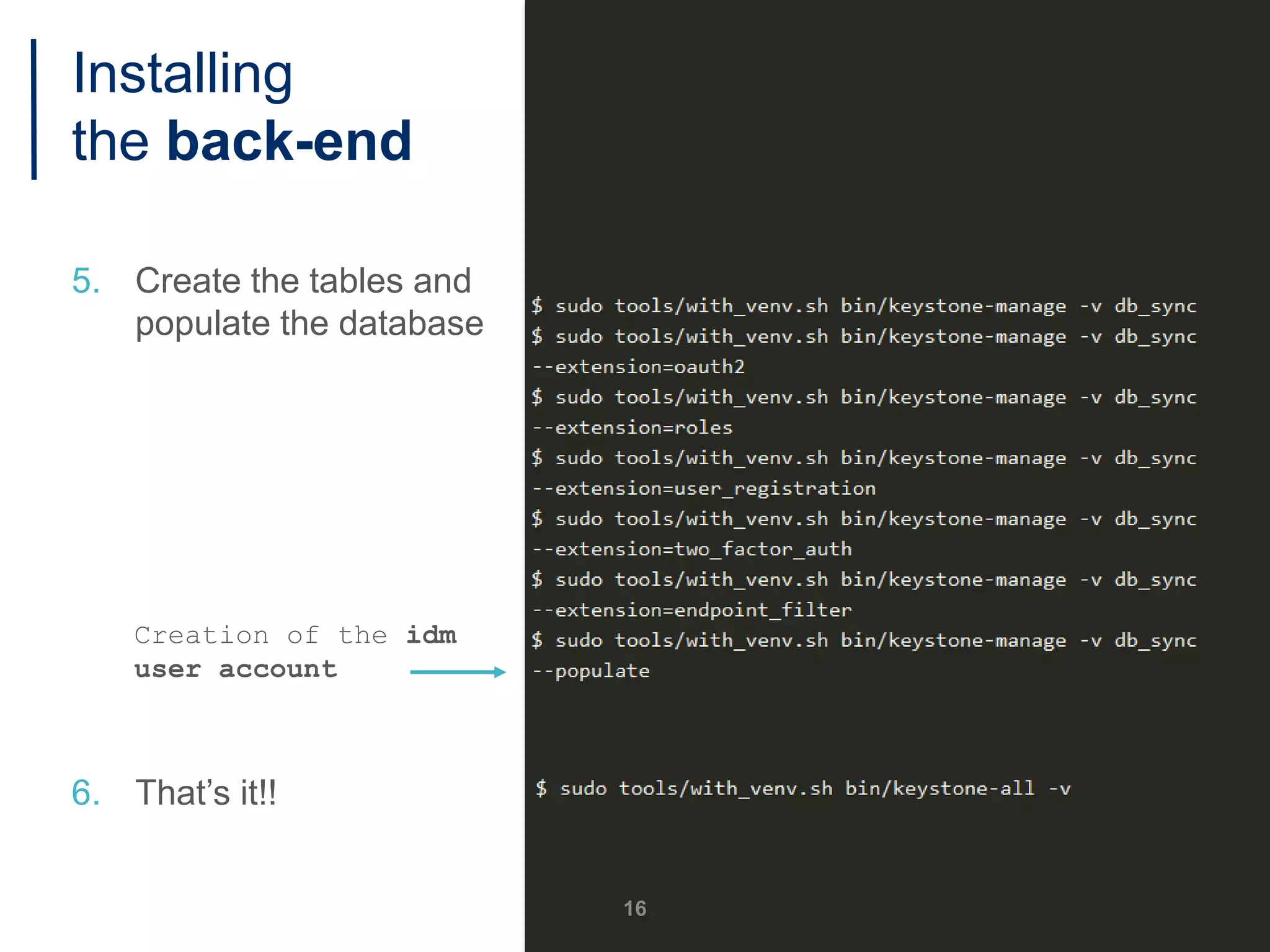
5. Create the tables and
populate the database
Creation of the idm
user account
6. That’s it!!
16
Installing
the back-end
1. Install Ubuntu
dependencies
2. Get the code
3. Create a configuration
file
4. Install Python
dependencies
17
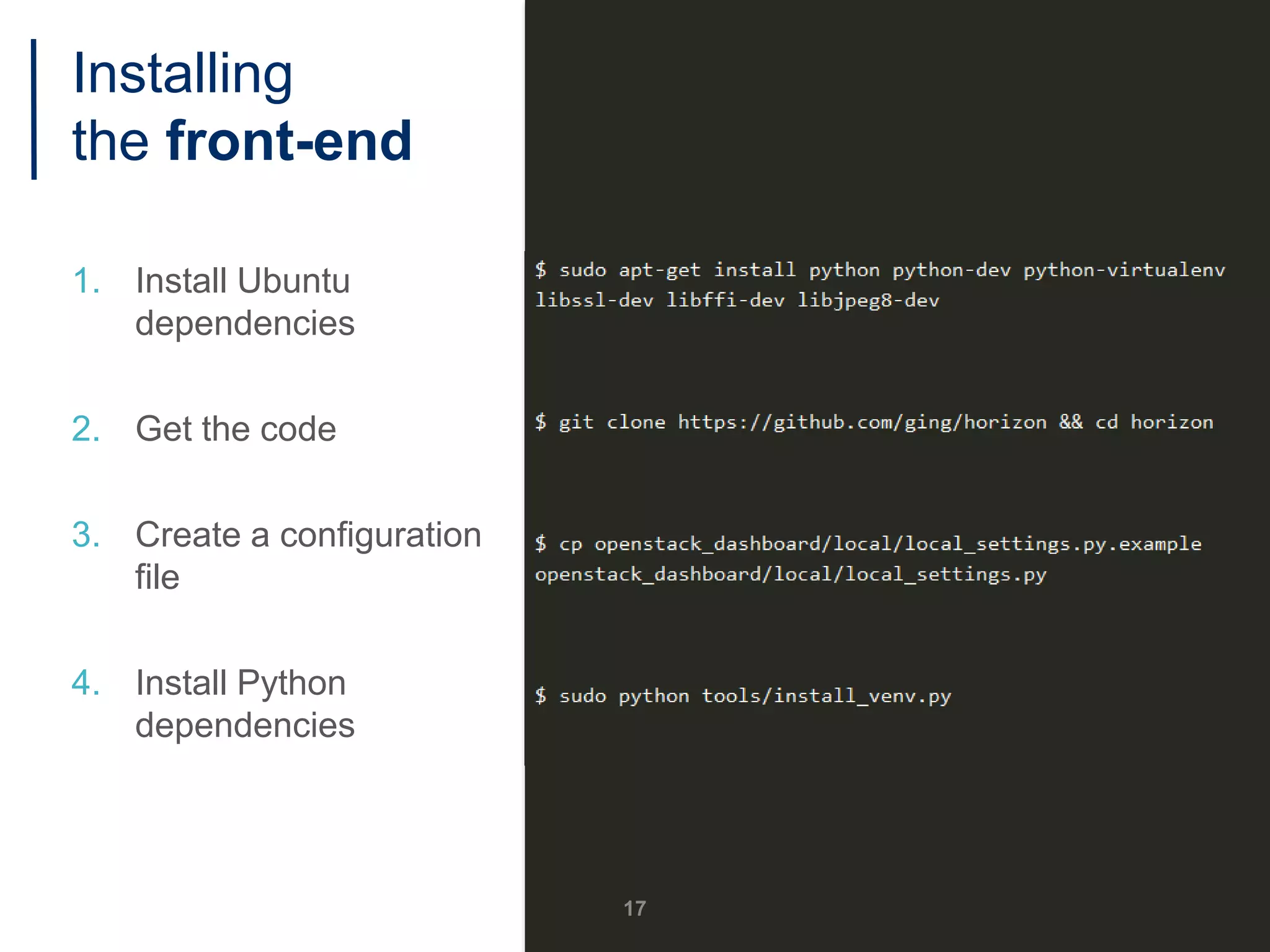
Installing
the front-end
1. Install Ubuntu
dependencies
2. Get the code
3. Create a configuration
file
4. Install Python
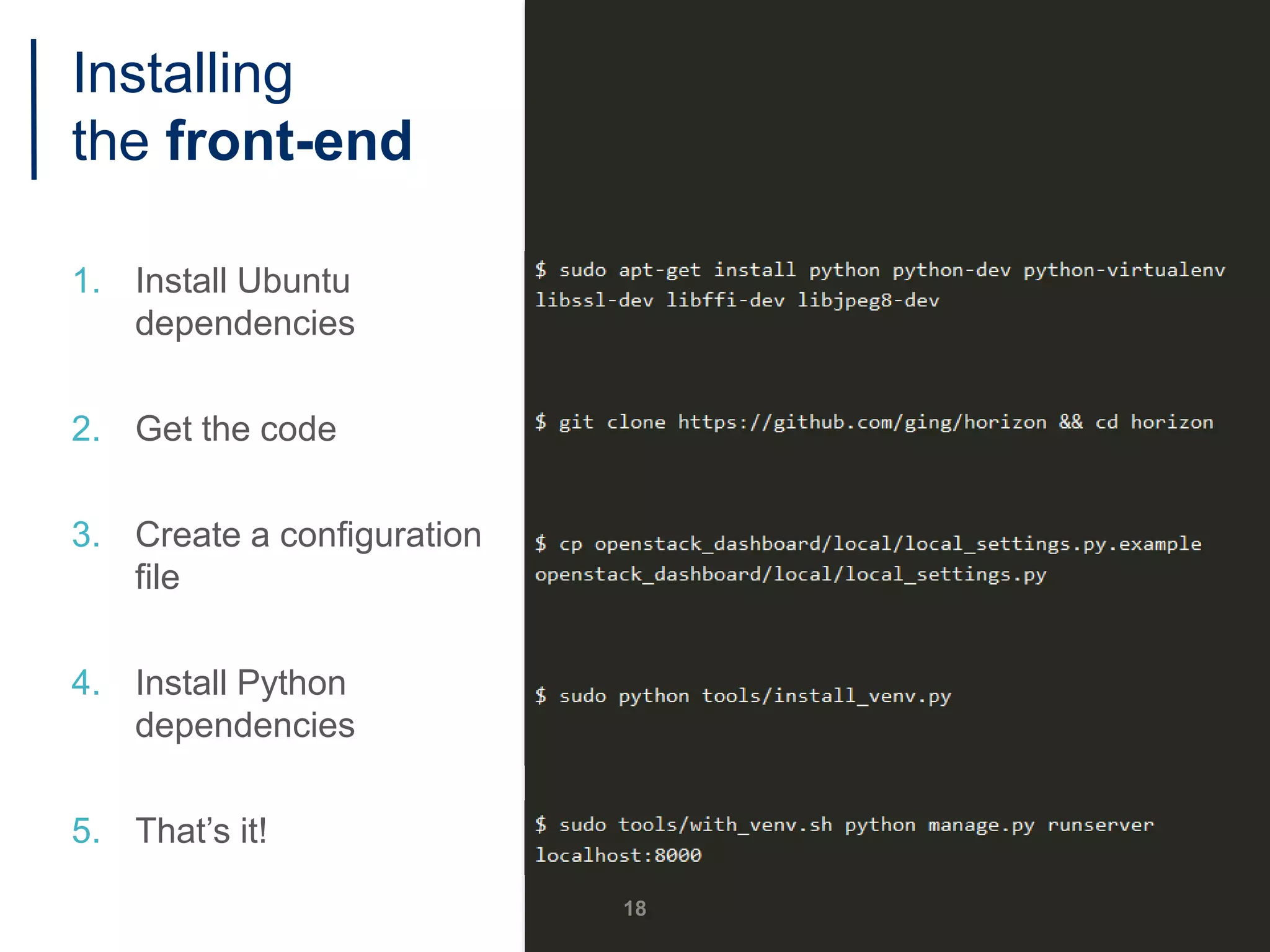
dependencies
5. That’s it!
18
Installing
the front-end
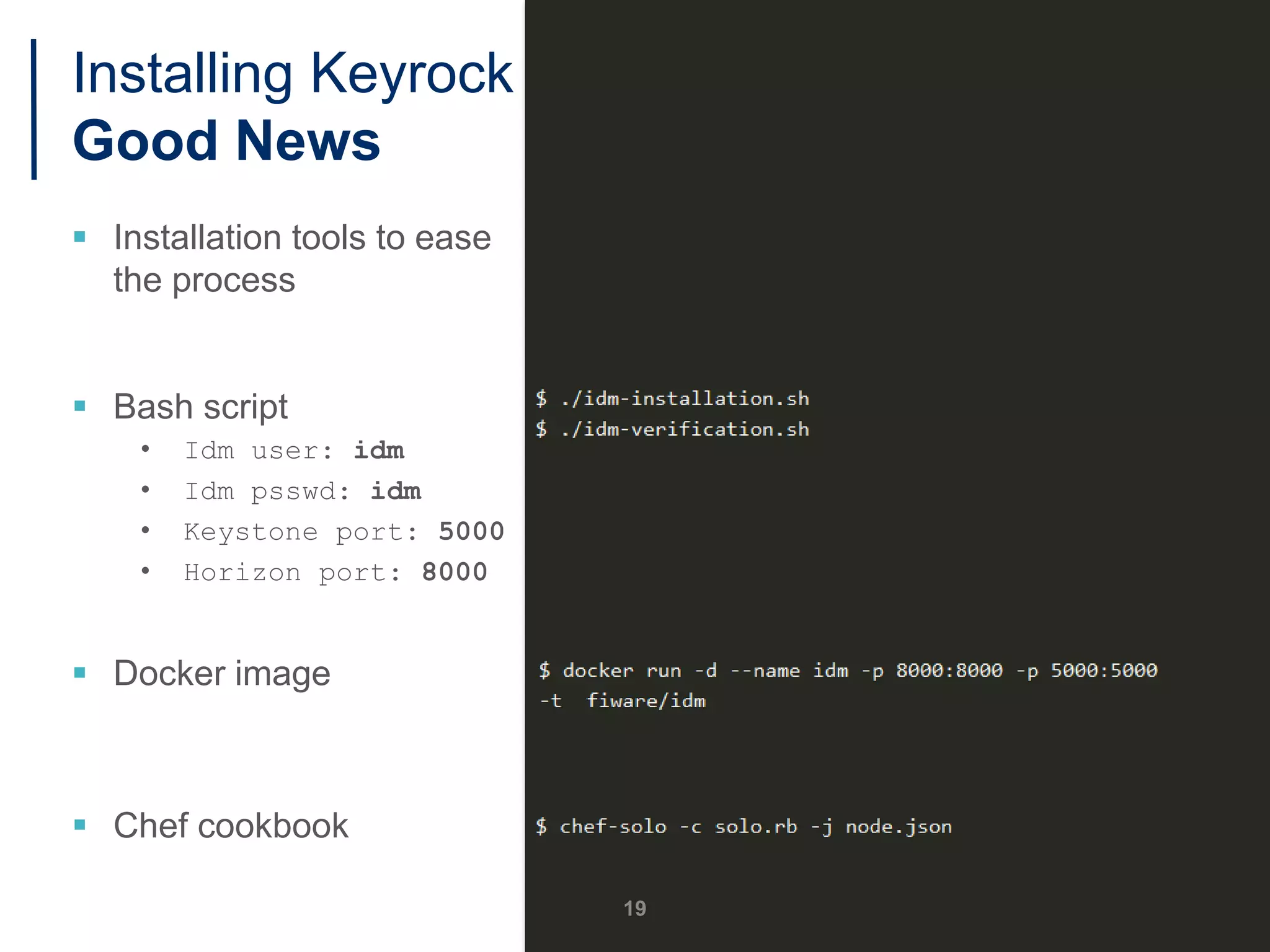
Installing Keyrock
Good News
 Installation tools to ease
the process
 Bash script
• Idm user: idm
• Idm psswd: idm
• Keystone port: 5000
• Horizon port: 8000
 Docker image
 Chef cookbook
19
Configuring KeyRock
20
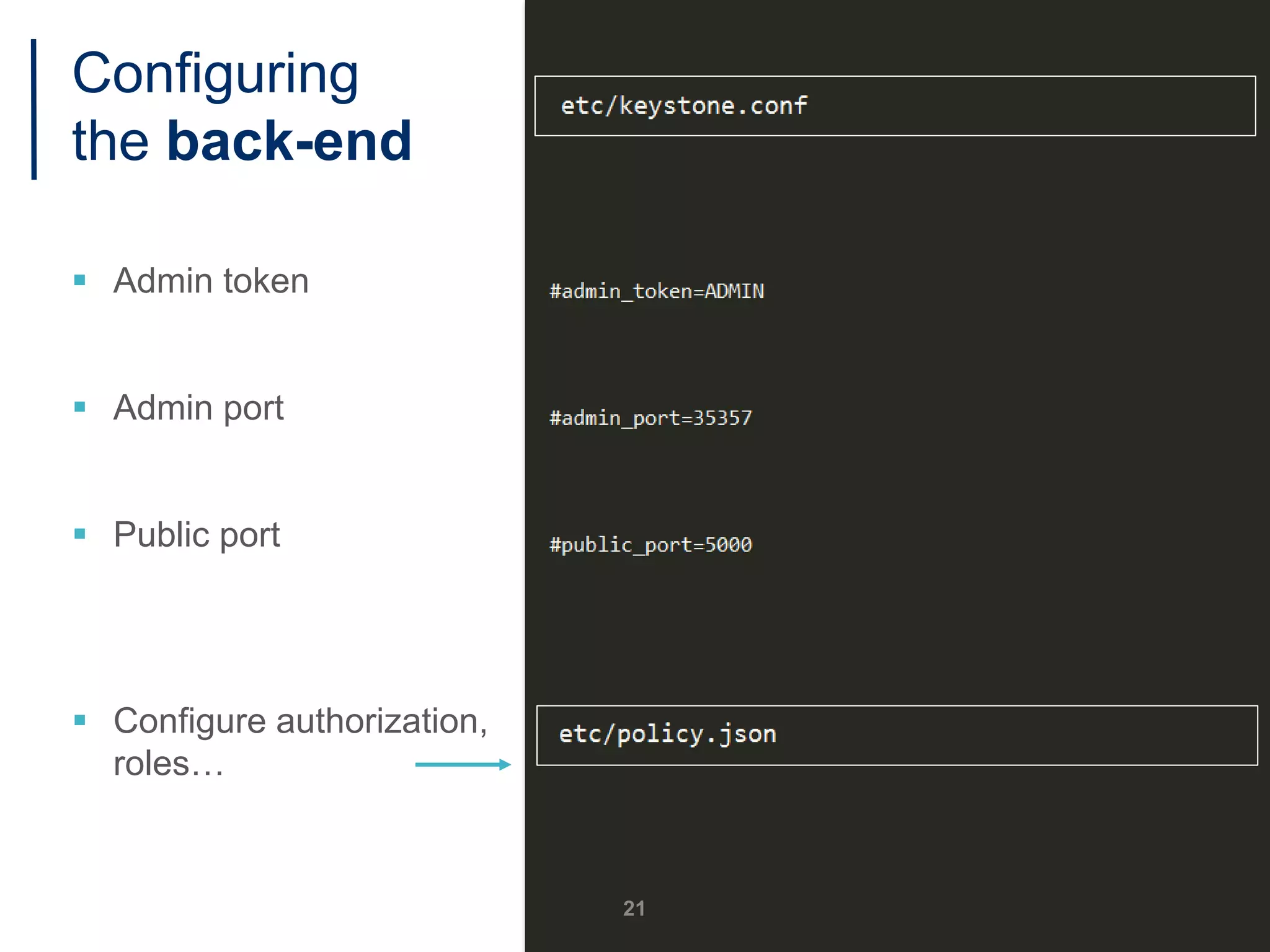
Configuring
the back-end
 Admin token
 Admin port
 Public port
 Configure authorization,
roles…
21
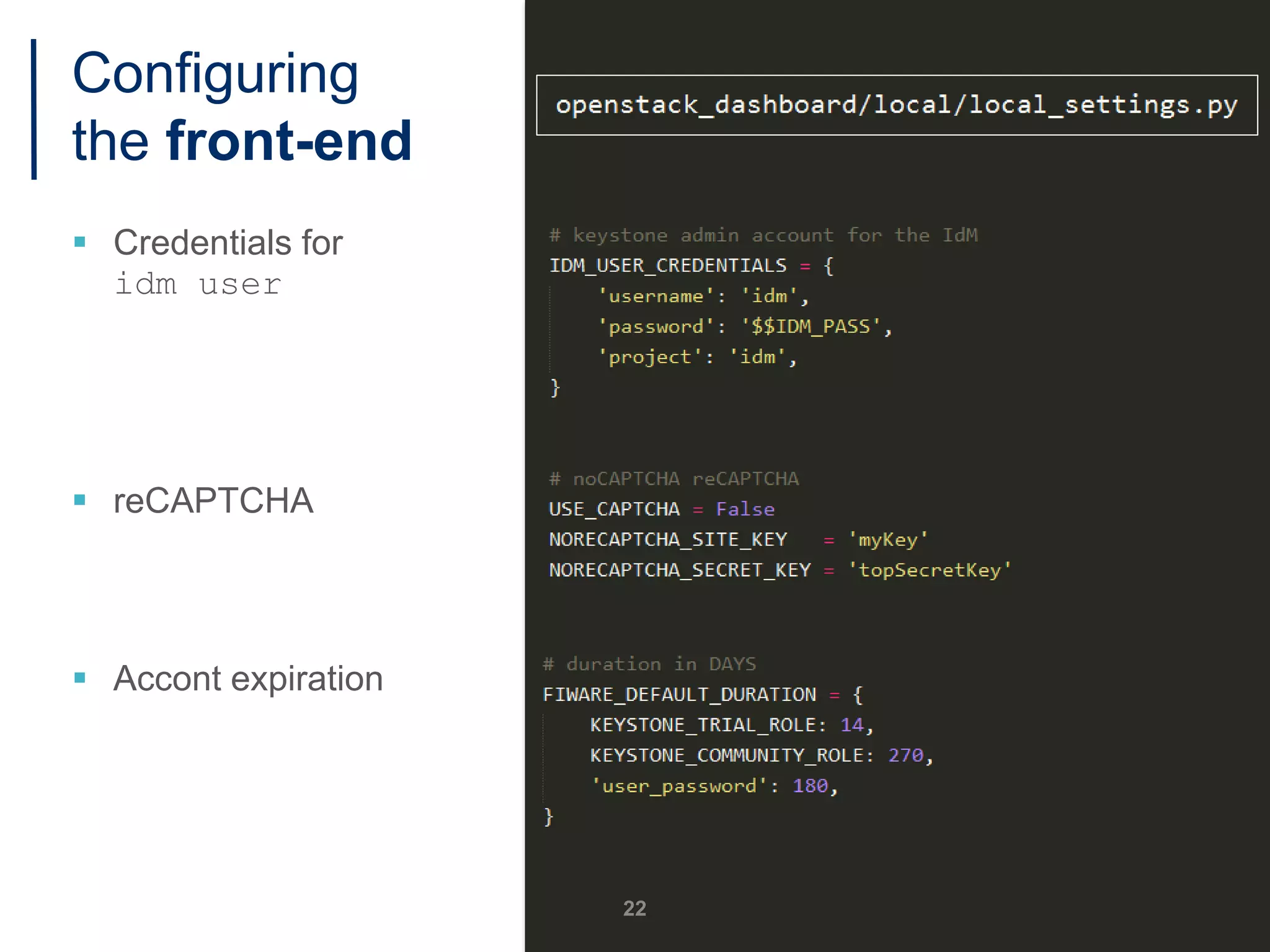
Configuring
the front-end
 Credentials for
idm user
 reCAPTCHA
 Accont expiration
22
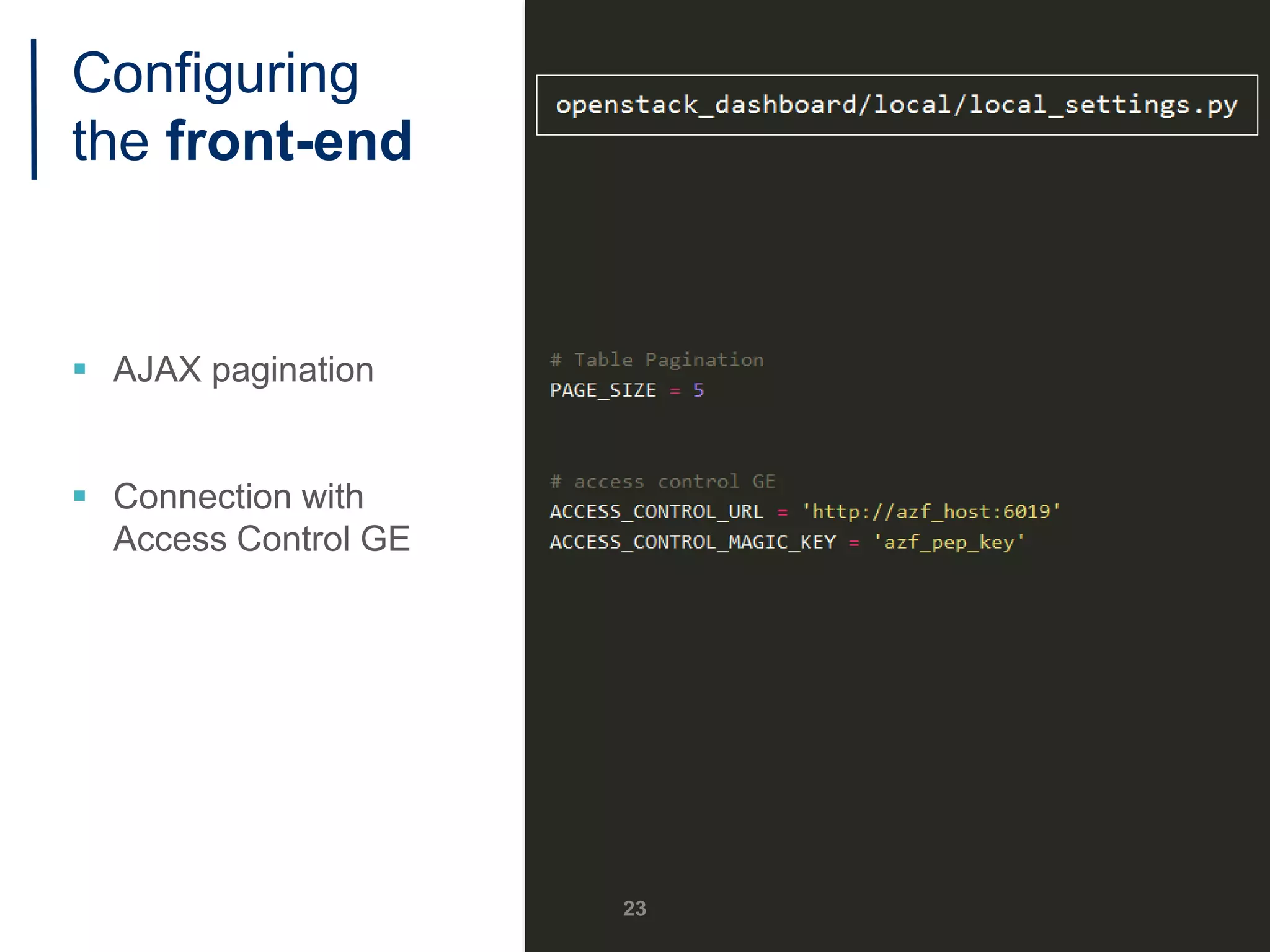
Configuring
the front-end
 AJAX pagination
 Connection with
Access Control GE
23
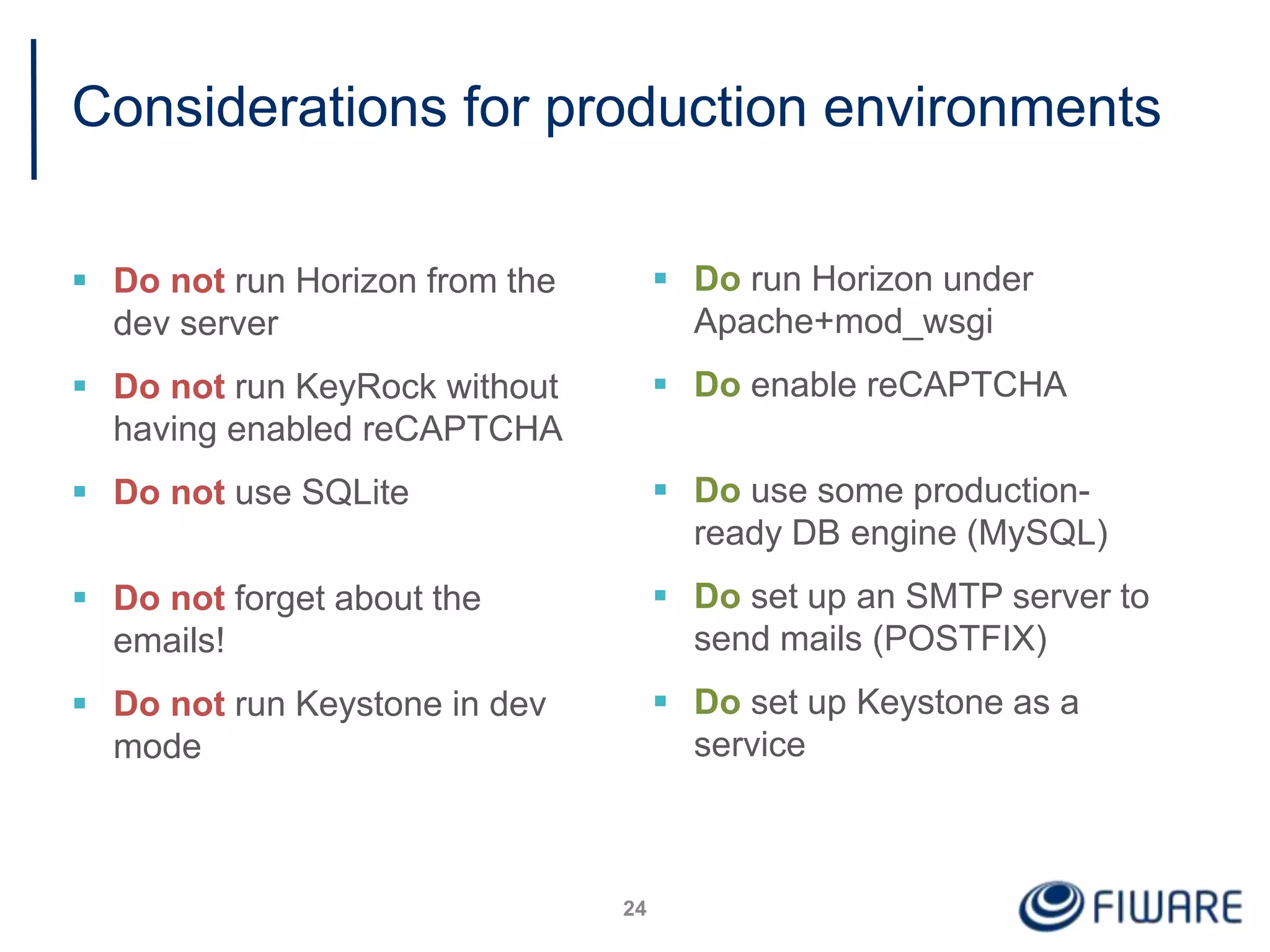
Considerations for production environments
 Do not run Horizon from the
dev server
 Do not run KeyRock without
having enabled reCAPTCHA
 Do not use SQLite
 Do not forget about the
emails!
 Do not run Keystone in dev
mode
24
 Do run Horizon under
Apache+mod_wsgi
 Do enable reCAPTCHA
 Do use some production-
ready DB engine (MySQL)
 Do set up an SMTP server to
send mails (POSTFIX)
 Do set up Keystone as a
service
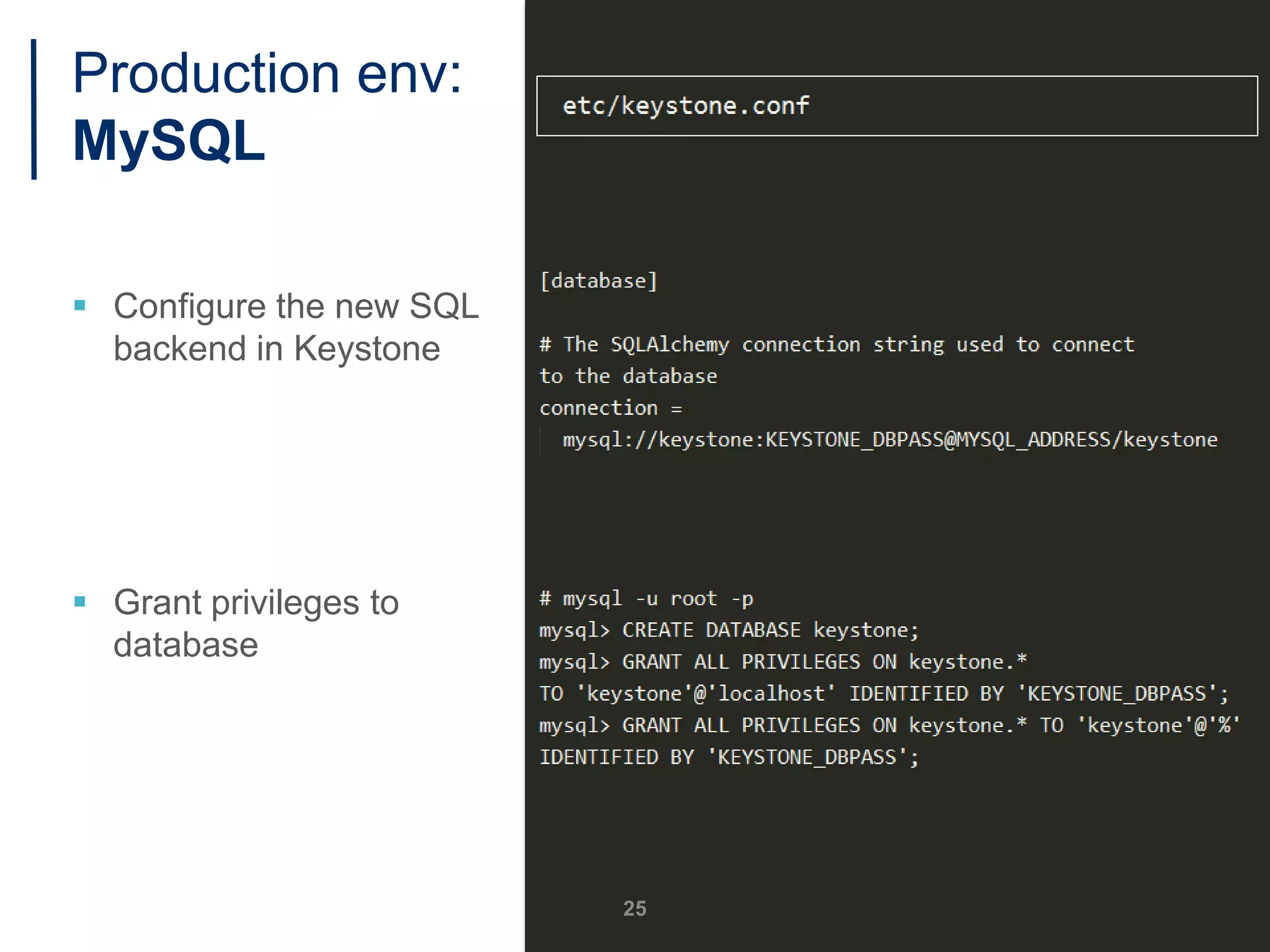
Production env:
MySQL
 Configure the new SQL
backend in Keystone
 Grant privileges to
database
25
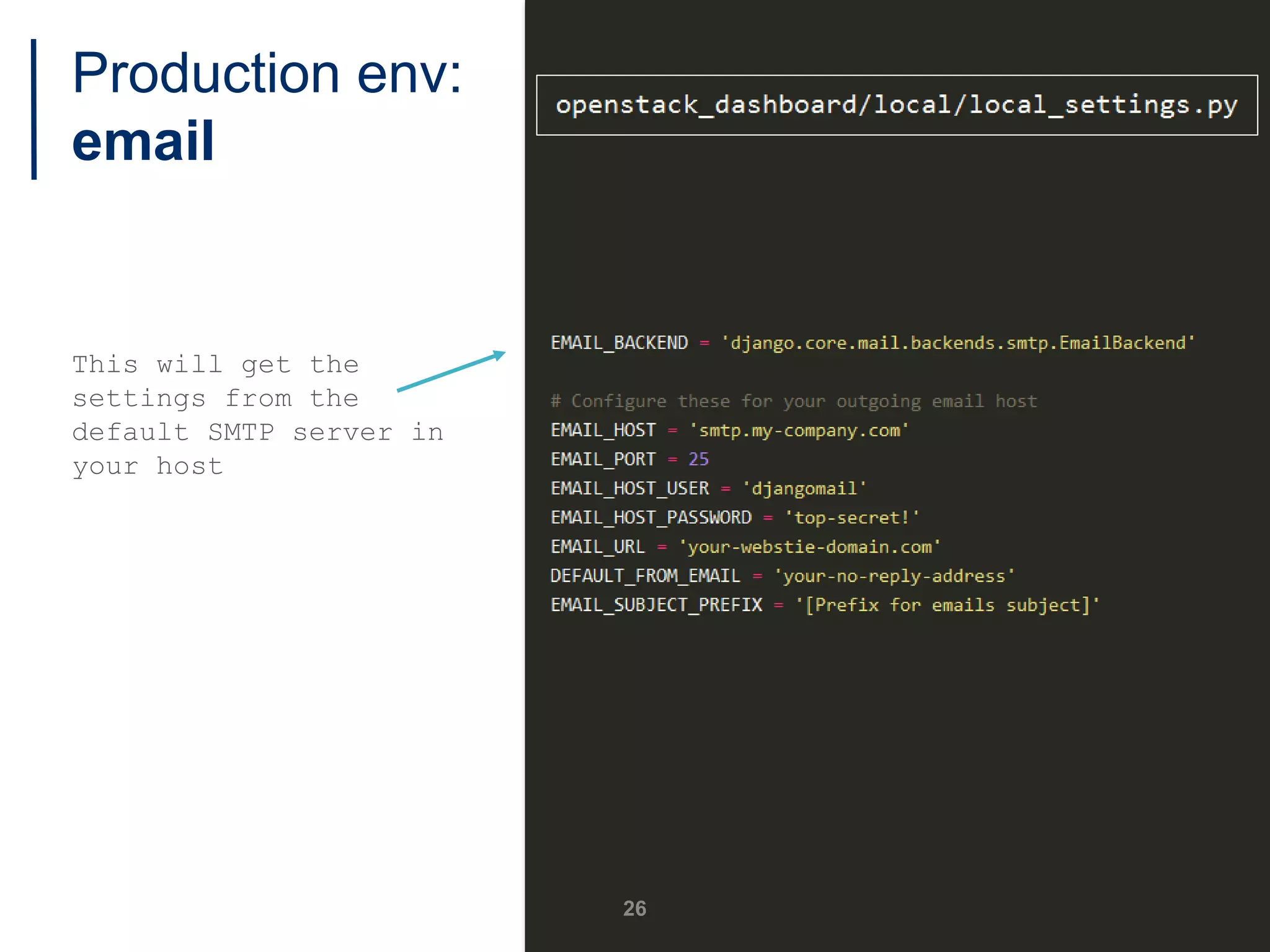
Production env:
email
This will get the
settings from the
default SMTP server in
your host
26
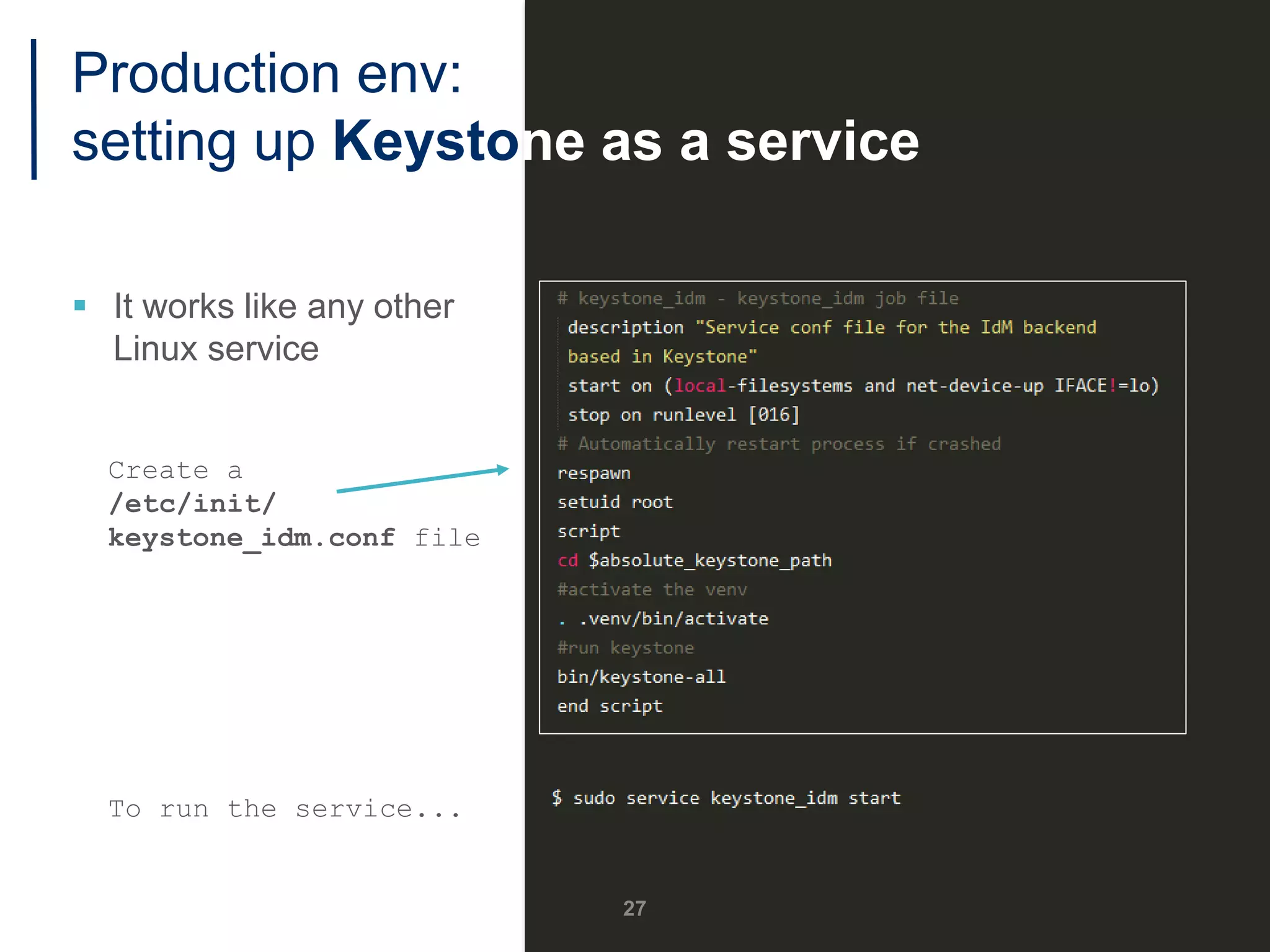
Production env:
setting up Keystone as a service
 It works like any other
Linux service
Create a
/etc/init/
keystone_idm.conf file
To run the service...
27
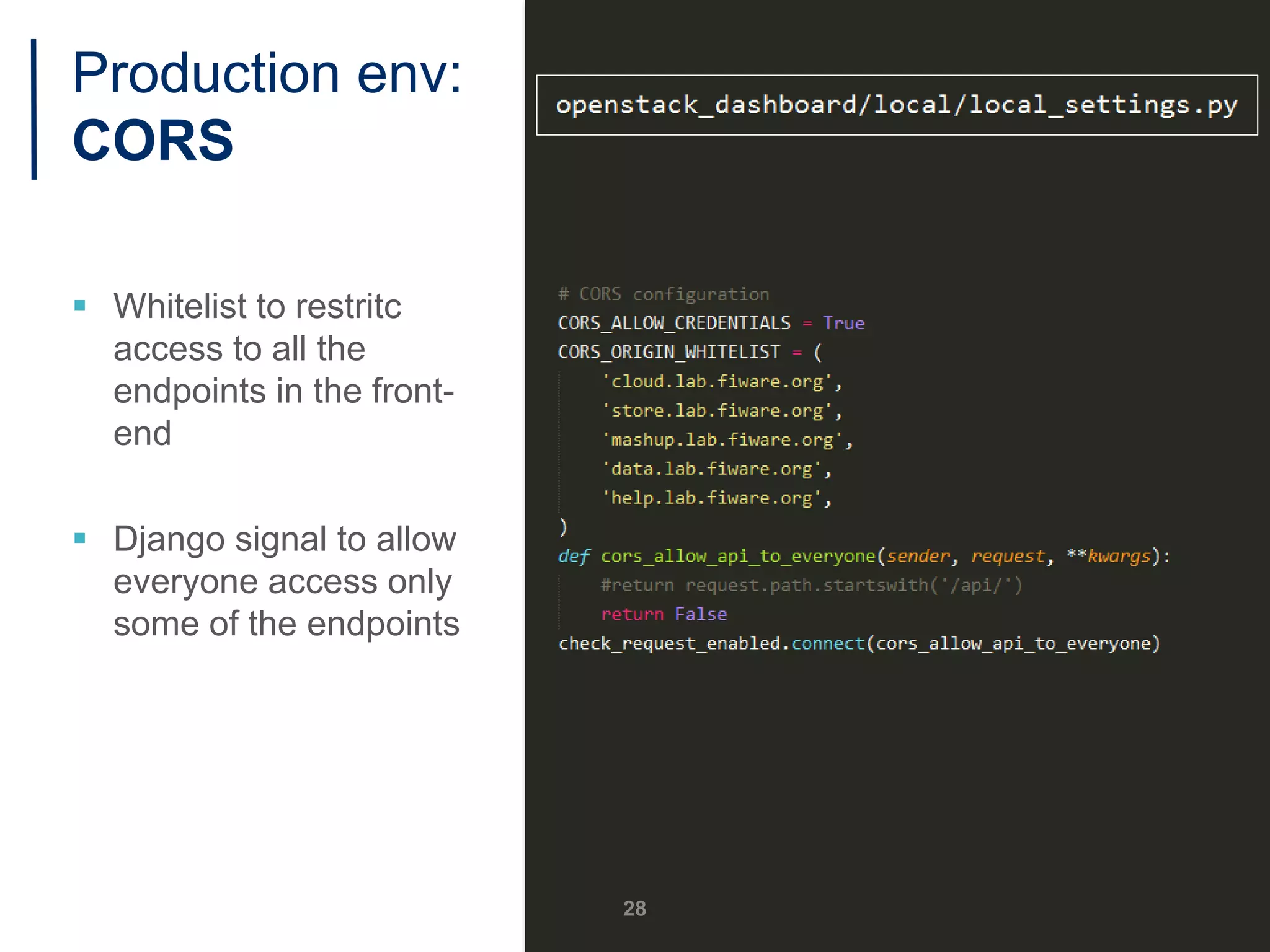
Production env:
CORS
 Whitelist to restritc
access to all the
endpoints in the front-
end
 Django signal to allow
everyone access only
some of the endpoints
28
Administrating KeyRock
29
Administrating KeyRock
30
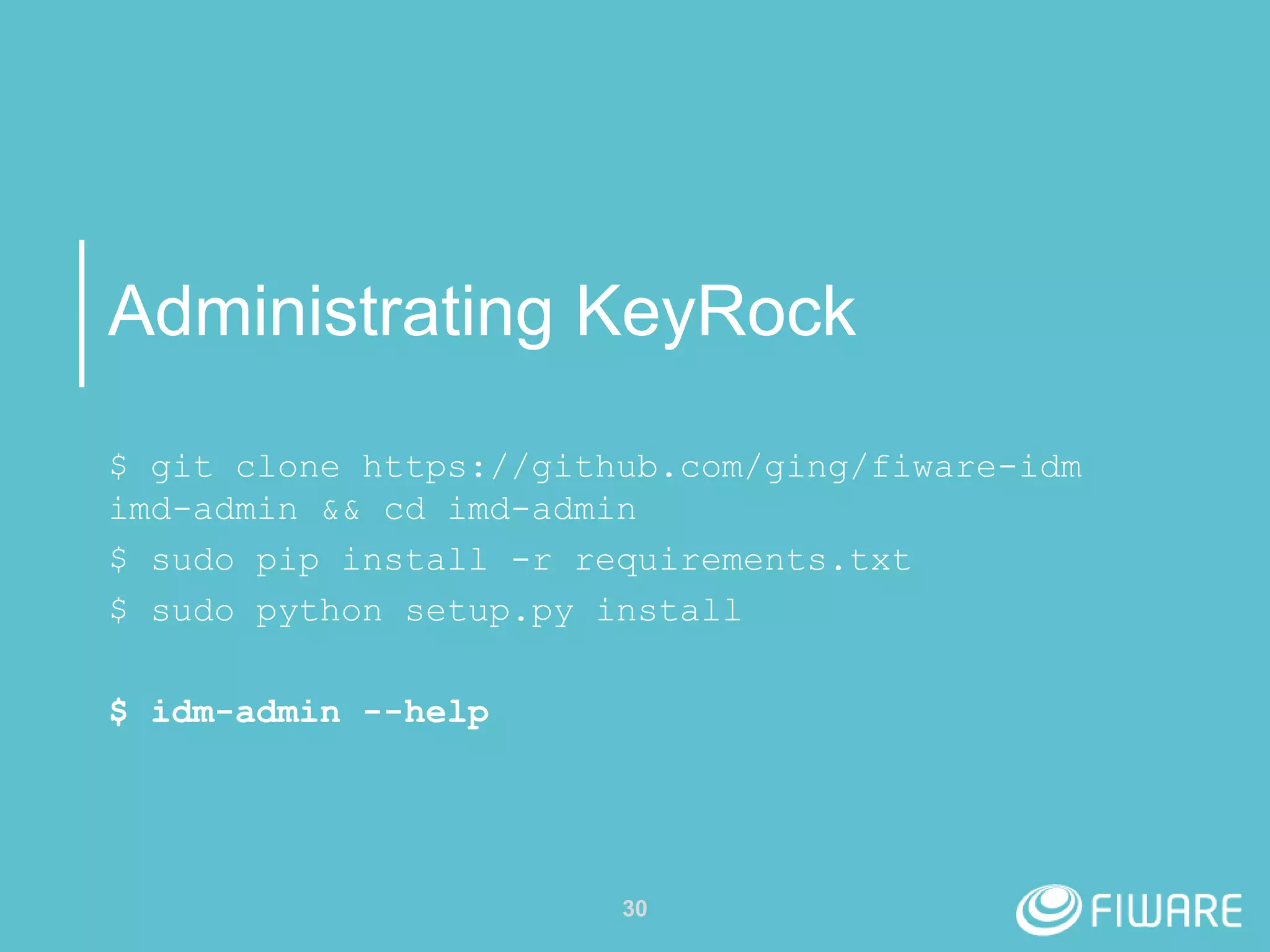
$ git clone https://github.com/ging/fiware-idm
imd-admin && cd imd-admin
$ sudo pip install -r requirements.txt
$ sudo python setup.py install
$ idm-admin --help
#handsOn
31
Achievements
 What is an IdM and why should I install one?
 What is the architecture of FIWARE IdM GE?
 Installing KeyRock
• Step-by-step
• Installation tools
 Configuring KeyRock
• Development environment
• Production environment
 Administrating KeyRock
32
33
Contact us!
Open an Issue in GitHub:
https://github.com/ging/fiware-idm
E-mail & Help Desk
Here at the Summit!!
Thank you!
http://fiware.org
Follow @FIWARE on Twitter

How to Install and Configure your own Identity Manager GE

  • 1.
    How to Installand Configure your own Identity Manager GE Álvaro Alonso – Federico Fernández Security Team Technical University of Madrid (UPM) aalonsog@dit.upm.es – fefernandez@dit.upm.es
  • 2.
    Outline  Introduction  KeyRockArchitecture  Installing and Configuring KeyRock  Demo 1
  • 3.
    Why do Ineed an Identity Manager? 2
  • 4.
    What is anIdentity Manager? 3
  • 5.
    Why should Iinstall FIWARE Identity Manager GE? 4
  • 6.
    KeyRock GE: features Users  Organizations  Authorization via roles  Applications and OAuth  IoT identity management  OpenStack services  Admin tools  SCIM API 5
  • 7.
  • 8.
  • 9.
    KeyRock Architecture: Horizon Front-end view  Based on OpenStack Horizon  User views  Contains… • Oauth2 Driver • reCAPTCHA • FIWARE Accounts • Admin Tools • AuthZForce Driver  Extra dependencies • Python Keystoneclient • Django OpenStack Auth 8 Horizon Keystone DB
  • 10.
    KeyRock Architecture: Keystone Back-end component  Resources management  Connection to database  Extensions • OAuth2 • SCIM 2.0 • User registration • Two factor authentication 9 Horizon Keystone DB
  • 11.
    KeyRock Architecture: Database For development:  For deployment: 10 Horizon Keystone DB
  • 12.
  • 13.
    Documentation & SourceCode  Quick Installation Guide • http://fiware-idm.readthedocs.io/en/latest/introduction.html#how-to-build- install  Detailed Installation Guide • http://fiware-idm.readthedocs.io/en/latest/admin_guide.html#step-by- step-installation  GitHub • https://github.com/ging/fiware-idm • https://github.com/ging/horizon • https://github.com/ging/keystone  API description • http://docs.keyrock.apiary.io 12
  • 14.
  • 15.
    Installing the back-end 1. InstallUbuntu dependencies 1. 14.04 LTS fully supported 2. 16.04 LTS should work 2. Get the code 3. Install Python dependencies 4. Create a configuration file 14
  • 16.
    5. Create thetables and populate the database Creation of the idm user account 15 Installing the back-end
  • 17.
    5. Create thetables and populate the database Creation of the idm user account 6. That’s it!! 16 Installing the back-end
  • 18.
    1. Install Ubuntu dependencies 2.Get the code 3. Create a configuration file 4. Install Python dependencies 17 Installing the front-end
  • 19.
    1. Install Ubuntu dependencies 2.Get the code 3. Create a configuration file 4. Install Python dependencies 5. That’s it! 18 Installing the front-end
  • 20.
    Installing Keyrock Good News Installation tools to ease the process  Bash script • Idm user: idm • Idm psswd: idm • Keystone port: 5000 • Horizon port: 8000  Docker image  Chef cookbook 19
  • 21.
  • 22.
    Configuring the back-end  Admintoken  Admin port  Public port  Configure authorization, roles… 21
  • 23.
    Configuring the front-end  Credentialsfor idm user  reCAPTCHA  Accont expiration 22
  • 24.
    Configuring the front-end  AJAXpagination  Connection with Access Control GE 23
  • 25.
    Considerations for productionenvironments  Do not run Horizon from the dev server  Do not run KeyRock without having enabled reCAPTCHA  Do not use SQLite  Do not forget about the emails!  Do not run Keystone in dev mode 24  Do run Horizon under Apache+mod_wsgi  Do enable reCAPTCHA  Do use some production- ready DB engine (MySQL)  Do set up an SMTP server to send mails (POSTFIX)  Do set up Keystone as a service
  • 26.
    Production env: MySQL  Configurethe new SQL backend in Keystone  Grant privileges to database 25
  • 27.
    Production env: email This willget the settings from the default SMTP server in your host 26
  • 28.
    Production env: setting upKeystone as a service  It works like any other Linux service Create a /etc/init/ keystone_idm.conf file To run the service... 27
  • 29.
    Production env: CORS  Whitelistto restritc access to all the endpoints in the front- end  Django signal to allow everyone access only some of the endpoints 28
  • 30.
  • 31.
    Administrating KeyRock 30 $ gitclone https://github.com/ging/fiware-idm imd-admin && cd imd-admin $ sudo pip install -r requirements.txt $ sudo python setup.py install $ idm-admin --help
  • 32.
  • 33.
    Achievements  What isan IdM and why should I install one?  What is the architecture of FIWARE IdM GE?  Installing KeyRock • Step-by-step • Installation tools  Configuring KeyRock • Development environment • Production environment  Administrating KeyRock 32
  • 34.
    33 Contact us! Open anIssue in GitHub: https://github.com/ging/fiware-idm E-mail & Help Desk Here at the Summit!!
  • 35.