How to Create
A PAYPAL BUTTON & PUT IT TO YOUR WEBSITE
What is Paypal?
The Process
How to put the button to your website?
NeriM
arcos.com
by: NeriMarcos.com
What is Paypal?
PayPal Holdings, Inc. is an American company operating a worldwide online
payments system. Online money transfers serve as electronic alternatives to
traditional paper methods like checks and money orders. PayPal is one of the
world's largest internet payment companies. The company operates as an
acquirer, performing payment processing for online vendors, auction sites and
other commercial users, for which it charges a fee.
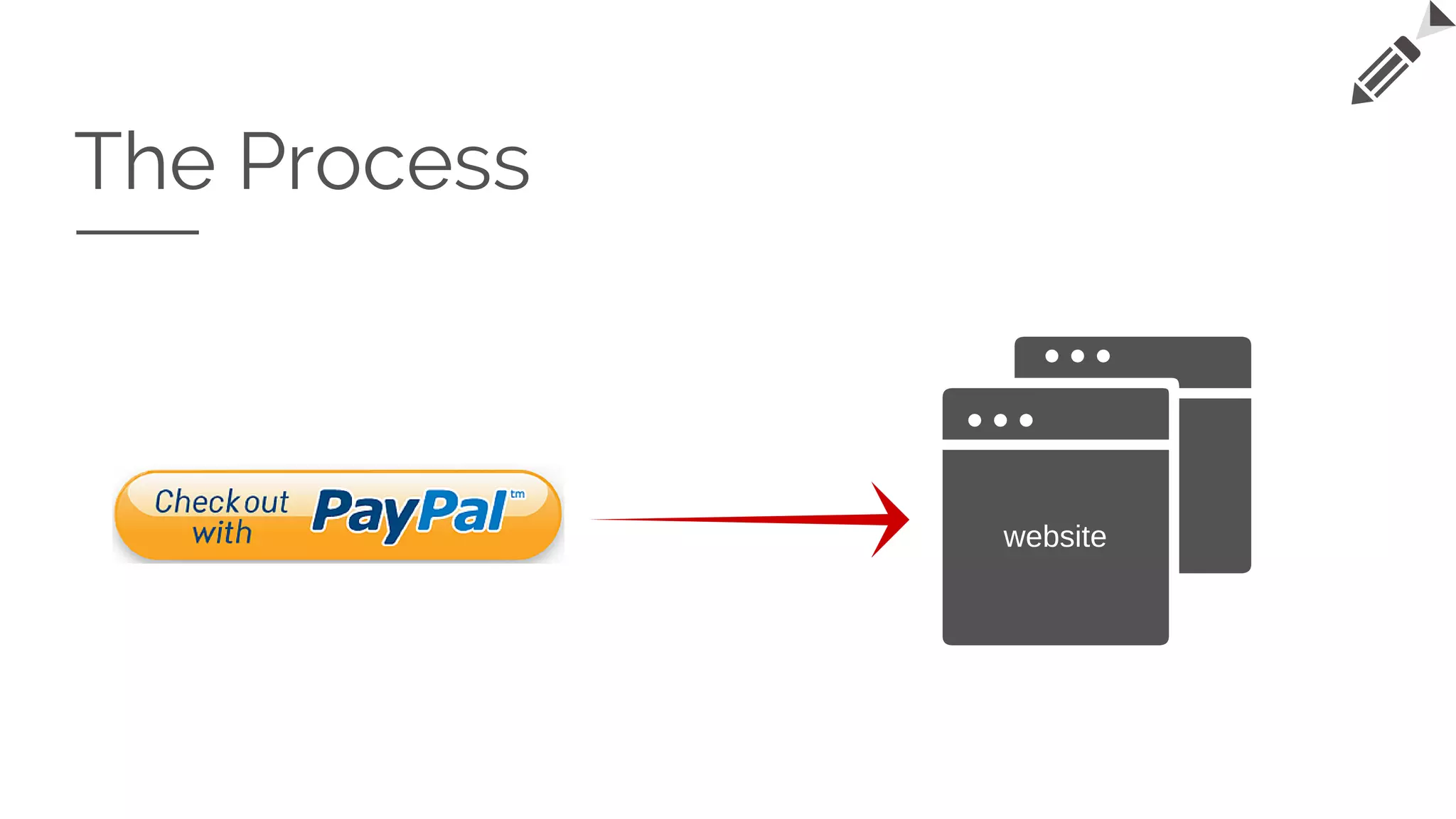
The Process
website
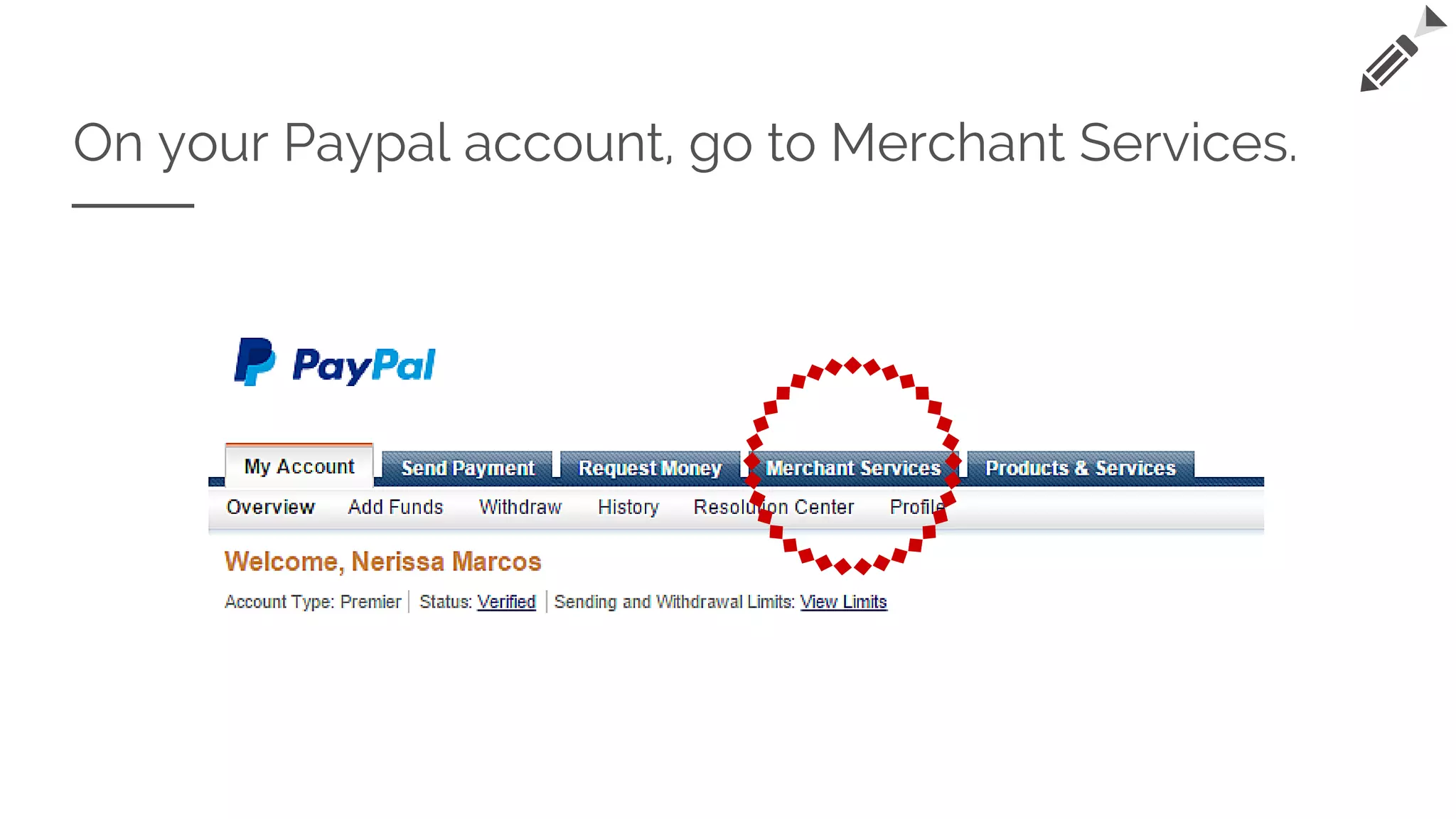
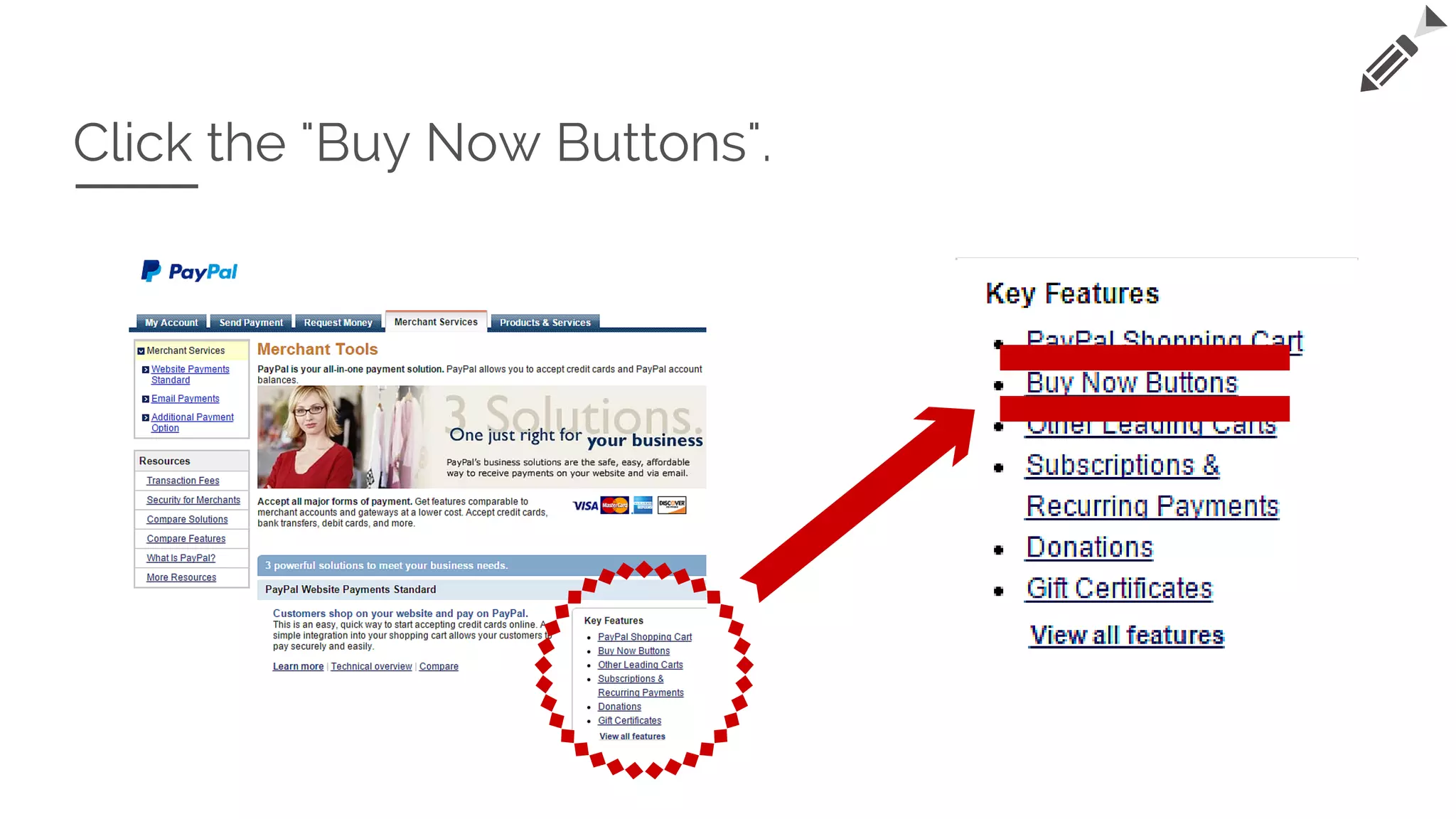
On your Paypal account, go to Merchant Services.
Click the "Buy Now Buttons".
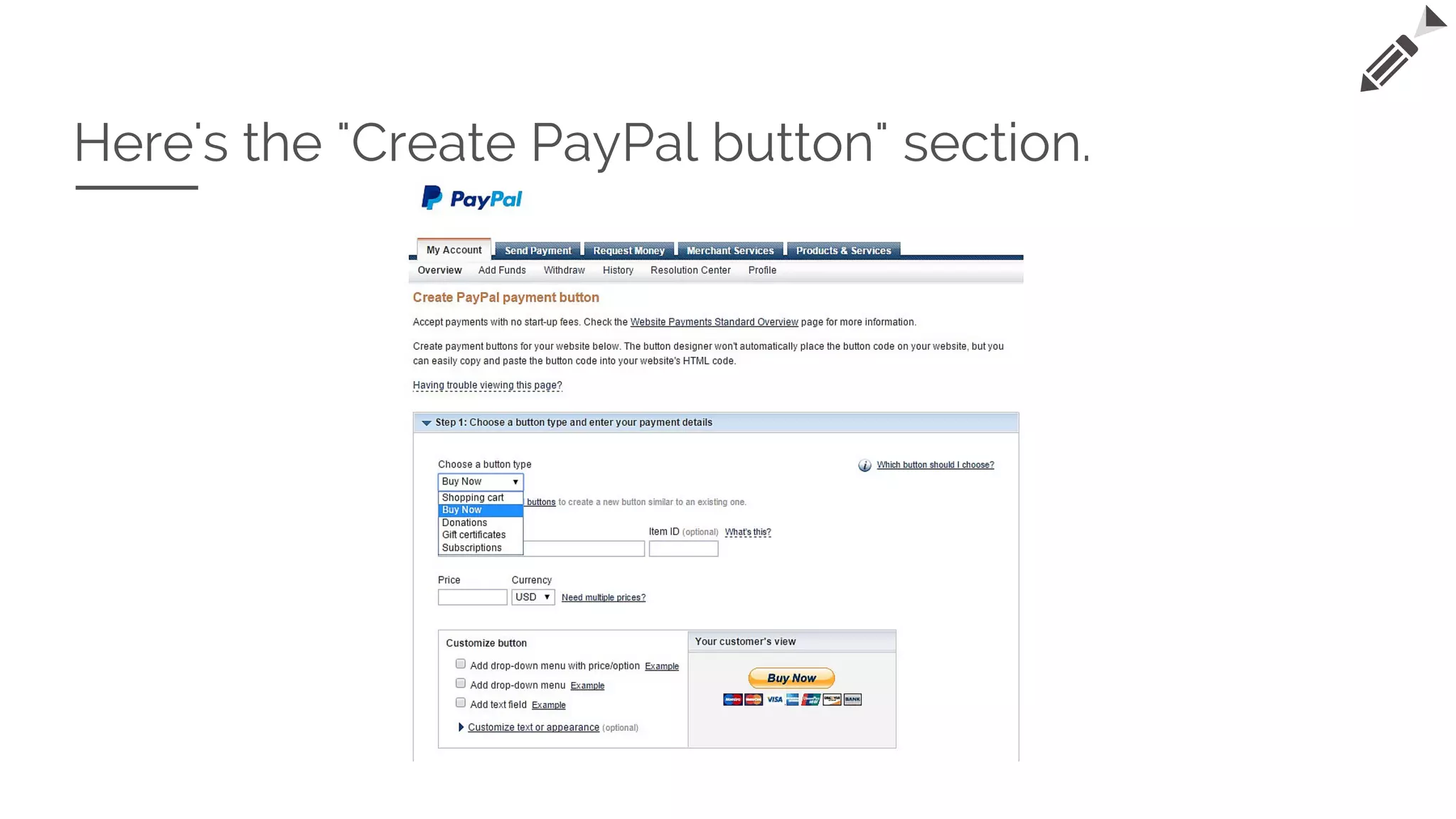
Here's the "Create PayPal button" section.
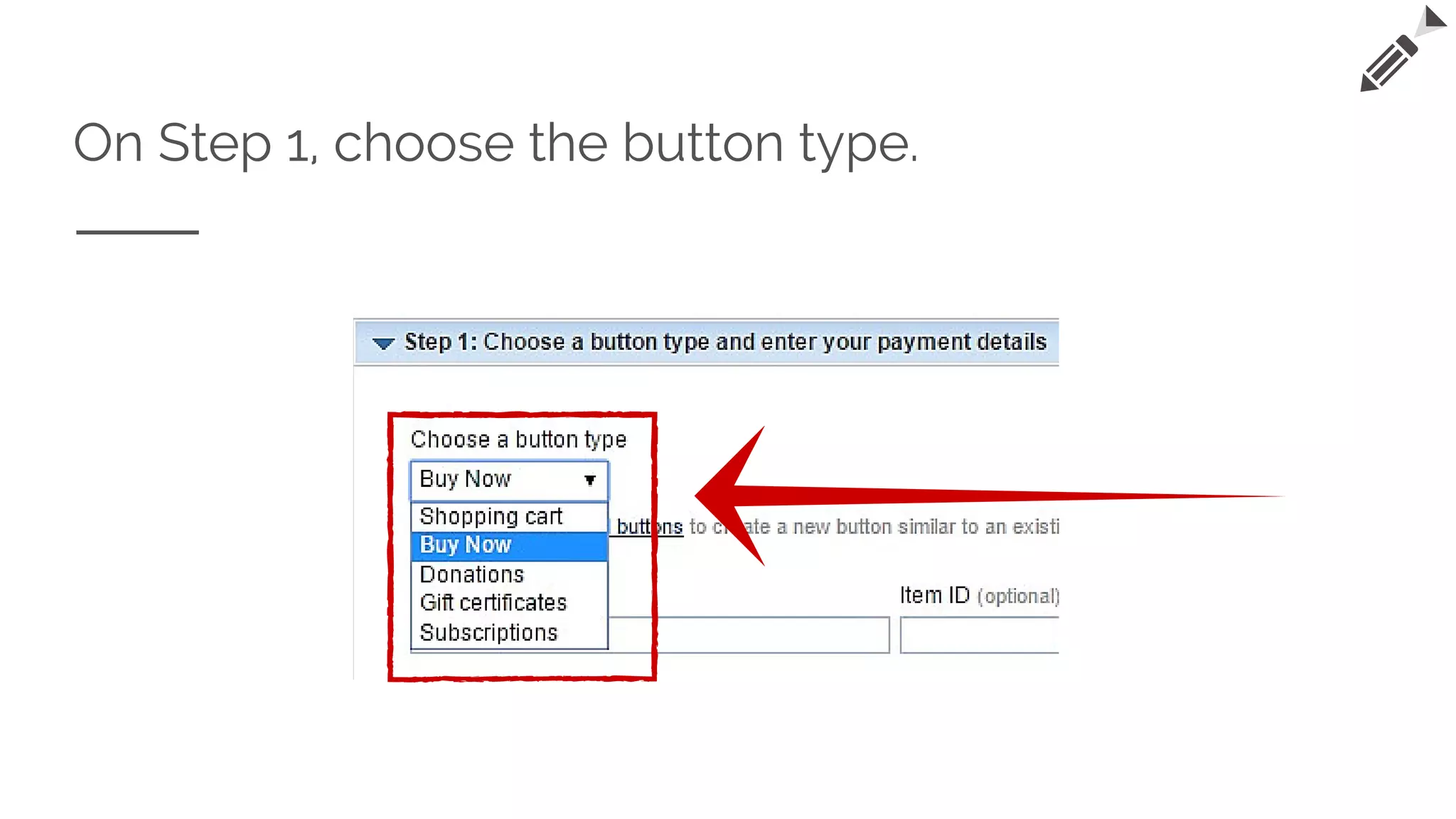
On Step 1, choose the button type.
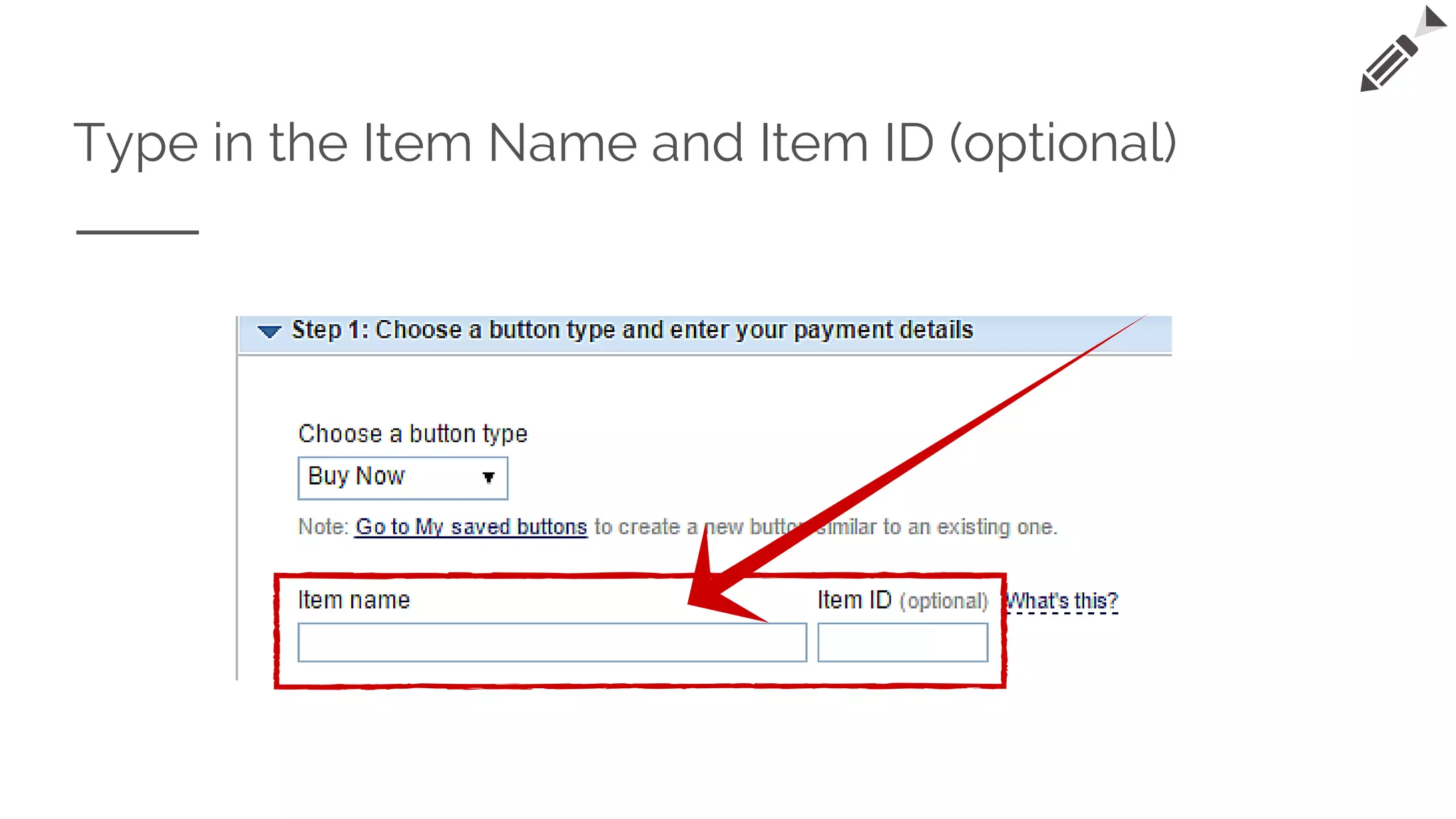
Type in the Item Name and Item ID (optional)
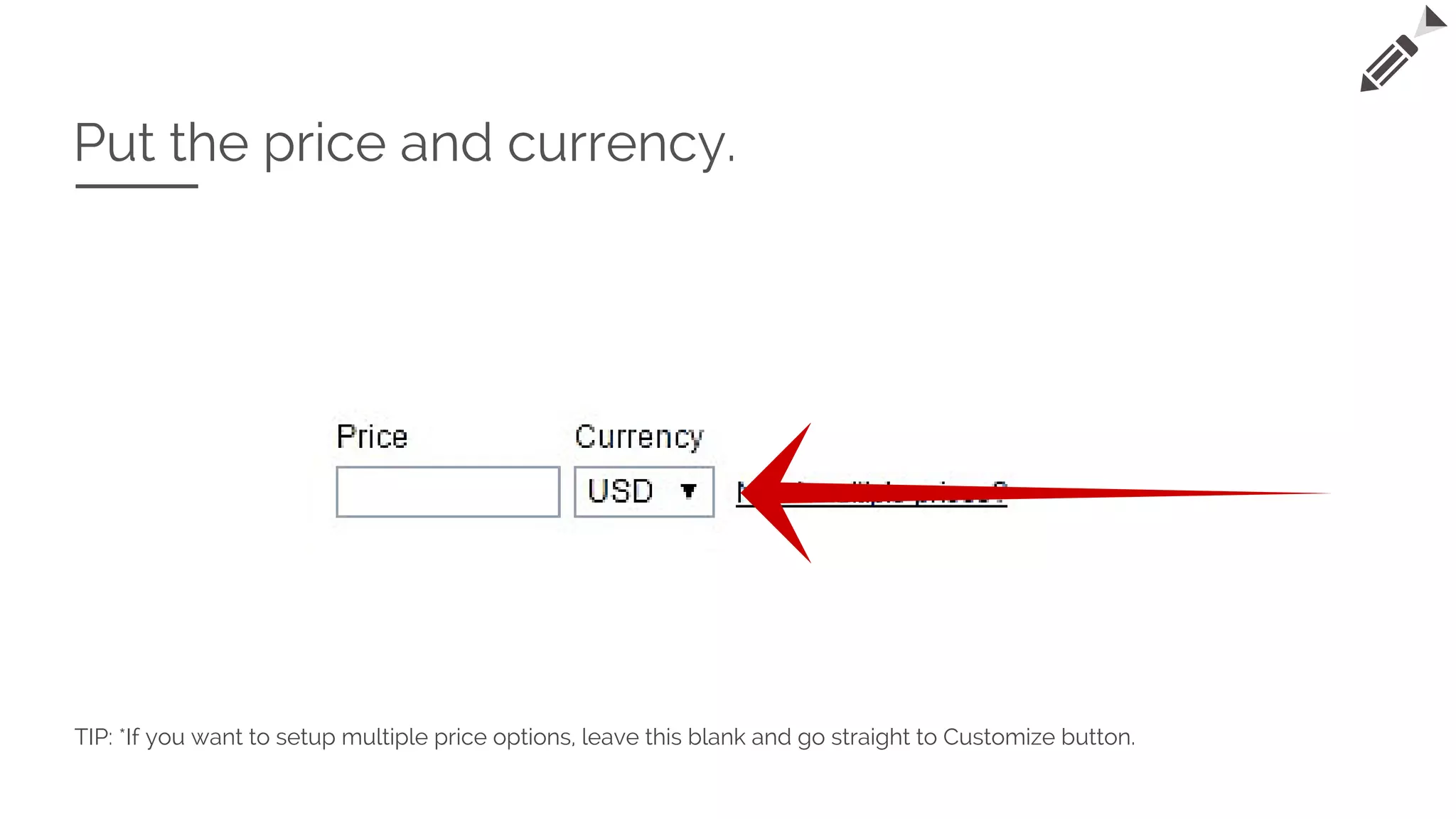
Put the price and currency.
TIP: *If you want to setup multiple price options, leave this blank and go straight to Customize button.
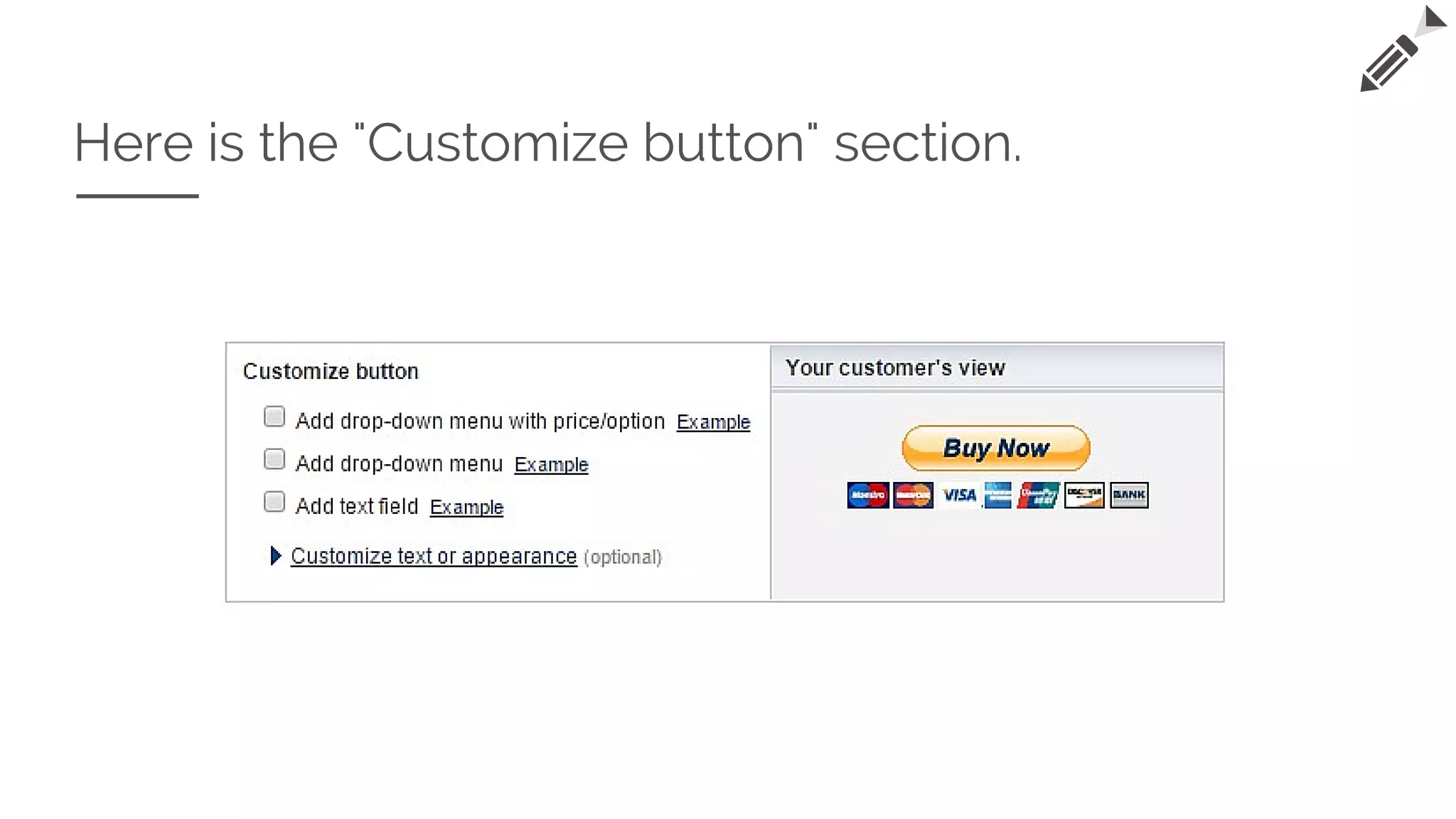
Here is the "Customize button" section.
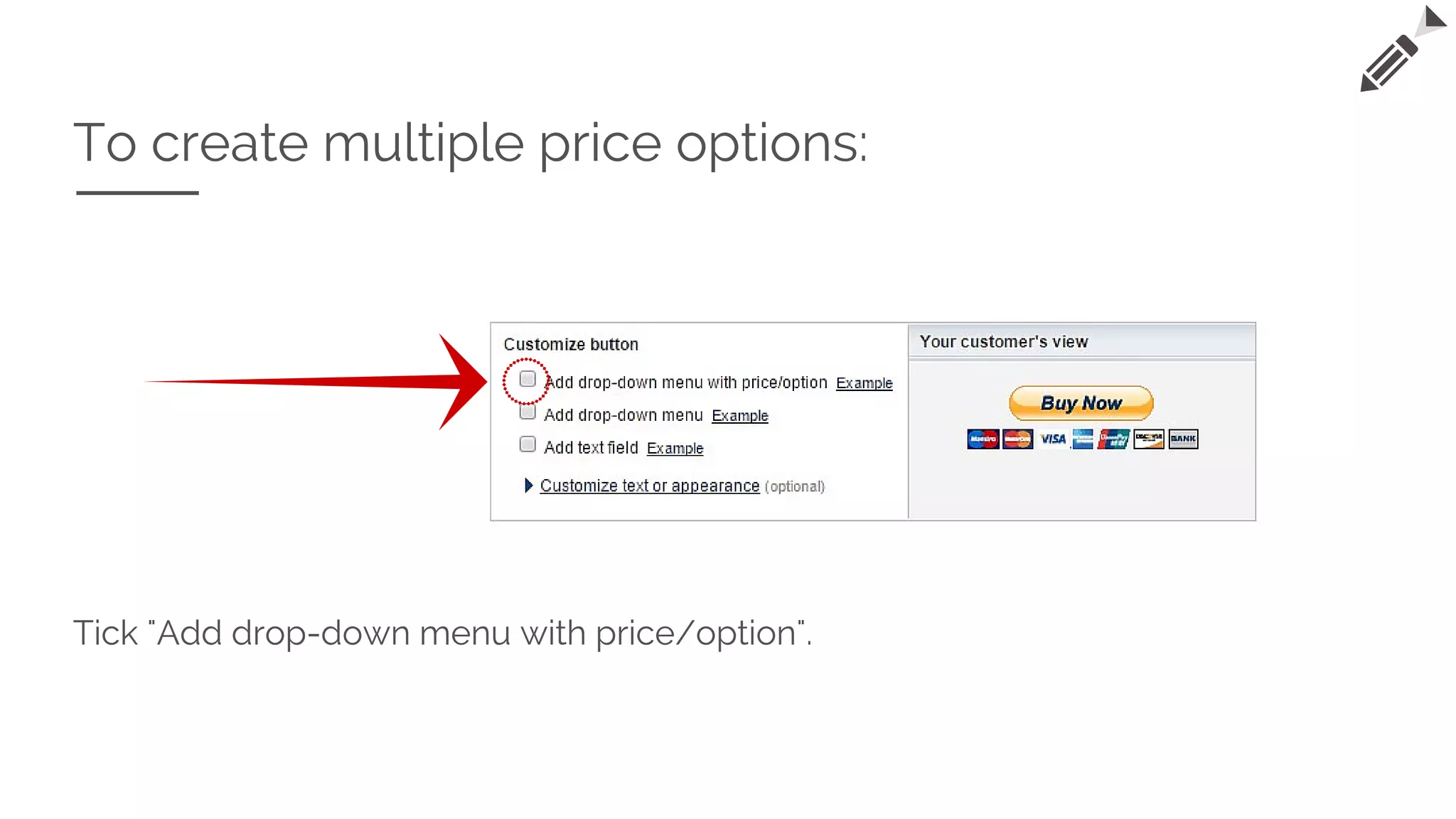
To create multiple price options:
Tick "Add drop-down menu with price/option".
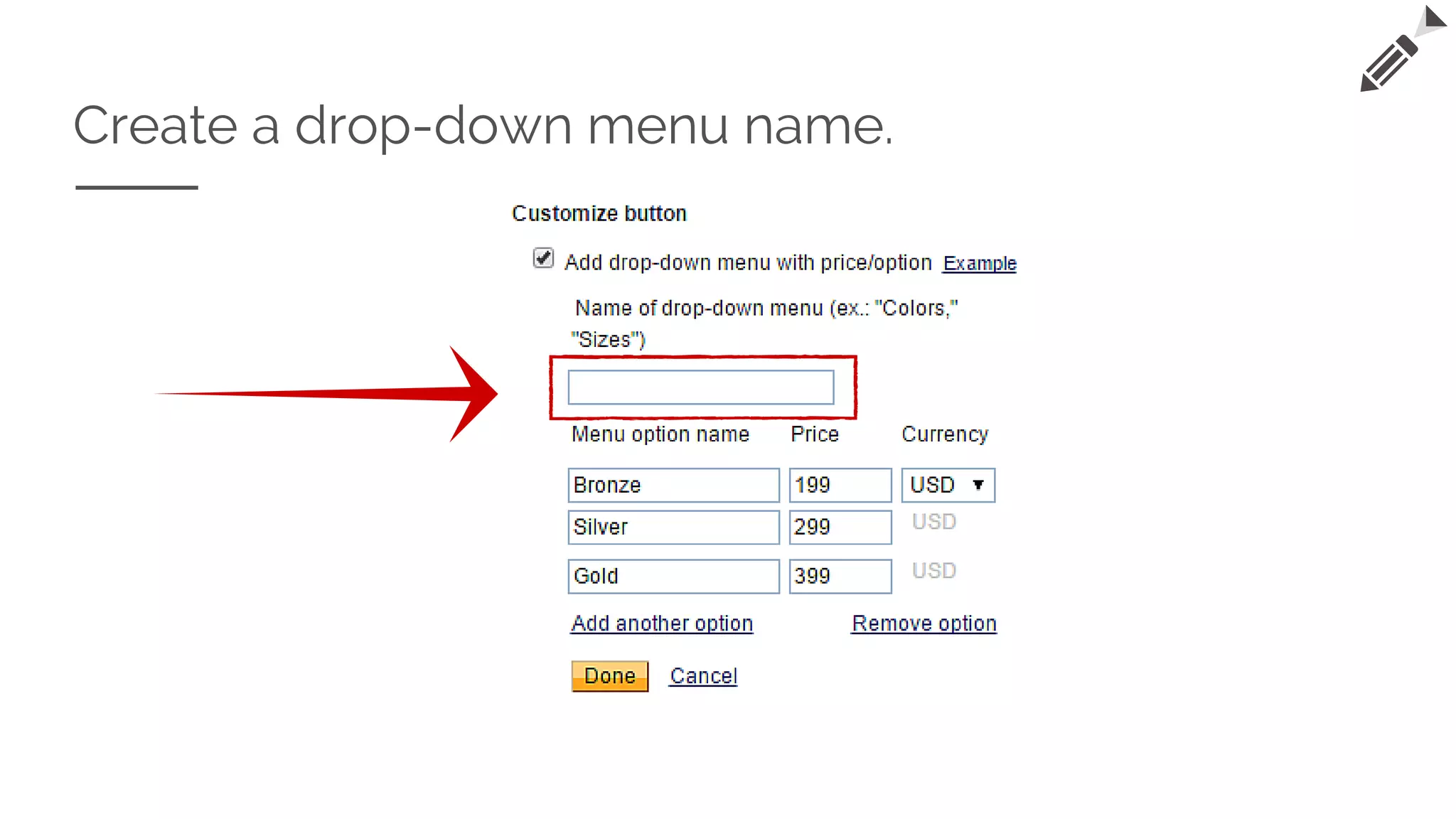
Create a drop-down menu name.
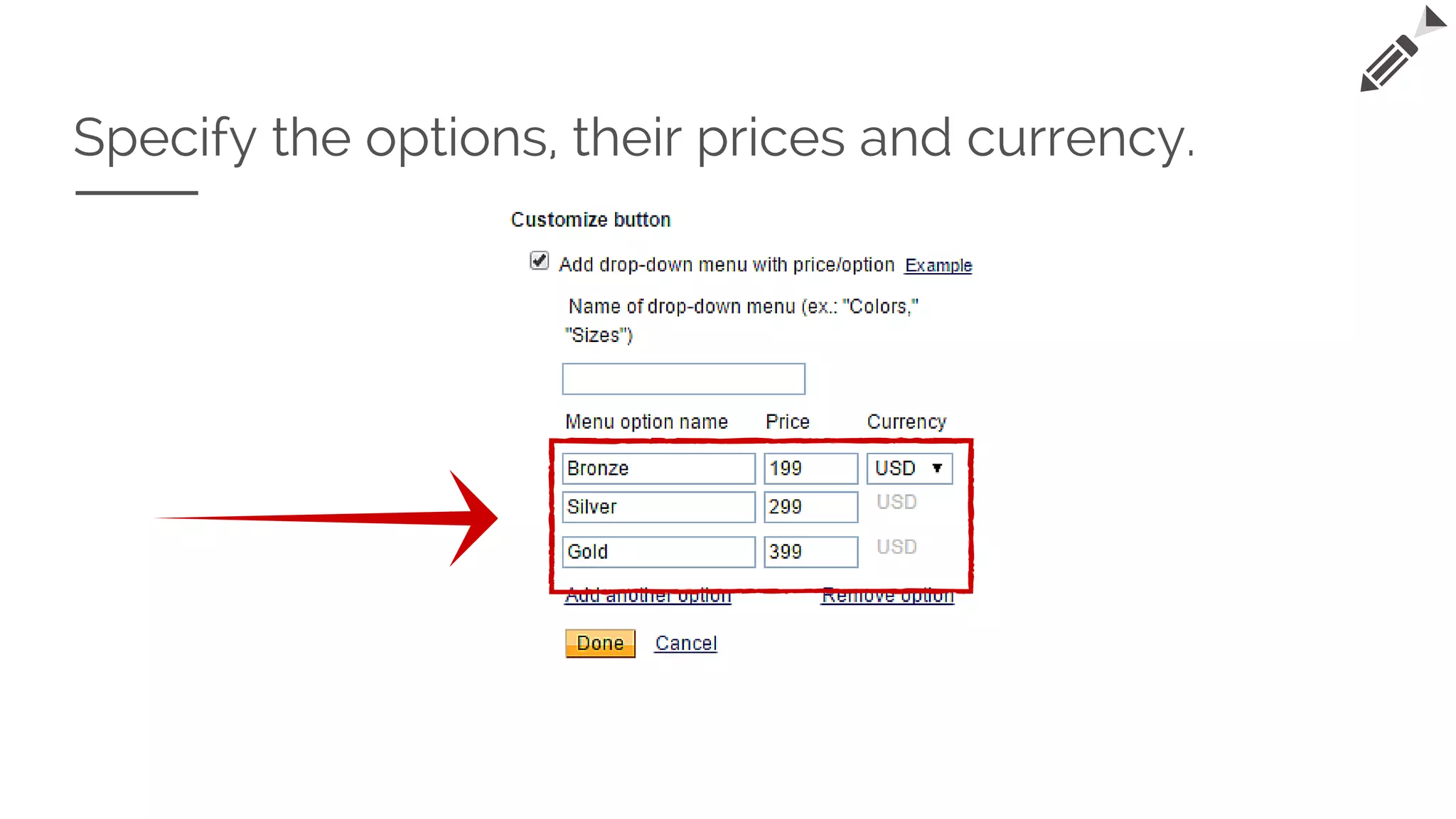
Specify the options, their prices and currency.
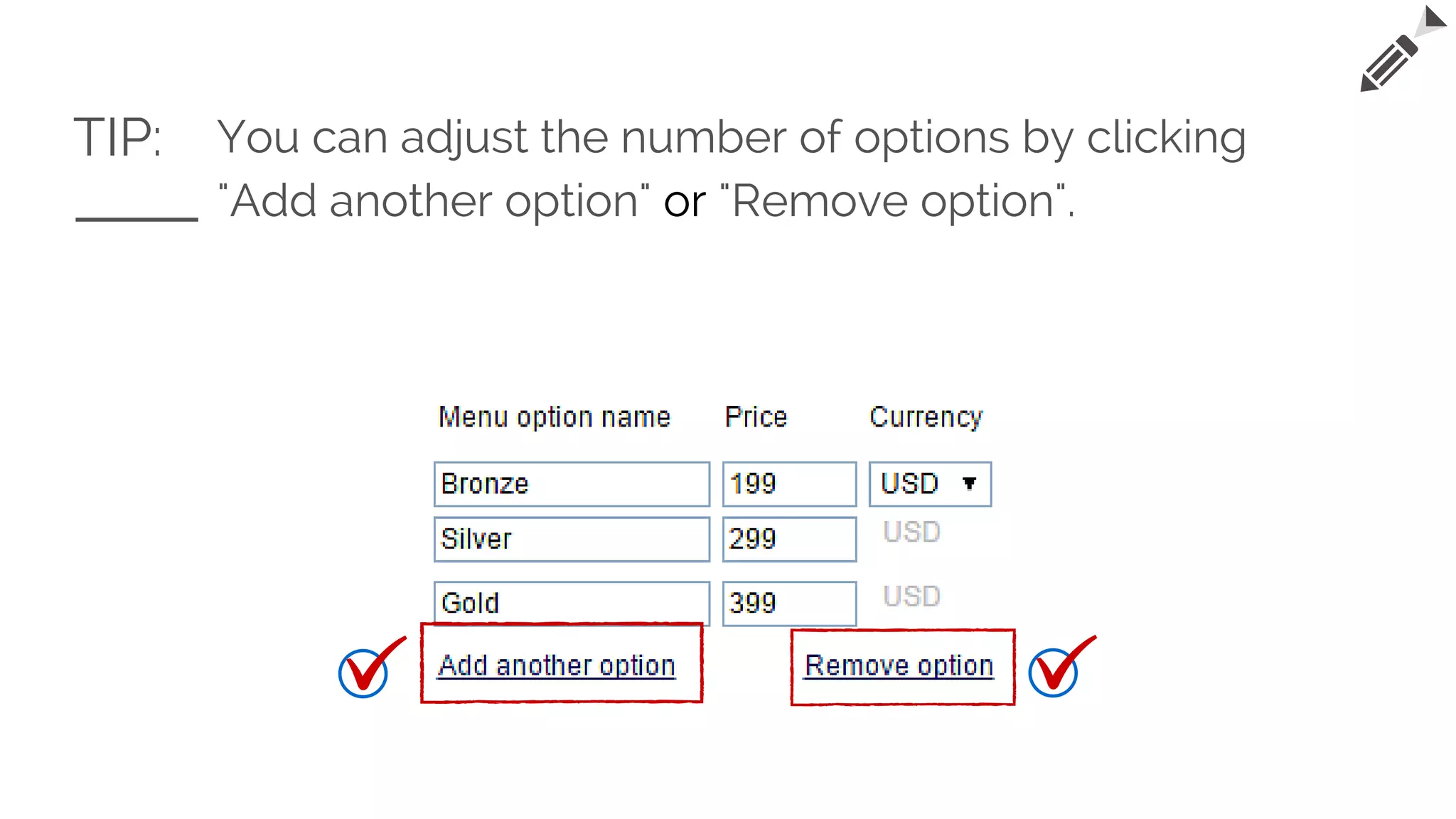
TIP: You can adjust the number of options by clicking
"Add another option" or "Remove option".
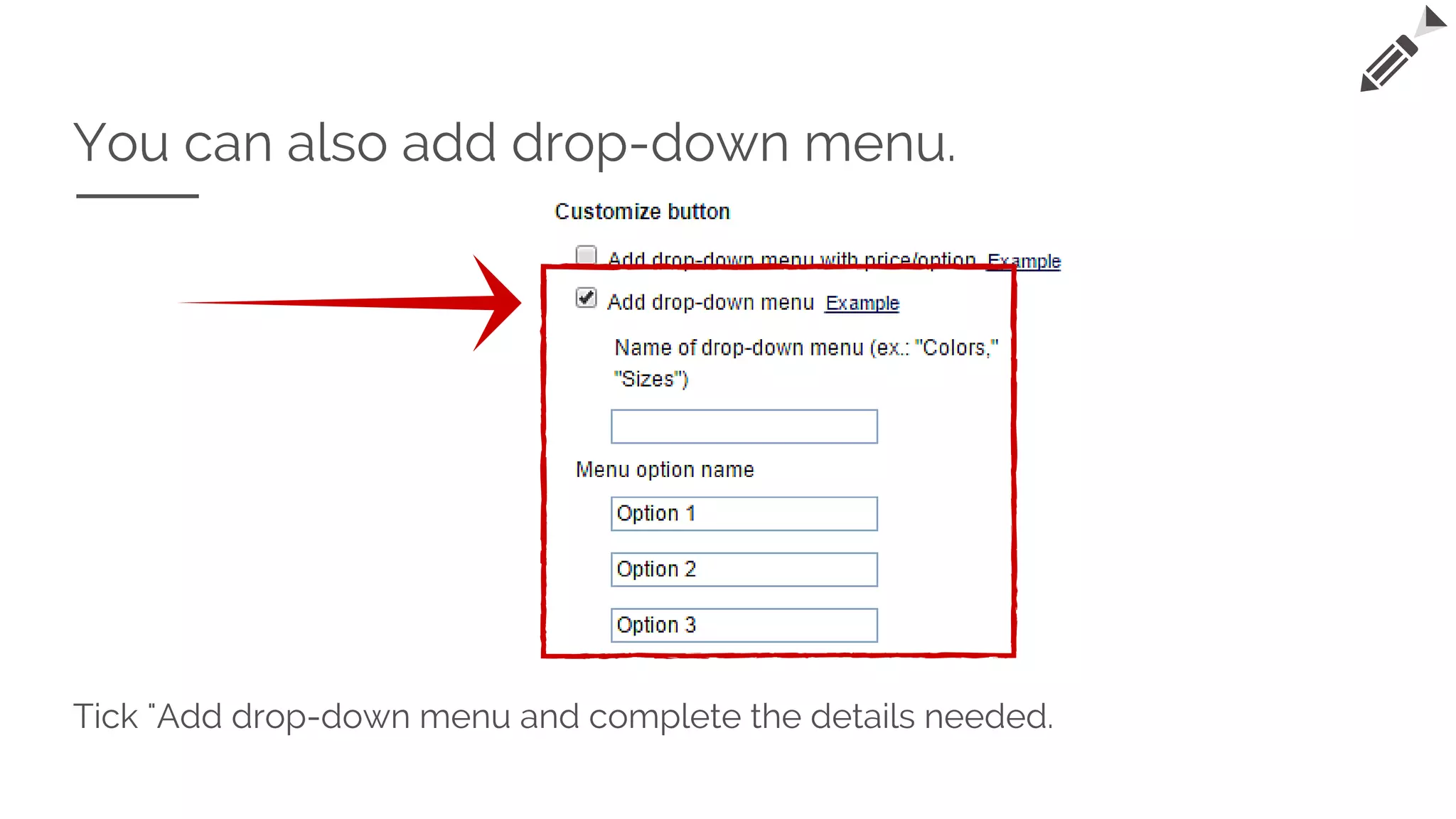
You can also add drop-down menu.
Tick "Add drop-down menu and complete the details needed.
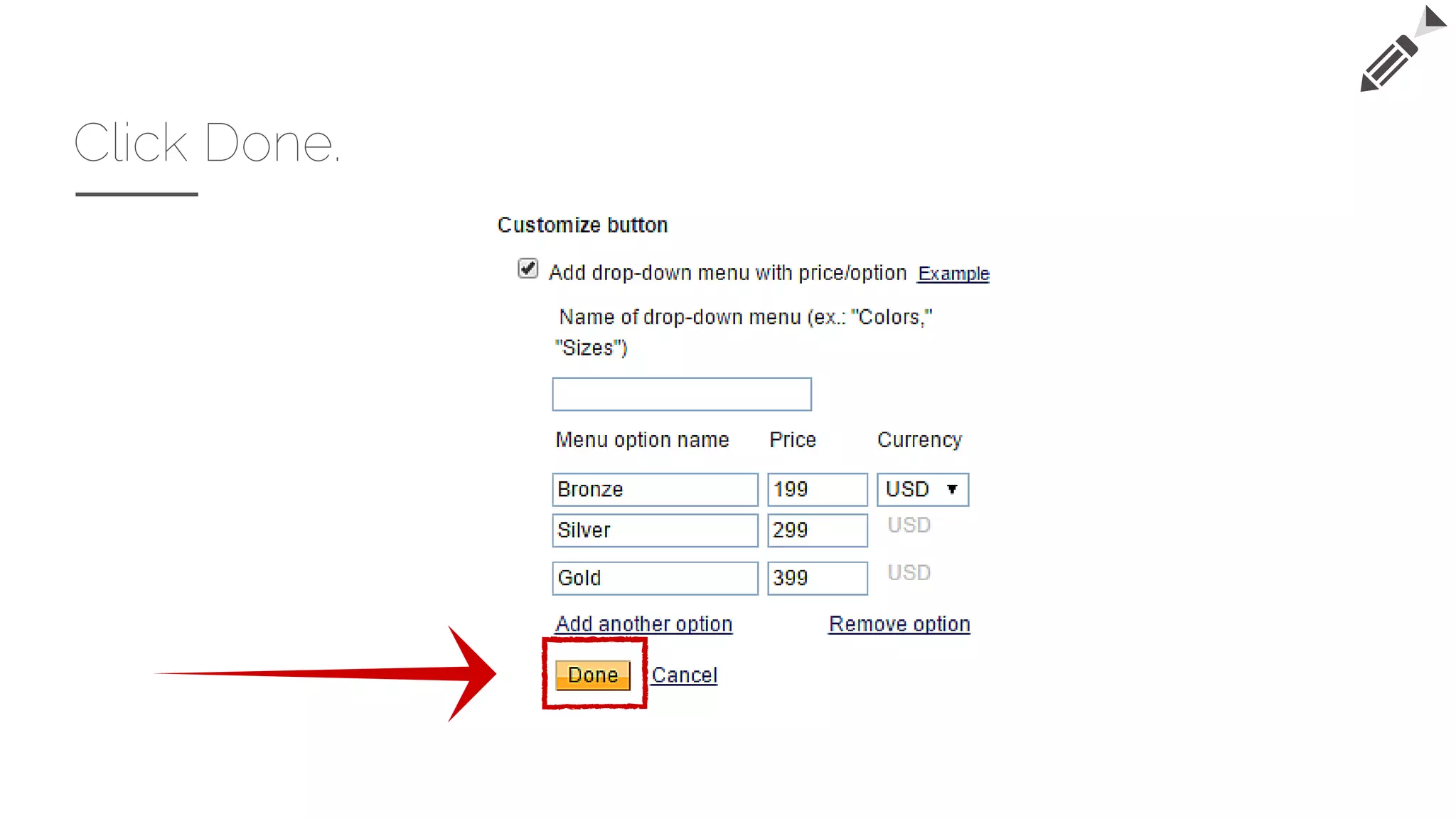
Click Done.
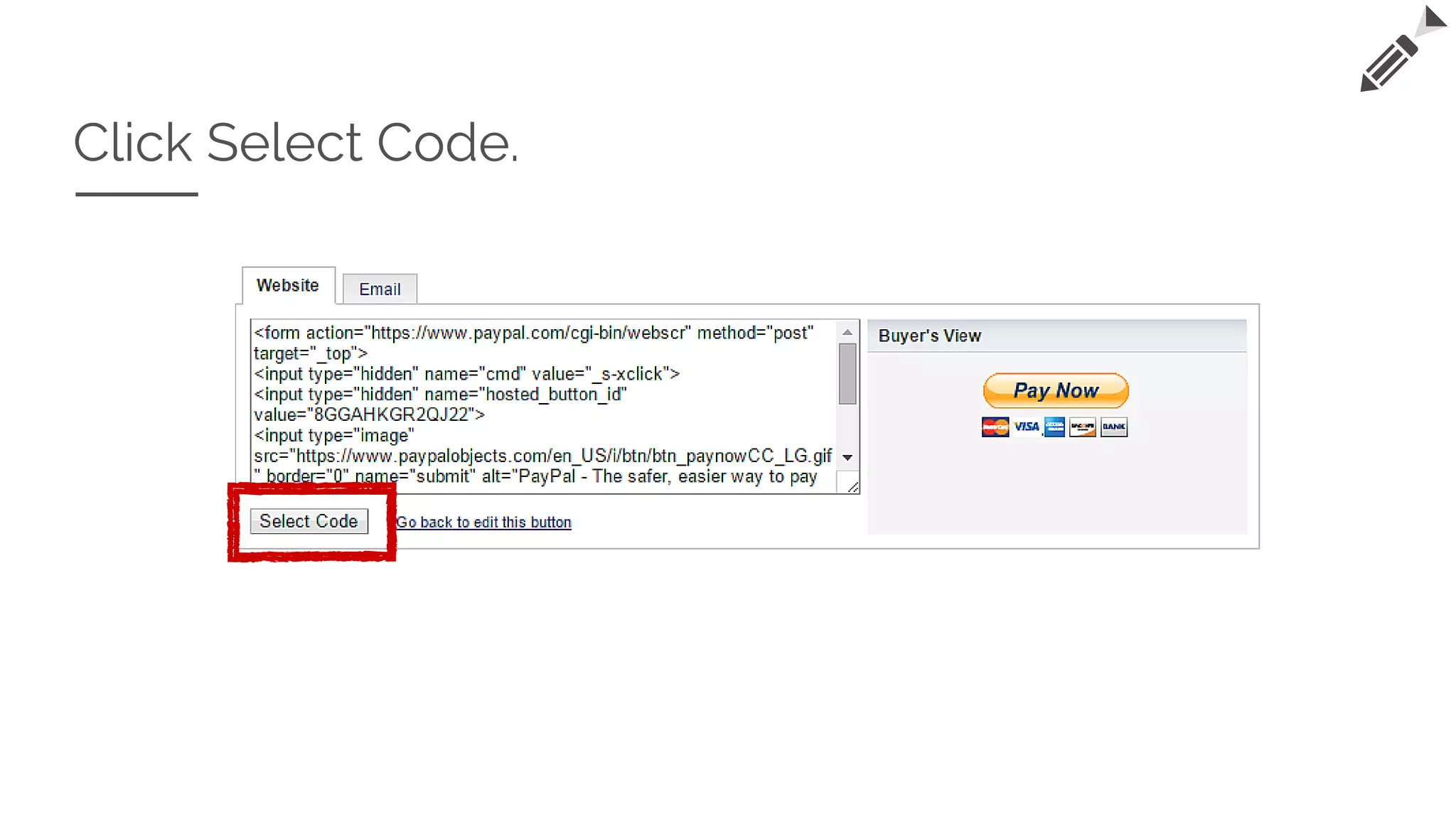
Click Select Code.
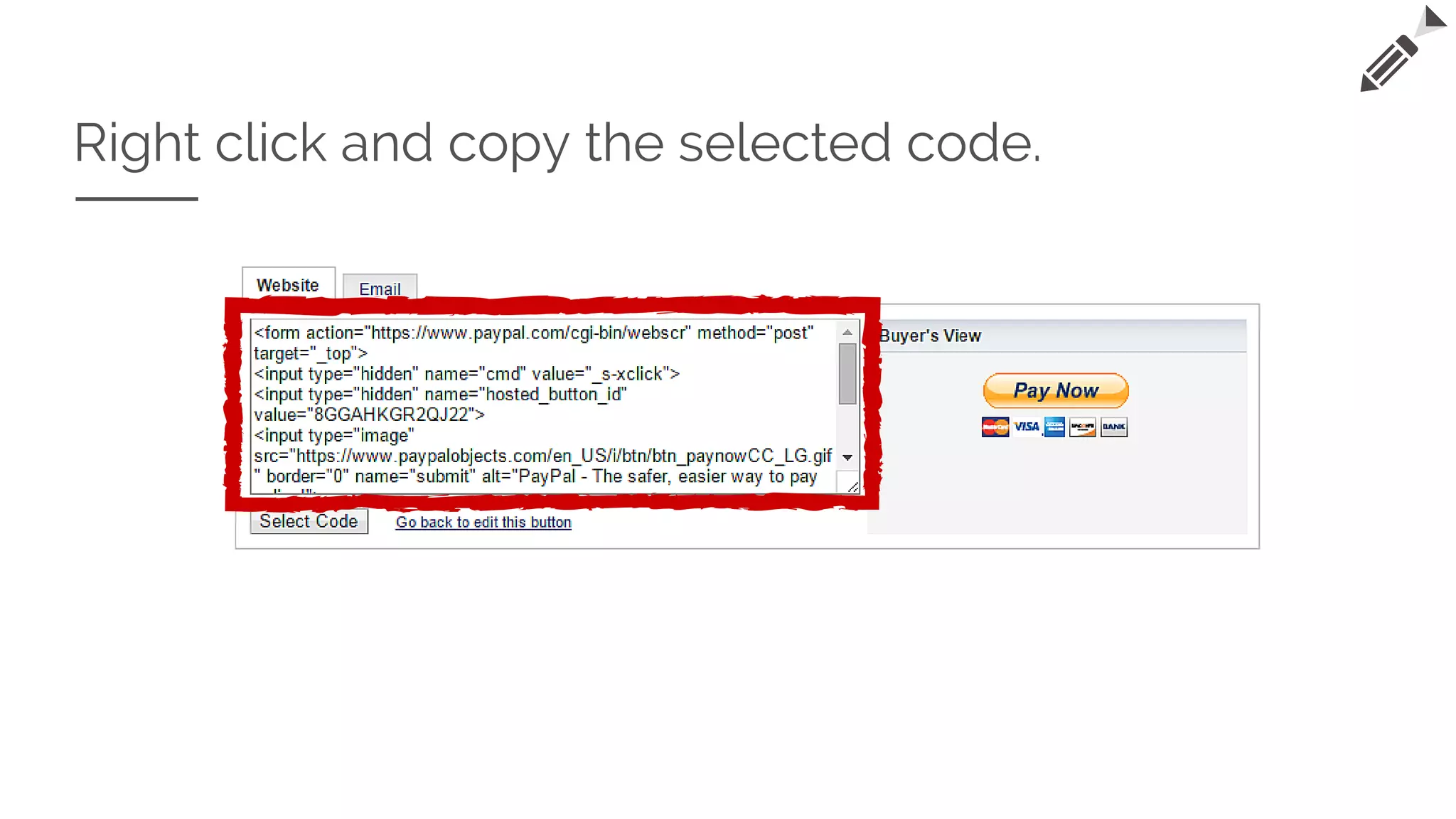
Right click and copy the selected code.
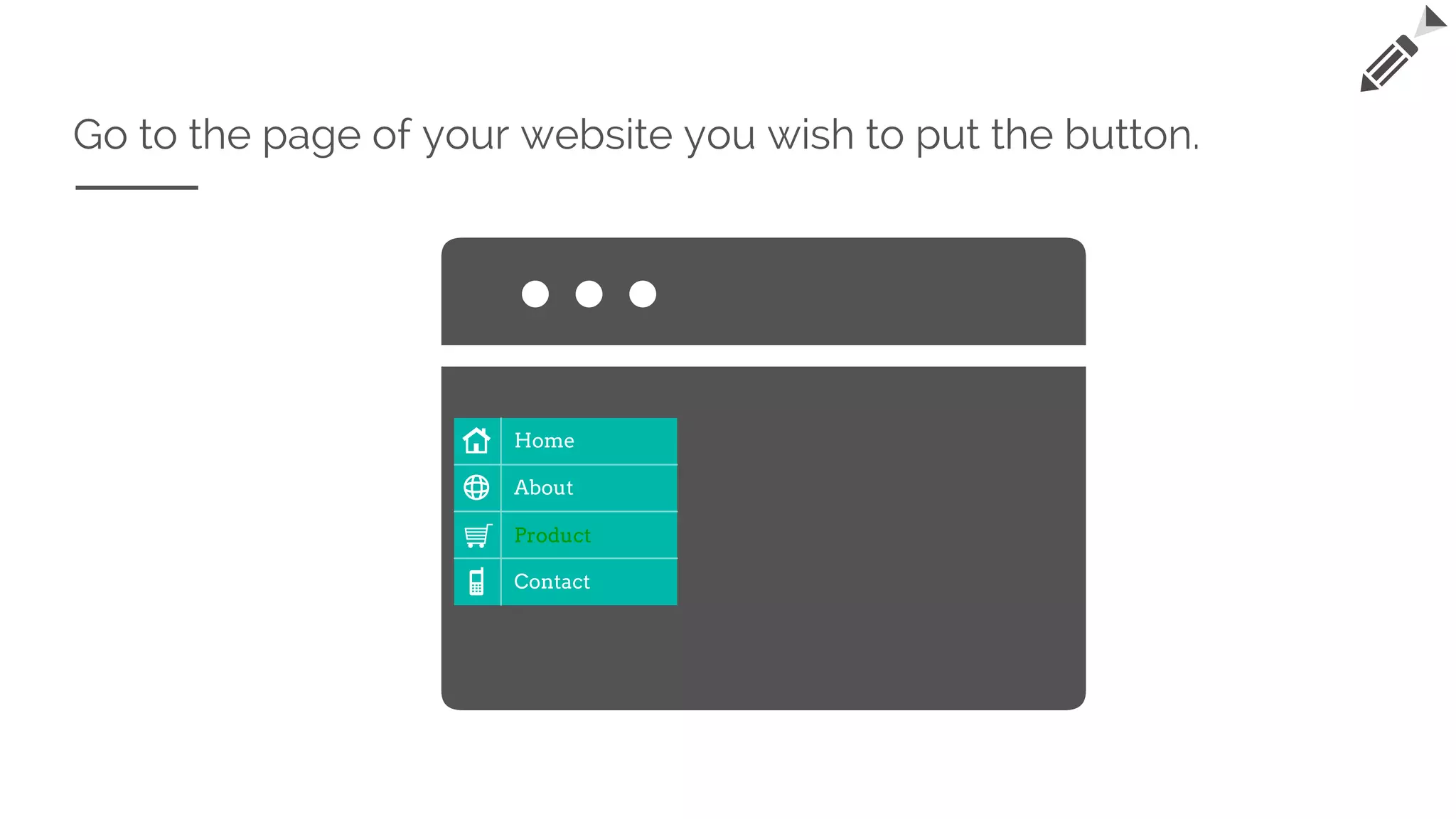
Go to the page of your website you wish to put the button.
Home
About
Product
Contact
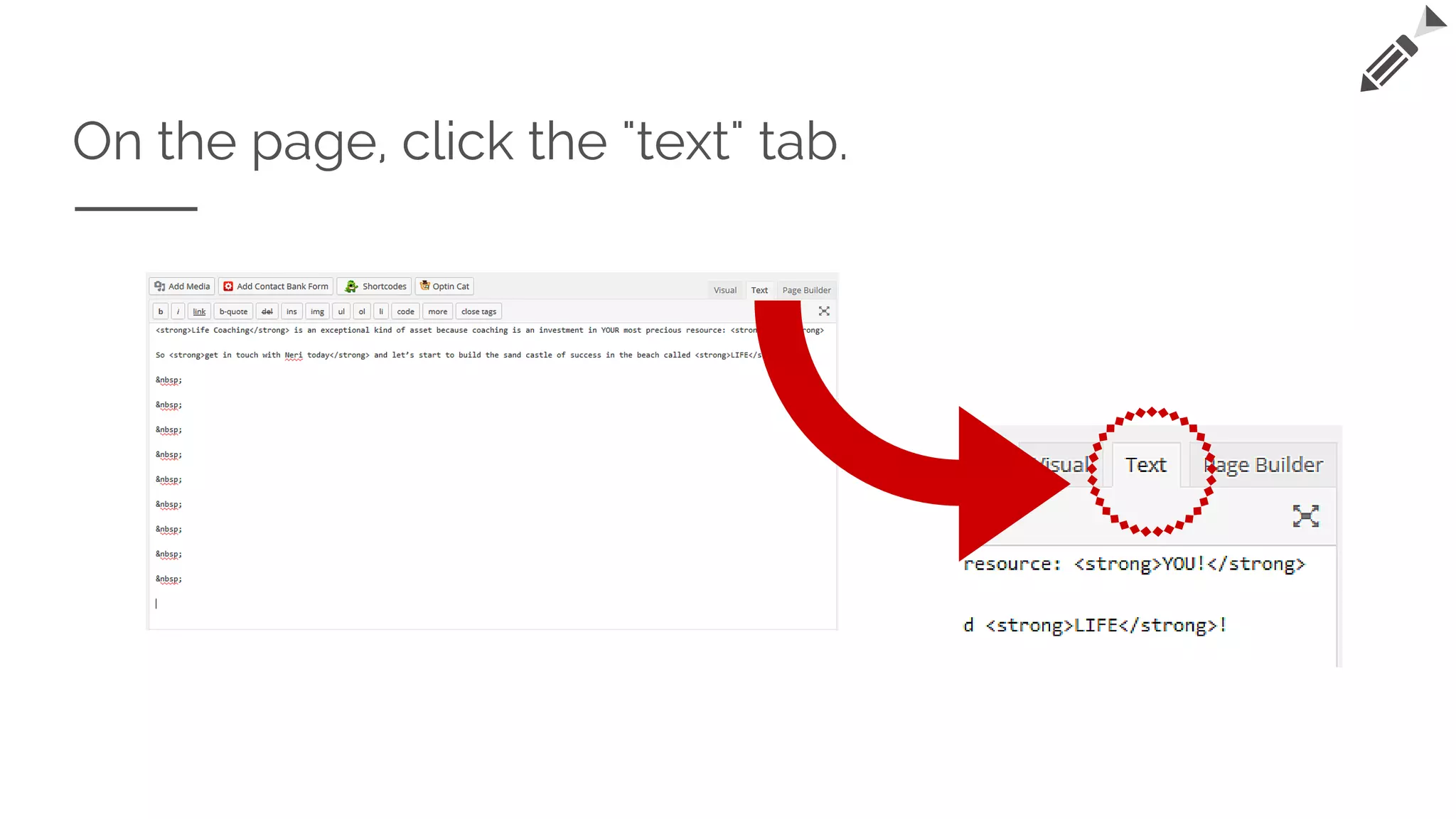
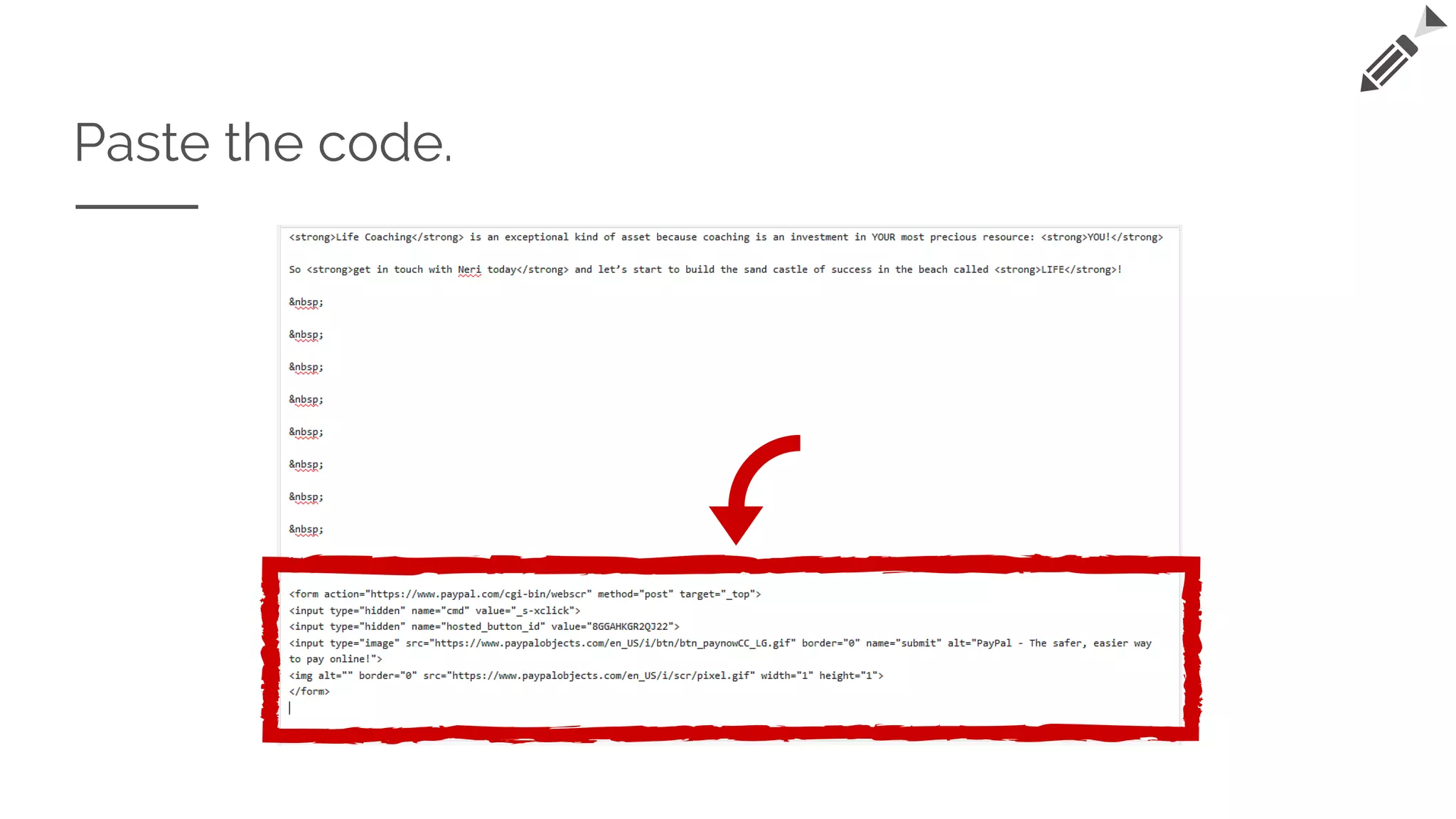
On the page, click the "text" tab.
Paste the code.
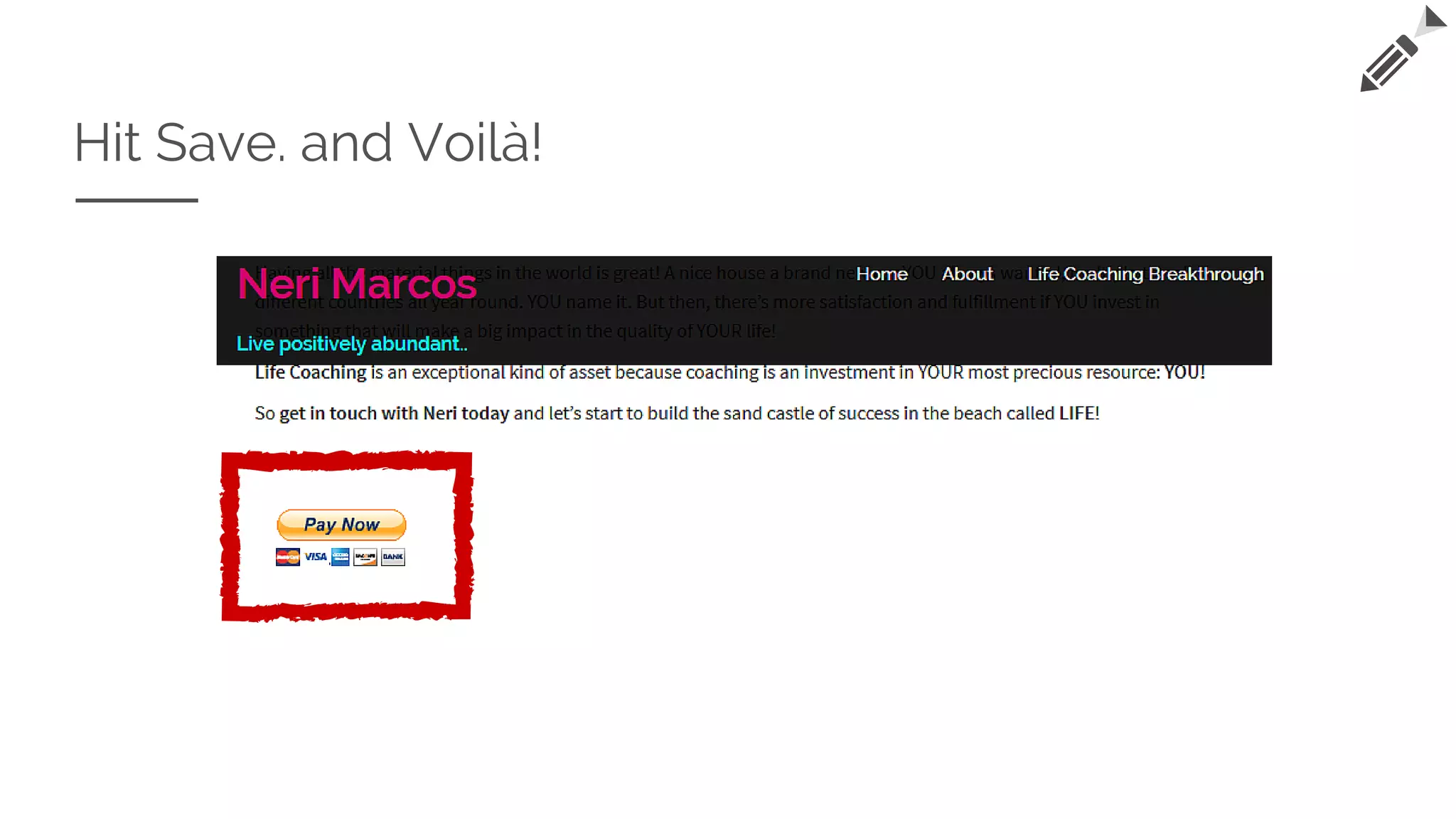
Hit Save. and Voilà!
"Perfection is achieved, not when
there is nothing more to add, but
when there is nothing left to take
away."
—Antoine de Saint-Exupéry
NeriMarcos.com

How to Create A PayPal Button

  • 1.
    How to Create APAYPAL BUTTON & PUT IT TO YOUR WEBSITE What is Paypal? The Process How to put the button to your website? NeriM arcos.com by: NeriMarcos.com
  • 2.
    What is Paypal? PayPalHoldings, Inc. is an American company operating a worldwide online payments system. Online money transfers serve as electronic alternatives to traditional paper methods like checks and money orders. PayPal is one of the world's largest internet payment companies. The company operates as an acquirer, performing payment processing for online vendors, auction sites and other commercial users, for which it charges a fee.
  • 3.
  • 4.
    On your Paypalaccount, go to Merchant Services.
  • 5.
    Click the "BuyNow Buttons".
  • 6.
    Here's the "CreatePayPal button" section.
  • 7.
    On Step 1,choose the button type.
  • 8.
    Type in theItem Name and Item ID (optional)
  • 9.
    Put the priceand currency. TIP: *If you want to setup multiple price options, leave this blank and go straight to Customize button.
  • 10.
    Here is the"Customize button" section.
  • 11.
    To create multipleprice options: Tick "Add drop-down menu with price/option".
  • 12.
  • 13.
    Specify the options,their prices and currency.
  • 14.
    TIP: You canadjust the number of options by clicking "Add another option" or "Remove option".
  • 15.
    You can alsoadd drop-down menu. Tick "Add drop-down menu and complete the details needed.
  • 16.
  • 17.
  • 18.
    Right click andcopy the selected code.
  • 19.
    Go to thepage of your website you wish to put the button. Home About Product Contact
  • 20.
    On the page,click the "text" tab.
  • 21.
  • 22.
  • 23.
    "Perfection is achieved,not when there is nothing more to add, but when there is nothing left to take away." —Antoine de Saint-Exupéry NeriMarcos.com