How to create a local
Android open source
project mirror
1. Obtain necessary
information
Before you set up a local Android open source
project mirror using Deveo, you need to know:
correct at time of publishing
• The current Android Git server address
android.googlesource.com
correct at time of publishing
• Deveo server address
app.deveo.com
• Name for the Deveo project we wish to set
up the local android open source project mirror
• Your Deveo plugin key, company key, and
account key
These can be found in your user preferences
located in the top right of the Deveo web
interface
• Your Deveo username
• Your company name in Deveo
The company name one you type whenever you
log in to Deveo.
2. Create the Deveo project
for our mirror
We will create the project programmatically
through Deveo REST APIs. But first, lets export
the Android open source project Git server
URL, Deveo plugin key, company key and your
account key, as well as the project name and
the Deveo URL as shell variables...
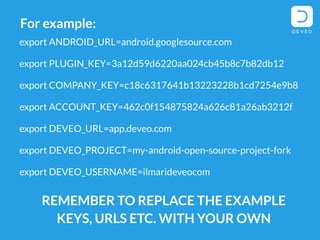
export ANDROID_URL=android.googlesource.com
export PLUGIN_KEY=3a12d59d6220aa024cb45b8c7b82db12
export
COMPANY_KEY=c18c6317641b13223228b1cd7254e9b8
export
ACCOUNT_KEY=462c0f154875824a626c81a26ab3212f
export DEVEO_URL=app.deveo.com
export DEVEO_PROJECT=my-android-open-source-
project-fork
export DEVEO_USERNAME=ilmarideveocom
REMEMBER TO REPLACE THE EXAMPLE
KEYS, URLS ETC. WITH YOUR OWN
For example:
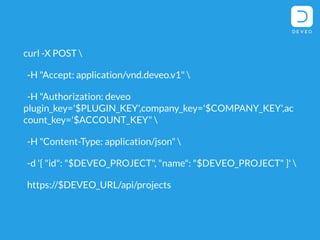
Now use the following curl command to create
a new Deveo project in Deveo:
curl -X POST 
-H "Accept: application/vnd.deveo.v1" 
-H "Authorization: deveo
plugin_key='$PLUGIN_KEY',company_key='$COMPAN
Y_KEY',account_key='$ACCOUNT_KEY" 
-H "Content-Type: application/json" 
-d '{ "id": "$DEVEO_PROJECT", "name":
"$DEVEO_PROJECT" }' 
https://$DEVEO_URL/api/projects
Check the results from the web interface.
There should be a new project in your Deveo
dashboard with the appropriate name.
3. Create the repositories
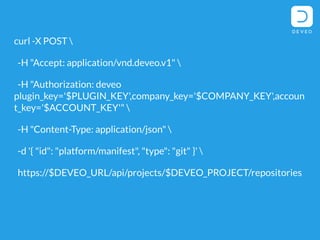
Create a Git repository in Deveo, using the
following curl snippet:
curl -X POST 
-H "Accept: application/vnd.deveo.v1" 
-H "Authorization: deveo
plugin_key='$PLUGIN_KEY',company_key='$COMPANY_K
EY',account_key='$ACCOUNT_KEY'" 
-H "Content-Type: application/json" 
-d '{ "id": "platform/manifest", "type": "git"
}' 
https://$DEVEO_URL/api/projects/$DEVEO_PROJECT/r
epositories
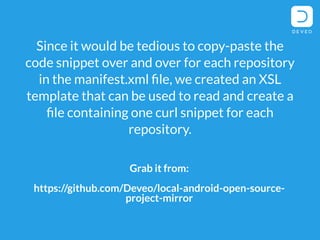
Grab it from:
https://github.com/Deveo/local-android-open-source-
project-mirror
Since it would be tedious to copy-paste the
code snippet over and over for each repository
in the manifest.xml file, we created an XSL
template that can be used to read and create a
file containing one curl snippet for each
repository.
4. Clone the original
repositories from official
Android open source
project repository
Clone the repositories using --bare switch in
order to store the repositories within the
hierarchical structure in the local filesystem.
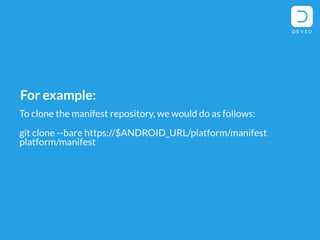
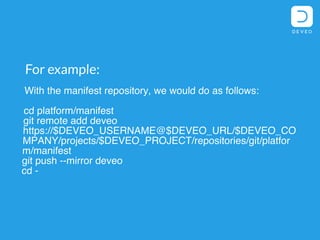
For example:
With the manifest repository, we would do as follows:
cd platform/manifest
git remote add deveo
https://$DEVEO_USERNAME@$DEVEO_URL/$DEVEO_CO
MPANY/projects/$DEVEO_PROJECT/repositories/g
it/platform/manifest
git push --mirror deveo
cd -
Get the template here:
https://github.com/Deveo/local-android-open-source-project-mirror
To make this easier, we've used a similar
template based approach for going through all
repositories.
5. Push the repositories to
the Deveo project
To push repositories to Deveo, go to the
directory of the repository, add a new remote
to the repository pointing to the Deveo
repository URL, and finally, push the changes
using --mirror switch.
For example, With the manifest repository,
we would do as follows:
cd platform/manifest git remote add
deveo
https://$DEVEO_USERNAME@$DEVEO_URL/$DEV
EO_CO
MPANY/projects/$DEVEO_PROJECT/repositor
ies/git/platfor m/manifest git push --
mirror deveo cd -
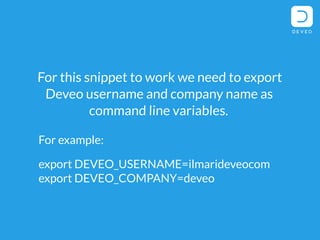
For this snippet to work we need to export
Deveo username and company name as
command line variables.
For example:
export DEVEO_USERNAME=ilmarideveocom
export DEVEO_COMPANY=deveo
Like in the previous two steps, our XSL
template based approach takes care of the
heavy lifting and copy-pasting.
Get the XSL here:
https://github.com/Deveo/local-android-open-source-project-mirror
6. Test everything works
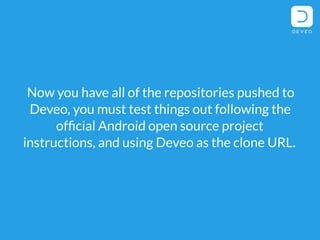
Now you have all of the repositories pushed to
Deveo, you must test things out following the
official Android open source project
instructions, and using Deveo as the clone URL.
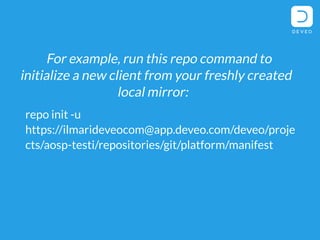
For example, run this repo command to
initialize a new client from your freshly created
local mirror:
repo init -u
https://ilmarideveocom@app.deveo.com/dev
eo/projects/aosp-
testi/repositories/git/platform/manifest
How did you get on?
Let us know!
Tweet us @DeveoTeam

How to create a local Android open source project mirror in 6 easy steps

  • 1.
    How to createa local Android open source project mirror
  • 2.
  • 3.
    Before you setup a local Android open source project mirror using Deveo, you need to know:
  • 4.
    correct at timeof publishing • The current Android Git server address android.googlesource.com
  • 5.
    correct at timeof publishing • Deveo server address app.deveo.com
  • 6.
    • Name forthe Deveo project we wish to set up the local android open source project mirror
  • 7.
    • Your Deveoplugin key, company key, and account key These can be found in your user preferences located in the top right of the Deveo web interface
  • 8.
  • 9.
    • Your companyname in Deveo The company name one you type whenever you log in to Deveo.
  • 10.
    2. Create theDeveo project for our mirror
  • 11.
    We will createthe project programmatically through Deveo REST APIs. But first, lets export the Android open source project Git server URL, Deveo plugin key, company key and your account key, as well as the project name and the Deveo URL as shell variables...
  • 12.
    export ANDROID_URL=android.googlesource.com export PLUGIN_KEY=3a12d59d6220aa024cb45b8c7b82db12 export COMPANY_KEY=c18c6317641b13223228b1cd7254e9b8 export ACCOUNT_KEY=462c0f154875824a626c81a26ab3212f exportDEVEO_URL=app.deveo.com export DEVEO_PROJECT=my-android-open-source- project-fork export DEVEO_USERNAME=ilmarideveocom REMEMBER TO REPLACE THE EXAMPLE KEYS, URLS ETC. WITH YOUR OWN For example:
  • 13.
    Now use thefollowing curl command to create a new Deveo project in Deveo:
  • 14.
    curl -X POST -H "Accept: application/vnd.deveo.v1" -H "Authorization: deveo plugin_key='$PLUGIN_KEY',company_key='$COMPAN Y_KEY',account_key='$ACCOUNT_KEY" -H "Content-Type: application/json" -d '{ "id": "$DEVEO_PROJECT", "name": "$DEVEO_PROJECT" }' https://$DEVEO_URL/api/projects
  • 15.
    Check the resultsfrom the web interface. There should be a new project in your Deveo dashboard with the appropriate name.
  • 16.
    3. Create therepositories
  • 17.
    Create a Gitrepository in Deveo, using the following curl snippet:
  • 18.
    curl -X POST -H "Accept: application/vnd.deveo.v1" -H "Authorization: deveo plugin_key='$PLUGIN_KEY',company_key='$COMPANY_K EY',account_key='$ACCOUNT_KEY'" -H "Content-Type: application/json" -d '{ "id": "platform/manifest", "type": "git" }' https://$DEVEO_URL/api/projects/$DEVEO_PROJECT/r epositories
  • 19.
    Grab it from: https://github.com/Deveo/local-android-open-source- project-mirror Sinceit would be tedious to copy-paste the code snippet over and over for each repository in the manifest.xml file, we created an XSL template that can be used to read and create a file containing one curl snippet for each repository.
  • 20.
    4. Clone theoriginal repositories from official Android open source project repository
  • 21.
    Clone the repositoriesusing --bare switch in order to store the repositories within the hierarchical structure in the local filesystem.
  • 22.
    For example: With themanifest repository, we would do as follows: cd platform/manifest git remote add deveo https://$DEVEO_USERNAME@$DEVEO_URL/$DEVEO_CO MPANY/projects/$DEVEO_PROJECT/repositories/g it/platform/manifest git push --mirror deveo cd -
  • 23.
    Get the templatehere: https://github.com/Deveo/local-android-open-source-project-mirror To make this easier, we've used a similar template based approach for going through all repositories.
  • 24.
    5. Push therepositories to the Deveo project
  • 25.
    To push repositoriesto Deveo, go to the directory of the repository, add a new remote to the repository pointing to the Deveo repository URL, and finally, push the changes using --mirror switch.
  • 26.
    For example, Withthe manifest repository, we would do as follows: cd platform/manifest git remote add deveo https://$DEVEO_USERNAME@$DEVEO_URL/$DEV EO_CO MPANY/projects/$DEVEO_PROJECT/repositor ies/git/platfor m/manifest git push -- mirror deveo cd -
  • 27.
    For this snippetto work we need to export Deveo username and company name as command line variables. For example: export DEVEO_USERNAME=ilmarideveocom export DEVEO_COMPANY=deveo
  • 28.
    Like in theprevious two steps, our XSL template based approach takes care of the heavy lifting and copy-pasting. Get the XSL here: https://github.com/Deveo/local-android-open-source-project-mirror
  • 29.
  • 30.
    Now you haveall of the repositories pushed to Deveo, you must test things out following the official Android open source project instructions, and using Deveo as the clone URL.
  • 31.
    For example, runthis repo command to initialize a new client from your freshly created local mirror: repo init -u https://ilmarideveocom@app.deveo.com/dev eo/projects/aosp- testi/repositories/git/platform/manifest
  • 32.
    How did youget on? Let us know! Tweet us @DeveoTeam