Download to read offline
![[Portal User With Administrator role inD365]
[Log in the portal by Admin user]](https://image.slidesharecdn.com/howtoclearthecacheinthepowerappsportal-240925113318-b287fbab/75/How-to-Clear-the-Cache-in-the-Power-Apps-Portal-docx-3-2048.jpg)
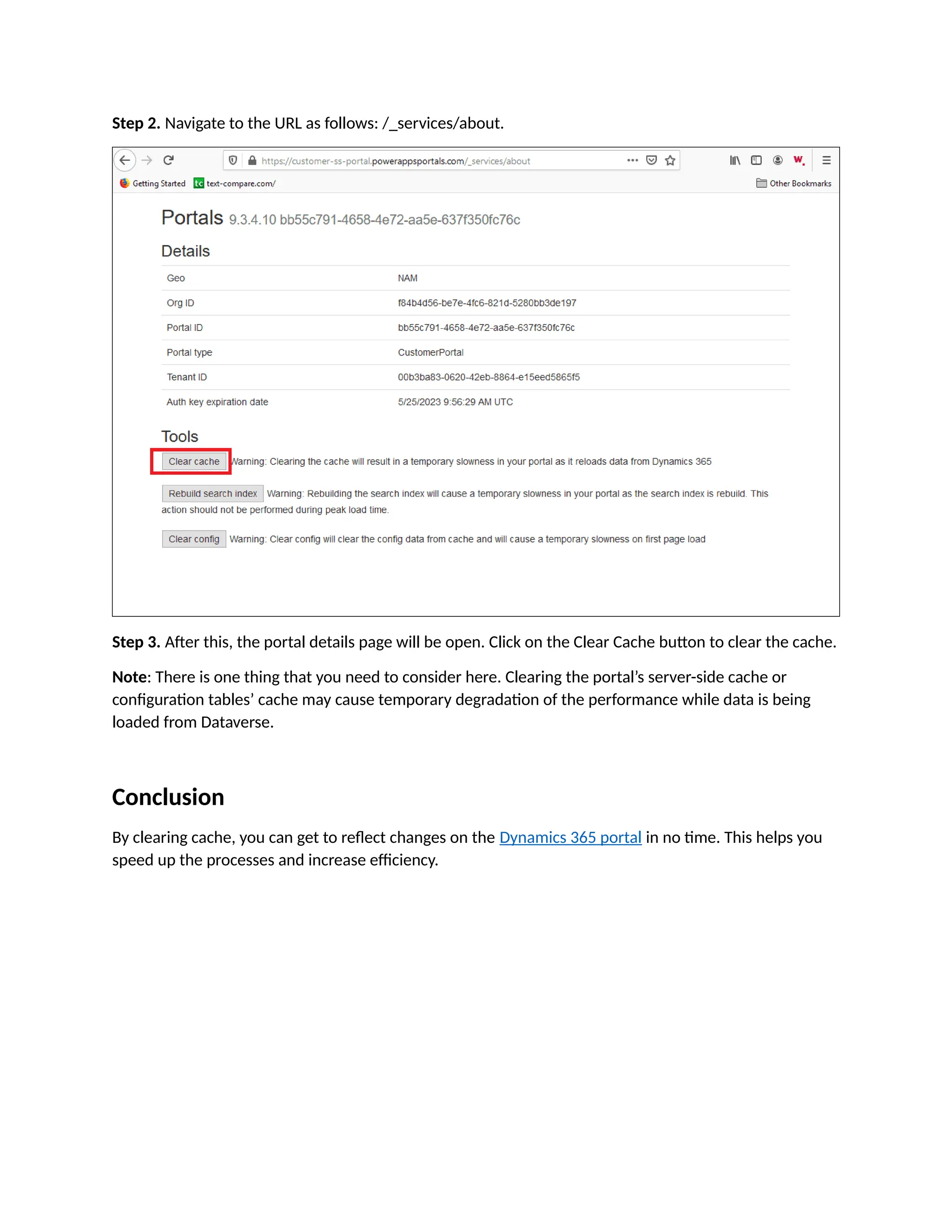

To see updates made in Power Apps Portal, it's crucial to clear the cache regularly, as the portal uses caching for performance optimization. Admins can clear the cache by signing into the Dynamics 365 portal, navigating to a specific URL, and clicking the clear cache button, though this may temporarily degrade performance while data reloads. Clearing the cache ensures that all recent changes are visible on the portal, enhancing efficiency and speed.


