
How to apply
For eTwinning
Quality label
Find your project
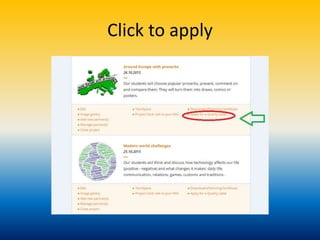
Click to apply
S O S
• Before completing the form it’s much better
to work on a word document (or a google-doc
to collaborate with our partners!)
When we are ready we can just copy and paste
in each field
In the first field Project description. We must watch out the number of characters including spaces
! If it s more than the number above, we are not allowed to submit. This is for all the fields!
In the second field we give links (twinspace and what ever we have for ex. Blog etc) and password
for our NSS
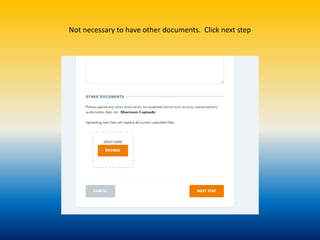
Not necessary to have other documents. Click next step
Paste in each field what you did in your project. Watch out the number of characters!
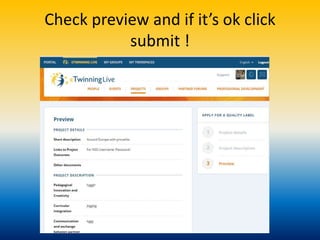
Check preview and if it’s ok click
submit !
How to apply for ql

How to apply for ql

  • 1.
    How to apply ForeTwinning Quality label
  • 2.
  • 3.
  • 4.
    S O S •Before completing the form it’s much better to work on a word document (or a google-doc to collaborate with our partners!) When we are ready we can just copy and paste in each field
  • 5.
    In the firstfield Project description. We must watch out the number of characters including spaces ! If it s more than the number above, we are not allowed to submit. This is for all the fields! In the second field we give links (twinspace and what ever we have for ex. Blog etc) and password for our NSS
  • 6.
    Not necessary tohave other documents. Click next step
  • 7.
    Paste in eachfield what you did in your project. Watch out the number of characters!
  • 8.
    Check preview andif it’s ok click submit !