Download as PDF, PPTX
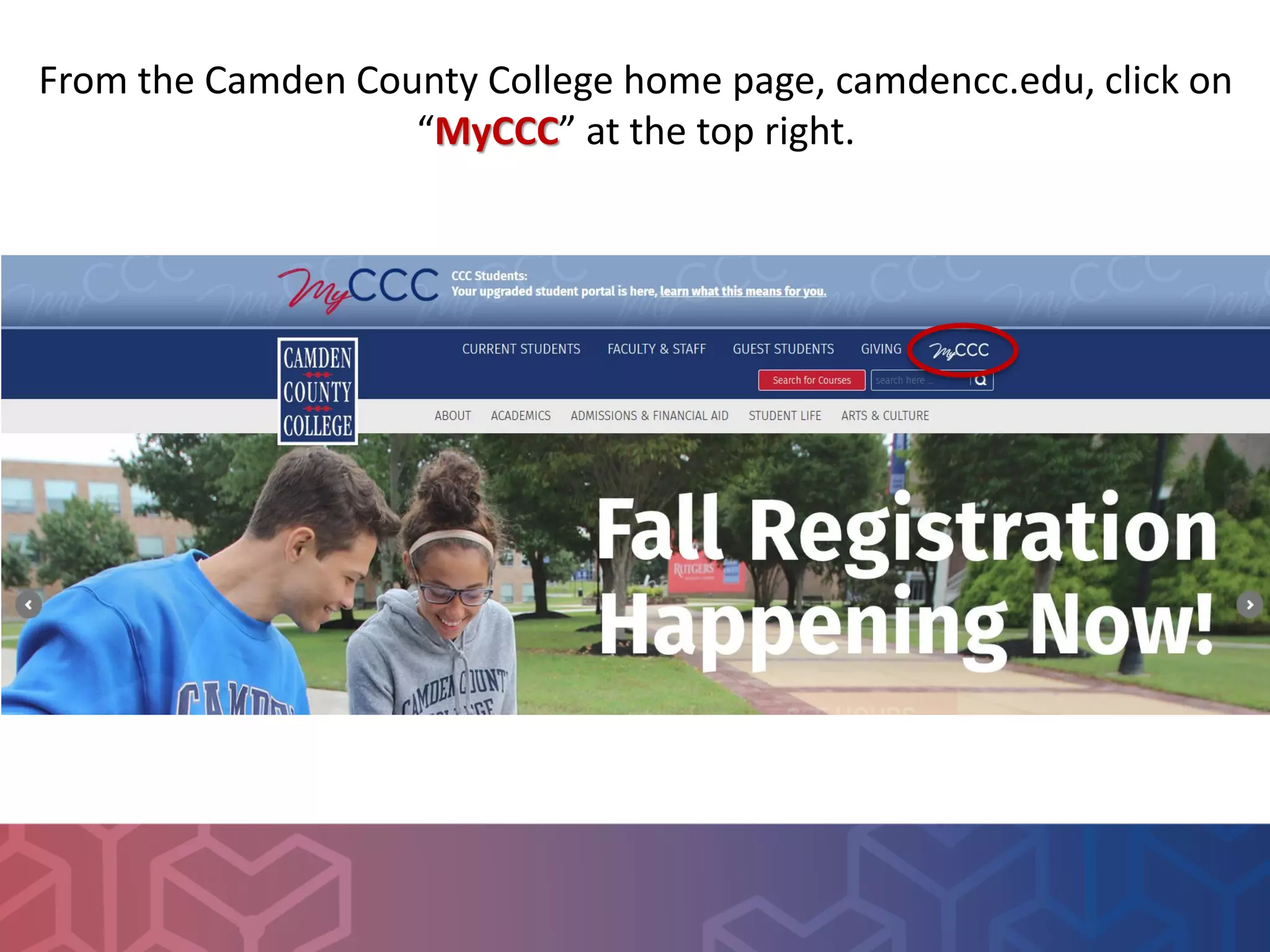
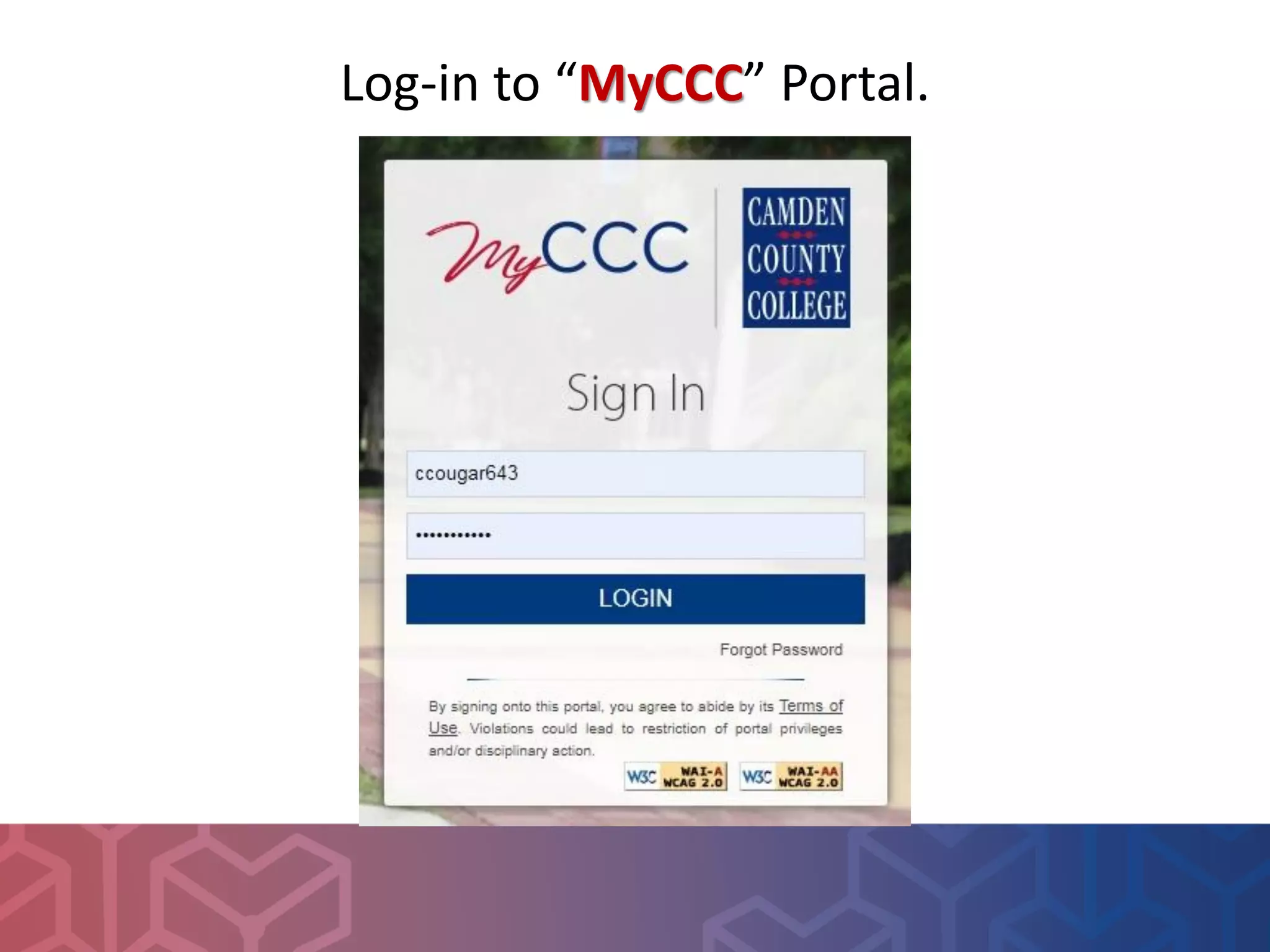
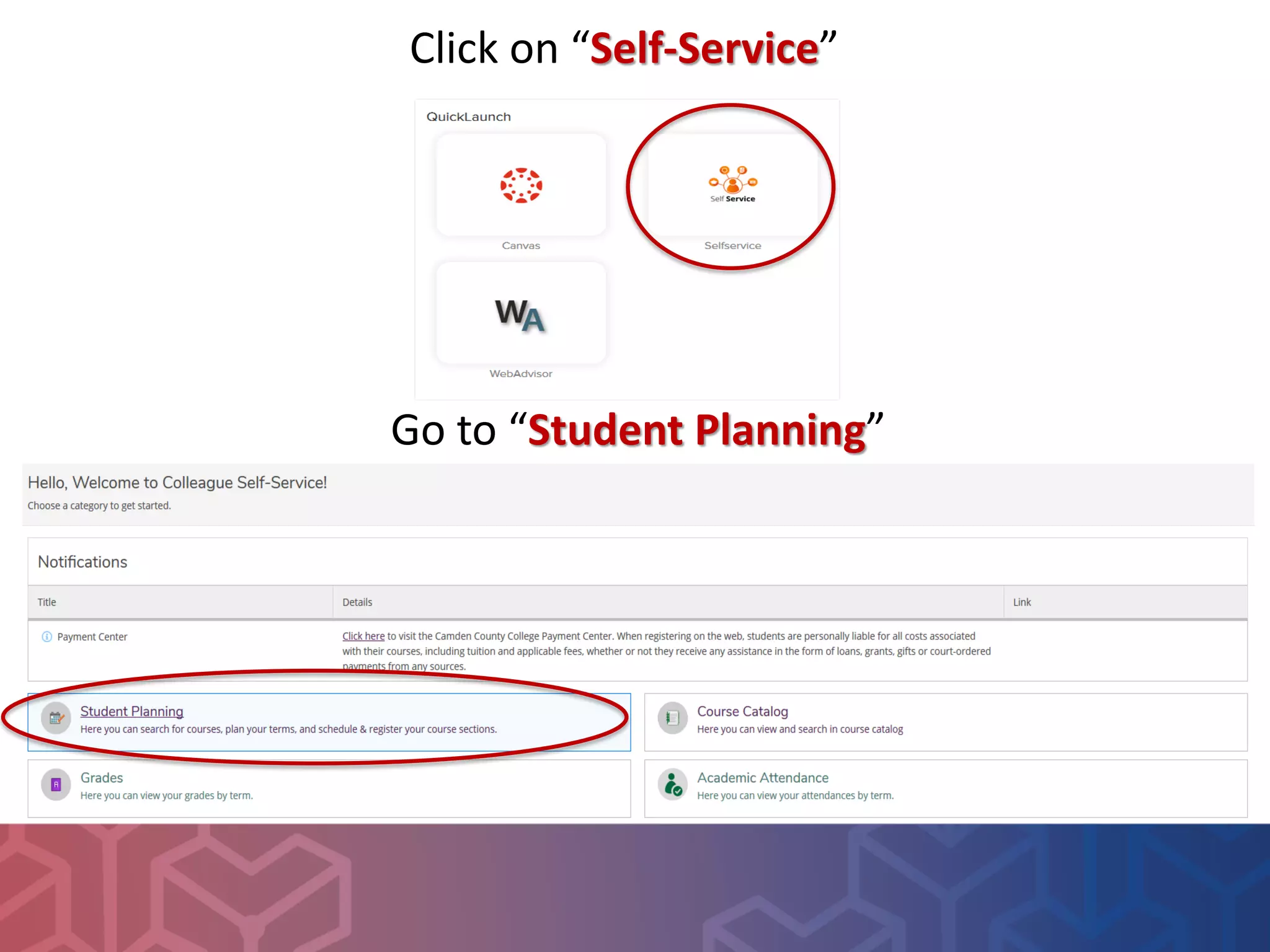
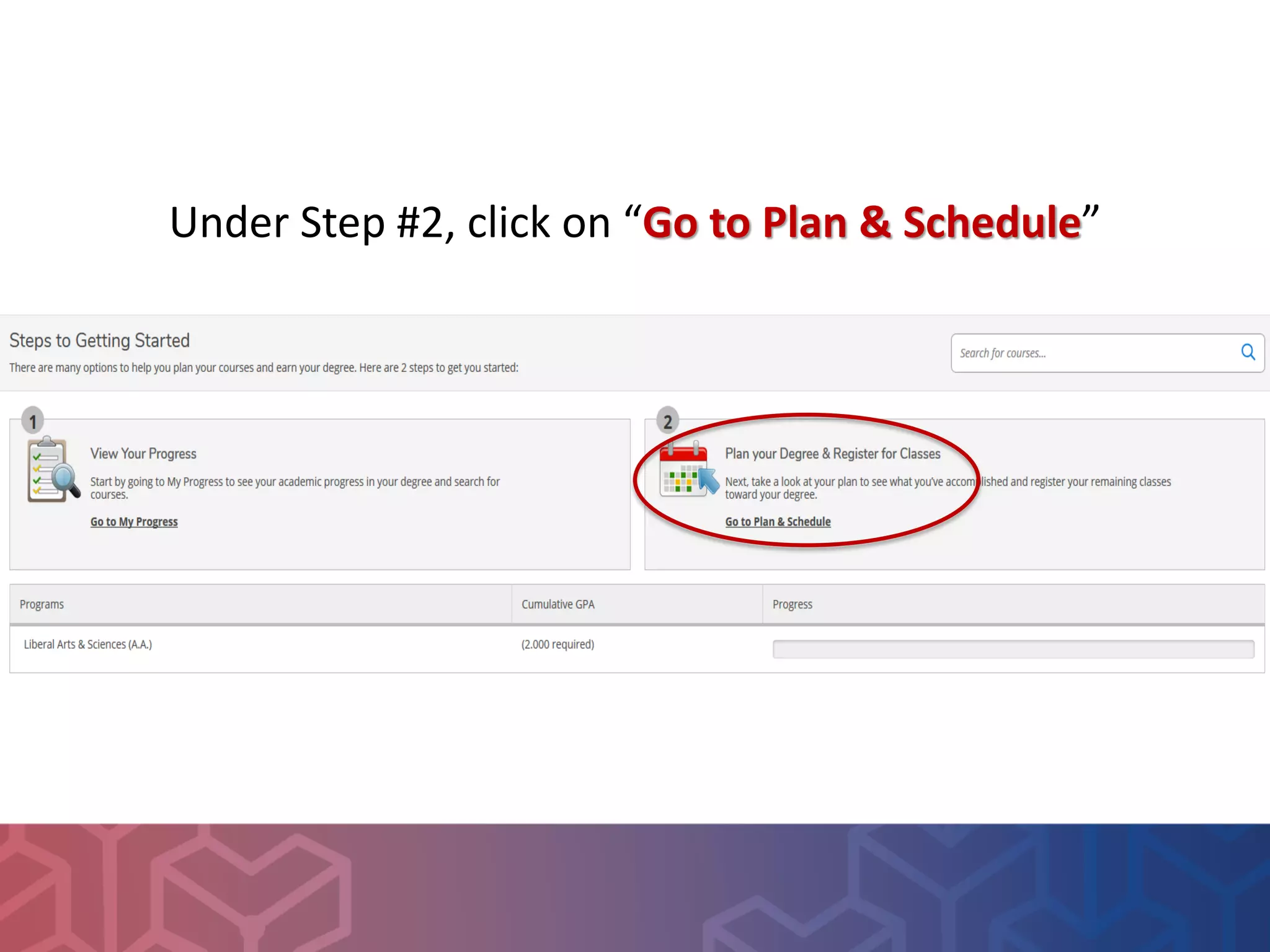
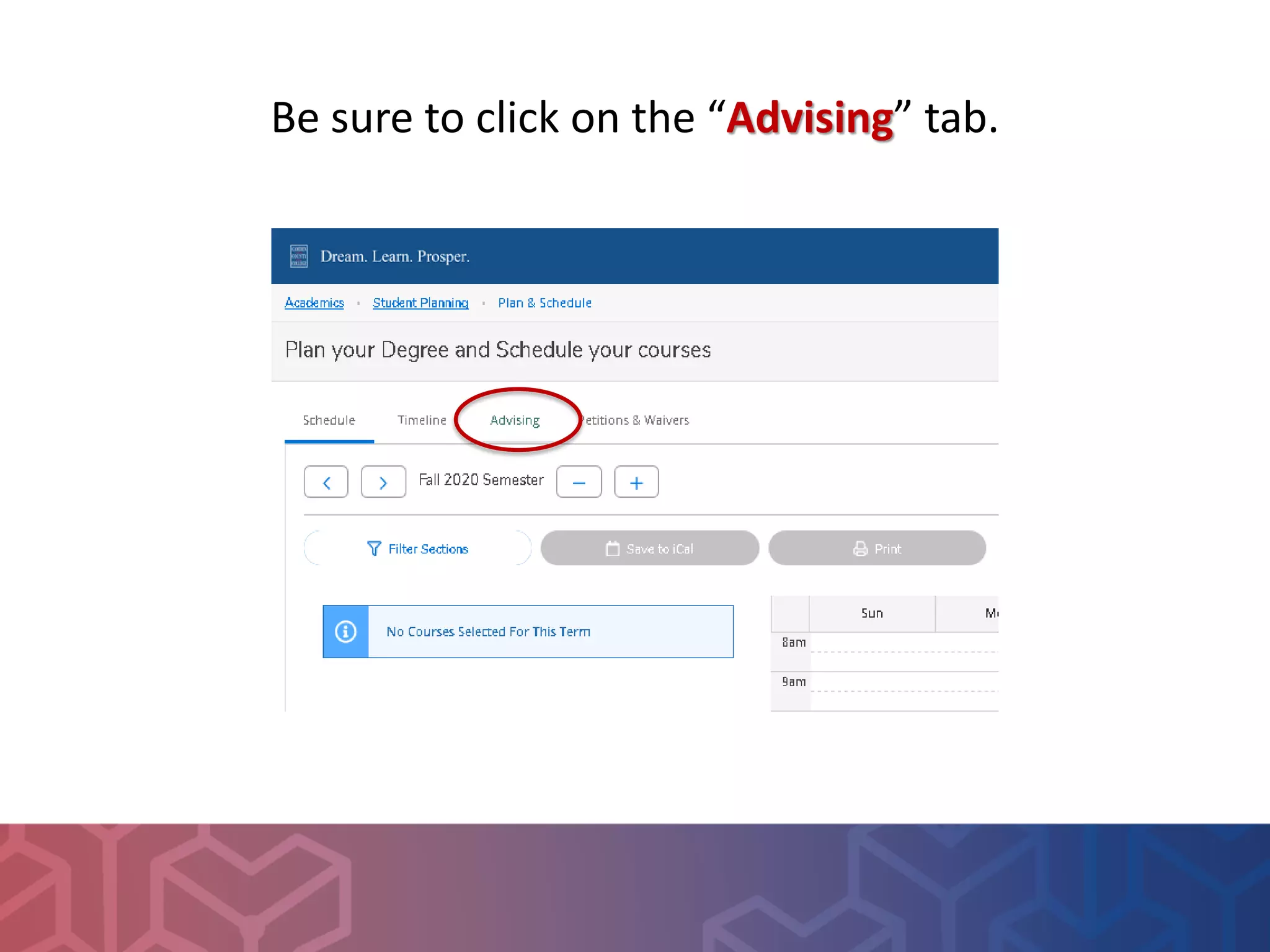
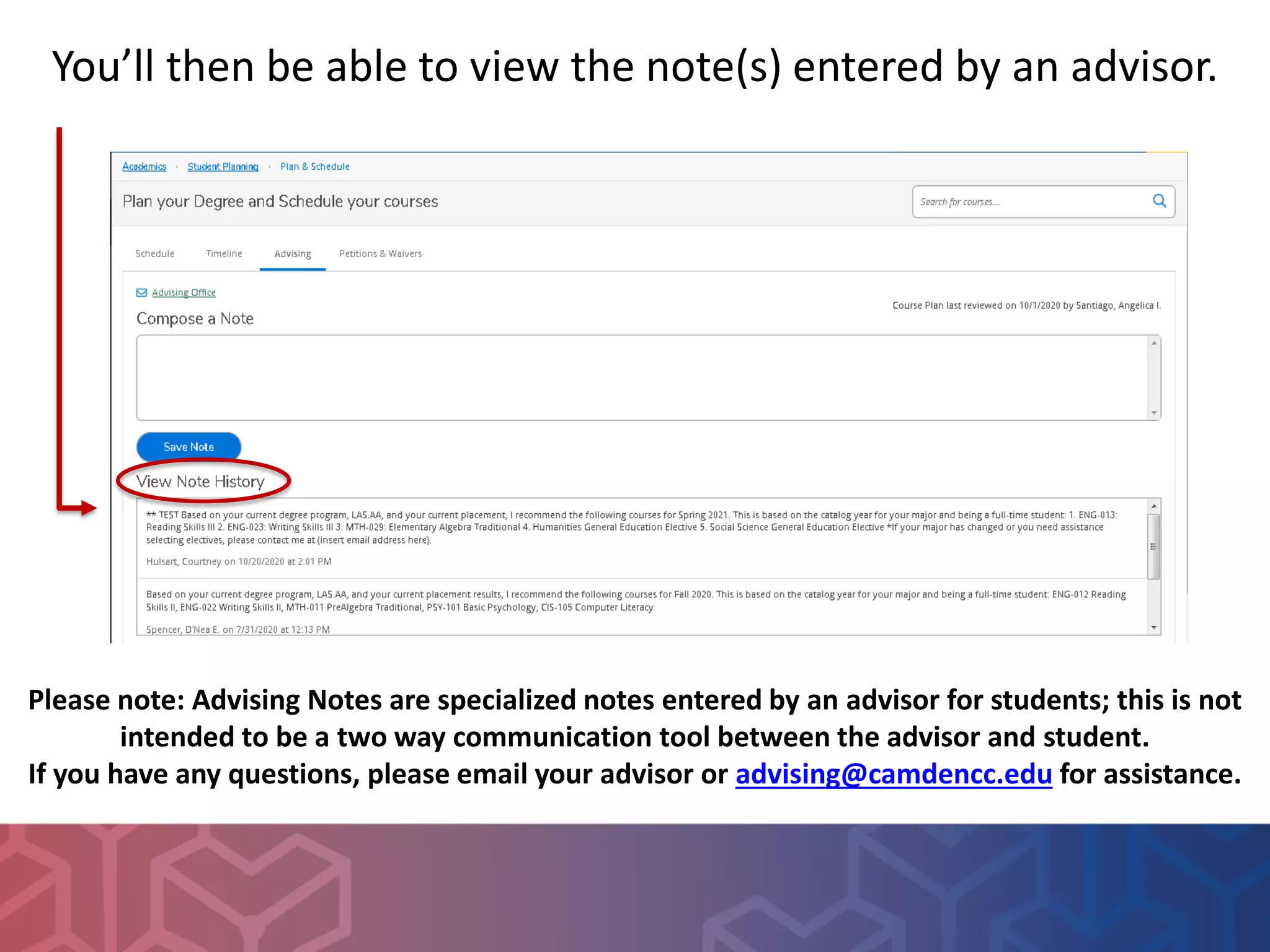

To access advising notes at Camden County College, students should log into the MyCCC portal and go to the Student Planning section. Under Step 2, they should click "Go to Plan & Schedule" and select the Advising tab to view notes entered by an advisor. The advising notes are meant for students to view notes from advisors and are not a two-way communication channel. Students with questions should contact their advisor or the advising email for assistance.


![Ix535 unit3 marla%20_cartwright[1]](https://cdn.slidesharecdn.com/ss_thumbnails/ix535unit3marla20cartwright1-120428161108-phpapp02-thumbnail.jpg?width=640&height=640&fit=bounds)


