© FIDO Alliance 2024 Confidential
1
How Red Hat Uses
FDO in Device
Lifecycle
Vitaliy Emporopulo & Costin Gamenţ, Red Hat
Device Lifecycle
Space for a two-line
subhead here
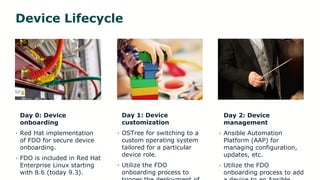
Day 0: Device
onboarding
· Red Hat implementation
of FDO for secure device
onboarding.
· FDO is included in Red Hat
Enterprise Linux starting
with 8.6 (today 9.3).
Wrap short
subheads
Day 1: Device
customization
· OSTree for switching to a
custom operating system
tailored for a particular
device role.
· Utilize the FDO
onboarding process to
Adjust lower text
blocks up or down
Day 2: Device
management
· Ansible Automation
Platform (AAP) for
managing configuration,
updates, etc.
· Utilize the FDO
onboarding process to add
FDO at Red Hat
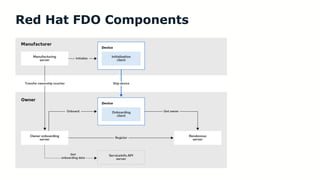
FDO Components
Red Hat Implementation
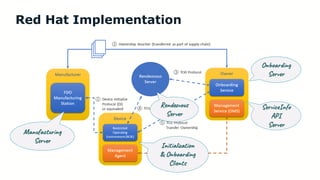
Manufacturing
Server
Rendezvous
Server
Onboarding
Server
ServiceInfo
API
Server
Initialization
& Onboarding
Clients
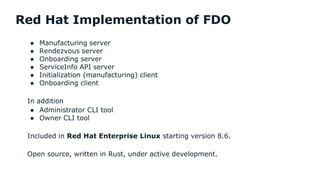
Red Hat Implementation of FDO
● Manufacturing server
● Rendezvous server
● Onboarding server
● ServiceInfo API server
● Initialization (manufacturing) client
● Onboarding client
In addition
● Administrator CLI tool
● Owner CLI tool
Included in Red Hat Enterprise Linux starting version 8.6.
Open source, written in Rust, under active development.
Red Hat FDO Components
The FDO Operator
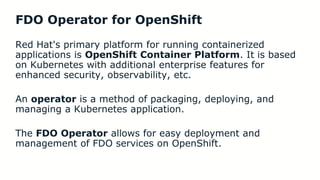
FDO Operator for OpenShift
Red Hat's primary platform for running containerized
applications is OpenShift Container Platform. It is based
on Kubernetes with additional enterprise features for
enhanced security, observability, etc.
An operator is a method of packaging, deploying, and
managing a Kubernetes application.
The FDO Operator allows for easy deployment and
management of FDO services on OpenShift.
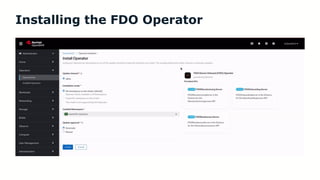
Installing the FDO Operator
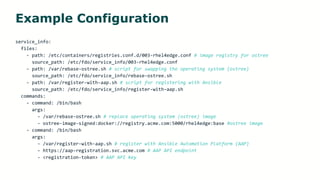
Example Configuration
service_info:
files:
- path: /etc/containers/registries.conf.d/003-rhel4edge.conf # image registry for ostree
source_path: /etc/fdo/service_info/003-rhel4edge.conf
- path: /var/rebase-ostree.sh # script for swapping the operating system (ostree)
source_path: /etc/fdo/service_info/rebase-ostree.sh
- path: /var/register-with-aap.sh # script for registering with Ansible
source_path: /etc/fdo/service_info/register-with-aap.sh
commands:
- command: /bin/bash
args:
- /var/rebase-ostree.sh # replace operating system (ostree) image
- ostree-image-signed:docker://registry.acme.com:5000/rhel4edge:base #ostree image
- command: /bin/bash
args:
- /var/register-with-aap.sh # register with Ansible Automation Platform (AAP)
- https://aap-registration.svc.acme.com # AAP API endpoint
- <registration-token> # AAP API key
Operating System as a
Container Image
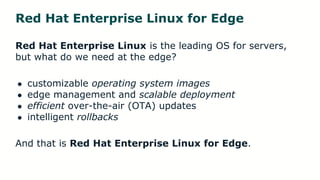
Red Hat Enterprise Linux for Edge
Red Hat Enterprise Linux is the leading OS for servers,
but what do we need at the edge?
● customizable operating system images
● edge management and scalable deployment
● efficient over-the-air (OTA) updates
● intelligent rollbacks
And that is Red Hat Enterprise Linux for Edge.
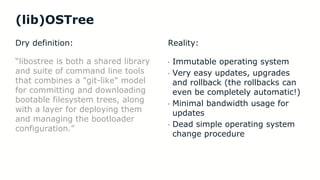
(lib)OSTree
Dry definition:
“libostree is both a shared library
and suite of command line tools
that combines a "git-like" model
for committing and downloading
bootable filesystem trees, along
with a layer for deploying them
and managing the bootloader
configuration.”
Reality:
·Immutable operating system
·Very easy updates, upgrades
and rollback (the rollbacks can
even be completely automatic!)
·Minimal bandwidth usage for
updates
·Dead simple operating system
change procedure
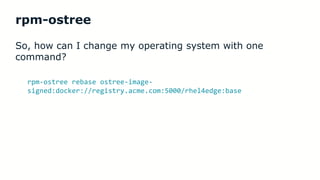
rpm-ostree
So, how can I change my operating system with one
command?
rpm-ostree rebase ostree-image-
signed:docker://registry.acme.com:5000/rhel4edge:base
Device Management with
Ansible
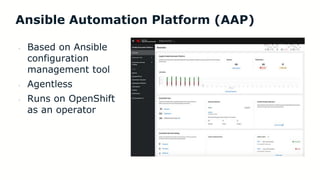
Ansible Automation Platform (AAP)
· Based on Ansible
configuration
management tool
· Agentless
· Runs on OpenShift
as an operator
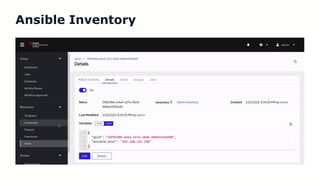
Ansible Inventory
OpenShift Installation on Bare
Metal
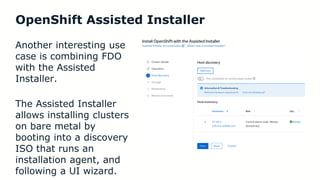
OpenShift Assisted Installer
Another interesting use
case is combining FDO
with the Assisted
Installer.
The Assisted Installer
allows installing clusters
on bare metal by
booting into a discovery
ISO that runs an
installation agent, and
following a UI wizard.
FDO and Assisted Installer
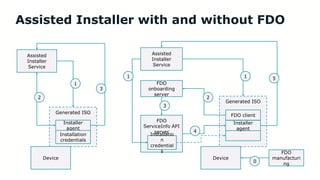
● FDO is used to verify cluster nodes and start the installer
agent.
● Storing all sensitive data on the FDO server also removes
the need to embed it into the discovery ISO.
● Easy late binding of a device to a cluster/customer.
Assisted Installer with and without FDO
Generated ISO
Assisted
Installer
Service
Device
Installer
agent
Installation
credentials
1
2
3
Assisted
Installer
Service
Generated ISO
Device
FDO client
Installer
agent
FDO
onboarding
server
FDO
ServiceInfo API
server
Installatio
n
credential
s
1
2
1
3
4
5
FDO
manufacturi
ng
0
Resources
· FDO Implementation https://github.com/fdo-rs/fido-device-onboard-rs
· FDO Operator https://github.com/fdo-rs/fdo-operator
· FDO Ansible collection https://github.com/fdo-rs/ansible.community.fdo
· Red Hat Ansible Automation Platform Operator Installation Guide
https://access.redhat.com/documentation/en-
us/red_hat_ansible_automation_platform/2.1/html/red_hat_ansible_auto
mation_platform_operator_installation_guide/index
· libOSTree https://ostreedev.github.io/ostree/
· Installing an on-premise cluster using the Assisted Installer
https://docs.openshift.com/container-
platform/4.15/installing/installing_on_prem_assisted/installing-on-prem-
assisted.html
© FIDO Alliance 2024 Confidential
24
Thank you