KEYBOARDING SKILSS
THE BASE POSITION
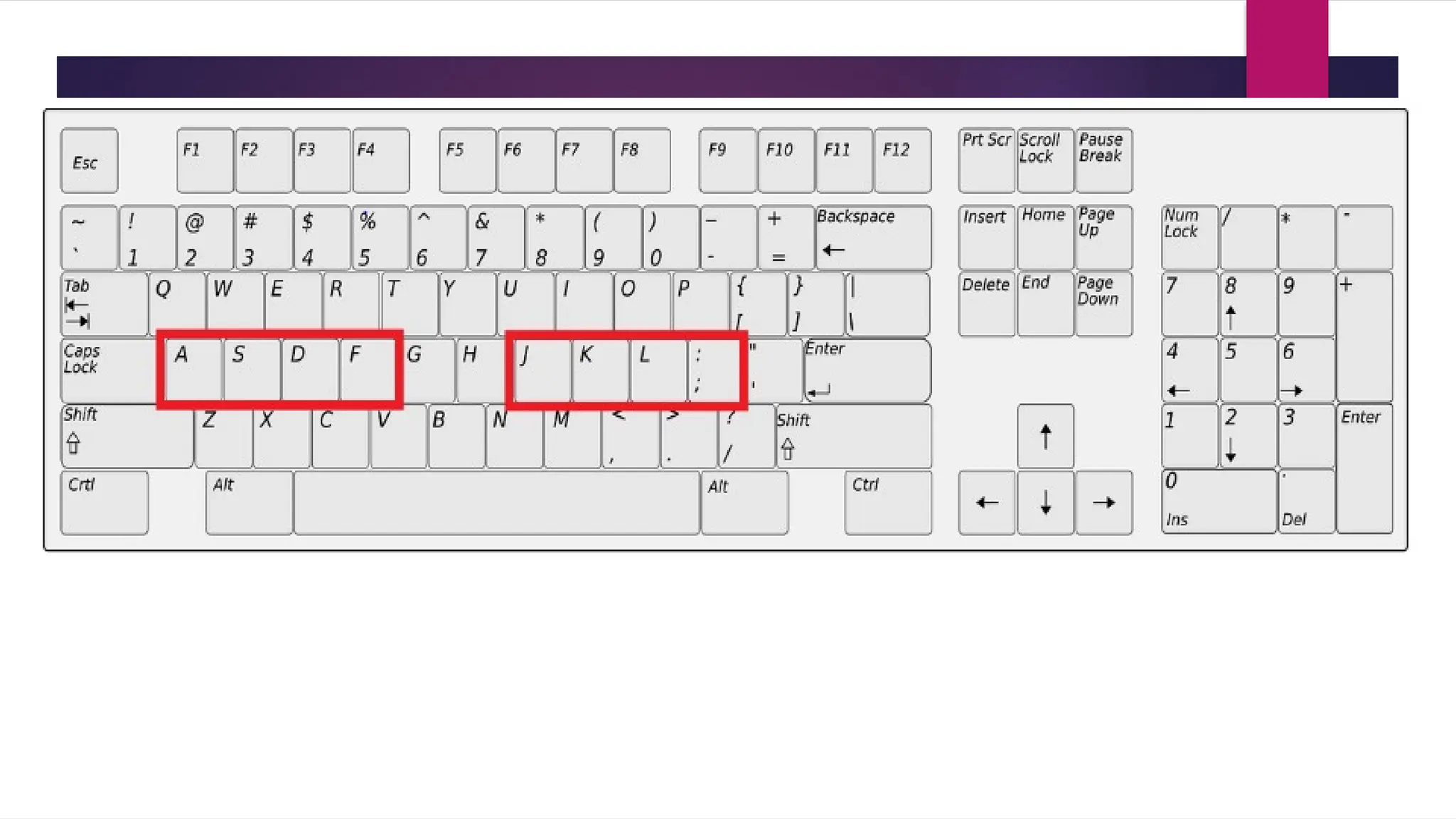
The Home Row
The home row is the set of keys that are
the base position for fingers.
These are the keys located on the
middle row of the keyboard.
1.Place the index fingers over the “F” and “J” key.
2. Small bumps on the F and J keys help the users
locate the base position without having to look.
Home Activity I ( Type one line of
home keys, on MS word for 1 minute
]]d
Touch Typing Rules
1. Always position your fingers properly on the keyboard to
press the right keys when typing.
Assigned
Sections
Correct finger placement
• Press all Section A keys with the left little finger
• Press all Section B keys with the left ring finger
• Press all Section C keys with the left middle finger
• Press all Section D keys with the left index finger
• Press all Section E with either thumb
• Press all Section F keys with the right index finger
• Press all Section G keys with the right middle finger
• Press all Section H keys with the right ring finger
• Press all Section I with the right little finger

HOME KEYS for touch typing in keyboarding.pptx

  • 1.
  • 2.
    The Home Row Thehome row is the set of keys that are the base position for fingers. These are the keys located on the middle row of the keyboard.
  • 4.
    1.Place the indexfingers over the “F” and “J” key. 2. Small bumps on the F and J keys help the users locate the base position without having to look.
  • 5.
    Home Activity I( Type one line of home keys, on MS word for 1 minute
  • 6.
  • 7.
    Touch Typing Rules 1.Always position your fingers properly on the keyboard to press the right keys when typing.
  • 9.
  • 10.
    Correct finger placement •Press all Section A keys with the left little finger • Press all Section B keys with the left ring finger • Press all Section C keys with the left middle finger • Press all Section D keys with the left index finger
  • 11.
    • Press allSection E with either thumb • Press all Section F keys with the right index finger • Press all Section G keys with the right middle finger • Press all Section H keys with the right ring finger • Press all Section I with the right little finger