Using dependency injection and
health checks in your
.NET Core solutions
Alex Thissen
Cloud architect at Xpirit, The Netherlands
Keeping entire system running
Determine state of entire system and intervene
How to know health status of individual services?
Collecting/correlating performance and health data
Sentry.ioRaygun.io RunscopeNewRelic AlertSite DataDogAppMetrics Azure Monitor
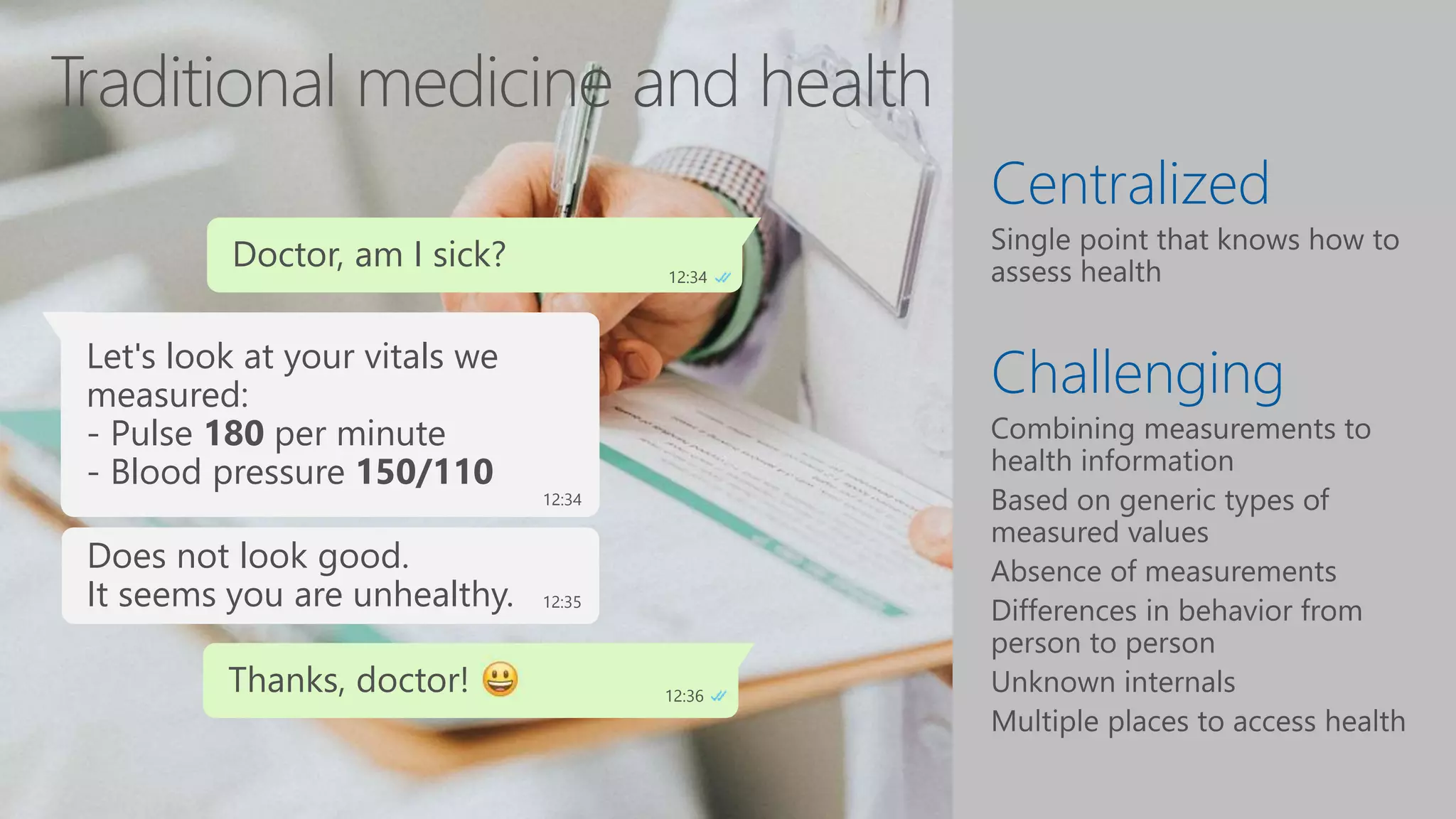
Centralized
Challenging
Doctor, am I sick? 12:34
Let's look at your vitals we
measured earlier:
- Pulse 60 per minute
- Blood pressure 130/80
12:34
Looks fine to me.
It seems you are healthy. 12:35
Thanks, doctor! 12:36
Let's look at your vitals we
measured:
- Pulse 180 per minute
- Blood pressure 150/110
12:34
Does not look good.
It seems you are unhealthy. 12:35
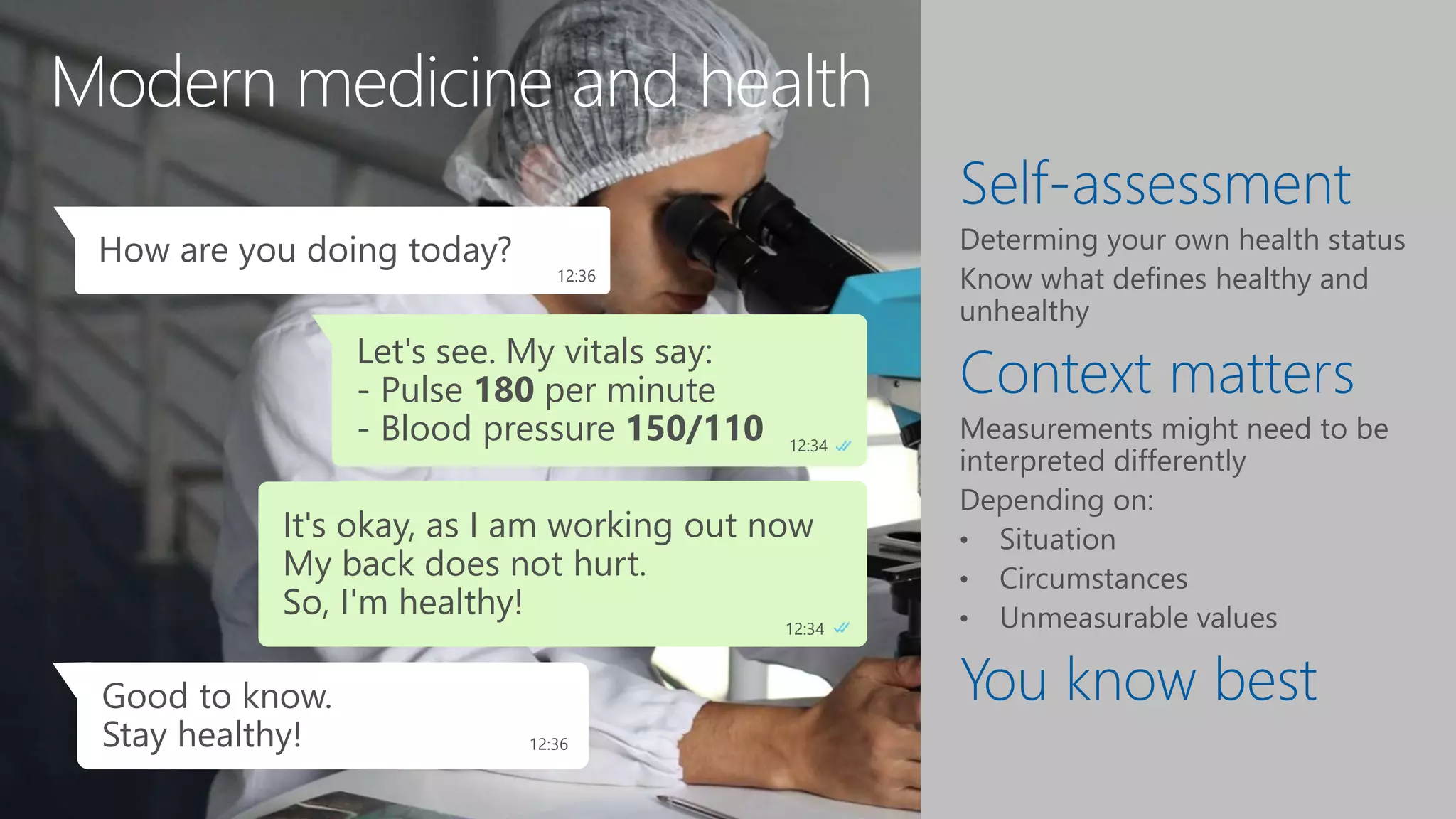
Modern medicine and health
Self-assessment
Context matters
You know best
Let's see. My vitals say:
- Pulse 180 per minute
- Blood pressure 150/110 12:34
How are you doing today?
12:36
Does not look good.
It seems I am unhealthy. 12:34
Oops, we need to do
something about that! 3:24
Good to know.
Stay healthy! 12:36
It's okay, as I am working out now
My back does not hurt.
So, I'm healthy!
12:34
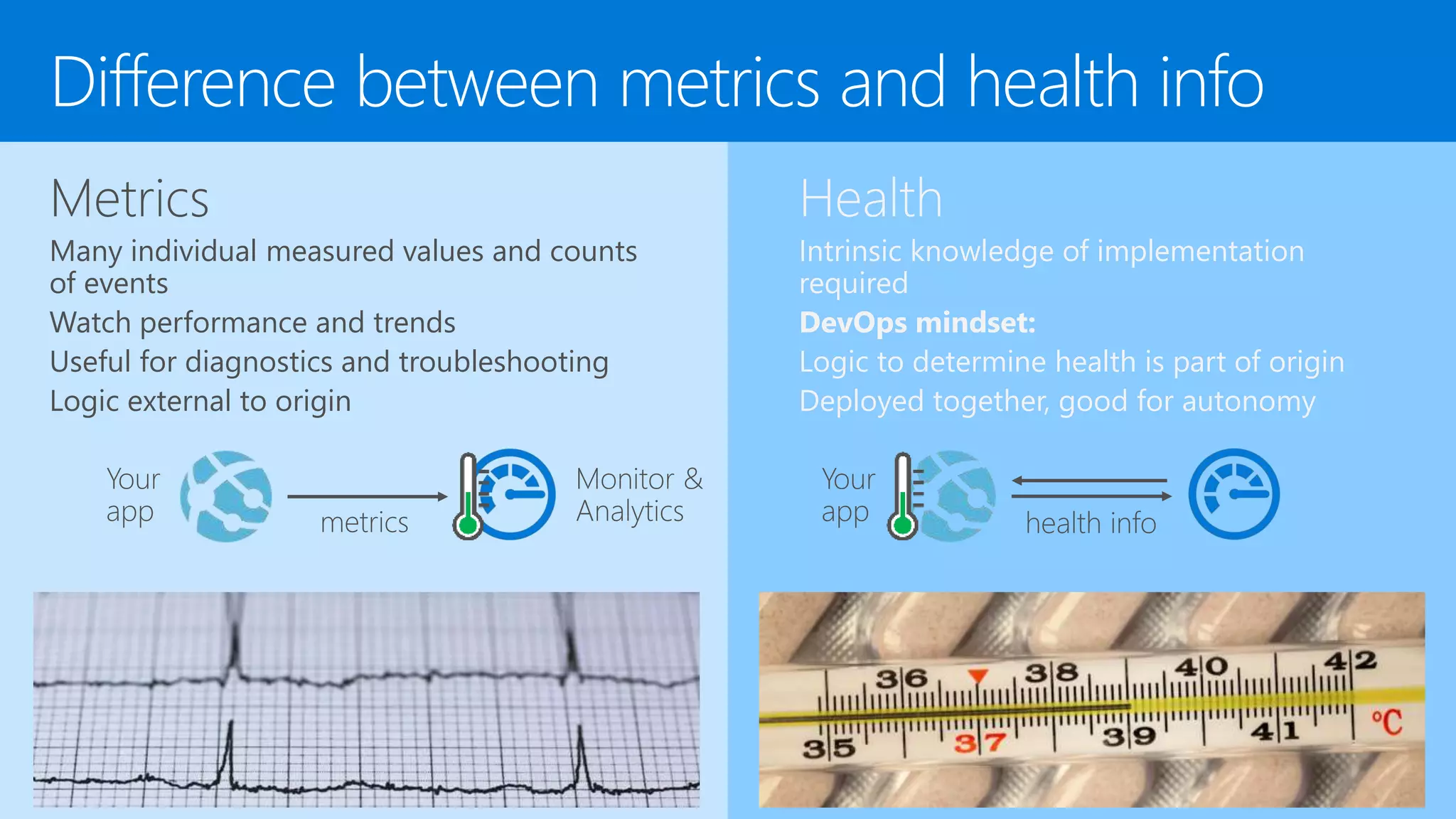
Difference between metrics and health info
Metrics
Many individual measured values and counts
of events
Watch performance and trends
Useful for diagnostics and troubleshooting
Logic external to origin
Health
Intrinsic knowledge of implementation
required
DevOps mindset:
Logic to determine health is part of origin
Deployed together, good for autonomy
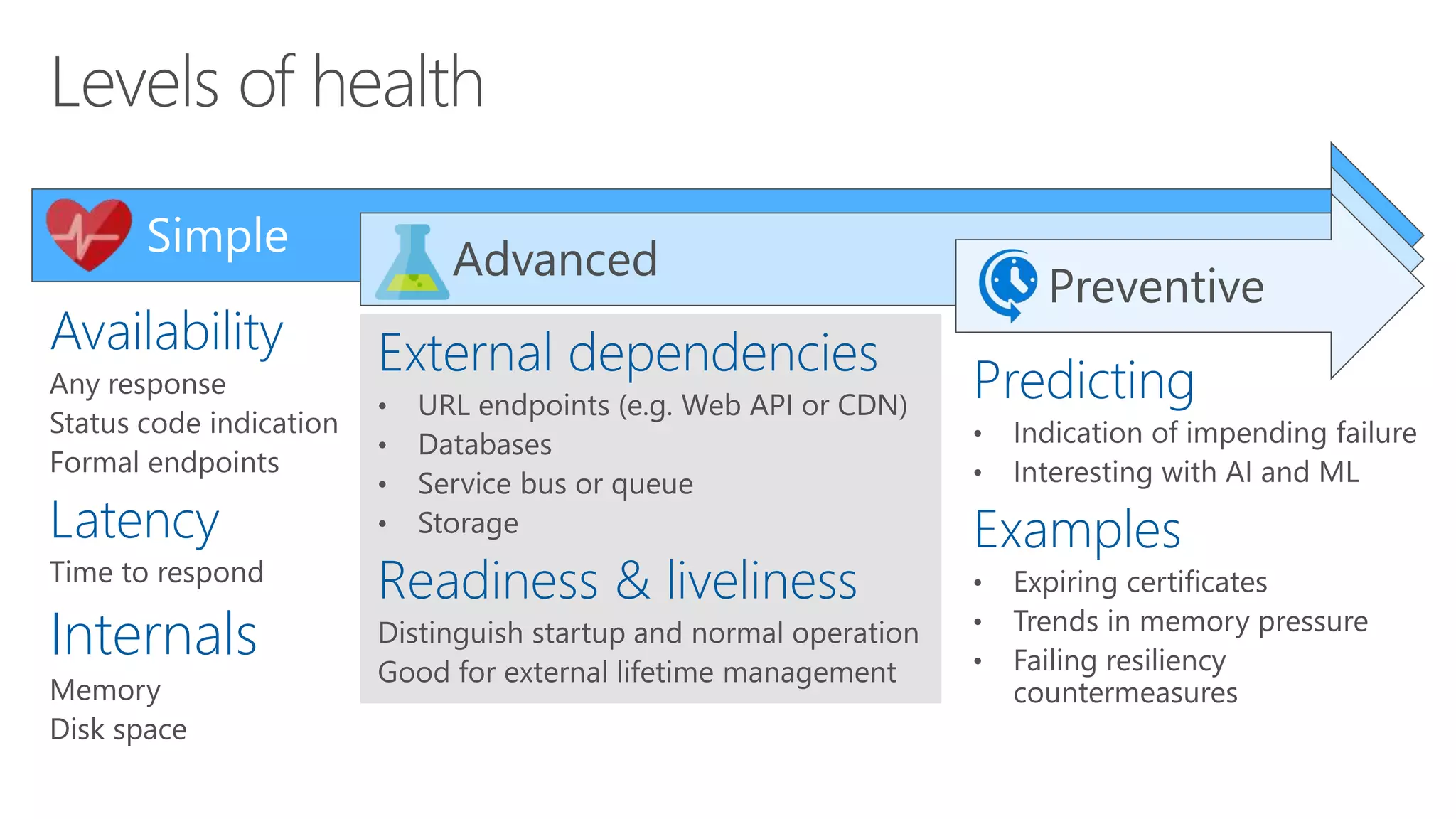
Availability
Latency
Internals
Simple Advanced
External dependencies
Readiness & liveliness
Preventive
Predicting
Examples
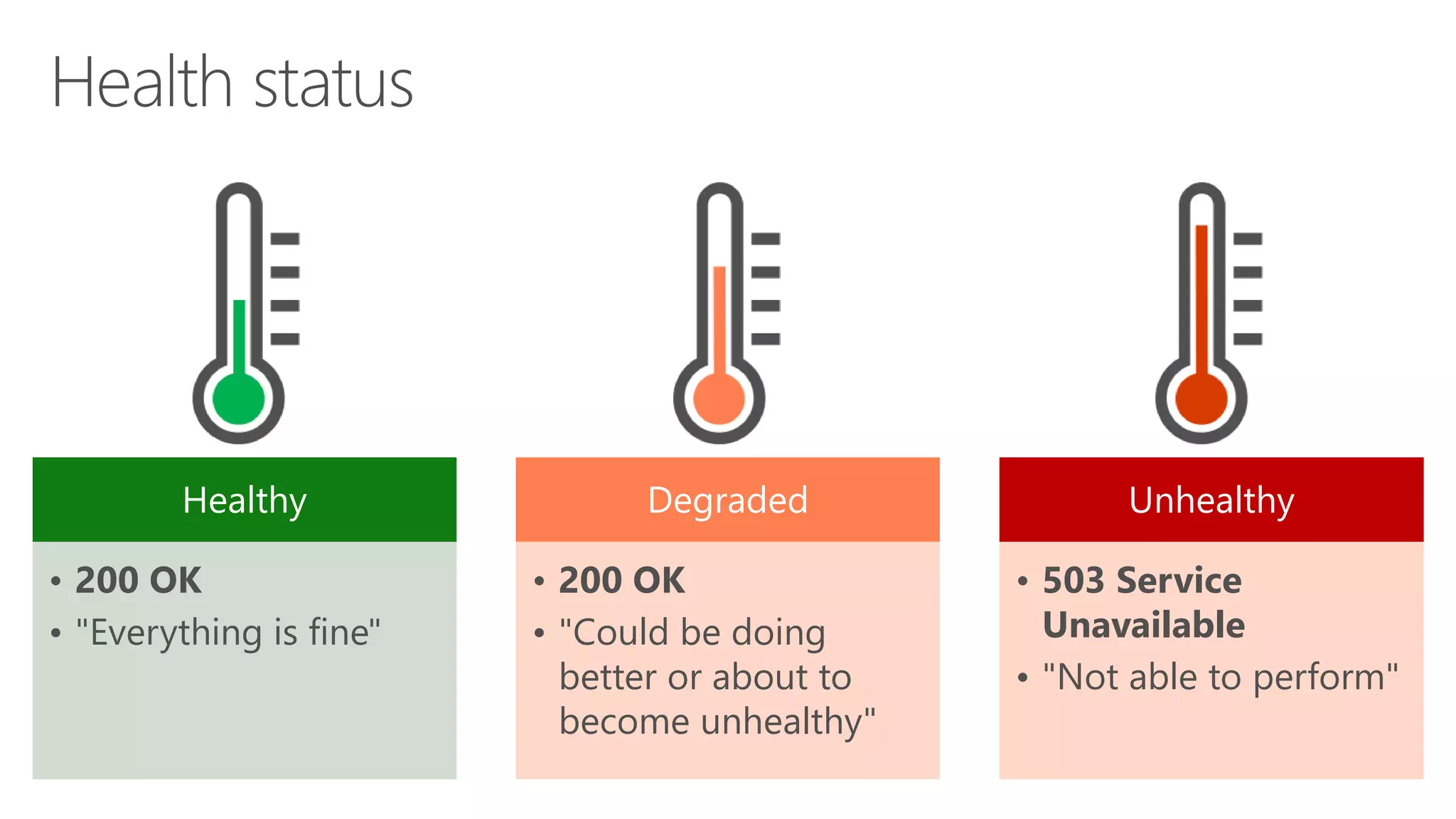
Healthy
• 200 OK
• "Everything is fine"
Degraded
• 200 OK
• "Could be doing
better or about to
become unhealthy"
Unhealthy
• 503 Service
Unavailable
• "Not able to perform"
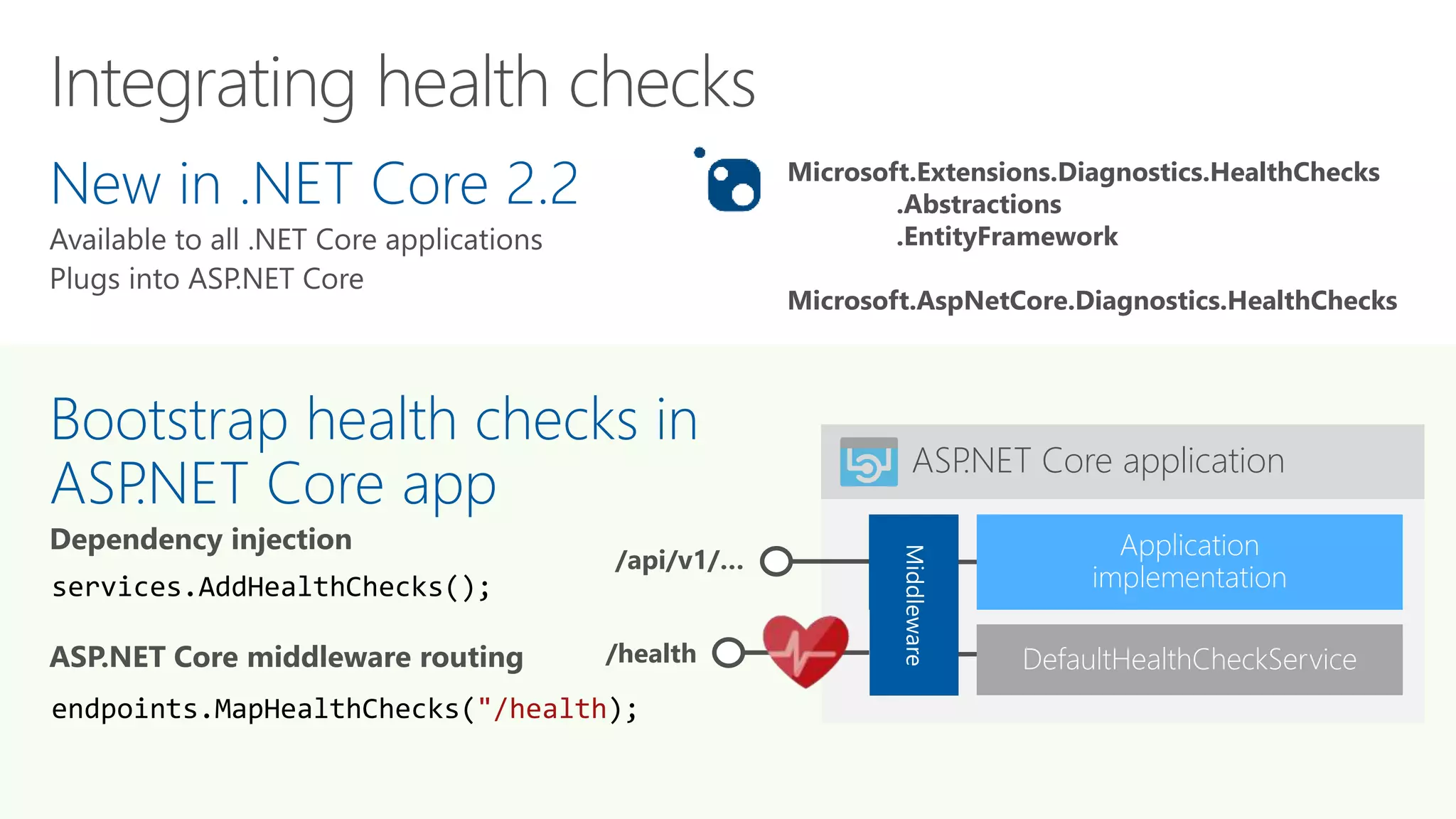
ASP.NET Core application
/api/v1/… Middle
ware
New in .NET Core 2.2
Bootstrap health checks in
ASP.NET Core app
services.AddHealthChecks();
endpoints.MapHealthChecks("/health);
/health DefaultHealthCheckService
Microsoft.Extensions.Diagnostics.HealthChecks
.Abstractions
.EntityFramework
Microsoft.AspNetCore.Diagnostics.HealthChecks
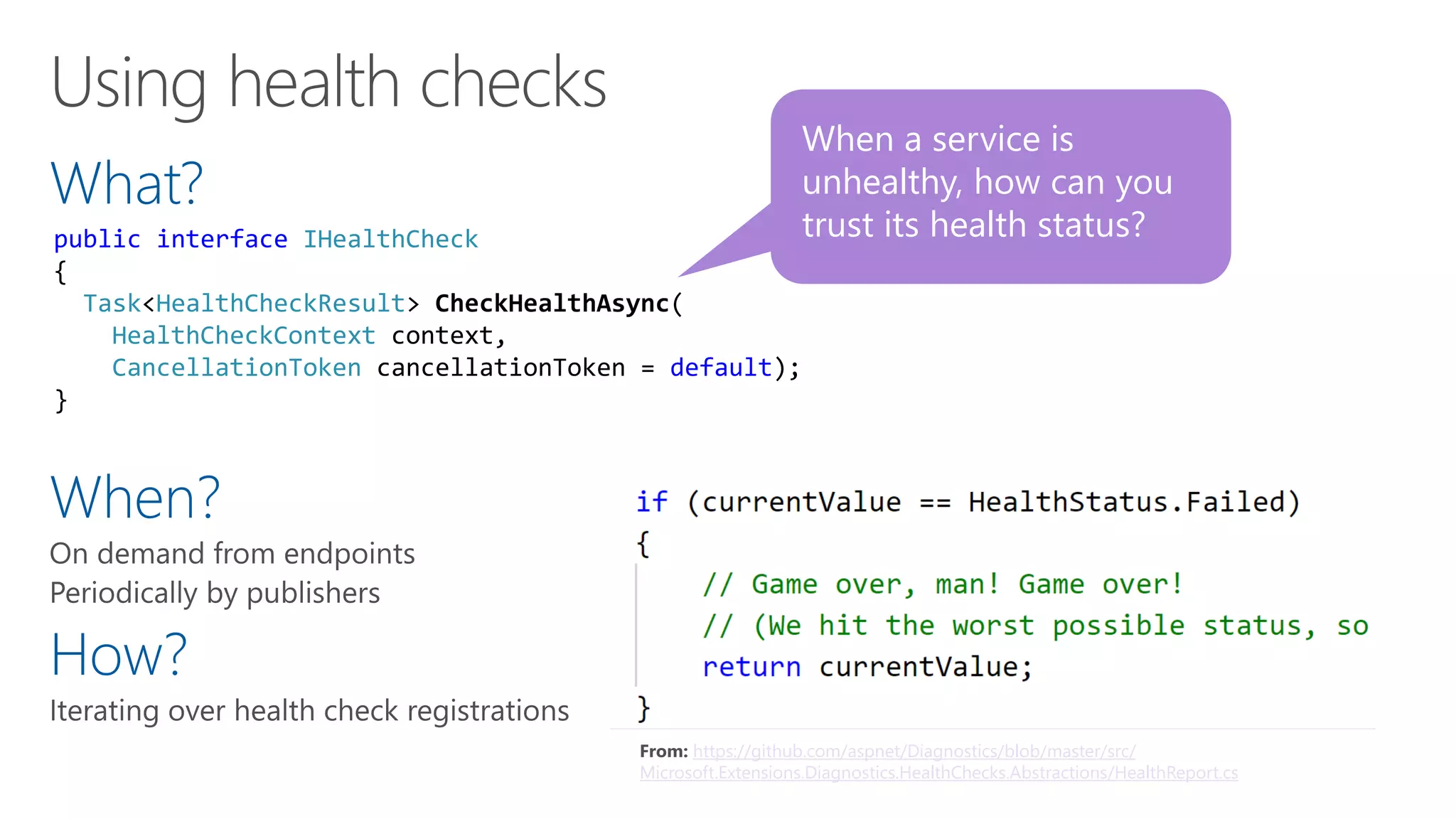
What?
When?
How?
When a service is
unhealthy, how can you
trust its health status?public interface IHealthCheck
{
Task<HealthCheckResult> CheckHealthAsync(
HealthCheckContext context,
CancellationToken cancellationToken = default);
}
From: https://github.com/aspnet/Diagnostics/blob/master/src/
Microsoft.Extensions.Diagnostics.HealthChecks.Abstractions/HealthReport.cs
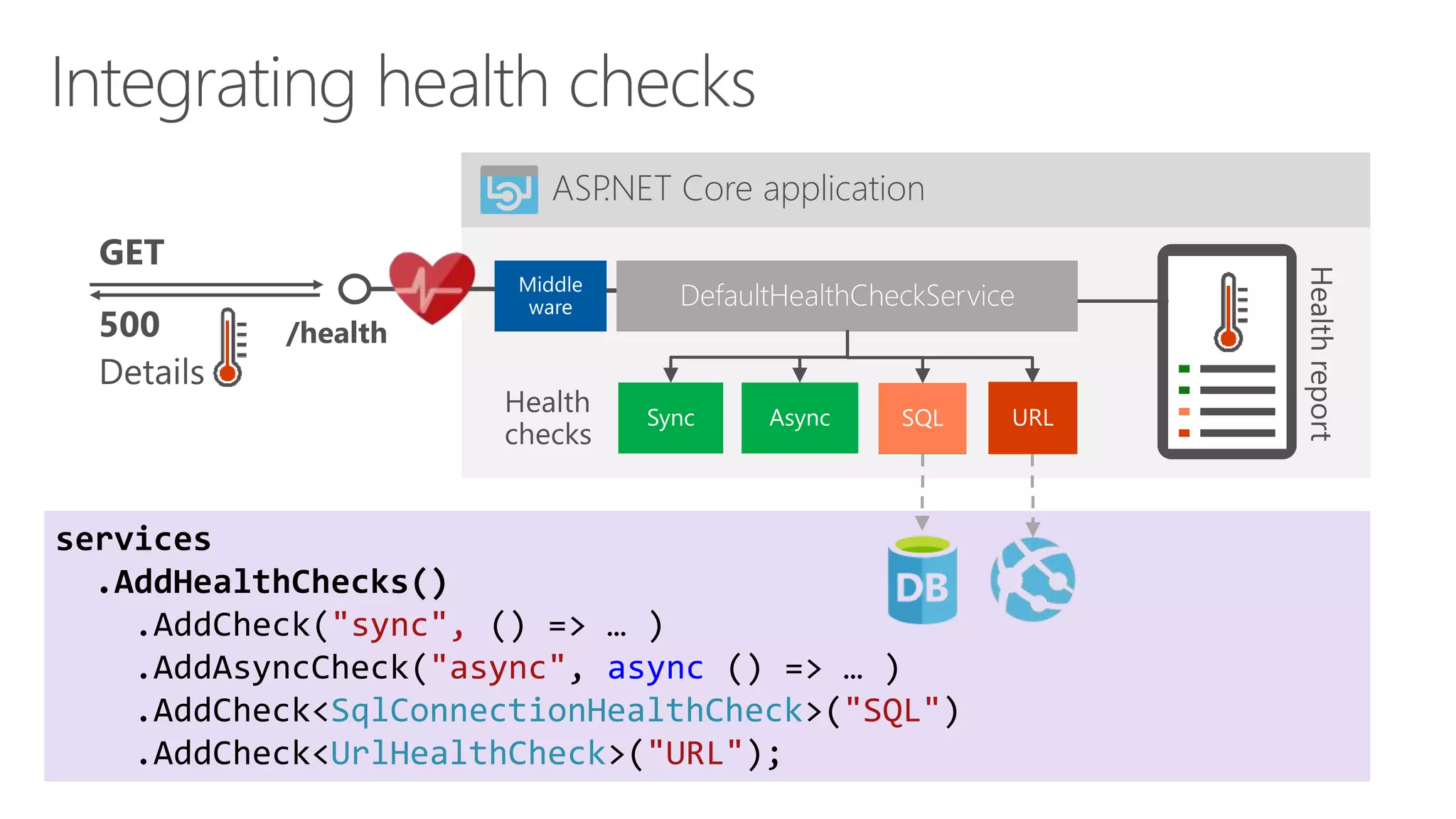
services
.AddHealthChecks()
.AddCheck("sync", () => … )
.AddAsyncCheck("async", async () => … )
.AddCheck<SqlConnectionHealthCheck>("SQL")
.AddCheck<UrlHealthCheck>("URL");
ASP.NET Core application
/health
DefaultHealthCheckService
Demo
ASP.NET Core 3.0 Health
object model
Health checks
Endpoints
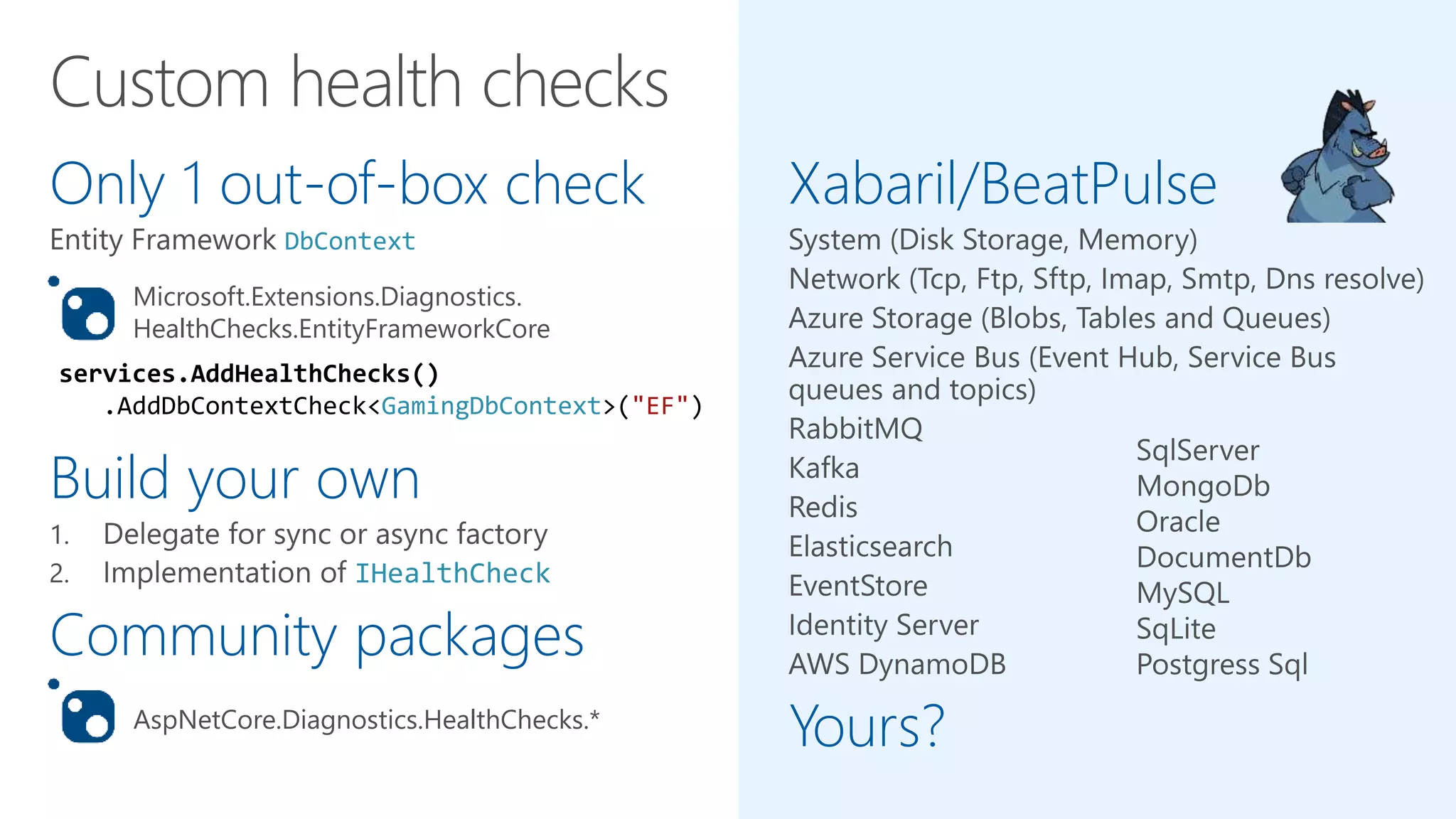
Only 1 out-of-box check
DbContext
Build your own
IHealthCheck
Community packages
Xabaril/BeatPulse
Yours?AspNetCore.Diagnostics.HealthChecks.*
Microsoft.Extensions.Diagnostics.
HealthChecks.EntityFrameworkCore
services.AddHealthChecks()
.AddDbContextCheck<GamingDbContext>("EF")
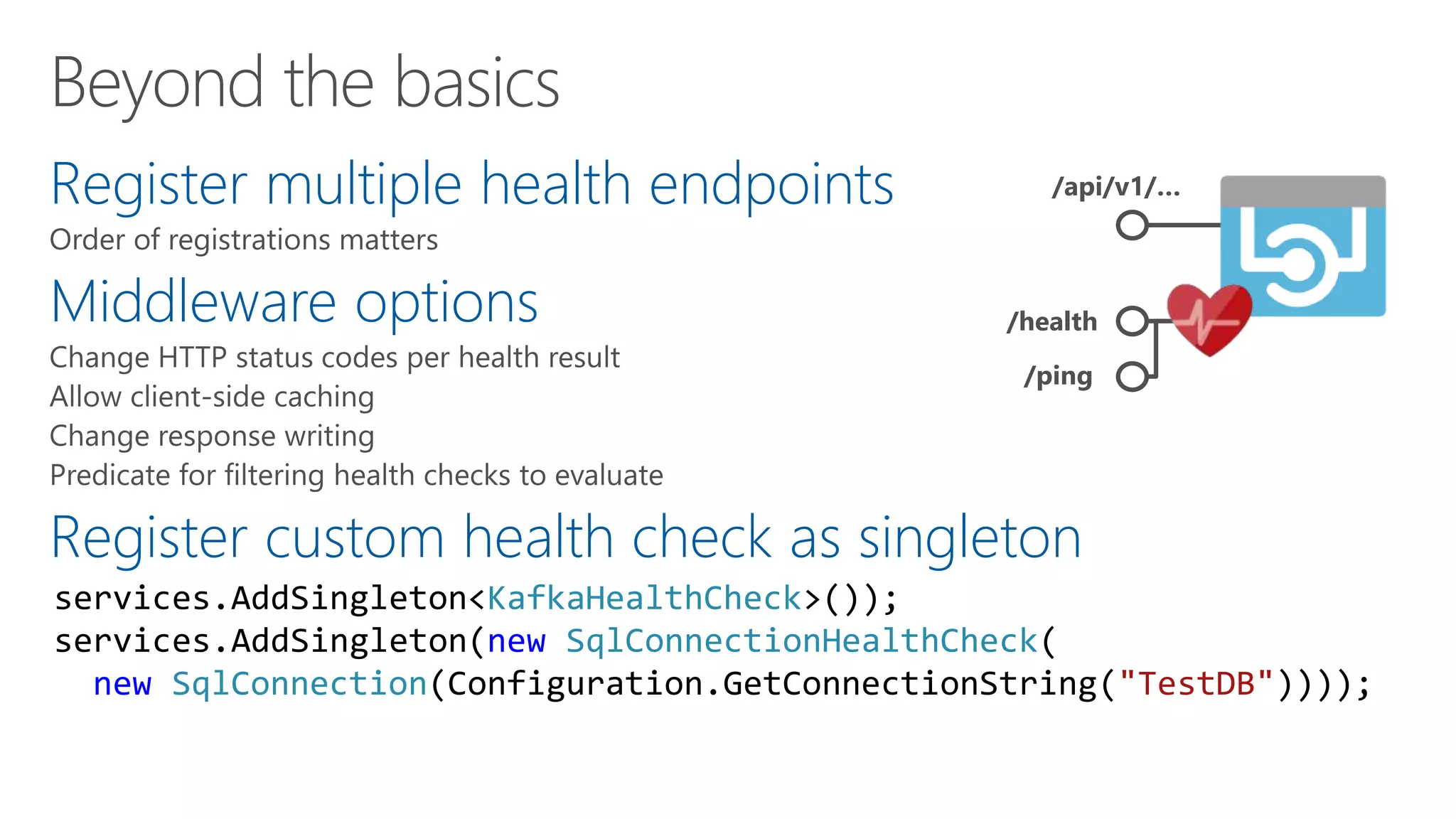
Register multiple health endpoints
Middleware options
Register custom health check as singleton
/api/v1/…
/health
/ping
services.AddSingleton<KafkaHealthCheck>());
services.AddSingleton(new SqlConnectionHealthCheck(
new SqlConnection(Configuration.GetConnectionString("TestDB"))));
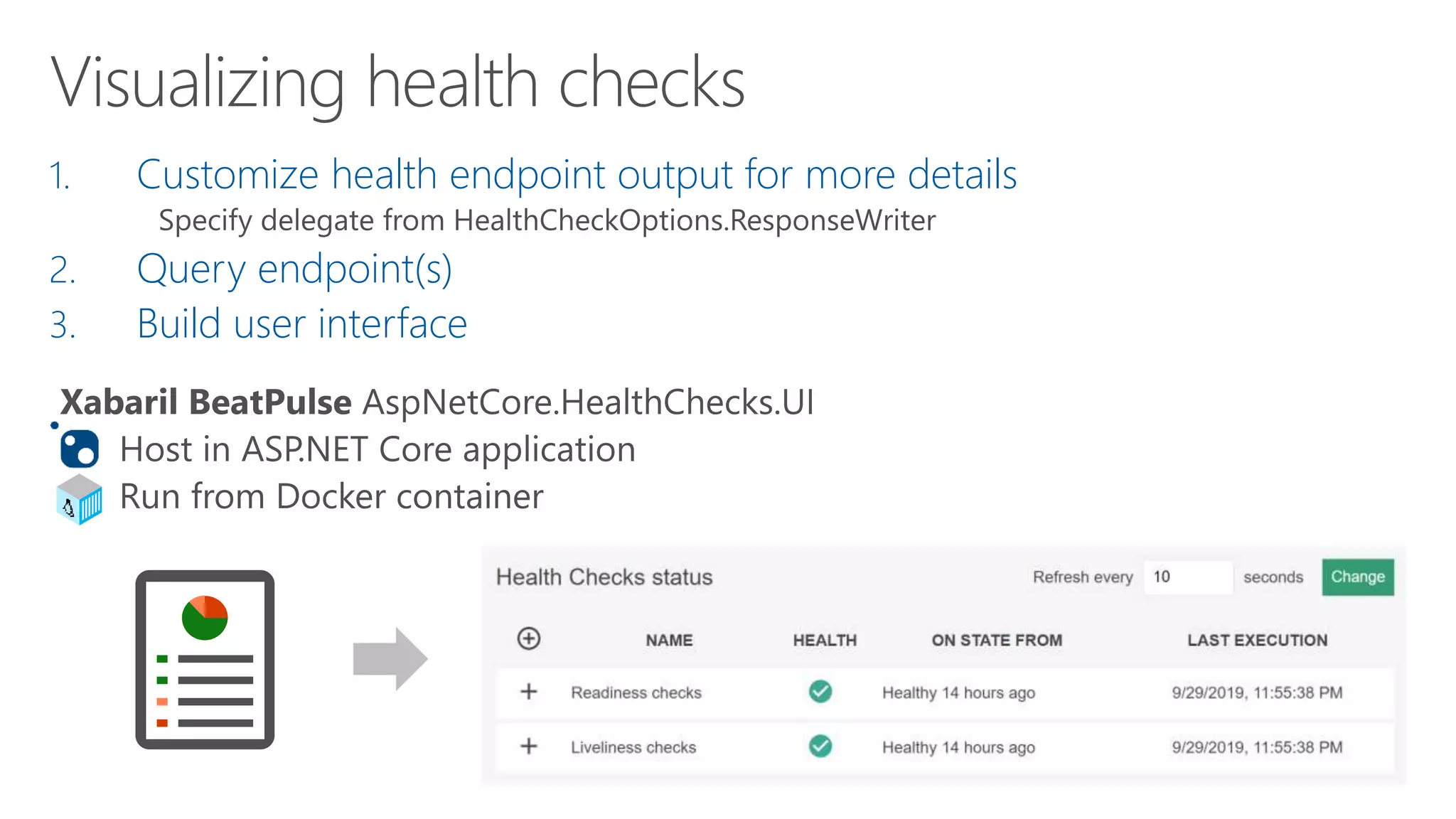
1. Customize health endpoint output for more details
2. Query endpoint(s)
3. Build user interface
Demo
A bit more advanced
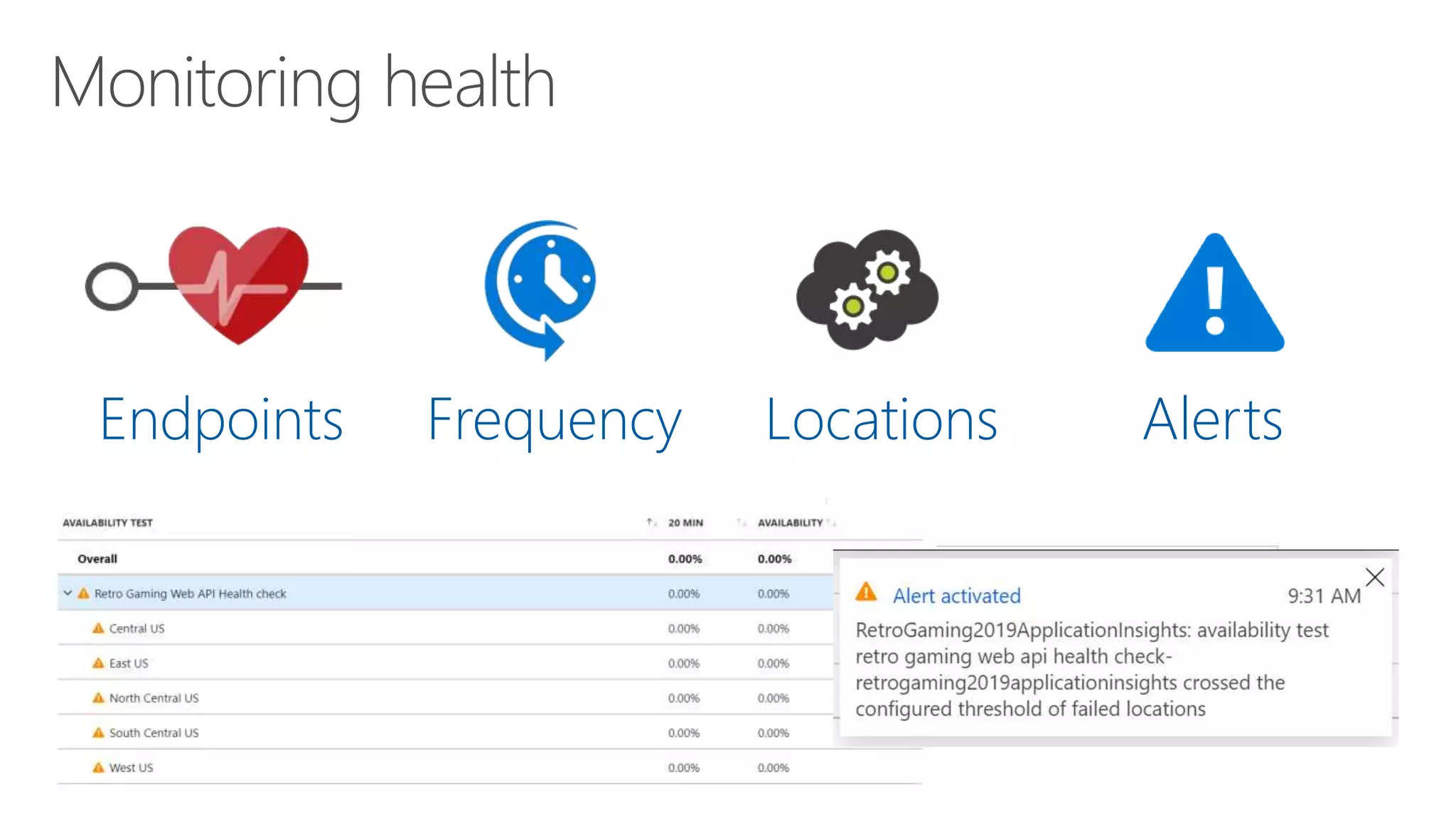
Endpoints Frequency Locations Alerts
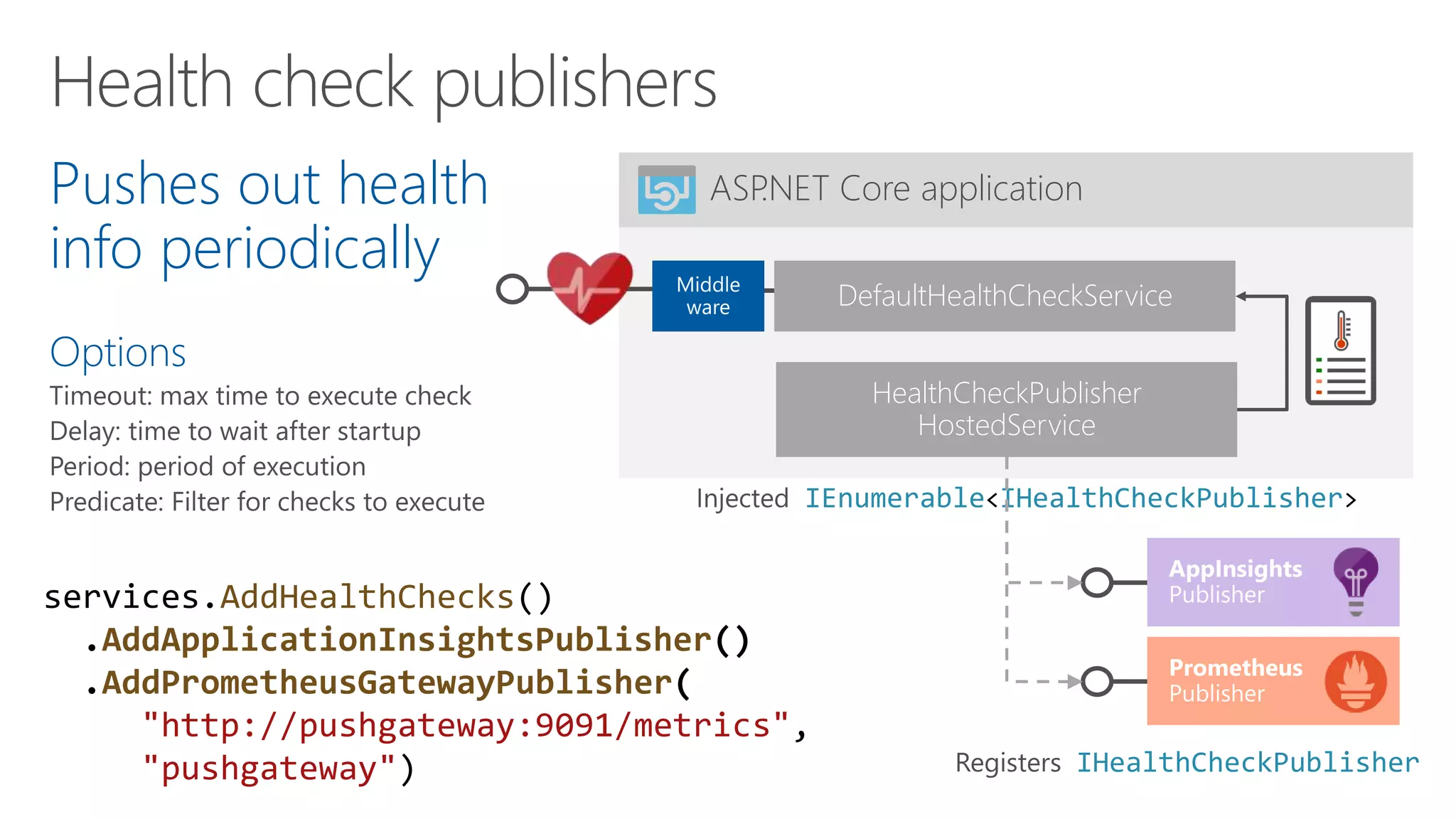
Pushes out health
info periodically
Options
ASP.NET Core application
DefaultHealthCheckService
HealthCheckPublisher
HostedService
IEnumerable<IHealthCheckPublisher>
services.AddHealthChecks()
.AddApplicationInsightsPublisher()
.AddPrometheusGatewayPublisher(
"http://pushgateway:9091/metrics",
"pushgateway") IHealthCheckPublisher
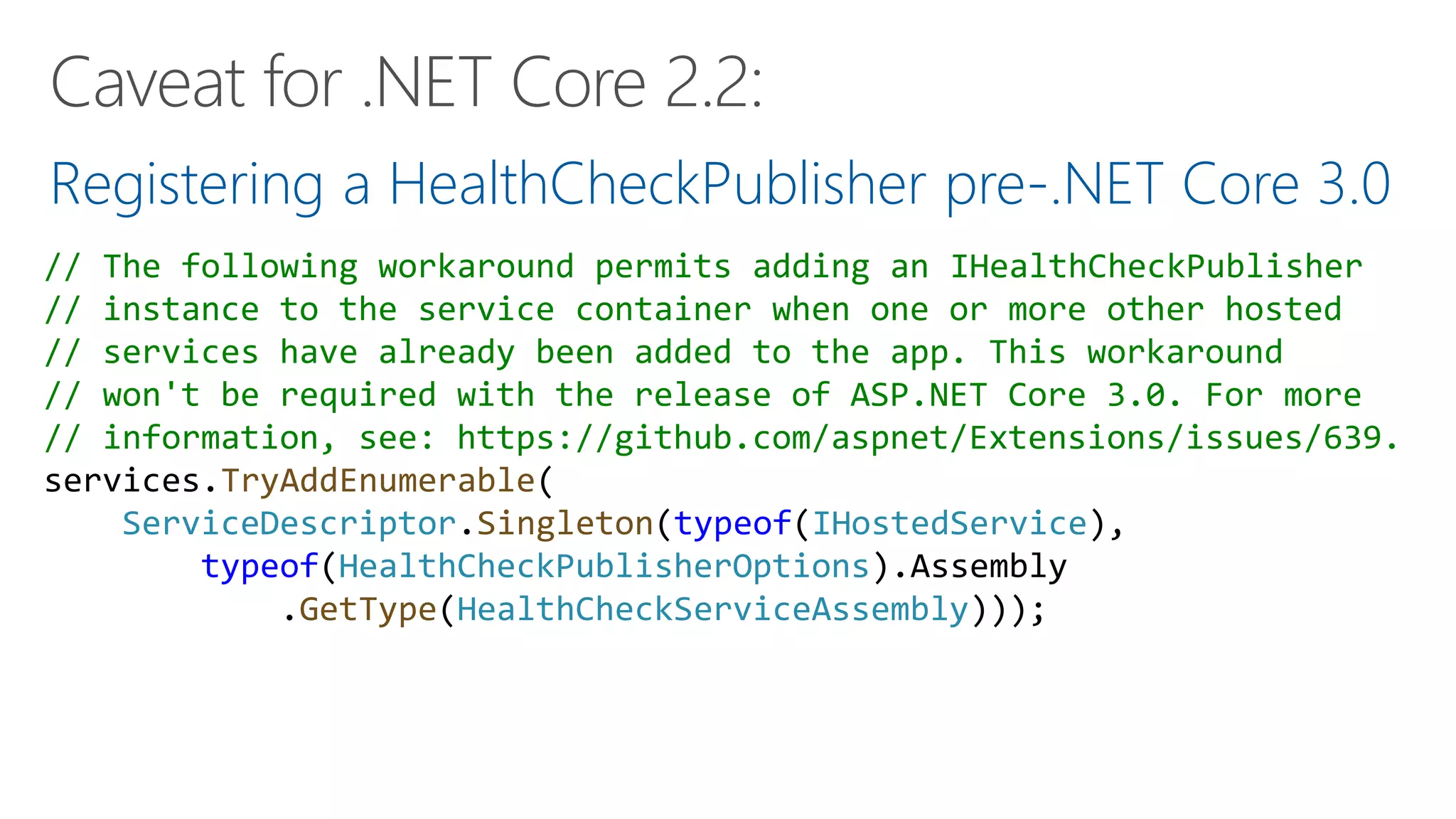
Registering a HealthCheckPublisher pre-.NET Core 3.0
// The following workaround permits adding an IHealthCheckPublisher
// instance to the service container when one or more other hosted
// services have already been added to the app. This workaround
// won't be required with the release of ASP.NET Core 3.0. For more
// information, see: https://github.com/aspnet/Extensions/issues/639.
services.TryAddEnumerable(
ServiceDescriptor.Singleton(typeof(IHostedService),
typeof(HealthCheckPublisherOptions).Assembly
.GetType(HealthCheckServiceAssembly)));
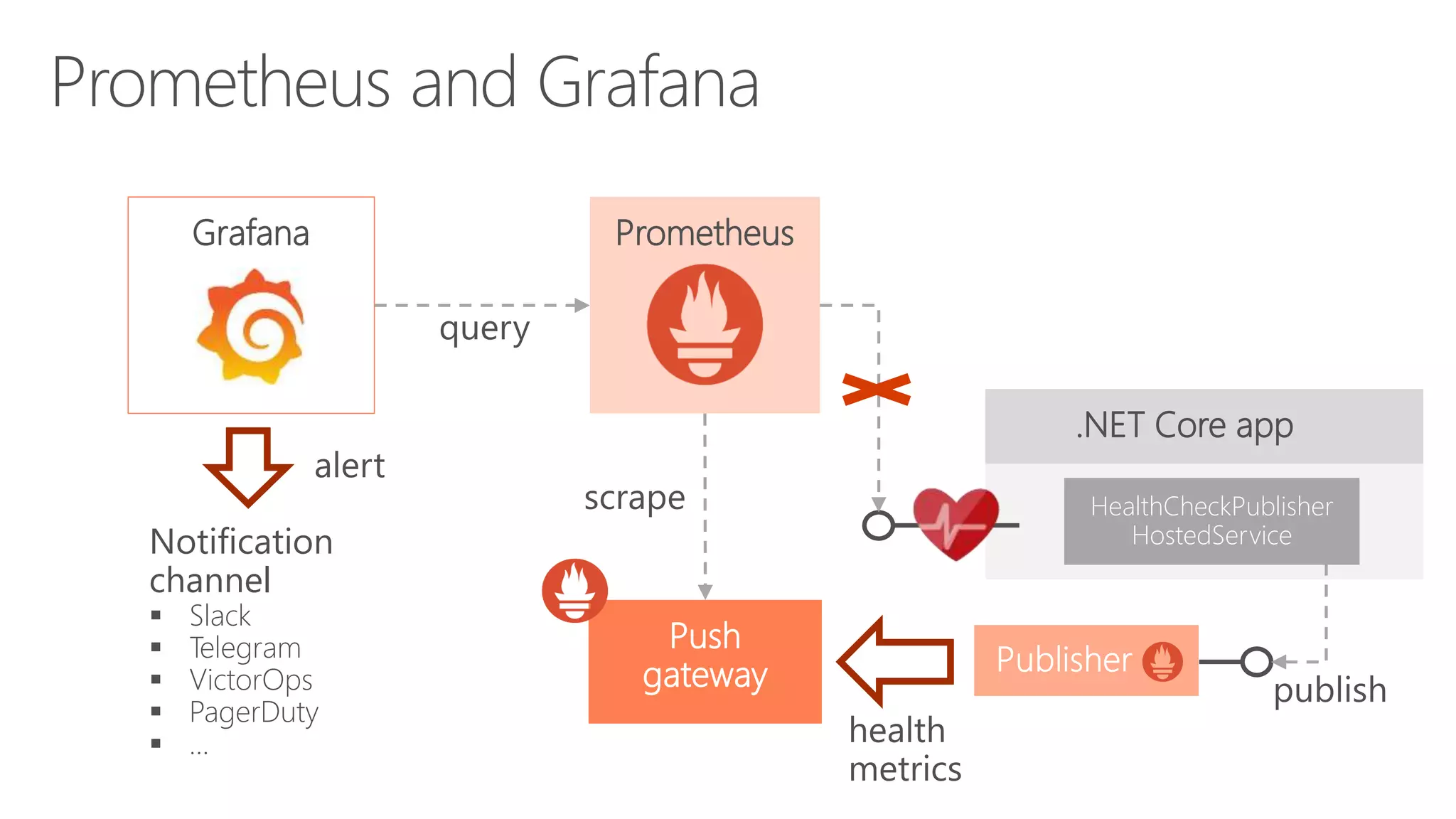
PrometheusGrafana
.NET Core app
Push
gateway
HealthCheckPublisher
HostedServiceNotification
channel
 Slack
 Telegram
 VictorOps
 PagerDuty
 …
Demo: Publishers
Prometheus and Grafana
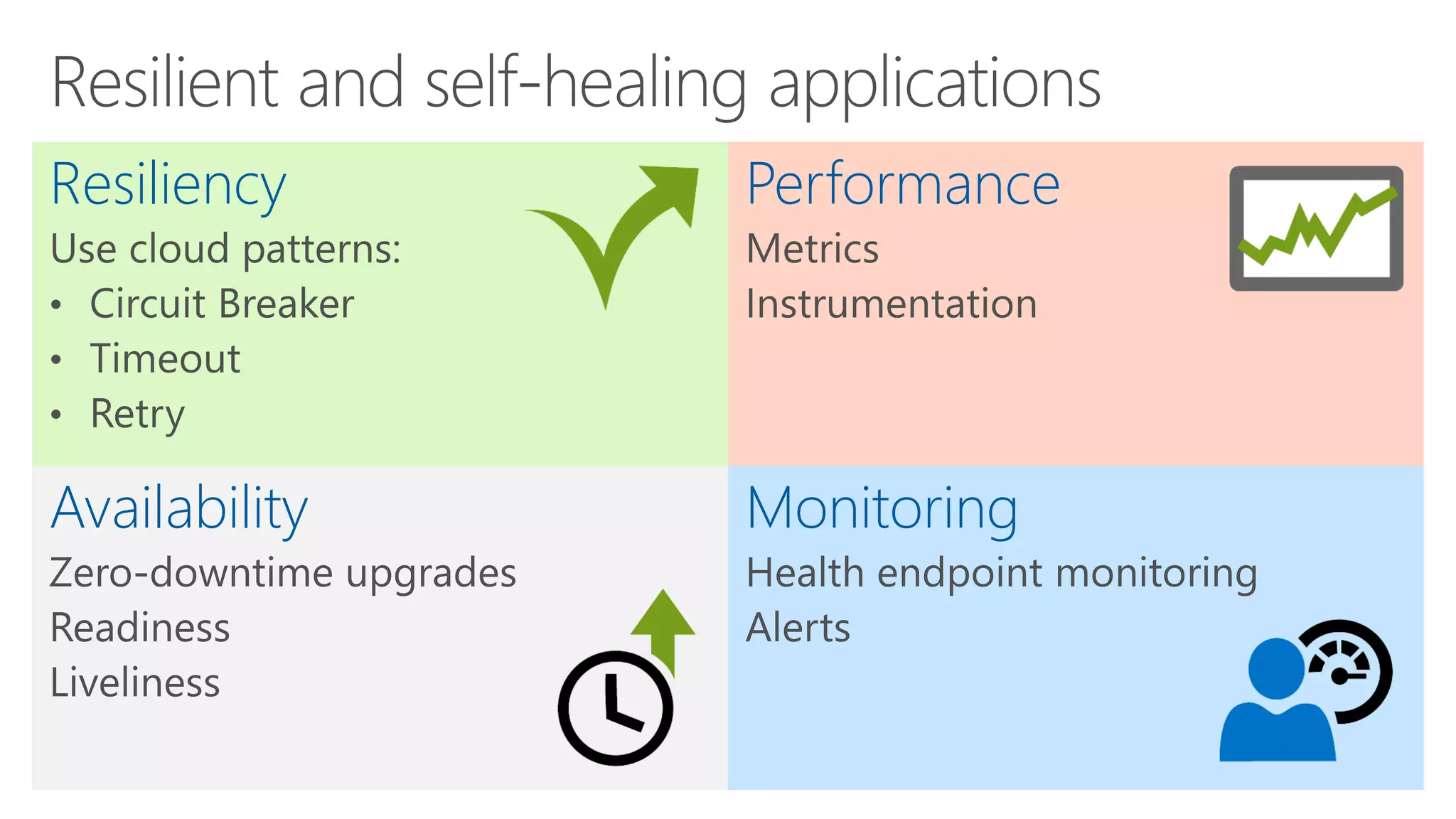
Performance
MonitoringAvailability
Resiliency
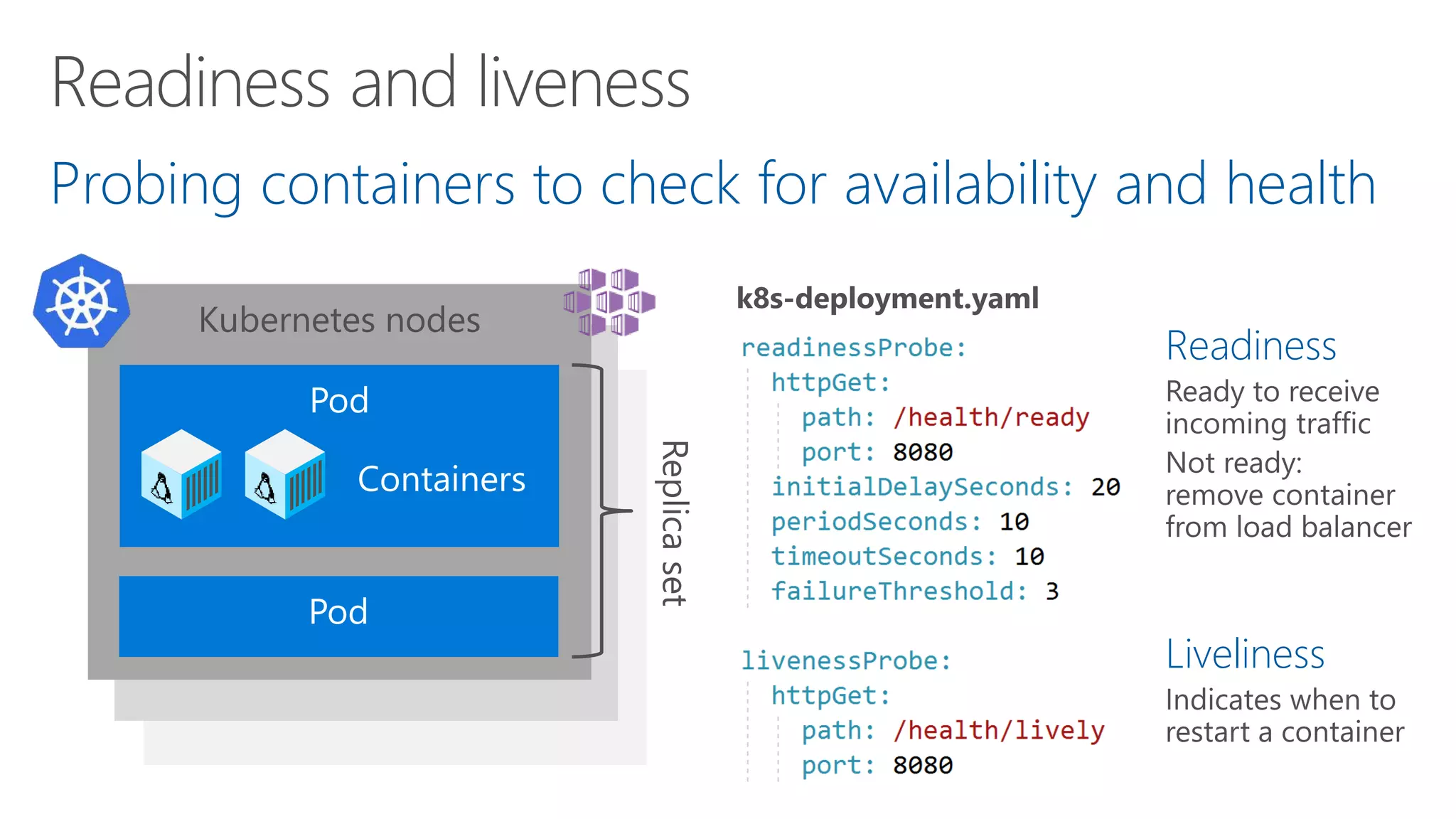
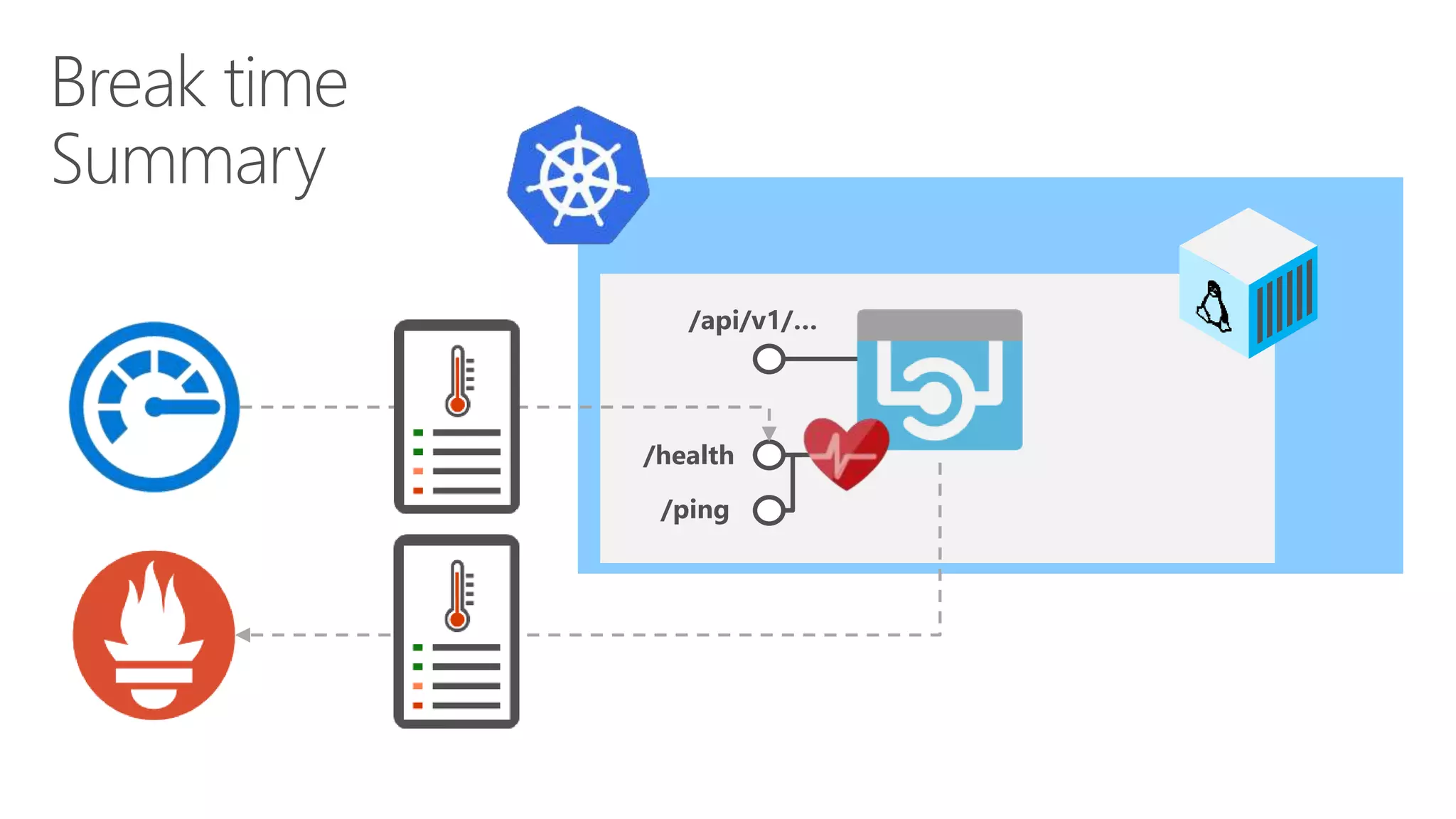
Probing containers to check for availability and health
Kubernetes node
Kubernetes node
Kubernetes nodes
Containers
Readiness
Liveliness
1. Add health checks with tags
2. Register multiple endpoints
with filter using
Options predicate
/api/v1/…
/health
/health/ready
/health/lively
app.UseHealthChecks("/health/ready",
new HealthCheckOptions() {
Predicate = reg => reg.Tags.Contains("ready")
});
services.AddHealthChecks()
.AddCheck<CircuitBreakerHealthCheck>(
"circuitbreakers",
tags: new string[] { "ready" });
app.UseHealthChecks("/health/lively",
new HealthCheckOptions() {
Predicate = _ => true
});
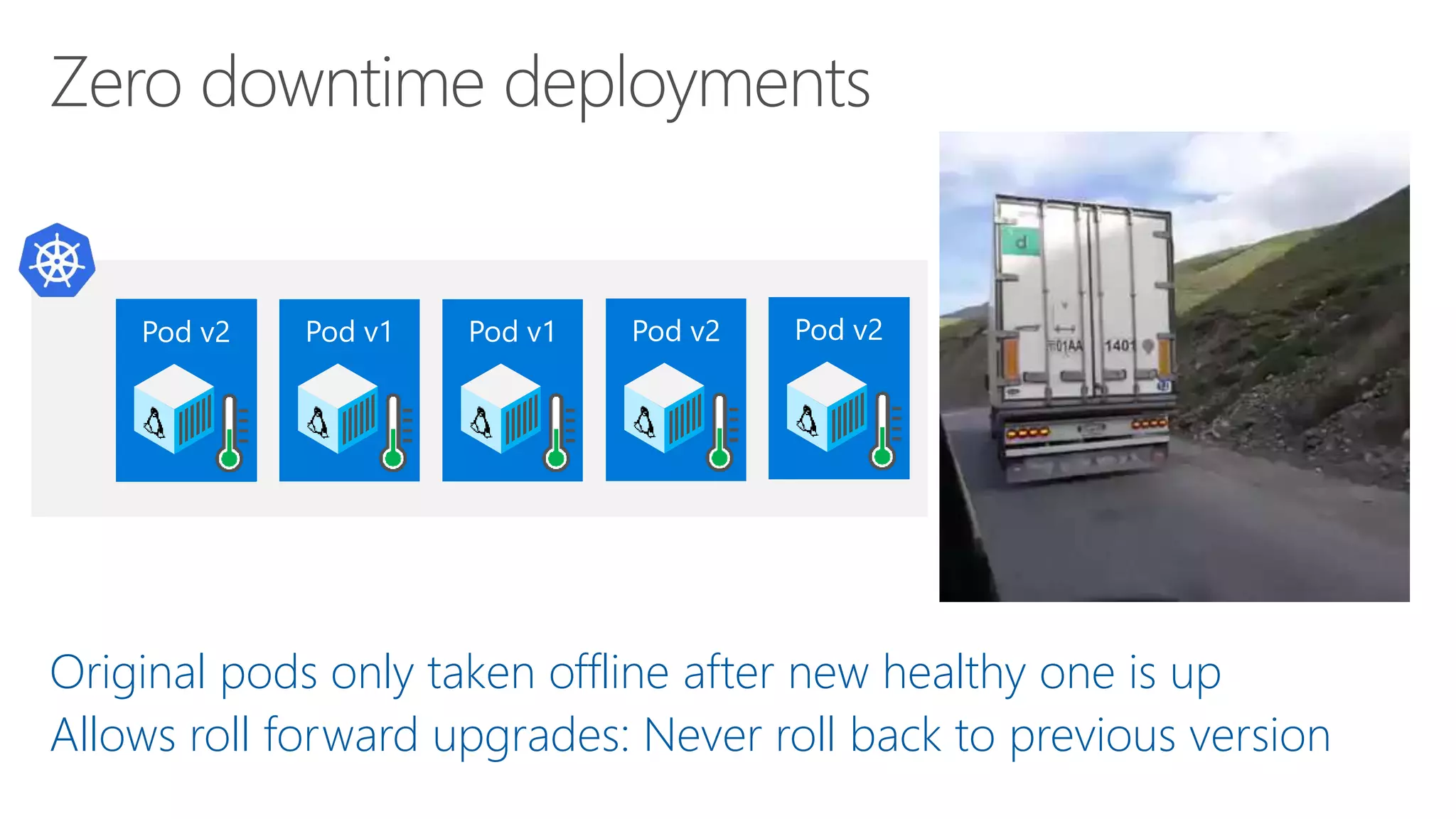
Original pods only taken offline after new healthy one is up
Allows roll forward upgrades: Never roll back to previous version
Demo
Readiness and liveness
probes
Docker containers
Kubernetes
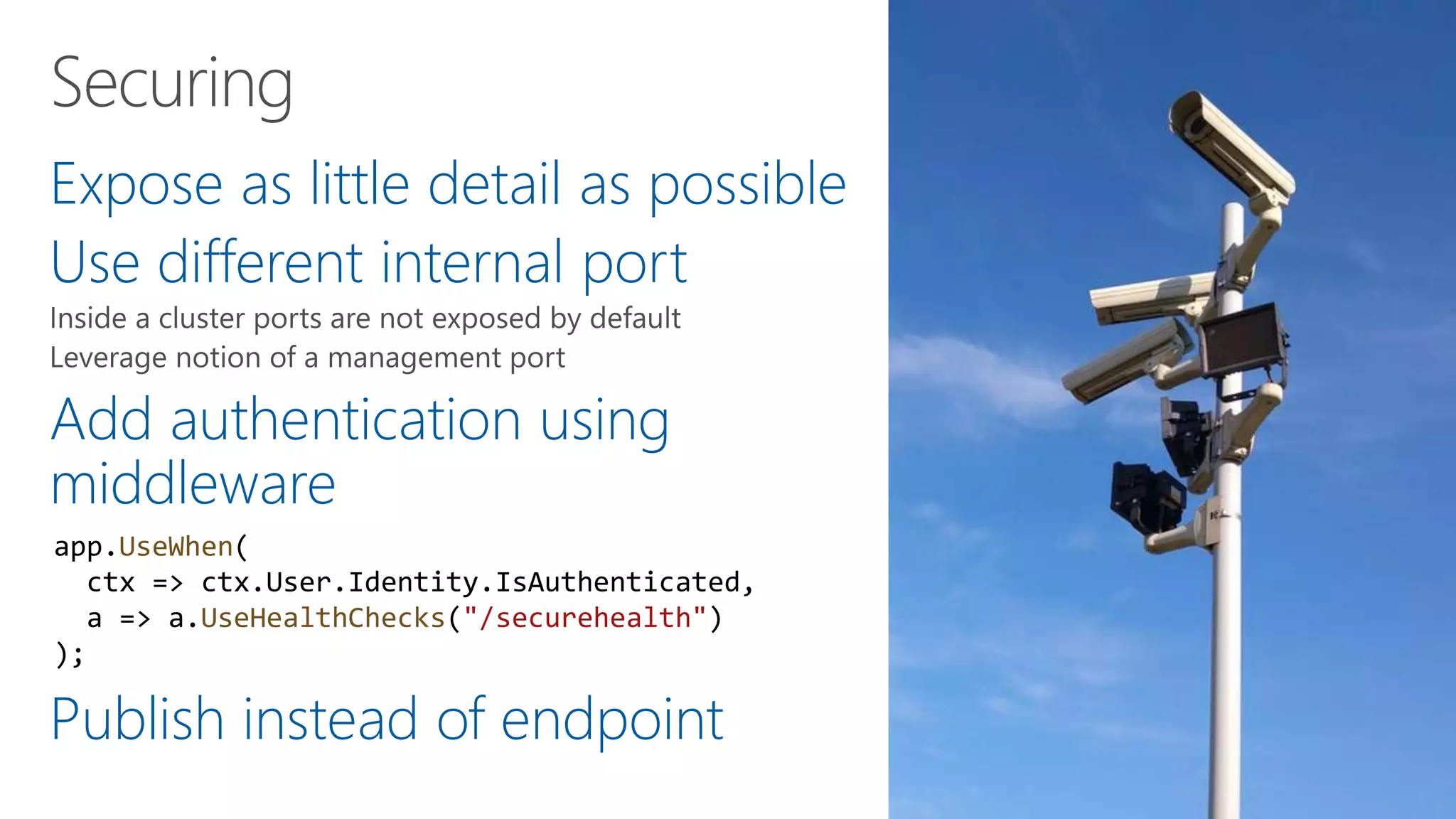
Expose as little detail as possible
Use different internal port
Add authentication using
middleware
Publish instead of endpoint
app.UseWhen(
ctx => ctx.User.Identity.IsAuthenticated,
a => a.UseHealthChecks("/securehealth")
);
1. Assume degraded state
2. Set short timeouts on checks
3. Avoid complicated health checks
4. Register health check as singletons in DI
/api/v1/…
/health
/ping
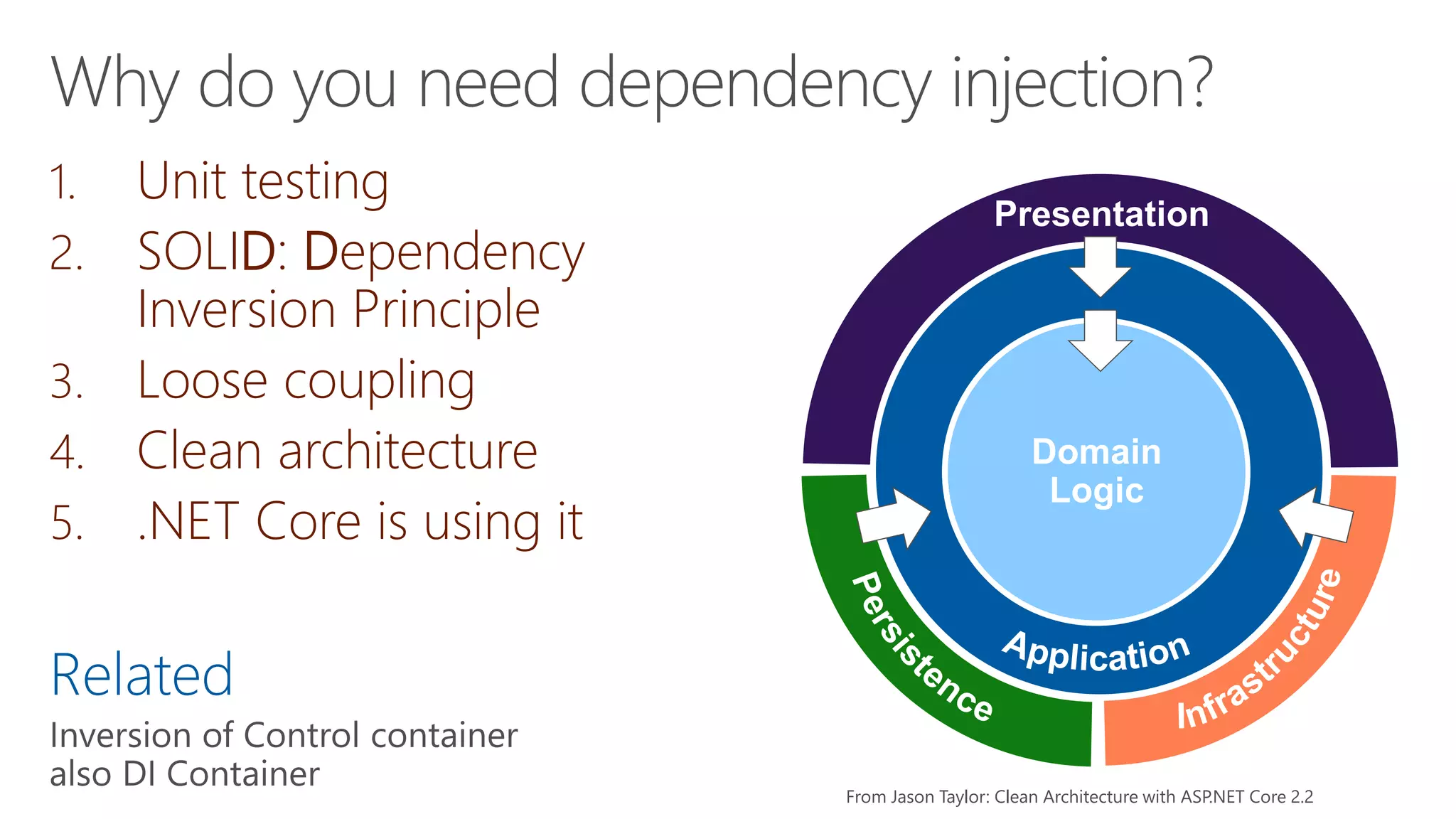
1. Unit testing
2. SOLID: Dependency
Inversion Principle
3. Loose coupling
4. Clean architecture
5. .NET Core is using it
Related
Domain
Logic
Presentation
From Jason Taylor: Clean Architecture with ASP.NET Core 2.2
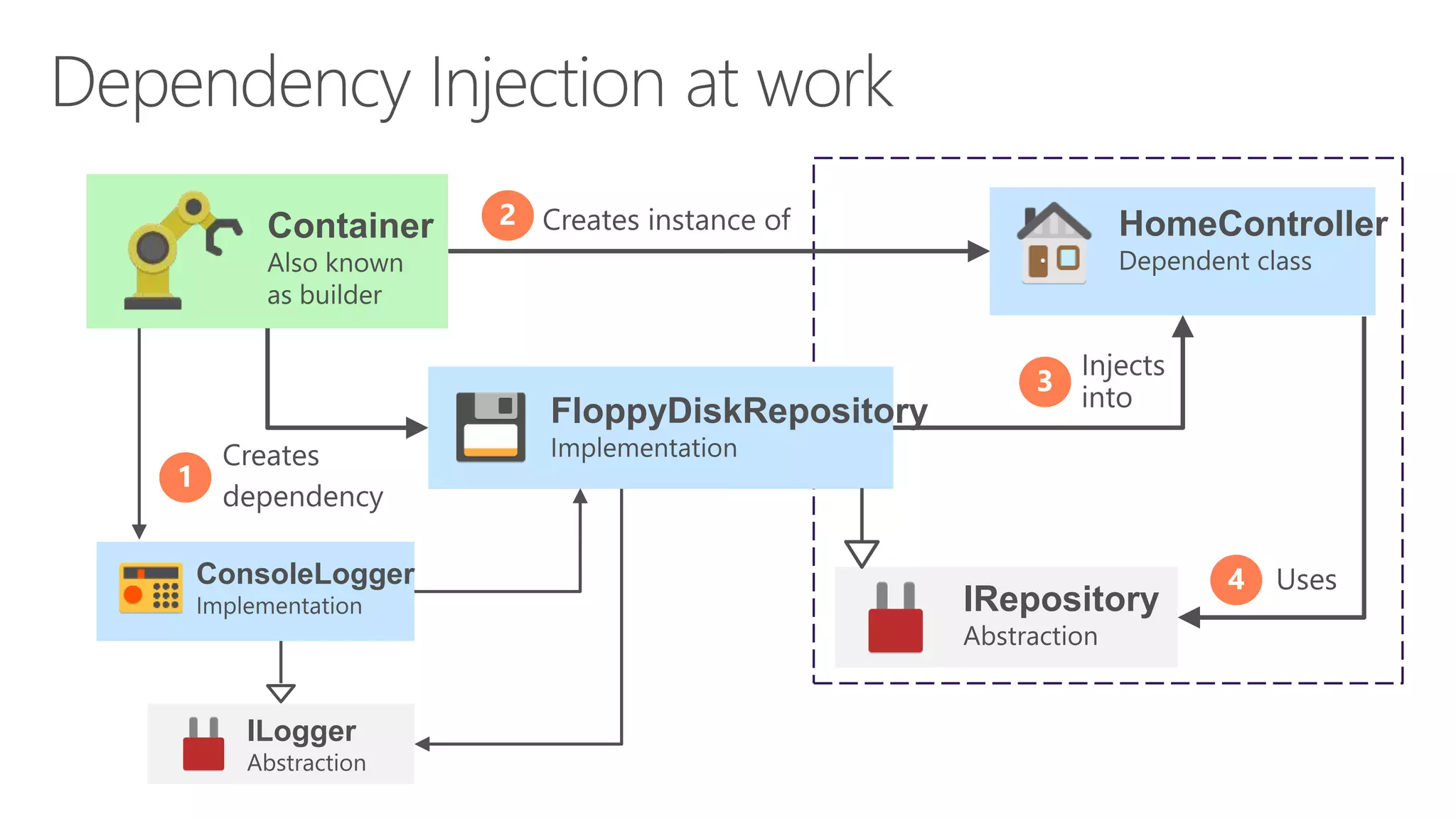
Container HomeController
FloppyDiskRepository
IRepository
ILogger
ConsoleLogger
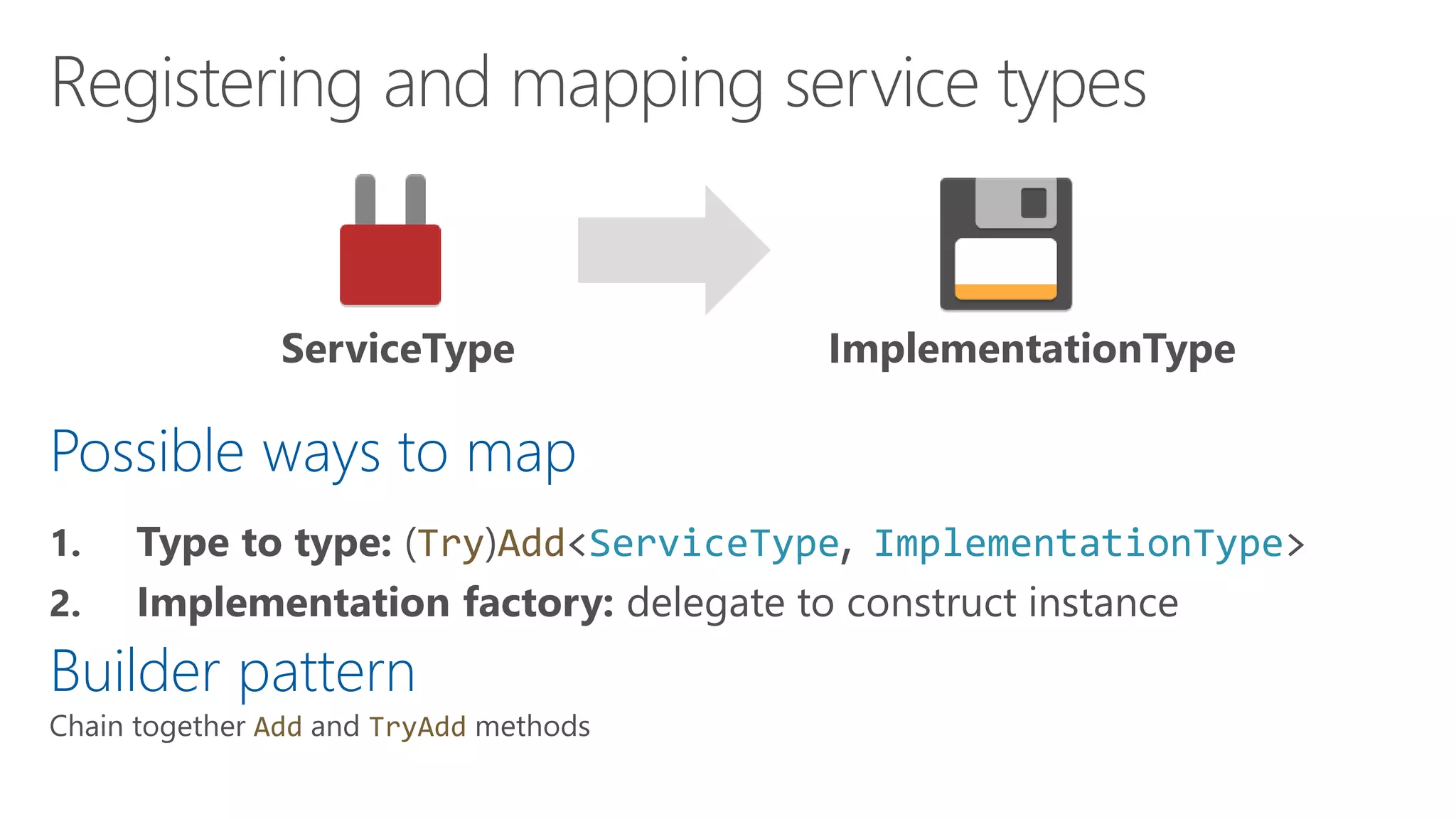
Possible ways to map
Try Add<ServiceType ImplementationType>
Builder pattern
Add TryAdd
ServiceType ImplementationType
Demo: ASP.NET Core DI
Quick look at how you were using
dependency injection all along
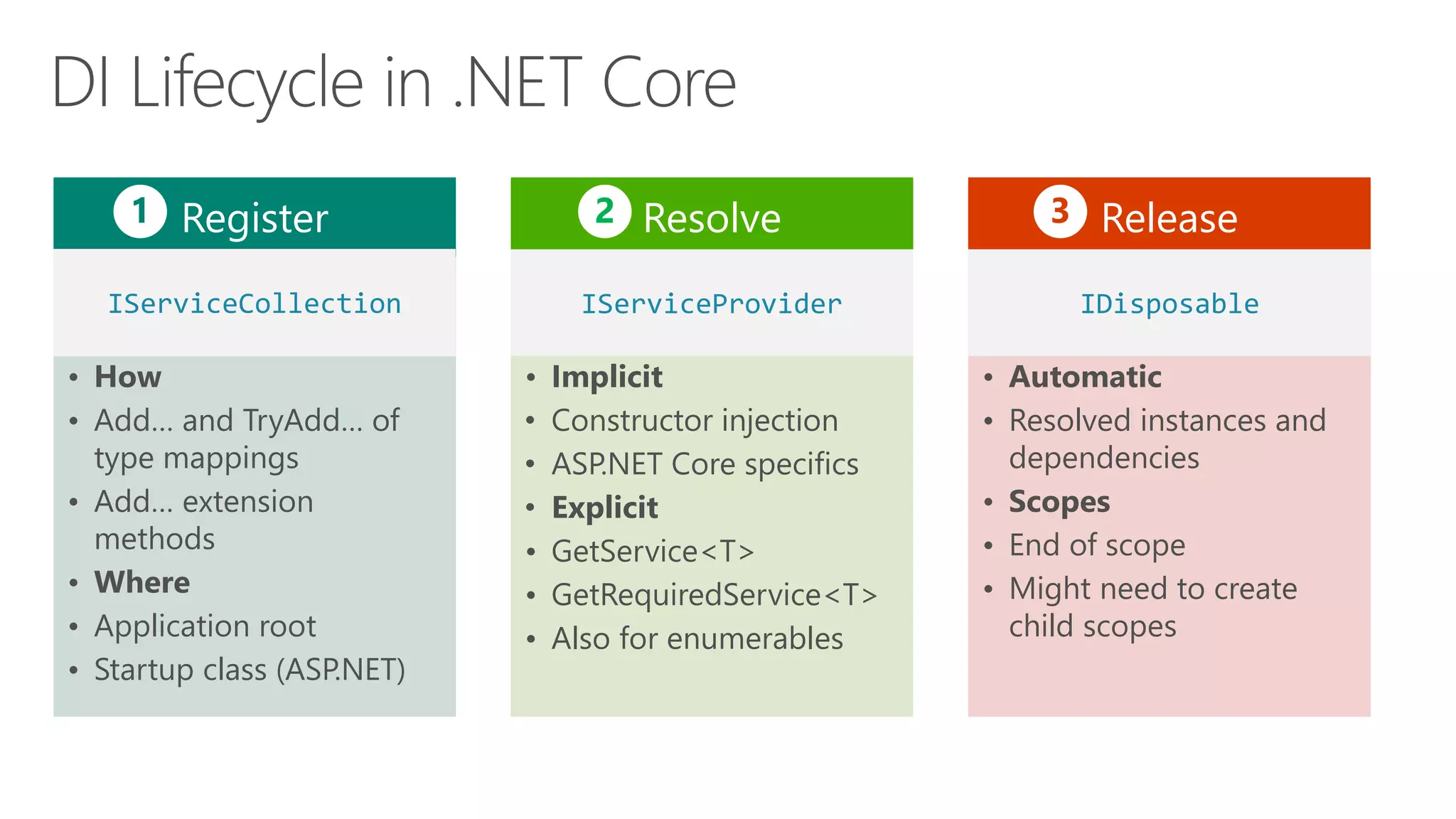
Register
• How
• Add… and TryAdd… of
type mappings
• Add… extension
methods
• Where
• Application root
• Startup class (ASP.NET)
Resolve
• Implicit
• Constructor injection
• ASP.NET Core specifics
• Explicit
• GetService<T>
• GetRequiredService<T>
• Also for enumerables
Release
• Automatic
• Resolved instances and
dependencies
• Scopes
• End of scope
• Might need to create
child scopes
IServiceCollection IServiceProvider IDisposable
1 2 3
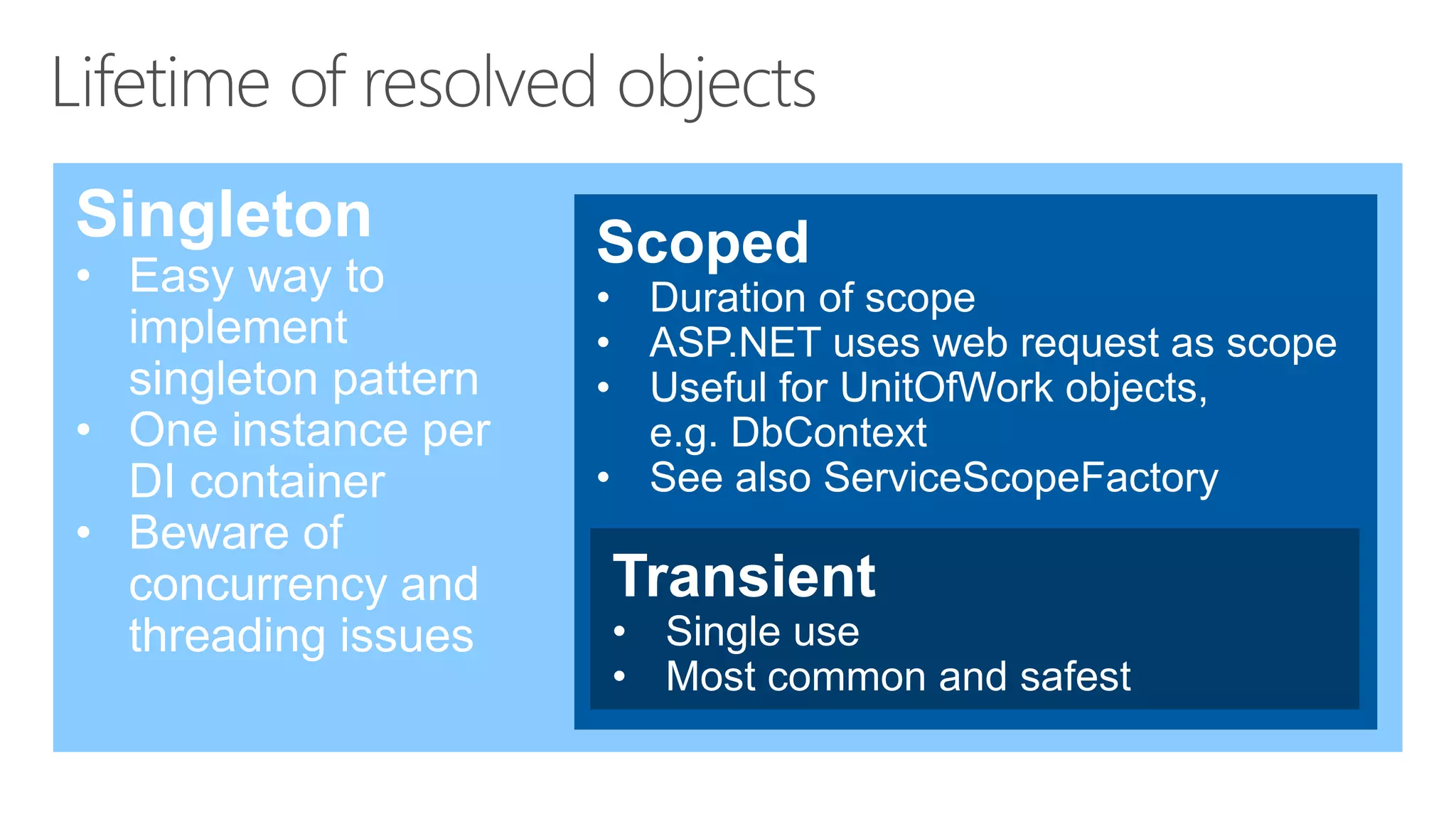
Singleton
• Easy way to
implement
singleton pattern
• One instance per
DI container
• Beware of
concurrency and
threading issues
Scoped
• Duration of scope
• ASP.NET uses web request as scope
• Useful for UnitOfWork objects,
e.g. DbContext
• See also ServiceScopeFactory
Transient
• Single use
• Most common and safest
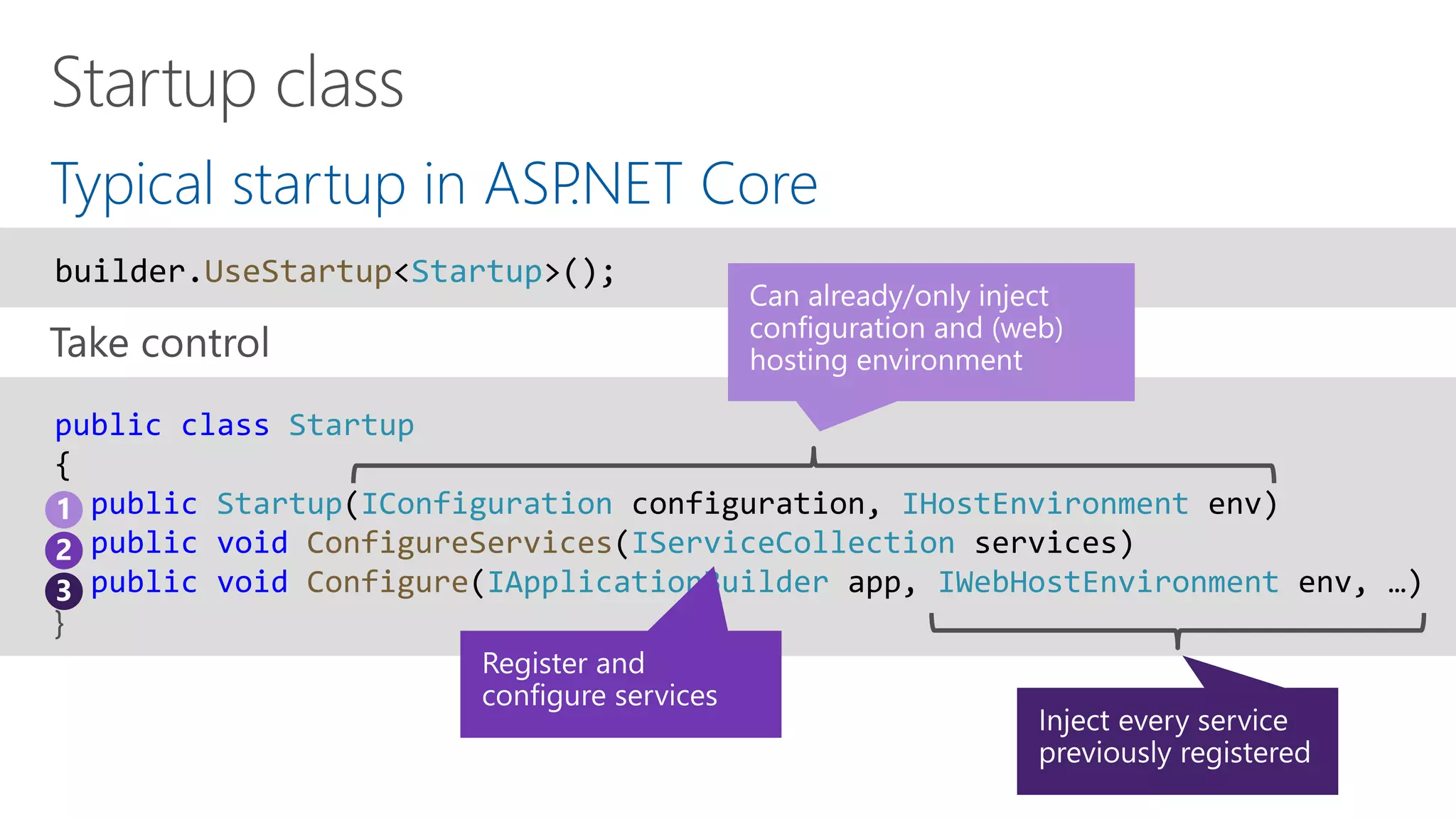
Typical startup in ASP.NET Core
public class Startup
{
public Startup(IConfiguration configuration, IHostEnvironment env)
public void ConfigureServices(IServiceCollection services)
public void Configure(IApplicationBuilder app, IWebHostEnvironment env, …)
}
builder.UseStartup<Startup>();
1
2
3
Many ways to inject a
service instance
IServiceProvider
Pro tip
ActivatorUtilities
IServiceProvider
Register using
Configure(Services)
injection in Startup
class
Constructor
injection
[FromServices]
attribute
@inject
IApplicationBuilder.
ApplicationServices
HttpContext.
RequestServices
Middleware
Constructor or
Invoke method
Demo: Resolving services
in ASP.NET Core
Controller constructors
@inject
FromServicesAttribute
Application- and RequestServices
Hosting outside
and without ASP.NET Core
IHostedService
BackgroundService
Uses new Host, and
IHostBuilder for hosting
Startup
WebHostBuilder
HostBuilder Configure
Microsoft.Extensions.Hosting
Microsoft.Extensions.DependencyInjection
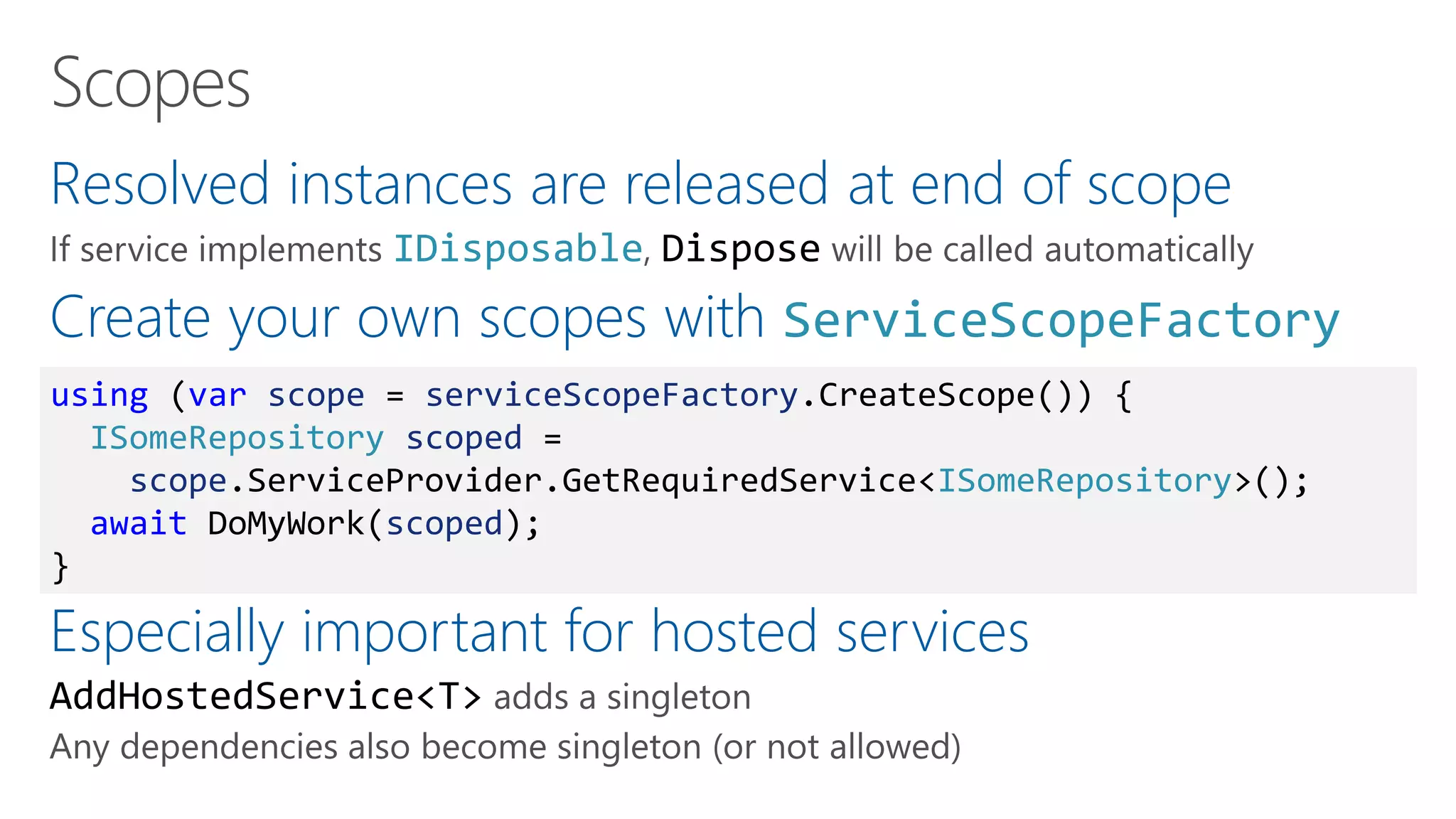
Resolved instances are released at end of scope
IDisposable Dispose
Create your own scopes with ServiceScopeFactory
Especially important for hosted services
AddHostedService<T>
using (var scope = serviceScopeFactory.CreateScope()) {
ISomeRepository scoped =
scope.ServiceProvider.GetRequiredService<ISomeRepository>();
await DoMyWork(scoped);
}
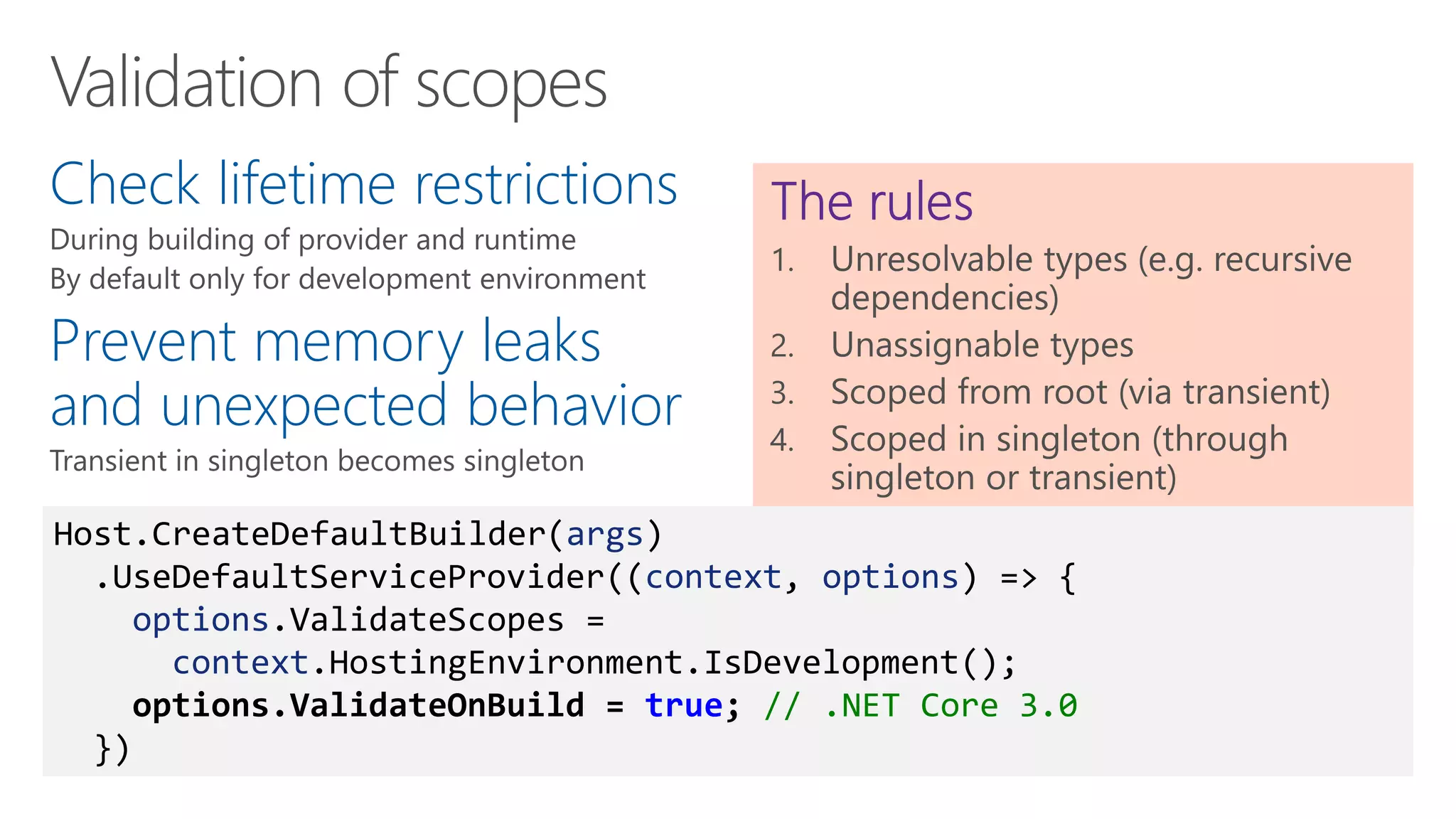
Check lifetime restrictions
Prevent memory leaks
and unexpected behavior
Host.CreateDefaultBuilder(args)
.UseDefaultServiceProvider((context, options) => {
options.ValidateScopes =
context.HostingEnvironment.IsDevelopment();
options.ValidateOnBuild = true; // .NET Core 3.0
})
Demo: Generic Host
New .NET Core 3.0 hosting
Scope validation
Using scopes
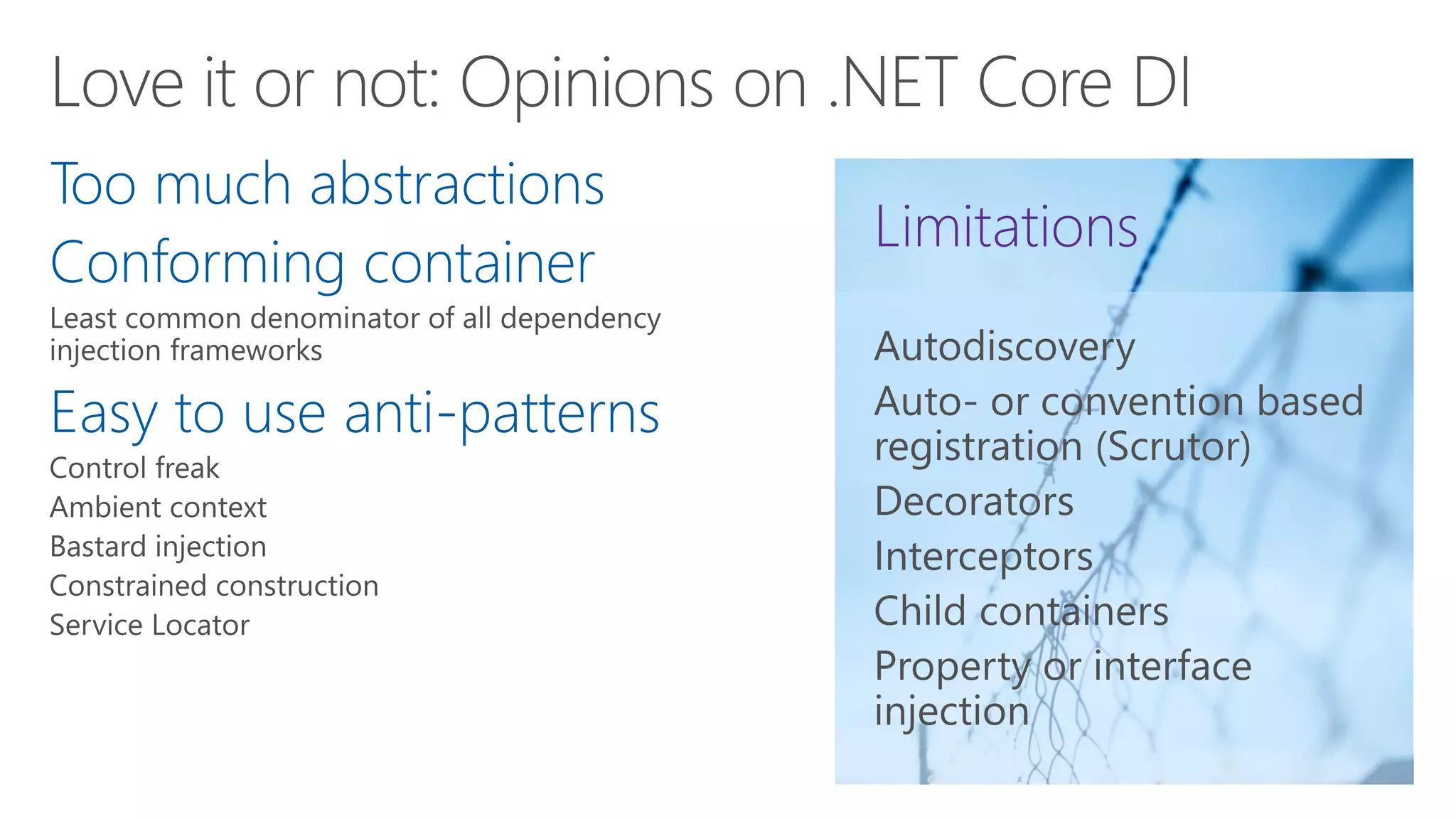
Too much abstractions
Conforming container
Easy to use anti-patterns
Microsoft.Extension.DependencyInjection
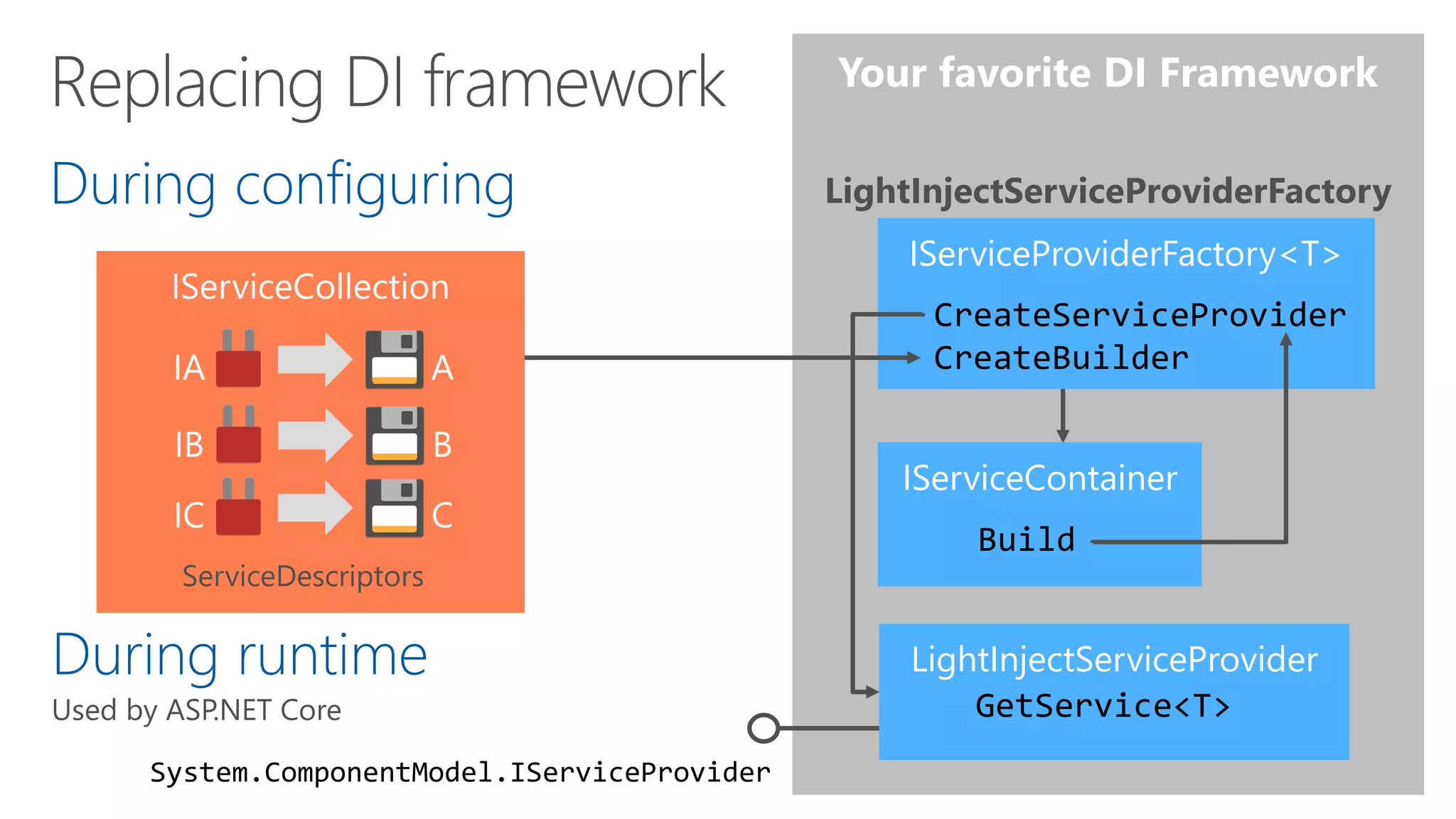
DefaultServiceProviderFactoryDuring configuring
ServiceDescriptors
IServiceProviderFactory<T>
CreateServiceProvider
CreateBuilder
ContainerBuilder
Build
System.ComponentModel.IServiceProvider
LightInjectServiceProviderFactory
During runtime ServiceProvider
GetService<T>
LightInjectServiceProvider
GetService<T>
IServiceContainer
Build
IServiceProviderFactory<T>
CreateServiceProvider
CreateBuilder
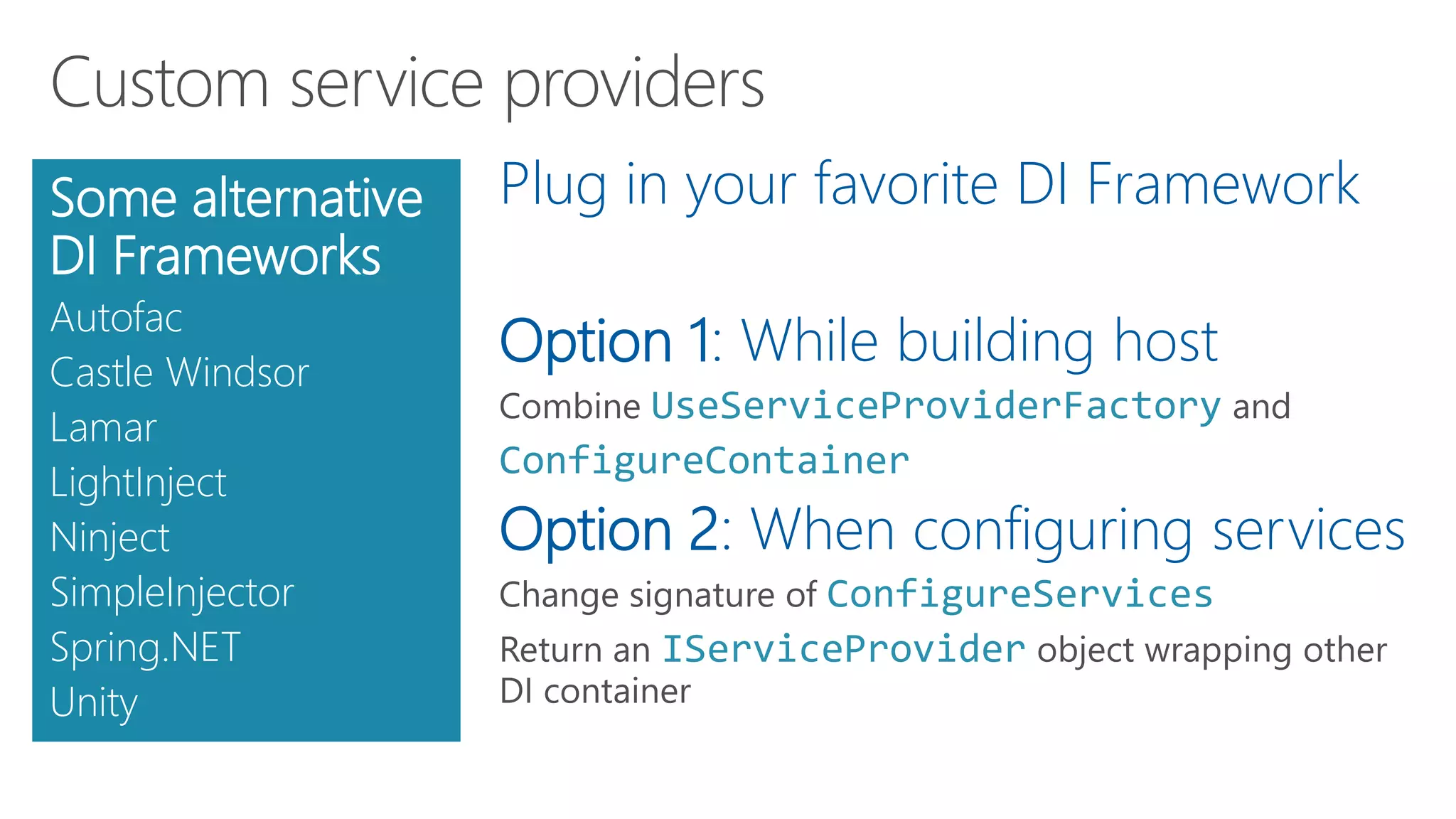
Plug in your favorite DI Framework
Option 1: While building host
UseServiceProviderFactory
ConfigureContainer
Option 2: When configuring services
ConfigureServices
IServiceProvider
Some alternative
DI Frameworks
Autofac
Castle Windsor
Lamar
LightInject
Ninject
SimpleInjector
Spring.NET
Unity
Demo: Advanced DI
Replacing DI container
Custom DI containers
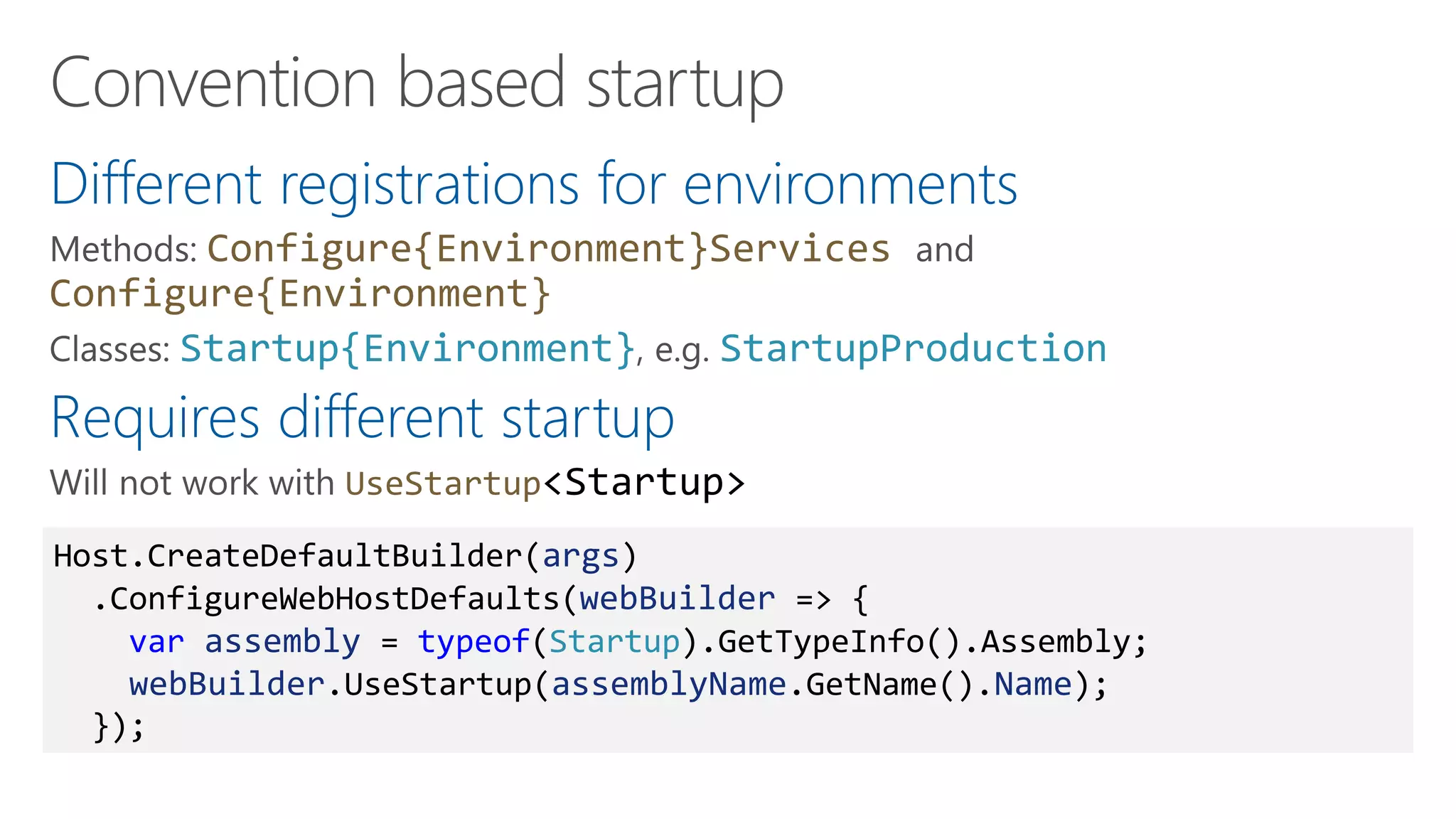
Different registrations for environments
Configure{Environment}Services
Configure{Environment}
Startup{Environment} StartupProduction
Requires different startup
UseStartup<Startup>
Host.CreateDefaultBuilder(args)
.ConfigureWebHostDefaults(webBuilder => {
var assembly = typeof(Startup).GetTypeInfo().Assembly;
webBuilder.UseStartup(assemblyName.GetName().Name);
});
Demo: Tips and tricks
Convention based startup
TestServer services override
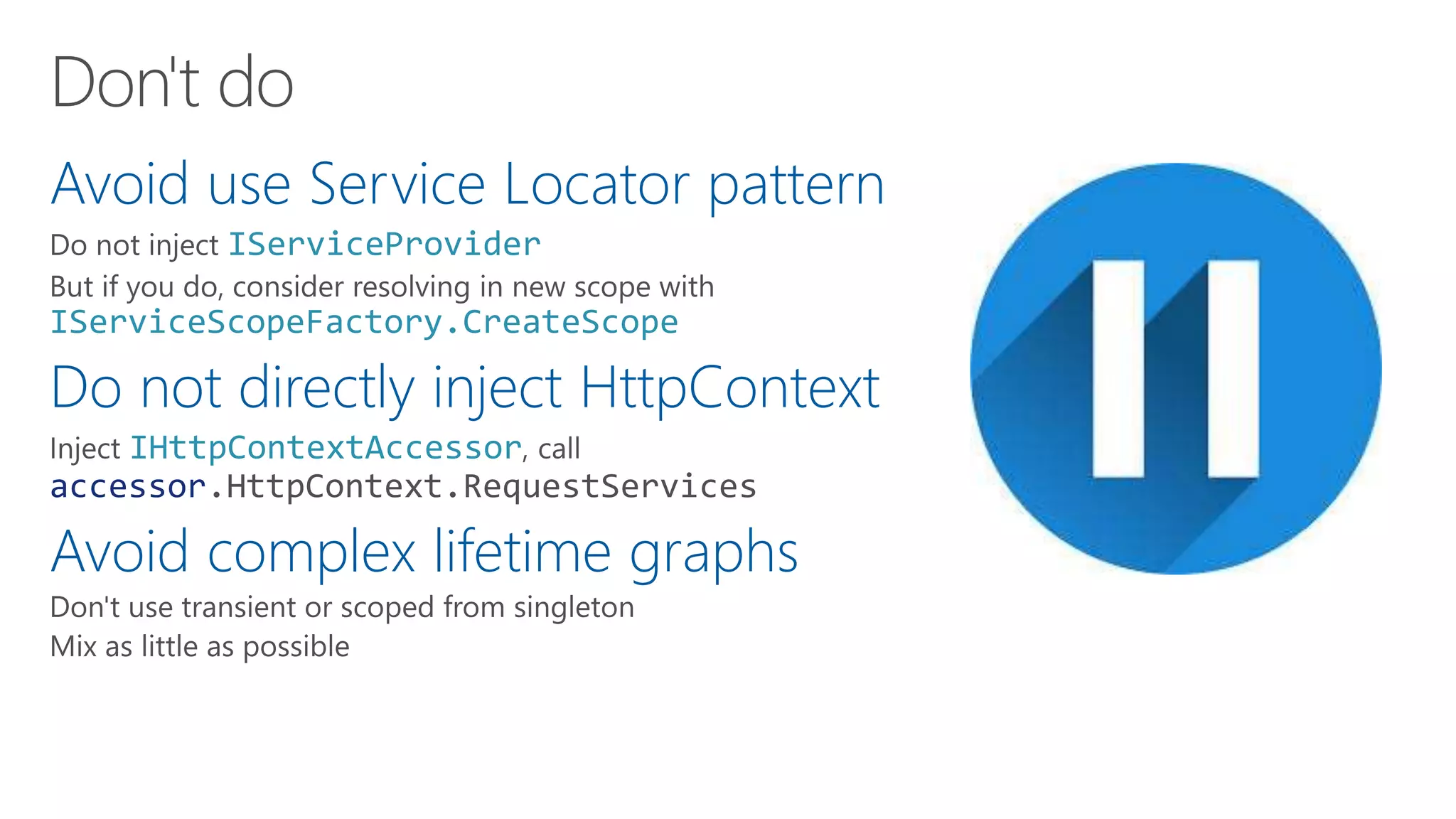
Avoid use Service Locator pattern
IServiceProvider
IServiceScopeFactory.CreateScope
Do not directly inject HttpContext
IHttpContextAccessor
accessor.HttpContext.RequestServices
Avoid complex lifetime graphs
Dependency injection is
integral part of
.NET Core
If you do not like it,
replace it
Questions and Answers
Resources
https://docs.microsoft.com/en-us/azure/architecture/patterns/health-endpoint-monitoring
https://docs.microsoft.com/en-us/aspnet/core/host-and-deploy/health-checks
https://github.com/aspnet/Diagnostics/tree/master/src
https://kubernetes.io/docs/tasks/configure-pod-container/configure-liveness-readiness-probes/
https://github.com/Xabaril/AspNetCore.Diagnostics.HealthChecks
https://github.com/alexthissen/healthmonitoring

Health monitoring and dependency injection - CNUG November 2019

  • 1.
    Using dependency injectionand health checks in your .NET Core solutions Alex Thissen Cloud architect at Xpirit, The Netherlands
  • 2.
    Keeping entire systemrunning Determine state of entire system and intervene How to know health status of individual services? Collecting/correlating performance and health data Sentry.ioRaygun.io RunscopeNewRelic AlertSite DataDogAppMetrics Azure Monitor
  • 3.
    Centralized Challenging Doctor, am Isick? 12:34 Let's look at your vitals we measured earlier: - Pulse 60 per minute - Blood pressure 130/80 12:34 Looks fine to me. It seems you are healthy. 12:35 Thanks, doctor! 12:36 Let's look at your vitals we measured: - Pulse 180 per minute - Blood pressure 150/110 12:34 Does not look good. It seems you are unhealthy. 12:35
  • 4.
    Modern medicine andhealth Self-assessment Context matters You know best Let's see. My vitals say: - Pulse 180 per minute - Blood pressure 150/110 12:34 How are you doing today? 12:36 Does not look good. It seems I am unhealthy. 12:34 Oops, we need to do something about that! 3:24 Good to know. Stay healthy! 12:36 It's okay, as I am working out now My back does not hurt. So, I'm healthy! 12:34
  • 5.
    Difference between metricsand health info Metrics Many individual measured values and counts of events Watch performance and trends Useful for diagnostics and troubleshooting Logic external to origin Health Intrinsic knowledge of implementation required DevOps mindset: Logic to determine health is part of origin Deployed together, good for autonomy
  • 6.
  • 7.
    Healthy • 200 OK •"Everything is fine" Degraded • 200 OK • "Could be doing better or about to become unhealthy" Unhealthy • 503 Service Unavailable • "Not able to perform"
  • 8.
    ASP.NET Core application /api/v1/…Middle ware New in .NET Core 2.2 Bootstrap health checks in ASP.NET Core app services.AddHealthChecks(); endpoints.MapHealthChecks("/health); /health DefaultHealthCheckService Microsoft.Extensions.Diagnostics.HealthChecks .Abstractions .EntityFramework Microsoft.AspNetCore.Diagnostics.HealthChecks
  • 9.
    What? When? How? When a serviceis unhealthy, how can you trust its health status?public interface IHealthCheck { Task<HealthCheckResult> CheckHealthAsync( HealthCheckContext context, CancellationToken cancellationToken = default); } From: https://github.com/aspnet/Diagnostics/blob/master/src/ Microsoft.Extensions.Diagnostics.HealthChecks.Abstractions/HealthReport.cs
  • 10.
    services .AddHealthChecks() .AddCheck("sync", () =>… ) .AddAsyncCheck("async", async () => … ) .AddCheck<SqlConnectionHealthCheck>("SQL") .AddCheck<UrlHealthCheck>("URL"); ASP.NET Core application /health DefaultHealthCheckService
  • 11.
    Demo ASP.NET Core 3.0Health object model Health checks Endpoints
  • 12.
    Only 1 out-of-boxcheck DbContext Build your own IHealthCheck Community packages Xabaril/BeatPulse Yours?AspNetCore.Diagnostics.HealthChecks.* Microsoft.Extensions.Diagnostics. HealthChecks.EntityFrameworkCore services.AddHealthChecks() .AddDbContextCheck<GamingDbContext>("EF")
  • 13.
    Register multiple healthendpoints Middleware options Register custom health check as singleton /api/v1/… /health /ping services.AddSingleton<KafkaHealthCheck>()); services.AddSingleton(new SqlConnectionHealthCheck( new SqlConnection(Configuration.GetConnectionString("TestDB"))));
  • 14.
    1. Customize healthendpoint output for more details 2. Query endpoint(s) 3. Build user interface
  • 15.
  • 16.
  • 17.
    Pushes out health infoperiodically Options ASP.NET Core application DefaultHealthCheckService HealthCheckPublisher HostedService IEnumerable<IHealthCheckPublisher> services.AddHealthChecks() .AddApplicationInsightsPublisher() .AddPrometheusGatewayPublisher( "http://pushgateway:9091/metrics", "pushgateway") IHealthCheckPublisher
  • 18.
    Registering a HealthCheckPublisherpre-.NET Core 3.0 // The following workaround permits adding an IHealthCheckPublisher // instance to the service container when one or more other hosted // services have already been added to the app. This workaround // won't be required with the release of ASP.NET Core 3.0. For more // information, see: https://github.com/aspnet/Extensions/issues/639. services.TryAddEnumerable( ServiceDescriptor.Singleton(typeof(IHostedService), typeof(HealthCheckPublisherOptions).Assembly .GetType(HealthCheckServiceAssembly)));
  • 19.
  • 20.
  • 21.
  • 22.
    Probing containers tocheck for availability and health Kubernetes node Kubernetes node Kubernetes nodes Containers Readiness Liveliness
  • 23.
    1. Add healthchecks with tags 2. Register multiple endpoints with filter using Options predicate /api/v1/… /health /health/ready /health/lively app.UseHealthChecks("/health/ready", new HealthCheckOptions() { Predicate = reg => reg.Tags.Contains("ready") }); services.AddHealthChecks() .AddCheck<CircuitBreakerHealthCheck>( "circuitbreakers", tags: new string[] { "ready" }); app.UseHealthChecks("/health/lively", new HealthCheckOptions() { Predicate = _ => true });
  • 24.
    Original pods onlytaken offline after new healthy one is up Allows roll forward upgrades: Never roll back to previous version
  • 25.
  • 26.
    Expose as littledetail as possible Use different internal port Add authentication using middleware Publish instead of endpoint app.UseWhen( ctx => ctx.User.Identity.IsAuthenticated, a => a.UseHealthChecks("/securehealth") );
  • 27.
    1. Assume degradedstate 2. Set short timeouts on checks 3. Avoid complicated health checks 4. Register health check as singletons in DI
  • 28.
  • 29.
    1. Unit testing 2.SOLID: Dependency Inversion Principle 3. Loose coupling 4. Clean architecture 5. .NET Core is using it Related Domain Logic Presentation From Jason Taylor: Clean Architecture with ASP.NET Core 2.2
  • 30.
  • 31.
    Possible ways tomap Try Add<ServiceType ImplementationType> Builder pattern Add TryAdd ServiceType ImplementationType
  • 32.
    Demo: ASP.NET CoreDI Quick look at how you were using dependency injection all along
  • 33.
    Register • How • Add…and TryAdd… of type mappings • Add… extension methods • Where • Application root • Startup class (ASP.NET) Resolve • Implicit • Constructor injection • ASP.NET Core specifics • Explicit • GetService<T> • GetRequiredService<T> • Also for enumerables Release • Automatic • Resolved instances and dependencies • Scopes • End of scope • Might need to create child scopes IServiceCollection IServiceProvider IDisposable 1 2 3
  • 34.
    Singleton • Easy wayto implement singleton pattern • One instance per DI container • Beware of concurrency and threading issues Scoped • Duration of scope • ASP.NET uses web request as scope • Useful for UnitOfWork objects, e.g. DbContext • See also ServiceScopeFactory Transient • Single use • Most common and safest
  • 35.
    Typical startup inASP.NET Core public class Startup { public Startup(IConfiguration configuration, IHostEnvironment env) public void ConfigureServices(IServiceCollection services) public void Configure(IApplicationBuilder app, IWebHostEnvironment env, …) } builder.UseStartup<Startup>(); 1 2 3
  • 36.
    Many ways toinject a service instance IServiceProvider Pro tip ActivatorUtilities IServiceProvider Register using Configure(Services) injection in Startup class Constructor injection [FromServices] attribute @inject IApplicationBuilder. ApplicationServices HttpContext. RequestServices Middleware Constructor or Invoke method
  • 37.
    Demo: Resolving services inASP.NET Core Controller constructors @inject FromServicesAttribute Application- and RequestServices
  • 38.
    Hosting outside and withoutASP.NET Core IHostedService BackgroundService Uses new Host, and IHostBuilder for hosting Startup WebHostBuilder HostBuilder Configure Microsoft.Extensions.Hosting Microsoft.Extensions.DependencyInjection
  • 39.
    Resolved instances arereleased at end of scope IDisposable Dispose Create your own scopes with ServiceScopeFactory Especially important for hosted services AddHostedService<T> using (var scope = serviceScopeFactory.CreateScope()) { ISomeRepository scoped = scope.ServiceProvider.GetRequiredService<ISomeRepository>(); await DoMyWork(scoped); }
  • 40.
    Check lifetime restrictions Preventmemory leaks and unexpected behavior Host.CreateDefaultBuilder(args) .UseDefaultServiceProvider((context, options) => { options.ValidateScopes = context.HostingEnvironment.IsDevelopment(); options.ValidateOnBuild = true; // .NET Core 3.0 })
  • 41.
    Demo: Generic Host New.NET Core 3.0 hosting Scope validation Using scopes
  • 42.
    Too much abstractions Conformingcontainer Easy to use anti-patterns
  • 43.
  • 44.
    Plug in yourfavorite DI Framework Option 1: While building host UseServiceProviderFactory ConfigureContainer Option 2: When configuring services ConfigureServices IServiceProvider Some alternative DI Frameworks Autofac Castle Windsor Lamar LightInject Ninject SimpleInjector Spring.NET Unity
  • 45.
    Demo: Advanced DI ReplacingDI container Custom DI containers
  • 46.
    Different registrations forenvironments Configure{Environment}Services Configure{Environment} Startup{Environment} StartupProduction Requires different startup UseStartup<Startup> Host.CreateDefaultBuilder(args) .ConfigureWebHostDefaults(webBuilder => { var assembly = typeof(Startup).GetTypeInfo().Assembly; webBuilder.UseStartup(assemblyName.GetName().Name); });
  • 47.
    Demo: Tips andtricks Convention based startup TestServer services override
  • 48.
    Avoid use ServiceLocator pattern IServiceProvider IServiceScopeFactory.CreateScope Do not directly inject HttpContext IHttpContextAccessor accessor.HttpContext.RequestServices Avoid complex lifetime graphs
  • 49.
    Dependency injection is integralpart of .NET Core If you do not like it, replace it
  • 50.
  • 51.

Editor's Notes

  • #17 Alert conditions (failures and latency)
  • #18 https://github.com/PeterOrneholm/Orneholm.ApplicationInsights
  • #22 Resilient applications: tricky to choose when to intervene and when not (when degraded, should you consider it not lively, e.g.)
  • #23 How can restarting a container instance solve health?
  • #28 Evaluate log values
  • #30 https://www.youtube.com/watch?v=_lwCVE_XgqI https://www.youtube.com/watch?v=Zygw4UAxCdg
  • #35 https://medium.com/volosoft/asp-net-core-dependency-injection-best-practices-tips-tricks-c6e9c67f9d96
  • #36 https://github.com/aspnet/Hosting/blob/master/src/Microsoft.Extensions.Hosting/HostBuilder.cs
  • #39 https://github.com/aspnet/Hosting/tree/master/src/Microsoft.Extensions.Hosting
  • #40 https://thinkrethink.net/2018/07/12/injecting-a-scoped-service-into-ihostedservice/
  • #41 https://github.com/aspnet/Extensions/blob/master/src/DependencyInjection/DI/test/ServiceProviderValidationTests.cs https://andrewlock.net/new-in-asp-net-core-3-service-provider-validation/
  • #43 https://kristian.hellang.com/introducing-scrutor/