Platform: z/OS Health Check Your DB2 UDB for z/OS System Part 1 and 2 Shelton Reese DB2 for z/OS Colorado State Utility Session: R12 and R13 Thursday 26th May at 08:30
Introduction For any customer installation Several factors or dimensions involved in achieving very high level availability at application level Work required on an incremental basis towards achieving that goal DB2 product quality is an important but not exclusive factor Customer investment in 'insurance policies' is required to protect against exposures that cause outages and lead to extended recovery times e.g., Significant hardware and/or software failure Failures in standard recovery procedures Logical data corruption Operational error These investments have to be complemented by rigorous availability management, change management and test processes
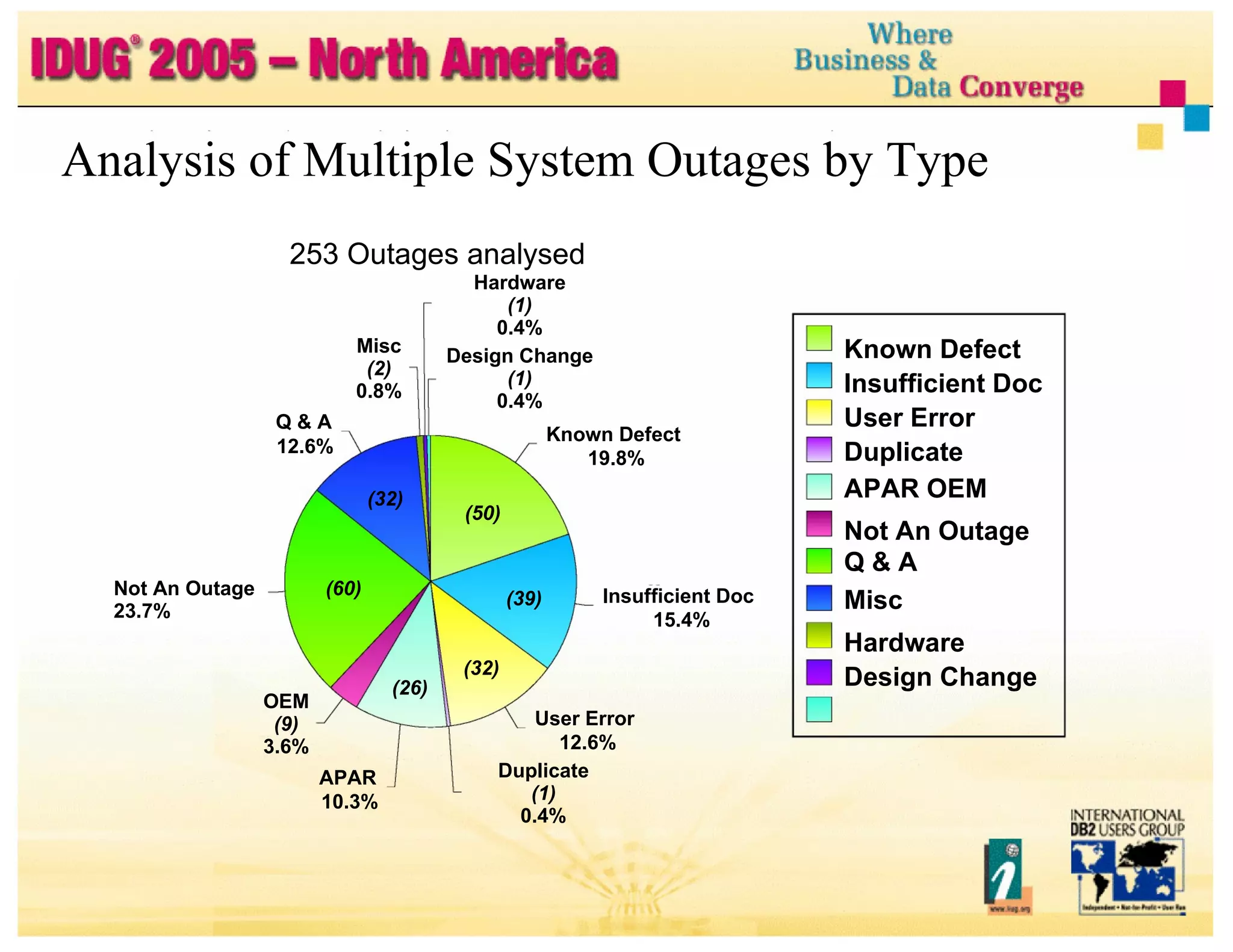
Analysis of Multiple System Outages by Type 253 Outages analysed Misc (2) 0.8% Q & A 12.6% (32) Not An Outage (60) 23.7% OEM (9) 3.6% APAR 10.3% Hardware (1) 0.4% Design Change (1) 0.4% Known Defect Insufficient Doc User Error Duplicate APAR OEM Not An Outage Q & A Misc Hardware Design Change Known Defect 19.8% (50) (39) Insufficient Doc 15.4% (32) User Error 12.6% Duplicate (1) 0.4% (26)
Objectives of presentation are to: Introduce and discuss the most common issues Share experience from customer 'health check' studies Share experience from customer incidents Recommend best practice Encourage proactive behavior over regret analysis Introduction ...
Topics High Performance Multiple Object Recovery Applying Preventative Service Application Design for High Availability and Performance Automation Strategy Virtual Storage Management above 16MB Line Redundant Spare Capacity High Performance Crash Recovery Thread Reuse and RELEASE DEALLOCATE EDM Pool Tuning Data Sharing Tuning RDS Sort Setup and Tuning Migrate to Latest Hardware and Software
High Performance Multiple Object Recovery When is it required? Recovery of last resort if primary recovery action does not work e.g., LPL recovery really fails LOGONLY recovery fails GDPS fails to detect and handle DASD controller failure correctly Logical data corruption caused by: Operational error Rogue application program DB2, IRLM, z/OS code failure ISV code failure CF microcode failure DASD controller microcode failure DASD Controller Failure and GDPS class solution not implemented
High Performance Multiple Object Recovery ... High Performance Multiple Object Recovery ... High Performance Multiple Object Recovery ... Mass Recovery scenario Assumptions 2-4TB data including indexes 2000 objects to be recovered Instant problem detection All processing stopped under recovery processing Possible errors Disk Controller microcode error Hardware error not correctly handled by GDPS Logical Recovery scenario Assumptions 0.5TB data lost including indexes 300 objects to be recovered Late problem detection e.g., up to 48 hours Processing ongoing during problem determination and recovery period Possible errors DB2 code errors (or other software/microcode errors)
High Performance Multiple Object Recovery ... High Performance Multiple Object Recovery ... Common Issues Lengthy process for critical data Many hours at best Many days at worst Lack of planning, design, optimisation, practice & maintenance Procedures for taking backups and executing recovery compromised by lack of investment in technical configuration Use of tape including VTS Cannot share tape volumes across multiple jobs Relatively small number of read devices Concurrent recall can be a serious bottleneck
High Performance Multiple Object Recovery ... Results: any or all of the following No estimate of elapsed time to complete Elongated elapsed time to complete recovery Performance bottlenecks so that recovery performance does not scale Breakage in procedures Surprises caused by changing technical configuration Unrecoverable objects
High Performance Multiple Object Recovery ... Need to design for high performance and reduced elapsed time Plan, design, stress test and optimise Prioritise most critical applications Design for parallel recovery jobs Optimise utilisation of technical configuration Optimise the use of tape resources Procedures have to be 'tailored' based Available technical configuration Available tape media (ATL, VTS) Type of backup Method of taking backups Practice regularly
High Performance Multiple Object Recovery ... Factors which greatly affect elapsed time RECOVER utility time = restore time + log scan time + log apply time Restore time: Number of pages, number of objects? ICs on tape or DASD? Degree of parallelism? Log scan time: Image copy frequency Archive logs needed to recover? Log read from archive is not as efficient as from active Archive logs on tape or DASD? Reads from DASD are faster Log apply time: Update frequency and update patterns Maximal fast log apply?
High Performance Multiple Object Recovery ... Recommendations for fast recovery Use DASD for image copies and recovery logs Shorten full image copy (FIC) cycle time (<= 24 hours) to reduce log apply time Even more frequently for DB2 Catalog and Directory Most critical application data When using tape for image copy backups Take dual image copies to avoid image copy fallback Consider incremental image copy (IIC) IIC more efficient if <10% of (random) pages are changed CHANGELIMIT option on COPY can be used (default is 10%) Perform regular MERGECOPY of incremental copies in background For small objects Use DASD to write image copies and manage by DFSMS
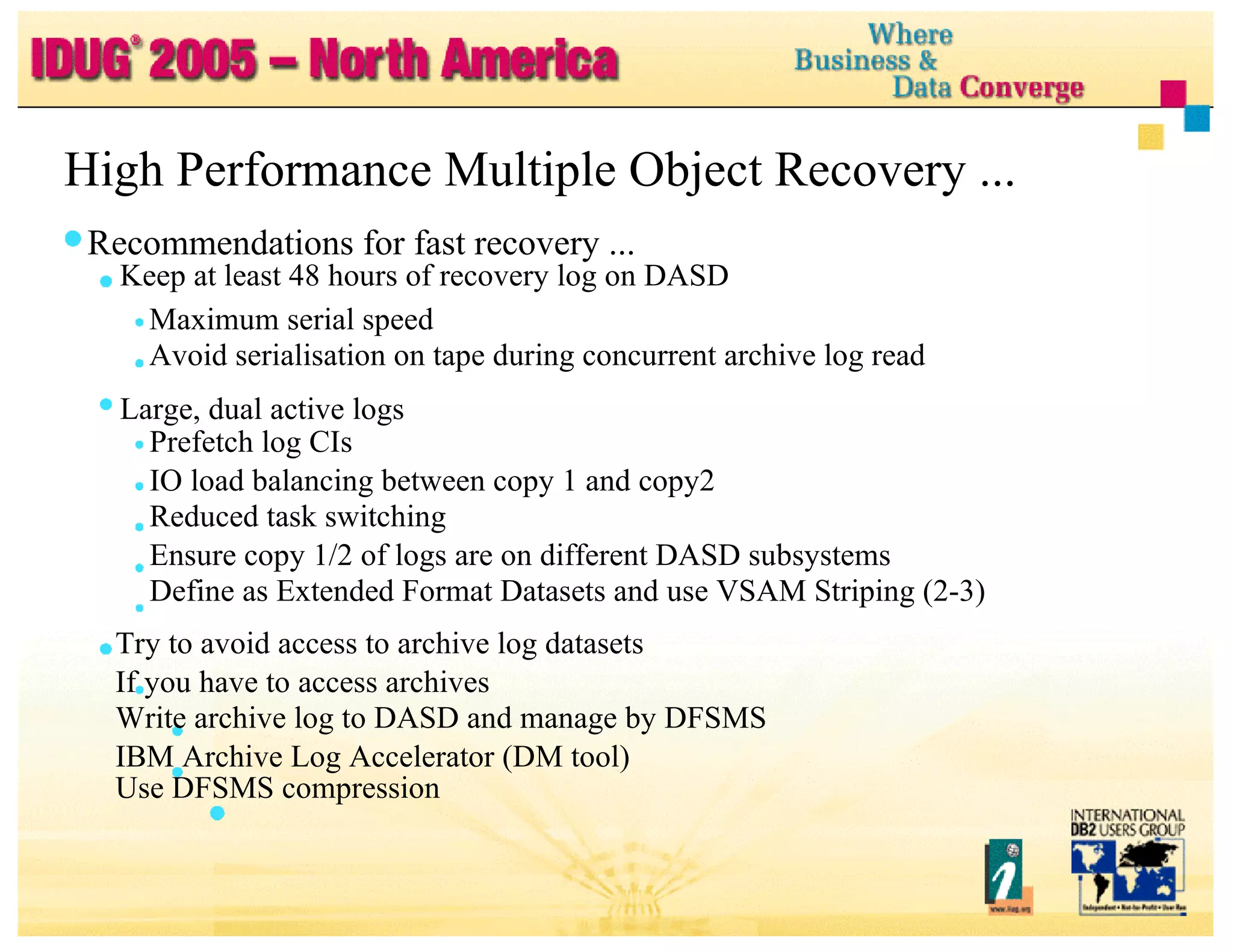
High Performance Multiple Object Recovery ... Recommendations for fast recovery ... Keep at least 48 hours of recovery log on DASD Maximum serial speed Avoid serialisation on tape during concurrent archive log read Large, dual active logs Prefetch log CIs IO load balancing between copy 1 and copy2 Reduced task switching Ensure copy 1/2 of logs are on different DASD subsystems Define as Extended Format Datasets and use VSAM Striping (2-3) Try to avoid access to archive log datasets If you have to access archives Write archive log to DASD and manage by DFSMS IBM Archive Log Accelerator (DM tool) Use DFSMS compression
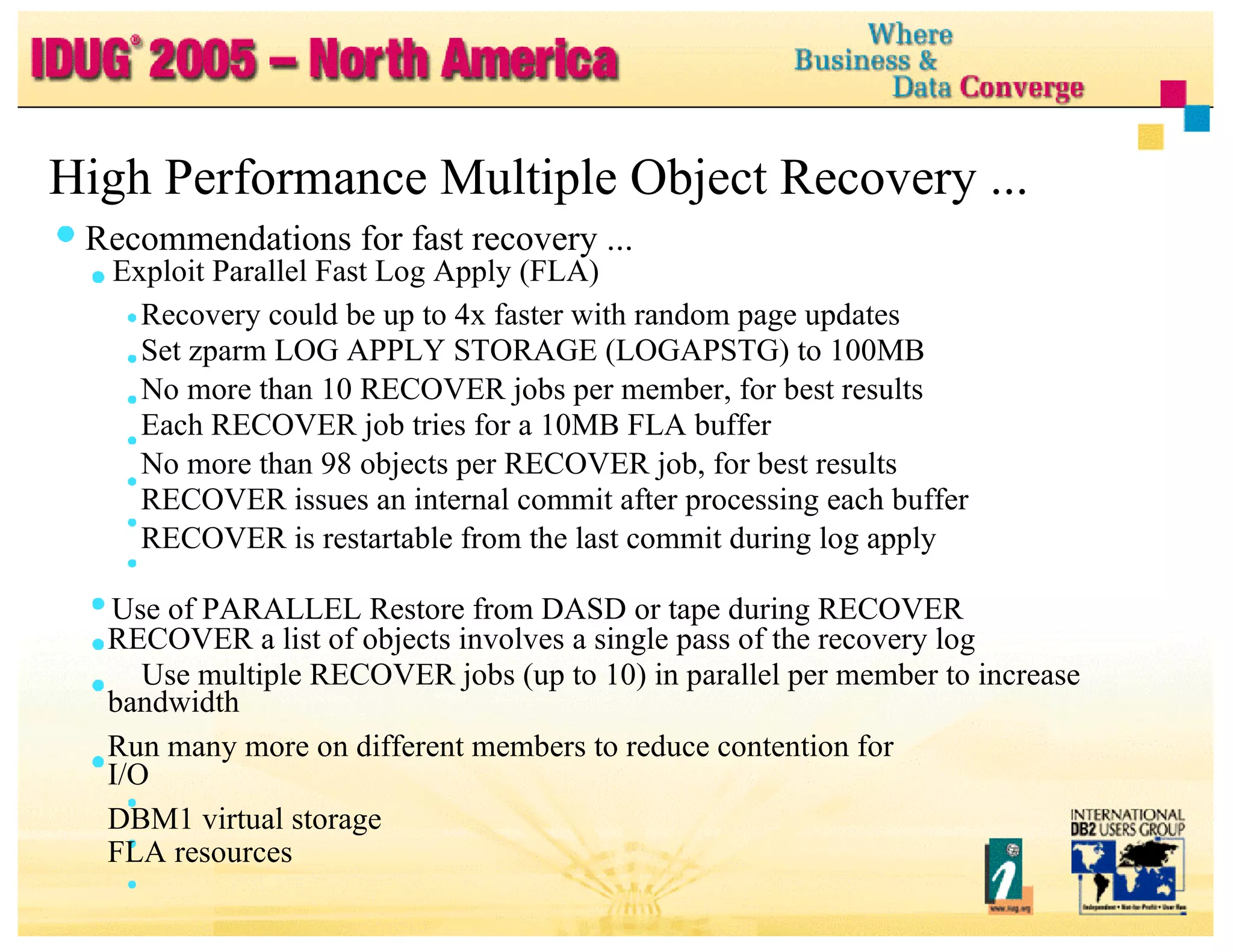
High Performance Multiple Object Recovery ... Recommendations for fast recovery ... Exploit Parallel Fast Log Apply (FLA) Recovery could be up to 4x faster with random page updates Set zparm LOG APPLY STORAGE (LOGAPSTG) to 100MB No more than 10 RECOVER jobs per member, for best results Each RECOVER job tries for a 10MB FLA buffer No more than 98 objects per RECOVER job, for best results RECOVER issues an internal commit after processing each buffer RECOVER is restartable from the last commit during log apply Use of PARALLEL Restore from DASD or tape during RECOVER RECOVER a list of objects involves a single pass of the recovery log Use multiple RECOVER jobs (up to 10) in parallel per member to increase bandwidth Run many more on different members to reduce contention for I/O DBM1 virtual storage FLA resources
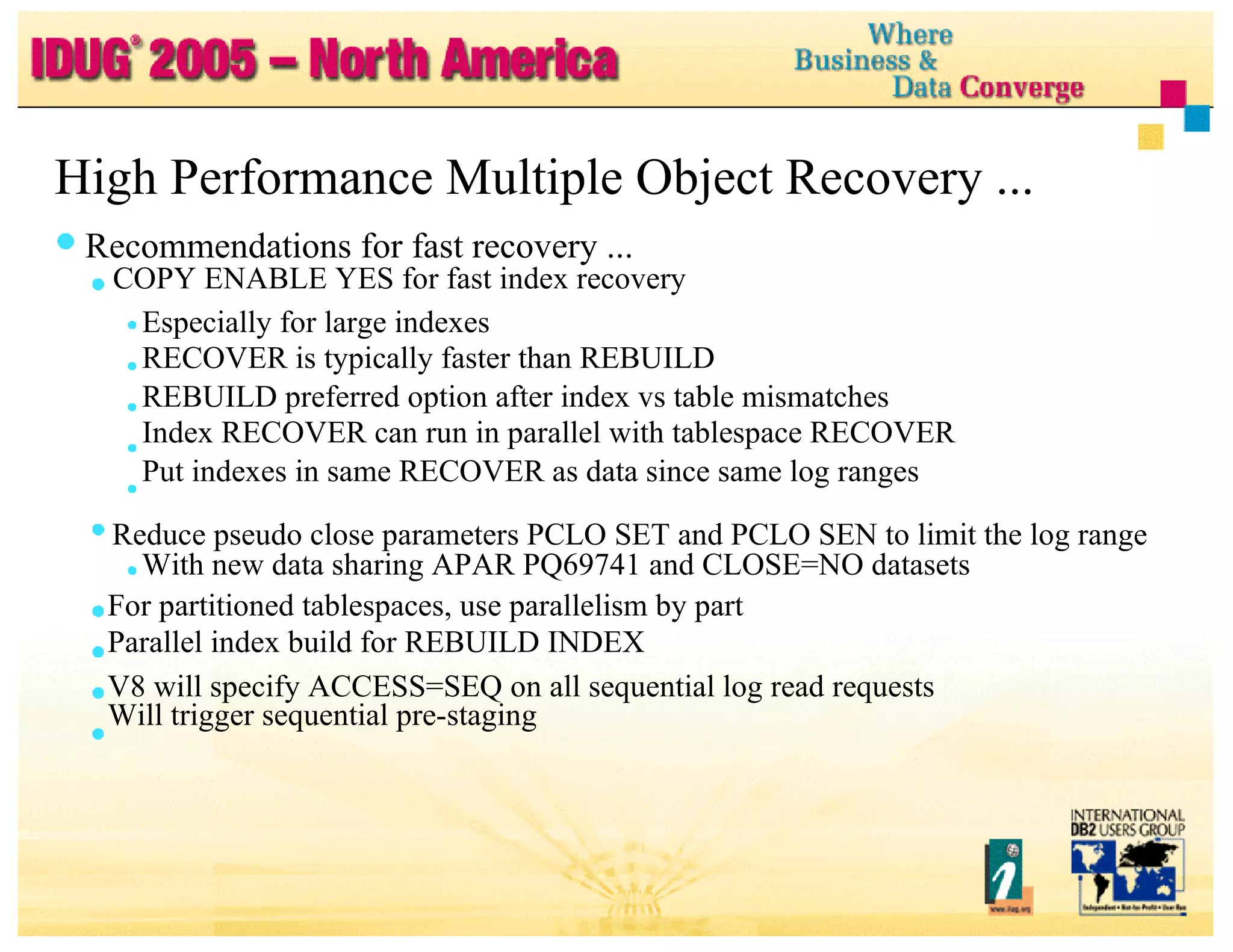
High Performance Multiple Object Recovery ... Recommendations for fast recovery ... COPY ENABLE YES for fast index recovery Especially for large indexes RECOVER is typically faster than REBUILD REBUILD preferred option after index vs table mismatches Index RECOVER can run in parallel with tablespace RECOVER Put indexes in same RECOVER as data since same log ranges Reduce pseudo close parameters PCLO SET and PCLO SEN to limit the log range With new data sharing APAR PQ69741 and CLOSE=NO datasets For partitioned tablespaces, use parallelism by part Parallel index build for REBUILD INDEX V8 will specify ACCESS=SEQ on all sequential log read requests Will trigger sequential pre-staging
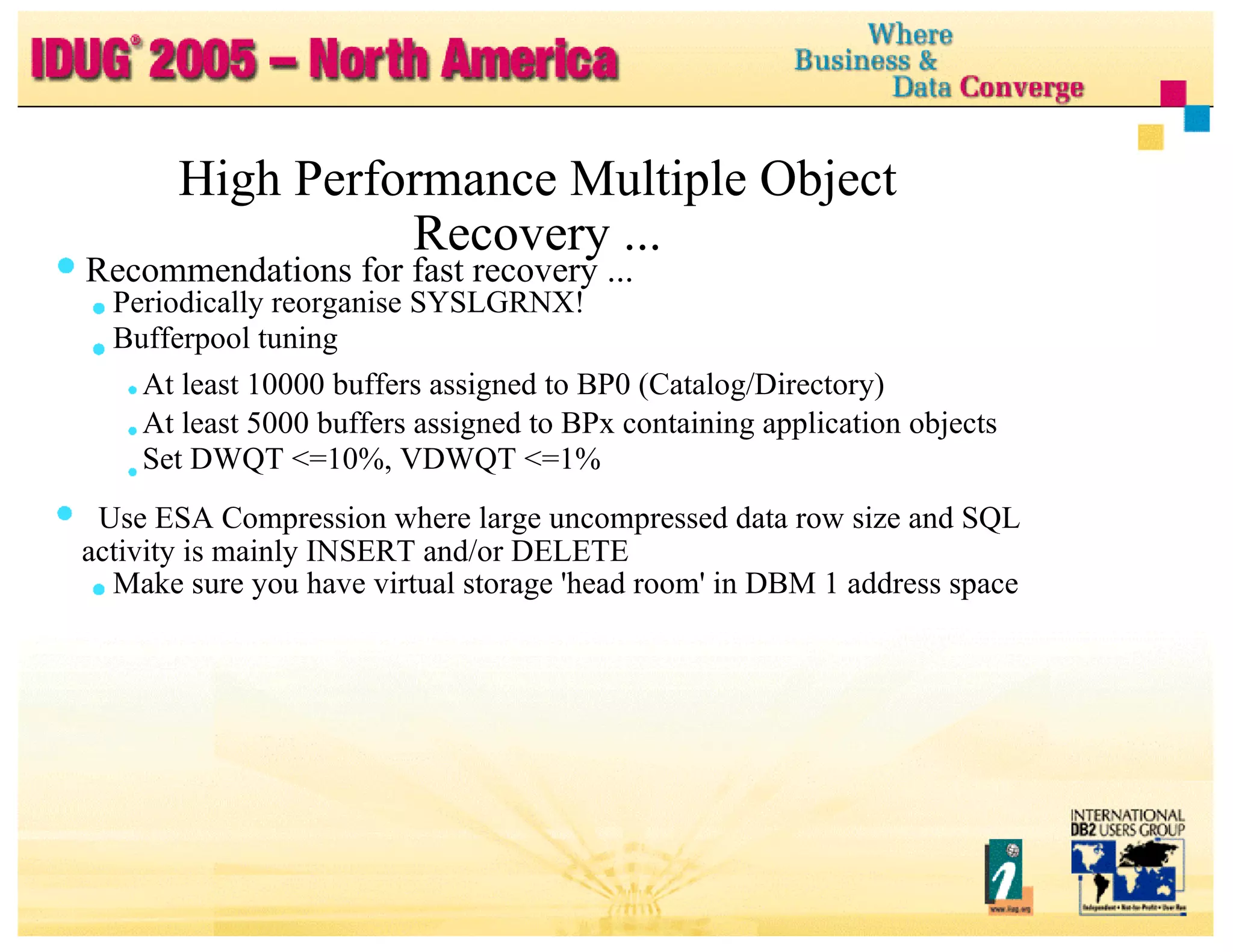
High Performance Multiple Object Recovery ... Recommendations for fast recovery ... Periodically reorganise SYSLGRNX! Bufferpool tuning At least 10000 buffers assigned to BP0 (Catalog/Directory) At least 5000 buffers assigned to BPx containing application objects Set DWQT <=10%, VDWQT <=1% Use ESA Compression where large uncompressed data row size and SQL activity is mainly INSERT and/or DELETE Make sure you have virtual storage 'head room' in DBM 1 address space
Applying Preventative Service Problems Possibility of long prerequisite chain when having to apply emergency corrective service Delay in exploiting new availability functions Delay in applying DB2 serviceability enhancements to prevent outages Little or no HIPERs applied since the last preventative service drop Greater risk of outage caused by missing HIPER Incidents occur where HIPER available and not applied for many months Too long to roll out a new DB2 code level across production Too long to roll out of a new DB2 code level Unable to apply more than two preventative service packages per year Not able to 'roll out' all residual HIPERs on a monthly basis No safety net to catch user error in not spotting critical HIPERs
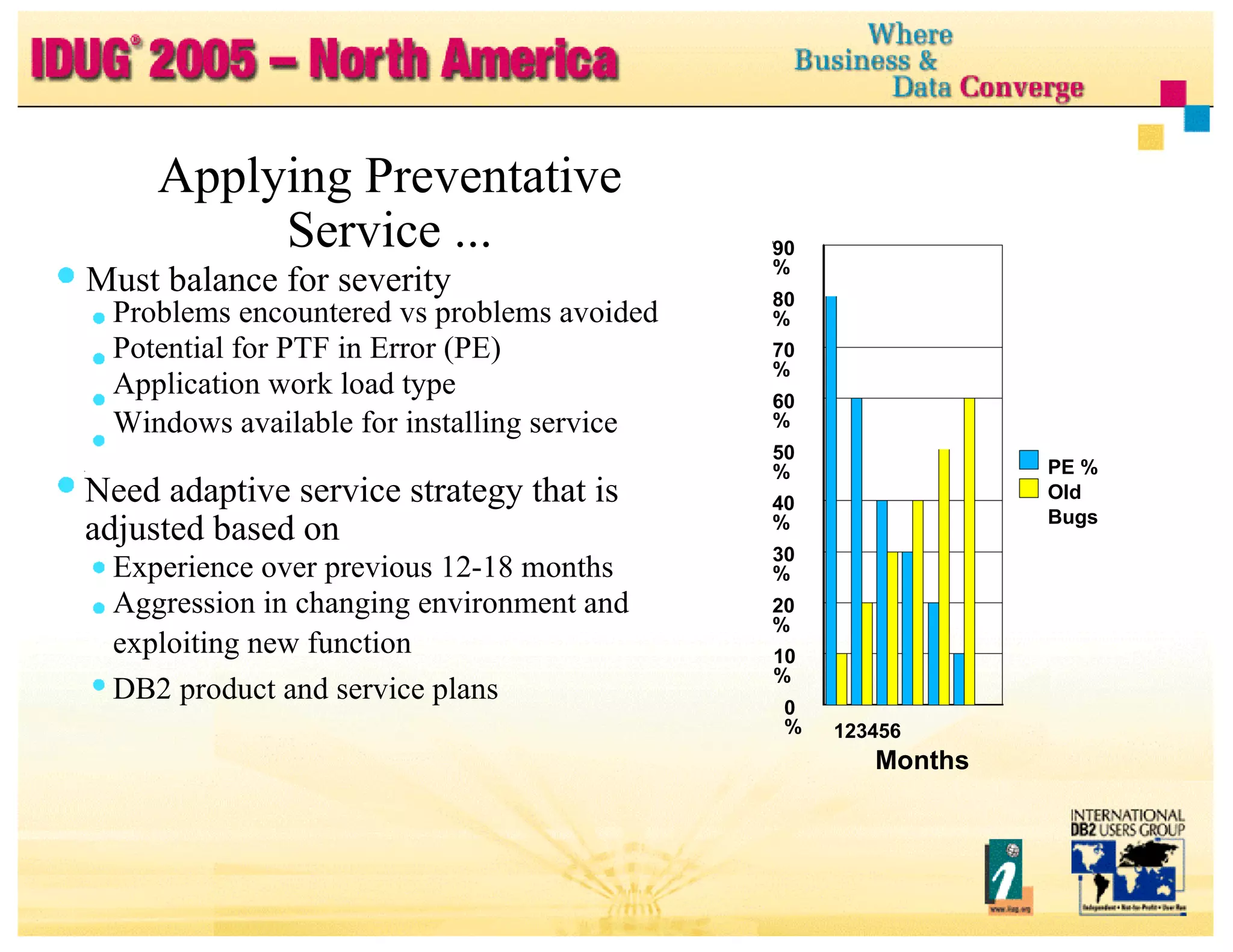
Applying Preventative Service ... Must balance for severity Problems encountered vs problems avoided Potential for PTF in Error (PE) Application work load type Windows available for installing service Need adaptive service strategy that is adjusted based on Experience over previous 12-18 months Aggression in changing environment and exploiting new function DB2 product and service plans 40% 20% 90% 80% 70% 60% 50% 30% 10% 0% 123456 Months PE % Old Bugs
Applying Preventative Service ... Recommendations Recognise that the world is not perfect Stay reasonably current with DB2 fixes, do not be reckless Follow new Revised Service Update (RSU) maintenance philosophy Take advantage of extended testing performed by IBM Consolidated Service Test (CST) Provides consolidated, tested, recommended set of service for z/OS or OS/390, and key subsystems like DB2 Use latest quarterly Revised Service Update (RSU) as the starting point to establish a new DB2 code level Customer responsibility to still test and stabilise in their environment Test and stabilise the new code level for 8 weeks before promoting new level to business production Promote to least critical subsystem first and most critical last Service will be 3-5 months back before it hits production
Applying Preventative Service ... Applying Preventative Service ... Applying Preventative Service ... Recommendations ... Apply preventative service 2-4 times each year User latest available quarterly RSU as a base Hold onto each package for 3-6 months Aim for an absolutely minimum of twice per year Receive Enhanced HOLDDATA on HIPERs and PEs on at least a weekly basis - especially just before a new maintenance package is promoted Pull all HIPERs and bring all maintenance on site so it is readily available Apply absolutely critical HIPERS/PEs on a weekly basis, any others in a 6 weekly rollout
Applying Preventative Service ... Applying Preventative Service ... Recommendations ... Replicating application workloads is key to achieving high availability using the foundation of Parallel Sysplex and active DB2 Data Sharing Make sure all application workloads are replicated Need multiple instances of same application across multiple systems Remove system/transaction affinities from rogue applications Avoid single system point of failures (e.g., single CICS region) Provides fault tolerant application processing Reduces need for planned outages to roll in service Should also improve application throughput and scalability
Application Design for High Availability and Performance Problems Single points of control, serialisation, failure Critical applications tightly coupled by shared data to non-critical applications by shared data Batch window -> peep hole Late running batch impacting online day Long running batch processes without taking intermediate commit points Difficult for Online REORG to get successful drain Workloads not scaling
Application Design for High Availability and Performance… Recommendations Remove application affinities and replicate applications Design for parallelism at application level for Batch and Online Frequent commit in long running batch applications Dynamic, table driven Application must be restartable from intermediate commit points Use light weight locking protocol Optimistic locking ISO(UR), or ISO(CS) CD(N) with ‘Version Number’ column Pull ‘Version Number’ column value on read Check and update on delete and update Avoid single points of control and serialisation e.g., Unique number generation Serial keys
Application Design for High Availability and Performance ... Recommendations ... Design for ‘logical’ end of day Close open held cursors ahead of commit Follow recommendations for high volume concurrent insert Selective use Keep secondary (NPI) indexes to a minimum Insert at end of dataset (PCTFREE=FREEPAGE=0) Use of ESA compression MEMBER CLUSTER etc. For high volume transactions (top-down) Design for thread reuse Selective use RELEASE(DEALLOCATE) Test for compliance and scalability ahead of production
Application Design for High Availability and Performance.. Recommendations ... Data isolation to loosely couple applications Build 'fire walls' Isolate data used by critical applications from non-critical applications Trade offs and mileage will vary Needs to be considered carefully Single integrated data source vs higher availability (and performance) Evaluate cost vs benefit Possible techniques Logical partitioning Asynchronous processing Data replication Duplicate updates
Automation Strategy Problems Operating a enterprise data centre becoming ever more complex Multiple systems and large networks add even more complexity Tremendous amount of messages generated Critical DB2 messages can get easily lost particularly with data sharing Recommendations Use system automation Route copy of DB2 messages (DSN*) to separate destination Specific alerts coded and sent on for list of most critical messages Exclude specific messages which are classified as unimportant based on experience Lot of other automation for other products (not complete list) Attachment check in CICS and IMS SMS Pool check on different pools - tablespace, copies, archive logs Dataset Extents in SMS Pools MVS check of DB2 MVS Catalogs
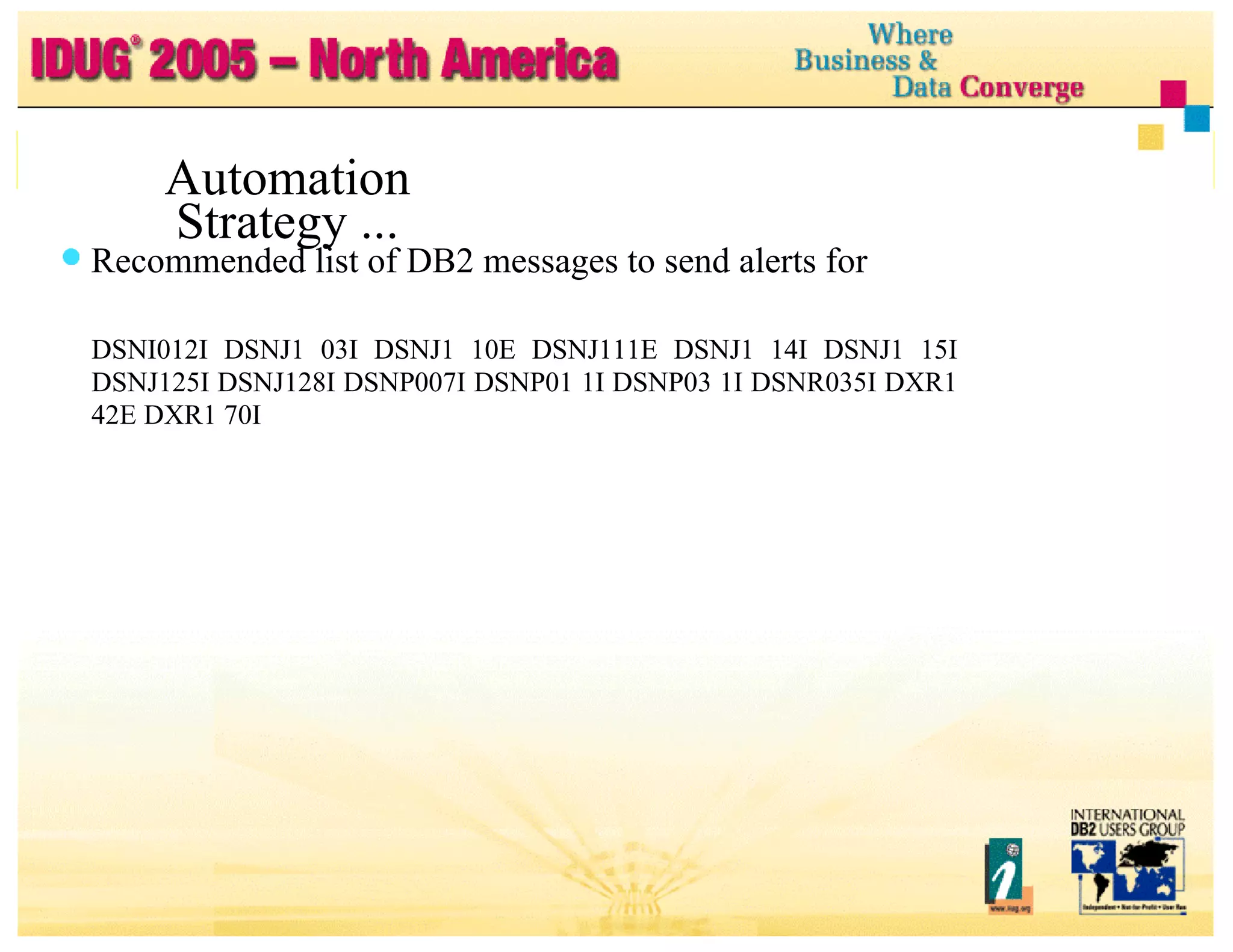
Automation Strategy ... Automation Strategy ... Recommended list of DB2 messages to send alerts for DSNI012I DSNJ1 03I DSNJ1 10E DSNJ111E DSNJ1 14I DSNJ1 15I DSNJ125I DSNJ128I DSNP007I DSNP01 1I DSNP03 1I DSNR035I DXR1 42E DXR1 70I
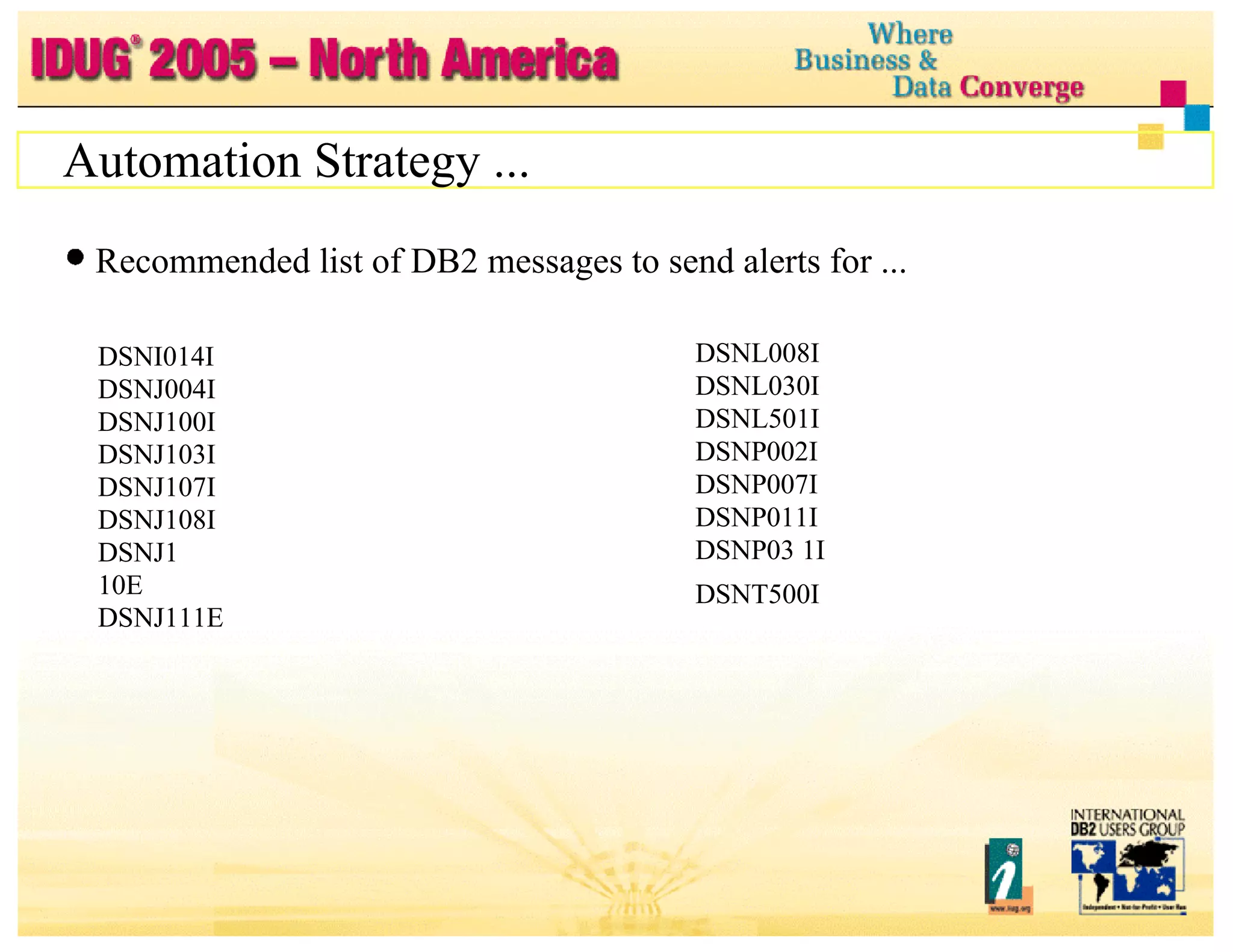
Automation Strategy ... Recommended list of DB2 messages to send alerts for ... DSNI014I DSNJ004I DSNJ100I DSNJ103I DSNJ107I DSNJ108I DSNJ1 10E DSNJ111E DSNJ114I DSNJ1 15I DSNJ125I DSNJ128I DSNL008I DSNL030I DSNL501I DSNP002I DSNP007I  DSNP011I  DSNP03 1I DSNT500I  Type 600 DSNR03 5I DSNX906I DXR142E DXR1 70I DXR1 67E
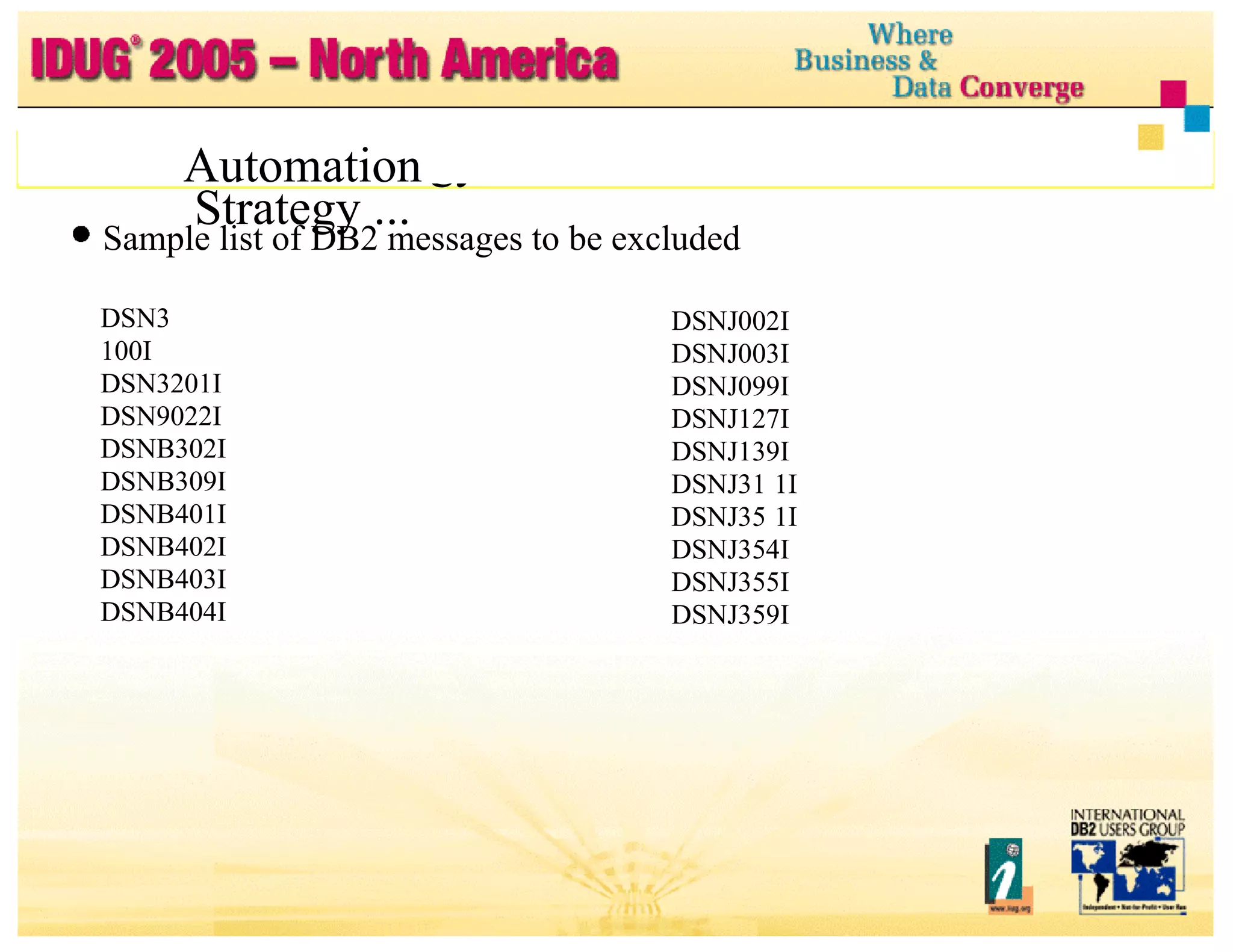
Automation Strategy ... Automation Strategy ... Sample list of DB2 messages to be excluded DSN3 100I DSN3201I DSN9022I DSNB302I DSNB309I DSNB401I DSNB402I DSNB403I DSNB404I DSNB406I DSNB315I DSNJ001I DSNJ002I DSNJ003I DSNJ099I DSNJ127I DSNJ139I DSNJ31 1I DSNJ35 1I DSNJ354I DSNJ355I DSNJ359I DSNJ361I
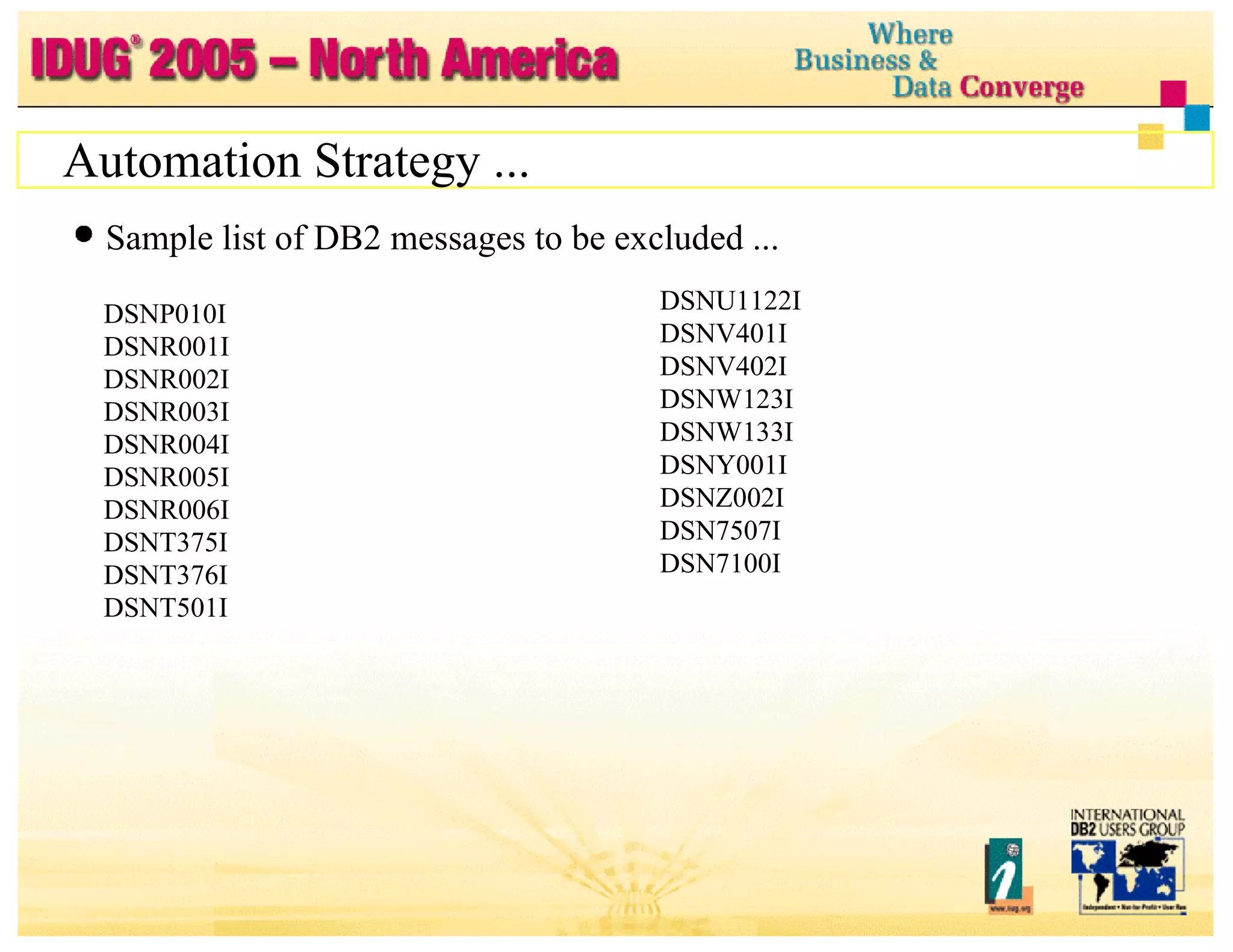
Automation Strategy ... Sample list of DB2 messages to be excluded ... DSNP010I DSNR001I DSNR002I DSNR003I DSNR004I DSNR005I DSNR006I DSNT375I DSNT376I DSNT501I DSNU1122I  DSNV401I  DSNV402I  DSNW123I  DSNW133I  DSNY001I  DSNZ002I  DSN7507I  DSN7100I
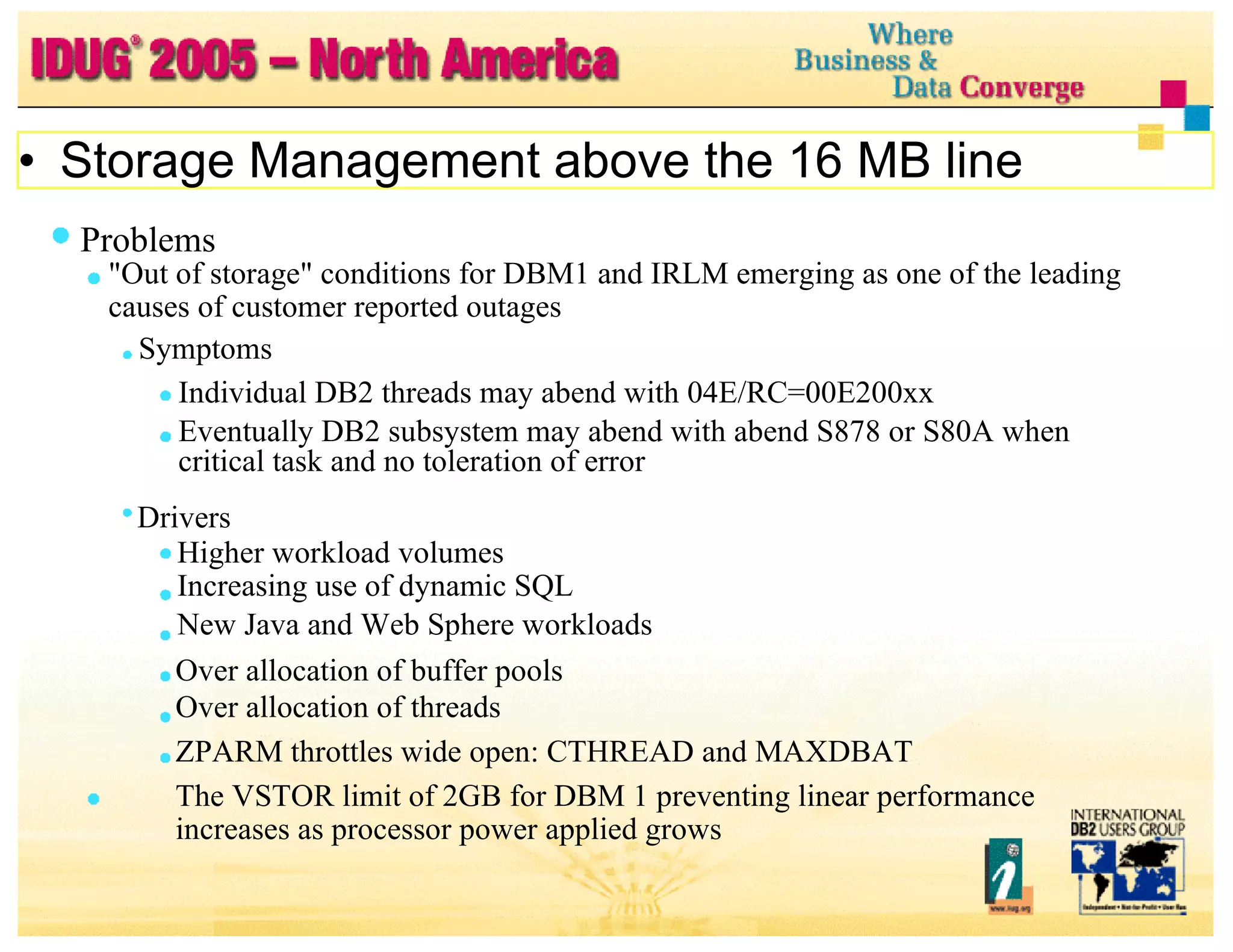
Problems &quot;Out of storage&quot; conditions for DBM1 and IRLM emerging as one of the leading causes of customer reported outages Symptoms Individual DB2 threads may abend with 04E/RC=00E200xx Eventually DB2 subsystem may abend with abend S878 or S80A when critical task and no toleration of error Drivers Higher workload volumes Increasing use of dynamic SQL New Java and Web Sphere workloads Over allocation of buffer pools Over allocation of threads ZPARM throttles wide open: CTHREAD and MAXDBAT  The VSTOR limit of 2GB for DBM 1 preventing linear performance increases as processor power applied grows Storage Management above the 16 MB line
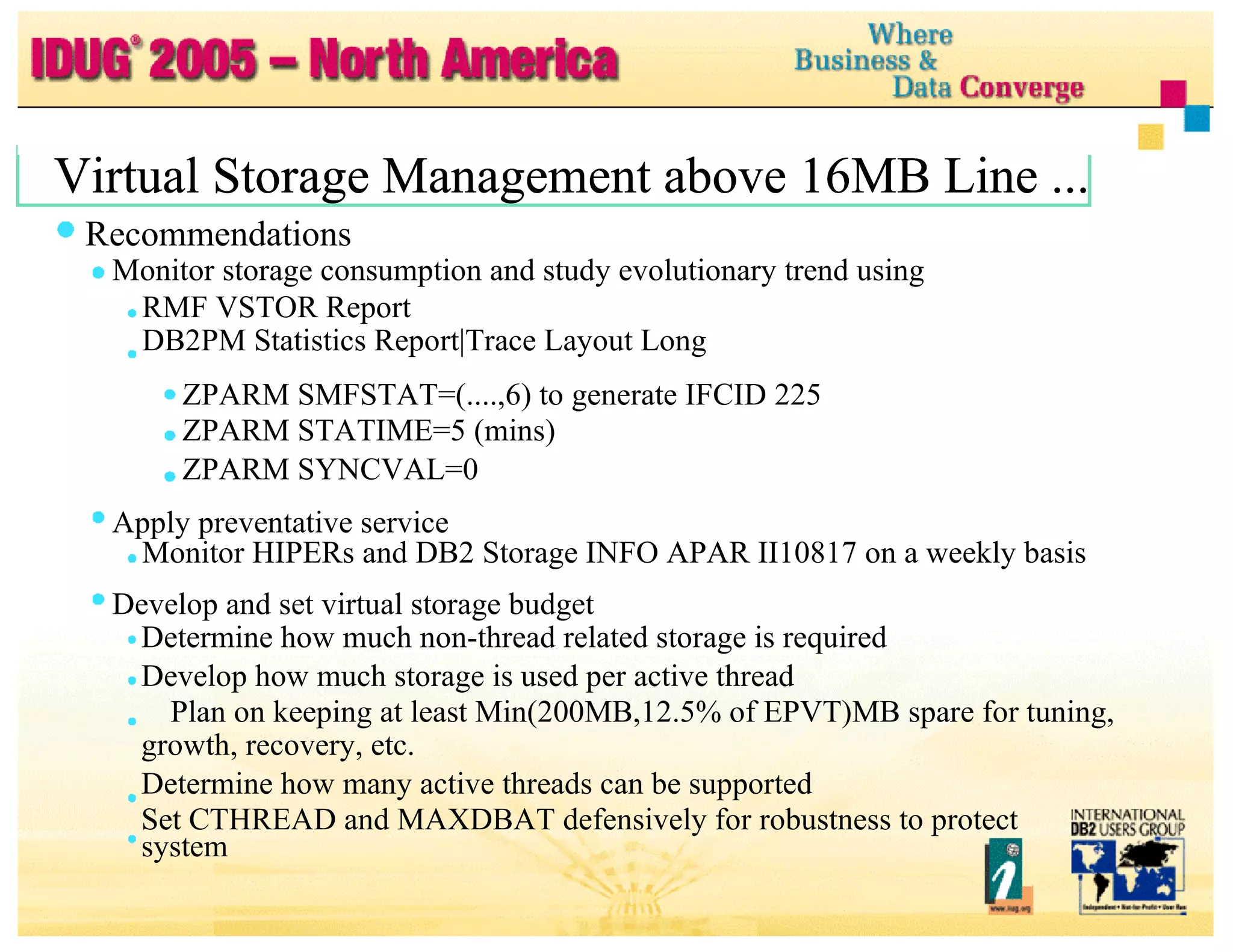
Virtual Storage Management above 16MB Line ... Virtual Storage Management above 16MB Line ... Virtual Storage Management above 16MB Line ... Recommendations Monitor storage consumption and study evolutionary trend using RMF VSTOR Report DB2PM Statistics Report|Trace Layout Long ZPARM SMFSTAT=(....,6) to generate IFCID 225 ZPARM STATIME=5 (mins) ZPARM SYNCVAL=0 Apply preventative service Monitor HIPERs and DB2 Storage INFO APAR II10817 on a weekly basis Develop and set virtual storage budget Determine how much non-thread related storage is required Develop how much storage is used per active thread Plan on keeping at least Min(200MB,12.5% of EPVT)MB spare for tuning, growth, recovery, etc. Determine how many active threads can be supported Set CTHREAD and MAXDBAT defensively for robustness to protect system
Virtual Storage Management above 16MB Line ... Virtual Storage Management above 16MB Line ... Recommendations ... Exploit 64-bit ESAME and Dataspace Bufferpools for constraint relief Exploit DB2 enhancements to allow you to control virtual storage usage See other presentations and articles by John Campbell
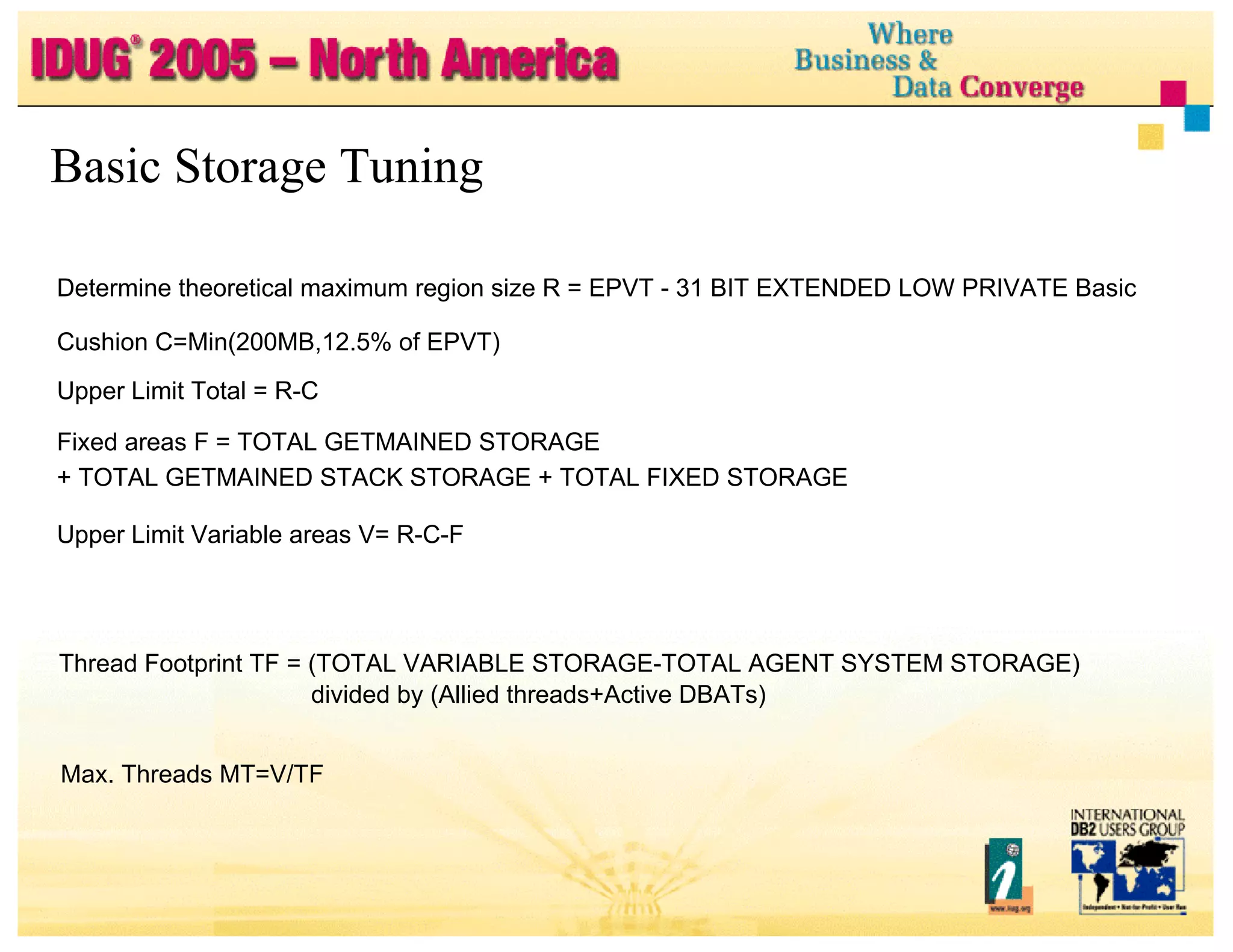
Determine theoretical maximum region size R = EPVT - 31 BIT EXTENDED LOW PRIVATE Basic Cushion C=Min(200MB,12.5% of EPVT) Upper Limit Total = R-C Fixed areas F = TOTAL GETMAINED STORAGE + TOTAL GETMAINED STACK STORAGE + TOTAL FIXED STORAGE Upper Limit Variable areas V= R-C-F Basic Storage Tuning Thread Footprint TF = (TOTAL VARIABLE STORAGE-TOTAL AGENT SYSTEM STORAGE) divided by (Allied threads+Active DBATs) Max. Threads MT=V/TF
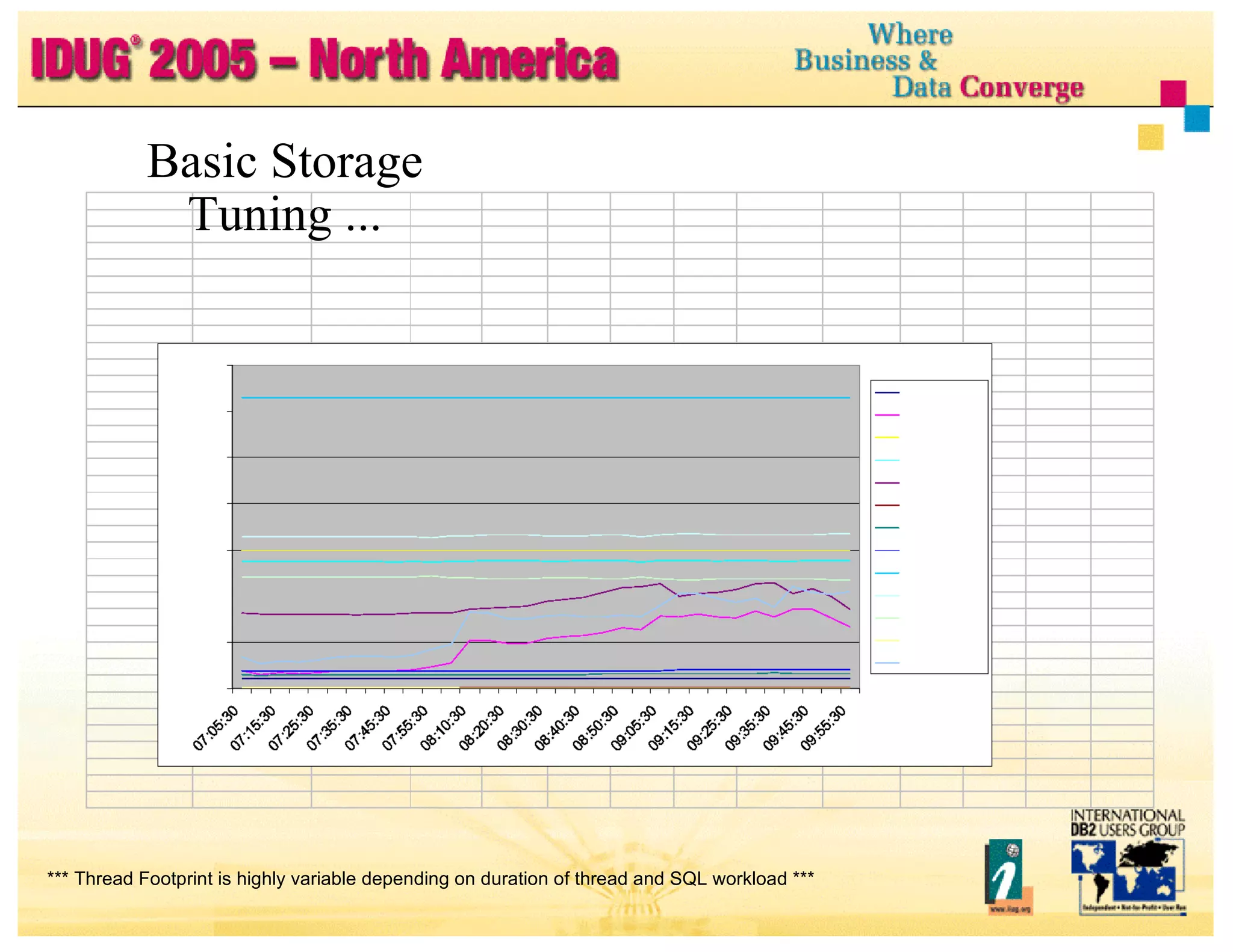
Basic Storage Tuning ... *** Thread Footprint is highly variable depending on duration of thread and SQL workload ***
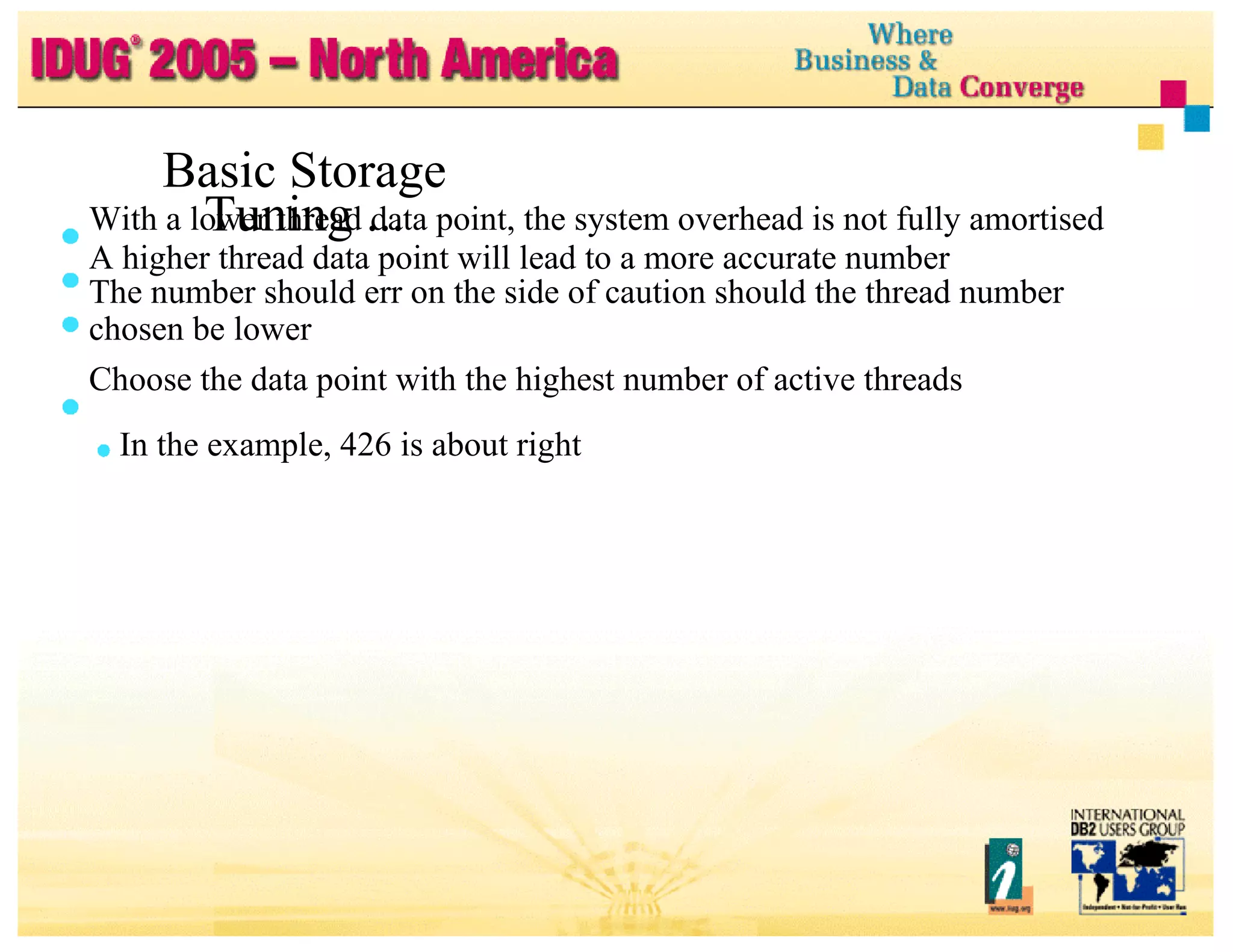
With a lower thread data point, the system overhead is not fully amortised A higher thread data point will lead to a more accurate number The number should err on the side of caution should the thread number chosen be lower Choose the data point with the highest number of active threads In the example, 426 is about right Basic Storage Tuning ...
Redundant Spare Capacity Problems &quot;Pedal to the Metal&quot; System set-up geared to price/performance at the expense of availability Consistently running over 90% processor busy and near 100% IBM eServer zSeries processes are designed to run at 100% busy But if insufficient spare capacity available for heavy OLTP environment Unable to handle extra ordinary workload arrival Unable to properly and quickly execute recovery actions Unable to spread and handle workload during unplanned outages More stress related software defects will be exposed More stress related user set-up problems will be exposed Higher incidence of unusual problems
Redundant Spare Capacity ... Recommendations if committed to achieving very high availability Design point for OLTP work 70% busy (average) 90% busy (peak) At over 70% LPAR busy must also have other lower priority workloads that can be pre-empted so that resources can be protected for OLTP work Using Parallel Sysplex model need additional spare or 'white space' capacity for workload distribution Benefits Handle extra ordinary workload arrival Properly and quickly execute recovery actions Handle workload distribution during unplanned outages Fewer stress related software defects Fewer stress related set-up problems Fewer unusual problems
High Performance Crash Recovery Problems Elongated DB2 Restart after DB2, LPAR, hardware failure Manual procedures slower and error prone Recommendation Tune for fast DB2 restarts Take frequent system checkpoints (circa 2-5 minutes) Control long-running URs Use Consistent restart (&quot;Postponed Abort&quot;) Maximal use of Fast Log Apply (FLA) Consider use DB2 zparm RETLWAIT option to wait for retained locks Automate restart of failed DB2 members z/OS Automatic Restart Manager Restart Light for cross system restarts
Thread Reuse and RELEASE DEALLOCATE Problems Use of persistent threads (thread reuse), with one mega plan with many packages and SQL statements, with RELEASE(DEALLOCATE) for OLTP is potentially a lethal combination Virtual storage capacity and availability issue Accumulating ever more storage for statements that are not being used Storage for unused statements can be left around until deallocation Ineffective thread and full system storage contraction Growth in EDM Pool consumption Resource contention Program rebind SQL DDL Mass delete on segmented tablespace Lock escalation SQL LOCK TABLE
Thread Reuse and RELEASE DEALLOCATE ... Good thing (... but you can have too much!) Persistent threads (thread reuse) good for high volume OLTP Avoids thread create and terminate (expensive) Reduces CPU impact for simple transactions With RELEASE DEALLOCATE Reduces CPU impact for simple transactions Reduces tablespace (TS) lock activity Reduces number of TS locks propagated to CF Reduces XES and False global lock contention (IS, IX locks) For batch with many commits, RELEASE(DEALLOCATE) avoids reset at commit for Sequential detection Index lookaside IPROC etc
Thread Reuse and RELEASE DEALLOCATE ... Recommendations Best reserved for High volume OLTP programs Batch programs that issue many commits For OLTP Build transaction scoring table based on frequency descending Ignore transactions <1/sec (bar) during average hour For transactions above the bar Consider use of CICS Protected ENTRY threads Set number based on average hour Use RELEASE(COMMIT) for plan Use RELEASE(DEALLOCATE) for high use and performance sensitive packages For transactions below the bar Use CICS Unprotected ENTRY and POOL threads Use RELEASE(COMMIT)
EDM Pool Tuning Problems Virtual storage above 16MB line in DBM 1 is a scarce resource Very large EDM Pool size is a big consumer driven by Persistent threads (thread reuse) and RELEASE(DEALLOCATE) Tuning for zero I/O and healthy number of free pages (luxury) Very large DBD sizes (small number of databases) Very high Latch Class 24 for EDM  ( >1K/sec ,  >10K/sec ) Use of zparm EDMBFIT=YES EDM Pool too small CACHDYN=YES and Not using EDM Dataspace extension
EDM Pool Tuning ... Recommendations EDM Pool Tuning Methodology (ROTs): EDM Pool Full = 0, and Non-stealable pages (CTs, PTs) < 50%, and Target Hit Ratio for CTs, PTs, DBDs of 95.0 - 99.0, and EDM Pool Size > 5 x max. DBD size Control (limit) maximum size of DBD Use -DIS DB(xyz) ONLY to find database size To reduce Latch Class 24 contention for EDM Always set zparm EDMBFIT=NO Increase EDM Pool size Move cached dynamic statement out into EDM Dataspace extension
Data Sharing Tuning Problems Excessive elapsed time for GRECP/LPL recovery GBP structures under stress Shortage of directory entries Periodic structure full condition Ineffective lock avoidance caused by long running URs For an object that is GBP-dependent Use minimum begin-UR LRSN across all active URs on all members as CLSN Questions over Global False Contention following z/OS R2 Average CF utilisation > 3 0-40% Bottlenecks in XCF communications (most critical resource) Avoiding active data sharing -> failover design
Data Sharing Tuning ... Recommendations Turn on DB2 managed GBP duplexing and keep it on ... Tune for optimal elapsed time for GRECP/LPL recovery Frequent castout Low CLASST (0-5) Low GBPOOLT (5-25) low GBPCHKPT (4) Activate Parallel Fast Log Apply in ZPARM LOGAPSTG and set to maximum buffer size of 100MB Frequent system and GBP checkpoints should ensure all recovery log data is on active logs Limit the number of objects per -STA DB command to 3 0-50 objects Limit the number of -STA DB per member to 10 based on 10MB of Fast Log Apply buffer per job (command) Spread -STA DB commands across all available members
Data Sharing Tuning ... Recommendations ... Use XES CF Structure Auto Alter for GBP cache structures It is a fine tuning mechanism, not the answer to all your structure sizing prayers “ Autonomic” attempt by XES to avoid filling up structures Structure Full avoidance (Directory/entry) reclaim avoidance Must make sure OW50397 and PQ681 14 applied CFLEVEL 12 (64-bit CFCP) strongly recommended Still need to make solid attempt at estimating size and ratio for structure Many more directory entries than data page elements Implement through STRUCTURE statement in CFRM policy ALLOWAUTOALT FULLTHRESHOLD 85-90% MINSIZE equal to INITSIZE SIZE equal to INITSIZE plus 30-50%
Data Sharing Tuning ... Recommendations ... Aggressively monitor for long running URs 'First cut' ROTs: Long Running Rollback: zparm URCHKTH<=5 DSNR035I Long Running UR: zparm URLGWTH=10(K) DSNJ03 1I Need Management Ownership and Process for getting rogue applications fixed up in a timely manner so that they commit frequently based on Elapsed time and/or CPU time (no. of SQL update statements) Criteria for commit frequency should be held in DB2 tables, should be easily updated and inflight application processes should pick up most current values Need effective pre-production QA process particularly for one off jobs
Data Sharing Tuning ... Recommendations ... XES Lock request can now suspend for sync-to-async conversion Previously XES Lock requests were always synchronous Conversion triggered by XES based on z/OS R2 heuristics Cap CPU overhead when running over distance Still elapsed time penalty Reported as 'false contention' in DB2 instrumentation Now difficult to distinguish between sync-to-async from false contention Need to look at RMF to understand true level of false contention
Data Sharing Tuning ... Recommendations ... Keep CPU utilisation for each CF over 15 minute interval below 30-40% Aggressively monitor XCF signalling resources Most critical shared resource Used by DB2 for global lock contention management and notify traffic ROTs: Transport class buffer: %BIG<= 1 % Message paths: &quot;All paths unavailable&quot; near 0 &quot;Request reject&quot; near 0 Percent of requests encountering &quot;busy&quot; <10% Useful commands for XCF transfer times: D XCF,PI,DEV=ALL, STATUS=WORKING D XCF,PI,STRNM=ALL Very important ROT for transfer times: < 2000 usec
Data Sharing Tuning ... Recommendations ... Exploit Parallel Sysplex and promote active DB2 data sharing Replicate applications and distribute incoming workload CPU cost of data sharing offset by Higher utilisation of configuration Higher throughput Reduces possibility of retained locks at gross (object) level Avoids 'open dataset' performance problem on workload failover]
RDS Sort Setup and Tuning Problems In many environments significant fluctuation in the amount of sort activity within and across members Some customers tuning for optimal performance High VDWQT and DWQT to complete sort without IO AOK for consistent number of small sorts Increased risk of hitting critical thresholds Data Manager Threshold (DMTH) Sequential Prefetch Threshold (SPTH) # Workfile Requests Rejected > 0 # Merge Pass Degraded > 0 VPSEQT=80 (default) Workfile (BP7) Bufferpool is often very large No advantage from Hiperpools How to configure workfiles ? High IOSQ for volumes with DB2 workfile tablespaces
RDS Sort Setup and Tuning ... RDS Sort Setup and Tuning ... Recommendations For robust, defensive configuration Always set VPSEQT= 100 Setting VPSEQT= 100 is only a problem when Many concurrent sorts, or a very large sort and relatively small workfile bufferpool Setting VPSEQT lower constrains the calculation of the number of logical workfiles allowed VPSEQT is definitely not intended for that purpose Virtual pool should be fully backed by central storage Average number of pages read with sequential prefetch > 4 If HPSIZE > 0, set HPSEQT= 100 Define at least 5 physical workfiles and spread around IO configuration
RDS Sort Setup and Tuning ... Recommendations ... Sort workfile placement example Assume 4 DB2 members Assume 24 volumes are available Each member should have 24 workfile tablespaces Each workfile tablespace would be 5 00MB except last one in sequence for each member which should be allowed to extend 24 Workfiles for each member isolated onto separate volumes All members should share all 24 volumes i.e., 4 workfile tablespaces on each volume ESS PAV to ameliorate workfile tablespace collision on the same volume
RDS Sort Setup and Tuning ... Recommendations Migrate from V5->V7, or V6->V7 Get positioned for V8 in 2004-5 Take advantage of advanced V7 high availability features Online subsystem parameter change Online REORG SWITCH Phase enhancements Enhanced storage cushion Below The Line Storage Constraint Relief Enhanced Consistent Restart (Postponed Abort) Use Restart Light for cross system restarts after LPAR failure Control long running URs based on time Take system checkpoints based on time Support for &quot;system-managed&quot; duplexing of CF structures
Migrate to Latest Hardware and Software ... Recommendations ... Take advantage of advanced V6 high availability features Fast Log Apply Restart (up to 3x improvement) RECOVER (up to 4x improvement) Consistent Restart (Postponed Abort) Control long running URs based on number of log records written Exploit dataspace Bufferpools for virtual storage constraint relief
Migrate to Latest Hardware and Software ... Recommendations ... Other hardware and software enhancements 64-bit real addressing in OS/390 R10 GDPS/PPRC HyperSwap zSeries Capacity Backup On Demand &quot;System-managed&quot; duplexing of CF structures Fast links for zSeries processors ISC-3, ICB-3, and IC-3 coupling links z/OS V1R2 sync-to-async conversion heuristic Reduced data sharing overhead OS/3 90 R10 &quot;Auto alter&quot; of CF structures XES monitors structure usage and dynamically adjusts size or directory/data ratio based on observations ALLOWAUTOALTER(NO|YES) in CFRM policy, default=NO CFCC Level 12 enhancements 64-bit addressing to allow for much larger CF structures
Shelton Reese DB2 for z/OS Support [email_address] Health Check Your DB2 System Part 1 and 2 Session: R12 and R13

Health Check Your DB2 UDB For Z/OS System

  • 1.
    Platform: z/OS HealthCheck Your DB2 UDB for z/OS System Part 1 and 2 Shelton Reese DB2 for z/OS Colorado State Utility Session: R12 and R13 Thursday 26th May at 08:30
  • 2.
    Introduction For anycustomer installation Several factors or dimensions involved in achieving very high level availability at application level Work required on an incremental basis towards achieving that goal DB2 product quality is an important but not exclusive factor Customer investment in 'insurance policies' is required to protect against exposures that cause outages and lead to extended recovery times e.g., Significant hardware and/or software failure Failures in standard recovery procedures Logical data corruption Operational error These investments have to be complemented by rigorous availability management, change management and test processes
  • 3.
    Analysis of MultipleSystem Outages by Type 253 Outages analysed Misc (2) 0.8% Q & A 12.6% (32) Not An Outage (60) 23.7% OEM (9) 3.6% APAR 10.3% Hardware (1) 0.4% Design Change (1) 0.4% Known Defect Insufficient Doc User Error Duplicate APAR OEM Not An Outage Q & A Misc Hardware Design Change Known Defect 19.8% (50) (39) Insufficient Doc 15.4% (32) User Error 12.6% Duplicate (1) 0.4% (26)
  • 4.
    Objectives of presentationare to: Introduce and discuss the most common issues Share experience from customer 'health check' studies Share experience from customer incidents Recommend best practice Encourage proactive behavior over regret analysis Introduction ...
  • 5.
    Topics High PerformanceMultiple Object Recovery Applying Preventative Service Application Design for High Availability and Performance Automation Strategy Virtual Storage Management above 16MB Line Redundant Spare Capacity High Performance Crash Recovery Thread Reuse and RELEASE DEALLOCATE EDM Pool Tuning Data Sharing Tuning RDS Sort Setup and Tuning Migrate to Latest Hardware and Software
  • 6.
    High Performance MultipleObject Recovery When is it required? Recovery of last resort if primary recovery action does not work e.g., LPL recovery really fails LOGONLY recovery fails GDPS fails to detect and handle DASD controller failure correctly Logical data corruption caused by: Operational error Rogue application program DB2, IRLM, z/OS code failure ISV code failure CF microcode failure DASD controller microcode failure DASD Controller Failure and GDPS class solution not implemented
  • 7.
    High Performance MultipleObject Recovery ... High Performance Multiple Object Recovery ... High Performance Multiple Object Recovery ... Mass Recovery scenario Assumptions 2-4TB data including indexes 2000 objects to be recovered Instant problem detection All processing stopped under recovery processing Possible errors Disk Controller microcode error Hardware error not correctly handled by GDPS Logical Recovery scenario Assumptions 0.5TB data lost including indexes 300 objects to be recovered Late problem detection e.g., up to 48 hours Processing ongoing during problem determination and recovery period Possible errors DB2 code errors (or other software/microcode errors)
  • 8.
    High Performance MultipleObject Recovery ... High Performance Multiple Object Recovery ... Common Issues Lengthy process for critical data Many hours at best Many days at worst Lack of planning, design, optimisation, practice & maintenance Procedures for taking backups and executing recovery compromised by lack of investment in technical configuration Use of tape including VTS Cannot share tape volumes across multiple jobs Relatively small number of read devices Concurrent recall can be a serious bottleneck
  • 9.
    High Performance MultipleObject Recovery ... Results: any or all of the following No estimate of elapsed time to complete Elongated elapsed time to complete recovery Performance bottlenecks so that recovery performance does not scale Breakage in procedures Surprises caused by changing technical configuration Unrecoverable objects
  • 10.
    High Performance MultipleObject Recovery ... Need to design for high performance and reduced elapsed time Plan, design, stress test and optimise Prioritise most critical applications Design for parallel recovery jobs Optimise utilisation of technical configuration Optimise the use of tape resources Procedures have to be 'tailored' based Available technical configuration Available tape media (ATL, VTS) Type of backup Method of taking backups Practice regularly
  • 11.
    High Performance MultipleObject Recovery ... Factors which greatly affect elapsed time RECOVER utility time = restore time + log scan time + log apply time Restore time: Number of pages, number of objects? ICs on tape or DASD? Degree of parallelism? Log scan time: Image copy frequency Archive logs needed to recover? Log read from archive is not as efficient as from active Archive logs on tape or DASD? Reads from DASD are faster Log apply time: Update frequency and update patterns Maximal fast log apply?
  • 12.
    High Performance MultipleObject Recovery ... Recommendations for fast recovery Use DASD for image copies and recovery logs Shorten full image copy (FIC) cycle time (<= 24 hours) to reduce log apply time Even more frequently for DB2 Catalog and Directory Most critical application data When using tape for image copy backups Take dual image copies to avoid image copy fallback Consider incremental image copy (IIC) IIC more efficient if <10% of (random) pages are changed CHANGELIMIT option on COPY can be used (default is 10%) Perform regular MERGECOPY of incremental copies in background For small objects Use DASD to write image copies and manage by DFSMS
  • 13.
    High Performance MultipleObject Recovery ... Recommendations for fast recovery ... Keep at least 48 hours of recovery log on DASD Maximum serial speed Avoid serialisation on tape during concurrent archive log read Large, dual active logs Prefetch log CIs IO load balancing between copy 1 and copy2 Reduced task switching Ensure copy 1/2 of logs are on different DASD subsystems Define as Extended Format Datasets and use VSAM Striping (2-3) Try to avoid access to archive log datasets If you have to access archives Write archive log to DASD and manage by DFSMS IBM Archive Log Accelerator (DM tool) Use DFSMS compression
  • 14.
    High Performance MultipleObject Recovery ... Recommendations for fast recovery ... Exploit Parallel Fast Log Apply (FLA) Recovery could be up to 4x faster with random page updates Set zparm LOG APPLY STORAGE (LOGAPSTG) to 100MB No more than 10 RECOVER jobs per member, for best results Each RECOVER job tries for a 10MB FLA buffer No more than 98 objects per RECOVER job, for best results RECOVER issues an internal commit after processing each buffer RECOVER is restartable from the last commit during log apply Use of PARALLEL Restore from DASD or tape during RECOVER RECOVER a list of objects involves a single pass of the recovery log Use multiple RECOVER jobs (up to 10) in parallel per member to increase bandwidth Run many more on different members to reduce contention for I/O DBM1 virtual storage FLA resources
  • 15.
    High Performance MultipleObject Recovery ... Recommendations for fast recovery ... COPY ENABLE YES for fast index recovery Especially for large indexes RECOVER is typically faster than REBUILD REBUILD preferred option after index vs table mismatches Index RECOVER can run in parallel with tablespace RECOVER Put indexes in same RECOVER as data since same log ranges Reduce pseudo close parameters PCLO SET and PCLO SEN to limit the log range With new data sharing APAR PQ69741 and CLOSE=NO datasets For partitioned tablespaces, use parallelism by part Parallel index build for REBUILD INDEX V8 will specify ACCESS=SEQ on all sequential log read requests Will trigger sequential pre-staging
  • 16.
    High Performance MultipleObject Recovery ... Recommendations for fast recovery ... Periodically reorganise SYSLGRNX! Bufferpool tuning At least 10000 buffers assigned to BP0 (Catalog/Directory) At least 5000 buffers assigned to BPx containing application objects Set DWQT <=10%, VDWQT <=1% Use ESA Compression where large uncompressed data row size and SQL activity is mainly INSERT and/or DELETE Make sure you have virtual storage 'head room' in DBM 1 address space
  • 17.
    Applying Preventative ServiceProblems Possibility of long prerequisite chain when having to apply emergency corrective service Delay in exploiting new availability functions Delay in applying DB2 serviceability enhancements to prevent outages Little or no HIPERs applied since the last preventative service drop Greater risk of outage caused by missing HIPER Incidents occur where HIPER available and not applied for many months Too long to roll out a new DB2 code level across production Too long to roll out of a new DB2 code level Unable to apply more than two preventative service packages per year Not able to 'roll out' all residual HIPERs on a monthly basis No safety net to catch user error in not spotting critical HIPERs
  • 18.
    Applying Preventative Service... Must balance for severity Problems encountered vs problems avoided Potential for PTF in Error (PE) Application work load type Windows available for installing service Need adaptive service strategy that is adjusted based on Experience over previous 12-18 months Aggression in changing environment and exploiting new function DB2 product and service plans 40% 20% 90% 80% 70% 60% 50% 30% 10% 0% 123456 Months PE % Old Bugs
  • 19.
    Applying Preventative Service... Recommendations Recognise that the world is not perfect Stay reasonably current with DB2 fixes, do not be reckless Follow new Revised Service Update (RSU) maintenance philosophy Take advantage of extended testing performed by IBM Consolidated Service Test (CST) Provides consolidated, tested, recommended set of service for z/OS or OS/390, and key subsystems like DB2 Use latest quarterly Revised Service Update (RSU) as the starting point to establish a new DB2 code level Customer responsibility to still test and stabilise in their environment Test and stabilise the new code level for 8 weeks before promoting new level to business production Promote to least critical subsystem first and most critical last Service will be 3-5 months back before it hits production
  • 20.
    Applying Preventative Service... Applying Preventative Service ... Applying Preventative Service ... Recommendations ... Apply preventative service 2-4 times each year User latest available quarterly RSU as a base Hold onto each package for 3-6 months Aim for an absolutely minimum of twice per year Receive Enhanced HOLDDATA on HIPERs and PEs on at least a weekly basis - especially just before a new maintenance package is promoted Pull all HIPERs and bring all maintenance on site so it is readily available Apply absolutely critical HIPERS/PEs on a weekly basis, any others in a 6 weekly rollout
  • 21.
    Applying Preventative Service... Applying Preventative Service ... Recommendations ... Replicating application workloads is key to achieving high availability using the foundation of Parallel Sysplex and active DB2 Data Sharing Make sure all application workloads are replicated Need multiple instances of same application across multiple systems Remove system/transaction affinities from rogue applications Avoid single system point of failures (e.g., single CICS region) Provides fault tolerant application processing Reduces need for planned outages to roll in service Should also improve application throughput and scalability
  • 22.
    Application Design forHigh Availability and Performance Problems Single points of control, serialisation, failure Critical applications tightly coupled by shared data to non-critical applications by shared data Batch window -> peep hole Late running batch impacting online day Long running batch processes without taking intermediate commit points Difficult for Online REORG to get successful drain Workloads not scaling
  • 23.
    Application Design forHigh Availability and Performance… Recommendations Remove application affinities and replicate applications Design for parallelism at application level for Batch and Online Frequent commit in long running batch applications Dynamic, table driven Application must be restartable from intermediate commit points Use light weight locking protocol Optimistic locking ISO(UR), or ISO(CS) CD(N) with ‘Version Number’ column Pull ‘Version Number’ column value on read Check and update on delete and update Avoid single points of control and serialisation e.g., Unique number generation Serial keys
  • 24.
    Application Design forHigh Availability and Performance ... Recommendations ... Design for ‘logical’ end of day Close open held cursors ahead of commit Follow recommendations for high volume concurrent insert Selective use Keep secondary (NPI) indexes to a minimum Insert at end of dataset (PCTFREE=FREEPAGE=0) Use of ESA compression MEMBER CLUSTER etc. For high volume transactions (top-down) Design for thread reuse Selective use RELEASE(DEALLOCATE) Test for compliance and scalability ahead of production
  • 25.
    Application Design forHigh Availability and Performance.. Recommendations ... Data isolation to loosely couple applications Build 'fire walls' Isolate data used by critical applications from non-critical applications Trade offs and mileage will vary Needs to be considered carefully Single integrated data source vs higher availability (and performance) Evaluate cost vs benefit Possible techniques Logical partitioning Asynchronous processing Data replication Duplicate updates
  • 26.
    Automation Strategy ProblemsOperating a enterprise data centre becoming ever more complex Multiple systems and large networks add even more complexity Tremendous amount of messages generated Critical DB2 messages can get easily lost particularly with data sharing Recommendations Use system automation Route copy of DB2 messages (DSN*) to separate destination Specific alerts coded and sent on for list of most critical messages Exclude specific messages which are classified as unimportant based on experience Lot of other automation for other products (not complete list) Attachment check in CICS and IMS SMS Pool check on different pools - tablespace, copies, archive logs Dataset Extents in SMS Pools MVS check of DB2 MVS Catalogs
  • 27.
    Automation Strategy ...Automation Strategy ... Recommended list of DB2 messages to send alerts for DSNI012I DSNJ1 03I DSNJ1 10E DSNJ111E DSNJ1 14I DSNJ1 15I DSNJ125I DSNJ128I DSNP007I DSNP01 1I DSNP03 1I DSNR035I DXR1 42E DXR1 70I
  • 28.
    Automation Strategy ...Recommended list of DB2 messages to send alerts for ... DSNI014I DSNJ004I DSNJ100I DSNJ103I DSNJ107I DSNJ108I DSNJ1 10E DSNJ111E DSNJ114I DSNJ1 15I DSNJ125I DSNJ128I DSNL008I DSNL030I DSNL501I DSNP002I DSNP007I DSNP011I DSNP03 1I DSNT500I Type 600 DSNR03 5I DSNX906I DXR142E DXR1 70I DXR1 67E
  • 29.
    Automation Strategy ...Automation Strategy ... Sample list of DB2 messages to be excluded DSN3 100I DSN3201I DSN9022I DSNB302I DSNB309I DSNB401I DSNB402I DSNB403I DSNB404I DSNB406I DSNB315I DSNJ001I DSNJ002I DSNJ003I DSNJ099I DSNJ127I DSNJ139I DSNJ31 1I DSNJ35 1I DSNJ354I DSNJ355I DSNJ359I DSNJ361I
  • 30.
    Automation Strategy ...Sample list of DB2 messages to be excluded ... DSNP010I DSNR001I DSNR002I DSNR003I DSNR004I DSNR005I DSNR006I DSNT375I DSNT376I DSNT501I DSNU1122I DSNV401I DSNV402I DSNW123I DSNW133I DSNY001I DSNZ002I DSN7507I DSN7100I
  • 31.
    Problems &quot;Out ofstorage&quot; conditions for DBM1 and IRLM emerging as one of the leading causes of customer reported outages Symptoms Individual DB2 threads may abend with 04E/RC=00E200xx Eventually DB2 subsystem may abend with abend S878 or S80A when critical task and no toleration of error Drivers Higher workload volumes Increasing use of dynamic SQL New Java and Web Sphere workloads Over allocation of buffer pools Over allocation of threads ZPARM throttles wide open: CTHREAD and MAXDBAT The VSTOR limit of 2GB for DBM 1 preventing linear performance increases as processor power applied grows Storage Management above the 16 MB line
  • 32.
    Virtual Storage Managementabove 16MB Line ... Virtual Storage Management above 16MB Line ... Virtual Storage Management above 16MB Line ... Recommendations Monitor storage consumption and study evolutionary trend using RMF VSTOR Report DB2PM Statistics Report|Trace Layout Long ZPARM SMFSTAT=(....,6) to generate IFCID 225 ZPARM STATIME=5 (mins) ZPARM SYNCVAL=0 Apply preventative service Monitor HIPERs and DB2 Storage INFO APAR II10817 on a weekly basis Develop and set virtual storage budget Determine how much non-thread related storage is required Develop how much storage is used per active thread Plan on keeping at least Min(200MB,12.5% of EPVT)MB spare for tuning, growth, recovery, etc. Determine how many active threads can be supported Set CTHREAD and MAXDBAT defensively for robustness to protect system
  • 33.
    Virtual Storage Managementabove 16MB Line ... Virtual Storage Management above 16MB Line ... Recommendations ... Exploit 64-bit ESAME and Dataspace Bufferpools for constraint relief Exploit DB2 enhancements to allow you to control virtual storage usage See other presentations and articles by John Campbell
  • 34.
    Determine theoretical maximumregion size R = EPVT - 31 BIT EXTENDED LOW PRIVATE Basic Cushion C=Min(200MB,12.5% of EPVT) Upper Limit Total = R-C Fixed areas F = TOTAL GETMAINED STORAGE + TOTAL GETMAINED STACK STORAGE + TOTAL FIXED STORAGE Upper Limit Variable areas V= R-C-F Basic Storage Tuning Thread Footprint TF = (TOTAL VARIABLE STORAGE-TOTAL AGENT SYSTEM STORAGE) divided by (Allied threads+Active DBATs) Max. Threads MT=V/TF
  • 35.
    Basic Storage Tuning... *** Thread Footprint is highly variable depending on duration of thread and SQL workload ***
  • 36.
    With a lowerthread data point, the system overhead is not fully amortised A higher thread data point will lead to a more accurate number The number should err on the side of caution should the thread number chosen be lower Choose the data point with the highest number of active threads In the example, 426 is about right Basic Storage Tuning ...
  • 37.
    Redundant Spare CapacityProblems &quot;Pedal to the Metal&quot; System set-up geared to price/performance at the expense of availability Consistently running over 90% processor busy and near 100% IBM eServer zSeries processes are designed to run at 100% busy But if insufficient spare capacity available for heavy OLTP environment Unable to handle extra ordinary workload arrival Unable to properly and quickly execute recovery actions Unable to spread and handle workload during unplanned outages More stress related software defects will be exposed More stress related user set-up problems will be exposed Higher incidence of unusual problems
  • 38.
    Redundant Spare Capacity... Recommendations if committed to achieving very high availability Design point for OLTP work 70% busy (average) 90% busy (peak) At over 70% LPAR busy must also have other lower priority workloads that can be pre-empted so that resources can be protected for OLTP work Using Parallel Sysplex model need additional spare or 'white space' capacity for workload distribution Benefits Handle extra ordinary workload arrival Properly and quickly execute recovery actions Handle workload distribution during unplanned outages Fewer stress related software defects Fewer stress related set-up problems Fewer unusual problems
  • 39.
    High Performance CrashRecovery Problems Elongated DB2 Restart after DB2, LPAR, hardware failure Manual procedures slower and error prone Recommendation Tune for fast DB2 restarts Take frequent system checkpoints (circa 2-5 minutes) Control long-running URs Use Consistent restart (&quot;Postponed Abort&quot;) Maximal use of Fast Log Apply (FLA) Consider use DB2 zparm RETLWAIT option to wait for retained locks Automate restart of failed DB2 members z/OS Automatic Restart Manager Restart Light for cross system restarts
  • 40.
    Thread Reuse andRELEASE DEALLOCATE Problems Use of persistent threads (thread reuse), with one mega plan with many packages and SQL statements, with RELEASE(DEALLOCATE) for OLTP is potentially a lethal combination Virtual storage capacity and availability issue Accumulating ever more storage for statements that are not being used Storage for unused statements can be left around until deallocation Ineffective thread and full system storage contraction Growth in EDM Pool consumption Resource contention Program rebind SQL DDL Mass delete on segmented tablespace Lock escalation SQL LOCK TABLE
  • 41.
    Thread Reuse andRELEASE DEALLOCATE ... Good thing (... but you can have too much!) Persistent threads (thread reuse) good for high volume OLTP Avoids thread create and terminate (expensive) Reduces CPU impact for simple transactions With RELEASE DEALLOCATE Reduces CPU impact for simple transactions Reduces tablespace (TS) lock activity Reduces number of TS locks propagated to CF Reduces XES and False global lock contention (IS, IX locks) For batch with many commits, RELEASE(DEALLOCATE) avoids reset at commit for Sequential detection Index lookaside IPROC etc
  • 42.
    Thread Reuse andRELEASE DEALLOCATE ... Recommendations Best reserved for High volume OLTP programs Batch programs that issue many commits For OLTP Build transaction scoring table based on frequency descending Ignore transactions <1/sec (bar) during average hour For transactions above the bar Consider use of CICS Protected ENTRY threads Set number based on average hour Use RELEASE(COMMIT) for plan Use RELEASE(DEALLOCATE) for high use and performance sensitive packages For transactions below the bar Use CICS Unprotected ENTRY and POOL threads Use RELEASE(COMMIT)
  • 43.
    EDM Pool TuningProblems Virtual storage above 16MB line in DBM 1 is a scarce resource Very large EDM Pool size is a big consumer driven by Persistent threads (thread reuse) and RELEASE(DEALLOCATE) Tuning for zero I/O and healthy number of free pages (luxury) Very large DBD sizes (small number of databases) Very high Latch Class 24 for EDM ( >1K/sec , >10K/sec ) Use of zparm EDMBFIT=YES EDM Pool too small CACHDYN=YES and Not using EDM Dataspace extension
  • 44.
    EDM Pool Tuning... Recommendations EDM Pool Tuning Methodology (ROTs): EDM Pool Full = 0, and Non-stealable pages (CTs, PTs) < 50%, and Target Hit Ratio for CTs, PTs, DBDs of 95.0 - 99.0, and EDM Pool Size > 5 x max. DBD size Control (limit) maximum size of DBD Use -DIS DB(xyz) ONLY to find database size To reduce Latch Class 24 contention for EDM Always set zparm EDMBFIT=NO Increase EDM Pool size Move cached dynamic statement out into EDM Dataspace extension
  • 45.
    Data Sharing TuningProblems Excessive elapsed time for GRECP/LPL recovery GBP structures under stress Shortage of directory entries Periodic structure full condition Ineffective lock avoidance caused by long running URs For an object that is GBP-dependent Use minimum begin-UR LRSN across all active URs on all members as CLSN Questions over Global False Contention following z/OS R2 Average CF utilisation > 3 0-40% Bottlenecks in XCF communications (most critical resource) Avoiding active data sharing -> failover design
  • 46.
    Data Sharing Tuning... Recommendations Turn on DB2 managed GBP duplexing and keep it on ... Tune for optimal elapsed time for GRECP/LPL recovery Frequent castout Low CLASST (0-5) Low GBPOOLT (5-25) low GBPCHKPT (4) Activate Parallel Fast Log Apply in ZPARM LOGAPSTG and set to maximum buffer size of 100MB Frequent system and GBP checkpoints should ensure all recovery log data is on active logs Limit the number of objects per -STA DB command to 3 0-50 objects Limit the number of -STA DB per member to 10 based on 10MB of Fast Log Apply buffer per job (command) Spread -STA DB commands across all available members
  • 47.
    Data Sharing Tuning... Recommendations ... Use XES CF Structure Auto Alter for GBP cache structures It is a fine tuning mechanism, not the answer to all your structure sizing prayers “ Autonomic” attempt by XES to avoid filling up structures Structure Full avoidance (Directory/entry) reclaim avoidance Must make sure OW50397 and PQ681 14 applied CFLEVEL 12 (64-bit CFCP) strongly recommended Still need to make solid attempt at estimating size and ratio for structure Many more directory entries than data page elements Implement through STRUCTURE statement in CFRM policy ALLOWAUTOALT FULLTHRESHOLD 85-90% MINSIZE equal to INITSIZE SIZE equal to INITSIZE plus 30-50%
  • 48.
    Data Sharing Tuning... Recommendations ... Aggressively monitor for long running URs 'First cut' ROTs: Long Running Rollback: zparm URCHKTH<=5 DSNR035I Long Running UR: zparm URLGWTH=10(K) DSNJ03 1I Need Management Ownership and Process for getting rogue applications fixed up in a timely manner so that they commit frequently based on Elapsed time and/or CPU time (no. of SQL update statements) Criteria for commit frequency should be held in DB2 tables, should be easily updated and inflight application processes should pick up most current values Need effective pre-production QA process particularly for one off jobs
  • 49.
    Data Sharing Tuning... Recommendations ... XES Lock request can now suspend for sync-to-async conversion Previously XES Lock requests were always synchronous Conversion triggered by XES based on z/OS R2 heuristics Cap CPU overhead when running over distance Still elapsed time penalty Reported as 'false contention' in DB2 instrumentation Now difficult to distinguish between sync-to-async from false contention Need to look at RMF to understand true level of false contention
  • 50.
    Data Sharing Tuning... Recommendations ... Keep CPU utilisation for each CF over 15 minute interval below 30-40% Aggressively monitor XCF signalling resources Most critical shared resource Used by DB2 for global lock contention management and notify traffic ROTs: Transport class buffer: %BIG<= 1 % Message paths: &quot;All paths unavailable&quot; near 0 &quot;Request reject&quot; near 0 Percent of requests encountering &quot;busy&quot; <10% Useful commands for XCF transfer times: D XCF,PI,DEV=ALL, STATUS=WORKING D XCF,PI,STRNM=ALL Very important ROT for transfer times: < 2000 usec
  • 51.
    Data Sharing Tuning... Recommendations ... Exploit Parallel Sysplex and promote active DB2 data sharing Replicate applications and distribute incoming workload CPU cost of data sharing offset by Higher utilisation of configuration Higher throughput Reduces possibility of retained locks at gross (object) level Avoids 'open dataset' performance problem on workload failover]
  • 52.
    RDS Sort Setupand Tuning Problems In many environments significant fluctuation in the amount of sort activity within and across members Some customers tuning for optimal performance High VDWQT and DWQT to complete sort without IO AOK for consistent number of small sorts Increased risk of hitting critical thresholds Data Manager Threshold (DMTH) Sequential Prefetch Threshold (SPTH) # Workfile Requests Rejected > 0 # Merge Pass Degraded > 0 VPSEQT=80 (default) Workfile (BP7) Bufferpool is often very large No advantage from Hiperpools How to configure workfiles ? High IOSQ for volumes with DB2 workfile tablespaces
  • 53.
    RDS Sort Setupand Tuning ... RDS Sort Setup and Tuning ... Recommendations For robust, defensive configuration Always set VPSEQT= 100 Setting VPSEQT= 100 is only a problem when Many concurrent sorts, or a very large sort and relatively small workfile bufferpool Setting VPSEQT lower constrains the calculation of the number of logical workfiles allowed VPSEQT is definitely not intended for that purpose Virtual pool should be fully backed by central storage Average number of pages read with sequential prefetch > 4 If HPSIZE > 0, set HPSEQT= 100 Define at least 5 physical workfiles and spread around IO configuration
  • 54.
    RDS Sort Setupand Tuning ... Recommendations ... Sort workfile placement example Assume 4 DB2 members Assume 24 volumes are available Each member should have 24 workfile tablespaces Each workfile tablespace would be 5 00MB except last one in sequence for each member which should be allowed to extend 24 Workfiles for each member isolated onto separate volumes All members should share all 24 volumes i.e., 4 workfile tablespaces on each volume ESS PAV to ameliorate workfile tablespace collision on the same volume
  • 55.
    RDS Sort Setupand Tuning ... Recommendations Migrate from V5->V7, or V6->V7 Get positioned for V8 in 2004-5 Take advantage of advanced V7 high availability features Online subsystem parameter change Online REORG SWITCH Phase enhancements Enhanced storage cushion Below The Line Storage Constraint Relief Enhanced Consistent Restart (Postponed Abort) Use Restart Light for cross system restarts after LPAR failure Control long running URs based on time Take system checkpoints based on time Support for &quot;system-managed&quot; duplexing of CF structures
  • 56.
    Migrate to LatestHardware and Software ... Recommendations ... Take advantage of advanced V6 high availability features Fast Log Apply Restart (up to 3x improvement) RECOVER (up to 4x improvement) Consistent Restart (Postponed Abort) Control long running URs based on number of log records written Exploit dataspace Bufferpools for virtual storage constraint relief
  • 57.
    Migrate to LatestHardware and Software ... Recommendations ... Other hardware and software enhancements 64-bit real addressing in OS/390 R10 GDPS/PPRC HyperSwap zSeries Capacity Backup On Demand &quot;System-managed&quot; duplexing of CF structures Fast links for zSeries processors ISC-3, ICB-3, and IC-3 coupling links z/OS V1R2 sync-to-async conversion heuristic Reduced data sharing overhead OS/3 90 R10 &quot;Auto alter&quot; of CF structures XES monitors structure usage and dynamically adjusts size or directory/data ratio based on observations ALLOWAUTOALTER(NO|YES) in CFRM policy, default=NO CFCC Level 12 enhancements 64-bit addressing to allow for much larger CF structures
  • 58.
    Shelton Reese DB2for z/OS Support [email_address] Health Check Your DB2 System Part 1 and 2 Session: R12 and R13