Password:1234
Home arm command:                     System home


                                      Password:1234
Status checking command:              System status


                                      Password:1234
Cancel alarm command:                 Alarm cancel


       Note: there is no space in the command“ password1234”, then newline
             enter “ system arm”, there is no punctuation in the command; the
             password as per the user's revised password.; when operate
             successfully, SMS auto reply“ operation successfully”, or else, will
             auto reply“ operation failed”.


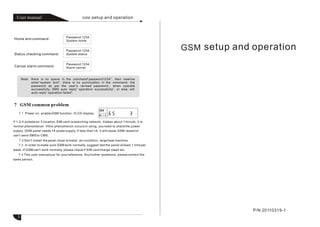
   7.1 Power on, enable GSM function, if LCD display

If 1,2,4 pulsate on 3 location, SIM card is searching network, it takes about 1 minute, it is
normal phenomenon. If this phenomenon occurs in using, you need to check the power
supply, GSM panel needs 1A power supply, if less than 1A, it will cause GSM restart or
can't send SMS to CMS.
    7.2 Don't install the panel close to metal, air-condition, large heat machine.
   7.3 In order to make sure GSM work normally, suggest test the panel at least 1 time per
week. If GSM can't work normally, please check if SIM card charge owed etc.
   7.4 This user manual just for your reference. Any further questions, please contact the
sales person.


                                                                                                P/N 20110319-1
   3
Menu
                                                                                                    Set “03000000#”system default no remind. The setting is“03+year+month+date
                                                    GSM ON/OFF                                 +# ”, each is 2 bit. When set SIM card successfully, It gives remind during 08 00---21
                                                                        Note:                  00 each day on the 10days before or after the preset date .. This function is to remind
                                                    GSM/Tel.line        9876 is system         the user check SIM charge, in order to make sure GSM can work normally. For example:
[System password]+[ 0 ]                                                 password, 1234 is      set 2010-12-12 as expiration date, setting as below:
                                                                        user password,as
                                                                                                [System password]+[ 0 ]
                                                                        perthe revised
                                                    GSM signal          system password
                                                                        when you operate.
                                                                                                Enter [System password]+[ 0 ]                                        LCD disply :
                                                                                                                                      Note: 30 is signal strength, the Max. 31, only if
  Enter       System password                                                                                                         the signal strength above 16, then it can send
                                                                                                                                      alarm information to CMS steadily via GSM.
                                                               Enabled
  [System password]+[ 0 ]
                                                               Disabled                           Press “ , ” to exit the settings.


          *                                                                                       6.1 GSM alarm receiving
   LCD display                    is enabled GSM function                                               When alarm occurs, GSM will call the preset voice number, it will voice
                                                                                                  prompt “system is alarm, please process the alarm, press 1 to cancel the alarm,
   LCD display                    is disabled GSM function, only use telephone line               press 2 to check alarm zone, press 3 to activate the hoot, press 4 to disabled the
                                  connect CMS and call voice numbers.                             hoot, press 5 to disarm, press 6 to arm, press 7 to standby, press 0 to hang up”.if
                                                                                                  receiving alarm, please press 2 to check in advance, voice prompt“ XX zone alarm”,
                                                                                                  first make sure it is false alarm then you can cancel the alarm. Don't error
                                                                                                  operation.
                                                                                                        Voice prompt “operation successfully” ,or else need to re-operate, if you want
                                                                                                  to hang up, please press 0, then hang up.
                                                               GSM priority
                                                                                                  6.2 GSM remote operation
  [System password]+[ 0 ]
                                                                                                      User can remote control the system by phone call, for example arm/disarm
                                                               Tel.line priority                 system, and status checking. You can call SIM card number, then panel will off
                                                                                                 hook the phone then enter the password, the default password is 1234, as per the
   LCD display                  is GSM priority, telephone line backup, if enabled this          revised user password when you operate, voice prompt “ press 1 to disarm, press 2
   function, when trigger alarm, it will send alarm information to CMS via GSM in                to arm, press 3 to standby, press 0 to hang up”. When operate successfully, voice
   priority. And send SMS to all voice numbers, including alarm information. If you              prompt “operation successfully”.
   want to send arm/disarm text message to user, must set arm/disarm information to
   CMS, the setting is: press* last for 3s System password# 4# 9# 2#. If SIM                      6.3 GSM control via SMS
   card charges owed or signal interference, it will send alarm information to CMS and
                                                                                                                                         Password:1234
   call voice numbers via telephone line automatically.                                           Arm command:                           System arm

    LCD display                     is telephone line priority, GSM backup, if alarm occurs,
   it will send alarm information to CMS and call voice numbers via telephone line in                                                    Password:1234
                                                                                                  Disarm command:                        System disarm
   priority, if telephone line faulty or was cut, auto turn to GSM.


   1                                                                                                                                                                                      2

GSM - User Manual

  • 1.
    Password:1234 Home arm command: System home Password:1234 Status checking command: System status Password:1234 Cancel alarm command: Alarm cancel Note: there is no space in the command“ password1234”, then newline enter “ system arm”, there is no punctuation in the command; the password as per the user's revised password.; when operate successfully, SMS auto reply“ operation successfully”, or else, will auto reply“ operation failed”. 7.1 Power on, enable GSM function, if LCD display If 1,2,4 pulsate on 3 location, SIM card is searching network, it takes about 1 minute, it is normal phenomenon. If this phenomenon occurs in using, you need to check the power supply, GSM panel needs 1A power supply, if less than 1A, it will cause GSM restart or can't send SMS to CMS. 7.2 Don't install the panel close to metal, air-condition, large heat machine. 7.3 In order to make sure GSM work normally, suggest test the panel at least 1 time per week. If GSM can't work normally, please check if SIM card charge owed etc. 7.4 This user manual just for your reference. Any further questions, please contact the sales person. P/N 20110319-1 3
  • 2.
    Menu Set “03000000#”system default no remind. The setting is“03+year+month+date GSM ON/OFF +# ”, each is 2 bit. When set SIM card successfully, It gives remind during 08 00---21 Note: 00 each day on the 10days before or after the preset date .. This function is to remind GSM/Tel.line 9876 is system the user check SIM charge, in order to make sure GSM can work normally. For example: [System password]+[ 0 ] password, 1234 is set 2010-12-12 as expiration date, setting as below: user password,as [System password]+[ 0 ] perthe revised GSM signal system password when you operate. Enter [System password]+[ 0 ] LCD disply : Note: 30 is signal strength, the Max. 31, only if Enter System password the signal strength above 16, then it can send alarm information to CMS steadily via GSM. Enabled [System password]+[ 0 ] Disabled Press “ , ” to exit the settings. * 6.1 GSM alarm receiving LCD display is enabled GSM function When alarm occurs, GSM will call the preset voice number, it will voice prompt “system is alarm, please process the alarm, press 1 to cancel the alarm, LCD display is disabled GSM function, only use telephone line press 2 to check alarm zone, press 3 to activate the hoot, press 4 to disabled the connect CMS and call voice numbers. hoot, press 5 to disarm, press 6 to arm, press 7 to standby, press 0 to hang up”.if receiving alarm, please press 2 to check in advance, voice prompt“ XX zone alarm”, first make sure it is false alarm then you can cancel the alarm. Don't error operation. Voice prompt “operation successfully” ,or else need to re-operate, if you want to hang up, please press 0, then hang up. GSM priority 6.2 GSM remote operation [System password]+[ 0 ] User can remote control the system by phone call, for example arm/disarm Tel.line priority system, and status checking. You can call SIM card number, then panel will off hook the phone then enter the password, the default password is 1234, as per the LCD display is GSM priority, telephone line backup, if enabled this revised user password when you operate, voice prompt “ press 1 to disarm, press 2 function, when trigger alarm, it will send alarm information to CMS via GSM in to arm, press 3 to standby, press 0 to hang up”. When operate successfully, voice priority. And send SMS to all voice numbers, including alarm information. If you prompt “operation successfully”. want to send arm/disarm text message to user, must set arm/disarm information to CMS, the setting is: press* last for 3s System password# 4# 9# 2#. If SIM 6.3 GSM control via SMS card charges owed or signal interference, it will send alarm information to CMS and Password:1234 call voice numbers via telephone line automatically. Arm command: System arm LCD display is telephone line priority, GSM backup, if alarm occurs, it will send alarm information to CMS and call voice numbers via telephone line in Password:1234 Disarm command: System disarm priority, if telephone line faulty or was cut, auto turn to GSM. 1 2