Groovy Domain-Specific Languages
Andrew Eisenberg                                                             Paul King     Guillaume Laforge
Groovy Eclipse Project Lead                                        Groovy Core Developer    Groovy Project Manager
  SpringSource / VMware                                                   ASERT             SpringSource / VMware
       @werdnagreb                                                        @paulk_asert           @glaforge

  © 2012 SpringOne 2GX. All rights reserved. Do not distribute without permission.
Andrew Eisenberg
    • Groovy-Eclipse project lead
    • Senior Member of Technical Staff,VMware Tools Team
      – Grails-IDE, GGTS, AJDT, STS, Scripted, Orion project

    • PhD in Computer Science from University of British Columbia

    • Follow me:
      – Twitter: @werdnagreb
      – Blog: http://contraptionsforprogramming.blogspot.ca/
      – Google+: http://gplus.to/aeisenberg
2
Paul King
    • Groovy Core Committer
    • Leads ASERT
      – software, training, consultancy company
        based in Brisbane, Australia

    • PhD in Computer Science from The University of Queensland
    • Co-author of Groovy in Action

    • Follow me:
      – Twitter: @paulk_asert
3
Guillaume Laforge
    • Groovy Project Manager at VMware
      • Initiator of the Grails framework
      • Creator of the Gaelyk

    • Co-author of Groovy in Action

    • Follow me:
      • My blog: http://glaforge.appspot.com
      • Twitter: @glaforge
      • Google+: http://gplus.to/glaforge
4
Introduction
                                                                          Definitions
                                                                          Examples
                                                                            Goals
                                                                         Pros & cons

© 2012 SpringOne 2GX. All rights reserved. Do not distribute without permission.
Domain-Specific Languages


                     {                                                          }
                          A Domain-Specific Language is a programming
                          language or executable specification language that
                          offers, through appropriate notations and
                          abstractions, expressive power focused on, and
                          usually restricted to, a particular problem domain.


    • In contrast to General Purpose Languages
    • Also known as: fluent / humane interfaces, language oriented
      programming, little or mini languages, macros, business natural
      languages...
6
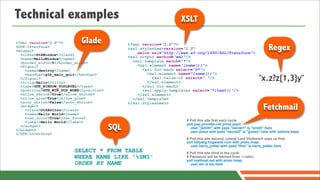
Technical examples                                                    XSLT

<?xml version="1.0"?>        Glade
                                                                                                                          Regex
                                                <?xml version="1.0"?>
<GTK-Interface>
                                                <xsl:stylesheetversion="1.0"
<widget>
  <class>GtkWindow</class>                          xmlns:xsl="http://www.w3.org/1999/XSL/Transform">
  <name>HelloWindow</name>                      <xsl:output method="xml"/>
  <border_width>5</border_width>                  <xsl:template match="*">
  <Signal>                                          <xsl:element name="{name()}">
    <name>destroy</name>                              <xsl:for-each select="@*">
    <handler>gtk_main_quit</handler>                    <xsl:element name="{name()}">
  </Signal>
  <title>Hello</title>
                                                          <xsl:value-of select="."/>
                                                        </xsl:element>
                                                                                                                    "x.z?z{1,3}y"
  <type>GTK_WINDOW_TOPLEVEL</type>                    </xsl:for-each>
  <position>GTK_WIN_POS_NONE</position>               <xsl:apply-templates select="*|text()"/>
  <allow_shrink>True</allow_shrink>                 </xsl:element>
  <allow_grow>True</allow_grow>                   </xsl:template>
  <auto_shrink>False</auto_shrink>              </xsl:stylesheet>
  <widget>
    <class>GtkButton</class>                                                                                           Fetchmail
    <name>Hello World</name>
    <can_focus>True</can_focus>
    <label>Hello World</label>                                          # Poll this site first each cycle.

                                          SQL
                                                                        poll pop.provider.net proto pop3
  </widget>
                                                                          user "jsmith" with pass "secret1" is "smith" here
</widget>
                                                                          user jones with pass "secret2" is "jjones" here with options keep
</GTK-Interface>
                                                                        # Poll this site second, unless Lord Voldemort zaps us first.
                                                                        poll billywig.hogwarts.com with proto imap:
                                                                          user harry_potter with pass "floo" is harry_potter here
                         SELECT * FROM TABLE                            # Poll this site third in the cycle.
                         WHERE NAME LIKE '%SMI'                         # Password will be fetched from ~/.netrc
                                                                        poll mailhost.net with proto imap:
                         ORDER BY NAME                                    user esr is esr here
Antimalaria drug             Insurance policy risk        HR skills representation
resistance simulation        calculation engine


                                                           Nuclear safety simulations


Market data feeds analysis                       Loan acceptance rules engine
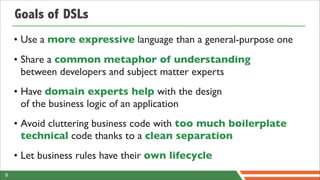
Goals of DSLs
    • Use a more expressive language than a general-purpose one
    • Share a common metaphor of understanding
      between developers and subject matter experts
    • Have domain experts help with the design
      of the business logic of an application
    • Avoid cluttering business code with too much boilerplate
      technical code thanks to a clean separation
    • Let business rules have their own lifecycle
9
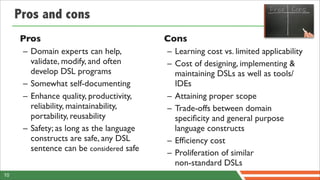
Pros and cons
     Pros                                 Cons
      – Domain experts can help,          – Learning cost vs. limited applicability
        validate, modify, and often       – Cost of designing, implementing &
        develop DSL programs                maintaining DSLs as well as tools/
      – Somewhat self-documenting           IDEs
      – Enhance quality, productivity,    – Attaining proper scope
        reliability, maintainability,     – Trade-offs between domain
        portability, reusability            specificity and general purpose
      – Safety; as long as the language     language constructs
        constructs are safe, any DSL      – Efficiency cost
        sentence can be considered safe
                                          – Proliferation of similar
                                            non-standard DSLs
10
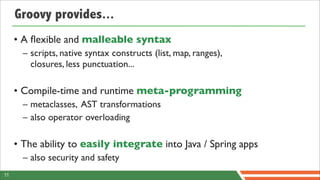
Groovy provides...
     • A flexible and malleable syntax
       – scripts, native syntax constructs (list, map, ranges),
         closures, less punctuation...

     • Compile-time and runtime meta-programming
       – metaclasses, AST transformations
       – also operator overloading

     • The ability to easily integrate into Java / Spring apps
       – also security and safety
11
Let’s get started!


© 2012 SpringOne 2GX. All rights reserved. Do not distribute without permission.
Your mission:   build a DSL for
                  a Mars robot
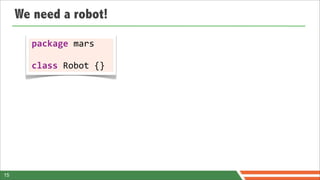
We need a robot!

       package	
  mars

       class	
  Robot	
  {}


15
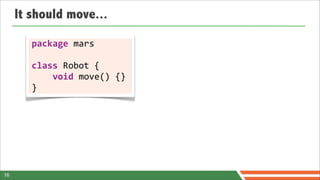
It should move...

        package	
  mars	
  

        class	
  Robot	
  {


  void	
  move()	
  {}
        }


16
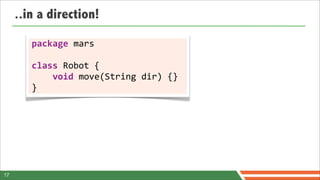
..in a direction!

        package	
  mars	
  

        class	
  Robot	
  {


  void	
  move(String	
  dir)	
  {}
        }


17
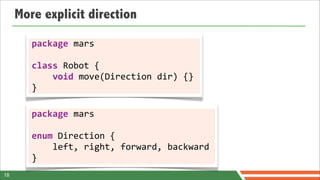
More explicit direction

        package	
  mars	
  

        class	
  Robot	
  {


  void	
  move(Direction	
  dir)	
  {}
        }

        package	
  mars	
  

        enum	
  Direction	
  {


  left,	
  right,	
  forward,	
  backward
        }
18
Now how can we control it?

       import	
  static	
  mars.Direction.*;
       import	
  mars.Robot;

       public	
  class	
  Command	
  {


  public	
  static	
  void	
  main(String[]	
  args)	
  {


  Robot	
  robot	
  =	
  new	
  Robot();


  robot.move(left);


  }
       }


19
Now how can we control it?

       import	
  static	
  mars.Direction.*;
       import	
  mars.Robot;

       public	
  class	
  Command	
  {


  public	
  static	
  void	
  main(String[]	
  args)	
  {


  Robot	
  robot	
  =	
  new	
  Robot();


  robot.move(left);


  }
       }                                                  Syntactical
                                           noise!

19
Now how can we control it?


  —
       import	
  static	
  mars.Direction.*;


  —
       import	
  mars.Robot;

       ——————————————————————
       public	
  class	
  Command	
  {


  ————————————————————————————————————————


  public	
  static	
  void	
  main(String[]	
  args)	
  {


  —————	


  —


  Robot	
  robot	
  =	
  new	
  Robot();


  —	


  ——


  robot.move(left);


  —


  }
       —
       }                                                                               Syntactical
                                                                                              noise!

19
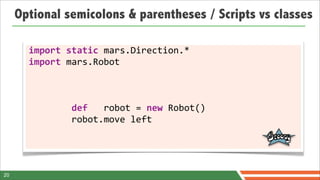
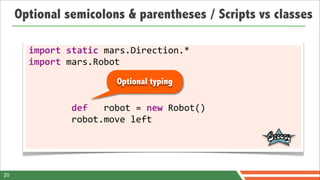
Optional semicolons & parentheses / Scripts vs classes

       import	
  static	
  mars.Direction.*
       import	
  mars.Robot


  def	
  	
  	
  robot	
  =	
  new	
  Robot()


  robot.move	
  left


20
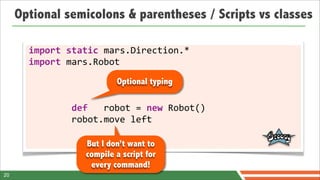
Optional semicolons & parentheses / Scripts vs classes

       import	
  static	
  mars.Direction.*
       import	
  mars.Robot
                                            Optional typing


  def	
  	
  	
  robot	
  =	
  new	
  Robot()


  robot.move	
  left


20
Optional semicolons & parentheses / Scripts vs classes

       import	
  static	
  mars.Direction.*
       import	
  mars.Robot
                                            Optional typing


  def	
  	
  	
  robot	
  =	
  new	
  Robot()


  robot.move	
  left

                               But I don’t want to
                               compile a script for
                                every command!
20
Integration
GroovyShell to the rescue


22
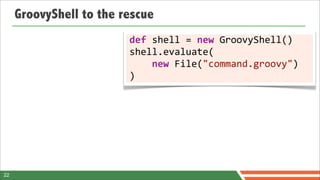
GroovyShell to the rescue
                         def	
  shell	
  =	
  new	
  GroovyShell()
                         shell.evaluate(


  new	
  File("command.groovy")
                         )


22
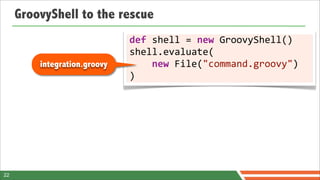
GroovyShell to the rescue
                              def	
  shell	
  =	
  new	
  GroovyShell()
                              shell.evaluate(
         integration.groovy   	


  new	
  File("command.groovy")
                              )


22
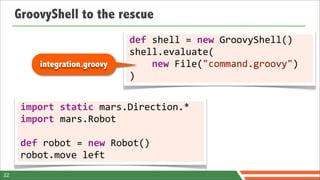
GroovyShell to the rescue
                                   def	
  shell	
  =	
  new	
  GroovyShell()
                                   shell.evaluate(
           integration.groovy      	


  new	
  File("command.groovy")
                                   )


      import	
  static	
  mars.Direction.*
      import	
  mars.Robot

      def	
  robot	
  =	
  new	
  Robot()
      robot.move	
  left
22
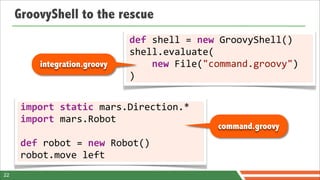
GroovyShell to the rescue
                                   def	
  shell	
  =	
  new	
  GroovyShell()
                                   shell.evaluate(
           integration.groovy      	


  new	
  File("command.groovy")
                                   )


      import	
  static	
  mars.Direction.*
      import	
  mars.Robot
                                                          command.groovy
      def	
  robot	
  =	
  new	
  Robot()
      robot.move	
  left
22
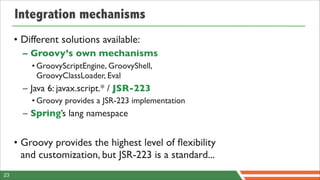
Integration mechanisms
     • Different solutions available:
       – Groovy’s own mechanisms
         • GroovyScriptEngine, GroovyShell,
           GroovyClassLoader, Eval
       – Java 6: javax.script.* / JSR-223
         • Groovy provides a JSR-223 implementation
       – Spring’s lang namespace


     • Groovy provides the highest level of flexibility
       and customization, but JSR-223 is a standard...
23
Integration mechanisms
     • Different solutions available:
       – Groovy’s own mechanisms
         • GroovyScriptEngine, GroovyShell,
           GroovyClassLoader, Eval
       – Java 6: javax.script.* / JSR-223
         • Groovy provides a JSR-223 implementation
       – Spring’s lang namespace


     • Groovy provides the highest level of flexibility
       and customization, but JSR-223 is a standard...
23
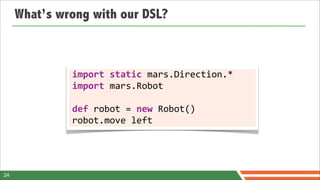
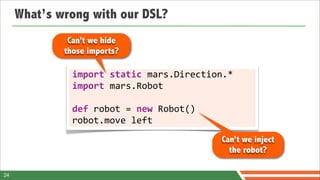
What’s wrong with our DSL?


              import	
  static	
  mars.Direction.*
              import	
  mars.Robot

              def	
  robot	
  =	
  new	
  Robot()
              robot.move	
  left


24
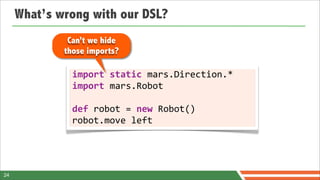
What’s wrong with our DSL?
              Can’t we hide
             those imports?

               import	
  static	
  mars.Direction.*
               import	
  mars.Robot

               def	
  robot	
  =	
  new	
  Robot()
               robot.move	
  left


24
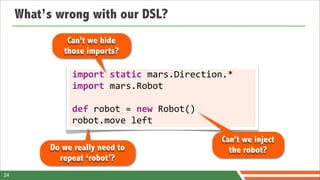
What’s wrong with our DSL?
              Can’t we hide
             those imports?

               import	
  static	
  mars.Direction.*
               import	
  mars.Robot

               def	
  robot	
  =	
  new	
  Robot()
               robot.move	
  left
                                                     Can’t we inject
                                                       the robot?

24
What’s wrong with our DSL?
               Can’t we hide
              those imports?

                import	
  static	
  mars.Direction.*
                import	
  mars.Robot

                def	
  robot	
  =	
  new	
  Robot()
                robot.move	
  left
                                                      Can’t we inject
           Do we really need to                         the robot?
             repeat ‘robot’?
24
I’m sorry Dave,
you can’t do that!
I’m sorry Dave,
you can’t do that!
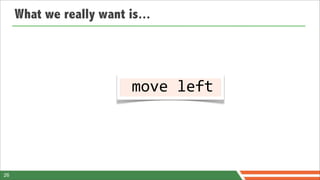
What we really want is...


  move	
  left	


26
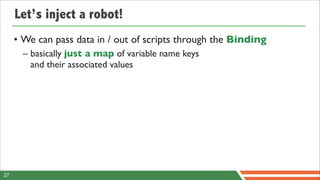
Let’s inject a robot!
     • We can pass data in / out of scripts through the Binding
       – basically just a map of variable name keys
         and their associated values


27
Let’s inject a robot!
     • We can pass data in / out of scripts through the Binding
       – basically just a map of variable name keys
         and their associated values

                 def	
  binding	
  =	
  new	
  Binding([


  robot:	
  new	
  mars.Robot()
                 ])
                 def	
  shell	
  =	
  new	
  GroovyShell(binding)
                 shell.evaluate(


  new	
  File("command.groovy")
                 )

27
Let’s inject a robot!
     • We can pass data in / out of scripts through the Binding
       – basically just a map of variable name keys
         and their associated values
                                                           integration.groovy
                 def	
  binding	
  =	
  new	
  Binding([


  robot:	
  new	
  mars.Robot()
                 ])
                 def	
  shell	
  =	
  new	
  GroovyShell(binding)
                 shell.evaluate(


  new	
  File("command.groovy")
                 )

27
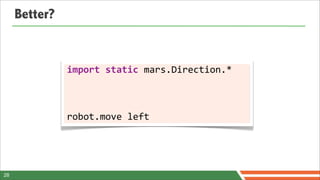
Better?


               import	
  static	
  mars.Direction.*


               robot.move	
  left


28
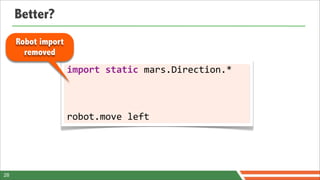
Better?
     Robot import
       removed
                    import	
  static	
  mars.Direction.*


                    robot.move	
  left


28
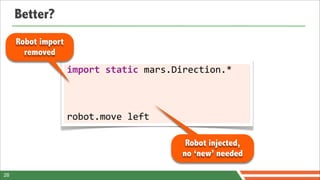
Better?
     Robot import
       removed
                    import	
  static	
  mars.Direction.*


                    robot.move	
  left

                                              Robot injected,
                                             no ‘new’ needed

28
How to inject the direction?
     • Using the    import	
  mars.*
       binding...
                    def	
  binding	
  =	
  new	
  Binding([


  robot:	
  new	
  Robot(),


  left:	


  Direction.left,


  right:	


  Direction.right,


  backward:	
  Direction.backward,


  forward:	
  	
  Direction.forward
                    ])
                    def	
  shell	
  =	
  new	
  GroovyShell(binding)
                    shell.evaluate(


  new	
  File("command.groovy")
                    )

29
How to inject the direction?
     • Using the    import	
  mars.*                                Fragile in case of
                                                                     new directions!
       binding...
                    def	
  binding	
  =	
  new	
  Binding([


  robot:	
  new	
  Robot(),


  left:	


  Direction.left,


  right:	


  Direction.right,


  backward:	
  Direction.backward,


  forward:	
  	
  Direction.forward
                    ])
                    def	
  shell	
  =	
  new	
  GroovyShell(binding)
                    shell.evaluate(


  new	
  File("command.groovy")
                    )

29
How to inject the direction?
     • Using the        import	
  mars.*	
  
       binding...
                        def	
  binding	
  =	
  new	
  Binding([


  robot:	
  new	
  Robot(),


  *:	
  Direction.values()


  .collectEntries	
  {
           Spread map   	


  [(it.name()):	
  it]
            operator    	


  }
                        ])
                        def	
  shell	
  =	
  new	
  GroovyShell(binding)
                        shell.evaluate(


  new	
  File("command.groovy")
                        )

30
How to inject the direction?
     • Using string concatenation?

     • Using compiler customizers


31
String concatenation? Bad idea!


       new	
  GroovyShell(new	
  Binding([robot:	
  new	
  mars.Robot()]))


  .evaluate("import	
  static	
  mars.Direction.*n"	
  +


  "robot.move	
  left")


32
String concatenation? Bad idea!


                                                       Cheat with string
                                                     concatenation? Bad!


       new	
  GroovyShell(new	
  Binding([robot:	
  new	
  mars.Robot()]))


  .evaluate("import	
  static	
  mars.Direction.*n"	
  +


  "robot.move	
  left")


32
String concatenation? Bad idea!


       new	
  GroovyShell(new	
  Binding([robot:	
  new	
  mars.Robot()]))


  .evaluate("import	
  static	
  mars.Direction.*n"	
  +


  "robot.move	
  left")


32
String concatenation? Bad idea!


                 Line #1
                 becomes
                 Line #2


       new	
  GroovyShell(new	
  Binding([robot:	
  new	
  mars.Robot()]))


  .evaluate("import	
  static	
  mars.Direction.*n"	
  +


  "robot.move	
  left")


32
String concatenation? Bad idea!


       new	
  GroovyShell(new	
  Binding([robot:	
  new	
  mars.Robot()]))


  .evaluate("import	
  static	
  mars.Direction.*n"	
  +


  "robot.move	
  left")


32
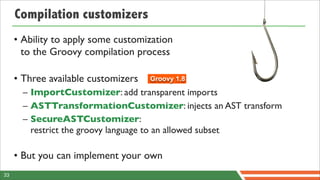
Compilation customizers
     • Ability to apply some customization
       to the Groovy compilation process

     • Three available customizers   Groovy 1.8

       – ImportCustomizer: add transparent imports
       – ASTTransformationCustomizer: injects an AST transform
       – SecureASTCustomizer:
         restrict the groovy language to an allowed subset

     • But you can implement your own
33
Imports customizer
        def	
  configuration	
  =	
  new	
  CompilerConfiguration()
        	
  
        def	
  imports	
  =	
  new	
  ImportCustomizer()
        imports.addStaticStar(mars.Direction.name)
        configuration.addCompilationCustomizers(imports)	


        new	
  GroovyShell(new	
  Binding([robot:	
  new	
  mars.Robot()]),	


  configuration)


  .evaluate("robot.move	
  left")	


34
AST transformation customizer
        def	
  configuration	
  =	
  new	
  CompilerConfiguration()
        	
  
        def	
  imports	
  =	
  new	
  ImportCustomizer()
        imports.addStaticStar(mars.Direction.name)
        configuration.addCompilationCustomizers(imports,


  new	
  ASTTransformationCustomizer(Log))
        	
  
        new	
  GroovyShell(new	
  Binding([robot:	
  new	
  mars.Robot()]),	


  configuration)


  .evaluate("robot.move	
  left"	
  +	
  "n"


  "log.info	
  ‘Robot	
  moved’")	


35
AST transformation customizer
         def	
  configuration	
  =	
  new	
  CompilerConfiguration()
         	
  
         def	
  imports	
  =	
  new	
  ImportCustomizer()
         imports.addStaticStar(mars.Direction.name)
         configuration.addCompilationCustomizers(imports,


  new	
  ASTTransformationCustomizer(Log))
         	
  
         new	
  GroovyShell(new	
  Binding([robot:	
  new	
  mars.Robot()]),	


  configuration)


  .evaluate("robot.move	
  left"	
  +	
  "n"


  "log.info	
  ‘Robot	
  moved’")	


     @Log injects a logger in
       scripts and classes
35
Secure the onboard
trajectory calculator
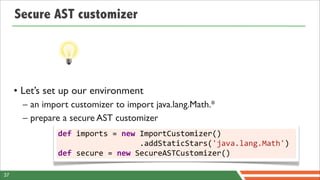
Secure AST customizer


     • Let’s set up our environment
       – an import customizer to import java.lang.Math.*
       – prepare a secure AST customizer
               def	
  imports	
  =	
  new	
  ImportCustomizer()


  .addStaticStars('java.lang.Math')
               def	
  secure	
  =	
  new	
  SecureASTCustomizer()

37
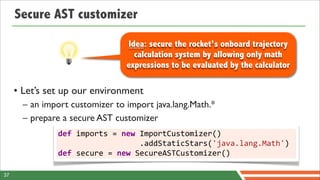
Secure AST customizer

                                              Idea: secure the rocket’s onboard trajectory
                                                calculation system by allowing only math
                                              expressions to be evaluated by the calculator

     • Let’s set up our environment
       – an import customizer to import java.lang.Math.*
       – prepare a secure AST customizer
               def	
  imports	
  =	
  new	
  ImportCustomizer()


  .addStaticStars('java.lang.Math')
               def	
  secure	
  =	
  new	
  SecureASTCustomizer()

37
Secure AST customizer
       ...
       secure.with	
  {
            //	
  disallow	
  closure	
  creation
            closuresAllowed	
  =	
  false	
  
            //	
  disallow	
  method	
  definitions
            methodDefinitionAllowed	
  =	
  false	


            //	
  empty	
  white	
  list	
  =>	
  forbid	
  imports
            importsWhitelist	
  =	
  []	
  
            staticImportsWhitelist	
  =	
  []
            //	
  only	
  allow	
  the	
  java.lang.Math.*	
  static	
  import
            staticStarImportsWhitelist	
  =	
  ['java.lang.Math']
       ...

38
Secure AST customizer
                                                        Disallow closures
       ...                                                and methods
       secure.with	
  {
            //	
  disallow	
  closure	
  creation
            closuresAllowed	
  =	
  false	
  
            //	
  disallow	
  method	
  definitions
            methodDefinitionAllowed	
  =	
  false	


            //	
  empty	
  white	
  list	
  =>	
  forbid	
  imports
            importsWhitelist	
  =	
  []	
  
            staticImportsWhitelist	
  =	
  []
            //	
  only	
  allow	
  the	
  java.lang.Math.*	
  static	
  import
            staticStarImportsWhitelist	
  =	
  ['java.lang.Math']
       ...

38
Secure AST customizer
                                                        Disallow closures
       ...                                                and methods
       secure.with	
  {
            //	
  disallow	
  closure	
  creation
            closuresAllowed	
  =	
  false	
  
            //	
  disallow	
  method	
  definitions                 Black / white list
            methodDefinitionAllowed	
  =	
  false	
  
                                                                          imports
       	
  
            //	
  empty	
  white	
  list	
  =>	
  forbid	
  imports
            importsWhitelist	
  =	
  []	
  
            staticImportsWhitelist	
  =	
  []
            //	
  only	
  allow	
  the	
  java.lang.Math.*	
  static	
  import
            staticStarImportsWhitelist	
  =	
  ['java.lang.Math']
       ...

38
Secure AST customizer
      ...
             //	
  language	
  tokens	
  allowed
             tokensWhitelist	
  =	
  [
                PLUS,	
  MINUS,	
  MULTIPLY,	
  DIVIDE,	
  MOD,	
  POWER,	
  PLUS_PLUS,	
  MINUS_MINUS,	
  
                COMPARE_EQUAL,	
  COMPARE_NOT_EQUAL,	
  COMPARE_LESS_THAN,	
  COMPARE_LESS_THAN_EQUAL,	
  
                COMPARE_GREATER_THAN,	
  COMPARE_GREATER_THAN_EQUAL
             ]
      	
  
             //	
  types	
  allowed	
  to	
  be	
  used	
  (including	
  primitive	
  types)
             constantTypesClassesWhiteList	
  =	
  [
                Integer,	
  Float,	
  Long,	
  Double,	
  BigDecimal,	
  
                Integer.TYPE,	
  Long.TYPE,	
  Float.TYPE,	
  Double.TYPE
             ]
      	
  
             //	
  classes	
  who	
  are	
  allowed	
  to	
  be	
  receivers	
  of	
  method	
  calls
             receiversClassesWhiteList	
  =	
  [	
  
                Math,	
  Integer,	
  Float,	
  Double,	
  Long,	
  BigDecimal	
  ]
      }
      ...
39
Secure AST customizer                                                    You can build a subset of
                                                                                 the Groovy syntax!
      ...
             //	
  language	
  tokens	
  allowed
             tokensWhitelist	
  =	
  [
                PLUS,	
  MINUS,	
  MULTIPLY,	
  DIVIDE,	
  MOD,	
  POWER,	
  PLUS_PLUS,	
  MINUS_MINUS,	
  
                COMPARE_EQUAL,	
  COMPARE_NOT_EQUAL,	
  COMPARE_LESS_THAN,	
  COMPARE_LESS_THAN_EQUAL,	
  
                COMPARE_GREATER_THAN,	
  COMPARE_GREATER_THAN_EQUAL
             ]
      	
  
             //	
  types	
  allowed	
  to	
  be	
  used	
  (including	
  primitive	
  types)
             constantTypesClassesWhiteList	
  =	
  [
                Integer,	
  Float,	
  Long,	
  Double,	
  BigDecimal,	
  
                Integer.TYPE,	
  Long.TYPE,	
  Float.TYPE,	
  Double.TYPE
             ]
      	
  
             //	
  classes	
  who	
  are	
  allowed	
  to	
  be	
  receivers	
  of	
  method	
  calls
             receiversClassesWhiteList	
  =	
  [	
  
                Math,	
  Integer,	
  Float,	
  Double,	
  Long,	
  BigDecimal	
  ]
      }
      ...
39
Secure AST customizer                                                    You can build a subset of
                                                                                 the Groovy syntax!
      ...
             //	
  language	
  tokens	
  allowed
             tokensWhitelist	
  =	
  [
                PLUS,	
  MINUS,	
  MULTIPLY,	
  DIVIDE,	
  MOD,	
  POWER,	
  PLUS_PLUS,	
  MINUS_MINUS,	
  
                COMPARE_EQUAL,	
  COMPARE_NOT_EQUAL,	
  COMPARE_LESS_THAN,	
  COMPARE_LESS_THAN_EQUAL,	
  
                COMPARE_GREATER_THAN,	
  COMPARE_GREATER_THAN_EQUAL
             ]
      	
  
             //	
  types	
  allowed	
  to	
  be	
  used	
  (including	
  primitive	
  types)
             constantTypesClassesWhiteList	
  =	
  [                                                    Black / white list
                Integer,	
  Float,	
  Long,	
  Double,	
  BigDecimal,	
  
                Integer.TYPE,	
  Long.TYPE,	
  Float.TYPE,	
  Double.TYPE
                                                                                                        usage of classes
             ]
      	
  
             //	
  classes	
  who	
  are	
  allowed	
  to	
  be	
  receivers	
  of	
  method	
  calls
             receiversClassesWhiteList	
  =	
  [	
  
                Math,	
  Integer,	
  Float,	
  Double,	
  Long,	
  BigDecimal	
  ]
      }
      ...
39
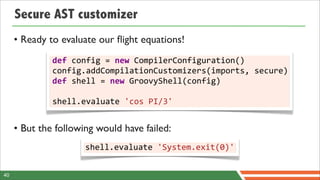
Secure AST customizer
     • Ready to evaluate our flight equations!
              def	
  config	
  =	
  new	
  CompilerConfiguration()
              config.addCompilationCustomizers(imports,	
  secure)
              def	
  shell	
  =	
  new	
  GroovyShell(config)
              	
  
              shell.evaluate	
  'cos	
  PI/3'


     • But the following would have failed:
                      shell.evaluate	
  'System.exit(0)'


40
Back to our robot...


                   robot.move	
  left


41
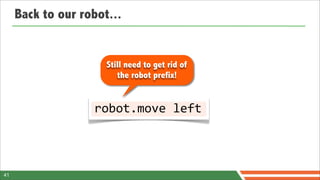
Back to our robot...


                      Still need to get rid of
                         the robot prefix!


                   robot.move	
  left


41
Can we remove it?
Yes !
Can we remove it?
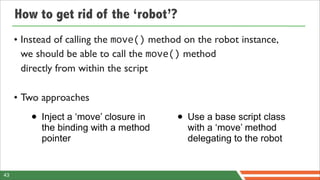
How to get rid of the ‘robot’?
     • Instead of calling the move() method on the robot instance,
       we should be able to call the move() method
       directly from within the script

     • Two approaches

        • Inject a ‘move’ closure in      • Use a base script class
           the binding with a method         with a ‘move’ method
           pointer                           delegating to the robot


43
Inject a closure in the binding
             def	
  robot	
  =	
  new	
  mars.Robot()
             binding	
  =	
  new	
  Binding([


  robot:	
  robot,


  *:	
  Direction.values()


  .collectEntries	
  {


  [(it.name()):	
  it]


  },


  move:	
  robot.&move
             ])


44
Inject a closure in the binding
             def	
  robot	
  =	
  new	
  mars.Robot()
             binding	
  =	
  new	
  Binding([


  robot:	
  robot,


  *:	
  Direction.values()


  .collectEntries	
  {


  [(it.name()):	
  it]


  },
                                                                                          Method pointer


  move:	
  robot.&move                                         (a closure) on
             ])                                                                            robot’s move
                                                                                         instance method

44
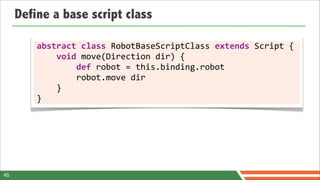
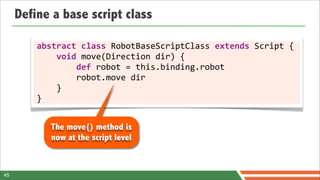
Define a base script class

         abstract	
  class	
  RobotBaseScriptClass	
  extends	
  Script	
  {


  void	
  move(Direction	
  dir)	
  {


  def	
  robot	
  =	
  this.binding.robot


  robot.move	
  dir


  }
         }


45
Define a base script class

         abstract	
  class	
  RobotBaseScriptClass	
  extends	
  Script	
  {


  void	
  move(Direction	
  dir)	
  {


  def	
  robot	
  =	
  this.binding.robot


  robot.move	
  dir


  }
         }


            The move() method is
            now at the script level


45
Define a base script class

         abstract	
  class	
  RobotBaseScriptClass	
  extends	
  Script	
  {


  void	
  move(Direction	
  dir)	
  {


  def	
  robot	
  =	
  this.binding.robot


  robot.move	
  dir


  }
         }

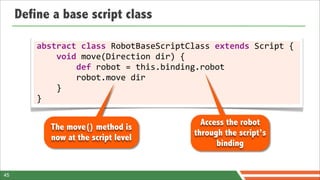
                                                      Access the robot
            The move() method is
                                                    through the script’s
            now at the script level
                                                          binding


45
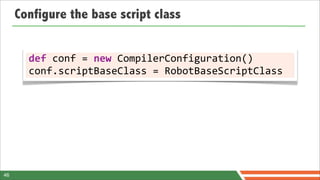
Configure the base script class


       def	
  conf	
  =	
  new	
  CompilerConfiguration()
       conf.scriptBaseClass	
  =	
  RobotBaseScriptClass


46
Configure the base script class


       def	
  conf	
  =	
  new	
  CompilerConfiguration()
       conf.scriptBaseClass	
  =	
  RobotBaseScriptClass


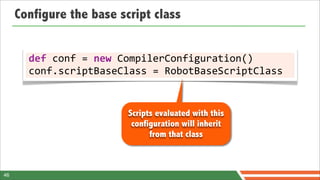
                          Scripts evaluated with this
                           configuration will inherit
                                from that class


46
Ready for lift off!
                      	
  	
  move	
  left
Beep, beep...
yes but how do you
 define the speed?
     ...beep...
Oh no!
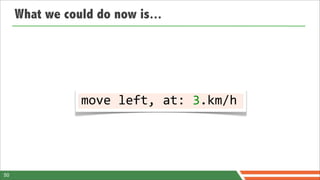
What we could do now is...


                move	
  left,	
  at:	
  3.km/h


50
What we could do now is...

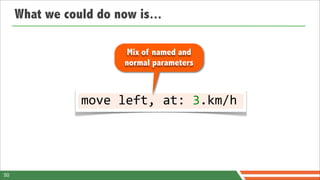
                         Mix of named and
                        normal parameters


                move	
  left,	
  at:	
  3.km/h


50
What we could do now is...

                         Mix of named and
                        normal parameters


                move	
  left,	
  at:	
  3.km/h

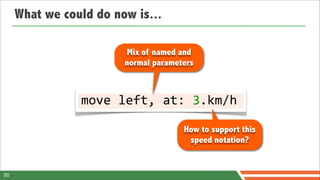
                                      How to support this
                                       speed notation?


50
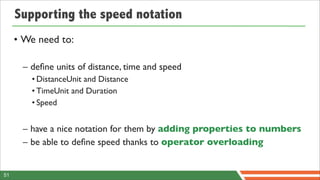
Supporting the speed notation
     • We need to:

      – define units of distance, time and speed
        • DistanceUnit and Distance
        • TimeUnit and Duration
        • Speed


      – have a nice notation for them by adding properties to numbers
      – be able to define speed thanks to operator overloading


51
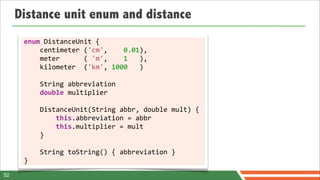
Distance unit enum and distance
      enum	
  DistanceUnit	
  {


  centimeter	
  ('cm',	


  0.01),


  meter	


  (	
  'm',	


  1	
  	
  	
  ),	


  kilometer	
  	
  ('km',	
  1000	
  	
  	
  )	


  String	
  abbreviation


  double	
  multiplier


  DistanceUnit(String	
  abbr,	
  double	
  mult)	
  {


  this.abbreviation	
  =	
  abbr


  this.multiplier	
  =	
  mult	


  }


  String	
  toString()	
  {	
  abbreviation	
  }	
  
      }
52
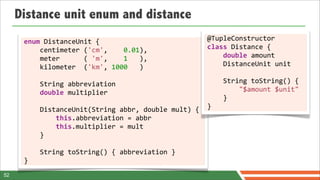
Distance unit enum and distance
      enum	
  DistanceUnit	
  {                                                                   @TupleConstructor	


  centimeter	
  ('cm',	


  0.01),                                  class	
  Distance	
  {


  meter	


  (	
  'm',	


  1	
  	
  	
  ),	


  double	
  amount	


  kilometer	
  	
  ('km',	
  1000	
  	
  	
  )	


  DistanceUnit	
  unit


  String	
  abbreviation                                                      	


  String	
  toString()	
  {	


  double	
  multiplier                                                        	


  "$amount	
  $unit"	


  }	


  DistanceUnit(String	
  abbr,	
  double	
  mult)	
  {                        }


  this.abbreviation	
  =	
  abbr


  this.multiplier	
  =	
  mult	


  }


  String	
  toString()	
  {	
  abbreviation	
  }	
  
      }
52
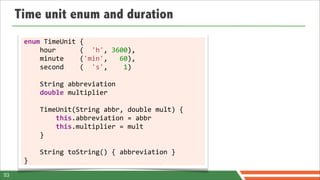
Time unit enum and duration
      enum	
  TimeUnit	
  {


  hour	


  (	
  	
  'h',	
  3600),


  minute	


  ('min',	
  	
  	
  60),	


  second	


  (	
  	
  's',	


  1)	


  String	
  abbreviation


  double	
  multiplier


  TimeUnit(String	
  abbr,	
  double	
  mult)	
  {


  this.abbreviation	
  =	
  abbr


  this.multiplier	
  =	
  mult	


  }


  String	
  toString()	
  {	
  abbreviation	
  }	
  
      }
53
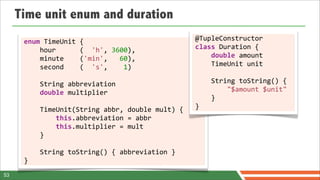
Time unit enum and duration
      enum	
  TimeUnit	
  {                                                       @TupleConstructor	


  hour	


  (	
  	
  'h',	
  3600),         class	
  Duration	
  {


  minute	


  ('min',	
  	
  	
  60),	


  double	
  amount	


  second	


  (	
  	
  's',	


  1)	


  TimeUnit	
  unit


  String	
  abbreviation                                      	


  String	
  toString()	
  {	


  double	
  multiplier                                        	


  "$amount	
  $unit"	


  }	


  TimeUnit(String	
  abbr,	
  double	
  mult)	
  {            }


  this.abbreviation	
  =	
  abbr


  this.multiplier	
  =	
  mult	


  }


  String	
  toString()	
  {	
  abbreviation	
  }	
  
      }
53
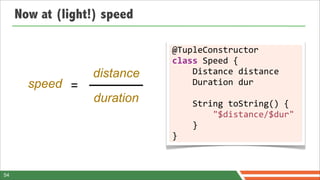
Now at (light!) speed

                             @TupleConstructor	
  
                             class	
  Speed	
  {
                  distance   	


  Distance	
  distance
       speed =               	


  Duration	
  dur
                  duration   	


  String	
  toString()	
  {	


  "$distance/$dur"	


  }	
  
                             }


54
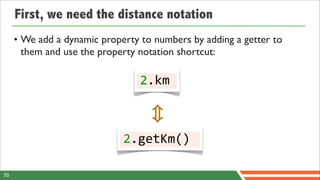
First, we need the distance notation
     • We add a dynamic property to numbers by adding a getter to
       them and use the property notation shortcut:

                                 2.km


                             2.getKm()

55
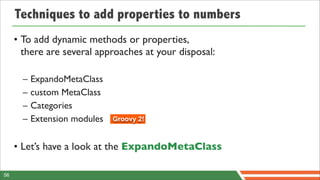
Techniques to add properties to numbers
     • To add dynamic methods or properties,
       there are several approaches at your disposal:

       –   ExpandoMetaClass
       –   custom MetaClass
       –   Categories
       –   Extension modules   Groovy 2!


     • Let’s have a look at the ExpandoMetaClass

56
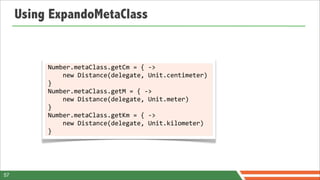
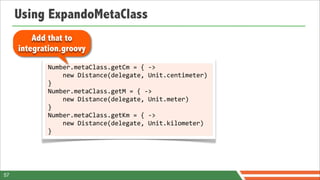
Using ExpandoMetaClass


          Number.metaClass.getCm	
  =	
  {	
  -­‐>	


  new	
  Distance(delegate,	
  Unit.centimeter)	
  
          }
          Number.metaClass.getM	
  =	
  {	
  -­‐>	


  new	
  Distance(delegate,	
  Unit.meter)	
  
          }
          Number.metaClass.getKm	
  =	
  {	
  -­‐>	


  new	
  Distance(delegate,	
  Unit.kilometer)	
  
          }


57
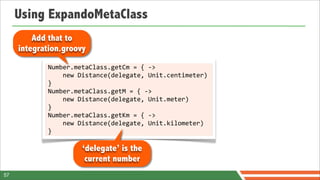
Using ExpandoMetaClass
         Add that to
     integration.groovy
            Number.metaClass.getCm	
  =	
  {	
  -­‐>	


  new	
  Distance(delegate,	
  Unit.centimeter)	
  
            }
            Number.metaClass.getM	
  =	
  {	
  -­‐>	


  new	
  Distance(delegate,	
  Unit.meter)	
  
            }
            Number.metaClass.getKm	
  =	
  {	
  -­‐>	


  new	
  Distance(delegate,	
  Unit.kilometer)	
  
            }


57
Using ExpandoMetaClass
         Add that to
     integration.groovy
            Number.metaClass.getCm	
  =	
  {	
  -­‐>	


  new	
  Distance(delegate,	
  Unit.centimeter)	
  
            }
            Number.metaClass.getM	
  =	
  {	
  -­‐>	


  new	
  Distance(delegate,	
  Unit.meter)	
  
            }
            Number.metaClass.getKm	
  =	
  {	
  -­‐>	


  new	
  Distance(delegate,	
  Unit.kilometer)	
  
            }

                         ‘delegate’ is the
                          current number
57
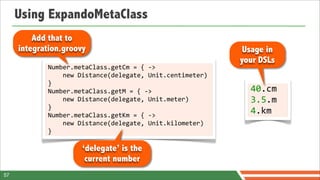
Using ExpandoMetaClass
         Add that to
     integration.groovy                                                          Usage in
                                                                                your DSLs
            Number.metaClass.getCm	
  =	
  {	
  -­‐>	


  new	
  Distance(delegate,	
  Unit.centimeter)	
  
            }
            Number.metaClass.getM	
  =	
  {	
  -­‐>	
                             40.cm	


  new	
  Distance(delegate,	
  Unit.meter)	
            3.5.m
            }
            Number.metaClass.getKm	
  =	
  {	
  -­‐>	
  
                                                                                  4.km


  new	
  Distance(delegate,	
  Unit.kilometer)	
  
            }

                         ‘delegate’ is the
                          current number
57
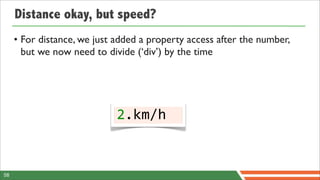
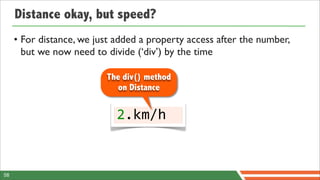
Distance okay, but speed?
     • For distance, we just added a property access after the number,
       but we now need to divide (‘div’) by the time


                             2.km/h


58
Distance okay, but speed?
     • For distance, we just added a property access after the number,
       but we now need to divide (‘div’) by the time

                          The div() method
                             on Distance


                             2.km/h


58
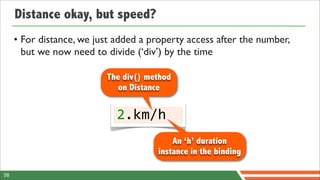
Distance okay, but speed?
     • For distance, we just added a property access after the number,
       but we now need to divide (‘div’) by the time

                          The div() method
                             on Distance


                             2.km/h
                                          An ‘h’ duration
                                      instance in the binding

58
Inject the ‘h’ hour constant in the binding

               def	
  binding	
  =	
  new	
  Binding([


  robot:	
  new	
  Robot(),


  *:	
  Direction.values()


  .collectEntries	
  {


  [(it.name()):	
  it]


  },


  h:	
  new	
  Duration(1,	
  TimeUnit.hour)
               ])


59
Inject the ‘h’ hour constant in the binding

                  def	
  binding	
  =	
  new	
  Binding([


  robot:	
  new	
  Robot(),


  *:	
  Direction.values()


  .collectEntries	
  {
 An ‘h’ duration added


  [(it.name()):	
  it]
     to the binding


  },


  h:	
  new	
  Duration(1,	
  TimeUnit.hour)
                           ])


59
Operator overloading
       a	
  +	
  b	
  	
  	
  //	
  a.plus(b)
       a	
  -­‐	
  b	
  	
  	
  //	
  a.minus(b)           • Currency amounts
       a	
  *	
  b	
  	
  	
  //	
  a.multiply(b)            – 15.euros + 10.dollars
       a	
  /	
  b	
  	
  	
  //	
  a.div(b)
       a	
  %	
  b	
  	
  	
  //	
  a.modulo(b)            • Distance handling
       a	
  **	
  b	
  	
  //	
  a.power(b)
       a	
  |	
  b	
  	
  	
  //	
  a.or(b)
                                                             – 10.km - 10.m
       a	
  &	
  b	
  	
  	
  //	
  a.and(b)
       a	
  ^	
  b	
  	
  	
  //	
  a.xor(b)               • Workflow, concurrency
       a[b]	


  //	
  a.getAt(b)                  – taskA | taskB & taskC
       a	
  <<	
  b	
  	
  //	
  a.leftShift(b)
       a	
  >>	
  b	
  	
  //	
  a.rightShift(b)           • Credit an account
        a	
  >>>	
  b	
  //	
  a.rightShiftUnsigned(b)       – account << 10.dollars
       +a	


  //	
  a.unaryPlus()           account += 10.dollars
       -­‐a	


  //	
  a.unaryMinus()        account.credit 10.dollars
       ~a	


  //	
  a.bitwiseNegate()

60
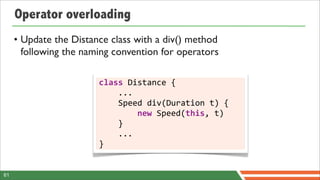
Operator overloading
     • Update the Distance class with a div() method
       following the naming convention for operators

                        class	
  Distance	
  {


  ...


  Speed	
  div(Duration	
  t)	
  {


  new	
  Speed(this,	
  t)


  }


  ...
                        }


61
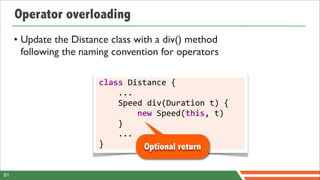
Operator overloading
     • Update the Distance class with a div() method
       following the naming convention for operators

                        class	
  Distance	
  {


  ...


  Speed	
  div(Duration	
  t)	
  {


  new	
  Speed(this,	
  t)


  }


  ...
                        }                                Optional return

61
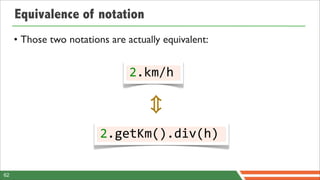
Equivalence of notation
     • Those two notations are actually equivalent:


                                2.km/h


                         2.getKm().div(h)

62
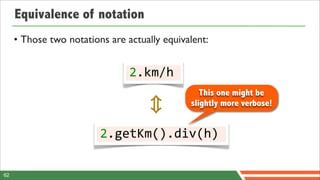
Equivalence of notation
     • Those two notations are actually equivalent:


                                2.km/h
                                                 This one might be
                                              slightly more verbose!


                         2.getKm().div(h)

62
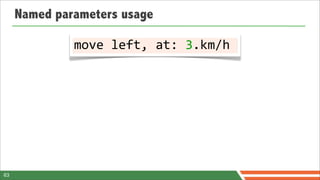
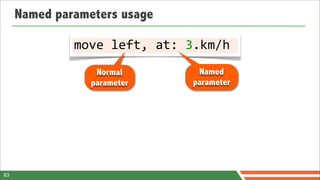
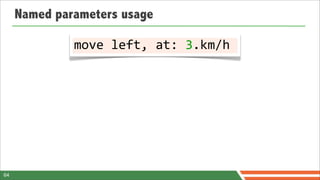
Named parameters usage

              move	
  left,	
  at:	
  3.km/h


63
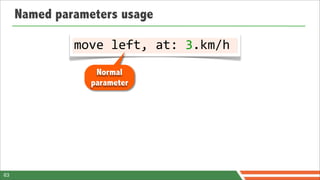
Named parameters usage

              move	
  left,	
  at:	
  3.km/h
                  Normal
                 parameter


63
Named parameters usage

              move	
  left,	
  at:	
  3.km/h
                  Normal             Named
                 parameter          parameter


63
Named parameters usage

                 move	
  left,	
  at:	
  3.km/h
                      Normal                           Named
                     parameter                        parameter

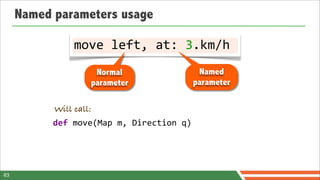
           Will call:
           def	
  move(Map	
  m,	
  Direction	
  q)


63
Named parameters usage

                 move	
  left,	
  at:	
  3.km/h
                      Normal                           Named
                     parameter                        parameter

            Will call:
           def	
  move(Map	
  m,	
  Direction	
  q)

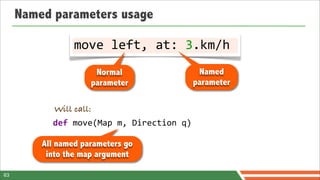
         All named parameters go
          into the map argument

63
Named parameters usage

                 move	
  left,	
  at:	
  3.km/h
                      Normal                           Named
                     parameter                        parameter

            Will call:
           def	
  move(Map	
  m,	
  Direction	
  q)

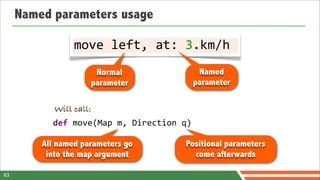
         All named parameters go                 Positional parameters
          into the map argument                    come afterwards

63
Named parameters usage

              move	
  left,	
  at:	
  3.km/h


64
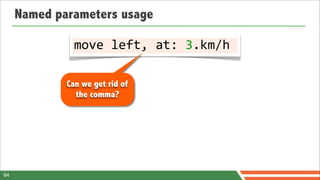
Named parameters usage

               move	
  left,	
  at:	
  3.km/h

             Can we get rid of
               the comma?


64
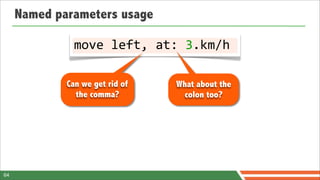
Named parameters usage

               move	
  left,	
  at:	
  3.km/h

             Can we get rid of    What about the
               the comma?           colon too?


64
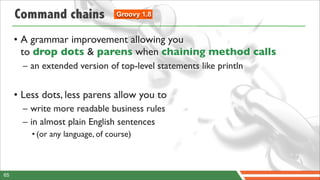
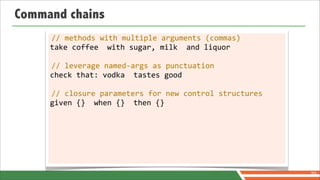
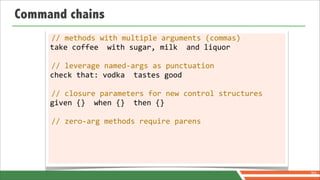
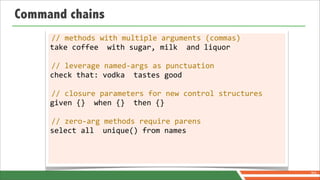
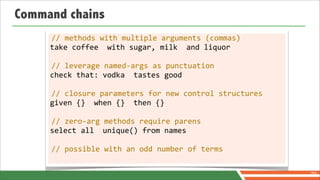
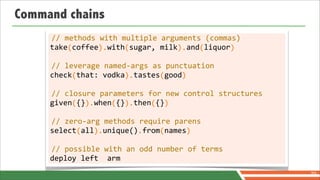
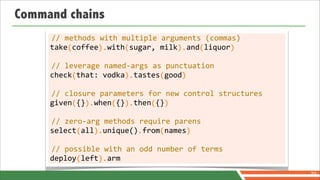
Command chains               Groovy 1.8


     • A grammar improvement allowing you
       to drop dots & parens when chaining method calls
       – an extended version of top-level statements like println


     • Less dots, less parens allow you to
       – write more readable business rules
       – in almost plain English sentences
         • (or any language, of course)


65
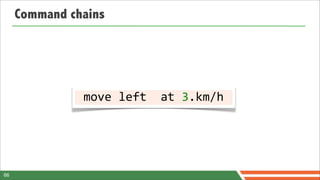
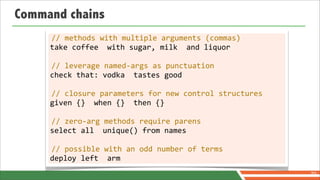
Command chains


  move	
  left	
  	
  at	
  3.km/h	


66
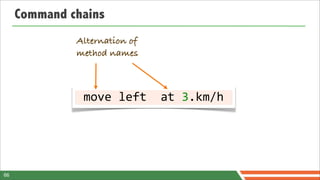
Command chains
              Alternation of
              method names


  move	
  left	
  	
  at	
  3.km/h	


66
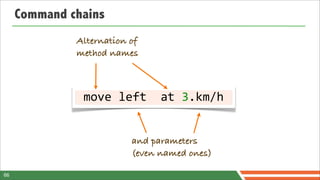
Command chains
              Alternation of
              method names


  move	
  left	
  	
  at	
  3.km/h	


                            and parameters
                            (even named ones)

66
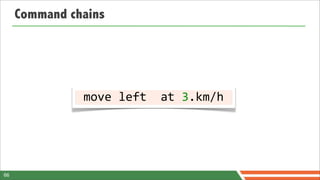
Command chains


  move	
  left	
  	
  at	
  3.km/h	


66
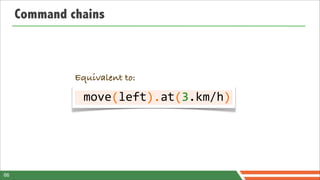
Command chains


              Equivalent to:

              	
  move	
  left	
  	
  at	
  3.km/h	


  (	


  ).	
  	
  (	


  )


66
Look  Ma!
No  parens,
 n odots!
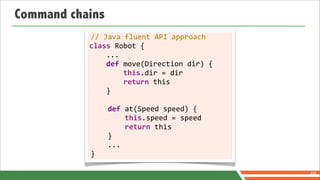
Command chains
            //	
  Java	
  fluent	
  API	
  approach
           class	
  Robot	
  {


  ...


  def	
  move(Direction	
  dir)	
  {


  this.dir	
  =	
  dir


  return	
  this


  }


  def	
  at(Speed	
  speed)	
  {


  this.speed	
  =	
  speed


  return	
  this


  }


  ...
           }

                                                                      68
Command chains

     def	
  move(Direction	
  dir)	
  {


  [at:	
  {	
  Speed	
  speed	
  -­‐>


  ...


  }]
     }


                                                           69
Command chains

     def	
  move(Direction	
  dir)	
  {


  [at:	
  {	
  Speed	
  speed	
  -­‐>
                                                           Nested maps


  ...                   and closures


  }]
     }


                                                                          69
Command chains

     def	
  move(Direction	
  dir)	
  {


  [at:	
  {	
  Speed	
  speed	
  -­‐>
                                                             Nested maps


  ...                     and closures


  }]
     }


                      Usage in
                     your DSLs
                                            move	
  left	
  at	
  3.km/h

                                                                            69
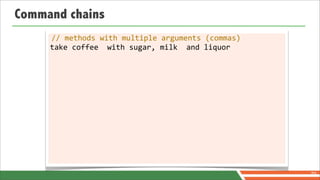
Command chains


                 70
Command chains
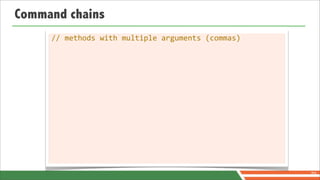
     //	
  methods	
  with	
  multiple	
  arguments	
  (commas)


                                                                  70
Command chains
     //	
  methods	
  with	
  multiple	
  arguments	
  (commas)
     take	
  coffee	
  	
  with	
  sugar,	
  milk	
  	
  and	
  liquor


                                                                         70
Command chains
     //	
  methods	
  with	
  multiple	
  arguments	
  (commas)
     take	
  coffee	
  	
  with	
  sugar,	
  milk	
  	
  and	
  liquor

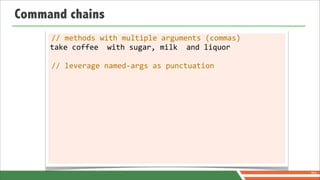
     //	
  leverage	
  named-­‐args	
  as	
  punctuation


                                                                         70
Command chains
     //	
  methods	
  with	
  multiple	
  arguments	
  (commas)
     take	
  coffee	
  	
  with	
  sugar,	
  milk	
  	
  and	
  liquor

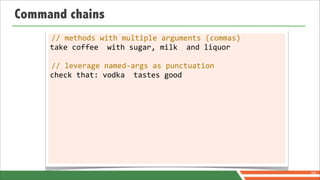
     //	
  leverage	
  named-­‐args	
  as	
  punctuation
     check	
  that:	
  vodka	
  	
  tastes	
  good


                                                                         70
Command chains
     //	
  methods	
  with	
  multiple	
  arguments	
  (commas)
     take	
  coffee	
  	
  with	
  sugar,	
  milk	
  	
  and	
  liquor

     //	
  leverage	
  named-­‐args	
  as	
  punctuation
     check	
  that:	
  vodka	
  	
  tastes	
  good

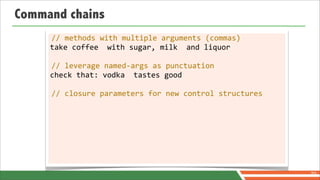
     //	
  closure	
  parameters	
  for	
  new	
  control	
  structures


                                                                          70
Command chains
     //	
  methods	
  with	
  multiple	
  arguments	
  (commas)
     take	
  coffee	
  	
  with	
  sugar,	
  milk	
  	
  and	
  liquor

     //	
  leverage	
  named-­‐args	
  as	
  punctuation
     check	
  that:	
  vodka	
  	
  tastes	
  good

     //	
  closure	
  parameters	
  for	
  new	
  control	
  structures
     given	
  {}	
  	
  when	
  {}	
  	
  then	
  {}


                                                                          70
Command chains
     //	
  methods	
  with	
  multiple	
  arguments	
  (commas)
     take	
  coffee	
  	
  with	
  sugar,	
  milk	
  	
  and	
  liquor

     //	
  leverage	
  named-­‐args	
  as	
  punctuation
     check	
  that:	
  vodka	
  	
  tastes	
  good

     //	
  closure	
  parameters	
  for	
  new	
  control	
  structures
     given	
  {}	
  	
  when	
  {}	
  	
  then	
  {}

     //	
  zero-­‐arg	
  methods	
  require	
  parens


                                                                          70
Command chains
     //	
  methods	
  with	
  multiple	
  arguments	
  (commas)
     take	
  coffee	
  	
  with	
  sugar,	
  milk	
  	
  and	
  liquor

     //	
  leverage	
  named-­‐args	
  as	
  punctuation
     check	
  that:	
  vodka	
  	
  tastes	
  good

     //	
  closure	
  parameters	
  for	
  new	
  control	
  structures
     given	
  {}	
  	
  when	
  {}	
  	
  then	
  {}

     //	
  zero-­‐arg	
  methods	
  require	
  parens
     select	
  all	
  	
  unique()	
  from	
  names


                                                                          70
Command chains
     //	
  methods	
  with	
  multiple	
  arguments	
  (commas)
     take	
  coffee	
  	
  with	
  sugar,	
  milk	
  	
  and	
  liquor

     //	
  leverage	
  named-­‐args	
  as	
  punctuation
     check	
  that:	
  vodka	
  	
  tastes	
  good

     //	
  closure	
  parameters	
  for	
  new	
  control	
  structures
     given	
  {}	
  	
  when	
  {}	
  	
  then	
  {}

     //	
  zero-­‐arg	
  methods	
  require	
  parens
     select	
  all	
  	
  unique()	
  from	
  names

     //	
  possible	
  with	
  an	
  odd	
  number	
  of	
  terms


                                                                          70
Command chains
     //	
  methods	
  with	
  multiple	
  arguments	
  (commas)
     take	
  coffee	
  	
  with	
  sugar,	
  milk	
  	
  and	
  liquor

     //	
  leverage	
  named-­‐args	
  as	
  punctuation
     check	
  that:	
  vodka	
  	
  tastes	
  good

     //	
  closure	
  parameters	
  for	
  new	
  control	
  structures
     given	
  {}	
  	
  when	
  {}	
  	
  then	
  {}

     //	
  zero-­‐arg	
  methods	
  require	
  parens
     select	
  all	
  	
  unique()	
  from	
  names

     //	
  possible	
  with	
  an	
  odd	
  number	
  of	
  terms
     deploy	
  left	
  	
  arm
                                                                          70
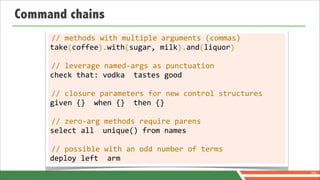
Command chains
      //	
  methods	
  with	
  multiple	
  arguments	
  (commas)
     take	
  coffee	
  	
  with	
  sugar,	
  milk	
  	
  and	
  liquor


  (	


  ).	


  (	


  ).	
  	
  	
  (	


  )

     //	
  leverage	
  named-­‐args	
  as	
  punctuation
     check	
  that:	
  vodka	
  	
  tastes	
  good

     //	
  closure	
  parameters	
  for	
  new	
  control	
  structures
     given	
  {}	
  	
  when	
  {}	
  	
  then	
  {}

     //	
  zero-­‐arg	
  methods	
  require	
  parens
     select	
  all	
  	
  unique()	
  from	
  names

     //	
  possible	
  with	
  an	
  odd	
  number	
  of	
  terms
     deploy	
  left	
  	
  arm
                                                                                                                                                        70
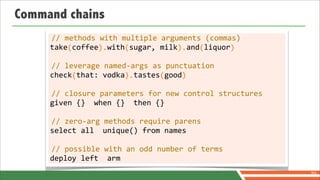
Command chains
      //	
  methods	
  with	
  multiple	
  arguments	
  (commas)
     take	
  coffee	
  	
  with	
  sugar,	
  milk	
  	
  and	
  liquor


  (	


  ).	


  (	


  ).	
  	
  	
  (	


  )

      //	
  leverage	
  named-­‐args	
  as	
  punctuation
     check	
  that:	
  vodka	
  	
  tastes	
  good


  (	


  ).	


  (	


  )

     //	
  closure	
  parameters	
  for	
  new	
  control	
  structures
     given	
  {}	
  	
  when	
  {}	
  	
  then	
  {}

     //	
  zero-­‐arg	
  methods	
  require	
  parens
     select	
  all	
  	
  unique()	
  from	
  names

     //	
  possible	
  with	
  an	
  odd	
  number	
  of	
  terms
     deploy	
  left	
  	
  arm
                                                                                                                                                        70
Command chains
      //	
  methods	
  with	
  multiple	
  arguments	
  (commas)
     take	
  coffee	
  	
  with	
  sugar,	
  milk	
  	
  and	
  liquor


  (	


  ).	


  (	


  ).	
  	
  	
  (	


  )

      //	
  leverage	
  named-­‐args	
  as	
  punctuation
     check	
  that:	
  vodka	
  	
  tastes	
  good


  (	


  ).	


  (	


  )

      //	
  closure	
  parameters	
  for	
  new	
  control	
  structures
     given	
  {}	
  	
  when	
  {}	
  	
  then	
  {}


  (	
  	
  ).	


  (	
  	
  ).	


  (	
  	
  )

     //	
  zero-­‐arg	
  methods	
  require	
  parens
     select	
  all	
  	
  unique()	
  from	
  names

     //	
  possible	
  with	
  an	
  odd	
  number	
  of	
  terms
     deploy	
  left	
  	
  arm
                                                                                                                                                        70
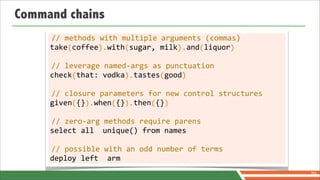
Command chains
      //	
  methods	
  with	
  multiple	
  arguments	
  (commas)
     take	
  coffee	
  	
  with	
  sugar,	
  milk	
  	
  and	
  liquor


  (	


  ).	


  (	


  ).	
  	
  	
  (	


  )

      //	
  leverage	
  named-­‐args	
  as	
  punctuation
     check	
  that:	
  vodka	
  	
  tastes	
  good


  (	


  ).	


  (	


  )

      //	
  closure	
  parameters	
  for	
  new	
  control	
  structures
     given	
  {}	
  	
  when	
  {}	
  	
  then	
  {}


  (	
  	
  ).	


  (	
  	
  ).	


  (	
  	
  )

      //	
  zero-­‐arg	
  methods	
  require	
  parens
     select	
  all	
  	
  unique()	
  from	
  names


  (	
  	
  	
  ).	


  .	


  (	


  )

     //	
  possible	
  with	
  an	
  odd	
  number	
  of	
  terms
     deploy	
  left	
  	
  arm
                                                                                                                                                        70
Command chains
      //	
  methods	
  with	
  multiple	
  arguments	
  (commas)
     take	
  coffee	
  	
  with	
  sugar,	
  milk	
  	
  and	
  liquor


  (	


  ).	


  (	


  ).	
  	
  	
  (	


  )

      //	
  leverage	
  named-­‐args	
  as	
  punctuation
     check	
  that:	
  vodka	
  	
  tastes	
  good


  (	


  ).	


  (	


  )

      //	
  closure	
  parameters	
  for	
  new	
  control	
  structures
     given	
  {}	
  	
  when	
  {}	
  	
  then	
  {}


  (	
  	
  ).	


  (	
  	
  ).	


  (	
  	
  )

      //	
  zero-­‐arg	
  methods	
  require	
  parens
     select	
  all	
  	
  unique()	
  from	
  names


  (	
  	
  	
  ).	


  .	


  (	


  )

      //	
  possible	
  with	
  an	
  odd	
  number	
  of	
  terms
     deploy	
  left	
  	
  arm


  (	


  ).
                                                                                                                                                        70
Final result


71
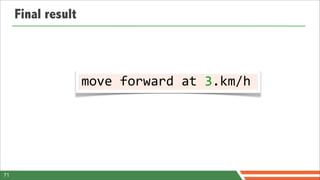
Final result


                    move	
  forward	
  at	
  3.km/h


71
move forward
 at 3.km/h
move forward
 at 3.km/h     Yes! We did it!
What about
security and
  safety?
Security and Safety
                                                     JVM Security Managers
                                                      SecureASTCustomizer
                                                            Sandboxing
                                                    Controlling script execution

© 2012 SpringOne 2GX. All rights reserved. Do not distribute without permission.
Play it safe in a sandbox
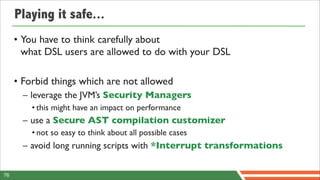
Playing it safe...
     • You have to think carefully about
       what DSL users are allowed to do with your DSL

     • Forbid things which are not allowed
       – leverage the JVM’s Security Managers
         • this might have an impact on performance
       – use a Secure AST compilation customizer
         • not so easy to think about all possible cases
       – avoid long running scripts with *Interrupt transformations

76
Security Managers
     • Groovy is just a language leaving on the JVM,
       so you have access to the usual Security Managers mechanism
       – Nothing Groovy specific here
       – Please check the documentation on Security Managers
         and how to design policy files


77
SecureASTCustomizer
             def	
  secure	
  =	
  new	
  SecureASTCustomizer()
             secure.with	
  {
                        //	
  disallow	
  closure	
  creation


  closuresAllowed	
  =	
  false	
  
                        //	
  disallow	
  method	
  definitions


  methodDefinitionAllowed	
  =	
  false	
  
                        //	
  empty	
  white	
  list	
  =>	
  forbid	
  certain	
  imports


  importsWhitelist	
  =	
  [...]	


  staticImportsWhitelist	
  =	
  [...]
                        //	
  only	
  allow	
  some	
  static	
  import


  staticStarImportsWhitelist	
  =	
  [...]
                        //	
  language	
  tokens	
  allowed


  tokensWhitelist	
  =	
  [...]
                        //	
  types	
  allowed	
  to	
  be	
  used


  constantTypesClassesWhiteList	
  =	
  [...]
                        //	
  classes	
  who	
  are	
  allowed	
  to	
  be	
  receivers	
  of	
  method	
  calls


  receiversClassesWhiteList	
  =	
  [...]
             }
             def	
  config	
  =	
  new	
  CompilerConfiguration()
             config.addCompilationCustomizers(secure)
             def	
  shell	
  =	
  new	
  GroovyShell(config)
78
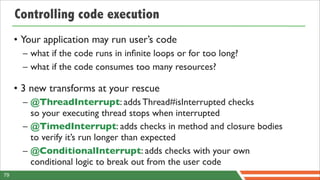
Controlling code execution
     • Your application may run user’s code
       – what if the code runs in infinite loops or for too long?
       – what if the code consumes too many resources?

     • 3 new transforms at your rescue
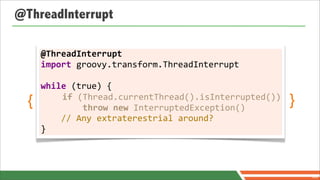
       – @ThreadInterrupt: adds Thread#isInterrupted checks
         so your executing thread stops when interrupted
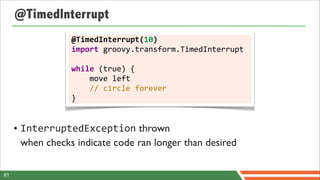
       – @TimedInterrupt: adds checks in method and closure bodies
         to verify it’s run longer than expected
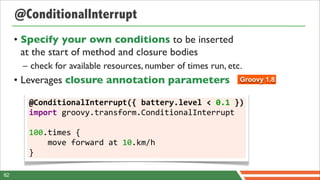
       – @ConditionalInterrupt: adds checks with your own
         conditional logic to break out from the user code
79
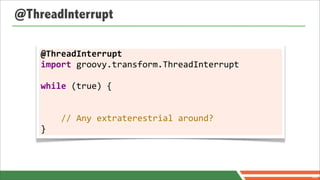
@ThreadInterrupt

    @ThreadInterrupt
    import	
  groovy.transform.ThreadInterrupt	


    while	
  (true)	
  {


  //	
  Any	
  extraterestrial	
  around?
    }


                                                              80
@ThreadInterrupt

      @ThreadInterrupt
      import	
  groovy.transform.ThreadInterrupt	


      while	
  (true)	
  {
  {    	


  if	
  (Thread.currentThread().isInterrupted())


  throw	
  new	
  InterruptedException()
                                                                                }


  //	
  Any	
  extraterestrial	
  around?
      }


                                                                                    80
@TimedInterrupt
                  @TimedInterrupt(10)
                  import	
  groovy.transform.TimedInterrupt	


                  while	
  (true)	
  {


  move	
  left


  //	
  circle	
  forever
                  }


     • InterruptedException thrown
       when checks indicate code ran longer than desired

81
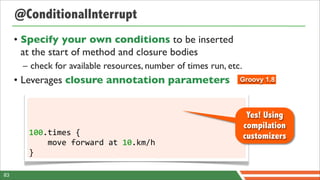
@ConditionalInterrupt
     • Specify your own conditions to be inserted
       at the start of method and closure bodies
      – check for available resources, number of times run, etc.
     • Leverages closure annotation parameters                  Groovy 1.8


        @ConditionalInterrupt({	
  battery.level	
  <	
  0.1	
  })
        import	
  groovy.transform.ConditionalInterrupt

        100.times	
  {	


  move	
  forward	
  at	
  10.km/h
        }

82
@ConditionalInterrupt
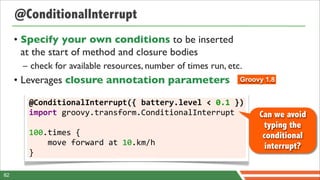
     • Specify your own conditions to be inserted
       at the start of method and closure bodies
      – check for available resources, number of times run, etc.
     • Leverages closure annotation parameters                  Groovy 1.8


        @ConditionalInterrupt({	
  battery.level	
  <	
  0.1	
  })
        import	
  groovy.transform.ConditionalInterrupt              Can we avoid
                                                                      typing the
        100.times	
  {	


                                  conditional


  move	
  forward	
  at	
  10.km/h               interrupt?
        }

82
@ConditionalInterrupt
     • Specify your own conditions to be inserted
       at the start of method and closure bodies
      – check for available resources, number of times run, etc.
     • Leverages closure annotation parameters                 Groovy 1.8


                                                                    Yes! Using
                                                                   compilation
        100.times	
  {	


                               customizers


  move	
  forward	
  at	
  10.km/h
        }

83
Using compilation customizers
     • In our previous examples, the usage of the interrupts
       were explicit, and users had to type them
      – if they want to deplete the battery of your robot, they won’t use
        interrupts, so you have to impose interrupts yourself


     • With compilation customizers you can inject those
       interrupts thanks to the AST Transformation
       Customizer


84
What about
 tooling?
Tooling
                                                           Why tooling?
                                                          DSL descriptors
                                                    Pointcuts and contributions
                                                         Packaging DSLDs

© 2012 SpringOne 2GX. All rights reserved. Do not distribute without permission.
Why tooling?
     • I know what this language means
      –why do I want anything more?


87
Why tooling?
     • I know what this language means
      –why do I want anything more?


     • But, tooling can make things even better
      –syntax checking
      –content assist
      –search
      –inline documentation


87
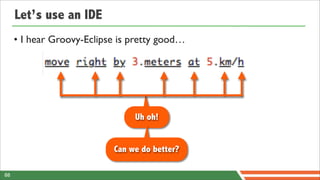
Let’s use an IDE
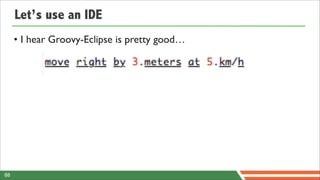
     • I hear Groovy-Eclipse is pretty good…


88
Let’s use an IDE
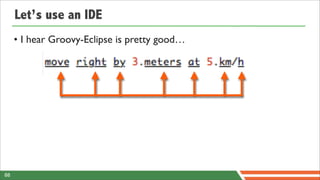
     • I hear Groovy-Eclipse is pretty good…


88
Let’s use an IDE
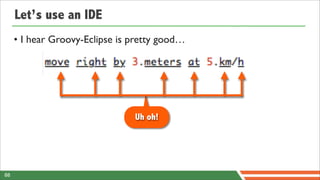
     • I hear Groovy-Eclipse is pretty good…


                                Uh oh!


88
Let’s use an IDE
     • I hear Groovy-Eclipse is pretty good…


                                Uh oh!


                           Can we do better?

88
Of course!
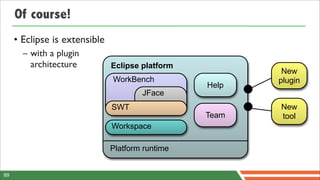
     • Eclipse is extensible
       – with a plugin
         architecture          Eclipse platform
                                                          New
                               WorkBench                 plugin
                                                  Help
                                       JFace
                               SWT                       New
                                                  Team   tool
                               Workspace

                               Platform runtime


89
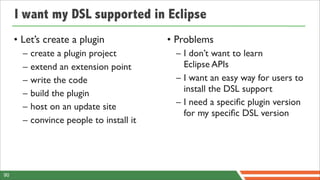
I want my DSL supported in Eclipse


90
I want my DSL supported in Eclipse
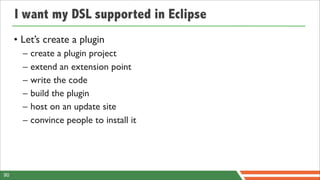
     • Let’s create a plugin
       –   create a plugin project
       –   extend an extension point
       –   write the code
       –   build the plugin
       –   host on an update site
       –   convince people to install it


90
I want my DSL supported in Eclipse
     • Let’s create a plugin               • Problems
       –   create a plugin project          – I don’t want to learn
       –   extend an extension point          Eclipse APIs
       –   write the code                   – I want an easy way for users to
       –   build the plugin                   install the DSL support
       –   host on an update site           – I need a specific plugin version
                                              for my specific DSL version
       –   convince people to install it


90
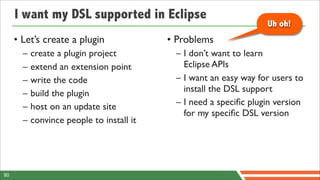
I want my DSL supported in Eclipse
                                                                   Uh oh!
     • Let’s create a plugin               • Problems
       –   create a plugin project          – I don’t want to learn
       –   extend an extension point          Eclipse APIs
       –   write the code                   – I want an easy way for users to
       –   build the plugin                   install the DSL support
       –   host on an update site           – I need a specific plugin version
                                              for my specific DSL version
       –   convince people to install it


90
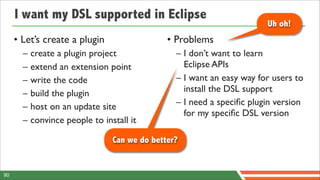
I want my DSL supported in Eclipse
                                                                        Uh oh!
     • Let’s create a plugin                   • Problems
       –   create a plugin project               – I don’t want to learn
       –   extend an extension point               Eclipse APIs
       –   write the code                        – I want an easy way for users to
       –   build the plugin                        install the DSL support
       –   host on an update site                – I need a specific plugin version
                                                   for my specific DSL version
       –   convince people to install it

                                 Can we do better?


90
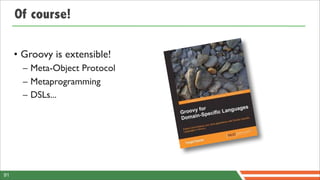
Of course!

     • Groovy is extensible!
       – Meta-Object Protocol
       – Metaprogramming
       – DSLs...


91
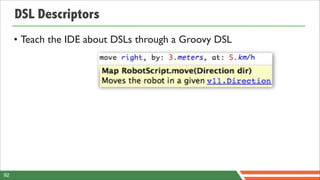
DSL Descriptors
     • Teach the IDE about DSLs through a Groovy DSL


92
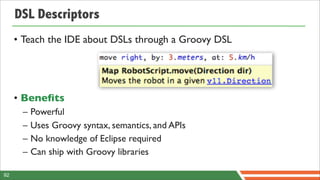
DSL Descriptors
     • Teach the IDE about DSLs through a Groovy DSL


     • Benefits
      –   Powerful
      –   Uses Groovy syntax, semantics, and APIs
      –   No knowledge of Eclipse required
      –   Can ship with Groovy libraries

92
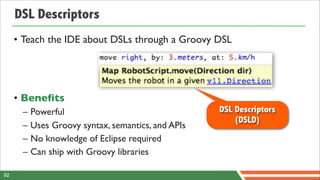
DSL Descriptors
     • Teach the IDE about DSLs through a Groovy DSL


     • Benefits
      –   Powerful                                  DSL Descriptors
                                                        (DSLD)
      –   Uses Groovy syntax, semantics, and APIs
      –   No knowledge of Eclipse required
      –   Can ship with Groovy libraries

92
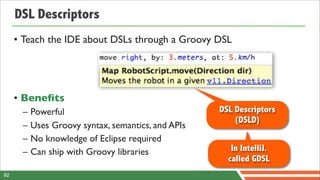
DSL Descriptors
     • Teach the IDE about DSLs through a Groovy DSL


     • Benefits
      –   Powerful                                  DSL Descriptors
                                                        (DSLD)
      –   Uses Groovy syntax, semantics, and APIs
      –   No knowledge of Eclipse required
      –   Can ship with Groovy libraries               In IntelliJ.
                                                      called GDSL
92
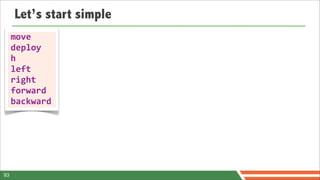
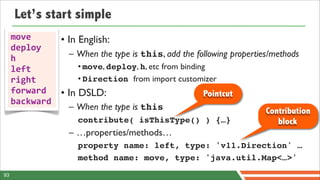
Let’s start simple
     move
     deploy
     h
     left
     right
     forward
     backward


93
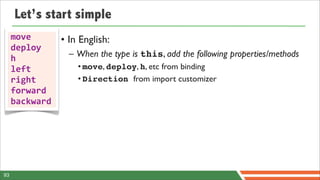
Let’s start simple
     move       • In English:
     deploy
     h            – When the type is this, add the following properties/methods
     left           • move, deploy, h, etc from binding
     right          • Direction from import customizer
     forward
     backward


93
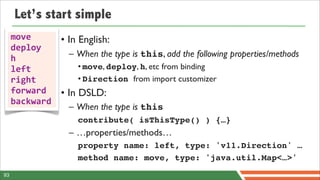
Let’s start simple
     move       • In English:
     deploy
     h            – When the type is this, add the following properties/methods
     left           • move, deploy, h, etc from binding
     right          • Direction from import customizer
     forward    • In DSLD:
     backward
                  – When the type is this
                    contribute( isThisType() ) {…}
                  – …properties/methods…
                    property name: left, type: 'v11.Direction' …
                    method name: move, type: 'java.util.Map<…>'
93
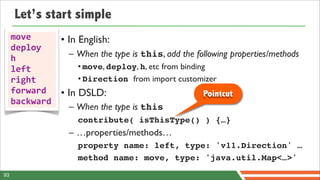
Let’s start simple
     move       • In English:
     deploy
     h            – When the type is this, add the following properties/methods
     left           • move, deploy, h, etc from binding
     right          • Direction from import customizer
     forward    • In DSLD:                           Pointcut
     backward
                  – When the type is this
                    contribute( isThisType() ) {…}
                  – …properties/methods…
                    property name: left, type: 'v11.Direction' …
                    method name: move, type: 'java.util.Map<…>'
93
Let’s start simple
     move       • In English:
     deploy
     h            – When the type is this, add the following properties/methods
     left           • move, deploy, h, etc from binding
     right          • Direction from import customizer
     forward    • In DSLD:                           Pointcut
     backward
                  – When the type is this                             Contribution
                    contribute( isThisType() ) {…}                       block
                  – …properties/methods…
                    property name: left, type: 'v11.Direction' …
                    method name: move, type: 'java.util.Map<…>'
93
DEMO
     LET’S SEE THAT


94
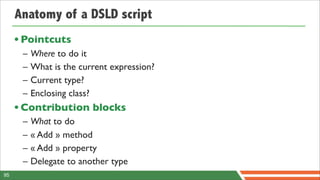
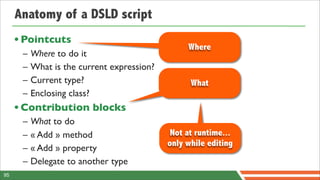
Anatomy of a DSLD script
     • Pointcuts
      –   Where to do it
      –   What is the current expression?
      –   Current type?
      –   Enclosing class?
     • Contribution blocks
      –   What to do
      –   « Add » method
      –   « Add » property
      –   Delegate to another type
95
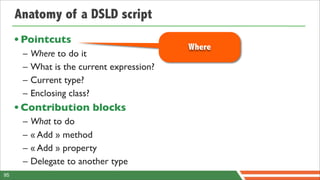
Anatomy of a DSLD script
     • Pointcuts
                                            Where
      –   Where to do it
      –   What is the current expression?
      –   Current type?
      –   Enclosing class?
     • Contribution blocks
      –   What to do
      –   « Add » method
      –   « Add » property
      –   Delegate to another type
95
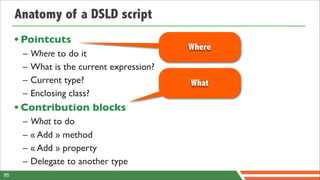
Anatomy of a DSLD script
     • Pointcuts
                                            Where
      –   Where to do it
      –   What is the current expression?
      –   Current type?                     What
      –   Enclosing class?
     • Contribution blocks
      –   What to do
      –   « Add » method
      –   « Add » property
      –   Delegate to another type
95
Anatomy of a DSLD script
     • Pointcuts
                                                 Where
      –   Where to do it
      –   What is the current expression?
      –   Current type?                           What
      –   Enclosing class?
     • Contribution blocks
      –   What to do
      –   « Add » method                     Not at runtime...
                                            only while editing
      –   « Add » property
      –   Delegate to another type
95
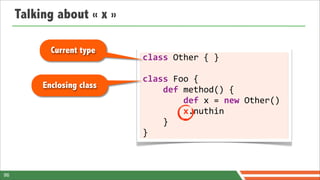
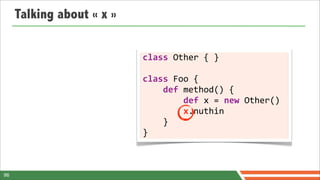
Talking about « x »

                           class	
  Other	
  {	
  }

                           class	
  Foo	
  {


  def	
  method()	
  {


  def	
  x	
  =	
  new	
  Other()


  x.nuthin


  }
                           }


96
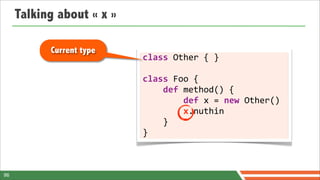
Talking about « x »

           Current type
                           class	
  Other	
  {	
  }

                           class	
  Foo	
  {


  def	
  method()	
  {


  def	
  x	
  =	
  new	
  Other()


  x.nuthin


  }
                           }


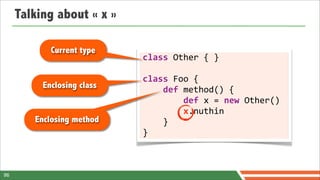
96
Talking about « x »

            Current type
                            class	
  Other	
  {	
  }

                            class	
  Foo	
  {
          Enclosing class   	


  def	
  method()	
  {


  def	
  x	
  =	
  new	
  Other()


  x.nuthin


  }
                            }


96
Talking about « x »

            Current type
                            class	
  Other	
  {	
  }

                            class	
  Foo	
  {
          Enclosing class   	


  def	
  method()	
  {


  def	
  x	
  =	
  new	
  Other()


  x.nuthin
        Enclosing method    	


  }
                            }


96
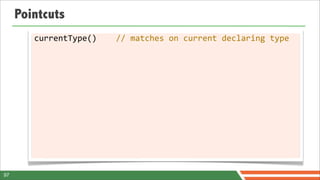
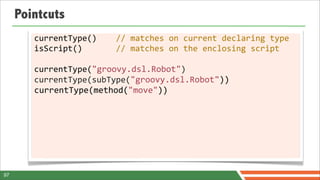
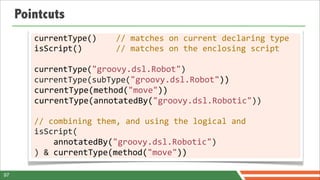
Pointcuts


97
Pointcuts
        currentType()	


  //	
  matches	
  on	
  current	
  declaring	
  type


97
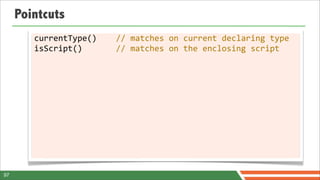
Pointcuts
        currentType()	


  //	
  matches	
  on	
  current	
  declaring	
  type
        isScript()	


  //	
  matches	
  on	
  the	
  enclosing	
  script


97
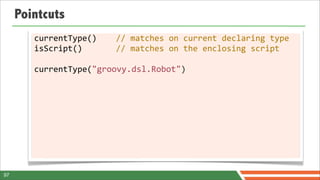
Pointcuts
        currentType()	


  //	
  matches	
  on	
  current	
  declaring	
  type
        isScript()	


  //	
  matches	
  on	
  the	
  enclosing	
  script

        currentType("groovy.dsl.Robot")


97
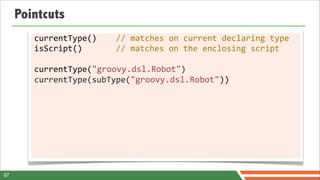
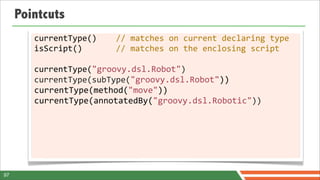
Pointcuts
        currentType()	


  //	
  matches	
  on	
  current	
  declaring	
  type
        isScript()	


  //	
  matches	
  on	
  the	
  enclosing	
  script

        currentType("groovy.dsl.Robot")
        currentType(subType("groovy.dsl.Robot"))


97
Pointcuts
        currentType()	


  //	
  matches	
  on	
  current	
  declaring	
  type
        isScript()	


  //	
  matches	
  on	
  the	
  enclosing	
  script

        currentType("groovy.dsl.Robot")
        currentType(subType("groovy.dsl.Robot"))
        currentType(method("move"))


97
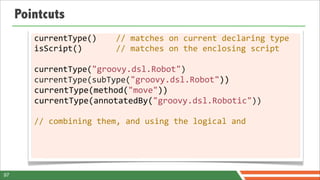
Pointcuts
        currentType()	


  //	
  matches	
  on	
  current	
  declaring	
  type
        isScript()	


  //	
  matches	
  on	
  the	
  enclosing	
  script

        currentType("groovy.dsl.Robot")
        currentType(subType("groovy.dsl.Robot"))
        currentType(method("move"))
        currentType(annotatedBy("groovy.dsl.Robotic"))


97
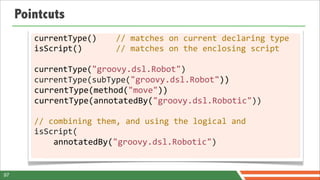
Pointcuts
        currentType()	


  //	
  matches	
  on	
  current	
  declaring	
  type
        isScript()	


  //	
  matches	
  on	
  the	
  enclosing	
  script

        currentType("groovy.dsl.Robot")
        currentType(subType("groovy.dsl.Robot"))
        currentType(method("move"))
        currentType(annotatedBy("groovy.dsl.Robotic"))

        //	
  combining	
  them,	
  and	
  using	
  the	
  logical	
  and


97
Pointcuts
        currentType()	


  //	
  matches	
  on	
  current	
  declaring	
  type
        isScript()	


  //	
  matches	
  on	
  the	
  enclosing	
  script

        currentType("groovy.dsl.Robot")
        currentType(subType("groovy.dsl.Robot"))
        currentType(method("move"))
        currentType(annotatedBy("groovy.dsl.Robotic"))

        //	
  combining	
  them,	
  and	
  using	
  the	
  logical	
  and
        isScript(


  annotatedBy("groovy.dsl.Robotic")


97
Pointcuts
        currentType()	


  //	
  matches	
  on	
  current	
  declaring	
  type
        isScript()	


  //	
  matches	
  on	
  the	
  enclosing	
  script

        currentType("groovy.dsl.Robot")
        currentType(subType("groovy.dsl.Robot"))
        currentType(method("move"))
        currentType(annotatedBy("groovy.dsl.Robotic"))

        //	
  combining	
  them,	
  and	
  using	
  the	
  logical	
  and
        isScript(


  annotatedBy("groovy.dsl.Robotic")
        )	
  &	
  currentType(method("move"))

97
What goes in a contribution block?


98
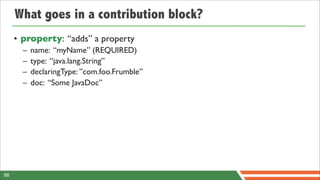
What goes in a contribution block?
     • property: “adds” a property
       –   name: “myName” (REQUIRED)
       –   type: “java.lang.String”
       –   declaringType: ”com.foo.Frumble”
       –   doc: “Some JavaDoc”


98
What goes in a contribution block?
     • property: “adds” a property
       –   name: “myName” (REQUIRED)
       –   type: “java.lang.String”
       –   declaringType: ”com.foo.Frumble”
       –   doc: “Some JavaDoc”

     • method: “adds” a method
       – all arguments above, and
       – params: [ firstName: “java.lang.String”, lastName: “java.lang.String” ]
       – namedParams, optionalParams


98
What goes in a contribution block?
     • property: “adds” a property
       –   name: “myName” (REQUIRED)
       –   type: “java.lang.String”
       –   declaringType: ”com.foo.Frumble”
       –   doc: “Some JavaDoc”

     • method: “adds” a method
       – all arguments above, and
       – params: [ firstName: “java.lang.String”, lastName: “java.lang.String” ]
       – namedParams, optionalParams

     • delegatesTo: “delegates” invocations to another type
       – type (REQUIRED)
98
What goes in a contribution block?
     • property: “adds” a property                  contribute(...)	
  {
       –   name: “myName” (REQUIRED)                	
  	
  property	
  name:	
  "myName"
       –   type: “java.lang.String”                 	
  	
  method	
  name:	
  "getMyName"
       –   declaringType: ”com.foo.Frumble”         	
  	
  delegatesTo	
  type:	
  
       –   doc: “Some JavaDoc”                      	


  "some.other.Type"
     • method: “adds” a method                      }
       – all arguments above, and
       – params: [ firstName: “java.lang.String”, lastName: “java.lang.String” ]
       – namedParams, optionalParams

     • delegatesTo: “delegates” invocations to another type
       – type (REQUIRED)
98
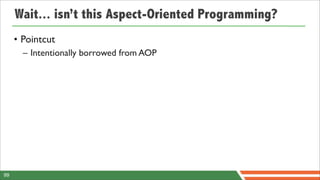
Wait... isn’t this Aspect-Oriented Programming?


99
Wait... isn’t this Aspect-Oriented Programming?
     • Pointcut
       – Intentionally borrowed from AOP


99
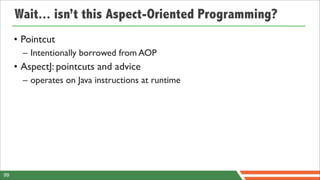
Wait... isn’t this Aspect-Oriented Programming?
     • Pointcut
       – Intentionally borrowed from AOP
     • AspectJ: pointcuts and advice
       – operates on Java instructions at runtime


99
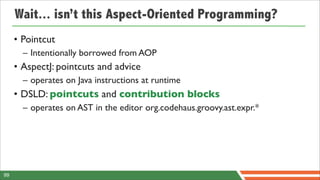
Wait... isn’t this Aspect-Oriented Programming?
     • Pointcut
       – Intentionally borrowed from AOP
     • AspectJ: pointcuts and advice
       – operates on Java instructions at runtime
     • DSLD: pointcuts and contribution blocks
       – operates on AST in the editor org.codehaus.groovy.ast.expr.*


99
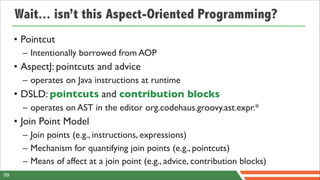
Wait... isn’t this Aspect-Oriented Programming?
     • Pointcut
       – Intentionally borrowed from AOP
     • AspectJ: pointcuts and advice
       – operates on Java instructions at runtime
     • DSLD: pointcuts and contribution blocks
       – operates on AST in the editor org.codehaus.groovy.ast.expr.*
     • Join Point Model
       – Join points (e.g., instructions, expressions)
       – Mechanism for quantifying join points (e.g., pointcuts)
       – Means of affect at a join point (e.g., advice, contribution blocks)
99
DEMO
      LET’S GET THE EDITOR REALLY WORKING


100
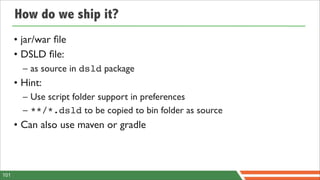
How do we ship it?
      • jar/war file
      • DSLD file:
        – as source in dsld package
      • Hint:
        – Use script folder support in preferences
        – **/*.dsld to be copied to bin folder as source
      • Can also use maven or gradle


101
DEMO
      HOW DO WE SHIP IT?


102
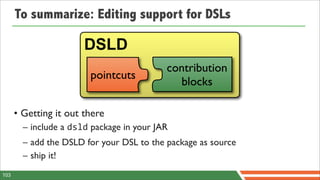
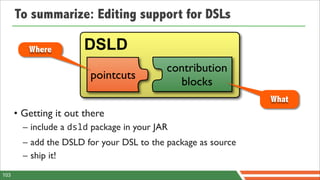
To summarize: Editing support for DSLs

                       DSLD
                                           contribution
                        pointcuts
                                             blocks

      • Getting it out there
        – include a dsld package in your JAR
        – add the DSLD for your DSL to the package as source
        – ship it!
103
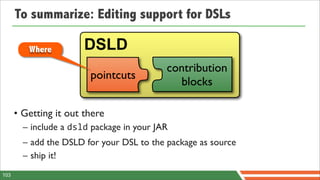
To summarize: Editing support for DSLs

         Where         DSLD
                                           contribution
                        pointcuts
                                             blocks

      • Getting it out there
        – include a dsld package in your JAR
        – add the DSLD for your DSL to the package as source
        – ship it!
103
To summarize: Editing support for DSLs

         Where         DSLD
                                           contribution
                        pointcuts
                                             blocks
                                                               What
      • Getting it out there
        – include a dsld package in your JAR
        – add the DSLD for your DSL to the package as source
        – ship it!
103
What have we learnt?


© 2012 SpringOne 2GX. All rights reserved. Do not distribute without permission.
Groovy Power!™
      • A flexible and malleable syntax
       – scripts vs classes, optional typing, colons and parens
      • Groovy offers useful dynamic features for DSLs
       – operator overloading, ExpandoMetaClass
      • Can write almost plain natural language sentences
       – for readable, concise and expressive DSLs
      • Groovy DSLs are easy to integrate,
        and can be secured to run safely in your own sandbox
      • Groovy DSLs can be tooled
        for improved authoring capabilities
105
Groovy Power!™                                    Groovy is a
                                                        great fit for
                                                           DSLs!
      • A flexible and malleable syntax
       – scripts vs classes, optional typing, colons and parens
      • Groovy offers useful dynamic features for DSLs
       – operator overloading, ExpandoMetaClass
      • Can write almost plain natural language sentences
       – for readable, concise and expressive DSLs
      • Groovy DSLs are easy to integrate,
        and can be secured to run safely in your own sandbox
      • Groovy DSLs can be tooled
        for improved authoring capabilities
105
And there’s more!
      • We haven’t dived into...
        – How to implement your own control structures with closures
        – How to create Groovy « builders »
        – How to define extension modules
        – How to hijack the Groovy syntax to develop our own language
          extensions with AST Transformations
        – Source preprocessing for custom syntax
        – How to use the other metaprogramming techniques available
        – How to improve error reporting with customizers

106
Thank you!


107
Questions & Answers


      Got questions,
          really?


108
Questions & Answers

                            I might have
                              answers!
      Got questions,
          really?


108
Image credits

       •   Wikipedia logo: http://www.geekosystem.com/wp-content/uploads/2011/01/wikipedia-logo.png
       •   Chains: http://2.bp.blogspot.com/-GXDVqUYSCa0/TVdBsON4tdI/AAAAAAAAAW4/EgJOUmAxB28/s1600/breaking-chains5_copy9611.jpg
       •   Space odissey: http://dearjesus.files.wordpress.com/2010/04/2001_a_space_odyssey_1.jpg
       •   HAL red: http://2.bp.blogspot.com/-yjsyPxUFicY/TcazwAltOaI/AAAAAAAAAho/GVT7wGhnrUM/s1600/2001-a-space-odyssey-HAL.jpg
       •   USSR Space posters: http://www.flickr.com/photos/justinvg
       •   General: http://www.defense.gov/dodcmsshare/newsphoto/2009-02/hires_090217-D-7203C-004.jpg
       •   Rocket: http://astro.vision.free.fr/download/fonds/7/saturn5c.jpg
       •   Star Trek / 747: http://24.media.tumblr.com/tumblr_m35foiJI6a1qzz0iho1_1280.jpg
       •   Man in space: http://www.nasa.gov/images/content/60130main_image_feature_182_jwfull.jpg
       •   Sputnik 2: http://launiusr.files.wordpress.com/2010/06/sputnik2.jpg
       •   Lunakod: http://www.astr.ua.edu/keel/space/lunakhod_moscow.jpg
       •   Sandbox: http://www.turnbacktogod.com/wp-content/uploads/2008/09/sandbox.jpg
       •   Repair: http://www.oneangels.com/wp-content/uploads/2012/03/repair1.jpg
       •   Mars rover: http://wallpapers.free-review.net/wallpapers/49/Mars_rover%2C_Mars_-_03.jpg
       •   Mars rover 2: http://www.universetoday.com/wp-content/uploads/2011/06/551038main_pia14156-43_946-710.jpg
       •   Thumb: http://www.wpclipart.com/sign_language/thumbs_up_large.png.html
       •   Night sky: http://www.aplf-planetariums.info/galeries/ciel_profond/2004-07-01-Voie_Lactee_Scorpion-Jean-Luc_PUGLIESI.jpg
       •   Obama yes we can: http://www.dessinemoiunboulon.net/wp-content/uploads/2009/01/obama-yes-we-can_04-nov-08.jpg
       •   Hook: http://winningware.com/blog/wp-content/uploads/2009/12/FishHookXSmall.jpg
       •   HP 48 GX: http://calculators.torensma.net/files/images/hewlett-packard_hp-48g.jpg
       •   Omer: http://www.irmin.com/wallpaper/TV/Homer%20Simpson%20Oh%20No.jpg
       •   Cadenat: http://acsgsecurite.com/upl/site/cadenat.png
       •   Thanks: http://4.bp.blogspot.com/-hTdT5Ebk5ws/Tu_x2tE4ccI/AAAAAAAAAZc/pxtG8A0w7VE/s1600/thanks-digital-calligraphy-md.png
       •   Buzz Aldrin: http://2.bp.blogspot.com/-rpV5Oy5N78U/TprVli-2ZdI/AAAAAAAABN8/WiHob4rp2b8/s1600/Astronaut.jpg


109

Groovy Domain Specific Languages - SpringOne2GX 2012

  • 1.
    Groovy Domain-Specific Languages AndrewEisenberg Paul King Guillaume Laforge Groovy Eclipse Project Lead Groovy Core Developer Groovy Project Manager SpringSource / VMware ASERT SpringSource / VMware @werdnagreb @paulk_asert @glaforge © 2012 SpringOne 2GX. All rights reserved. Do not distribute without permission.
  • 2.
    Andrew Eisenberg • Groovy-Eclipse project lead • Senior Member of Technical Staff,VMware Tools Team – Grails-IDE, GGTS, AJDT, STS, Scripted, Orion project • PhD in Computer Science from University of British Columbia • Follow me: – Twitter: @werdnagreb – Blog: http://contraptionsforprogramming.blogspot.ca/ – Google+: http://gplus.to/aeisenberg 2
  • 3.
    Paul King • Groovy Core Committer • Leads ASERT – software, training, consultancy company based in Brisbane, Australia • PhD in Computer Science from The University of Queensland • Co-author of Groovy in Action • Follow me: – Twitter: @paulk_asert 3
  • 4.
    Guillaume Laforge • Groovy Project Manager at VMware • Initiator of the Grails framework • Creator of the Gaelyk • Co-author of Groovy in Action • Follow me: • My blog: http://glaforge.appspot.com • Twitter: @glaforge • Google+: http://gplus.to/glaforge 4
  • 5.
    Introduction Definitions Examples Goals Pros & cons © 2012 SpringOne 2GX. All rights reserved. Do not distribute without permission.
  • 6.
    Domain-Specific Languages { } A Domain-Specific Language is a programming language or executable specification language that offers, through appropriate notations and abstractions, expressive power focused on, and usually restricted to, a particular problem domain. • In contrast to General Purpose Languages • Also known as: fluent / humane interfaces, language oriented programming, little or mini languages, macros, business natural languages... 6
  • 7.
    Technical examples XSLT <?xml version="1.0"?> Glade Regex <?xml version="1.0"?> <GTK-Interface> <xsl:stylesheetversion="1.0" <widget> <class>GtkWindow</class> xmlns:xsl="http://www.w3.org/1999/XSL/Transform"> <name>HelloWindow</name> <xsl:output method="xml"/> <border_width>5</border_width> <xsl:template match="*"> <Signal> <xsl:element name="{name()}"> <name>destroy</name> <xsl:for-each select="@*"> <handler>gtk_main_quit</handler> <xsl:element name="{name()}"> </Signal> <title>Hello</title> <xsl:value-of select="."/> </xsl:element> "x.z?z{1,3}y" <type>GTK_WINDOW_TOPLEVEL</type> </xsl:for-each> <position>GTK_WIN_POS_NONE</position> <xsl:apply-templates select="*|text()"/> <allow_shrink>True</allow_shrink> </xsl:element> <allow_grow>True</allow_grow> </xsl:template> <auto_shrink>False</auto_shrink> </xsl:stylesheet> <widget> <class>GtkButton</class> Fetchmail <name>Hello World</name> <can_focus>True</can_focus> <label>Hello World</label> # Poll this site first each cycle. SQL poll pop.provider.net proto pop3 </widget> user "jsmith" with pass "secret1" is "smith" here </widget> user jones with pass "secret2" is "jjones" here with options keep </GTK-Interface> # Poll this site second, unless Lord Voldemort zaps us first. poll billywig.hogwarts.com with proto imap: user harry_potter with pass "floo" is harry_potter here SELECT * FROM TABLE # Poll this site third in the cycle. WHERE NAME LIKE '%SMI' # Password will be fetched from ~/.netrc poll mailhost.net with proto imap: ORDER BY NAME user esr is esr here
  • 8.
    Antimalaria drug Insurance policy risk HR skills representation resistance simulation calculation engine Nuclear safety simulations Market data feeds analysis Loan acceptance rules engine
  • 9.
    Goals of DSLs • Use a more expressive language than a general-purpose one • Share a common metaphor of understanding between developers and subject matter experts • Have domain experts help with the design of the business logic of an application • Avoid cluttering business code with too much boilerplate technical code thanks to a clean separation • Let business rules have their own lifecycle 9
  • 10.
    Pros and cons Pros Cons – Domain experts can help, – Learning cost vs. limited applicability validate, modify, and often – Cost of designing, implementing & develop DSL programs maintaining DSLs as well as tools/ – Somewhat self-documenting IDEs – Enhance quality, productivity, – Attaining proper scope reliability, maintainability, – Trade-offs between domain portability, reusability specificity and general purpose – Safety; as long as the language language constructs constructs are safe, any DSL – Efficiency cost sentence can be considered safe – Proliferation of similar non-standard DSLs 10
  • 11.
    Groovy provides... • A flexible and malleable syntax – scripts, native syntax constructs (list, map, ranges), closures, less punctuation... • Compile-time and runtime meta-programming – metaclasses, AST transformations – also operator overloading • The ability to easily integrate into Java / Spring apps – also security and safety 11
  • 12.
    Let’s get started! ©2012 SpringOne 2GX. All rights reserved. Do not distribute without permission.
  • 14.
    Your mission: build a DSL for a Mars robot
  • 15.
    We need arobot! package  mars class  Robot  {} 15
  • 16.
    It should move... package  mars   class  Robot  {        void  move()  {} } 16
  • 17.
    ..in a direction! package  mars   class  Robot  {        void  move(String  dir)  {} } 17
  • 18.
    More explicit direction package  mars   class  Robot  {        void  move(Direction  dir)  {} } package  mars   enum  Direction  {        left,  right,  forward,  backward } 18
  • 19.
    Now how canwe control it? import  static  mars.Direction.*; import  mars.Robot; public  class  Command  {        public  static  void  main(String[]  args)  {                Robot  robot  =  new  Robot();                robot.move(left);        } } 19
  • 20.
    Now how canwe control it? import  static  mars.Direction.*; import  mars.Robot; public  class  Command  {        public  static  void  main(String[]  args)  {                Robot  robot  =  new  Robot();                robot.move(left);        } } Syntactical noise! 19
  • 21.
    Now how canwe control it?                                                            — import  static  mars.Direction.*;                                  — import  mars.Robot; —————————————————————— public  class  Command  {        ————————————————————————————————————————        public  static  void  main(String[]  args)  {                —————                                        —                Robot  robot  =  new  Robot();                                    —        ——                robot.move(left);        —        } — } Syntactical noise! 19
  • 22.
    Optional semicolons &parentheses / Scripts vs classes import  static  mars.Direction.* import  mars.Robot                def      robot  =  new  Robot()                robot.move  left 20
  • 23.
    Optional semicolons &parentheses / Scripts vs classes import  static  mars.Direction.* import  mars.Robot Optional typing                def      robot  =  new  Robot()                robot.move  left 20
  • 24.
    Optional semicolons &parentheses / Scripts vs classes import  static  mars.Direction.* import  mars.Robot Optional typing                def      robot  =  new  Robot()                robot.move  left But I don’t want to compile a script for every command! 20
  • 25.
  • 26.
  • 27.
    GroovyShell to therescue def  shell  =  new  GroovyShell() shell.evaluate(        new  File("command.groovy") ) 22
  • 28.
    GroovyShell to therescue def  shell  =  new  GroovyShell() shell.evaluate( integration.groovy        new  File("command.groovy") ) 22
  • 29.
    GroovyShell to therescue def  shell  =  new  GroovyShell() shell.evaluate( integration.groovy        new  File("command.groovy") ) import  static  mars.Direction.* import  mars.Robot def  robot  =  new  Robot() robot.move  left 22
  • 30.
    GroovyShell to therescue def  shell  =  new  GroovyShell() shell.evaluate( integration.groovy        new  File("command.groovy") ) import  static  mars.Direction.* import  mars.Robot command.groovy def  robot  =  new  Robot() robot.move  left 22
  • 31.
    Integration mechanisms • Different solutions available: – Groovy’s own mechanisms • GroovyScriptEngine, GroovyShell, GroovyClassLoader, Eval – Java 6: javax.script.* / JSR-223 • Groovy provides a JSR-223 implementation – Spring’s lang namespace • Groovy provides the highest level of flexibility and customization, but JSR-223 is a standard... 23
  • 32.
    Integration mechanisms • Different solutions available: – Groovy’s own mechanisms • GroovyScriptEngine, GroovyShell, GroovyClassLoader, Eval – Java 6: javax.script.* / JSR-223 • Groovy provides a JSR-223 implementation – Spring’s lang namespace • Groovy provides the highest level of flexibility and customization, but JSR-223 is a standard... 23
  • 33.
    What’s wrong withour DSL? import  static  mars.Direction.* import  mars.Robot def  robot  =  new  Robot() robot.move  left 24
  • 34.
    What’s wrong withour DSL? Can’t we hide those imports? import  static  mars.Direction.* import  mars.Robot def  robot  =  new  Robot() robot.move  left 24
  • 35.
    What’s wrong withour DSL? Can’t we hide those imports? import  static  mars.Direction.* import  mars.Robot def  robot  =  new  Robot() robot.move  left Can’t we inject the robot? 24
  • 36.
    What’s wrong withour DSL? Can’t we hide those imports? import  static  mars.Direction.* import  mars.Robot def  robot  =  new  Robot() robot.move  left Can’t we inject Do we really need to the robot? repeat ‘robot’? 24
  • 37.
    I’m sorry Dave, youcan’t do that!
  • 38.
    I’m sorry Dave, youcan’t do that!
  • 39.
    What we reallywant is...  move  left   26
  • 40.
    Let’s inject arobot! • We can pass data in / out of scripts through the Binding – basically just a map of variable name keys and their associated values 27
  • 41.
    Let’s inject arobot! • We can pass data in / out of scripts through the Binding – basically just a map of variable name keys and their associated values def  binding  =  new  Binding([        robot:  new  mars.Robot() ]) def  shell  =  new  GroovyShell(binding) shell.evaluate(        new  File("command.groovy") ) 27
  • 42.
    Let’s inject arobot! • We can pass data in / out of scripts through the Binding – basically just a map of variable name keys and their associated values integration.groovy def  binding  =  new  Binding([        robot:  new  mars.Robot() ]) def  shell  =  new  GroovyShell(binding) shell.evaluate(        new  File("command.groovy") ) 27
  • 43.
    Better? import  static  mars.Direction.* robot.move  left 28
  • 44.
    Better? Robot import removed import  static  mars.Direction.* robot.move  left 28
  • 45.
    Better? Robot import removed import  static  mars.Direction.* robot.move  left Robot injected, no ‘new’ needed 28
  • 46.
    How to injectthe direction? • Using the import  mars.* binding... def  binding  =  new  Binding([        robot:  new  Robot(),        left:          Direction.left,        right:        Direction.right,        backward:  Direction.backward,        forward:    Direction.forward ]) def  shell  =  new  GroovyShell(binding) shell.evaluate(        new  File("command.groovy") ) 29
  • 47.
    How to injectthe direction? • Using the import  mars.* Fragile in case of new directions! binding... def  binding  =  new  Binding([        robot:  new  Robot(),        left:          Direction.left,        right:        Direction.right,        backward:  Direction.backward,        forward:    Direction.forward ]) def  shell  =  new  GroovyShell(binding) shell.evaluate(        new  File("command.groovy") ) 29
  • 48.
    How to injectthe direction? • Using the import  mars.*   binding... def  binding  =  new  Binding([        robot:  new  Robot(),        *:  Direction.values()                        .collectEntries  { Spread map                                [(it.name()):  it] operator                        } ]) def  shell  =  new  GroovyShell(binding) shell.evaluate(        new  File("command.groovy") ) 30
  • 49.
    How to injectthe direction? • Using string concatenation? • Using compiler customizers 31
  • 50.
    String concatenation? Badidea! new  GroovyShell(new  Binding([robot:  new  mars.Robot()]))        .evaluate("import  static  mars.Direction.*n"  +                            "robot.move  left") 32
  • 51.
    String concatenation? Badidea! Cheat with string concatenation? Bad! new  GroovyShell(new  Binding([robot:  new  mars.Robot()]))        .evaluate("import  static  mars.Direction.*n"  +                            "robot.move  left") 32
  • 52.
    String concatenation? Badidea! new  GroovyShell(new  Binding([robot:  new  mars.Robot()]))        .evaluate("import  static  mars.Direction.*n"  +                            "robot.move  left") 32
  • 53.
    String concatenation? Badidea! Line #1 becomes Line #2 new  GroovyShell(new  Binding([robot:  new  mars.Robot()]))        .evaluate("import  static  mars.Direction.*n"  +                            "robot.move  left") 32
  • 54.
    String concatenation? Badidea! new  GroovyShell(new  Binding([robot:  new  mars.Robot()]))        .evaluate("import  static  mars.Direction.*n"  +                            "robot.move  left") 32
  • 55.
    Compilation customizers • Ability to apply some customization to the Groovy compilation process • Three available customizers Groovy 1.8 – ImportCustomizer: add transparent imports – ASTTransformationCustomizer: injects an AST transform – SecureASTCustomizer: restrict the groovy language to an allowed subset • But you can implement your own 33
  • 56.
    Imports customizer def  configuration  =  new  CompilerConfiguration()   def  imports  =  new  ImportCustomizer() imports.addStaticStar(mars.Direction.name) configuration.addCompilationCustomizers(imports)     new  GroovyShell(new  Binding([robot:  new  mars.Robot()]),                                      configuration)        .evaluate("robot.move  left")             34
  • 57.
    AST transformation customizer def  configuration  =  new  CompilerConfiguration()   def  imports  =  new  ImportCustomizer() imports.addStaticStar(mars.Direction.name) configuration.addCompilationCustomizers(imports,                          new  ASTTransformationCustomizer(Log))   new  GroovyShell(new  Binding([robot:  new  mars.Robot()]),                                    configuration)        .evaluate("robot.move  left"  +  "n"                            "log.info  ‘Robot  moved’")                       35
  • 58.
    AST transformation customizer def  configuration  =  new  CompilerConfiguration()   def  imports  =  new  ImportCustomizer() imports.addStaticStar(mars.Direction.name) configuration.addCompilationCustomizers(imports,                          new  ASTTransformationCustomizer(Log))   new  GroovyShell(new  Binding([robot:  new  mars.Robot()]),                                    configuration)        .evaluate("robot.move  left"  +  "n"                            "log.info  ‘Robot  moved’")                       @Log injects a logger in scripts and classes 35
  • 59.
  • 60.
    Secure AST customizer • Let’s set up our environment – an import customizer to import java.lang.Math.* – prepare a secure AST customizer def  imports  =  new  ImportCustomizer()                                    .addStaticStars('java.lang.Math') def  secure  =  new  SecureASTCustomizer() 37
  • 61.
    Secure AST customizer Idea: secure the rocket’s onboard trajectory calculation system by allowing only math expressions to be evaluated by the calculator • Let’s set up our environment – an import customizer to import java.lang.Math.* – prepare a secure AST customizer def  imports  =  new  ImportCustomizer()                                    .addStaticStars('java.lang.Math') def  secure  =  new  SecureASTCustomizer() 37
  • 62.
    Secure AST customizer ... secure.with  { //  disallow  closure  creation closuresAllowed  =  false   //  disallow  method  definitions methodDefinitionAllowed  =  false     //  empty  white  list  =>  forbid  imports importsWhitelist  =  []   staticImportsWhitelist  =  [] //  only  allow  the  java.lang.Math.*  static  import staticStarImportsWhitelist  =  ['java.lang.Math'] ... 38
  • 63.
    Secure AST customizer Disallow closures ... and methods secure.with  { //  disallow  closure  creation closuresAllowed  =  false   //  disallow  method  definitions methodDefinitionAllowed  =  false     //  empty  white  list  =>  forbid  imports importsWhitelist  =  []   staticImportsWhitelist  =  [] //  only  allow  the  java.lang.Math.*  static  import staticStarImportsWhitelist  =  ['java.lang.Math'] ... 38
  • 64.
    Secure AST customizer Disallow closures ... and methods secure.with  { //  disallow  closure  creation closuresAllowed  =  false   //  disallow  method  definitions Black / white list methodDefinitionAllowed  =  false   imports   //  empty  white  list  =>  forbid  imports importsWhitelist  =  []   staticImportsWhitelist  =  [] //  only  allow  the  java.lang.Math.*  static  import staticStarImportsWhitelist  =  ['java.lang.Math'] ... 38
  • 65.
    Secure AST customizer ... //  language  tokens  allowed tokensWhitelist  =  [ PLUS,  MINUS,  MULTIPLY,  DIVIDE,  MOD,  POWER,  PLUS_PLUS,  MINUS_MINUS,   COMPARE_EQUAL,  COMPARE_NOT_EQUAL,  COMPARE_LESS_THAN,  COMPARE_LESS_THAN_EQUAL,   COMPARE_GREATER_THAN,  COMPARE_GREATER_THAN_EQUAL ]   //  types  allowed  to  be  used  (including  primitive  types) constantTypesClassesWhiteList  =  [ Integer,  Float,  Long,  Double,  BigDecimal,   Integer.TYPE,  Long.TYPE,  Float.TYPE,  Double.TYPE ]   //  classes  who  are  allowed  to  be  receivers  of  method  calls receiversClassesWhiteList  =  [   Math,  Integer,  Float,  Double,  Long,  BigDecimal  ] } ... 39
  • 66.
    Secure AST customizer You can build a subset of the Groovy syntax! ... //  language  tokens  allowed tokensWhitelist  =  [ PLUS,  MINUS,  MULTIPLY,  DIVIDE,  MOD,  POWER,  PLUS_PLUS,  MINUS_MINUS,   COMPARE_EQUAL,  COMPARE_NOT_EQUAL,  COMPARE_LESS_THAN,  COMPARE_LESS_THAN_EQUAL,   COMPARE_GREATER_THAN,  COMPARE_GREATER_THAN_EQUAL ]   //  types  allowed  to  be  used  (including  primitive  types) constantTypesClassesWhiteList  =  [ Integer,  Float,  Long,  Double,  BigDecimal,   Integer.TYPE,  Long.TYPE,  Float.TYPE,  Double.TYPE ]   //  classes  who  are  allowed  to  be  receivers  of  method  calls receiversClassesWhiteList  =  [   Math,  Integer,  Float,  Double,  Long,  BigDecimal  ] } ... 39
  • 67.
    Secure AST customizer You can build a subset of the Groovy syntax! ... //  language  tokens  allowed tokensWhitelist  =  [ PLUS,  MINUS,  MULTIPLY,  DIVIDE,  MOD,  POWER,  PLUS_PLUS,  MINUS_MINUS,   COMPARE_EQUAL,  COMPARE_NOT_EQUAL,  COMPARE_LESS_THAN,  COMPARE_LESS_THAN_EQUAL,   COMPARE_GREATER_THAN,  COMPARE_GREATER_THAN_EQUAL ]   //  types  allowed  to  be  used  (including  primitive  types) constantTypesClassesWhiteList  =  [ Black / white list Integer,  Float,  Long,  Double,  BigDecimal,   Integer.TYPE,  Long.TYPE,  Float.TYPE,  Double.TYPE usage of classes ]   //  classes  who  are  allowed  to  be  receivers  of  method  calls receiversClassesWhiteList  =  [   Math,  Integer,  Float,  Double,  Long,  BigDecimal  ] } ... 39
  • 68.
    Secure AST customizer • Ready to evaluate our flight equations! def  config  =  new  CompilerConfiguration() config.addCompilationCustomizers(imports,  secure) def  shell  =  new  GroovyShell(config)   shell.evaluate  'cos  PI/3' • But the following would have failed: shell.evaluate  'System.exit(0)' 40
  • 69.
    Back to ourrobot... robot.move  left 41
  • 70.
    Back to ourrobot... Still need to get rid of the robot prefix! robot.move  left 41
  • 71.
  • 72.
    Yes ! Can weremove it?
  • 73.
    How to getrid of the ‘robot’? • Instead of calling the move() method on the robot instance, we should be able to call the move() method directly from within the script • Two approaches • Inject a ‘move’ closure in • Use a base script class the binding with a method with a ‘move’ method pointer delegating to the robot 43
  • 74.
    Inject a closurein the binding def  robot  =  new  mars.Robot() binding  =  new  Binding([        robot:  robot,        *:  Direction.values()                        .collectEntries  {                                [(it.name()):  it]                        },        move:  robot.&move ]) 44
  • 75.
    Inject a closurein the binding def  robot  =  new  mars.Robot() binding  =  new  Binding([        robot:  robot,        *:  Direction.values()                        .collectEntries  {                                [(it.name()):  it]                        }, Method pointer        move:  robot.&move (a closure) on ]) robot’s move instance method 44
  • 76.
    Define a basescript class abstract  class  RobotBaseScriptClass  extends  Script  {        void  move(Direction  dir)  {                def  robot  =  this.binding.robot                robot.move  dir        } } 45
  • 77.
    Define a basescript class abstract  class  RobotBaseScriptClass  extends  Script  {        void  move(Direction  dir)  {                def  robot  =  this.binding.robot                robot.move  dir        } } The move() method is now at the script level 45
  • 78.
    Define a basescript class abstract  class  RobotBaseScriptClass  extends  Script  {        void  move(Direction  dir)  {                def  robot  =  this.binding.robot                robot.move  dir        } } Access the robot The move() method is through the script’s now at the script level binding 45
  • 79.
    Configure the basescript class def  conf  =  new  CompilerConfiguration() conf.scriptBaseClass  =  RobotBaseScriptClass 46
  • 80.
    Configure the basescript class def  conf  =  new  CompilerConfiguration() conf.scriptBaseClass  =  RobotBaseScriptClass Scripts evaluated with this configuration will inherit from that class 46
  • 81.
    Ready for liftoff!    move  left
  • 82.
    Beep, beep... yes buthow do you define the speed? ...beep...
  • 83.
  • 84.
    What we coulddo now is... move  left,  at:  3.km/h 50
  • 85.
    What we coulddo now is... Mix of named and normal parameters move  left,  at:  3.km/h 50
  • 86.
    What we coulddo now is... Mix of named and normal parameters move  left,  at:  3.km/h How to support this speed notation? 50
  • 87.
    Supporting the speednotation • We need to: – define units of distance, time and speed • DistanceUnit and Distance • TimeUnit and Duration • Speed – have a nice notation for them by adding properties to numbers – be able to define speed thanks to operator overloading 51
  • 88.
    Distance unit enumand distance enum  DistanceUnit  {        centimeter  ('cm',        0.01),        meter            (  'm',        1      ),          kilometer    ('km',  1000      )                  String  abbreviation        double  multiplier                DistanceUnit(String  abbr,  double  mult)  {                this.abbreviation  =  abbr                this.multiplier  =  mult          }        String  toString()  {  abbreviation  }   } 52
  • 89.
    Distance unit enumand distance enum  DistanceUnit  { @TupleConstructor          centimeter  ('cm',        0.01), class  Distance  {        meter            (  'm',        1      ),          double  amount          kilometer    ('km',  1000      )          DistanceUnit  unit                String  abbreviation        String  toString()  {          double  multiplier                "$amount  $unit"                  }          DistanceUnit(String  abbr,  double  mult)  { }                this.abbreviation  =  abbr                this.multiplier  =  mult          }        String  toString()  {  abbreviation  }   } 52
  • 90.
    Time unit enumand duration enum  TimeUnit  {        hour            (    'h',  3600),        minute        ('min',      60),          second        (    's',        1)                  String  abbreviation        double  multiplier                TimeUnit(String  abbr,  double  mult)  {                this.abbreviation  =  abbr                this.multiplier  =  mult          }        String  toString()  {  abbreviation  }   } 53
  • 91.
    Time unit enumand duration enum  TimeUnit  { @TupleConstructor          hour            (    'h',  3600), class  Duration  {        minute        ('min',      60),          double  amount          second        (    's',        1)          TimeUnit  unit                String  abbreviation        String  toString()  {          double  multiplier                "$amount  $unit"                  }          TimeUnit(String  abbr,  double  mult)  { }                this.abbreviation  =  abbr                this.multiplier  =  mult          }        String  toString()  {  abbreviation  }   } 53
  • 92.
    Now at (light!)speed @TupleConstructor   class  Speed  { distance        Distance  distance speed =        Duration  dur duration        String  toString()  {                  "$distance/$dur"          }   } 54
  • 93.
    First, we needthe distance notation • We add a dynamic property to numbers by adding a getter to them and use the property notation shortcut: 2.km 2.getKm() 55
  • 94.
    Techniques to addproperties to numbers • To add dynamic methods or properties, there are several approaches at your disposal: – ExpandoMetaClass – custom MetaClass – Categories – Extension modules Groovy 2! • Let’s have a look at the ExpandoMetaClass 56
  • 95.
    Using ExpandoMetaClass Number.metaClass.getCm  =  {  -­‐>          new  Distance(delegate,  Unit.centimeter)   } Number.metaClass.getM  =  {  -­‐>          new  Distance(delegate,  Unit.meter)   } Number.metaClass.getKm  =  {  -­‐>          new  Distance(delegate,  Unit.kilometer)   } 57
  • 96.
    Using ExpandoMetaClass Add that to integration.groovy Number.metaClass.getCm  =  {  -­‐>          new  Distance(delegate,  Unit.centimeter)   } Number.metaClass.getM  =  {  -­‐>          new  Distance(delegate,  Unit.meter)   } Number.metaClass.getKm  =  {  -­‐>          new  Distance(delegate,  Unit.kilometer)   } 57
  • 97.
    Using ExpandoMetaClass Add that to integration.groovy Number.metaClass.getCm  =  {  -­‐>          new  Distance(delegate,  Unit.centimeter)   } Number.metaClass.getM  =  {  -­‐>          new  Distance(delegate,  Unit.meter)   } Number.metaClass.getKm  =  {  -­‐>          new  Distance(delegate,  Unit.kilometer)   } ‘delegate’ is the current number 57
  • 98.
    Using ExpandoMetaClass Add that to integration.groovy Usage in your DSLs Number.metaClass.getCm  =  {  -­‐>          new  Distance(delegate,  Unit.centimeter)   } Number.metaClass.getM  =  {  -­‐>   40.cm          new  Distance(delegate,  Unit.meter)   3.5.m } Number.metaClass.getKm  =  {  -­‐>   4.km        new  Distance(delegate,  Unit.kilometer)   } ‘delegate’ is the current number 57
  • 99.
    Distance okay, butspeed? • For distance, we just added a property access after the number, but we now need to divide (‘div’) by the time 2.km/h 58
  • 100.
    Distance okay, butspeed? • For distance, we just added a property access after the number, but we now need to divide (‘div’) by the time The div() method on Distance 2.km/h 58
  • 101.
    Distance okay, butspeed? • For distance, we just added a property access after the number, but we now need to divide (‘div’) by the time The div() method on Distance 2.km/h An ‘h’ duration instance in the binding 58
  • 102.
    Inject the ‘h’hour constant in the binding def  binding  =  new  Binding([        robot:  new  Robot(),        *:  Direction.values()                        .collectEntries  {                                [(it.name()):  it]                        },        h:  new  Duration(1,  TimeUnit.hour) ]) 59
  • 103.
    Inject the ‘h’hour constant in the binding def  binding  =  new  Binding([        robot:  new  Robot(),        *:  Direction.values()                        .collectEntries  { An ‘h’ duration added                                [(it.name()):  it] to the binding                        },        h:  new  Duration(1,  TimeUnit.hour) ]) 59
  • 104.
    Operator overloading a  +  b      //  a.plus(b) a  -­‐  b      //  a.minus(b) • Currency amounts a  *  b      //  a.multiply(b) – 15.euros + 10.dollars a  /  b      //  a.div(b) a  %  b      //  a.modulo(b) • Distance handling a  **  b    //  a.power(b) a  |  b      //  a.or(b) – 10.km - 10.m a  &  b      //  a.and(b) a  ^  b      //  a.xor(b) • Workflow, concurrency a[b]        //  a.getAt(b) – taskA | taskB & taskC a  <<  b    //  a.leftShift(b) a  >>  b    //  a.rightShift(b) • Credit an account a  >>>  b  //  a.rightShiftUnsigned(b) – account << 10.dollars +a            //  a.unaryPlus() account += 10.dollars -­‐a            //  a.unaryMinus() account.credit 10.dollars ~a            //  a.bitwiseNegate() 60
  • 105.
    Operator overloading • Update the Distance class with a div() method following the naming convention for operators class  Distance  {        ...        Speed  div(Duration  t)  {                new  Speed(this,  t)        }        ... } 61
  • 106.
    Operator overloading • Update the Distance class with a div() method following the naming convention for operators class  Distance  {        ...        Speed  div(Duration  t)  {                new  Speed(this,  t)        }        ... } Optional return 61
  • 107.
    Equivalence of notation • Those two notations are actually equivalent: 2.km/h 2.getKm().div(h) 62
  • 108.
    Equivalence of notation • Those two notations are actually equivalent: 2.km/h This one might be slightly more verbose! 2.getKm().div(h) 62
  • 109.
    Named parameters usage move  left,  at:  3.km/h 63
  • 110.
    Named parameters usage move  left,  at:  3.km/h Normal parameter 63
  • 111.
    Named parameters usage move  left,  at:  3.km/h Normal Named parameter parameter 63
  • 112.
    Named parameters usage move  left,  at:  3.km/h Normal Named parameter parameter Will call: def  move(Map  m,  Direction  q) 63
  • 113.
    Named parameters usage move  left,  at:  3.km/h Normal Named parameter parameter Will call: def  move(Map  m,  Direction  q) All named parameters go into the map argument 63
  • 114.
    Named parameters usage move  left,  at:  3.km/h Normal Named parameter parameter Will call: def  move(Map  m,  Direction  q) All named parameters go Positional parameters into the map argument come afterwards 63
  • 115.
    Named parameters usage move  left,  at:  3.km/h 64
  • 116.
    Named parameters usage move  left,  at:  3.km/h Can we get rid of the comma? 64
  • 117.
    Named parameters usage move  left,  at:  3.km/h Can we get rid of What about the the comma? colon too? 64
  • 118.
    Command chains Groovy 1.8 • A grammar improvement allowing you to drop dots & parens when chaining method calls – an extended version of top-level statements like println • Less dots, less parens allow you to – write more readable business rules – in almost plain English sentences • (or any language, of course) 65
  • 119.
    Command chains  move  left    at  3.km/h   66
  • 120.
    Command chains Alternation of method names  move  left    at  3.km/h   66
  • 121.
    Command chains Alternation of method names  move  left    at  3.km/h   and parameters (even named ones) 66
  • 122.
    Command chains  move  left    at  3.km/h   66
  • 123.
    Command chains Equivalent to:  move  left    at  3.km/h            (        ).    (            ) 66
  • 124.
    Look Ma! No parens, n odots!
  • 125.
    Command chains //  Java  fluent  API  approach class  Robot  {        ...        def  move(Direction  dir)  {                this.dir  =  dir                return  this        }        def  at(Speed  speed)  {                this.speed  =  speed                return  this        }        ... } 68
  • 126.
    Command chains def  move(Direction  dir)  {        [at:  {  Speed  speed  -­‐>                ...        }] } 69
  • 127.
    Command chains def  move(Direction  dir)  {        [at:  {  Speed  speed  -­‐> Nested maps                ... and closures        }] } 69
  • 128.
    Command chains def  move(Direction  dir)  {        [at:  {  Speed  speed  -­‐> Nested maps                ... and closures        }] } Usage in your DSLs move  left  at  3.km/h 69
  • 129.
  • 130.
    Command chains //  methods  with  multiple  arguments  (commas) 70
  • 131.
    Command chains //  methods  with  multiple  arguments  (commas) take  coffee    with  sugar,  milk    and  liquor 70
  • 132.
    Command chains //  methods  with  multiple  arguments  (commas) take  coffee    with  sugar,  milk    and  liquor //  leverage  named-­‐args  as  punctuation 70
  • 133.
    Command chains //  methods  with  multiple  arguments  (commas) take  coffee    with  sugar,  milk    and  liquor //  leverage  named-­‐args  as  punctuation check  that:  vodka    tastes  good 70
  • 134.
    Command chains //  methods  with  multiple  arguments  (commas) take  coffee    with  sugar,  milk    and  liquor //  leverage  named-­‐args  as  punctuation check  that:  vodka    tastes  good //  closure  parameters  for  new  control  structures 70
  • 135.
    Command chains //  methods  with  multiple  arguments  (commas) take  coffee    with  sugar,  milk    and  liquor //  leverage  named-­‐args  as  punctuation check  that:  vodka    tastes  good //  closure  parameters  for  new  control  structures given  {}    when  {}    then  {} 70
  • 136.
    Command chains //  methods  with  multiple  arguments  (commas) take  coffee    with  sugar,  milk    and  liquor //  leverage  named-­‐args  as  punctuation check  that:  vodka    tastes  good //  closure  parameters  for  new  control  structures given  {}    when  {}    then  {} //  zero-­‐arg  methods  require  parens 70
  • 137.
    Command chains //  methods  with  multiple  arguments  (commas) take  coffee    with  sugar,  milk    and  liquor //  leverage  named-­‐args  as  punctuation check  that:  vodka    tastes  good //  closure  parameters  for  new  control  structures given  {}    when  {}    then  {} //  zero-­‐arg  methods  require  parens select  all    unique()  from  names 70
  • 138.
    Command chains //  methods  with  multiple  arguments  (commas) take  coffee    with  sugar,  milk    and  liquor //  leverage  named-­‐args  as  punctuation check  that:  vodka    tastes  good //  closure  parameters  for  new  control  structures given  {}    when  {}    then  {} //  zero-­‐arg  methods  require  parens select  all    unique()  from  names //  possible  with  an  odd  number  of  terms 70
  • 139.
    Command chains //  methods  with  multiple  arguments  (commas) take  coffee    with  sugar,  milk    and  liquor //  leverage  named-­‐args  as  punctuation check  that:  vodka    tastes  good //  closure  parameters  for  new  control  structures given  {}    when  {}    then  {} //  zero-­‐arg  methods  require  parens select  all    unique()  from  names //  possible  with  an  odd  number  of  terms deploy  left    arm 70
  • 140.
    Command chains //  methods  with  multiple  arguments  (commas) take  coffee    with  sugar,  milk    and  liquor        (            ).        (                      ).      (            ) //  leverage  named-­‐args  as  punctuation check  that:  vodka    tastes  good //  closure  parameters  for  new  control  structures given  {}    when  {}    then  {} //  zero-­‐arg  methods  require  parens select  all    unique()  from  names //  possible  with  an  odd  number  of  terms deploy  left    arm 70
  • 141.
    Command chains //  methods  with  multiple  arguments  (commas) take  coffee    with  sugar,  milk    and  liquor        (            ).        (                      ).      (            ) //  leverage  named-­‐args  as  punctuation check  that:  vodka    tastes  good          (                      ).            (        ) //  closure  parameters  for  new  control  structures given  {}    when  {}    then  {} //  zero-­‐arg  methods  require  parens select  all    unique()  from  names //  possible  with  an  odd  number  of  terms deploy  left    arm 70
  • 142.
    Command chains //  methods  with  multiple  arguments  (commas) take  coffee    with  sugar,  milk    and  liquor        (            ).        (                      ).      (            ) //  leverage  named-­‐args  as  punctuation check  that:  vodka    tastes  good          (                      ).            (        ) //  closure  parameters  for  new  control  structures given  {}    when  {}    then  {}          (    ).        (    ).        (    ) //  zero-­‐arg  methods  require  parens select  all    unique()  from  names //  possible  with  an  odd  number  of  terms deploy  left    arm 70
  • 143.
    Command chains //  methods  with  multiple  arguments  (commas) take  coffee    with  sugar,  milk    and  liquor        (            ).        (                      ).      (            ) //  leverage  named-­‐args  as  punctuation check  that:  vodka    tastes  good          (                      ).            (        ) //  closure  parameters  for  new  control  structures given  {}    when  {}    then  {}          (    ).        (    ).        (    ) //  zero-­‐arg  methods  require  parens select  all    unique()  from  names            (      ).                .        (          ) //  possible  with  an  odd  number  of  terms deploy  left    arm 70
  • 144.
    Command chains //  methods  with  multiple  arguments  (commas) take  coffee    with  sugar,  milk    and  liquor        (            ).        (                      ).      (            ) //  leverage  named-­‐args  as  punctuation check  that:  vodka    tastes  good          (                      ).            (        ) //  closure  parameters  for  new  control  structures given  {}    when  {}    then  {}          (    ).        (    ).        (    ) //  zero-­‐arg  methods  require  parens select  all    unique()  from  names            (      ).                .        (          ) //  possible  with  an  odd  number  of  terms deploy  left    arm            (        ). 70
  • 145.
  • 146.
    Final result move  forward  at  3.km/h 71
  • 147.
  • 148.
    move forward at3.km/h Yes! We did it!
  • 149.
  • 150.
    Security and Safety JVM Security Managers SecureASTCustomizer Sandboxing Controlling script execution © 2012 SpringOne 2GX. All rights reserved. Do not distribute without permission.
  • 151.
    Play it safein a sandbox
  • 152.
    Playing it safe... • You have to think carefully about what DSL users are allowed to do with your DSL • Forbid things which are not allowed – leverage the JVM’s Security Managers • this might have an impact on performance – use a Secure AST compilation customizer • not so easy to think about all possible cases – avoid long running scripts with *Interrupt transformations 76
  • 153.
    Security Managers • Groovy is just a language leaving on the JVM, so you have access to the usual Security Managers mechanism – Nothing Groovy specific here – Please check the documentation on Security Managers and how to design policy files 77
  • 154.
    SecureASTCustomizer def  secure  =  new  SecureASTCustomizer() secure.with  { //  disallow  closure  creation      closuresAllowed  =  false   //  disallow  method  definitions      methodDefinitionAllowed  =  false   //  empty  white  list  =>  forbid  certain  imports      importsWhitelist  =  [...]        staticImportsWhitelist  =  [...] //  only  allow  some  static  import      staticStarImportsWhitelist  =  [...] //  language  tokens  allowed        tokensWhitelist  =  [...] //  types  allowed  to  be  used      constantTypesClassesWhiteList  =  [...] //  classes  who  are  allowed  to  be  receivers  of  method  calls      receiversClassesWhiteList  =  [...] } def  config  =  new  CompilerConfiguration() config.addCompilationCustomizers(secure) def  shell  =  new  GroovyShell(config) 78
  • 155.
    Controlling code execution • Your application may run user’s code – what if the code runs in infinite loops or for too long? – what if the code consumes too many resources? • 3 new transforms at your rescue – @ThreadInterrupt: adds Thread#isInterrupted checks so your executing thread stops when interrupted – @TimedInterrupt: adds checks in method and closure bodies to verify it’s run longer than expected – @ConditionalInterrupt: adds checks with your own conditional logic to break out from the user code 79
  • 156.
    @ThreadInterrupt @ThreadInterrupt import  groovy.transform.ThreadInterrupt     while  (true)  {        //  Any  extraterestrial  around? } 80
  • 157.
    @ThreadInterrupt @ThreadInterrupt import  groovy.transform.ThreadInterrupt       while  (true)  { {        if  (Thread.currentThread().isInterrupted())                throw  new  InterruptedException() }        //  Any  extraterestrial  around? } 80
  • 158.
    @TimedInterrupt @TimedInterrupt(10) import  groovy.transform.TimedInterrupt     while  (true)  {        move  left        //  circle  forever } • InterruptedException thrown when checks indicate code ran longer than desired 81
  • 159.
    @ConditionalInterrupt • Specify your own conditions to be inserted at the start of method and closure bodies – check for available resources, number of times run, etc. • Leverages closure annotation parameters Groovy 1.8 @ConditionalInterrupt({  battery.level  <  0.1  }) import  groovy.transform.ConditionalInterrupt 100.times  {                move  forward  at  10.km/h } 82
  • 160.
    @ConditionalInterrupt • Specify your own conditions to be inserted at the start of method and closure bodies – check for available resources, number of times run, etc. • Leverages closure annotation parameters Groovy 1.8 @ConditionalInterrupt({  battery.level  <  0.1  }) import  groovy.transform.ConditionalInterrupt Can we avoid typing the 100.times  {         conditional        move  forward  at  10.km/h interrupt? } 82
  • 161.
    @ConditionalInterrupt • Specify your own conditions to be inserted at the start of method and closure bodies – check for available resources, number of times run, etc. • Leverages closure annotation parameters Groovy 1.8 Yes! Using compilation 100.times  {         customizers        move  forward  at  10.km/h } 83
  • 162.
    Using compilation customizers • In our previous examples, the usage of the interrupts were explicit, and users had to type them – if they want to deplete the battery of your robot, they won’t use interrupts, so you have to impose interrupts yourself • With compilation customizers you can inject those interrupts thanks to the AST Transformation Customizer 84
  • 163.
  • 164.
    Tooling Why tooling? DSL descriptors Pointcuts and contributions Packaging DSLDs © 2012 SpringOne 2GX. All rights reserved. Do not distribute without permission.
  • 165.
    Why tooling? • I know what this language means –why do I want anything more? 87
  • 166.
    Why tooling? • I know what this language means –why do I want anything more? • But, tooling can make things even better –syntax checking –content assist –search –inline documentation 87
  • 167.
    Let’s use anIDE • I hear Groovy-Eclipse is pretty good… 88
  • 168.
    Let’s use anIDE • I hear Groovy-Eclipse is pretty good… 88
  • 169.
    Let’s use anIDE • I hear Groovy-Eclipse is pretty good… Uh oh! 88
  • 170.
    Let’s use anIDE • I hear Groovy-Eclipse is pretty good… Uh oh! Can we do better? 88
  • 171.
    Of course! • Eclipse is extensible – with a plugin architecture Eclipse platform New WorkBench plugin Help JFace SWT New Team tool Workspace Platform runtime 89
  • 172.
    I want myDSL supported in Eclipse 90
  • 173.
    I want myDSL supported in Eclipse • Let’s create a plugin – create a plugin project – extend an extension point – write the code – build the plugin – host on an update site – convince people to install it 90
  • 174.
    I want myDSL supported in Eclipse • Let’s create a plugin • Problems – create a plugin project – I don’t want to learn – extend an extension point Eclipse APIs – write the code – I want an easy way for users to – build the plugin install the DSL support – host on an update site – I need a specific plugin version for my specific DSL version – convince people to install it 90
  • 175.
    I want myDSL supported in Eclipse Uh oh! • Let’s create a plugin • Problems – create a plugin project – I don’t want to learn – extend an extension point Eclipse APIs – write the code – I want an easy way for users to – build the plugin install the DSL support – host on an update site – I need a specific plugin version for my specific DSL version – convince people to install it 90
  • 176.
    I want myDSL supported in Eclipse Uh oh! • Let’s create a plugin • Problems – create a plugin project – I don’t want to learn – extend an extension point Eclipse APIs – write the code – I want an easy way for users to – build the plugin install the DSL support – host on an update site – I need a specific plugin version for my specific DSL version – convince people to install it Can we do better? 90
  • 177.
    Of course! • Groovy is extensible! – Meta-Object Protocol – Metaprogramming – DSLs... 91
  • 178.
    DSL Descriptors • Teach the IDE about DSLs through a Groovy DSL 92
  • 179.
    DSL Descriptors • Teach the IDE about DSLs through a Groovy DSL • Benefits – Powerful – Uses Groovy syntax, semantics, and APIs – No knowledge of Eclipse required – Can ship with Groovy libraries 92
  • 180.
    DSL Descriptors • Teach the IDE about DSLs through a Groovy DSL • Benefits – Powerful DSL Descriptors (DSLD) – Uses Groovy syntax, semantics, and APIs – No knowledge of Eclipse required – Can ship with Groovy libraries 92
  • 181.
    DSL Descriptors • Teach the IDE about DSLs through a Groovy DSL • Benefits – Powerful DSL Descriptors (DSLD) – Uses Groovy syntax, semantics, and APIs – No knowledge of Eclipse required – Can ship with Groovy libraries In IntelliJ. called GDSL 92
  • 182.
    Let’s start simple move deploy h left right forward backward 93
  • 183.
    Let’s start simple move • In English: deploy h – When the type is this, add the following properties/methods left • move, deploy, h, etc from binding right • Direction from import customizer forward backward 93
  • 184.
    Let’s start simple move • In English: deploy h – When the type is this, add the following properties/methods left • move, deploy, h, etc from binding right • Direction from import customizer forward • In DSLD: backward – When the type is this contribute( isThisType() ) {…} – …properties/methods… property name: left, type: 'v11.Direction' … method name: move, type: 'java.util.Map<…>' 93
  • 185.
    Let’s start simple move • In English: deploy h – When the type is this, add the following properties/methods left • move, deploy, h, etc from binding right • Direction from import customizer forward • In DSLD: Pointcut backward – When the type is this contribute( isThisType() ) {…} – …properties/methods… property name: left, type: 'v11.Direction' … method name: move, type: 'java.util.Map<…>' 93
  • 186.
    Let’s start simple move • In English: deploy h – When the type is this, add the following properties/methods left • move, deploy, h, etc from binding right • Direction from import customizer forward • In DSLD: Pointcut backward – When the type is this Contribution contribute( isThisType() ) {…} block – …properties/methods… property name: left, type: 'v11.Direction' … method name: move, type: 'java.util.Map<…>' 93
  • 187.
    DEMO LET’S SEE THAT 94
  • 188.
    Anatomy of aDSLD script • Pointcuts – Where to do it – What is the current expression? – Current type? – Enclosing class? • Contribution blocks – What to do – « Add » method – « Add » property – Delegate to another type 95
  • 189.
    Anatomy of aDSLD script • Pointcuts Where – Where to do it – What is the current expression? – Current type? – Enclosing class? • Contribution blocks – What to do – « Add » method – « Add » property – Delegate to another type 95
  • 190.
    Anatomy of aDSLD script • Pointcuts Where – Where to do it – What is the current expression? – Current type? What – Enclosing class? • Contribution blocks – What to do – « Add » method – « Add » property – Delegate to another type 95
  • 191.
    Anatomy of aDSLD script • Pointcuts Where – Where to do it – What is the current expression? – Current type? What – Enclosing class? • Contribution blocks – What to do – « Add » method Not at runtime... only while editing – « Add » property – Delegate to another type 95
  • 192.
    Talking about «x » class  Other  {  } class  Foo  {        def  method()  {                def  x  =  new  Other()                x.nuthin        } } 96
  • 193.
    Talking about «x » Current type class  Other  {  } class  Foo  {        def  method()  {                def  x  =  new  Other()                x.nuthin        } } 96
  • 194.
    Talking about «x » Current type class  Other  {  } class  Foo  { Enclosing class        def  method()  {                def  x  =  new  Other()                x.nuthin        } } 96
  • 195.
    Talking about «x » Current type class  Other  {  } class  Foo  { Enclosing class        def  method()  {                def  x  =  new  Other()                x.nuthin Enclosing method        } } 96
  • 196.
  • 197.
    Pointcuts currentType()        //  matches  on  current  declaring  type 97
  • 198.
    Pointcuts currentType()        //  matches  on  current  declaring  type isScript()              //  matches  on  the  enclosing  script 97
  • 199.
    Pointcuts currentType()        //  matches  on  current  declaring  type isScript()              //  matches  on  the  enclosing  script currentType("groovy.dsl.Robot") 97
  • 200.
    Pointcuts currentType()        //  matches  on  current  declaring  type isScript()              //  matches  on  the  enclosing  script currentType("groovy.dsl.Robot") currentType(subType("groovy.dsl.Robot")) 97
  • 201.
    Pointcuts currentType()        //  matches  on  current  declaring  type isScript()              //  matches  on  the  enclosing  script currentType("groovy.dsl.Robot") currentType(subType("groovy.dsl.Robot")) currentType(method("move")) 97
  • 202.
    Pointcuts currentType()        //  matches  on  current  declaring  type isScript()              //  matches  on  the  enclosing  script currentType("groovy.dsl.Robot") currentType(subType("groovy.dsl.Robot")) currentType(method("move")) currentType(annotatedBy("groovy.dsl.Robotic")) 97
  • 203.
    Pointcuts currentType()        //  matches  on  current  declaring  type isScript()              //  matches  on  the  enclosing  script currentType("groovy.dsl.Robot") currentType(subType("groovy.dsl.Robot")) currentType(method("move")) currentType(annotatedBy("groovy.dsl.Robotic")) //  combining  them,  and  using  the  logical  and 97
  • 204.
    Pointcuts currentType()        //  matches  on  current  declaring  type isScript()              //  matches  on  the  enclosing  script currentType("groovy.dsl.Robot") currentType(subType("groovy.dsl.Robot")) currentType(method("move")) currentType(annotatedBy("groovy.dsl.Robotic")) //  combining  them,  and  using  the  logical  and isScript(        annotatedBy("groovy.dsl.Robotic") 97
  • 205.
    Pointcuts currentType()        //  matches  on  current  declaring  type isScript()              //  matches  on  the  enclosing  script currentType("groovy.dsl.Robot") currentType(subType("groovy.dsl.Robot")) currentType(method("move")) currentType(annotatedBy("groovy.dsl.Robotic")) //  combining  them,  and  using  the  logical  and isScript(        annotatedBy("groovy.dsl.Robotic") )  &  currentType(method("move")) 97
  • 206.
    What goes ina contribution block? 98
  • 207.
    What goes ina contribution block? • property: “adds” a property – name: “myName” (REQUIRED) – type: “java.lang.String” – declaringType: ”com.foo.Frumble” – doc: “Some JavaDoc” 98
  • 208.
    What goes ina contribution block? • property: “adds” a property – name: “myName” (REQUIRED) – type: “java.lang.String” – declaringType: ”com.foo.Frumble” – doc: “Some JavaDoc” • method: “adds” a method – all arguments above, and – params: [ firstName: “java.lang.String”, lastName: “java.lang.String” ] – namedParams, optionalParams 98
  • 209.
    What goes ina contribution block? • property: “adds” a property – name: “myName” (REQUIRED) – type: “java.lang.String” – declaringType: ”com.foo.Frumble” – doc: “Some JavaDoc” • method: “adds” a method – all arguments above, and – params: [ firstName: “java.lang.String”, lastName: “java.lang.String” ] – namedParams, optionalParams • delegatesTo: “delegates” invocations to another type – type (REQUIRED) 98
  • 210.
    What goes ina contribution block? • property: “adds” a property contribute(...)  { – name: “myName” (REQUIRED)    property  name:  "myName" – type: “java.lang.String”    method  name:  "getMyName" – declaringType: ”com.foo.Frumble”    delegatesTo  type:   – doc: “Some JavaDoc”            "some.other.Type" • method: “adds” a method } – all arguments above, and – params: [ firstName: “java.lang.String”, lastName: “java.lang.String” ] – namedParams, optionalParams • delegatesTo: “delegates” invocations to another type – type (REQUIRED) 98
  • 211.
    Wait... isn’t thisAspect-Oriented Programming? 99
  • 212.
    Wait... isn’t thisAspect-Oriented Programming? • Pointcut – Intentionally borrowed from AOP 99
  • 213.
    Wait... isn’t thisAspect-Oriented Programming? • Pointcut – Intentionally borrowed from AOP • AspectJ: pointcuts and advice – operates on Java instructions at runtime 99
  • 214.
    Wait... isn’t thisAspect-Oriented Programming? • Pointcut – Intentionally borrowed from AOP • AspectJ: pointcuts and advice – operates on Java instructions at runtime • DSLD: pointcuts and contribution blocks – operates on AST in the editor org.codehaus.groovy.ast.expr.* 99
  • 215.
    Wait... isn’t thisAspect-Oriented Programming? • Pointcut – Intentionally borrowed from AOP • AspectJ: pointcuts and advice – operates on Java instructions at runtime • DSLD: pointcuts and contribution blocks – operates on AST in the editor org.codehaus.groovy.ast.expr.* • Join Point Model – Join points (e.g., instructions, expressions) – Mechanism for quantifying join points (e.g., pointcuts) – Means of affect at a join point (e.g., advice, contribution blocks) 99
  • 216.
    DEMO LET’S GET THE EDITOR REALLY WORKING 100
  • 217.
    How do weship it? • jar/war file • DSLD file: – as source in dsld package • Hint: – Use script folder support in preferences – **/*.dsld to be copied to bin folder as source • Can also use maven or gradle 101
  • 218.
    DEMO HOW DO WE SHIP IT? 102
  • 219.
    To summarize: Editingsupport for DSLs DSLD contribution pointcuts blocks • Getting it out there – include a dsld package in your JAR – add the DSLD for your DSL to the package as source – ship it! 103
  • 220.
    To summarize: Editingsupport for DSLs Where DSLD contribution pointcuts blocks • Getting it out there – include a dsld package in your JAR – add the DSLD for your DSL to the package as source – ship it! 103
  • 221.
    To summarize: Editingsupport for DSLs Where DSLD contribution pointcuts blocks What • Getting it out there – include a dsld package in your JAR – add the DSLD for your DSL to the package as source – ship it! 103
  • 222.
    What have welearnt? © 2012 SpringOne 2GX. All rights reserved. Do not distribute without permission.
  • 223.
    Groovy Power!™ • A flexible and malleable syntax – scripts vs classes, optional typing, colons and parens • Groovy offers useful dynamic features for DSLs – operator overloading, ExpandoMetaClass • Can write almost plain natural language sentences – for readable, concise and expressive DSLs • Groovy DSLs are easy to integrate, and can be secured to run safely in your own sandbox • Groovy DSLs can be tooled for improved authoring capabilities 105
  • 224.
    Groovy Power!™ Groovy is a great fit for DSLs! • A flexible and malleable syntax – scripts vs classes, optional typing, colons and parens • Groovy offers useful dynamic features for DSLs – operator overloading, ExpandoMetaClass • Can write almost plain natural language sentences – for readable, concise and expressive DSLs • Groovy DSLs are easy to integrate, and can be secured to run safely in your own sandbox • Groovy DSLs can be tooled for improved authoring capabilities 105
  • 225.
    And there’s more! • We haven’t dived into... – How to implement your own control structures with closures – How to create Groovy « builders » – How to define extension modules – How to hijack the Groovy syntax to develop our own language extensions with AST Transformations – Source preprocessing for custom syntax – How to use the other metaprogramming techniques available – How to improve error reporting with customizers 106
  • 226.
  • 227.
    Questions & Answers Got questions, really? 108
  • 228.
    Questions & Answers I might have answers! Got questions, really? 108
  • 229.
    Image credits • Wikipedia logo: http://www.geekosystem.com/wp-content/uploads/2011/01/wikipedia-logo.png • Chains: http://2.bp.blogspot.com/-GXDVqUYSCa0/TVdBsON4tdI/AAAAAAAAAW4/EgJOUmAxB28/s1600/breaking-chains5_copy9611.jpg • Space odissey: http://dearjesus.files.wordpress.com/2010/04/2001_a_space_odyssey_1.jpg • HAL red: http://2.bp.blogspot.com/-yjsyPxUFicY/TcazwAltOaI/AAAAAAAAAho/GVT7wGhnrUM/s1600/2001-a-space-odyssey-HAL.jpg • USSR Space posters: http://www.flickr.com/photos/justinvg • General: http://www.defense.gov/dodcmsshare/newsphoto/2009-02/hires_090217-D-7203C-004.jpg • Rocket: http://astro.vision.free.fr/download/fonds/7/saturn5c.jpg • Star Trek / 747: http://24.media.tumblr.com/tumblr_m35foiJI6a1qzz0iho1_1280.jpg • Man in space: http://www.nasa.gov/images/content/60130main_image_feature_182_jwfull.jpg • Sputnik 2: http://launiusr.files.wordpress.com/2010/06/sputnik2.jpg • Lunakod: http://www.astr.ua.edu/keel/space/lunakhod_moscow.jpg • Sandbox: http://www.turnbacktogod.com/wp-content/uploads/2008/09/sandbox.jpg • Repair: http://www.oneangels.com/wp-content/uploads/2012/03/repair1.jpg • Mars rover: http://wallpapers.free-review.net/wallpapers/49/Mars_rover%2C_Mars_-_03.jpg • Mars rover 2: http://www.universetoday.com/wp-content/uploads/2011/06/551038main_pia14156-43_946-710.jpg • Thumb: http://www.wpclipart.com/sign_language/thumbs_up_large.png.html • Night sky: http://www.aplf-planetariums.info/galeries/ciel_profond/2004-07-01-Voie_Lactee_Scorpion-Jean-Luc_PUGLIESI.jpg • Obama yes we can: http://www.dessinemoiunboulon.net/wp-content/uploads/2009/01/obama-yes-we-can_04-nov-08.jpg • Hook: http://winningware.com/blog/wp-content/uploads/2009/12/FishHookXSmall.jpg • HP 48 GX: http://calculators.torensma.net/files/images/hewlett-packard_hp-48g.jpg • Omer: http://www.irmin.com/wallpaper/TV/Homer%20Simpson%20Oh%20No.jpg • Cadenat: http://acsgsecurite.com/upl/site/cadenat.png • Thanks: http://4.bp.blogspot.com/-hTdT5Ebk5ws/Tu_x2tE4ccI/AAAAAAAAAZc/pxtG8A0w7VE/s1600/thanks-digital-calligraphy-md.png • Buzz Aldrin: http://2.bp.blogspot.com/-rpV5Oy5N78U/TprVli-2ZdI/AAAAAAAABN8/WiHob4rp2b8/s1600/Astronaut.jpg 109