GRC Training
Fathima Shaik
Ankalu Maddika
Aamod Chembukar
July 20, 2023
Agenda - GRC 12 Upgrade
Landscape of GRC
Introduction to Governance, Risk and Compliance
Components of GRC
GRC Access Control Components
Configuration of GRC AC
Governance, Risk and
Compliance
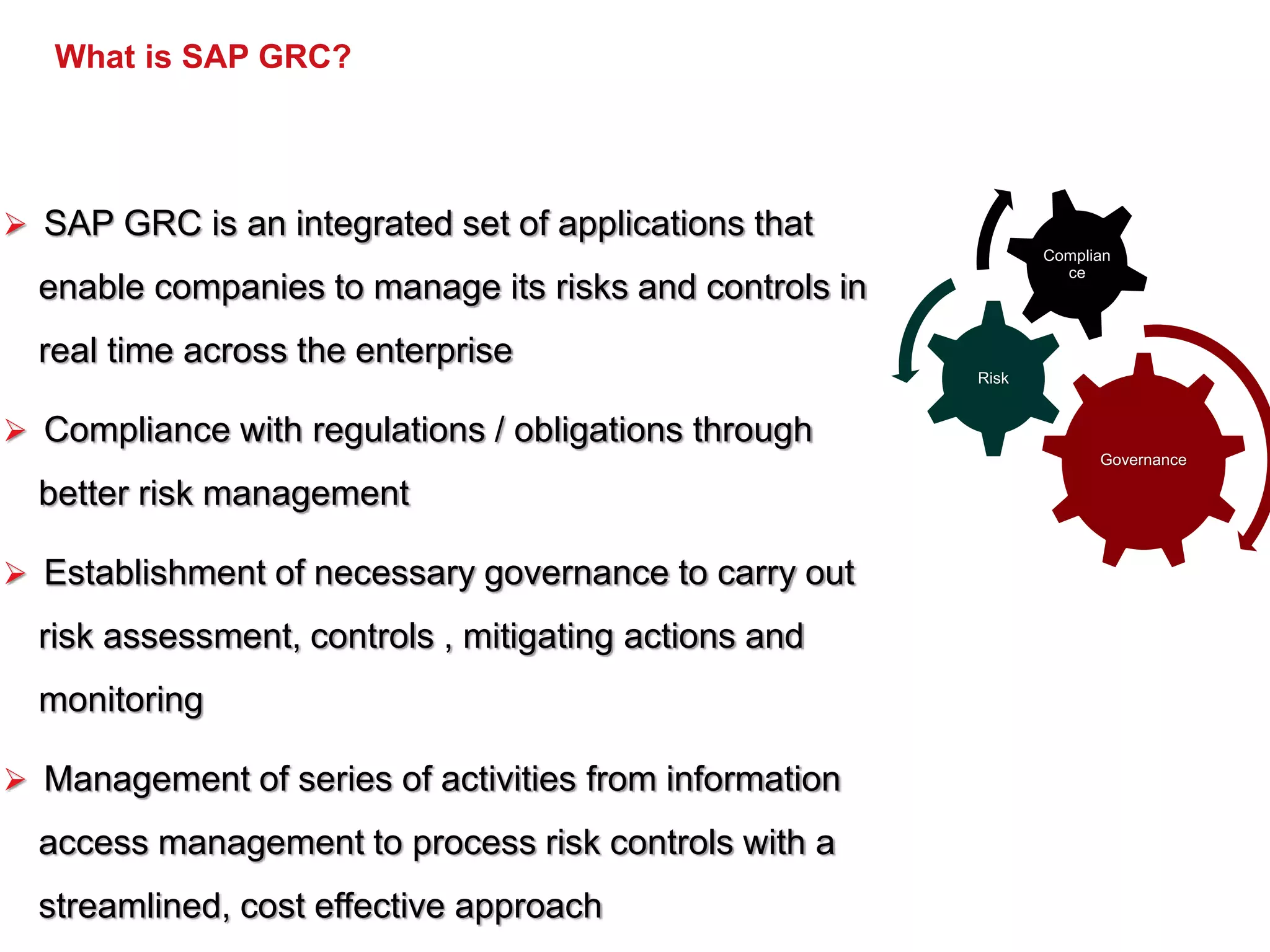
What is SAP GRC?
 SAP GRC is an integrated set of applications that
enable companies to manage its risks and controls in
real time across the enterprise
 Compliance with regulations / obligations through
better risk management
 Establishment of necessary governance to carry out
risk assessment, controls , mitigating actions and
monitoring
 Management of series of activities from information
access management to process risk controls with a
streamlined, cost effective approach
Governance
Risk
Complian
ce
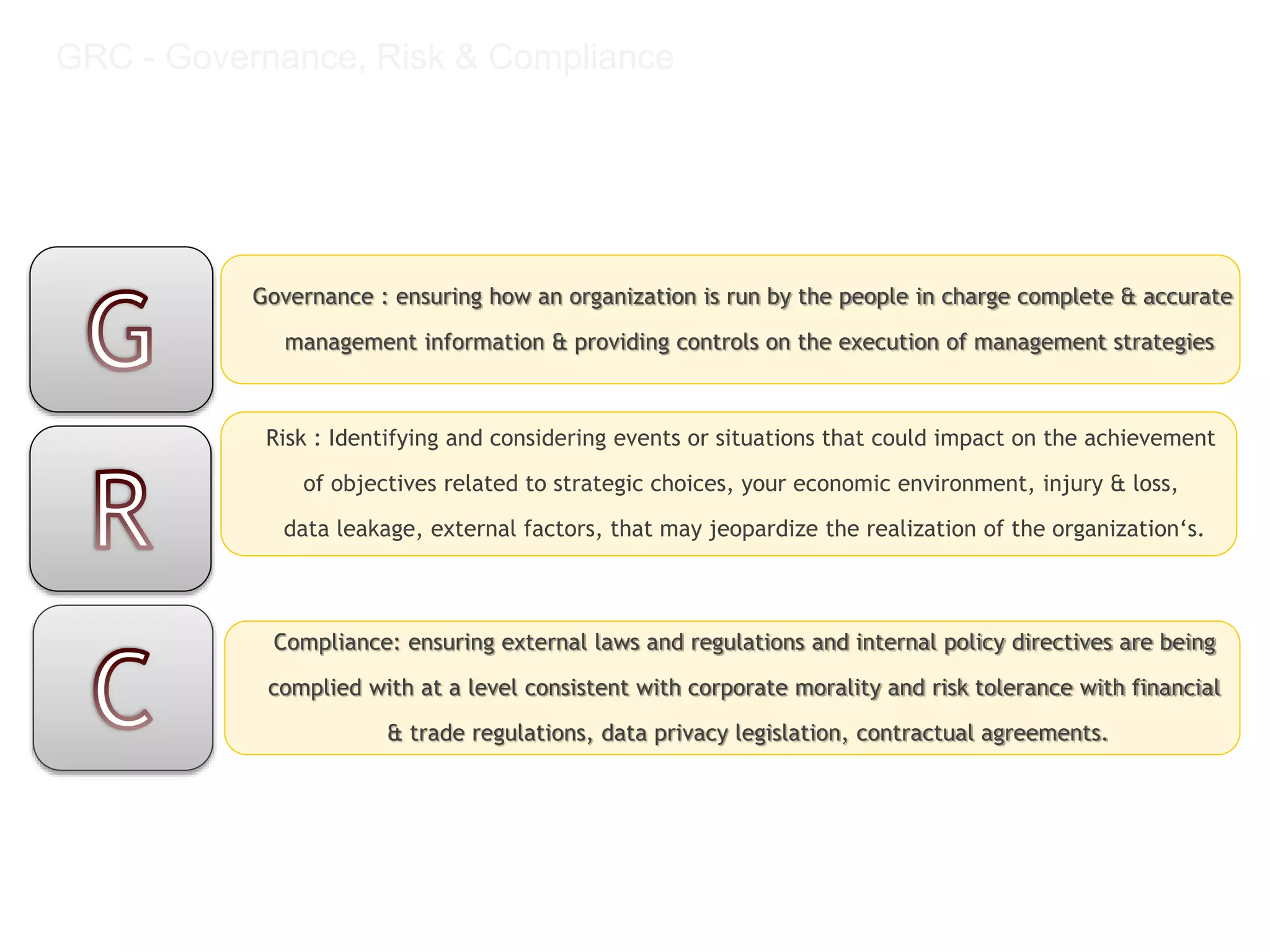
GRC - Governance, Risk & Compliance
Governance : ensuring how an organization is run by the people in charge complete & accurate
management information & providing controls on the execution of management strategies
Risk : Identifying and considering events or situations that could impact on the achievement
of objectives related to strategic choices, your economic environment, injury & loss,
data leakage, external factors, that may jeopardize the realization of the organization‘s.
Compliance: ensuring external laws and regulations and internal policy directives are being
complied with at a level consistent with corporate morality and risk tolerance with financial
& trade regulations, data privacy legislation, contractual agreements.
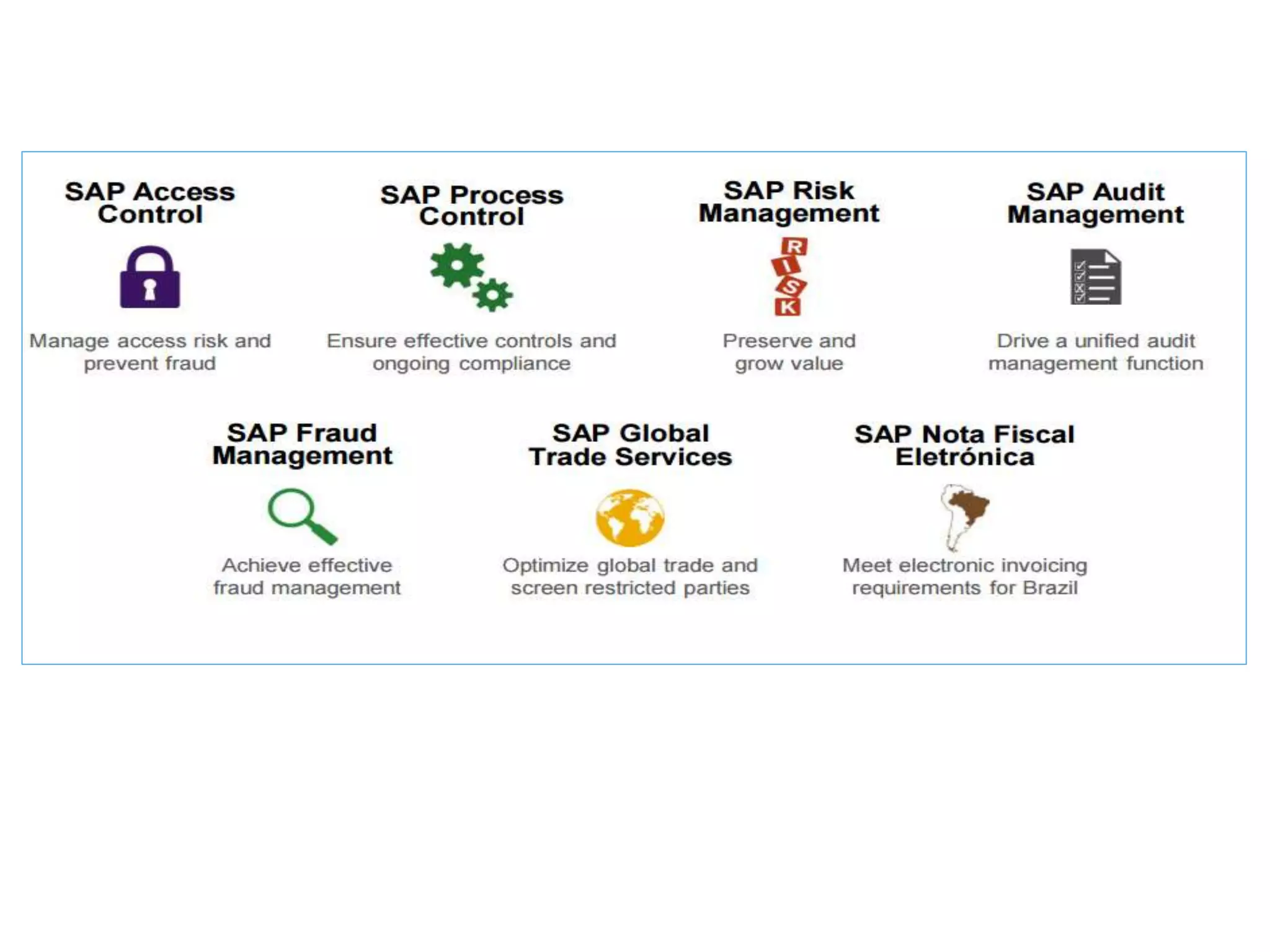
GRC Landscape
ACCESS CONTROL
COMPONENTS
SAP GRC
Introduction to Components of Access Control:
• Access Risk Management (RAR)
• Access Request Management (CUP)
• Business Role Management (ERM)
• Emergency Access Management (SPM)
SAP GRC
Access Request Management:
‒ Define the Workflows for Access Request
‒ Define the Agents / Process /Rule ID’s
‒ Standard Configuration / MSMP Workflows
‒ Customization of Access Request Management
‒ Business Process / Sub-Process /Functional Area / Roles
/Role Owners
Access Risk Analysis
a. Configuration of Access Risk Management
b. Global SOD Matrix – Risk Rules
c. SOD Review
d. Mitigation Process<
e. Remediation Process
f. Customization of Access Risk Management
g. Monthly Reports
h. Weekly Reports
i. Review the Risk Analysis Reports
j. Business Process Owners / SOX Controllers /SOX Audits
Business Role Management:
a. Define the Methodology
b. Define the Workflow for Role Maintenance
c. Business Process / Sub-Process /Functional Area / Roles /Role Owners
d. Customization of Business Role Management
Emergency Access Management:
a. Configuration of Emergency Access Management
b. Define the FF ID, FF Owner, FF Controller
c. Define the Workflow for Super User Access / Configure Log Reports
EMERGENCY ACCESS
MANAGEMENT
Emergency Access Management Terminology
The following concepts have not changed since the previous release and are mentioned here for completeness:
• Firefighter: User requiring emergency access
• Firefighter ID: User IS with elevated privileges; it can only be accessed in the GRC srver
using tcode GRAC_SPM
• Firefighting : The act of using a Firefighter ID
• Owner: User responsible for a firefighter ID and ther assignment of controllers and
firefighters.
• Controller: Reviews and approves (if necessary) the log files generated by a firefighter.
Emergency Access Management
Firefighter Application Types
• ID Based Firefighter: The firefighter ID created in the remote system will be assigned to
the user in the GRC system, either manually or via an access request. The firefighter
accesses their assigned firefighter ID in the GRC srver using the SAP GUI and tcoe
GRAC_SPM. The firefighter ID for all remote systems assigned to the firefighter will be
accessed from this transaction.
• Role Based Firefighter: The fire fighter roles created in the remote system will be assgined
to the user in the GRC server. The firefighter directly logs into the remote system using
their user id and performs activities which are provided in the uesr's role and firefighter
role assigned to the user.
• This is configured in IMG using parameter 4000(Application Type)
• Only one application type can be configured at a given time.
Architecture Remote Component: Plug-in
• There is a component called plug-in which is installed in the remote
system
• Emergency Access Management accesses the plug-in using RFC
Centralized Firefighting Overview
Access Control 10.0 provides a centralized logon pad for accessing the
firefighter IDs in all connected backend systems.
• The centralized logon pad allows:
• Displaying all firefighter ID assigned to the user
• Logging in to all connected backend systems
• Sending messages to other firefightes who are using a specific firefighter ID
• Unlocking a firefighter session not closed properly
Configuring a firefighter ID Step Summary
• Emergency Access Management Configuration
• Maintain Owners and Controllers in Central Owner
Maintenance
• Assign Owners to Firefighter IDs
• Assign Controllers to Firefighter IDs
• Assign Firefighter Users to Firefighter IDs
• Maintain Reason Codes
• Monitoring Emergency Access
• Review a Log Report
ACCESS REQUEST
MANAGEMENT
ACCESS RISK ANALYSIS

GRC DEMO 12.pptx

  • 1.
    GRC Training Fathima Shaik AnkaluMaddika Aamod Chembukar July 20, 2023
  • 2.
    Agenda - GRC12 Upgrade Landscape of GRC Introduction to Governance, Risk and Compliance Components of GRC GRC Access Control Components Configuration of GRC AC
  • 3.
  • 4.
    What is SAPGRC?  SAP GRC is an integrated set of applications that enable companies to manage its risks and controls in real time across the enterprise  Compliance with regulations / obligations through better risk management  Establishment of necessary governance to carry out risk assessment, controls , mitigating actions and monitoring  Management of series of activities from information access management to process risk controls with a streamlined, cost effective approach Governance Risk Complian ce
  • 5.
    GRC - Governance,Risk & Compliance Governance : ensuring how an organization is run by the people in charge complete & accurate management information & providing controls on the execution of management strategies Risk : Identifying and considering events or situations that could impact on the achievement of objectives related to strategic choices, your economic environment, injury & loss, data leakage, external factors, that may jeopardize the realization of the organization‘s. Compliance: ensuring external laws and regulations and internal policy directives are being complied with at a level consistent with corporate morality and risk tolerance with financial & trade regulations, data privacy legislation, contractual agreements.
  • 6.
  • 10.
  • 11.
    SAP GRC Introduction toComponents of Access Control: • Access Risk Management (RAR) • Access Request Management (CUP) • Business Role Management (ERM) • Emergency Access Management (SPM)
  • 12.
    SAP GRC Access RequestManagement: ‒ Define the Workflows for Access Request ‒ Define the Agents / Process /Rule ID’s ‒ Standard Configuration / MSMP Workflows ‒ Customization of Access Request Management ‒ Business Process / Sub-Process /Functional Area / Roles /Role Owners
  • 13.
    Access Risk Analysis a.Configuration of Access Risk Management b. Global SOD Matrix – Risk Rules c. SOD Review d. Mitigation Process< e. Remediation Process f. Customization of Access Risk Management g. Monthly Reports h. Weekly Reports i. Review the Risk Analysis Reports j. Business Process Owners / SOX Controllers /SOX Audits
  • 14.
    Business Role Management: a.Define the Methodology b. Define the Workflow for Role Maintenance c. Business Process / Sub-Process /Functional Area / Roles /Role Owners d. Customization of Business Role Management
  • 15.
    Emergency Access Management: a.Configuration of Emergency Access Management b. Define the FF ID, FF Owner, FF Controller c. Define the Workflow for Super User Access / Configure Log Reports
  • 16.
  • 18.
    Emergency Access ManagementTerminology The following concepts have not changed since the previous release and are mentioned here for completeness: • Firefighter: User requiring emergency access • Firefighter ID: User IS with elevated privileges; it can only be accessed in the GRC srver using tcode GRAC_SPM • Firefighting : The act of using a Firefighter ID • Owner: User responsible for a firefighter ID and ther assignment of controllers and firefighters. • Controller: Reviews and approves (if necessary) the log files generated by a firefighter.
  • 19.
    Emergency Access Management FirefighterApplication Types • ID Based Firefighter: The firefighter ID created in the remote system will be assigned to the user in the GRC system, either manually or via an access request. The firefighter accesses their assigned firefighter ID in the GRC srver using the SAP GUI and tcoe GRAC_SPM. The firefighter ID for all remote systems assigned to the firefighter will be accessed from this transaction. • Role Based Firefighter: The fire fighter roles created in the remote system will be assgined to the user in the GRC server. The firefighter directly logs into the remote system using their user id and performs activities which are provided in the uesr's role and firefighter role assigned to the user. • This is configured in IMG using parameter 4000(Application Type) • Only one application type can be configured at a given time.
  • 20.
    Architecture Remote Component:Plug-in • There is a component called plug-in which is installed in the remote system • Emergency Access Management accesses the plug-in using RFC
  • 21.
    Centralized Firefighting Overview AccessControl 10.0 provides a centralized logon pad for accessing the firefighter IDs in all connected backend systems. • The centralized logon pad allows: • Displaying all firefighter ID assigned to the user • Logging in to all connected backend systems • Sending messages to other firefightes who are using a specific firefighter ID • Unlocking a firefighter session not closed properly
  • 22.
    Configuring a firefighterID Step Summary • Emergency Access Management Configuration • Maintain Owners and Controllers in Central Owner Maintenance • Assign Owners to Firefighter IDs • Assign Controllers to Firefighter IDs • Assign Firefighter Users to Firefighter IDs • Maintain Reason Codes • Monitoring Emergency Access • Review a Log Report
  • 23.
  • 24.
  • 25.