Graphic Design
Tools and Software
Graphic design is a dynamic field that requires a diverse set of digital tools
and software to bring ideas to life. This presentation will explore some of the
most powerful and versatile options available to designers today.
Adobe Creative Cloud
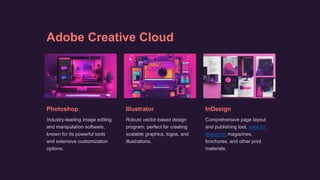
Photoshop
Industry-leading image editing
and manipulation software,
known for its powerful tools
and extensive customization
options.
Illustrator
Robust vector-based design
program, perfect for creating
scalable graphics, logos, and
illustrations.
InDesign
Comprehensive page layout
and publishing tool, ideal for
designing magazines,
brochures, and other print
materials.
Canva - Drag and Drop Design Platform
1 Intuitive Interface
Canva's drag-and-drop
functionality makes it
easy for beginners to
create professional-
looking designs.
2 Pre-Made Templates
Canva offers a wide
selection of
customizable templates
for various design
needs, from social
media posts to
presentations.
3 Collaboration
Features
Canva allows users to
work together in real-
time, making it an ideal
choice for team-based
design projects.
GIMP - Free and Open-Source
Image Editor
1 Versatile
GIMP is a versatile image editing tool that can handle a wide range of tasks,
from photo retouching to digital painting.
2 Open-Source
As an open-source software, GIMP is free to use and has a large, dedicated
community of developers and users.
3 Cross-Platform
GIMP is available on multiple operating systems, including Windows,
macOS, and Linux, making it accessible to designers worldwide.
Sketch - Vector-Based Design Tool
Vector-Based
Sketch is a vector-based
design tool, making it
perfect for creating scalable
graphics and illustrations.
Intuitive Workflow
Sketch's user-friendly
interface and efficient
workflow make it a popular
choice among UI/UX
designers.
Plugins and
Extensions
Sketch's extensive plugin
ecosystem allows users to
customize and extend the
software's functionality.
Figma - Collaborative Design Platform
Cloud-Based
Figma is a cloud-based design
tool, enabling real-time
collaboration and easy file
sharing.
Teamwork
Figma's robust team
management features make it
an excellent choice for
collaborative design projects.
Prototyping
Figma's powerful prototyping
tools allow designers to create
interactive mockups and test
their designs.
CorelDRAW - Vector Graphics and
Page Layout
Vector Graphics CorelDRAW excels at creating scalable vector-
based graphics, making it a popular choice for
logo design and illustration.
Page Layout CorelDRAW's robust page layout features
allow designers to create professional-quality
publications, including brochures and
magazines.
Compatibility CorelDRAW can seamlessly integrate with
other design software, enabling a flexible and
efficient workflow.
Conclusion - Choosing the Right Tools
for Your Design Needs
Evaluate Your Needs
Consider the specific
requirements of your design
projects and choose the
tools that best fit your needs.
Explore Options
Experiment with different
software to find the ones that
suit your design style and
workflow.
Continuous Learning
Stay up-to-date with the
latest design trends and
software updates to enhance
your skills and efficiency.

Graphic Design Tools and Software .pptx

  • 2.
    Graphic Design Tools andSoftware Graphic design is a dynamic field that requires a diverse set of digital tools and software to bring ideas to life. This presentation will explore some of the most powerful and versatile options available to designers today.
  • 3.
    Adobe Creative Cloud Photoshop Industry-leadingimage editing and manipulation software, known for its powerful tools and extensive customization options. Illustrator Robust vector-based design program, perfect for creating scalable graphics, logos, and illustrations. InDesign Comprehensive page layout and publishing tool, ideal for designing magazines, brochures, and other print materials.
  • 4.
    Canva - Dragand Drop Design Platform 1 Intuitive Interface Canva's drag-and-drop functionality makes it easy for beginners to create professional- looking designs. 2 Pre-Made Templates Canva offers a wide selection of customizable templates for various design needs, from social media posts to presentations. 3 Collaboration Features Canva allows users to work together in real- time, making it an ideal choice for team-based design projects.
  • 5.
    GIMP - Freeand Open-Source Image Editor 1 Versatile GIMP is a versatile image editing tool that can handle a wide range of tasks, from photo retouching to digital painting. 2 Open-Source As an open-source software, GIMP is free to use and has a large, dedicated community of developers and users. 3 Cross-Platform GIMP is available on multiple operating systems, including Windows, macOS, and Linux, making it accessible to designers worldwide.
  • 6.
    Sketch - Vector-BasedDesign Tool Vector-Based Sketch is a vector-based design tool, making it perfect for creating scalable graphics and illustrations. Intuitive Workflow Sketch's user-friendly interface and efficient workflow make it a popular choice among UI/UX designers. Plugins and Extensions Sketch's extensive plugin ecosystem allows users to customize and extend the software's functionality.
  • 7.
    Figma - CollaborativeDesign Platform Cloud-Based Figma is a cloud-based design tool, enabling real-time collaboration and easy file sharing. Teamwork Figma's robust team management features make it an excellent choice for collaborative design projects. Prototyping Figma's powerful prototyping tools allow designers to create interactive mockups and test their designs.
  • 8.
    CorelDRAW - VectorGraphics and Page Layout Vector Graphics CorelDRAW excels at creating scalable vector- based graphics, making it a popular choice for logo design and illustration. Page Layout CorelDRAW's robust page layout features allow designers to create professional-quality publications, including brochures and magazines. Compatibility CorelDRAW can seamlessly integrate with other design software, enabling a flexible and efficient workflow.
  • 9.
    Conclusion - Choosingthe Right Tools for Your Design Needs Evaluate Your Needs Consider the specific requirements of your design projects and choose the tools that best fit your needs. Explore Options Experiment with different software to find the ones that suit your design style and workflow. Continuous Learning Stay up-to-date with the latest design trends and software updates to enhance your skills and efficiency.