Grafana Labs
Overview
Zoe Wang
Senior Enterprise AM
zoe.wang@grafana.com
+65 91066139
Grafana
&
Big Tent
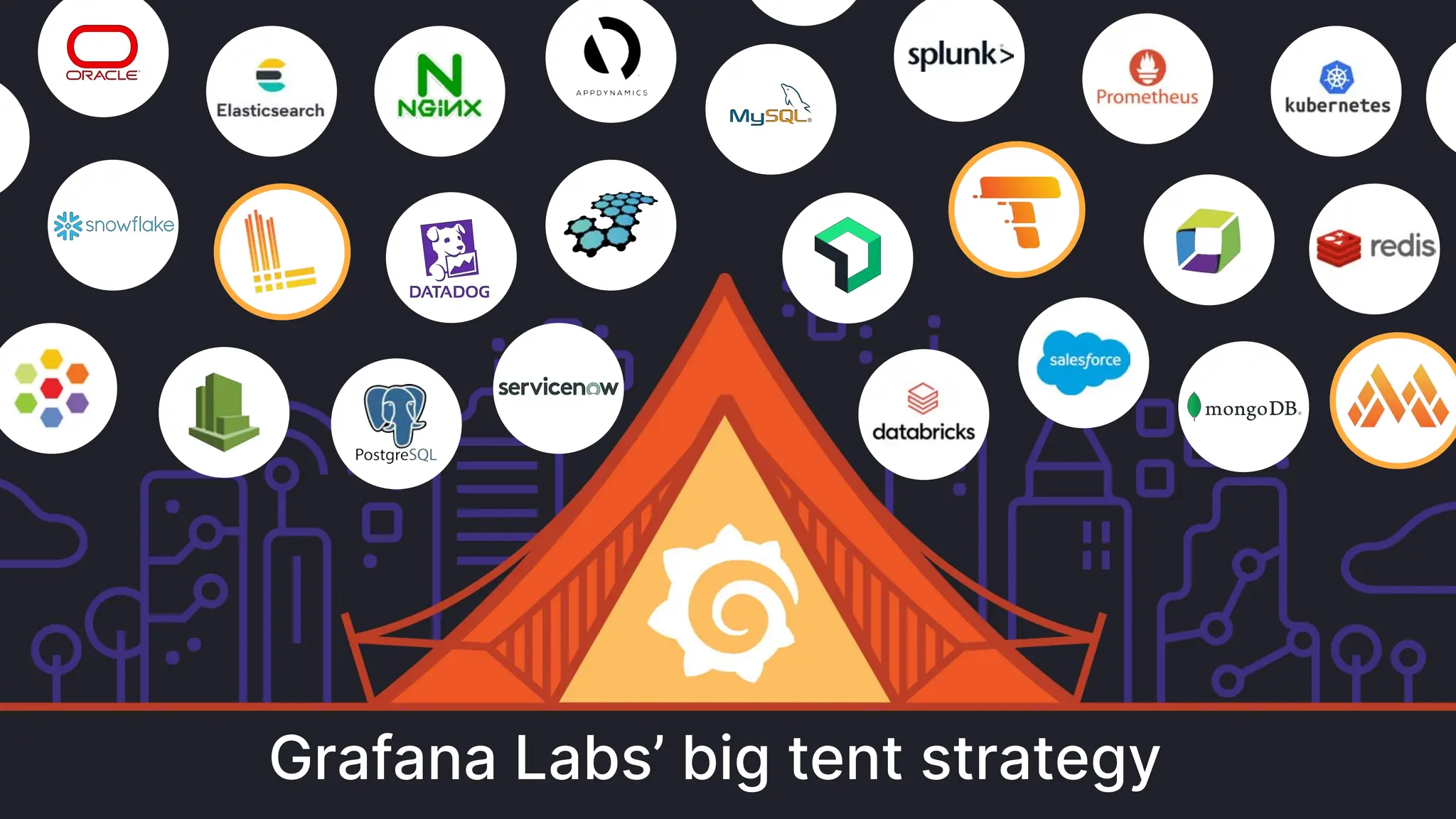
Grafana Labs’ big tent strategy
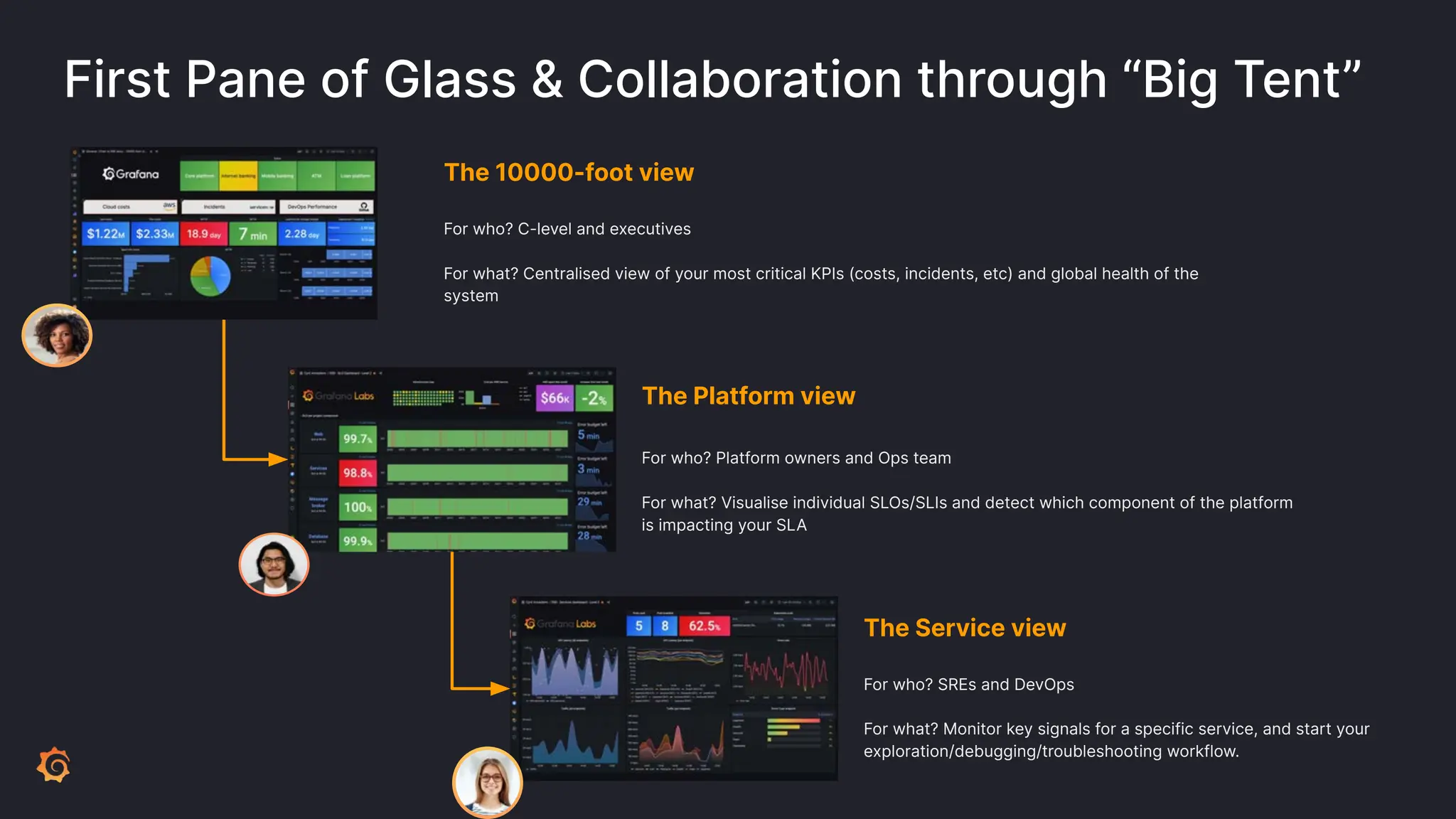
First Pane of Glass & Collaboration through “Big Tent”
The 10000-foot view
For who? C-level and executives
For what? Centralised view of your most critical KPIs (costs, incidents, etc) and global health of the
system
The Platform view
For who? Platform owners and Ops team
For what? Visualise individual SLOs/SLIs and detect which component of the platform
is impacting your SLA
The Service view
For who? SREs and DevOps
For what? Monitor key signals for a specific service, and start your
exploration/debugging/troubleshooting workflow.
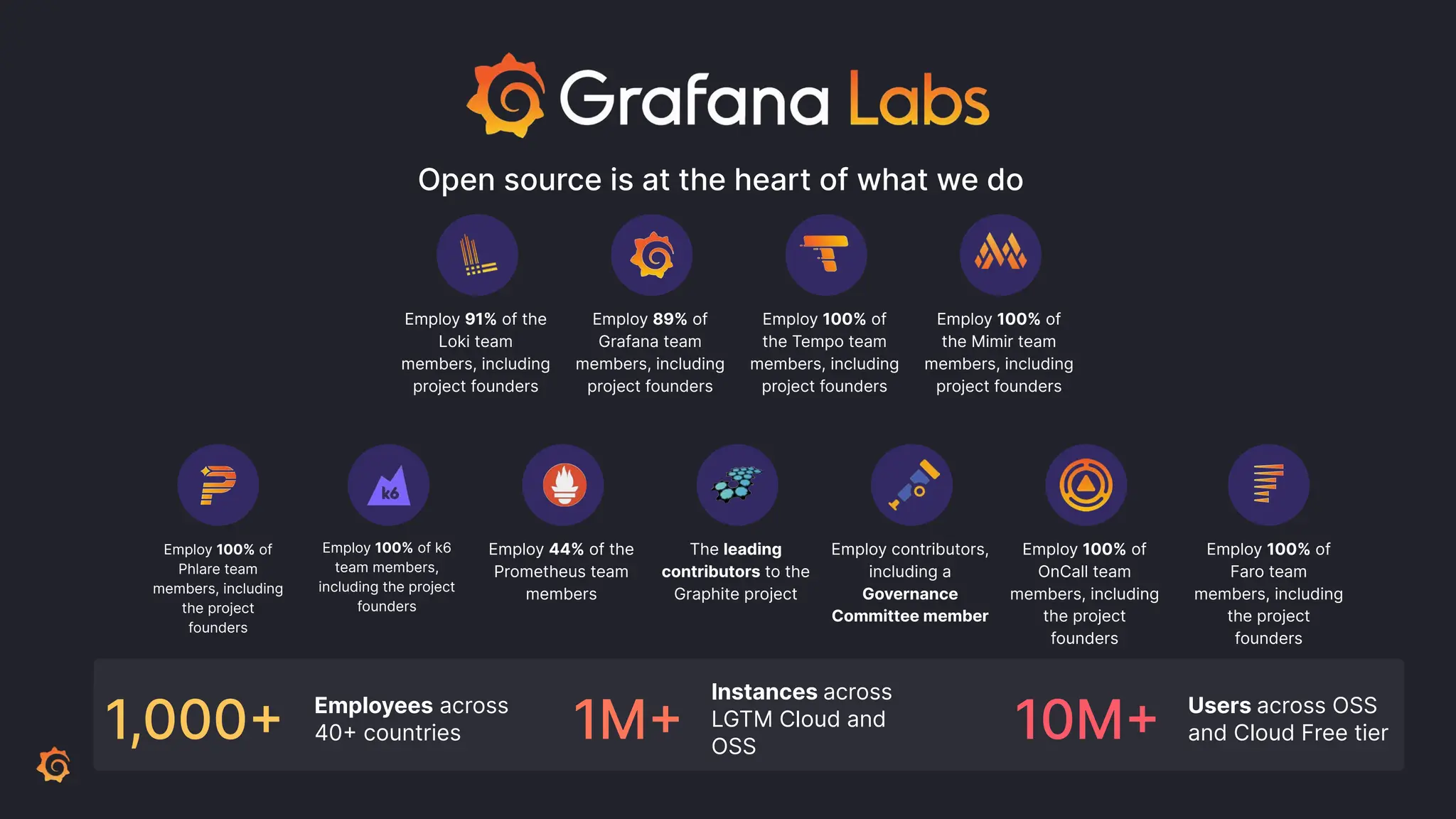
Open source is at the heart of what we do
Employ 91% of the
Loki team
members, including
project founders
Employ 89% of
Grafana team
members, including
project founders
Employ 100% of
the Tempo team
members, including
project founders
Employ 100% of
the Mimir team
members, including
project founders
Employ 100% of k6
team members,
including the project
founders
Employ 44% of the
Prometheus team
members
The leading
contributors to the
Graphite project
Employ contributors,
including a
Governance
Committee member
Employ 100% of
OnCall team
members, including
the project
founders
1,000+ Employees across
40+ countries 10M+ Users across OSS
and Cloud Free tier
Employ 100% of
Phlare team
members, including
the project
founders
Employ 100% of
Faro team
members, including
the project
founders
1M+
Instances across
LGTM Cloud and
OSS
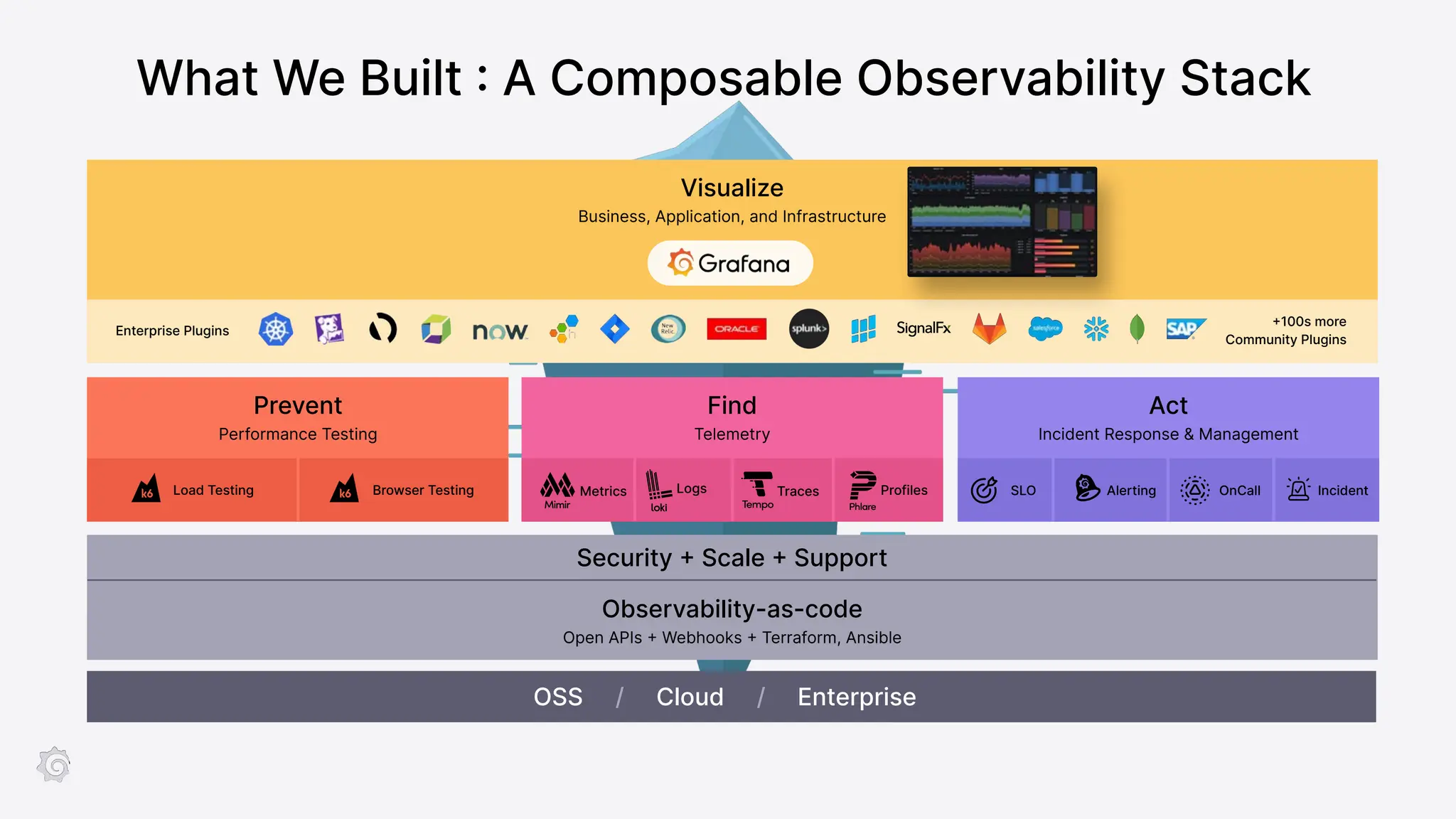
What We Built : A Composable Observability Stack
OSS / Cloud / Enterprise
Observability-as-code
Open APIs + Webhooks + Terraform, Ansible
Security + Scale + Support
OnCall Incident
SLO Alerting
Visualize
Business, Application, and Infrastructure
Prevent
Performance Testing
Load Testing Metrics Logs Traces
Enterprise Plugins
+100s more
Community Plugins
Find
Telemetry
Act
Incident Response & Management
Browser Testing Profiles
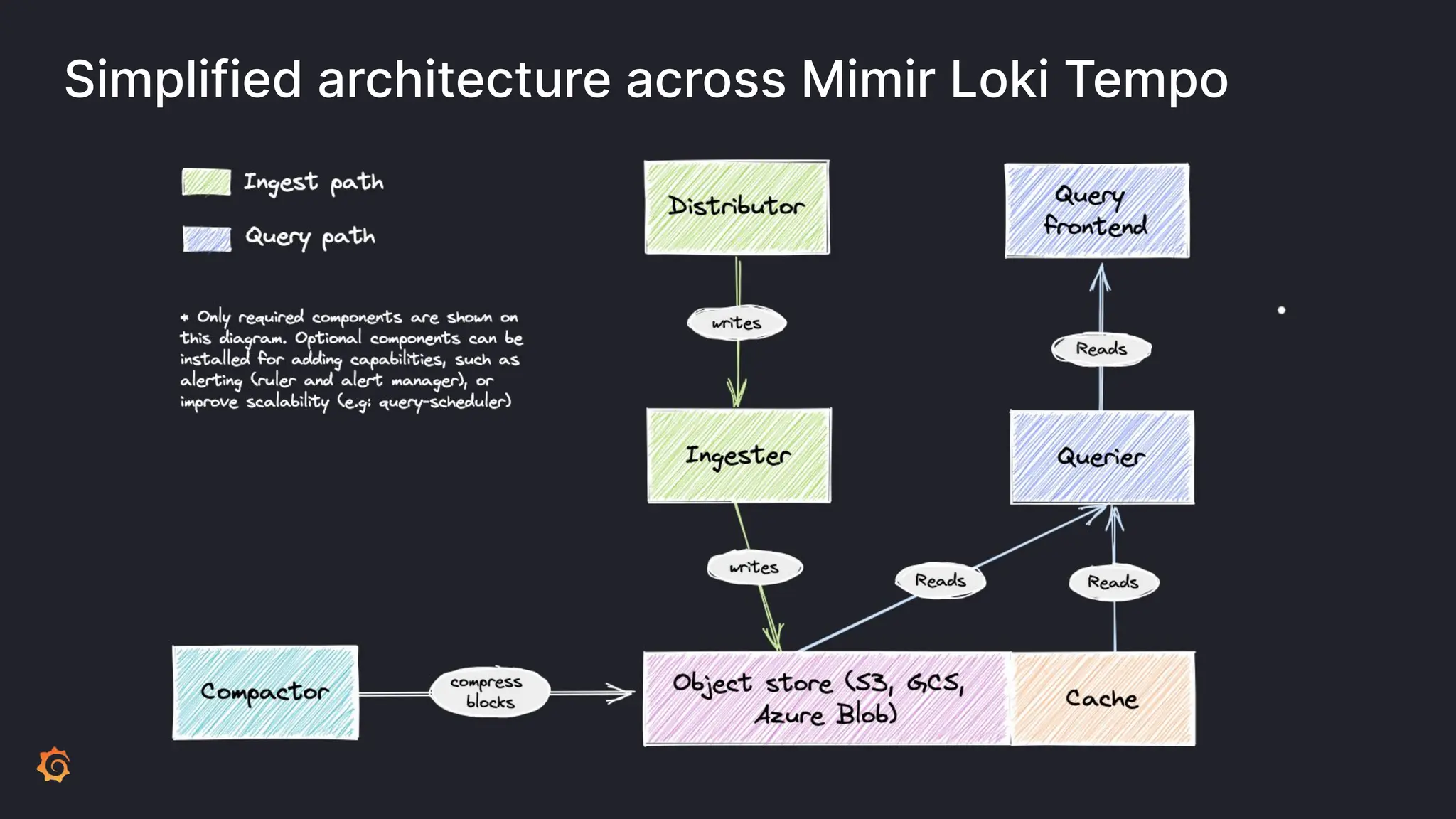
Simplified architecture across Mimir Loki Tempo
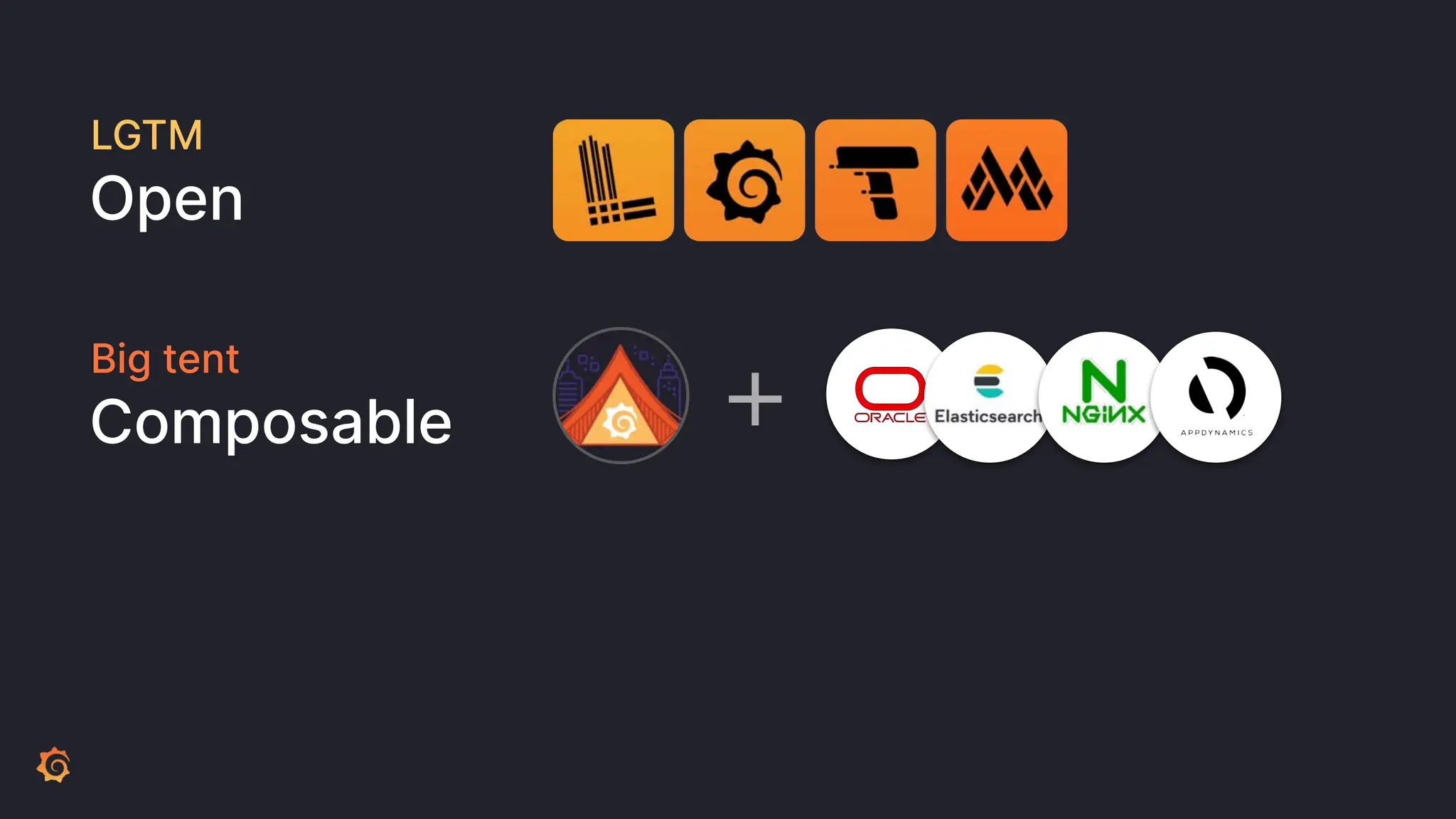
LGTM
Open
Big tent
Composable +
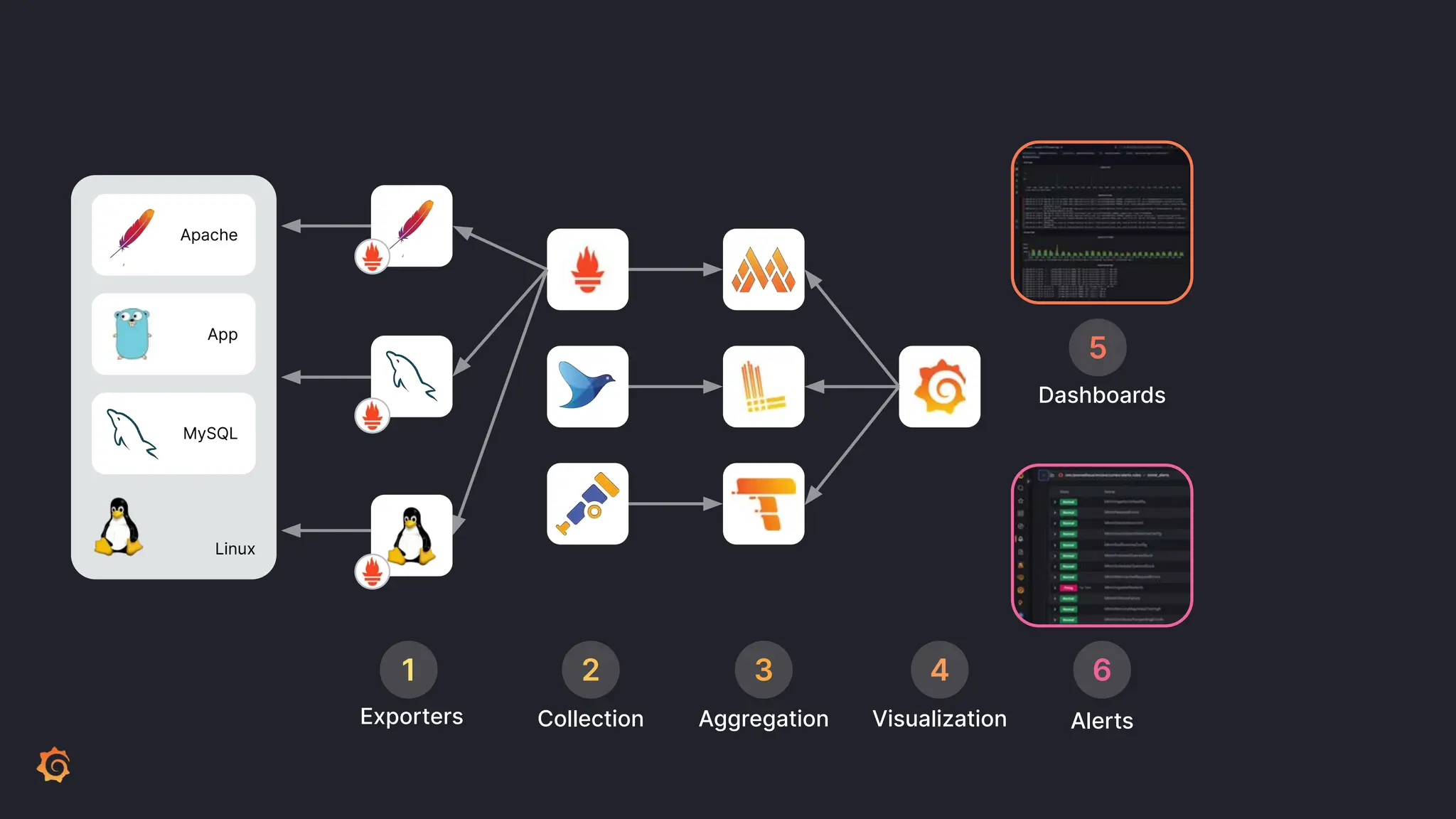
Linux
MySQL
Apache
App
Aggregation Visualization Alerts
Dashboards
3 4
5
6
Collection
Exporters
1 2
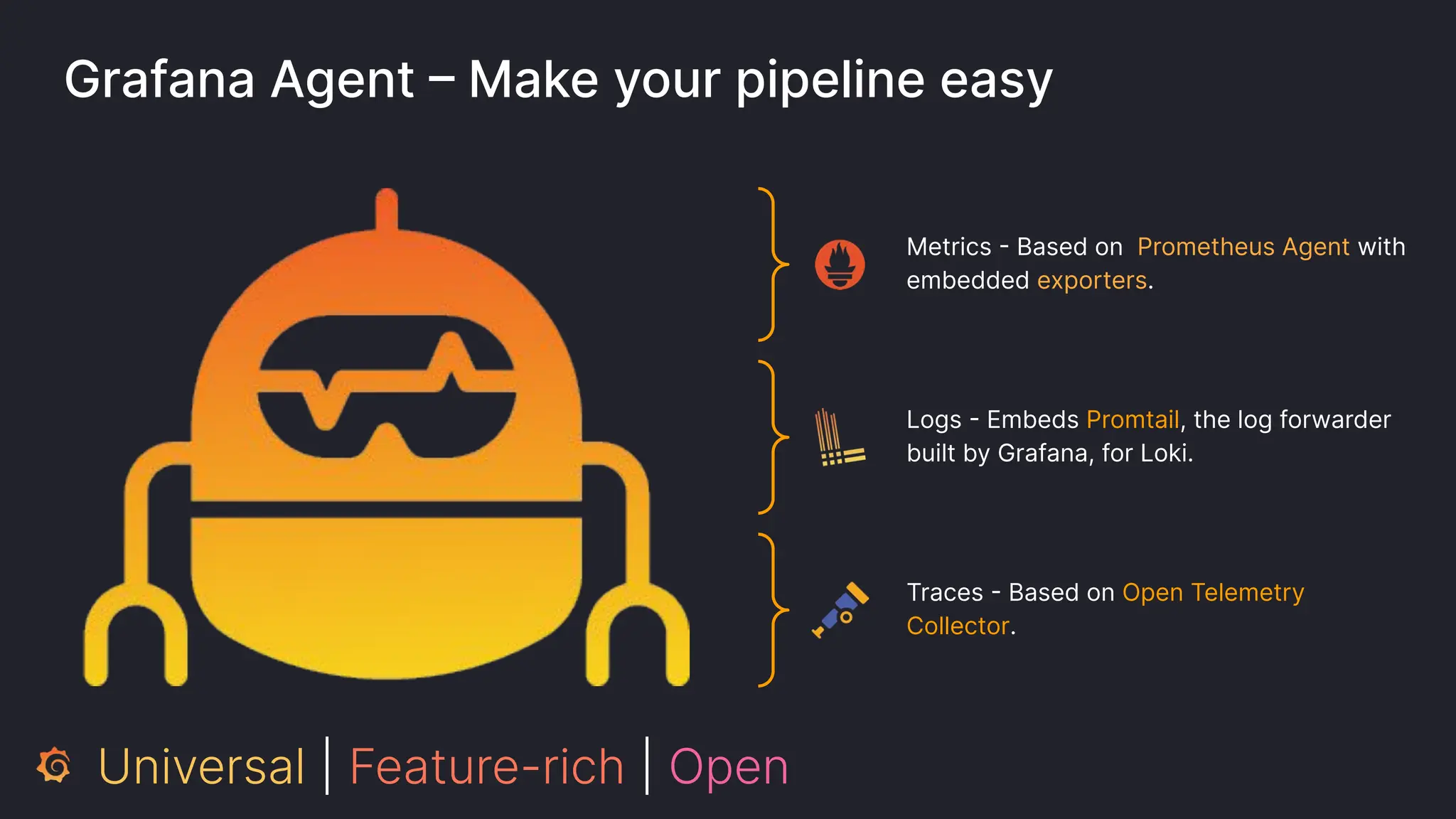
Grafana Agent – Make your pipeline easy
Metrics - Based on Prometheus Agent with
embedded exporters.
Logs - Embeds Promtail, the log forwarder
built by Grafana, for Loki.
Traces - Based on Open Telemetry
Collector.
Universal | Feature-rich | Open
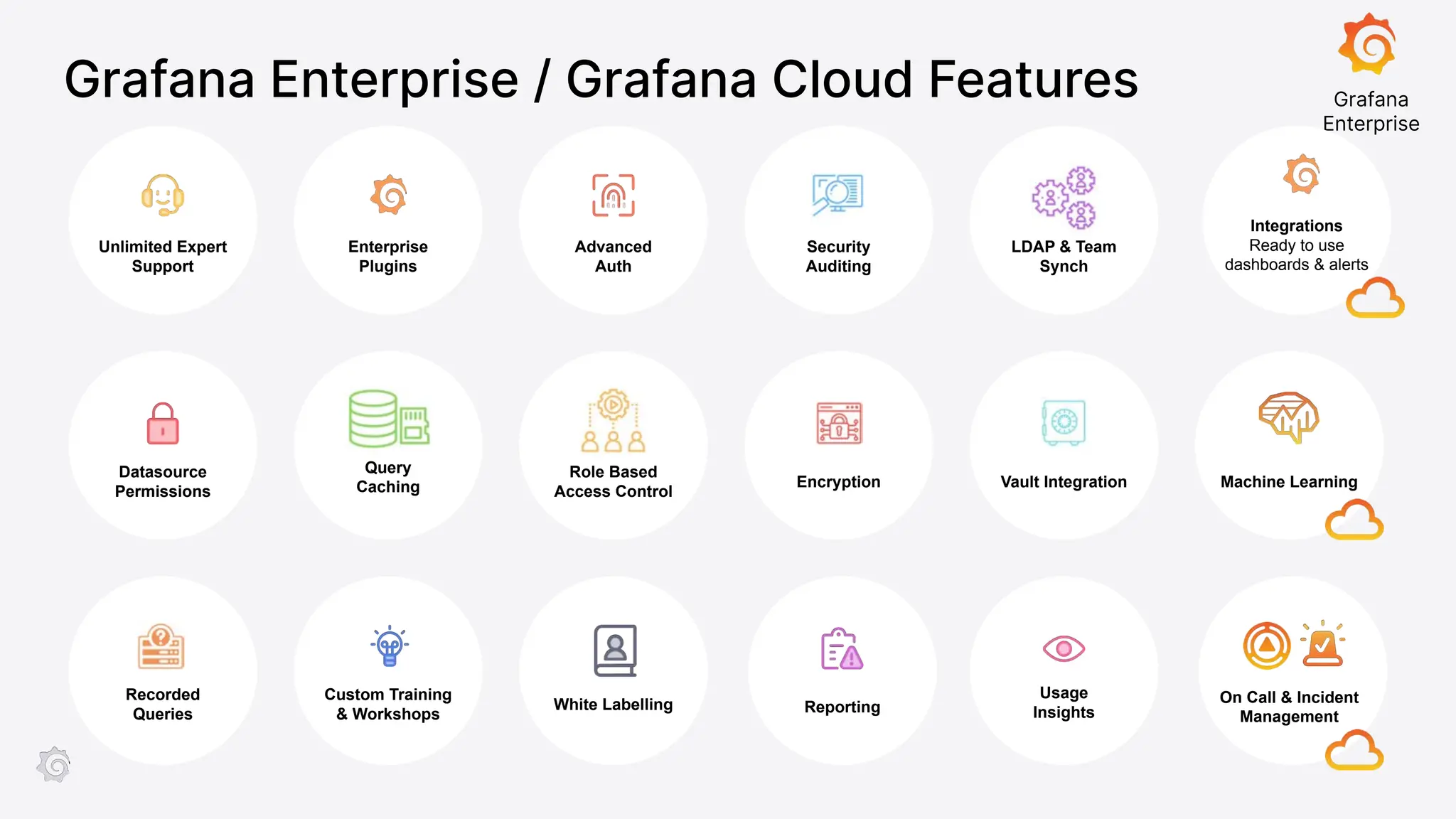
Enterprise
Plugins
Advanced
Auth
Datasource
Permissions
Query
Caching
Role Based
Access Control
Recorded
Queries
Custom Training
& Workshops
White Labelling
Unlimited Expert
Support
Security
Auditing
Encryption
LDAP & Team
Synch
Vault Integration
Reporting
Usage
Insights
Grafana
Enterprise
Grafana Enterprise / Grafana Cloud Features
Machine Learning
On Call & Incident
Management
Integrations
Ready to use
dashboards & alerts
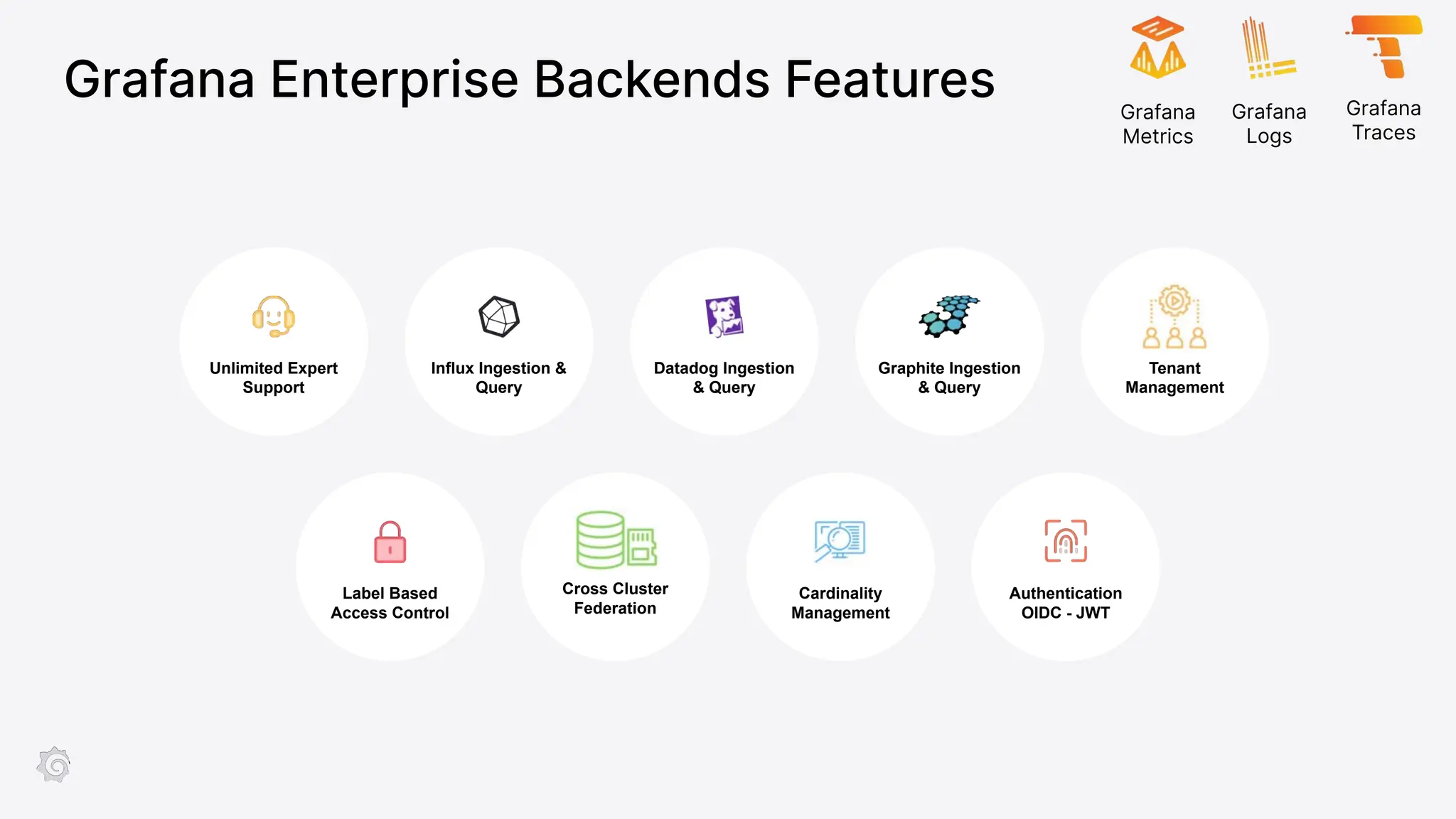
Grafana Enterprise Backends Features
Influx Ingestion &
Query
Datadog Ingestion
& Query
Label Based
Access Control
Cross Cluster
Federation
Cardinality
Management
Unlimited Expert
Support
Graphite Ingestion
& Query
Authentication
OIDC - JWT
Tenant
Management
Grafana
Metrics
Grafana
Logs
Grafana
Traces
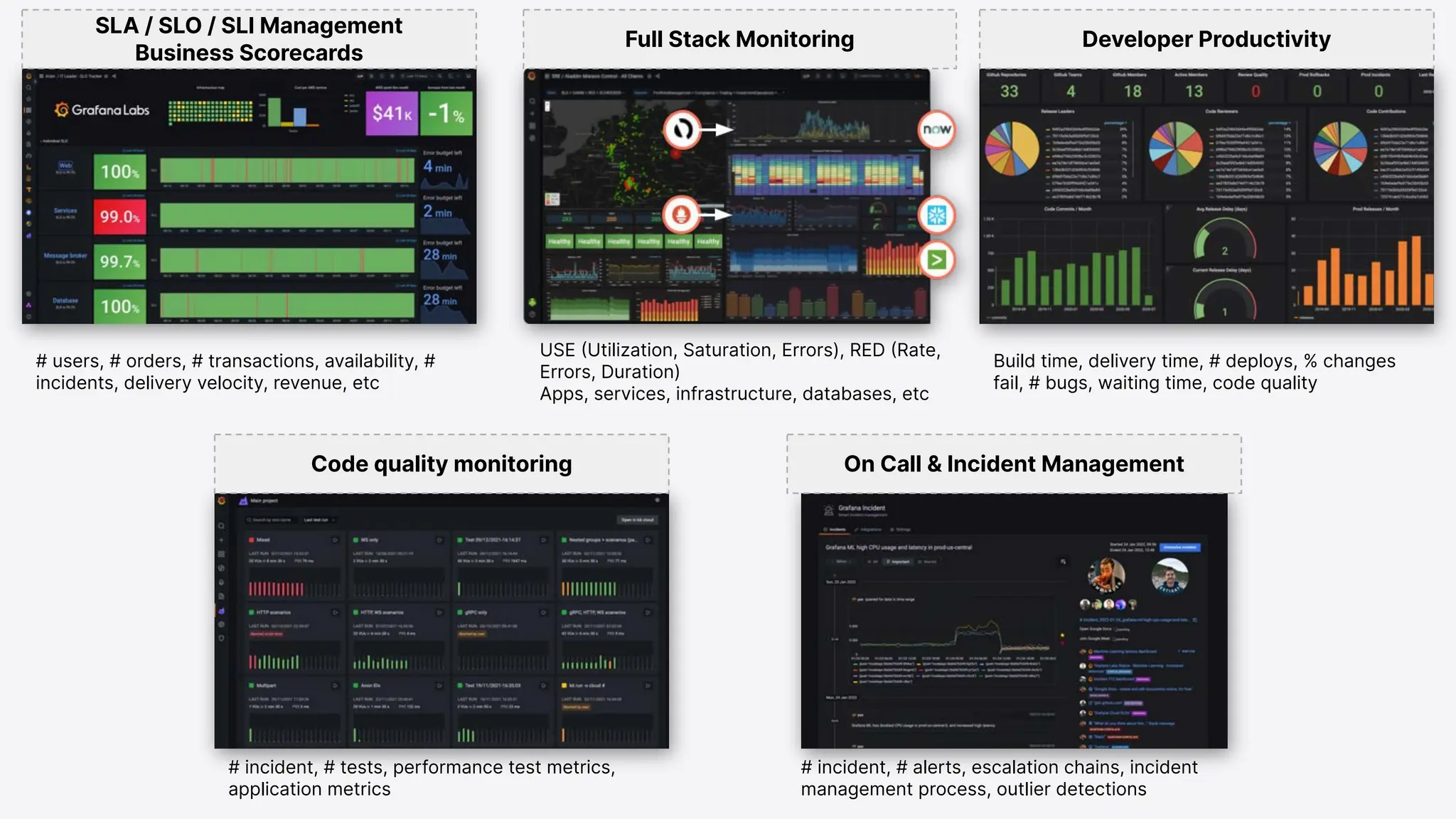
SLA / SLO / SLI Management
Business Scorecards
Full Stack Monitoring Developer Productivity
USE (Utilization, Saturation, Errors), RED (Rate,
Errors, Duration)
Apps, services, infrastructure, databases, etc
# users, # orders, # transactions, availability, #
incidents, delivery velocity, revenue, etc
Build time, delivery time, # deploys, % changes
fail, # bugs, waiting time, code quality
Code quality monitoring On Call & Incident Management
# incident, # tests, performance test metrics,
application metrics
# incident, # alerts, escalation chains, incident
management process, outlier detections
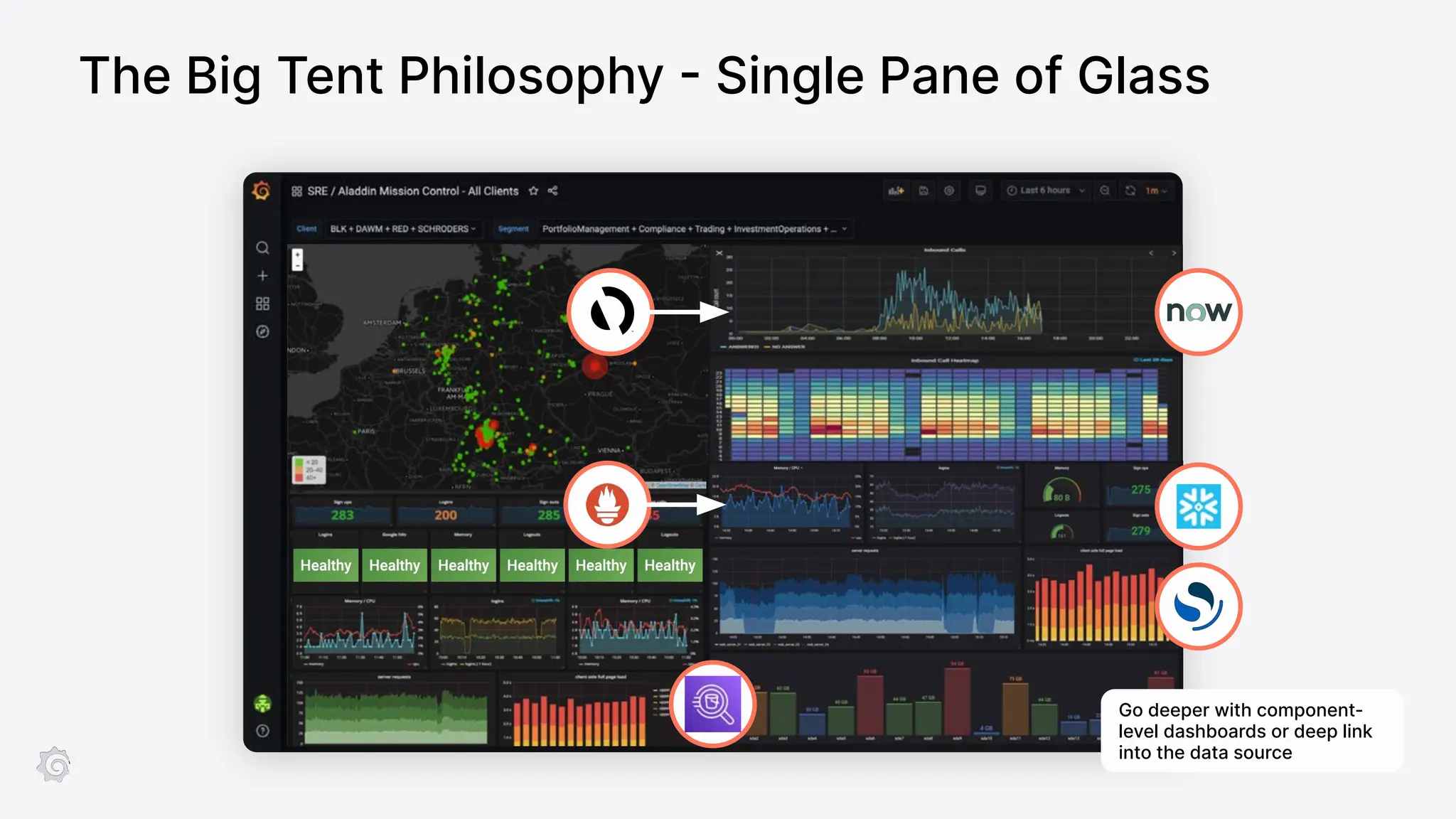
The Big Tent Philosophy - Single Pane of Glass
Go deeper with component-
level dashboards or deep link
into the data source
To self-host
or
Grafana Cloud
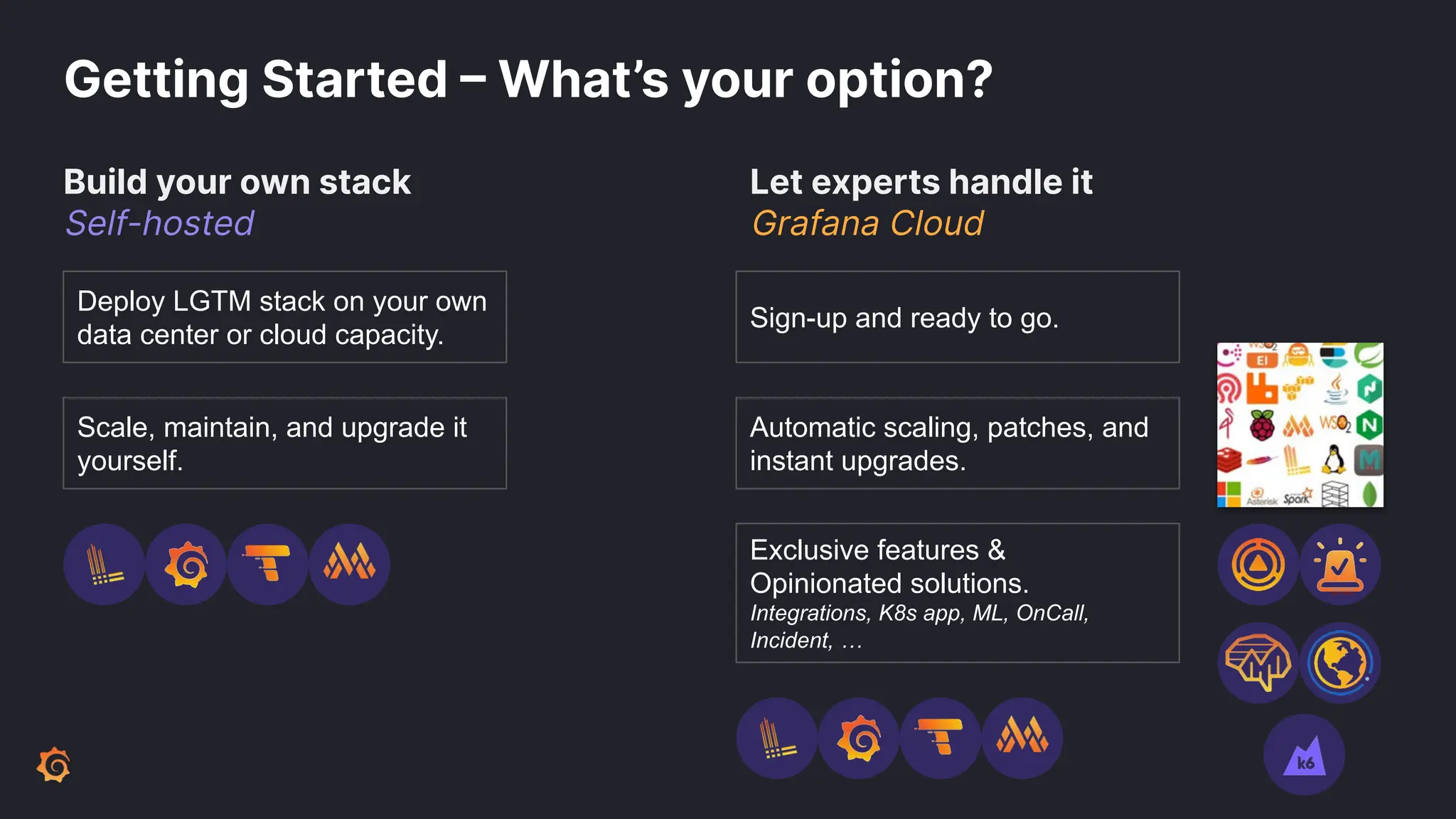
Getting Started – What’s your option?
Build your own stack
Self-hosted
Let experts handle it
Grafana Cloud
Deploy LGTM stack on your own
data center or cloud capacity.
Scale, maintain, and upgrade it
yourself.
Automatic scaling, patches, and
instant upgrades.
Sign-up and ready to go.
Exclusive features &
Opinionated solutions.
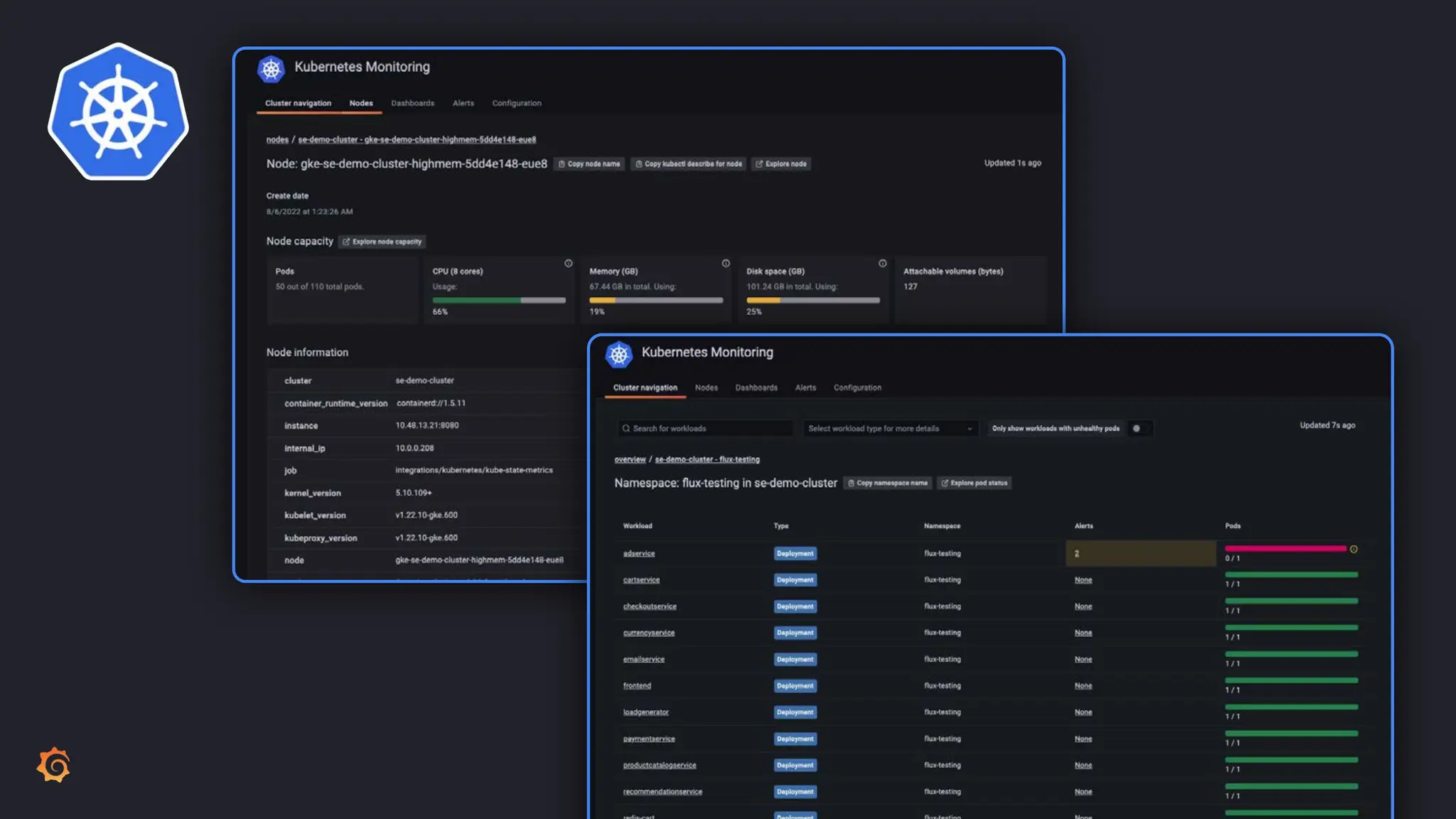
Integrations, K8s app, ML, OnCall,
Incident, …
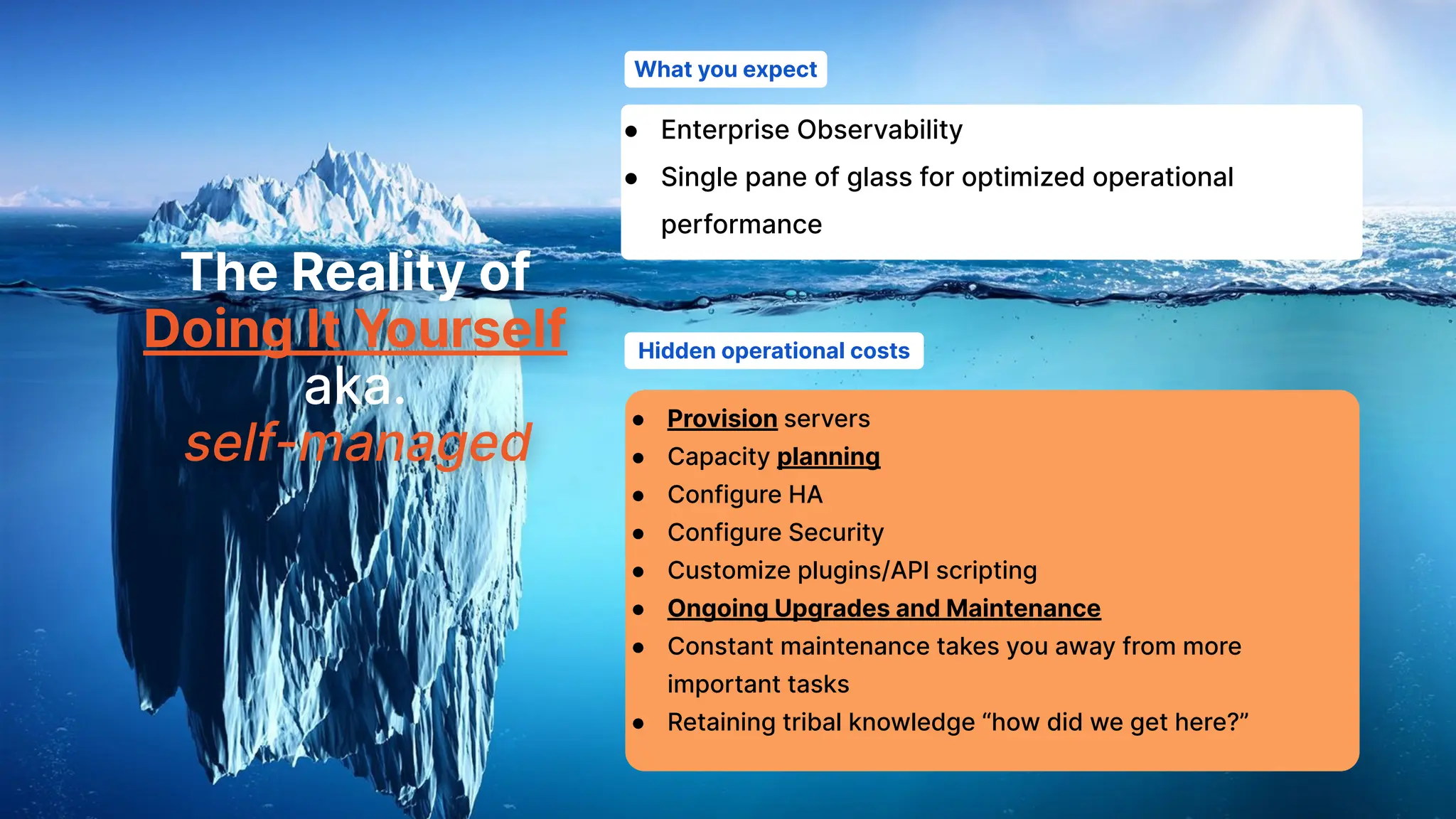
The Reality of
Doing It Yourself
aka.
self-managed
What you expect
Hidden operational costs
● Enterprise Observability
● Single pane of glass for optimized operational
performance
● Provision servers
● Capacity planning
● Configure HA
● Configure Security
● Customize plugins/API scripting
● Ongoing Upgrades and Maintenance
● Constant maintenance takes you away from more
important tasks
● Retaining tribal knowledge “how did we get here?”
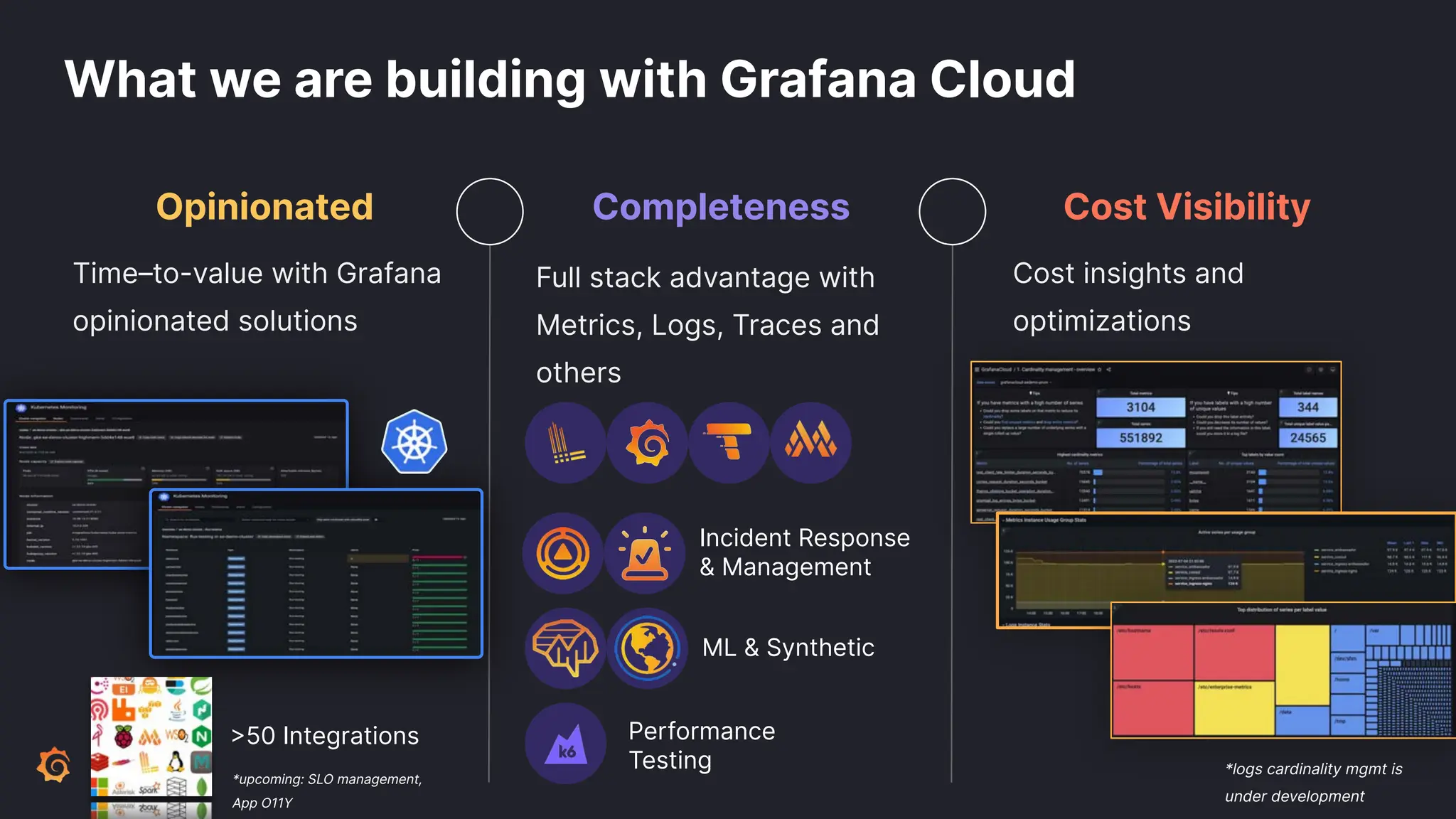
What we are building with Grafana Cloud
Opinionated Completeness Cost Visibility
Time–to-value with Grafana
opinionated solutions
Cost insights and
optimizations
Full stack advantage with
Metrics, Logs, Traces and
others
*logs cardinality mgmt is
under development
Incident Response
& Management
ML & Synthetic
Performance
Testing
>50 Integrations
*upcoming: SLO management,
App O11Y
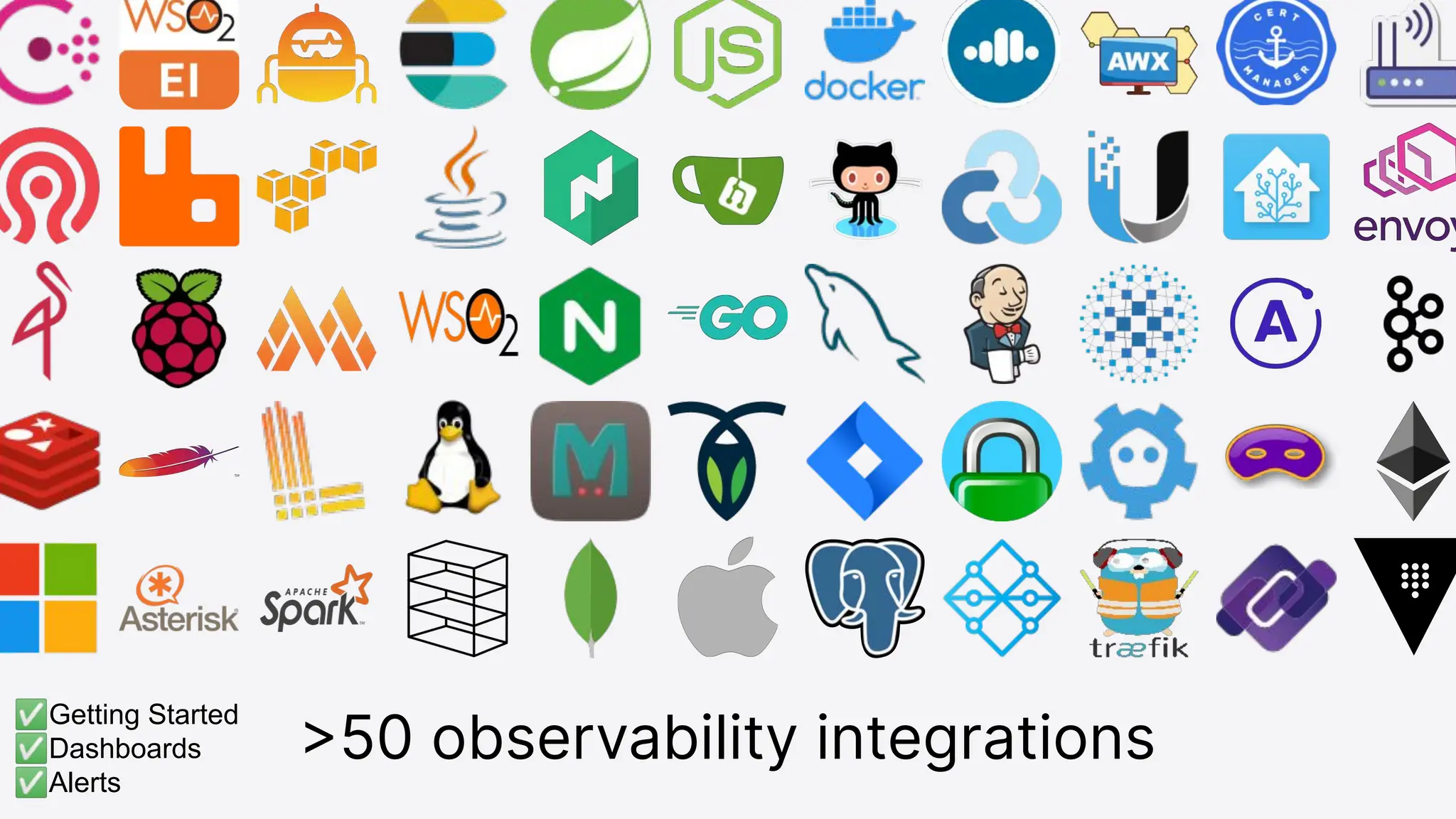
>50 observability integrations
✅Getting Started
✅Dashboards
✅Alerts
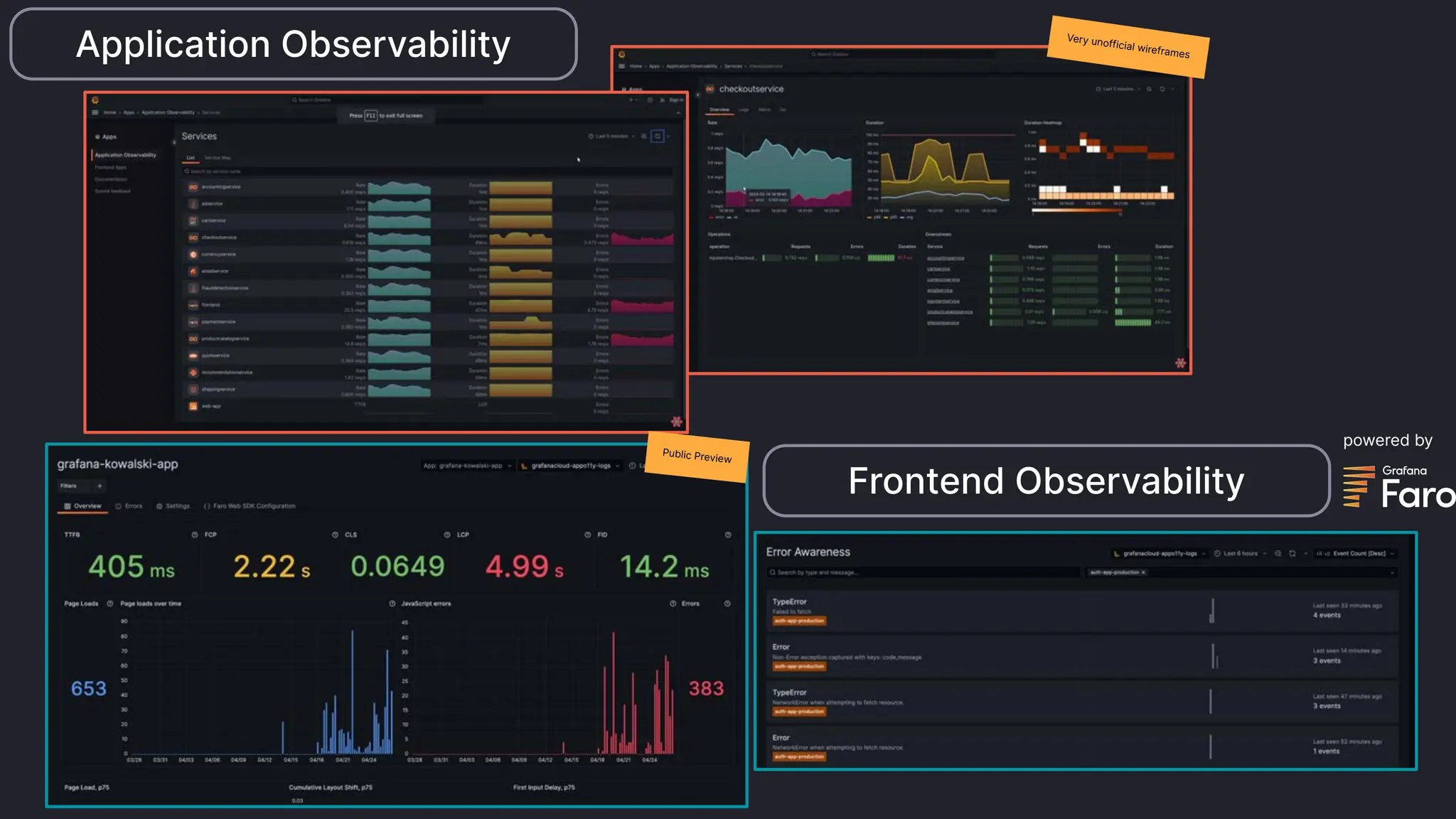
Application Observability Very unofficial wireframes
Public Preview
Frontend Observability
powered by
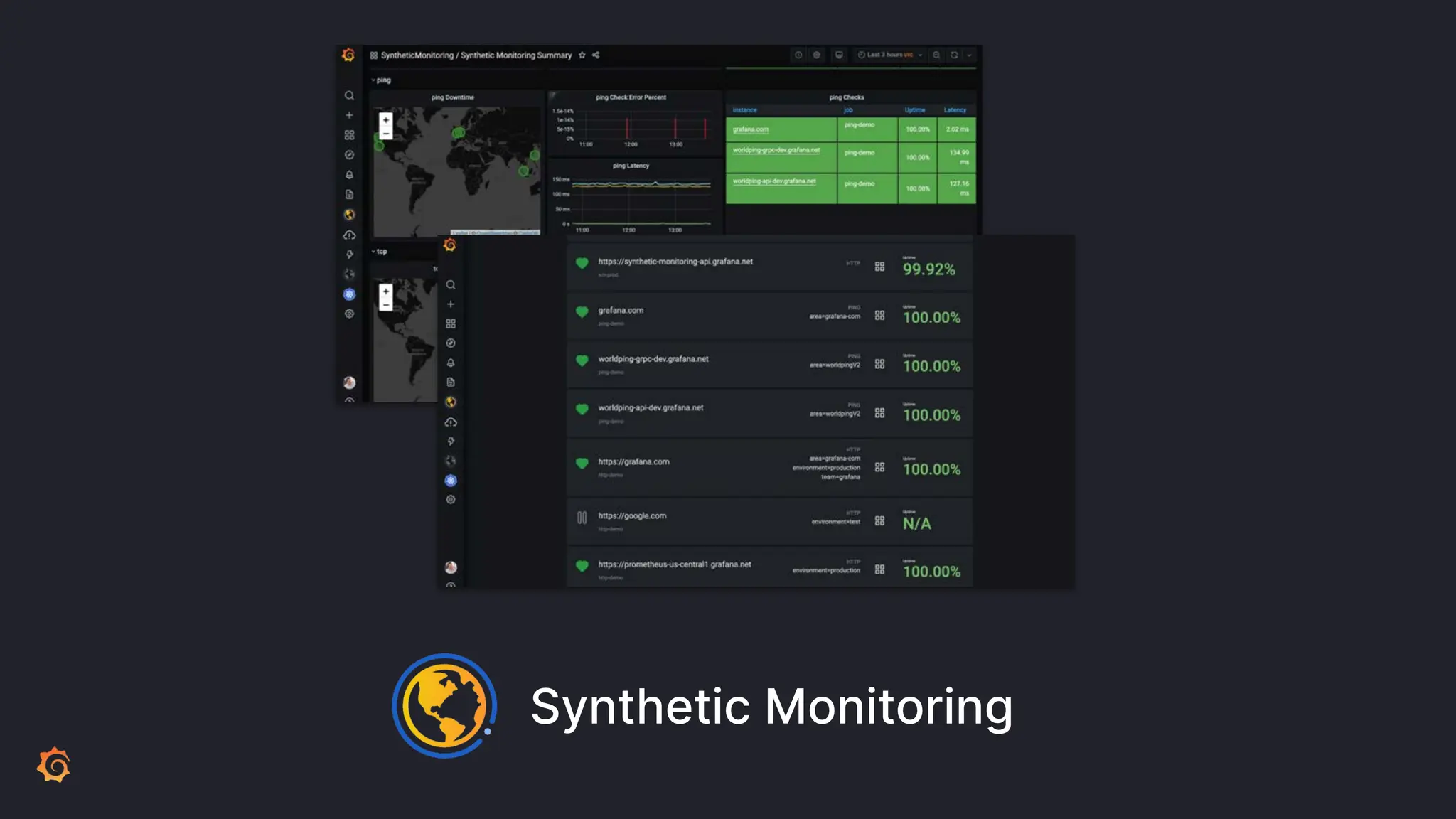
Synthetic Monitoring
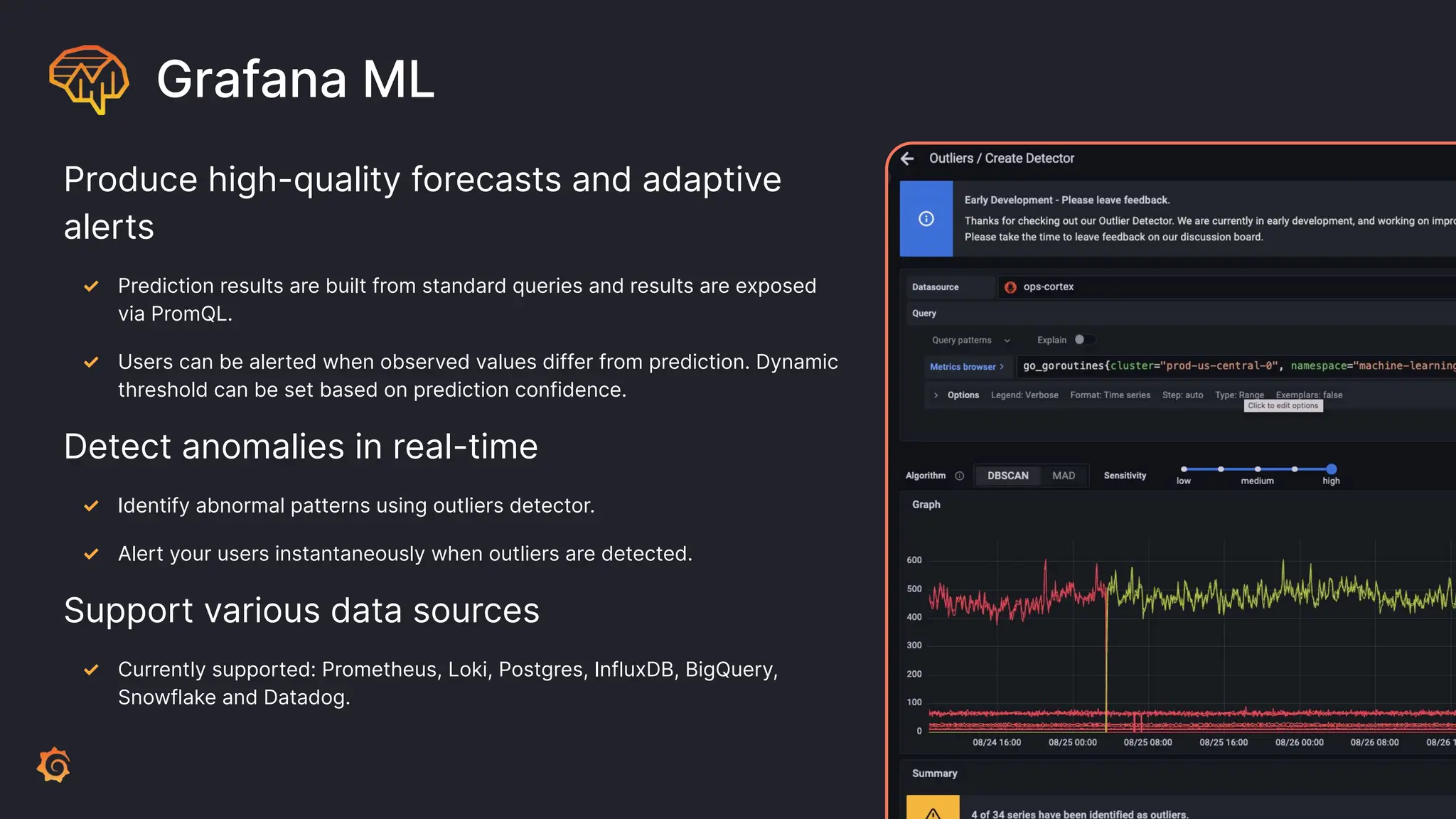
Grafana ML
Produce high-quality forecasts and adaptive
alerts
✓ Prediction results are built from standard queries and results are exposed
via PromQL.
✓ Users can be alerted when observed values differ from prediction. Dynamic
threshold can be set based on prediction confidence.
Detect anomalies in real-time
✓ Identify abnormal patterns using outliers detector.
✓ Alert your users instantaneously when outliers are detected.
Support various data sources
✓ Currently supported: Prometheus, Loki, Postgres, InfluxDB, BigQuery,
Snowflake and Datadog.
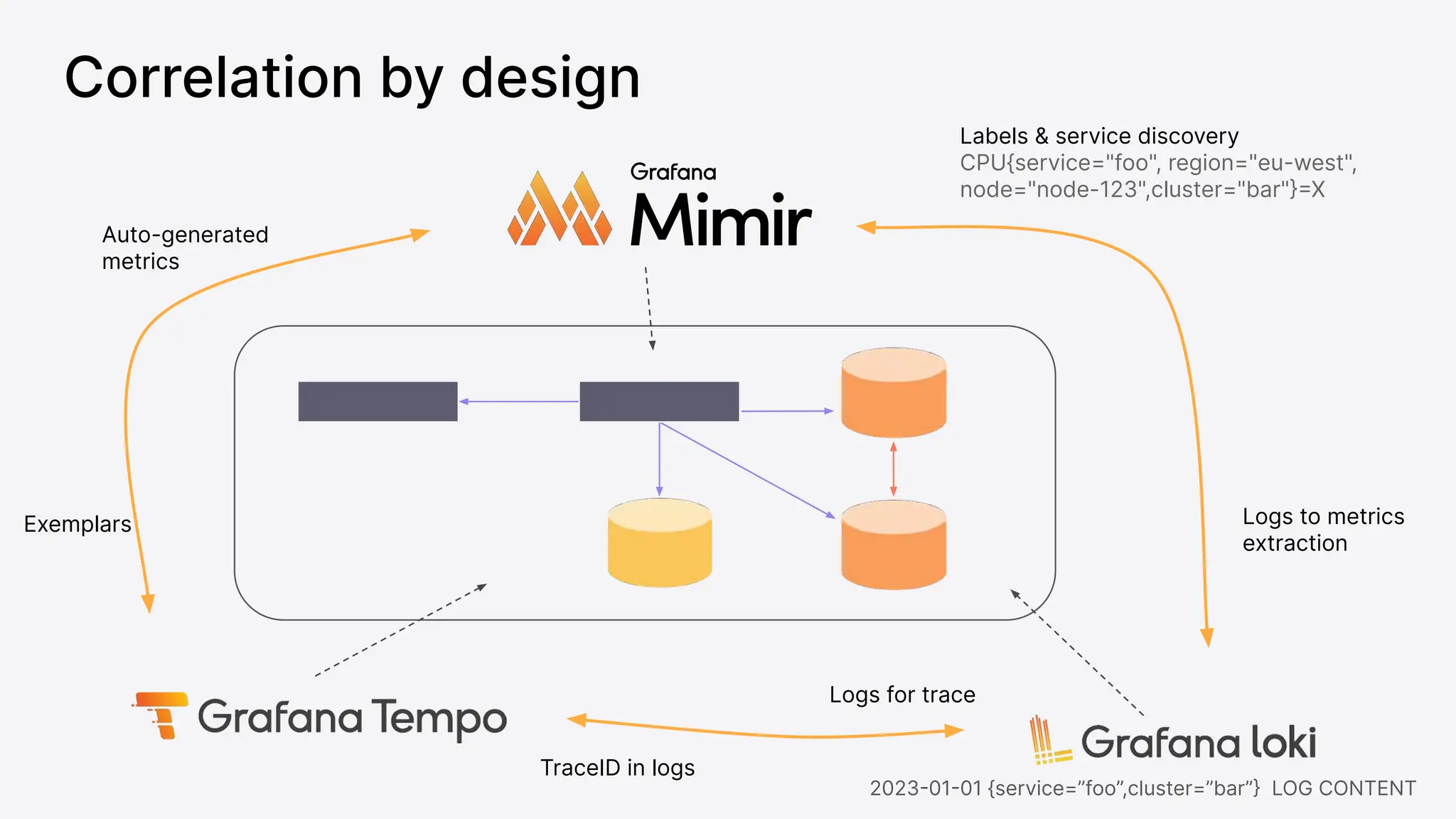
Correlation by design
Exemplars
Labels & service discovery
CPU{service="foo", region="eu-west",
node="node-123",cluster="bar"}=X
Auto-generated
metrics
Logs for trace
TraceID in logs
Logs to metrics
extraction
2023-01-01 {service=”foo”,cluster=”bar”} LOG CONTENT
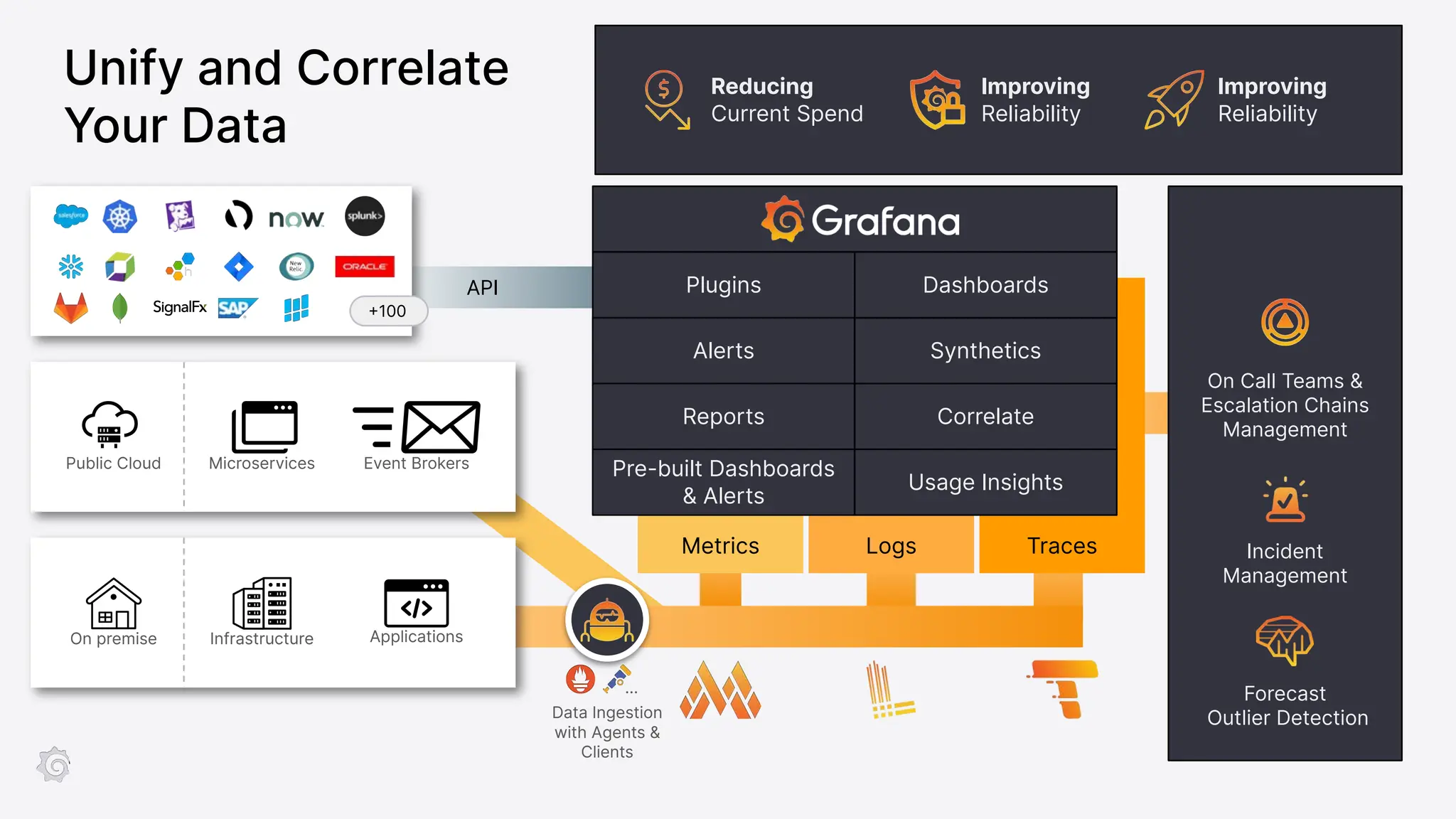
API
Logs Traces
Metrics
Alerts Synthetics
Reports Correlate
Pre-built Dashboards
& Alerts
Usage Insights
+100
On Call Teams &
Escalation Chains
Management
Incident
Management
Forecast
Outlier Detection
On premise
Public Cloud Microservices
Infrastructure Applications
Event Brokers
Dashboards
Plugins
…
Data Ingestion
with Agents &
Clients
Reducing
Current Spend
Improving
Reliability
Improving
Reliability
Unify and Correlate
Your Data
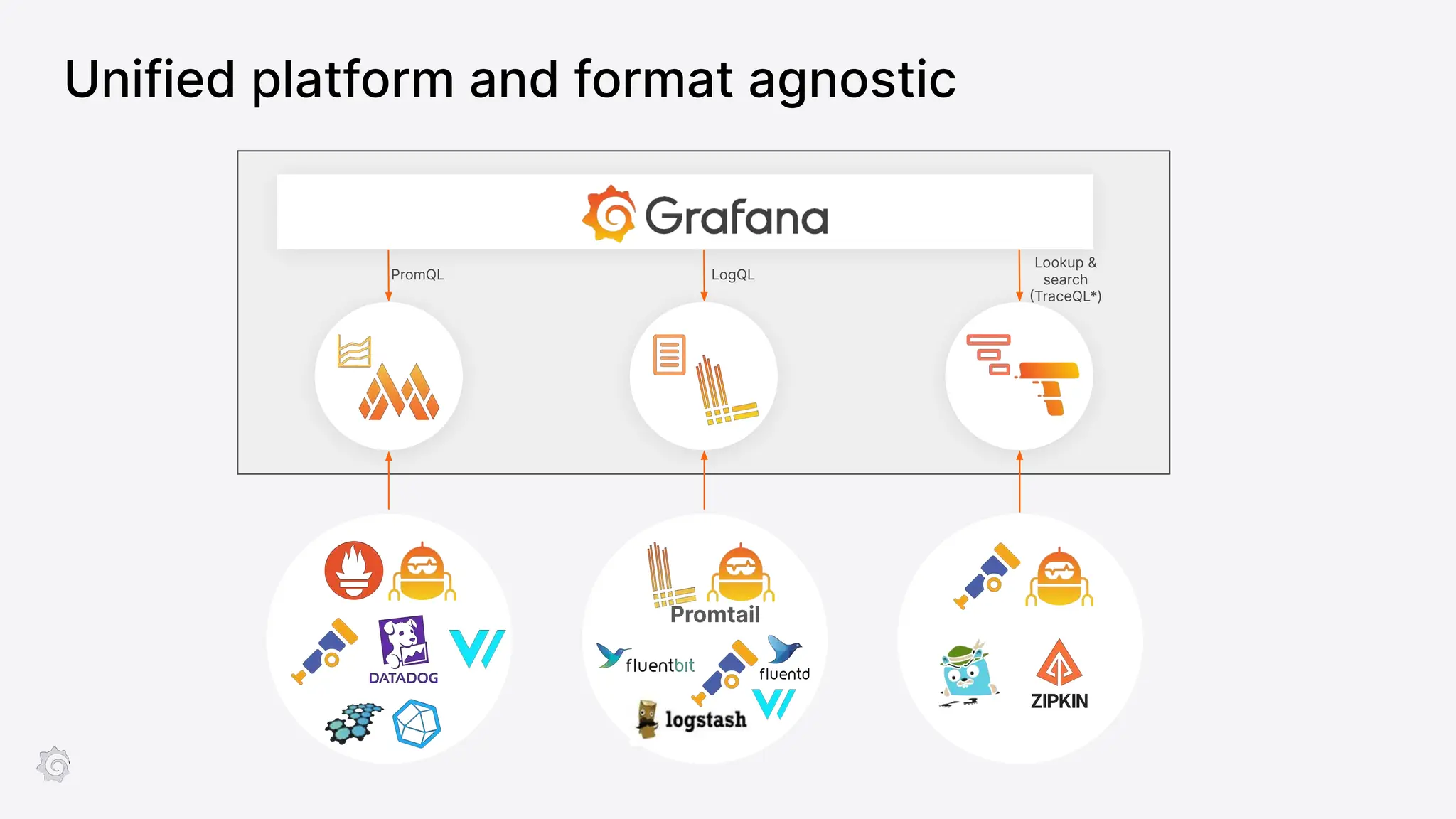
PromQL LogQL
Lookup &
search
(TraceQL*)
Promtail
Unified platform and format agnostic
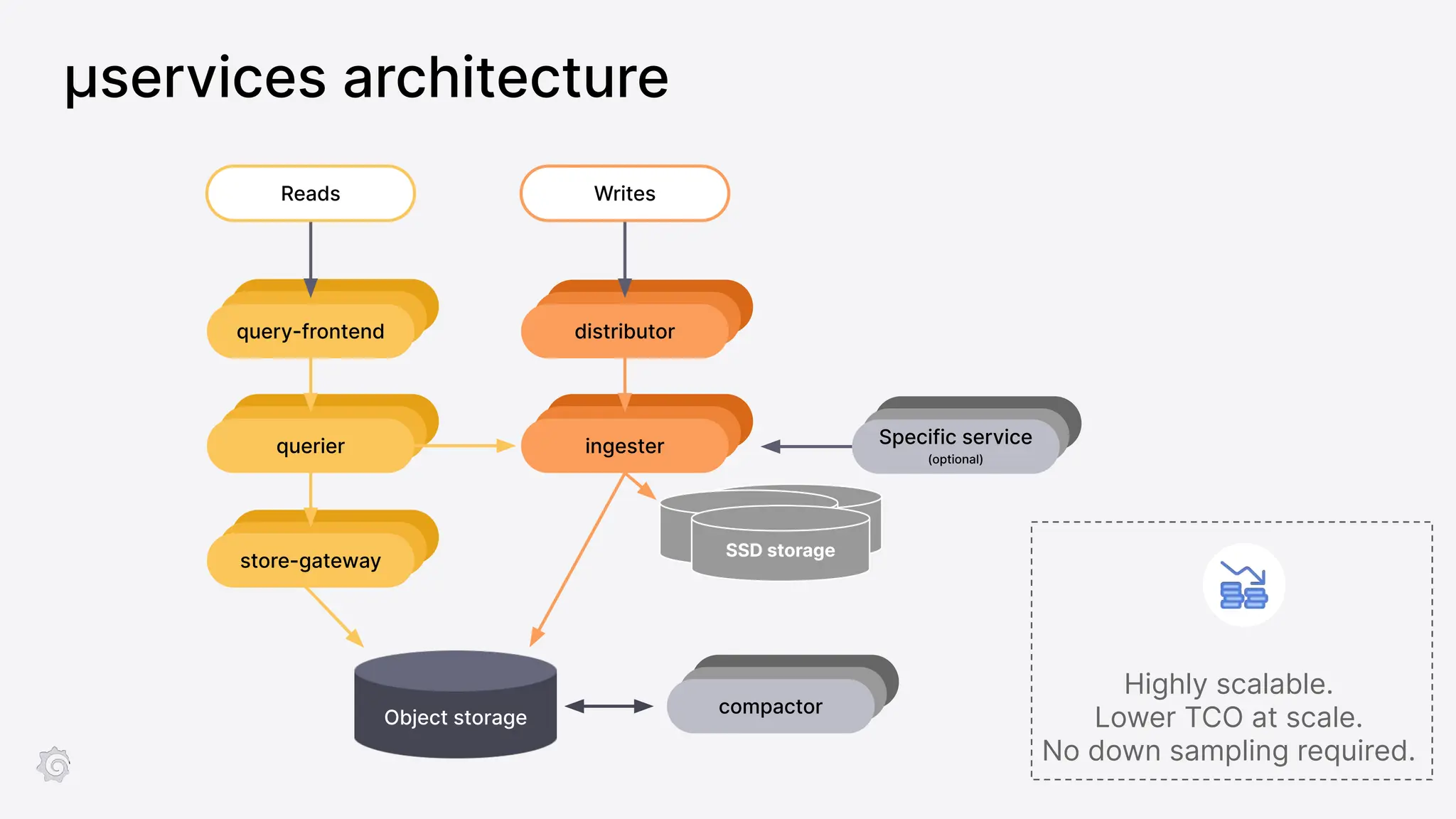
compactor
compactor
µservices architecture
ingester
query-frontend
querier
store-gateway
distributor
compactor
Object storage
Reads Writes
compactor
compactor
Specific service
(optional)
SSD storage
SSD storage
SSD storage
Highly scalable.
Lower TCO at scale.
No down sampling required.
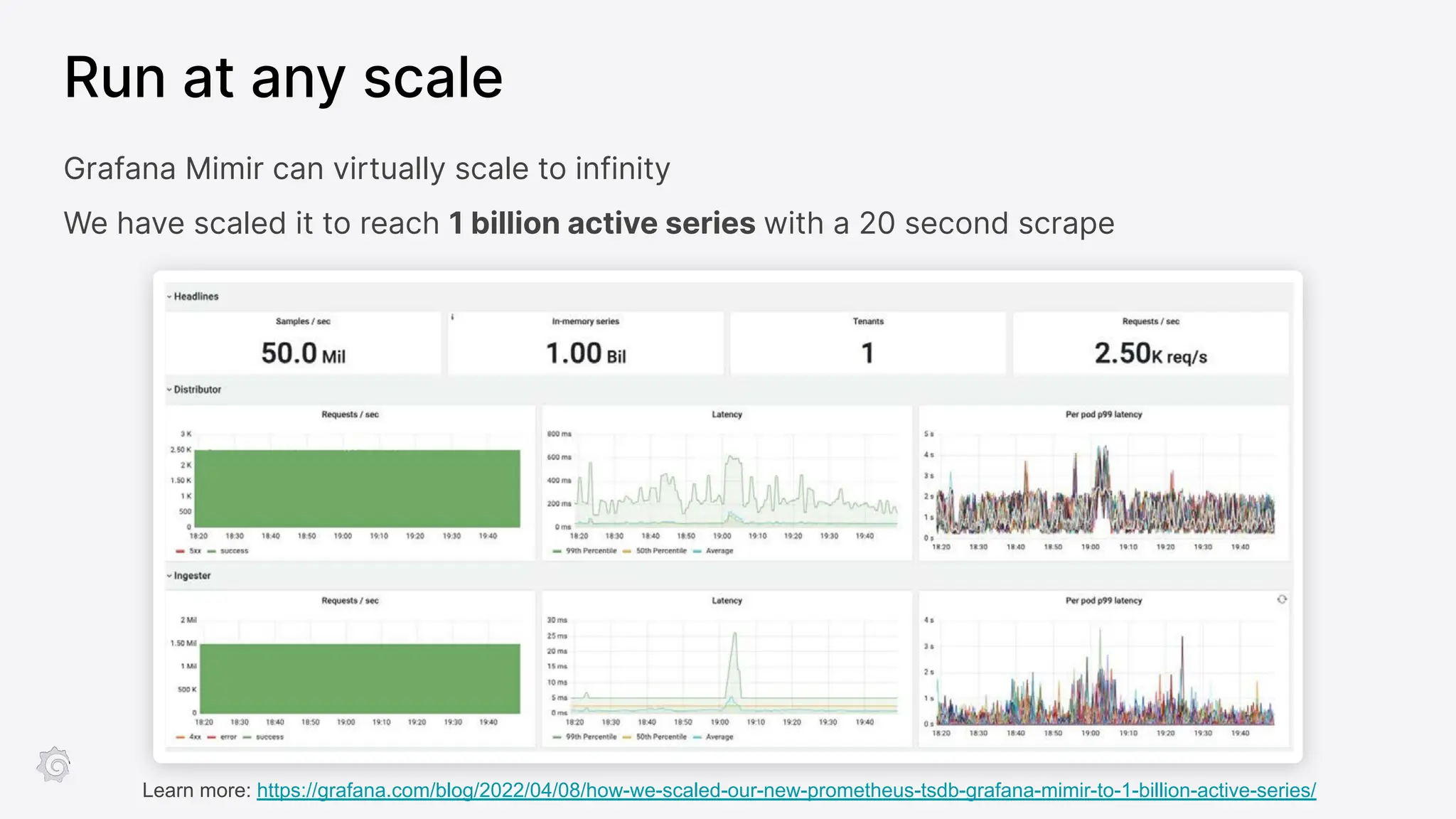
Run at any scale
Grafana Mimir can virtually scale to infinity
We have scaled it to reach 1 billion active series with a 20 second scrape
Learn more: https://grafana.com/blog/2022/04/08/how-we-scaled-our-new-prometheus-tsdb-grafana-mimir-to-1-billion-active-series/
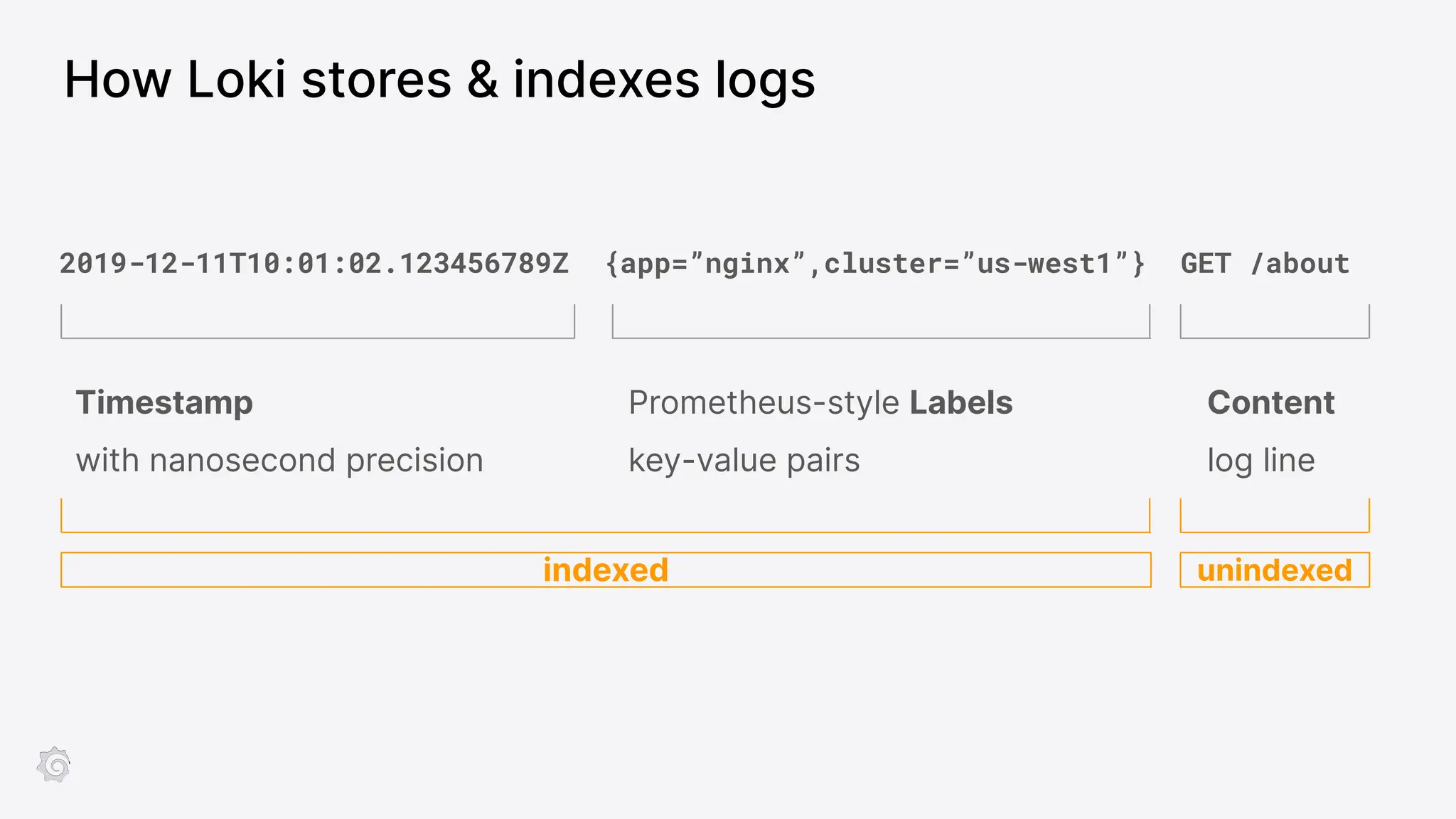
2019-12-11T10:01:02.123456789Z {app=”nginx”,cluster=”us-west1”} GET /about
Timestamp
with nanosecond precision
Content
log line
Prometheus-style Labels
key-value pairs
indexed unindexed
How Loki stores & indexes logs
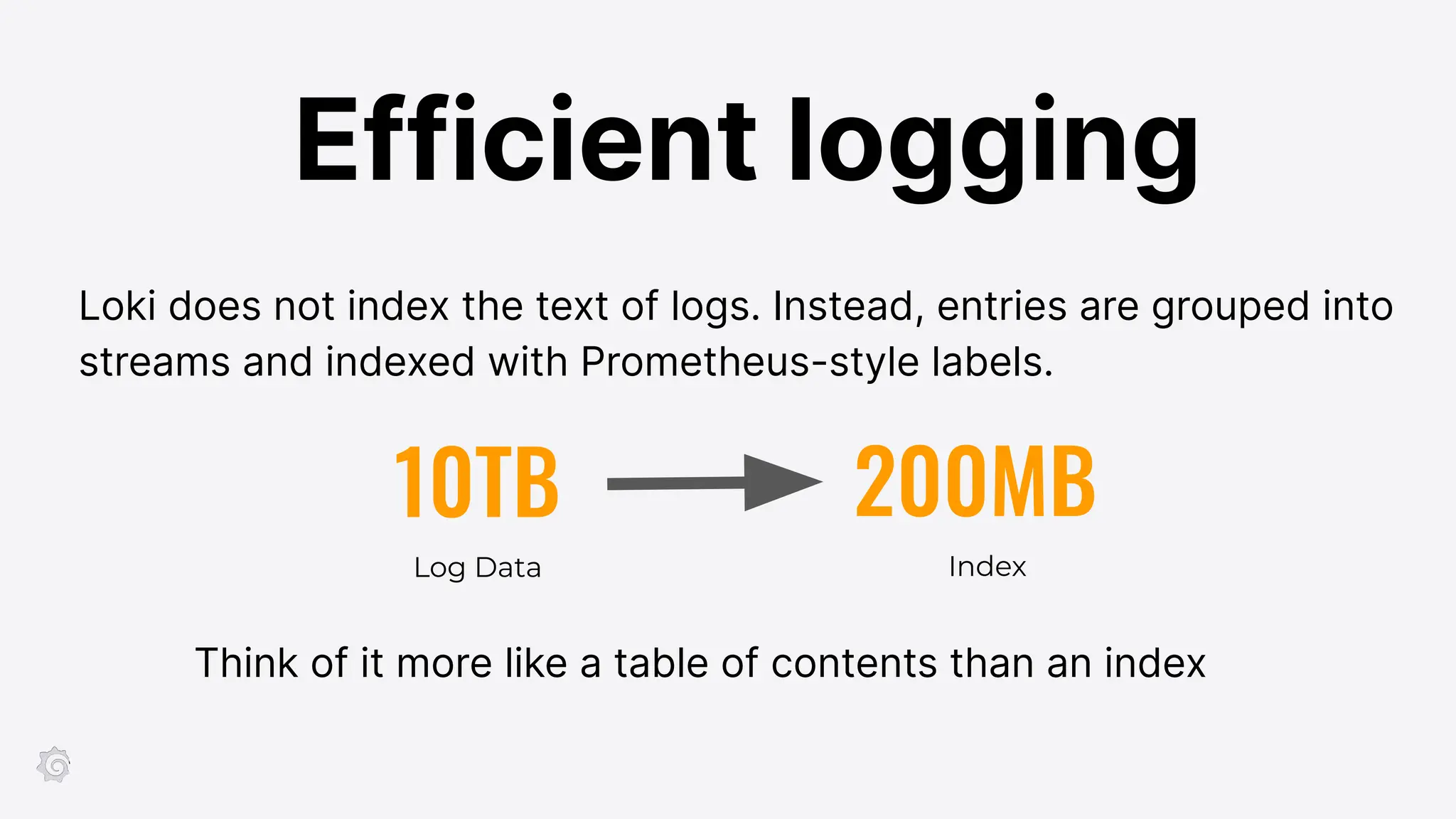
10TB 200MB
Log Data Index
Think of it more like a table of contents than an index
Loki does not index the text of logs. Instead, entries are grouped into
streams and indexed with Prometheus-style labels.
Efficient logging
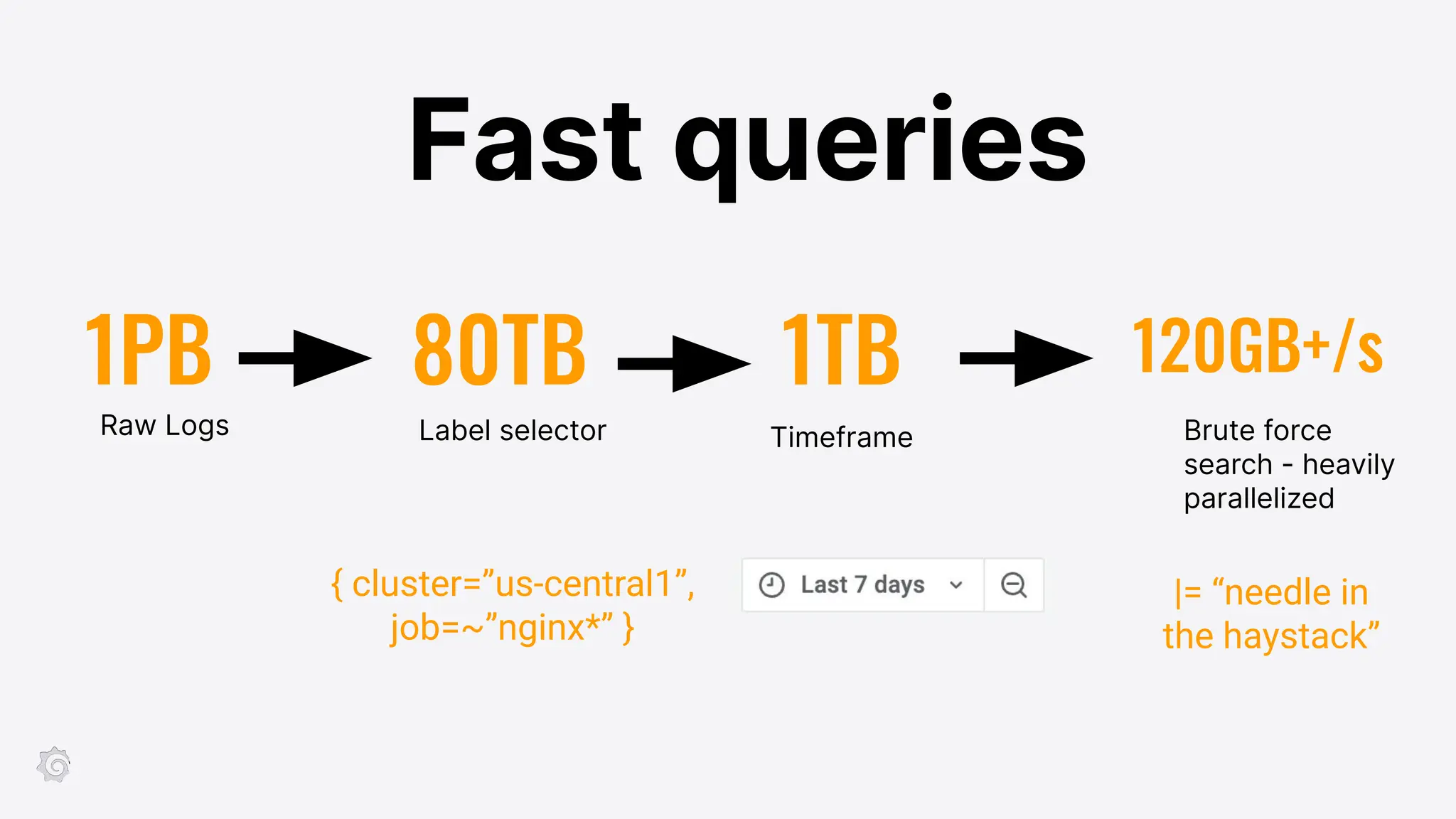
1PB 80TB
Raw Logs Timeframe Brute force
search - heavily
parallelized
Label selector
1TB 120GB+/s
Fast queries
{ cluster=”us-central1”,
job=~”nginx*” }
|= “needle in
the haystack”
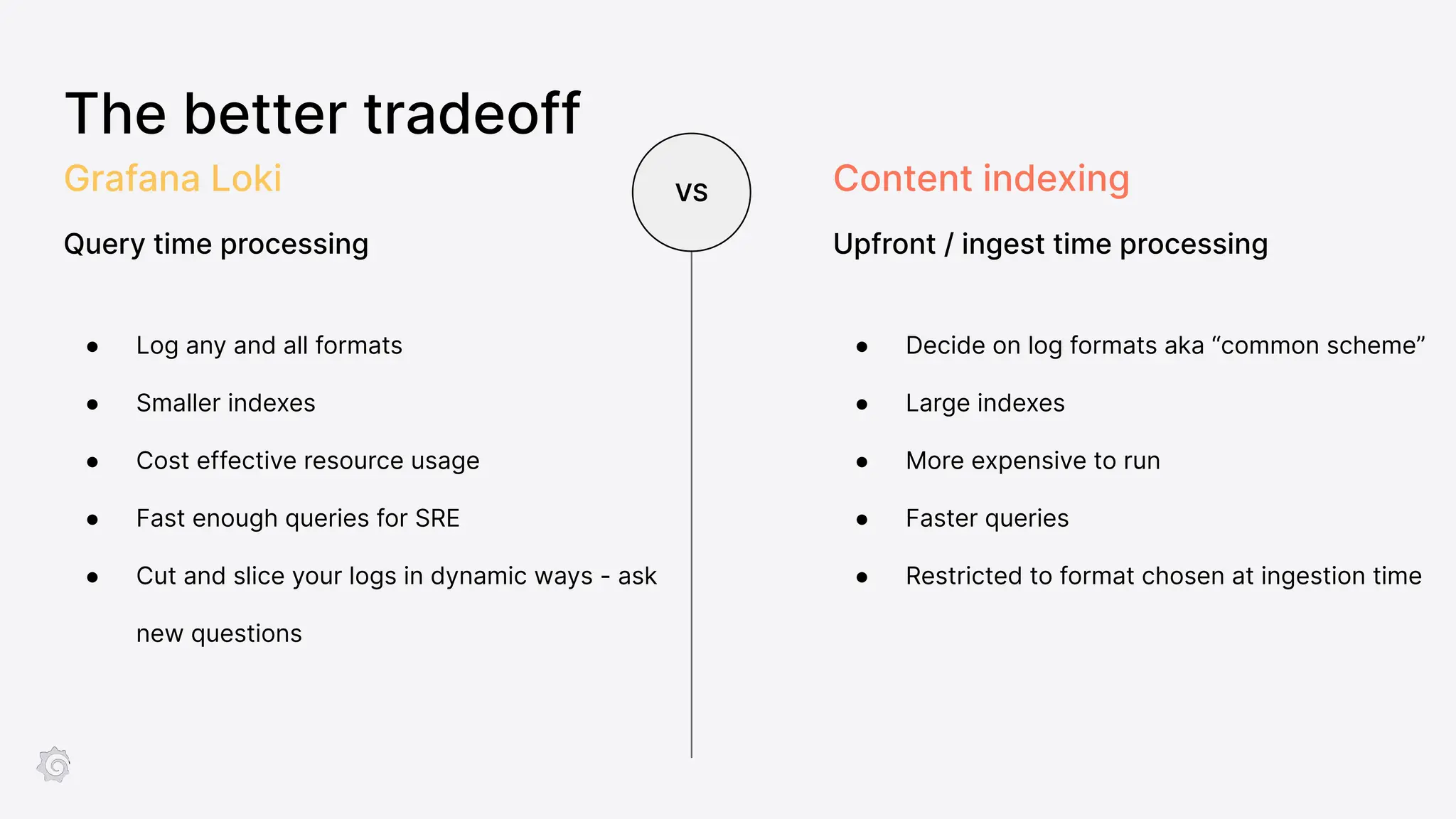
The better tradeoff
● Log any and all formats
● Smaller indexes
● Cost effective resource usage
● Fast enough queries for SRE
● Cut and slice your logs in dynamic ways - ask
new questions
Grafana Loki
Query time processing
VS
● Decide on log formats aka “common scheme”
● Large indexes
● More expensive to run
● Faster queries
● Restricted to format chosen at ingestion time
Content indexing
Upfront / ingest time processing
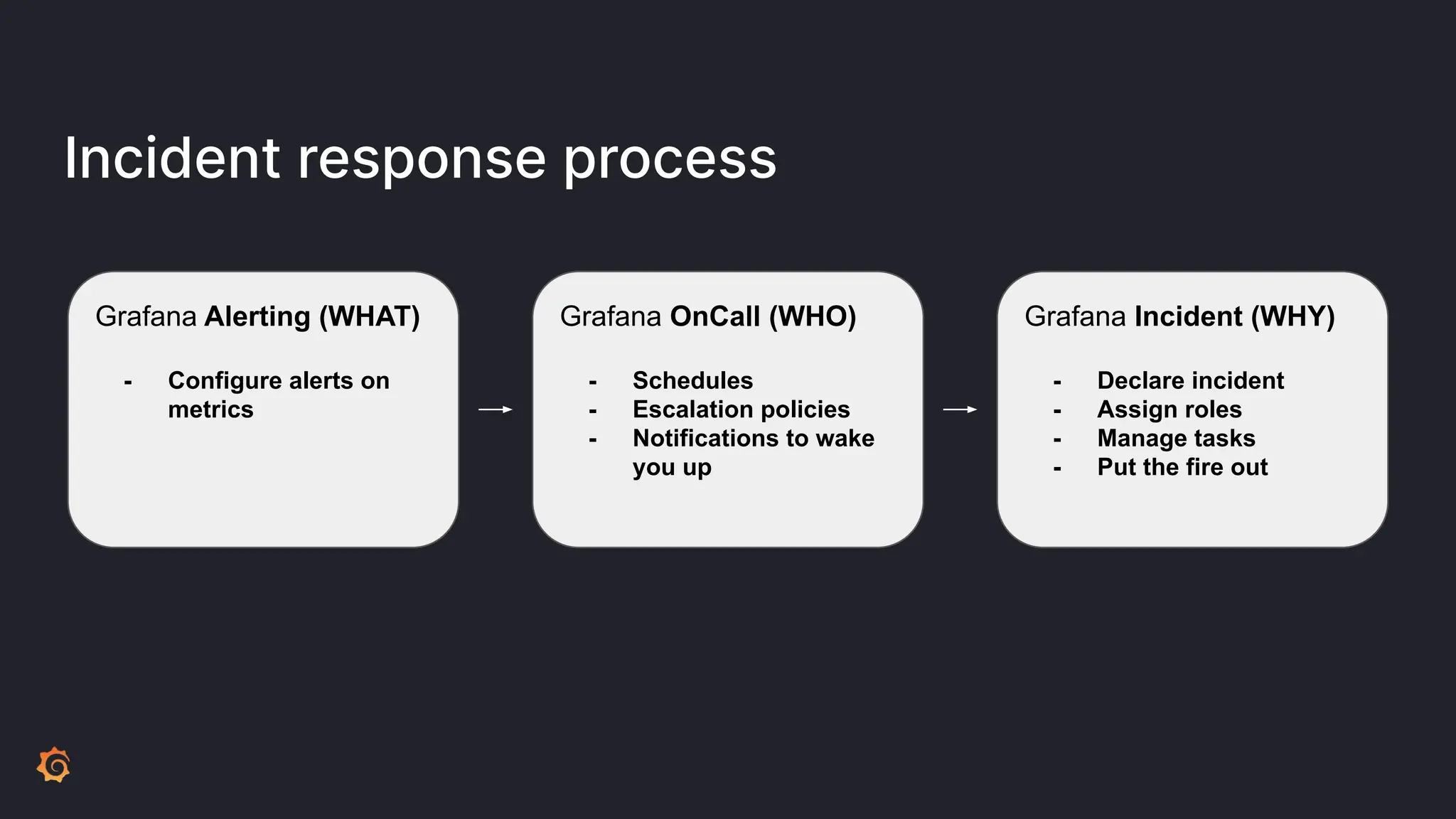
Incident response process
Grafana Alerting (WHAT)
- Configure alerts on
metrics
Grafana OnCall (WHO)
- Schedules
- Escalation policies
- Notifications to wake
you up
Grafana Incident (WHY)
- Declare incident
- Assign roles
- Manage tasks
- Put the fire out
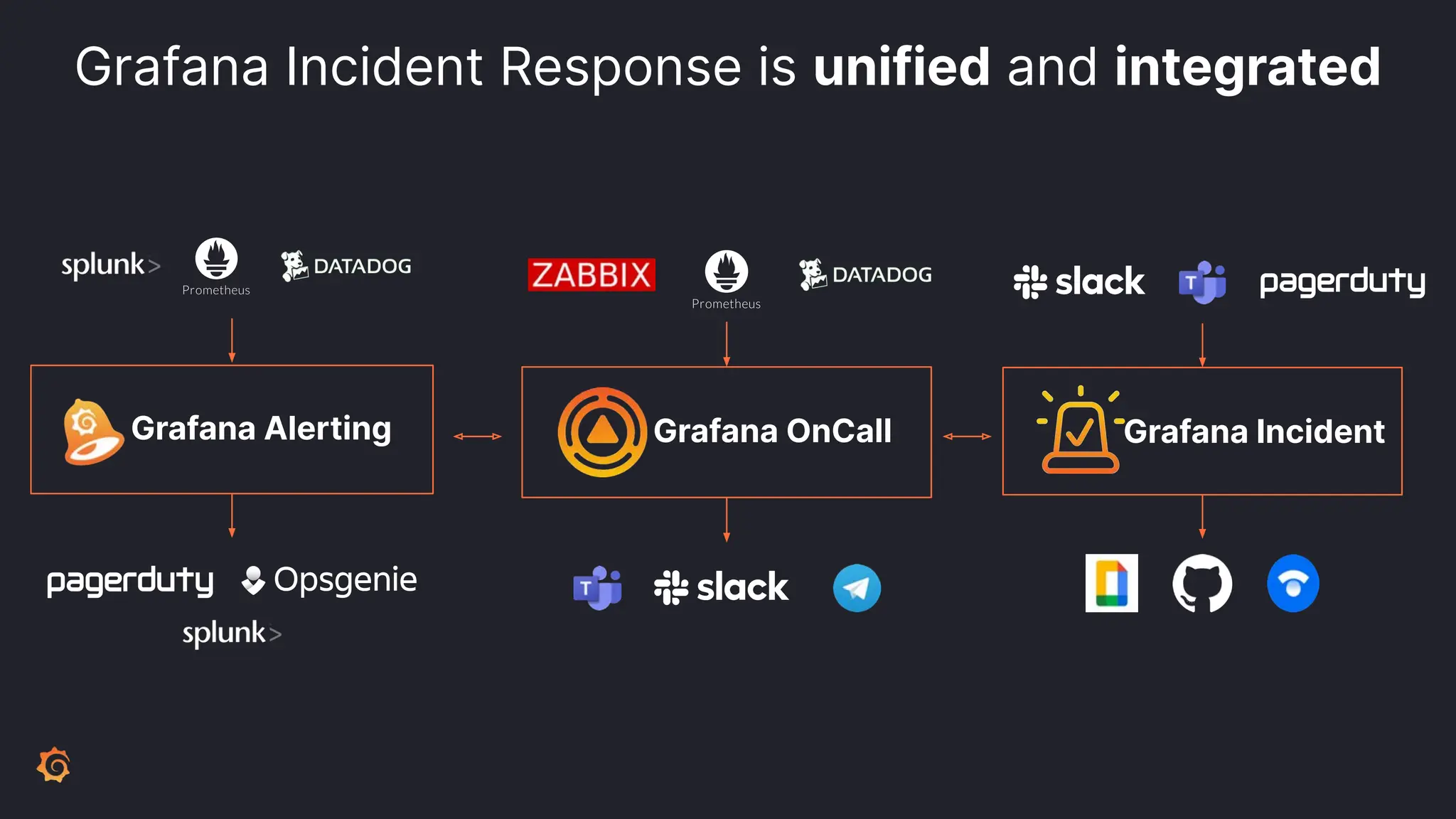
Grafana Incident Response is unified and integrated
Grafana Alerting Grafana OnCall Grafana Incident
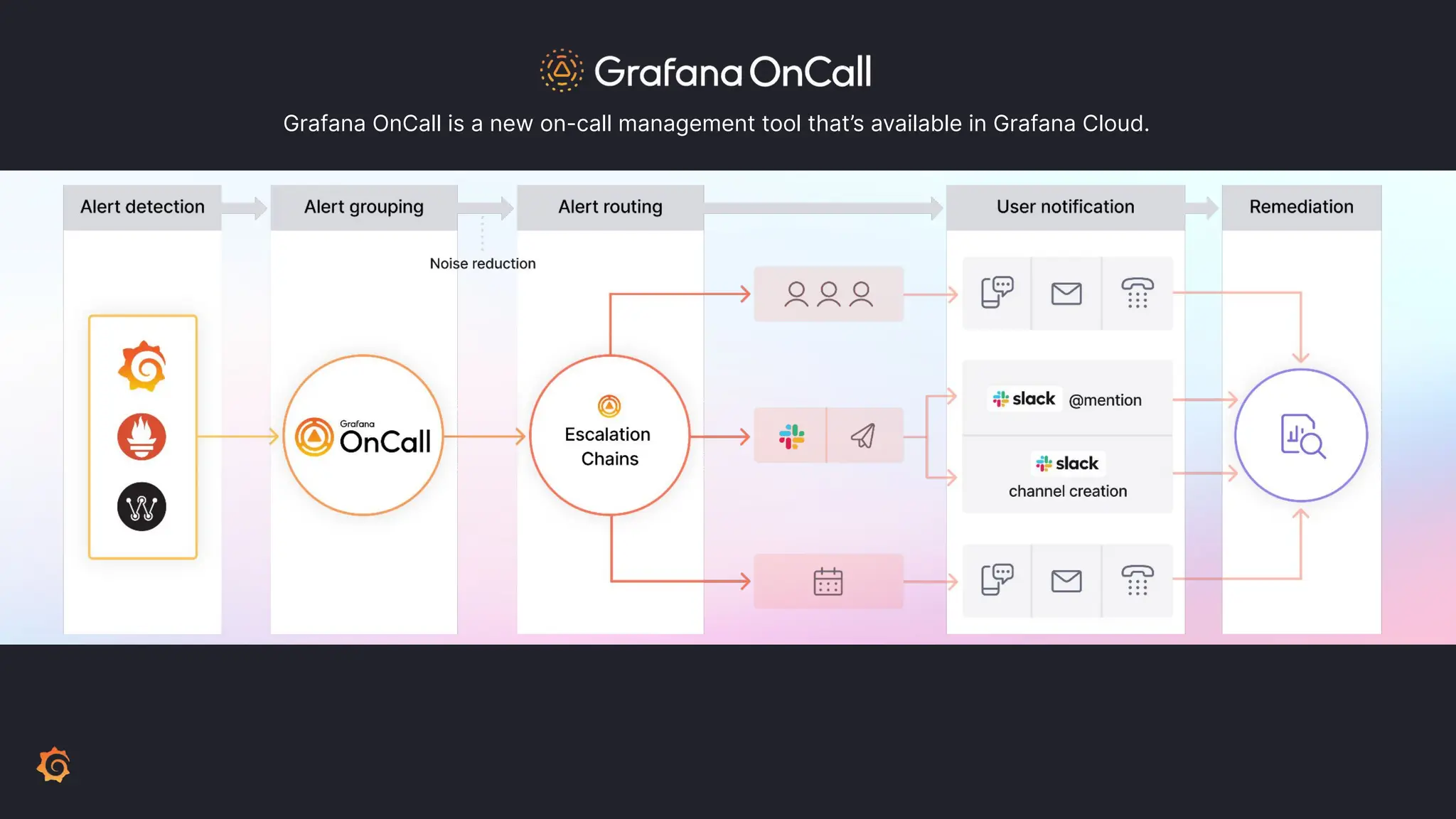
Grafana OnCall is a new on-call management tool that’s available in Grafana Cloud.
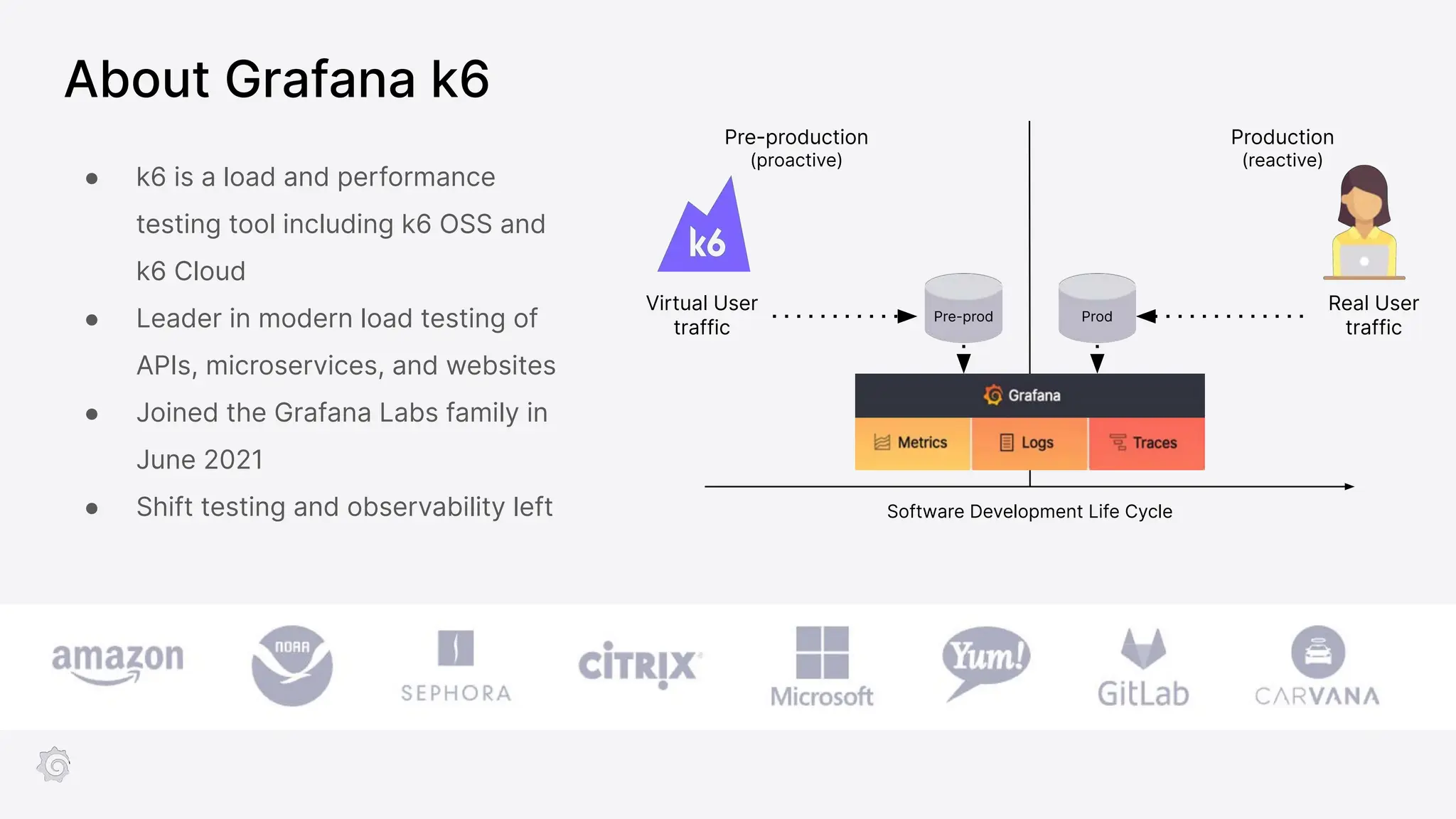
About Grafana k6
● k6 is a load and performance
testing tool including k6 OSS and
k6 Cloud
● Leader in modern load testing of
APIs, microservices, and websites
● Joined the Grafana Labs family in
June 2021
● Shift testing and observability left
Pre-production
(proactive)
Production
(reactive)
Virtual User
traffic
Real User
traffic
Prod
Pre-prod
Software Development Life Cycle
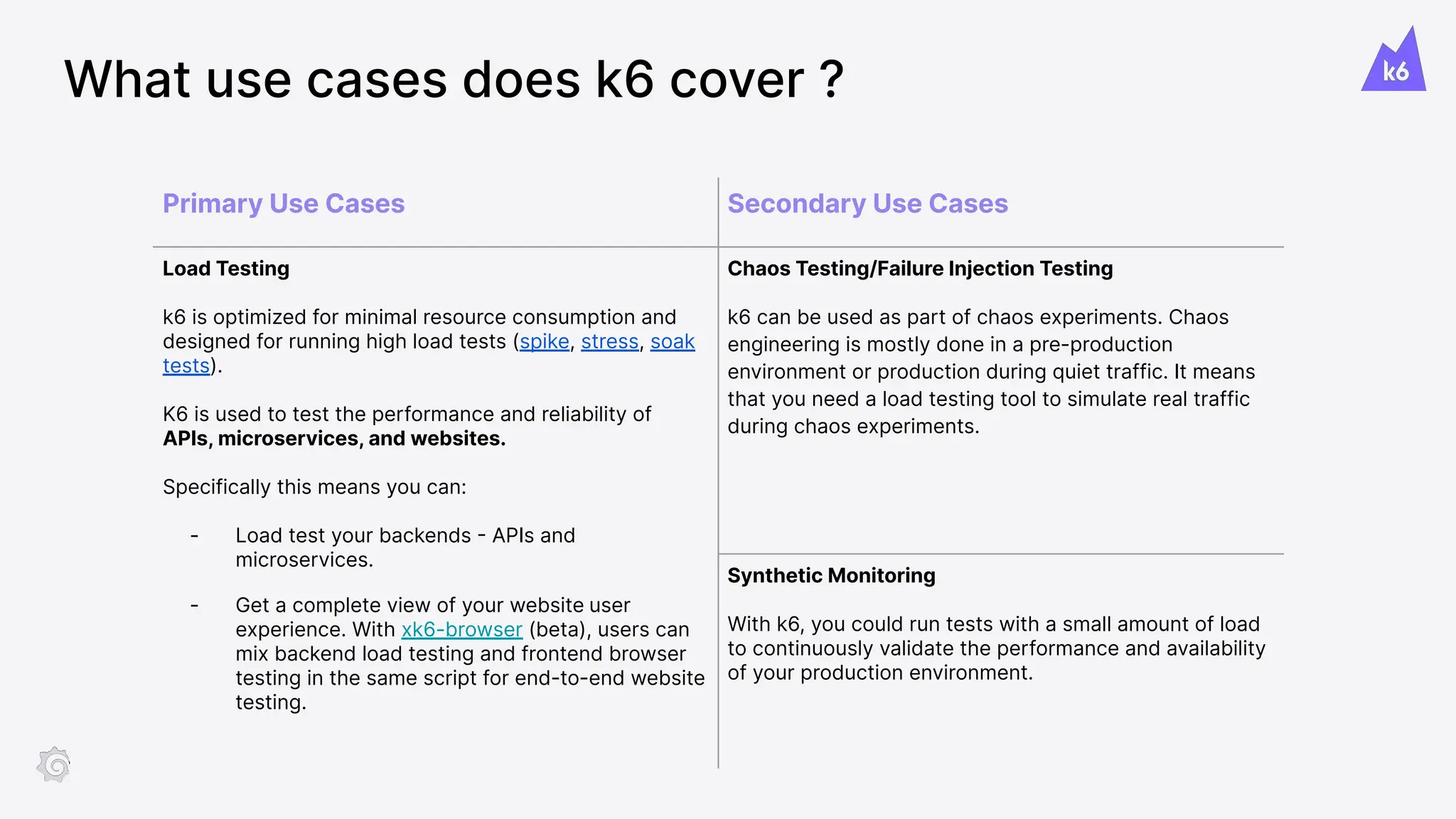
What use cases does k6 cover ?
Primary Use Cases Secondary Use Cases
Load Testing
k6 is optimized for minimal resource consumption and
designed for running high load tests (spike, stress, soak
tests).
K6 is used to test the performance and reliability of
APIs, microservices, and websites.
Specifically this means you can:
- Load test your backends - APIs and
microservices.
- Get a complete view of your website user
experience. With xk6-browser (beta), users can
mix backend load testing and frontend browser
testing in the same script for end-to-end website
testing.
Chaos Testing/Failure Injection Testing
k6 can be used as part of chaos experiments. Chaos
engineering is mostly done in a pre-production
environment or production during quiet traffic. It means
that you need a load testing tool to simulate real traffic
during chaos experiments.
Synthetic Monitoring
With k6, you could run tests with a small amount of load
to continuously validate the performance and availability
of your production environment.
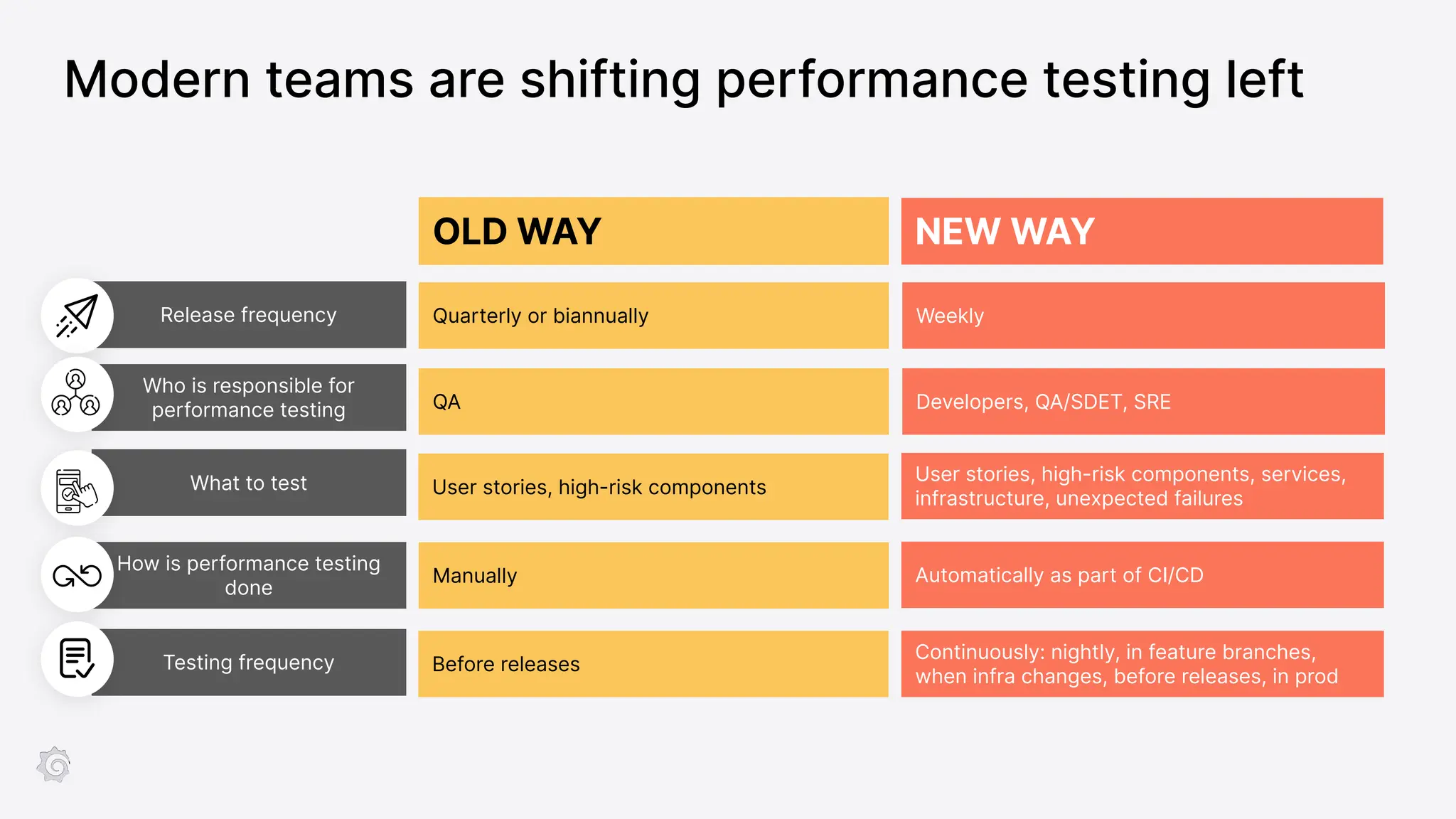
Modern teams are shifting performance testing left
Testing frequency
Release frequency
What to test
How is performance testing
done
Who is responsible for
performance testing
OLD WAY
Quarterly or biannually
QA
User stories, high-risk components
Manually
Before releases
NEW WAY
Weekly
Developers, QA/SDET, SRE
Continuously: nightly, in feature branches,
when infra changes, before releases, in prod
User stories, high-risk components, services,
infrastructure, unexpected failures
Automatically as part of CI/CD

Grafana overview deck - Tech - 2023 May v1.pdf

  • 1.
    Grafana Labs Overview Zoe Wang SeniorEnterprise AM zoe.wang@grafana.com +65 91066139
  • 2.
  • 3.
    Grafana Labs’ bigtent strategy
  • 4.
    First Pane ofGlass & Collaboration through “Big Tent” The 10000-foot view For who? C-level and executives For what? Centralised view of your most critical KPIs (costs, incidents, etc) and global health of the system The Platform view For who? Platform owners and Ops team For what? Visualise individual SLOs/SLIs and detect which component of the platform is impacting your SLA The Service view For who? SREs and DevOps For what? Monitor key signals for a specific service, and start your exploration/debugging/troubleshooting workflow.
  • 5.
    Open source isat the heart of what we do Employ 91% of the Loki team members, including project founders Employ 89% of Grafana team members, including project founders Employ 100% of the Tempo team members, including project founders Employ 100% of the Mimir team members, including project founders Employ 100% of k6 team members, including the project founders Employ 44% of the Prometheus team members The leading contributors to the Graphite project Employ contributors, including a Governance Committee member Employ 100% of OnCall team members, including the project founders 1,000+ Employees across 40+ countries 10M+ Users across OSS and Cloud Free tier Employ 100% of Phlare team members, including the project founders Employ 100% of Faro team members, including the project founders 1M+ Instances across LGTM Cloud and OSS
  • 6.
    What We Built: A Composable Observability Stack OSS / Cloud / Enterprise Observability-as-code Open APIs + Webhooks + Terraform, Ansible Security + Scale + Support OnCall Incident SLO Alerting Visualize Business, Application, and Infrastructure Prevent Performance Testing Load Testing Metrics Logs Traces Enterprise Plugins +100s more Community Plugins Find Telemetry Act Incident Response & Management Browser Testing Profiles
  • 7.
  • 8.
  • 9.
  • 10.
    Grafana Agent –Make your pipeline easy Metrics - Based on Prometheus Agent with embedded exporters. Logs - Embeds Promtail, the log forwarder built by Grafana, for Loki. Traces - Based on Open Telemetry Collector. Universal | Feature-rich | Open
  • 11.
    Enterprise Plugins Advanced Auth Datasource Permissions Query Caching Role Based Access Control Recorded Queries CustomTraining & Workshops White Labelling Unlimited Expert Support Security Auditing Encryption LDAP & Team Synch Vault Integration Reporting Usage Insights Grafana Enterprise Grafana Enterprise / Grafana Cloud Features Machine Learning On Call & Incident Management Integrations Ready to use dashboards & alerts
  • 12.
    Grafana Enterprise BackendsFeatures Influx Ingestion & Query Datadog Ingestion & Query Label Based Access Control Cross Cluster Federation Cardinality Management Unlimited Expert Support Graphite Ingestion & Query Authentication OIDC - JWT Tenant Management Grafana Metrics Grafana Logs Grafana Traces
  • 13.
    SLA / SLO/ SLI Management Business Scorecards Full Stack Monitoring Developer Productivity USE (Utilization, Saturation, Errors), RED (Rate, Errors, Duration) Apps, services, infrastructure, databases, etc # users, # orders, # transactions, availability, # incidents, delivery velocity, revenue, etc Build time, delivery time, # deploys, % changes fail, # bugs, waiting time, code quality Code quality monitoring On Call & Incident Management # incident, # tests, performance test metrics, application metrics # incident, # alerts, escalation chains, incident management process, outlier detections
  • 14.
    The Big TentPhilosophy - Single Pane of Glass Go deeper with component- level dashboards or deep link into the data source
  • 15.
  • 16.
    Getting Started –What’s your option? Build your own stack Self-hosted Let experts handle it Grafana Cloud Deploy LGTM stack on your own data center or cloud capacity. Scale, maintain, and upgrade it yourself. Automatic scaling, patches, and instant upgrades. Sign-up and ready to go. Exclusive features & Opinionated solutions. Integrations, K8s app, ML, OnCall, Incident, …
  • 17.
    The Reality of DoingIt Yourself aka. self-managed What you expect Hidden operational costs ● Enterprise Observability ● Single pane of glass for optimized operational performance ● Provision servers ● Capacity planning ● Configure HA ● Configure Security ● Customize plugins/API scripting ● Ongoing Upgrades and Maintenance ● Constant maintenance takes you away from more important tasks ● Retaining tribal knowledge “how did we get here?”
  • 18.
    What we arebuilding with Grafana Cloud Opinionated Completeness Cost Visibility Time–to-value with Grafana opinionated solutions Cost insights and optimizations Full stack advantage with Metrics, Logs, Traces and others *logs cardinality mgmt is under development Incident Response & Management ML & Synthetic Performance Testing >50 Integrations *upcoming: SLO management, App O11Y
  • 19.
    >50 observability integrations ✅GettingStarted ✅Dashboards ✅Alerts
  • 21.
    Application Observability Veryunofficial wireframes Public Preview Frontend Observability powered by
  • 22.
  • 23.
    Grafana ML Produce high-qualityforecasts and adaptive alerts ✓ Prediction results are built from standard queries and results are exposed via PromQL. ✓ Users can be alerted when observed values differ from prediction. Dynamic threshold can be set based on prediction confidence. Detect anomalies in real-time ✓ Identify abnormal patterns using outliers detector. ✓ Alert your users instantaneously when outliers are detected. Support various data sources ✓ Currently supported: Prometheus, Loki, Postgres, InfluxDB, BigQuery, Snowflake and Datadog.
  • 24.
    Correlation by design Exemplars Labels& service discovery CPU{service="foo", region="eu-west", node="node-123",cluster="bar"}=X Auto-generated metrics Logs for trace TraceID in logs Logs to metrics extraction 2023-01-01 {service=”foo”,cluster=”bar”} LOG CONTENT
  • 25.
    API Logs Traces Metrics Alerts Synthetics ReportsCorrelate Pre-built Dashboards & Alerts Usage Insights +100 On Call Teams & Escalation Chains Management Incident Management Forecast Outlier Detection On premise Public Cloud Microservices Infrastructure Applications Event Brokers Dashboards Plugins … Data Ingestion with Agents & Clients Reducing Current Spend Improving Reliability Improving Reliability Unify and Correlate Your Data
  • 26.
  • 27.
    compactor compactor µservices architecture ingester query-frontend querier store-gateway distributor compactor Object storage ReadsWrites compactor compactor Specific service (optional) SSD storage SSD storage SSD storage Highly scalable. Lower TCO at scale. No down sampling required.
  • 28.
    Run at anyscale Grafana Mimir can virtually scale to infinity We have scaled it to reach 1 billion active series with a 20 second scrape Learn more: https://grafana.com/blog/2022/04/08/how-we-scaled-our-new-prometheus-tsdb-grafana-mimir-to-1-billion-active-series/
  • 29.
    2019-12-11T10:01:02.123456789Z {app=”nginx”,cluster=”us-west1”} GET/about Timestamp with nanosecond precision Content log line Prometheus-style Labels key-value pairs indexed unindexed How Loki stores & indexes logs
  • 30.
    10TB 200MB Log DataIndex Think of it more like a table of contents than an index Loki does not index the text of logs. Instead, entries are grouped into streams and indexed with Prometheus-style labels. Efficient logging
  • 31.
    1PB 80TB Raw LogsTimeframe Brute force search - heavily parallelized Label selector 1TB 120GB+/s Fast queries { cluster=”us-central1”, job=~”nginx*” } |= “needle in the haystack”
  • 32.
    The better tradeoff ●Log any and all formats ● Smaller indexes ● Cost effective resource usage ● Fast enough queries for SRE ● Cut and slice your logs in dynamic ways - ask new questions Grafana Loki Query time processing VS ● Decide on log formats aka “common scheme” ● Large indexes ● More expensive to run ● Faster queries ● Restricted to format chosen at ingestion time Content indexing Upfront / ingest time processing
  • 33.
    Incident response process GrafanaAlerting (WHAT) - Configure alerts on metrics Grafana OnCall (WHO) - Schedules - Escalation policies - Notifications to wake you up Grafana Incident (WHY) - Declare incident - Assign roles - Manage tasks - Put the fire out
  • 34.
    Grafana Incident Responseis unified and integrated Grafana Alerting Grafana OnCall Grafana Incident
  • 35.
    Grafana OnCall isa new on-call management tool that’s available in Grafana Cloud.
  • 36.
    About Grafana k6 ●k6 is a load and performance testing tool including k6 OSS and k6 Cloud ● Leader in modern load testing of APIs, microservices, and websites ● Joined the Grafana Labs family in June 2021 ● Shift testing and observability left Pre-production (proactive) Production (reactive) Virtual User traffic Real User traffic Prod Pre-prod Software Development Life Cycle
  • 37.
    What use casesdoes k6 cover ? Primary Use Cases Secondary Use Cases Load Testing k6 is optimized for minimal resource consumption and designed for running high load tests (spike, stress, soak tests). K6 is used to test the performance and reliability of APIs, microservices, and websites. Specifically this means you can: - Load test your backends - APIs and microservices. - Get a complete view of your website user experience. With xk6-browser (beta), users can mix backend load testing and frontend browser testing in the same script for end-to-end website testing. Chaos Testing/Failure Injection Testing k6 can be used as part of chaos experiments. Chaos engineering is mostly done in a pre-production environment or production during quiet traffic. It means that you need a load testing tool to simulate real traffic during chaos experiments. Synthetic Monitoring With k6, you could run tests with a small amount of load to continuously validate the performance and availability of your production environment.
  • 38.
    Modern teams areshifting performance testing left Testing frequency Release frequency What to test How is performance testing done Who is responsible for performance testing OLD WAY Quarterly or biannually QA User stories, high-risk components Manually Before releases NEW WAY Weekly Developers, QA/SDET, SRE Continuously: nightly, in feature branches, when infra changes, before releases, in prod User stories, high-risk components, services, infrastructure, unexpected failures Automatically as part of CI/CD