

Google for Webmasters
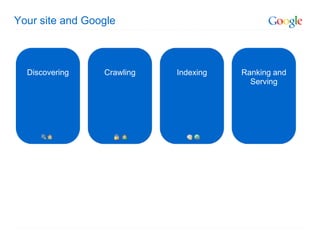
Your site and Google


  Discovering    Crawling   Indexing   Ranking and
                                         Serving
Your content and Google
Getting pages in (and out) of Google’s index
Making your site accessible
…And smartly labeled
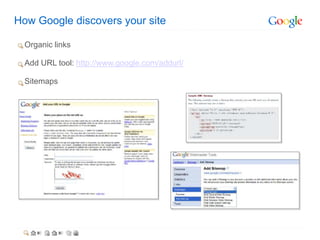
How Google discovers your site

  Organic links

  Add URL tool: http://www.google.com/addurl/

  Sitemaps
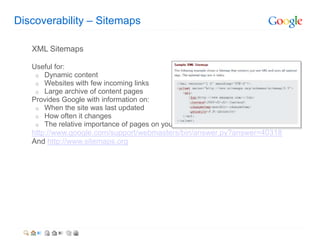
Discoverability – Sitemaps

   XML Sitemaps

   Useful for:
    o Dynamic content
    o Websites with few incoming links
    o Large archive of content pages
   Provides Google with information on:
    o When the site was last updated
    o How often it changes
    o The relative importance of pages on your site
   http://www.google.com/support/webmasters/bin/answer.py?answer=40318
   And http://www.sitemaps.org
Telling Google what not to index

You may wish to block from search engines…
       o   Private information
       o   Sections or pages “under construction”
Blocking options include…
       o   Robots.txt
http://www.google.com/support/webmasters/bin/answer.py?answer=35302
       o   Meta tags
      http://www.google.com/support/webmasters/bin/answer.py?answer=93710

           NOTE: Not to be used simultaneously to block the same set of pages.
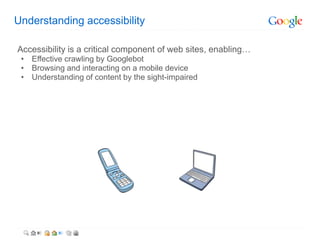
Understanding accessibility

Accessibility is a critical component of web sites, enabling…
 • Effective crawling by Googlebot
 • Browsing and interacting on a mobile device
 • Understanding of content by the sight-impaired
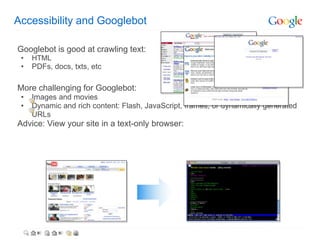
Accessibility and Googlebot

Googlebot is good at crawling text:
 •   HTML
 •   PDFs, docs, txts, etc

More challenging for Googlebot:
 •   Images and movies
 •   Dynamic and rich content: Flash, JavaScript, frames, or dynamically generated
     URLs
Advice: View your site in a text-only browser:
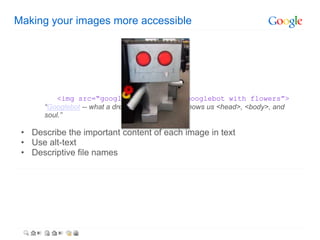
Making your images more accessible


          <img src=“googlebot.jpg” alt=“googlebot with flowers”>
      “Googlebot -- what a dreamboat. It's like he knows us <head>, <body>, and
      soul.”

 • Describe the important content of each image in text
 • Use alt-text
 • Descriptive file names
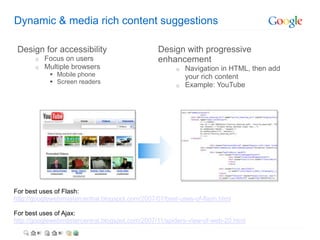
Dynamic & media rich content suggestions

 Design for accessibility                        Design with progressive
       o   Focus on users                        enhancement
       o   Multiple browsers                           o Navigation in HTML, then add
             Mobile phone                               your rich content
             Screen readers
                                                       o Example: YouTube


For best uses of Flash:
http://googlewebmastercentral.blogspot.com/2007/07/best-uses-of-flash.html

For best uses of Ajax:
http://googlewebmastercentral.blogspot.com/2007/11/spiders-view-of-web-20.html
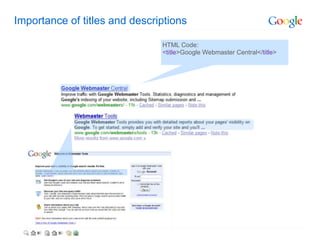
Importance of titles and descriptions

                               HTML Code:
                               <title>Google Webmaster Central</title>
Duplicate content

What is duplicate content?
          Example: article and printer version of the site


Best practices:
      o   301s
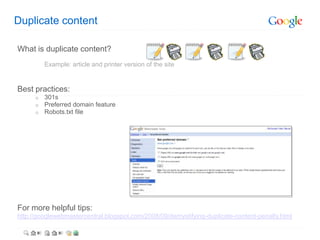
      o   Preferred domain feature
      o   Robots.txt file


For more helpful tips:
http://googlewebmastercentral.blogspot.com/2008/09/demystifying-duplicate-content-penalty.html
Ranking – Relevance and importance

   Sites listings are prioritized algorithmically according to pages’…
 • Relevance
     o   Matching the search to the page
     o   Taking into account geography
     o   In some cases, considering a user’s web history
 • Importance
   http://www.google.com/technology
   http://www.google.com/history


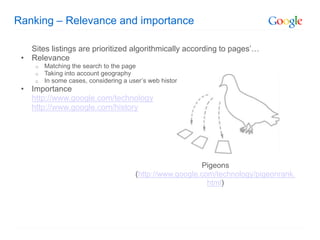
                                                           Pigeons
                                        (http://www.google.com/technology/pigeonrank.
                                                             html)
Understanding PageRank

   Now just one of more than two hundred ranking components
   Based more upon quality (rather than quantity) of incoming and natural links
    o   Buying or selling links to pass PageRank is against Google’s Webmaster Guidelines
        http://www.google.com/support/webmasters/bin/answer.py?answer=66356
   Best methods to increase PageRank:
    o   Create great content
    o   Participate thoughtfully in relevant communities online and offline
Fluctuations in PageRank and ranking

   Rankings fluctuate!
   (Hundreds of ranking signals, with over 450 updated last year alone)

    o   Algorithmic updates
    o   Changes in your site’s contents
    o   Changes in other sites’ contents
    o   Violation of Google Webmaster Guidelines
Keeping your site strong: Webmaster Guidelines

 •   Put yourself in your users’ shoes
 •   Treat Googlebot the same way as your human users (don’t cloak!)
 •   Make sure outgoing links point to relevant resources that reflect well on you
 •   Read our Webmaster Guidelines:
     http://www.google.com/support/webmasters/bin/answer.py?answer=35769
Google’s resources for webmasters
Google’s official blog, help center, discussion group, and beyond
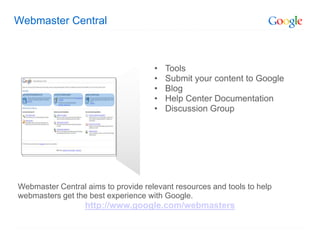
Webmaster Central


                                     •   Tools
                                     •   Submit your content to Google
                                     •   Blog
                                     •   Help Center Documentation
                                     •   Discussion Group


Webmaster Central aims to provide relevant resources and tools to help
webmasters get the best experience with Google.
                  http://www.google.com/webmasters
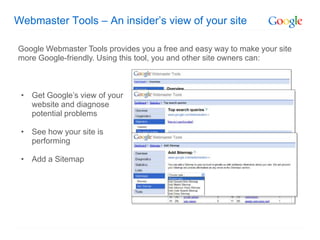
Webmaster Tools – An insider’s view of your site

Google Webmaster Tools provides you a free and easy way to make your site
more Google-friendly. Using this tool, you and other site owners can:


 • Get Google’s view of your
   website and diagnose
   potential problems

 • See how your site is
   performing

 • Add a Sitemap
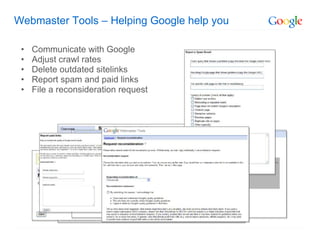
Webmaster Tools – Helping Google help you

 •   Communicate with Google
 •   Adjust crawl rates
 •   Delete outdated sitelinks
 •   Report spam and paid links
 •   File a reconsideration request
Webmaster Tools – Discover more

Learn how to use Webmaster Tools more in depth:
http://www.google.com/webmasters/edu/quickstartguide/index.html
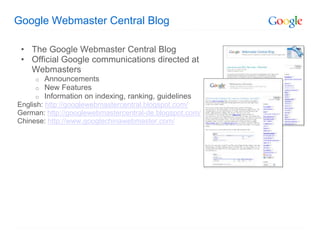
Google Webmaster Central Blog

 • The Google Webmaster Central Blog
 • Official Google communications directed at
   Webmasters
     o   Announcements
     o   New Features
     o   Information on indexing, ranking, guidelines
English: http://googlewebmastercentral.blogspot.com/
German: http://googlewebmastercentral-de.blogspot.com/
Chinese: http://www.googlechinawebmaster.com/
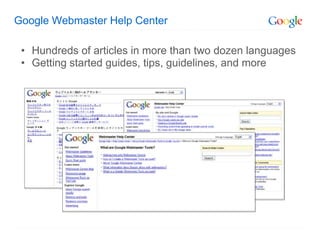
Google Webmaster Help Center

 • Hundreds of articles in more than two dozen languages
 • Getting started guides, tips, guidelines, and more
Google Webmaster Help Group

 • The Webmaster Help Group can be
   reached via the link in Webmaster
   Central
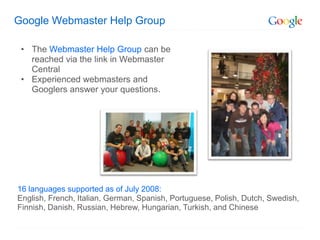
 • Experienced webmasters and
   Googlers answer your questions.


16 languages supported as of July 2008:
English, French, Italian, German, Spanish, Portuguese, Polish, Dutch, Swedish,
Finnish, Danish, Russian, Hebrew, Hungarian, Turkish, and Chinese
Google Webmaster Central


         www.google.com/webmasters
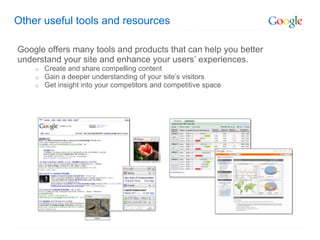
Other useful tools and resources

Google offers many tools and products that can help you better
understand your site and enhance your users’ experiences.
    o   Create and share compelling content
    o   Gain a deeper understanding of your site’s visitors
    o   Get insight into your competitors and competitive space
Creating and sharing compelling content
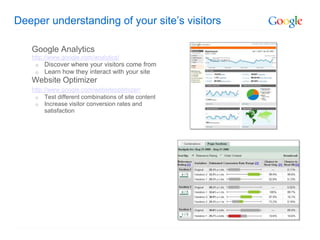
Deeper understanding of your site’s visitors

   Google Analytics
   http://www.google.com/analytics/
    o   Discover where your visitors come from
    o   Learn how they interact with your site
   Website Optimizer
   http://www.google.com/websiteoptimizer/
    o Test different combinations of site content
    o Increase visitor conversion rates and
         satisfaction
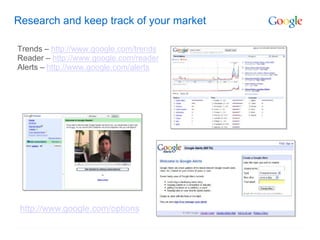
Research and keep track of your market

Trends – http://www.google.com/trends
Reader – http://www.google.com/reader
Alerts – http://www.google.com/alerts


 http://www.google.com/options
Thank You

Google for webmasters

  • 1.
  • 2.
    Your site andGoogle Discovering Crawling Indexing Ranking and Serving
  • 3.
    Your content andGoogle Getting pages in (and out) of Google’s index Making your site accessible …And smartly labeled
  • 4.
    How Google discoversyour site Organic links Add URL tool: http://www.google.com/addurl/ Sitemaps
  • 5.
    Discoverability – Sitemaps XML Sitemaps Useful for: o Dynamic content o Websites with few incoming links o Large archive of content pages Provides Google with information on: o When the site was last updated o How often it changes o The relative importance of pages on your site http://www.google.com/support/webmasters/bin/answer.py?answer=40318 And http://www.sitemaps.org
  • 6.
    Telling Google whatnot to index You may wish to block from search engines… o Private information o Sections or pages “under construction” Blocking options include… o Robots.txt http://www.google.com/support/webmasters/bin/answer.py?answer=35302 o Meta tags http://www.google.com/support/webmasters/bin/answer.py?answer=93710 NOTE: Not to be used simultaneously to block the same set of pages.
  • 7.
    Understanding accessibility Accessibility isa critical component of web sites, enabling… • Effective crawling by Googlebot • Browsing and interacting on a mobile device • Understanding of content by the sight-impaired
  • 8.
    Accessibility and Googlebot Googlebotis good at crawling text: • HTML • PDFs, docs, txts, etc More challenging for Googlebot: • Images and movies • Dynamic and rich content: Flash, JavaScript, frames, or dynamically generated URLs Advice: View your site in a text-only browser:
  • 9.
    Making your imagesmore accessible <img src=“googlebot.jpg” alt=“googlebot with flowers”> “Googlebot -- what a dreamboat. It's like he knows us <head>, <body>, and soul.” • Describe the important content of each image in text • Use alt-text • Descriptive file names
  • 10.
    Dynamic & mediarich content suggestions Design for accessibility Design with progressive o Focus on users enhancement o Multiple browsers o Navigation in HTML, then add  Mobile phone your rich content  Screen readers o Example: YouTube For best uses of Flash: http://googlewebmastercentral.blogspot.com/2007/07/best-uses-of-flash.html For best uses of Ajax: http://googlewebmastercentral.blogspot.com/2007/11/spiders-view-of-web-20.html
  • 11.
    Importance of titlesand descriptions HTML Code: <title>Google Webmaster Central</title>
  • 12.
    Duplicate content What isduplicate content? Example: article and printer version of the site Best practices: o 301s o Preferred domain feature o Robots.txt file For more helpful tips: http://googlewebmastercentral.blogspot.com/2008/09/demystifying-duplicate-content-penalty.html
  • 13.
    Ranking – Relevanceand importance Sites listings are prioritized algorithmically according to pages’… • Relevance o Matching the search to the page o Taking into account geography o In some cases, considering a user’s web history • Importance http://www.google.com/technology http://www.google.com/history Pigeons (http://www.google.com/technology/pigeonrank. html)
  • 14.
    Understanding PageRank Now just one of more than two hundred ranking components Based more upon quality (rather than quantity) of incoming and natural links o Buying or selling links to pass PageRank is against Google’s Webmaster Guidelines http://www.google.com/support/webmasters/bin/answer.py?answer=66356 Best methods to increase PageRank: o Create great content o Participate thoughtfully in relevant communities online and offline
  • 15.
    Fluctuations in PageRankand ranking Rankings fluctuate! (Hundreds of ranking signals, with over 450 updated last year alone) o Algorithmic updates o Changes in your site’s contents o Changes in other sites’ contents o Violation of Google Webmaster Guidelines
  • 16.
    Keeping your sitestrong: Webmaster Guidelines • Put yourself in your users’ shoes • Treat Googlebot the same way as your human users (don’t cloak!) • Make sure outgoing links point to relevant resources that reflect well on you • Read our Webmaster Guidelines: http://www.google.com/support/webmasters/bin/answer.py?answer=35769
  • 17.
    Google’s resources forwebmasters Google’s official blog, help center, discussion group, and beyond
  • 18.
    Webmaster Central • Tools • Submit your content to Google • Blog • Help Center Documentation • Discussion Group Webmaster Central aims to provide relevant resources and tools to help webmasters get the best experience with Google. http://www.google.com/webmasters
  • 19.
    Webmaster Tools –An insider’s view of your site Google Webmaster Tools provides you a free and easy way to make your site more Google-friendly. Using this tool, you and other site owners can: • Get Google’s view of your website and diagnose potential problems • See how your site is performing • Add a Sitemap
  • 20.
    Webmaster Tools –Helping Google help you • Communicate with Google • Adjust crawl rates • Delete outdated sitelinks • Report spam and paid links • File a reconsideration request
  • 21.
    Webmaster Tools –Discover more Learn how to use Webmaster Tools more in depth: http://www.google.com/webmasters/edu/quickstartguide/index.html
  • 22.
    Google Webmaster CentralBlog • The Google Webmaster Central Blog • Official Google communications directed at Webmasters o Announcements o New Features o Information on indexing, ranking, guidelines English: http://googlewebmastercentral.blogspot.com/ German: http://googlewebmastercentral-de.blogspot.com/ Chinese: http://www.googlechinawebmaster.com/
  • 23.
    Google Webmaster HelpCenter • Hundreds of articles in more than two dozen languages • Getting started guides, tips, guidelines, and more
  • 24.
    Google Webmaster HelpGroup • The Webmaster Help Group can be reached via the link in Webmaster Central • Experienced webmasters and Googlers answer your questions. 16 languages supported as of July 2008: English, French, Italian, German, Spanish, Portuguese, Polish, Dutch, Swedish, Finnish, Danish, Russian, Hebrew, Hungarian, Turkish, and Chinese
  • 25.
    Google Webmaster Central www.google.com/webmasters
  • 26.
    Other useful toolsand resources Google offers many tools and products that can help you better understand your site and enhance your users’ experiences. o Create and share compelling content o Gain a deeper understanding of your site’s visitors o Get insight into your competitors and competitive space
  • 27.
    Creating and sharingcompelling content
  • 28.
    Deeper understanding ofyour site’s visitors Google Analytics http://www.google.com/analytics/ o Discover where your visitors come from o Learn how they interact with your site Website Optimizer http://www.google.com/websiteoptimizer/ o Test different combinations of site content o Increase visitor conversion rates and satisfaction
  • 29.
    Research and keeptrack of your market Trends – http://www.google.com/trends Reader – http://www.google.com/reader Alerts – http://www.google.com/alerts http://www.google.com/options
  • 30.