Google Analytics
Workout
+Martin Hawksey
@mhawksey
Slides http://go.alt.ac.uk/IWMW16-B5
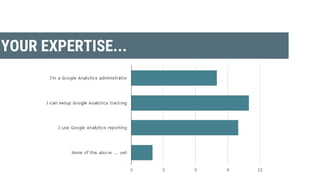
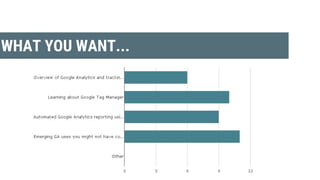
About you...
YOUR EXPERTISE...
WHAT YOU WANT...
Overview
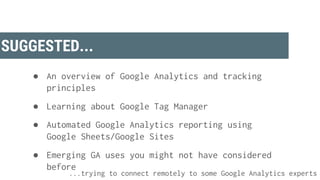
SUGGESTED...
● An overview of Google Analytics and tracking
principles
● Learning about Google Tag Manager
● Automated Google Analytics reporting using
Google Sheets/Google Sites
● Emerging GA uses you might not have considered
before
...trying to connect remotely to some Google Analytics experts
Slide Credit: Simo Ahava www.simoahava.com
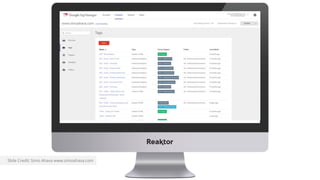
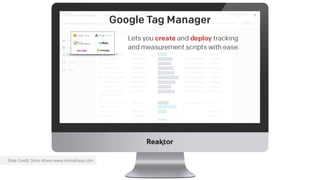
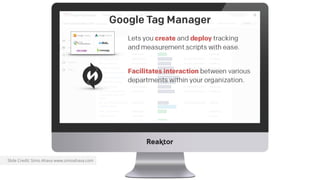
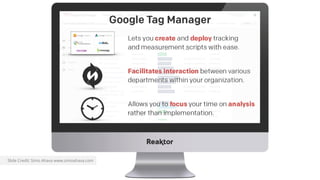
Plug and play analytics
Slide Credit: Simo Ahava www.simoahava.com
How to play analytics
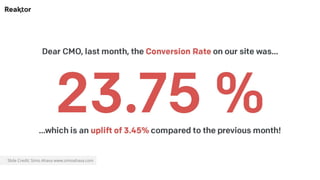
Slide Credit: Simo Ahava www.simoahava.com
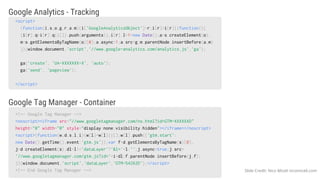
Google Analytics - Tracking
<script>
(function(i,s,o,g,r,a,m){i['GoogleAnalyticsObject']=r;i[r]=i[r]||function(){
(i[r].q=i[r].q||[]).push(arguments)},i[r].l=1*new Date();a=s.createElement(o),
m=s.getElementsByTagName(o)[0];a.async=1;a.src=g;m.parentNode.insertBefore(a,m)
})(window,document,'script','//www.google-analytics.com/analytics.js','ga');
ga('create', 'UA-XXXXXXX-X', 'auto');
ga('send', 'pageview');
</script>
Google Tag Manager - Container
<!-- Google Tag Manager -->
<noscript><iframe src="//www.googletagmanager.com/ns.html?id=GTM-XXXXXXD"
height="0" width="0" style="display:none;visibility:hidden"></iframe></noscript>
<script>(function(w,d,s,l,i){w[l]=w[l]||[];w[l].push({'gtm.start':
new Date().getTime(),event:'gtm.js'});var f=d.getElementsByTagName(s)[0],
j=d.createElement(s),dl=l!='dataLayer'?'&l='+l:'';j.async=true;j.src=
'//www.googletagmanager.com/gtm.js?id='+i+dl;f.parentNode.insertBefore(j,f);
})(window,document,'script','dataLayer','GTM-54262D');</script>
<!-- End Google Tag Manager --> Slide Credit: Nico Miceli nicomiceli.com
Slide Credit: Simo Ahava www.simoahava.com
Some Tag Manager Tricks
TRACK PROSPECTUS DOWNLOADS...
● Event Tag – which fires when a downloadable
file link is clicked, and sends the Event to
Google Analytics
● Auto-Event Variable for click URL path – to
capture the URL path of the clicked link
● Event Trigger – which uses the Link Click
trigger type and checks if URL path contains
any of the extensions you want to track
http://goo.gl/iBL9Xp
TRACK PROSPECTUS DOWNLOADS...
Important – Browser limitations apply e.g. ‘open
in new tab’ is not tracked
http://goo.gl/iBL9Xp
ADDING STRUCTURED DATA...
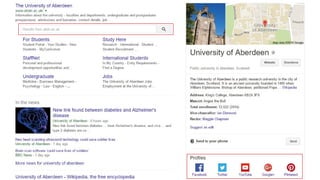
● Annotate social profiles for Knowledge Graph
● Enable sitelinks search box
http://goo.gl/zbTZC9
MEASURE SERP BOUNCE TIME...
● how long user dwelled on the landing page
after arriving from organic Google search AND
returned to the search engine results page
(SERP) using the browser’s back button
http://goo.gl/bnS5Xz
MEASURE SERP BOUNCE TIME...
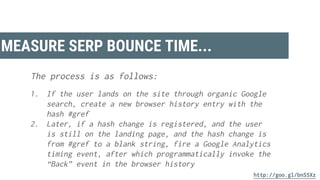
The process is as follows:
1. If the user lands on the site through organic Google
search, create a new browser history entry with the
hash #gref
2. Later, if a hash change is registered, and the user
is still on the landing page, and the hash change is
from #gref to a blank string, fire a Google Analytics
timing event, after which programmatically invoke the
“Back” event in the browser history
http://goo.gl/bnS5Xz
MEASURE SERP BOUNCE TIME...
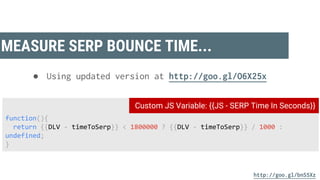
● Using updated version at http://goo.gl/O6X25x
http://goo.gl/bnS5Xz
function(){
return {{DLV - timeToSerp}} < 1800000 ? {{DLV - timeToSerp}} / 1000 :
undefined;
}
Custom JS Variable: {{JS - SERP Time In Seconds}}
TRACK CONTENT ENGAGEMENT...
how much time users are actually spending engaged
with my content.
http://goo.gl/M2pqgV
TRACK CONTENT AS ECOMMERCE...
http://goo.gl/mUfazN
Automatic reporting
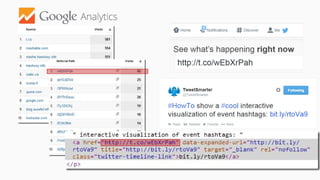
TRACKING TWITTER REFERRAL...
Covers:
● Using the Google Analytics Add-on for Google
Sheets
● Combining data sources
● Email push of reports
http://bit.ly/28K2osP
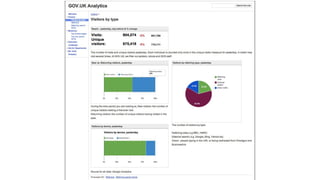
USING GOOGLE SITES AS DASHBOARD...
In 2012 UK Cabinet Office published a guest post
on the Google Developers Blog:
http://goo.gl/xCdDfh
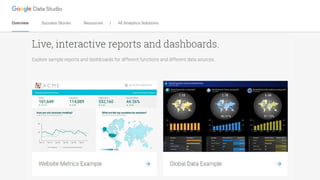
GOOGLE DATA STUDIO...
● Beta (US Only) :(
● Google playing catch-up with Tableau et al.
Thank you!
+Simo Ahava
@SimoAhava
www.simoahava.com
For slides and inspiration...
REFERENCES
● Many slides from Search Marketer's Toolkit for
Google Tag Manager and Google Analytics - Simo
Ahava
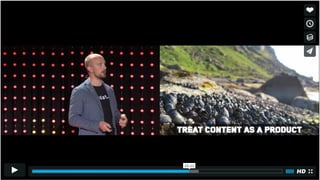
● Video footage from Reaktor Breakpoint 15 -
Simo Ahava: Meaningful Data