@Rob Bertholf
Introduction __
@Rob Bertholf
WiFi Access
Login:
pnmlab
Password:
pnmlab808
@Rob Bertholf
@Rob
HELLOmy name is
@Rob Bertholf
@Rob’s Experience
@Rob Bertholf
@Rob’s Geek Cred
@Rob
WordPress
Plugin
Developer
<>
#IRC Operator
@Zeppo
Former
Board of
Directors
Information Management
Staff Sergeant
US Air Force
Software as a Service
Architect / Growth Hacker
CC Creative
Commons
Contributor
Wikipedia
Editor
PATENT APPLICATION
#US20060294199
Systems &
Methods for a
Standard Web
Platform
@Rob Bertholf
Search Engine Optimization Expert
Google Search Engine Optimization Expert
@Rob Bertholf | Search Engine Optimization Expert
rob.bertholf.com
Hi, I’m @Rob on Twitter. California guy living in
Honolulu, Hawaii the last 10 years. I teach at
University of Hawaii’s PNM program and I am
passionate about Development, Social Marketing
Strategy, Web Analytics & Conversion optimization.
Search engine optimization - Wikipedia
en.wikipedia.org/wiki/Search_engine_optimization
About 22,500,000 Results
#1 in
@Rob Bertholf
Get Social! #UHPNM
Pacific New Media
@pacificnewmedia
Follow @PacificNewMedia
Excited to speak at #Clarity15
on #SEO #KPI’s & Reporting!
Rob Bertholf
@Rob
Follow @Rob
Excited to speak at #UHPNM
on #SEO & #ContentMarketing!
@Rob Bertholf
Introductions
:)
HELLOyour name is
1) Name
2) Industry
3) Takeaway
@Rob Bertholf
Intro & Audience __
@Rob Bertholf
Desired Takeaways
● Overview of Analytics
● Learn what Web Analytics tracks
● How to add tracking code to your site
● Create ways to track conversion
@Rob Bertholf
Terms to Know
● Web Browser
● HTML
● JavaScript
● Analytics
● Tracking Code
@Rob Bertholf
What is Web Analytics?
The study of the online experience in
order to improve it.
“Web analytics is the assessment of a variety of
data, Including web traffic, web-based
transactions, web server performance, usability
studies, user submitted information and related
sources to help create a generalized understanding
of the visitor experience online.”
— Web Analytics Demystified by Eric T. Peterson
@Rob Bertholf
Why Analyze?
Stop burning your money you fool!!!!
@Rob Bertholf
Why wouldn’t you analyze?
● Find out what is working
● Identify things that are not working
● Calculate return on investment
● Dominate your niche
@Rob Bertholf
How to analyze:
● Pay closer attention to the bigger picture
& trends.
● Compare data against itself
● Consider leveraging both server log data
and page tag data into a hybrid approach.
@Rob Bertholf
Who Should
Measure?
Short answer: everyone.
@Rob Bertholf
Webmaster
● Can people access it?
● What is the load time?
● What browsers?
@Rob Bertholf
Content Marketer
● Where are you best engaging your visitors?
Which topics should you write about?
● What are your visitors looking for?
● Where are you losing your visitors?
@Rob Bertholf
Social Media Marketer
● Which social channels are sending most
qualified traffic?
● Which social posts convert the best?
● How is social traffic converting (first touch
attribution)
@Rob Bertholf
eCommerce Manager
● Which products are selling best?
● How is your cart abandonment?
@Rob Bertholf
Executive
● What marketing efforts are working?
○ Traditional Marketing
○ Banner Ads
○ Search Engines / SEO
○ Paid Marketing / PPC
○ Email
● How well are you engaging?
● How well are you converting?
@Rob Bertholf
Got Analytics?
@Rob Bertholf
How to collect the data?
The main two ways to collect data are:
● Server Log
● Browser Client
*Also in-platform analytics on Social Networks.
@Rob Bertholf
Server Log
index.html
truck.jpg
Web Server
aa_logo.jpg
Chrome
http://www.domain.com
Hello World!
@Rob Bertholf
Browser Client
index.html
truck.jpg
Web Server
aa_logo.jpg
Chrome
http://www.domain.com
Hello World!
@Rob Bertholf
How is data collected?
Browser Client analytical tools use a javascript
code to collect data:
<script type="text/javascript">
...
</script>
@Rob Bertholf
Script Sends Data to Server
view-source:yourdomain.com
Your Site - Chrome
<html>
<head>
<script>...</script>
...
</head>
<body>
...
</body>
</html>
Analytics Server
https://sitecatalyst.omniture.com
Analytics Dashboard - Chrome
Web Analytics Tool
@Rob Bertholf
Add Tracking Code to Every Page
@Rob Bertholf
Google Analytics Tracking Code
<script type="text/javascript">
(function(i,s,o,g,r,a,m){i['GoogleAnalyticsObject']=r;i[r]=i[r]||function(){
(i[r].q=i[r].q||[]).push(arguments)},i[r].l=1*new Date();a=s.createElement(o),
m=s.getElementsByTagName(o)[0];a.async=1;
a.src=g;m.parentNode.insertBefore(a,m)
})
(window,document,'script','//www.google-analytics.com/analytics.js','g
a');
ga('create', 'UA-10760551-1', 'auto');
ga('send', 'pageview');
</script>
@Rob Bertholf
Adobe Analytics Tracking Code
<script type="text/javascript">
window.COOKIE_DOMAIN = '.autoanything.com';
window.IMAGE_URL = 'http://b.cdnbrm.com/images/v4/i/global';
window.WEBSITE_URL = 'http://www.autoanything.com';
window.WEBSITE_URL_SECURE = 'https://secure.autoanything.com';
window.CART_ID = 0;
window.VEHICLE_ID = 0;
window.VISIT_ID = 1536780367;
window.VISITOR_ID = 1891948369;
var MEMBER_ID = $.cookie('member_id');
var ORDER_ID = 0;// $.cookie('order_id');
…
@Rob Bertholf
Adobe Analytics Tracking Code
(Cont.)
<script async type="text/javascript">
var OMNITURE_PROPERTIES = {};
OMNITURE_PROPERTIES.server = 'www.domain.com';
OMNITURE_PROPERTIES.prop37 = 'v4';
OMNITURE_PROPERTIES.prop38 = '1536330367';
OMNITURE_PROPERTIES.transactionID = '153380367';
OMNITURE_PROPERTIES.prop13 = 'Logged Out';
OMNITURE_PROPERTIES.prop7 = 'None';
OMNITURE_PROPERTIES.prop6 = 'Homepage';
OMNITURE_PROPERTIES.pageName = 'Home:/:';
OMNITURE_PROPERTIES.channel = 'Home';
</script>
ClickTale.com
CrazyEgg.com
Google Analytics
@Rob Bertholf
Evolution of Google Analytics
Urchin
2005: urchin.js
2007: ga.js
2012: analytics.js
@Rob Bertholf
Now we will cover...
● Creating Google Analytics Account
● Installing Google Analytics in your Website
● Configuring your profile with best practices
● Setting goals and defining success
● Content Marketing
● Breaking down by channel
@Rob Bertholf
How to get
Google Analytics
Quick overview for installing Analytics
@Rob Bertholf
Register at Google.com/Analytics
@Rob Bertholf
Create a New Account
@Rob Bertholf
Pick your preferences
@Rob Bertholf
Accept Terms
@Rob Bertholf
Get Your Code
@Rob Bertholf
Install Into Website
via WordPress PluginManually
< />
@Rob Bertholf
Manually
@Rob Bertholf
Yoast Google Analytics
@Rob Bertholf
Yoast Google Analytics
@Rob Bertholf
Verify Installation
@Rob Bertholf
Adobe’s
SiteCatalyst
/Omniture
Demo
@Rob Bertholf
Good to Know
● Omniture Setups are always custom
@Rob Bertholf
Navigation Basics
@Rob Bertholf
Report Suite Selection
@Rob Bertholf
Dashboards
@Rob Bertholf
Customization
@Rob Bertholf
Metrics
@Rob Bertholf
Define New Metrics
@Rob Bertholf
Calculated Metric
@Rob Bertholf
Google Analytics
Demo of Google Analytics
@Rob Bertholf
Test drive Google
Analytics. Vroom.
http://google.com/analytics
@Rob Bertholf
Tour
● Select Account
● Report
● Custom Reporting
● Admin (Settings)
@Rob Bertholf
Adding Filters
Garbage in, Garbage out.
@Rob Bertholf
But First! Create initial profiles:
● Raw Data: no filters, unaltered, pure data
● Test Data: the testing ground where you
install filters, set goals and add stuff that
alters the data. Once you know it’s working,
then you add it to the Master Data profile.
● Master Data: the working copy of your
data, this is the data you use for reporting.
@Rob Bertholf
Filter Your Data (Master Profile)
@Rob Bertholf
Regular Expressions (RegEx)
See side two of handout for information.
@Rob Bertholf
Settings > Connect:
● Google AdWords
This will allow you to share data across Google Analytics and AdWords
● Google AdSense
This will allow you to see how content is performing with Google AdSense
● Google Webmaster Tools
This will allow you to share Webmaster Tools data with Google Analytics
@Rob Bertholf
Answer the most
important question:
How many hits does
my website get?
@Rob Bertholf
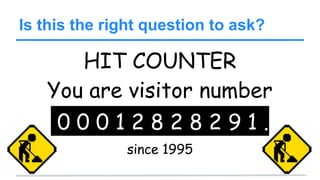
Is this the right question to ask?
HIT COUNTER
You are visitor number
0 0 0 1 2 8 2 8 2 9 1 .
since 1995
@Rob Bertholf
Progression of Metrics
Hits
Page Views
Visits / Session
Unique Visit
Unique User
@Rob Bertholf
Hits
● Each request from the browser to the web
server is an individual hit.
● Multiple hits generated each time the page
loads.
@Rob Bertholf
● Number of times a web page has been
displayed.
Page Views
@Rob Bertholf
Visit (Session)
● Could be the same person in different
sessions
● Good to understand what people do during
a visit (ie. pages per visit, time per visit, etc.)
@Rob Bertholf
Unique Visit
● The uniquely identified client that is
generating page views or hits within a
defined time period.
@Rob Bertholf
Unique User
● Identified from logging into a site with a
username and password or other method
● Can track user despite the computer they
use to access the site
@Rob Bertholf
Acquisition:
How are you getting your visitors?
Overview >
@Rob Bertholf
Two main channels of web analytics
Safari / Chrome / Firefox / Internet Explorer
http://yourdomain.comURL:
Click on the link to this really great
website at http://yourdomain.com
Direct Referral
@Rob Bertholf
Referral Traffic
“Referral” is what is left over after you remove
traffic from the Search Engines and Social
Media
@Rob Bertholf
#PROTIP: Filter Organic Traffic
Remove branded keywords from Organic
search traffic. These should be “Direct”:
www.mydomain.comGoogle
Your Company NameGoogle
@Rob Bertholf
#PROTIP: Filter Organic Keywords
@Rob Bertholf
Back to the data!
Best Google Analytics view is:
Acquisition > Channels
Channels
@Rob Bertholf
New Term: Bounce Rate
● The percentage of visitors to a particular
website who navigate away from the site
after viewing only one page.
● Target range < 25% - 40%
● Drill down to specific Source to troubleshoot
@Rob Bertholf
#PROTIP: Decrease Bounce Rate
How many of your employees use your
website as your start page?
@Rob Bertholf
Find your IP address
@Rob Bertholf
Filter Your Data
Organic Traffic
Social
@Rob Bertholf
Audience:
Who is visiting your website?
Audience >
@Rob Bertholf
Additional Code Needed
Need to add:
ga('require', 'displayfeatures');
or use:
https://wordpress.org/plugins/google-universal-analytics/
Browser
@Rob Bertholf
#PROTIP: Browserstack
Use www.BrowserStack.com to test your
website on multiple browsers to see how your
customers see your site!
Mobile
@Rob Bertholf
Mobile Traffic
What percentage of users are coming from
mobile devices?
How do they see your website from a mobile
device?
Is your website “Responsive”?
@Rob Bertholf
Behavior & Conversion
__
@Rob Bertholf
Desired Takeaways
● Create ways to track conversion
● Determining ROI
@Rob Bertholf
Terms to Know
● Organic/Paid Queries
● Segment
● Report Suite
● Metrics
@Rob Bertholf
Behavior
How effective is your site?
Behavior >
Landing Pages
Exit Pages
@Rob Bertholf
#PROTIP: Decrease Exit Rate
Find pages which have high exit rate (and are
not your driving directions or contact page)
and add a call to action to re-engage the
visitor.
@Rob Bertholf
More at Google WebMaster Tools
Improve Your
Performance!
Page Speed
Suggestions
@Rob Bertholf
Visualized Data
Understand your
visitors behavior!
Site Search
In Page Analytics
Visitor Flow
@Rob Bertholf
Visitor Flow
Study your visitor flow!
Where are you losing your visitors?
How logical is your navigation structure?
How easy is it to find your menu?
@Rob Bertholf
Conversion
Is it driving the intended actions?
@Rob Bertholf
Progression of Conversion
Events
Goals
eCommerce
@Rob Bertholf
Event
Tracking
@Rob Bertholf
Event
● Event tracking is a simple way to track how
users are interacting with your site.
You can track just about anything such as
videos played, submitted forms, if people
scroll through your content, or downloads.
ga('send', 'event', 'button', 'click', 'nav buttons', 4);
Events
Top Events
@Rob Bertholf
Goal
Tracking
@Rob Bertholf
Goal
● This should be a wide range of activities
such as purchases, contact form
completions, creating an account, time on
site, signing up for a newsletter, etc.
● Associate monetary value with these goals if
possible.
@Rob Bertholf
Funnel Visualization
● Where do we lose the visitor? (Multi step
form or conversion path)
@Rob Bertholf
eCommerce
Tracking
@Rob Bertholf
eCommerce
● Ecommerce tracking will allow you to
understand not only how much revenue
you're making but what channels are
responsible for driving revenue
@Rob Bertholf
Google
Webmaster Tools
http://google.com/webmasters
@Rob Bertholf
http://robbertholf.com
See SEO tutorial for
Google Webmaster
Tools information
@Rob Bertholf
Social Analytics
@Rob Bertholf
Native Analytics
● Facebook Insights
● Twitter: Hootsuite/SproutSocial/SManalyzed
● Instagram: IconoSquare.com
@Rob Bertholf
Recap __
@Rob Bertholf
Thank you!
@rob
rob@bertholf.com
@Rob Bertholf
What were your thoughts?
Please tweet:
“Just finished #Analytics course with @Rob.
It was _________”

Web Analytics: Data driven marketing decisions