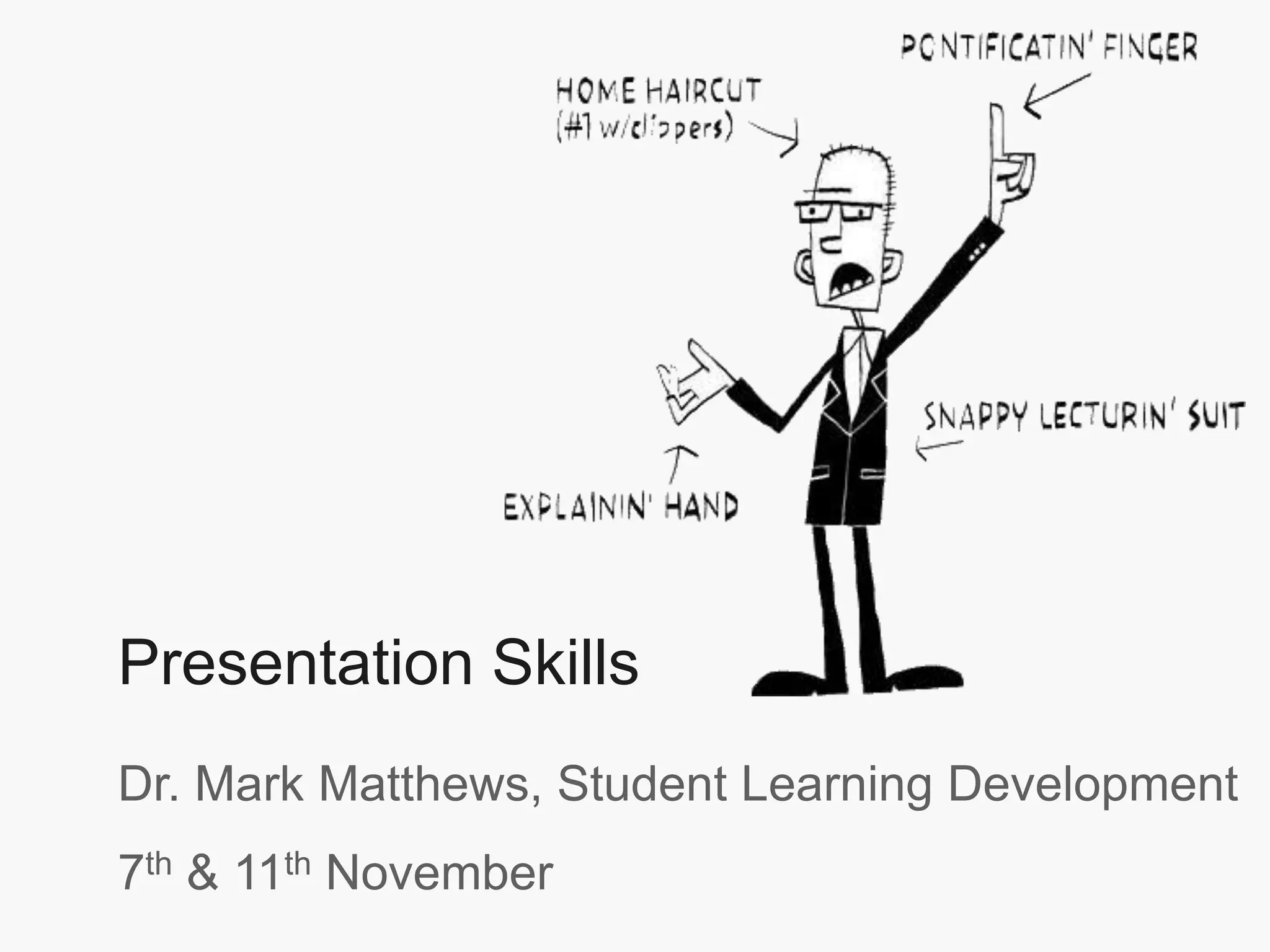
Presentation Skills
Dr. Mark Matthews, Student Learning Development
7th & 11th November
“Presentation is the ‘Killer Skill’ we take into the
real world. It’s almost an unfair advantage.”
Ethan Rasiel & Paul N. Friga, ‘The McKinsey Mind’
Introductions
Self-Assessment
Your Experience
1. Planning Presentations
2. Preparing Presentations
Coffee Break
3. Practicing Presentations
4. Delivering Presentations
Dealing with Questions
Questions
Overview Day 1
• Individual Presentations
• Feedback
• Personal learning plan and areas for
development
• Evaluation and wrap up
Day 2
Self Assessment
Complete the self-assessment form.
What are you good at?
What skills would you like to develop?
Interview
1. What is your experience of giving
presentations?
2. What do you like about it?
3. What do you dislike about it?
4. Will you need to present in the future?
1. Plan
2. Prepare
3. Practice
4. Present
Steps in Giving Presentation
1. Planning
• Who is your audience?
• Why are they there?
• What is your goal?
• How long will it be?
• Where will it take place?
Questions?
Business Card Test
3 things
If your audience could remember only three
things about your presentation, what would
you want it to be?
(1)_____________
(2)_____________
(3)_____________
Start your Outline
• No Powerpoint
• Film with no script
• Pencil & Paper
• Order your thoughts
• Key points
Structure
Have a sound, clear structure
Create interest
“We need to open gaps before we close
them. Our tendency is to tell people the
facts. First, though, they must realize that
they need these facts.”
Dan & Chip Heath, Make it Stick
Introduction
Main theme
Summary/
Conclusions
Structure
Get Attention
Content
Key message
Presentation Slide
• Structure for each slide
• Rhetorical question linking each slide.
2. Preparation
Speaker’s 3 friends
1. Personal Notes
2. Visuals
3. Handouts
Powerpoint Factory
Some things to avoid….
Powerpoint Karaoke
• The evils of Powerpoint are familiar to everyone, they include:
– Too much text
– Too small to read and is really only serving as a crutch for the presenter
– Clip Art and Slide templates that have been seen a million times
– Spinning, wooshing, dazzlings animations
Part of the problem with having so much text onscreen is that it puts of people. If the idea of your presentation
is to read from the slides then we are you there? Besides people can read quicker than you can talk so
they’ll have finished reading your slide and be waiting for the next one, or even worse working on a
masterpience doodle.
Your presentation, Powerpoint or otherwise, should be a supporting aid – you want main the focus on you not
your presentation. Ideally, you should be able to deliver an equally interesting presentation should the
projector/computer/room/audience break.
Avoid too many bullets as well – it makes the information dull for the audience.
A few guidelines
“should have ten slides, last no more than
twenty minutes, and contain no font
smaller than thirty points.”
Guy Kawaski
10/ 20/ 30 rule
Information
1. Most important information Jumps Out
2. Drip feed
3. Never use sentences
Colour
Use colour well
High quality images
Use images to
support your point
Use a consistent
theme
Attending College
“Overall, our findings provide a combined retention rate of 92.40 % for students who
attended TCD. This is very close to the previous year’s rate of 92.45%. It should be
noted that these results should be interpreted on a tentative basis as it is clear that a
number of other outside factors impact on a student’s ability to sustain and progress
in their chosen area of study at third level.”
 15,000 students come to Trinity every year
 There are 3 Faculties
 Morgan 2001 A study of non-completion in undergraduate
University courses
 The average non-completion rate across Irish Universities is
16.8%
 Improve all students chances of achieving their maximum
potential
 Connect with students – building relationships, departmental
receptions
 51% of college students leave college because of lack of effective
supports
Presentation Skills
Dr. Mark Matthews, Student Learning Development
7th & 11th November
Presentation Skills
Dr. Mark Matthews, SLD
7th & 11th November
Presentation Skills
Dr. Mark Matthews, SLD
7th & 11th November
PowerPoint Critique
Critique slides you have been given:
• What works?
• What does not work?
• How would you improve?
3. Practice
Fitness
• Slow to develop
• Quick to disappear
The more you practice:
• better you feel
• more you want to do
• Lack of experience
• Lack of preparation
• Lack of enthusiasm
• Negative self-talk
Feeling Nervous?
Presenting Fitness
Practice • Room
• Everything
• Technology
It’s not about you
Focus on your goal
• what you are going to say
Audience
• Make them comfortable
• Interesting
• Be over-prepared
• Rehearse and practice
• Know your subject
• Use relaxation techniques
• Be positive +++
• Avoid stressors
Becoming Confident
But most importantly……
Presenting Fitness
We provide free presentation practice
4. Presenting
The most powerful visual aid
• words
• voice
• body language
Turn yourself on
ask questions
talk beforehand
more extroverted
Make a strong start
Show your passion
• Eye contact
Smile
Dealing with Questions
TRACT technique
1. Thank the questioner
2. Repeat the question
3. Answer the question
4. Check with the questioner if they are
satisfied
5. Thank them again
Practice
Person A speak for 30 seconds about your
work.
Person B listen. At the end ask a question.
Person A use TRACT to respond.
1. Plan
2. Prepare
3. Practice
4. Present
Steps in Giving Presentation
Just a Minute
• Speak about subject for 1 minute
• Lose 1 point for each ‘umm’ or ‘ahh’
• Pauses and repetition allowed
Student Learning Development
Thank you for your time
Visit our website at:
http://student-learning.tcd.ie
Giving Criticism
Step 1: Listen to Criticism
Step 2: Decide on Truth
Step 3: Respond Assertively
Passive Response
Directly Aggressive Response
Indirectly Aggressive Response

Giving_Presentations.ppt

  • 1.
    Presentation Skills Dr. MarkMatthews, Student Learning Development 7th & 11th November
  • 2.
    “Presentation is the‘Killer Skill’ we take into the real world. It’s almost an unfair advantage.” Ethan Rasiel & Paul N. Friga, ‘The McKinsey Mind’
  • 3.
    Introductions Self-Assessment Your Experience 1. PlanningPresentations 2. Preparing Presentations Coffee Break 3. Practicing Presentations 4. Delivering Presentations Dealing with Questions Questions Overview Day 1
  • 4.
    • Individual Presentations •Feedback • Personal learning plan and areas for development • Evaluation and wrap up Day 2
  • 5.
    Self Assessment Complete theself-assessment form. What are you good at? What skills would you like to develop?
  • 6.
    Interview 1. What isyour experience of giving presentations? 2. What do you like about it? 3. What do you dislike about it? 4. Will you need to present in the future?
  • 7.
    1. Plan 2. Prepare 3.Practice 4. Present Steps in Giving Presentation
  • 8.
  • 9.
    • Who isyour audience? • Why are they there? • What is your goal? • How long will it be? • Where will it take place? Questions?
  • 10.
  • 11.
    3 things If youraudience could remember only three things about your presentation, what would you want it to be? (1)_____________ (2)_____________ (3)_____________
  • 12.
    Start your Outline •No Powerpoint • Film with no script • Pencil & Paper • Order your thoughts • Key points
  • 13.
    Structure Have a sound,clear structure
  • 14.
    Create interest “We needto open gaps before we close them. Our tendency is to tell people the facts. First, though, they must realize that they need these facts.” Dan & Chip Heath, Make it Stick
  • 15.
  • 16.
  • 18.
    • Structure foreach slide • Rhetorical question linking each slide.
  • 19.
  • 20.
    Speaker’s 3 friends 1.Personal Notes 2. Visuals 3. Handouts
  • 21.
  • 22.
    Some things toavoid….
  • 23.
  • 24.
    • The evilsof Powerpoint are familiar to everyone, they include: – Too much text – Too small to read and is really only serving as a crutch for the presenter – Clip Art and Slide templates that have been seen a million times – Spinning, wooshing, dazzlings animations Part of the problem with having so much text onscreen is that it puts of people. If the idea of your presentation is to read from the slides then we are you there? Besides people can read quicker than you can talk so they’ll have finished reading your slide and be waiting for the next one, or even worse working on a masterpience doodle. Your presentation, Powerpoint or otherwise, should be a supporting aid – you want main the focus on you not your presentation. Ideally, you should be able to deliver an equally interesting presentation should the projector/computer/room/audience break. Avoid too many bullets as well – it makes the information dull for the audience.
  • 25.
  • 26.
    “should have tenslides, last no more than twenty minutes, and contain no font smaller than thirty points.” Guy Kawaski 10/ 20/ 30 rule
  • 27.
    Information 1. Most importantinformation Jumps Out 2. Drip feed 3. Never use sentences
  • 28.
  • 29.
    High quality images Useimages to support your point Use a consistent theme
  • 30.
    Attending College “Overall, ourfindings provide a combined retention rate of 92.40 % for students who attended TCD. This is very close to the previous year’s rate of 92.45%. It should be noted that these results should be interpreted on a tentative basis as it is clear that a number of other outside factors impact on a student’s ability to sustain and progress in their chosen area of study at third level.”  15,000 students come to Trinity every year  There are 3 Faculties  Morgan 2001 A study of non-completion in undergraduate University courses  The average non-completion rate across Irish Universities is 16.8%  Improve all students chances of achieving their maximum potential  Connect with students – building relationships, departmental receptions  51% of college students leave college because of lack of effective supports
  • 33.
    Presentation Skills Dr. MarkMatthews, Student Learning Development 7th & 11th November
  • 34.
    Presentation Skills Dr. MarkMatthews, SLD 7th & 11th November
  • 35.
    Presentation Skills Dr. MarkMatthews, SLD 7th & 11th November
  • 36.
    PowerPoint Critique Critique slidesyou have been given: • What works? • What does not work? • How would you improve?
  • 37.
  • 38.
    Fitness • Slow todevelop • Quick to disappear The more you practice: • better you feel • more you want to do
  • 39.
    • Lack ofexperience • Lack of preparation • Lack of enthusiasm • Negative self-talk Feeling Nervous?
  • 40.
    Presenting Fitness Practice •Room • Everything • Technology
  • 41.
    It’s not aboutyou Focus on your goal • what you are going to say Audience • Make them comfortable • Interesting
  • 42.
    • Be over-prepared •Rehearse and practice • Know your subject • Use relaxation techniques • Be positive +++ • Avoid stressors Becoming Confident
  • 43.
  • 44.
    Presenting Fitness We providefree presentation practice
  • 45.
  • 47.
    The most powerfulvisual aid • words • voice • body language
  • 48.
    Turn yourself on askquestions talk beforehand more extroverted
  • 49.
  • 50.
  • 52.
  • 53.
  • 54.
    Dealing with Questions TRACTtechnique 1. Thank the questioner 2. Repeat the question 3. Answer the question 4. Check with the questioner if they are satisfied 5. Thank them again
  • 55.
    Practice Person A speakfor 30 seconds about your work. Person B listen. At the end ask a question. Person A use TRACT to respond.
  • 56.
    1. Plan 2. Prepare 3.Practice 4. Present Steps in Giving Presentation
  • 57.
    Just a Minute •Speak about subject for 1 minute • Lose 1 point for each ‘umm’ or ‘ahh’ • Pauses and repetition allowed
  • 58.
    Student Learning Development Thankyou for your time Visit our website at: http://student-learning.tcd.ie
  • 59.
    Giving Criticism Step 1:Listen to Criticism Step 2: Decide on Truth Step 3: Respond Assertively Passive Response Directly Aggressive Response Indirectly Aggressive Response