BECKY TODD | SR DX WRITER | @BECKATODD
Git the docs
Learning Git in a safe space
Disclaimer:IamnotaGitexpert…
Agenda
Tools
Git concepts
Setup check
Activities
Merge conflicts (bonus)
Resources
Tools
Repo hosting services, text editors, and the command line
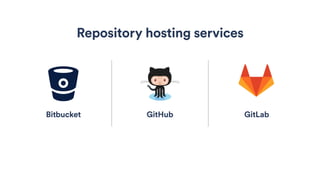
GitHub
Repository hosting services
GitLabBitbucket
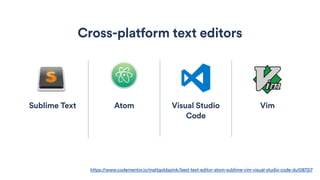
Sublime Text Atom Visual Studio
Code
Vim
Cross-platform text editors
https://www.codementor.io/mattgoldspink/best-text-editor-atom-sublime-vim-visual-studio-code-du10872i7
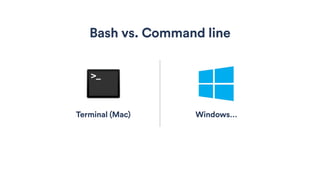
Bash vs. Command line
Terminal (Mac) Windows…
IN CASE YOU WANTED TO NERD
A shell is a user interface for access to an operating system's
services. In general, operating system shells use either a
command-line interface (CLI) or graphical user interface
(GUI), depending on a computer's role and particular
operation.
It is named a shell because it is a layer around the operating
system kernel.
https://en.wikipedia.org/wiki/Shell_(computing)
Windows command line options
All tools are not created equal. Recommend researching tooling options and doing some trial and error
to find the tooling setup that you like.
• Git bash (default)
• https://developers.google.com/web/shows/ttt/series-2/windows-commandline
• https://msdn.microsoft.com/en-us/commandline/wsl/about
• https://blogs.msdn.microsoft.com/commandline/
concepts
Let’s git with it…
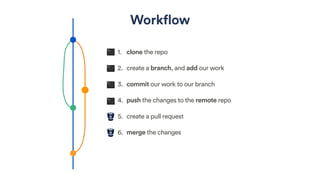
Workflow
1. clone the repo
2. create a branch, and add our work
3. commit our work to our branch
4. push the changes to the remote repo
5. create a pull request
6. merge the changes
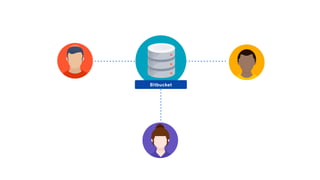
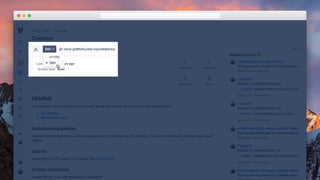
Bitbucket
Setup check
Activities
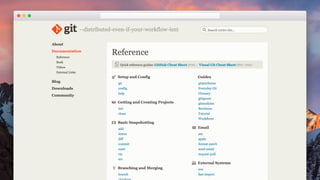
Activity 1: git some help
git -- help
Git’s documentation is
built in — try it for
yourself!
$ git --help
usage: git [--version] [--help] [-C <path>] [-c name=value]
[--exec-path[=<path>]] [--html-path] [--man-path]
[--info-path]
[-p | --paginate | --no-pager] [--no-replace-
objects] [--bare]
[--git-dir=<path>] [--work-tree=<path>] [--
namespace=<name>]
<command> [<args>]
These are common Git commands used in various situations:
start a working area (see also: git help tutorial)
clone Clone a repository into a new directory
init Create an empty Git repository or reinitialize
an existing one
Activity 2: clone the repo
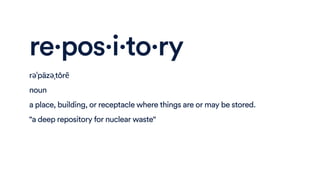
re·pos·i·to·ry
rəˈpäzəˌtôrē
noun
a place, building, or receptacle where things are or may be stored.
"a deep repository for nuclear waste"
https://bitbucket.org/toddbecky/learn-git
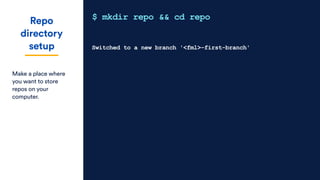
Repo
directory
setup
Make a place where
you want to store
repos on your
computer.
$ mkdir repo && cd repo
Switched to a new branch '<fml>-first-branch'
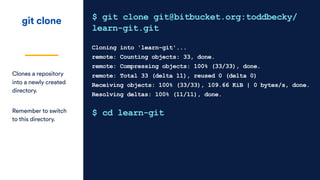
git clone
Clones a repository
into a newly created
directory.
Remember to switch
to this directory.
$ git clone git@bitbucket.org:toddbecky/
learn-git.git
Cloning into 'learn-git'...
remote: Counting objects: 33, done.
remote: Compressing objects: 100% (33/33), done.
remote: Total 33 (delta 11), reused 0 (delta 0)
Receiving objects: 100% (33/33), 109.66 KiB | 0 bytes/s, done.
Resolving deltas: 100% (11/11), done.
$ cd learn-git
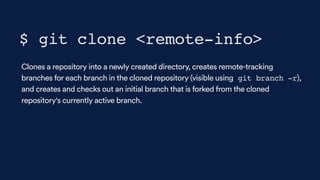
Clones a repository into a newly created directory, creates remote-tracking
branches for each branch in the cloned repository (visible using git branch -r),
and creates and checks out an initial branch that is forked from the cloned
repository's currently active branch.
$ git clone <remote-info>
Activity 3: create a branch
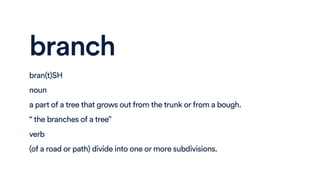
branch
bran(t)SH
noun
a part of a tree that grows out from the trunk or from a bough.
“ the branches of a tree”
verb
(of a road or path) divide into one or more subdivisions.
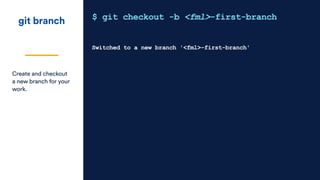
git branch
Create and checkout
a new branch for your
work.
$ git checkout -b <fml>-first-branch
Switched to a new branch '<fml>-first-branch'
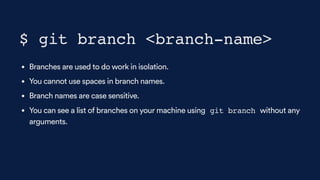
• Branches are used to do work in isolation.
• You cannot use spaces in branch names.
• Branch names are case sensitive.
• You can see a list of branches on your machine using git branch without any
arguments.
$ git branch <branch-name>
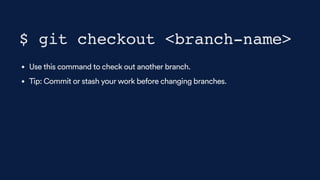
• Use this command to check out another branch.
• Tip: Commit or stash your work before changing branches.
$ git checkout <branch-name>
Activity 4: let’s do work
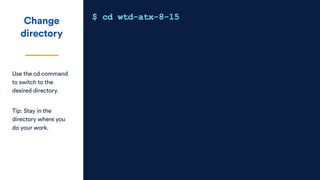
Change
directory
Use the cd command
to switch to the
desired directory.
Tip: Stay in the
directory where you
do your work.
$ cd wtd-atx-8-15
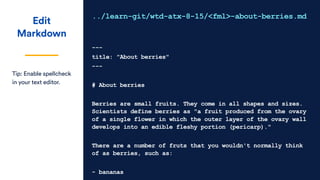
Edit
Markdown
Tip: Enable spellcheck
in your text editor.
../learn-git/wtd-atx-8-15/<fml>-about-berries.md
---
title: "About berries"
---
# About berries
Berries are small fruits. They come in all shapes and sizes.
Scientists define berries as "a fruit produced from the ovary
of a single flower in which the outer layer of the ovary wall
develops into an edible fleshy portion (pericarp)."
There are a number of fruts that you wouldn't normally think
of as berries, such as:
- bananas
Activity 5: add, commit
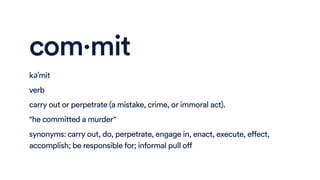
com·mit
kəˈmit
verb
carry out or perpetrate (a mistake, crime, or immoral act).
"he committed a murder"
synonyms:carry out, do, perpetrate, engage in, enact, execute, effect,
accomplish; be responsible for; informal pull off
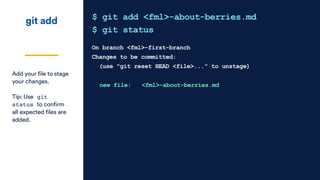
git add
Add your file to stage
your changes.
Tip: Use git
status to confirm
all expected files are
added.
$ git add <fml>-about-berries.md
$ git status
On branch <fml>-first-branch
Changes to be committed:
(use "git reset HEAD <file>..." to unstage)
new file: <fml>-about-berries.md
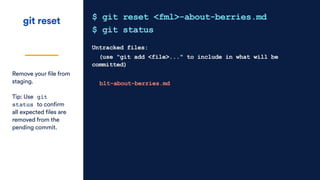
git reset
Remove your file from
staging.
Tip: Use git
status to confirm
all expected files are
removed from the
pending commit.
$ git reset <fml>-about-berries.md
$ git status
Untracked files:
(use "git add <file>..." to include in what will be
committed)
blt-about-berries.md
git commit
Write a descriptive
but short message
surrounded by
quotes.
Remember that other
people will see this
message.
$ git commit -m “Correct spelling, typos”
<fml>-first-branch 1ec8e60] Correct spelling, typos
1 file changed, 38 insertions(+)
Activity 6: push your work
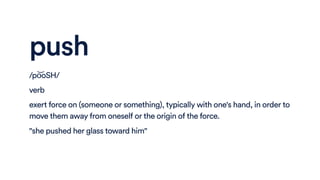
push
/po͝oSH/
verb
exert force on (someone or something), typically with one's hand, in order to
move them away from oneself or the origin of the force.
"she pushed her glass toward him"
git push
This command sends
a copy of all non-
pushed commits on
your branch to
Bitbucket.
$ git push origin <fml>-first-branch
Counting objects: 3, done.
Delta compression using up to 8 threads.
Compressing objects: 100% (3/3), done.
Writing objects: 100% (3/3), 301 bytes | 0 bytes/s, done.
Total 3 (delta 2), reused 0 (delta 0)
remote:
remote: Create pull request for <fml>-first-branch:
remote: https://bitbucket.org/toddbecky/learn-git/pull-
requests/new?source=blt-first-branch&t=1
remote:
To bitbucket.org:toddbecky/learn-git.git
* [new branch] blt-first-branch -> blt-first-branch
Activity 7: create a pull request
(Group activity in Bitbucket)
Activity 8: keep in sync
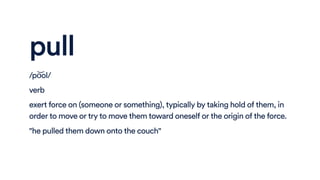
pull
/po͝ol/
verb
exert force on (someone or something), typically by taking hold of them, in
order to move or try to move them toward oneself or the origin of the force.
"he pulled them down onto the couch"
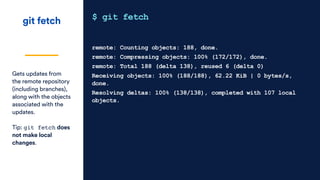
git fetch
Gets updates from
the remote repository
(including branches),
along with the objects
associated with the
updates.
Tip: git fetch does
not make local
changes.
$ git fetch
remote: Counting objects: 188, done.
remote: Compressing objects: 100% (172/172), done.
remote: Total 188 (delta 138), reused 6 (delta 0)
Receiving objects: 100% (188/188), 62.22 KiB | 0 bytes/s,
done.
Resolving deltas: 100% (138/138), completed with 107 local
objects.
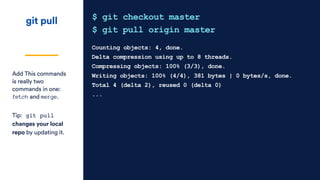
git pull
Add This commands
is really two
commands in one:
fetch and merge.
Tip: git pull
changes your local
repo by updating it.
$ git checkout master
$ git pull origin master
Counting objects: 4, done.
Delta compression using up to 8 threads.
Compressing objects: 100% (3/3), done.
Writing objects: 100% (4/4), 381 bytes | 0 bytes/s, done.
Total 4 (delta 2), reused 0 (delta 0)
...
Resources
Continue learning Git and command line tools
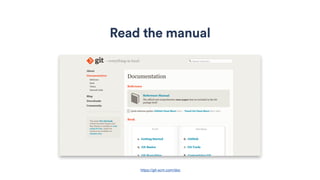
Read the manual
https://git-scm.com/doc
Atlassian Git tutorials
https://www.atlassian.com/git/tutorials/learn-git-with-bitbucket-cloud
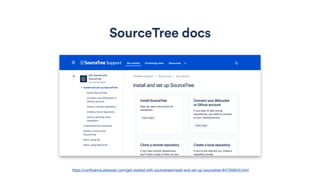
SourceTree docs
https://confluence.atlassian.com/get-started-with-sourcetree/install-and-set-up-sourcetree-847359043.html
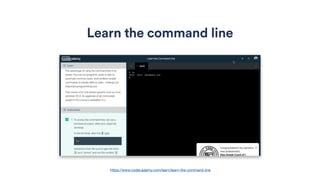
Learn the command line
https://www.codecademy.com/learn/learn-the-command-line
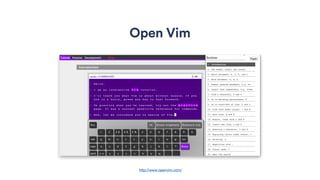
Open Vim
http://www.openvim.com/
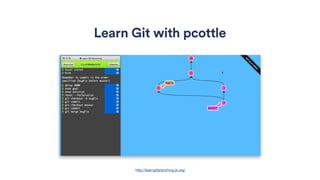
Learn Git with pcottle
http://learngitbranching.js.org/
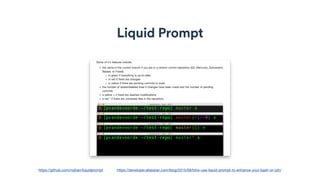
Liquid Prompt
https://developer.atlassian.com/blog/2015/09/totw-use-liquid-prompt-to-enhance-your-bash-or-zsh/https://github.com/nojhan/liquidprompt
BECKY TODD | SR DX WRITER | @BECKATODD
Thank you!

Git the Docs: Learning Git in a safe space

  • 1.
    BECKY TODD |SR DX WRITER | @BECKATODD Git the docs Learning Git in a safe space
  • 2.
  • 3.
  • 4.
    Tools Repo hosting services,text editors, and the command line
  • 5.
  • 6.
    Sublime Text AtomVisual Studio Code Vim Cross-platform text editors https://www.codementor.io/mattgoldspink/best-text-editor-atom-sublime-vim-visual-studio-code-du10872i7
  • 7.
    Bash vs. Commandline Terminal (Mac) Windows…
  • 8.
    IN CASE YOUWANTED TO NERD A shell is a user interface for access to an operating system's services. In general, operating system shells use either a command-line interface (CLI) or graphical user interface (GUI), depending on a computer's role and particular operation. It is named a shell because it is a layer around the operating system kernel. https://en.wikipedia.org/wiki/Shell_(computing)
  • 9.
    Windows command lineoptions All tools are not created equal. Recommend researching tooling options and doing some trial and error to find the tooling setup that you like. • Git bash (default) • https://developers.google.com/web/shows/ttt/series-2/windows-commandline • https://msdn.microsoft.com/en-us/commandline/wsl/about • https://blogs.msdn.microsoft.com/commandline/
  • 10.
  • 11.
    Workflow 1. clone therepo 2. create a branch, and add our work 3. commit our work to our branch 4. push the changes to the remote repo 5. create a pull request 6. merge the changes
  • 12.
  • 13.
  • 14.
  • 15.
    Activity 1: gitsome help
  • 17.
    git -- help Git’sdocumentation is built in — try it for yourself! $ git --help usage: git [--version] [--help] [-C <path>] [-c name=value] [--exec-path[=<path>]] [--html-path] [--man-path] [--info-path] [-p | --paginate | --no-pager] [--no-replace- objects] [--bare] [--git-dir=<path>] [--work-tree=<path>] [-- namespace=<name>] <command> [<args>] These are common Git commands used in various situations: start a working area (see also: git help tutorial) clone Clone a repository into a new directory init Create an empty Git repository or reinitialize an existing one
  • 18.
  • 19.
    re·pos·i·to·ry rəˈpäzəˌtôrē noun a place, building,or receptacle where things are or may be stored. "a deep repository for nuclear waste"
  • 20.
  • 22.
    Repo directory setup Make a placewhere you want to store repos on your computer. $ mkdir repo && cd repo Switched to a new branch '<fml>-first-branch'
  • 23.
    git clone Clones arepository into a newly created directory. Remember to switch to this directory. $ git clone git@bitbucket.org:toddbecky/ learn-git.git Cloning into 'learn-git'... remote: Counting objects: 33, done. remote: Compressing objects: 100% (33/33), done. remote: Total 33 (delta 11), reused 0 (delta 0) Receiving objects: 100% (33/33), 109.66 KiB | 0 bytes/s, done. Resolving deltas: 100% (11/11), done. $ cd learn-git
  • 24.
    Clones a repositoryinto a newly created directory, creates remote-tracking branches for each branch in the cloned repository (visible using git branch -r), and creates and checks out an initial branch that is forked from the cloned repository's currently active branch. $ git clone <remote-info>
  • 25.
  • 26.
    branch bran(t)SH noun a part ofa tree that grows out from the trunk or from a bough. “ the branches of a tree” verb (of a road or path) divide into one or more subdivisions.
  • 27.
    git branch Create andcheckout a new branch for your work. $ git checkout -b <fml>-first-branch Switched to a new branch '<fml>-first-branch'
  • 28.
    • Branches areused to do work in isolation. • You cannot use spaces in branch names. • Branch names are case sensitive. • You can see a list of branches on your machine using git branch without any arguments. $ git branch <branch-name>
  • 29.
    • Use thiscommand to check out another branch. • Tip: Commit or stash your work before changing branches. $ git checkout <branch-name>
  • 30.
  • 31.
    Change directory Use the cdcommand to switch to the desired directory. Tip: Stay in the directory where you do your work. $ cd wtd-atx-8-15
  • 32.
    Edit Markdown Tip: Enable spellcheck inyour text editor. ../learn-git/wtd-atx-8-15/<fml>-about-berries.md --- title: "About berries" --- # About berries Berries are small fruits. They come in all shapes and sizes. Scientists define berries as "a fruit produced from the ovary of a single flower in which the outer layer of the ovary wall develops into an edible fleshy portion (pericarp)." There are a number of fruts that you wouldn't normally think of as berries, such as: - bananas
  • 33.
  • 34.
    com·mit kəˈmit verb carry out orperpetrate (a mistake, crime, or immoral act). "he committed a murder" synonyms:carry out, do, perpetrate, engage in, enact, execute, effect, accomplish; be responsible for; informal pull off
  • 35.
    git add Add yourfile to stage your changes. Tip: Use git status to confirm all expected files are added. $ git add <fml>-about-berries.md $ git status On branch <fml>-first-branch Changes to be committed: (use "git reset HEAD <file>..." to unstage) new file: <fml>-about-berries.md
  • 36.
    git reset Remove yourfile from staging. Tip: Use git status to confirm all expected files are removed from the pending commit. $ git reset <fml>-about-berries.md $ git status Untracked files: (use "git add <file>..." to include in what will be committed) blt-about-berries.md
  • 37.
    git commit Write adescriptive but short message surrounded by quotes. Remember that other people will see this message. $ git commit -m “Correct spelling, typos” <fml>-first-branch 1ec8e60] Correct spelling, typos 1 file changed, 38 insertions(+)
  • 38.
  • 39.
    push /po͝oSH/ verb exert force on(someone or something), typically with one's hand, in order to move them away from oneself or the origin of the force. "she pushed her glass toward him"
  • 40.
    git push This commandsends a copy of all non- pushed commits on your branch to Bitbucket. $ git push origin <fml>-first-branch Counting objects: 3, done. Delta compression using up to 8 threads. Compressing objects: 100% (3/3), done. Writing objects: 100% (3/3), 301 bytes | 0 bytes/s, done. Total 3 (delta 2), reused 0 (delta 0) remote: remote: Create pull request for <fml>-first-branch: remote: https://bitbucket.org/toddbecky/learn-git/pull- requests/new?source=blt-first-branch&t=1 remote: To bitbucket.org:toddbecky/learn-git.git * [new branch] blt-first-branch -> blt-first-branch
  • 41.
    Activity 7: createa pull request (Group activity in Bitbucket)
  • 42.
  • 43.
    pull /po͝ol/ verb exert force on(someone or something), typically by taking hold of them, in order to move or try to move them toward oneself or the origin of the force. "he pulled them down onto the couch"
  • 44.
    git fetch Gets updatesfrom the remote repository (including branches), along with the objects associated with the updates. Tip: git fetch does not make local changes. $ git fetch remote: Counting objects: 188, done. remote: Compressing objects: 100% (172/172), done. remote: Total 188 (delta 138), reused 6 (delta 0) Receiving objects: 100% (188/188), 62.22 KiB | 0 bytes/s, done. Resolving deltas: 100% (138/138), completed with 107 local objects.
  • 45.
    git pull Add Thiscommands is really two commands in one: fetch and merge. Tip: git pull changes your local repo by updating it. $ git checkout master $ git pull origin master Counting objects: 4, done. Delta compression using up to 8 threads. Compressing objects: 100% (3/3), done. Writing objects: 100% (4/4), 381 bytes | 0 bytes/s, done. Total 4 (delta 2), reused 0 (delta 0) ...
  • 46.
    Resources Continue learning Gitand command line tools
  • 47.
  • 48.
  • 49.
  • 50.
    Learn the commandline https://www.codecademy.com/learn/learn-the-command-line
  • 51.
  • 53.
    Learn Git withpcottle http://learngitbranching.js.org/
  • 54.
  • 55.
    BECKY TODD |SR DX WRITER | @BECKATODD Thank you!