Advanced Git
for Beginners
Derrick Stolee
Microsoft
@stolee
https://stolee.dev/docs/git.pptx
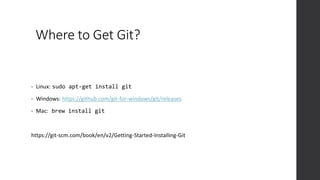
Where to Get Git?
• Linux: sudo apt-get install git
• Windows: https://github.com/git-for-windows/git/releases
• Mac: brew install git
https://git-scm.com/book/en/v2/Getting-Started-Installing-Git
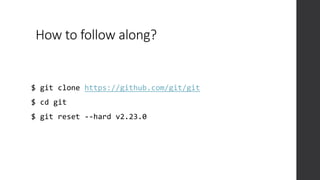
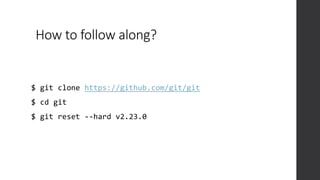
How to follow along?
$ git clone https://github.com/git/git
$ cd git
$ git reset --hard v2.23.0
How to follow along?
$ git clone https://github.com/git/git
$ cd git
$ git reset --hard v2.23.0
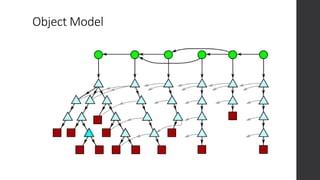
Object Model
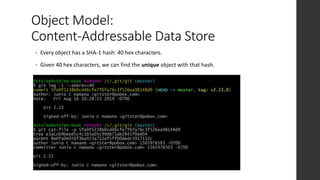
Object Model:
Content-Addressable Data Store
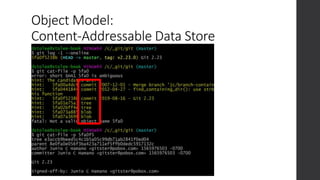
• Every object has a SHA-1 hash: 40 hex characters.
• Given 40 hex characters, we can find the unique object with that hash.
Object Model:
Content-Addressable Data Store
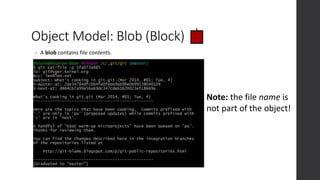
Object Model: Blob (Block)
• A blob contains file contents.
Note: the file name is
not part of the object!
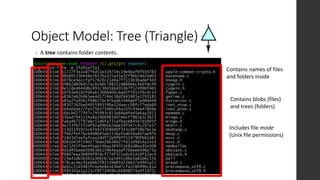
Object Model: Tree (Triangle)
• A tree contains folder contents.
Contains names of files
and folders inside
Contains blobs (files)
and trees (folders)
Includes file mode
(Unix file permissions)
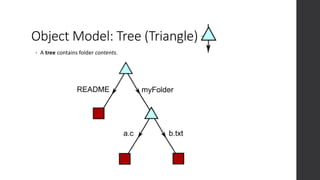
Object Model: Tree (Triangle)
• A tree contains folder contents.
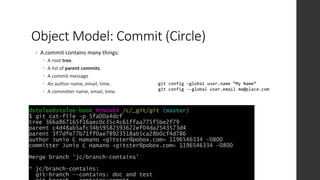
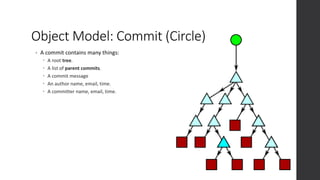
Object Model: Commit (Circle)
• A commit contains many things:
 A root tree.
 A list of parent commits.
 A commit message
 An author name, email, time.
 A committer name, email, time.
git config –global user.name “My Name”
git config --global user.email me@place.com
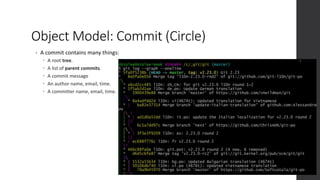
Object Model: Commit (Circle)
• A commit contains many things:
 A root tree.
 A list of parent commits.
 A commit message
 An author name, email, time.
 A committer name, email, time.
Object Model: Commit (Circle)
• A commit contains many things:
 A root tree.
 A list of parent commits.
 A commit message
 An author name, email, time.
 A committer name, email, time.
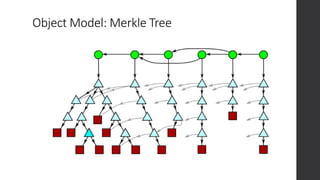
Object Model: Merkle Tree
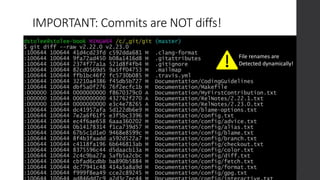
IMPORTANT: Commits are NOT diffs!
File renames are
Detected dynamically!
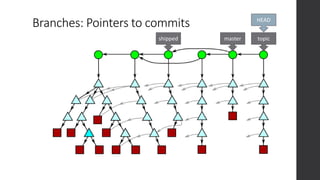
Branches: Pointers to commits
topic
master
HEAD
shipped
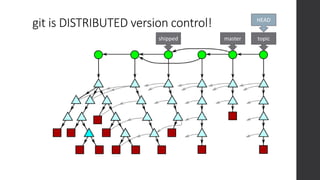
git is DISTRIBUTED version control!
topic
master
HEAD
shipped
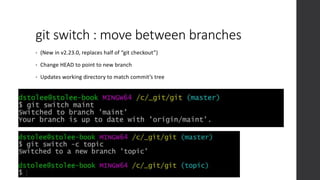
git switch : move between branches
• (New in v2.23.0, replaces half of “git checkout”)
• Change HEAD to point to new branch
• Updates working directory to match commit’s tree
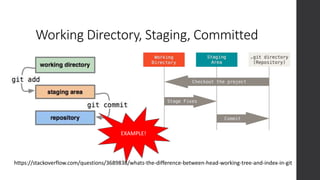
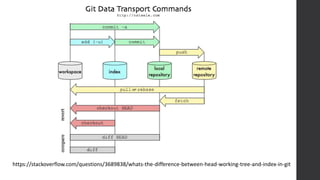
Working Directory, Staging, Committed
https://stackoverflow.com/questions/3689838/whats-the-difference-between-head-working-tree-and-index-in-git
EXAMPLE!
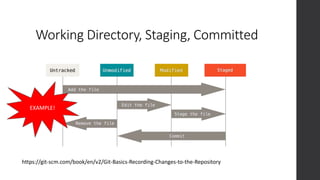
Working Directory, Staging, Committed
https://git-scm.com/book/en/v2/Git-Basics-Recording-Changes-to-the-Repository
EXAMPLE!
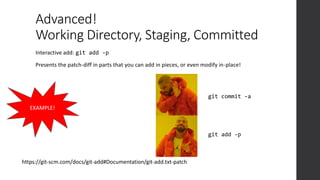
Advanced!
Working Directory, Staging, Committed
https://git-scm.com/docs/git-add#Documentation/git-add.txt-patch
EXAMPLE!
Interactive add: git add -p
Presents the patch-diff in parts that you can add in pieces, or even modify in-place!
git add -p
git commit -a
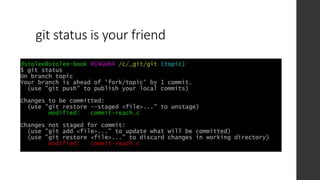
git status is your friend
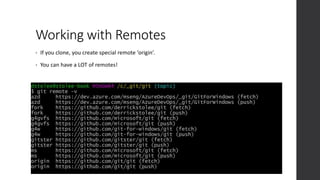
Working with Remotes
• If you clone, you create special remote ‘origin’.
• You can have a LOT of remotes!
Working with Remotes
Get new data: git fetch <remote> [branch]
Upload your data: git push <remote> <branch>
Hot Take: Don’t use git pull! This does the following:
1. git fetch
2. git merge
This can have unexpected results! Instead, do your merges yourself!
https://stackoverflow.com/questions/3689838/whats-the-difference-between-head-working-tree-and-index-in-git
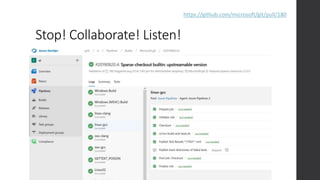
Stop! Collaborate! Listen!
https://github.com/microsoft/git/pull/180
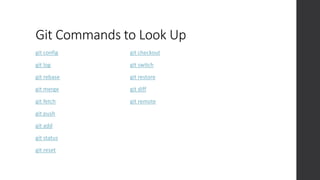
Git Commands to Look Up
git config
git log
git rebase
git merge
git fetch
git push
git add
git status
git reset
git checkout
git switch
git restore
git diff
git remote
Reading List
• These slides: https://stolee.dev/docs/git.pptx
• https://git-scm.com/doc
• https://ohshitgit.com/
• http://stevelosh.com/blog/2013/04/git-koans/
• File History Simplification
• What’s the difference between HEAD, working tree and index?
• Write Yourself a Git
• Supercharging the Git Commit Graph
 Part I
 Part II
 Part III
 Part IV
• Exploring new frontiers for Git push performance
Available roles and opportunities
SE & Program
Manager (PM)
Internship
Explore Microsoft Full-Time
SE & PM
Links to these applications are also found at
https://microsoft.com/university
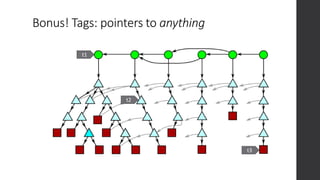
Bonus! Tags: pointers to anything
t1
t2
t3

git.pptx

  • 1.
    Advanced Git for Beginners DerrickStolee Microsoft @stolee https://stolee.dev/docs/git.pptx
  • 2.
    Where to GetGit? • Linux: sudo apt-get install git • Windows: https://github.com/git-for-windows/git/releases • Mac: brew install git https://git-scm.com/book/en/v2/Getting-Started-Installing-Git
  • 3.
    How to followalong? $ git clone https://github.com/git/git $ cd git $ git reset --hard v2.23.0
  • 4.
    How to followalong? $ git clone https://github.com/git/git $ cd git $ git reset --hard v2.23.0
  • 5.
  • 6.
    Object Model: Content-Addressable DataStore • Every object has a SHA-1 hash: 40 hex characters. • Given 40 hex characters, we can find the unique object with that hash.
  • 7.
  • 8.
    Object Model: Blob(Block) • A blob contains file contents. Note: the file name is not part of the object!
  • 9.
    Object Model: Tree(Triangle) • A tree contains folder contents. Contains names of files and folders inside Contains blobs (files) and trees (folders) Includes file mode (Unix file permissions)
  • 10.
    Object Model: Tree(Triangle) • A tree contains folder contents.
  • 11.
    Object Model: Commit(Circle) • A commit contains many things:  A root tree.  A list of parent commits.  A commit message  An author name, email, time.  A committer name, email, time. git config –global user.name “My Name” git config --global user.email me@place.com
  • 12.
    Object Model: Commit(Circle) • A commit contains many things:  A root tree.  A list of parent commits.  A commit message  An author name, email, time.  A committer name, email, time.
  • 13.
    Object Model: Commit(Circle) • A commit contains many things:  A root tree.  A list of parent commits.  A commit message  An author name, email, time.  A committer name, email, time.
  • 14.
  • 15.
    IMPORTANT: Commits areNOT diffs! File renames are Detected dynamically!
  • 16.
    Branches: Pointers tocommits topic master HEAD shipped
  • 17.
    git is DISTRIBUTEDversion control! topic master HEAD shipped
  • 18.
    git switch :move between branches • (New in v2.23.0, replaces half of “git checkout”) • Change HEAD to point to new branch • Updates working directory to match commit’s tree
  • 19.
    Working Directory, Staging,Committed https://stackoverflow.com/questions/3689838/whats-the-difference-between-head-working-tree-and-index-in-git EXAMPLE!
  • 20.
    Working Directory, Staging,Committed https://git-scm.com/book/en/v2/Git-Basics-Recording-Changes-to-the-Repository EXAMPLE!
  • 21.
    Advanced! Working Directory, Staging,Committed https://git-scm.com/docs/git-add#Documentation/git-add.txt-patch EXAMPLE! Interactive add: git add -p Presents the patch-diff in parts that you can add in pieces, or even modify in-place! git add -p git commit -a
  • 22.
    git status isyour friend
  • 23.
    Working with Remotes •If you clone, you create special remote ‘origin’. • You can have a LOT of remotes!
  • 24.
    Working with Remotes Getnew data: git fetch <remote> [branch] Upload your data: git push <remote> <branch> Hot Take: Don’t use git pull! This does the following: 1. git fetch 2. git merge This can have unexpected results! Instead, do your merges yourself!
  • 25.
  • 26.
  • 27.
    Git Commands toLook Up git config git log git rebase git merge git fetch git push git add git status git reset git checkout git switch git restore git diff git remote
  • 28.
    Reading List • Theseslides: https://stolee.dev/docs/git.pptx • https://git-scm.com/doc • https://ohshitgit.com/ • http://stevelosh.com/blog/2013/04/git-koans/ • File History Simplification • What’s the difference between HEAD, working tree and index? • Write Yourself a Git • Supercharging the Git Commit Graph  Part I  Part II  Part III  Part IV • Exploring new frontiers for Git push performance
  • 29.
    Available roles andopportunities SE & Program Manager (PM) Internship Explore Microsoft Full-Time SE & PM Links to these applications are also found at https://microsoft.com/university
  • 30.
    Bonus! Tags: pointersto anything t1 t2 t3