•INTRO TO GIT
AND GITHUB
Overview
1.Install git and create a Github account
2. What is git?
3. How does git work?
4. What is GitHub?
5. Quick example using git and GitHub
What is version control?
• Distributed version control
• Users keep entire code and
history on their location
machines
• Users can make any changes
without internet access
• (Except pushing and pulling
changes from a remote server)
continued…
• A system that keeps records of
your changes
• Allows for collaborative
development
• Allows you to know who made
what changes and when
• Allows you to revert any changes
and go back to a previous state
• Started in 2005
• Created by Linus Torvald to aid
in Linux kernel development
Git icon
What is git?
• Git isn’t the only version control
system
What is GitHub?
• www.github.com
• Largest web-based git repository
hosting service
• Aka, hosts ‘remote repositories’
• Allows for code collaboration with
anyone online
• Adds extra functionality on top of git
• UI, documentation, bug tracking, feature
requests, pull requests, and more!
Octocat!
How does git work?
• Can be complicated at first, but
there are a few key concepts
• Important git terminology in
following slides are blue
Key Concepts: Repositories
• Often shortened to ‘repo’
• A collection of all the files and
the history of those files
• Consists of all your commits
• Place where all your hard work is
stored
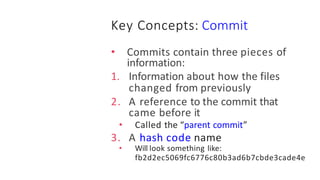
Key Concepts: Commit
• Commits contain three pieces of
information:
1. Information about how the files
changed from previously
2. A reference to the commit that
came before it
• Called the “parent commit”
3. A hash code name
• Will look something like:
fb2d2ec5069fc6776c80b3ad6b7cbde3cade4e
Key Concepts: Pull and Push
• The process of downloading
commits that don’t exist on your
machine from a remote repository
is called pulling changes
• The process of adding your local
changes to the remote repository
is called pushing changes
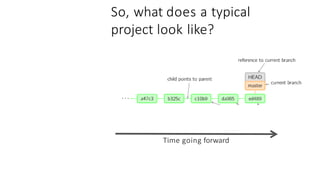
So, what does a typical
project look like?
• A bunch of commits linked
together that live on some branch,
contained in a repository
So, what does a typical
project look like?
Time going forward
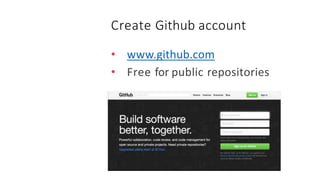
Create Github account
• www.github.com
• Free for public repositories
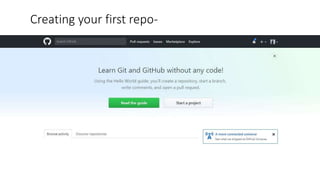
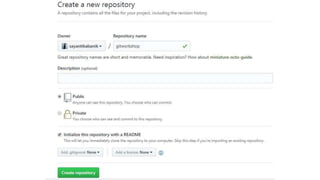
Creating your first repo-
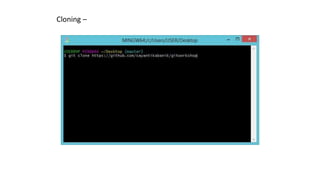
Cloning –
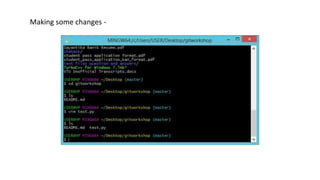
Making some changes -
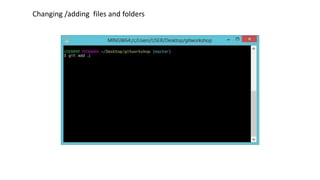
Changing /adding files and folders
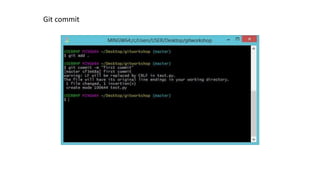
Git commit
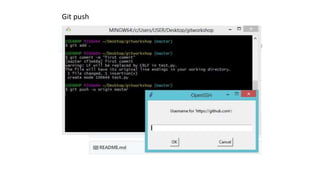
Git push
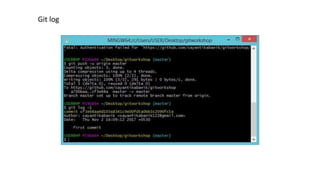
Git log
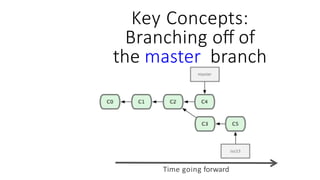
Key Concepts: Branches
• All commits in git live on some branch
• But there can be many, many branches
• The main branch in a project is called the
master branch
Key Concepts:
Branching off of
the master branch
Time going forward
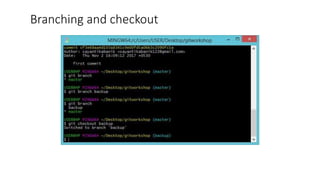
Branching and checkout
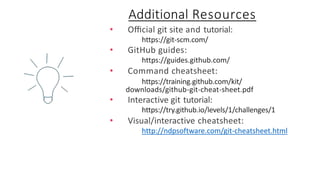
• Official git site and tutorial:
https://git-scm.com/
• GitHub guides:
https://guides.github.com/
• Command cheatsheet:
https://training.github.com/kit/
downloads/github-git-cheat-sheet.pdf
• Interactive git tutorial:
https://try.github.io/levels/1/challenges/1
• Visual/interactive cheatsheet:
http://ndpsoftware.com/git-cheatsheet.html
Additional Resources
THANK YOU

Git and github

  • 1.
  • 2.
    Overview 1.Install git andcreate a Github account 2. What is git? 3. How does git work? 4. What is GitHub? 5. Quick example using git and GitHub
  • 3.
    What is versioncontrol? • Distributed version control • Users keep entire code and history on their location machines • Users can make any changes without internet access • (Except pushing and pulling changes from a remote server)
  • 4.
    continued… • A systemthat keeps records of your changes • Allows for collaborative development • Allows you to know who made what changes and when • Allows you to revert any changes and go back to a previous state
  • 5.
    • Started in2005 • Created by Linus Torvald to aid in Linux kernel development Git icon What is git?
  • 6.
    • Git isn’tthe only version control system
  • 7.
    What is GitHub? •www.github.com • Largest web-based git repository hosting service • Aka, hosts ‘remote repositories’ • Allows for code collaboration with anyone online • Adds extra functionality on top of git • UI, documentation, bug tracking, feature requests, pull requests, and more! Octocat!
  • 8.
    How does gitwork? • Can be complicated at first, but there are a few key concepts • Important git terminology in following slides are blue
  • 9.
    Key Concepts: Repositories •Often shortened to ‘repo’ • A collection of all the files and the history of those files • Consists of all your commits • Place where all your hard work is stored
  • 10.
    Key Concepts: Commit •Commits contain three pieces of information: 1. Information about how the files changed from previously 2. A reference to the commit that came before it • Called the “parent commit” 3. A hash code name • Will look something like: fb2d2ec5069fc6776c80b3ad6b7cbde3cade4e
  • 11.
    Key Concepts: Pulland Push • The process of downloading commits that don’t exist on your machine from a remote repository is called pulling changes • The process of adding your local changes to the remote repository is called pushing changes
  • 12.
    So, what doesa typical project look like? • A bunch of commits linked together that live on some branch, contained in a repository
  • 13.
    So, what doesa typical project look like? Time going forward
  • 14.
    Create Github account •www.github.com • Free for public repositories
  • 15.
  • 17.
  • 18.
  • 19.
  • 20.
  • 21.
  • 22.
  • 23.
    Key Concepts: Branches •All commits in git live on some branch • But there can be many, many branches • The main branch in a project is called the master branch
  • 24.
    Key Concepts: Branching offof the master branch Time going forward
  • 25.
  • 26.
    • Official gitsite and tutorial: https://git-scm.com/ • GitHub guides: https://guides.github.com/ • Command cheatsheet: https://training.github.com/kit/ downloads/github-git-cheat-sheet.pdf • Interactive git tutorial: https://try.github.io/levels/1/challenges/1 • Visual/interactive cheatsheet: http://ndpsoftware.com/git-cheatsheet.html Additional Resources
  • 27.