Abhishek Singh
Lead, GDSC-ZHCET ‘23
"Coding is not just about making
something work, but making it
work efficiently and beautifully."
SCAN ME
Dive into Open
Source with
GitHub and Git
Priyanshi Rai
Hi I am!
Final year student at University of Lucknow
GitHub Campus Expert
GDSC Lead’23
Product designer @datainfra
Community - Fork&Forge
Topic to be covered
What is Open Source?
Why Open Source and it’s requirement
What is git?
GitHub Overview
Basic Terminologies: Branching, Merging, Conflicts,
Reverting, Staging area
Commands used in git
Handson of git on GitHub
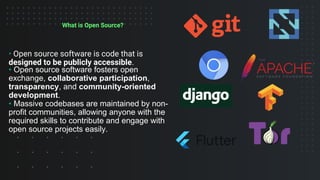
What is Open Source?
• Open source software is code that is
designed to be publicly accessible.
• Open source software fosters open
exchange, collaborative participation,
transparency, and community-oriented
development.
• Massive codebases are maintained by non-
profit communities, allowing anyone with the
required skills to contribute and engage with
open source projects easily.
Real-World Examples
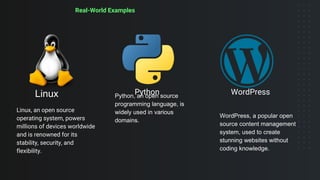
Linux
Linux, an open source
operating system, powers
millions of devices worldwide
and is renowned for its
stability, security, and
flexibility.
Python, an open source
programming language, is
widely used in various
domains.
Python
WordPress, a popular open
source content management
system, used to create
stunning websites without
coding knowledge.
WordPress
Why Open Source?
• Gain Experience working on a high-quality, large-scale, real-world projects.
• The only entry barrier is your own skill.
• Get Mentored and learn with world-class coders.
• Build your portfolio with proof of work (PRs).
• Earn cool swags, goodies and stickers ( ͡° ͜ʖ ͡°)
• Earn in $$$ spend in ₹₹₹
• Learn, collaborate, and network with global talent.
Requirements for Open Source
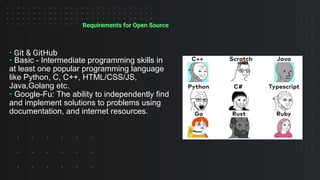
• Git & GitHub
• Basic - Intermediate programming skills in
at least one popular programming language
like Python, C, C++, HTML/CSS/JS,
Java,Golang etc.
• Google-Fu: The ability to independently find
and implement solutions to problems using
documentation, and internet resources.
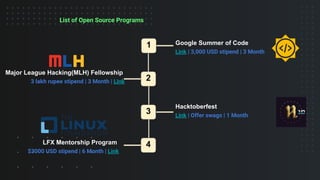
List of Open Source Programs
1
3
2
4
LFX Mentorship Program
$3000 USD stipend | 6 Month | Link
Google Summer of Code
Link | 3,000 USD stipend | 3 Month
Major League Hacking(MLH) Fellowship
3 lakh rupee stipend | 3 Month | Link
Hacktoberfest
Link | Offer swags | 1 Month
What is Git?
Git is a powerful version control system that you can
use to manage your code.
Basically git is a command line tool that allow you to
track changes over time, revert changes and also
collaborate with other developers on the same files.
GitHub is a platform that hosts billions of lines of code,
and it’s where millions of developers gather every day to
collaborate on and report issues with open source
software.
It serves as a hub for version control, collaboration, and
project management.
Version control allows developers to track changes,
manage codebase history, and work together
seamlessly.
GitHub
About
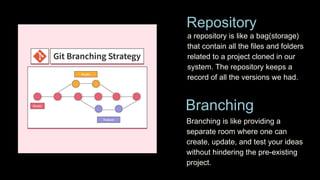
a repository is like a bag(storage)
that contain all the files and folders
related to a project cloned in our
system. The repository keeps a
record of all the versions we had.
Repository
Branching
Branching is like providing a
separate room where one can
create, update, and test your ideas
without hindering the pre-existing
project.
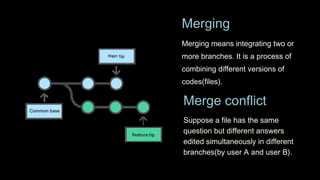
Merging means integrating two or
more branches. It is a process of
combining different versions of
codes(files).
Merging
Merge conflict
Suppose a file has the same
question but different answers
edited simultaneously in different
branches(by user A and user B).
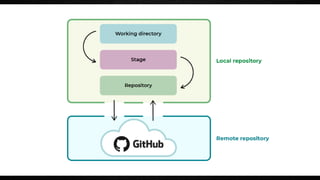
REMOTE REPOSITORY
LOCAL REPOSITORY
The local repository is present on our computer and consists of
all the files and folders. This Repository is used to make
changes locally, review history, and commit when offline.
The remote repository refers to the server repository that may be
present anywhere. This repository is used by all the team members
to exchange the changes made.
Git Commands
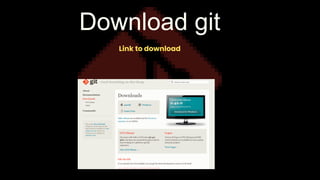
Download git
Link to download
First step
Check whether the git is downloaded in your system
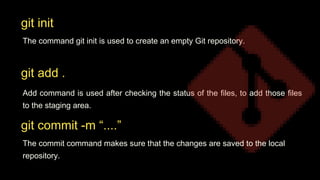
The command git init is used to create an empty Git repository.
Add command is used after checking the status of the files, to add those files
to the staging area.
git init
git add .
git commit -m “....”
The commit command makes sure that the changes are saved to the local
repository.
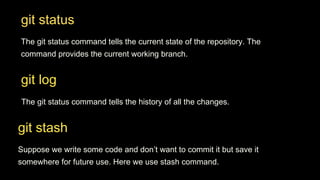
git status
The git status command tells the current state of the repository. The
command provides the current working branch.
git log
The git status command tells the history of all the changes.
git stash
Suppose we write some code and don’t want to commit it but save it
somewhere for future use. Here we use stash command.
Let’s play on
GitHub with git
CREATE A REPO
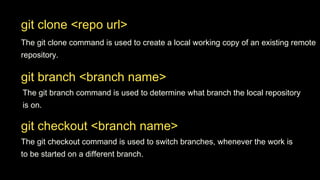
git branch <branch name>
The git branch command is used to determine what branch the local repository
is on.
git checkout <branch name>
The git checkout command is used to switch branches, whenever the work is
to be started on a different branch.
git clone <repo url>
The git clone command is used to create a local working copy of an existing remote
repository.
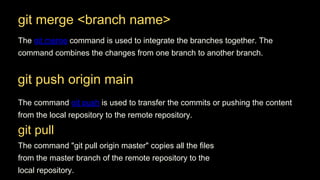
git merge <branch name>
The git merge command is used to integrate the branches together. The
command combines the changes from one branch to another branch.
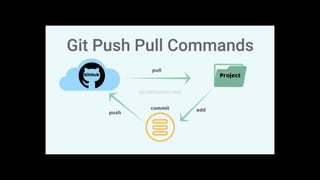
The command "git pull origin master" copies all the files
from the master branch of the remote repository to the
local repository.
git push origin main
The command git push is used to transfer the commits or pushing the content
from the local repository to the remote repository.
git pull
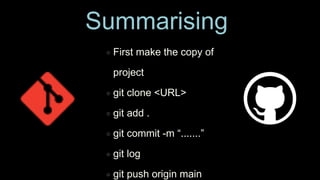
First make the copy of
project
git clone <URL>
git add .
git commit -m “.......”
git log
git push origin main
Summarising
GitHub Developer
Student Pack
Thank You For Joining
We Hope To See You
In All Our Future
Events!!
Stay Tuned!!!
Instagram Whatsapp LinkedIn
#Community
Twitter (X)

GDSC ZHCET GitHub Session.pdf

  • 2.
    Abhishek Singh Lead, GDSC-ZHCET‘23 "Coding is not just about making something work, but making it work efficiently and beautifully." SCAN ME
  • 4.
    Dive into Open Sourcewith GitHub and Git
  • 5.
    Priyanshi Rai Hi Iam! Final year student at University of Lucknow GitHub Campus Expert GDSC Lead’23 Product designer @datainfra Community - Fork&Forge
  • 6.
    Topic to becovered What is Open Source? Why Open Source and it’s requirement What is git? GitHub Overview Basic Terminologies: Branching, Merging, Conflicts, Reverting, Staging area Commands used in git Handson of git on GitHub
  • 7.
    What is OpenSource? • Open source software is code that is designed to be publicly accessible. • Open source software fosters open exchange, collaborative participation, transparency, and community-oriented development. • Massive codebases are maintained by non- profit communities, allowing anyone with the required skills to contribute and engage with open source projects easily.
  • 8.
    Real-World Examples Linux Linux, anopen source operating system, powers millions of devices worldwide and is renowned for its stability, security, and flexibility. Python, an open source programming language, is widely used in various domains. Python WordPress, a popular open source content management system, used to create stunning websites without coding knowledge. WordPress
  • 9.
    Why Open Source? •Gain Experience working on a high-quality, large-scale, real-world projects. • The only entry barrier is your own skill. • Get Mentored and learn with world-class coders. • Build your portfolio with proof of work (PRs). • Earn cool swags, goodies and stickers ( ͡° ͜ʖ ͡°) • Earn in $$$ spend in ₹₹₹ • Learn, collaborate, and network with global talent.
  • 10.
    Requirements for OpenSource • Git & GitHub • Basic - Intermediate programming skills in at least one popular programming language like Python, C, C++, HTML/CSS/JS, Java,Golang etc. • Google-Fu: The ability to independently find and implement solutions to problems using documentation, and internet resources.
  • 11.
    List of OpenSource Programs 1 3 2 4 LFX Mentorship Program $3000 USD stipend | 6 Month | Link Google Summer of Code Link | 3,000 USD stipend | 3 Month Major League Hacking(MLH) Fellowship 3 lakh rupee stipend | 3 Month | Link Hacktoberfest Link | Offer swags | 1 Month
  • 12.
    What is Git? Gitis a powerful version control system that you can use to manage your code. Basically git is a command line tool that allow you to track changes over time, revert changes and also collaborate with other developers on the same files.
  • 13.
    GitHub is aplatform that hosts billions of lines of code, and it’s where millions of developers gather every day to collaborate on and report issues with open source software. It serves as a hub for version control, collaboration, and project management. Version control allows developers to track changes, manage codebase history, and work together seamlessly. GitHub About
  • 14.
    a repository islike a bag(storage) that contain all the files and folders related to a project cloned in our system. The repository keeps a record of all the versions we had. Repository Branching Branching is like providing a separate room where one can create, update, and test your ideas without hindering the pre-existing project.
  • 15.
    Merging means integratingtwo or more branches. It is a process of combining different versions of codes(files). Merging Merge conflict Suppose a file has the same question but different answers edited simultaneously in different branches(by user A and user B).
  • 16.
    REMOTE REPOSITORY LOCAL REPOSITORY Thelocal repository is present on our computer and consists of all the files and folders. This Repository is used to make changes locally, review history, and commit when offline. The remote repository refers to the server repository that may be present anywhere. This repository is used by all the team members to exchange the changes made.
  • 19.
  • 20.
  • 21.
    First step Check whetherthe git is downloaded in your system
  • 22.
    The command gitinit is used to create an empty Git repository. Add command is used after checking the status of the files, to add those files to the staging area. git init git add . git commit -m “....” The commit command makes sure that the changes are saved to the local repository.
  • 23.
    git status The gitstatus command tells the current state of the repository. The command provides the current working branch. git log The git status command tells the history of all the changes. git stash Suppose we write some code and don’t want to commit it but save it somewhere for future use. Here we use stash command.
  • 24.
    Let’s play on GitHubwith git CREATE A REPO
  • 25.
    git branch <branchname> The git branch command is used to determine what branch the local repository is on. git checkout <branch name> The git checkout command is used to switch branches, whenever the work is to be started on a different branch. git clone <repo url> The git clone command is used to create a local working copy of an existing remote repository.
  • 26.
    git merge <branchname> The git merge command is used to integrate the branches together. The command combines the changes from one branch to another branch. The command "git pull origin master" copies all the files from the master branch of the remote repository to the local repository. git push origin main The command git push is used to transfer the commits or pushing the content from the local repository to the remote repository. git pull
  • 28.
    First make thecopy of project git clone <URL> git add . git commit -m “.......” git log git push origin main Summarising
  • 29.
  • 31.
    Thank You ForJoining We Hope To See You In All Our Future Events!!
  • 32.
    Stay Tuned!!! Instagram WhatsappLinkedIn #Community Twitter (X)