好吃嗎?
@Author Cara Wang <cara_wang@hiiir.com>
@date 2015/08/12
///////////////////////////////////////////////
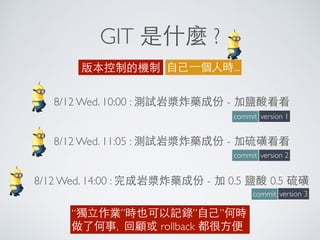
GIT 是什麼 ?
版本控制的機制 ⾃自⼰己⼀一個⼈人時...
8/12 Wed. 10:00 : 測試岩漿炸藥成份 - 加鹽酸看看
8/12 Wed. 11:05 : 測試岩漿炸藥成份 - 加硫磺看看
8/12 Wed. 14:00 : 完成岩漿炸藥成份 - 加 0.5 鹽酸 0.5 硫磺
version 1
version 2
version 3
commit
commit
commit
“獨⽴立作業”時也可以記錄”⾃自⼰己”何時
做了何事, 回顧或 rollback 都很⽅方便
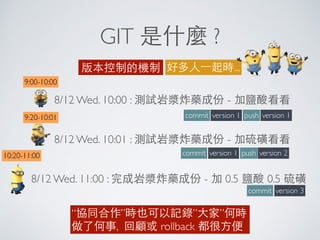
GIT 是什麼 ?
版本控制的機制 好多⼈人⼀一起時...
8/12 Wed. 10:00 : 測試岩漿炸藥成份 - 加鹽酸看看
8/12 Wed. 10:01 : 測試岩漿炸藥成份 - 加硫磺看看
8/12 Wed. 11:00 : 完成岩漿炸藥成份 - 加 0.5 鹽酸 0.5 硫磺
version 1
version 3
“協同合作”時也可以記錄”⼤大家”何時
做了何事, 回顧或 rollback 都很⽅方便
commit
commit
version 1push
version 1commit version 2push
9:00-10:00
9:20-10:01
10:20-11:00
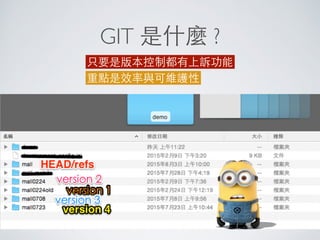
GIT 是什麼 ?
只要是版本控制都有上訴功能
重點是效率與可維護性
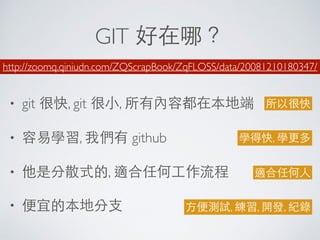
GIT 好在哪?
• git 很快, git 很⼩小, 所有內容都在本地端
• 容易學習, 我們有 github
• 他是分散式的, 適合任何⼯工作流程
• 便宜的本地分⽀支
http://zoomq.qiniudn.com/ZQScrapBook/ZqFLOSS/data/20081210180347/
所以很快
學得快, 學更多
適合任何⼈人
⽅方便測試, 練習, 開發, 紀錄
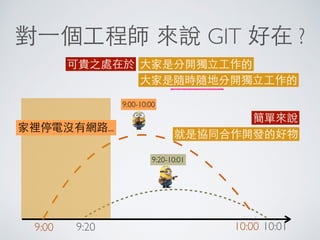
對⼀一個⼯工程師 來說 GIT 好在 ?
可貴之處在於 ⼤大家是分開獨⽴立⼯工作的
⼤大家是隨時隨地分開獨⽴立⼯工作的
9:00-10:00
9:20-10:01
9:20 10:019:00 10:00
家裡停電沒有網路...
簡單來說
就是協同合作開發的好物
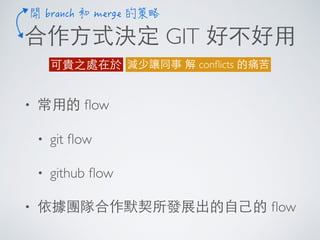
合作⽅方式決定 GIT 好不好⽤用
減少讓同事 解 conflicts 的痛苦可貴之處在於
• 常⽤用的 flow
• git flow
• github flow
• 依據團隊合作默契所發展出的⾃自⼰己的 flow
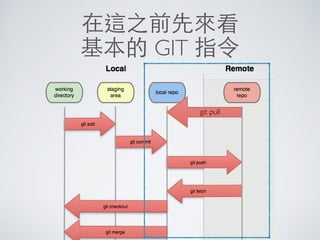
在這之前先來看
基本的 GIT 指令
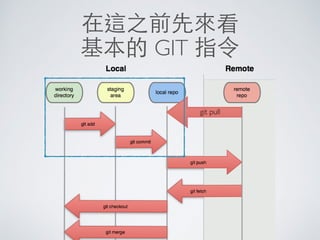
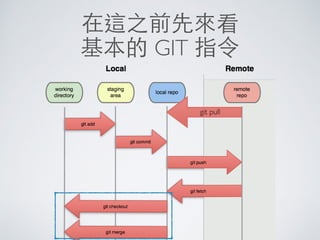
git pull
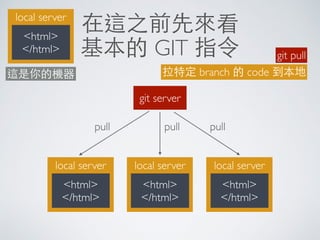
在這之前先來看
基本的 GIT 指令
local server
<html>
</html>
git server
local server
<html>
</html>
local server
<html>
</html>
local server
<html>
</html>
這是你的機器
pull pull pull
git pull
拉特定 branch 的 code 到本地
在這之前先來看
基本的 GIT 指令
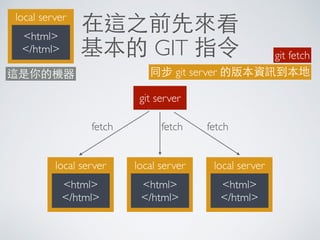
local server
<html>
</html>
git server
local server
<html>
</html>
local server
<html>
</html>
local server
<html>
</html>
這是你的機器
fetch fetch fetch
git fetch
同步 git server 的版本資訊到本地
在這之前先來看
基本的 GIT 指令
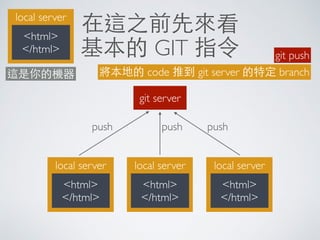
local server
<html>
</html>
git server
local server
<html>
</html>
local server
<html>
</html>
local server
<html>
</html>
這是你的機器
push push push
git push
將本地的 code 推到 git server 的特定 branch
在這之前先來看
基本的 GIT 指令
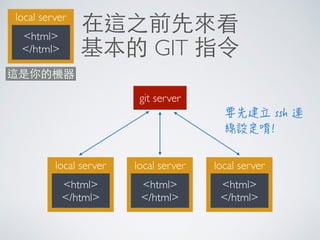
local server
<html>
</html>
git server
local server
<html>
</html>
local server
<html>
</html>
local server
<html>
</html>
這是你的機器
在這之前先來看
基本的 GIT 指令
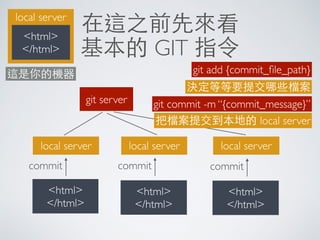
git pull
在這之前先來看
基本的 GIT 指令
local server
<html>
</html>
git server
local server
<html>
</html>
這是你的機器
local server
<html>
</html>
local server
<html>
</html>
commit commit commit
git add {commit_file_path}
決定等等要提交哪些檔案
git commit -m “{commit_message}”
把檔案提交到本地的 local server

在這之前先來看
基本的 GIT 指令
git pull
在這之前先來看
基本的 GIT 指令
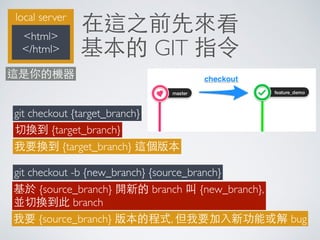
git checkout {target_branch}
切換到 {target_branch}
我要換到 {target_branch} 這個版本
git checkout -b {new_branch} {source_branch}
基於 {source_branch} 開新的 branch 叫 {new_branch},
並切換到此 branch
我要 {source_branch} 版本的程式, 但我要加⼊入新功能或解 bug
local server
<html>
</html>
這是你的機器
在這之前先來看
基本的 GIT 指令
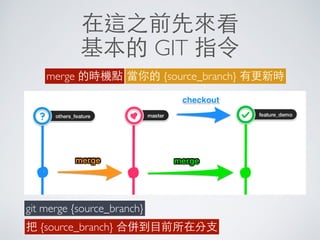
merge 的時機點 當你的 {source_branch} 有更新時
git merge {source_branch}
把 {source_branch} 合併到⺫⽬目前所在分⽀支
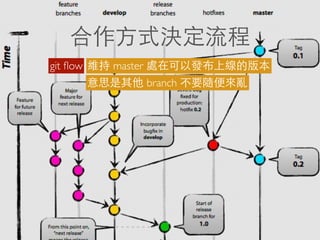
合作⽅方式決定流程
git flow 維持 master 處在可以發布上線的版本
意思是其他 branch 不要隨便來亂
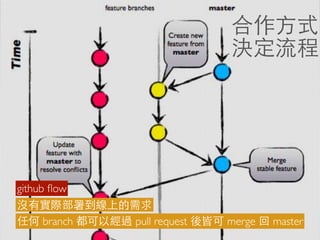
合作⽅方式
決定流程
github flow
沒有實際部署到線上的需求
任何 branch 都可以經過 pull request 後皆可 merge 回 master
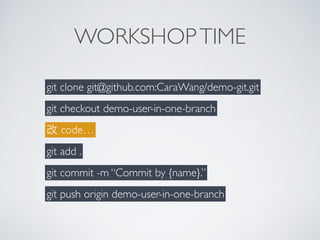
WORKSHOPTIME
git clone git@github.com:CaraWang/demo-git.git
git checkout demo-user-in-one-branch
改 code…
git add .
git commit -m “Commit by {name}.”
git push origin demo-user-in-one-branch
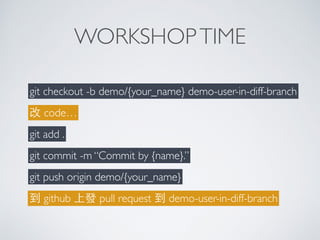
WORKSHOPTIME
git checkout -b demo/{your_name} demo-user-in-diff-branch
改 code…
git add .
git commit -m “Commit by {name}.”
git push origin demo/{your_name}
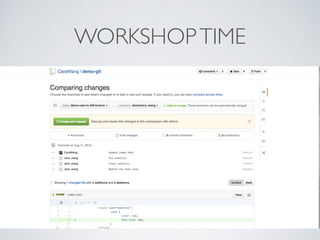
到 github 上發 pull request 到 demo-user-in-diff-branch
WORKSHOPTIME
ihower
https://ihower.tw/blog/archives/category/git
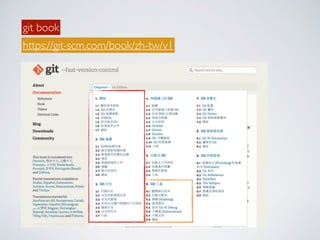
git book
https://git-scm.com/book/zh-tw/v1

Git 好吃嗎