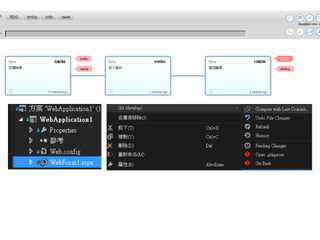
git 程式版本控軟體
學習筆記
奮鬥豬科技 黃禹翔
line id:0978643940
版權所有 請註名出處 歡迎分享 ~
在學習上有遇到問題,也歡迎隨時與我聊聊交流交流
奮鬥豬科技網址 https://goo.gl/H4s2EA
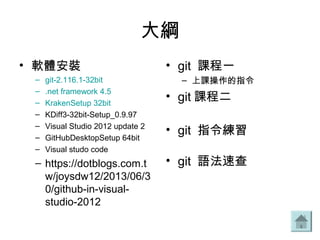
大綱
• 軟體安裝
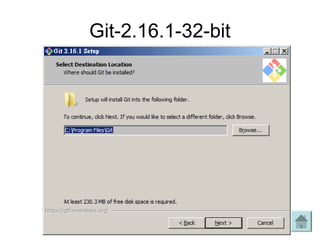
– git-2.116.1-32bit
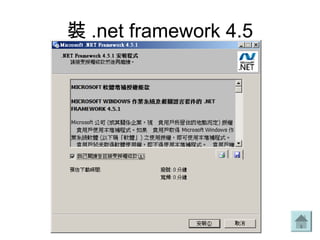
– .net framework 4.5
– KrakenSetup 32bit
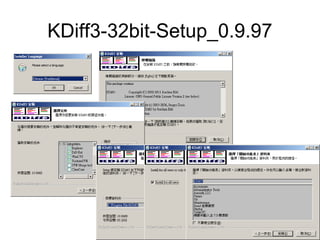
– KDiff3-32bit-Setup_0.9.97
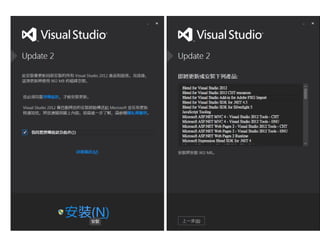
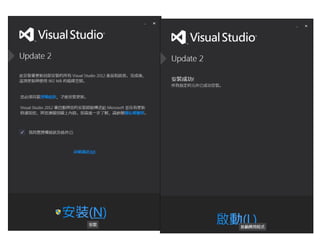
– Visual Studio 2012 update 2
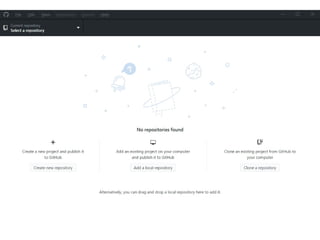
– GitHubDesktopSetup 64bit
– Visual studo code
– https://dotblogs.com.t
w/joysdw12/2013/06/3
0/github-in-visual-
studio-2012
• git 課程一
– 上課操作的指令
• git 課程二
• git 指令練習
• git 語法速查
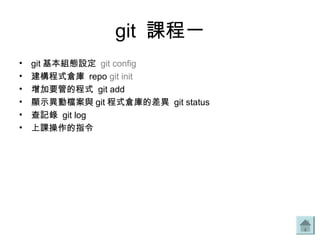
git 課程一
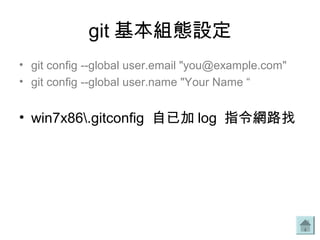
• git 基本組態設定 git config
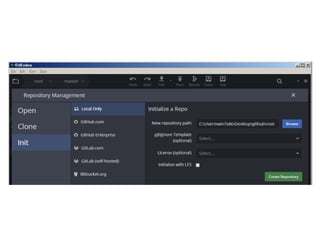
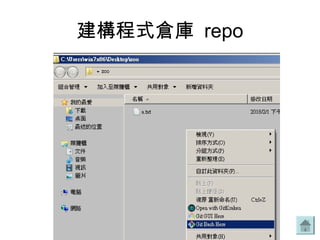
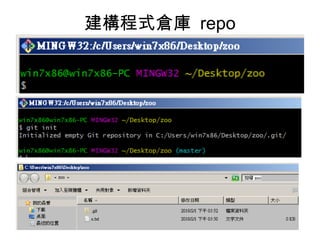
• 建構程式倉庫 repo git init
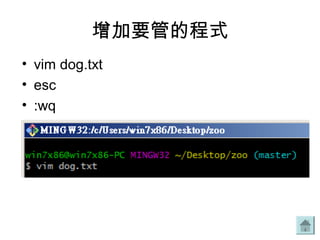
• 增加要管的程式 git add
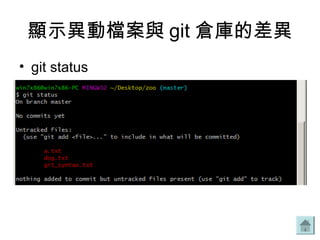
• 顯示異動檔案與 git 程式倉庫的差異 git status
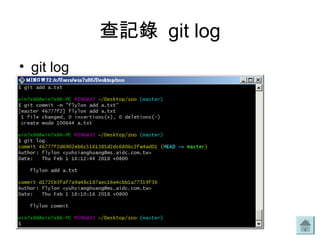
• 查記錄 git log
• 上課操作的指令
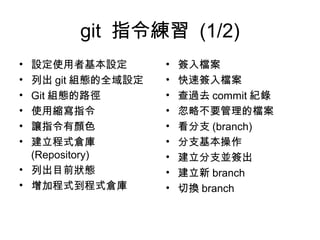
git 指令練習 (1/2)
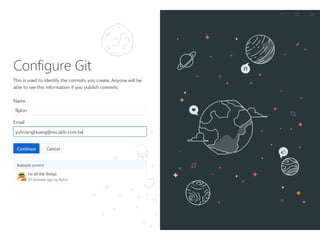
• 設定使用者基本設定
• 列出 git 組態的全域設定
• Git 組態的路徑
• 使用縮寫指令
• 讓指令有顏色
• 建立程式倉庫
(Repository)
• 列出目前狀態
• 增加程式到程式倉庫
• 簽入檔案
• 快速簽入檔案
• 查過去 commit 紀錄
• 忽略不要管理的檔案
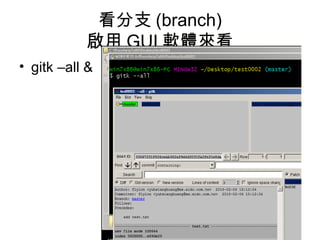
• 看分支 (branch)
• 分支基本操作
• 建立分支並簽出
• 建立新 branch
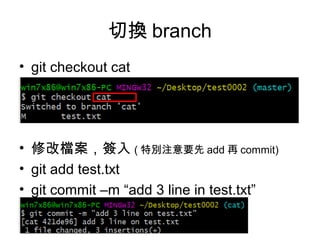
• 切換 branch
git 指令練習 (2/2)
• 讓程式產生分歧 (confict)
• Git merge
• git merge 與 rebase
• Merge 的 fast-forward
• 取消上一次 merge 操作
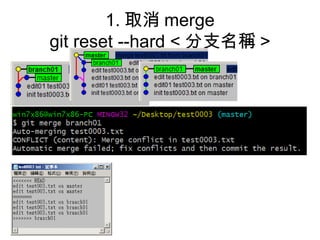
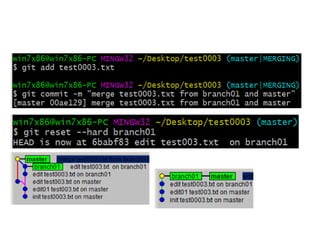
• 1. 取消 merge
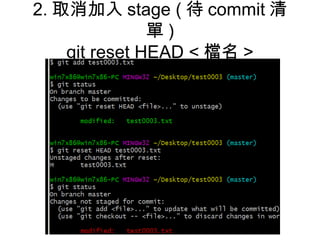
• 2. 取消加入 stage ( 取消
git add 待 commit 清單 )
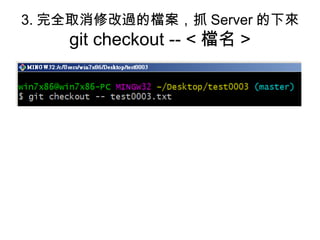
• 3. 完全取消修改過的檔案
,抓 Server 的下來
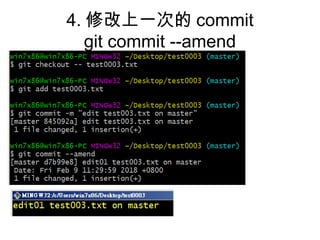
• 4. 修改上一次的 commit
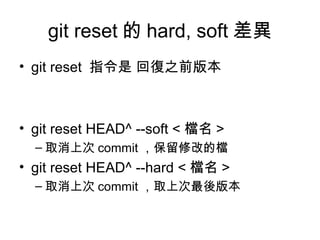
• git reset 的 hard, soft 差異
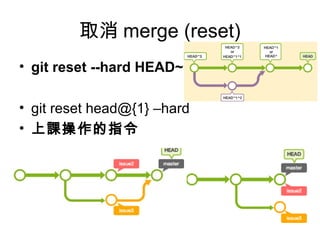
• 取消 merge (reset)
• 刪除分支
• 複製的程式倉庫
• 遠端操作 (remote)
• 暫存操作 (stash)
• 常見問題
• Merge --squash
• HEAD
• Stage
• stash
• 四種分支 branch
• git tag
相關學習網址
• https://backlog.com/git-tutorial/tw/stepup/stepup1_3.html
• https://gogojimmy.net/2012/01/17/how-to-use-git-1-git-basic/
• https://blog.gogojimmy.net/2012/01/21/how-to-use-git-2-basic-
usage-and-worflow/
• http://kevintsengtw.blogspot.tw/2013/08/aspnet-mvc-route-url.html
• Visual Studio 2012 使用 GitHub 進行版本控制
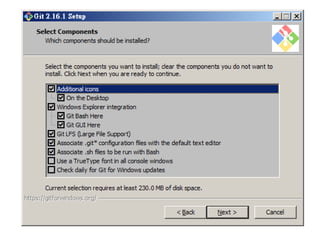
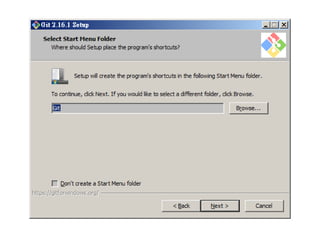
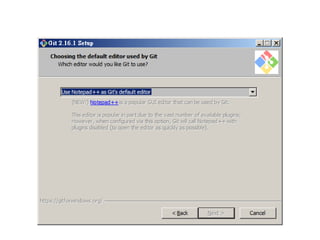
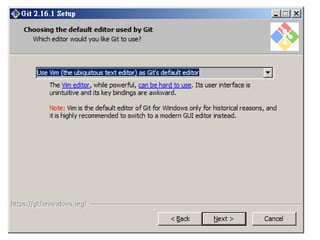
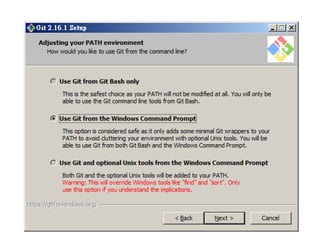
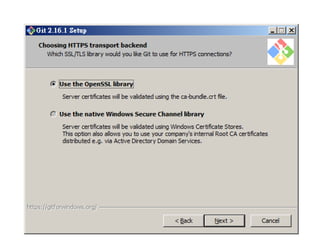
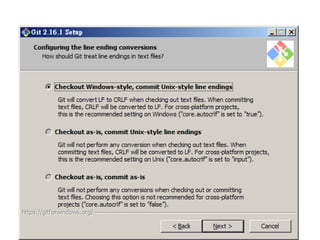
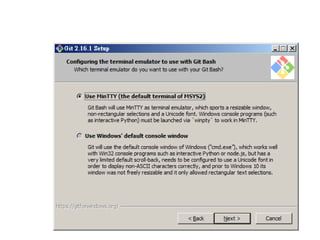
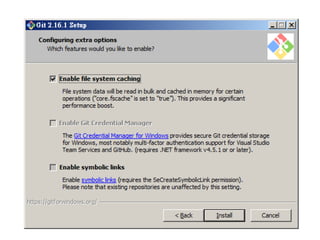
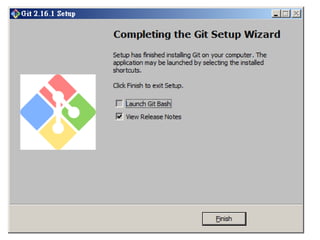
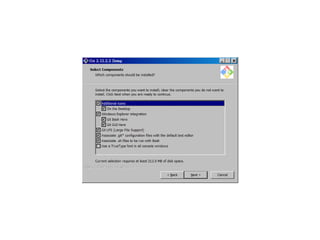
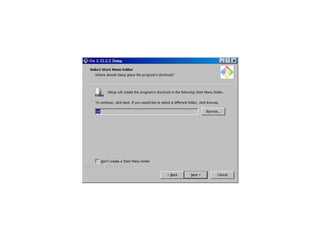
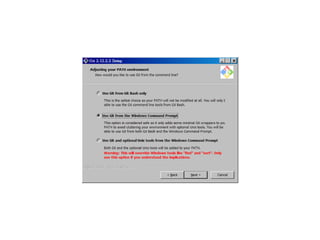
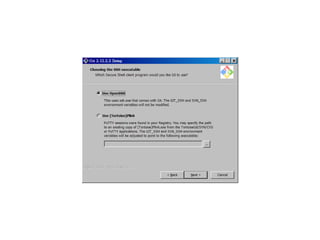
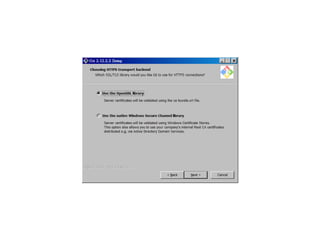
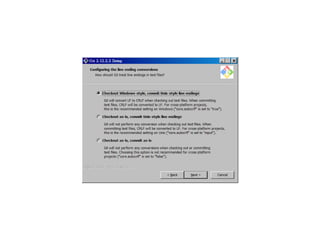
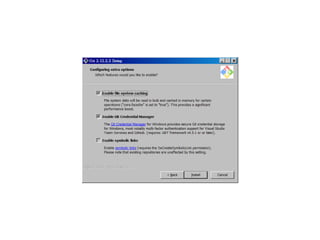
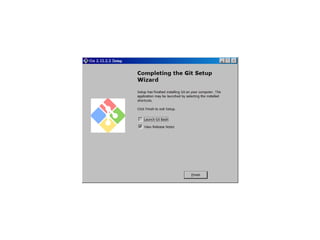
Git-2.16.1-32-bit
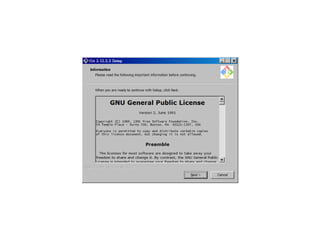
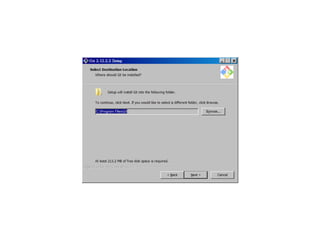
Git 2.12.2.2
裝 .net framework 4.5
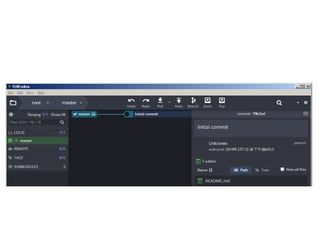
GitKrakenSetup 32bit
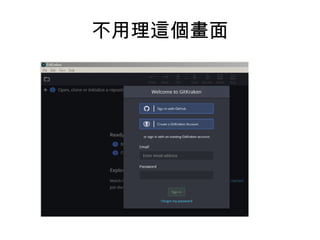
不用理這個畫面
KDiff3-32bit-Setup_0.9.97
組態設定
• http://blog.jobbole.com/97911/
• 在 .gitconfig 檔裡增加下面三行
– [merge]
– tool="kdiff3“
– conflictstyle = diff3
• 等同下面指令
– git config --global merge.tool kdiff3
• 在衝突中顯示分支的共同祖先
– git config --global merge.conflictstyle diff3
• 合併時用耐心算法
– git merge --strategy-option=patience
• 查某個檔案的歷史訊息
– git log --merge --decorate --source -p path/to/file/you/care/about
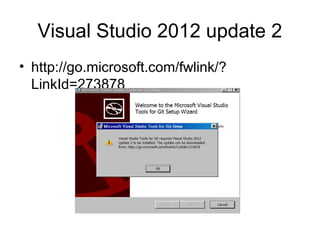
Visual Studio 2012 update 2
• http://go.microsoft.com/fwlink/?
LinkId=273878
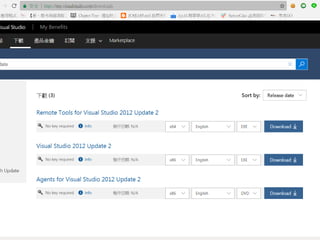
• https://my.visualstudio.com/downloads
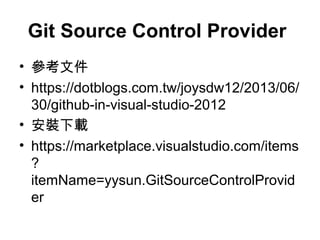
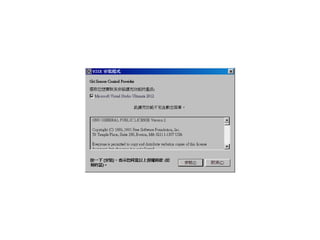
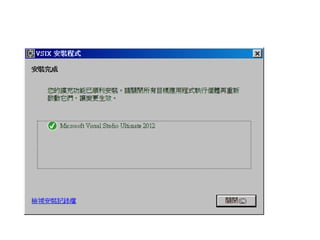
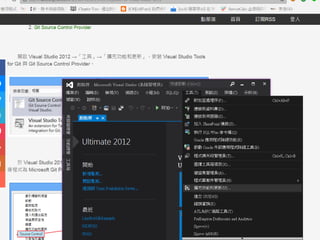
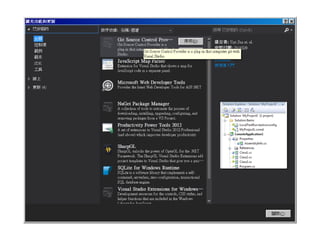
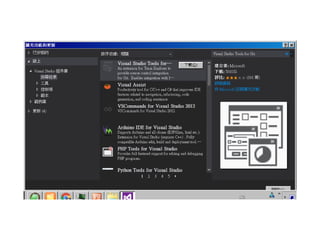
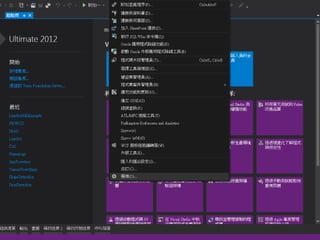
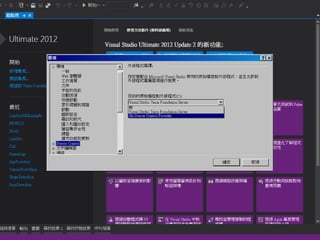
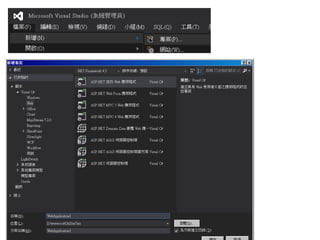
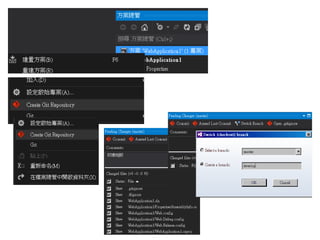
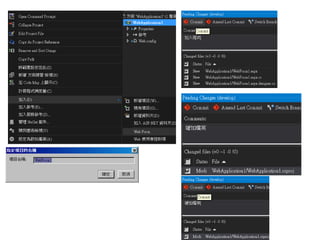
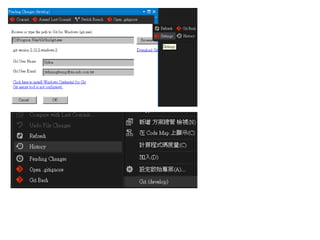
Git Source Control Provider
• 參考文件
• https://dotblogs.com.tw/joysdw12/2013/06/
30/github-in-visual-studio-2012
• 安裝下載
• https://marketplace.visualstudio.com/items
?
itemName=yysun.GitSourceControlProvid
er
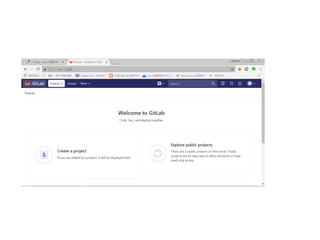
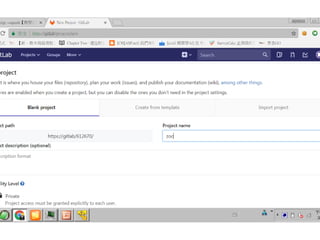
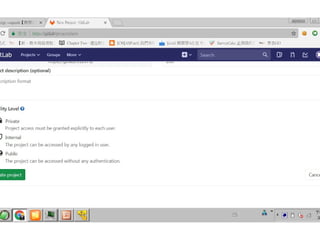
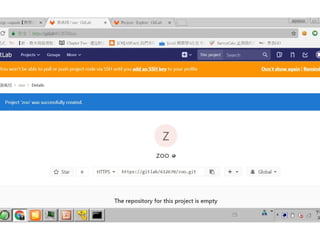
建一個專案
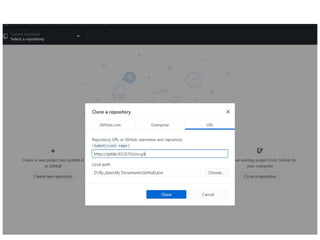
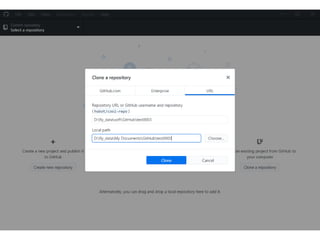
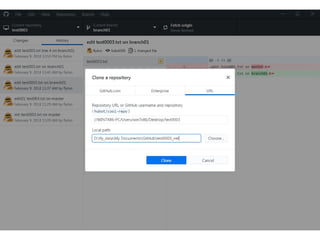
GitHubDesktopSetup 64bit
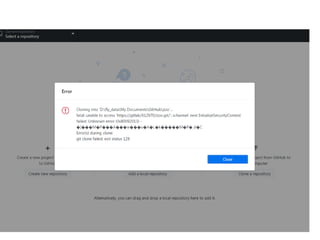
• Cloning into 'D:fly_dataMy
DocumentsGitHubzoo'... fatal: unable to
access 'https://gitlab/612670/zoo.git/':
schannel: next InitializeSecurityContext
failed: Unknown error (0x80092013) -
] M P A w u� ��� � ��� ��� ��� �
A L k M P d C Error(s)� � ����� � � �ˬ
during clone: git clone failed: exit status
128
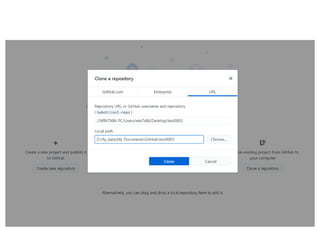
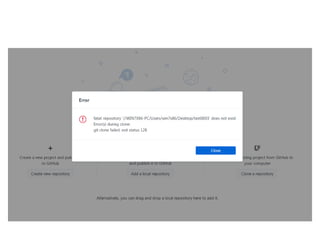
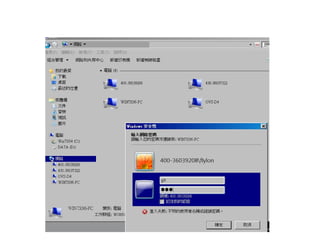
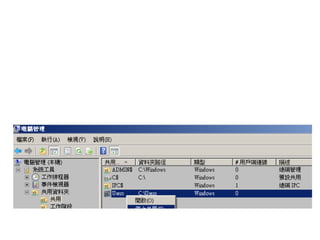
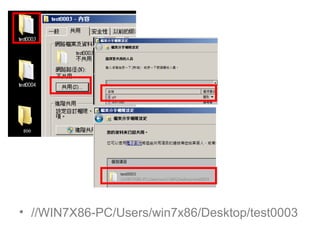
開網芳共用
• //WIN7X86-PC/Users/win7x86/Desktop/test0003
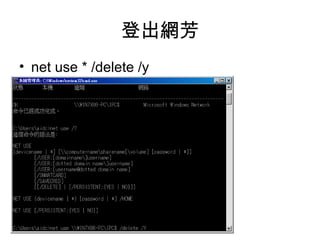
登出網芳
• net use * /delete /y
Visual studo code
git 課程一
建構程式倉庫 repo
建構程式倉庫 repo
• git init
git 基本組態設定
• git config --global user.email "you@example.com"
• git config --global user.name "Your Name “
• win7x86.gitconfig 自已加 log 指令網路找
增加要管的程式
• vim dog.txt
• esc
• :wq
顯示異動檔案與 git 倉庫的差異
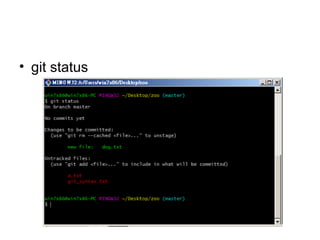
• git status
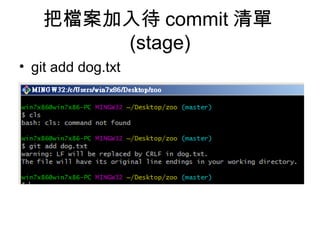
把檔案加入待 commit 清單
(stage)
• git add dog.txt
• git status
• vim dog.txt
• 把 dog.txt 加入待簽入 commit 名單
– git add dog.txt
• 簽入 dog.txt 檔
– git commit –m “add cat.txt and owl.txt”
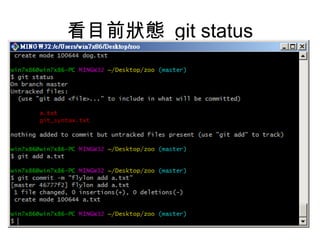
看目前狀態 git status
查記錄 git log
• git log
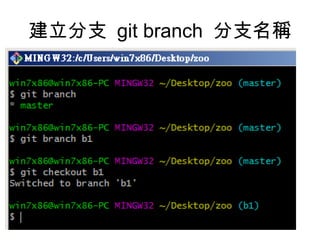
建立分支 git branch 分支名稱
• Git branch b1
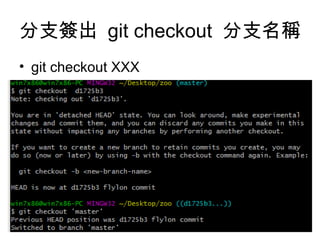
分支簽出 git checkout 分支名稱
• git checkout XXX
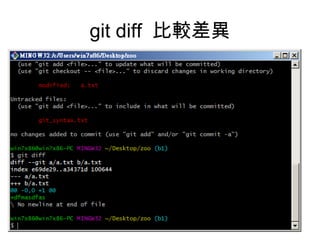
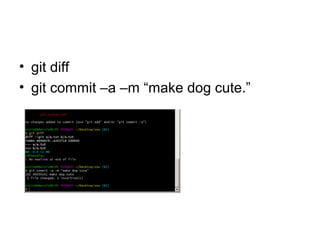
git diff 比較差異
• git diff
• git commit –a –m “make dog cute.”
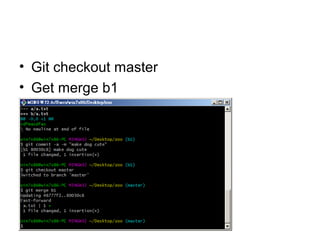
• Git checkout master
• Get merge b1
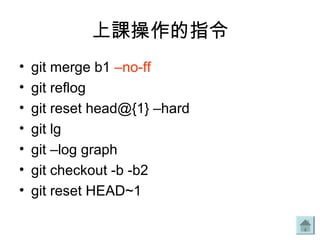
上課操作的指令
• git merge b1 –no-ff
• git reflog
• git reset head@{1} –hard
• git lg
• git –log graph
• git checkout -b -b2
• git reset HEAD~1
• git checkout –b b3
GIT 操作
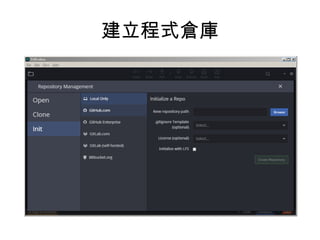
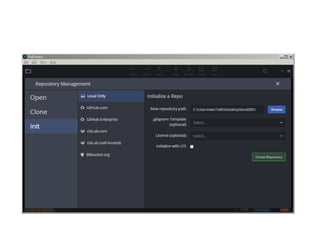
建立程式倉庫
git 課程二
• www.atlassian.com/git/tutorials
• git flow
• gitlab flow
• Git config
• Git init (git init –bare )
• Git status
• Git add
• Git commit
• Git log
• Git reflog
• Git reset
• 1. 改版本歷程、協同合作
git init –bare
• git remote
• http://gitlab/
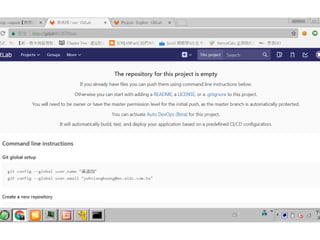
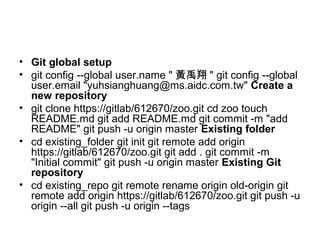
• Git global setup
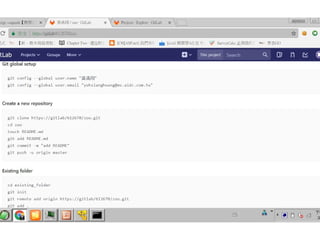
• git config --global user.name " 黃禹翔 " git config --global
user.email "yuhsianghuang@ms.aidc.com.tw" Create a
new repository
• git clone https://gitlab/612670/zoo.git cd zoo touch
README.md git add README.md git commit -m "add
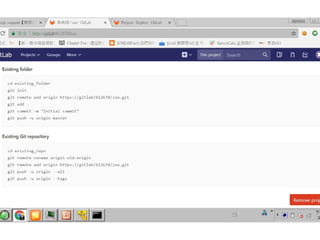
README" git push -u origin master Existing folder
• cd existing_folder git init git remote add origin
https://gitlab/612670/zoo.git git add . git commit -m
"Initial commit" git push -u origin master Existing Git
repository
• cd existing_repo git remote rename origin old-origin git
remote add origin https://gitlab/612670/zoo.git git push -u
origin --all git push -u origin --tags
• Git for visual studio 2012
git 指令練習
https://gogojimmy.net/2012/01/17/how-to-use-git-1-git-basic/
https://blog.gogojimmy.net/2012/01/21/how-to-use-git-2-basic-usage-and-worflow/
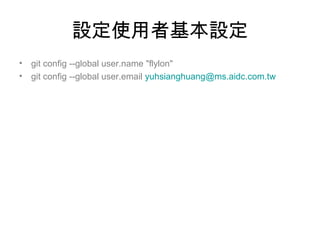
設定使用者基本設定
• git config --global user.name "flylon"
• git config --global user.email yuhsianghuang@ms.aidc.com.tw
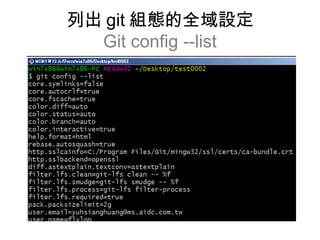
列出 git 組態的全域設定
Git config --list
Git 組態的路徑
C:Users 使用者帳號 .gitconfig
[user]
email = yuhsianghuang@ms.aidc.com.tw
name = flylon
使用縮寫指令
git config --global alias.st status
• Git status 縮成 git st
– git config --global alias.st status
• Git checkout 縮成 git co
– git config --global alias.co checkout
• [user]
• email = yuhsianghuang@ms.aidc.com.tw
• name = flylon
• [alias]
• st = status
• co = checkout
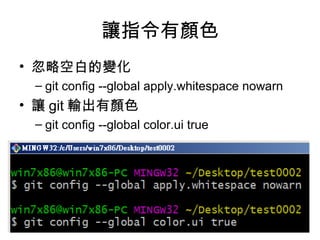
讓指令有顏色
• 忽略空白的變化
– git config --global apply.whitespace nowarn
• 讓 git 輸出有顏色
– git config --global color.ui true
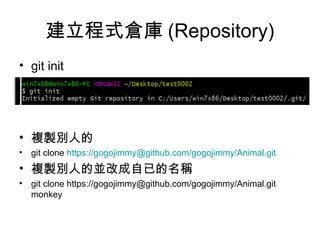
建立程式倉庫 (Repository)
• git init
• 複製別人的
• git clone https://gogojimmy@github.com/gogojimmy/Animal.git
• 複製別人的並改成自已的名稱
• git clone https://gogojimmy@github.com/gogojimmy/Animal.git
monkey
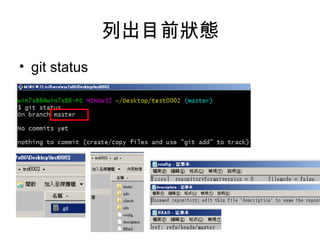
列出目前狀態
• git status
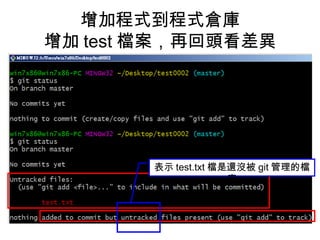
增加程式到程式倉庫
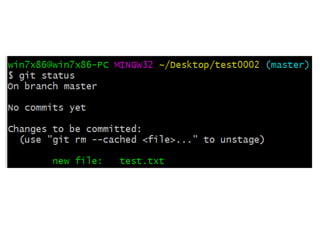
增加 test 檔案,再回頭看差異
表示 test.txt 檔是還沒被 git 管理的檔
案
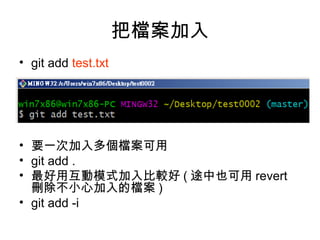
把檔案加入
• git add test.txt
• 要一次加入多個檔案可用
• git add .
• 最好用互動模式加入比較好 ( 途中也可用 revert
刪除不小心加入的檔案 )
• git add -i
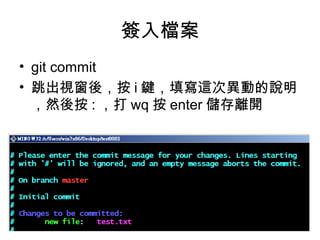
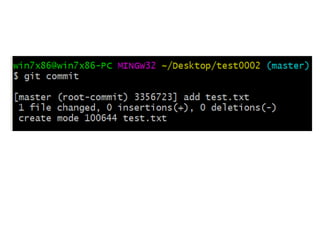
簽入檔案
• git commit
• 跳出視窗後,按 i 鍵,填寫這次異動的說明
,然後按 : ,打 wq 按 enter 儲存離開
快速簽入檔案
• git commit -m " 改了那些地方的說明“
• 使用 -am 的話還能將所有未被 add 的檔
案一併 add 進來
• git commit -am " 異動程式說明 "
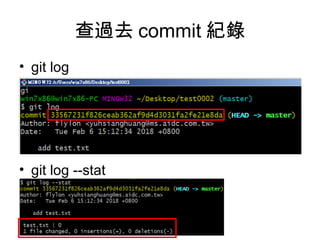
查過去 commit 紀錄
• git log
• git log --stat
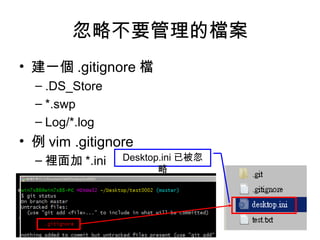
忽略不要管理的檔案
• 建一個 .gitignore 檔
– .DS_Store
– *.swp
– Log/*.log
• 例 vim .gitignore
– 裡面加 *.ini Desktop.ini 已被忽
略
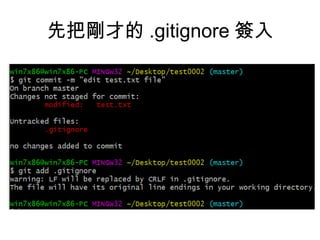
先把剛才的 .gitignore 簽入
看分支 (branch)
啟用 GUI 軟體來看
• gitk –all &
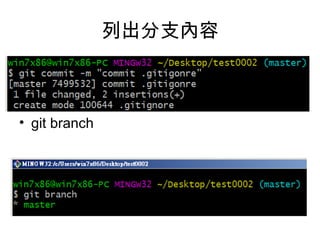
列出分支內容
• git branch
分支基本操作
• git branch 列出所有本地端的 branch 。
• git branch -r 列出所有遠端的 branch 。
• git branch -a 列出所有本地及遠端的 branch 。
• git branch "branch 名稱 " 建立一個新的 branch 。
• git checkout -b "branch 名稱 " 建立一個新的 branch 並切換到該 branch 。
• git branch branch 名稱 起始點 以起始點作為基準建立一個新的 branch ,起
始點可以是一個 tag , branch 或是 commit 。
• git branch --track branch 名稱 遠端 branch 建立一個 tracking 遠端 branch
的 branch ,這樣以後 push/pull 都會直接對應到該遠端的 branch 。
• git branch --set-upstream branch 遠端 branch 將一個已存在的 branch 設
定成 tracking 遠端的 branch 。
• git branch -d "branch 名稱 " 刪除 branch 。
• git -r -d 遠端 branch 刪除一個 tracking 的遠端 branch ,例如 git branch -r
-d wycats/master
• git push repository 名稱 : 遠端 branch 刪除一個 repository 的 branch ,通
常用在刪除遠端的 branch ,例如 git push origin
:old_branch_to_be_deleted 。
• git checkout branch 名稱 切換到另一個 branch( 所有修改過程會被保留 ) 。
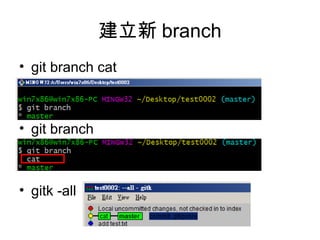
建立新 branch
• git branch cat
• git branch
• gitk -all
建立分支並簽出
• git checkout -b <branch>
切換 branch
• git checkout cat
• 修改檔案,簽入 ( 特別注意要先 add 再 commit)
• git add test.txt
• git commit –m “add 3 line in test.txt”
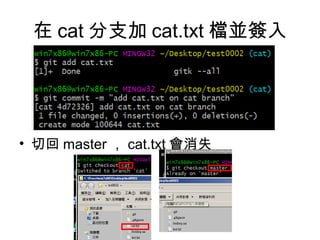
在 cat 分支加 cat.txt 檔並簽入
• 切回 master , cat.txt 會消失
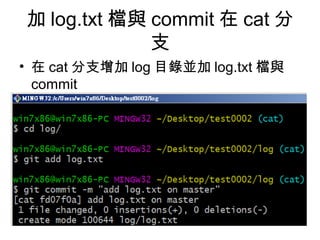
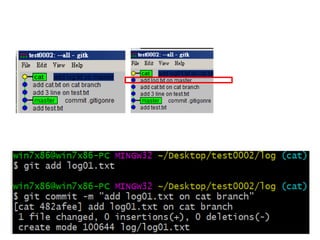
加 log.txt 檔與 commit 在 cat 分
支
• 在 cat 分支增加 log 目錄並加 log.txt 檔與
commit
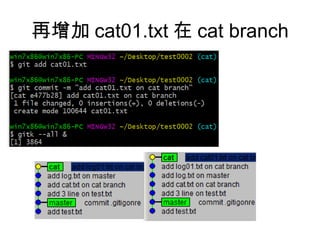
再增加 cat01.txt 在 cat branch
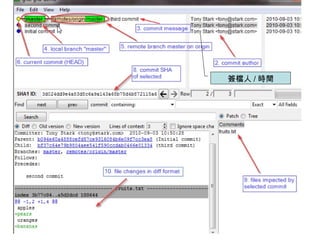
簽檔人 / 時間
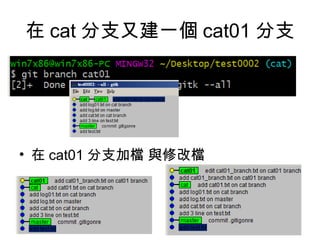
在 cat 分支又建一個 cat01 分支
• 在 cat01 分支加檔 與修改檔
讓程式產生分歧 (confict)
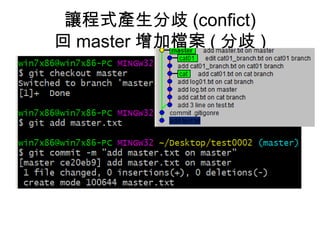
回 master 增加檔案 ( 分歧 )
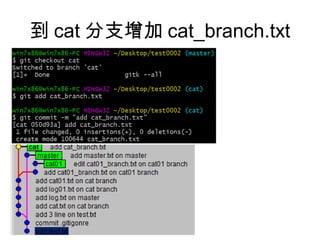
到 cat 分支增加 cat_branch.txt
Git merge
合併操作 (merge)
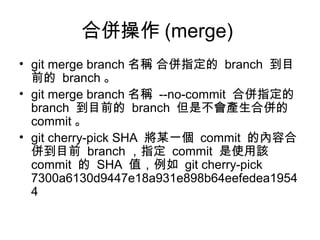
• git merge branch 名稱 合併指定的 branch 到目
前的 branch 。
• git merge branch 名稱 --no-commit 合併指定的
branch 到目前的 branch 但是不會產生合併的
commit 。
• git cherry-pick SHA 將某一個 commit 的內容合
併到目前 branch ,指定 commit 是使用該
commit 的 SHA 值,例如 git cherry-pick
7300a6130d9447e18a931e898b64eefedea1954
4
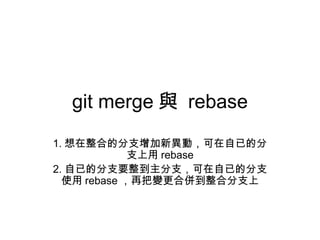
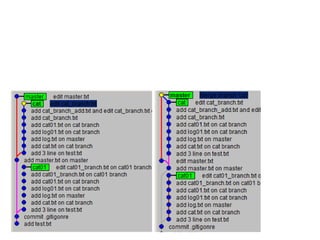
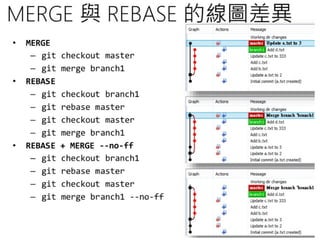
git merge 與 rebase
1. 想在整合的分支增加新異動,可在自已的分
支上用 rebase
2. 自已的分支要整到主分支,可在自已的分支
使用 rebase ,再把變更合併到整合分支上
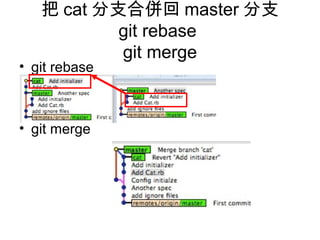
把 cat 分支合併回 master 分支
git rebase
git merge
• git rebase
• git merge
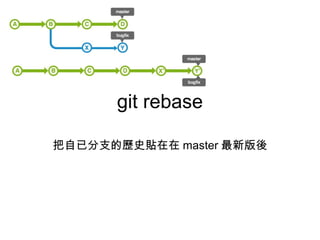
git rebase
把自已分支的歷史貼在在 master 最新版後
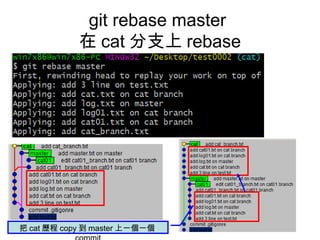
git rebase master
在 cat 分支上 rebase
把 cat 歷程 copy 到 master 上一個一個
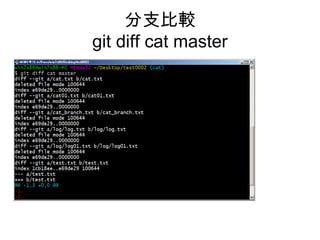
分支比較
git diff cat master
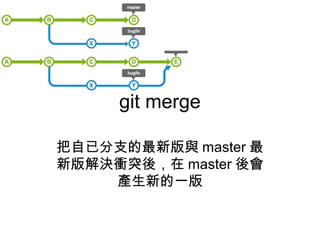
git merge
把自已分支的最新版與 master 最
新版解決衝突後,在 master 後會
產生新的一版
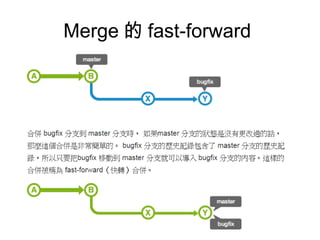
Merge 的 fast-forward
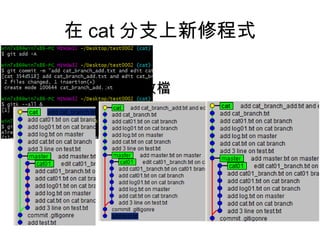
在 cat 分支上新修程式
• 加與改檔
取消上一次 merge 操作
git reset
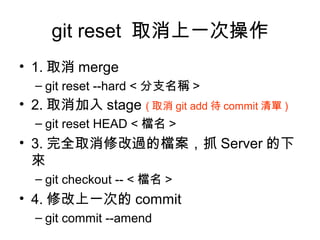
git reset 取消上一次操作
• 1. 取消 merge
– git reset --hard < 分支名稱 >
• 2. 取消加入 stage ( 取消 git add 待 commit 清單 )
– git reset HEAD < 檔名 >
• 3. 完全取消修改過的檔案,抓 Server 的下
來
– git checkout -- < 檔名 >
• 4. 修改上一次的 commit
– git commit --amend
1. 取消 merge
git reset --hard < 分支名稱 >
2. 取消加入 stage ( 待 commit 清
單 )
git reset HEAD < 檔名 >
3. 完全取消修改過的檔案,抓 Server 的下來
git checkout -- < 檔名 >
4. 修改上一次的 commit
git commit --amend
git reset 的 hard, soft 差異
• git reset 指令是 回復之前版本
• git reset HEAD^ --soft < 檔名 >
– 取消上次 commit ,保留修改的檔
• git reset HEAD^ --hard < 檔名 >
– 取消上次 commit ,取上次最後版本
取消 merge (reset)
• git reset --hard HEAD~
• git reset head@{1} –hard
• 上課操作的指令
刪除分支
• git branch -d <branch>
複製的程式倉庫
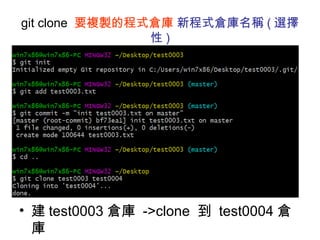
git clone 要複製的程式倉庫 新程式倉庫名稱 ( 選擇
性 )
• 建 test0003 倉庫 ->clone 到 test0004 倉
庫
遠端操作 (remote)
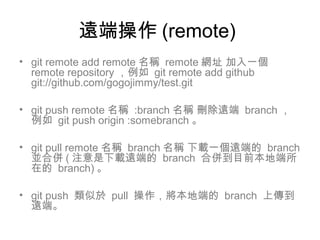
• git remote add remote 名稱 remote 網址 加入一個
remote repository ,例如 git remote add github
git://github.com/gogojimmy/test.git
• git push remote 名稱 :branch 名稱 刪除遠端 branch ,
例如 git push origin :somebranch 。
• git pull remote 名稱 branch 名稱 下載一個遠端的 branch
並合併 ( 注意是下載遠端的 branch 合併到目前本地端所
在的 branch) 。
• git push 類似於 pull 操作,將本地端的 branch 上傳到
遠端。
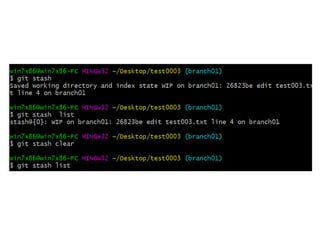
暫存操作 (stash)
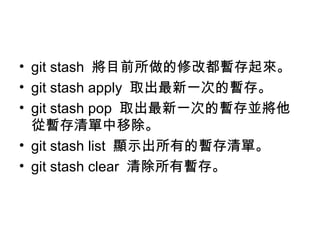
• git stash 將目前所做的修改都暫存起來。
• git stash apply 取出最新一次的暫存。
• git stash pop 取出最新一次的暫存並將他
從暫存清單中移除。
• git stash list 顯示出所有的暫存清單。
• git stash clear 清除所有暫存。
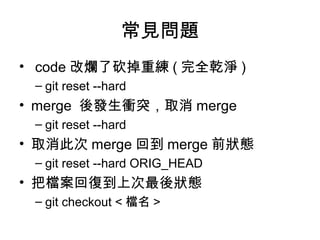
常見問題
• code 改爛了砍掉重練 ( 完全乾淨 )
– git reset --hard
• merge 後發生衝突,取消 merge
– git reset --hard
• 取消此次 merge 回到 merge 前狀態
– git reset --hard ORIG_HEAD
• 把檔案回復到上次最後狀態
– git checkout < 檔名 >
Merge --squash
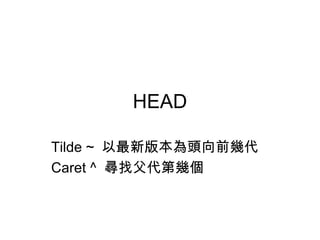
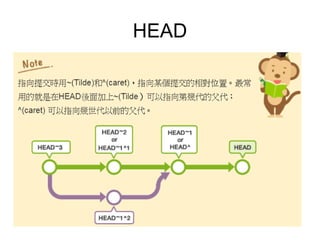
HEAD
Tilde ~ 以最新版本為頭向前幾代
Caret ^ 尋找父代第幾個
HEAD
Stage
把檔案加入待 commit 清單
stash
還沒送到 stage 的暫存異動檔案
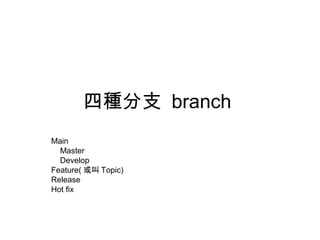
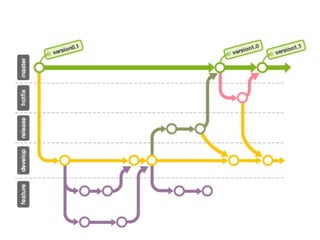
四種分支 branch
Main
Master
Develop
Feature( 或叫 Topic)
Release
Hot fix
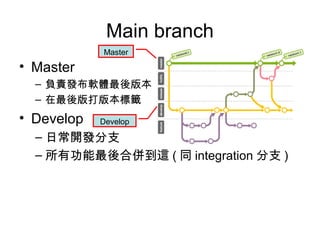
Main branch
• Master
– 負責發布軟體最後版本
– 在最後版打版本標籤
• Develop
– 日常開發分支
– 所有功能最後合併到這 ( 同 integration 分支 )
Master
Develop
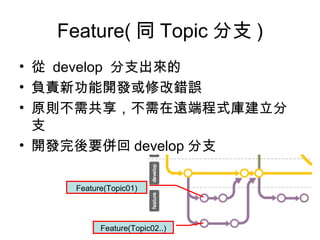
Feature( 同 Topic 分支 )
• 從 develop 分支出來的
• 負責新功能開發或修改錯誤
• 原則不需共享,不需在遠端程式庫建立分
支
• 開發完後要併回 develop 分支
Feature(Topic01)
Feature(Topic02..)
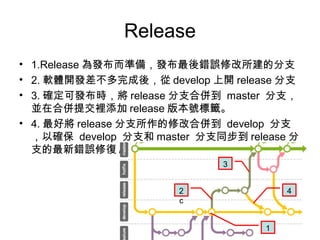
Release
• 1.Release 為發布而準備,發布最後錯誤修改所建的分支
• 2. 軟體開發差不多完成後,從 develop 上開 release 分支
• 3. 確定可發布時,將 release 分支合併到 master 分支,
並在合併提交裡添加 release 版本號標籤。
• 4. 最好將 release 分支所作的修改合併到 develop 分支
,以確保 develop 分支和 master 分支同步到 release 分
支的最新錯誤修復 / 變更。
2
c
3
4
1
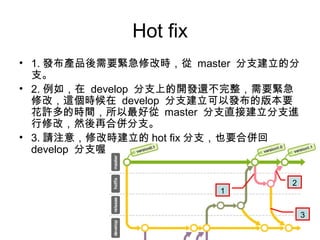
Hot fix
• 1. 發布產品後需要緊急修改時,從 master 分支建立的分
支。
• 2. 例如,在 develop 分支上的開發還不完整,需要緊急
修改,這個時候在 develop 分支建立可以發布的版本要
花許多的時間,所以最好從 master 分支直接建立分支進
行修改,然後再合併分支。
• 3. 請注意,修改時建立的 hot fix 分支,也要合併回
develop 分支喔。
1
2
3
git tag <tagname>
顯示包含標籤資料的歷史記錄
git log --decorate
• git tag -a <tagname>
• git tag -am “ 註解 " banana
• git tag -n
Git 語法速查
• usage: git [--version] [--help] [-C <path>] [-c name=value]
• [--exec-path[=<path>]] [--html-path] [--man-path] [--info-path]
• [-p | --paginate | --no-pager] [--no-replace-objects] [--bare]
• [--git-dir=<path>] [--work-tree=<path>] [--namespace=<name>]
• <command> [<args>]
• These are common Git commands used in various situations:
• start a working area (see also: git help tutorial)
• clone Clone a repository into a new directory
• init Create an empty Git repository or reinitialize an existing one
• work on the current change (see also: git help everyday)
• add Add file contents to the index
• mv Move or rename a file, a directory, or a symlink
• reset Reset current HEAD to the specified state
• rm Remove files from the working tree and from the index
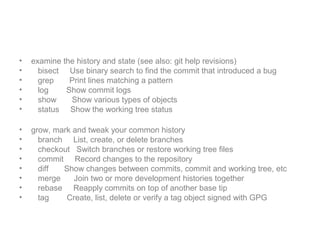
• examine the history and state (see also: git help revisions)
• bisect Use binary search to find the commit that introduced a bug
• grep Print lines matching a pattern
• log Show commit logs
• show Show various types of objects
• status Show the working tree status
• grow, mark and tweak your common history
• branch List, create, or delete branches
• checkout Switch branches or restore working tree files
• commit Record changes to the repository
• diff Show changes between commits, commit and working tree, etc
• merge Join two or more development histories together
• rebase Reapply commits on top of another base tip
• tag Create, list, delete or verify a tag object signed with GPG
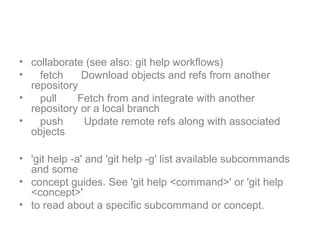
• collaborate (see also: git help workflows)
• fetch Download objects and refs from another
repository
• pull Fetch from and integrate with another
repository or a local branch
• push Update remote refs along with associated
objects
• 'git help -a' and 'git help -g' list available subcommands
and some
• concept guides. See 'git help <command>' or 'git help
<concept>'
• to read about a specific subcommand or concept.
問題
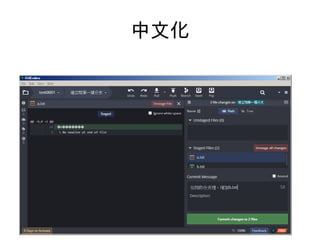
中文化
git 程式版本控軟體
學習筆記
奮鬥豬科技 黃禹翔
line id:0978643940
版權所有 請註名出處 歡迎分享 ~
在學習上有遇到問題,也歡迎隨時與我聊聊交流交流
奮鬥豬科技網址 https://goo.gl/H4s2EA

Git 超簡單學習懶人包(軟體程式版本控管系統)