Version Control with Git
           By Sean McGary


      http://seanmcgary.com/git
Agenda
Agenda

•   What is Version Control?

•   Types of Version Control

•   History of Git

•   Git Basics

•   Live Demo
Version Control
Version Control

•    What is Version Control?
    • A system that records changes to files over time.
    • Keeping track of changes allows you to.
     • Revert the file, files, or the entire project to a previous state.
     • Compare changes over time.
     • See who modified the source last
    • Allows for easy collaboration between between multiple people
Types of Version Control Systems

•    Local Version Control
    • Simple as copying files to another directory
    • Very prone to errors
    • Works by keeping patch sets (diffs)
    • RCS
Types of Version Control Systems

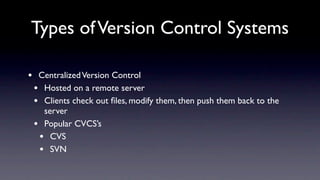
•    Centralized Version Control
    • Hosted on a remote server
    • Clients check out files, modify them, then push them back to the
      server
    • Popular CVCS’s
     • CVS
     • SVN
Types of Version Control Systems


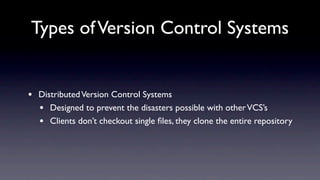
•   Distributed Version Control Systems
    • Designed to prevent the disasters possible with other VCS’s
    • Clients don’t checkout single files, they clone the entire repository
The History of Git
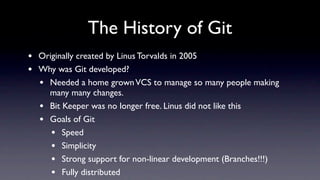
The History of Git
•   Originally created by Linus Torvalds in 2005
•   Why was Git developed?
    • Needed a home grown VCS to manage so many people making
      many many changes.
    • Bit Keeper was no longer free. Linus did not like this
    • Goals of Git
       • Speed
       • Simplicity
       • Strong support for non-linear development (Branches!!!)
       • Fully distributed
Git Basics
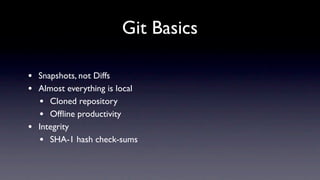
Git Basics

•   Snapshots, not Diffs
•   Almost everything is local
    • Cloned repository
    • Offline productivity
•   Integrity
    • SHA-1 hash check-sums
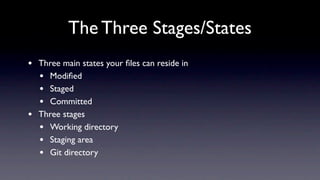
The Three Stages/States
•   Three main states your files can reside in
    • Modified
    • Staged
    • Committed
•   Three stages
    • Working directory
    • Staging area
    • Git directory
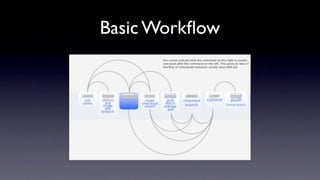
Basic Workflow
Basic Workflow

Git

  • 1.
    Version Control withGit By Sean McGary http://seanmcgary.com/git
  • 2.
  • 3.
    Agenda • What is Version Control? • Types of Version Control • History of Git • Git Basics • Live Demo
  • 4.
  • 5.
    Version Control • What is Version Control? • A system that records changes to files over time. • Keeping track of changes allows you to. • Revert the file, files, or the entire project to a previous state. • Compare changes over time. • See who modified the source last • Allows for easy collaboration between between multiple people
  • 6.
    Types of VersionControl Systems
  • 7.
    Types of VersionControl Systems • Local Version Control • Simple as copying files to another directory • Very prone to errors • Works by keeping patch sets (diffs) • RCS
  • 8.
    Types of VersionControl Systems
  • 9.
    Types of VersionControl Systems • Centralized Version Control • Hosted on a remote server • Clients check out files, modify them, then push them back to the server • Popular CVCS’s • CVS • SVN
  • 10.
    Types of VersionControl Systems
  • 11.
    Types of VersionControl Systems • Distributed Version Control Systems • Designed to prevent the disasters possible with other VCS’s • Clients don’t checkout single files, they clone the entire repository
  • 12.
  • 13.
    The History ofGit • Originally created by Linus Torvalds in 2005 • Why was Git developed? • Needed a home grown VCS to manage so many people making many many changes. • Bit Keeper was no longer free. Linus did not like this • Goals of Git • Speed • Simplicity • Strong support for non-linear development (Branches!!!) • Fully distributed
  • 14.
  • 15.
    Git Basics • Snapshots, not Diffs • Almost everything is local • Cloned repository • Offline productivity • Integrity • SHA-1 hash check-sums
  • 16.
  • 17.
    The Three Stages/States • Three main states your files can reside in • Modified • Staged • Committed • Three stages • Working directory • Staging area • Git directory
  • 18.
  • 19.

Editor's Notes