Implementing and Managing Group and Computer Accounts Chapter 4
Objectives Understand the purpose of using group accounts to simplify administration Create group objects using both graphical and command-line tools Manage security groups and distribution groups Explain the purpose of the built-in groups created when Active Directory is installed Create and manage computer accounts
Introduction to Group Accounts A  group  is a container object Used to organize collections of users, computers, contacts, other groups Used to simplify administration Similar to Organizational Units except OUs are not security principals, groups are OUs can only contain objects from their parent domain, groups can contain objects from within forest
Group Types Security groups Defined by Security Identifier (SID) Can be assigned permissions for resources In discretionary access control lists (DACLs) Can be assigned rights to perform different   tasks Can also be used as e-mail entities Distribution groups Primarily used as e-mail entities Do not have associated SID
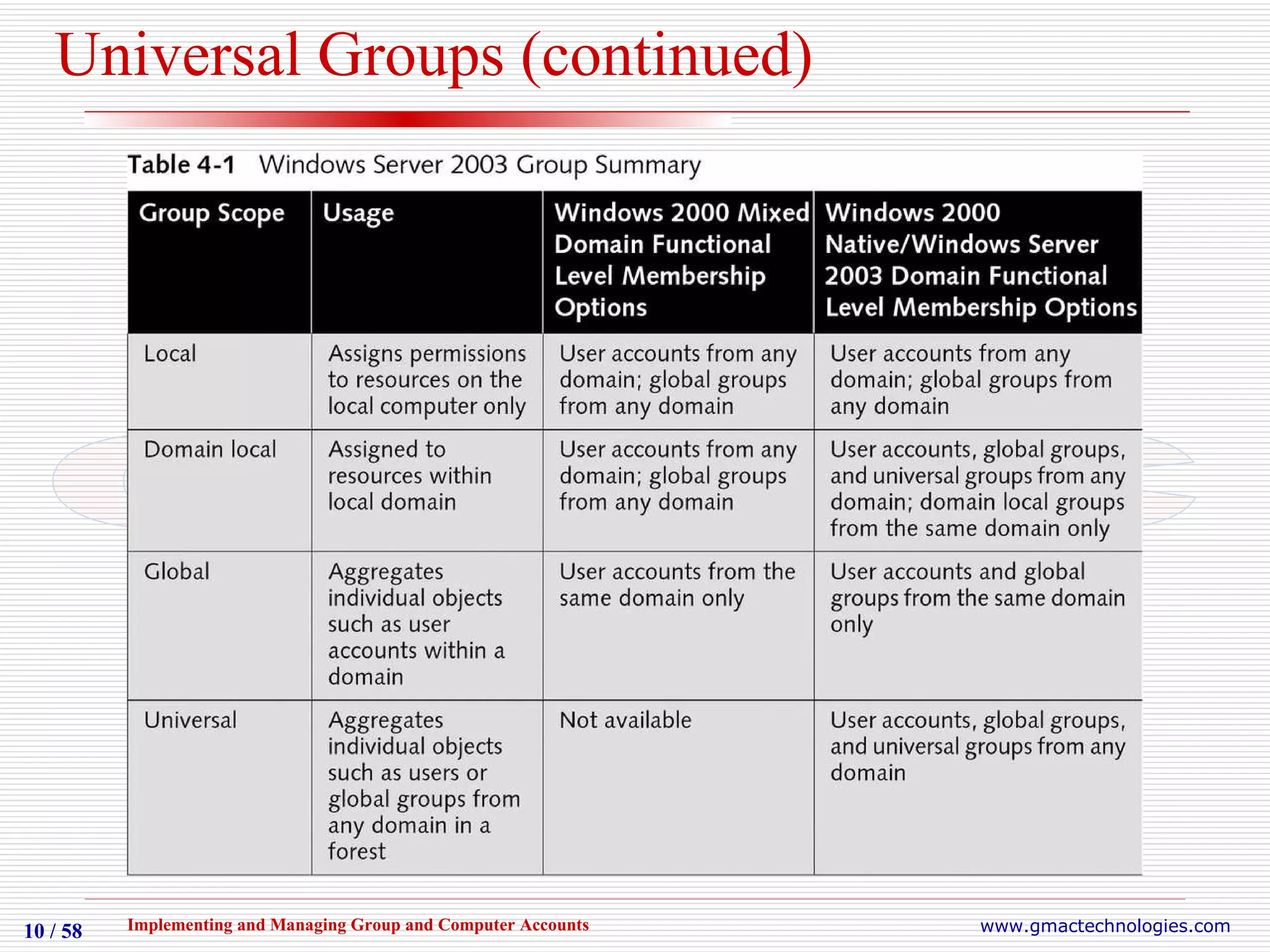
Group Scopes Scope refers to logical boundary of permissions to specific resources Both Security and Distribution Groups have scopes Three scopes  Objects possible within each scope dependent on configured functional level of a domain Scope types are global, domain local, and universal
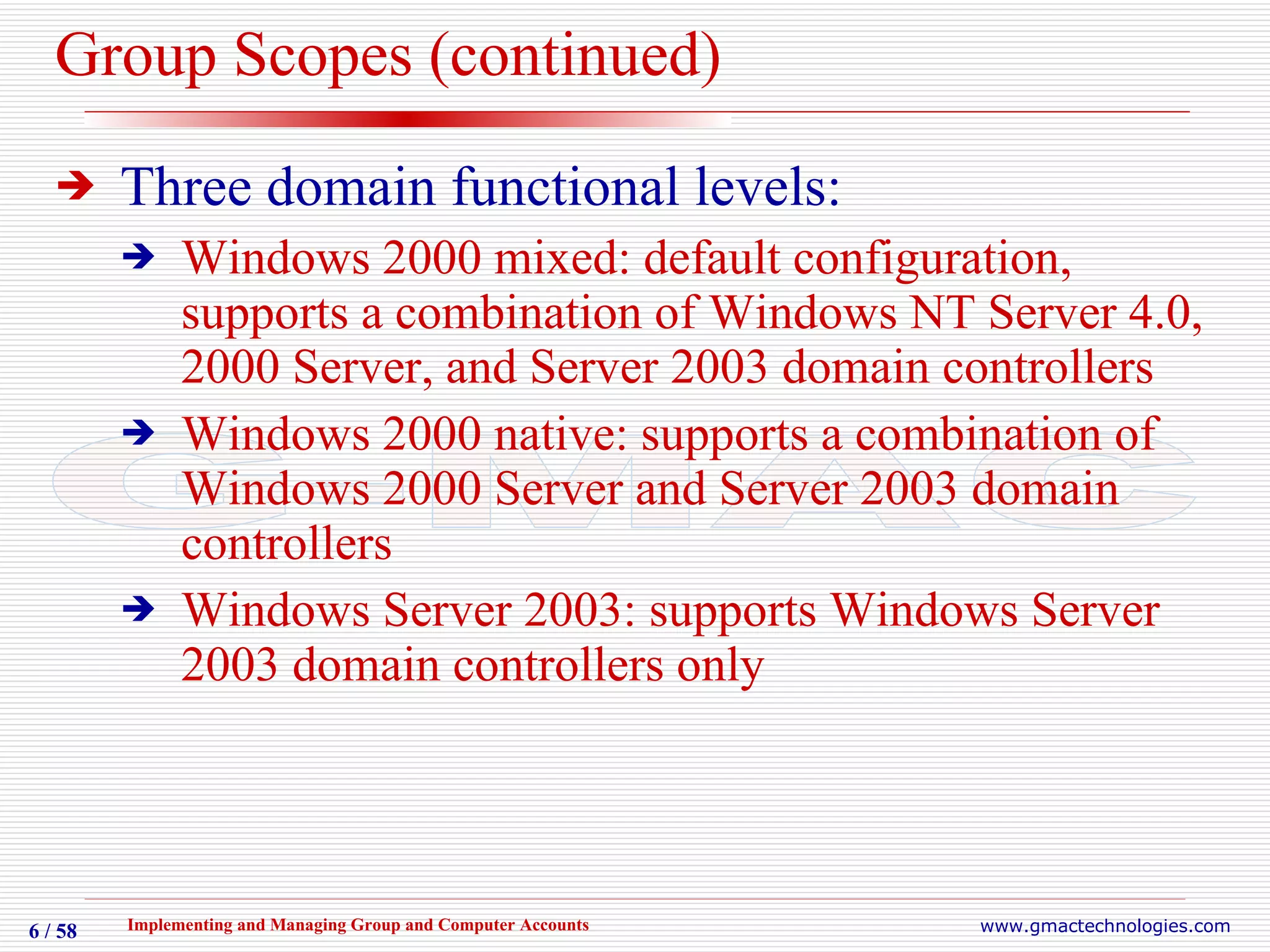
Group Scopes (continued) Three domain functional levels: Windows 2000 mixed: default configuration, supports a combination of Windows NT Server 4.0, 2000 Server, and Server 2003 domain controllers Windows 2000 native: supports a combination of Windows 2000 Server and Server 2003 domain controllers Windows Server 2003: supports Windows Server 2003 domain controllers only
Global Groups Organize groups of users, computers, groups within the same domain Usually represents a geographic location or job function group Types of objects in group related to configured functional level of the domain  Depends on the types of domain controllers in environment
Domain Local Groups Created on domain controllers Can be assigned rights and permissions to any resource within the same domain Can contain groups from other domains Specific objects allowed in group related to configured functional level of the domain
Universal Groups Typically created to aggregate users or groups in different domains Stored on domain controllers configured as global catalog servers Can be assigned rights and permissions for any resource within a forest Can only be created at the Windows 2000 native or Windows Server 2003 domain functional level
Universal Groups (continued)
Creating Group Objects Group objects are stored in Active Directory database  Variety of tools can be used for creation and management Active Directory Users and Computers Command-line utilities DSADD, DSMOD, DSQUERY, etc.
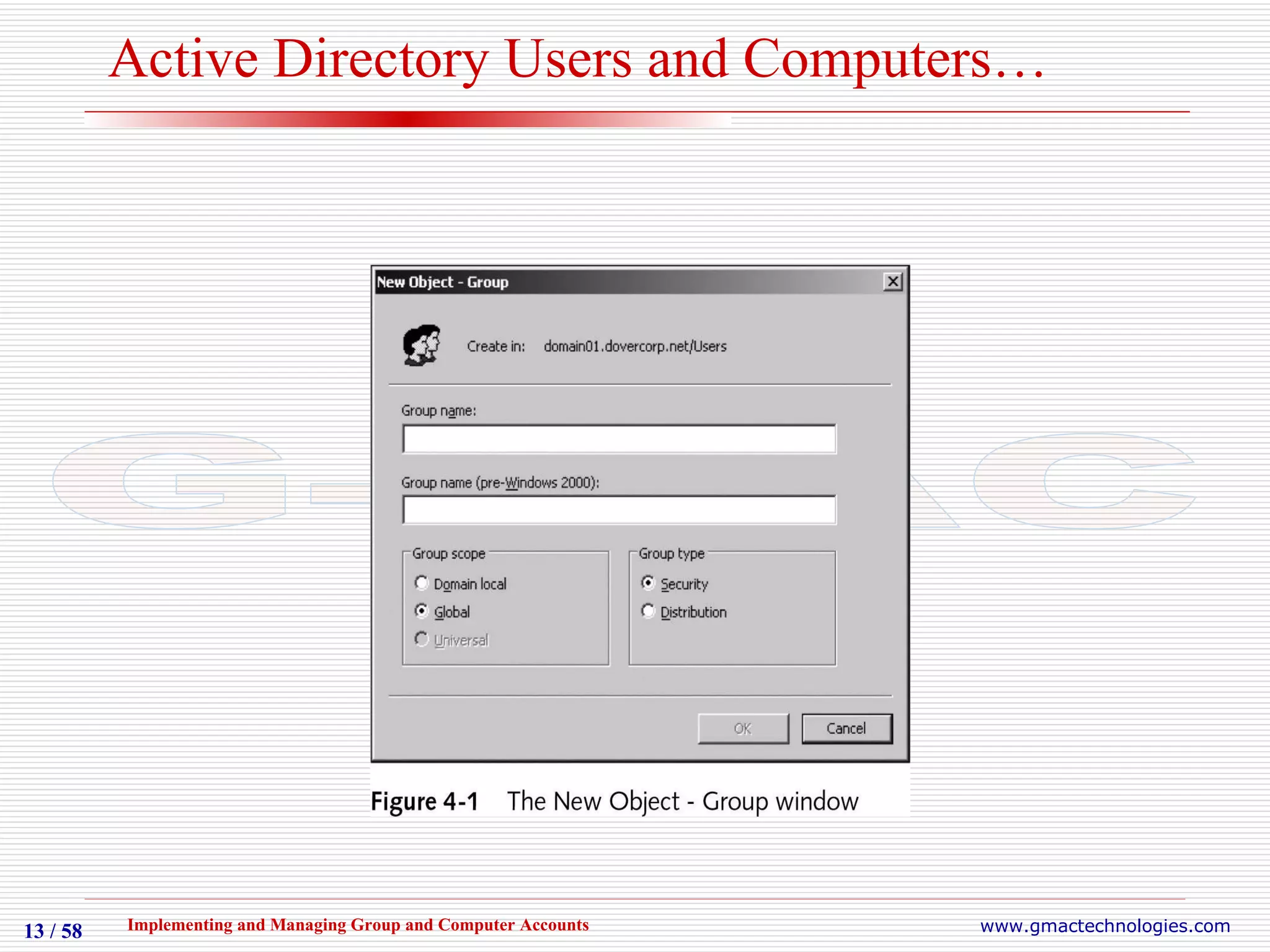
Active Directory Users and Computers Primary tool To create group accounts Can also be used to configure properties of group accounts Groups can be created in any built-in containers, at root of the domain object, or in custom OU objects Possible group scopes determined by the functional level the domain is configured to
Active Directory Users and Computers…
Activity 4-1 Creating and Adding Members to Global Groups
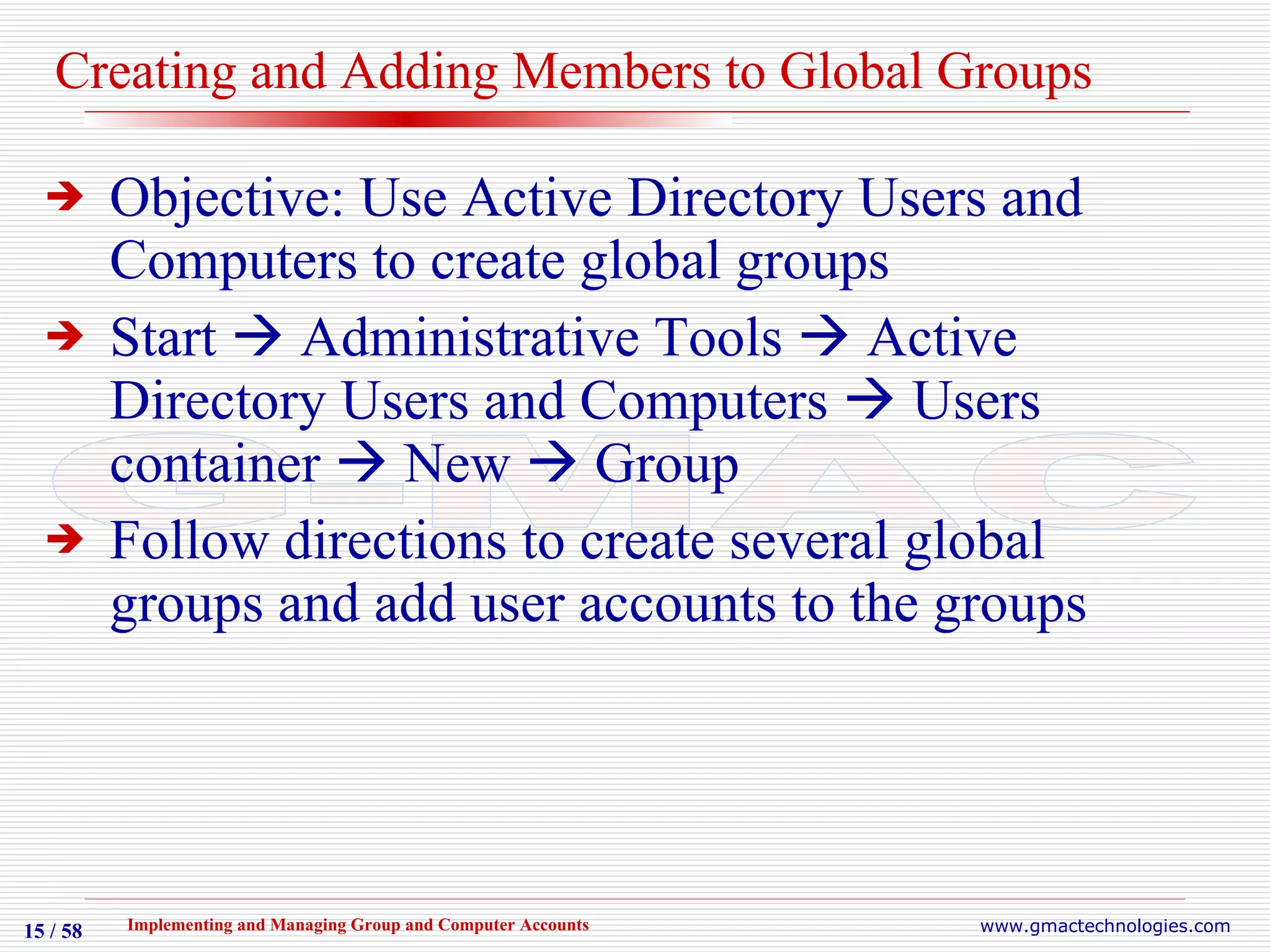
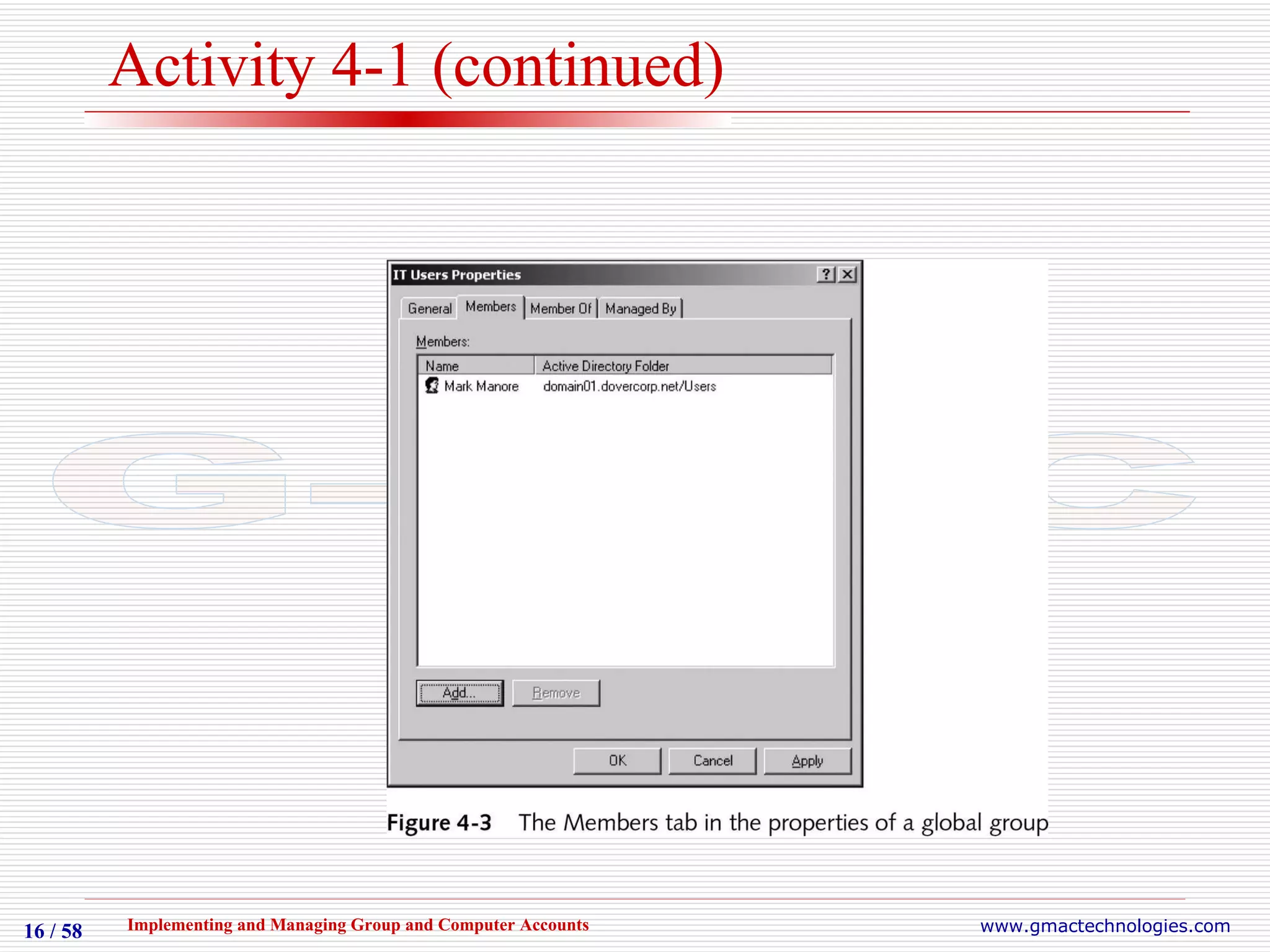
Creating and Adding Members to Global Groups Objective: Use Active Directory Users and Computers to create global groups  Start    Administrative Tools    Active Directory Users and Computers    Users container    New    Group Follow directions to create several global groups and add user accounts to the groups
Activity 4-1 (continued)
Activity 4-2 Creating and Adding Members to Domain Local Groups
Creating and Adding Members to Domain Local Groups Objective: Use Active Directory Users and Computers to create domain local groups Active Directory    Users    New    Group Follow directions to create new Domain Local groups and add global groups to them
Activity 4-3 Changing the Functional Level of a Domain and Creating and Adding Members to Universal Groups
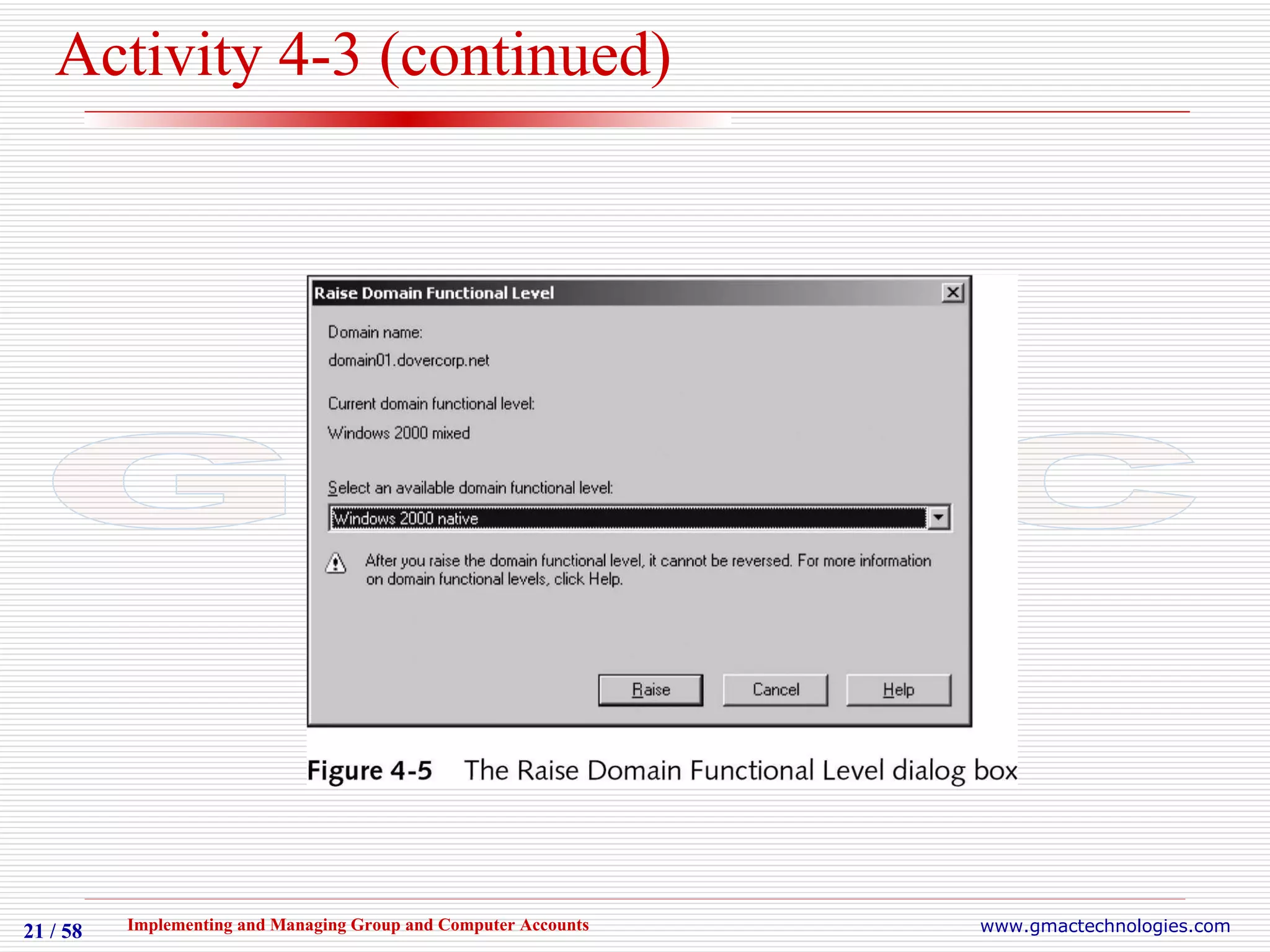
Changing the Functional Level of a Domain and Creating and Adding Members to Universal Groups Objective: Change the functional level of a domain to Windows Server 2003 and use Active Directory Users and Computers to create universal groups Open your domain object in Active Directory Users and Computers
Activity 4-3 (continued)
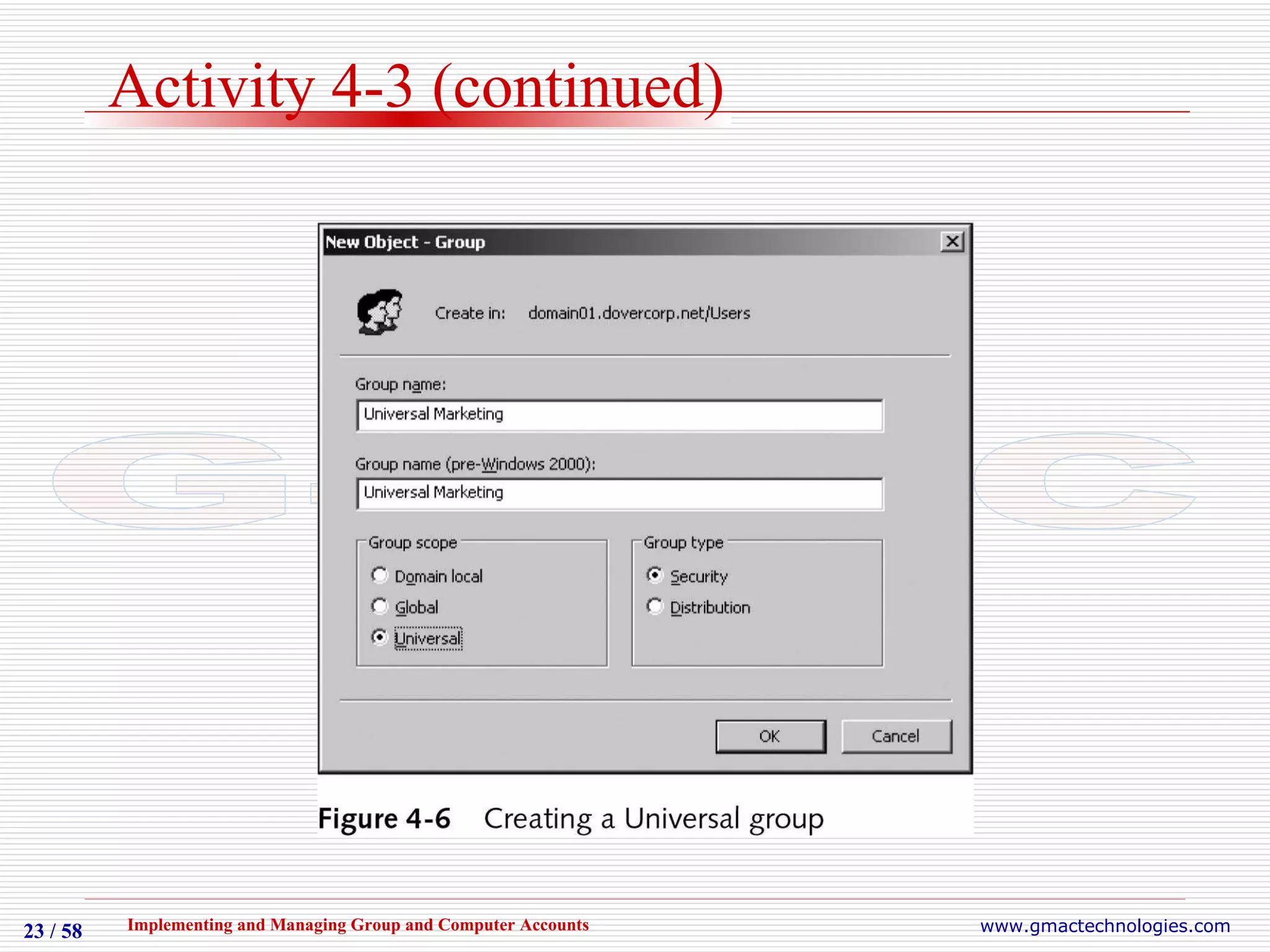
Activity 4-3 (continued) Follow directions to raise the functional level of your domain to Windows Server 2003 Continue the exercise to create a new universal group Continue the exercise to add existing groups to the new group
Activity 4-3 (continued)
Converting Group Types May need to change a security group to a distribution group or vice versa Type of group can only be changed if domain functional level is Windows 2000 native or above
Activity 4-4 Converting Group Types
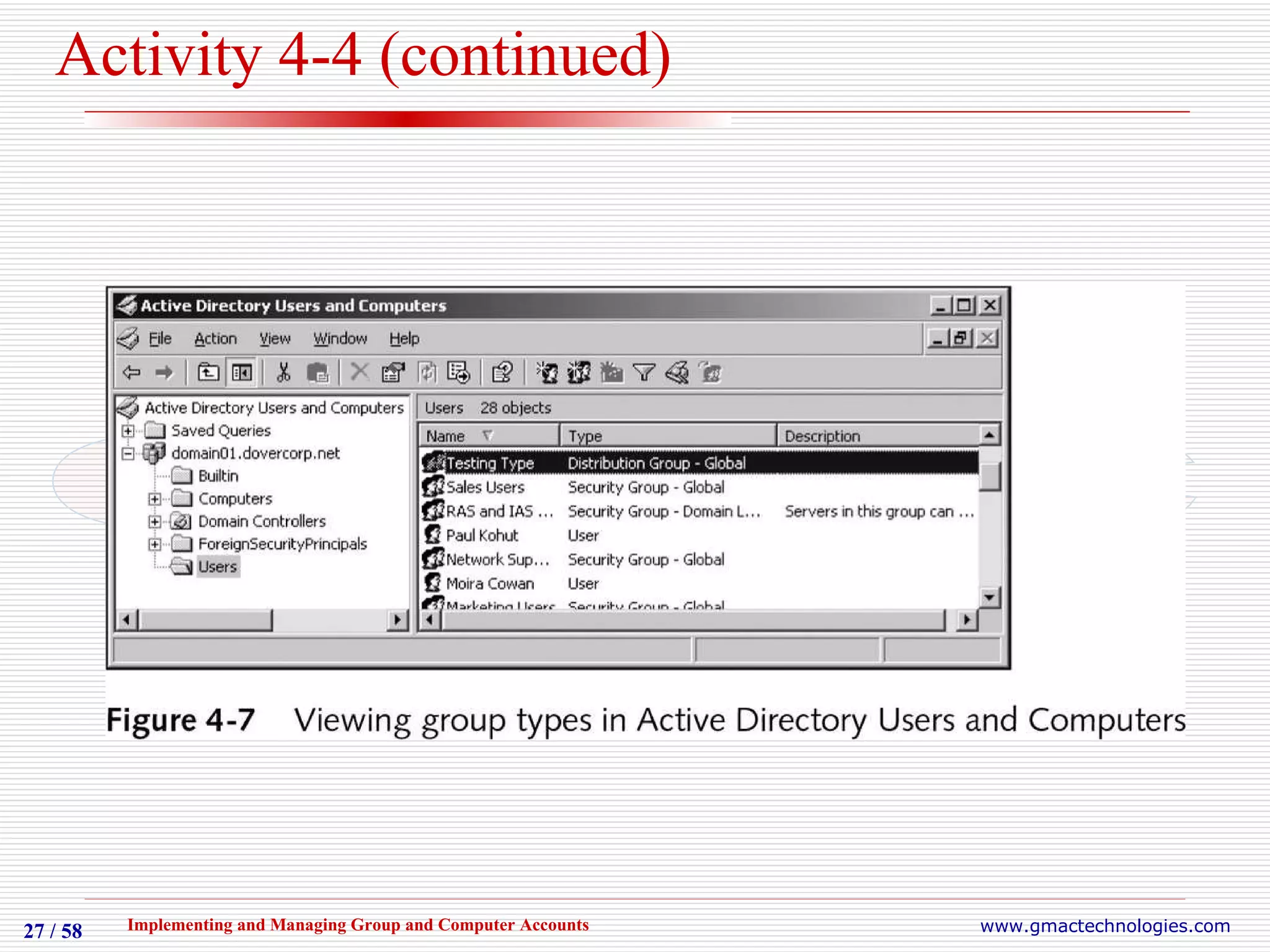
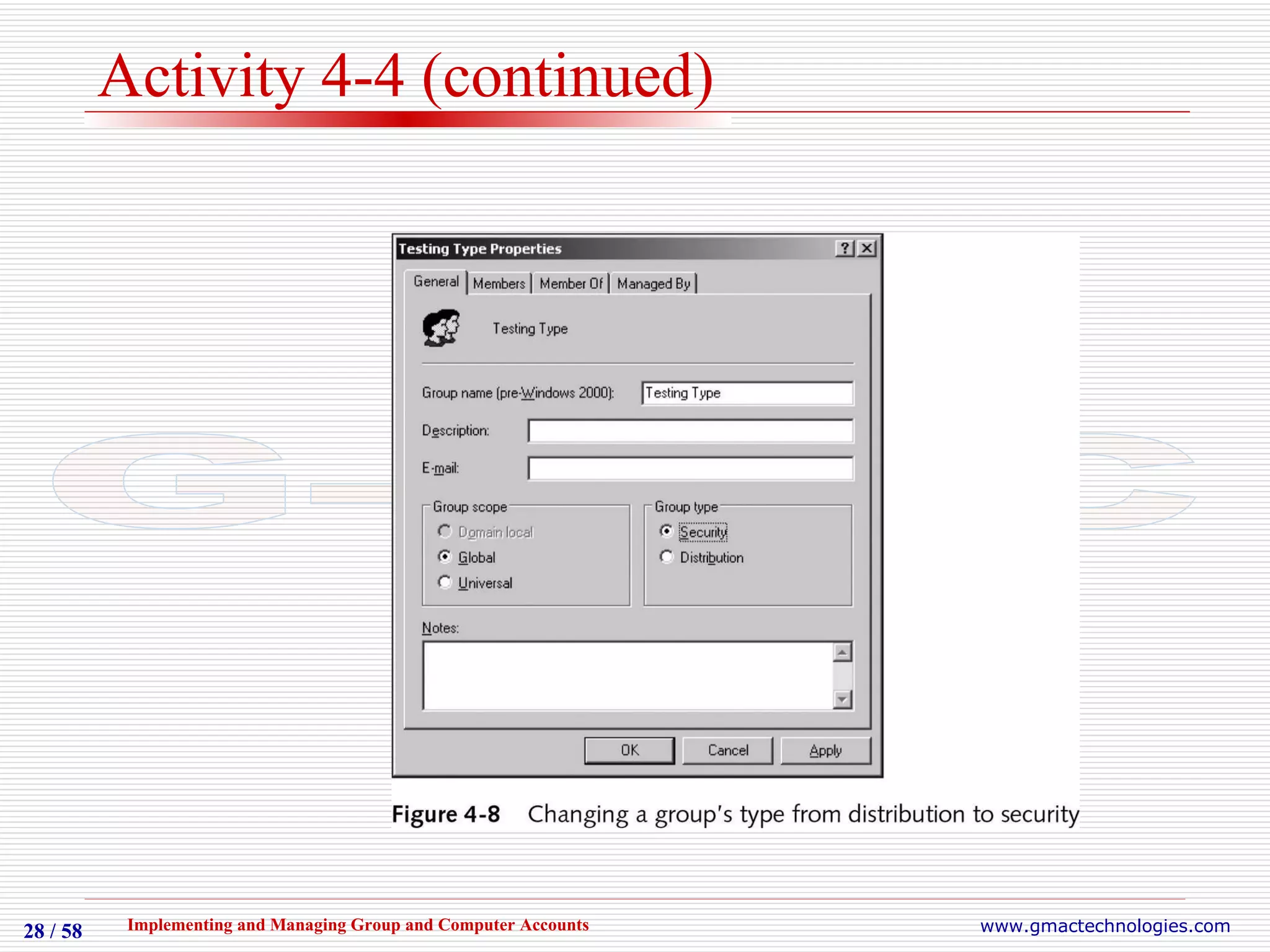
Converting Group Types Objective: Use Active Directory Users and Computers to change group types Follow directions to create a new global group with distribution type Verify type of new group Continue exercise to change type to security and to verify the change
Activity 4-4 (continued)
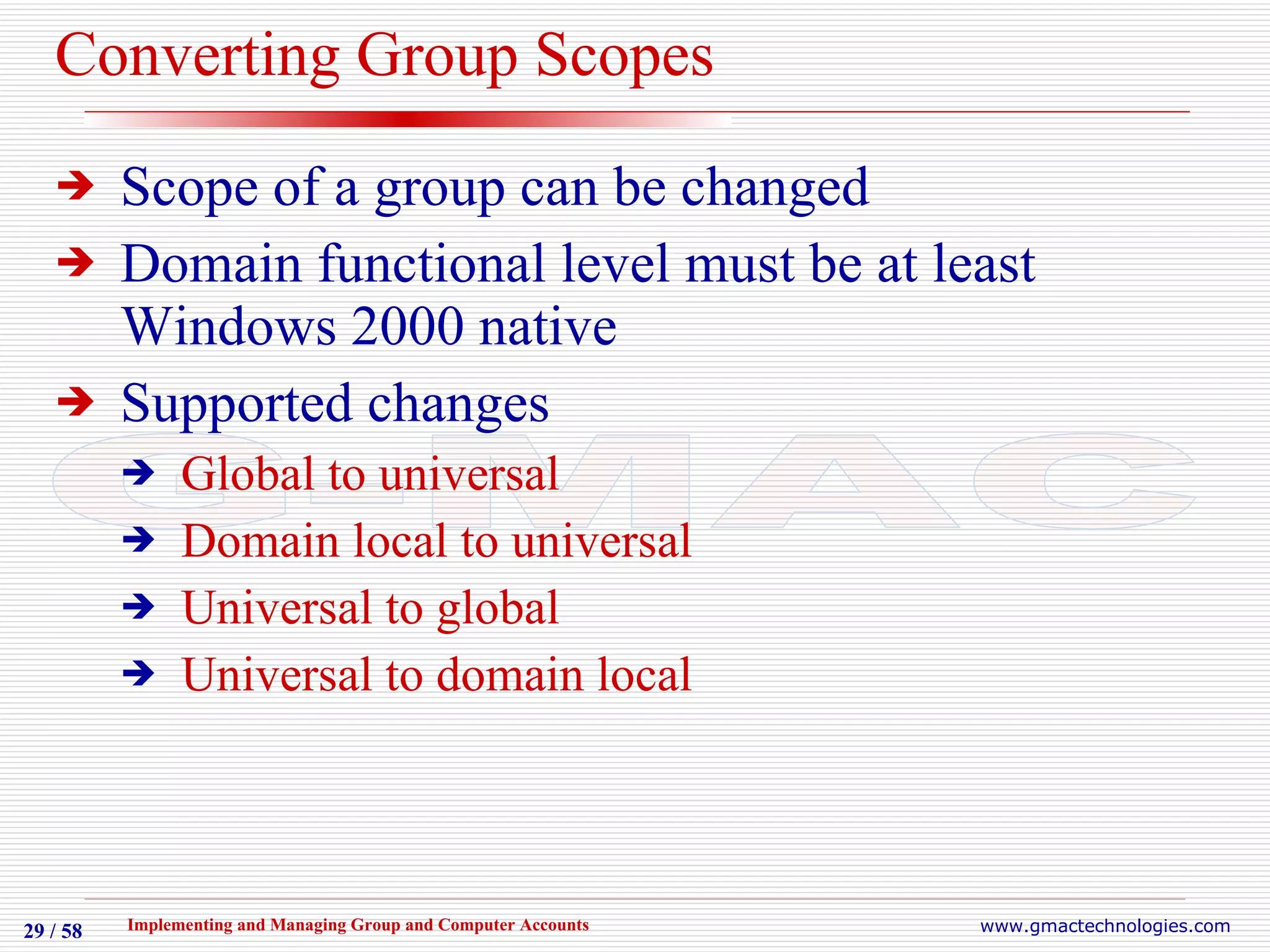
Converting Group Scopes Scope of a group can be changed Domain functional level must be at least Windows 2000 native Supported changes Global to universal Domain local to universal Universal to global Universal to domain local
Activity 4-5 Converting Group Scopes
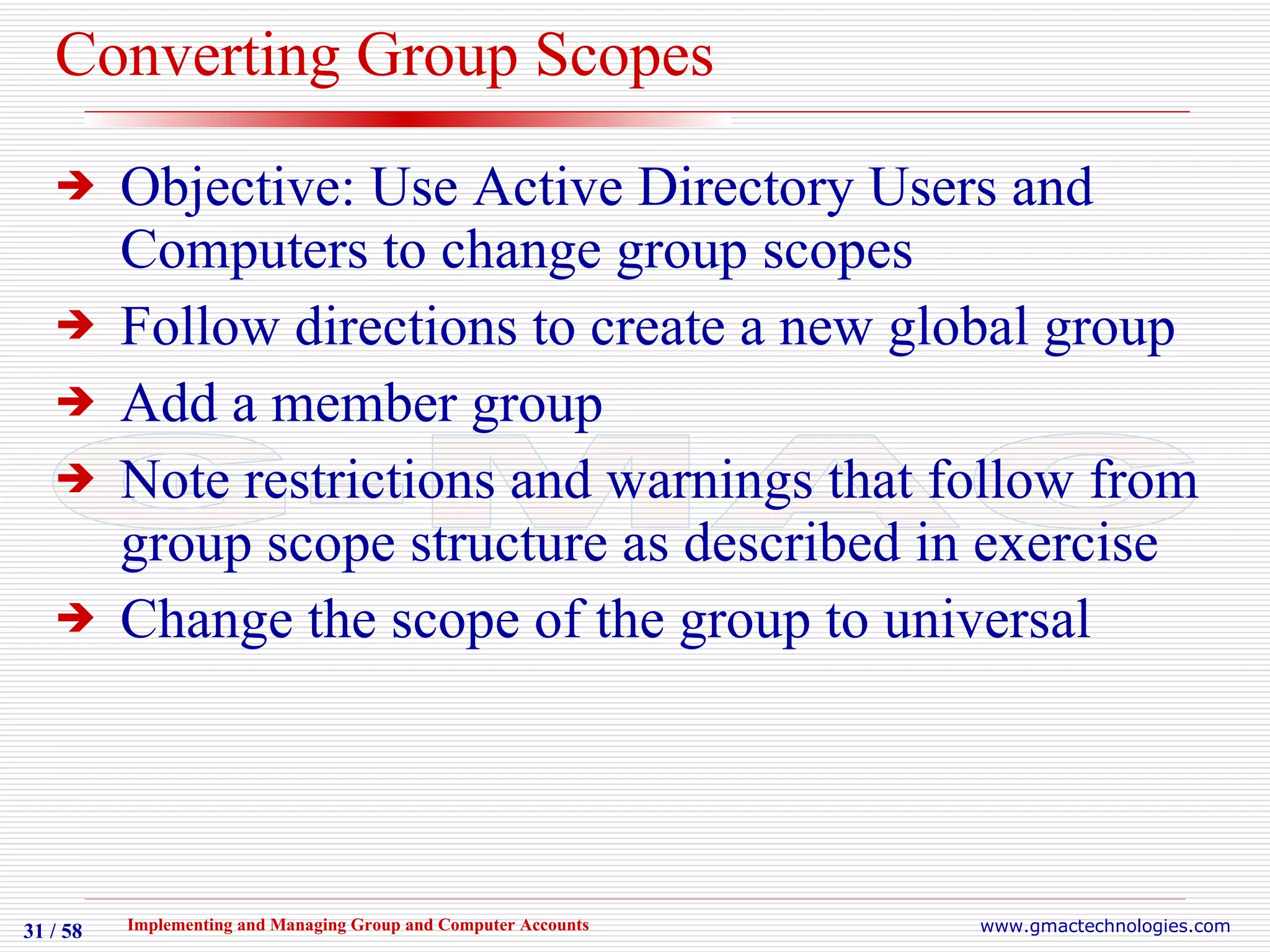
Converting Group Scopes Objective: Use Active Directory Users and Computers to change group scopes Follow directions to create a new global group Add a member group Note restrictions and warnings that follow from group scope structure as described in exercise Change the scope of the group to universal
Command Line Utilities An alternative to Active Directory Users and Computers Some administrators have a preference for command-line utilities Command-line utilities are more flexible for group management and creation in some situations
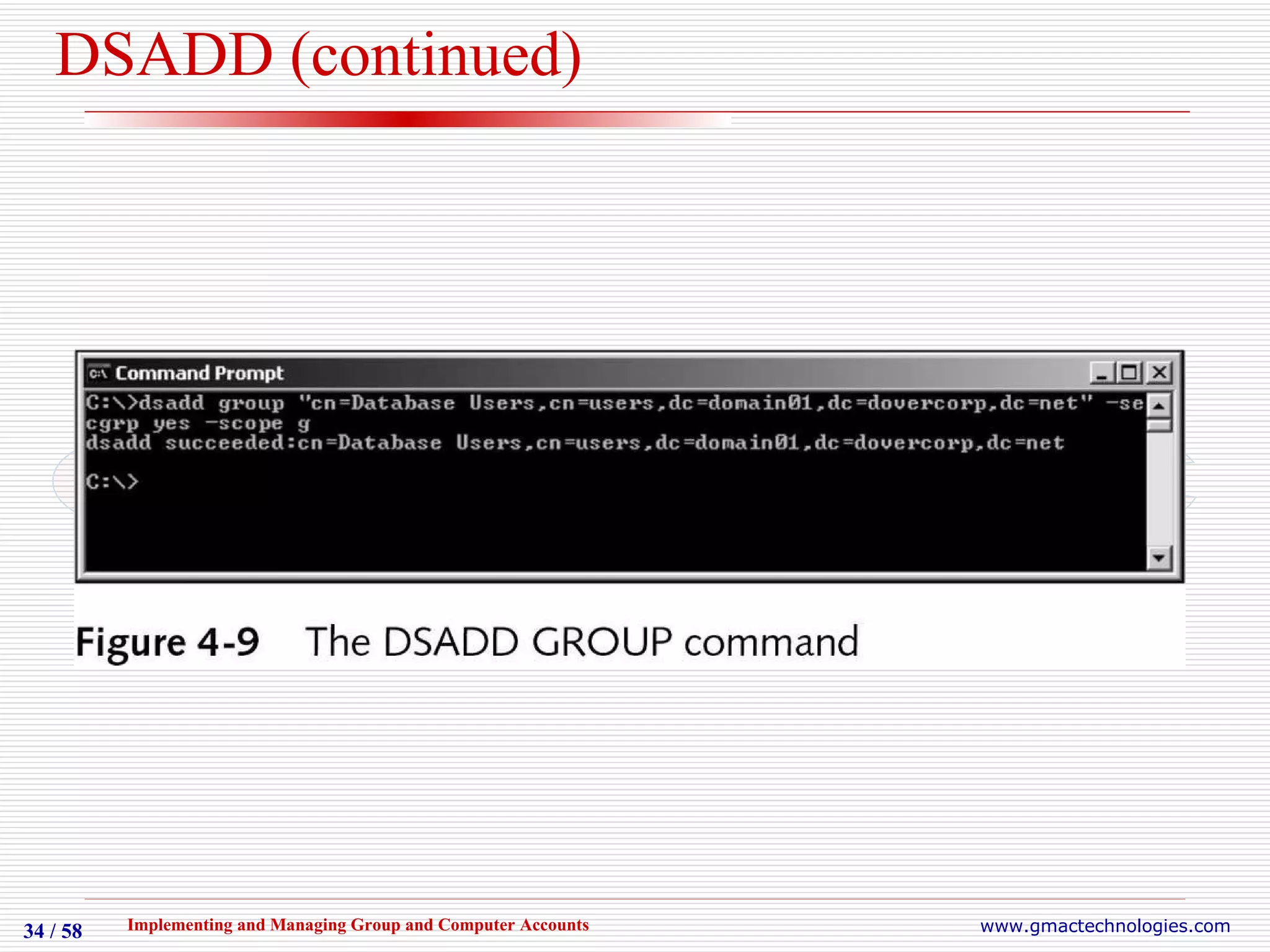
DSADD Introduced in Windows Server 2003 Used to create new user and group accounts Syntax is  dsadd group  distinguished-name switches Switches include: -secgrp, -scope, -memberof,    -members More help is available for switches and options at Windows Server 2003 Help and Support Center or at command-line
DSADD (continued)
Activity 4-6 Creating Groups Using DSADD
Creating Groups Using DSADD Objective: Use the DSADD GROUP command to add groups of different types and scopes Follow directions to execute dsadd group command to create a new global group Verify group creation with Active Directory Users and Computers Create a domain local group with members using dsadd group and verify that group was properly created
DSMOD Also introduced in Windows Server 2003 Allows various object types to be modified from the command line Syntax is dsmod group  distinguished-name switches Switches include: -desc, -rmmbr, -addmbr More help is available for switches and options at Windows Server 2003 Help and Support Center or command-line
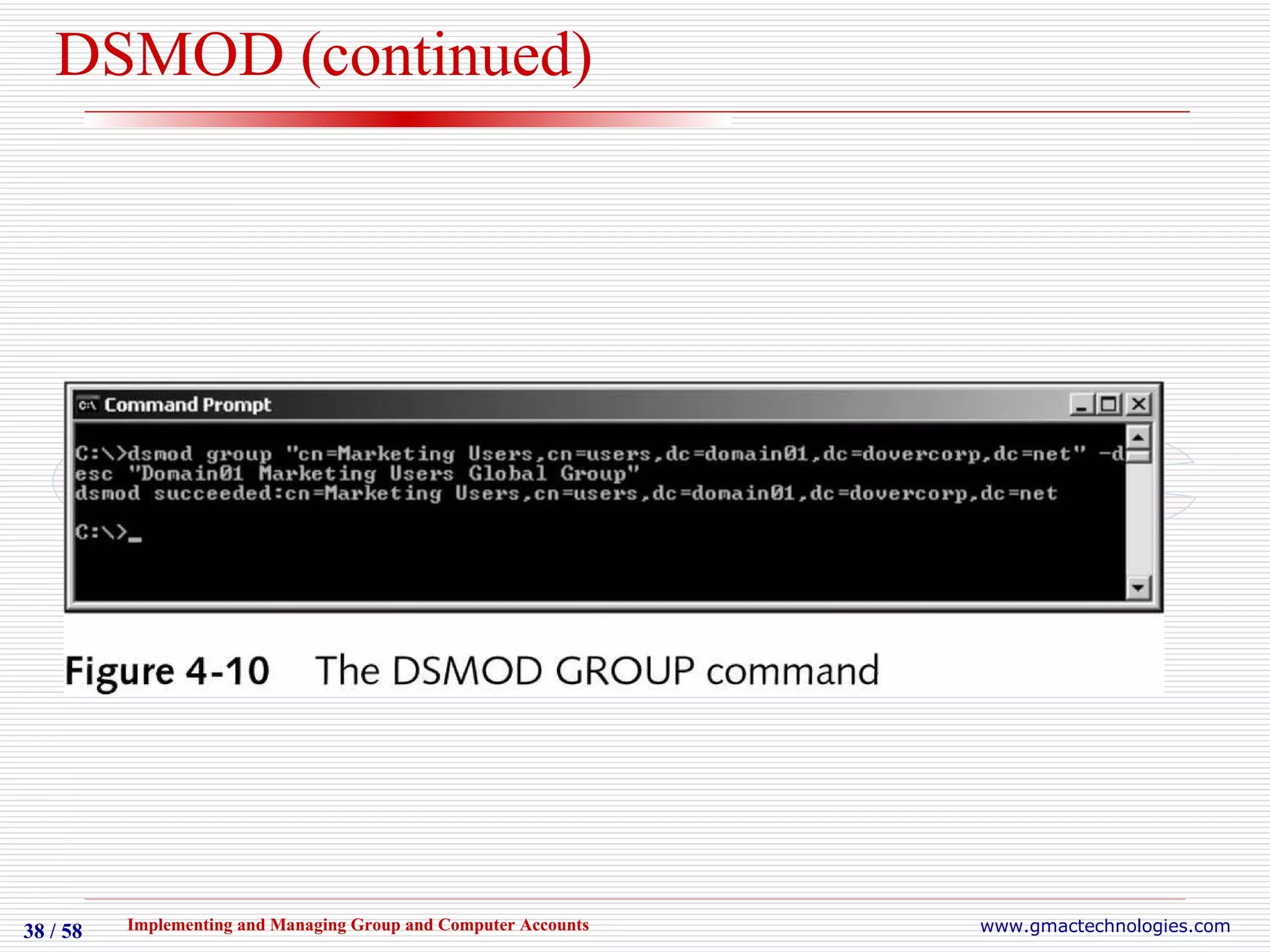
DSMOD (continued)
Activity 4-7 Modifying Groups Using DSMOD
Modifying Groups Using DSMOD Objective: Use the DSMOD GROUP command to modify group accounts Follow directions to execute dsmod group command to add a description to an existing group Verify modification with Active Directory Users and Computers Modify group by adding and removing members and verify changes
DSQUERY Also introduced in Windows Server 2003 Used to query various object types from the command line, returns values Syntax for groups is   dsquery group  query Supports wildcard character (*) Output can be piped as input to other command-line tools More help is available for switches and options at Windows Server 2003 Help and Support Center or command-line
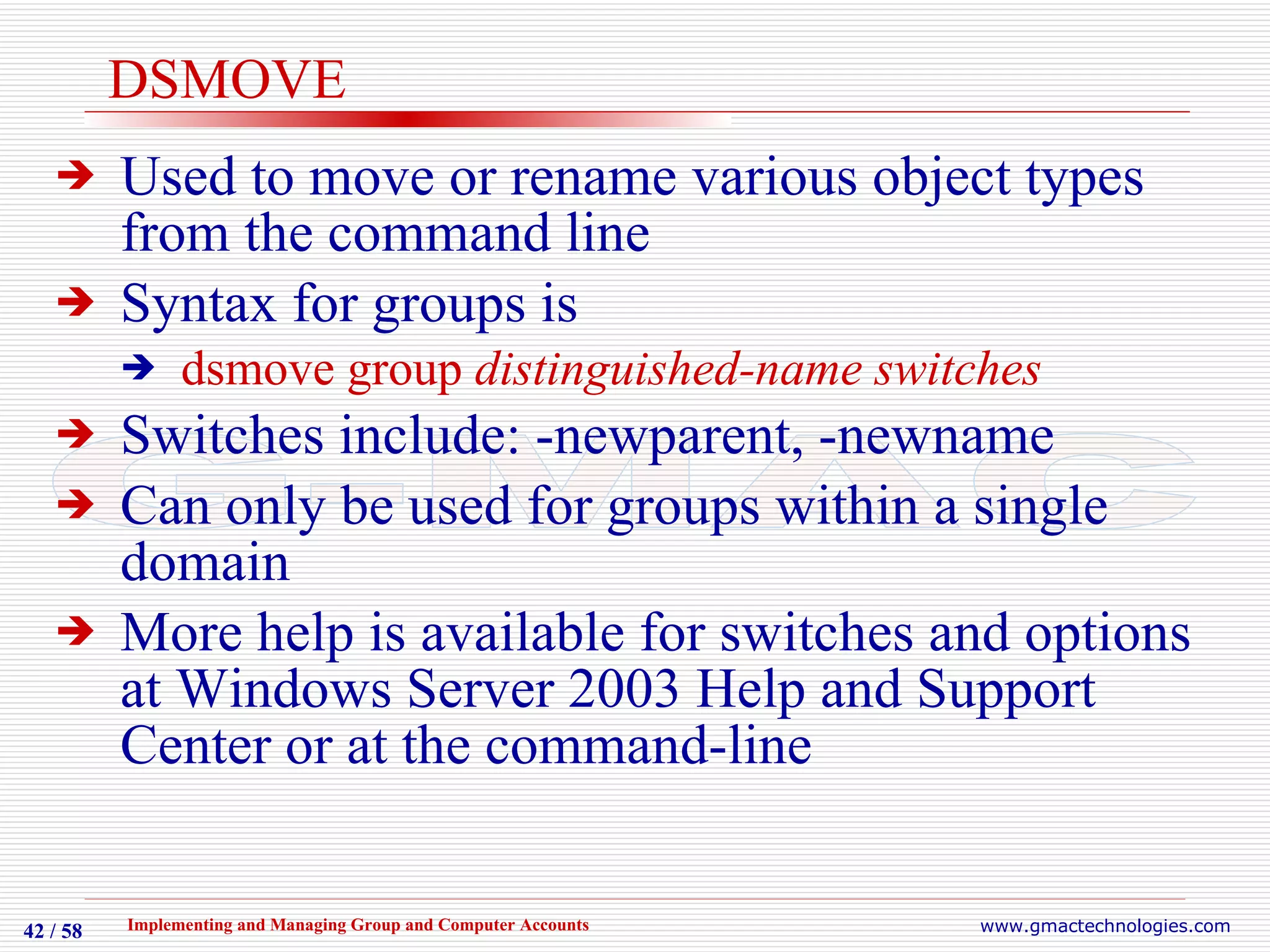
DSMOVE Used to move or rename various object types from the command line Syntax for groups is  dsmove group  distinguished-name switches Switches include: -newparent, -newname Can only be used for groups within a single domain More help is available for switches and options at Windows Server 2003 Help and Support Center or at the command-line
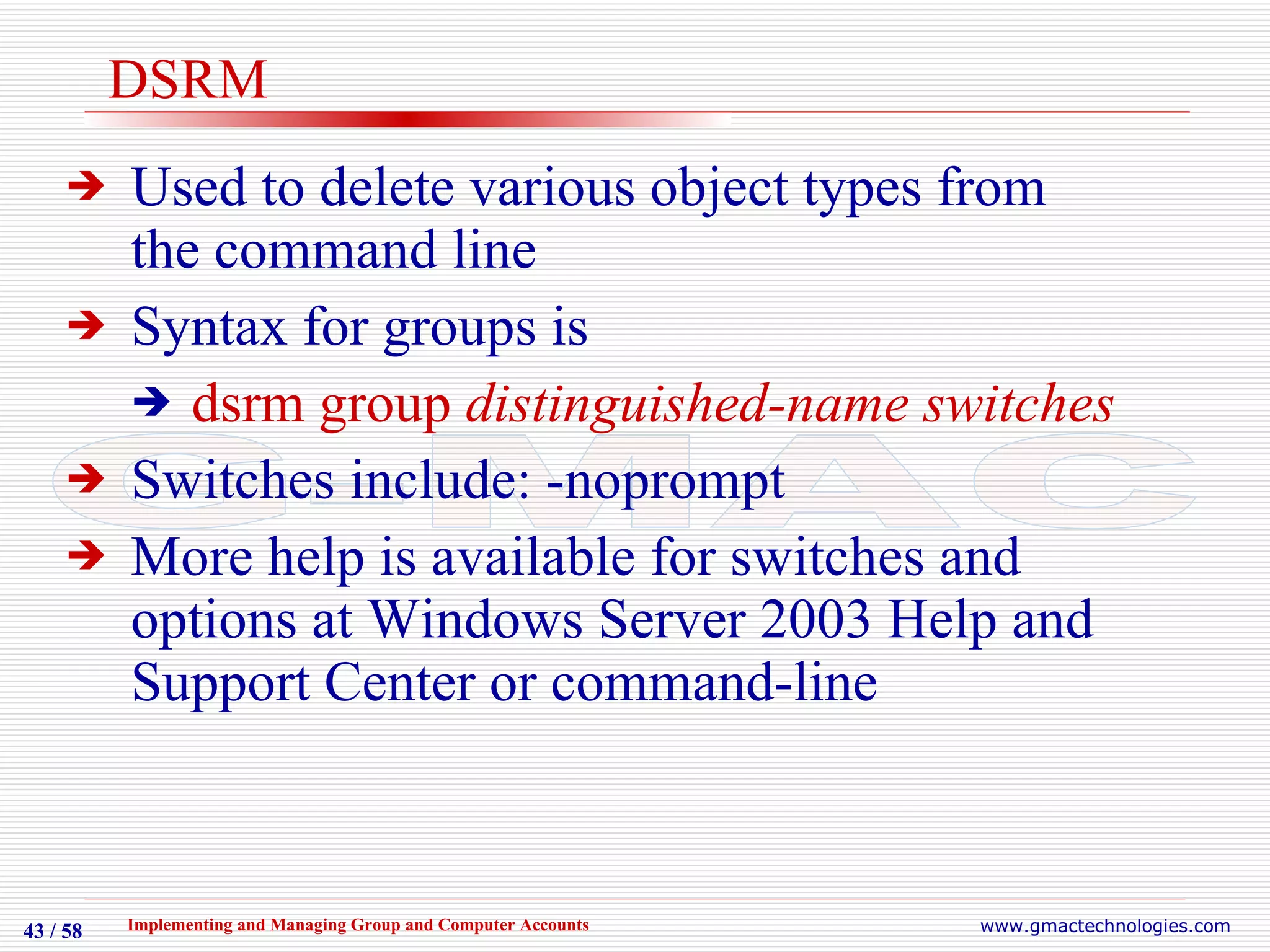
DSRM Used to delete various object types from the command line Syntax for groups is  dsrm group  distinguished-name switches Switches include: -noprompt More help is available for switches and options at Windows Server 2003 Help and Support Center or command-line
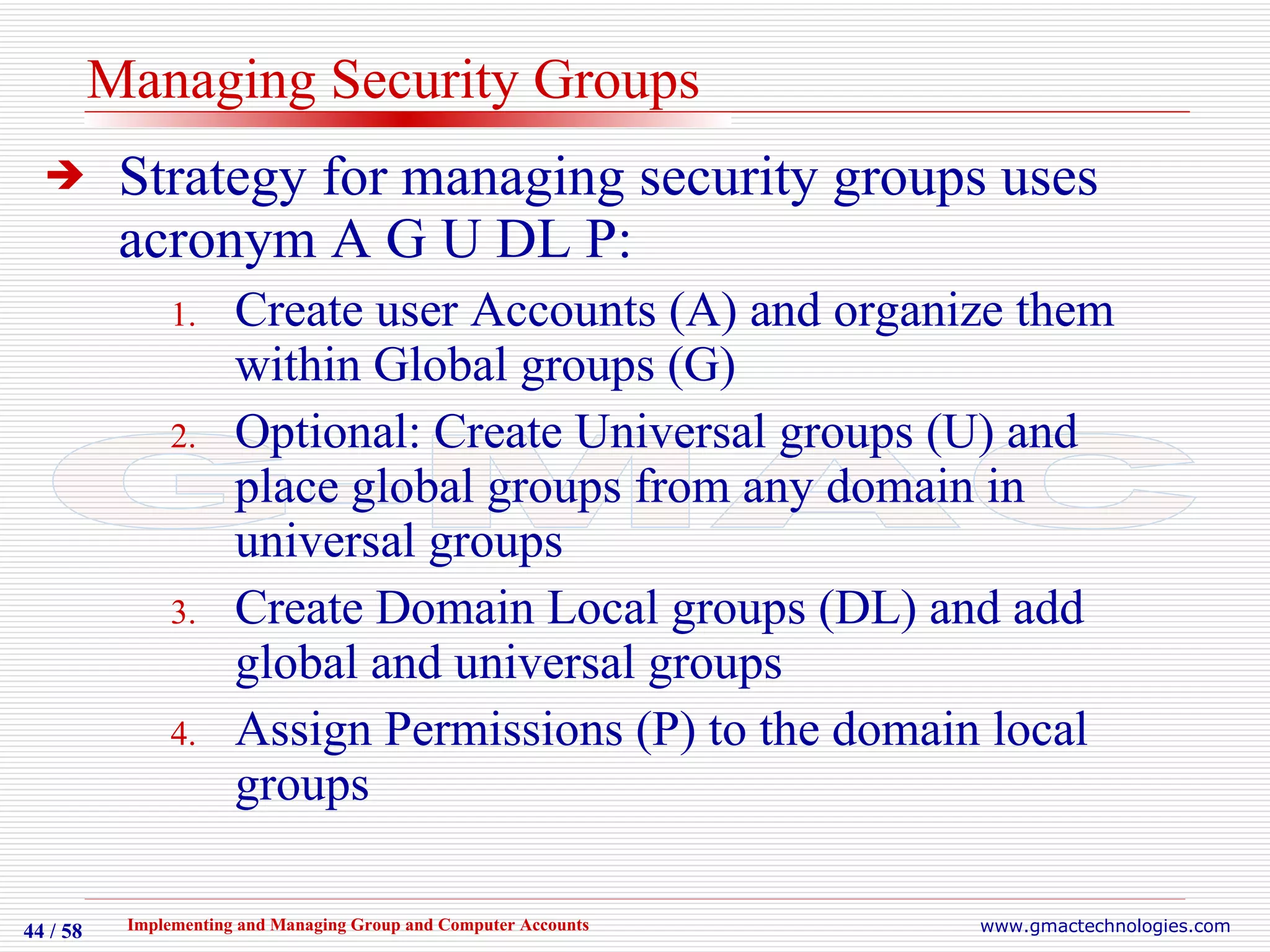
Managing Security Groups Strategy for managing security groups uses acronym A G U DL P: Create user Accounts (A) and organize them within Global groups (G) Optional: Create Universal groups (U) and place global groups from any domain in universal groups Create Domain Local groups (DL) and add global and universal groups Assign Permissions (P) to the domain local groups
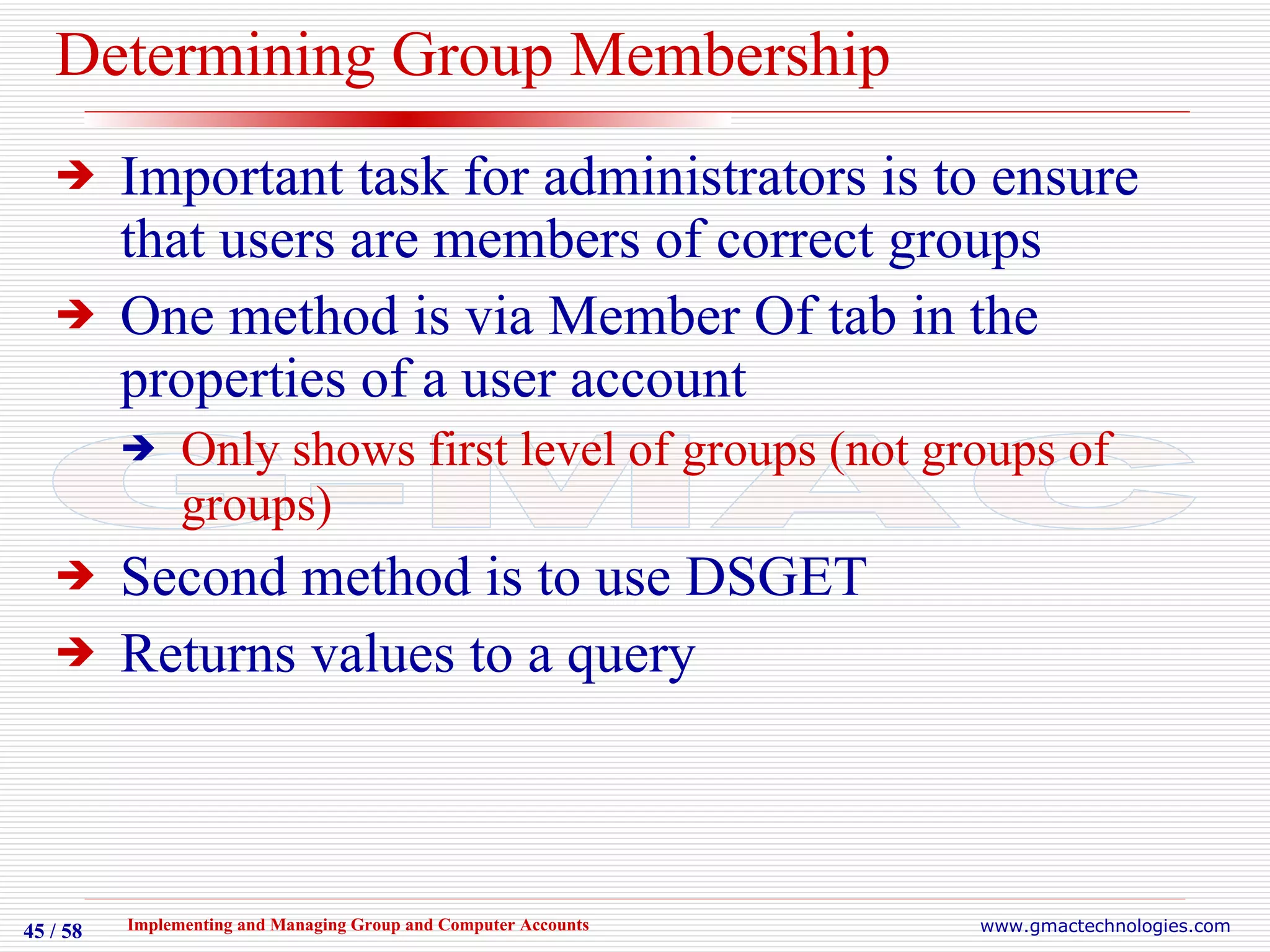
Determining Group Membership Important task for administrators is to ensure that users are members of correct groups One method is via Member Of tab in the properties of a user account Only shows first level of groups (not groups of groups) Second method is to use DSGET Returns values to a query
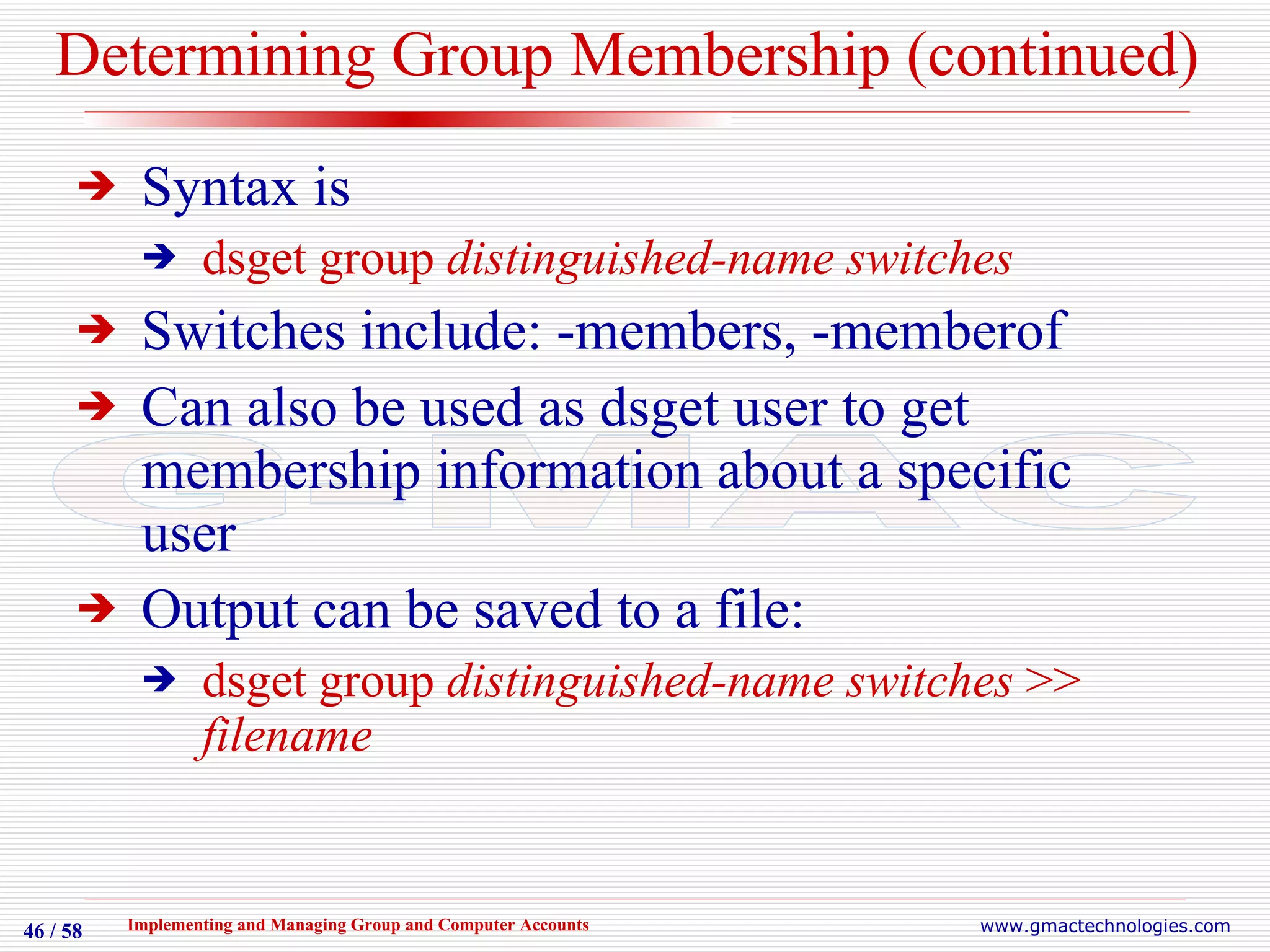
Determining Group Membership (continued) Syntax is dsget group  distinguished-name switches Switches include: -members, -memberof Can also be used as dsget user to get membership information about a specific user  Output can be saved to a file: dsget group  distinguished-name switches  >>  filename
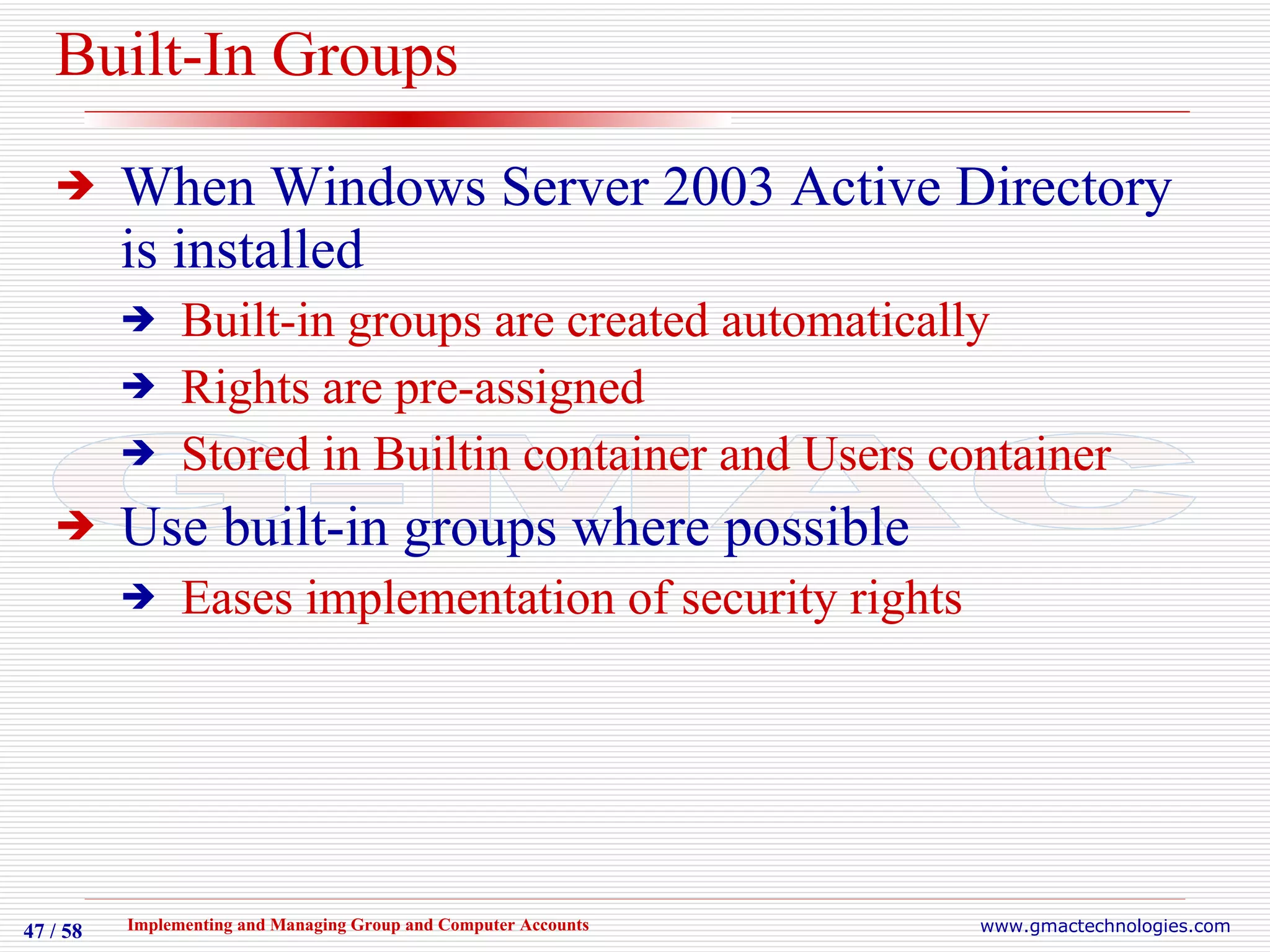
Built-In Groups When Windows Server 2003 Active Directory is installed Built-in groups are created automatically Rights are pre-assigned Stored in Builtin container and Users container Use built-in groups where possible Eases implementation of security rights
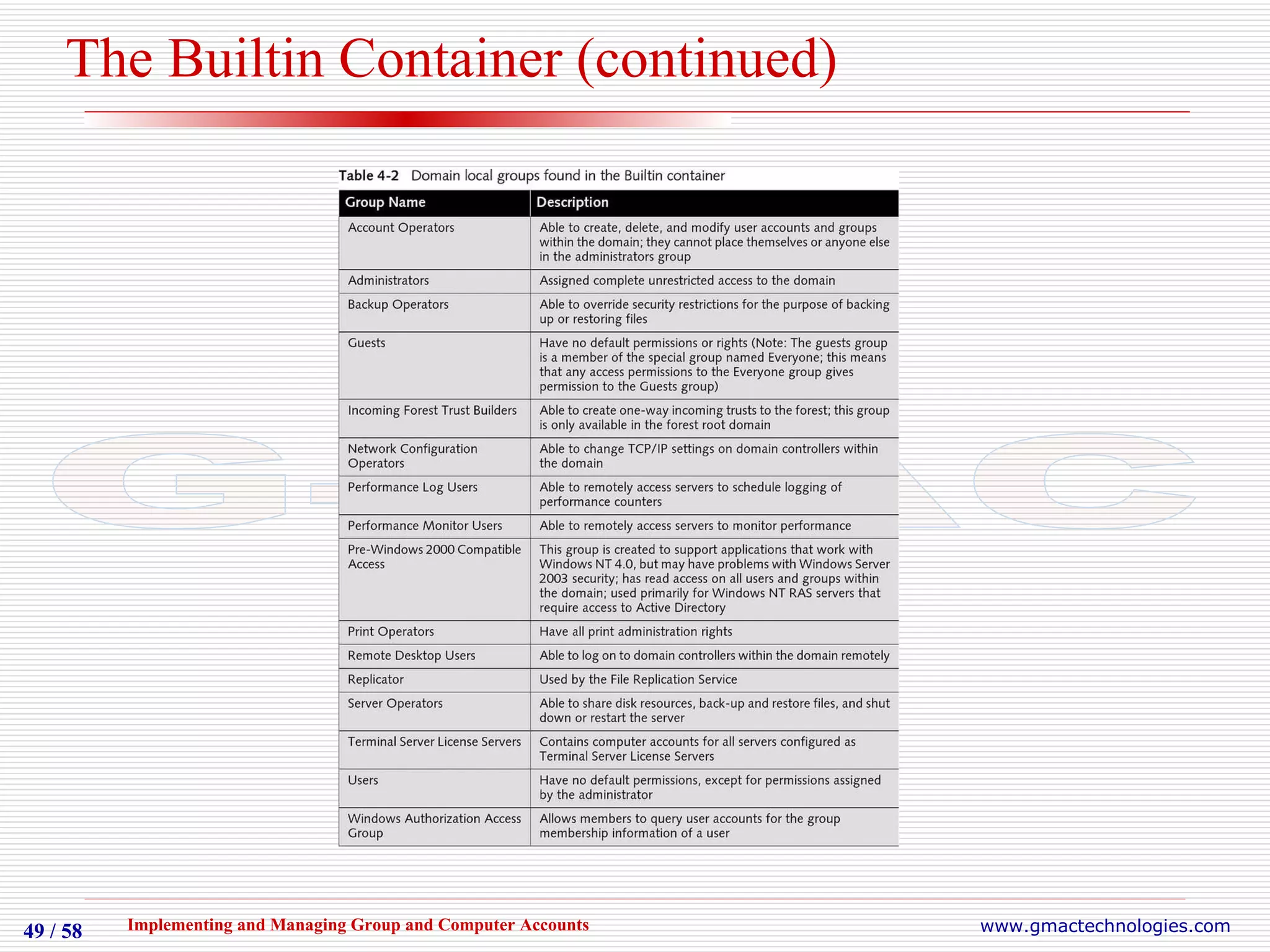
The Builtin Container Contains a number of domain local group accounts Allocated different user rights based on common administrative or network-related tasks
The Builtin Container (continued)
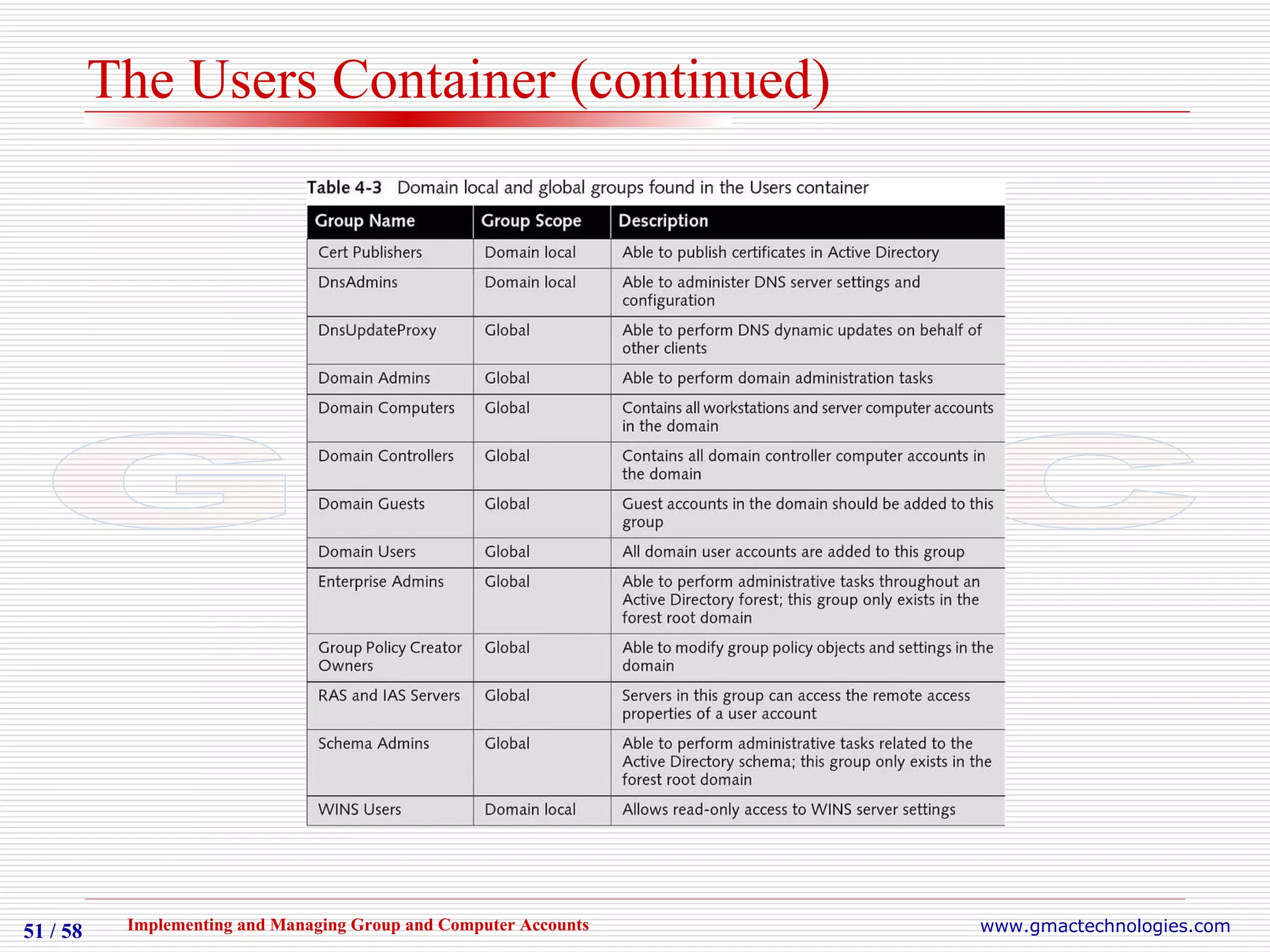
The Users Container Contains a number of domain local and global group accounts Some groups only found in the root domain of an Active Directory forest rather than in individual domains
The Users Container (continued)
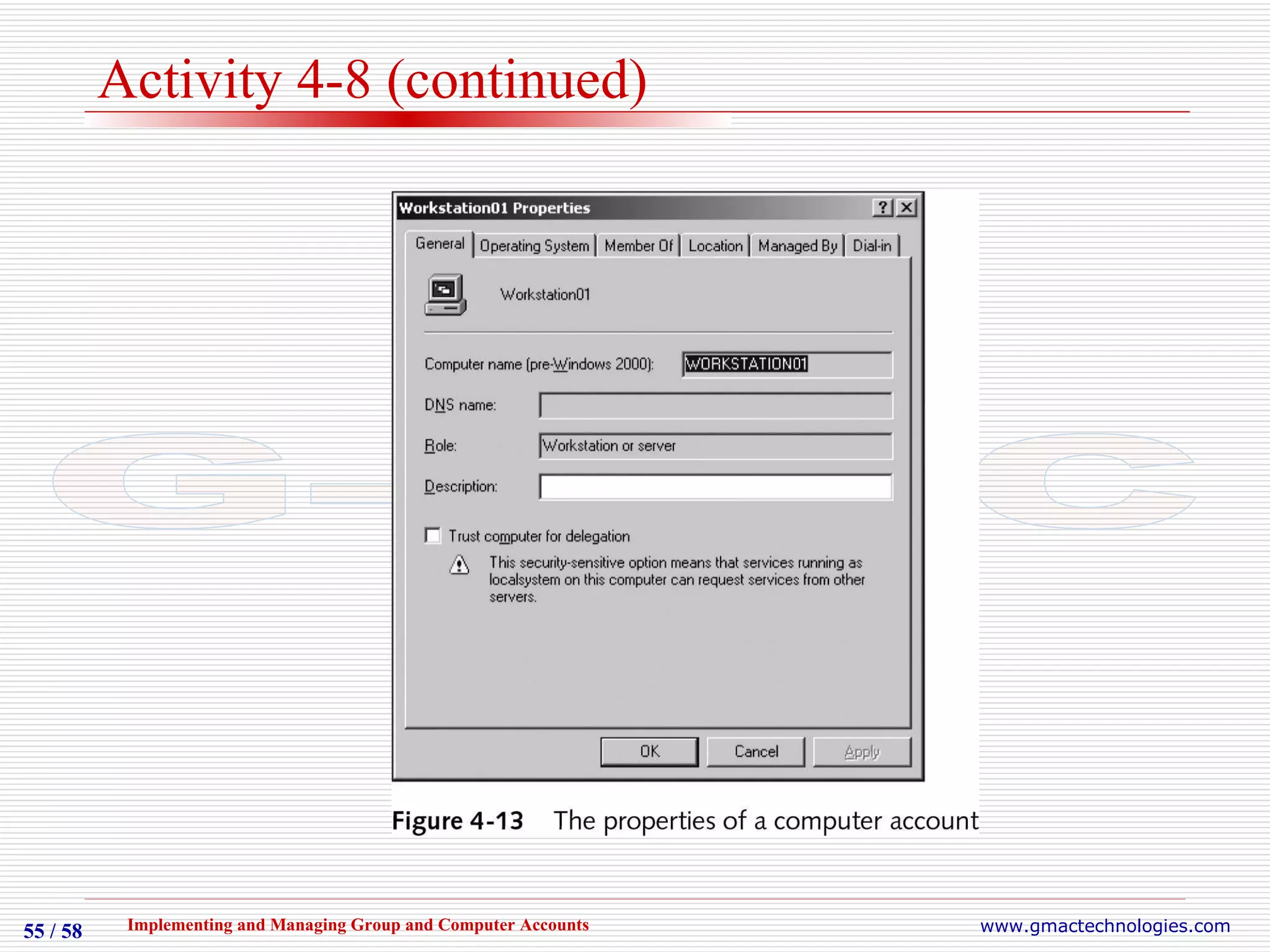
Creating and Managing Computer Accounts Computer accounts needed on Windows NT 4.0, 2000, XP, Server 2003 Can be created during installation or added manually later Creation and management tools Active Directory Users and Computers System applet in Control Panel Command-line utilities
Activity 4-8 Creating and Managing Computer Accounts
Creating and Managing Computer Accounts Objective: Use Active Directory Users and Computers to create and manage computer accounts Follow directions to create a new computer account from Active Directory Users and Computers Configure and review the account as directed
Activity 4-8 (continued)
Resetting Computer Accounts Secure channel Used by computers that are domain members to communicate with domain controller Uses password that is changed every 30 days Automatically synchronized between domain controller and workstation Occasional synchronization issues arise Administrator must reset computer account Using Active Directory Users and Computers or Netdom.exe command from Windows Support Tools
Summary Group accounts reduce administrative effort by enabling assignment of common rights and permissions to multiple users simultaneously Two group security types: Security groups Distribution groups Three types of scoping possible for groups Global groups Domain local groups Universal groups
Summary (continued) Group and computer accounts can be created and managed From Active Directory Users and Computers From command-line utilities Builtin and User groups and containers are automatically created at installation with specific pre-assigned rights and permissions Windows NT 4.0, 2000, XP, and Server 2003 require computer accounts in Active Directory

G Mac Chapter04

  • 1.
    Implementing and ManagingGroup and Computer Accounts Chapter 4
  • 2.
    Objectives Understand thepurpose of using group accounts to simplify administration Create group objects using both graphical and command-line tools Manage security groups and distribution groups Explain the purpose of the built-in groups created when Active Directory is installed Create and manage computer accounts
  • 3.
    Introduction to GroupAccounts A group is a container object Used to organize collections of users, computers, contacts, other groups Used to simplify administration Similar to Organizational Units except OUs are not security principals, groups are OUs can only contain objects from their parent domain, groups can contain objects from within forest
  • 4.
    Group Types Securitygroups Defined by Security Identifier (SID) Can be assigned permissions for resources In discretionary access control lists (DACLs) Can be assigned rights to perform different tasks Can also be used as e-mail entities Distribution groups Primarily used as e-mail entities Do not have associated SID
  • 5.
    Group Scopes Scoperefers to logical boundary of permissions to specific resources Both Security and Distribution Groups have scopes Three scopes Objects possible within each scope dependent on configured functional level of a domain Scope types are global, domain local, and universal
  • 6.
    Group Scopes (continued)Three domain functional levels: Windows 2000 mixed: default configuration, supports a combination of Windows NT Server 4.0, 2000 Server, and Server 2003 domain controllers Windows 2000 native: supports a combination of Windows 2000 Server and Server 2003 domain controllers Windows Server 2003: supports Windows Server 2003 domain controllers only
  • 7.
    Global Groups Organizegroups of users, computers, groups within the same domain Usually represents a geographic location or job function group Types of objects in group related to configured functional level of the domain Depends on the types of domain controllers in environment
  • 8.
    Domain Local GroupsCreated on domain controllers Can be assigned rights and permissions to any resource within the same domain Can contain groups from other domains Specific objects allowed in group related to configured functional level of the domain
  • 9.
    Universal Groups Typicallycreated to aggregate users or groups in different domains Stored on domain controllers configured as global catalog servers Can be assigned rights and permissions for any resource within a forest Can only be created at the Windows 2000 native or Windows Server 2003 domain functional level
  • 10.
  • 11.
    Creating Group ObjectsGroup objects are stored in Active Directory database Variety of tools can be used for creation and management Active Directory Users and Computers Command-line utilities DSADD, DSMOD, DSQUERY, etc.
  • 12.
    Active Directory Usersand Computers Primary tool To create group accounts Can also be used to configure properties of group accounts Groups can be created in any built-in containers, at root of the domain object, or in custom OU objects Possible group scopes determined by the functional level the domain is configured to
  • 13.
    Active Directory Usersand Computers…
  • 14.
    Activity 4-1 Creatingand Adding Members to Global Groups
  • 15.
    Creating and AddingMembers to Global Groups Objective: Use Active Directory Users and Computers to create global groups Start  Administrative Tools  Active Directory Users and Computers  Users container  New  Group Follow directions to create several global groups and add user accounts to the groups
  • 16.
  • 17.
    Activity 4-2 Creatingand Adding Members to Domain Local Groups
  • 18.
    Creating and AddingMembers to Domain Local Groups Objective: Use Active Directory Users and Computers to create domain local groups Active Directory  Users  New  Group Follow directions to create new Domain Local groups and add global groups to them
  • 19.
    Activity 4-3 Changingthe Functional Level of a Domain and Creating and Adding Members to Universal Groups
  • 20.
    Changing the FunctionalLevel of a Domain and Creating and Adding Members to Universal Groups Objective: Change the functional level of a domain to Windows Server 2003 and use Active Directory Users and Computers to create universal groups Open your domain object in Active Directory Users and Computers
  • 21.
  • 22.
    Activity 4-3 (continued)Follow directions to raise the functional level of your domain to Windows Server 2003 Continue the exercise to create a new universal group Continue the exercise to add existing groups to the new group
  • 23.
  • 24.
    Converting Group TypesMay need to change a security group to a distribution group or vice versa Type of group can only be changed if domain functional level is Windows 2000 native or above
  • 25.
  • 26.
    Converting Group TypesObjective: Use Active Directory Users and Computers to change group types Follow directions to create a new global group with distribution type Verify type of new group Continue exercise to change type to security and to verify the change
  • 27.
  • 28.
  • 29.
    Converting Group ScopesScope of a group can be changed Domain functional level must be at least Windows 2000 native Supported changes Global to universal Domain local to universal Universal to global Universal to domain local
  • 30.
  • 31.
    Converting Group ScopesObjective: Use Active Directory Users and Computers to change group scopes Follow directions to create a new global group Add a member group Note restrictions and warnings that follow from group scope structure as described in exercise Change the scope of the group to universal
  • 32.
    Command Line UtilitiesAn alternative to Active Directory Users and Computers Some administrators have a preference for command-line utilities Command-line utilities are more flexible for group management and creation in some situations
  • 33.
    DSADD Introduced inWindows Server 2003 Used to create new user and group accounts Syntax is dsadd group distinguished-name switches Switches include: -secgrp, -scope, -memberof, -members More help is available for switches and options at Windows Server 2003 Help and Support Center or at command-line
  • 34.
  • 35.
    Activity 4-6 CreatingGroups Using DSADD
  • 36.
    Creating Groups UsingDSADD Objective: Use the DSADD GROUP command to add groups of different types and scopes Follow directions to execute dsadd group command to create a new global group Verify group creation with Active Directory Users and Computers Create a domain local group with members using dsadd group and verify that group was properly created
  • 37.
    DSMOD Also introducedin Windows Server 2003 Allows various object types to be modified from the command line Syntax is dsmod group distinguished-name switches Switches include: -desc, -rmmbr, -addmbr More help is available for switches and options at Windows Server 2003 Help and Support Center or command-line
  • 38.
  • 39.
    Activity 4-7 ModifyingGroups Using DSMOD
  • 40.
    Modifying Groups UsingDSMOD Objective: Use the DSMOD GROUP command to modify group accounts Follow directions to execute dsmod group command to add a description to an existing group Verify modification with Active Directory Users and Computers Modify group by adding and removing members and verify changes
  • 41.
    DSQUERY Also introducedin Windows Server 2003 Used to query various object types from the command line, returns values Syntax for groups is dsquery group query Supports wildcard character (*) Output can be piped as input to other command-line tools More help is available for switches and options at Windows Server 2003 Help and Support Center or command-line
  • 42.
    DSMOVE Used tomove or rename various object types from the command line Syntax for groups is dsmove group distinguished-name switches Switches include: -newparent, -newname Can only be used for groups within a single domain More help is available for switches and options at Windows Server 2003 Help and Support Center or at the command-line
  • 43.
    DSRM Used todelete various object types from the command line Syntax for groups is dsrm group distinguished-name switches Switches include: -noprompt More help is available for switches and options at Windows Server 2003 Help and Support Center or command-line
  • 44.
    Managing Security GroupsStrategy for managing security groups uses acronym A G U DL P: Create user Accounts (A) and organize them within Global groups (G) Optional: Create Universal groups (U) and place global groups from any domain in universal groups Create Domain Local groups (DL) and add global and universal groups Assign Permissions (P) to the domain local groups
  • 45.
    Determining Group MembershipImportant task for administrators is to ensure that users are members of correct groups One method is via Member Of tab in the properties of a user account Only shows first level of groups (not groups of groups) Second method is to use DSGET Returns values to a query
  • 46.
    Determining Group Membership(continued) Syntax is dsget group distinguished-name switches Switches include: -members, -memberof Can also be used as dsget user to get membership information about a specific user Output can be saved to a file: dsget group distinguished-name switches >> filename
  • 47.
    Built-In Groups WhenWindows Server 2003 Active Directory is installed Built-in groups are created automatically Rights are pre-assigned Stored in Builtin container and Users container Use built-in groups where possible Eases implementation of security rights
  • 48.
    The Builtin ContainerContains a number of domain local group accounts Allocated different user rights based on common administrative or network-related tasks
  • 49.
  • 50.
    The Users ContainerContains a number of domain local and global group accounts Some groups only found in the root domain of an Active Directory forest rather than in individual domains
  • 51.
  • 52.
    Creating and ManagingComputer Accounts Computer accounts needed on Windows NT 4.0, 2000, XP, Server 2003 Can be created during installation or added manually later Creation and management tools Active Directory Users and Computers System applet in Control Panel Command-line utilities
  • 53.
    Activity 4-8 Creatingand Managing Computer Accounts
  • 54.
    Creating and ManagingComputer Accounts Objective: Use Active Directory Users and Computers to create and manage computer accounts Follow directions to create a new computer account from Active Directory Users and Computers Configure and review the account as directed
  • 55.
  • 56.
    Resetting Computer AccountsSecure channel Used by computers that are domain members to communicate with domain controller Uses password that is changed every 30 days Automatically synchronized between domain controller and workstation Occasional synchronization issues arise Administrator must reset computer account Using Active Directory Users and Computers or Netdom.exe command from Windows Support Tools
  • 57.
    Summary Group accountsreduce administrative effort by enabling assignment of common rights and permissions to multiple users simultaneously Two group security types: Security groups Distribution groups Three types of scoping possible for groups Global groups Domain local groups Universal groups
  • 58.
    Summary (continued) Groupand computer accounts can be created and managed From Active Directory Users and Computers From command-line utilities Builtin and User groups and containers are automatically created at installation with specific pre-assigned rights and permissions Windows NT 4.0, 2000, XP, and Server 2003 require computer accounts in Active Directory