Functions and Header/Source
files in C++
Based on materials by Dianna Xu and
Bjarne Stroustrup (www.stroustrup.com/Programming)
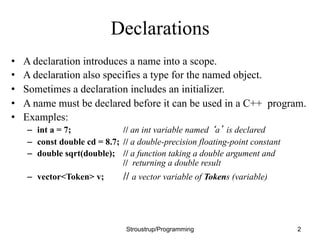
Declarations
• A declaration introduces a name into a scope.
• A declaration also specifies a type for the named object.
• Sometimes a declaration includes an initializer.
• A name must be declared before it can be used in a C++ program.
• Examples:
– int a = 7; // an int variable named ‘a’ is declared
– const double cd = 8.7; // a double-precision floating-point constant
– double sqrt(double); // a function taking a double argument and
// returning a double result
– vector<Token> v; // a vector variable of Tokens (variable)
Stroustrup/Programming 2
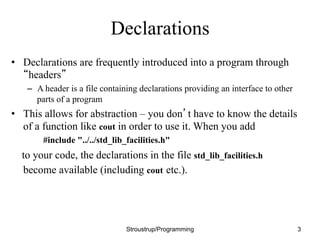
Declarations
• Declarations are frequently introduced into a program through
“headers”
– A header is a file containing declarations providing an interface to other
parts of a program
• This allows for abstraction – you don’t have to know the details
of a function like cout in order to use it. When you add
#include "../../std_lib_facilities.h"
to your code, the declarations in the file std_lib_facilities.h
become available (including cout etc.).
Stroustrup/Programming 3
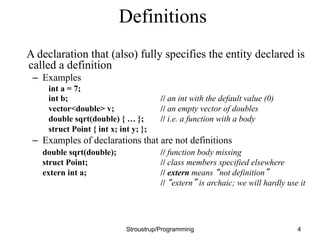
Definitions
A declaration that (also) fully specifies the entity declared is
called a definition
– Examples
int a = 7;
int b; // an int with the default value (0)
vector<double> v; // an empty vector of doubles
double sqrt(double) { … }; // i.e. a function with a body
struct Point { int x; int y; };
– Examples of declarations that are not definitions
double sqrt(double); // function body missing
struct Point; // class members specified elsewhere
extern int a; // extern means “not definition”
// “extern” is archaic; we will hardly use it
Stroustrup/Programming 4
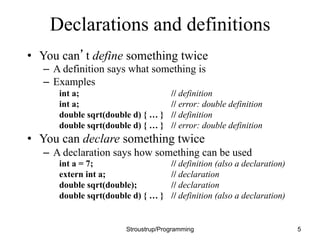
Declarations and definitions
• You can’t define something twice
– A definition says what something is
– Examples
int a; // definition
int a; // error: double definition
double sqrt(double d) { … } // definition
double sqrt(double d) { … } // error: double definition
• You can declare something twice
– A declaration says how something can be used
int a = 7; // definition (also a declaration)
extern int a; // declaration
double sqrt(double); // declaration
double sqrt(double d) { … } // definition (also a declaration)
Stroustrup/Programming 5
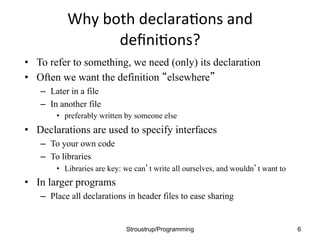
Why	
  both	
  declara.ons	
  and	
  
defini.ons?	
  	
  
• To refer to something, we need (only) its declaration
• Often we want the definition “elsewhere”
– Later in a file
– In another file
• preferably written by someone else
• Declarations are used to specify interfaces
– To your own code
– To libraries
• Libraries are key: we can’t write all ourselves, and wouldn’t want to
• In larger programs
– Place all declarations in header files to ease sharing
Stroustrup/Programming 6
7 Lec05
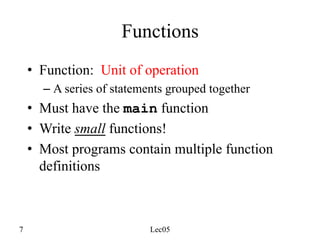
Functions
• Function: Unit of operation
– A series of statements grouped together
• Must have the main function
• Write small functions!
• Most programs contain multiple function
definitions
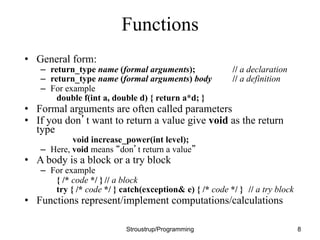
Functions
• General form:
– return_type name (formal arguments); // a declaration
– return_type name (formal arguments) body // a definition
– For example
double f(int a, double d) { return a*d; }
• Formal arguments are often called parameters
• If you don’t want to return a value give void as the return
type
void increase_power(int level);
– Here, void means “don’t return a value”
• A body is a block or a try block
– For example
{ /* code */ } // a block
try { /* code */ } catch(exception& e) { /* code */ } // a try block
• Functions represent/implement computations/calculations
Stroustrup/Programming 8
9 Lec05
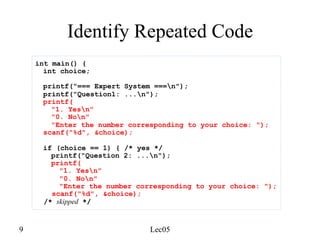
Identify Repeated Code
int main() {
int choice;
printf("=== Expert System ===n");
printf("Question1: ...n");
printf(
"1. Yesn"
"0. Non"
"Enter the number corresponding to your choice: ");
scanf("%d", &choice);
if (choice == 1) { /* yes */
printf("Question 2: ...n");
printf(
"1. Yesn"
"0. Non"
"Enter the number corresponding to your choice: ");
scanf("%d", &choice);
/* skipped */
10 Lec05
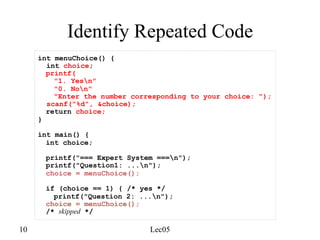
Identify Repeated Code
int menuChoice() {
int choice;
printf(
"1. Yesn"
"0. Non"
"Enter the number corresponding to your choice: ");
scanf("%d", &choice);
return choice;
}
int main() {
int choice;
printf("=== Expert System ===n");
printf("Question1: ...n");
choice = menuChoice();
if (choice == 1) { /* yes */
printf("Question 2: ...n");
choice = menuChoice();
/* skipped */
11 Lec05
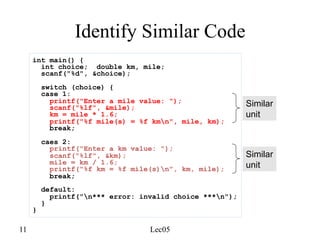
Identify Similar Code
int main() {
int choice; double km, mile;
scanf("%d", &choice);
switch (choice) {
case 1:
printf("Enter a mile value: ");
scanf("%lf", &mile);
km = mile * 1.6;
printf("%f mile(s) = %f kmn", mile, km);
break;
caes 2:
printf("Enter a km value: ");
scanf("%lf", &km);
mile = km / 1.6;
printf("%f km = %f mile(s)n", km, mile);
break;
default:
printf("n*** error: invalid choice ***n");
}
}
Similar
unit
Similar
unit
12 Lec05
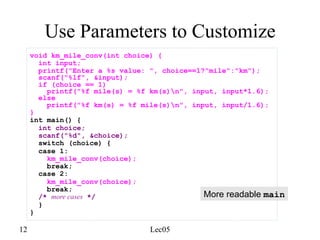
Use Parameters to Customize
void km_mile_conv(int choice) {
int input;
printf("Enter a %s value: ", choice==1?"mile":"km");
scanf("%lf", &input);
if (choice == 1)
printf("%f mile(s) = %f km(s)n", input, input*1.6);
else
printf("%f km(s) = %f mile(s)n", input, input/1.6);
}
int main() {
int choice;
scanf("%d", &choice);
switch (choice) {
case 1:
km_mile_conv(choice);
break;
case 2:
km_mile_conv(choice);
break;
/* more cases */
}
}
More readable main
13 Lec05
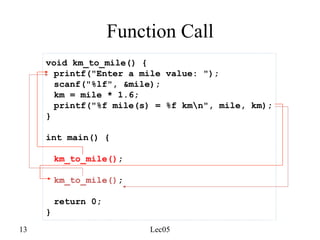
Function Call
void km_to_mile() {
printf("Enter a mile value: ");
scanf("%lf", &mile);
km = mile * 1.6;
printf("%f mile(s) = %f kmn", mile, km);
}
int main() {
km_to_mile();
km_to_mile();
return 0;
}
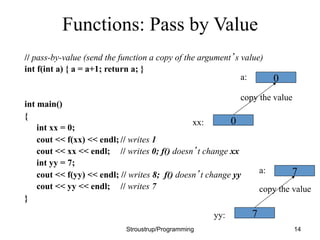
Functions: Pass by Value
// pass-by-value (send the function a copy of the argument’s value)
int f(int a) { a = a+1; return a; }
int main()
{
int xx = 0;
cout << f(xx) << endl; // writes 1
cout << xx << endl; // writes 0; f() doesn’t change xx
int yy = 7;
cout << f(yy) << endl; // writes 8; f() doesn’t change yy
cout << yy << endl; // writes 7
}
Stroustrup/Programming 14
0
a:
xx:
copy the value
0
7
a:
yy:
copy the value
7
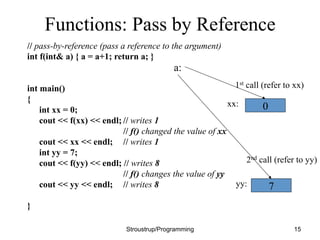
Functions: Pass by Reference
// pass-by-reference (pass a reference to the argument)
int f(int& a) { a = a+1; return a; }
int main()
{
int xx = 0;
cout << f(xx) << endl; // writes 1
// f() changed the value of xx
cout << xx << endl; // writes 1
int yy = 7;
cout << f(yy) << endl; // writes 8
// f() changes the value of yy
cout << yy << endl; // writes 8
}
Stroustrup/Programming 15
0
7
xx:
yy:
a:
1st call (refer to xx)
2nd call (refer to yy)
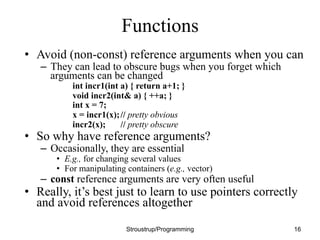
Functions
• Avoid (non-const) reference arguments when you can
– They can lead to obscure bugs when you forget which
arguments can be changed
int incr1(int a) { return a+1; }
void incr2(int& a) { ++a; }
int x = 7;
x = incr1(x);// pretty obvious
incr2(x); // pretty obscure
• So why have reference arguments?
– Occasionally, they are essential
• E.g., for changing several values
• For manipulating containers (e.g., vector)
– const reference arguments are very often useful
• Really, it’s best just to learn to use pointers correctly
and avoid references altogether
Stroustrup/Programming 16
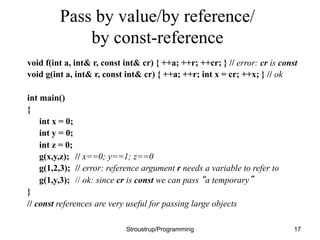
Pass by value/by reference/
by const-reference
void f(int a, int& r, const int& cr) { ++a; ++r; ++cr; } // error: cr is const
void g(int a, int& r, const int& cr) { ++a; ++r; int x = cr; ++x; } // ok
int main()
{
int x = 0;
int y = 0;
int z = 0;
g(x,y,z); // x==0; y==1; z==0
g(1,2,3); // error: reference argument r needs a variable to refer to
g(1,y,3); // ok: since cr is const we can pass “a temporary”
}
// const references are very useful for passing large objects
Stroustrup/Programming 17
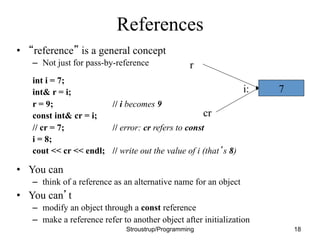
References
• “reference” is a general concept
– Not just for pass-by-reference
int i = 7;
int& r = i;
r = 9; // i becomes 9
const int& cr = i;
// cr = 7; // error: cr refers to const
i = 8;
cout << cr << endl; // write out the value of i (that’s 8)
• You can
– think of a reference as an alternative name for an object
• You can’t
– modify an object through a const reference
– make a reference refer to another object after initialization
Stroustrup/Programming 18
7
i:
r
cr
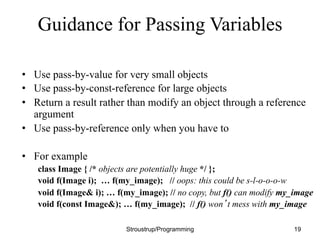
Guidance for Passing Variables
• Use pass-by-value for very small objects
• Use pass-by-const-reference for large objects
• Return a result rather than modify an object through a reference
argument
• Use pass-by-reference only when you have to
• For example
class Image { /* objects are potentially huge */ };
void f(Image i); … f(my_image); // oops: this could be s-l-o-o-o-w
void f(Image& i); … f(my_image); // no copy, but f() can modify my_image
void f(const Image&); … f(my_image); // f() won’t mess with my_image
Stroustrup/Programming 19
20 Lec05
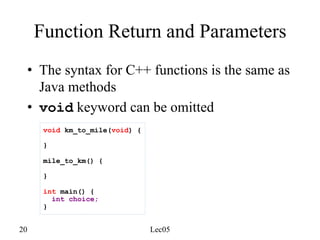
Function Return and Parameters
• The syntax for C++ functions is the same as
Java methods
• void keyword can be omitted
void km_to_mile(void) {
}
mile_to_km() {
}
int main() {
int choice;
}
21 Lec05
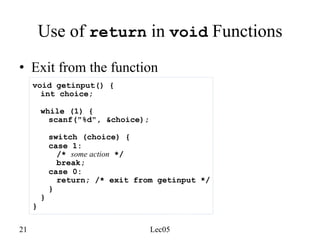
Use of return in void Functions
void getinput() {
int choice;
while (1) {
scanf("%d", &choice);
switch (choice) {
case 1:
/* some action */
break;
case 0:
return; /* exit from getinput */
}
}
}
• Exit from the function
22 Lec05
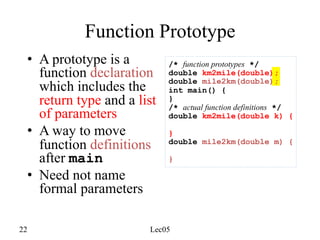
Function Prototype
• A prototype is a
function declaration
which includes the
return type and a list
of parameters
• A way to move
function definitions
after main
• Need not name
formal parameters
/* function prototypes */
double km2mile(double);
double mile2km(double);
int main() {
}
/* actual function definitions */
double km2mile(double k) {
}
double mile2km(double m) {
}
23 Lec05
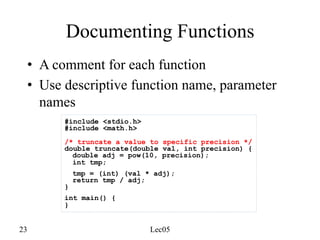
Documenting Functions
• A comment for each function
• Use descriptive function name, parameter
names
#include <stdio.h>
#include <math.h>
/* truncate a value to specific precision */
double truncate(double val, int precision) {
double adj = pow(10, precision);
int tmp;
tmp = (int) (val * adj);
return tmp / adj;
}
int main() {
}
24 Lec05
Keep main Uncluttered
• Your main function should consist mainly of
function calls
• One main input loop or conditional is okay
• Write your main and choose your function
name in such a way so that
– the main algorithm and program structure is
clearly represented
– the reader can get an idea how your program
works simply by glancing at your main
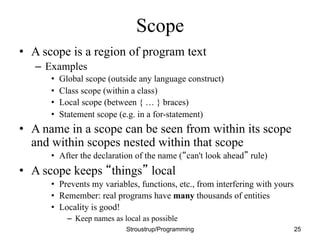
Scope
• A scope is a region of program text
– Examples
• Global scope (outside any language construct)
• Class scope (within a class)
• Local scope (between { … } braces)
• Statement scope (e.g. in a for-statement)
• A name in a scope can be seen from within its scope
and within scopes nested within that scope
• After the declaration of the name (“can't look ahead” rule)
• A scope keeps “things” local
• Prevents my variables, functions, etc., from interfering with yours
• Remember: real programs have many thousands of entities
• Locality is good!
– Keep names as local as possible
Stroustrup/Programming 25
Scope
#include "std_lib_facilities.h" // get max and abs from here
// no r, i, or v here
class My_vector {
vector<int> v; // v is in class scope
public:
int largest() // largest is in class scope
{
int r = 0; // r is local
for (int i = 0; i<v.size(); ++i) // i is in statement scope
r = max(r,abs(v[i]));
// no i here
return r;
}
// no r here
};
// no v here
Stroustrup/Programming 26
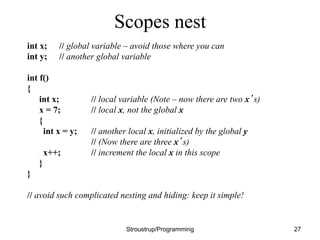
Scopes nest
int x; // global variable – avoid those where you can
int y; // another global variable
int f()
{
int x; // local variable (Note – now there are two x’s)
x = 7; // local x, not the global x
{
int x = y; // another local x, initialized by the global y
// (Now there are three x’s)
x++; // increment the local x in this scope
}
}
// avoid such complicated nesting and hiding: keep it simple!
Stroustrup/Programming 27
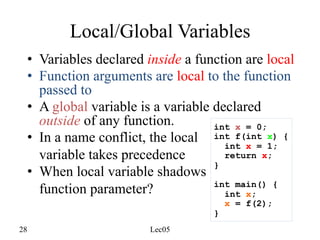
28 Lec05
Local/Global Variables
• Variables declared inside a function are local
• Function arguments are local to the function
passed to
• A global variable is a variable declared
outside of any function.
• In a name conflict, the local
variable takes precedence
• When local variable shadows
function parameter?
int x = 0;
int f(int x) {
int x = 1;
return x;
}
int main() {
int x;
x = f(2);
}
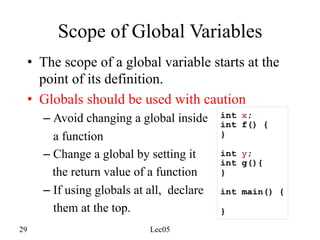
29 Lec05
Scope of Global Variables
• The scope of a global variable starts at the
point of its definition.
• Globals should be used with caution
– Avoid changing a global inside
a function
– Change a global by setting it
the return value of a function
– If using globals at all, declare
them at the top.
int x;
int f() {
}
int y;
int g(){
}
int main() {
}
30 Lec05
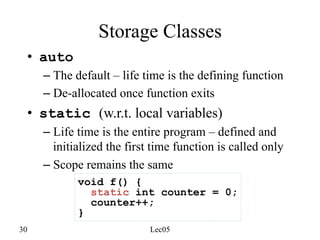
Storage Classes
• auto
– The default – life time is the defining function
– De-allocated once function exits
• static (w.r.t. local variables)
– Life time is the entire program – defined and
initialized the first time function is called only
– Scope remains the same
void f() {
static int counter = 0;
counter++;
}
31 Lec05
static: globals and functions
• Using the keyword static in front of a
global or a function changes the linkage, that
is, the scope across multiple files.
• static changes the linkage of an identifier to
internal, which means shared within a single
(the current) file
• We will discuss more of linkage and related
keywords, as well as header files when we
discuss multiple source files
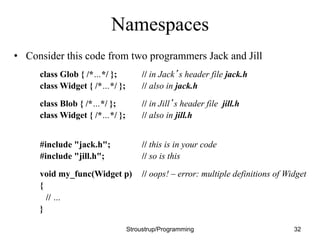
Namespaces
• Consider this code from two programmers Jack and Jill
class Glob { /*…*/ }; // in Jack’s header file jack.h
class Widget { /*…*/ }; // also in jack.h
class Blob { /*…*/ }; // in Jill’s header file jill.h
class Widget { /*…*/ }; // also in jill.h
#include "jack.h"; // this is in your code
#include "jill.h"; // so is this
void my_func(Widget p) // oops! – error: multiple definitions of Widget
{
// …
}
Stroustrup/Programming 32
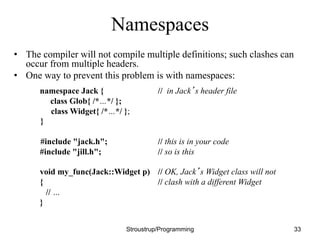
Namespaces
• The compiler will not compile multiple definitions; such clashes can
occur from multiple headers.
• One way to prevent this problem is with namespaces:
namespace Jack { // in Jack’s header file
class Glob{ /*…*/ };
class Widget{ /*…*/ };
}
#include "jack.h"; // this is in your code
#include "jill.h"; // so is this
void my_func(Jack::Widget p) // OK, Jack’s Widget class will not
{ // clash with a different Widget
// …
}
Stroustrup/Programming 33
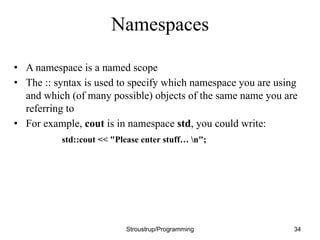
Namespaces
• A namespace is a named scope
• The :: syntax is used to specify which namespace you are using
and which (of many possible) objects of the same name you are
referring to
• For example, cout is in namespace std, you could write:
std::cout << "Please enter stuff… n";
Stroustrup/Programming 34
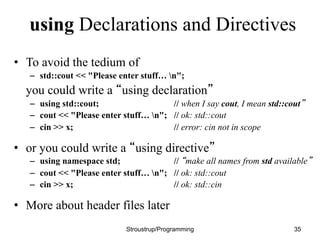
using Declarations and Directives
• To avoid the tedium of
– std::cout << "Please enter stuff… n";
you could write a “using declaration”
– using std::cout; // when I say cout, I mean std::cout”
– cout << "Please enter stuff… n"; // ok: std::cout
– cin >> x; // error: cin not in scope
• or you could write a “using directive”
– using namespace std; // “make all names from std available”
– cout << "Please enter stuff… n"; // ok: std::cout
– cin >> x; // ok: std::cin
• More about header files later
Stroustrup/Programming 35
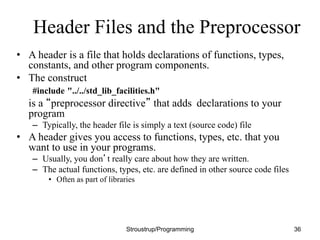
Header Files and the Preprocessor
• A header is a file that holds declarations of functions, types,
constants, and other program components.
• The construct
#include "../../std_lib_facilities.h"
is a “preprocessor directive” that adds declarations to your
program
– Typically, the header file is simply a text (source code) file
• A header gives you access to functions, types, etc. that you
want to use in your programs.
– Usually, you don’t really care about how they are written.
– The actual functions, types, etc. are defined in other source code files
• Often as part of libraries
Stroustrup/Programming 36
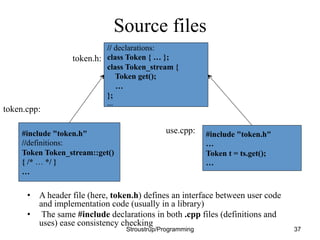
Source files
• A header file (here, token.h) defines an interface between user code
and implementation code (usually in a library)
• The same #include declarations in both .cpp files (definitions and
uses) ease consistency checking
Stroustrup/Programming 37
// declarations:
class Token { … };
class Token_stream {
Token get();
…
};
…
#include "token.h"
//definitions:
Token Token_stream::get()
{ /* … */ }
…
#include "token.h"
…
Token t = ts.get();
…
token.h:
token.cpp:
use.cpp:
38 Lec06
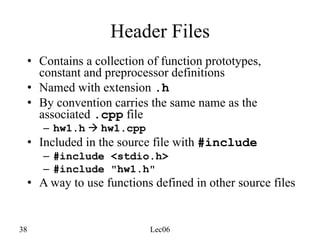
Header Files
• Contains a collection of function prototypes,
constant and preprocessor definitions
• Named with extension .h
• By convention carries the same name as the
associated .cpp file
– hw1.h à hw1.cpp
• Included in the source file with #include
– #include <stdio.h>
– #include "hw1.h"
• A way to use functions defined in other source files
39 Lec06
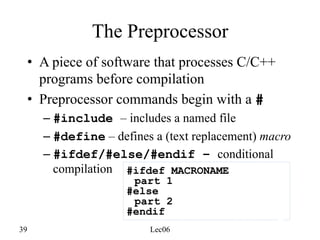
The Preprocessor
• A piece of software that processes C/C++
programs before compilation
• Preprocessor commands begin with a #
– #include – includes a named file
– #define – defines a (text replacement) macro
– #ifdef/#else/#endif – conditional
compilation #ifdef MACRONAME
part 1
#else
part 2
#endif
40 Lec06
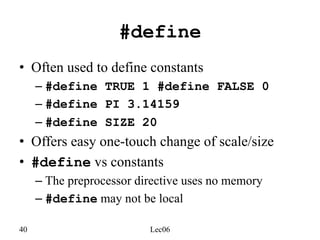
#define
• Often used to define constants
– #define TRUE 1 #define FALSE 0
– #define PI 3.14159
– #define SIZE 20
• Offers easy one-touch change of scale/size
• #define vs constants
– The preprocessor directive uses no memory
– #define may not be local
41 Lec06
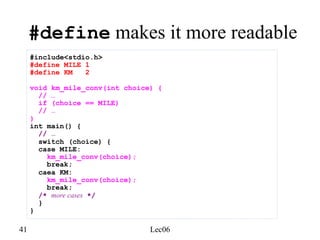
#define makes it more readable
#include<stdio.h>
#define MILE 1
#define KM 2
void km_mile_conv(int choice) {
// …
if (choice == MILE)
// …
}
int main() {
// …
switch (choice) {
case MILE:
km_mile_conv(choice);
break;
caea KM:
km_mile_conv(choice);
break;
/* more cases */
}
}
42 Lec06
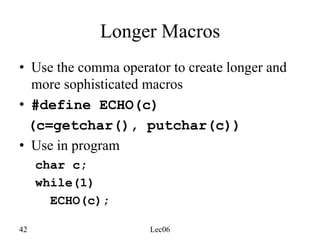
Longer Macros
• Use the comma operator to create longer and
more sophisticated macros
• #define ECHO(c)
(c=getchar(), putchar(c))
• Use in program
char c;
while(1)
ECHO(c);
43 Lec06
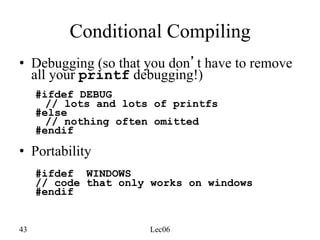
Conditional Compiling
• Debugging (so that you don’t have to remove
all your printf debugging!)
#ifdef DEBUG
// lots and lots of printfs
#else
// nothing often omitted
#endif
• Portability
#ifdef WINDOWS
// code that only works on windows
#endif
44 Lec06
Defining a Macro for #ifdef
• #define DEBUG
• #define DEBUG 0
• #define DEBUG 1
• The –Dmacro[=def] flag of g++
– g++ –DDEBUG hw1.cpp –o hw1
– g++ –DDEBUG=1 hw1.cpp –o hw1
– g++ –DDEBUG=0 hw1.cpp –o hw1
45 Lec06
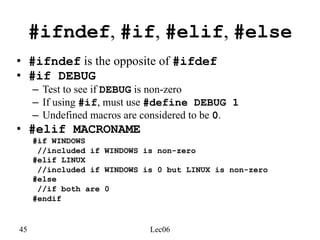
#ifndef, #if, #elif, #else
• #ifndef is the opposite of #ifdef
• #if DEBUG
– Test to see if DEBUG is non-zero
– If using #if, must use #define DEBUG 1
– Undefined macros are considered to be 0.
• #elif MACRONAME
#if WINDOWS
//included if WINDOWS is non-zero
#elif LINUX
//included if WINDOWS is 0 but LINUX is non-zero
#else
//if both are 0
#endif
46 Lec06
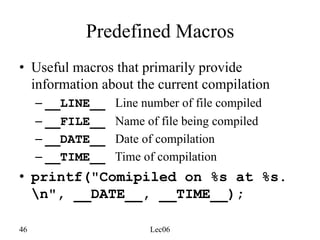
Predefined Macros
• Useful macros that primarily provide
information about the current compilation
– __LINE__ Line number of file compiled
– __FILE__ Name of file being compiled
– __DATE__ Date of compilation
– __TIME__ Time of compilation
• printf("Comipiled on %s at %s.
n", __DATE__, __TIME__);
47 Lec06
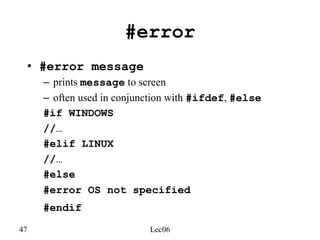
#error
• #error message
– prints message to screen
– often used in conjunction with #ifdef, #else
#if WINDOWS
//…
#elif LINUX
//…
#else
#error OS not specified
#endif
48 Lec06
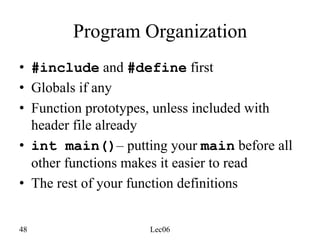
Program Organization
• #include and #define first
• Globals if any
• Function prototypes, unless included with
header file already
• int main()– putting your main before all
other functions makes it easier to read
• The rest of your function definitions
49 Lec06
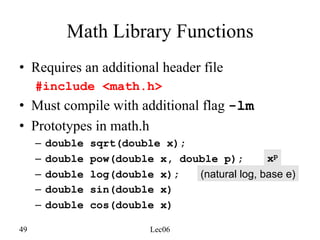
Math Library Functions
• Requires an additional header file
#include <math.h>
• Must compile with additional flag -lm
• Prototypes in math.h
– double sqrt(double x);
– double pow(double x, double p);
– double log(double x);
– double sin(double x)
– double cos(double x)
xp
(natural log, base e)

Functions And Header Files In C++ | Bjarne stroustrup

  • 1.
    Functions and Header/Source filesin C++ Based on materials by Dianna Xu and Bjarne Stroustrup (www.stroustrup.com/Programming)
  • 2.
    Declarations • A declarationintroduces a name into a scope. • A declaration also specifies a type for the named object. • Sometimes a declaration includes an initializer. • A name must be declared before it can be used in a C++ program. • Examples: – int a = 7; // an int variable named ‘a’ is declared – const double cd = 8.7; // a double-precision floating-point constant – double sqrt(double); // a function taking a double argument and // returning a double result – vector<Token> v; // a vector variable of Tokens (variable) Stroustrup/Programming 2
  • 3.
    Declarations • Declarations arefrequently introduced into a program through “headers” – A header is a file containing declarations providing an interface to other parts of a program • This allows for abstraction – you don’t have to know the details of a function like cout in order to use it. When you add #include "../../std_lib_facilities.h" to your code, the declarations in the file std_lib_facilities.h become available (including cout etc.). Stroustrup/Programming 3
  • 4.
    Definitions A declaration that(also) fully specifies the entity declared is called a definition – Examples int a = 7; int b; // an int with the default value (0) vector<double> v; // an empty vector of doubles double sqrt(double) { … }; // i.e. a function with a body struct Point { int x; int y; }; – Examples of declarations that are not definitions double sqrt(double); // function body missing struct Point; // class members specified elsewhere extern int a; // extern means “not definition” // “extern” is archaic; we will hardly use it Stroustrup/Programming 4
  • 5.
    Declarations and definitions •You can’t define something twice – A definition says what something is – Examples int a; // definition int a; // error: double definition double sqrt(double d) { … } // definition double sqrt(double d) { … } // error: double definition • You can declare something twice – A declaration says how something can be used int a = 7; // definition (also a declaration) extern int a; // declaration double sqrt(double); // declaration double sqrt(double d) { … } // definition (also a declaration) Stroustrup/Programming 5
  • 6.
    Why  both  declara.ons  and   defini.ons?     • To refer to something, we need (only) its declaration • Often we want the definition “elsewhere” – Later in a file – In another file • preferably written by someone else • Declarations are used to specify interfaces – To your own code – To libraries • Libraries are key: we can’t write all ourselves, and wouldn’t want to • In larger programs – Place all declarations in header files to ease sharing Stroustrup/Programming 6
  • 7.
    7 Lec05 Functions • Function:Unit of operation – A series of statements grouped together • Must have the main function • Write small functions! • Most programs contain multiple function definitions
  • 8.
    Functions • General form: –return_type name (formal arguments); // a declaration – return_type name (formal arguments) body // a definition – For example double f(int a, double d) { return a*d; } • Formal arguments are often called parameters • If you don’t want to return a value give void as the return type void increase_power(int level); – Here, void means “don’t return a value” • A body is a block or a try block – For example { /* code */ } // a block try { /* code */ } catch(exception& e) { /* code */ } // a try block • Functions represent/implement computations/calculations Stroustrup/Programming 8
  • 9.
    9 Lec05 Identify RepeatedCode int main() { int choice; printf("=== Expert System ===n"); printf("Question1: ...n"); printf( "1. Yesn" "0. Non" "Enter the number corresponding to your choice: "); scanf("%d", &choice); if (choice == 1) { /* yes */ printf("Question 2: ...n"); printf( "1. Yesn" "0. Non" "Enter the number corresponding to your choice: "); scanf("%d", &choice); /* skipped */
  • 10.
    10 Lec05 Identify RepeatedCode int menuChoice() { int choice; printf( "1. Yesn" "0. Non" "Enter the number corresponding to your choice: "); scanf("%d", &choice); return choice; } int main() { int choice; printf("=== Expert System ===n"); printf("Question1: ...n"); choice = menuChoice(); if (choice == 1) { /* yes */ printf("Question 2: ...n"); choice = menuChoice(); /* skipped */
  • 11.
    11 Lec05 Identify SimilarCode int main() { int choice; double km, mile; scanf("%d", &choice); switch (choice) { case 1: printf("Enter a mile value: "); scanf("%lf", &mile); km = mile * 1.6; printf("%f mile(s) = %f kmn", mile, km); break; caes 2: printf("Enter a km value: "); scanf("%lf", &km); mile = km / 1.6; printf("%f km = %f mile(s)n", km, mile); break; default: printf("n*** error: invalid choice ***n"); } } Similar unit Similar unit
  • 12.
    12 Lec05 Use Parametersto Customize void km_mile_conv(int choice) { int input; printf("Enter a %s value: ", choice==1?"mile":"km"); scanf("%lf", &input); if (choice == 1) printf("%f mile(s) = %f km(s)n", input, input*1.6); else printf("%f km(s) = %f mile(s)n", input, input/1.6); } int main() { int choice; scanf("%d", &choice); switch (choice) { case 1: km_mile_conv(choice); break; case 2: km_mile_conv(choice); break; /* more cases */ } } More readable main
  • 13.
    13 Lec05 Function Call voidkm_to_mile() { printf("Enter a mile value: "); scanf("%lf", &mile); km = mile * 1.6; printf("%f mile(s) = %f kmn", mile, km); } int main() { km_to_mile(); km_to_mile(); return 0; }
  • 14.
    Functions: Pass byValue // pass-by-value (send the function a copy of the argument’s value) int f(int a) { a = a+1; return a; } int main() { int xx = 0; cout << f(xx) << endl; // writes 1 cout << xx << endl; // writes 0; f() doesn’t change xx int yy = 7; cout << f(yy) << endl; // writes 8; f() doesn’t change yy cout << yy << endl; // writes 7 } Stroustrup/Programming 14 0 a: xx: copy the value 0 7 a: yy: copy the value 7
  • 15.
    Functions: Pass byReference // pass-by-reference (pass a reference to the argument) int f(int& a) { a = a+1; return a; } int main() { int xx = 0; cout << f(xx) << endl; // writes 1 // f() changed the value of xx cout << xx << endl; // writes 1 int yy = 7; cout << f(yy) << endl; // writes 8 // f() changes the value of yy cout << yy << endl; // writes 8 } Stroustrup/Programming 15 0 7 xx: yy: a: 1st call (refer to xx) 2nd call (refer to yy)
  • 16.
    Functions • Avoid (non-const)reference arguments when you can – They can lead to obscure bugs when you forget which arguments can be changed int incr1(int a) { return a+1; } void incr2(int& a) { ++a; } int x = 7; x = incr1(x);// pretty obvious incr2(x); // pretty obscure • So why have reference arguments? – Occasionally, they are essential • E.g., for changing several values • For manipulating containers (e.g., vector) – const reference arguments are very often useful • Really, it’s best just to learn to use pointers correctly and avoid references altogether Stroustrup/Programming 16
  • 17.
    Pass by value/byreference/ by const-reference void f(int a, int& r, const int& cr) { ++a; ++r; ++cr; } // error: cr is const void g(int a, int& r, const int& cr) { ++a; ++r; int x = cr; ++x; } // ok int main() { int x = 0; int y = 0; int z = 0; g(x,y,z); // x==0; y==1; z==0 g(1,2,3); // error: reference argument r needs a variable to refer to g(1,y,3); // ok: since cr is const we can pass “a temporary” } // const references are very useful for passing large objects Stroustrup/Programming 17
  • 18.
    References • “reference” isa general concept – Not just for pass-by-reference int i = 7; int& r = i; r = 9; // i becomes 9 const int& cr = i; // cr = 7; // error: cr refers to const i = 8; cout << cr << endl; // write out the value of i (that’s 8) • You can – think of a reference as an alternative name for an object • You can’t – modify an object through a const reference – make a reference refer to another object after initialization Stroustrup/Programming 18 7 i: r cr
  • 19.
    Guidance for PassingVariables • Use pass-by-value for very small objects • Use pass-by-const-reference for large objects • Return a result rather than modify an object through a reference argument • Use pass-by-reference only when you have to • For example class Image { /* objects are potentially huge */ }; void f(Image i); … f(my_image); // oops: this could be s-l-o-o-o-w void f(Image& i); … f(my_image); // no copy, but f() can modify my_image void f(const Image&); … f(my_image); // f() won’t mess with my_image Stroustrup/Programming 19
  • 20.
    20 Lec05 Function Returnand Parameters • The syntax for C++ functions is the same as Java methods • void keyword can be omitted void km_to_mile(void) { } mile_to_km() { } int main() { int choice; }
  • 21.
    21 Lec05 Use ofreturn in void Functions void getinput() { int choice; while (1) { scanf("%d", &choice); switch (choice) { case 1: /* some action */ break; case 0: return; /* exit from getinput */ } } } • Exit from the function
  • 22.
    22 Lec05 Function Prototype •A prototype is a function declaration which includes the return type and a list of parameters • A way to move function definitions after main • Need not name formal parameters /* function prototypes */ double km2mile(double); double mile2km(double); int main() { } /* actual function definitions */ double km2mile(double k) { } double mile2km(double m) { }
  • 23.
    23 Lec05 Documenting Functions •A comment for each function • Use descriptive function name, parameter names #include <stdio.h> #include <math.h> /* truncate a value to specific precision */ double truncate(double val, int precision) { double adj = pow(10, precision); int tmp; tmp = (int) (val * adj); return tmp / adj; } int main() { }
  • 24.
    24 Lec05 Keep mainUncluttered • Your main function should consist mainly of function calls • One main input loop or conditional is okay • Write your main and choose your function name in such a way so that – the main algorithm and program structure is clearly represented – the reader can get an idea how your program works simply by glancing at your main
  • 25.
    Scope • A scopeis a region of program text – Examples • Global scope (outside any language construct) • Class scope (within a class) • Local scope (between { … } braces) • Statement scope (e.g. in a for-statement) • A name in a scope can be seen from within its scope and within scopes nested within that scope • After the declaration of the name (“can't look ahead” rule) • A scope keeps “things” local • Prevents my variables, functions, etc., from interfering with yours • Remember: real programs have many thousands of entities • Locality is good! – Keep names as local as possible Stroustrup/Programming 25
  • 26.
    Scope #include "std_lib_facilities.h" //get max and abs from here // no r, i, or v here class My_vector { vector<int> v; // v is in class scope public: int largest() // largest is in class scope { int r = 0; // r is local for (int i = 0; i<v.size(); ++i) // i is in statement scope r = max(r,abs(v[i])); // no i here return r; } // no r here }; // no v here Stroustrup/Programming 26
  • 27.
    Scopes nest int x;// global variable – avoid those where you can int y; // another global variable int f() { int x; // local variable (Note – now there are two x’s) x = 7; // local x, not the global x { int x = y; // another local x, initialized by the global y // (Now there are three x’s) x++; // increment the local x in this scope } } // avoid such complicated nesting and hiding: keep it simple! Stroustrup/Programming 27
  • 28.
    28 Lec05 Local/Global Variables •Variables declared inside a function are local • Function arguments are local to the function passed to • A global variable is a variable declared outside of any function. • In a name conflict, the local variable takes precedence • When local variable shadows function parameter? int x = 0; int f(int x) { int x = 1; return x; } int main() { int x; x = f(2); }
  • 29.
    29 Lec05 Scope ofGlobal Variables • The scope of a global variable starts at the point of its definition. • Globals should be used with caution – Avoid changing a global inside a function – Change a global by setting it the return value of a function – If using globals at all, declare them at the top. int x; int f() { } int y; int g(){ } int main() { }
  • 30.
    30 Lec05 Storage Classes •auto – The default – life time is the defining function – De-allocated once function exits • static (w.r.t. local variables) – Life time is the entire program – defined and initialized the first time function is called only – Scope remains the same void f() { static int counter = 0; counter++; }
  • 31.
    31 Lec05 static: globalsand functions • Using the keyword static in front of a global or a function changes the linkage, that is, the scope across multiple files. • static changes the linkage of an identifier to internal, which means shared within a single (the current) file • We will discuss more of linkage and related keywords, as well as header files when we discuss multiple source files
  • 32.
    Namespaces • Consider thiscode from two programmers Jack and Jill class Glob { /*…*/ }; // in Jack’s header file jack.h class Widget { /*…*/ }; // also in jack.h class Blob { /*…*/ }; // in Jill’s header file jill.h class Widget { /*…*/ }; // also in jill.h #include "jack.h"; // this is in your code #include "jill.h"; // so is this void my_func(Widget p) // oops! – error: multiple definitions of Widget { // … } Stroustrup/Programming 32
  • 33.
    Namespaces • The compilerwill not compile multiple definitions; such clashes can occur from multiple headers. • One way to prevent this problem is with namespaces: namespace Jack { // in Jack’s header file class Glob{ /*…*/ }; class Widget{ /*…*/ }; } #include "jack.h"; // this is in your code #include "jill.h"; // so is this void my_func(Jack::Widget p) // OK, Jack’s Widget class will not { // clash with a different Widget // … } Stroustrup/Programming 33
  • 34.
    Namespaces • A namespaceis a named scope • The :: syntax is used to specify which namespace you are using and which (of many possible) objects of the same name you are referring to • For example, cout is in namespace std, you could write: std::cout << "Please enter stuff… n"; Stroustrup/Programming 34
  • 35.
    using Declarations andDirectives • To avoid the tedium of – std::cout << "Please enter stuff… n"; you could write a “using declaration” – using std::cout; // when I say cout, I mean std::cout” – cout << "Please enter stuff… n"; // ok: std::cout – cin >> x; // error: cin not in scope • or you could write a “using directive” – using namespace std; // “make all names from std available” – cout << "Please enter stuff… n"; // ok: std::cout – cin >> x; // ok: std::cin • More about header files later Stroustrup/Programming 35
  • 36.
    Header Files andthe Preprocessor • A header is a file that holds declarations of functions, types, constants, and other program components. • The construct #include "../../std_lib_facilities.h" is a “preprocessor directive” that adds declarations to your program – Typically, the header file is simply a text (source code) file • A header gives you access to functions, types, etc. that you want to use in your programs. – Usually, you don’t really care about how they are written. – The actual functions, types, etc. are defined in other source code files • Often as part of libraries Stroustrup/Programming 36
  • 37.
    Source files • Aheader file (here, token.h) defines an interface between user code and implementation code (usually in a library) • The same #include declarations in both .cpp files (definitions and uses) ease consistency checking Stroustrup/Programming 37 // declarations: class Token { … }; class Token_stream { Token get(); … }; … #include "token.h" //definitions: Token Token_stream::get() { /* … */ } … #include "token.h" … Token t = ts.get(); … token.h: token.cpp: use.cpp:
  • 38.
    38 Lec06 Header Files •Contains a collection of function prototypes, constant and preprocessor definitions • Named with extension .h • By convention carries the same name as the associated .cpp file – hw1.h à hw1.cpp • Included in the source file with #include – #include <stdio.h> – #include "hw1.h" • A way to use functions defined in other source files
  • 39.
    39 Lec06 The Preprocessor •A piece of software that processes C/C++ programs before compilation • Preprocessor commands begin with a # – #include – includes a named file – #define – defines a (text replacement) macro – #ifdef/#else/#endif – conditional compilation #ifdef MACRONAME part 1 #else part 2 #endif
  • 40.
    40 Lec06 #define • Oftenused to define constants – #define TRUE 1 #define FALSE 0 – #define PI 3.14159 – #define SIZE 20 • Offers easy one-touch change of scale/size • #define vs constants – The preprocessor directive uses no memory – #define may not be local
  • 41.
    41 Lec06 #define makesit more readable #include<stdio.h> #define MILE 1 #define KM 2 void km_mile_conv(int choice) { // … if (choice == MILE) // … } int main() { // … switch (choice) { case MILE: km_mile_conv(choice); break; caea KM: km_mile_conv(choice); break; /* more cases */ } }
  • 42.
    42 Lec06 Longer Macros •Use the comma operator to create longer and more sophisticated macros • #define ECHO(c) (c=getchar(), putchar(c)) • Use in program char c; while(1) ECHO(c);
  • 43.
    43 Lec06 Conditional Compiling •Debugging (so that you don’t have to remove all your printf debugging!) #ifdef DEBUG // lots and lots of printfs #else // nothing often omitted #endif • Portability #ifdef WINDOWS // code that only works on windows #endif
  • 44.
    44 Lec06 Defining aMacro for #ifdef • #define DEBUG • #define DEBUG 0 • #define DEBUG 1 • The –Dmacro[=def] flag of g++ – g++ –DDEBUG hw1.cpp –o hw1 – g++ –DDEBUG=1 hw1.cpp –o hw1 – g++ –DDEBUG=0 hw1.cpp –o hw1
  • 45.
    45 Lec06 #ifndef, #if,#elif, #else • #ifndef is the opposite of #ifdef • #if DEBUG – Test to see if DEBUG is non-zero – If using #if, must use #define DEBUG 1 – Undefined macros are considered to be 0. • #elif MACRONAME #if WINDOWS //included if WINDOWS is non-zero #elif LINUX //included if WINDOWS is 0 but LINUX is non-zero #else //if both are 0 #endif
  • 46.
    46 Lec06 Predefined Macros •Useful macros that primarily provide information about the current compilation – __LINE__ Line number of file compiled – __FILE__ Name of file being compiled – __DATE__ Date of compilation – __TIME__ Time of compilation • printf("Comipiled on %s at %s. n", __DATE__, __TIME__);
  • 47.
    47 Lec06 #error • #errormessage – prints message to screen – often used in conjunction with #ifdef, #else #if WINDOWS //… #elif LINUX //… #else #error OS not specified #endif
  • 48.
    48 Lec06 Program Organization •#include and #define first • Globals if any • Function prototypes, unless included with header file already • int main()– putting your main before all other functions makes it easier to read • The rest of your function definitions
  • 49.
    49 Lec06 Math LibraryFunctions • Requires an additional header file #include <math.h> • Must compile with additional flag -lm • Prototypes in math.h – double sqrt(double x); – double pow(double x, double p); – double log(double x); – double sin(double x) – double cos(double x) xp (natural log, base e)