In this tutorial we will learn how to configure an email server in cisco packet
tracer.
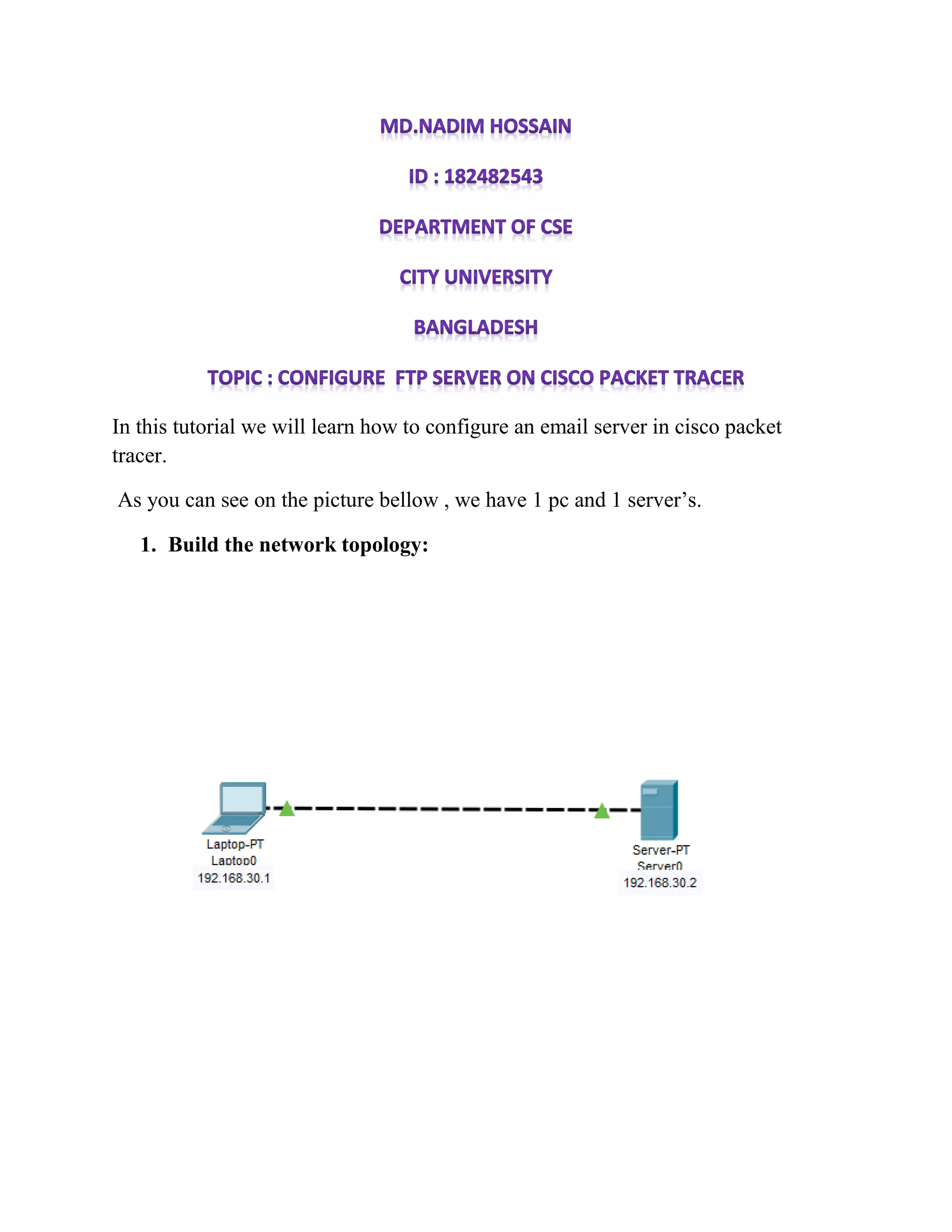
As you can see on the picture bellow , we have 1 pc and 1 server’s.
1. Build the network topology:
2. Configure IP addresses on the PC ,FTP Server:
Laptop : IP address: 192.168.30.1 Subnet Mask: 255.255.255.0
Server : IP address: 192.168.30.2 Subnet Mask: 255.255.255.0
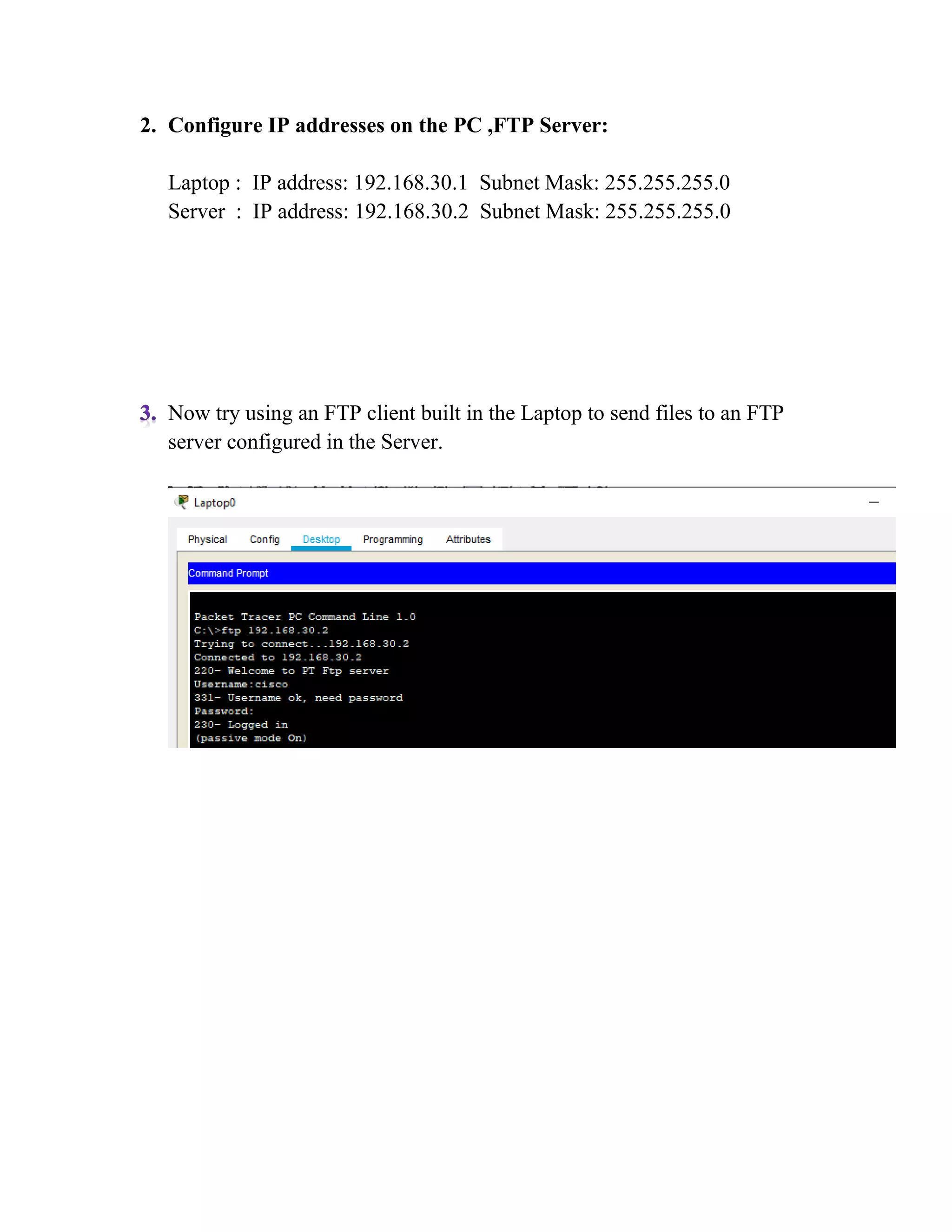
Now try using an FTP client built in the Laptop to send files to an FTP
server configured in the Server.
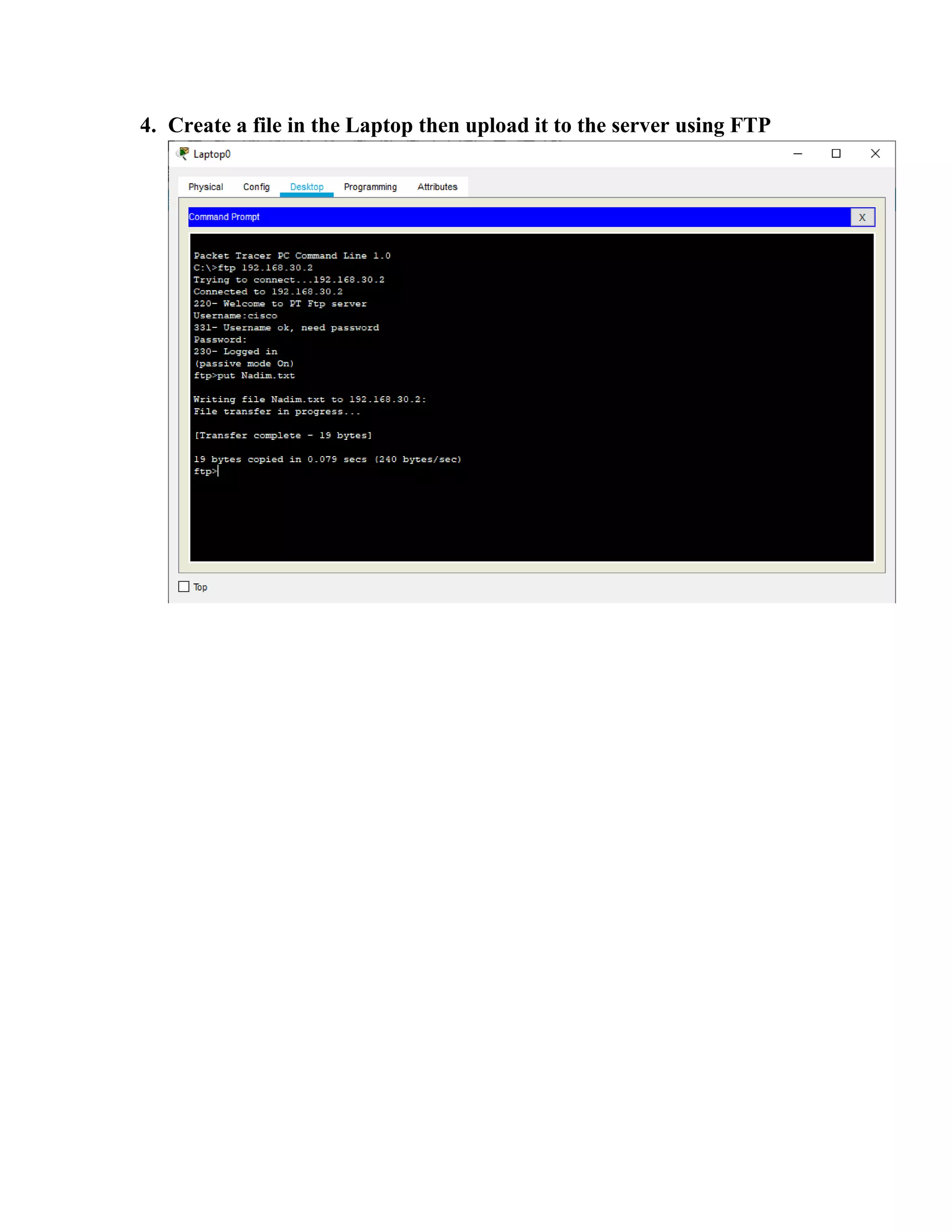
4. Create a file in the Laptop then upload it to the server using FTP
5. Once file upload is successful, go to the Server FTP directory to verify if
the file sent has been received .

Ftp server

  • 1.
    In this tutorialwe will learn how to configure an email server in cisco packet tracer. As you can see on the picture bellow , we have 1 pc and 1 server’s. 1. Build the network topology:
  • 2.
    2. Configure IPaddresses on the PC ,FTP Server: Laptop : IP address: 192.168.30.1 Subnet Mask: 255.255.255.0 Server : IP address: 192.168.30.2 Subnet Mask: 255.255.255.0 Now try using an FTP client built in the Laptop to send files to an FTP server configured in the Server.
  • 3.
    4. Create afile in the Laptop then upload it to the server using FTP
  • 4.
    5. Once fileupload is successful, go to the Server FTP directory to verify if the file sent has been received .