Frisby
REST API Automation
Framework
Dineesha Suraweera
About Frisby
Frisby is a REST API testing framework built on node.js and Jasmine that
makes testing API endpoints easy, fast, and fun.
Frisby is a node.js package created by Vance Lucas.
(Jasmine is a behavior-driven development framework for testing JavaScript
code. It does not depend on any other JavaScript frameworks and most
importantly, it does not require a DOM. It has a clean, obvious syntax so that
you can easily automate your tests. )
2
REST(REpresentational State Transfer)
REST is an architectural style, and an approach to communications that is
often used in the development of Web services. The use of REST is often
preferred over the more heavyweight SOAP (Simple Object Access Protocol)
REST architecture involves reading a designated Web page that contains an
JSON file.
REST, which typically runs over HTTP
3
Selecting REST Automation Tool
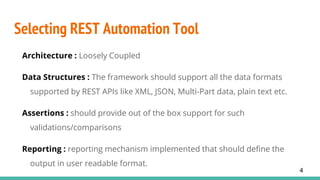
Architecture : Loosely Coupled
Data Structures : The framework should support all the data formats
supported by REST APIs like XML, JSON, Multi-Part data, plain text etc.
Assertions : should provide out of the box support for such
validations/comparisons
Reporting : reporting mechanism implemented that should define the
output in user readable format.
4
Install Frisby
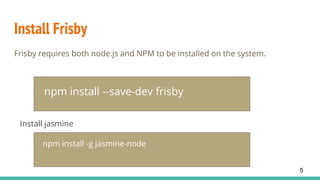
Frisby requires both node.js and NPM to be installed on the system.
npm install --save-dev frisby
Install jasmine
npm install -g jasmine-node
5
File Naming Convention
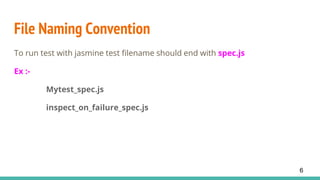
To run test with jasmine test filename should end with spec.js
Ex :-
Mytest_spec.js
inspect_on_failure_spec.js
6
Create Tests
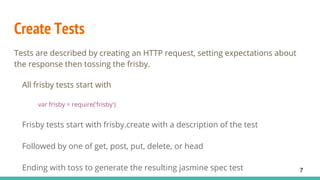
Tests are described by creating an HTTP request, setting expectations about
the response then tossing the frisby.
All frisby tests start with
var frisby = require('frisby')
Frisby tests start with frisby.create with a description of the test
Followed by one of get, post, put, delete, or head
Ending with toss to generate the resulting jasmine spec test 7
Run Tests
Frisby is built on top of the Jasmine BDD framework, and uses the jasmine-
node test runner to run spec tests.
Change directory
cd path/to/project
jasmine-node file/name
8
Built-in assertion/verification test expectations
1. expectStatus: This method is used to verify expected HTTP status code of
response from API.
.expectStatus(200)
2. expectJSONTypes: This method is used to verify expected JSON key type
of API.
.expectJSONTypes({
error: String
status: String
})
9
3. expectJSON: Through this you can verify expected JSON.
.expectJSON({
error: “Username or password not provided.”,
status: “error”
})
4. expectHeaderContains: Through this you can verify expected header of API.
.expectHeaderContains(‘Content-Type’, ‘text/plain’)
5. expectBodyContains: Through this you can verify expected body of API.
.expectBodyContains(“Username or password not provided.”)
10
Inspectors
Inspector helpers are useful for viewing details about the HTTP response
when the test does not pass, or has trouble for some reason. They are also
useful for debugging the API itself as a more user-friendly alternative to curl.
11
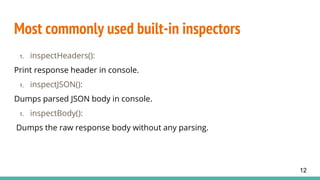
Most commonly used built-in inspectors
1. inspectHeaders():
Print response header in console.
1. inspectJSON():
Dumps parsed JSON body in console.
1. inspectBody():
Dumps the raw response body without any parsing.
12
Helpers
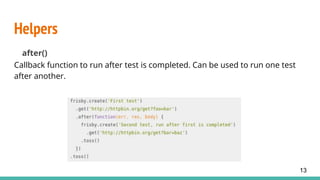
after()
Callback function to run after test is completed. Can be used to run one test
after another.
13
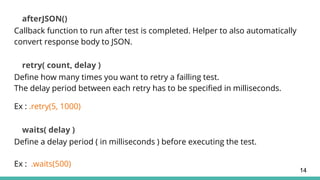
afterJSON()
Callback function to run after test is completed. Helper to also automatically
convert response body to JSON.
retry( count, delay )
Define how many times you want to retry a failling test.
The delay period between each retry has to be specified in milliseconds.
Ex : .retry(5, 1000)
waits( delay )
Define a delay period ( in milliseconds ) before executing the test.
Ex : .waits(500)
14
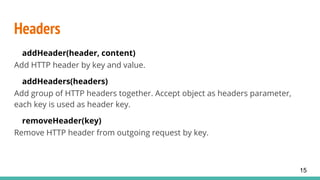
Headers
addHeader(header, content)
Add HTTP header by key and value.
addHeaders(headers)
Add group of HTTP headers together. Accept object as headers parameter,
each key is used as header key.
removeHeader(key)
Remove HTTP header from outgoing request by key.
15
Generate Reports and timeout
The jasmine-node test runner has an option that generates test run reports in
JUnit XML format.
jasmine-node ‘filename’ –junitreport
Ex:
jasmine-node test1_spec.js –junitreport
You can also set timeout of your API response by method: .timeout(10000)
16
Multiple tests as suite
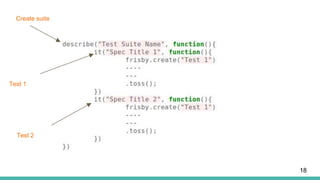
Run multiple frisby test as a suite using Jasmine functions describe() and it().
describe() – Test suite should start with Jasmine function ‘describe’ with two parameters: a string
and a function. Here string is a name or title for a spec suite. The function is a block of code that
implements the suite.
it() – Spec/test case are defined by calling jasmine function ‘it’ with two parameters: a string and a
function. The string is the title of the spec and the function is the spec, or test.
17
Create suite
Test 1
Test 2
18
Demo
19
Thank You!
20

Frisby Api automation

  • 1.
  • 2.
    About Frisby Frisby isa REST API testing framework built on node.js and Jasmine that makes testing API endpoints easy, fast, and fun. Frisby is a node.js package created by Vance Lucas. (Jasmine is a behavior-driven development framework for testing JavaScript code. It does not depend on any other JavaScript frameworks and most importantly, it does not require a DOM. It has a clean, obvious syntax so that you can easily automate your tests. ) 2
  • 3.
    REST(REpresentational State Transfer) RESTis an architectural style, and an approach to communications that is often used in the development of Web services. The use of REST is often preferred over the more heavyweight SOAP (Simple Object Access Protocol) REST architecture involves reading a designated Web page that contains an JSON file. REST, which typically runs over HTTP 3
  • 4.
    Selecting REST AutomationTool Architecture : Loosely Coupled Data Structures : The framework should support all the data formats supported by REST APIs like XML, JSON, Multi-Part data, plain text etc. Assertions : should provide out of the box support for such validations/comparisons Reporting : reporting mechanism implemented that should define the output in user readable format. 4
  • 5.
    Install Frisby Frisby requiresboth node.js and NPM to be installed on the system. npm install --save-dev frisby Install jasmine npm install -g jasmine-node 5
  • 6.
    File Naming Convention Torun test with jasmine test filename should end with spec.js Ex :- Mytest_spec.js inspect_on_failure_spec.js 6
  • 7.
    Create Tests Tests aredescribed by creating an HTTP request, setting expectations about the response then tossing the frisby. All frisby tests start with var frisby = require('frisby') Frisby tests start with frisby.create with a description of the test Followed by one of get, post, put, delete, or head Ending with toss to generate the resulting jasmine spec test 7
  • 8.
    Run Tests Frisby isbuilt on top of the Jasmine BDD framework, and uses the jasmine- node test runner to run spec tests. Change directory cd path/to/project jasmine-node file/name 8
  • 9.
    Built-in assertion/verification testexpectations 1. expectStatus: This method is used to verify expected HTTP status code of response from API. .expectStatus(200) 2. expectJSONTypes: This method is used to verify expected JSON key type of API. .expectJSONTypes({ error: String status: String }) 9
  • 10.
    3. expectJSON: Throughthis you can verify expected JSON. .expectJSON({ error: “Username or password not provided.”, status: “error” }) 4. expectHeaderContains: Through this you can verify expected header of API. .expectHeaderContains(‘Content-Type’, ‘text/plain’) 5. expectBodyContains: Through this you can verify expected body of API. .expectBodyContains(“Username or password not provided.”) 10
  • 11.
    Inspectors Inspector helpers areuseful for viewing details about the HTTP response when the test does not pass, or has trouble for some reason. They are also useful for debugging the API itself as a more user-friendly alternative to curl. 11
  • 12.
    Most commonly usedbuilt-in inspectors 1. inspectHeaders(): Print response header in console. 1. inspectJSON(): Dumps parsed JSON body in console. 1. inspectBody(): Dumps the raw response body without any parsing. 12
  • 13.
    Helpers after() Callback function torun after test is completed. Can be used to run one test after another. 13
  • 14.
    afterJSON() Callback function torun after test is completed. Helper to also automatically convert response body to JSON. retry( count, delay ) Define how many times you want to retry a failling test. The delay period between each retry has to be specified in milliseconds. Ex : .retry(5, 1000) waits( delay ) Define a delay period ( in milliseconds ) before executing the test. Ex : .waits(500) 14
  • 15.
    Headers addHeader(header, content) Add HTTPheader by key and value. addHeaders(headers) Add group of HTTP headers together. Accept object as headers parameter, each key is used as header key. removeHeader(key) Remove HTTP header from outgoing request by key. 15
  • 16.
    Generate Reports andtimeout The jasmine-node test runner has an option that generates test run reports in JUnit XML format. jasmine-node ‘filename’ –junitreport Ex: jasmine-node test1_spec.js –junitreport You can also set timeout of your API response by method: .timeout(10000) 16
  • 17.
    Multiple tests assuite Run multiple frisby test as a suite using Jasmine functions describe() and it(). describe() – Test suite should start with Jasmine function ‘describe’ with two parameters: a string and a function. Here string is a name or title for a spec suite. The function is a block of code that implements the suite. it() – Spec/test case are defined by calling jasmine function ‘it’ with two parameters: a string and a function. The string is the title of the spec and the function is the spec, or test. 17
  • 18.
  • 19.
  • 20.