FRESH AIR: Developing AIR
          applications with Aptana Studio
                                   Mark Drew
             4th-6th June 2008
             Edinburgh, Scotland

Friday, 6 June 2008                            1
What’s this about then?
                      •   Getting a “breath” of AIR (Adobe’s Integrated
                          Runtime)

                      •   Getting Aptana Studio up and running for AIR
                          development

                      •   Writing a real application using technologies
                          ColdFusion developers already know: JavaScript
                          (JQuery) and HTML

                      •   Mainly a coding demo (so you might want to
                          move closer rather than going blind)
Friday, 6 June 2008                                                        2
What’s this not about?

                      •   Using FlexBuilder or CFEclipse

                      •   Writing ColdFusion

                      •   Open Sourcing a CFML Engine

                      •   A JQuery tutorial (although I shall
                          show you some of what it can do)

                      •   A slide rich environment. (sorry if
                          you like looking at pretty slides)


Friday, 6 June 2008                                             3
Who is Mark Drew?
              •       CFEclipse’s Lead Developer

              •       Product Manager at Design UK
                      http://www.designuk.com

              •       LavaSuite Content Management System

              •       UK ColdFusion User Group’s Co-Manager

              •       A ColdFusion Developer since ‘97 and Web
                      developer since ‘94

              •       An occasional presenter on topics such as
                      CFEclipse, ColdFusion, Ajax, ColdSpring and
                      ModelGlue

              •       A guy with very little ‘air

Friday, 6 June 2008                                                 4
Top Secret

                      • Don’t tell anyone but....
                      • This is only my second AIR
                        application.
                      • So don’t laugh.
                      • Be kind.

Friday, 6 June 2008                                  5
What is AIR?
                      •   Bringing Rich Internet Applications
                          (RIAs) to the desktop

                      •   Flex/Flash and HTML/JavaScript on
                          the Desktop

                      •   Mac/PC and soon Linux

                      •   Provides access to the filesystem,
                          SQL light database, network
                          functions, custom chrome, drag and
                          drop and more...

                      •   How can we build these applications?


Friday, 6 June 2008                                              6
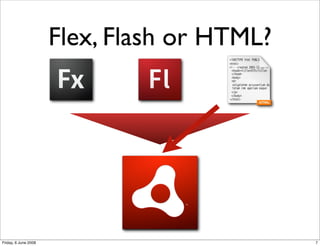
Flex, Flash or HTML?


Friday, 6 June 2008                          7
Use what you know

                      • As a web developer you can leverage your
                        current knowledge
                      • HTML, JavaScript, JavaScript libraries
                      • Use your weapons of choice


Friday, 6 June 2008                                                8
Enter: Aptana Studio
                      • HTML, JavaScript, SQL, CSS,
                        XML, etc IDE
                      • AutoMagically handles *most*
                        JavaScript libraries
                      • Develop iPhone, PHP and
                        RoR Applications
                      • ... and of course, HTML AIR
                        applications

Friday, 6 June 2008                                    9
Before we go, JQuery!
                      •   JavaScript framework with a difference

                      •   Its a fast, concise way to access the DOM and
                          perform manipulations, transformations,
                          animations and Ajax

                      •   Uses the CSS selector syntax to get objects

                      •   E.g.
                          $(“.someclass #withID”).text();

                          $("p.surprise").addClass("ohmy").show("slow");


Friday, 6 June 2008                                                        10
JQuery Demo


                      Paperclip and chewing gum not required
Friday, 6 June 2008                                            11
Back on topic with AIR

                      • Will be building an
                        application from
                        scratch...
                      • Well no, there will be
                        one I prepared earlier


Friday, 6 June 2008                              12
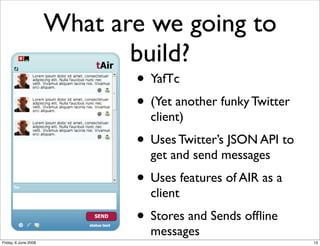
What are we going to
                             build?
                             • YafTc
                             • (Yet another funky Twitter
                               client)
                             • Uses Twitter’s JSON API to
                               get and send messages
                             • Uses features of AIR as a
                               client
                             • Stores and Sends offline
                               messages
Friday, 6 June 2008                                         13
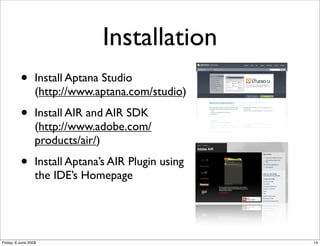
Installation
          •       Install Aptana Studio
                  (http://www.aptana.com/studio)

          •       Install AIR and AIR SDK
                  (http://www.adobe.com/
                  products/air/)

          •       Install Aptana’s AIR Plugin using
                  the IDE’s Homepage


Friday, 6 June 2008                                   14
Building our Application

              • Create a new AIR Application
              • Choose the window options
              • Add application icons
              • Choose the JavaScript library

Friday, 6 June 2008                             15
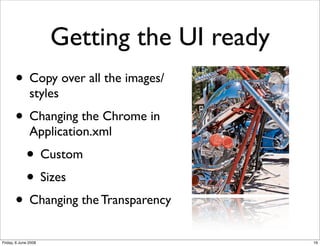
Getting the UI ready
       • Copy over all the images/
               styles
       • Changing the Chrome in
               Application.xml
             • Custom
             • Sizes
       • Changing the Transparency
Friday, 6 June 2008                          16
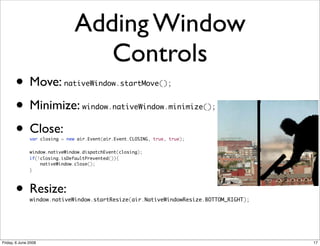
Adding Window
                                   Controls
       • Move:              nativeWindow.startMove();


       • Minimize:                 window.nativeWindow.minimize();


       • Close:var closing = new air.Event(air.Event.CLOSING, true, true);


   	           window.nativeWindow.dispatchEvent(closing);
   	           if(!closing.isDefaultPrevented()){
   	               nativeWindow.close();
   	           }


       • Resize:
               window.nativeWindow.startResize(air.NativeWindowResize.BOTTOM_RIGHT);


Friday, 6 June 2008                                                                    17
Checking Network
                              Status
                      • Add servicemonitor.swf
                      • setup our request
                      • add a monitor
                      • add a listener to
                        air.Event.NETWORK_CHANGE
                      • Respond to changes
Friday, 6 June 2008                                18
Get external data

                      • JavaScript is sandboxed in browsers
                      • AIR has a different set of sandbox rules.
                      • Main change is that we can access external
                        websites via AJAX
                      • Lets do that!

Friday, 6 June 2008                                                  19
Send External Data

                      • Send messages to twitter, update them of
                        our status!
                      • Posting AJAX(AJAJ really) to a remote
                        server


Friday, 6 June 2008                                                20
Saving to the file
                                system
                      • Messages need to be stored when you are
                        not online
                      • When you go back online, we need to send
                        the messages
                      • Lets add some File IO Functionality

Friday, 6 June 2008                                                21
And its that easy!


Friday, 6 June 2008                        22
Finally...

                      • You know how to get the tools to develop
                        AIR Applications
                      • You can leverage your existing knowledge
                        to build desktop apps
                      • You saw how to create a fairly complex AIR
                        application


Friday, 6 June 2008                                                  23
Q&A

                      • mark.drew@gmail.com
                      • Mark Drew http://www.markdrew.co.uk
                      • Aptana http://www.aptana.com
                      • Adobe AIR http://www.adobe.com/air/


Friday, 6 June 2008                                           24

FreshAir2008

  • 1.
    FRESH AIR: DevelopingAIR applications with Aptana Studio Mark Drew 4th-6th June 2008 Edinburgh, Scotland Friday, 6 June 2008 1
  • 2.
    What’s this aboutthen? • Getting a “breath” of AIR (Adobe’s Integrated Runtime) • Getting Aptana Studio up and running for AIR development • Writing a real application using technologies ColdFusion developers already know: JavaScript (JQuery) and HTML • Mainly a coding demo (so you might want to move closer rather than going blind) Friday, 6 June 2008 2
  • 3.
    What’s this notabout? • Using FlexBuilder or CFEclipse • Writing ColdFusion • Open Sourcing a CFML Engine • A JQuery tutorial (although I shall show you some of what it can do) • A slide rich environment. (sorry if you like looking at pretty slides) Friday, 6 June 2008 3
  • 4.
    Who is MarkDrew? • CFEclipse’s Lead Developer • Product Manager at Design UK http://www.designuk.com • LavaSuite Content Management System • UK ColdFusion User Group’s Co-Manager • A ColdFusion Developer since ‘97 and Web developer since ‘94 • An occasional presenter on topics such as CFEclipse, ColdFusion, Ajax, ColdSpring and ModelGlue • A guy with very little ‘air Friday, 6 June 2008 4
  • 5.
    Top Secret • Don’t tell anyone but.... • This is only my second AIR application. • So don’t laugh. • Be kind. Friday, 6 June 2008 5
  • 6.
    What is AIR? • Bringing Rich Internet Applications (RIAs) to the desktop • Flex/Flash and HTML/JavaScript on the Desktop • Mac/PC and soon Linux • Provides access to the filesystem, SQL light database, network functions, custom chrome, drag and drop and more... • How can we build these applications? Friday, 6 June 2008 6
  • 7.
    Flex, Flash orHTML? Friday, 6 June 2008 7
  • 8.
    Use what youknow • As a web developer you can leverage your current knowledge • HTML, JavaScript, JavaScript libraries • Use your weapons of choice Friday, 6 June 2008 8
  • 9.
    Enter: Aptana Studio • HTML, JavaScript, SQL, CSS, XML, etc IDE • AutoMagically handles *most* JavaScript libraries • Develop iPhone, PHP and RoR Applications • ... and of course, HTML AIR applications Friday, 6 June 2008 9
  • 10.
    Before we go,JQuery! • JavaScript framework with a difference • Its a fast, concise way to access the DOM and perform manipulations, transformations, animations and Ajax • Uses the CSS selector syntax to get objects • E.g. $(“.someclass #withID”).text(); $("p.surprise").addClass("ohmy").show("slow"); Friday, 6 June 2008 10
  • 11.
    JQuery Demo Paperclip and chewing gum not required Friday, 6 June 2008 11
  • 12.
    Back on topicwith AIR • Will be building an application from scratch... • Well no, there will be one I prepared earlier Friday, 6 June 2008 12
  • 13.
    What are wegoing to build? • YafTc • (Yet another funky Twitter client) • Uses Twitter’s JSON API to get and send messages • Uses features of AIR as a client • Stores and Sends offline messages Friday, 6 June 2008 13
  • 14.
    Installation • Install Aptana Studio (http://www.aptana.com/studio) • Install AIR and AIR SDK (http://www.adobe.com/ products/air/) • Install Aptana’s AIR Plugin using the IDE’s Homepage Friday, 6 June 2008 14
  • 15.
    Building our Application • Create a new AIR Application • Choose the window options • Add application icons • Choose the JavaScript library Friday, 6 June 2008 15
  • 16.
    Getting the UIready • Copy over all the images/ styles • Changing the Chrome in Application.xml • Custom • Sizes • Changing the Transparency Friday, 6 June 2008 16
  • 17.
    Adding Window Controls • Move: nativeWindow.startMove(); • Minimize: window.nativeWindow.minimize(); • Close:var closing = new air.Event(air.Event.CLOSING, true, true); window.nativeWindow.dispatchEvent(closing); if(!closing.isDefaultPrevented()){ nativeWindow.close(); } • Resize: window.nativeWindow.startResize(air.NativeWindowResize.BOTTOM_RIGHT); Friday, 6 June 2008 17
  • 18.
    Checking Network Status • Add servicemonitor.swf • setup our request • add a monitor • add a listener to air.Event.NETWORK_CHANGE • Respond to changes Friday, 6 June 2008 18
  • 19.
    Get external data • JavaScript is sandboxed in browsers • AIR has a different set of sandbox rules. • Main change is that we can access external websites via AJAX • Lets do that! Friday, 6 June 2008 19
  • 20.
    Send External Data • Send messages to twitter, update them of our status! • Posting AJAX(AJAJ really) to a remote server Friday, 6 June 2008 20
  • 21.
    Saving to thefile system • Messages need to be stored when you are not online • When you go back online, we need to send the messages • Lets add some File IO Functionality Friday, 6 June 2008 21
  • 22.
    And its thateasy! Friday, 6 June 2008 22
  • 23.
    Finally... • You know how to get the tools to develop AIR Applications • You can leverage your existing knowledge to build desktop apps • You saw how to create a fairly complex AIR application Friday, 6 June 2008 23
  • 24.
    Q&A • mark.drew@gmail.com • Mark Drew http://www.markdrew.co.uk • Aptana http://www.aptana.com • Adobe AIR http://www.adobe.com/air/ Friday, 6 June 2008 24