Chapter 8-
Creating Forms
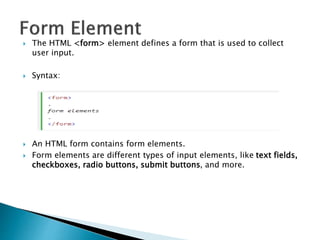
 The HTML <form> element defines a form that is used to collect
user input.
 Syntax:
 An HTML form contains form elements.
 Form elements are different types of input elements, like text fields,
checkboxes, radio buttons, submit buttons, and more.
 Text Input Controls
◦ Single-Line Input Control
◦ Multiple-Line Input Control (Text Area)
 Checkboxes
 Radio Buttons / Option Buttons
 Select Boxes / Combo box
 File Select boxes
 Buttons
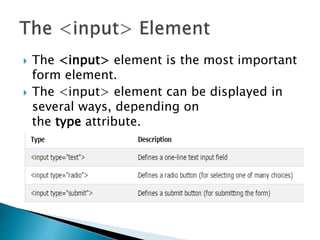
 The <input> element is the most important
form element.
 The <input> element can be displayed in
several ways, depending on
the type attribute.
 Here are some examples:
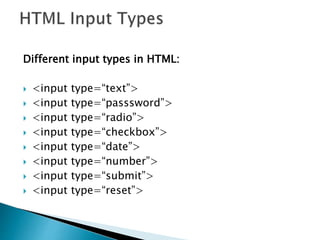
Different input types in HTML:
 <input type=“text”>
 <input type=“passsword”>
 <input type=“radio”>
 <input type=“checkbox”>
 <input type=“date”>
 <input type=“number”>
 <input type=“submit”>
 <input type=“reset”>
 Placeholder-It specifies a hint that describes the
expected value of an input field (a sample value
or a short description of the format)
 Maxlength - It specifies the maximum allowed
length for the input field.
 Required-specifies that an input field must be
filled out before submitting the form.
 Autofocus-specifies that an input field must be
filled out before submitting the form.
 Size - specifies the size (in characters) for the
input field.
 Value - specifies the initial value for an input
field.
 Name – specifies the name of an input
element.
 It specifies the URL of a file that will process
the input control when the form is submitted.
 Eg:
<input type=“submit” value=“save”
formaction=“secondpage.html”>
 The <select> element defines a drop-down
list
 The <option> elements defines an option
that can be selected.
 Use the size attribute to specify the number
of visible values
 This element defines a multi-line input field
(a text area)
 The rows attribute specifies the visible
number of lines in a text area.
 The cols attribute specifies the visible
number of lines in a text area.
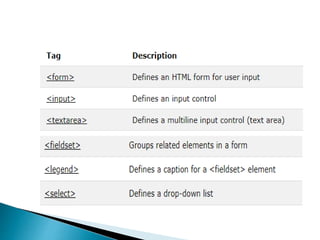
 The <fieldset> tag is used to group
related elements in a form.
 The <fieldset> tag draws a box
around the related elements.
 The <legend> tag defines a caption
for the <fieldset> element.
 References :
http://www.w3schools.com

Forms.pptx

  • 1.
  • 2.
     The HTML<form> element defines a form that is used to collect user input.  Syntax:  An HTML form contains form elements.  Form elements are different types of input elements, like text fields, checkboxes, radio buttons, submit buttons, and more.
  • 3.
     Text InputControls ◦ Single-Line Input Control ◦ Multiple-Line Input Control (Text Area)  Checkboxes  Radio Buttons / Option Buttons  Select Boxes / Combo box  File Select boxes  Buttons
  • 4.
     The <input>element is the most important form element.  The <input> element can be displayed in several ways, depending on the type attribute.  Here are some examples:
  • 5.
    Different input typesin HTML:  <input type=“text”>  <input type=“passsword”>  <input type=“radio”>  <input type=“checkbox”>  <input type=“date”>  <input type=“number”>  <input type=“submit”>  <input type=“reset”>
  • 6.
     Placeholder-It specifiesa hint that describes the expected value of an input field (a sample value or a short description of the format)  Maxlength - It specifies the maximum allowed length for the input field.  Required-specifies that an input field must be filled out before submitting the form.  Autofocus-specifies that an input field must be filled out before submitting the form.
  • 7.
     Size -specifies the size (in characters) for the input field.  Value - specifies the initial value for an input field.  Name – specifies the name of an input element.
  • 8.
     It specifiesthe URL of a file that will process the input control when the form is submitted.  Eg: <input type=“submit” value=“save” formaction=“secondpage.html”>
  • 10.
     The <select>element defines a drop-down list  The <option> elements defines an option that can be selected.  Use the size attribute to specify the number of visible values
  • 11.
     This elementdefines a multi-line input field (a text area)  The rows attribute specifies the visible number of lines in a text area.  The cols attribute specifies the visible number of lines in a text area.
  • 12.
     The <fieldset>tag is used to group related elements in a form.  The <fieldset> tag draws a box around the related elements.  The <legend> tag defines a caption for the <fieldset> element.
  • 13.