1
Database Security &
Encryption
c.stanier@staffs.ac.uk
2
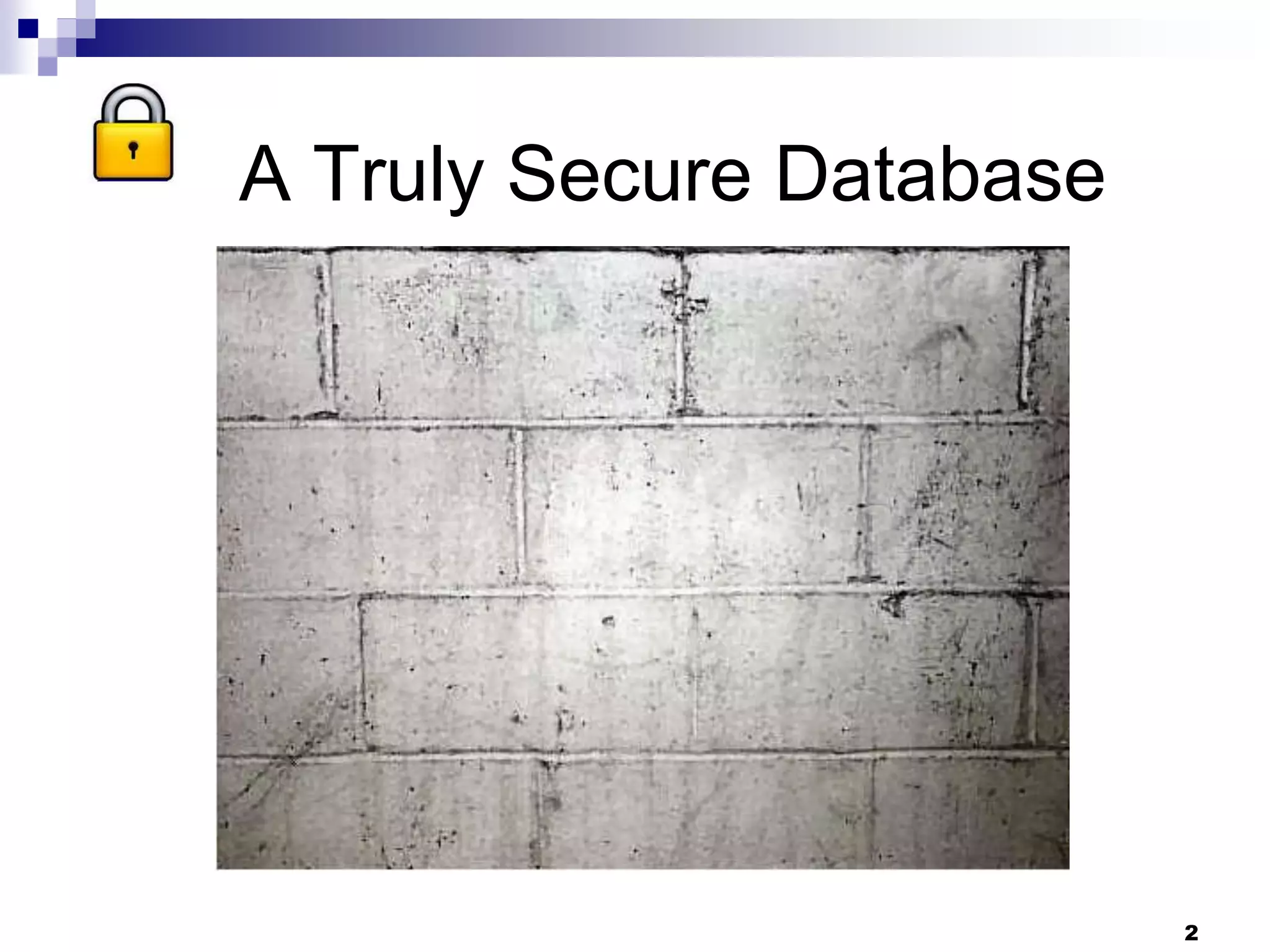
A Truly Secure Database
3
So In The Real World
 Database security protects the database against
unwanted effects, accidental or deliberate
 There is always a trade off between high
security and performance/user convenience
 Excessive security can in itself be a security
threat - workarounds
 The first step is always a security audit
 This lecture looks at the use of encryption as
part of a security policy
4
Excessive Security Can
In Itself Be A Security Threat
Dilbert
5
Before Deciding on Encryption
 Know the data and the database
 What should be encrypted?
 Which encryption algorithms?
 DBMS or external encryption?
 What is the acceptable performance hit?
 Who are you protecting against?
 Is the benefit worth the cost?
6
The Role of Encryption
 Most database security techniques focus on controlling access –
passwords, privileges, encrypting data as it travels
 There is much less focus on protecting data at rest (data in storage)
 We are assuming here that access encryption has already been used – this
lecture focuses on data in storage
 Encryption is increasingly being used to protect data in storage
 Which includes backups
 And all the pen drives, portable hard drives, mobiles that get lost or
stolen
 Encryption is often described as ‘the last line of defence’
7
Whole Database Encryption
 The whole database is encrypted
 This protects the data at rest but requires
decryption for use
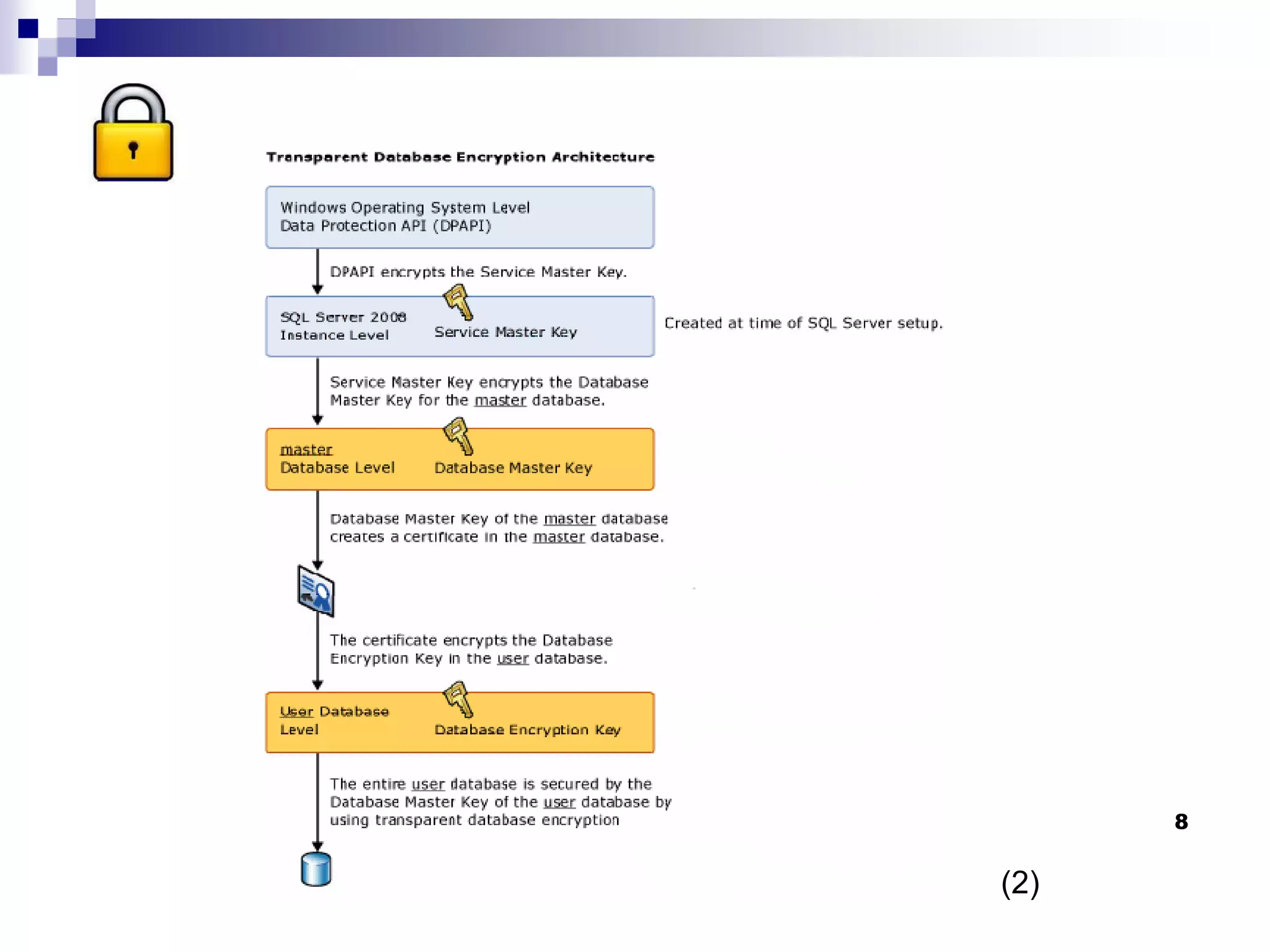
 Whole DB encryption has traditionally been
regarded as too expensive – SQL Server
TDE, new with 2008, claims to reduce the
performance hit but still acknowledges a cost
(1)
8
(2)
9
Partial Data Encryption
 Partial encryption provides more granularity plus the data is not
decrypted until it is used
 Usually referring to column encryption although it can also be cell
level or encryption of DB objects such as triggers
 Rule of thumb – encrypting a single column is likely to produce a
5% performance hit, but this varies wildly
 Traditional partial encryption can produce a massive performance
hit as indexes are not recognised – but this depends on the DBMS
 Highly configurable – can allocate different keys to different users
 With the downside that this increases the key management
problem
10
Partial Data Encryption
 For SQL Server 2008, Microsoft suggest that with cell
level encryption, basic query performance tends to be
around 20% worse.
 Problem increases with scaling
 “One sample application with 10,000 rows was four times worse
with one column encrypted, and 20 times worse with
nine columns encrypted. Because cell-level encryption is custom
to each application, performance degradation will vary
depending on application and workload specifics.” (1)
 “Custom to each application” - this is an “it depends”
area
11
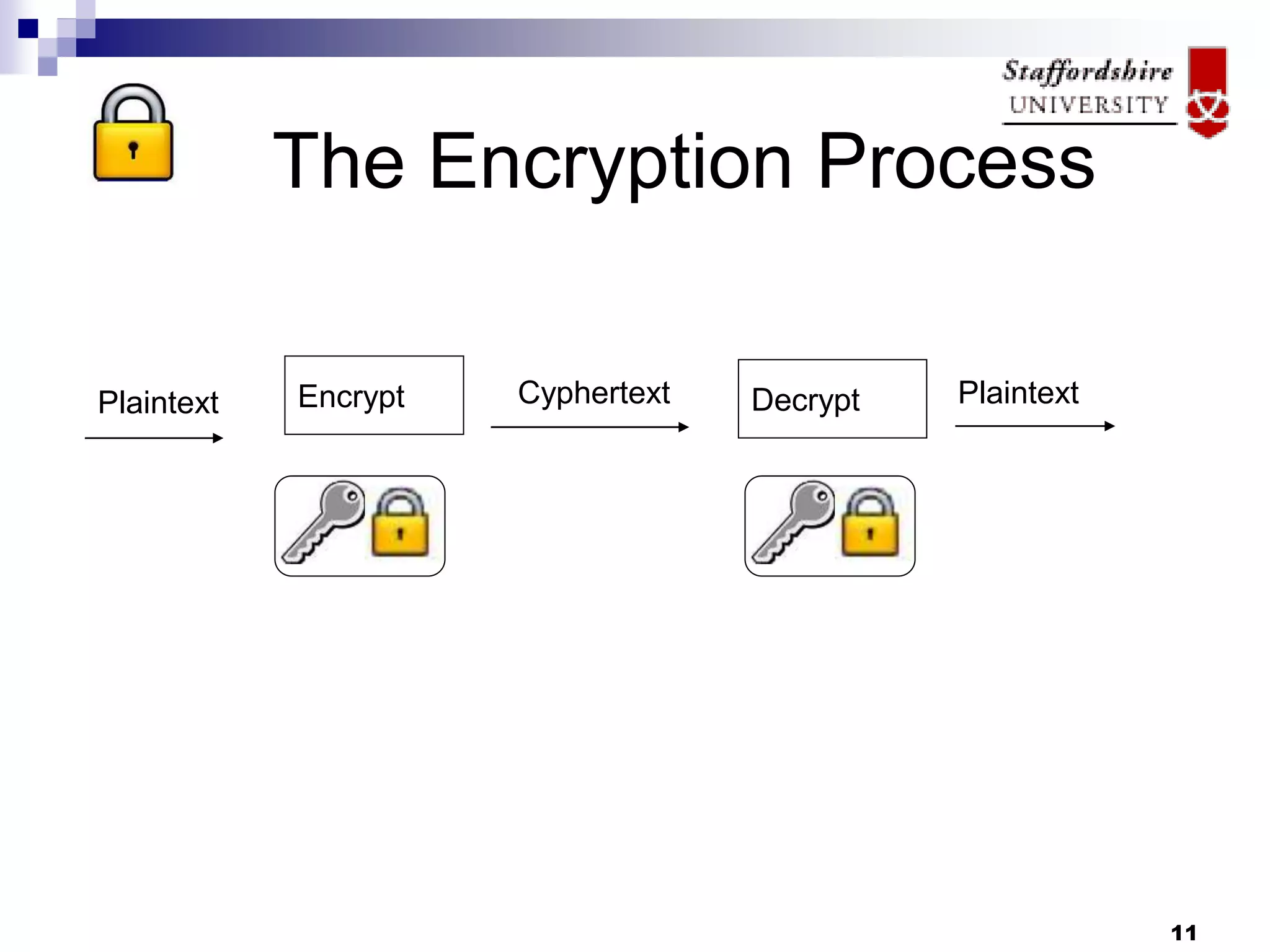
The Encryption Process
Encrypt Decrypt
Plaintext Plaintext
Cyphertext
12
Encryption Algorithms: Data
Encryption Standard
 DES has a short (56 bit) key plus 8 bits used for
parity checking
 Very susceptible to brute force attacks
 “No sane security expert would consider using
DES to protect data.” (2)
 Now outdated – older versions of DBMS
encryption routines used DES e.g. early
versions of Oracle
13
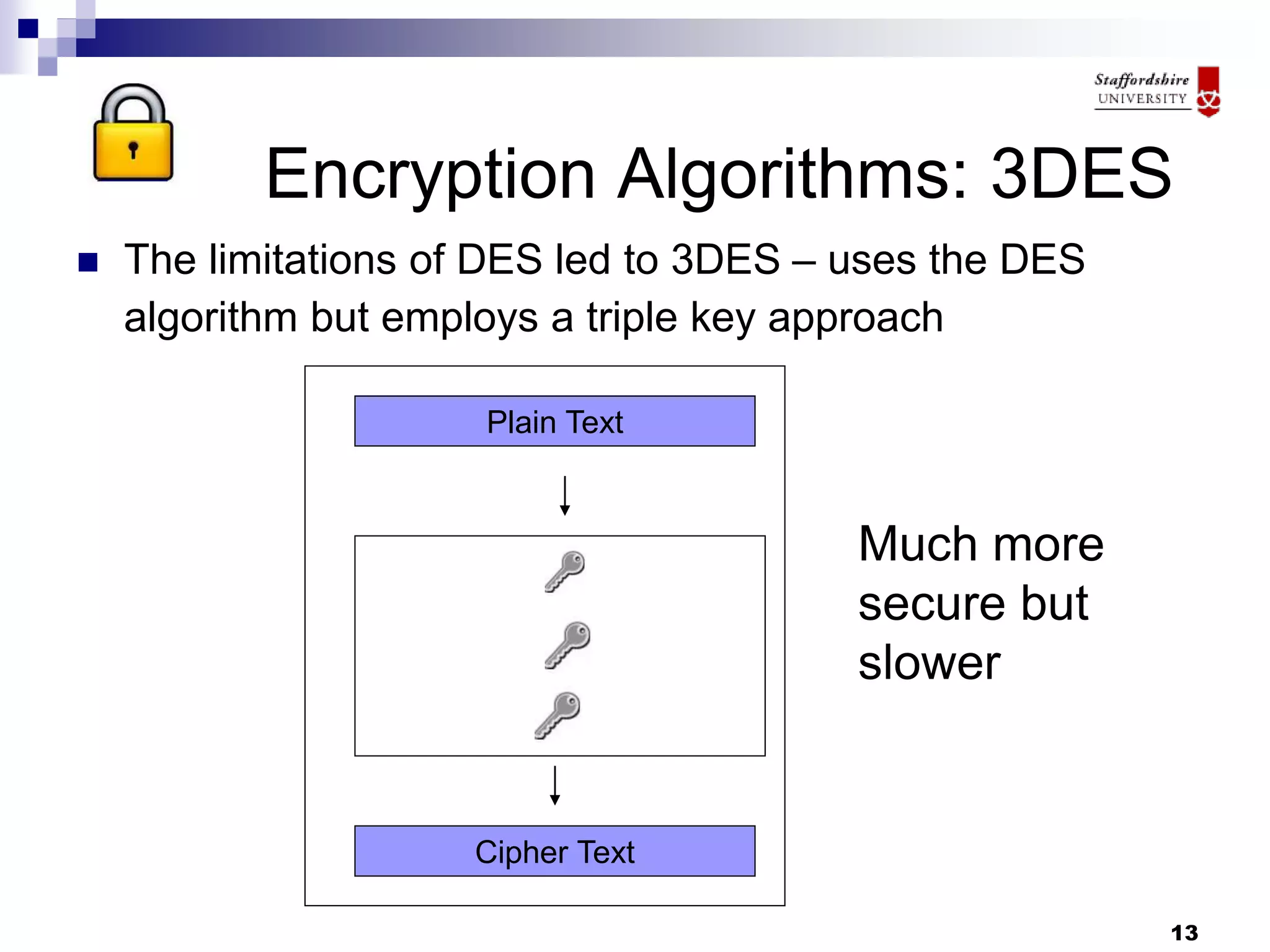
Encryption Algorithms: 3DES
 The limitations of DES led to 3DES – uses the DES
algorithm but employs a triple key approach
Plain Text
Cipher Text
Much more
secure but
slower
14
Encryption Algorithms: AES
 Key size 128,192 or 256 bits
 Consists of a set of processing rounds – the
number varies depending on the key size e.g.
14 rounds for 256 length keys
 More secure
15
Encryption Algorithms:RC5
 Symmetric (same key used for en/decryption)
block cypher
 Fast and flexible – the user can specify the
number of rounds
 Allows for a variable length key
 Supported in Oracle & DB2
16
Encryption in the DBMS
 Some of the initial problems with DBMS
encryption are on the way to being solved
 Disk size was a major problem as ciphers may
produce output in fixed block sizes, meaning that
the input must be padded – requiring resizing of
columns
 DBMS encryption was typically criticised for using
outdated algorithms such as DES & even 3DES
 Sometimes compatibility issues
 A plus with DBMS encryption is that there
should be minimal change implications
17
Key Management
 The encryption is only as secure as the key
 DBMS based encryptions (typically) store the
key inside the database
 Which raises issues such as
How many keys
Who manages them
Where are they stored
What happens if you lose your key?
18
Encryption Servers
 As an alternative to encrypting within the DB, a central
encryption server can be used to encrypt data in
applications as well as in the database
 This is a heavily vendor led area; benefits claimed
include
 More secure key management
 Wider choice of algorithms
 Wider coverage of data
 Easier management of encryption
 Removing computation overhead from DBMS/application
servers
 The downside is:
 Added complexity
 Applications changes
 Cost
 And – is the extra layer necessary?
19
Further Work
 You should understand the significance of the
different encryption algorithms but the main
areas to focus on are:
 The benefits of encryption in a DB context
 The downside to encryption in a DB context
 The business environment in which encryption would
be useful
 What and how you should encrypt if you decide
encryption would be useful
 How encryption would fit into your overall DB
security policy
And a personal opinion
 My view:
If someone truly wants to get into your
database, they will probably manage it
The biggest risk to data is accidental or
casual intrusion
People will lose pen drives – but an encrypted
pen drive should not be too much of a
problem
Should we focus less on the main database
and more on data storage?
20
21
References
1. http://msdn.microsoft.com/en-
us/library/cc278098.aspx
2. http://msdn.microsoft.com/en-
us/library/bb934049.aspx
3. http://www.tropsoft.com/strongenc/des3.htm

Formal Lecture.ppt

  • 1.
  • 2.
  • 3.
    3 So In TheReal World  Database security protects the database against unwanted effects, accidental or deliberate  There is always a trade off between high security and performance/user convenience  Excessive security can in itself be a security threat - workarounds  The first step is always a security audit  This lecture looks at the use of encryption as part of a security policy
  • 4.
    4 Excessive Security Can InItself Be A Security Threat Dilbert
  • 5.
    5 Before Deciding onEncryption  Know the data and the database  What should be encrypted?  Which encryption algorithms?  DBMS or external encryption?  What is the acceptable performance hit?  Who are you protecting against?  Is the benefit worth the cost?
  • 6.
    6 The Role ofEncryption  Most database security techniques focus on controlling access – passwords, privileges, encrypting data as it travels  There is much less focus on protecting data at rest (data in storage)  We are assuming here that access encryption has already been used – this lecture focuses on data in storage  Encryption is increasingly being used to protect data in storage  Which includes backups  And all the pen drives, portable hard drives, mobiles that get lost or stolen  Encryption is often described as ‘the last line of defence’
  • 7.
    7 Whole Database Encryption The whole database is encrypted  This protects the data at rest but requires decryption for use  Whole DB encryption has traditionally been regarded as too expensive – SQL Server TDE, new with 2008, claims to reduce the performance hit but still acknowledges a cost (1)
  • 8.
  • 9.
    9 Partial Data Encryption Partial encryption provides more granularity plus the data is not decrypted until it is used  Usually referring to column encryption although it can also be cell level or encryption of DB objects such as triggers  Rule of thumb – encrypting a single column is likely to produce a 5% performance hit, but this varies wildly  Traditional partial encryption can produce a massive performance hit as indexes are not recognised – but this depends on the DBMS  Highly configurable – can allocate different keys to different users  With the downside that this increases the key management problem
  • 10.
    10 Partial Data Encryption For SQL Server 2008, Microsoft suggest that with cell level encryption, basic query performance tends to be around 20% worse.  Problem increases with scaling  “One sample application with 10,000 rows was four times worse with one column encrypted, and 20 times worse with nine columns encrypted. Because cell-level encryption is custom to each application, performance degradation will vary depending on application and workload specifics.” (1)  “Custom to each application” - this is an “it depends” area
  • 11.
    11 The Encryption Process EncryptDecrypt Plaintext Plaintext Cyphertext
  • 12.
    12 Encryption Algorithms: Data EncryptionStandard  DES has a short (56 bit) key plus 8 bits used for parity checking  Very susceptible to brute force attacks  “No sane security expert would consider using DES to protect data.” (2)  Now outdated – older versions of DBMS encryption routines used DES e.g. early versions of Oracle
  • 13.
    13 Encryption Algorithms: 3DES The limitations of DES led to 3DES – uses the DES algorithm but employs a triple key approach Plain Text Cipher Text Much more secure but slower
  • 14.
    14 Encryption Algorithms: AES Key size 128,192 or 256 bits  Consists of a set of processing rounds – the number varies depending on the key size e.g. 14 rounds for 256 length keys  More secure
  • 15.
    15 Encryption Algorithms:RC5  Symmetric(same key used for en/decryption) block cypher  Fast and flexible – the user can specify the number of rounds  Allows for a variable length key  Supported in Oracle & DB2
  • 16.
    16 Encryption in theDBMS  Some of the initial problems with DBMS encryption are on the way to being solved  Disk size was a major problem as ciphers may produce output in fixed block sizes, meaning that the input must be padded – requiring resizing of columns  DBMS encryption was typically criticised for using outdated algorithms such as DES & even 3DES  Sometimes compatibility issues  A plus with DBMS encryption is that there should be minimal change implications
  • 17.
    17 Key Management  Theencryption is only as secure as the key  DBMS based encryptions (typically) store the key inside the database  Which raises issues such as How many keys Who manages them Where are they stored What happens if you lose your key?
  • 18.
    18 Encryption Servers  Asan alternative to encrypting within the DB, a central encryption server can be used to encrypt data in applications as well as in the database  This is a heavily vendor led area; benefits claimed include  More secure key management  Wider choice of algorithms  Wider coverage of data  Easier management of encryption  Removing computation overhead from DBMS/application servers  The downside is:  Added complexity  Applications changes  Cost  And – is the extra layer necessary?
  • 19.
    19 Further Work  Youshould understand the significance of the different encryption algorithms but the main areas to focus on are:  The benefits of encryption in a DB context  The downside to encryption in a DB context  The business environment in which encryption would be useful  What and how you should encrypt if you decide encryption would be useful  How encryption would fit into your overall DB security policy
  • 20.
    And a personalopinion  My view: If someone truly wants to get into your database, they will probably manage it The biggest risk to data is accidental or casual intrusion People will lose pen drives – but an encrypted pen drive should not be too much of a problem Should we focus less on the main database and more on data storage? 20
  • 21.