Introduction to Flask:
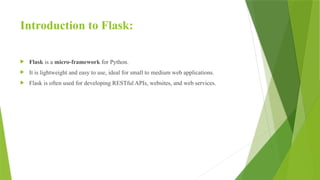
Flask is a micro-framework for Python.
It is lightweight and easy to use, ideal for small to medium web applications.
Flask is often used for developing RESTful APIs, websites, and web services.
Creating a SimpleFlask Application:
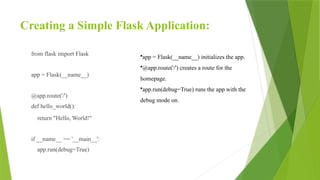
from flask import Flask
app = Flask(__name__)
@app.route('/')
def hello_world():
return "Hello, World!"
if __name__ == '__main__':
app.run(debug=True)
•app = Flask(__name__) initializes the app.
•@app.route('/') creates a route for the
homepage.
•app.run(debug=True) runs the app with the
debug mode on.
5.
Routing in Flask:
•Routesare used to map URLs to functions.
•Example of a dynamic route:
@app.route('/user/<username>’)
def show_user(username):
return f'Hello, {username}!'
6.
Template Rendering withJinja:
Flask uses Jinja templating engine.
Templates allow dynamic HTML generation.
<!-- Example: hello.html -->
<h1>Hello, {{ name }}!</h1>
In Flask:
from flask import render_template
@app.route('/greet/<name>’)
def greet(name):
return render_template('hello.html', name=name)
7.
Flask and DatabaseIntegration:
•Flask supports several databases via extensions like:
•Flask-MySql connector (SQL databases)
•Flask-MongoEngine (NoSQL, MongoDB)
•Example with MySql Connector:
import mysql.connector
from flask import Flask
app = Flask(__name__)
def get_db_connection():
connection = mysql.connector.connect(
host='localhost',
user='your_username',
password='your_password',
database='your_database'
)
return connection
8.
Create a Table:
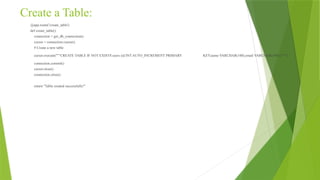
@app.route('/create_table')
defcreate_table():
connection = get_db_connection()
cursor = connection.cursor()
# Create a new table
cursor.execute("""CREATE TABLE IF NOT EXISTS users (id INT AUTO_INCREMENT PRIMARY KEY,name VARCHAR(100),email VARCHAR(100) ) """)
connection.commit()
cursor.close()
connection.close()
return "Table created successfully!"
9.
Insert Data:
@app.route('/insert')
def insert_data():
connection= get_db_connection()
cursor = connection.cursor()
# Insert data into the table
cursor.execute("""
INSERT INTO users (name, email)
VALUES (%s, %s)
""", ('John Doe', 'john@example.com'))
connection.commit()
cursor.close()
connection.close()
return "Data inserted successfully!"
10.
Read Data:
@app.route('/fetch')
def fetch_data():
connection= get_db_connection()
cursor = connection.cursor()
# Fetch all rows from the table
cursor.execute("SELECT * FROM users")
rows = cursor.fetchall()
cursor.close()
connection.close()
return str(rows)
11.
Update Data:
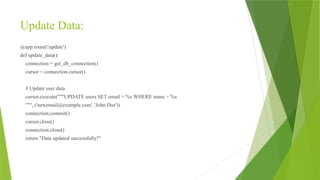
@app.route('/update')
def update_data():
connection= get_db_connection()
cursor = connection.cursor()
# Update user data
cursor.execute("""UPDATE users SET email = %s WHERE name = %s
""", ('newemail@example.com', 'John Doe'))
connection.commit()
cursor.close()
connection.close()
return "Data updated successfully!"
12.
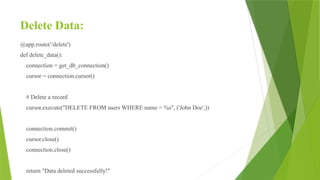
Delete Data:
@app.route('/delete')
def delete_data():
connection= get_db_connection()
cursor = connection.cursor()
# Delete a record
cursor.execute("DELETE FROM users WHERE name = %s", ('John Doe',))
connection.commit()
cursor.close()
connection.close()
return "Data deleted successfully!"