Find your way with   API André Matos & João Duarte
Agenda What’s SAPO Mapas How SAPO Mapas API is made SAPO Mapas API – the inner workings Demos Documentation Find your way with SAPO Mapas API SAPO Codebits 2009
What's SAPO Mapas Web  Maps  Application.   Contains over 1.5 million POIs in Portuguese territory distributed over 200 categories ( Supported by SAPO Gis:   http://services.sapo.pt/Metadata/Service/GIS?culture=PT )     Get the best route, for anywhere you want (in Portugal).     Search for your needs (e.g. "Comer em Lisboa").   And more... you must try it!  Find your way with SAPO Mapas API SAPO Codebits 2009
Where can I find it? http://mapas.sapo.pt Find your way with SAPO Mapas API SAPO Codebits 2009
SAPO Mapas API - How is it made? Technologies used to make SAPO Mapas API:   OpenLayers 2.8   JavaScript ( yes, a lot of JavaScript :) )   Web Services   GIS WebServices  (available at:   http://services.sapo.pt/Metadata/Service/GIS?culture=PT )  Find your way with SAPO Mapas API SAPO Codebits 2009
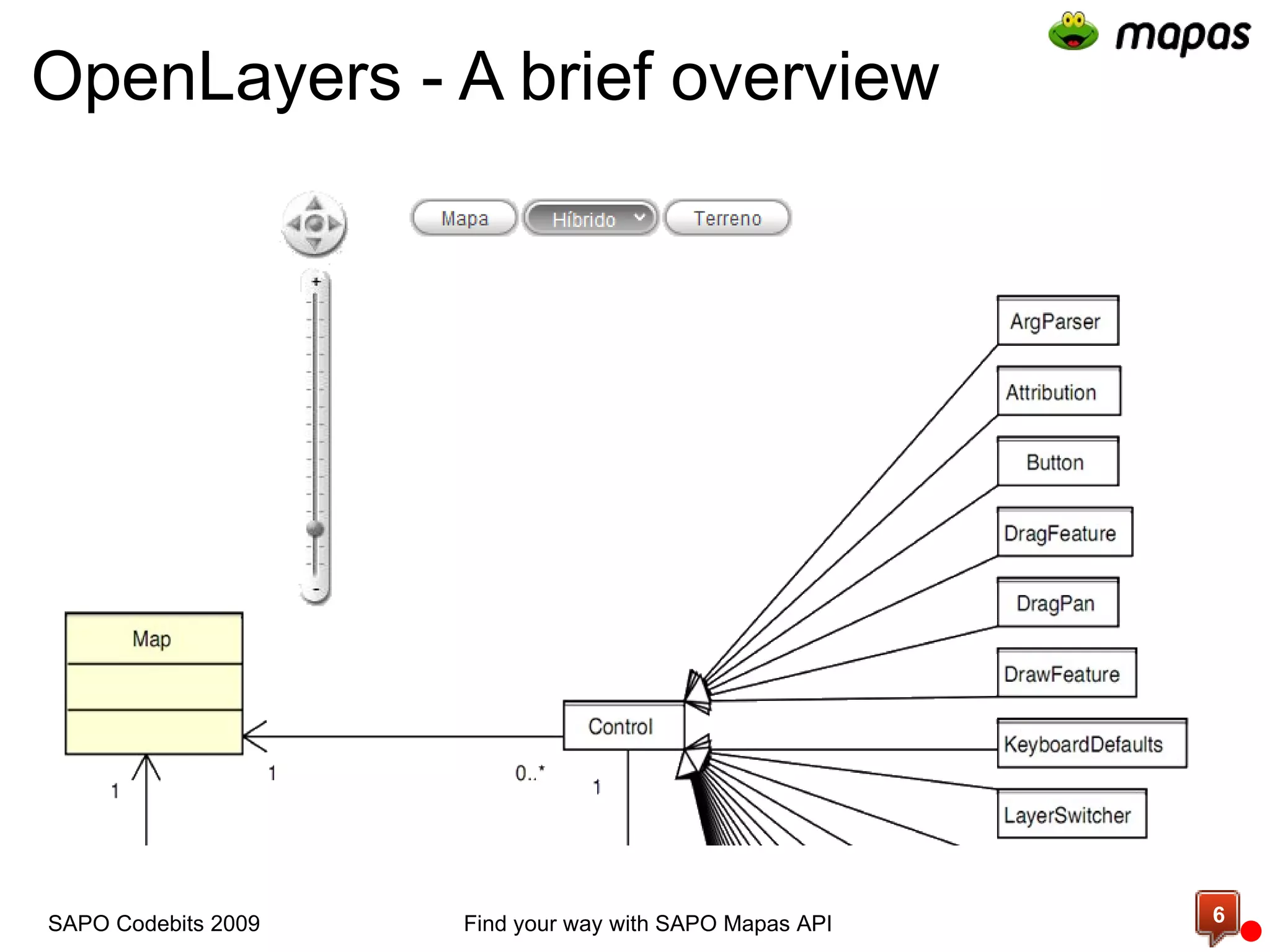
OpenLayers - A brief overview   Find your way with SAPO Mapas API SAPO Codebits 2009
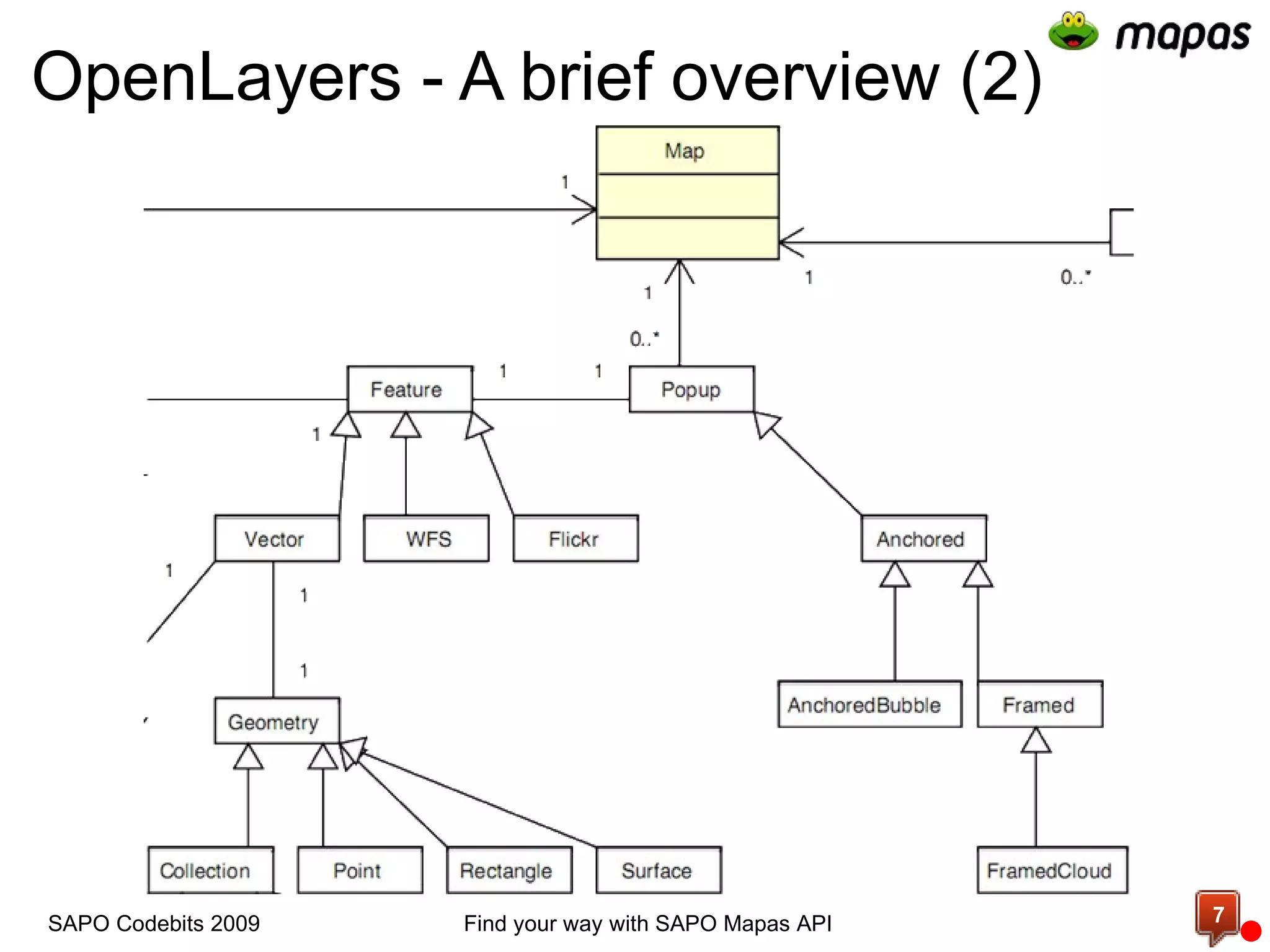
OpenLayers - A brief overview (2)   Find your way with SAPO Mapas API SAPO Codebits 2009
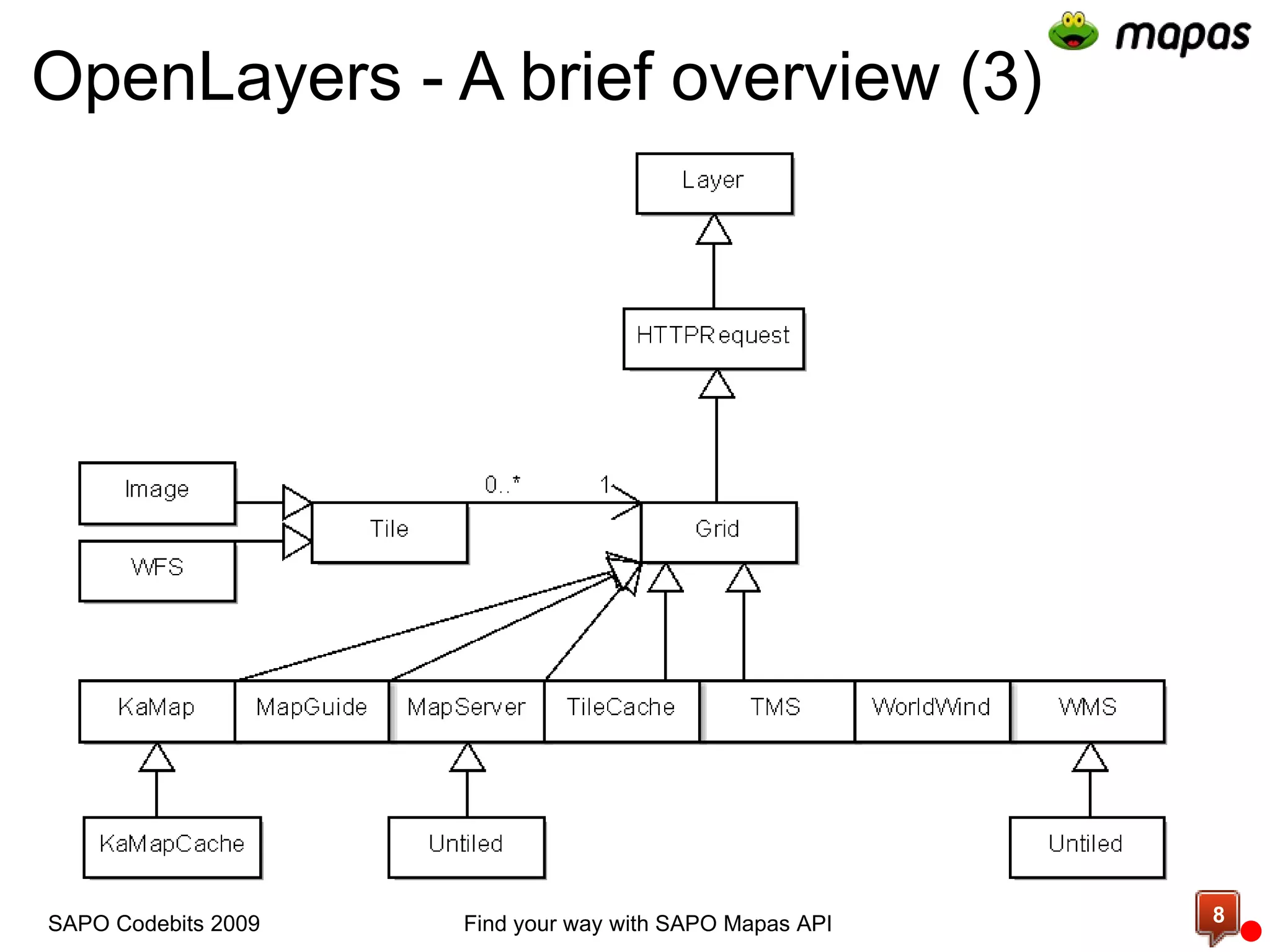
OpenLayers - A brief overview (3) Find your way with SAPO Mapas API SAPO Codebits 2009
OpenLayers - A brief overview (4) For more information about OpenLayers:   http://openlayers.org       Examples -   http://openlayers.org/dev/examples/     Class reference -  http://dev.openlayers.org/releases/OpenLayers-2.8/doc/apidocs/files/OpenLayers-js.html     OpenLayers UML -  http://trac.openlayers.org/attachment/wiki/UML/ClassDiagram_OL2.7RC2-20080916.pdf?format=raw     Mailing lists  Find your way with SAPO Mapas API SAPO Codebits 2009 c
  And now... Find your way with SAPO Mapas API SAPO Codebits 2009
  Let's have some fun... Find your way with SAPO Mapas API SAPO Codebits 2009
  Let's talk about  SAPO Mapas API! Find your way with SAPO Mapas API SAPO Codebits 2009
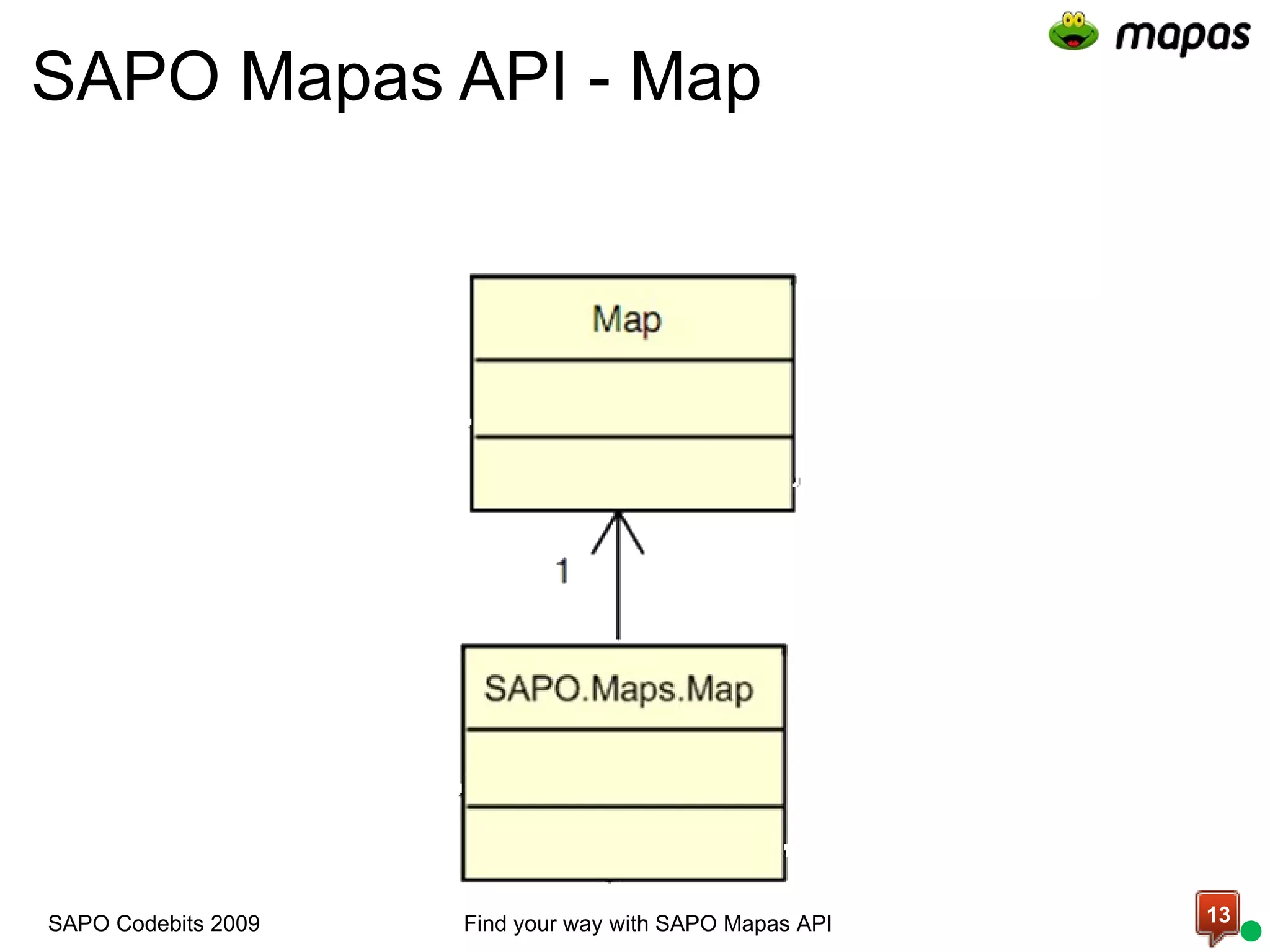
SAPO Mapas API - Map   Find your way with SAPO Mapas API SAPO Codebits 2009
SAPO Mapas API - Map (2) The main type.   Draws a map in your HTML page.    Provides some commands to interact with the map:    setMapCenter - Center the map in a given point   zoomTo - Zoom to a given zoom level   setBaseLayer - Changes the map view type Find your way with SAPO Mapas API SAPO Codebits 2009
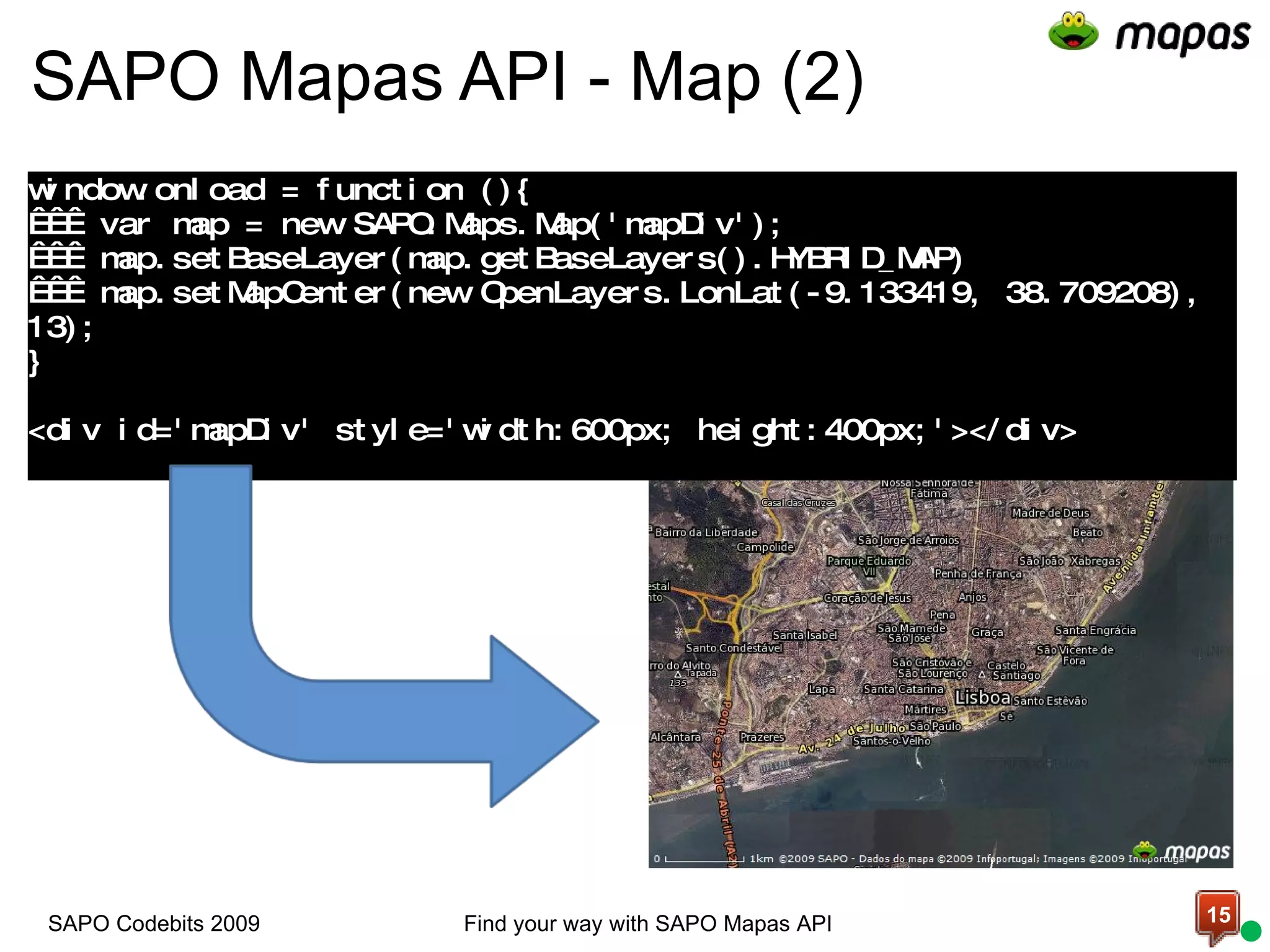
SAPO Mapas API - Map (2)   window.onload = function (){     var map = new SAPO.Maps.Map('mapDiv');     map.setBaseLayer(map.getBaseLayers().HYBRID_MAP)     map.setMapCenter(new OpenLayers.LonLat(-9.133419, 38.709208), 13); } <div id='mapDiv' style='width:600px; height:400px;'></div> Find your way with SAPO Mapas API SAPO Codebits 2009
There are 4 layer types available on SAPO Mapas API:   Map (NORMAL_MAP)       Satellite (SATELLITE_MAP)   Hybrid (HYBRID_MAP)    Terrain (TERRAIN_MAP)   And soon will be more...  SAPO Mapas API - Map Layers Find your way with SAPO Mapas API SAPO Codebits 2009
SAPO Mapas API - Map Layers (2) Change the base layer programmatically:   map.getBaseLayers()  Returns an object with the following keys: NORMAL_MAP (Map mode) HYBRID_MAP (Hybrid mode) SATELLITE_MAP (Satellite mode) TERRAIN_MAP (Terrain mode)       map.setBaseLayer(map.getBaseLayers().HYBRID_MAP)  changes the base layer to hybrid mode Find your way with SAPO Mapas API SAPO Codebits 2009
SAPO Mapas API - Map Events Register an event: map.events register(event type, context, function) unregister(event type, context, function)     Event types: click, dblclick, baselayerchanged, move, movestart, moveend, zoomend, popupopen, popupclose, mouseover, mouseout, mousemove  Find your way with SAPO Mapas API SAPO Codebits 2009
Demo Add a map to your page  Listening some events  Defining a base layer  
SAPO Mapas API - Overlays What's an overlay?   We call overlay to everything you put over the map which moves with it.      In OpenLayers there are vector features.   Available overlays: Marker Polygon Polyline Find your way with SAPO Mapas API SAPO Codebits 2009
SAPO Mapas API – Overlays (2) Add an overlay to the map map.addOverlay(overlay) Register some events: registerEvent(event type, scope, function) unregisterEvent(event type, scope, function) Supported events:  popupopened, popupclosed, click, dblclick, mousedown, mouseup, mouseover, mouseout, dragstart, drag, dragend, enabledragging, disabledragging Find your way with SAPO Mapas API SAPO Codebits 2009
Show how overlays work marker, polygon and polyline Demo
SAPO Mapas API - Controls Control types: Presentation - Display HTML over the map  Behavior - Manages map behavior   Control interface (OpenLayers.Control) Add a control to the map: map.addControl(control_instance) Find your way with SAPO Mapas API SAPO Codebits 2009
SAPO Mapas API – Controls (2) Methods:  draw(px: OpenLayers.Pixel) destroy() Available  controls : MousePosition Navigation2 Window ContextMenu MapType2 MiniMap2 Find your way with SAPO Mapas API SAPO Codebits 2009
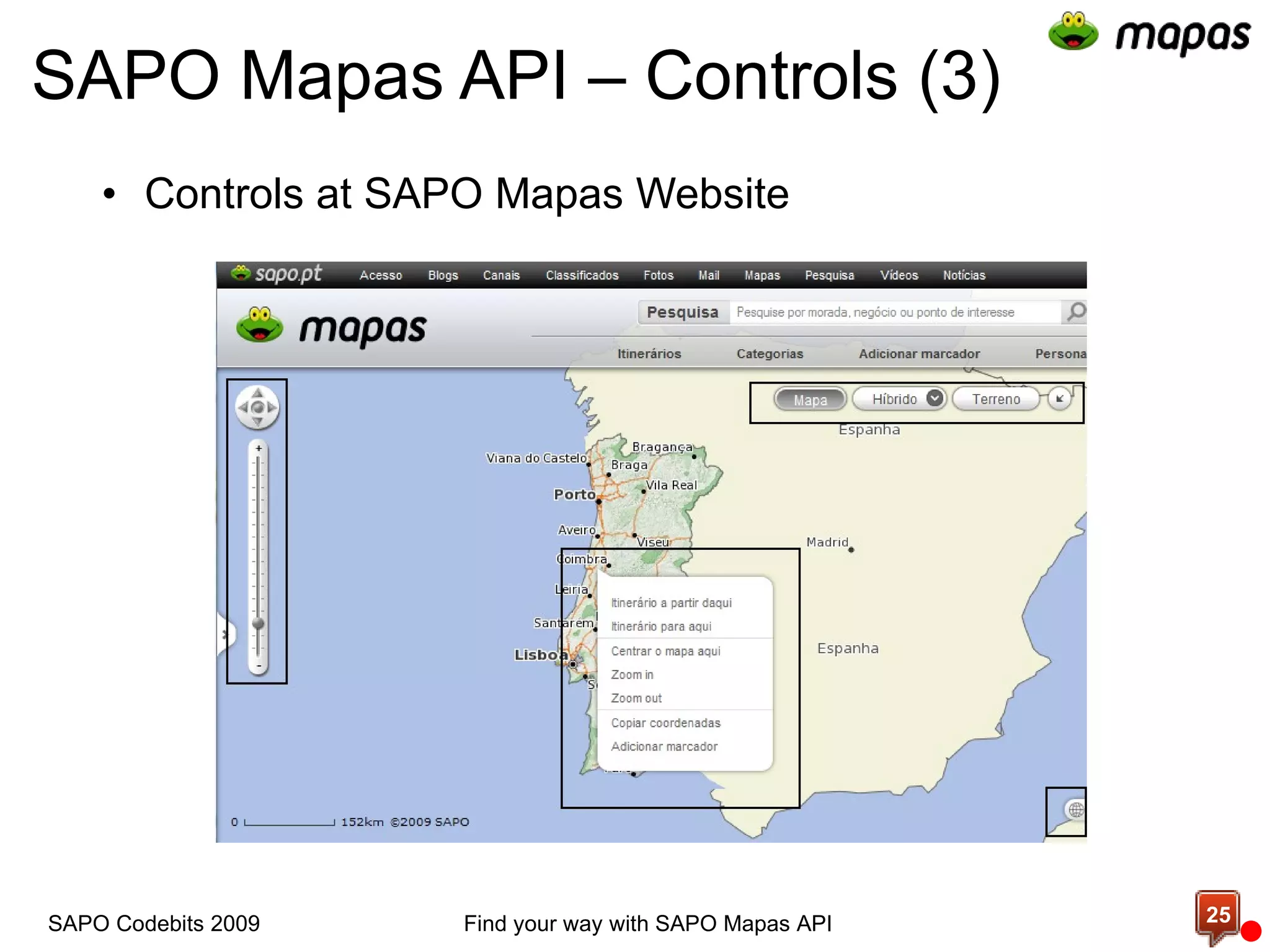
SAPO Mapas API – Controls (3) Controls at SAPO Mapas Website Find your way with SAPO Mapas API SAPO Codebits 2009
Demo Add controls to your map
SAPO Mapas API - Custom Control  var  Codebits = OpenLayers.Class(OpenLayers.Control, { //Contructor initialize:  function (){   //base class call   OpenLayers.Control.prototype.initialize.apply( this , []); }, //Called on page unload destroy:  function (){   //base class call     OpenLayers.Control.prototype.destroy.apply( this , arguments); }, … Find your way with SAPO Mapas API SAPO Codebits 2009
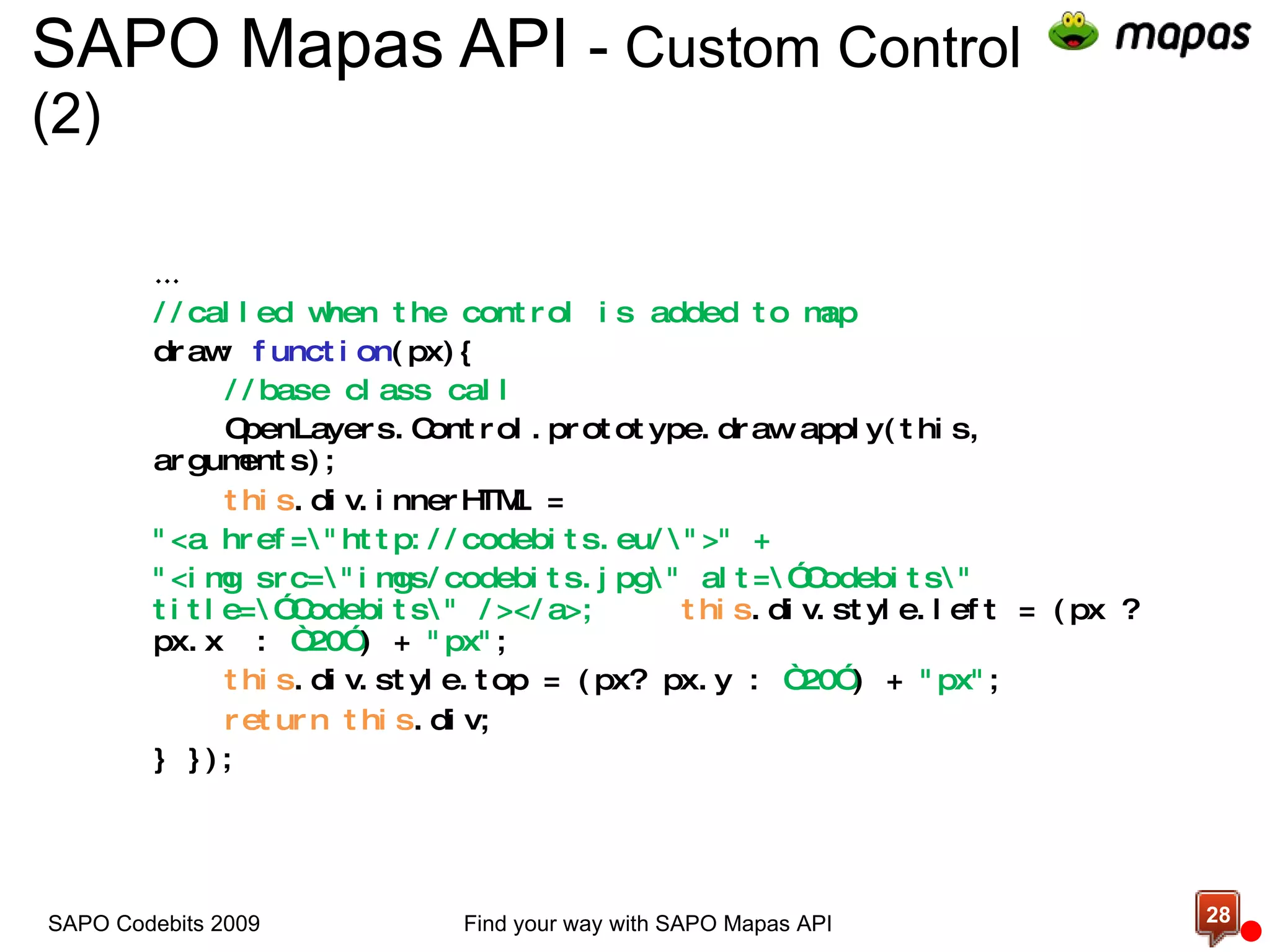
SAPO Mapas API  -  Custom Control (2)  … //called when the control is added to map draw:  function (px){ //base class call OpenLayers.Control.prototype.draw.apply(this, arguments); this .div.innerHTML =  &quot;<a href=\&quot;http://codebits.eu/\&quot;>&quot; +  &quot;<img src=\&quot;imgs/codebits.jpg\&quot; alt=\”Codebits\&quot; title=\”Codebits\&quot; /></a>; this .div.style.left = (px ? px.x  :  “20” ) +  &quot;px&quot; ; this .div.style.top = (px? px.y :  “20” ) +  &quot;px&quot; ; return   this .div; } }); Find your way with SAPO Mapas API SAPO Codebits 2009
Demo Implementing a custom control
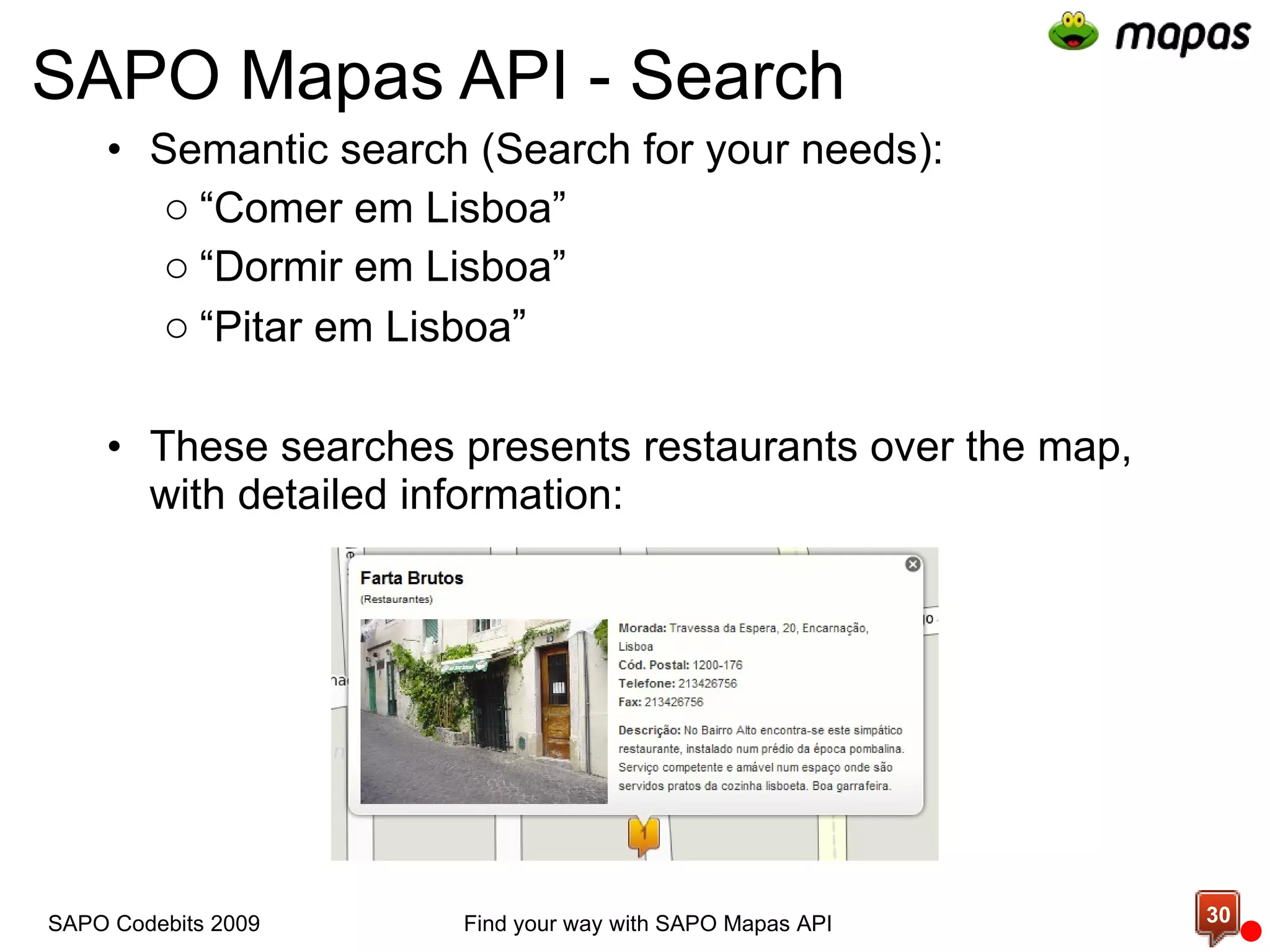
SAPO Mapas API - Search Semantic search (Search for your needs): “ Comer em Lisboa” “ Dormir em Lisboa” “ Pitar em Lisboa ” These searches presents restaurants over the map, with detailed information: Find your way with SAPO Mapas API SAPO Codebits 2009
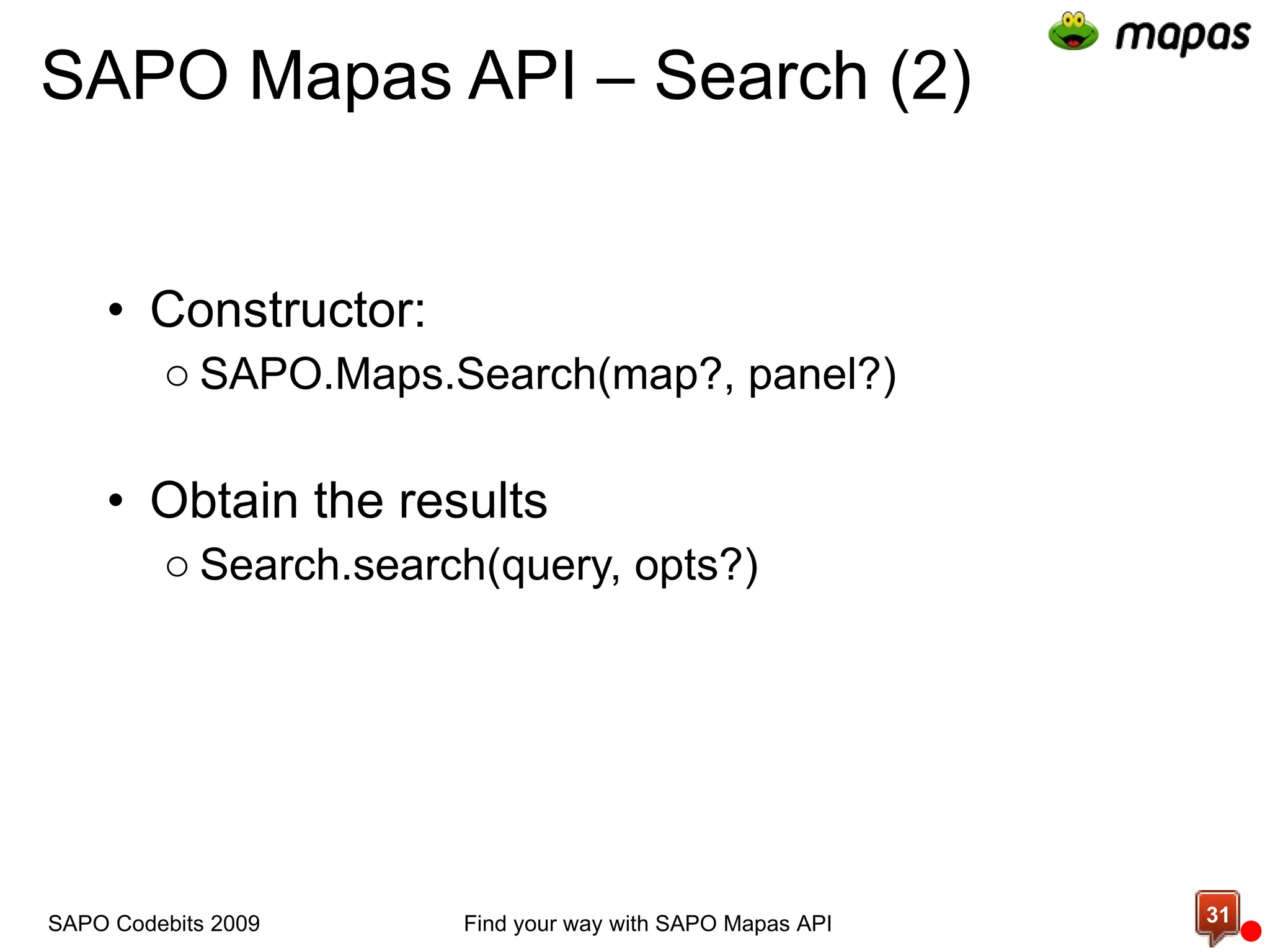
SAPO Mapas API – Search (2) Constructor: SAPO.Maps.Search(map?, panel?) Obtain the results Search.search(query, opts?) SAPO Codebits 2009 Find your way with SAPO Mapas API
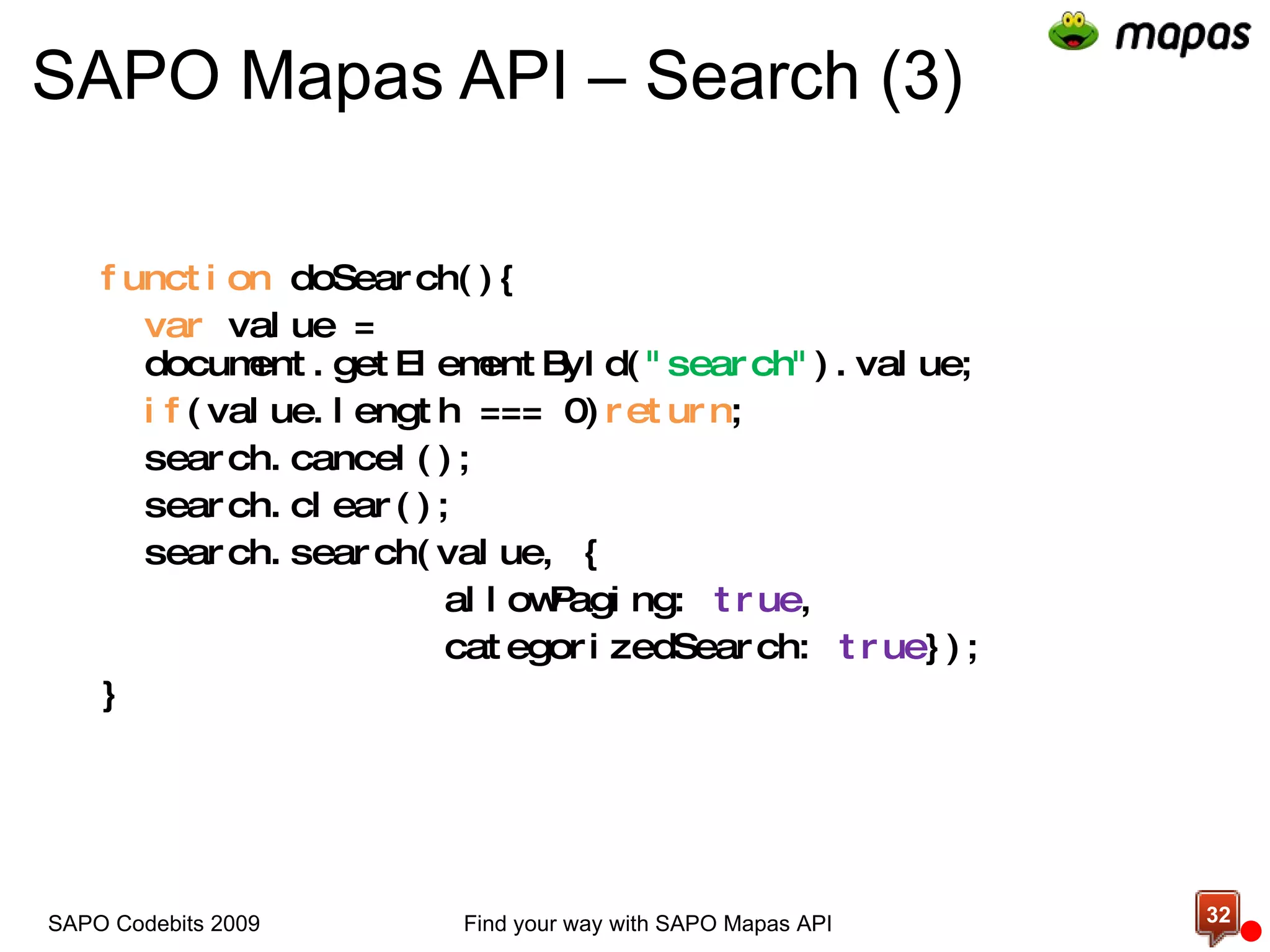
SAPO Mapas API – Search (3) function  doSearch(){ var  value = document.getElementById( &quot;search&quot; ).value; if (value.length === 0) return ; search.cancel(); search.clear(); search.search(value, { allowPaging:  true ,  categorizedSearch:  true }); } Find your way with SAPO Mapas API SAPO Codebits 2009
Demo Using the search service
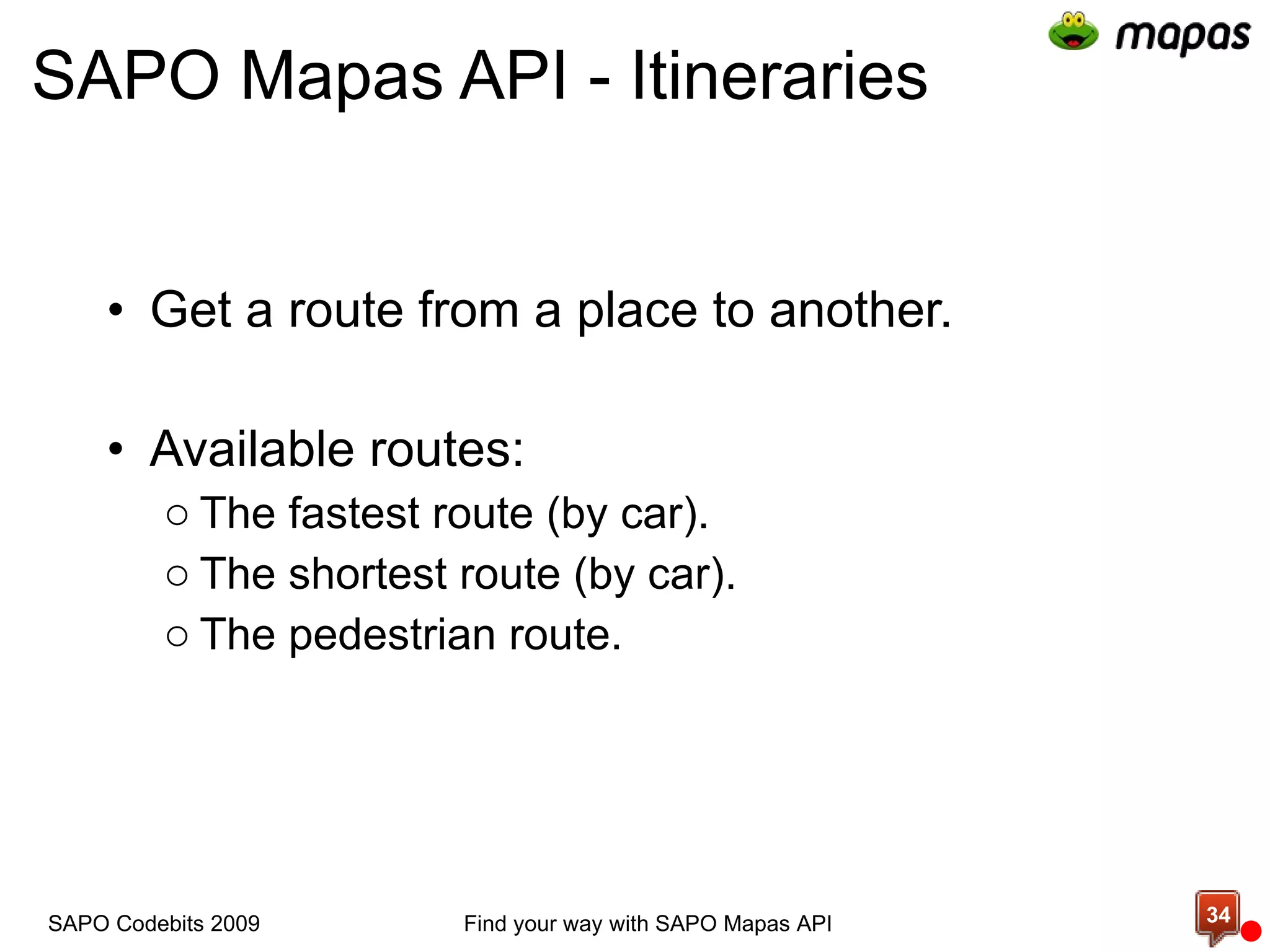
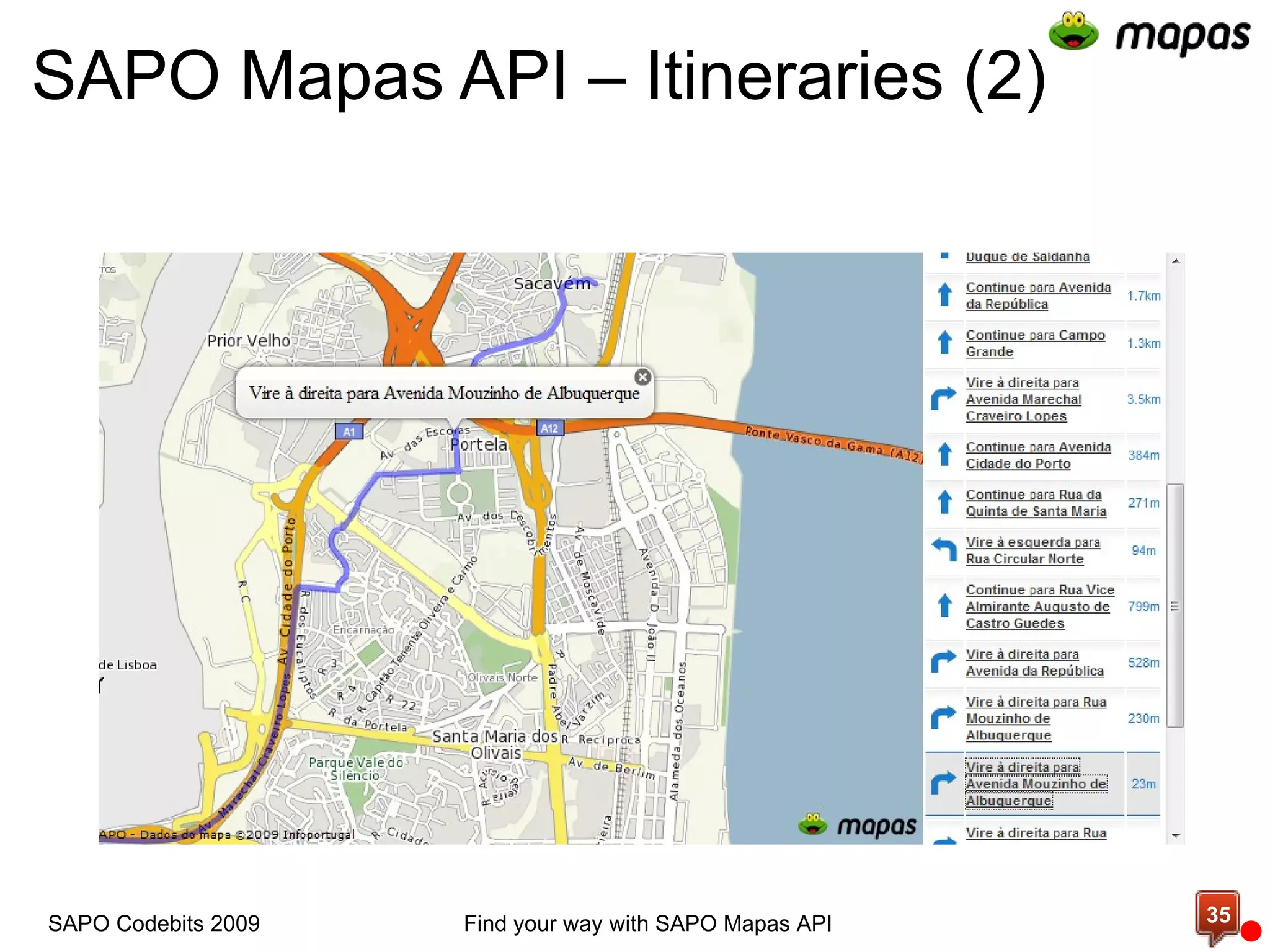
SAPO Mapas API - Itineraries Get a route from a place to another. Available routes: The fastest route (by car). The shortest route (by car). The pedestrian route. Find your way with SAPO Mapas API SAPO Codebits 2009
SAPO Mapas API – Itineraries (2) Find your way with SAPO Mapas API SAPO Codebits 2009
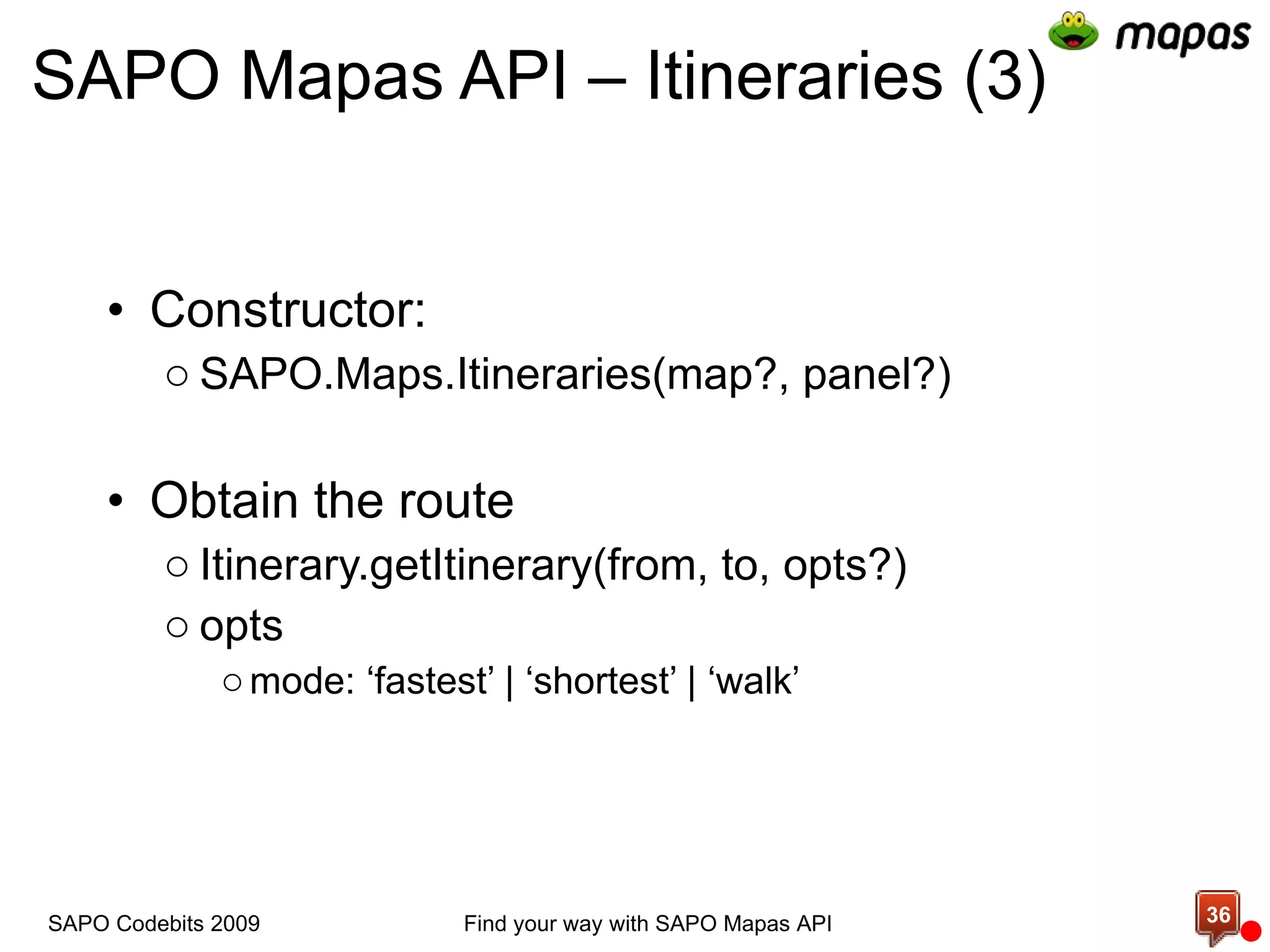
SAPO Mapas API – Itineraries (3) Constructor: SAPO.Maps.Itineraries(map?, panel?) Obtain the route Itinerary.getItinerary(from, to, opts?) opts mode: ‘fastest’ | ‘shortest’ | ‘walk’ Find your way with SAPO Mapas API SAPO Codebits 2009
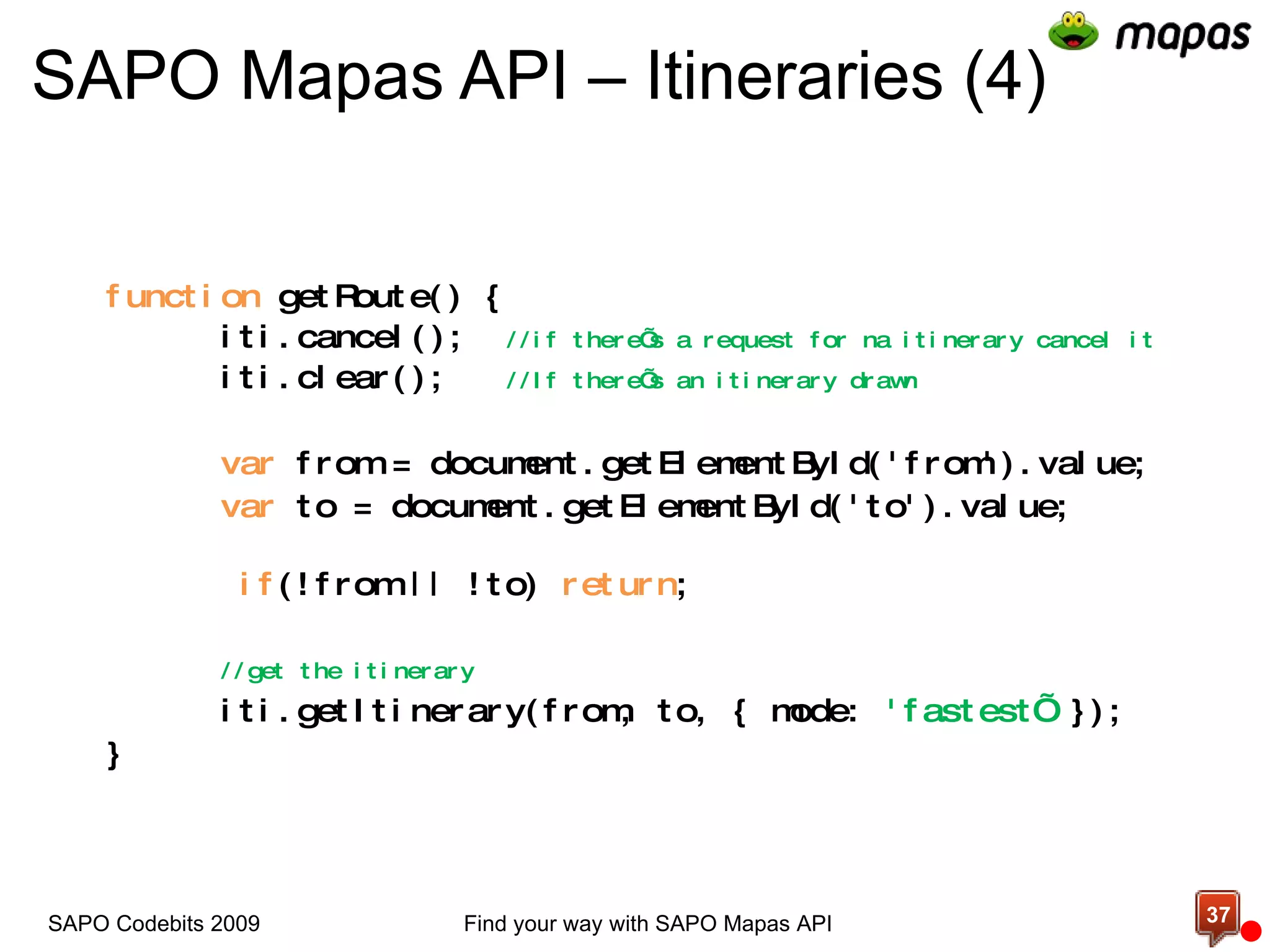
SAPO Mapas API – Itineraries (4) function  getRoute() { iti.cancel();  //if there’s a request for na itinerary cancel it iti.clear();  //If there’s an itinerary drawn var  from = document.getElementById('from').value; var  to = document.getElementById('to').value;   if (!from || !to)  return ;  //get the itinerary iti.getItinerary(from, to, { mode:  'fastest’  }); } Find your way with SAPO Mapas API SAPO Codebits 2009
Demo Using the itineraries service
More information http://mapas.sapo.pt/api Find your way with SAPO Mapas API SAPO Codebits 2009
Demo The last demo as a resource
Q & A
http://js.sapo.pt/Bundles/SAPOMapsAPI.js http://mapas.sapo.pt/api http://mapas.sapo.pt/codebits/demos.zip SAPO Codebits 2009 Find your way with SAPO Mapas API

Find your way with SAPO Maps API

  • 1.
    Find your waywith API André Matos & João Duarte
  • 2.
    Agenda What’s SAPOMapas How SAPO Mapas API is made SAPO Mapas API – the inner workings Demos Documentation Find your way with SAPO Mapas API SAPO Codebits 2009
  • 3.
    What's SAPO MapasWeb Maps Application.   Contains over 1.5 million POIs in Portuguese territory distributed over 200 categories ( Supported by SAPO Gis: http://services.sapo.pt/Metadata/Service/GIS?culture=PT )     Get the best route, for anywhere you want (in Portugal).     Search for your needs (e.g. &quot;Comer em Lisboa&quot;).   And more... you must try it! Find your way with SAPO Mapas API SAPO Codebits 2009
  • 4.
    Where can Ifind it? http://mapas.sapo.pt Find your way with SAPO Mapas API SAPO Codebits 2009
  • 5.
    SAPO Mapas API- How is it made? Technologies used to make SAPO Mapas API:   OpenLayers 2.8   JavaScript ( yes, a lot of JavaScript :) )   Web Services   GIS WebServices (available at: http://services.sapo.pt/Metadata/Service/GIS?culture=PT ) Find your way with SAPO Mapas API SAPO Codebits 2009
  • 6.
    OpenLayers - Abrief overview   Find your way with SAPO Mapas API SAPO Codebits 2009
  • 7.
    OpenLayers - Abrief overview (2)   Find your way with SAPO Mapas API SAPO Codebits 2009
  • 8.
    OpenLayers - Abrief overview (3) Find your way with SAPO Mapas API SAPO Codebits 2009
  • 9.
    OpenLayers - Abrief overview (4) For more information about OpenLayers:   http://openlayers.org       Examples - http://openlayers.org/dev/examples/     Class reference - http://dev.openlayers.org/releases/OpenLayers-2.8/doc/apidocs/files/OpenLayers-js.html     OpenLayers UML - http://trac.openlayers.org/attachment/wiki/UML/ClassDiagram_OL2.7RC2-20080916.pdf?format=raw     Mailing lists Find your way with SAPO Mapas API SAPO Codebits 2009 c
  • 10.
      And now...Find your way with SAPO Mapas API SAPO Codebits 2009
  • 11.
      Let's havesome fun... Find your way with SAPO Mapas API SAPO Codebits 2009
  • 12.
      Let's talkabout  SAPO Mapas API! Find your way with SAPO Mapas API SAPO Codebits 2009
  • 13.
    SAPO Mapas API- Map   Find your way with SAPO Mapas API SAPO Codebits 2009
  • 14.
    SAPO Mapas API- Map (2) The main type.   Draws a map in your HTML page.    Provides some commands to interact with the map:   setMapCenter - Center the map in a given point   zoomTo - Zoom to a given zoom level   setBaseLayer - Changes the map view type Find your way with SAPO Mapas API SAPO Codebits 2009
  • 15.
    SAPO Mapas API- Map (2)   window.onload = function (){     var map = new SAPO.Maps.Map('mapDiv');     map.setBaseLayer(map.getBaseLayers().HYBRID_MAP)     map.setMapCenter(new OpenLayers.LonLat(-9.133419, 38.709208), 13); } <div id='mapDiv' style='width:600px; height:400px;'></div> Find your way with SAPO Mapas API SAPO Codebits 2009
  • 16.
    There are 4layer types available on SAPO Mapas API:   Map (NORMAL_MAP)       Satellite (SATELLITE_MAP)   Hybrid (HYBRID_MAP)    Terrain (TERRAIN_MAP)   And soon will be more... SAPO Mapas API - Map Layers Find your way with SAPO Mapas API SAPO Codebits 2009
  • 17.
    SAPO Mapas API- Map Layers (2) Change the base layer programmatically:   map.getBaseLayers() Returns an object with the following keys: NORMAL_MAP (Map mode) HYBRID_MAP (Hybrid mode) SATELLITE_MAP (Satellite mode) TERRAIN_MAP (Terrain mode)       map.setBaseLayer(map.getBaseLayers().HYBRID_MAP) changes the base layer to hybrid mode Find your way with SAPO Mapas API SAPO Codebits 2009
  • 18.
    SAPO Mapas API- Map Events Register an event: map.events register(event type, context, function) unregister(event type, context, function)     Event types: click, dblclick, baselayerchanged, move, movestart, moveend, zoomend, popupopen, popupclose, mouseover, mouseout, mousemove Find your way with SAPO Mapas API SAPO Codebits 2009
  • 19.
    Demo Add amap to your page  Listening some events Defining a base layer  
  • 20.
    SAPO Mapas API- Overlays What's an overlay?   We call overlay to everything you put over the map which moves with it.      In OpenLayers there are vector features.   Available overlays: Marker Polygon Polyline Find your way with SAPO Mapas API SAPO Codebits 2009
  • 21.
    SAPO Mapas API– Overlays (2) Add an overlay to the map map.addOverlay(overlay) Register some events: registerEvent(event type, scope, function) unregisterEvent(event type, scope, function) Supported events: popupopened, popupclosed, click, dblclick, mousedown, mouseup, mouseover, mouseout, dragstart, drag, dragend, enabledragging, disabledragging Find your way with SAPO Mapas API SAPO Codebits 2009
  • 22.
    Show how overlayswork marker, polygon and polyline Demo
  • 23.
    SAPO Mapas API- Controls Control types: Presentation - Display HTML over the map Behavior - Manages map behavior   Control interface (OpenLayers.Control) Add a control to the map: map.addControl(control_instance) Find your way with SAPO Mapas API SAPO Codebits 2009
  • 24.
    SAPO Mapas API– Controls (2) Methods: draw(px: OpenLayers.Pixel) destroy() Available controls : MousePosition Navigation2 Window ContextMenu MapType2 MiniMap2 Find your way with SAPO Mapas API SAPO Codebits 2009
  • 25.
    SAPO Mapas API– Controls (3) Controls at SAPO Mapas Website Find your way with SAPO Mapas API SAPO Codebits 2009
  • 26.
    Demo Add controlsto your map
  • 27.
    SAPO Mapas API- Custom Control var Codebits = OpenLayers.Class(OpenLayers.Control, { //Contructor initialize: function (){ //base class call OpenLayers.Control.prototype.initialize.apply( this , []); }, //Called on page unload destroy: function (){ //base class call    OpenLayers.Control.prototype.destroy.apply( this , arguments); }, … Find your way with SAPO Mapas API SAPO Codebits 2009
  • 28.
    SAPO Mapas API - Custom Control (2) … //called when the control is added to map draw: function (px){ //base class call OpenLayers.Control.prototype.draw.apply(this, arguments); this .div.innerHTML = &quot;<a href=\&quot;http://codebits.eu/\&quot;>&quot; + &quot;<img src=\&quot;imgs/codebits.jpg\&quot; alt=\”Codebits\&quot; title=\”Codebits\&quot; /></a>; this .div.style.left = (px ? px.x : “20” ) + &quot;px&quot; ; this .div.style.top = (px? px.y : “20” ) + &quot;px&quot; ; return this .div; } }); Find your way with SAPO Mapas API SAPO Codebits 2009
  • 29.
    Demo Implementing acustom control
  • 30.
    SAPO Mapas API- Search Semantic search (Search for your needs): “ Comer em Lisboa” “ Dormir em Lisboa” “ Pitar em Lisboa ” These searches presents restaurants over the map, with detailed information: Find your way with SAPO Mapas API SAPO Codebits 2009
  • 31.
    SAPO Mapas API– Search (2) Constructor: SAPO.Maps.Search(map?, panel?) Obtain the results Search.search(query, opts?) SAPO Codebits 2009 Find your way with SAPO Mapas API
  • 32.
    SAPO Mapas API– Search (3) function doSearch(){ var value = document.getElementById( &quot;search&quot; ).value; if (value.length === 0) return ; search.cancel(); search.clear(); search.search(value, { allowPaging: true , categorizedSearch: true }); } Find your way with SAPO Mapas API SAPO Codebits 2009
  • 33.
    Demo Using thesearch service
  • 34.
    SAPO Mapas API- Itineraries Get a route from a place to another. Available routes: The fastest route (by car). The shortest route (by car). The pedestrian route. Find your way with SAPO Mapas API SAPO Codebits 2009
  • 35.
    SAPO Mapas API– Itineraries (2) Find your way with SAPO Mapas API SAPO Codebits 2009
  • 36.
    SAPO Mapas API– Itineraries (3) Constructor: SAPO.Maps.Itineraries(map?, panel?) Obtain the route Itinerary.getItinerary(from, to, opts?) opts mode: ‘fastest’ | ‘shortest’ | ‘walk’ Find your way with SAPO Mapas API SAPO Codebits 2009
  • 37.
    SAPO Mapas API– Itineraries (4) function getRoute() { iti.cancel(); //if there’s a request for na itinerary cancel it iti.clear(); //If there’s an itinerary drawn var from = document.getElementById('from').value; var to = document.getElementById('to').value; if (!from || !to) return ; //get the itinerary iti.getItinerary(from, to, { mode: 'fastest’ }); } Find your way with SAPO Mapas API SAPO Codebits 2009
  • 38.
    Demo Using theitineraries service
  • 39.
    More information http://mapas.sapo.pt/apiFind your way with SAPO Mapas API SAPO Codebits 2009
  • 40.
    Demo The lastdemo as a resource
  • 41.
  • 42.

Editor's Notes

  • #4 A maioria das funcionalidades disponiveis em mapas.sapo.pt, estão também disponiveis via SAPO Mapas API.
  • #5   Nova versão lançada em julho. Mostar página do Mapas. Itinerarios. Pesquisas.   Transportes públicos Controlos     TUDO Disponível via SAPO Mapas API!
  • #6 OpenLayers como motor de mapa Javascript para construir a camada de abstração e montar a API de mapas do SAPO. Webservices para consumir conteúdos e apresenta-los sobre o mapa.    
  • #7 Tipo principal Map. Qualquer interação com o mapa passará por este tipo.   Se for usado o tipo Map do OpenLayers será necessário inidicar um enpoint para as imagens de mapa. Indicar projecções, sistemas de coordenadas, etc.   O tipo SAPO.Maps.Map já implementa toda ess abstração.   Controlos:  Facilita a colocação de HTML sobre o mapa. Apenas têm de definir o HTML que pretendem colocar e o controlo faz o resto. Não se têm de preocupar com os posicionamentos. Podem indicar a posição do HTML sobre o mapa.   Exemplos de controlos existentes: Barra de zoom e navegação. Menu de base layers. Minimap MousePosition OL já disponibiliza uma panoplia de controlos: free hand, permite desenhar shapes sobre o mapa.
  • #8 Popup e features. Popup - É aqui que definimos o desenho do popup que usamos nos mapas do SAPO. Se não gostarem do nosso popup é possível defenirem um novo ou usarem um já existente. Para definir um novo basta estender a classe Popup. Ou podem usar um já existente, anchoredBuble, FrameCloud Features - Desenho vectorial. É através de features que desenhamos marcadores, linhas e poligonos. Veremos mais a frente a API do SAPO para isso.
  • #10 Nestes links poderão encontrar mais informação sobre o OL. Página principal, onde poderão fazer o download do OpenLayers, actualmente na versão 2.8.   Galeria de exemplos.   Class reference. Embora seja preferivel olhar para o código. Esta documentação é produzida de forma automática.   Diagrama UML que ajuda a perceber por alto a arquitectura do OpenLayers (É muito grande)    Mailing lists. Onde podem colocar duvidas ou até colaborar no projecto.  
  • #14 Este slide apenas serve para mostrar que as funcionalidades existentes no openlayers são mantidas, i. e., se alguem for um utilizador experiente de openlayers e pretender tirar partido de alguma funcionalidade, por exemplo, adicionar uma layer KML, GML etc, pode continuar a faze-lo através da API de mapas do SAPO.  A API de mapas do SAPO abstraí do openlayers e ao mesmo tempo adiciona mais funcionalidades.
  • #15 É o tipo principal na API de mapas. Tudo passa por este tipo. Para desenhar um mapa na página, e necessário instanciar este tipo. Providencia de forma simples interagir com o mapa. Fazer zoom, centrar o mapa, adicionar controlos, inibir o zoom com a wheel do rato, trocar as base layers.
  • #16 Para colocar um mapa na página apenas é preciso instanciar mapa, passando o div para o qual o mapa se vai renderizar. Trocamos o tipo de vista do mapa. Por ultimo o mapa é centrado em lisboa com o nível de zoom 13.
  • #17 Como é possivel ver nos mapas do sapo, estão disponiveis as seguintes layers: Map Satellite Hybrid Terrain
  • #18 A instancia de mapa contém o seguinte método: getBaseLayers() Este método contém as base layers disponiveis na API de mapas. para alterar a layer base basta evocar o método setBaseLayer com um dos objectos devolvidos pelo método getBaseLayers
  • #19 Como na maior parte das frameworks, a API de mapas é event driven. É possivel ser notificado sempre que dada acção ocorre. Para registar um evento deve aceder à propriedade events em mapa.
  • #21 Nós consideramos como overlay tudo o que se coloca em cima do mapa num determinado ponto. É como se estivesse agarrado à superficie terrestre. Como overlays temos: marcadores poligonos linhas Estes elementos desenham-se através de features do OpenLayers, numa layer vectorial.
  • #22 Para adicionar a overlay ao mapa, deve usar-se o método: addOverlay
  • #24 O que é isto de um controlo? há 2 tipos de controlos. o primeiro e mais importante de todos serve para representar HTML sobre o mapa. o 2º serve essencialmente para gerir comportamente sobre o mapa. Todos os controlos devem obedecer à seguinte interface OpenLayers.Control e devem implementar os seguintes métodos: draw(px) destroy
  • #25 ContextMenu: quando existe um right click sobre o mapa, apresenta um menu de contexto MapType2: Coloca sobre o mapa uma forma de trocar as baselayers MiniMap2: Coloca sobre o mapa um minimapa que permite fazer um overview sobre o mapa principal MousePosition: Coloca sobre o mapa um controlo que permite ver as coordenadas Navigation: Desenha um controlo que permite navegar, fazer zoom etc. Window: Coloca sobre o mapa uma janela flutuante que permite colocar html no seu interior
  • #26 Controlos usados no sapo mapas: Navigation2 MapType2 ContextMenu MousePosition MiniMap
  • #27 Nesta demo vamos demonstrar como podem adicionar controlos ao mapa.
  • #28 Explicar sintaxe de construção da classe. Construtor Destrutor Quando é chamado cada método. this.div Quando é chamado o draw
  • #29 Explicar sintaxe de construção da classe. Construtor Destrutor Quando é chamado cada método. this.div Quando é chamado o draw
  • #30 Exemplo de um custom control
  • #31 Possibilidade de fazer pesquisas semanticas: Comer em Lisboa Dormir em Lisboa Em que são apresentados sobre o mapa restaurantes ou hoteis, neste caso, com informação detalhada. Podemos ver que é apresentado o telefone, a morada e até uma pequena descrição.
  • #34 Exemplo de um custom control
  • #35 Disponibiliza uma forma de obter um caminho de um local para outro. Caminhos disponiveis: Mais rápido Mais curto A pé É pintado sobre o mapa o caminho, onde pode fazer zoom para ver com mais detalhe, e é colocada num painel a descrição do caminho. Está tudo disponivel para impressão.
  • #36 Coloca descrição detalhada sobre o painel lateral e desenha uma linha sobre o mapa. Esta informação é toda configurável. Se for fornecido apenas o painel os resultados são apresentados apenas sobre o painel. Se for fornecido o mapa apenas são apresentados sobre o mapa. Se forem ambos os resultados são desenhados sobre ambos os elementos
  • #37 Para construir um itinerário é necessário fornecer o mapa e um painel. Estes elementos são opcionais. ? Significa que o parâmetro não é obrigatório. Para obter o itinerário, basta evocar o método getItinerary, passando o local de partida, de chegada e o modo.
  • #38 Código para obter o itinerário. Cancelar se houver um pedido por um itinerário em curso, limpar o painel. Obter o itinerário.
  • #39 Esta demo demonstra a utilização dos itinerários.
  • #40 Documentação Galeria de exemplos Documentos de migração
  • #41 Como um bundle final com todas as funcionalidades apresentadas fizesmos esta demo, que também ficará como um recurso para ser utilizado pelos vossos projectos no codebits.